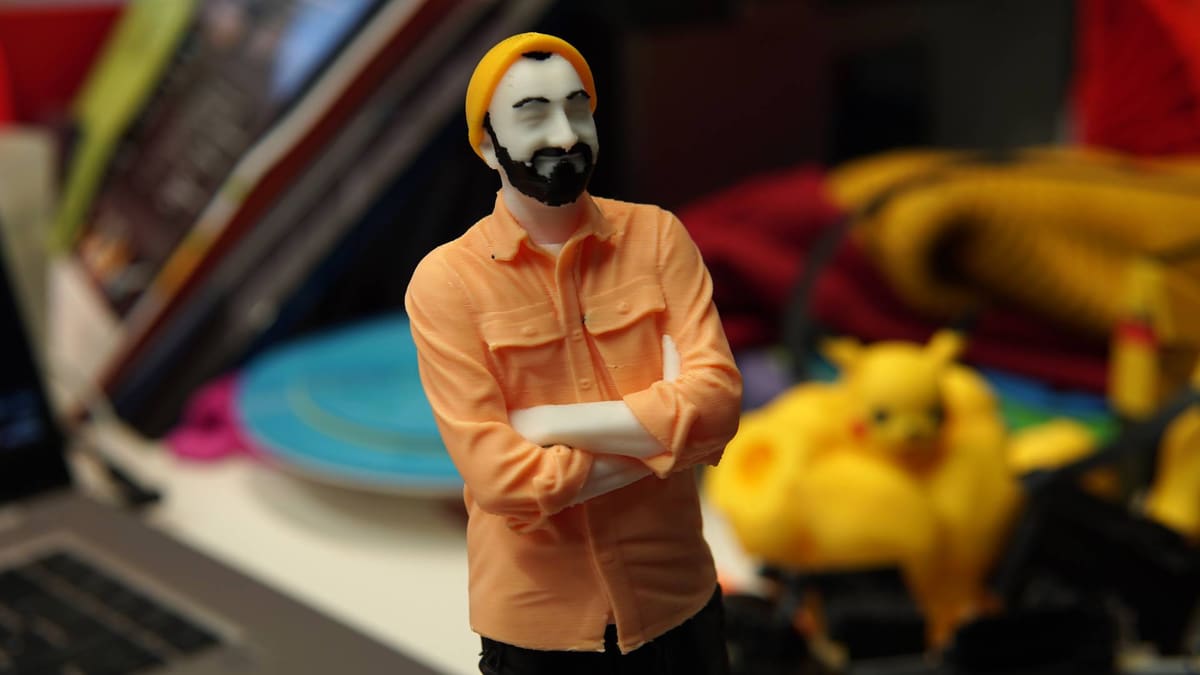
Fantastic or Just Plastic? Testing the Newest Photo-to-3D Tech

Bambu Lab and Creality both launched AI-powered character creation tools late last year. PrintU and CubeMe let you turn photographs into cutesy 3D printable characters. Here’s my reluctant experience with both.
If there’s one thing the advent of AI has brought to 3D printing, it’s the shortcut to hyper-specific aesthetic printables: the stylized avatar, the caricature, and the personalized figurine.
Personalization is often placed on a pedestal as the great business case for 3D printing. Traditionally, this works because the underlying object remains useful—you are simply tweaking a functional design to your liking. AI-powered generators supercharge this, but they bypass the need for well-devised parametrics entirely. The process becomes completely CAD-agnostic (CADnostic?). You get a custom, printable likeness at the click of a button. By removing the sheer effort of creation, the AI removes the filter of forethought. What’s left is pure impulse.
Two such tools launched late last year from desktop printing giants Bambu Lab and Creality, called PrintU and CubeMe, respectively. Both let you upload a portrait or full-body image to turn it into one of a variety of 3D printable figurines – most of them cutesy caricatures.
I’ll preface what follows with the fact that I don’t like putting photographs of myself on the internet, so uploading a picture into a digital black box ostensibly built on the back of gross amounts of data mining doesn’t give me much comfort. I suppressed this in the spirit of discovery, however – to qualify this critique from a place of having used the tools, rather than just shouting from the peanut gallery – and have spent a couple of days generating a squad of mini mes in both tools to see what they’re like.
From the start you need a login for the platform in order to use the tools, since you’ll ultimately be using the native currency as tokens for generating the models. It’s worth noting that you don’t need either brand’s 3D printers to be able to use the models you generate. You end up with an STL or 3MF file which will work in any slicer.
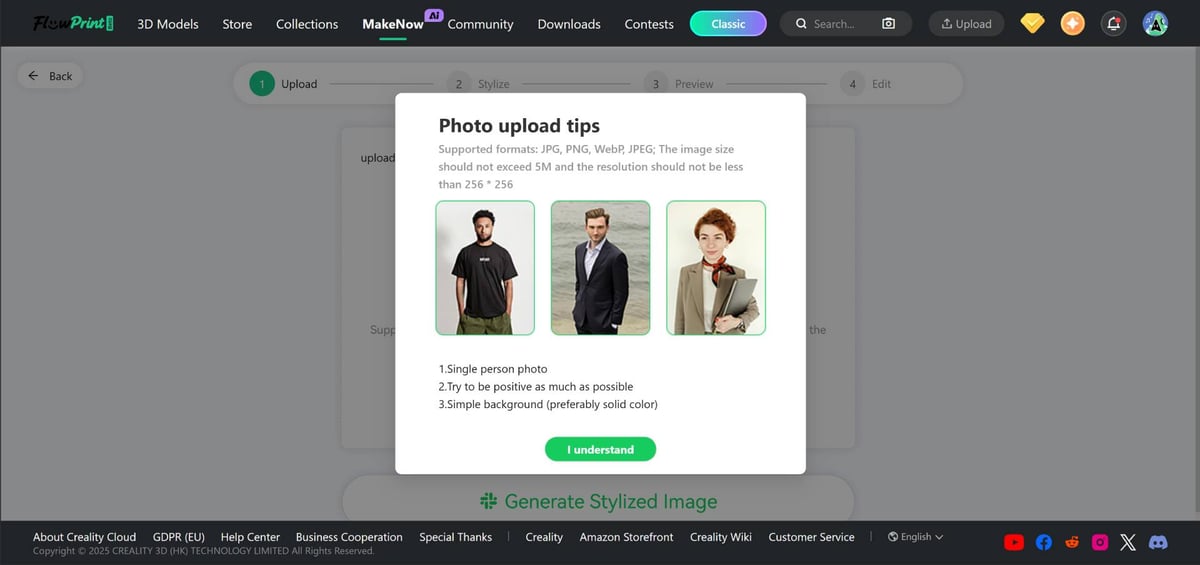
Both Bambu Lab’s PrintU and Creality’s CubeMe give you the terms of use and explain what is done with the data you provide. This is, at the very least, transparent, and makes me trust the tools a bit more. Like an ineffable lifecoach, Creality’s tool even encourages positivity in what you upload, too. Thanks, coach.
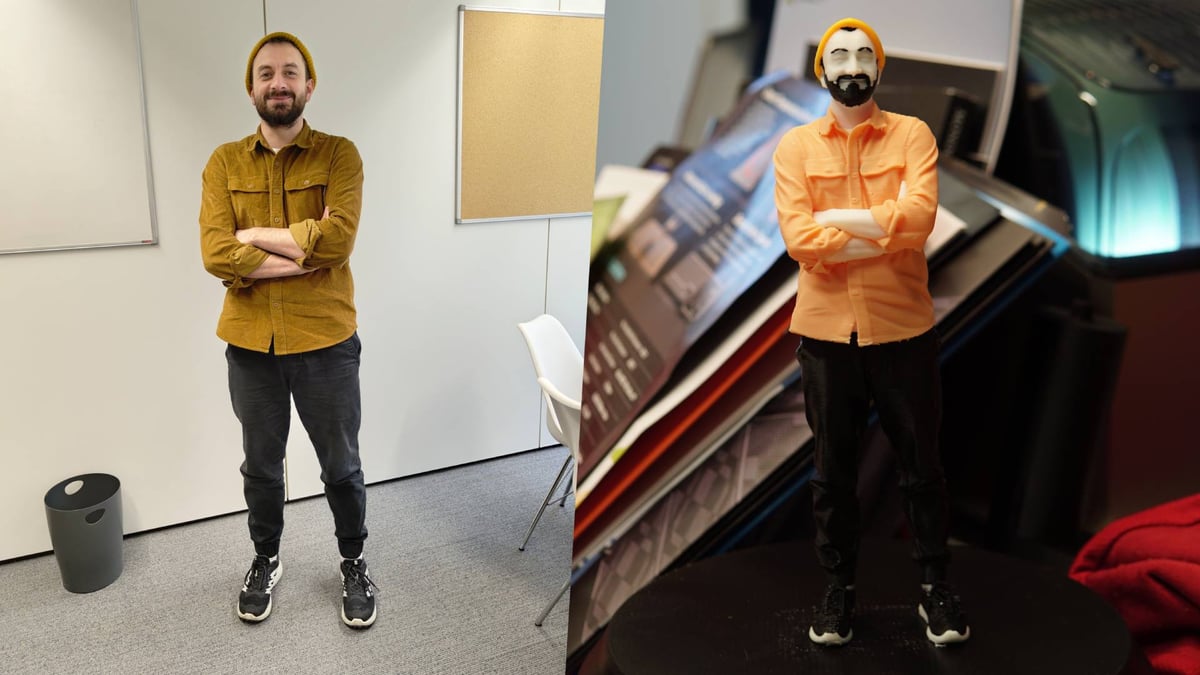
Using PrintU and CubeMe to Print… Well, Me
Bambu Lab’s PrintU is the latest new offering in the company’s MakerLab suite of model generation tools. These run the gamut of on-rails parametric models with knobs and sliders for you to adjust to your liking, plus other AI-powered tools that typically rely on input imagery or text prompting to generate a new model from scratch. PrintU is the latter type and requires you to upload an image.
Once uploaded, PrintU gives you four styles to choose from:
- Bobblehead: Exaggerates head size and facial features.
- Chibi: Similar to bobblehead, but with an anime aesthetic.
- Cartoon: The most generic option.
- Emoji: (Please don’t make me explain emojis.)
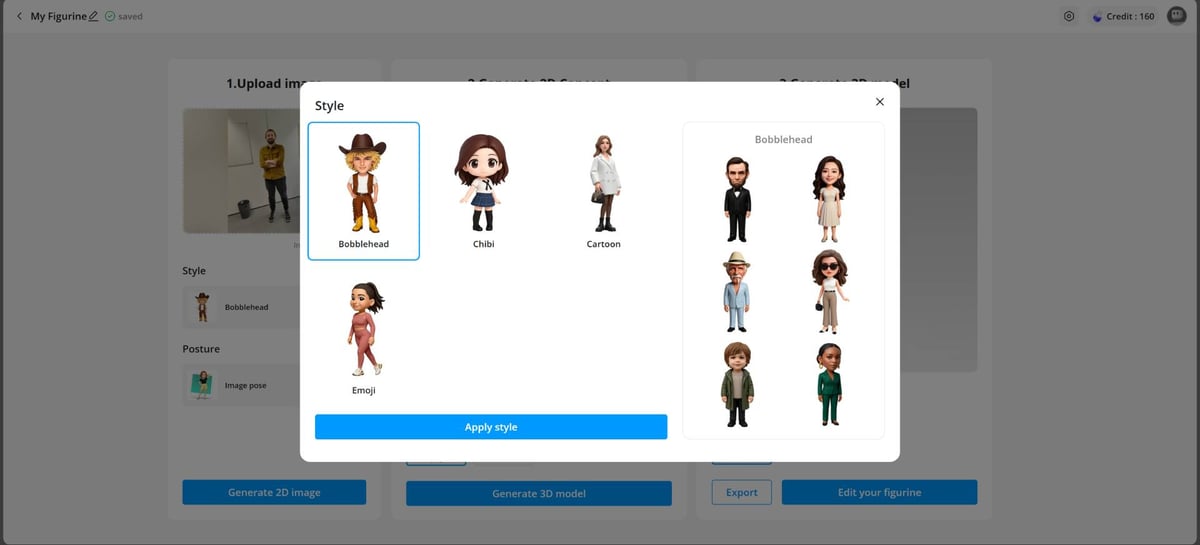
From these styles, you can choose one of three poses. The standard pose strips away any personality you may be exhibiting in the source image, leaving your character standing plainly, arms by your side. Image pose attempts to mimic what you’re doing in the photograph and generally does a decent job discerning props you’re holding, such as a coffee cup – it saw fit to give me a watch and take away my hat, which is a little odd. T-pose, which MakerWorld indicates is in beta, is arguably the most versatile, presenting you in the digital animation standard “T-pose” – standing tall, arms outstretched. From there, you can manipulate the arms and legs to customize the pose as you see fit.
Whatever style and pose you choose, the resulting model is presented in a viewport, toggleable between just the geometry (no color), full color (impossible to print at home, but usable in other digital media), and multicolor (suitable for AMS-assisted color printing).
On export, you must select your respective Bambu Lab printer and the nozzle size you will be using before the model downloads. Your download options range from a simple PNG representation of the model you’ve created, to STL for a monomaterial starting point, 3MF for a prepared multicolor print, and a fully textured GLB for other digital media usage. Up to this point, the experience is friction-free and, importantly, monetarily free.
The Cost: Play or Interact to Pay
Downloading a model, however, costs you 10 credits from your MakerWorld account. You get 20 credits for free every month and can earn the in-platform currency to buy more credits simply by interacting and existing on the platform (uploading models, making things, etc.).
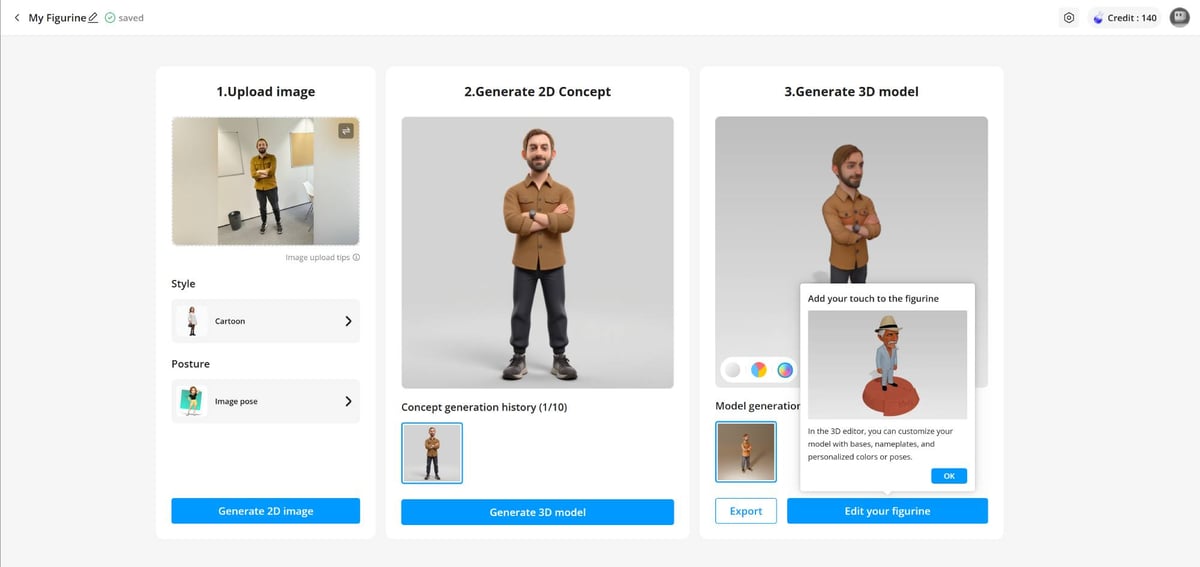
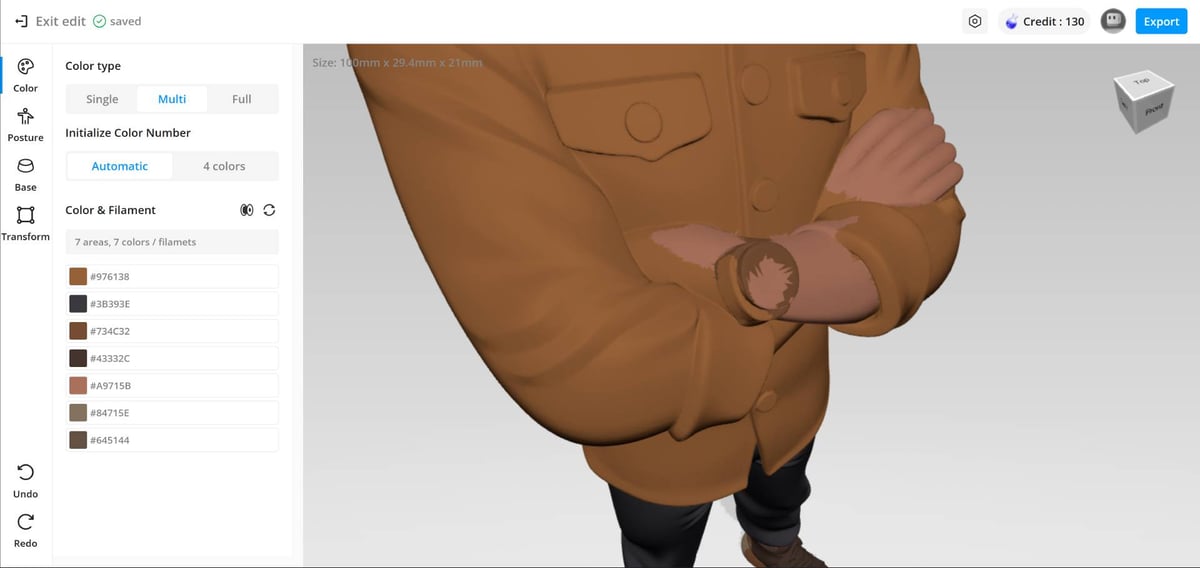
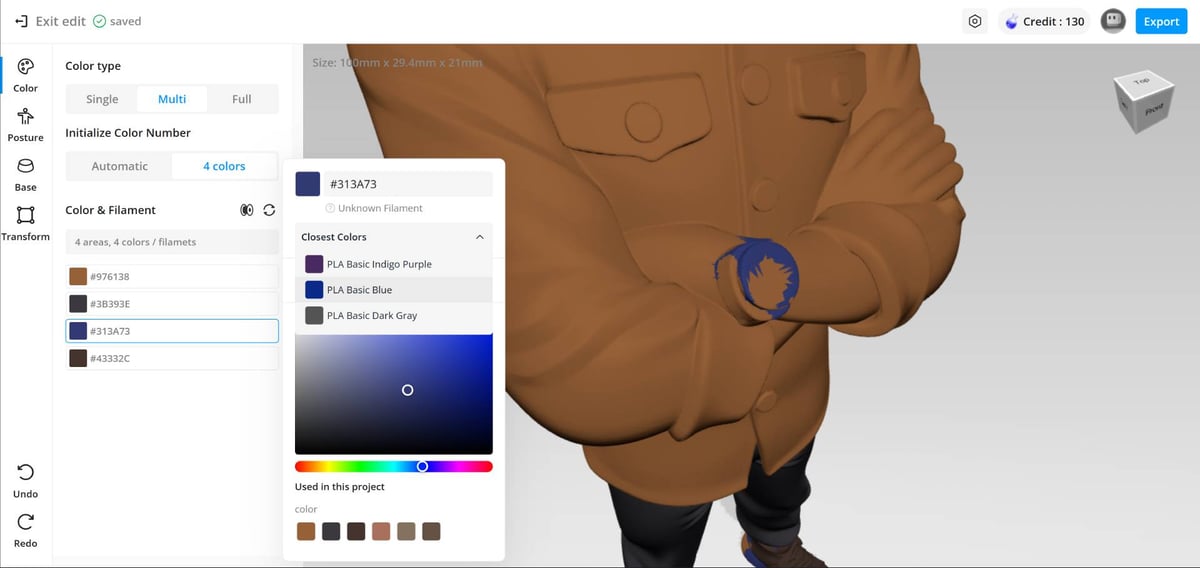
PrintU’s workflow is effectively a two-stage process. Your photograph is transformed into the chosen style first and can be redone up to ten times per model. The results subtly change each time but are generally on point with what you expect. The leap from 2D image to 3D model is the second stage, with the 3D models losing a bit of the “finish” of the 2D images. You’re presented with the full-color version by default, which is probably deliberate, because the untextured and multicolor printing options can look pretty terrifying by comparison. The system attempts to do a job splitting groups of like colors into monomaterial blocks for you to multicolor print, but those results can be uncanny and less likable than the full color representation.
Using Creality’s CubeMe
CubeMe is Creality’s approach to the same tool, with the crucial difference being that you don’t get to see or influence the 2D image midpoint. Currently, CubeMe gives you eight default styles to choose from – all variations on the same exaggerated, cute cartoon caricature style with poses baked in, as well as “no style,” which I liked the most of all the results, plus “other”, where you can get creative.
In the absence of a 2D preview, you do get more freedom in the preset styles and personality you can impart – “no style” generates the most lifelike representation of your photo, while “other” lets you define something completely novel (like a swole bodybuilder version of you) through five fully custom text prompts. Otherwise, the similarities between the two tools are strong.
With the models generated, you can dig into color customization to help you figure out how many filaments are needed and how the multicolor model will look. Both PrintU and CubeMe automatically attempt to split out areas into distinct colors, saving you the job of painstakingly painting them yourself in the slicer. The results I’ve experienced have never been good enough as delivered, though, requiring touch-ups in the slicer. Depending on how much of a perfectionist you are and how much patience you have, this can dramatically add to the work.
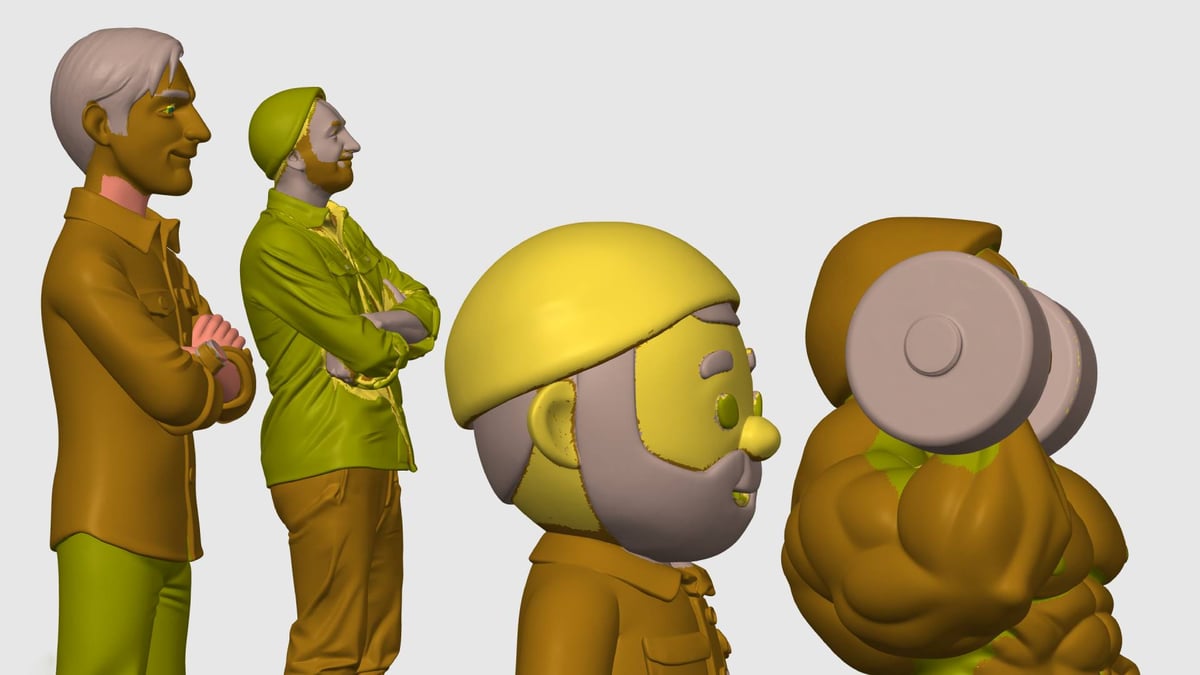
The geometry of both outputs does not appear to particularly mind 3D printability, with supports often necessary and no apparent optimizations made to the models for FDM printing. They are watertight, though, which I guess is the big, essential checkmark for these tools to tick.
A Technical Quirk? 500k Triangles, Always
Curiously, all examples from both tools, no matter their size or style (complexity) came very close to 500,000 triangles. The “realistic” detailed looking model is as polygon-dense as the basic Chibi, which seems needlessly inefficient. Simplifying the model conservatively at “high detail” settings in Bambu Studio saw a ~9x file size reduction.
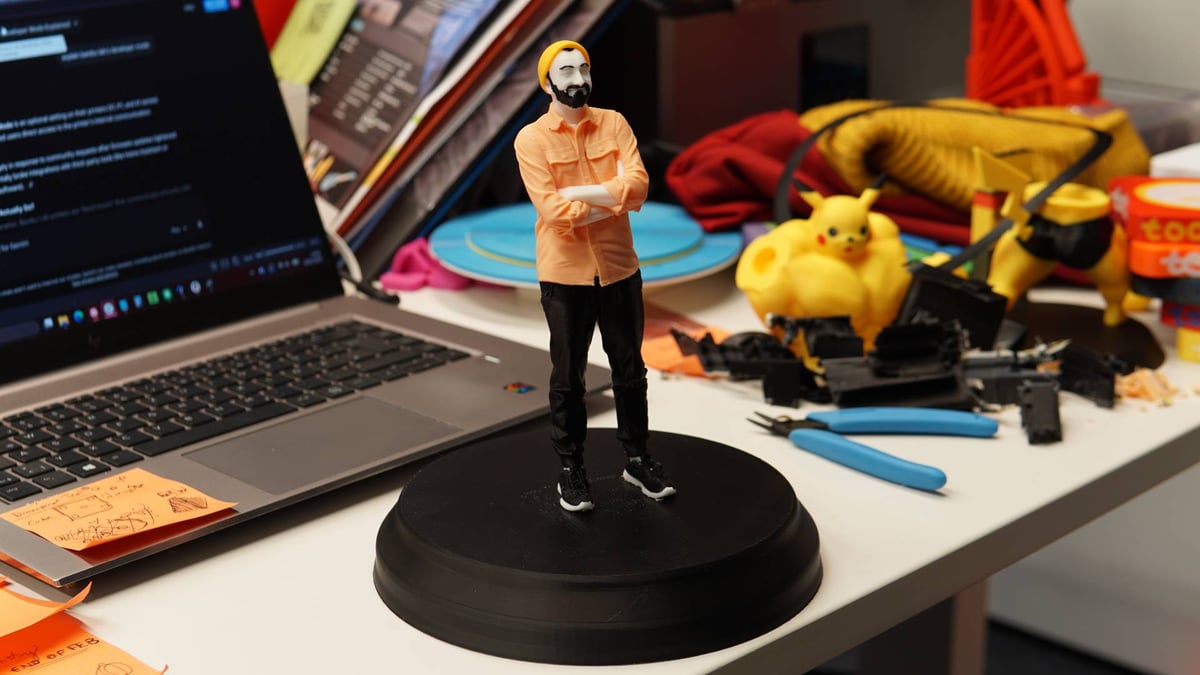
This digital gluttony seems like the perfect metaphor for the experience –just as the digital output can be needlessly bloated, is the process also bloated with unnecessary creation?
The technology here is undeniably impressive; turning a selfie into a watertight, printable 3D mesh in (some) seconds would have seemed like magic five years ago. But I’m not wholly convinced that this is a meaningful removal of the friction of design. It’s just so easy to click, click, click through image after image to create a new, printable model that the effort is no longer a filter for bad ideas.
Not to single them out, since many AI modeling apps exist too, but tools like PrintU and CubeMe help reduce 3D printing to a vapid impulse: the production of “stuff.” The relationship changes from maker to consumer.
You could even make the further argument that by being multicolor models, with most multicolor printing tech still of the single-nozzle purge-poop-generating kind, it’s implicitly wasteful. From my perspective, I’d hope to see these design tools evolve in a direction where they solve real problems – polling readers of All3DP recently, most are using 3D printing to solve novel problems and make fixes at home, not using 3D printing for what could be equated to the cheap fun of a TikTok filter. Fairly or unfairly, personal 3D printing is viewed as a hobby that generates plastic junk – these tools don’t help that image.
But maybe I’m being entirely too snobbish about it. I don’t consider myself a practical-print purist, which might be the vibe this article gives off. Agree? Disagree? Chibi selfie 3D print defenders, sound off – I want to see counter-opinions in the comments, if there are any.
Tired of Reading? Try Listening
License: The text of "Fantastic or Just Plastic? Testing the Newest Photo-to-3D Tech" by All3DP is licensed under a Creative Commons Attribution 4.0 International License.