Which Bambu Lab Printer Should You Buy? Every Model Compared

Bambu Lab's prolific range of 3D printers now numbers in the double-digits: they're a sliding scale of capabilities and feature-sets that can be tricky to tell apart. From the "gateway" A1 to the 7-nozzle all-capable H2C, here's how they all compare.
Bambu Lab shook things up with the launch of its X-series 3D printers on Kickstarter back in 2022. Since then the company has become arguably the most influential and forward-thinking name in consumer 3D printing, producing machines that in many cases set the direction for other manufacturers to follow.
That first printer was a premium machine with a premium price tag but today, budget-friendly Bambu printers have emerged, providing some of the quality and technology for less of the price. At the top end, printers like the H2D introduce capabilities beyond 3D printing like laser engraving, cutting, and pen plotting, while the H2C expands your multicolor and multi-material printing possibilities with reduced waste and fast-changing, fast-heating nozzles.
Bambu Lab’s expanded family now has something for just about everyone. While there’s not necessarily one that’s “the best” everyone is sure to have their favorite. We do:
Best for Beginners: Bambu Lab A1 Mini

It's the low-commitment choice for spending very little and "getting" what Bambu Lab's machines and ecosystem are all about. From booting it up for the first time and watching it go through its self-calibrating motions, to hooking it up to the AMS Lite and seeing clean multicolor prints go down on the plate, it's a low-cost entry point that'll get you hooked.

Best for Mostly Everyone Else: Bambu Lab P2S

Where the A1 Mini walks, the P2S pushes it over and sprints for the door. This is Bambu Lab's mid-range workhorse, doing a very fine job of getting on with every print you throw at it. It's fully enclosed with a passively heated chamber meaning you can print tougher materials and, unlike its also-enclosed predecessor, it can actively manage the chamber temperature, keeping it optimal for everyday filaments like PLA, too.

Best for Technophiles/Power Users: Bambu Lab H2C

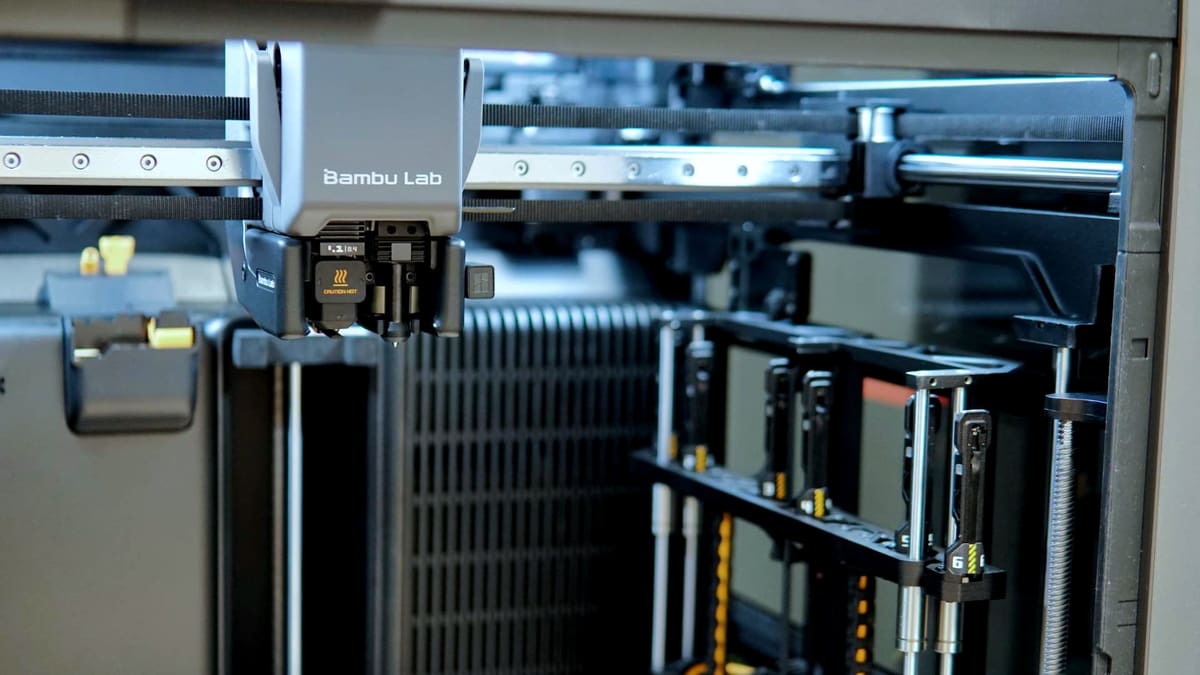
Bambu Lab's most technologically stacked printer, the H2C has a dual-nozzle printhead that's optimal for multi-material printing. Better still, one of those nozzles is one of six inductively-heated nozzles that can all be called into a single print job, parking and picking up as required. It's a wonder to watch in action and, as we're always happy to point out, a boon for lazy folks who are content with simply leaving a spread of nozzles sizes loaded, ready to be used whenever you fancy.
Those are our three broad use-case picks but if you’re not convinced, scroll on for a look at every single Bambu Lab printer available today.
Why Bambu Lab Is So Popular

“We hated 3D printing as much as we loved it.” That was Bambu Lab’s opening line for its 2022 Kickstarter campaign and as strong headlines go, it’s a corker. It launched on May 31, 2022, and resulted in a historic success in the world of 3D printing.
Raising over $7-million, the campaign launched not only the X-series of its 3D printers, but fired a warning shot at the world of desktop 3D printing. The firm’s innovative use of technology, famously imported from its founders’ prior experience at DJI, and a hatred of the perceived staleness in consumer 3D printing market at the time, caught the big boys of 3D printing napping. The X-series machines that resulted genuinely felt refreshing, and years ahead of everybody else – even Prusa Research and Creality.
Since its 2022 arrival, though, Bambu Lab has expanded its range of 3D printers and a lot of the competition has caught up, mostly. Further updating and development, branching out to kits and crafting, as well as a tendency to handle issues in a refreshingly professional manner has strengthened its position among consumers. The general consensus is that Bambu Lab has been great for 3D printing, and has undoubtedly blown the doors wide open to a larger audience through easy-to-use, affordable hardware.
A-Series
Bambu Lab A2L
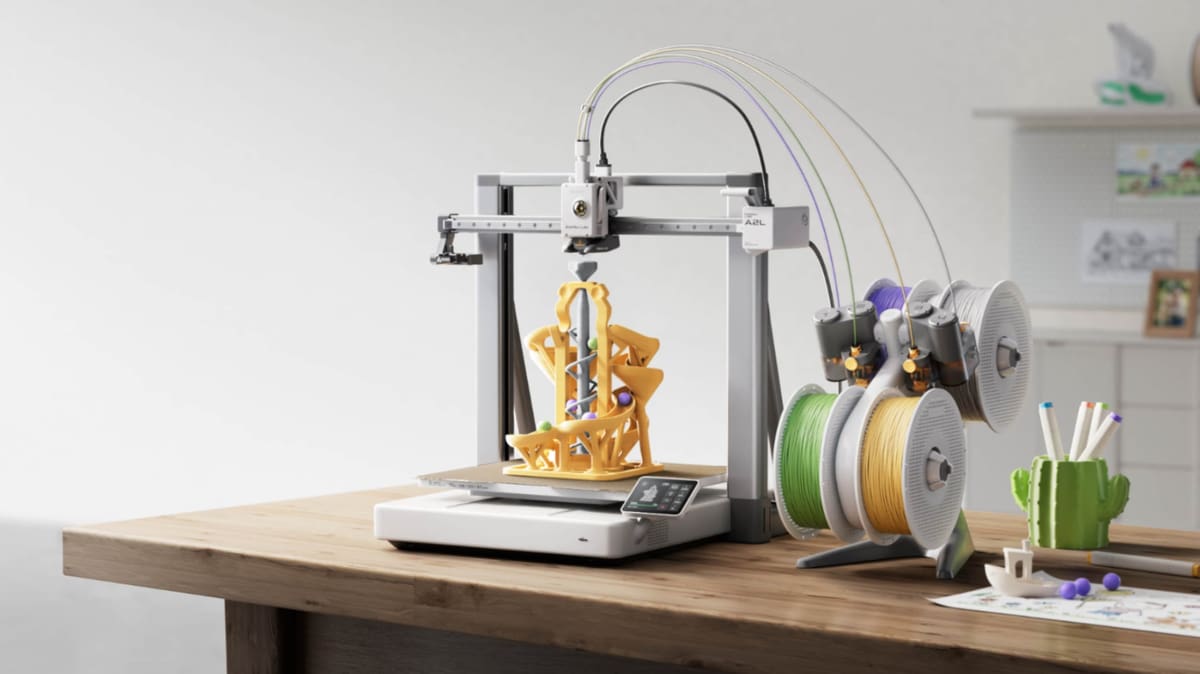
If the Bambu Lab A1 is the gateway, the A2L is the A-series stretching its legs. Arriving in June 2026, it isn’t a replacement for the A1 so much as a whole new slot in the range: a large-format, open-frame machine built around a headlining build volume – 330 x 320 x 325 mm build volume: roughly 105% roomier than the A1 and as large as the H2C (the printers share build plates.) All that at $469. That’s a flagship-sized bed for entry-level money, and for anyone batch-printing or making cosplay props and decor that previously had to be sliced up and glued back together, it changes what “the cheap one” can do.
It is, like the A1, a bed slinger rather than a CoreXY machine, and the open frame means there’s no enclosed, heated chamber. That keeps it firmly in the PLA, PETG, and TPU lane – its 300 °C hot end and 80 °C bed will handle those happily (plus fiber-filled filaments if you swap in a hardened nozzle), but ABS, ASA, and the engineering stuff really want the enclosure you’d get from a P2S. What’s more interesting is the tech that’s trickled down from the pricier machines: a PMSM closed-loop servo extruder, and Adaptive Vibration Compensation, which recalibrates as the print progresses, plus two granular dampers built into the frame that Bambu Lab claims keep ringing and ghosting in check on those big, tall prints.
There’s a craft-room twist, too. Swap the toolhead cover for the optional blade-cutting module and the A2L moonlights as a Cricut-style cutter for stickers, vinyl, leather, and fabric, with a pen module for plotting on top. Understandably, there’s no laser option – the open frame rules that out on safety grounds – and camera-assisted alignment for cutting jobs leans on your phone’s camera rather than a built-in overhead one, but it’s a genuinely useful addition at this price. Pair it with an AMS Lite (included in the $569 Combo) for hands-off multicolor up to 19 shades, and the A2L makes a strong case as the budget large-format Bambu to beat.
Bambu Lab A1

Bambu Lab presents the A1 as a “gateway” 3D printer, a claim we’d cautiously agree with. It’s a cleverly-executed printer that leans into the intelligent deployment of technology to deliver a comprehensive and straightforward user experience.
The A1’s automatic calibration routines handle almost all of the work of quality control, tuning the bed level, Z-offset, nozzle pressure and vibration compensation for every print, leaving the user with little to nothing to do. It’ll even tell you when its belts need tightening and handle the loading and unloading of filaments for you with the touch of a button.
That last feature is particularly useful when the A1 is hooked up to the “AMS Lite”. This is Bambu’s Automatic Material System in a, well, lighter format. It’s capable of holding 4 spools of filament, albeit not enclosed. When paired up with an A1, it allows for hands-off multi-material or multicolor printing. Should you need to switch nozzles to work with a different material or size, there’s a toolless change system which should make the process quick and simple.
Unlike some of Bambu Lab’s more prominent printers, the A1 is a bed slinger, and not a CoreXY machine. In short, that means it won’t be as quick at printing as its stablemates such as the P- and X-series machines, but it’s far from being life-alteringly slower.
This sensor-packed little 3D printer drops quality 3D prints into your lap, and rids the user of the need to persistently alter or adapt to their particular printer’s inherent quirks. As “gateway” 3D printers go, few have the polish of the A1.
The A1’s path to ubiquity hasn’t entirely been a smooth one, though. A recall early in its lifespan saw Bambu Lab making design changes to beef up the heatbed cabling, and a later-in-life design change addressed a component (designed to burnout in fringe power surge situations) causing holes to melt in the sides of machines – a problem the company claimed affected only a vanishing minority of machines in exceptional circumstances.
Bambu Lab A1 Mini

Despite sharing its name with the A1, the cute and cheerful little A1 Mini is in many ways significantly different. It’s far smaller for a start, has a cantilever design, and its build volume of 180 x 180 x 180 mm is considerably short of its namesake’s 256 x 256 x 256 mm.
It’s reasonable to assume a Z-axis supported on a single side (as opposed to the dual-side in the A1) would be minutely unstable, producing tiny vibrations that could show up in printing. That doesn’t seem to be the case, however. The A1 Mini is a sturdy and surprisingly hefty little unit, and during its run in the All3DP offices it left us very impressed, the print quality was consistently excellent. This is all while whizzing around at pretty high speeds for a Cartesian XZ-head motion system. It’s no slouch.
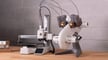
Also jumping out is a smaller touchscreen, which may bother more shovel-handed peeps. For our liking it’s fine, and although on launch it felt a little sluggish, future updates appeared to patch that out. The ability for manufacturers to address concerns or niggles like that is one of the great things about printing in this era. In the old days, it would have been laggy forever.
We had some frustration caused by the purge wiper. It can be unreliable, often failing to completely sever the soft-serve waste from the purge process, or sending it down onto the print bed to likely get in the way of your print. The noise is irritating too. At times, the A1 Mini is about as quiet as a wasp-bothered toddler.
But there’s so much more good than bad. The A1 Mini features all of the clever self-calibrating, sensor-laden technology of the A1 and provides gorgeous prints in PLA, PETG, and TPU on a superbly consistent basis. It’ll also use PVA if you need supports and it’s compatible with the AMS Lite, just make sure you dry the material thoroughly first.

P-Series
Bambu Lab P1S

The Bambu Lab P1S effectively takes the successful formula of the company’s now discontinued P1P 3D printer and wraps it in a tidy, practical enclosure. Unlike open-frame printers, the P1S is fully enclosed right out of the box, featuring a heavy-duty toolhead cable, auxiliary cooling fans, and an activated charcoal filter. It’s not just for looks – the walls, door and glass lid help the printer better regulate the chamber temperature and increases success with temperature-sensitive materials like ABS, PC, ASA, and nylon.
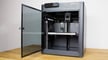
Inside that box, you get a 256 x 256 x 256 mm build volume and a CoreXY motion system that is furiously fast. Bambu Lab lists print speeds up to 500 mm/s with 20,000 mm/s² acceleration. It’s undeniably quick, capable of knocking out a Benchy test print in about 17 minutes.
The technology driving this performance includes Bambu’s suite of automated calibration tools, including input shaping (vibration compensation) and pressure advance, which work together to keep print quality high even at speed. The only retro-feeling element is the UI: a tiny 2.7-inch monochrome screen that looks like an MP3 player-shaped barnacle. It lacks a touchscreen, but given the printer’s performance, it’s a quirk we can overlook.
Following the release of the P2S, the P1S say a hefty price-cut that keeps it a valid consideration if you’re in the market for a low-frills workhorse of a 3D printer.
Bambu Lab P2S

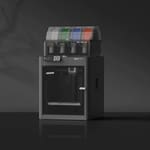
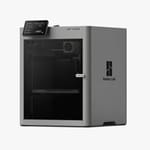
The Bambu Lab P2S is the latest evolution of the P-series, stepping in as a more refined, feature-rich middle ground that for many people, provides a satisfying replacement for the now-discontunued X1C flagship. Think of it as the P1S with a much-needed glow-up, keeping the reliable CoreXY bones, fixing some of the most common gripes about the older P-series interface, and layering in new tech and ideas from the brand’s other machines.
The headline change here is the inclusion of a proper touchscreen interface, finally ditching the tiny, “MP3 player” button-operated screen of the P1S for something much more modern and responsive. Under the hood, the P2S retains the same 256 x 256 x 256 mm build volume and high-speed performance, but it’s been optimized for smoother operation right out of the box.
Aside from the UI, you’re still getting the robust enclosed chamber that makes printing “fussy” materials like ABS and ASA a breeze, along with the standard P-series cooling upgrades and charcoal filtration. All the smart tech, like automatic vibration compensation and pressure advance, remains core to the experience, ensuring that even at breakneck speeds, your prints come out looking crisp. The Dynasense extruder, a top-spec feature introduced with the pro H-series machines, is present here too. While it doesn’t have active chamber heating, the P2S is capable of regulating the chamber temperature, and has a suite of in-chamber sensors for build plate and nozzle recognition and monitoring. It’s a smart cookie.
X-Series
Bambu Lab X2D
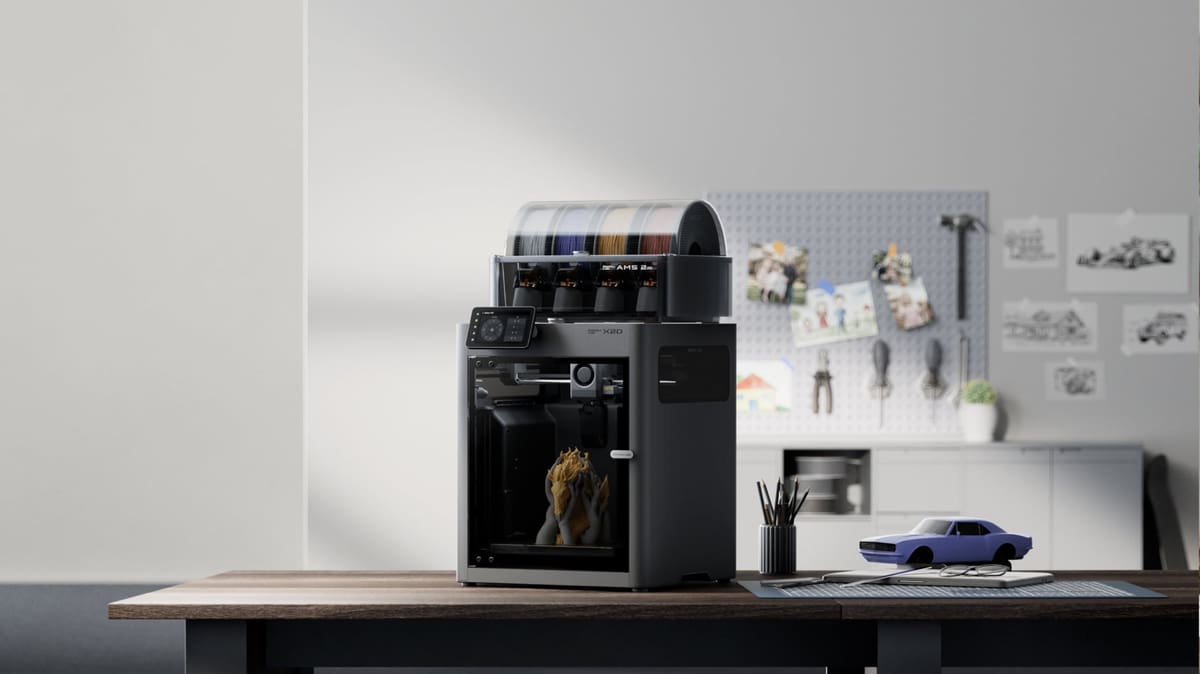
With the X1C finally sent off to the 3D printer retirement home, the X2D is the machine that picks up its mantle. Landing in April 2026, it keeps the compact, glass-doored enclosure but grafts on the one thing the X1C never had: a second nozzle. Crucially, this isn’t the big, motorized direct dual-extrusion setup of the H2D. Instead, Bambu Lab pioneered a hybrid system with the X2D – the main nozzle uses a direct-drive extruder while the auxiliary nozzle is fed Bowden-style from the rear. Switching between them is handled by a purely mechanical switch that raises one and drops the other, no extra motor required. Bambu says it’s good for over a million changes.
The headline use case is clean support removal and two-material prints without stepping up to the H2D’s size and price. You dedicate one nozzle to your model and the other to a support or secondary material, sidestepping the purge-tower waste that comes with single-nozzle multi-material work. The build volume sits at 256 x 256 x 260 mm with the main nozzle, dropping to around 235 x 256 x 256 mm when both are in play to make room for the switching mechanism. A 300 °C hot end paired with a 65 °C actively heated chamber opens the door to ABS, ASA, and nylon, and there’s a proper sensor suite behind it – 31 sensors, twin cameras with AI failure detection, and the same three-stage HEPA filtration found on the H-series.

There are a couple of things to keep in mind. The auxiliary nozzle, being Bowden-fed, is the slower of the two and isn’t suitable for flexibles or abrasives. Bambu Lab positions it as one to task with support structures.
In a notable break from the X1C before it, the X2D drops the Micro Lidar. It doesn’t undermine the core pitch, though – it’s the cheapest credible route into dual-nozzle printing in the Bambu range.
H-Series
Bambu Lab H2C

The Bambu Lab H2C is the high-end crown jewel of the H-series, ideal for active printerers who change nozzles sizes frequently, plus those tired of seeing the purge poop pile up with every multicolor print they run. It introduces the Vortek nozzle changing system – clever nozzle-swapping tech that allows for low-to-no waste printing across up to seven different materials in a single job.

While the H2C has a similarly massive build volume as the H2D and H2D Pro (it’s marginally narrower, though – build plates are not directly cross compatible) and is also enclosed, the H2C’s party trick is its dual-nozzle printhead. It pairs one standard manually swappable hot end with a right-side bank of up to six inductively-heated Vortek nozzles. These swap in just eight seconds and heat up almost instantly, allowing you to switch between different materials or nozzle sizes mid-print without the excessive purging cycles that usually slow down multicolor work. The nozzles wirelessly communicate with the printer, with information like which material was last used helping the printer assign like materials for better longevity and less chance of wear and clogs.
Despite the advanced tech, the H2C remains fully compatible with the rest of the ecosystem, including the laser engraving and pen plotting modules. It’s an uncompromising machine that finally addresses the waste problem in multi-material printing, albeit in a way that’s compatible with single-track AMS devices the company hitched its wagon to early on. The jury is still out on whether, of the multitude of approaches to toolchanging 3D printers hitting the market, it’s the best. Needless to say, it is good.
Bambu Lab H2D Pro

The Bambu Lab H2D Pro is essentially the original H2D wearing a suit and carrying a secure briefcase. It takes the massive 350 x 320 x 325 mm build volume and 4-in-1 versatility of the standard H2D and wraps it in a layer of enterprise-grade security designed specifically for high-stakes professional environments.

What sets the Pro apart isn’t the hardware, which remains a dual-extruding powerhouse capable of 350 °C nozzle temps, but the connectivity. It introduces WPA2-Enterprise Wi-Fi, an Ethernet port, and physical network kill switches. For businesses that handle sensitive data, the removable network module allows the machine to be completely “air-gapped”, ensuring your proprietary designs stay behind your own firewall.
Beyond security, the H2D Pro is a productivity beast, coming bundled with both the AMS 2 Pro and the AMS HT for advanced material management and drying. Bambu Lab is also offering custom fleet management support for this model, though you won’t find it in a typical web store; this is a reseller-only machine aimed squarely at the factory floor and professional R&D labs.

Bambu Lab H2D

The lineage of Bambu Lab’s newest and most advanced 3D printer is clear to see. The H2D is a direct descendent of the X1C, and expands the formula into a whole new realm of creative technology.
As well as offering a larger work volume (up to 350 x 320 x 325 mm) the H2D offers the possibility to laser engrave, cut, and pen plot. It does this by providing separate tools that attach to the front of the printhead with a friction-based lever. The dual extrusion 3D printing toolhead always remains in place, making swaps simpler and more efficient that other multi-mode machines. Returning to 3D printing is very quick indeed.
Available as part of a laser combo bundle, the laser toolheads come in two strengths, 10 or 40 W. The cutting tool is a standard shallow drag-knife. In its fully kitted out form, the H2D is a true 4-in-1 machine.
The H2D can come bundled with the new AMS 2 Pro multi-filament system. Once again, an AMS Hub can be purchased to hook up multiple AMS devices to the machine, though this isn’t strictly necessary for two AMS devices, since you can hook one up to each of the printhead’s two filament paths for up to eight filament printing. A maximum of 24 filaments is theoretically possible to have on hand at any one time – not that such a solution would come cheap. There has been some effort to combat wastage. The H2D is a dual extrusion 3D printer, so any two filament, two nozzle print results in near-zero waste – prime tower notwithstanding. Beyond this, Bambu Lab’s slicer intelligently suggests optimal filament arrangement to you, helping you save material on more complex prints that use more than two filaments.
We mentioned it is a bigger machine already, but it is significantly bigger than you might be expecting. It tips the scales at around 30 kg, and features a build volume of 350 x 320 x 325 mm. The higher numbers continue at the hot end, which now has a maximum temperature of 350 °C. That works within a fully enclosed print chamber, but one that can also now be heated up to 65 °C, while the bed itself tops out at 120.
This is a good time to point out that not all materials appreciate a warm, enclosed environment. Bambu Lab’s solution to this involved outfitting the H2D with automatic ventilation flaps. The software will know what it is printing with, and the ventilation will be handed automatically accordingly. That saves users from occasionally having to prop open a door – as was required sometimes on the P1S and X1C.
As expected, the H2D carries over all the calibration and monitoring smarts from the X1C, and features multiple new cameras to aid in that purpose too. For safety, there’s also now fire detection and emergency stop functions, especially vital components when it comes to laser work. A particulate filter and fresh air intake pairs well with them. Via its automatic flap system, the H2D should help keep air quality within respectable boundaries too.
Bambu Lab H2S

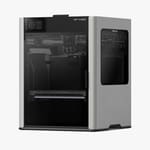
The Bambu Lab H2S has the largest build volume of the entire H2-series – reducing the printhead to a single-nozzle expands the printable volume to 340 x 320 x 340 mm – 120% more than the P2S – making it the go-to choice for those who want to print large functional parts without the hassle of splitting models.
The H2S is built on a rigid die-cast aluminum frame and features a 350 °C hot end paired with a 65 °C actively heated chamber, allowing it to tackle engineering-grade materials like PC and PA with ease. It also inherits the H-series smarts, including 23 sensors and three cameras for AI monitoring.
While it lacks the fancy Vortek nozzle swapping of the H2C, it maintains full compatibility with the 10 W laser module and cutting tools, positioning itself as a high-speed “Personal Manufacturing Hub”. If you don’t need dual extrusion but crave the extra space and a more modern interface, the H2S is an effective printer to settle on if you want the best Bambu Lab makes, and know you don’t need to print multicolor or multi-material much (full compatibility with the multiple AMS devices means you still can, just not as efficiently as the multi-nozzle systems).

Spec Comparison
*Maximum build volume affected by tools used
Feature Highlights
Sensors & Self-calibration

Bambu Lab’s 3D printers standout for a whole bag of reasons, but one of the main aspects is the slick “set-and-forget” user-friendliness. The printers are just so easy to get creating with. Playing a key role is the array of sensors scattered across the devices, and how harvested information can allow the printers to work semi-autonomously.
The sensors allow for optimized filament flow rates, print error identification, near-perfect bed-leveling, and more – depending on the printer. Some of Bambu’s machines also feature AI and camera arrays, together seeking out potential issues with the print, sometimes notifying the user before they begin.
An example of such would be first-layer untidiness in the X- and H-series machines. If the printer detects this potential problem, it will make sure you are informed and hold fire printing. From there it’s up to you to inspect the issue and decide to hit continue or clean up and begin printing again.
Cheeky fact time – the H2D alone packs an array of 36 sensors, 15 of which sit in the filament path between the AMS 2 Pro and its nozzle.
The wider H-series (H2D, H2D Pro, H2C, and H2S) represents a massive leap in sensory density. The H2D introduced a dedicated “nozzle cam” for real-time flow monitoring – now found across the range – while the H2S pairs 23 internal sensors with three cameras, and the H2C scales higher still when fully kitted out with the laser module. These additions, paired with the upgraded chamber monitoring camera now found in the P2S, allow the machines to autonomously manage active chamber heating and ventilation. This ensures that even the most temperamental engineering filaments are monitored with a level of precision previously reserved for industrial-grade hardware.
Connectivity & Monitoring

Harvested information is one thing, but how it is used and displayed is another. We live in a time where notifications and intelligent software allows us to stay in touch with all kinds of systems. Many of our homes are even now connected to our handheld devices.
Three or so years ago 3D printer users were completely out of touch with their machines. Now though, Bambu Lab devices can be operated from almost anywhere, providing your smartphone is linked to your printer. You can control the machine, beginning and ending prints, monitor the ongoing print via camera systems (the H2D even has a nozzle cam) and receive messages if something has gone awry.
As mentioned before, that monitoring of the print process and ability to know if something is not coming out right should help you cut back on potential waste, cost and mess. Let’s be honest, nobody likes any of those things.
This level of connectivity was an Armstrong leap for consumer 3D printing, and dragged 3D printing up into the place it probably could have reached years previously. But for the stagnation of innovative ideas at top manufacturers, maybe it would have.
While we’re here, now’s a good time to take a moment to dap up our boy Bambu Studio. This is the slicer software for the Bambu Lab machines. Originally a fork of PrusaSlicer, Studio has evolved into quite a different slicer, serving as the hub for all the sensory and connective action that goes on. It handles everything with a polish appreciated by users, particularly those who get grumpy when they have to fiddle around with settings all the time.
CoreXY Kinematics

CoreXY has always had its advocates. The last couple of years have really seen it establish as the dominant design in consumer 3D printing though. A big part of that is likely due to the success of its installation in Bambu Lab’s printers like the X1C and P1P.
There’s a couple of major reasons it’s desired – speed is the biggest of them. CoreXY printers are sporty-quick, thanks to their lighter moving parts. In a CoreXY system motors do not move, they are fixed into a position and allowed to do their thing. That means faster printhead movement and prints delivered at a fast pace.

Accuracy also tends to see a boost in CoreXY printers. Lighter parts and an improved capability to handle vibrations (pairing really well with input shaping in Bambu’s offerings) means prints aren’t only done quicker, they’re done well too.
It’s the clever integration and engineering quality of CoreXY in Bambu Lab’s products that play a major role in how many of its products deliver such great quality prints.
What about the A-series machines?
Ah, glad you mentioned that. The A1, A1 Mini, and A2L are not CoreXY machines. The print bed moves independently in the Y-axis and the printhead moves through the X- and Z- axes. They’re still quick and perform very well, but they’re not on the same level. That’s partly why they come in at a lower price, of course.
Extrusion Tech

Bambu Lab uses a spread of self-developed extruders and hot ends in its printers, all of which do a decent job fading in to the background and not being something you actively mind when using the printers.
Every Bambu Lab printers can reach 300 °C at the hot end, with all of the X1E and four H2-series machines going beyond that: 320 °C for the X1E, and 350 °C for all of the H2D, H2D Pro, H2C, and H2S. This gives ample printing headroom for the budget bedslingers, while the pricier, pro-leaning machines can print very strong filaments, such as PPS, PAHT, and PC.
While all Bambu Lab printers are technically capable of printing fiber-filled filaments (though which exactly will be determined by the temperature capabilities and whether it’s enclosed or not) they do not all ship with the necessary hardened steel nozzles.
Hardened steel nozzles are supplied as standard on the P2S, X- and entire H-series, but on the P1S and A-series machines, they’re sold separately. If you’re planning on working with any strong materials, it’s a must have.

In the H2D Bambu debuted what it calls the “Dynasense” extruder, an all-encompassing name for the company’s PMSM (permanent magnetic servo motor) driven extrusion system. In addition to a closed-loop motor that finetunes the signal before the motion, resulting in high extrusion uniformity, the larger system is packed with sensors to provide the data to control the flow rates of filament. It’s a highly refined piece of kit and we think it delivers some of the best layer uniformity we’ve seen from a consumer 3D printer. All H-series machines, as well as the P2S and X2D models feature the Dynasense, though with the X2D, there’s a small catch.
The X2D’s hybrid approach to dual extrusion means only one nozzle’s extruder lives in the printhead – which is the “Dynasense” servo motor. The other, which feeds the auxiliary nozzle, sits on the back of the printer, and is more your typical stepper motor-powered Bowden extruder. Half of the X2D’s ability to print is powered by the company’s best extrusion tech – hence the marketing positioning the second nozzle as “auxiliary.”
The company uses proprietary hot ends that integrate nozzles, eliminating the need to hot tighten nozzles or generally futz about with tools.
With the debut of the H2C, Bambu Lab introduced the Vortek induction nozzle changer, a radical departure from their standard hot end design. This hybrid head uses magnetic, induction-heated nozzles that can be swapped mid-print in just eight seconds, completely autonomously by the printer. It’s specifically designed to eliminate the “purge” waste common in multi-material jobs, but also offers the flexibility to leave multiple nozzle sizes loaded for immediate use depending on the print task at hand. For users focused on efficiency, this makes the H2C the most sophisticated extrusion system in the current Bambu catalog, possibly even desktop printing in general.
Heated Chambers
Here’s a distinction that trips up plenty of buyers: an enclosed printer and a heated-chamber printer are not the same thing. An enclosure is just walls and a lid – it traps the warmth thrown off by the bed and keeps drafts out, which is enough to stop ABS and ASA from warping and cracking as they cool. That’s what you’re getting with the P1S and P2S: sealed boxes, but with no dedicated heater inside. An actively heated chamber goes a step further, using a heating element to hold the air around your print at a set temperature, layer after layer.
Why does that matter? Because the engineering-grade filaments that need a 350 °C hot end – the polycarbonates and nylons – don’t just need to melt going in, they need to cool slowly and evenly once they’re down. Uneven cooling is what causes big prints to curl off the plate or delaminate halfway up. A chamber held at a steady temperature (around 65 °C on the H-series) keeps the whole part in a warm, stable environment and smooths out temperature shocks that might otherwise ruin a print. A heated chamber at these temperatures isn’t infallible, mind, but it’s often enough to make a noticeable difference in your hit rate of tricky material prints.
In the current lineup, this splits Bambu Lab’s range cleanly into three tiers. The open-frame A-series – the A1, A1 Mini, and the new large-format A2L – has no enclosure at all, which keeps it firmly in the PLA, PETG, and TPU lane. The P1S and P2S are enclosed but passively warmed, handling ABS and ASA well enough without actively controlling the temperature. And the active-chamber machines – the X1E, the X2D, and the entire H-series (H2D, H2D Pro, H2C, and H2S) – are the ones equipped for high-temperature engineering work.
User Interface

3D printers don’t have to look or feel pretty to be great products, but boy does it help when they do. Bambu Lab launched its X-series machines with a 5-inch color touchscreen that set expectations for the experience users were going to get.
In many products, a UI is naturally going to be the first thing users interact with. It sets a tone for the experience to follow. Bambu’s touchscreen UIs are fast, responsive, smart, and easy to deal with.
When the firm wanted to deliver a machine that was more cost effective, the touchscreens had to go. Released after the X-series, the P1P and P1S kept much of what made the X-series machines so good, but removed some of the garnish – in place of a touchscreen, you got a small, monochrome rectangle that felt old-school at best, but was otherwise just irritating to use.
In the subsequent series release, the A-series, the touchscreens are back, much smaller at 3.5 and 2.4-inches in the A1 and A1 Mini respectively. They’re simple, responsive, colorful little screens that provide quick and easy access to functions like bed leveling or AMS Lite settings.
The recently added P2S and the entire H-series (H2D, H2D Pro, H2C, and H2S) finally resolve the long-standing UI gap by introducing full-color, responsive touchscreens as standard. These displays offer a significantly more modern experience than the monochrome “MP3-style” screens found on the older P-series, allowing for much more intuitive on-device calibration and file management. It’s a welcome upgrade that brings the mid-range and professional line-up in line with Bambu Lab’s flagship UI experience.
AMS

Less of a feature, and more of an add-on. Bambu Lab brought its multi-filament changing system to market upon the launch of its first printers – the X-series. Named AMS (Automatic Material System), it’s been widely celebrated as a polished and advanced material management system.
The AMS often comes included in the “combos” Bambu offers with some of its printers. However, they can be purchased as an optional extra to be installed at a later date. Bambu has evolved the AMS idea over time, and as such, there are now four different types of AMS, and each of them has its own task and features.
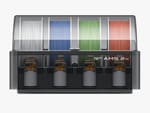
AMS
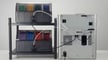
The original AMS strutted onto the scene alongside Bambu’s launch printers – the X1 and X1 Carbon. It is an airtight (just how airtight we are truly not sure, we wouldn’t trust it to protect us from tear gas) four-spool-sized filament box that lets its user fill it with ideas. Four different PLA colors? Two PLA and two PETG? The choice is yours. Whatever you choose, when linked to a compatible printer, the AMS allows for those spools to be accessed at will during printing. The result? Easy multicolor, multi-material prints.
It’s not just a storage box though. The AMS features 10 sensors throughout, allowing software to monitor the actions happening and notify you if something is wrong, such as a snapped strand or an empty spool, but also intelligently feed and swap spools on the go.

Despite being just really cool and performing very well on a consistent basis, it did have some drawbacks. For a start, it couldn’t work with TPU or TPE (too wibbly-wobbly), fiber-filled filaments (too abrasive), or any filaments on a cardboard spool (… too cardboardy). That frustrated some, but if you used Bambu Lab’s own filament it used an RFID system and could communicate to the software exactly which filament was present, and in which slot. Pretty neat.
With the purchase of an AMS Hub, you can actually link four AMS systems up to a single printer, giving you the potential to have 16 filaments ready to go at any time. That’s cool, but at around $200-300 per unit, also expensive.
AMS 2 Pro
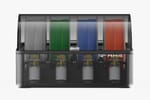
Bambu Lab saw that there was some room for improvement in the AMS, and the AMS 2 Pro attempted to do just that. All the smarts from the original AMS were, of course, carried over.
The main thing that the AMS 2 Pro fought to combat was the build up of moisture in the filament stored within it. So, a filament drying system was added, capable of heating up the inside to 65 °C and rotating the filament around to make sure all the drying is done evenly. If you’re using Bambu Lab’s own filament, the RFID tag will actually automatically set up the drying program tailored to that specific filament.
Carbon and glass fiber-filled filaments, along with flexibles still aren’t compatible, but that obviously didn’t sit right with a lot of people. In the meantime, Bambu Lab had conveniently managed to make its own versions of these filaments that did work with the AMS 2 Pro.
Like the previous AMS, the new 2 Pro can also be hooked up to an AMS Hub, and in tandem with AMS HTs, that gives you the potential for up to 24 filaments on the go. It would be about as expensive as a national infrastructure project, but would also be McQueen levels of cool.
AMS HT
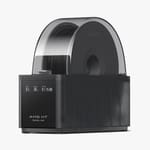
Special materials get a special AMS – the AMS HT. This AMS is designed to take care just of one special filament, but works as an add-on to any existing AMS system you have set up. Just pair it up with an AMS Hub, and you’re away.
This little box has been designed to handle all the tricky stuff. It can deal with just about any filament, but don’t ask it to cope with damp PVA. Nothing copes with damp PVA. All those fiber and glass filled filaments though? Sure. TPU? Absolutely.
Like the AMS 2 Pro, the AMS HT can dry the filament it contains, heating up to a possible 85 °C. It also features a screen displaying key information such as the temperature, humidity level, and current drying time. The standard AMS RFID sync is in there, and there’s also a bypass outlet for softer or brittle filaments.
The AMS HT is compatible with all Bambu Lab printers.
AMS Lite
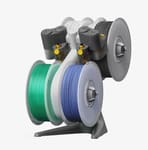
Bambu’s AMS Lite arrived alongside the affordable A-series machines. It’s an “open-wheel” filament management system, in that it offers no enclosed space for the filament to live within. So, your filament will be exposed to whatever elements exist within your workshop/garage/bedroom environment. That’s not all that desirable, true, but the AMS Lite still has the sensors, monitoring, automatic spool-switching, RFID smarts, and of course multicolor, multi-material 3D printing.
Given the AMS Lite passively feeds filament to the printer, it cannot be mixed with other “active” AMS types. Minor modification is required to make the AMS/AMS 2 Pro/AMS HT work with A-series machines, but like with all other Bambu Lab printer series, multiples of AMS/AMS 2 Pro/AMS HT can be chained together to expand the A-series prints to many filaments. Up to four can be used at once.
Multi-Function Tooling
For most of its short history, a Bambu Lab machine did one thing: it printed. With the H-series, that changed. The H2D arrived as less of a 3D printer and more of a compact workshop, and the capability has rippled out across the range since. Bolt on the optional module and these machines will also laser-engrave, laser-cut, blade-cut (think Cricut-style vinyl, leather, and fabric work), and even plot drawings with a pen – all on the same bed they print on, with the toolhead swapping over for the job.
The laser is the headline act, coming in 10W and 40W powers, the latter chewing through close to 15 mm of wood, as well as being able to effectively mark some metals. When bought as a laser edition machine, the printer comes with green laser blocking side panels and door, as well as an integrated air-assist pump. It is possible to upgrade non-laser edition machines, but this comes at additional expense and effort to dismantle and rebuild with the new components integrated.
The interesting outlier is the A2L. As an open-frame machine it can’t run a laser at all – there’s no enclosure to contain it, and Bambu has sensibly ruled it out on safety grounds – but it does take the blade-cutting and pen modules, bringing the print-and-cut workflow down to a properly affordable price point. The one compromise is alignment: where the bigger machines use an overhead “bird’s eye” camera to line cuts up with your material, the A2L leans on your phone’s camera instead. It’s a neat trick at the price, with a “Print-then-Cut” update reportedly on the way to tie the two halves together.
Discontinued
Bambu Lab P1P

The P1P, which has been discontinued, offered a lot of 3D printing punch for its price.
Just like with the A1 and the X-series machines, Bambu’s favored 256 x 256 x 256 mm cuboidal build zone appeared here as well. It offered a slightly larger than average amount of room to print within, but unlike the A1, users were now able to enjoy the benefits of a CoreXY movement system.
CoreXY has in recent years become the most popular method of throwing a printhead about. Bambu Lab has managed to extract impressive performance from it thanks to the execution of the union between soft- and hardware.
Print speeds were listed at up to 500 mm/s, to which it can accelerate to in 25 milliseconds. Keep in mind that achieving these speeds is a unicorn event, but it was still a furiously fast printer – it could finish a Benchy test print in about 17 minutes. For reference, that’s around four to five times quicker than the average bed slinger, and in our experience the prints are above average too.
Mounted to the top of its frame is a teeny tiny 2.7-inch monochrome screen. Together with its buttons it looked like an MP3 player-shaped barnacle latched onto a 3D printer. It functioned well enough – it was just strange to see in a world that has spent the best part of the last 10-15 years touchscreening all of the things.

The frame itself is open, meaning it lacks an enclosed environment with which to print fussier filaments (think things like ABS, PC, ASA, and nylon). Bambu Lab provides files for panels you can print yourself. Once erected, they’ll shelter the printing zone slightly, though perhaps not enough to make a substantial difference printing the aforementioned materials, though DIY alternatives are available. On the plus side, it opens the gate to some pretty cool customization options too.
P-series printers feature input shaping (which you might see Bambu calling “automatic vibration compensation”) and pressure advance, fitting into its already rich self-calibration and automation suite. Long story short, this should (and in our experience does) result in even further enhanced print quality.
Bambu Lab X1

The now defunct Bambu Lab X1 was a very similar machine to the X1C (called the X1 Carbon at the time), essentially identical, yet missing a couple of key parts that left it overlooked. The X1C was used in almost all promotional material, meaning there’s not even many images of the X1 online.
Instead of using hardened steel in the extruder gears and nozzle, it simply had steel and stainless steel. This meant that it wasn’t comfortable working with abrasive filaments, and it wasn’t recommended for them either.
It was also lacking an auxiliary part cooling fan and an air filter, which were both optional extras. The chamber monitoring camera was also an option and its shell was plastic instead of aluminum. Its MSRP was $999.
In the end, almost everyone decided to spend a bit more on the ~$1,200 X1 Carbon, and the X1 was quietly taken into the 3D printer retirement home.
Bambu Lab X1C

The Bambu Lab X1C was at once time the flagship product of its company. Launched in late 2022, the X1C (initially known as the X1 Carbon) elevated the baseline of what consumers could expect from a 3D printer. Suddenly, an accessible 3D printer had arrived on the market that looked and performed like a polished consumer electronics product. It probably could have worn a Sony badge and nobody would have questioned it.
It was a watershed moment in consumer 3D printing, and since its launch manufacturers of other printers have followed the main beats set out by the X1C. As we said at the time, it was as if everybody else was suddenly a few years behind.
Much has been said about the X1C, but its success came from the clever, user-friendly integration of advanced technologies. That included lidar, AI-powered visual print failure recognition, fully automated calibration routines, input shaping, pressure advance, app integration, and much more. The printing area was completely enclosed, allowing for a more stable environment for working with exotic filaments, and the AMS system sat neatly on top of the machine allowing for multicolor, multi-material prints that required little effort or footprint.
As the X1C became one of the most popular machines on the market, features and technologies it gave a stage to began finding their way into Bambu Lab’s expanding family. The P1-series is roughly 90% of the X1C, and the new H2D is an evolution of the X1C’s original formula.
If the X1C had failed, we would likely not have many other excellent printers today – and that applies to the market generally, not just the ones under Bambu Lab’s umbrella. This machine did a lot for the consumer 3D printing market, and it is likely to hold up as one of the best for several years to come.
Bambu Lab X1E
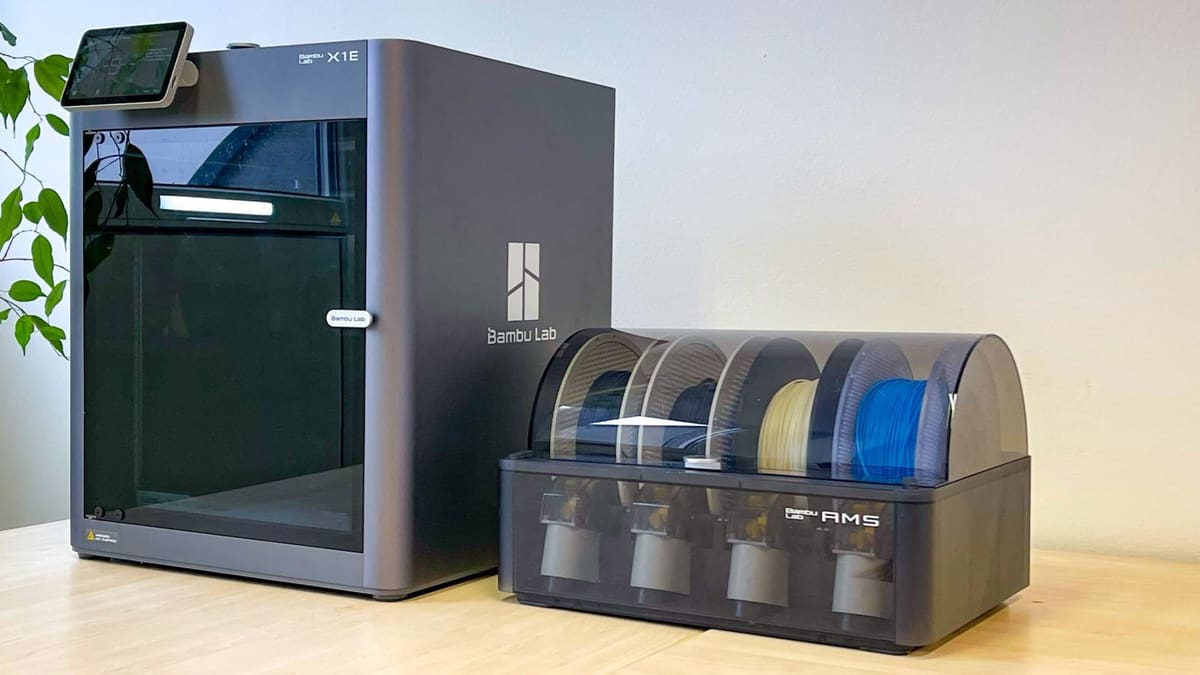
Bambu Lab officially retired the popular X1E alongside the X1C early in 2026. This enterprise-targeting printer was, essentially, an X1C wearing a tie and checking its emails – offering extra network security features for businesses and slightly more headroom in the printing performance for technical materials. The newer H2D Pro remains as the only enterprise-specific system the company offers now.
Differences between the X1C and X1E were relatively subtle. The X1E’s hot end reached 320 °C, opening the door to some extra exotic filaments such as PPA-CF/GF, PPS, and PPS-CF/GF – engineering-grade stuff. Those sorts of materials tend to work best in controlled environments, while the enclosed print chamber could heats up to 60 °C, offering a positively Saharan-level of air temperature to counter print quality issues in exotics, such as warping.
More exotic materials can produce more harmful contaminants during printing. Bambu Lab says businesses informed them that strong filtering would be needed, so there was a substantial upgrade there. The X1E offered a G3 grade pre-filter, a H12 grade HEPA filter, and particulate matter filtration. On top of that, it also features a granulated coconut shell-based activated carbon filter, a step up from the X1C’s coal-based carbon filter.
The X1E shipped with a smooth PEI sheet better suited to high-temp materials as standard.
Really though, it’s the cyber-security aspect that justified X1E’s existence. Bambu Lab beefed things up that front, with the printer’s network interface offering an ethernet port, a network kill switch (which works for both Wi-Fi and Ethernet connections), a removable Wi-Fi module, 802.1X Enterprise-grade network access control, and WPA-Enterprise support.

Support is also offered for network access authentications; EAP-PEAP, EAP-TLS, and TAP-TTLS all allow for encrypted communications between the user and the printer. That’s essential for any business handling sensitive data – breaches are no joke.
Sold only through resellers and now discontinued, the X1E continues to receive software support through to May 2029.

License: The text of "Which Bambu Lab Printer Should You Buy? Every Model Compared" by All3DP is licensed under a Creative Commons Attribution 4.0 International License.
CERTAIN CONTENT THAT APPEARS ON THIS SITE COMES FROM AMAZON. THIS CONTENT IS PROVIDED ‘AS IS’ AND IS SUBJECT TO CHANGE OR REMOVAL AT ANY TIME.