Never Mind the X2D, New Bambu Studio Update Adds Filament Color Mixing Feature

All eyes were on Bambu Lab’s surprise hardware launch of the X2D last week, but a software update alongside introduced a familiar color-mixing feature that deserves some hype, too.
When Bambu Lab released Bambu Studio update v2.5.3 on April 14, headlines understandably landed elsewhere with the introduction of the X2D, the company’s new premium dual-extrusion machine. The centerpiece of the software update is color mixing – a new slicer feature that generates the optical illusion of blended filament colors without requiring any new hardware or modification.
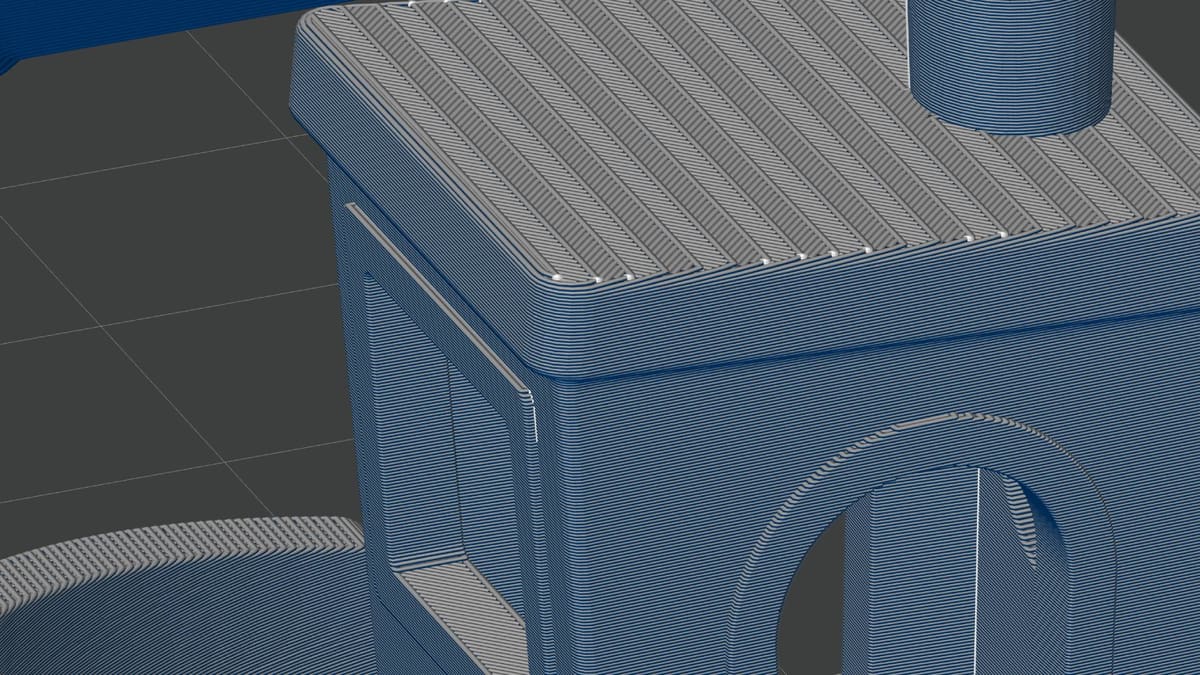
It works primarily by alternating the color within a specified block – alternating thin layers, as fine as 0.08 mm – using up to three same-type materials you have loaded on your system. At a distance, the colors appear to merge into a new color – a perceived intermediate color.
Under the microscope you would be able to discern the individual color layers, but under ordinary viewing, they blur into a different color. This feature lets you control the illusion, specifying which filaments and to what degree they mix. It’s a concept borrowed from the FullSpectrum OrcaSlicer fork, which we covered in detail with our hands-on back in March. Bambu’s implementation offers two modes: a regular mix that works from user-defined filament ratios, and gradients that transition one color to another across a surface.
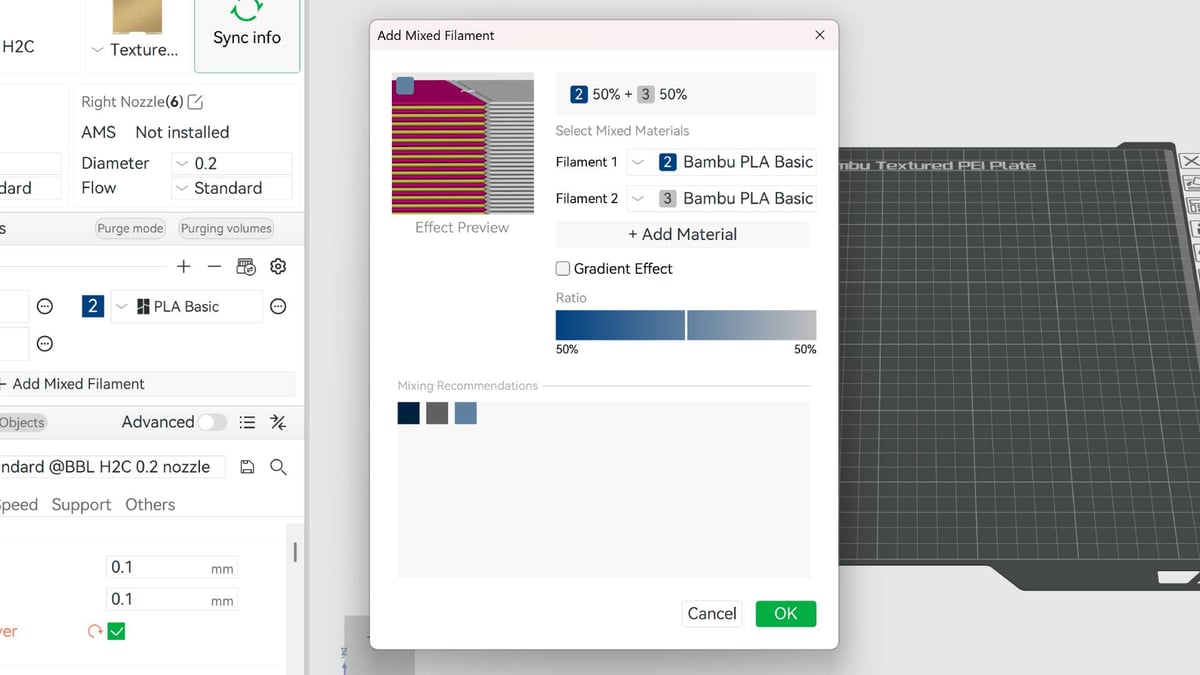
Bambu’s own notes recommend multi-nozzle hardware for color mixing, explicitly flagging heavy filament purge waste on single-nozzle AMS setups. Any area using a mixture of colors requires a high frequency of changes, as determined by the pattern.
Within Bambu Lab’s roster of printers color mixing lands best on the Bambu Lab H2C, which can switch between up to 7 colors without needing to purge. Two-color mixing without purging is also possible using the H2D or newly launched X2D.
Depending on your tolerance for the waste, single-nozzle systems that have to purge for color changes are prohibitively inefficient. The feature is currently marked experimental. Files containing mixed filaments cannot yet be uploaded to MakerWorld.
Attribution Scrutiny
Bambu Lab’s initial release cited the feature as “based on” the work of Ratdoux, the primary developer behind the FullSpectrum OrcaSlicer fork. An attribution gap between what shipped in the v2.5.3 update and what was acknowledged led Bambu Lab to issue a statement correcting the record, slipping it into the changelog of a hotfix update v2.6.0, which was issued to deal with a bug with P2S hotend cooling behavior. It turns out that FullSpectrum’s actual prediction code was present in the Bambu Studio repository – not merely an inspiration – though not actually used in Bambu Labs’ eventual approach for the feature.
The company said the code had been retained during development for evaluation alongside Bambu’s own RGB-based mixing approach, which is the algorithm currently running inside Bambu Studio’s color mixing feature. Community member Justinh-rahb is credited with identifying the discrepancy. Bambu apologized for the “confusion,” and has since said it intends to integrate Ratdoux’s prediction implementation in a future release, following “further validation and more real-world feedback”.
Under AGPL-3.0, which governs both FullSpectrum and Bambu Studio, the presence of licensed code in a distributed codebase carries attribution obligations regardless of whether that code executes at runtime. As the market-leader, Bambu Lab is truly under the microscope. Any misattribution, forgetfulness or slip up gets noticed. A perk of being at the top of the game, we suppose.
The color mixing feature is available now in Bambu Studio v2.5.3 and v2.6.0 for Windows and Mac. There’s no functional difference in either, though P2S owners are advised to update to the latest version. The update is automatically prompted on startup in older versions of the software provided you’re connected to the internet. Alternatively, download it directly from Github (via the Bambu Lab website).
Read more recent news:
License: The text of "Never Mind the X2D, New Bambu Studio Update Adds Filament Color Mixing Feature" by All3DP is licensed under a Creative Commons Attribution 4.0 International License.