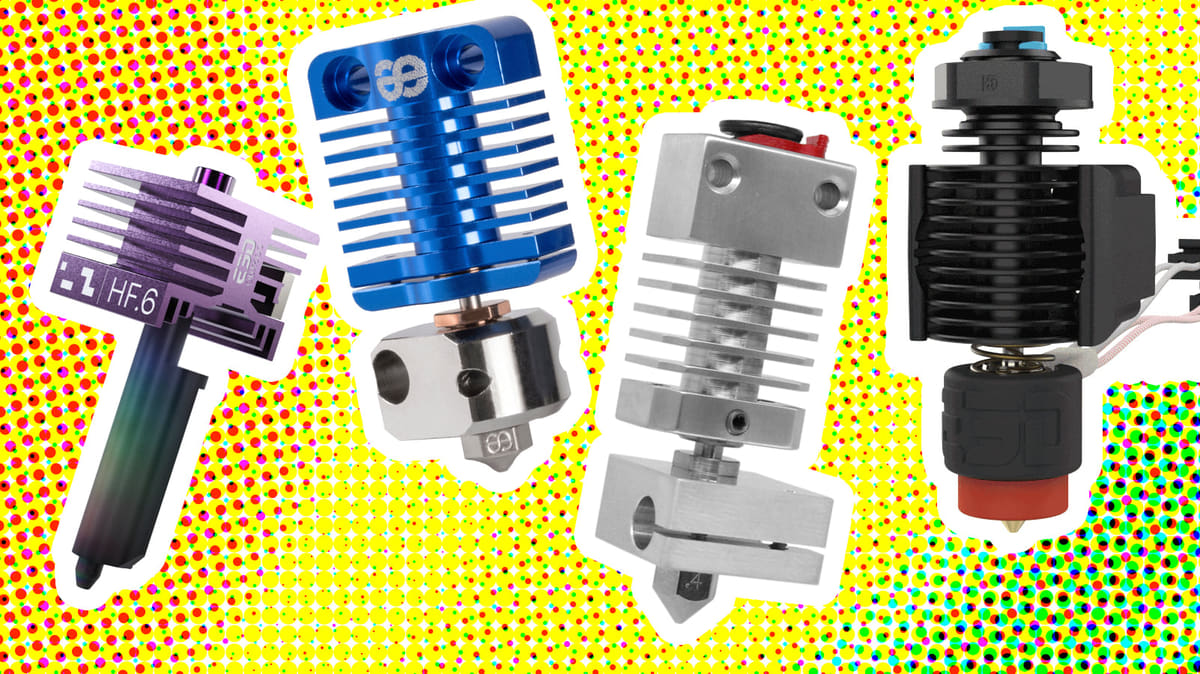
3D Printer Nozzles & Hot Ends: Why Upgrade From Standard & What to Switch To

Unlock faster print speeds and wide material compatibility by swapping your stock brass nozzle for a high-performance hot end.
Your 3D printer’s nozzle might be the smallest part of the machine, but it has an outsized effect on what you can print, how fast, and how well it turns out.
You’re not locked in to using the nozzle (or nozzle/hot end assembly) that came with your printer. In fact, there are several reasons you might want to upgrade. It’s not only that special hardened steel, diamond, or tungsten-carbide nozzles resist wear from carbon fiber filaments, but today’s third-party nozzles and hot ends are designed to boost performance, reduce maintenance, and even optimize surface finish.
Some of these hardware upgrades can cost more than $100, so is it worth it to switch?
This guide covers why makers actually change their nozzle, what specialty options are out there, and how to choose the right size, material, and bore diameter for what you print.
Why Change your Nozzle?
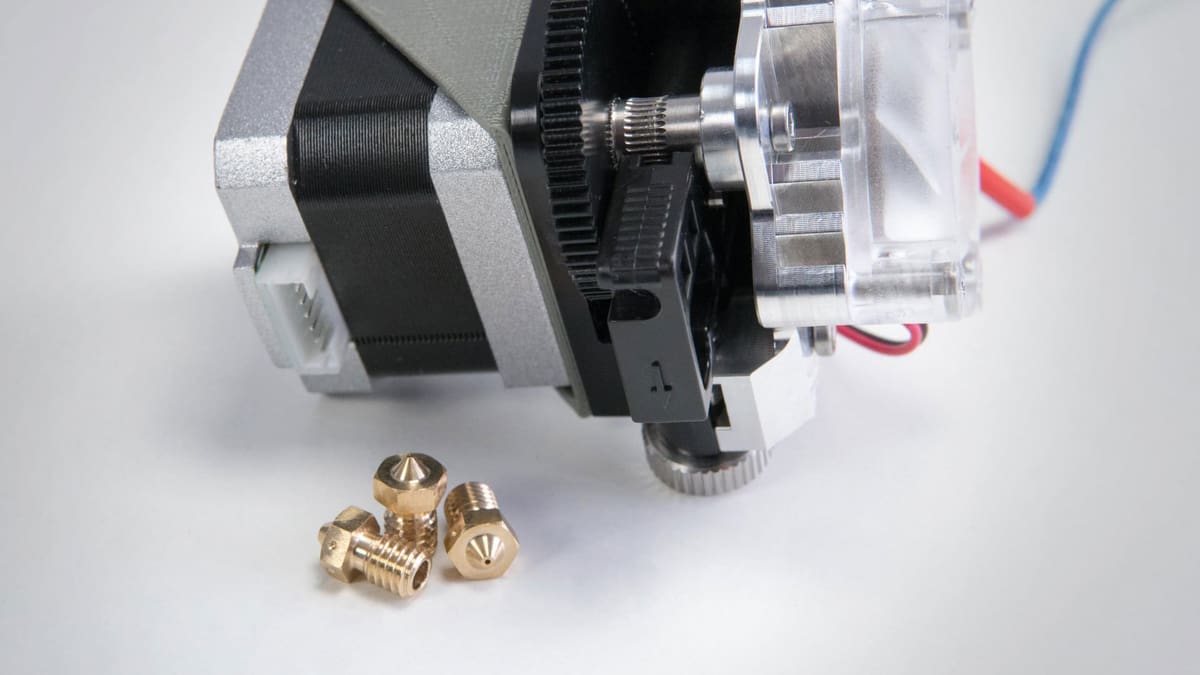
Every 3D printer comes with a nozzle already installed, usually a brass 0.4 mm one, and for a lot of prints, that’s all you’ll ever need. But sooner or later, most makers hit something the stock nozzle can’t handle well.
Nozzle vs. Hotend vs. Printhead: The nozzle is the small final part the molten plastic exits through, and its diameter largely determines extrusion width and fine-detail capability. The hotend is the whole assembly that heats and melts the filament. It typically includes the heater, temperature sensor, heat block, heat break, and nozzle. The printhead is the larger moving assembly that may include the extruder, filament drive gears, hotend, cooling fans, sensors, and sometimes other electronics.
Maybe you’ve started printing with an abrasive filament like carbon-fiber nylon or even glow-in-the dark, and watched it chew through brass in a few spools. Maybe you’re tired of waiting hours for a part and want to push more plastic through, faster. Or maybe a project needs finer detail than your current setup can manage.
Earlier this year, we asked All3DP readers why they actually swap their nozzle, with 42% saying it came down to toughness and durability for abrasive or reinforced filaments. More than double any other reason. Next, readers opted for bigger bores for speed and smaller bores for fine detail, each picked by around 16-17% of readers. About a quarter said they’ve never swapped their nozzle at all.
A Nozzle Does More Than You Think

You know the nozzle as the part at the very end of the hot end that melts and extrudes your filament, but there’s geometry to a nozzle that affects how well it prints.
- Nozzle Length: How long the nozzle is affects the heat transfer to the filament.
- Nozzle Material: Different materials have their own way of holding up to heat and wear
- Nozzle Diameter: Also called the nozzle bore size, this is the inner diameter the filament is pushed though.
Most makers end up owning more than one nozzle rather than searching for a single do-it-all option. A standard brass nozzle for everyday PLA and PETG, and a hardened or dual-material one kept on hand for whenever an abrasive or high-temp filament comes up, and if volume printing is a priority, like for a print farm, upgrading to a high-flow nozzle makes sense. Figure out which of the three levers: size, material, or bore, actually matches your problem, and the rest of the decision gets a lot easier.
The rest of this guide walks through each of those choices, starting with the specialty nozzles built to solve the problem most readers care about most: toughness.
Proprietary vs. Third-Party Nozzles
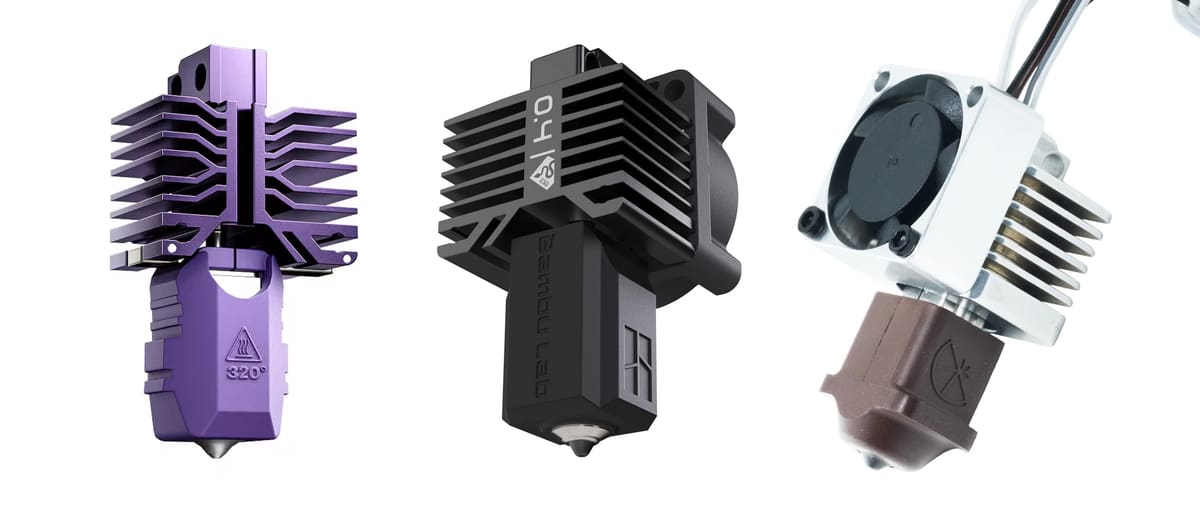
Compared with earlier generations of consumer 3D printers, modern machines are increasingly likely to use printer-specific nozzles or nozzles integrated into proprietary hot end assemblies. Especially with the dawn of tool changing systems, nozzles are evolving fast.
Older printers often accepted widely used threaded standards such as MK8 or E3D V6, making nozzles relatively interchangeable between brands. Newer integrated and quick-swap designs can make nozzle changes easier, improve sealing and thermal performance, and support higher flow rates, but the tradeoff is reduced cross-compatibility: replacement and specialty nozzles often need to be designed specifically for that printer or hot end system.
Fortunately, a number of aftermarket hot end makers now support multiple printer ecosystems, but the compatibility varies a lot by model.
Because printer manufacturers increasingly use model-specific hot ends, companies such as Micro Swiss and BIQU are creating replacement hot ends that effectively put the printer into a third-party nozzle ecosystem. In other words, they’re adapters between a proprietary printer and a broader nozzle ecosystem.
The Bambu X1/P1 is a great example. Stock, it uses Bambu’s integrated hot end format. Install a Micro Swiss FlowTech, and it can then use the growing range of FlowTech nozzles. Install a BIQU Panda Revo, and it can use E3D Revo nozzles.
What are Speciality Nozzles?
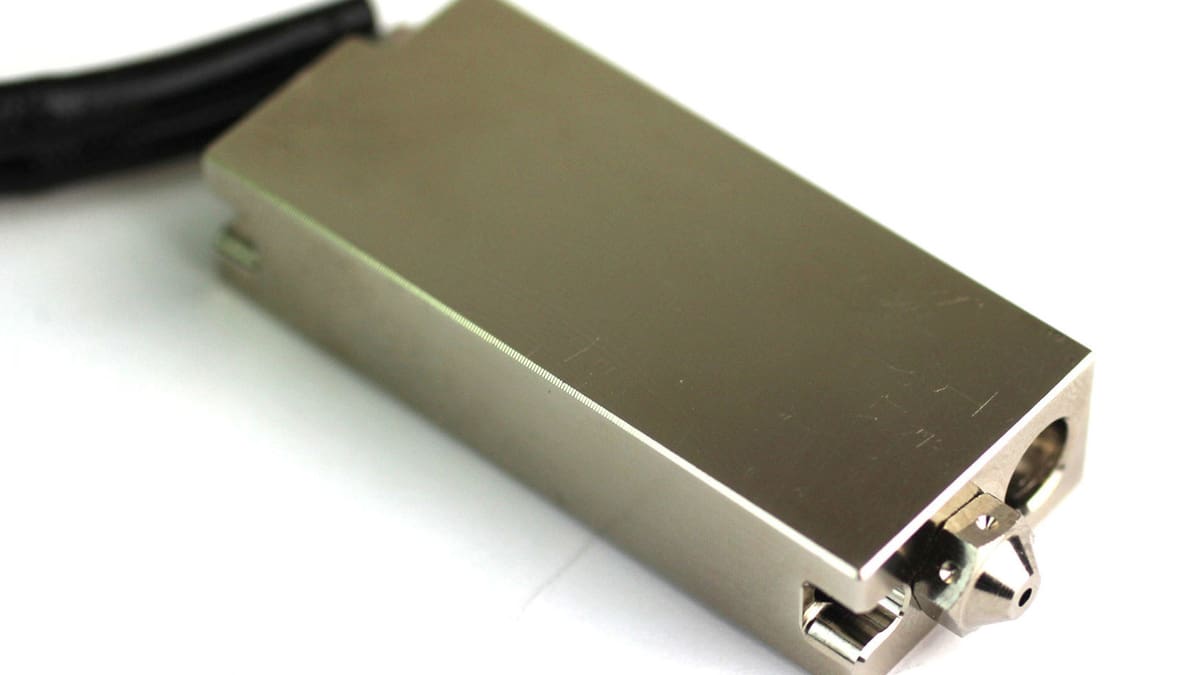
A specialty nozzle is anything beyond the stock brass 0.4 mm one your printer shipped with. These nozzles are built to solve a specific limitation rather than handle general-purpose printing.
The reasons to reach for one vary a lot: abrasive filaments wearing through brass, wanting more throughput, chasing finer detail, printing high-temperature engineering plastics like PEEK or polycarbonate filled, or just avoiding contamination in filaments that need extra-clean flow paths.
Whatever the reason, the fix usually comes down to changing one (or more) of three things about the nozzle: the bore/nozzle diameter, the size, and/or the material.
These upgrades aren’t mutually exclusive. A hardened-steel Volcano nozzle or a ruby-tipped 0.6 mm nozzle combines more than one at once. The next sections break each of these down in more detail, starting with the one you may be most familiar with, the diameter.
Bore Diameter for Speed vs. Detail
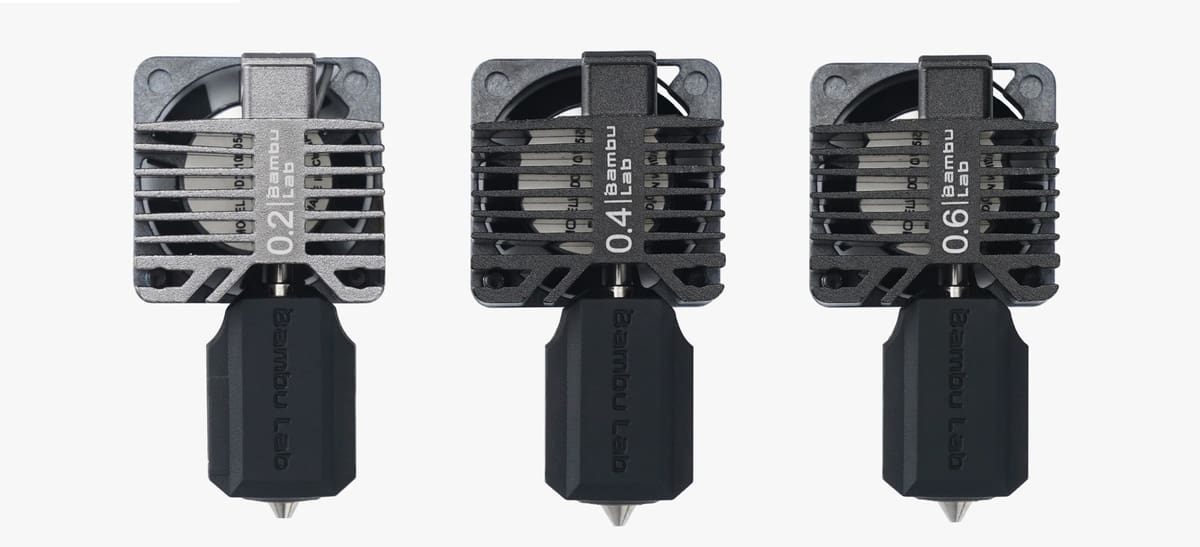
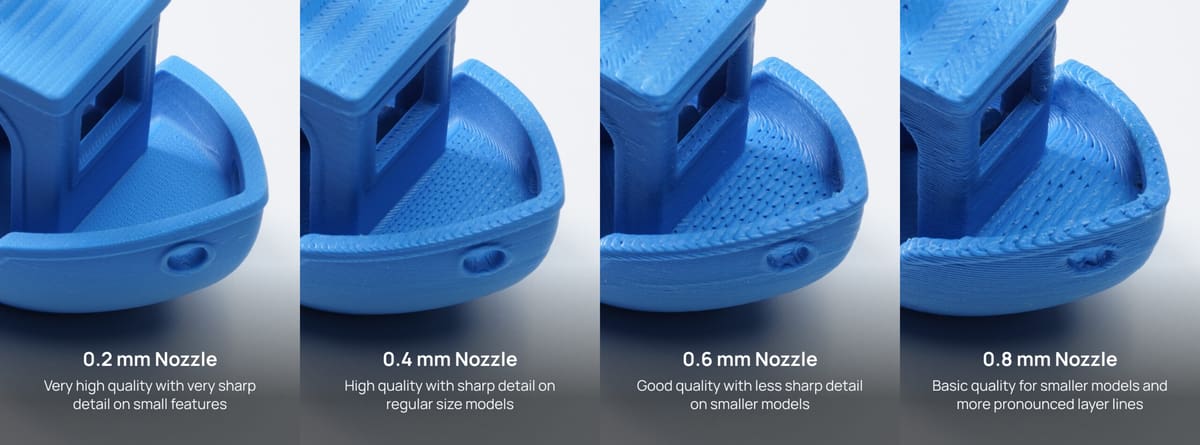
Bore diameter is the actual opening the filament is pushed through, and it’s the most direct trade-off in this whole guide: speed versus detail. Standard nozzles range from about 0.1 mm to 1.0 mm, with 0.4 mm as the default on most printers. It is a middle ground that balances reasonable print speed with reasonable detail.
Going smaller, down to 0.2 mm or even 0.1 mm, lets you print thinner layers and finer features, at the cost of significantly longer print times and a higher risk of clogging, since there’s less room in the nozzle for any debris or inconsistency in the filament.
Going bigger: 0.6 mm, 0.8 mm, or up to 1.0 mm, moves more plastic per pass, cutting print time and often improving part strength, since thicker layers mean fewer, more robust bond lines. What you lose is resolution: fine text, small text, and sharp corners get noticeably softer as the bore increases.
One rule worth keeping in mind regardless of which bore you choose: your maximum layer height shouldn’t exceed about 80% of the nozzle diameter. Push past that and the nozzle can’t apply enough downward pressure to bond each layer properly, leading to weak or inconsistent prints.
As a rough guide:
- 0.2 mm for miniatures or highly detailed models where surface finish matters more than speed.
- 0.4 mm for general-purpose printing which covers most people, most of the time.
- 0.6 mm to 0.8 mm for functional or structural parts where strength and speed matter more than fine detail.
- 1.0 mm for large-format or draft prints where you’re optimizing purely for throughput.
Larger Nozzles (> 0.4 mm)
- Reduced print time
- Fewer nozzle-related print errors
- Recommended for abrasive material (less prone to clog with particles)
Smaller Nozzles (< 0.4 mm)
- Higher precision
- Higher quality overhangs
- Supports are easier to remove
Nozzle Size for Better, Faster Flow Control
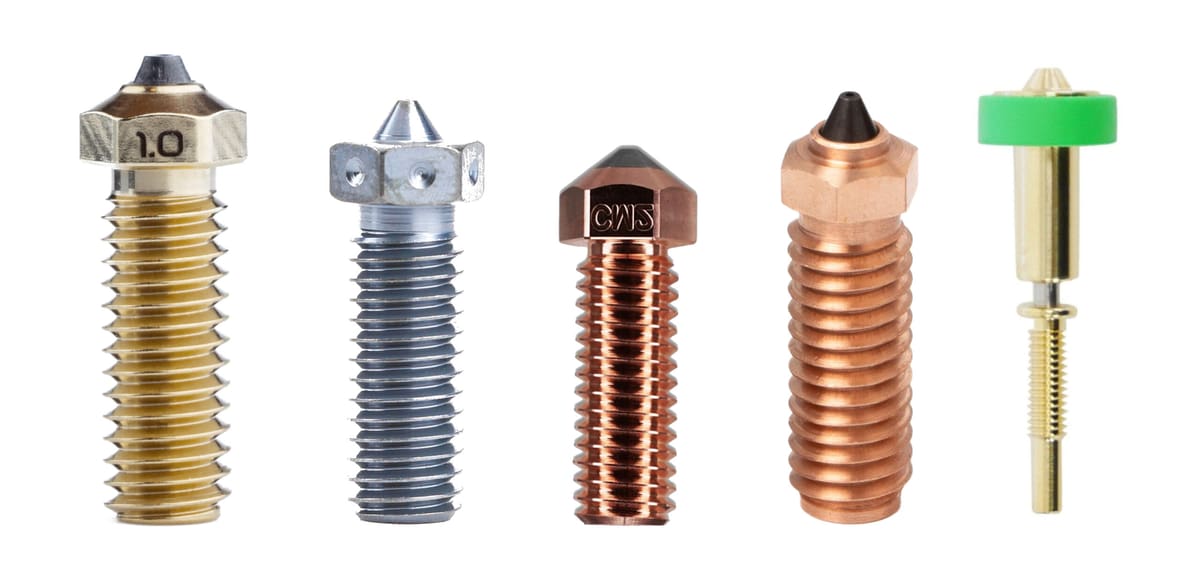
“Size” here doesn’t mean the bore (diameter), it means the physical length and shape of the nozzle itself, which determines how much filament it can heat up during extrusion, in turn, how fast you can print.
Above we already talked about how you’d use a larger diameter for a faster print time while sacrificing detail, but a longer nozzle can increase a printer’s maximum flow rate without sacrificing the fine detail associated with a smaller nozzle diameter.
Rather than widening the extrusion opening, a high-flow design extends the heated melt path or increases the filament’s contact with hot surfaces, allowing the plastic to absorb heat and melt more quickly. This makes it possible to push more material through, and therefore print faster, while still using a 0.4 mm or similarly small outlet for good feature resolution.
Volcano-Style & High-Flow Nozzles
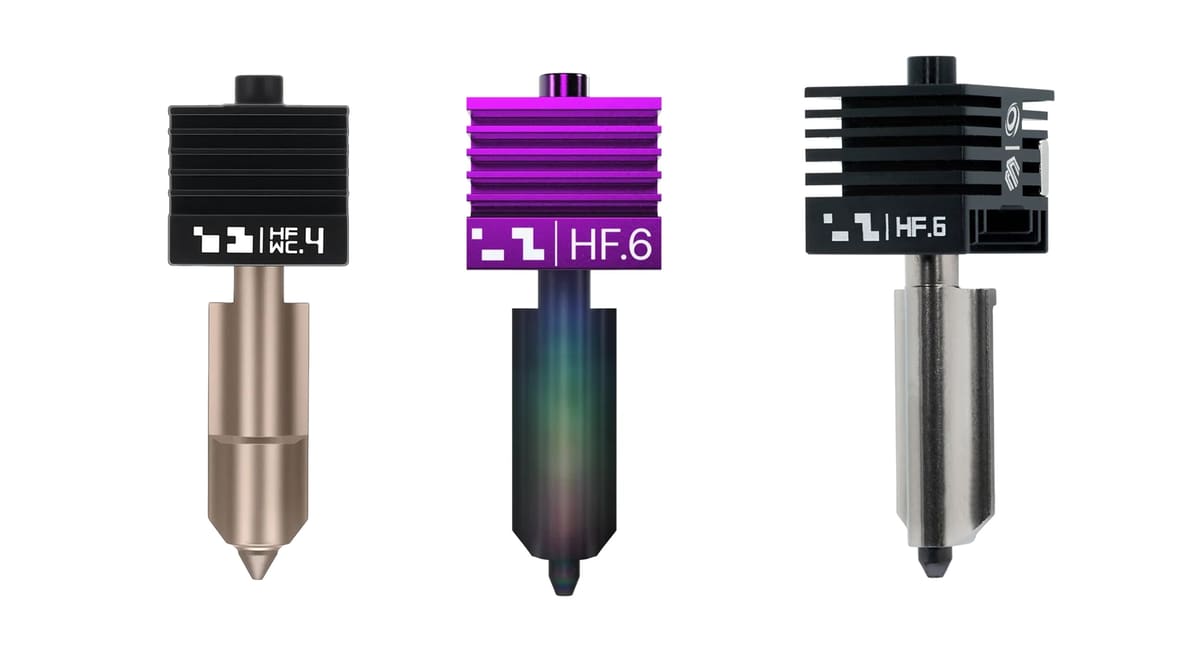
These longer nozzles stretch the melt zone to about 21 mm, roughly tripling the internal volume of filament that’s actively heated at any moment. More melted plastic on hand means you can extrude faster without it coming out of the nozzle under-melted and stringy.
A Volcano-style nozzle is a specific longer nozzle format designed to increase the length of the heated melt zone, allowing filament to melt faster and support higher flow rates. “High-flow nozzle,” however, is a broader and somewhat newer term that includes any design intended to extrude more material per second, including Volcano-style nozzles, CHT-type split-channel designs, and other extended or optimized melt-zone geometries. In other words, Volcano nozzles are a type of high-flow solution, but not all high-flow nozzles are Volcano-style.
In any case, more melted plastic on hand means you can extrude faster without it coming out of the nozzle under-melted and stringy. Let’s look closer at these nozzle types.
SuperVolcano
Another size option, although rarely seen in stock 3D printers, is the SuperVolcano. As the name implies, it is an even longer version of the Volcano nozzle, measuring an almost ridiculous 50 mm in length. It needs an 80 W heater cartridge and can reach 500 °C, putting it well outside normal desktop territory. It is realistically only worth it for very high-flow setups or specialty high-temperature filaments, not general use.
CHT-Style Nozzles
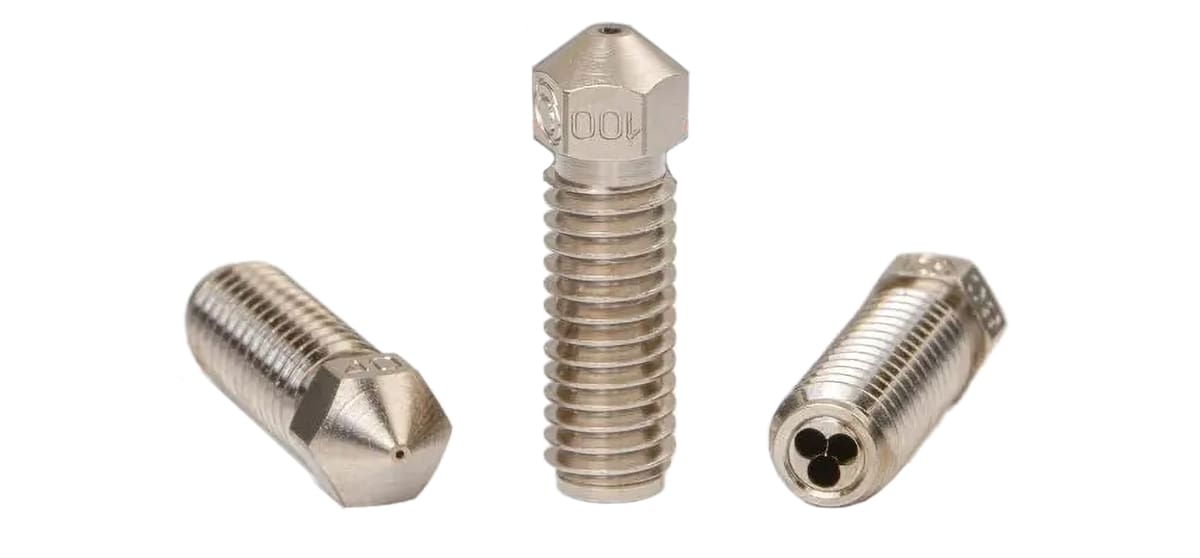
Aside from length, there’s another way of increasing volumetric flow—the amount of plastic the hot end can properly melt and extrude per second.
CHT-style nozzles boost flow by changing the geometry inside the nozzle rather than simply making it longer. Bondtech’s CHT (Core Heating Technology) design splits the incoming filament into several thinner streams, increasing the surface area exposed to heat and helping the material melt more quickly and evenly. This can raise volumetric flow while retaining a relatively compact hot end.
“CHT” is Bondtech’s trademarked technology and it offers CHT nozzles in several common formats, while Micro Swiss licenses the technology for its FlowTech CHT and Hyper-CHT nozzles; E3D has also licensed the underlying technology for its Revo High Flow system.
Nozzle Materials for Wear & Tear
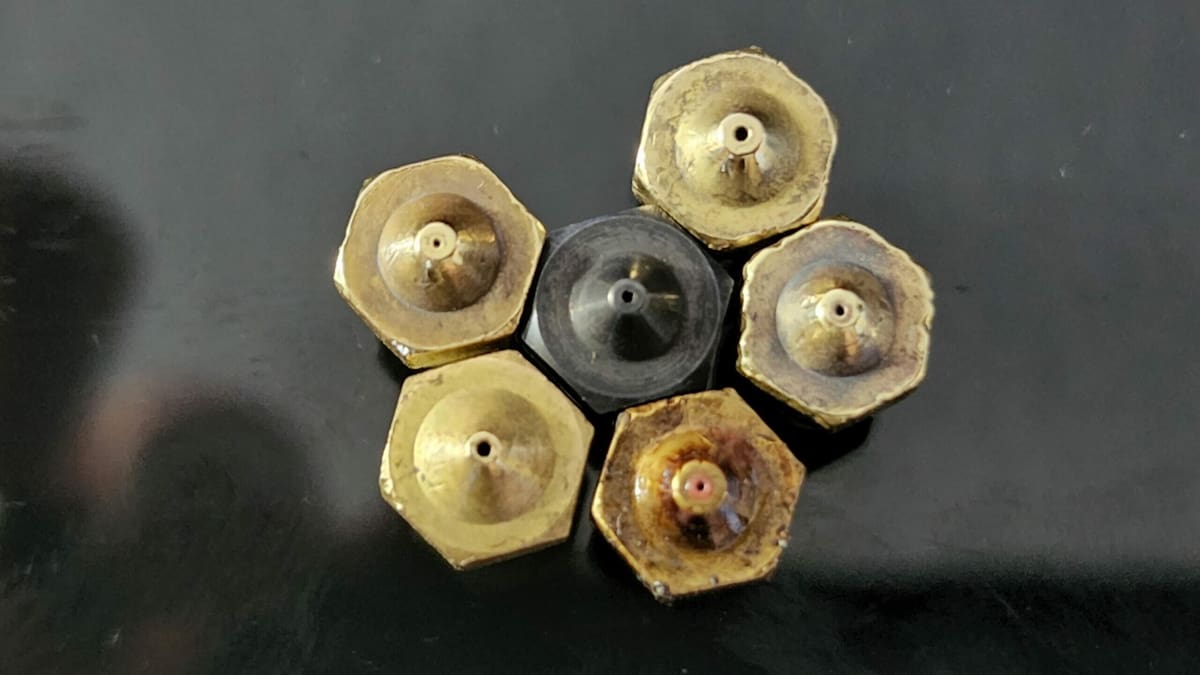
Your printer likely came with a brass nozzle because it’s great for heat transfer, but it’s bad for anything abrasive, like carbon-fiber or glass-filled filament, which wears through it like sandpaper. It also has a fairly low ceiling for high-temperature printing. A step up is a harder or more heat-resistant material, of which there are a few choices: hardened steel and tungsten carbide hold up far longer against wear, ruby, diamond, and sapphire-tipped nozzles push that durability even further, and dual-material (“assembled”) nozzles pair a tough or heat-resistant tip with a more thermally conductive body, which is often the go-to for demanding engineering filaments.
Stainless Steel
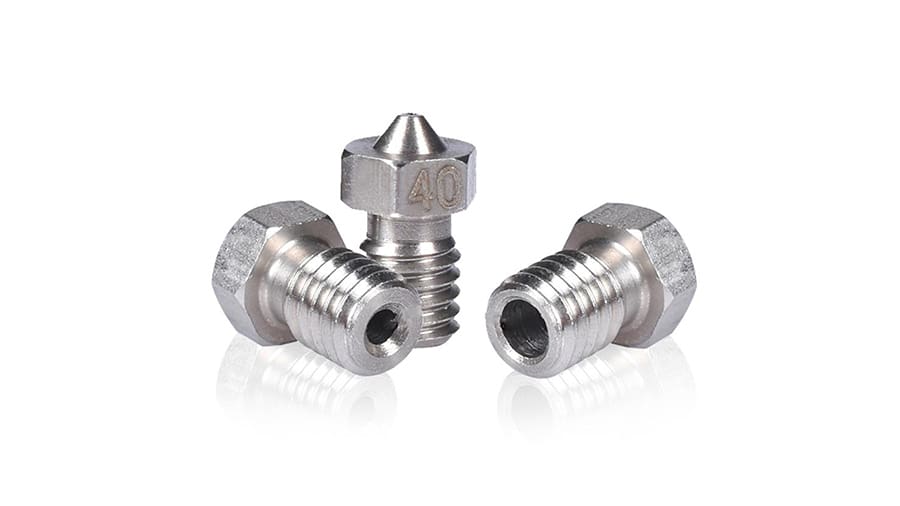
A step up in durability, stainless steel avoids the small amount of lead sometimes present in brass alloys, which is worth knowing if you’re printing food-contact or medical parts.
Stainless steel allows for a wider variety of filaments, but is still not recommended for heavy usage of abrasive materials. It’s also less thermally conductive than brass, so heat moves into the filament more slowly and at higher print speeds that can lead to under-extrusion unless you compensate with a slightly higher nozzle temperature or a slower print speed.
- Maximum temperature: 500 °C
- Best used with: Non-abrasive filaments and light use of abrasive materials such as NylonX, carbon fiber, glow-in-the-dark, metal-filled, wood-filled, and ceramic-filled filaments
Hardened Steel
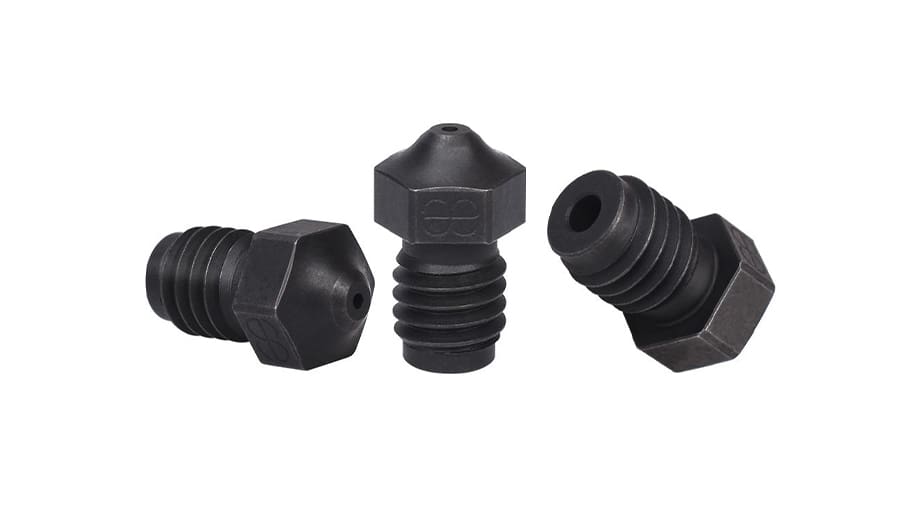
The standard answer for abrasive filaments. It resists wear dramatically better than brass or stainless and is what most makers mean when they say they’ve “upgraded” their nozzle for toughness. The trade-off is thermal conductivity: hardened steel transfers heat less efficiently, so you may need to tune temperature or flow rate to avoid under-extrusion.
- Maximum temperature: 500 °C
- Best used with: All materials, including heavy use of abrasive materials
Assembled (Dual-Material) Nozzles
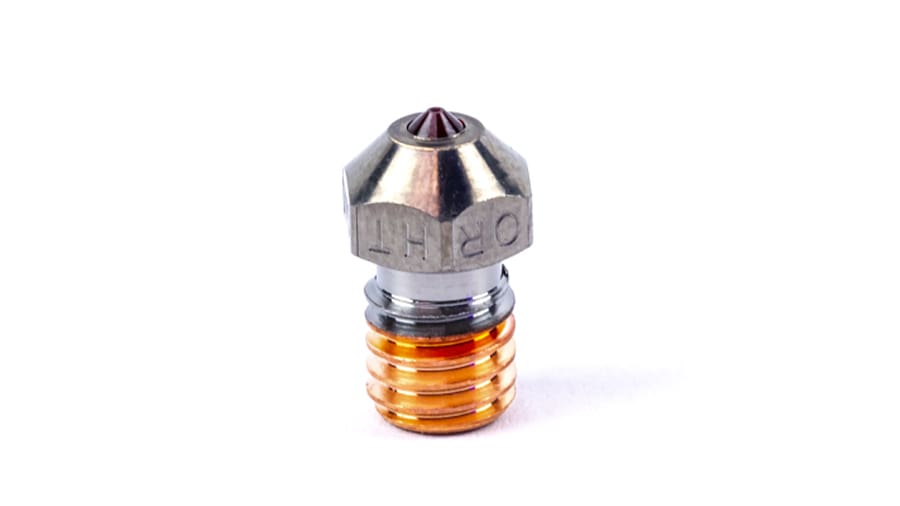
Assembled nozzles are made from two separate parts that are joined together, each one made of a different material to leverage the best properties of each.
Tending to combine a hardened or exotic tip (steel, tungsten carbide, ruby, or sapphire) with a more thermally conductive brass or copper body, aiming to get durability without sacrificing heat transfer. The idea is to have the best of both worlds in one single nozzle.
These special nozzles are specifically recommended for high-temperature applications and materials such as PEEK and carbon fiber filament. As we’ll see later, some of these nozzles include high-grade materials like ruby. Needless to say, assembled nozzles are far more expensive than regular brass and stainless steel varieties.
- Maximum temperature: High temperatures, but the exact maximum temperature varies between models
- Best used with: All materials, including heavy use of abrasive materials and engineering plastics like PEEK and Ultem
Quick Guide: if you’re printing standard, non-abrasive filaments, brass is all you need. If you occasionally print abrasive materials or care about food safety, go with stainless steel. If you print abrasive filaments regularly, hardened steel is the better investment. And if you’re combining high-temperature engineering filaments with heavy abrasive use, an assembled dual-material nozzle is worth the extra cost.
Matching Your Slicer Settings to Your Nozzle Upgrade
Several 3D printer makers, including Bambu Lab and Prusa, can detect which hot end or nozzle is currently installed in the machine and adjust settings accordingly or send you alerts, such as when you attempt to print carbon-fiber-filled nylon with a brass nozzle.
For most other printers, though, you need to set the nozzle diameter in the slicer. You don’t typically need to adjust any settings for the material your nozzle is made of but you do need to adjust one important measure if you installing a high-flow nozzle of hot end.
You generally don’t tell the slicer, “this is a high-flow nozzle, print 50% faster.” You determine how many cubic millimeters per second the new nozzle-and-filament combination can reliably handle and enter that limit. The slicer then translates that capacity into appropriate linear print speeds according to extrusion width and layer height.
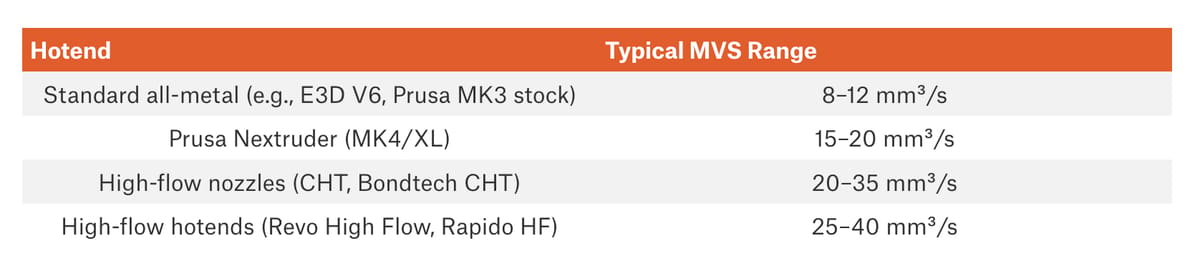
Changing to a high-flow nozzle or hot end is a manual calibration job that involves setting a new maximum volumetric speed (MVS), measured in mm³/s, which is the maximum volume of filament the hot end can reliably melt each second. OrcaSlicer and PrusaSlicer can use this value as a speed limiter, automatically slowing moves that would otherwise demand more flow than the hot end can supply.
Let’s look at an example using PrusaSlicer
PrusaSlicer generally requires you to configure the hardware and its flow capability yourself. Start with an existing profile for your printer and save a copy before making changes.
- Enable the high-flow nozzle setting. Go to Printer Settings > Extruder 1 and enable High flow nozzle. If the replacement nozzle has the same diameter as the original, leave the nozzle diameter unchanged.
- Raise the hardware flow limit. Open Print Settings > Speed > Max volumetric speed and increase the value to reflect the higher flow capability of the new nozzle or hot end. For example, a conventional hotend printing PETG might be limited to around 10–15 mm³/s, while a high-flow nozzle could potentially support 20–30 mm³/s or more. As a specific reference, E3D rates its 0.4-mm Revo High Flow nozzle at 27 mm³/s with PETG at 240 °C, compared with 17 mm³/s for its standard-flow version. These figures are starting points rather than universal settings, so the final MVS should be verified with your particular printer and filament.So a high-flow nozzle of the same diameter doesn’t necessarily require changing your layer widths or layer heights at all. Its main advantage is that you can raise the volumetric-flow ceiling, allowing the printer to maintain those same extrusion dimensions at higher speeds.
- Check the filament flow limit. Go to Filament Settings > Advanced > Max volumetric speed. This value represents how quickly the particular filament can be melted and extruded reliably. PrusaSlicer uses the lower of the print-profile and filament-profile limits.
- Test at higher flow. Print a demanding model or flow test and gradually increase the maximum volumetric speed. Watch for under-extrusion, extruder clicking, rough surfaces, or weak layer adhesion.
- Back off from the failure point. Once print quality begins to deteriorate, reduce the maximum volumetric speed slightly to leave a safety margin.
- Increase print speeds if necessary. If perimeter, infill, or other feature speeds are too low, the printer may never reach the new flow limit. Increase those values under Print Settings > Speed as needed.
Specialty Nozzles & What They're Good For
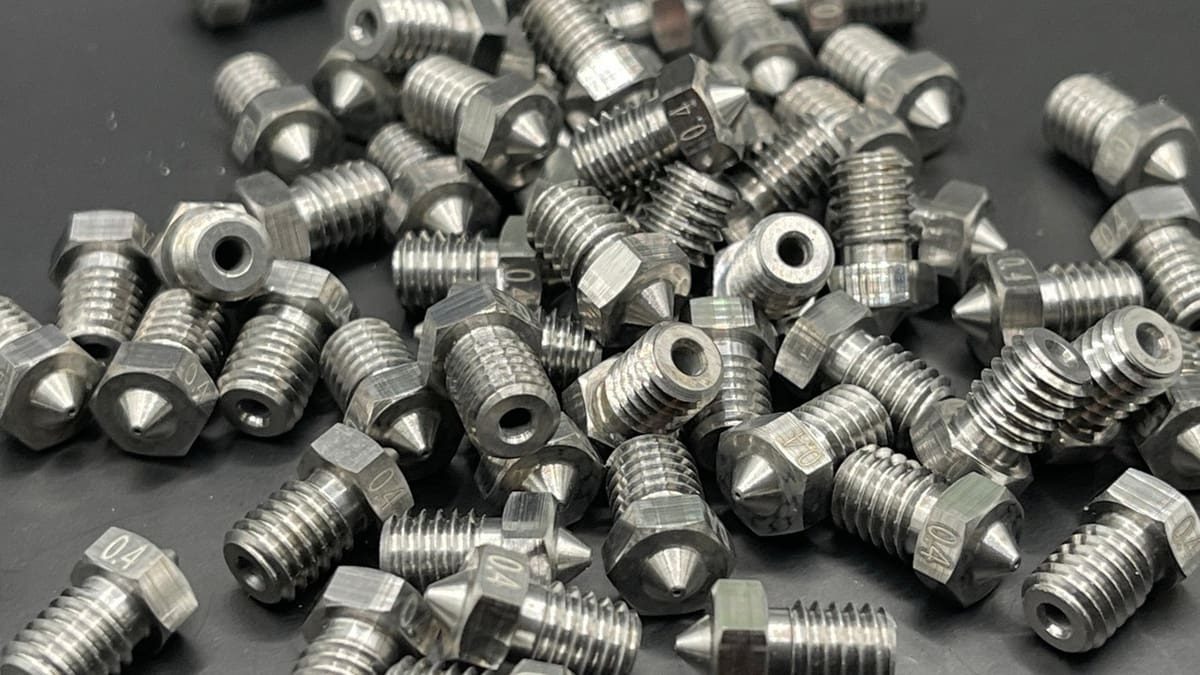
Once you know what size, material, and bore you need, the brand mostly comes down to which ecosystem your printer already uses and how much you’re willing to spend. Here are the options worth knowing.
You May Also Like:


License: The text of "3D Printer Nozzles & Hot Ends: Why Upgrade From Standard & What to Switch To" by All3DP is licensed under a Creative Commons Attribution 4.0 International License.