Which Kids’ 3D Printer Should Be Under the Tree This Christmas?

A growing crop of 3D printers promises to put kids in the driver’s seat. We look at what sets them apart, how much independence they can safely offer, and whether a conventional 3D printer might be the better buy.
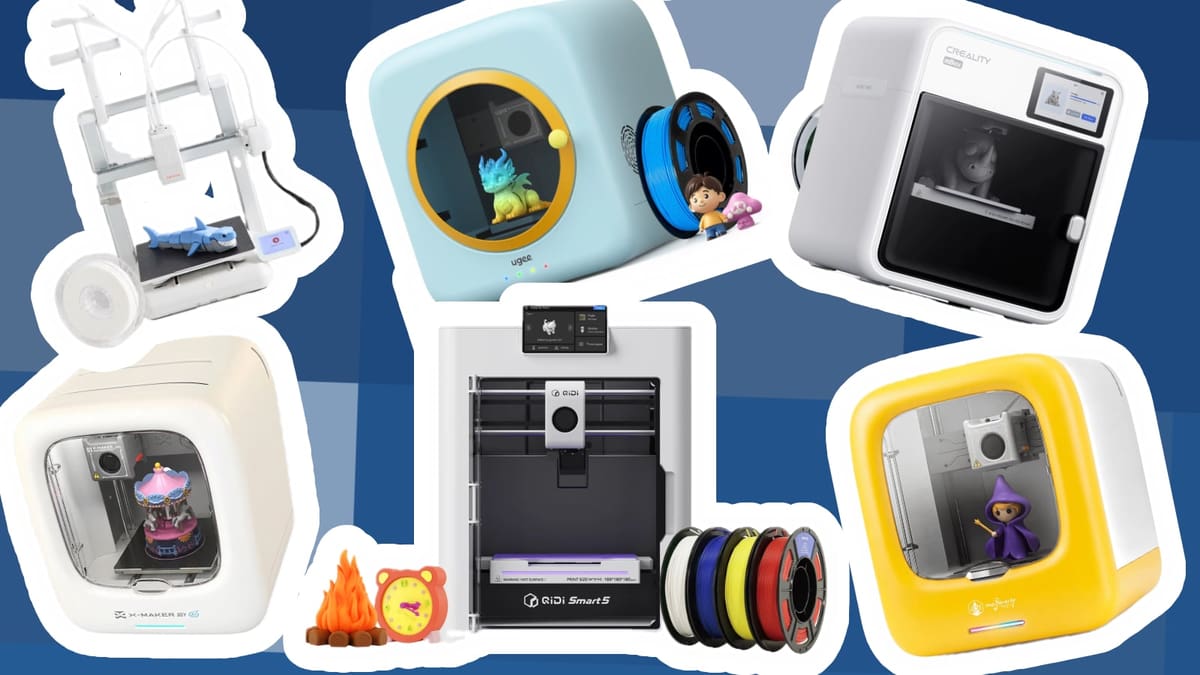
Kid-focused 3D printers are having a moment. The Qidi MakeBuddy Smart5, Creality mBox, and Toybox Luna are all new releases vying for a place in the family home, promising to make 3D printing something young children can actively participate in rather than simply watch.
The sales pitches are strikingly similar: easy to use, safe, and built for little makers. But how much of what these machines offer is genuinely tailored to young children, and how much is clever repackaging of features found on conventional desktop 3D printers?
With that in mind, we taken a closer look at what’s on offer, how these machines compare with similarly priced desktop printers, and how much of the printing process parents can realistically hand over to their children.
What Defines a Kids' Printer?
Many of the features that make 3D printing more accessible to children, from automatic bed leveling to app-based printing and remote monitoring, are already commonplace on conventional desktop printers. What distinguishes a dedicated kids’ printer often has as much to do with the accompanying software as it does with the hardware.
Kids Printers Can Feature:
- Toy library of models
- Child-focused software
- AI model making
- Easy control buttons
- Parental controls
- Safety features (cold bed printing, door locks, etc.)
- Focus on air filtration
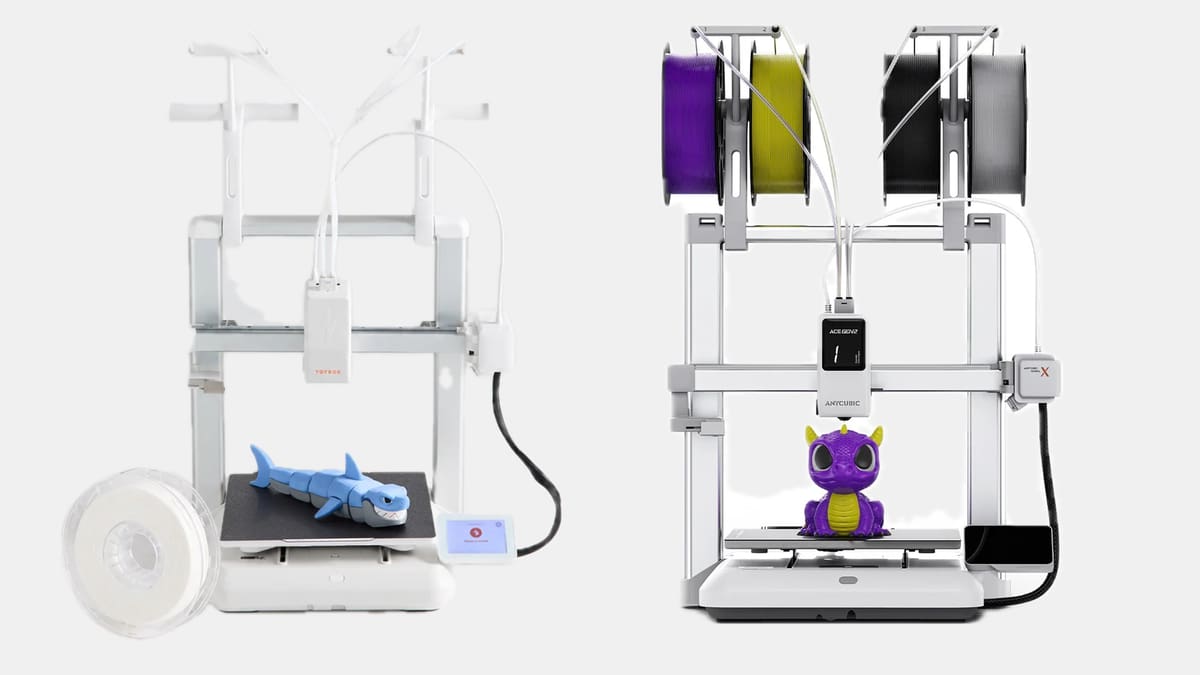
Take the recently launched Toybox Luna. This four-color bed slinger developed in partnership with Anycubic is based on the Anycubic Kobra X. It offers much the same hardware at a considerably higher price. What you’re paying extra for is a child-focused software ecosystem, complete with a pre-vetted toy library, simplified design tools, and parental controls.
Other manufacturers have taken a more hardware-oriented approach, incorporating features such as unheated print beds, door sensors that can pause printing, and enclosed chambers that help keep inquisitive hands away from hot and moving components. The extent of these safeguards, however, varies considerably from one printer to the next.
AI is also becoming an increasingly prominent part of the kids’ 3D printing experience. All six printers featured below incorporate it in some form, whether to turn drawings and photos into printable models or detect printing failures. How these tools are implemented, what they cost to use, and how much creative freedom they afford children are further points of distinction.
The Nice List
While the six printers below all cater to younger makers, their approaches differ considerably. Some put the emphasis on education and creative tools, others on making the printing process as simple as possible. There are also notable differences in their physical safeguards, recommended ages, and the ongoing costs associated with their software. Before getting into the individual machines, here’s how they stack up.
*Despite its child-oriented marketing, the Toybox Luna’s user manual specifies ages 14 and older.
Of course, the printer itself is only part of the safety equation. Filament manufacturers are also paying increasing attention to family-friendly 3D printing, with some offering materials tested against toy safety and emissions standards. We’ll look at some of these options further down.
Qidi MakeBuddy Smart5
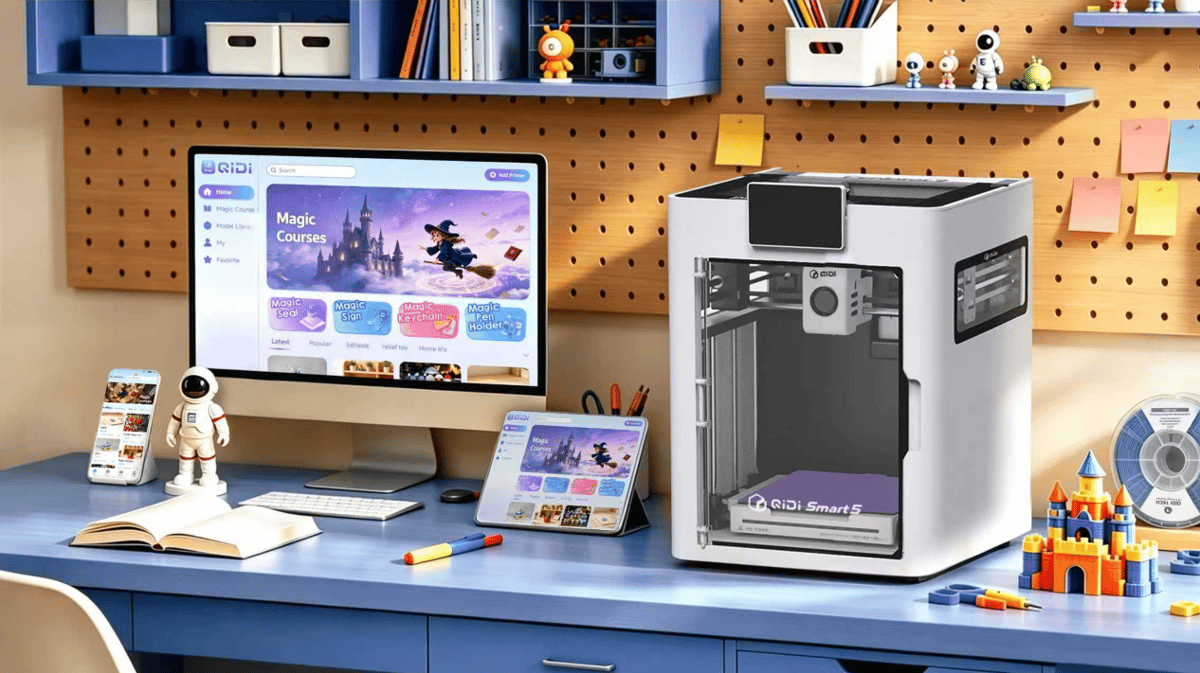
The Qidi MakeBuddy Smart5 is positioned as much as a learning tool as a 3D printer, with much of the experience built around the Qidi Joy app. Alongside a library of ready-to-print models, the app offers beginner tutorials and educational courses, giving children some scope to learn beyond simply selecting and printing a model. Its AI-powered image-to-3D generator is free to use, unlike some of the alternatives on this list.
The hardware is fairly conventional: a 180 x 180 x 180 mm build volume, a 4-inch touchscreen, and automatic bed leveling. At $349, the Smart5 comes with four 250 g spools of PLA. It prints in a single color out of the box, with multicolor printing requiring the optional Qidi Box.
The enclosed chamber incorporates flame-retardant materials and a three-stage air filtration system comprising a G3 pre-filter, an H12 HEPA filter, and activated carbon. Qidi claims a particle capture rate of 99.5%.
A 1080p camera allows parents to follow prints remotely, though Qidi is explicit that remote monitoring “supports supervision, but does not replace it.” The company recommends the printer for children from around age 8, with adults handling setup, maintenance, and heated components.
- Price: $349, including four 250 g spools of PLA
- Enclosure: Yes, with flame-retardant materials and G3, H12 HEPA, and carbon filtration
- Age: Around 8, with adults handling setup, maintenance, and heated parts
- Build volume: 180 x 180 x 180 mm
- Colors: One, or more with the optional Qidi Box
- AI: Image-to-3D generator, free to use
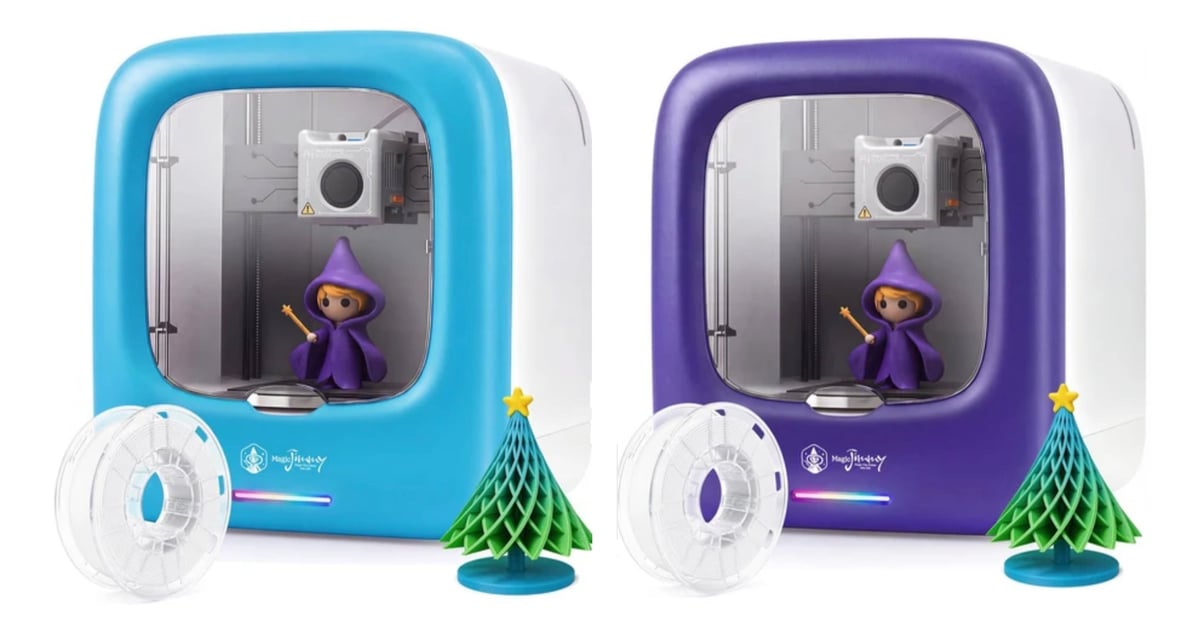
Magic Jimmy Spark
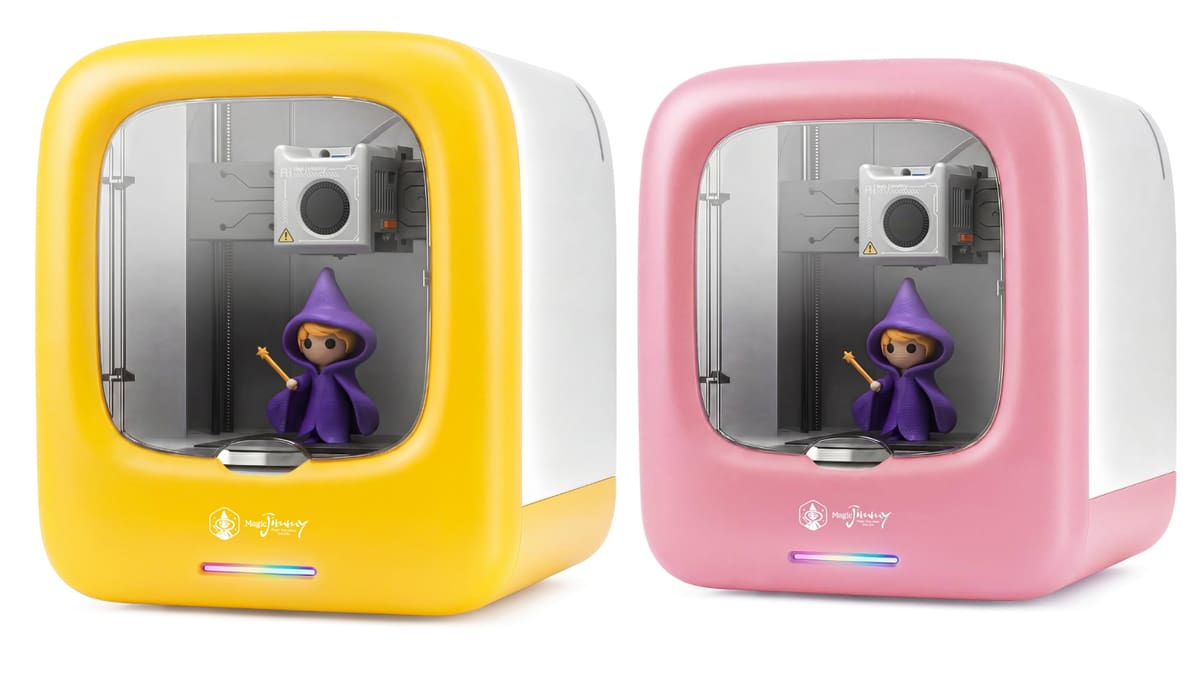
The Magic Jimmy Spark takes a more app-centric approach to 3D printing, with no computer required. The Magic Jimmy app gives children access to a library of more than 12,000 toy models, alongside the option to import designs from repositories such as Thingiverse, Printables, and MakerWorld.
Its four creative tools; AI Craft, AI Doodle, AI MiniMe, and MiniMakie, allow children to generate models from sketches, text prompts, and photos, as well as build their own characters. Unlike Qidi, Magic Jimmy uses an in-app coin system for AI generation. A starter allocation is included with the printer, but we found no published pricing for additional coins.
At $299.99, including 200 g of white PLA, the Spark is the cheapest printer on our list.
The printer is fully enclosed, with a built-in camera for live monitoring and time-lapse recording, and an exterior that Magic Jimmy describes as cool to the touch. The company recommends the Spark for ages 8 and up, or from age 6 with what it calls “normal parental awareness.” Magic Jimmy also claims the printer carries age-appropriate safety certification but does not identify the applicable standard or certifying body.
- Price: $299.99, including 200 g of white PLA
- Enclosure: Yes, with an exterior Magic Jimmy describes as cool to the touch
- Age: 8 and up, or 6 with “normal parental awareness”
- Build volume: 120 × 120× 120 mm
- Colors: One
- AI: Four tools on an in-app coin system, with a starter allocation included
Creality mBox
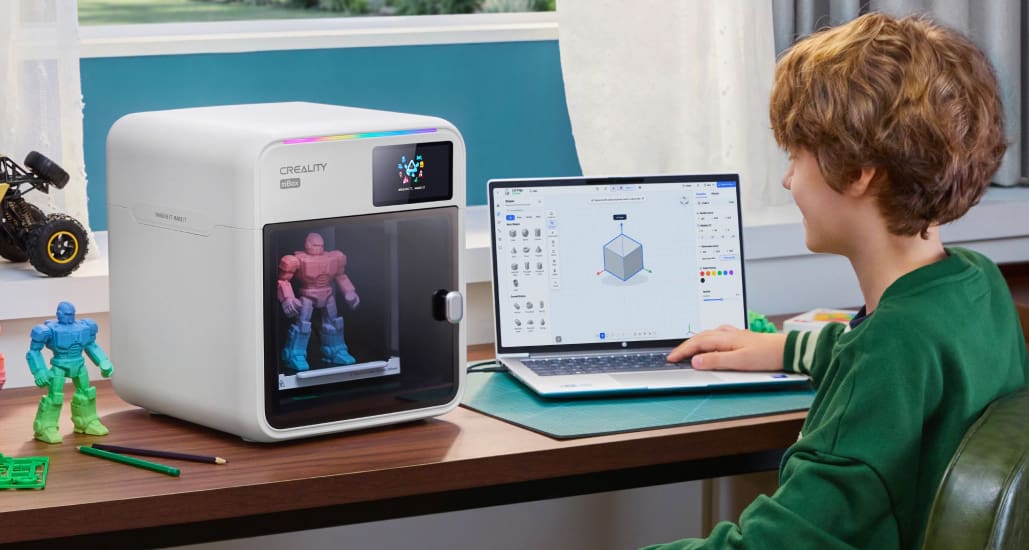
Of the printers here, Creality’s mBox makes a particularly explicit pitch for independent operation by children. Models can be selected and printed directly from its color touchscreen, without the need for a smartphone or computer.
Beyond the printer itself, the Creality Park app offers curated models and Steam courses, while Creality Park Studio is a PC-based design tool for children looking to create their own models. Creality’s two AI tools, CubeMe and SnapForm, generate printable models from photos and drawings.
The mBox has a 153 x 153 x 153 mm build volume, CoreXY motion system, automatic bed leveling, and RGB lighting that indicates print status. Priced at $329, it comes with a 250 g spool of rainbow PLA.
Where the mBox stands out is in some of its hardware provisions for safety. Alongside a fully enclosed chamber and activated carbon filtration, it has an unheated print bed and a configurable door sensor. Opening the door during a print can trigger an alert, pause the print alongside the alert, or do neither. Notably, the pause function is not enabled by default.
Creality says its AI camera detects warping, foreign objects, and spaghetti failures, notifying parents of printing problems. Despite positioning the mBox as a child-operated printer for ages 6 to 16, Creality’s own user guide recommends adult supervision during first use, filament changes, and troubleshooting.
- Price: $329, including a 250 g spool of rainbow PLA
- Enclosure: Yes, with carbon filtration and an unheated bed
- Age: 6 to 16, but Creality’s user guide recommends adult supervision for first use, filament changes, and troubleshooting
- Build volume: 153 x 153 x 153 mm
- Colors: One
- AI: CubeMe and SnapForm for photos and drawings, plus an AI camera that detects print failures
Toybox Luna
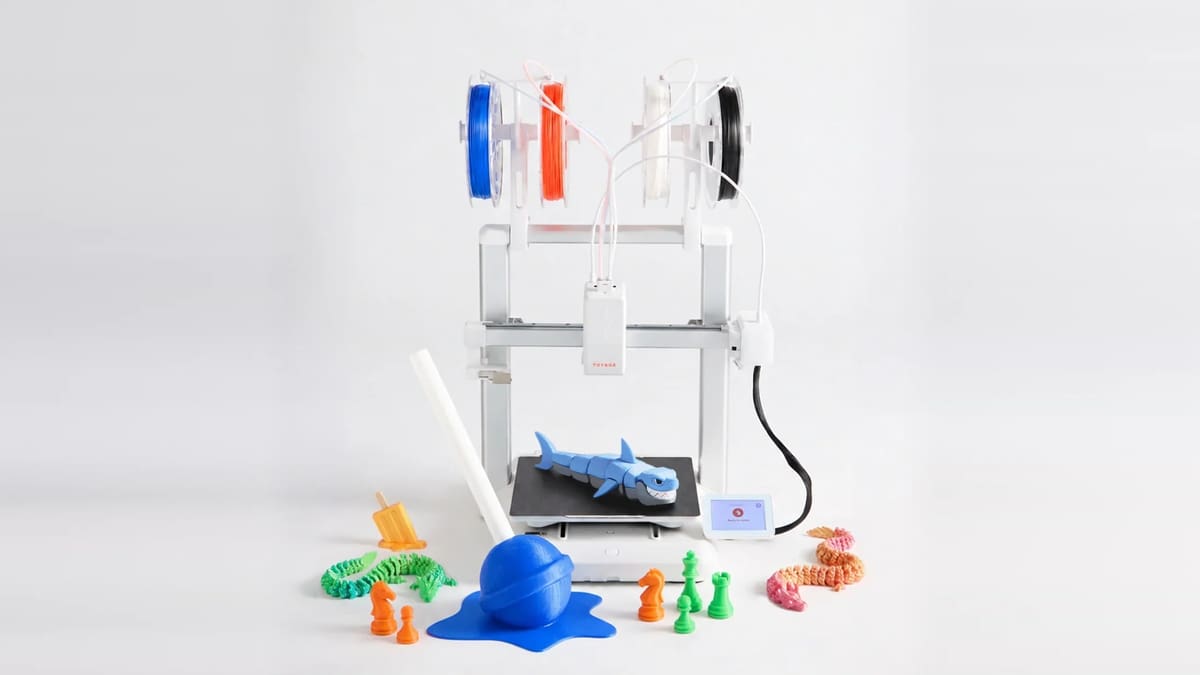
The Toybox Luna is closer to a conventional desktop 3D printer than most of the machines on this list, with much of what makes it child-friendly residing in its software. Alongside a pre-vetted catalog of toys and licensed characters, Toybox offers Creator Space, a design environment where children can build their own models by combining, subtracting, and splitting shapes.
Toybox also gives parents greater control over the software experience. Its Parent Portal allows them to restrict purchases and control what their children can share online. AI generation, meanwhile, sits behind the optional Toybox Pro subscription, which costs $20 per month and includes 300 monthly AI credits.
The printer has a 260 x 260 x 260 mm build volume, automatic bed leveling, and can switch between four colors without additional hardware. It is also the most expensive printer on our list at regular retail prices, with bundles starting at $467.
Toybox also offers the more compact Alpha Four, the latest iteration of its original 3D printer and our pick for the best 3D printer for kids in our 2026 best 3D printers roundup. Starting at $435, it provides access to the same software ecosystem and features automatic mesh bed leveling, but lacks the Luna’s multicolor printing capabilities.
The Luna’s open-frame design, heated bed, and exposed nozzle put more responsibility on parents. While Toybox provides an encrypted live camera feed and the ability to pause and resume prints, its own user manual is considerably more conservative about the intended age group than its child-oriented software might suggest: “Not a toy. For use by persons ages 14 and older.”
- Price: From $467
- Enclosure: No, with an open frame, heated bed, and exposed nozzle
- Age: Marketing gives none, but the user manual says “Not a toy. For use by persons ages 14 and older.”
- Build volume: 260 x 260 x 260 mm
- Colors: Four
- AI: Optional Toybox Pro at $20 a month with 300 AI credits

Ugee Funbox
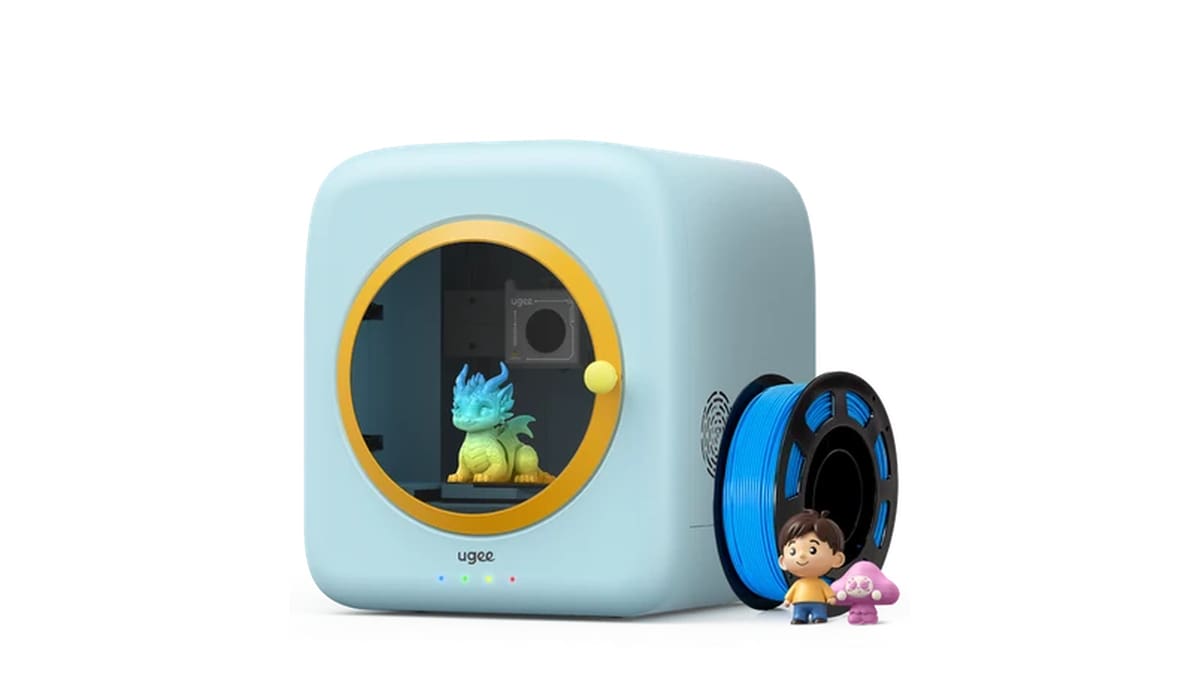
Launched in July by a company better known for its drawing tablets, the Funbox is Ugee’s first desktop 3D printer. Like the Smart5, it has an educational component: its UFun app pairs a library of ready-to-print models with free STEM tutorials covering structural design and basic engineering concepts.
Its AI ShapeGen tool generates models from voice prompts, text, drawings, and photos. For those looking to move beyond the simplified app experience, Ugee also offers its U-Print slicer for Windows, giving users access to more conventional print settings.
The Funbox is a compact, single-color machine with a 120 x 120 x 120 mm build volume, a flexible magnetic print plate, and no need for manual bed leveling. It accepts standard 1.75 mm PLA from third-party manufacturers and retails for $329.
On the safety side, the fully enclosed printer has rounded edges, an unheated print bed, a 12 V power supply, and a heating status indicator. Its H12 HEPA and activated carbon filtration system captures up to 99.5% of particles measuring 0.1–0.3 microns, according to Ugee’s own testing. A built-in 2 MP camera allows for remote monitoring and time-lapse recording.
Ugee is also more forthcoming than most manufacturers here about the safety standards its printer meets. The company lists UL Greenguard certification for chemical emissions, alongside ASTM F963-23, EN 71, and EN 62115 toy safety standards.
- Price: $329
- Enclosure: Yes, with H12 HEPA and carbon filtration, an unheated bed, and a 12 V power supply
- Age: 4 to 12
- Build volume: 120 x 120 x 120 mm
- Colors: One
- AI: ShapeGen works from voice, text, drawings, and photos
Aoseed X-Maker Joy
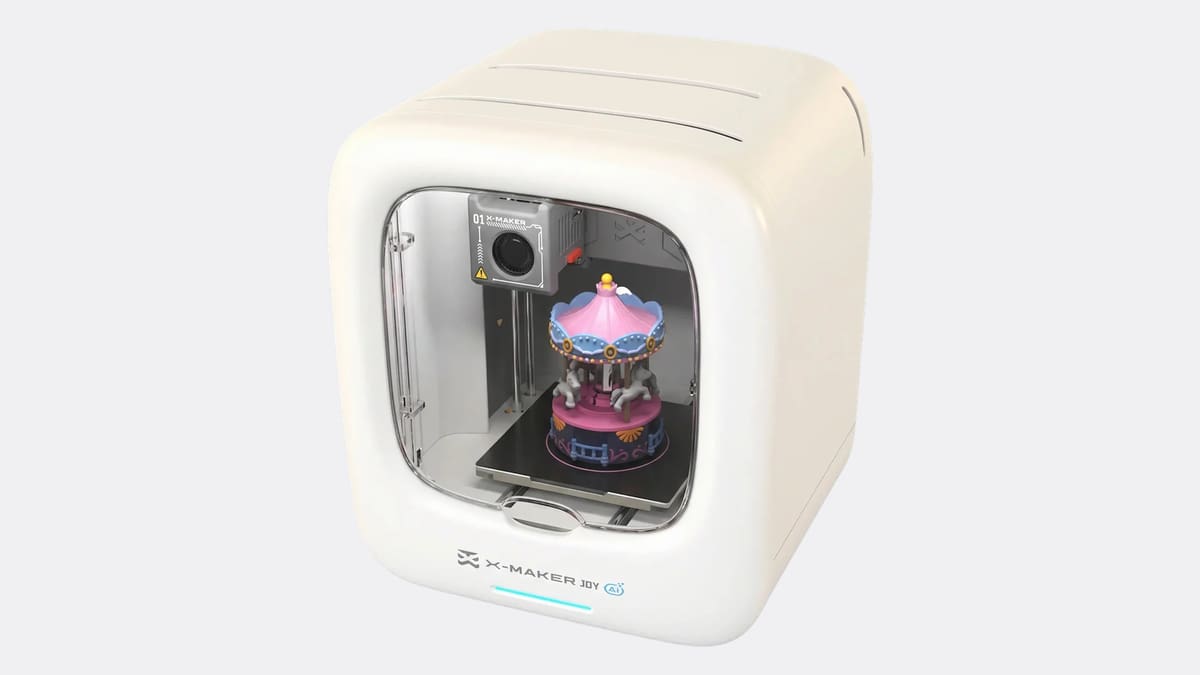
The X-Maker Joy is one of the more established printers on our list, launched in 2024 by Aoseed. Its latest iteration, the Joy AI+, adds AI-powered design tools, including AI Doodle and AI MiniMe, for generating printable models from drawings and photos.
Where the Joy stands out is in its emphasis on building rather than simply printing toys. Alongside a library of more than 20,000 ready-to-print models, Aoseed offers creation kits with motors, wheels, and gears, allowing children to turn their prints into moving toys.
Priced at $339, the Joy AI+ is fully enclosed and recommended for children ages 4 to 12. It has no built-in screen, with printing and model selection handled through the accompanying app. Parents can password-protect the printer’s settings, while a door sensor automatically pauses printing when the chamber is opened.
The app and model library are free to use, but AI generation operates on a coin system. Aoseed provides 50 coins when a new account pairs with a printer, with additional coins available for purchase. The company doesn’t specify their prices on its product page, making the ongoing cost of AI generation difficult to assess before buying.
- Price: $339
- Enclosure: Yes, with a door sensor that pauses printing when the chamber opens
- Age: 4 to 12
- Colors: One
- AI: Coin system with 50 coins on pairing, and extra coin prices aren’t listed
What About the Filament?
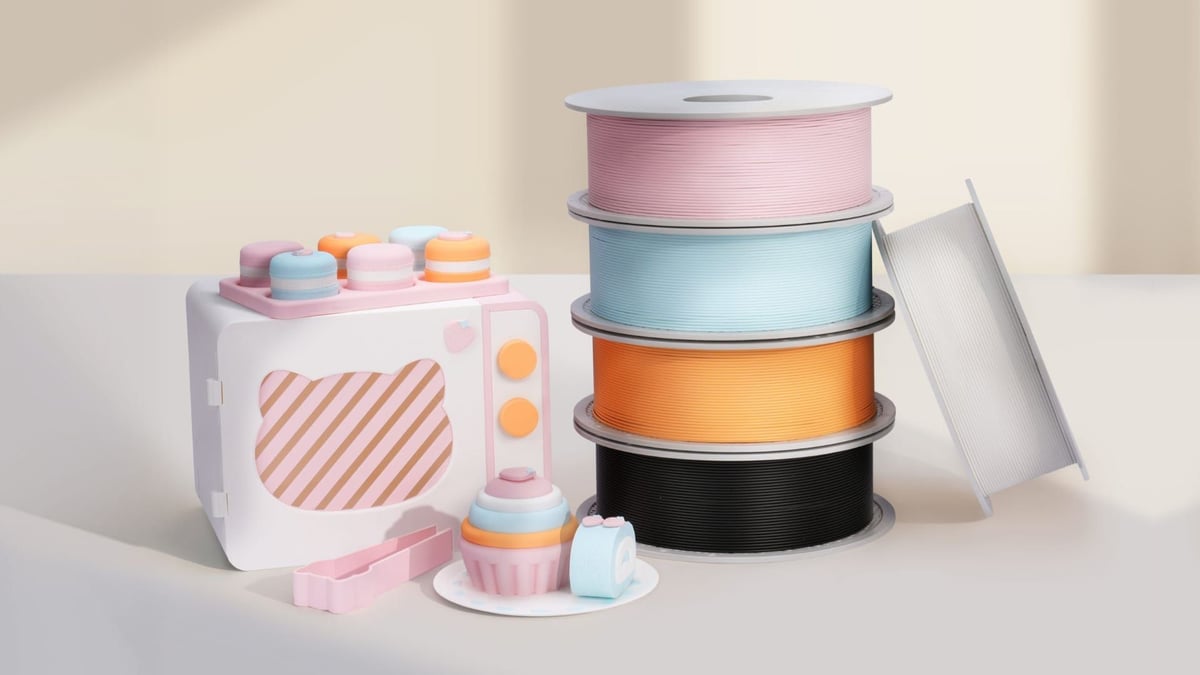
Whether you opt for a dedicated kids’ 3D printer or a conventional desktop machine, it’s worth paying attention to what you feed it. PLA is the material of choice for most of the printers above, and a number of filament manufacturers are going a step further by having their materials tested against toy safety standards.
Bambu Lab’s PLA Pure was developed with both printing emissions and material contact safety in mind, with testing against the European toy safety standard EN 71-3.
For toys that might see a little rougher treatment, Polymaker’s recently introduced G-Flex PETG blends PETG and TPU to produce a material that is more elastic and resistant to breaking than conventional PETG. It also complies with EN 71-3 and has undergone emissions testing, making it an interesting option for toys and action figures. Not all of the dedicated kids’ printers above support PETG, however.
There are also options among more conventional filaments. From Overture’s filament range, its PLA, PLA Matte, and PLA Pro all have the same certification, while eSUN recently announced that selected colors of its PLA+, PLA-Basic, and PLA-Matte, among other materials, have passed testing against this standard.
EN 71-3 compliance doesn’t make a finished print a safe toy, and it doesn’t cover emissions during printing. Small parts, sharp edges, and breakable pieces remain concerns with any filament, and a standard brass nozzle can retain traces of earlier filaments.
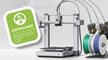
Room to Grow: The Desktop Alternatives
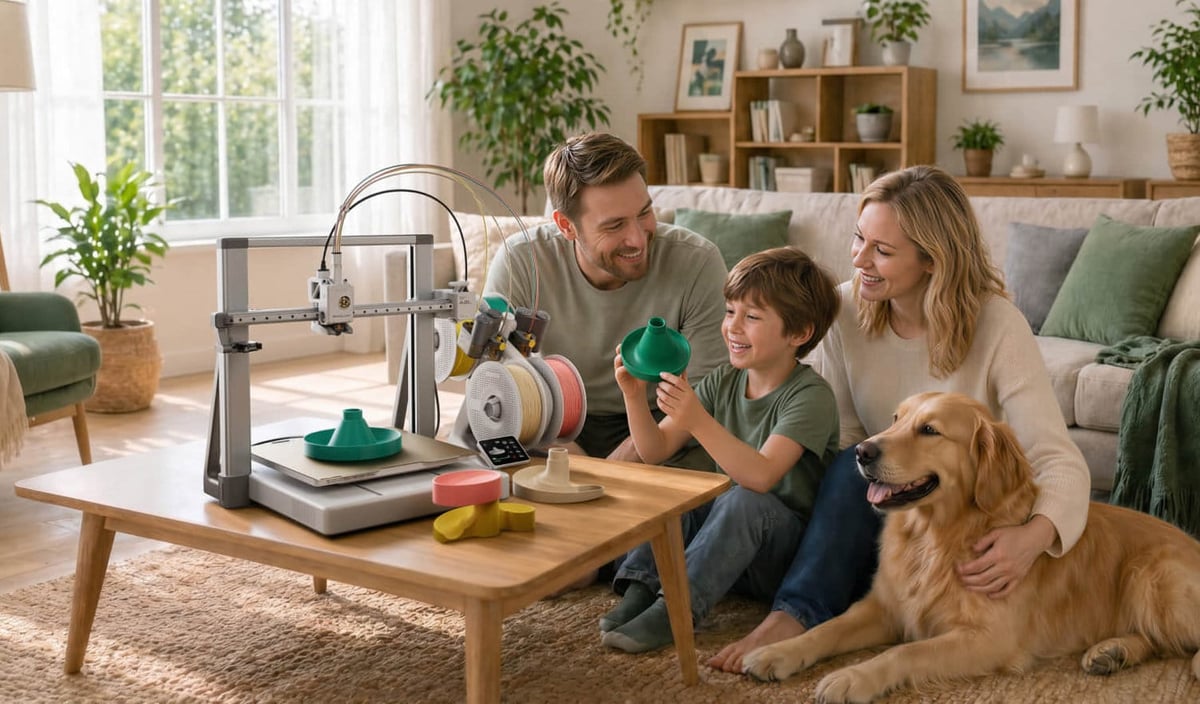
A glance at the specifications of some similarly priced conventional desktop printers makes a compelling case for looking beyond machines marketed specifically to children. Larger build volumes, multicolor printing, and enclosed chambers are all within reach of roughly the same budget.
The trade-off is that more responsibility falls to parents. Without the combination of curated model libraries and parental controls offered by some of the dedicated kids’ printers, adults will need to take a more active role in model selection, particularly on open sharing platforms such as Thingiverse, MakerWorld, and Printables, where age-inappropriate content can appear in search results.
Physical safeguards also warrant closer consideration. Features such as the Creality mBox’s unheated print bed and configurable door sensor are not necessarily found on conventional machines, even enclosed ones. For parents prepared to take a more hands-on role in the printing process, however, a conventional desktop printer could be a better long-term investment, offering children more scope to experiment as their interests and skills develop.
There is also greater freedom on the software side. Families needn’t buy into a particular toy library, subscription, or AI credit system, and children interested in creating their own models have a wealth of free design tools at their disposal. In the long run, learning how to design something from scratch may prove more rewarding than being able to print somebody else’s toys at the touch of a button.
Below are four conventional desktop printers worth considering, followed by a selection of free design software to help young makers get started.
Anycubic Kobra X
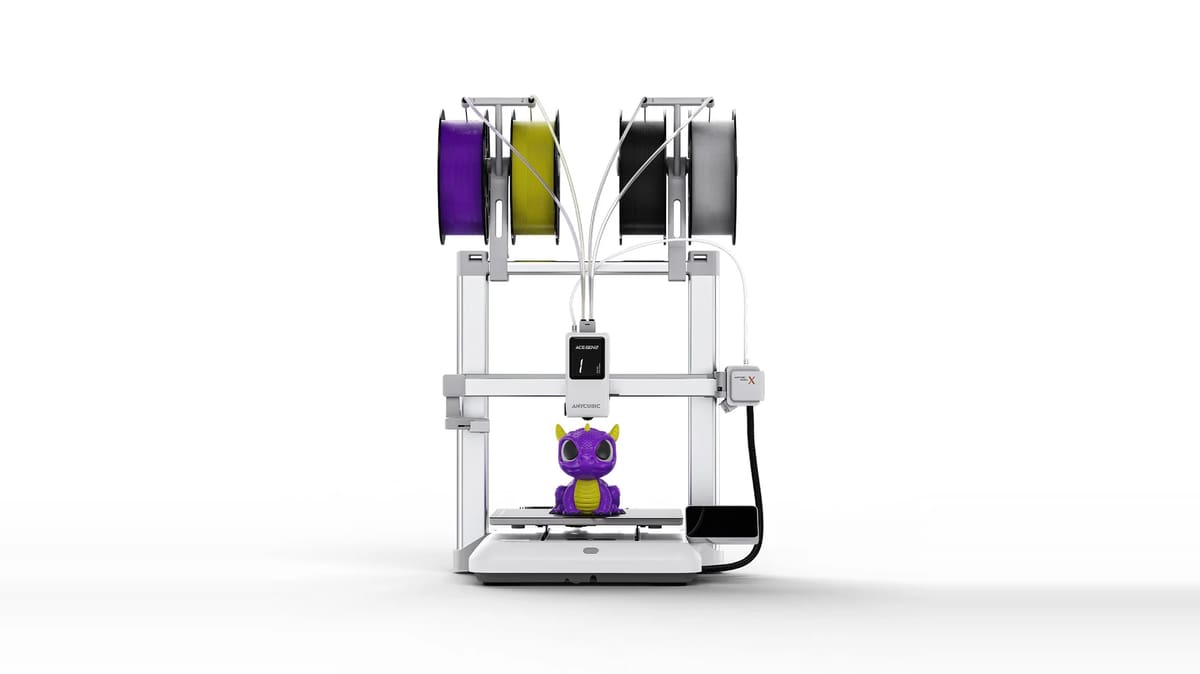
The Kobra X is perhaps the clearest example of why parents might want to look beyond printers marketed to children. It’s essentially the machine behind the Toybox Luna: Toybox itself confirms that the Luna is a modified Kobra X developed in partnership with Anycubic. The hardware comes from Anycubic, while Toybox supplies the child-friendly software, one-touch printing experience, and catalog of toys.
What the extra money buys with the Luna is primarily the Toybox experience: its pre-vetted toy library, simplified design tools, and Parent Portal, which allows adults to restrict purchases and online sharing. Anycubic instead provides its conventional slicing software and app, giving users more control but leaving parents responsible for finding suitable models and managing print settings.
Neither machine has an enclosure. The Kobra X’s moving components, heated bed, and nozzle remain accessible during printing, just as they do on the Luna. For families with older children and adults prepared to supervise, the Kobra X offers much of the same printing hardware at a substantially lower price. For younger children, Toybox’s software ecosystem may be worth the premium, but it doesn’t remove the need for supervision.
- Price: $299
- Colors: Four, with no extra multicolor unit needed
- Build volume: 260 x 260 x 260 mm
- Enclosure: No
Bambu Lab A1 mini
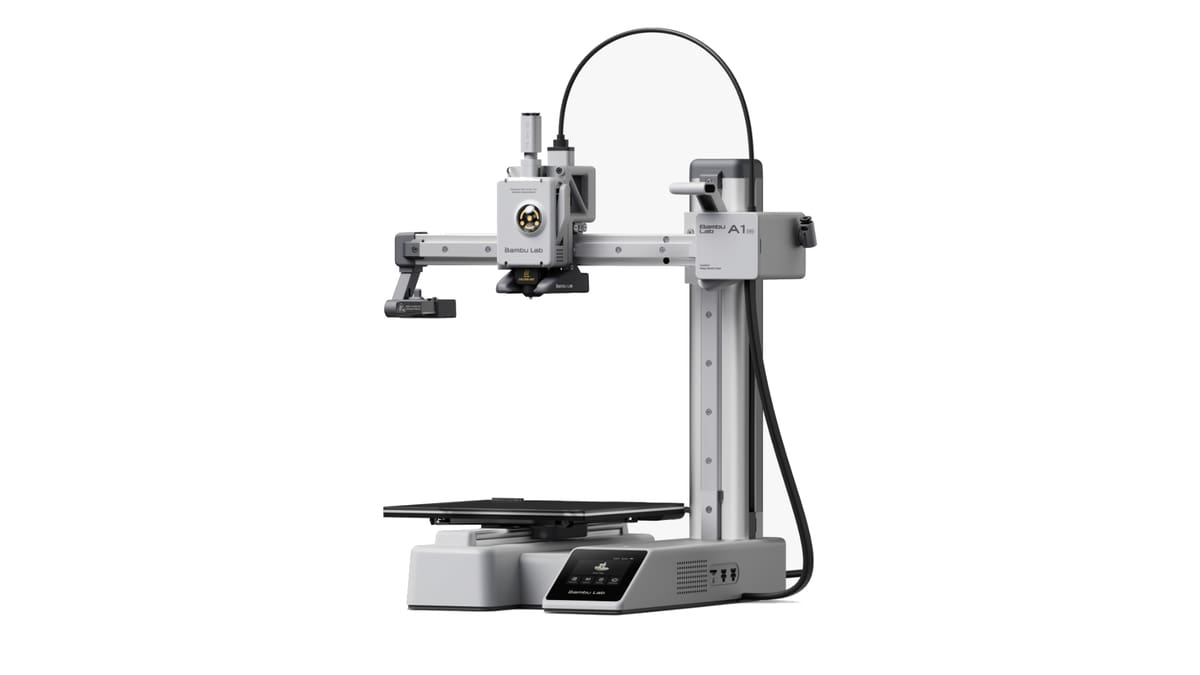
The A1 mini is an affordable entry point for families more interested in learning 3D printing than in having access to a dedicated catalog of toys. Yet, the company did just launch MakerKids, a dedicated section of its online MakerWorld platform full of kid-friendly projects, such as “Let’s Build Our Bird Cafe” and the slightly more advanced “Build-A-Rocket: Let’s Build the Artemis Rocket!”
The A1 mini’s 180 x 180 x 180 mm build volume is comparable to that of the Qidi MakeBuddy Smart5, while automatic calibration, a touchscreen, and Bambu Handy’s app-based printing help simplify the process.
It prints in a single color as standard, with optional four-color printing through the AMS lite. Bambu Studio provides more advanced settings for preparing models, giving older children room to develop their skills as they become more familiar with the printing process. The trade-off is its open-frame design. Both the heated bed and nozzle are exposed, and the bed moves during printing.Bambu’s own safety guidance also makes clear that the machine is not intended for independent operation by children.
For an older child working alongside a parent, however, the A1 mini offers an accessible introduction to conventional 3D printing without the additional cost of a child-oriented software ecosystem.
- Price: $219
- Colors: One as standard, or four with the optional AMS lite
- Build volume: 180 x 180 x 180 mm
- Enclosure: No
Elegoo Centauri Carbon 2
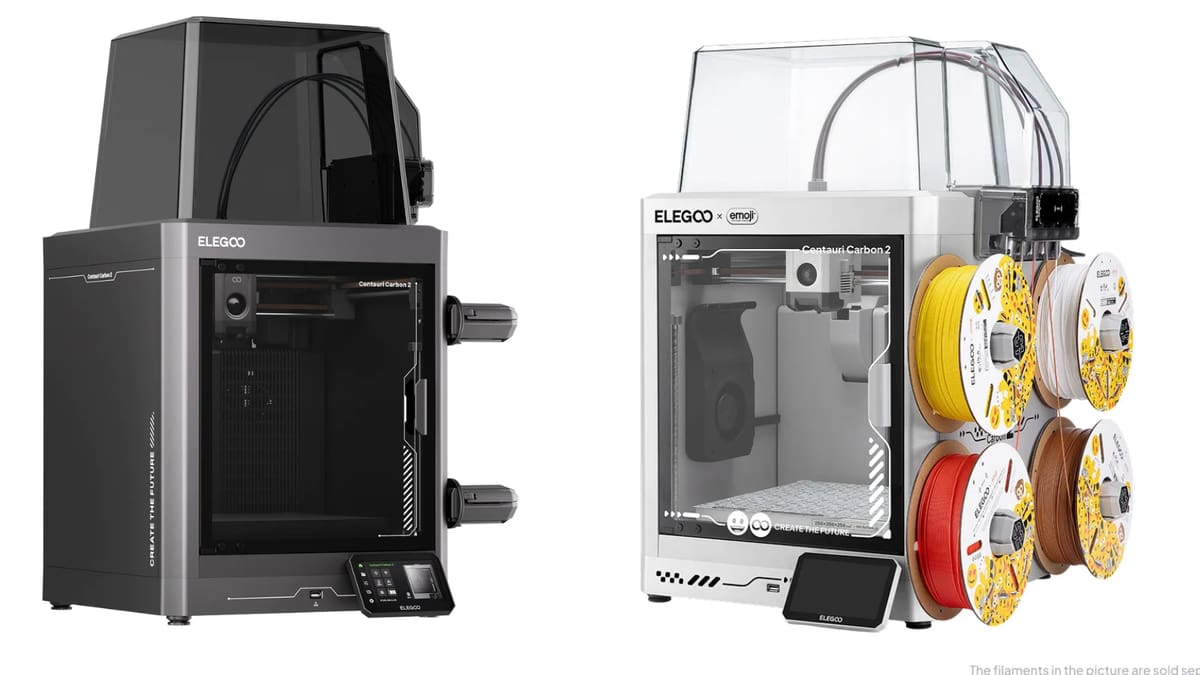
The Centauri Carbon 2 makes a particularly interesting alternative to the enclosed kids’ printers. It offers four-color printing, automatic calibration, and a much larger 256 x 256 x 256 mm build volume, along with a 5-inch touchscreen and CoreXY motion system. Elegoo’s Nexprint model library and accompanying software provide a relatively straightforward route from finding a design to printing it.
There’s also a version that might catch the eye of younger makers. The Elegoo × emoji Centauri Carbon 2 gives the same underlying printer a more playful appearance, with emoji-themed exterior graphics, a custom interface, a patterned build plate, and printable emoji models. It is an attempt to give a conventional desktop machine some of the personality of a children’s printer, without building a separate child-focused printing ecosystem around it.
On the hardware side, the Centauri Carbon 2 Combo has a fully enclosed chamber, HEPA and activated carbon filtration, a monitoring camera, and automatic detection features covering several potential printing problems. Elegoo also lists bed overheat protection among its safety provisions.
- Price: $399, or $449 for the emoji edition
- Colors: Four
- Build volume: 256 x 256 x 256 mm
- Enclosure: Yes
Flashforge Adventurer 5M Pro
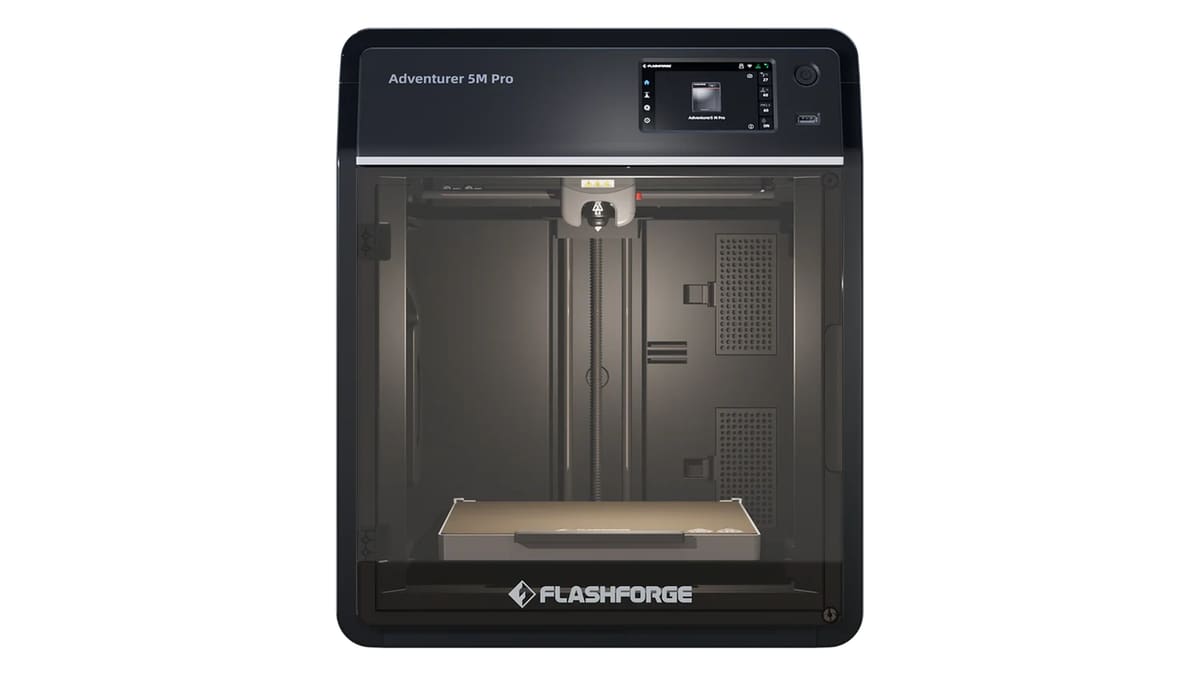
The Adventurer 5M Pro is another example of how much conventional printer hardware is available at around the price of a dedicated kids’ machine.
Unlike the Elegoo and Anycubic machines, the Adventurer 5M Pro prints in a single color. Its appeal lies instead in its relatively straightforward setup and enclosed construction. Flashforge also provides conventional slicing software, allowing users to adjust print settings and progress beyond selecting ready-made models.
The printer incorporates HEPA and activated carbon filtration, with internal and external air circulation modes. Its enclosure also provides a barrier between children and the moving printhead during normal operation, but the machine still contains a hot nozzle and heated bed. Nor does its camera replace the need for someone to supervise printing.
For families who don’t need multicolor printing, the Adventurer 5M Pro offers a useful combination of conventional printer capabilities and physical safeguards without the child-focused branding or software.
- Price: $529
- Colors: One
- Build volume: 220 x 220 x 220 mm
- Enclosure: Yes
Free Software for Young Designers
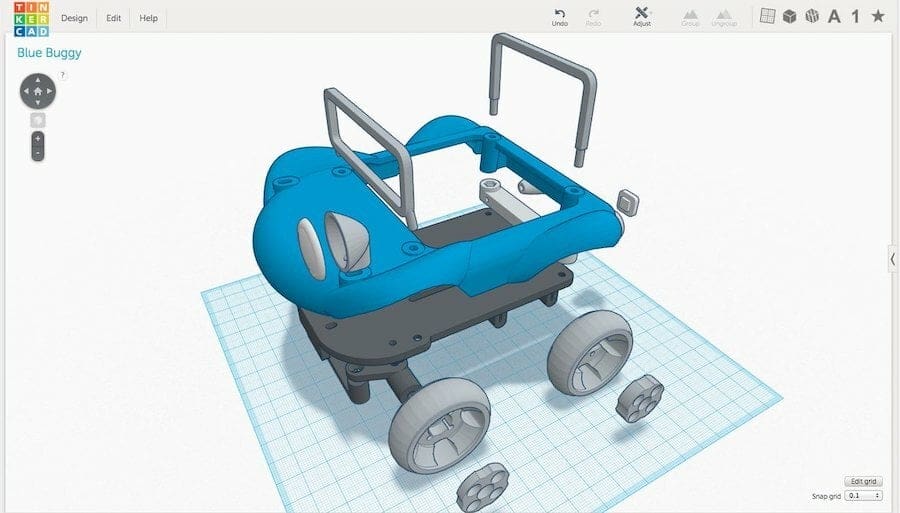
One advantage of the dedicated kids’ printers is their accompanying software, which combines ready-to-print toys with simplified design tools, tutorials, and increasingly, AI-powered model generation. Conventional printers generally leave families to find their own resources, but there’s plenty of free software to help children progress from printing other people’s models to creating their own.
Tinkercad is a good starting point. Autodesk’s free, browser-based design tool lets children create 3D models by combining and modifying simple shapes. It also includes guided activities and Codeblocks, which introduces programming concepts through visual coding. Tinkercad supports parent- and teacher-managed accounts, with Safe Mode restricting certain sharing and community features for children.
BlocksCAD takes a more programming-oriented approach, letting children build 3D models by assembling blocks of code. Developed with education in mind, it introduces mathematical reasoning and coding concepts alongside 3D design. A free browser-based editor is available, although some educational resources and classroom features require payment.
Older children ready for more advanced design tools can try FreeCAD or OpenSCAD, both free and open-source. FreeCAD introduces conventional parametric modeling, while OpenSCAD creates objects through written code. Neither has the playful interface of a dedicated kids’ app, but both offer room to develop more advanced design skills.
These programs can produce models for conventional 3D printers, with the manufacturer’s slicing software handling print preparation. They don’t, however, replicate the entire experience of a kids’ printer app. Parents still need to help younger users find suitable models, navigate print settings, and supervise the machine, while AI-powered image-to-3D generation typically requires separate tools or services.
You Might Also Like:

License: The text of "Which Kids’ 3D Printer Should Be Under the Tree This Christmas?" by All3DP is licensed under a Creative Commons Attribution 4.0 International License.