Why Your 3D Print Isn’t Sticking (And the 5-Minute Fix)

Smart as your new 3D printer may be, trivial, easily-overlooked things can trip it over and result in no plastic sticking to the plate. Here are three quick fixes.
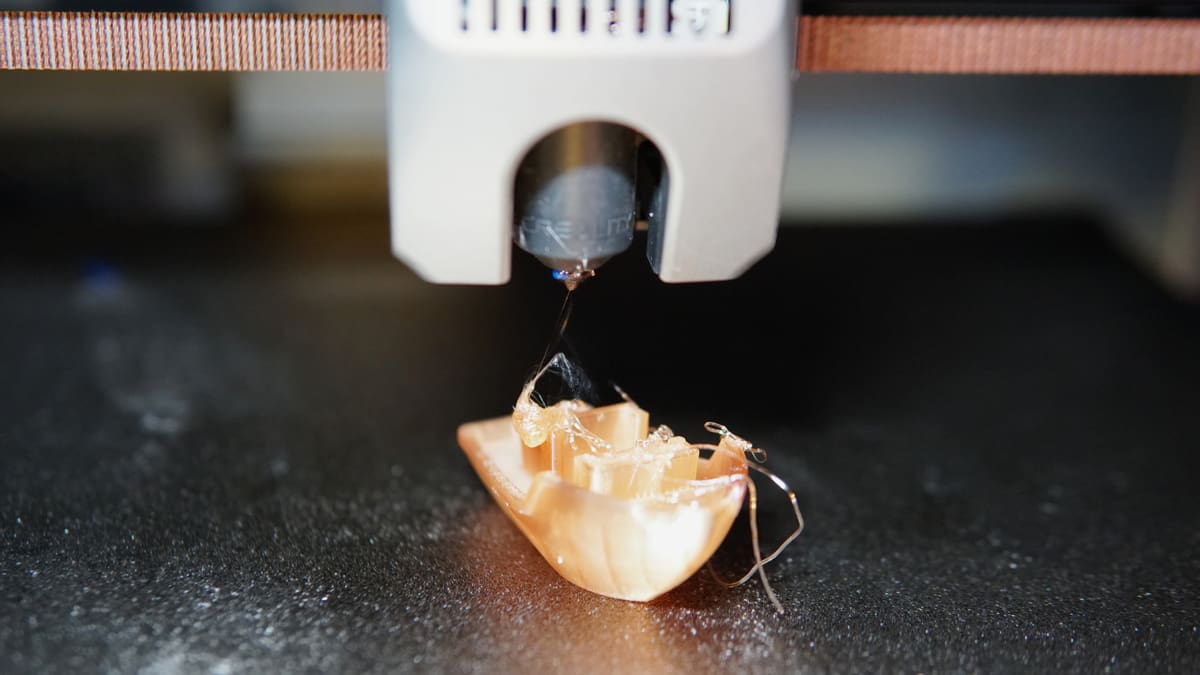
There’s no frustration quite like watching your brand-new 3D printer drag a clump of plastic spaghetti around the bed. This is, obviously, a problem. No plastic sticking to the bed means no foundation for the rest of the print. If your printer hasn’t already caught, you need to stop the print and address the issue. It won’t fix itself. The good is news is that you probably don’t need to do anything intrusive to fix it.
Most first-layer failures on modern machines come down to three simple oversights. Before you dive into complex slicer settings or tinkering with the hardware, try these simple steps.
Clean Your Build Plate
It sounds too simple to be true, but more often than not this is the culprit. Any time you handle the print plate with bare hands when removing a print or setting the machine up you transfer grease that can reduce the effectiveness of the surface. Even a single invisible fingerprint is a greasy patch that prevents plastic from bonding to the build plate.
If you’ve recently set the printer up, there’s also the possibility of grease from the printer’s motion system making its way to the plate, especially if it’s a printer you had to partially assemble yourself.
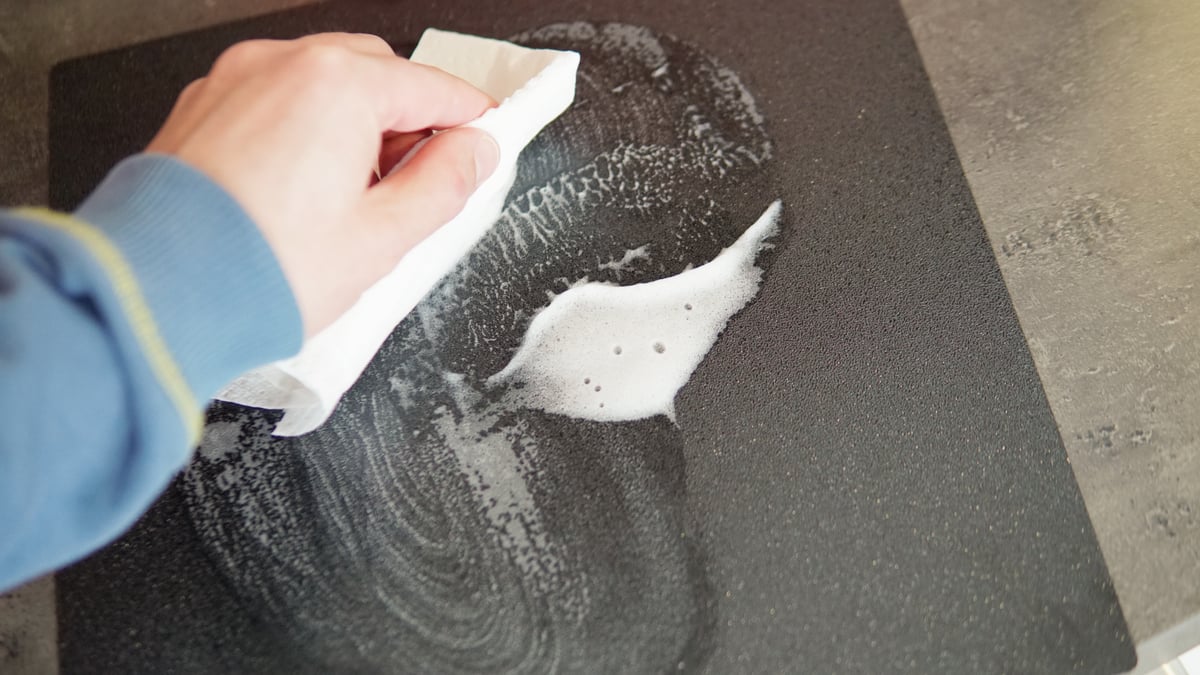
Wiping it with a dry paper towel or cloth won’t help. Remove the plate from the printer and use warm water and dish soap, making sure to rinse and dry the plate thoroughly afterwards.
Be wary of solvents like Isopropyl Alcohol (IPA) – while it will effectively remove grease, it may damage the printing surface. That and it’s flammable; seems an unnecessary risk to take when soap exists.
A cleaning agent designed for build plates is a solid option, too. Alphaprint is one we’ve been using recently that works well. It comes in a handy spray bottle – just give the plate a spritz and wipe it dry with paper towels. Other brands are available.
If you haven’t cleaned your printer’s build plate since you unboxed it, do it now. A spotless surface is the non-negotiable baseline for adhesion.
Re-Run the Auto-Leveling
3D printers are pretty smart these day. But just because you ran the calibration wizard during setup doesn’t necessarily mean things haven’t shifted. Moving the printer, removing a previous print, or even significant changes in room temperature can subtly throw off the efficacy of your printer’s measurements.
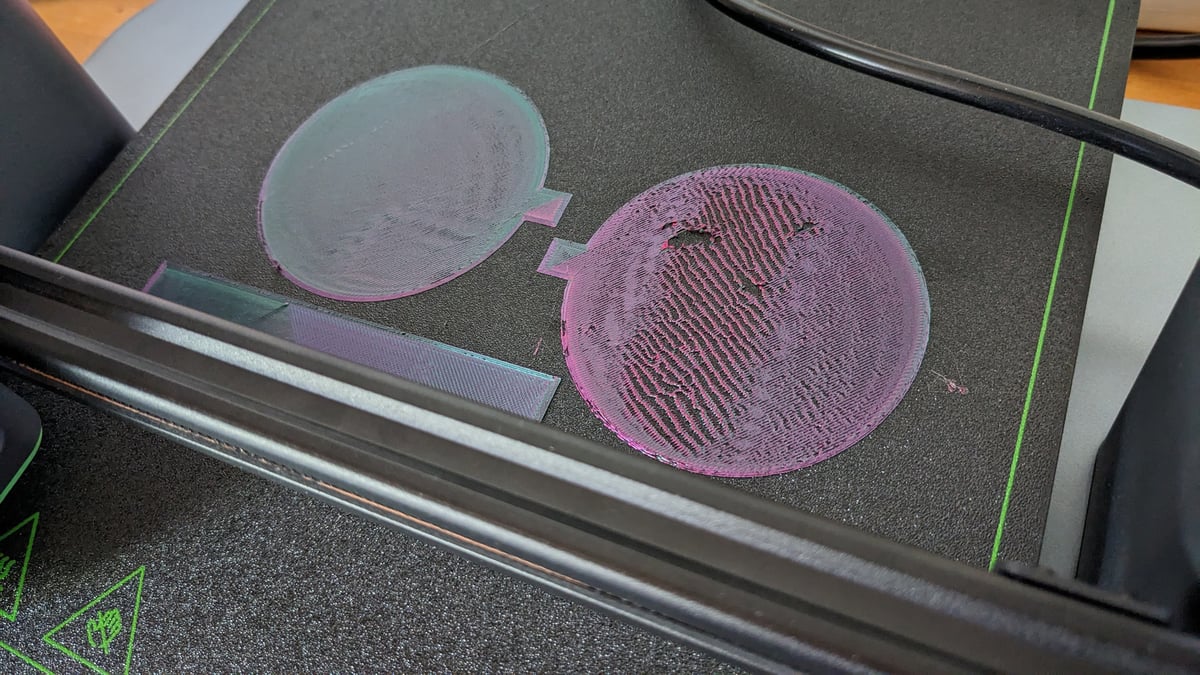
If your nozzle is printing too high (the filament looks like a round tube resting on the bed) or too low (the layer is near transparent and rough), navigate your way to the printer’s calibration menu and re-run its automatic leveling and calibration. This will put the printer out of action for a few minutes while it recalculates things, but it can sometimes help an print inexplicably not sticking to the print bed.
Use a Little Insurance (Adhesive)
There is a stigma in some circles about using glue stick or hairspray, as if a “perfect” printer shouldn’t need it. I half agree – it shouldn’t be necessary– but if chasing that perfect “sweet spot” comes at the expense of frustration and gets in the way of simply enjoying the printer when a little adhesive will immediately get you over the line, then why not use some?
Applying a thin, even layer of washable glue stick or specialized 3D printing adhesive to the print area does two things: it helps the first layer grab onto the texture of the plate, and – crucially – it can make releasing the part easier once it cools. This last part is of crucial importance when you explore other materials like flexibles or materials that can bond extremely well to some build plate types. It can be destructive – ask anyone who’s printed PETG on a glass build plate. Using a layer of dissolvable glue can be the only thing between getting the print free and hacking the plate to pieces to retrieve it.
While a regular PVA water-washable glue stick can work in a pinch, your choices for specialist 3D printing adhesives today are vast. Some are tailored to specific materials, such as Magigoo Pro PC, for polycarbonate filament, whereas others are general adhesives suitable for a wide range of materials, like Dimafix. Not that we recommend sniffing glue, but Dimafix smells really good, too.
If you’ve scrubbed, leveled, and modestly glued, and you are still seeing the the first layer stubbornly refuse to stick, it’s possible you have a deeper mechanical or slicing issue. If that’s the case, it’s time to consult our comprehensive troubleshooting guide to diagnose the specific symptoms.
Read more recent news:
- 3D Printing Troubleshooting Guide: 30 Common Problems & Solutions
- Cool Things to 3D Print in October 2026
- Just Unboxed a 3D Printer? The Honest Guide to Avoiding 'Hobby Burnout'
Tired of Reading? Try Listening
License: The text of "Why Your 3D Print Isn’t Sticking (And the 5-Minute Fix)" by All3DP is licensed under a Creative Commons Attribution 4.0 International License.