What Is FDM 3D Printing & Why It’s Still the World’s Most Popular 3D Printing Tech

From its glue-gun origins to the toolchanger revolution of 2026, discover why this material-extrusion technology remains the global standard for versatility, efficiency, and sheer accessibility.
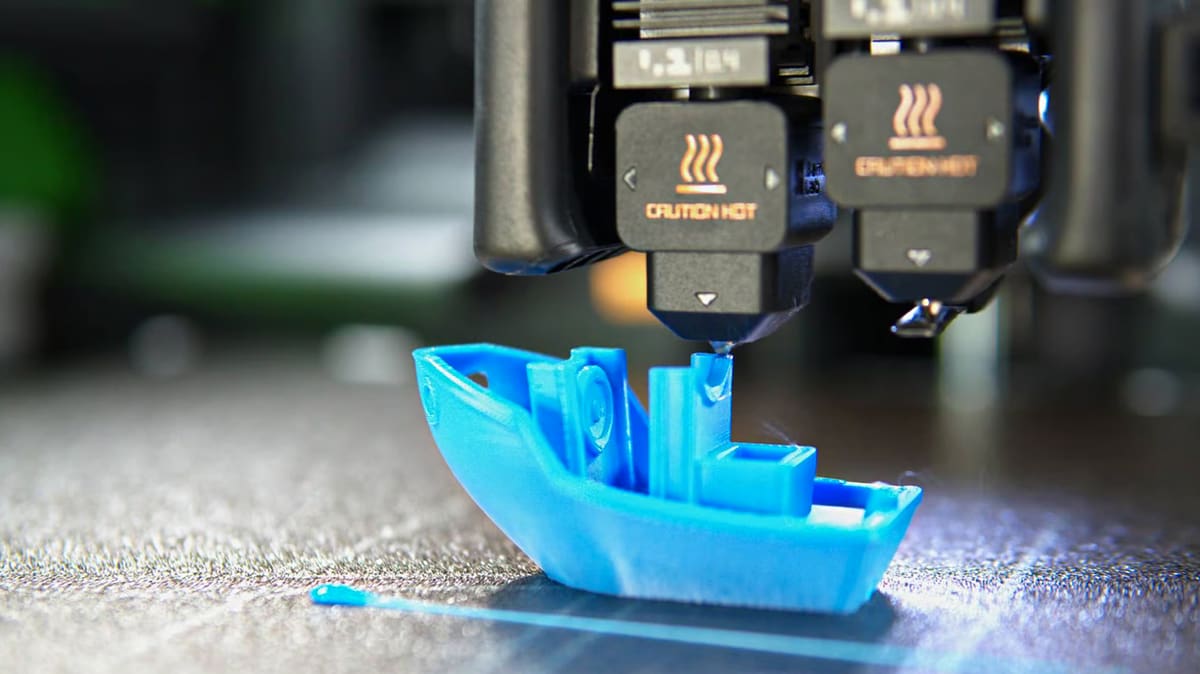
Fused deposition modeling — better known as FDM — is the workhorse of 3D printing. It’s a material-extrusion process in which molten plastic is laid down through a nozzle, layer by layer, until a digital model becomes a physical object you can hold in your hand.
In practice, an FDM printer feeds a polymer filament into a heated nozzle that melts the material on demand. The printer then traces each cross-section of the part onto a build plate in thin 2D layers. As the plastic cools, each new layer bonds to the one beneath it, gradually building up a solid three-dimensional component.
There’s a huge menu of material used in FDM, which makes the process fast, affordable, and remarkably versatile.
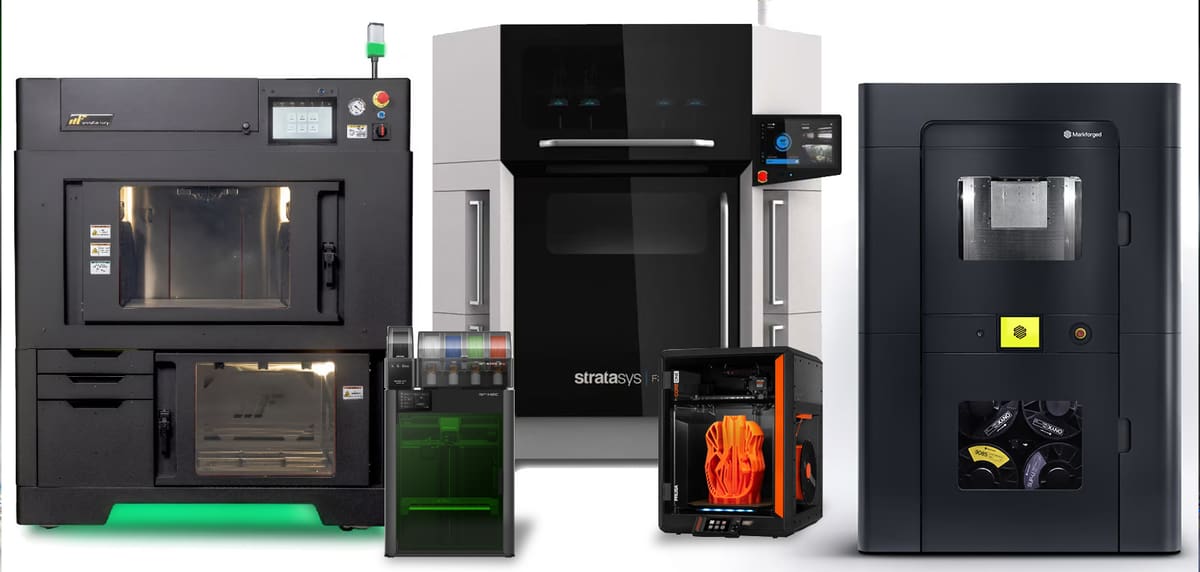
Widely regarded as the most approachable form of 3D printing, FDM has become the default entry point for makers and engineers alike. It’s simpler than resin printing, far cheaper than powder-based technologies like selective laser sintering (SLS), and flexible enough for everything from rapid prototyping to functional parts.
There are FDM 3D printers for kids at under $100 and FDM 3D printers for industry priced well into the six figures. The underlying is the same.
In this article, we’ll take a deep dive into how FDM actually works, what materials you can use, and why it has come to dominate the 3D printing landscape. But first — how did this once-niche technology become so popular?

FDM History
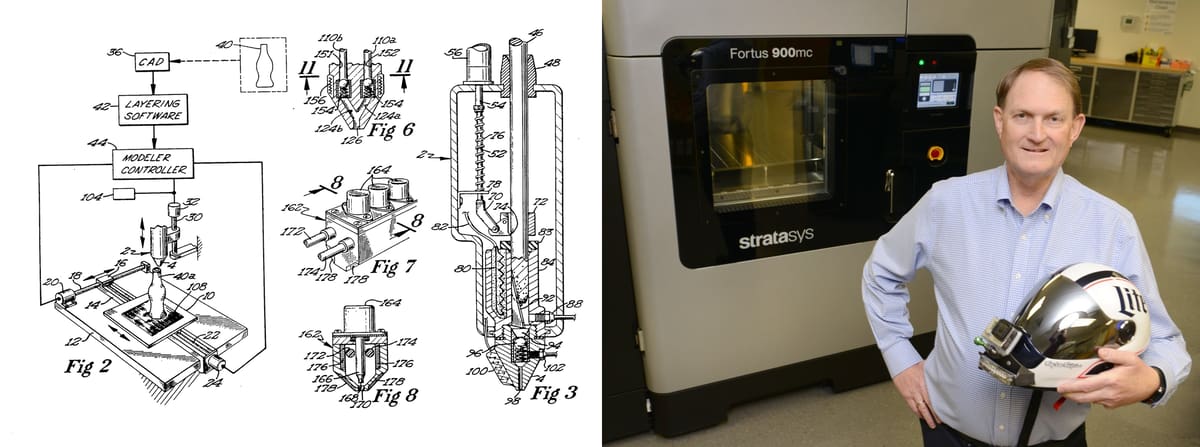
While trying to make a toy for his daughter using a glue gun and plastic in the late 1980s, American engineer Scott Crump realized the same idea could build parts layer-by-layer from melted plastic.
He applied for the first FDM patent in 1989, the same year he and his wife Lisa founded what would become one of the leading 3D printing companies, Stratasys.
However, FDM only became popular among non-commercial users later through the RepRap community and under its alternative name, Fused Filament Fabrication (FFF). The RepRap Project started as an academic project in 2005 by Adrian Bowyer at the University of Bath.
When Crump’s FDM patents started to expire around 2009–2012, several former RepRap volunteers founded MakerBot Industries, one of the first non-industrial companies to commercialize the open-source FDM 3D printers based on the RepRap open-source project. Other 3D printing companies, such as UltiMaker and Prusa Research, also started their own journeys from the RepRap movement. (MakerBot and UltiMaker merged in 2022.)
These companies and individuals all paved the way for the vast market of hobbyist and industrial FDM 3D printing we have today.
How FDM Works
FDM, like all 3D printing methods, starts with the digital file (or model) of a part. Software called a “slicer” translates this digital 3D model into instructions that the 3D printer follows. The series of instructions, called G-Code, tells the printer essentially where to deposit the material.
The FDM printer itself is mainly characterized by the extrusion of thermoplastics into layers that build up to create a three-dimensional object. This may sound a bit vague, so let’s explore the process in more detail.
At its core, the FDM technique is relatively straightforward. Its main functions are performed by two distinct systems: one responsible for the extrusion and deposition, and the other for the printhead movement. We’ll discuss both of these systems in the following sections.
Extrusion & Deposition
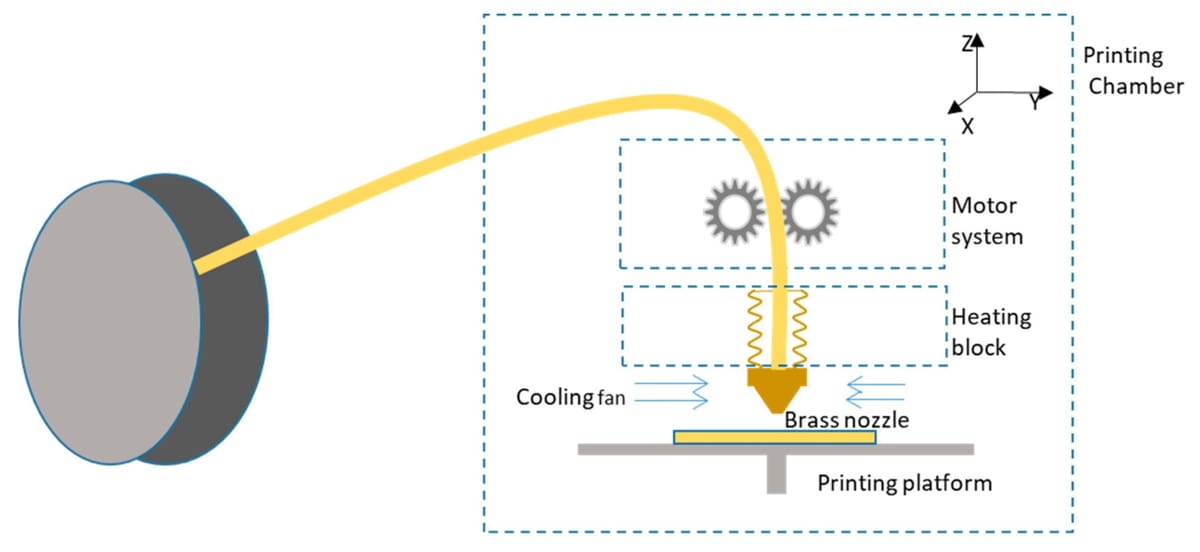
Broadly speaking, the extrusion and deposition system can be split into two main assemblies: the “cold end” and the “hot end”.
The plastics used in FDM 3D printing often come in filament spools, and the cold end is responsible for feeding this material from the spool into the 3D printer. The cold end uses feeder motors and other components to control the rate at which material is being deposited on the other end, often referred to as “flow”.
The hot end, on the other hand, is responsible for heating the moving plastic material to the point that it’s adequate for being “purged” through a nozzle, hence its name. This step involves various components, including heating cartridges, heatsinks, and, of course, nozzles.
The cold and hot ends must work synergistically to extrude just the right amount of material at the required temperature and physical state for properly stacking up layers.
Hardware Setups
When it comes to extrusion, there are different ways FDM printers extrude. The mechanics of the process differ and have evolved over the years.
For instance, the cold end could be located either right next to the moving hot end, in a setup known as direct extrusion, or it could be affixed to the printer’s frame, requiring a linking tube for the filament to be guided into the hot end, often called a Bowden tube.
Hot end assemblies also come in different setups. For example, the so-called “all-metal hot ends” allow for higher temperatures to be reached in the nozzle when compared to the PTFE-lined hot ends that use a short tubing inside to reduce the filament friction. The tubing, however, limits the temperature to a maximum of about 240 °C.
There are also several options for one-handed nozzle change systems, such as Revo’s RapidChange series and Bambu Lab’s integrated hot ends, which work to eliminate the risk of “hot tightening” leaks and reduce maintenance downtime
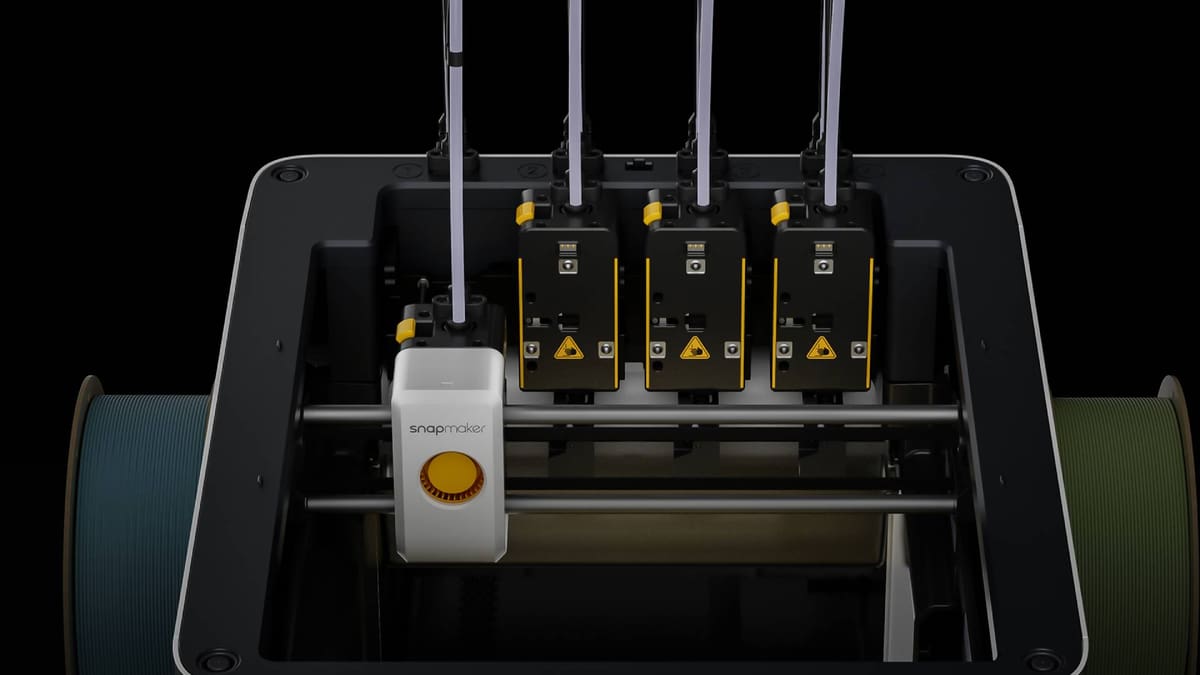
Considering extrusion and deposition together, there are also multi-extrusion systems. These enable you to print with several filaments on a single print. For multi-color and multi-material parts, FDM printers, including bands such as Bambu Lab and Creality, offer automatic material systems that retract one filament from the extruder and then load the next filament (up to 16) according to the colors or materials you designate in your digital file. When swapping from one filament to the next, the printer purges the nozzle of the previous filament so that the colors don’t mix. This purged waste, which exits the printer, has been criticized as unsustainable, leading to the newest development in extruder technology: tool-changing or multi-nozzle systems.
Modern FDM printers are increasingly adopting tool-changing or multi-nozzle systems, which allow the machine to automatically swap between different print heads or nozzles during a job. Each nozzle is dedicated to a specific filament, so there’s no need to clean them in between colors. Instead of using a single hot end, these systems park and pick up dedicated tools — each configured for a specific material, nozzle diameter, or function — enabling efficient multi-material and multi-process printing.
Compared to traditional multi-extruder setups, tool-changing designs can reduce material waste, minimize cross-contamination between filaments, and improve reliability by using separate, optimized print heads. This approach also expands the capabilities of FDM printers beyond simple extrusion, allowing combinations such as soluble supports, engineering materials, or different layer resolutions within a single print.
As with all things, each setup has its pros and cons, and the final choice will come down to the speeds, materials, and applications that the 3D printer will serve.
Printhead Motion
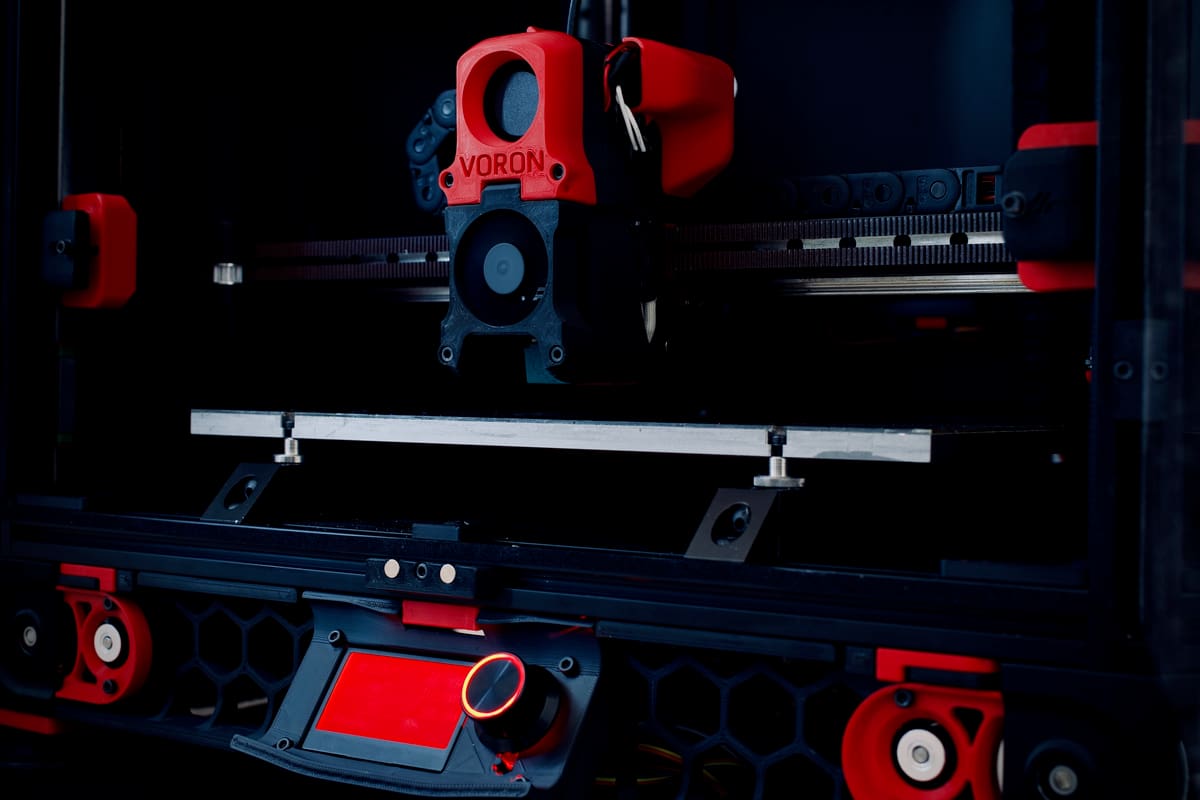
Aside from the various extrusion setups FDM 3D printers can have, perhaps the most significant variability in design is found in the frame and the motion system.
The motion system of FDM 3D printers is responsible for moving the hot end assembly in the three-dimensional space to deposit the melted material accordingly. At the smallest level, the components for driving this movement often come from stepper motors, linear guides, leadscrews, and rubber belt systems.
Moving the hot end can be achieved in a variety of ways. To start, let’s characterize the different setups based on their operational coordinate systems.
By far, the dominant coordinate system for 3D printers is Cartesian, where the position is given by three linear coordinates (X, Y, and Z). There is, however, a small category of FDM 3D printers that use the polar coordinate system, which uses linear and angular values to describe a physical position.
Cartesian 3D Printer Types
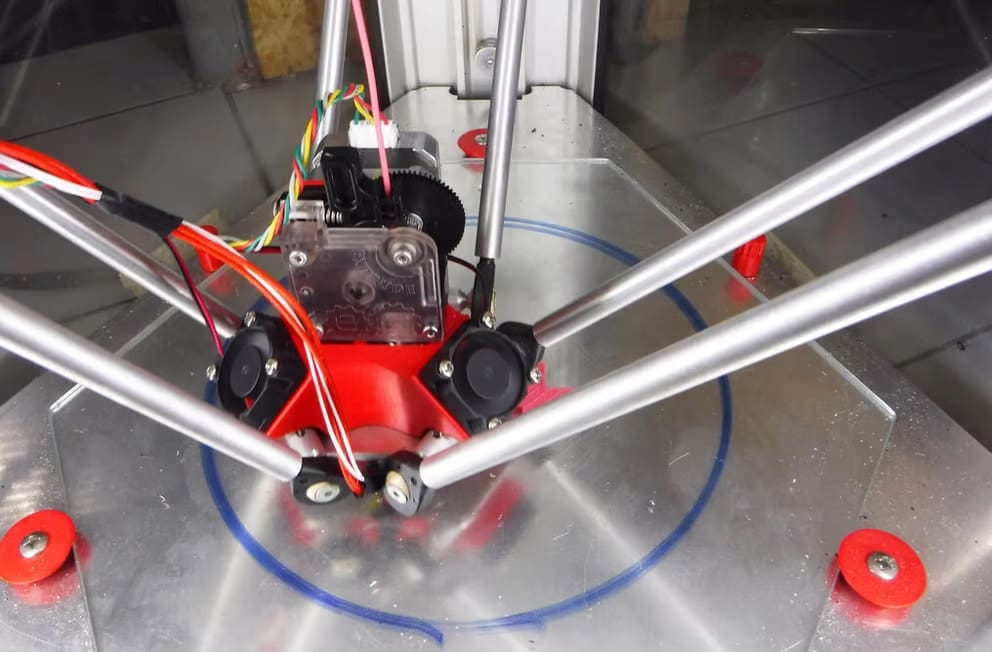
Cartesian machines can be further categorized in terms of their movement system.
Delta 3D printers, for example, use vertical rails and three independently controlled arms attached to the hot end, all moving together to position the hot end accordingly. SCARA printers are another sub-category of Cartesian machines, making use of horizontally-moved arms to perform planar movement.
Yet, chances are that if you encounter a 3D printer in the wild, it will be a Cartesian rectilinear-style machine. Here, you have stepper motors directing movement purely along the X-, Y-, and Z-axes using a system of screws, belts, and pulleys. There are several identifiable types falling under this category, with some popular ones being the i3-style Cartesian-XZ-head and the CoreXY printers.
And for another type of FDM printing, belt 3D printers offer continuous 3D printing in the sense that the build platform moves like a conveyor belt in a production line. This allows for uncommonly long parts to be produced or multiple parts being spammed continuously.
How It Compares
FDM offers several advantages over other 3D printing methods, but it also has downsides. Let’s list its pros and cons regarding print performance and overall part quality compared to other popular 3D printing techniques.
Print Performance
Pros
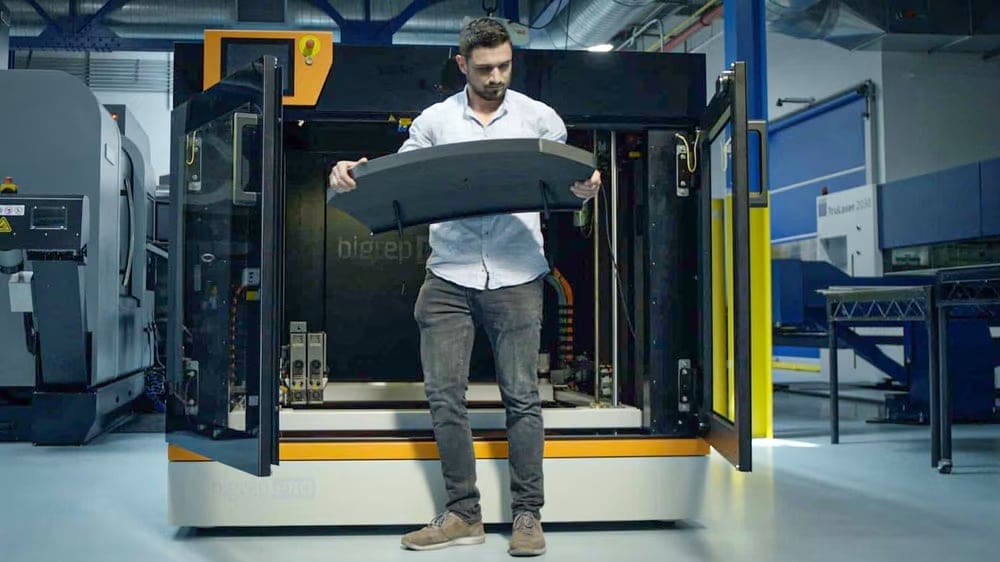
Scalability is one of the most significant advantages of FDM 3D printing. Unlike resin 3D printers, FDM printers can be easily scaled to any size because the only constraint is the movement of each gantry.
One of the more obvious benefits of having an easily-scalable design is the cost-to-size ratio. Due to low part costs and the simple designs involved, FDM printers are continually being made bigger and less expensive.
Speaking of cost, regular FDM filaments are by far the cheapest 3D printing material, especially when compared to other 3D printing methods, such as resin-based printing.
Another advantage regarding materials is flexibility. On any FDM printer, a wide variety of thermoplastic materials and exotic filaments can be printed with relatively few upgrades and modifications, and this cannot be said of other methods, where the material must be, for example, a resin, yet there are hundreds of different kinds of resin.
Finally, the overall experience with FDM printing is more straightforward than resin-based printing. With FDM, there’s no extra cleaning step other than (sometimes) removing supports, as opposed to the mandatory washing and rinsing, support removal, and curing for resin prints.
With FDM, once the printing process is done, the parts are ready to go, with post-processing steps being dependent on the material, printing characteristics, and intended use. Given the versatility of FDM 3D printing, models can pop off the print bed in multiple colors, whereas other productions, like resin prints, will necessitate painting.
Cons
FDM 3D printing, however, is not without its shortcomings. It’s hard to judge an entire method that comprises so many types of machines and hundreds of materials, but weakness between layer lines (layer adhesion) is one of the reasons professionals often select another 3D printing technology like SLS or another manufacturing technology, like injection molding.
In FDM printing, layers can fail to fuse as perfectly as the material within a single layer, so the bond between layers is weaker than the material itself. This creates anisotropy — the part is stronger in the X–Y direction than in the Z direction (across layers). This weakness can be mitigated with a variety of printing techniques, such as positioning the layers opposite to the force the part is expected to experience.
That being said, countless industries — from automotive to aerospace — rely on FDM 3D printed parts as jigs and fixtures, furniture, flooring, displays, and countless other applications that need to be strong and durable.
Then, there’s the printers themselves. Not long ago, due to the simplicity and overall cost of its components, FDM printers often required a lot of tweaking and adjusting (namely, bed leveling) to reach the level of reliability and quality of other printing methods. However, that’s largely been replaced by a host of automated functionalities in many modern FDM machines.
In contrast to resin, FDM relies heavily on physical movement. Because of this, in addition to calibration, many FDM printer components require regular maintenance and attention: belt tension, extruder cleaning, rail lubrication, and even part replacement, like hot end nozzles.
Lastly, FDM printing is highly dependent on feedstock material quality. Poor dimensional accuracy in a filament or poor handling of that material can lead to several extrusion issues. In addition, filament spools must be stored appropriately to avoid humidity absorption, which also affects the printing process.
Print Quality
Pros
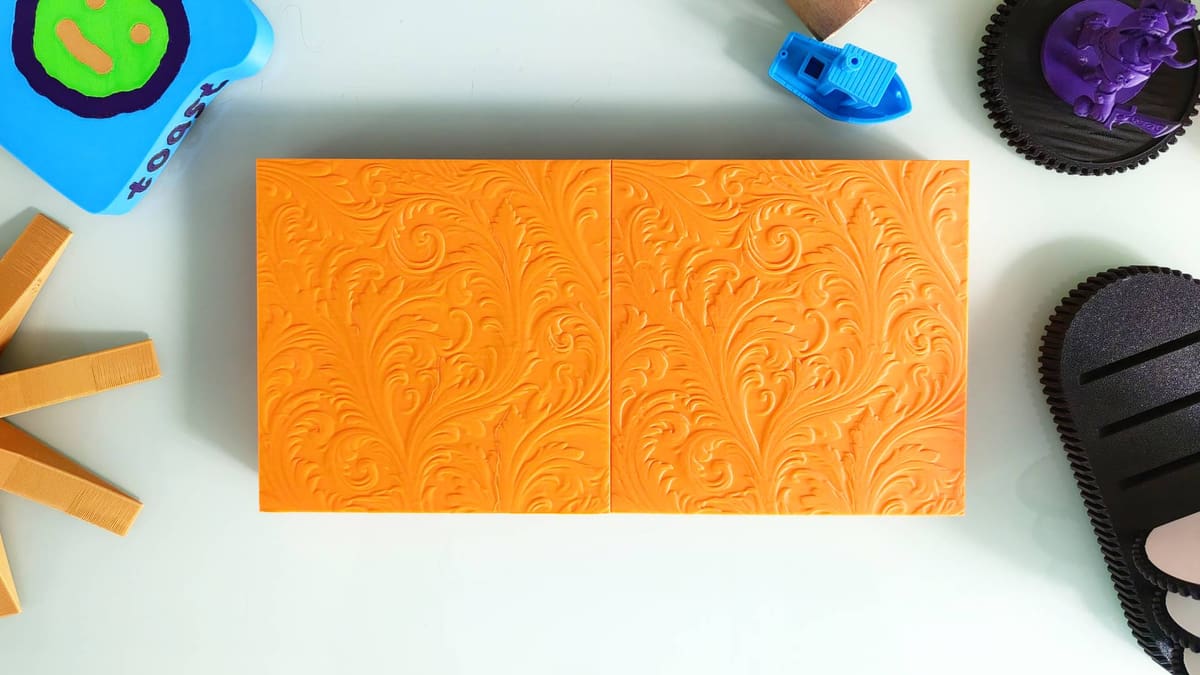
Print quality is not only about the looks. The mechanical performance also counts here, and FDM offers a great value for producing strong and durable functional parts.
FDM 3D printing is also very versatile because the print quality can be sacrificed in favor of speed and even sturdiness, making it an excellent tool for producing both pleasing aesthetic parts and more functional, tough ones.
Having said that, with proper calibration and slicer setting adjustments, FDM 3D printers can achieve a level of print quality that’s amazing considering the cost of the machine and the filament, even when compared to some resin 3D printers. And given the continuous development and open-source nature of the field, with upgrades like input shaping from Klipper or Marlin firmware, aesthetics won’t necessarily be affected by higher speeds.
Though already mentioned, the flexibility and availability of different FDM materials also play an important role here. A single FDM 3D printer can produce parts with entirely different properties and appearances just by changing the type of filament (as we’ll see next).
Cons
FDM has come a long way in delivering excellent surface quality. With modern high-speed printers and fine-tuned settings, you can achieve professional-looking results. However, because the process works by stacking layers, you may still see subtle “layer lines” on the final part compared to the perfectly smooth finish of resin printing.
This means detailed prints can be more difficult to achieve compared with other methods of 3D printing, and often require post-processing to acquire a professional, finished look. Depending on the material, what’s needed might be straightforward sanding or a more involved process, like vapor smoothing.
Small-scale parts with intricate details can also be difficult to achieve with desktop or consumer FDM because of the physical limits of the nozzle. However, industrial-grade FDM systems use specialized hardware that can handle much finer tolerances, as can 3D printing methods like SLA, which offer high degrees of precision and crispness.
Thousands of Filaments to Choose From
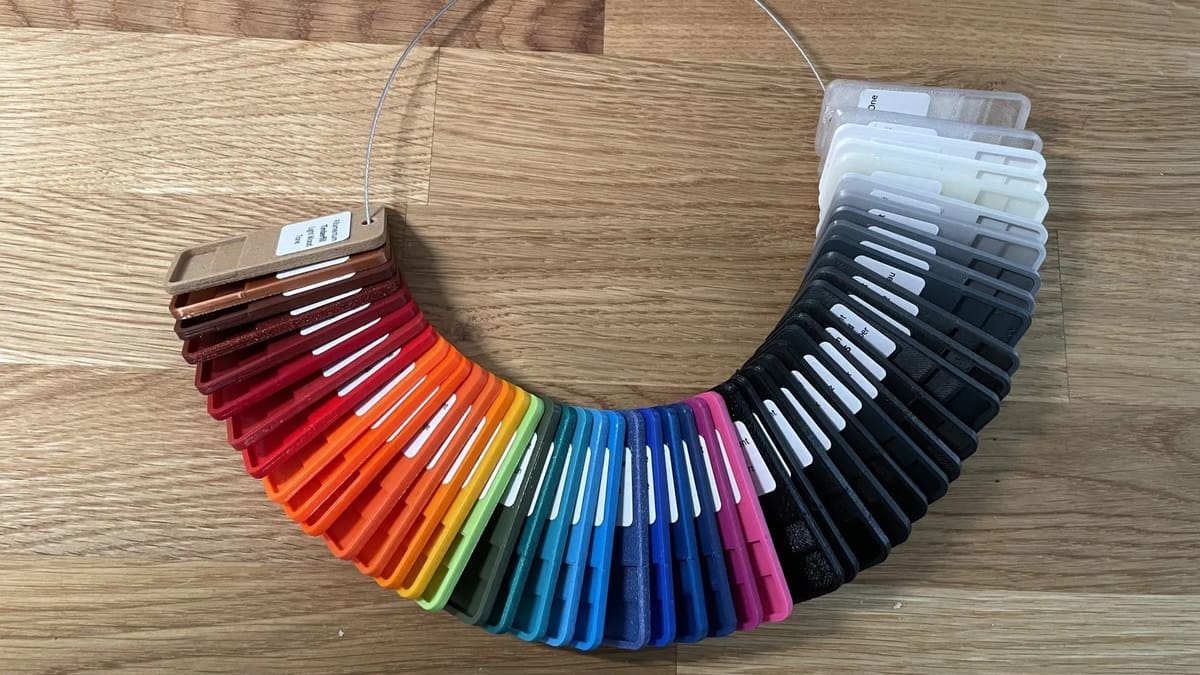
Throughout this article, we’ve mentioned the feedstock material for FDM 3D printing, which is known by many simply as filament. And that’s precisely what it is: a long strand of polymer-based material rolled up in a spool.
By convention, the diameter of the filament strand is either 1.75 or 2.85 mm, and that’s dependent on the extrusion assembly of the 3D printer. It’s worth noting that a 1.75-mm extruder will only take this filament size.
The most common filaments for FDM are PLA, PETG, and ABS – in this particular order. PLA is perhaps the easiest material to 3D print with FDM because it’s very forgiving in its temperature needs and material handling, and it’s also made from plant sources (not fossil fuels) and is generally odor-free. Its downside is its low heat resistance, softening with temperatures as low as 60 °C.
PETG, on the other hand, offers much better temperature resistance but can be a bit more troublesome to 3D print, as it’s very prone to oozing and stringing. ABS takes the lead in mechanical properties, although it can be tough to 3D print without a printer enclosure. ABS is known to release toxic fumes during the printing process, which is also why an enclosure is needed.
With all that said, the experience with each of these materials may differ with each particular user, equipment, and especially with the filament manufacturer.
As mentioned, one big advantage of FDM 3D printing is the flexibility of materials and their availability in the market. There’s a massive availability of exotic and odd materials, such as metallic-infused filaments, carbon-fiber plastics, glow-in-the-dark materials, and even rubber-like thermoplastics like TPU.
Printer Brand Options
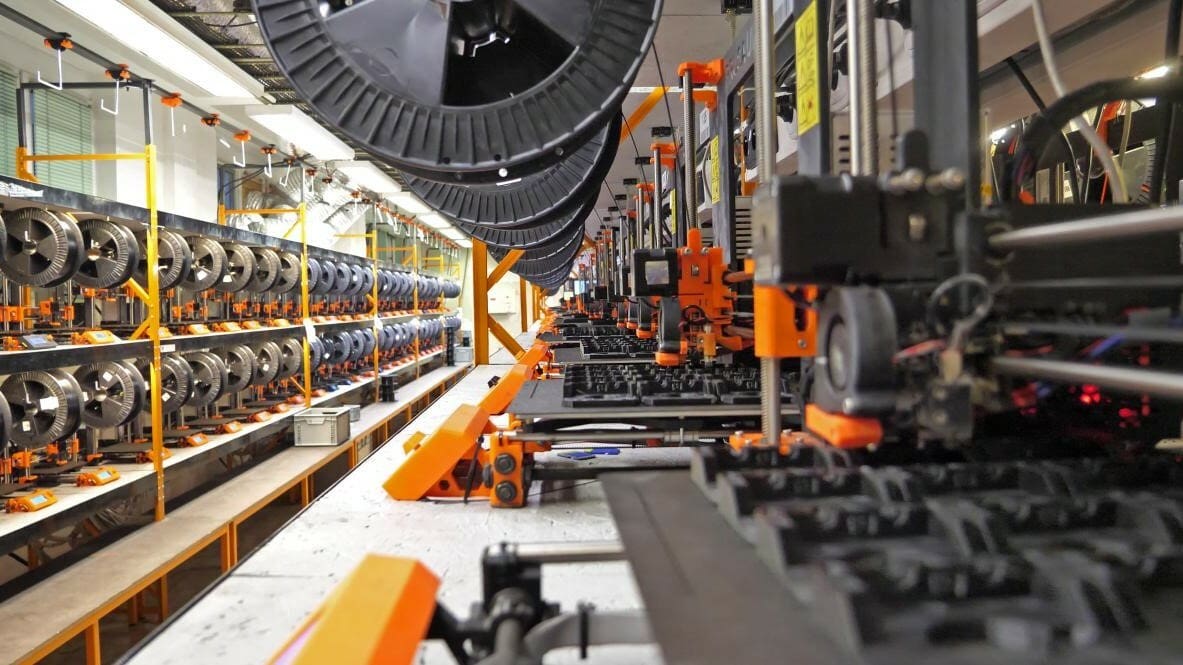
If you feel FDM is a good fit for you or you’re entirely new to 3D printing, maybe it’s time to consider getting a machine to call your own. Let’s assume you’re in the market for a printer: where to start?
The first thing to consider is why you need a 3D printer. Do you want to enjoy the hobby of making things, learn more about this technology, or use it in some commercial or professional way?
The second thing to think about is what kind of parts you’ll be 3D printing. Are you thinking of decorative, fun-looking parts? Or do you need a printer that can handle high-performance materials, such as carbon-fiber-filled nylon, for functional parts?

Popular Options
The FDM market has rapidly evolved away from “tinkerer” kits meant for hobbyists toward high-speed, automated machines that work right out of the box (and are sometimes even suitable for professional applications). Here are a few of our top picks.
Bambu Lab
Bambu Lab shifted the industry toward “plug-and-play” printing, with machines that are known for extreme speed and AI-assisted calibration.
- A1 & A1 Mini: The go-to entry-level printers. The A1 and its smaller sibling, the A1 Mini, offer full auto-calibration and the option for the AMS Lite, which allows for affordable four-color printing.
- P2S: The successor to the legendary P1S, the Bambu Lab PS2 is a mid-range workhorse that’s fully enclosed, features an improved touch interface, and uses “Active Airflow” to manage chamber temperatures for tricky materials like ABS.
- H2D: Built for “personal manufacturing”, the H2D offers a massive build volume, dual-nozzle extrusion to minimize waste, and modular add-ons for laser engraving and vinyl cutting.
Prusa Research
Prusa is the gold standard for open-source reliability and long-term support. While it was once known for “bed-slingers”, the company has since moved into high-speed CoreXY designs.
- Prusa MK4S: An ultra-reliable machine that features a “Load Cell” sensor that helps achieve a perfect first layer without any manual adjustment, making it a favorite for those who value consistency over flashy features.
- Prusa Core One: This is a fully enclosed, compact CoreXY printer designed for engineering-grade materials. It is built to be fully serviceable and upgradeable, staying true to Prusa’s open-source roots.
- Prusa XL: A large-scale printer with a “tool-changing” system. Unlike other printers that waste filament switching colors, the Prusa XL can swap between five different print heads, allowing for multi-material prints (like hard plastic with flexible joints) with zero waste.
Creality
Creality remains the most accessible brand, offering high-speed performance at a lower price point than the competition.
- K2 Plus/K2 Pro: These machines offer massive build volumes and the “CFS” (Creality Filament System), which allows for multi-color printing with up to 16 colors.
- K1C: A high-speed, enclosed printer optimized for carbon fiber-reinforced filaments that provides professional speeds at a consumer price.
- Ender 3 V3 Series: The modern evolution of the world’s most famous budget printer, the Ender 3 V3 series comes in a range of models offering high speeds and better stability, making them solid choices for beginners on a budget.
License: The text of "What Is FDM 3D Printing & Why It’s Still the World’s Most Popular 3D Printing Tech" by All3DP is licensed under a Creative Commons Attribution 4.0 International License.