
Think Flexible Filament Is Too Frustrating? Try These 10 Reliable TPU Brands & Print Tips

We've gathered the best TPU and other flexible filaments on the market so you can find the best flexible filament for your needs!
Flexible filament can be frustrating to print with. Don’t make it more so by using poor-quality filament. Especially when you’re just getting started with flexibles, it’s worth choosing a few reliable spools from trusted brands. That way, you can focus on dialing in your settings and discovering what these materials can do, rather than fighting jams, stringing, or inconsistent extrusion.
Fortunately, there’s a growing range of flexible filaments that can produce bendy, elastic, durable, or soft-touch parts without being overly difficult to print. In this guide, we’re prioritizing quality, consistency, and brand trust over the cheapest options, although there are plenty of budget-friendly flexible filaments on the market.
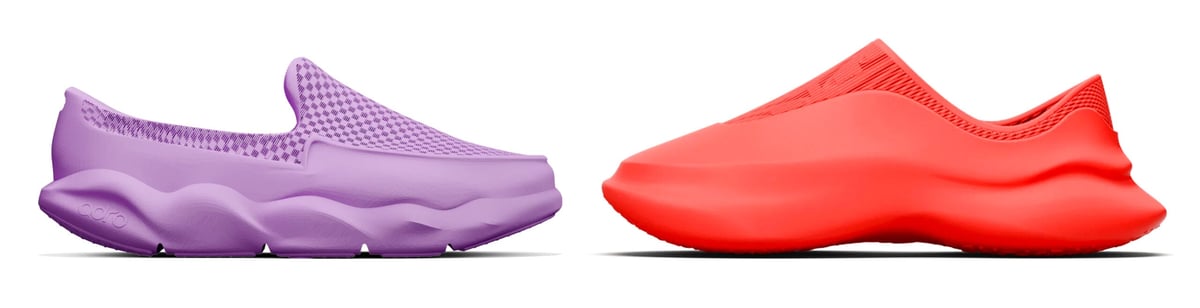
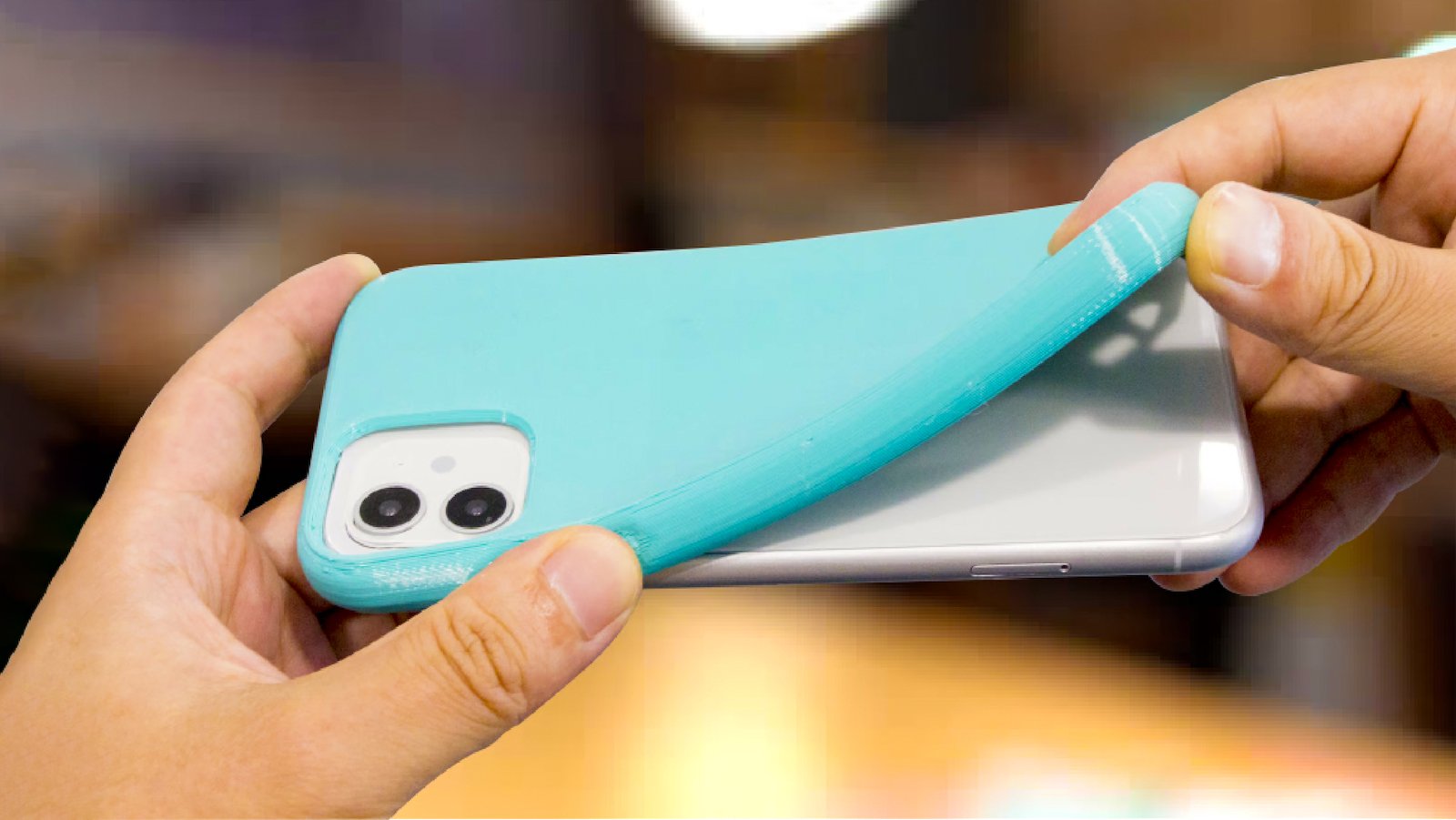
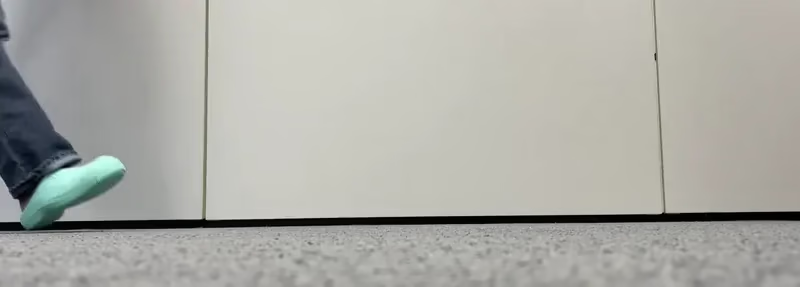
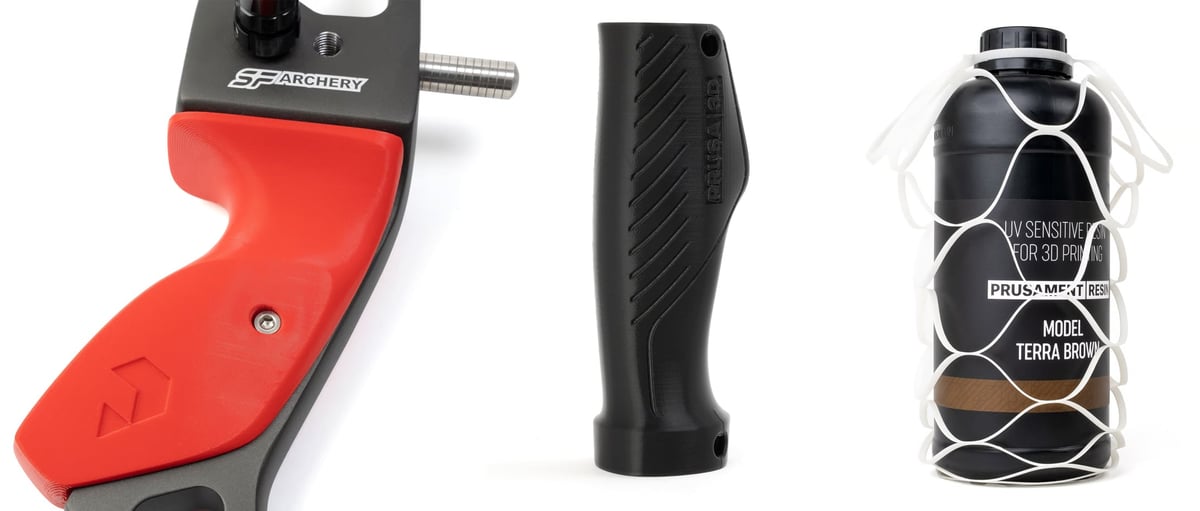
The flexible filament family is known for elasticity and toughness, but it can also offer strength, abrasion resistance, impact absorption, and a comfortable feel. Common applications include:
- Footwear
- Pet toys
- Orthotics, prosthetics, insoles, and grips
- Sports equipment and padding
- RC car tires
- Phone cases and protective covers
- Watch straps
A Word of Caution About Flexibles
Before you jump into a flexible print project, know that these filaments don’t work on all types of FDM printers. There are also limitations to the size and type of nozzle you can use, the build plate, and other hardware incompatibilities that you must first resolve. Skip down to the “Tips for Printing with Flexible Filament” section for more.
There’s a lot to choose from so we’ve checked them out for you!

| Company | Filament | Material | Shore | Price per 1 kg (approx.) | Where to Buy |
|---|---|---|---|---|---|
| NinjaTek | NinjaFlex, NinjaFlex Edge, Cheetah, Armadillo, Eel, Chinchilla | TPU, TPE | 83A - 90A | $87 - $150 | |
| Siraya Tech | Flex, Rebound, Roamr, Fibreheart | TPU, PEBA, GF-TPU, Foaming | 95A, 85A, 65A, 67D, 70A | $25 - $65 | |
| Fillamentum | Flexfill | TPU, TPE, PEBA | 90A, 92A, 98A | $68-$197 | |
| Recreus Filaflex | Filaflex, Reciflex, Conductive | TPU | 60A, 70A, 82A, 95A, 98A, 92A | $66 - $91 | |
| Bambu Lab | TPU for AMS, TPU 95A HF | TPU | 68D, 95A | $35 - $42 | |
| Polymaker | PolyFlex TPU90, TPU95, TPU95-HF | TPU | 90A - 95A | $30-$50 | |
| ColorFabb | nGen Flex, varioShore | TPU | 95A - 92A | $55-$75 | |
| FormFutura | FlexiFil, Python Flex, MD FLEX | TPC, TPU, Recycled TPU | 45D, 98A | $52-$73 | |
| Prusament | Prusament TPU | TPU | 95A | $70 | |
| Kimya | PEBA-S, TPC-91A, TPC-ESD, TPU-92A, TPU-R | PEBA, TPC, TPU | 91A - 93A | $39-$136 | |
The Flexible Family: TPU, TPE, TPC, PEBA & More
Flexible 3D printing filament is often casually called “TPU,” but TPU is only one member of a larger family of bendable materials. The best choice depends on how soft, stretchy, durable, easy to print, and application-specific you need the part to be, yet, 95% of the flexible 3D printing (on the consumer side) is going to be some type of TPU.
In fact, for most users, TPU 95A is the best place to start. It is flexible enough for many practical parts but still firm enough to print reliably on a wide range of desktop 3D printers. Choose softer TPU or TPE when you need a more rubber-like feel, TPC when outdoor or chemical resistance matters, PEBA for high-performance lightweight flexible parts, and flexible PLA when you only need a little bend and want the easiest printing experience.
TPU
TPU (thermoplastic polyurethane) is the most common flexible filament for desktop 3D printing. It offers the best overall balance of flexibility, durability, abrasion resistance, chemical resistance, and printability. Most flexible filaments sold for FDM printers are TPU, especially in the popular Shore 95A range.
TPU is a good choice for phone cases, seals, protective bumpers, wheels, gaskets, grips, hinges, footwear parts, vibration dampers, and general-purpose flexible prototypes. Softer TPU, such as 85A or below, can feel much more rubber-like but is also harder to feed through the extruder. Harder TPU, such as 95A or 98A, is much easier to print and is often the best starting point for beginners.
- Best for: General-purpose flexible parts, beginners, functional prototypes, wear-resistant parts
- Typical hardness: Around 60A to 98A, with 95A being the most common
- Printing difficulty: Easy to moderate, depending on hardness
TPE
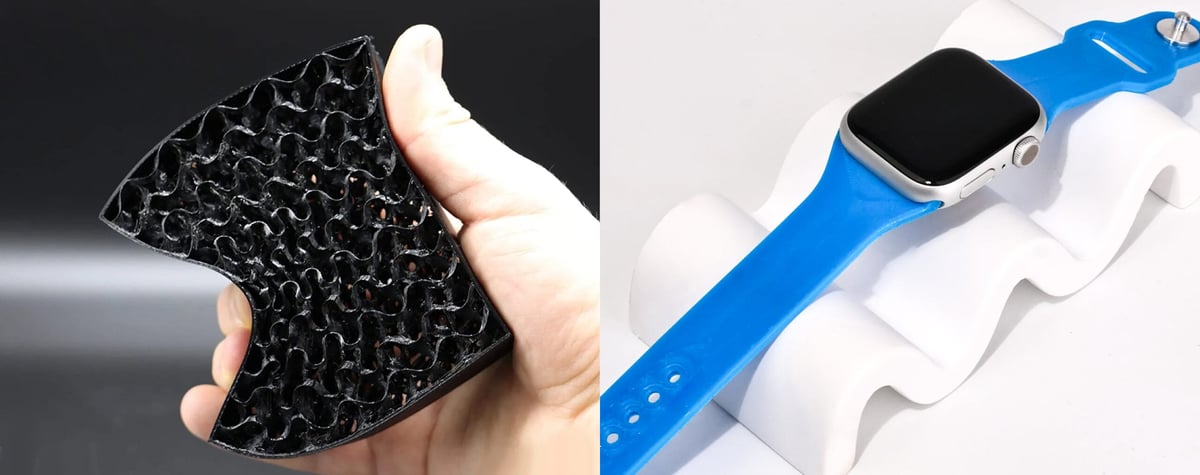
TPE (thermoplastic elastomer) is a broad category of rubber-like thermoplastics, and TPU is technically one type of TPE. In 3D printing, however, “TPE” is often used to describe softer, stretchier, more rubbery filaments that are not necessarily polyurethane-based.
TPE can be very elastic and comfortable to the touch, making it useful for soft grips, wearable parts, seals, flexible toys, and parts that need more stretch than standard TPU. The tradeoff is printability. Very soft TPE can buckle in the extruder, jam in long Bowden tubes, or require much slower print speeds. Direct-drive extruders are strongly recommended.
- Best for: Very soft, rubber-like parts; wearables; grips; seals
- Typical hardness: Often softer than common TPU, though it varies widely
- Printing difficulty: Moderate to difficult
TPC
TPC (thermoplastic copolyester) is a flexible copolyester engineering material that usually offers better temperature, chemical, and UV resistance than standard TPU. It is less common than TPU, but it can be a better choice for outdoor or engineering applications where a part needs flexibility plus improved long-term resistance.
Compared with TPU, TPC may feel less rubbery and more springy. It can be useful for automotive parts, outdoor clips, flexible housings, protective covers, and components exposed to heat, sunlight, or chemicals. It is still flexible, but it is often chosen more for durability and resistance than for maximum stretch.
- Best for: Outdoor parts, engineering applications, chemical resistance, heat resistance
- Typical hardness: Varies, but often in the semi-flexible to flexible range
- Printing difficulty: Moderate
PEBA
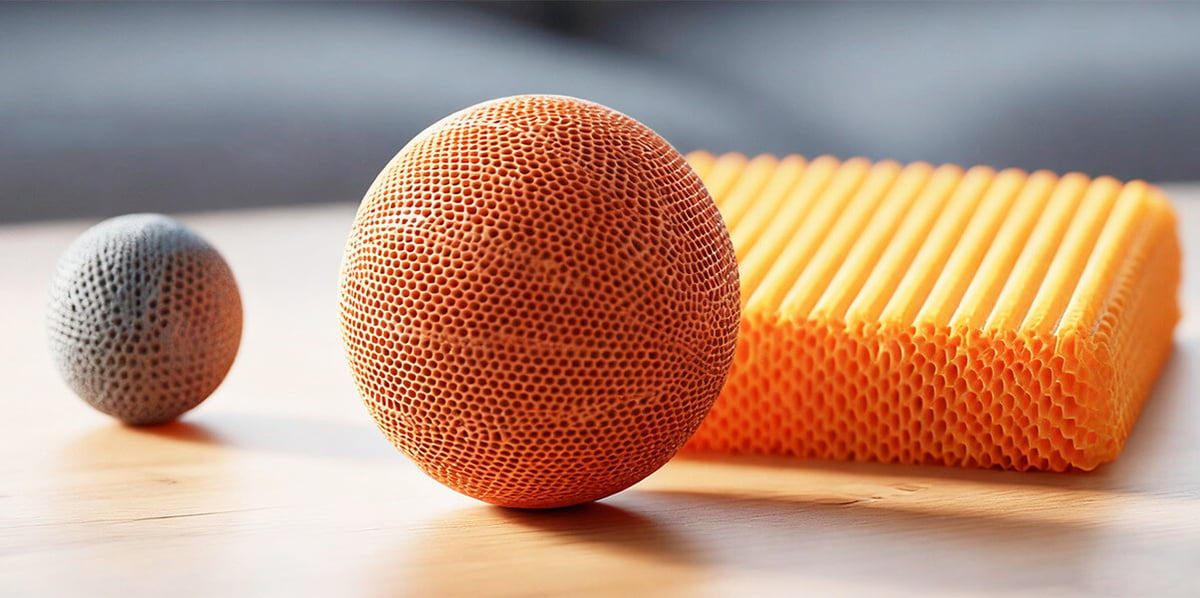
PEBA (polyether block amide) is a high-performance flexible material known for its light weight, elasticity, and energy return. It is used in demanding applications such as sports equipment, footwear, medical parts, and industrial components. PEBA can be more expensive than TPU, but it offers a distinctive combination of flexibility, low density, and resilience.
For 3D printing, PEBA is still a more specialized material. It may require more careful tuning, drying, and printer setup than standard TPU. It is a good option when the part needs to be flexible but also lightweight, fatigue-resistant, and springy.
- Best for: Footwear, sports parts, lightweight flexible components, high-performance prototypes
- Typical hardness: Usually flexible to semi-flexible, depending on formulation
- Printing difficulty: Moderate to advanced
Flexible PLA
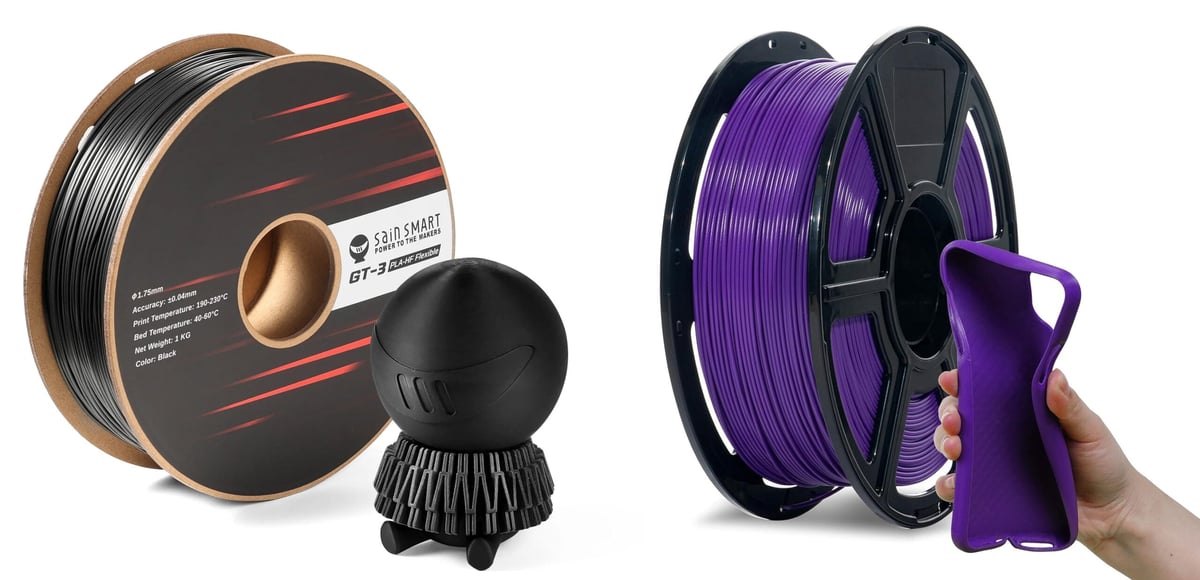
Flexible PLA is not as rubber-like as TPU or TPE, but it is often easier to print. These materials are usually PLA-based blends designed to add some bend and impact resistance while keeping the familiar printing behavior of PLA.
Flexible PLA is a good option for users who want a part with slight flex, toughness, or reduced brittleness, but not a truly rubbery result. It can work well for decorative parts, cosplay pieces, light-duty hinges, snap-fit parts, and models that need to bend a little without cracking. However, it usually lacks the elasticity, abrasion resistance, and long-term durability of TPU.
- Best for: Easy-print semi-flexible parts, decorative models, light-duty flex, PLA users
- Typical hardness: Usually semi-flexible rather than soft rubber-like
- Printing difficulty: Easy
Silicone & Rubber
If you’re wondering about silicone, know that it can be 3D printed but not with FDM 3D printers. Unlike solid polymer filaments that are malleable when heated and solidify once again when cooled, Silicone, once solidified, can’t be made pliable again. There are silicone-type resins for vat polymerization and material jetting 3D printers.
Rubber might be another material you think of when you think of flexible materials, but you can’t 3D print with natural or synthetic rubber. However the next best thing is TPU, which exhibits properties, such as flexibility, elasticity, and resilience, resembling natural rubber. It is commonly used in 3D printing for applications where rubber-like characteristics are crucial.
Some filament called “flexible” may not disclose exactly what it’s made of, so to know how parts made from it will perform, you’ll need to understand the following terms.
90A, 85A: What Is Shore Hardness?
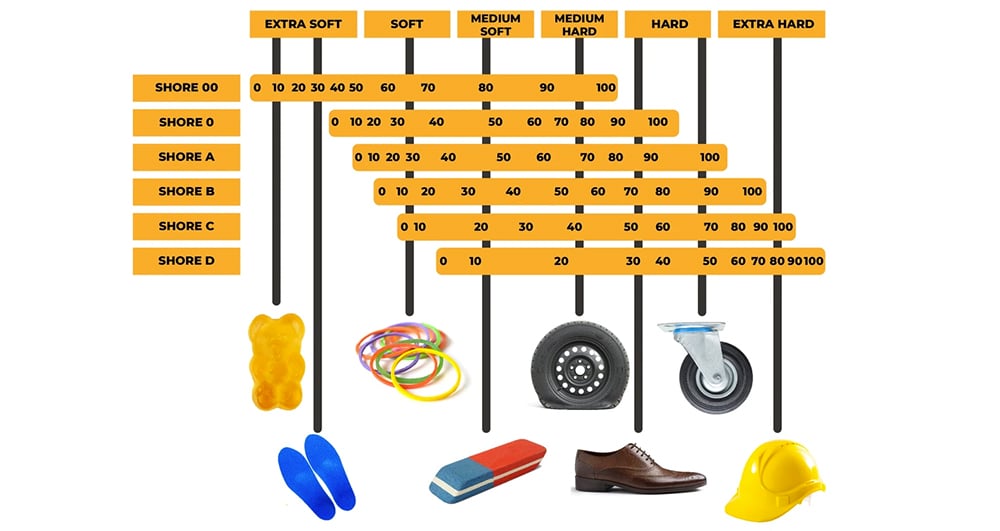
Shore hardness is a way to measure how soft or hard a flexible material feels. For 3D printing filament, it tells you how easily the material can be pressed, bent, or squeezed.
Most flexible filaments use the Shore A scale, which is used for rubber-like materials. A lower number means the filament is softer and more flexible; a higher number means it is firmer and easier to print. For example, 85A TPU is soft and rubbery, while 95A TPU is firmer, more common, and usually easier to use.
You may also see Shore D, which is used for harder plastics and semi-rigid materials. As a general rule, beginners should start with 95A TPU because it offers a good mix of flexibility, durability, and printability.
What Is Elongation at Break?
If your flexible material doesn’t come with a Shore Hardness or you want something more precise, look at the materials “elongation at break” measurement. This is how much a part can stretch before breaking. This measurement is shown as a percentage and the higher the number the better the material will resist deforming when stretched. Flexible filaments average around 600% elongation at break. By comparison, regular PLA averages around 8%.
Flexibles Don't Print on all Printers or Most Material Changers
Flexible filament behaves a bit like cooked spaghetti compared with PLA. If there is too much open space between the drive gears and the hot end, the filament can bend, buckle, twist, or jam before it reaches the nozzle. This is why it not even printable on all FDM machines.
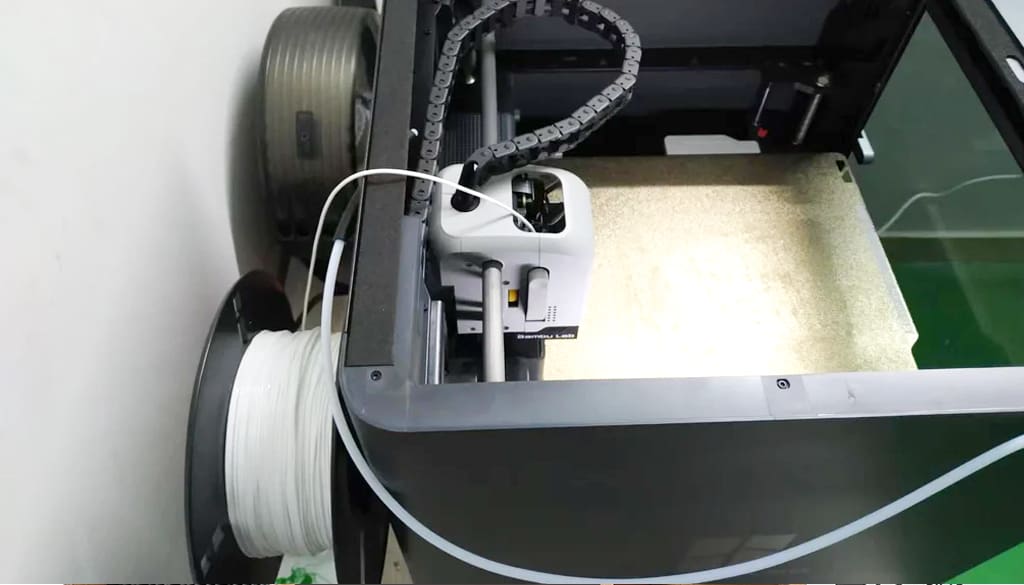
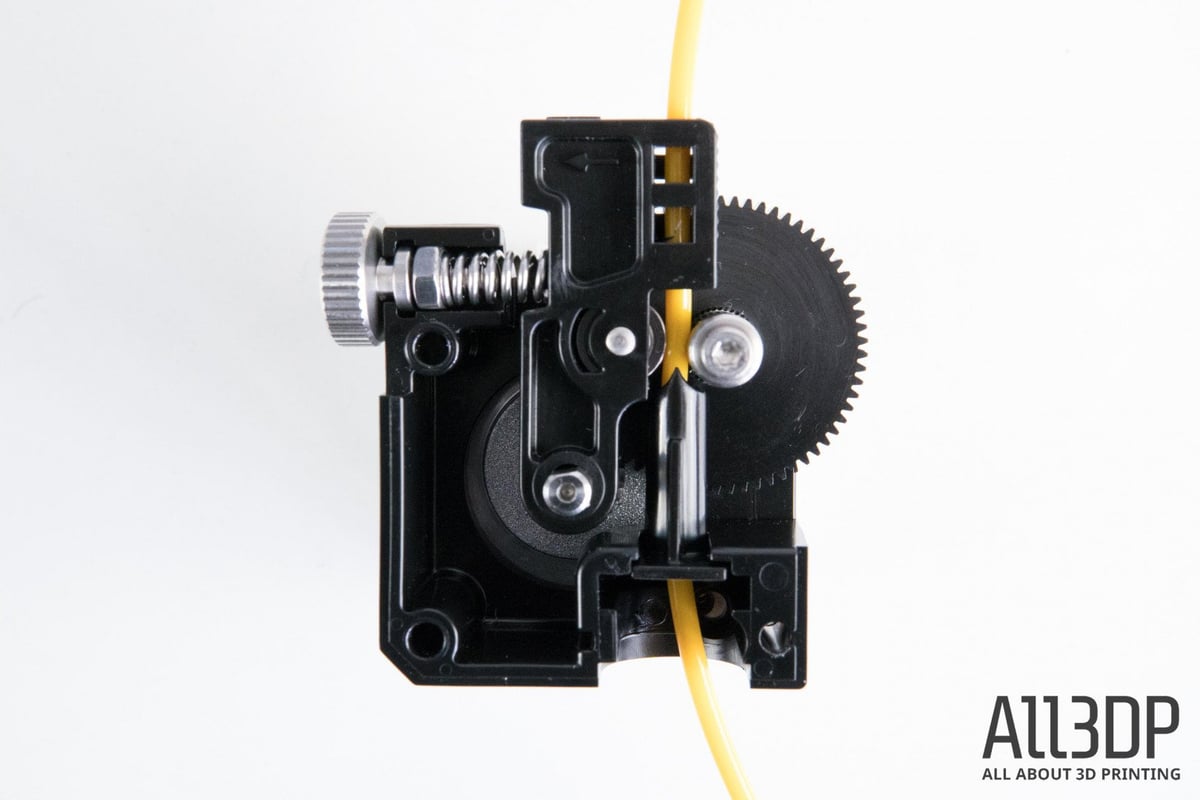
A direct-drive extruder has the drive gears close to the hot end. That short filament path gives the printer much better control over soft materials, so direct drive is the safest recommendation for almost all TPU, TPE, TPC, PEBA, and very soft flexibles. Most Bambu Lab, Prusa, and newer Creality printers, for example, use direct-drive extruders, meaning the extruder is mounted close to the hot end. This makes them better suited to TPU and other flexible filaments than traditional Bowden printers. However, very soft TPU can still be tricky and require a special modification like this Bambu Lab one below.
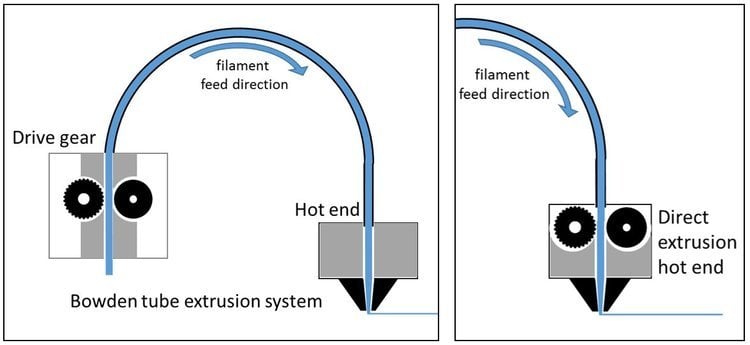
A Bowden extruder, like on an Original Prusa Mini or an older Creality Ender 3 models, pushes filament through a long tube before it reaches the hot end. That setup can work with firmer flexible filaments, especially 95A or harder TPU, but it is much less reliable with softer materials.
Why Flexible Filaments Often Don’t Work in Automatic Material Changers
Automatic material changers, such as multi-spool feed systems, are designed mainly for relatively stiff filaments like PLA, PETG, ABS, and ASA. Flexible filaments are different. Instead of moving through the system like a firm plastic rod, TPU, TPE, and other flexibles can stretch, compress, buckle, or drag against the inside of the feed path.
The biggest problem is that most material changers use a long filament path. The filament may need to travel through tubes, gears, buffers, sensors, hubs, and couplers before it reaches the extruder. With rigid filament, this usually works fine. With flexible filament, the material can bend or bunch up inside the path, especially when the system tries to push it forward quickly.
Flexible filament also creates problems during automatic loading and unloading. Material changers often need to grip the filament, retract it, cut it, respool it, and feed it again. TPU and TPE can stretch under tension, slip in the drive gears, deform where the gears bite into it, or fail to retract cleanly. This can lead to jams, failed swaps, under-extrusion, or filament stuck inside the changer.
Another issue is friction. Flexible materials tend to have a grippier surface than PLA or PETG, so they can rub against PTFE tubes and tight bends more easily. Even a small amount of extra drag can make a flexible filament feed inconsistently.
For this reason, many printer manufacturers either warn against using flexible filament in automatic material systems or limit compatibility to specific firmer TPU grades, usually around 95A or harder. Softer materials, such as 85A TPU, TPE, and very elastic filaments, are usually best printed from a standard spool holder directly into a direct-drive extruder.
NinjaTek
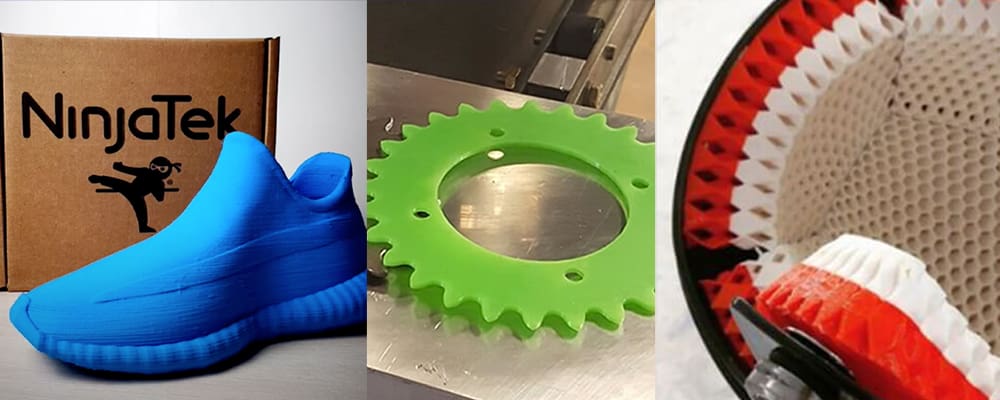
NinjaTek offers four kinds of TPU filament (NinjaFlex 85A, Cheetah 95A, Armadillo 75D, Chinchilla 75A, and Eel 90A) and one TPE (Edge 83A), all with varying properties in a wide range of colors.
NinjaFlex has a shore hardness of 85A, making it extremely flexible and squishy. The company says its proprietary technology enables a low-tack, easy-to-feed texture ideal for direct-drive extruders. The material has abrasion and chemical resistance and results in consistent printed parts.
Cheetah TPU is designed to be able to print at higher speeds, hence the name, while the NinjaTek Armadillo is a non-flexible TPU that features the extremely tough and abrasion-resistant qualities of TPU in an extremely strong, rigid material that can be used as an alternative to PLA, ABS, and even nylon filaments. This TPU is meant for printing high-wear parts, such as gears, fasteners, and protective cases.
Lastly, the Chinchilla filament is the softest of the bunch, created through a proprietary blend of TPE resins. With Chinchilla, you can create soft, long-lasting printed parts for fashion, healthcare, and grips. Chinchilla has been tested to be skin-safe using EpiDerm Skin Model.
Available sizes & diameters: 0.5 kg, 1 kg: 1.75 mm, 3 mm
Colors: Midnight, snow, sapphire, fire, almond, and six others
Siraya Tech
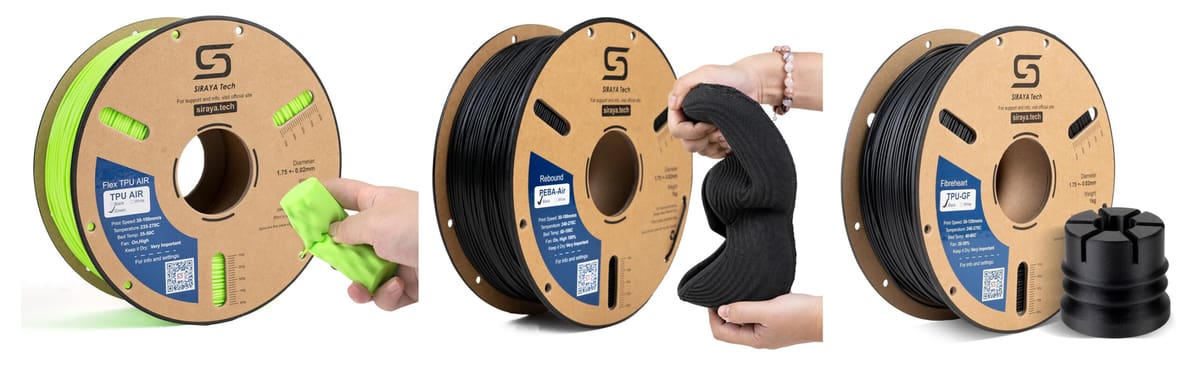
Siraya Tech has a broad flexible FDM filament range spanning standard TPU, foaming TPU, glass-fiber-reinforced TPU, and PEBA elastomers. The most beginner-friendly option is Siraya Tech Flex TPU 95A, a firmer TPU that the company describes as high-flow, low-warp, low-odor, and optimized for direct-drive extruders.
For softer parts, Flex TPU 85A is the more rubber-like choice for wearables, flexible connectors, vibration dampers, braces, phone cases, and protective covers. The Flex TPU Air 65A–82A is an active-foaming TPU that lets you adjust hardness and density with print temperature with up to 50% weight reduction.
For semi-rigid flexible parts, Flex TPU 64D is closer to a tough engineering material than a soft rubber. Siraya positions it for jigs, fixtures, rollers, and mechanical parts that need wear resistance, strength, and controlled flex.
The engineering outlier is Fibreheart TPU-GF, a glass-fiber-reinforced TPU composite. Siraya describes it as a “stiff-but-elastic” material with 15% glass fiber reinforcement for vibration damping and low warp.
Siraya’s Rebound PEBA filaments are the performance picks. Rebound PEBA 85A is a soft, resilient PEBA with claimed 62% energy return, making it useful for sporting goods, drones, robotics, wearables, orthotics, and cushioning parts. Rebound PEBA 95A is firmer and claims 78% energy return, 15–20% lower weight than TPU 95A, strong chemical resistance.
Siraya also sells Rebound PEBA Air 70A–95A, a foaming PEBA elastomer. Like TPU Air, its hardness and density can be tuned by temperature; Siraya says it can reduce weight by up to 50% and is aimed at performance sports gear, wearables, drone components, and functional prototypes.
Newer footwear-focused options include Roamr TPU Air HR 80A and Roamr TPU Air HR 85A.
Available sizes & diameters: 0.5 kg, 0.7 5kg; 1.75 mm, 2.85 mm
Colors: Black, white, green, orange, and others
Fillamentum
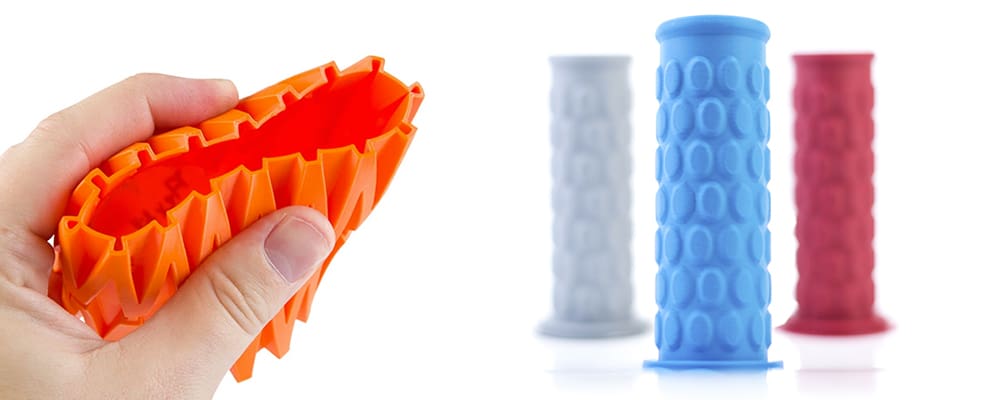
Fillamentum is a well-known filament manufacturer, and its Flexfill TPU is definitely worth a try. Flexfill TPU has two available shore hardnesses: 92A and 98A. The 92A line is very soft, while the 98A line is a bit stiffer than some of the other TPU filaments on this list, plus it’s easier to print.
The company’s Flexible TPE is safe for food-contact applications and for applications in contact with skin. It’s also available in two different hardnesses 90A & 96A Shore. Filamentum’s Flexfill PEBA 90A is flexible with unique thermal, mechanical, and chemical behavior from other TPEs. It especially retains its flexibility at subzero temperatures, if that’s a quality your part needs.
Available sizes & diameters: 0.5 kg, 0.7 5kg; 1.75 mm, 2.85 mm
Colors: Natural, traffic black, signal red, signal yellow, luminous green, and seven others
Recreus Filaflex
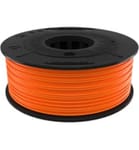
Filaflex was first created in 2013 as one of the first elastic filaments for 3D printers, and since that time the company has introduced several versions, including a TPU 100% from recycled origin and a new electrically conductive TPU called Conductive Filaflex.
The filaments of the Filaflex range have great print bed adhesion, so they don’t need a heated bed, blue tape, or any adhesive. They’re also odorless and resistant to solvents, acetone, and fuel.
Reciflex is a flexible TPU filament 100% of recycled origin, both from footwear industry leftovers and from Recreus’ internal production. Its hardness ranges between 96A and 98A Shore due to the variations attributable to its origin as a recycled material, practically imperceptible in the printed parts.
In 2024, Recreus in partnership material science company Balena launched a decomposable flexible material called Balena.Filaflex 3D printable filament. Although, biodegradable like PLA, this new material (currently sold out) has to go through an industrial composting process to decompose properly.
Available sizes & diameters: 0.25 kg, 0.5 kg, 3 kg; 1.75 mm, 2.85 mm
Colors: 10+ depending on the product
Bambu Lab
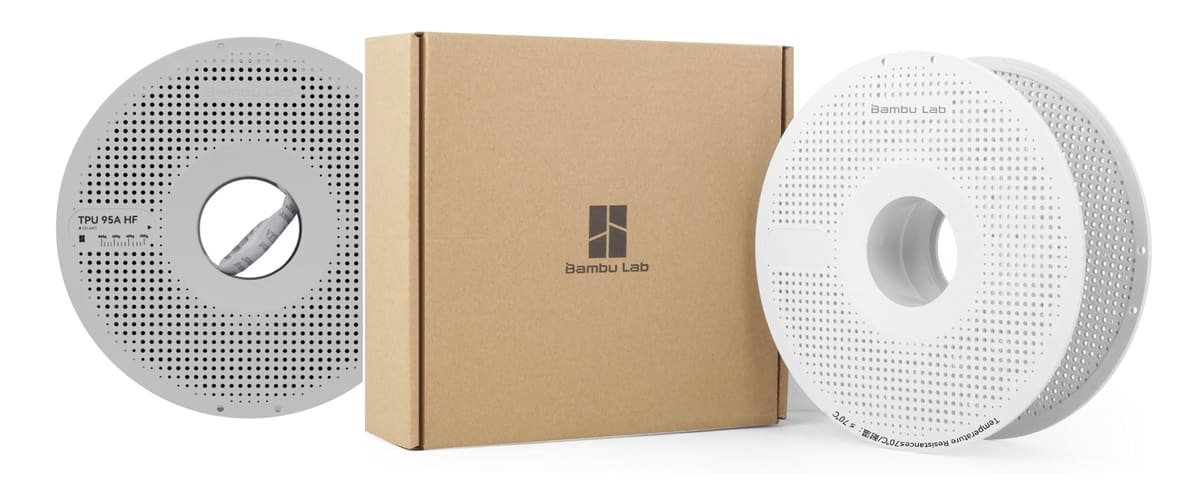
Bambu Lab is working hard to make TPU easier, approaching the challenges from both the hardware side, for example its TPU Feed Assist Module, and the material side.
Bambu Lab’s TPU for AMS, launched in late 2024, was designed to solve one of the automatic material station’s biggest material limitations, non-compatiability with TPU. Unlike standard soft TPU, this version is a firmer, AMS-compatible flexible material intended for automated feeding and multicolor or multi-material workflows. Bambu TPU for AMS has a Shore hardness of 68D and a good toughness, the company says, while minimizing stringing, delivering the “ease of PLA printing alongside TPU’s signature flexibility and durability.”
Bambu Lab also offers a TPU 95A HF (high speed), TPU 85A, and TPU 90A. The 85A and 90A are ideal for shock absorption and soft support, such as padding, medical braces, and protective gear.
All products have embedded chips in the spool which can be read through the AMS to set the print parameters.
Available sizes & diameters: 1 kg; 1.75 mm
Colors: TPU 95A HF, 6; TPU for AMS, 7
Polymaker
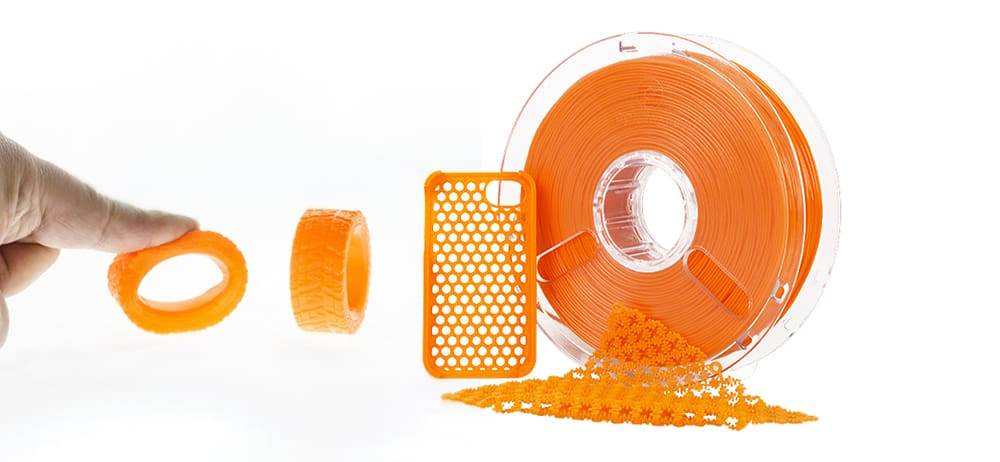
Polymaker has three TPUs in its PolyFlex line, which are all based on chemistry from industrial polymer maker Covestro.
PolyFlex TPU90 is designed to provide great flexibility without compromising on printing speed, Polymaker says. It also has the ability to resist damage from ultra-violet (UV) light. PolyFlex TPU95 is engineered to work on most desktop 3D printers, the company says, while PolyFlex TPU95-HF is a stand-our for for high-speed printing.
Available sizes & diameters: 750 g; 1.75 mm, 2.85 mm
Colors: Black, white, red, blue, yellow, orange
ColorFabb
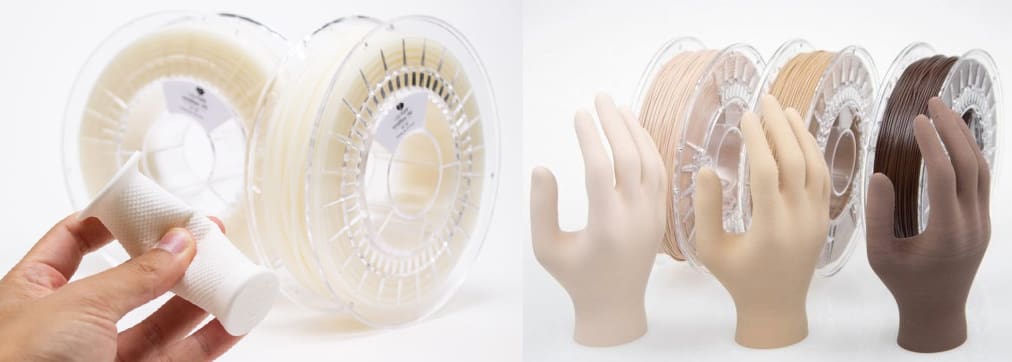
ColorFabb offers two lines of flexible filament, nGen Flex and varioShore TPU.
nGen Flex is described as a semi-flexible 3D printing filament engineered to allow most users to print at regular print speeds, cutting down build times compared to other very flexible filaments. The material’s high-temperature resistance enables steam sterilization so applicable for prosthetics and orthotics, along with automotive parts, apparel, tooling, or a variety of consumer products. nGen Flex is available in black, clear, and dark grey.
The ColorFabb varioShore TPU (in 9 colors) features variable shore hardness, reduced weight and density, and soft touch. The variable softness is achieved by altering the print temperature. Extruder temperatures between 200ºC and 250ºC will produce very soft prints, whereas lower temperatures produce more rigid prints. Theoretically, you could print one product with various shore harnesses in different areas by adjusting the temperature.
Available sizes & diameters: 0.65 kg, 2 kg; 1.75 mm, 2.85 mm
Colors: Flex: clear, black, dark grey; varioShore: skin tones, black, red, blue, white
FormFutura
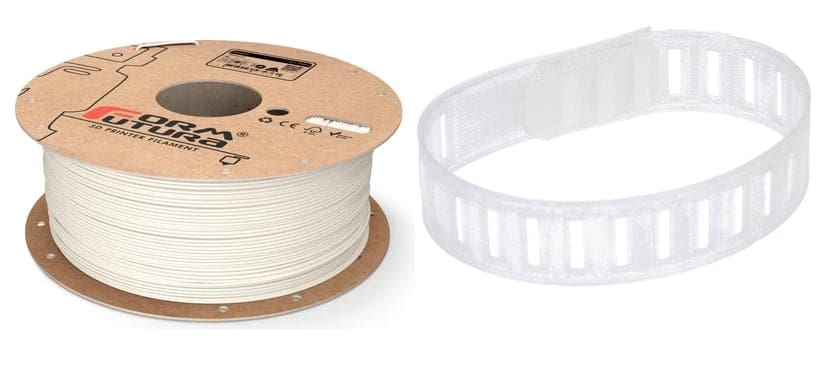
FormFutura offers three types of flexible filaments. FlexiFil is a rubber-like high-performance TPC with a type of “flexural memory” that enables objects to return to their original position after being bent. FormFutura says FlexiFil is unique in its combination of flexibility, mechanical strength, durability, good chemical resistance, excellent UV resistance and ability to withstand extreme temperatures.
FormFutura’s Python Flex is a TPU filament for flexible and elastic parts that are designed for high-speed printing on both direct drive and Bowden style extruders, the company says. Python Flex can be printed directly on a glass plate without having to use a heated bed. The filament is extremely transparent in its natural form.
FormFutura says its MD Flex is a flexible TPU type of 3D printer filament enhanced with a patented nano-copper composite that eliminates more than 99.99% of fungi, viruses, bacteria and microorganisms, and has been scientifically proven effective against SARS-CoV-2 / Covid-19 with high antiviral efficacy.
Available sizes & diameters: 0.65 kg, 2 kg; 1.75 mm, 2.85 mm
Colors: clear, black, dark grey
Prusament
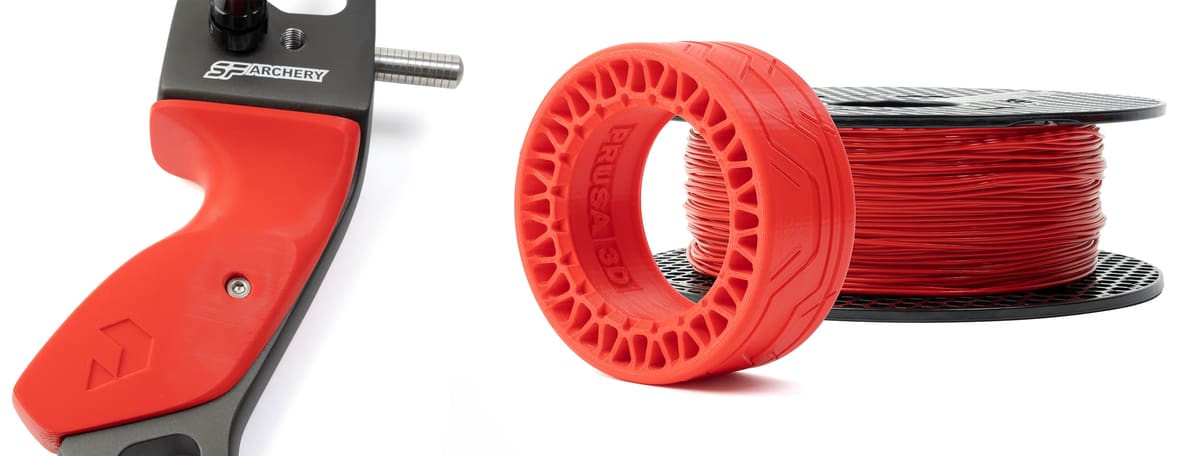
Prusament, Prusa Research’s in-house filament line, offers a TPU 95A, we’ve found to be premium but beginner-friendly. It’s designed to avoid some of the common frustrations of flexible filament printing, delivering parts that are durable, flexible with high wear resistance.
Unlike NinjaTek, Recreus, Siraya Tech, or FormFutura, Prusament does not offer a broad family of flexible filaments in multiple Shore hardnesses, there’s just 95A. It’s a predictable utility filament that it offers useful flexibility while staying firm enough to print reliably. That makes it a good choice for protective cases, grips, bumpers, seals, feet, tool holders, and durable functional parts without dealing with the feeding problems of softer TPU or TPE.
Available sizes & diameters: 1,000 g; 1.75 mm
Colors: Red, blue, white, black
Kimya
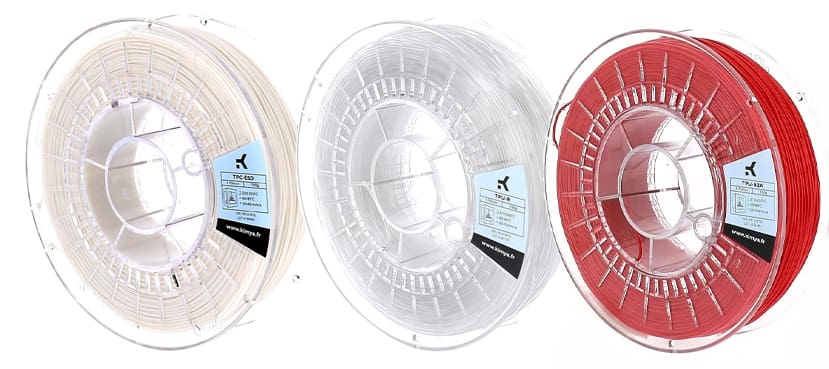
Kimya was a company that made three different types of flexible filament: PEBA, TPU, TPC, and even a rTPU from 100% recycled materials. It went out of business in November 2024, but resellers probably have material on the shelves.
The company’s PEBA is based on the PEBAX material by Arkema. It can be used to make shoe soles or other sports equipment and offers substantial energy returns. The Kimya TPC-91A 3D filament offers chemical and impact resistance and is used in industrial applications in sectors, such as electronics, textiles, and roofing, along with decorative and leisure 3D printing applications.
The Kimya TPU-92A 3D filament offers good resistance to heat and to the external environment and it’s food-safe.
Update note: Kimya’s parent company, Armor Group, closed the Kimya 3D printing filament business in late 2024. In 2025, Airtech Advanced Materials Group acquired Kimya’s filament assets, including its technical filament portfolio and related IP. Availability of Kimya-branded filaments should therefore be checked carefully, as the product line is in transition.
Available sizes & diameters: .75 kg; 1.75 mm, 2.85 mm
Colors: black, translucent, red, white, dark blue
New: High-Speed & High-Flow TPU
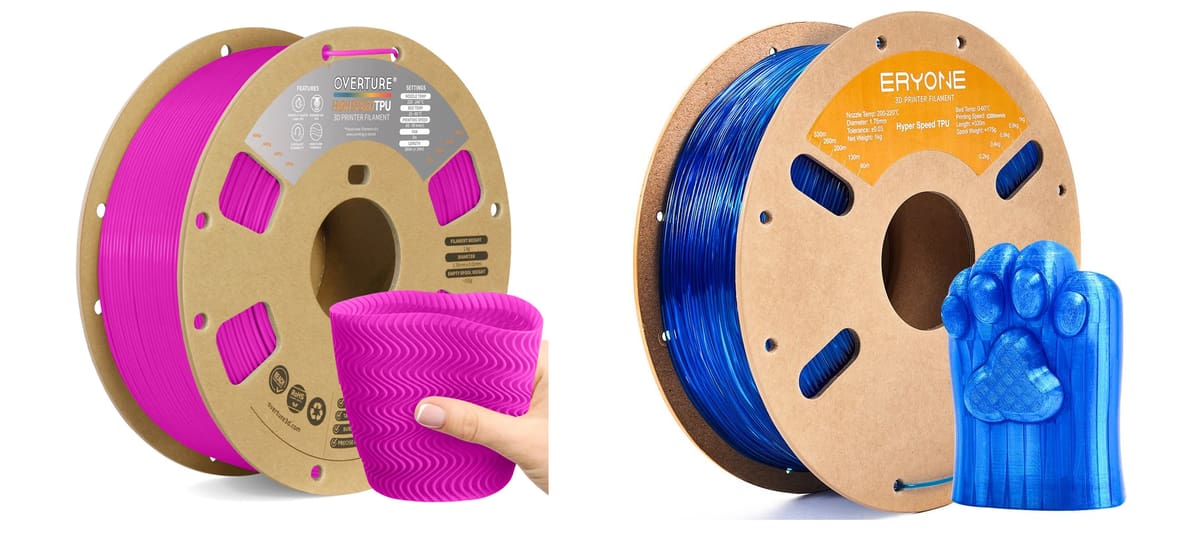
Flexible filaments have long had a reputation for slow, fussy printing. Because TPU bends and compresses in the filament path, many users print it at conservative speeds to avoid under-extrusion, jams, stringing, or inconsistent flow. Newer “high-speed,” “rapid,” or “high-flow” TPU formulations aim to solve exactly that problem: They keep the elastic behavior of TPU while increasing stiffness, melt flow, feed reliability, or layer bonding so the material can be pushed through the hotend faster.
What’s different is not that these materials stop being TPU, but that they’re tuned to behave better under fast extrusion. In practice, that usually means a harder TPU grade, improved melt flow, better filament-path stability, and/or a formulation that bonds layers more reliably at higher throughput. Polymaker, for example, positions PolyFlex TPU95-HF as a high-flow TPU developed from Covestro’s Addigy family, while Overture emphasizes high-speed layer adhesion, clog-free feeding, and pre-drying.
Many faster TPUs are 95A, 40D, or even harder-feeling formulations, so they may not replace very soft materials like 85A TPU or 60A TPE.
Consumer vs. Pro Flexibles
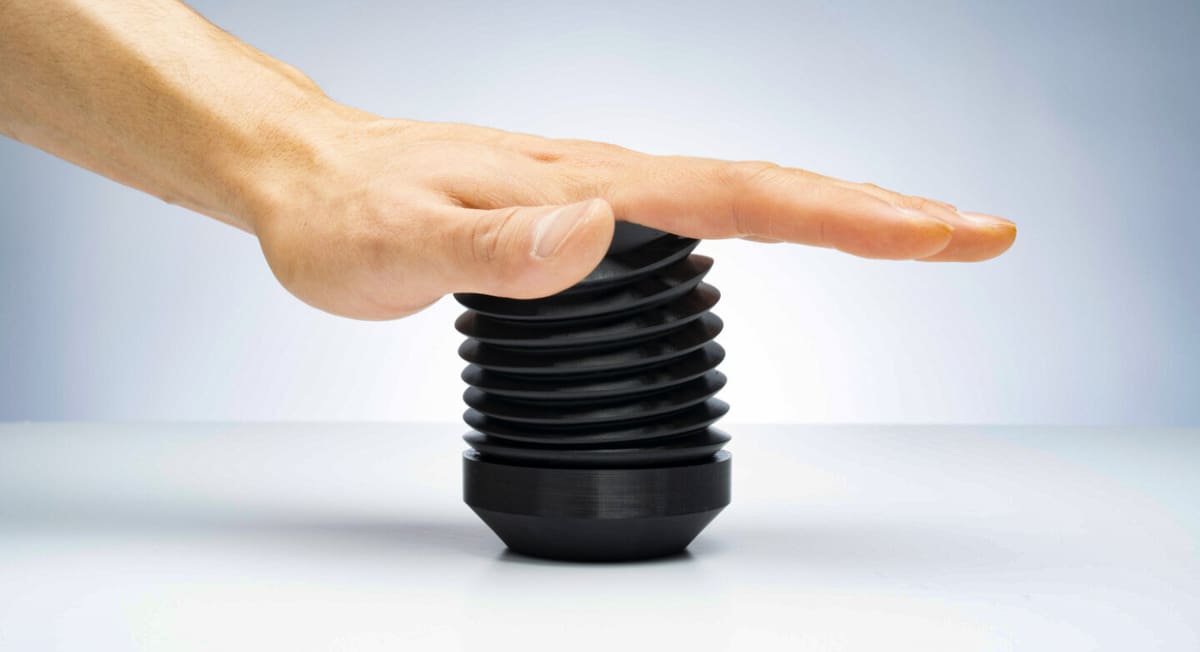
Because of the difficulty of printing some flexible filaments and, unfortunately, some of the poor quality filaments on the market, several pro and “pro-sumer” printer manufacturers, including UltiMaker, Markforged, BigRep, Stratasys, and others, work directly with chemical makers to formulate their own flexible filaments tuned specifically to their printers. This helps ensure that you get exactly the right print speed and temperature to use, plus a host of other perimeters that have already been uncovered through hundreds of hours of print tests.
These printer branded filaments can save a lot of time and fine-tuning, which can easily justify the usually higher price tag.
Tips for Printing with Flexible Filament
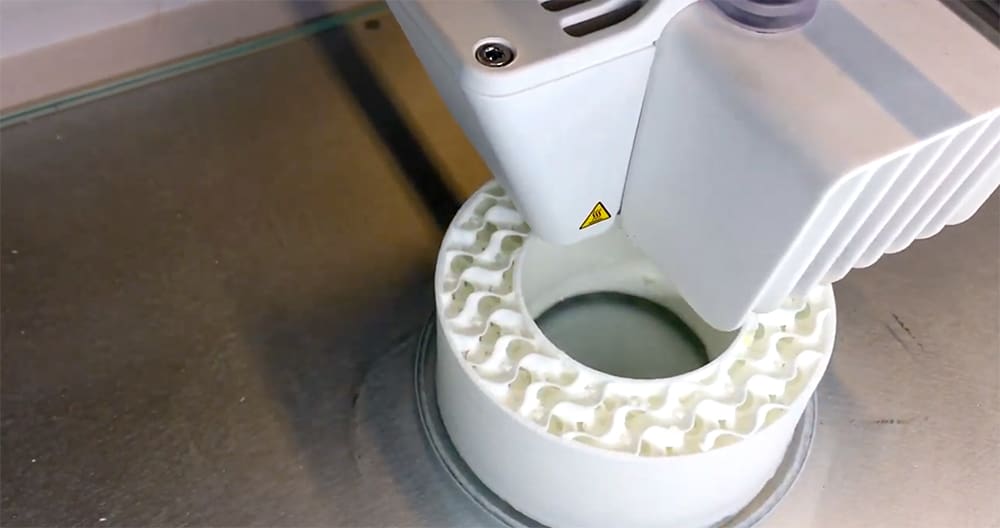
You can throw out everything you’ve heard about printing with flexible filament. Today, there is such a wide range of flexible filament types that it’s almost impossible to give general direction, but there are certainly some important points to keep in mind.
First, check if your 3D printer can even print with flexible materials, many can’t.
For example, Bambu Lab says most of its printers are not compatible with TPUs that have a short hardness level of 95A, 85A, 83A, 80A, 75A or below, while other types of TPU work just fine. Creality does not list TPU among the headline compatible materials for some K2 models, and TPU is not compatible with Creality’s CFS material changer. However, the K2 Plus can print firm TPU when fed from the external spool path, with CFS bypassed, the filament dried, and speeds kept low. Softer TPU and TPE materials are not recommended.
The point is, now is the time to revisit your 3D printer’s website and look for specific guidance on printing with TPU.
Dry Before You Print
Flexible filament is often, but not always, very hygroscopic, meaning that it sucks up moisture from the air. If you open your sealed filament and expose it to air, it will have a negative effect on the printing behavior and, of course, the quality of your final print. Even if you follow the printer settings exactly, you can still end up with failed or suboptimal prints because of moist filament.
If your filament’s been left out, you’ll need to dry it in an oven or a filament dryer. How long and what temperature? Well, that can be the tricky part because there’s often no way to know how much moisture the filament has soaked up. Your drying machine may let you know when the filament is dry, and the filament manufacturer may include drying instructions with the filament (such as drying in an oven at 70 ºC for five hours), but in the end, it’s often trial and error. Just remember: if you see steam rising from your hot end, your filament is wet.
Your best bet is to try to keep your filament sealed and stored properly in the first place (also protected from UV light and heat) and for as long as possible. If this isn’t possible, look for flexible filaments that don’t require any drying, including some made of TPS.
Heat & Prep Your Bed
Many flexible filament manufacturers say their products don’t require a heated bed, but most filaments do perform and adhere better with a bed temp around 40 ºC but usually not more than 60 ºC. Your filament will come with recommended bed temperatures. Flexible filaments almost never require a closed chamber, but again, keeping your heat consistent is always a help. Whether or not you need tape, glue, or adhesives on your bed depends on your filament type and brand.
Nozzle Temp
Your filament comes with recommended printing temperatures for a reason. Yes, a hotter nozzle can make for faster printing, but printing temperature can affect the flexibility of your final print. Ideally, your 3D printer will have a print profile for the exact brand of flexible filament you’re using; otherwise, prepare to experiment and achieve the ideal balance between heat and speed.
Be Patient, Go Slow
To get those almost-invisible layer lines and a consistent soft-to-the-touch finish, your flexible filament will need time. Thermoplastic elastomers like to go slow and typically print best at slower speeds and smaller layer heights. Filament makers have made great strides in fast-printing flexible materials with some churning out parts at 100 mm/s, but there’s always some sacrifice of print quality with speed.
If your flexible filament clogs your extruder, high speed is the likely culprit, although it could also be moisture in your filament.
Extruder & Settings
Many flexible filaments work fine with Bowden extruders, but most will work best with a Direct Drive extruder. The reason is that the distance between the drive gear and the hot end should be as short as possible to efficiently feed the filament into the nozzle without stretching it.
As with any material, follow your print profiles, but if you don’t have any or want to experiment, there are some things to keep in mind regarding your extruder retraction rate. You may come across advice that says to disable retractions when printing with flexible filament, but that’s a bit outdated. It may apply if you have an older extruder, but newer extruders and professional FDM printers shouldn’t have any issues with retraction. With retractions off, you’ll see some stringing that can be removed in post-processing.
Even in the best FDM printers, you may still need to experiment with your retraction settings. Keeping them to 2 mm and 20 mm/s is a good place to start. If you notice the filament bunching up in the extruder, keep adjusting your retraction settings until you find the sweet spot.
Additional Tips:
- Avoid using rafts because the base layers have a higher extrusion rate, which could lead to problems.
- Where possible, mount the filament spool above the printer to reduce resistance from the extruder pulling the filament
- Part cooling fan is required
Best Nozzles & Build Plates for TPU
This is another printer and material-specific topic. For example, Bambu Lab says its 0.2, 0.4, and high flow nozzles do not support printing with the company’s softer TPU 85A or 90A. Prusa Research advises to not print its TPU 95A on a smooth PEI sheet without glue or another separation layer.
Get Your Flexible Parts 3D Printed
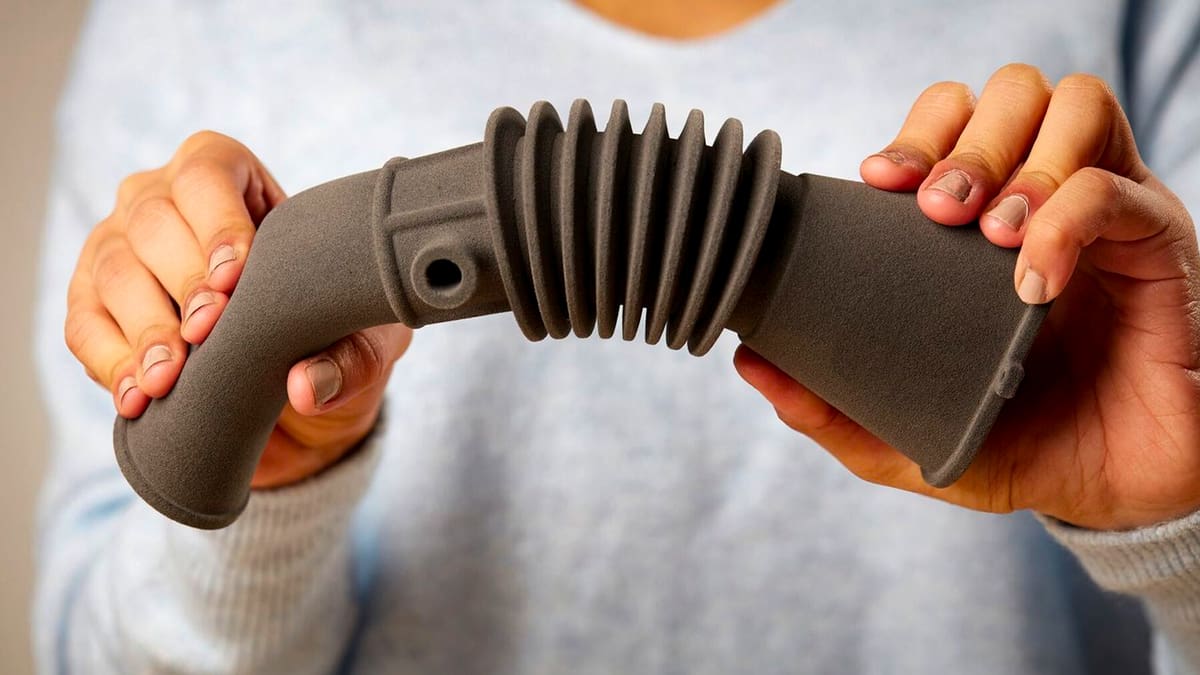
If TPU or flexible filament doesn’t sound like a material you’re ready to master, you can leave it to the pros at a 3D printing service. However, when you upload your design file to a 3D printing service, such as Craftcloud or Xometry, and select TPU or “flexible”, you’ll find that they usually will not be printing your part using filament.
3D Printing Technologies for Flexible Parts
There are three other types of 3D printing that will produce TPU and flexible parts besides FDM with filament. There’s stereolithography (SLA) and the most common methods for professional parts are selective laser sintering (SLS) and Multi Jet Fusion (MJF).
Be sure to inquire which 3D printing method your service provider uses. FDM, for example, is quick and cheap for prototypes, but it may not have the mechanical strength you would need for an end-use car part.
SLS technology can produce TPU parts with high mechanical properties and fine detail. The technology is most often used with nylon but is equally adept at TPU parts. MJF is similar but faster and used for higher volumes of parts.
The resin 3D printing technologies, such as SLA, digital light processing (DLP), and material jetting, do not offer TPU as a material, but instead offer a range of flexible resins commonly used to 3D print wearable technology, sports equipment, and soft hearing aid components.

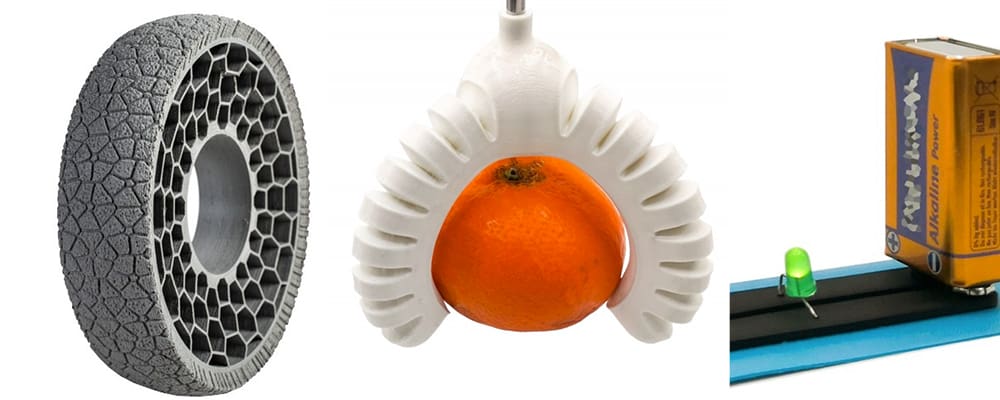
Lead image source: Various TPU 3D printed productions including a translucent wheel using Eryone TPU.
License: The text of "Think Flexible Filament Is Too Frustrating? Try These 10 Reliable TPU Brands & Print Tips" by All3DP is licensed under a Creative Commons Attribution 4.0 International License.
CERTAIN CONTENT THAT APPEARS ON THIS SITE COMES FROM AMAZON. THIS CONTENT IS PROVIDED ‘AS IS’ AND IS SUBJECT TO CHANGE OR REMOVAL AT ANY TIME.