We Tested Meshy 6: Can AI Finally Generate Good 3D Printable Models From Photos?

We pushed Meshy 6’s Pro-tier tools to the limit with complex real-world tests—from the Bavaria statue to five-legged unicorns—to see if the AI hype finally matches the STL reality.
Keeping up with AI-powered 3D model generators is becoming a challenge. New features, models, and integrations seem to appear almost weekly. That’s why it was refreshing to spend time with a platform that continues to hold its place near the cutting edge: Meshy.
Over the past few months alone, the company has introduced several new capabilities aimed at making 3D-printable models from text prompts and images easier and more accurate to generate, although, like all AI tools, it’s still far from perfect. We spoke with MeshyAI’s Vincent Xia, Head of Enterprise, and put the platform through its paces using a complimentary Pro subscription to see what it can—and can’t—do today, and whether it’s worth paying for.
In our experience, Meshy’s free version is fairly limited. If you tried the platform during a free trial and walked away unimpressed, it’s worth seeing what the paid tier unlocks, such as making 3D models from multiple references, larger polycount models, free re-generating models, and more.
Although Meshy remains primarily geared toward generating digital assets for games, VR, and other virtual environments, its ability to produce genuinely 3D-printable models has improved significantly in just the past few months. The platform offers a wide range of tools and workflows, but here we’ll focus on one of the most popular: generating a 3D model from a 2D image.
The process is structured into four main stages:
- Create. Upload images or sketches, or describe your idea using a text prompt inside Meshy’s workspace to generate a 3D model in seconds.
- Customize. Using what Meshy calls “WYSIWYG Adaptation,” models automatically adjust to meet real-world constraints for products such as figurines, keychains, or fridge magnets. The system analyzes geometry to recommend materials and finishes, and can even generate a lore or backstory card for each creation—if that’s your thing.
- Print. Models can be sent directly from Meshy to popular slicers, including Bambu Studio, OrcaSlicer, Creality Print, ElegooSlicer, LycheeSlicer, and Ultimaker Cura, or downloaded as STL or 3MF files.
- Fulfillment. For users without a printer, Meshy offers built-in manufacturing services. The platform provides real-time pricing and routes orders to its production partners for high-precision, full-color 3D printing and global shipping.
Positioned as a bridge between digital creativity and real-world manufacturing, the platform aims to remove long-standing technical barriers in 3D printing, such as needing to have digital modeling skills, repair mesh, and know the ins and outs of slicer settings so that practically anyone can move from idea to finished object without CAD skills, or even their own 3D printer (more on that later).
Aimed at Hobbyists ... and Beyond?
Meshy frames its new Creative Lab as a tool for democratizing manufacturing. That may be a bit of a stretch. While you can absolutely manufacture parts created in Meshy, the platform doesn’t offer the level of control typically associated with the word “manufacturing.”
According to the company, the tool is designed for a broad audience: 3D printing hobbyists, makers, tabletop gamers creating custom miniatures, and everyday consumers looking to produce personalized gifts. Not mentioned are engineers or artists looking for accurate 3D models of their concepts (more on accuracy later).
Meshy AI told All3DP that the 3D printing community is quickly becoming one of the platform’s largest user bases. Still, the majority of subscribers are individuals and companies that need 3D assets for digital environments in marketing, animation, game development, or even manufacturers looking to generate 3D models at scale, like model resellers.
The Creative Lab also reflects a broader industry trend toward “phygital” experiences—blending digital design with physical production—and the growing role of generative AI in automating end-to-end workflows, the company says.
If the platform delivers on its promise, it could make high-quality, full-color 3D printed products far more accessible.
Here’s how it went for us.
Turning an Image Into a 3D Model
We uploaded four images of a well-known statue here in Munich called Bavaria. You may recall we used the same images a few weeks ago while testing another image-to-3D generator, Hitem3D.
Meshy operates on a credit-based system, with a highly limited free plan and then subscriptions that top up your credit account: $16 per month for 1,000 credits or $48 for 4,000, plus an undefined “enterprise” plan.
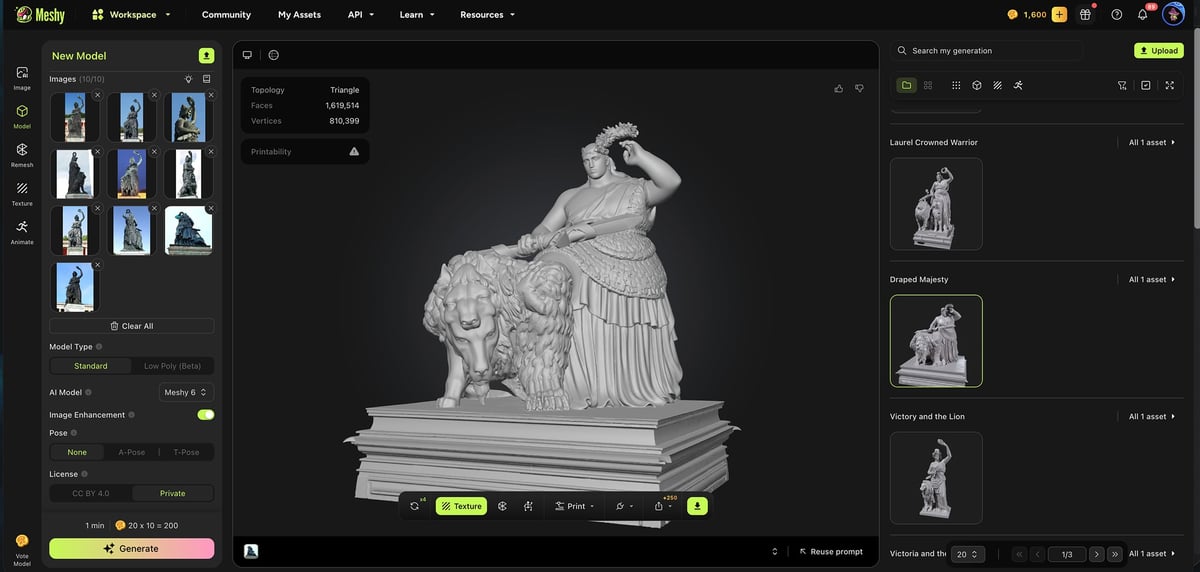
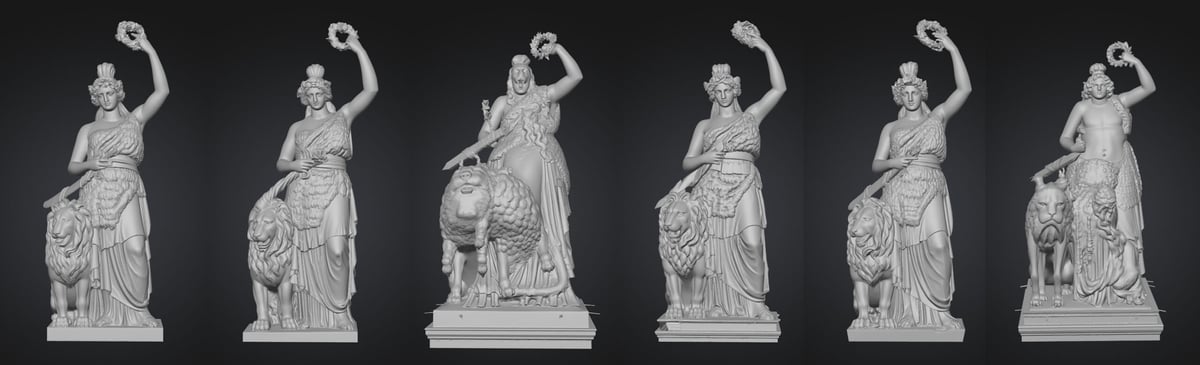
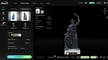
In the latest version of Meshy, you can upload multiple reference images (up to 10), which the platform then interprets as a 3D model. Since each reference you upload costs 20 credits, we went with four for the Bavaria at first. Within minutes, Meshy generated four 3D model options.
Meshy, like all AI, can astound you one minute and confound you the next. The AI, which is custom built by Meshy, draws on additional visual references beyond the images you upload. The result in our case looked like a mash-up of our photos and the AI’s general idea of what a “statue” should look like.
Still… wow. The result was surprisingly close.
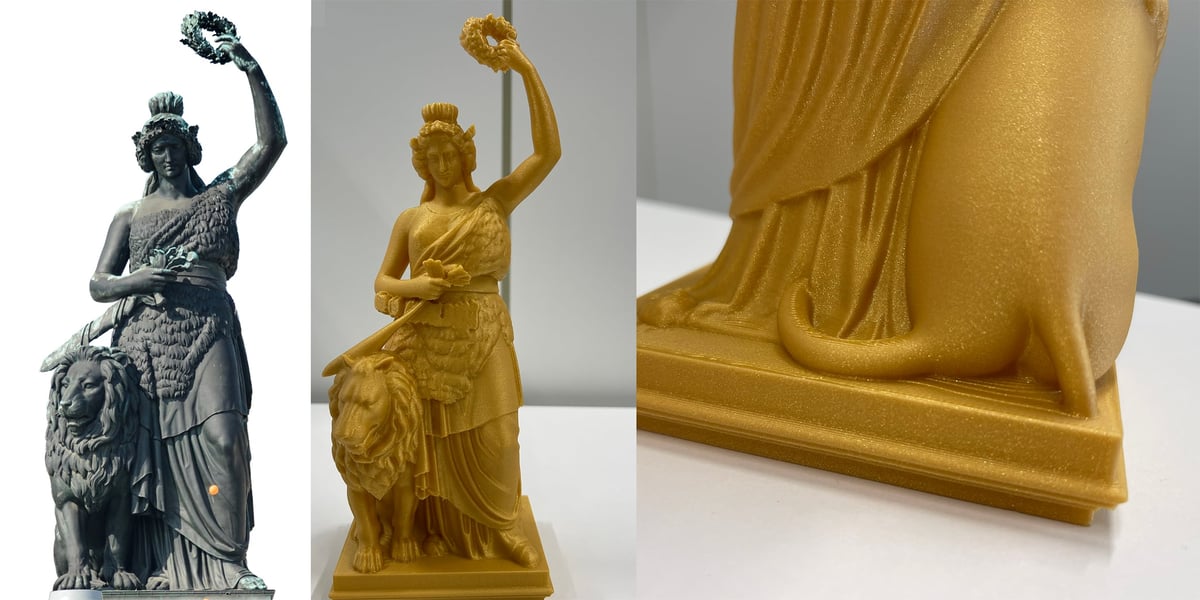
Of the four generated options, we chose the one that looked most accurate even though it gave the lion at Bavaria’s side two tails in the back.
The fun or frustrating part about Meshy, depending on how you look at it, is that you never get the same model twice. We uploaded the same four images a few times, and, with each round, we got slightly different versions and were never able to reproduce the two-tailed lion again.
Each new generation costs additional credits, of course. However, Meshy also offers a free “Retry” option for generated models (with the paid plans). In our testing, retries only made subtle changes—perhaps improving or reducing accuracy by around 10%.
To test for maximum accuracy, we uploaded 10 images of the Bavaria from a wide range of angles expecting that more references would create a better result. Surprisingly, more photos didn’t help. From 10 images costing 200 credits we received 10 3D models where each seemed to be generated from one reference photo instead of the AI stitching together all 10 reference images.
By contrast, in another tool, Hitem3D, we could label images as the front, back, left side, and right side. In Meshy, the AI didn’t seem to interpret the photos as being of the same object, it was more like batch processing models instead of compiling them to create one accurate model.
There’s a chat helper you can use to refine your processes if you aren’t getting the results you need. When we told the AI chat helper that we wanted the Bavaria statue it said: “You can upload multiple images, and I will do my best to combine them into a 360-degree capture. Please ensure that the images cover all angles of the statue for the most accurate representation.” So, clearly, the aim is to use all the images as references for one model, but our results didn’t reflect this.
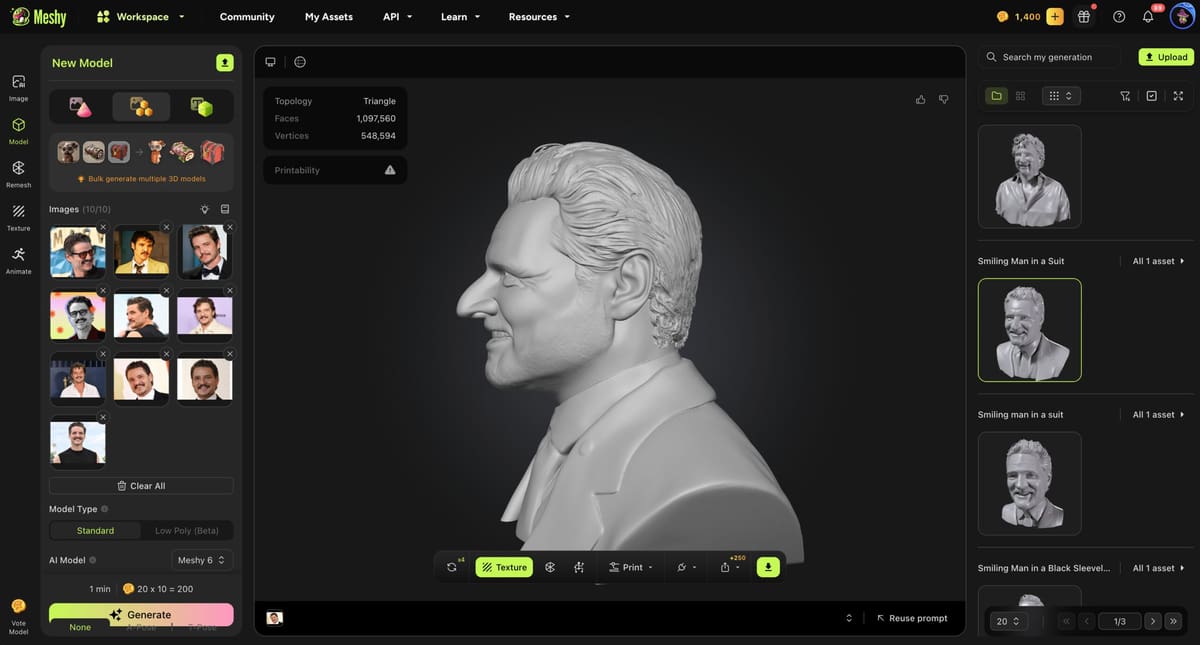
If you want to 3D print a bust of a person in your life or maybe your pet by uploading several photos of them to Meshy, the result will be an AI-interpretation of that person. It’s not a stand-in for 3D scanning or true photogrammetry. We put it to the test with 10 photos of the actor Pedro Pascal and got 10 3D models.
Again, Meshy delivered 10 3D models where each was based on one of the reference photos. It did not use all the reference photos to create a more accurate 3D model.
Toggling on “Image Enhancement” in the upload window does create better results. Without it, we got arms floating in space and other odd and un-printable anomalies.
Printing Your Models, Importing to CAD
Once you create a model from an image, you can’t refine it with text or by uploading new images. There’s only that “retry” option mentioned earlier. So there’s no way to directly manipulate the model, as in, removing the lion’s second tail.
However, for more detailed model manipulation, you can export the model file directly to Blender or download the file (as 3MF, STL, OBJ, or usdz, glb, and fbx for applications like game design and animation) for upload to any type of CAD software, if you have those skills. One giant plus for Meshy AI is that the model files are large enough (hundreds of thousands of mesh faces) to be easily edited in CAD to produce high-quality models.
The process above is not the only way to get from 2D to 3D using Meshy. There’s the new Nano-Banana-powered text-to-image option which uses the Google’s Nano Banana image generator. Here you can couple a text prompt with reference photos. Using the same four images plus a description of the famous statue, it created one near-perfect image and three “interpretations.”
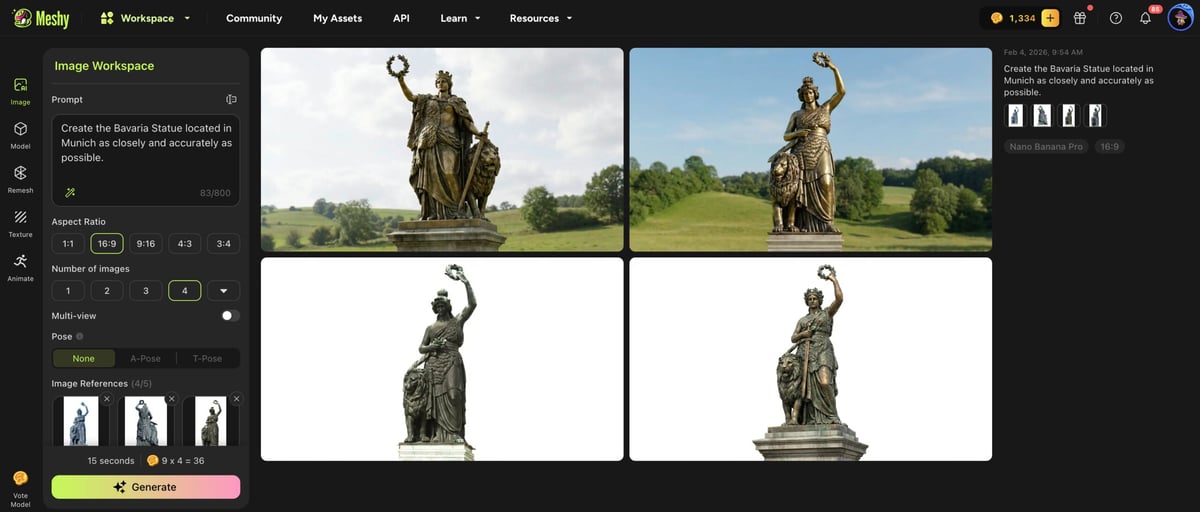
There’s a disconnect in how these separate tools interact, though. Any image generated in the Nano Banana space can only be used as the sole reference image for a 3D model, rather than as a part of the 10-image option. Yet — and this is a hint at how fast platforms like this are evolving — there’s a beta-test option that lets you upload three more reference images to refine your Nano Banana image, resulting in maybe a 5% improvement. So in the image above using the Nano Banana option, to get a 3D model, we could only take the top right image and put that in the 3D model generator which was essentially like only using one source photo.
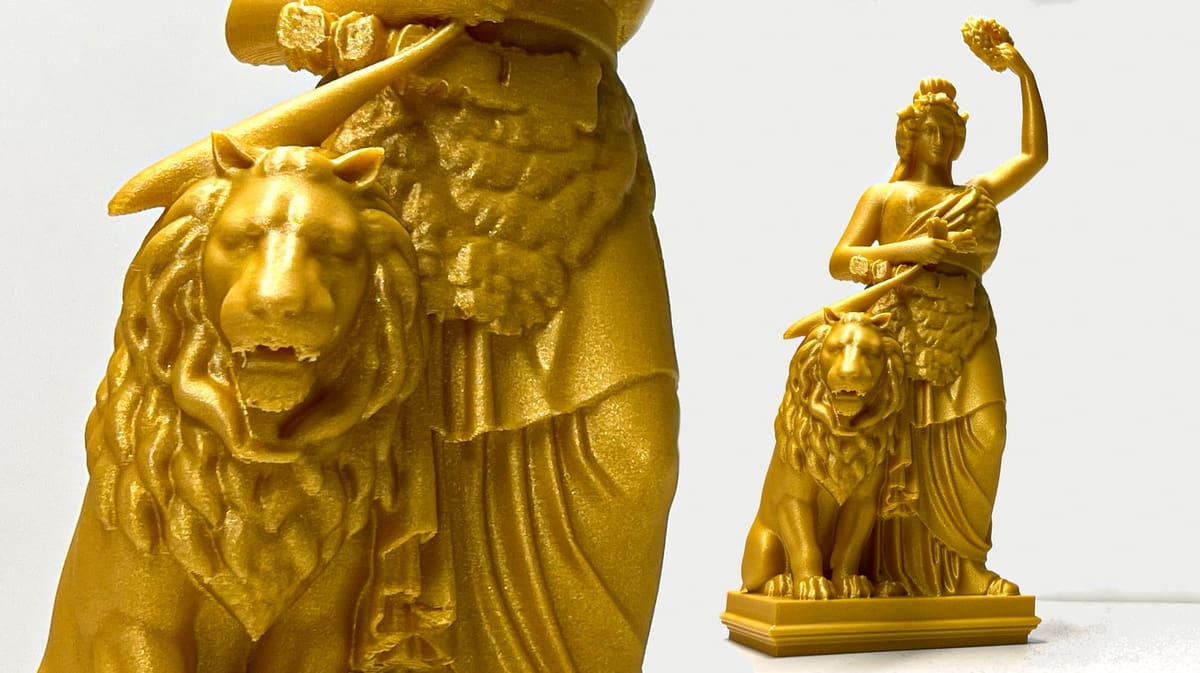
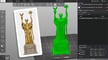
Going back to our preferred whimsical two-tailed interpretation of the Bavaria Statue, sending it to our Bambu Lab P2S was far easier than anticipated. Simply hit the export button and it opened up in the slicer. We downsized it to 50% since the file was enormous, but didn’t adjust any other settings. The file was not printable, though until we cleaned up the non-manifold edges Formware’s free online STL repair tool, which handled the issue in under a minute. A few hours of printing later, and we had a nicely detailed statue (printed in Cairo Gold PLA Extrafill from Filamentum) that we were really happy with.
But what if you have a drawing or just one image to work with? We uploaded a colored cartoon-style unicorn drawing and had Meshy render it in 3D (see below).
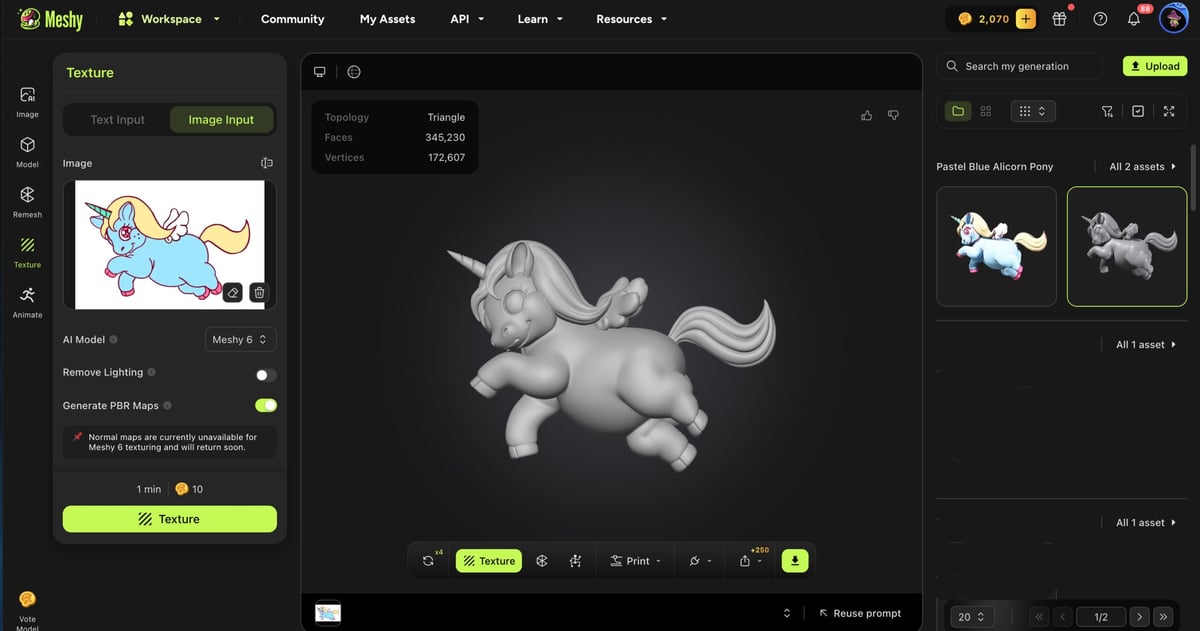
In all, we were happy with the results even though there’s a extra leg on the unicorn, which is a flaw that could be a deal breaker for many applications.
This colorful model gave us the opportunity to try Meshy’s color 3D print options and the new Texture feature that lets you color your models. The Texture is far more than texture, it’s coloring and refining. In the texture window you can prompt the AI to adjust the colors of your model or you can take a paintbrush tool and color them yourself. You can even upload images as references.
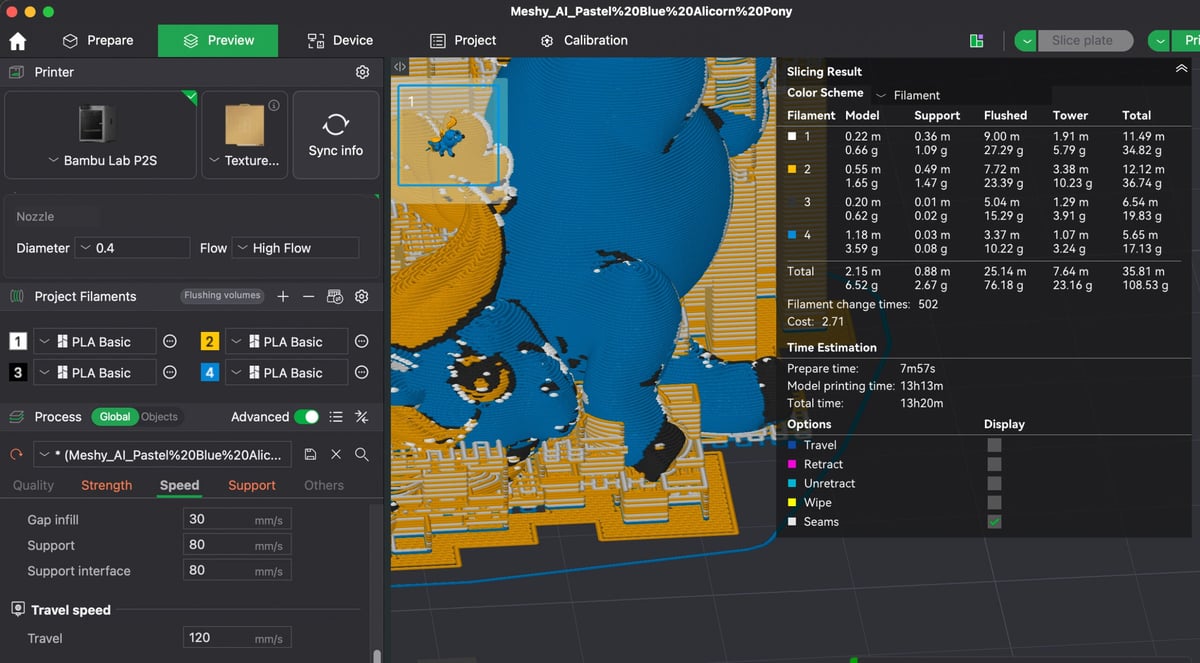
Once you’re happy with your model painting, send it to your own multi-color printer by clicking on the Multi-Color Printing button. There you can define the color count from 1 to 16, the level of detail from 3 to 6 (use 6), and match the models colors to standard PLA colors in regular, matt, silk, wood, and other types.
No Printer? Order Your Full-Color Prints
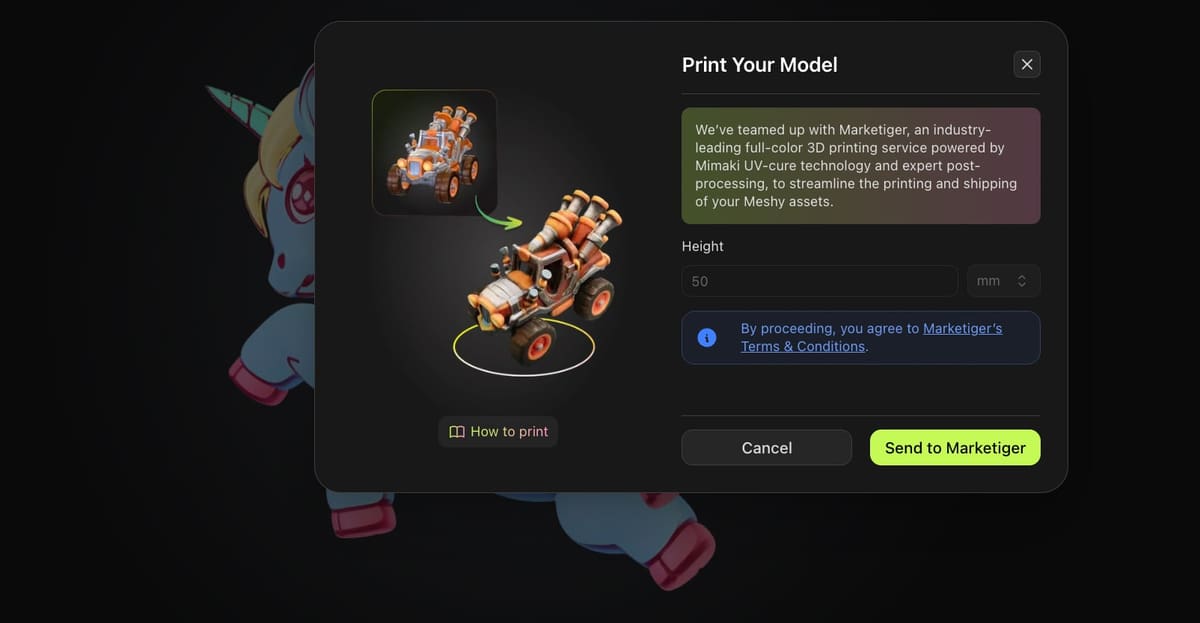
One new integration that Meshy now offers, which seems inevitable in the digital model space, is a partnership with a full-color 3D printing service.
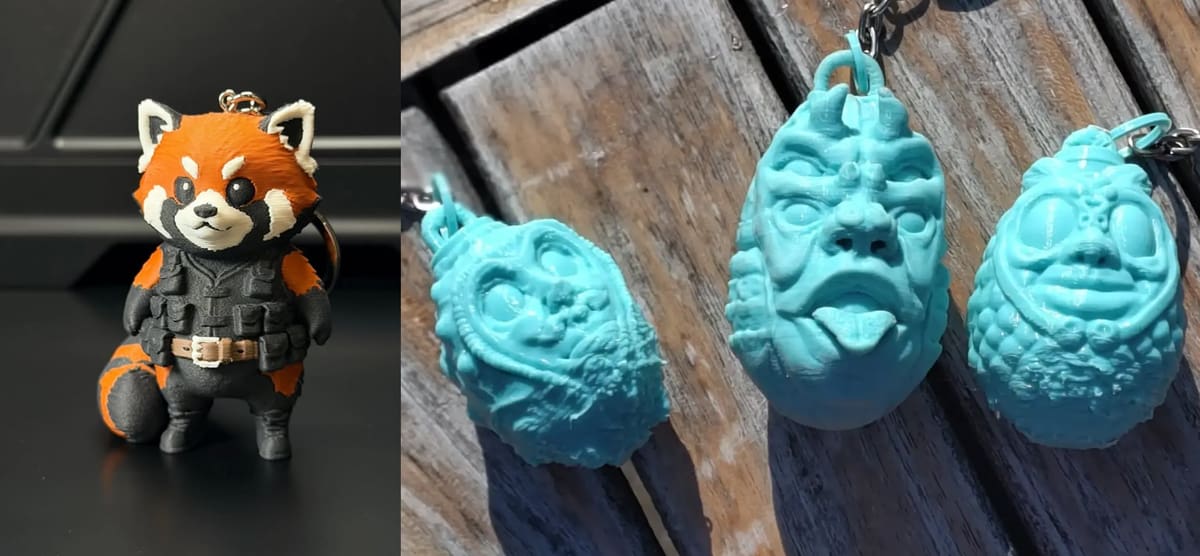
Once you have a full color 3D model created on Meshy, under the “print” button where you find the slicers you can export to, you’ll also find the “Full-Color 3D Print & Ship” option. With one click, your model is sent to a 3D printing service that varies by you location. Here in Munich, we were referred to Marketiger, a Dutch firm with a fleet of full-color Mimaki 3DUJ-553 3D printers that are capable of printing in millions of colors and realistic skin-tones. It uses inkjet print technology to deposit UV-curable liquid resin in white, clear, and CMYK combinations.
Our blue winged unicorn figure printed in full color at 70 x 50 x 29 mm would cost about $35.
Is It Worth It?
Meshy uses a credit-based system. Each time you generate a 3D model, apply textures, or use other AI features, even storing a model, a certain number of credits is consumed. This make the fun experimentation we did a bit costly.
Your subscription plan determines how many credits you receive each month. Plan credits reset monthly and do not roll over, unless you purchase additional credit packs.
- Free Plan ($0/month) The Free Plan lets you explore Meshy’s core features at no cost. It includes a limited number of monthly credits, making it ideal for trying out AI-powered 3D generation and basic workflows.
- Pro Plan ($20/month or $192/year) The Pro Plan provides a higher monthly credit allowance and is designed for individual creators who regularly generate 3D models and textures.
- Studio Plan ($60/month or $720/year) The Studio Plan offers a larger pool of monthly credits, making it suitable for professionals, teams, or studios that rely on frequent 3D generation and need higher production capacity.
- Enterprise Plan The Enterprise Plan is built for organizations with large-scale needs. It offers customized credit allocations, advanced support, and tailored solutions to integrate Meshy into professional production pipelines.
If you want to generate and 3D print original and unique models, and you don’t have the CAD stills to design by hand, then Meshy is a great tool at a reasonable price. The free version isn’t going to get you very far, but the Pro plan is worth it.
With Meshy, it’s really fun to upload images and see what you get. Like this Bavaria model below, which is completely original and fantastic, and could sell at a Munich gift shop. But it’s not remotely accurate to the original. And this is where the question of worth gets sticky.
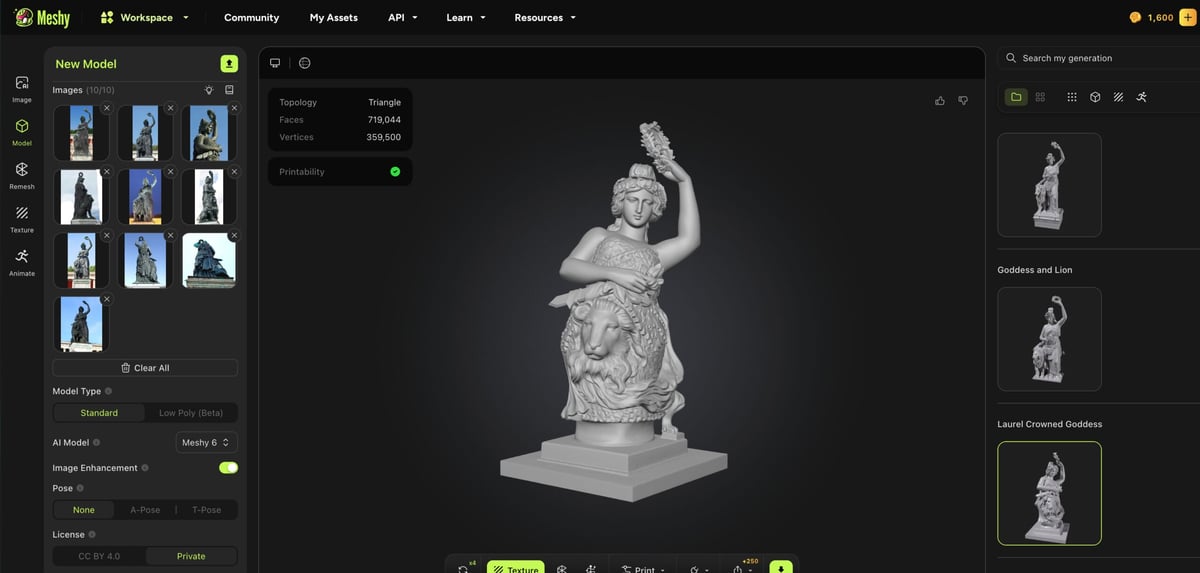
Meshy isn’t promising accuracy, although it says it’s working towards it. Like all AI today, it’s a crap shoot. If you’re looking to accurately reproduce images into models, Meshy is not your tool, not yet at least. You’ll still need computer aided design skills for that and/or photogrammetry software.
If you love to 3D print and want to make original toys, statuettes, trophies, gifts, or any number of creative parts that don’t require accuracy, Meshy is the cutting edge at the moment.
If you read the tutorials, refine your images (removing the backgrounds), and learn the published tips for prompting the AI — all coupled with a healthy dose of reasonable expectations — Meshy is an easy way to get very printable models from images.
What's Next for Meshy? Editing & Accuracy
In January, Meshy unveiled what it calls the industry’s first “imagination-to-reality engine”: the Meshy AI Creative Lab, an AI-native platform designed to take make 3D models from images or text and turn them into manufacturable, full-color physical products with a single click. It isn’t quite a single-click, but it is pretty close.
Meshy AI says its development efforts are currently focused on improving the quality of AI-generated models and making the platform’s workflow more practical for 3D printing.
One major feature on the roadmap is the ability for users to manually edit and “tweak” models after generation. The company told All3DP it recognizes that generative AI is still an “imperfect solution” and wants to give users the tools to refine models and fix issues the AI may miss on the first pass. According to MeshyAI’s Vincent Xia, this capability is one of the company’s most important roadmap items for the coming year.
The company is also expanding its 3D printing features beyond the recently introduced multicolor printing capability. Next up are segmentation tools designed to help prepare more complex models for fabrication. These improvements aim to bridge the gap between the initial grayscale geometry generated by the AI and higher-detail, multi-color printable models.
Beyond technical improvements to the platform itself, Meshy is also building out a broader manufacturing ecosystem. Its “print and ship” service—intended for users without their own hardware—will expand to include higher-end production options typically out of reach for home users, including full-color 3D printing, SLA printing, and even metal printing.
For enterprise customers, who may be generating hundreds or even thousands of assets each month, Meshy is also working to add stronger privacy and security features designed to protect company IP.
For now, Meshy still feels like a glimpse of where AI-assisted 3D modeling is headed rather than a finished destination.
In our testing, it produced impressively close results in minutes, but also reminded us that generative tools remain unpredictable and occasionally quirky. For hobbyists and creators willing to experiment, the platform already offers a compelling shortcut from image to printable model. If Meshy succeeds in adding the editing tools, accuracy improvements, and manufacturing integrations it has on the roadmap, it could move beyond being a clever AI generator and become something more ambitious: a genuine bridge between imagination and physical production.
You May Also Like:

License: The text of "We Tested Meshy 6: Can AI Finally Generate Good 3D Printable Models From Photos?" by All3DP is licensed under a Creative Commons Attribution 4.0 International License.