Image to Model: The Best AI 3D Model Generators

We tested Meshy, Tripo, and Hi3D to find the best AI 3D model generator—and discovered that pairing them with general AI unlocks the ultimate workflow for clean, printable meshes.
AI 3D model generators are moving fast. What was a novelty demo not long ago is starting to look like a real workflow: upload a photo, sketch, or text prompt; wait a few minutes; download a mesh; and, with luck, send it to your slicer.
We’ve recently tested three of the most prominent tools in this space: Meshy, Tripo, and Hitem3D. These are not the only AI 3D model generators out there (see the list of alternatives at the end), but they are certainly the most talked-about and the three All3DP has put through real-world print-oriented tests so far, using reference photos, sketches, slicers, and actual 3D prints rather than just judging them by how impressive they look on-screen.
None of them fully replaces CAD, sculpting, photogrammetry, or 3D scanning (yet). In fact, we found combining general AI like ChatGPT with these tools creates the best outcome.
Still, each of these three platforms now has a practical and repeatable use case, especially for decorative prints, concept modeling, tabletop pieces, and quick prototypes. They are especially ideal for designers who would rather start from “something” than from a blank Blender scene.
Meshy: The Most Complete Creative Pipeline
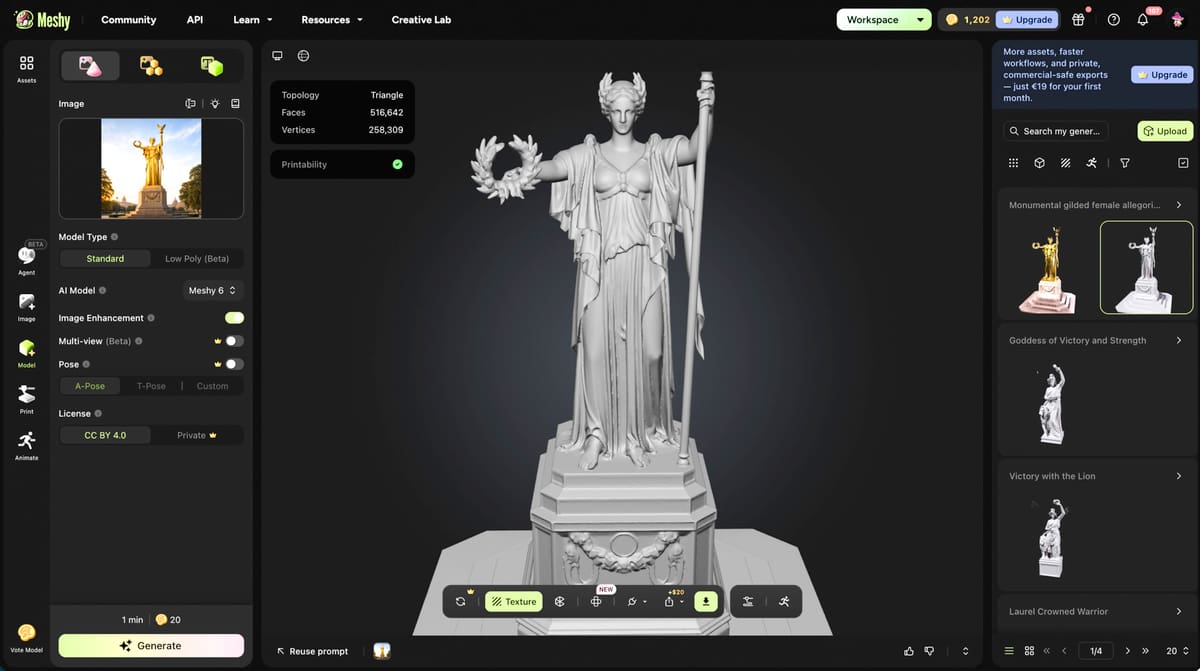
Meshy feels like the most polished “creative studio” of the three. It is not just trying to turn a photo into a mesh. It wants to be the place where you generate, texture, refine, export, and even order the printed object. It just launched an AI agent for 3D creation, now in Beta. This AI is your creative assistant you can brainstorm with, pitch ideas to, and refine through chat before you hit the “generate” button.
Another new feature in the time since we reviewed it in March is the Auto-Repair that detects and fixes geometry issues to produce a watertight mesh. This was a problem we had on earlier version but this feature should address the non-printability issues we had.
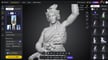
In testing, Meshy’s image-to-3D workflow was pushed with a familiar real-world challenge: the Bavaria statue in Munich. Using multiple reference images helped produce a surprisingly close model, though the tool still showed the usual AI wobble. Some generations looked better than others, and “retry” remained part of the workflow rather than an emergency button.
Meshy can generate from text, images, and sketches; export for further editing; apply textures; and even prepare color models for multi-color printing. Its workflow includes a “PBR to 3D” path using Google’s Nano Banana image generator, and the platform offers options for refining the color and texture of a model before sending it toward a multi-color printer or print service. Meshy has a direct model to slicer for eight popular 3D slicers including Bambu, Orca, and Creality.
That makes Meshy the most appealing option for users who care about the look of the finished object as much as the mesh itself. In the Meshy test, a simple unicorn sketch became a printable model and then a color model, with options to define the number of colors and send the output to compatible multi-color printing workflows.
Meshy’s weakness in our testing was the same one shared by most AI 3D tools: consistency. A generated model can look impressive from one angle and wrong from another. Fine details, hands, faces, symmetry, overhangs, and hidden geometry can still need cleanup. Meshy gets close enough to be genuinely useful, but the best results come from treating it as a fast generator of starting points, not a one-click replacement for modeling skill, although the new features it released in just the past few months, such as the Nano Banana and ChatGPT2 integrations, are designed to address some of these issues.
Meshy is about $18 a month, which removes it from the casual-user crowd. In fact, Meshy indicated to All3DP that studio and enterprise customers are really its bread and butter. For consumers, there’s also a heavy push to subscribe to more expensive tiers. Even though Meshy provided us with enough credits to generate several models, we were limited to one concurrent task. Pro, Studio, and Enterprise tiers enable more features and remove some of the generation limits.
In a quick test, that combined a text description with a reference image it came pretty close to accurate considering our low-quality images.
- Best choice for: Makers who want a broad AI creation pipeline, especially for decorative models, colorful prints, toys, figurines, and assets that can tolerate some AI interpretation.
Tripo: The Most Useful Editing Environment
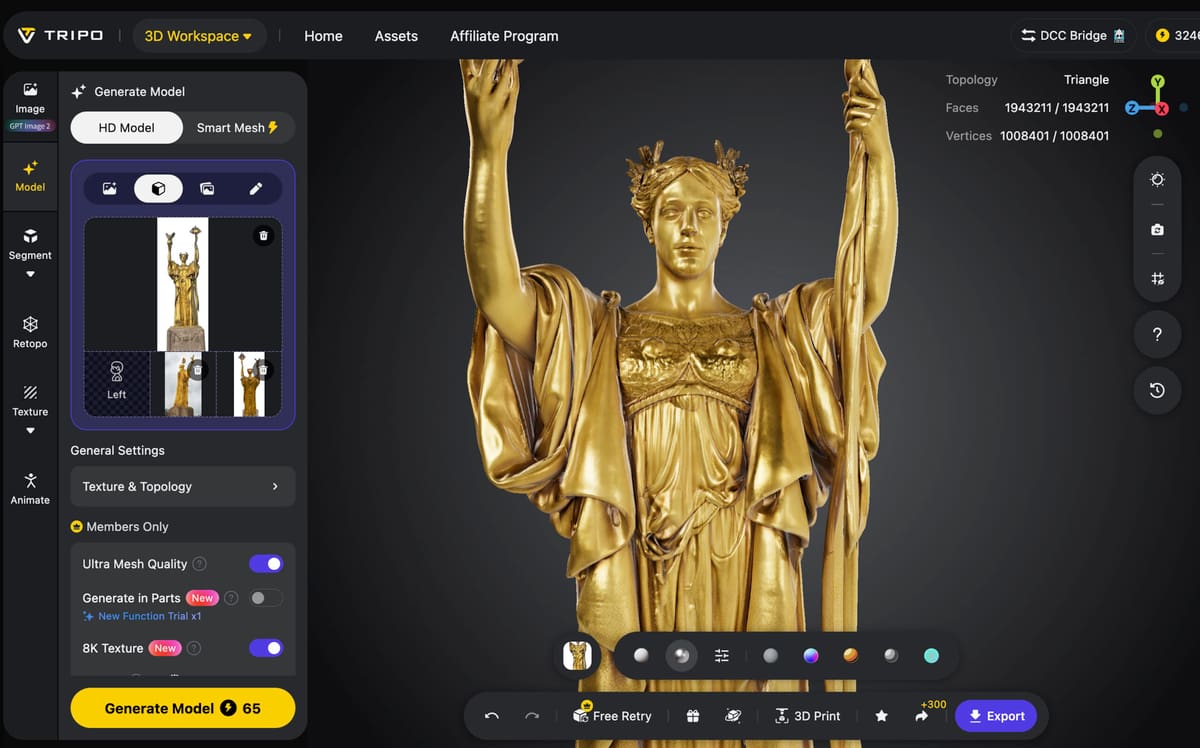
Tripo impressed because it does more than generate a mesh and wish you luck. Its biggest advantage is that it gives users tools to inspect, segment, and edit models directly inside the platform.
That matters because AI-generated models often have flaws. A hand might merge into a body. A prop might float. A pedestal might become a strange blob. Tripo’s segmentation tool can divide a generated model into editable parts, letting users move, scale, merge, or refine sections before exporting. In the Bavaria statue test in our full review, that was especially useful for isolating problem areas and trying to improve the output without opening full CAD software.
Tripo also handled sketch-to-3D well. A rough concept sketch of a spaceship became a 3D base mesh, and while the result was not a polished engineering model, it did show why this category is exciting. For people who can sketch ideas more easily than they can model them, Tripo can quickly turn a flat concept into something tangible.
The tool also offers multiple image-generation routes before creating a 3D model. In the tested workflow, users could choose from Nano Banana, ChatGPT, and MidJourney for image generation, though Nano Banana appeared to be the primary integrated image-preparation route before Tripo’s own image-to-3D pipeline handled the 3D conversion.
Since our review just last month, Tripo AI has launched an “8K” photo-realistic texture and a new smart segmentation feature that better recognizes a parts features for faster editing.
For print users, Tripo’s exports need attention. In testing, the same model exported as an STL and as a 3MF produced dramatically different file sizes, and the 3MF export preserved more detail. That is not necessarily a flaw, but it is something users need to understand. If you are headed to a slicer, export format is not a minor detail.
Tripo’s best role is not “make me a finished mechanical part.” It is better described as a fast concept-to-model tool with enough editing ability to rescue or reshape AI results.
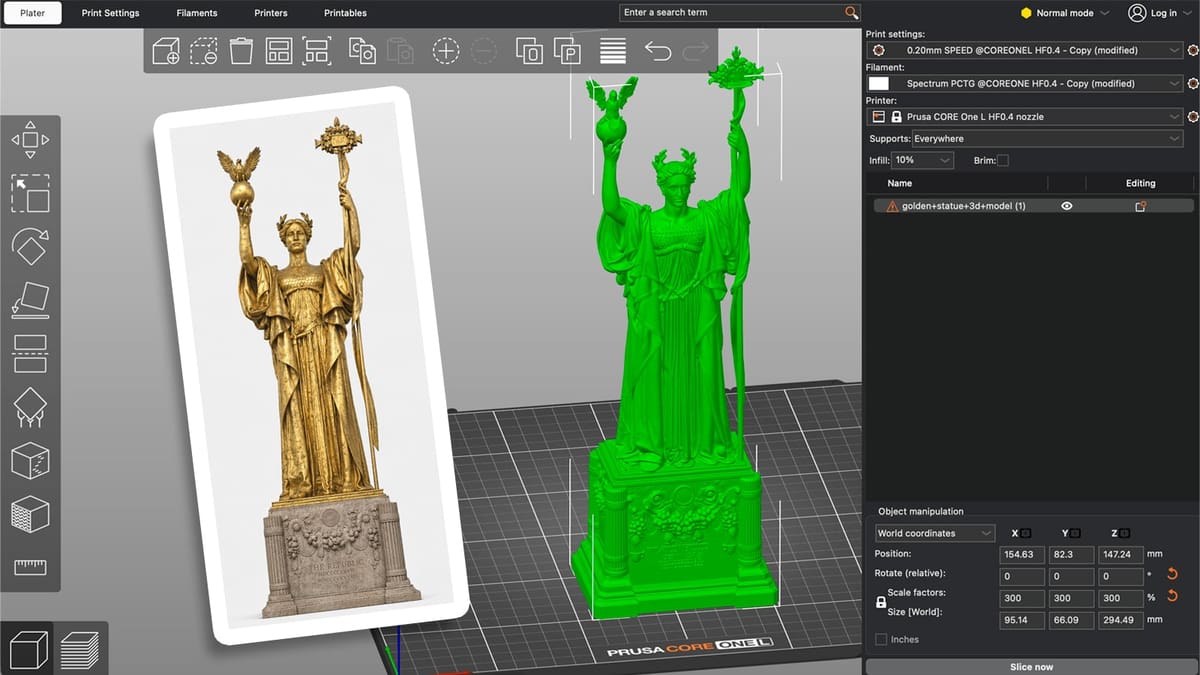
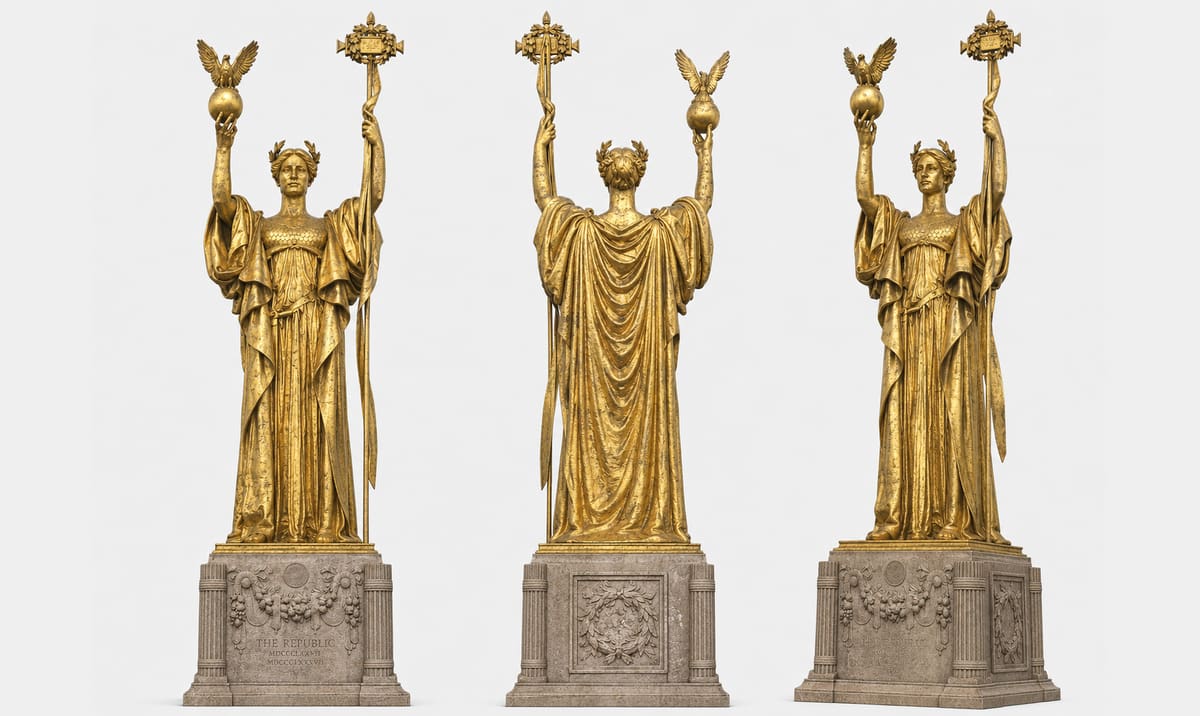
For our quick test of another favorite statue, the Statue of the Republic in Chicago by sculptor Daniel Chester French, it generated a reasonably accurate model from our rather poor quality images. Downloaded as a 3MF and imported into Bambu Studio still showed some non-manifold edges that needed to be repaired. The required converting the 3MF to an STL them uploading into Formware.com to fix.
Tripo is the cheaper of the three platforms slightly at about $12 a month with an advanced tier at $30 and a Premium at $84.
- Best choice for: Concept artists, tabletop creators, educators, hobbyists, and anyone who wants AI generation plus built-in cleanup tools before moving to a slicer or another modeling app.
Hitem3D: The Most Printability-Focused
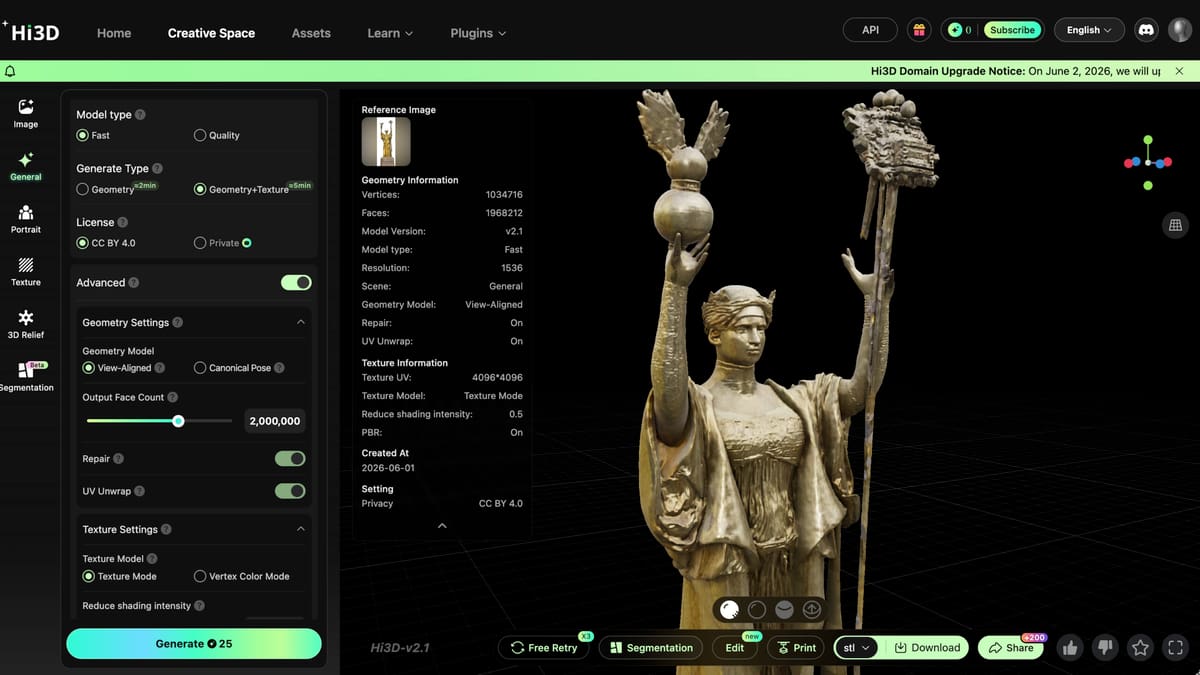
Hitem3D (or Hi3D) is the most explicitly print-oriented of the three. Its pitch is not just that it can generate a 3D model from images, but that it can generate structurally sound, watertight geometry that is ready for slicing.
That makes it particularly interesting for 3D printing. In testing, Hitem3D produced a recognizable Bavaria statue model from two reference photos and generated a file that could be brought into Bambu Studio. The result was not perfect. It had AI-style oddities, missing or softened details, and required practical slicer adjustments. But the important point is that it printed.
Hitem3D’s output was described as rough but usable, with the platform aimed at producing models that pass common slicer validation checks and reduce preparation time. That is a different priority from tools that make beautiful screen renders but leave users with broken geometry, non-manifold surfaces, or parts that are frustrating to repair.
The workflow is also relatively straightforward: upload images, generate the model, download it, and slice it. There is a Blender plugin, and the interface was described as user-friendly. Generation took about 25 minutes in the tested workflow, which is not instant, but acceptable for a tool trying to produce geometry that can survive downstream printing.
Where Hitem3D falls behind Meshy and Tripo is control. It does not offer the same in-platform editing flexibility as Tripo, nor the same broad creative-to-color-print ecosystem as Meshy. If the model is wrong, your options are more limited: regenerate, upload more or better reference images, or edit elsewhere.
Admittedly, we only had 25 credits left from our full review of Hitem3D the past February, which was only enough for a “fast” model type, not a “quality” model type, but the result was inaccurate yet fascinating. As with all of these platforms, if you don’t have enough credits, your results will be poor. Hitem Pro starts at $14 a month, with the Max (more credits) at $28, and the Ultra (more credits, more tasks, more storage) at about $90.
- Best choice for: Users who care less about flashy previews and more about whether the mesh can make it into a slicer and onto a build plate.
What About Using ChatGPT, Claude, or Gemini Tools?
Dedicated AI 3D model generators such as Meshy, Tripo, and Hitem3D are designed to turn images, sketches, or prompts directly into 3D meshes. General AI chatbots such as ChatGPT, Claude, and Gemini can also help create 3D printable models, but, currently they work in a different way: less “generate a mesh from this image” and more “help me write the code, prompt, or workflow that creates a mesh.” The path is still cumbersome and involves multiple tools, patience, and expertise.
Dedicated 3D AI tools try to infer shape, volume, surface detail, and texture from a prompt or image. A chatbot is usually better at creating parametric or code-based models, such as OpenSCAD scripts or Blender Python scripts or even step-by-step CAD instructions. In other words, you need a basic understanding of code.
The best use of ChatGPT, Claude, or Gemini is as a 3D printing assistant, not a standalone AI mesh generator. What worked very well in our quest for a 3D model of the Statue of the Republic is using ChatGPT’s “Art Director” to improve the reference images.
For now, general AI is an excellent workflow pipeline manager, prompt optimizer, and technical troubleshooter to bridge the gap between your photos and a 3D printable model.
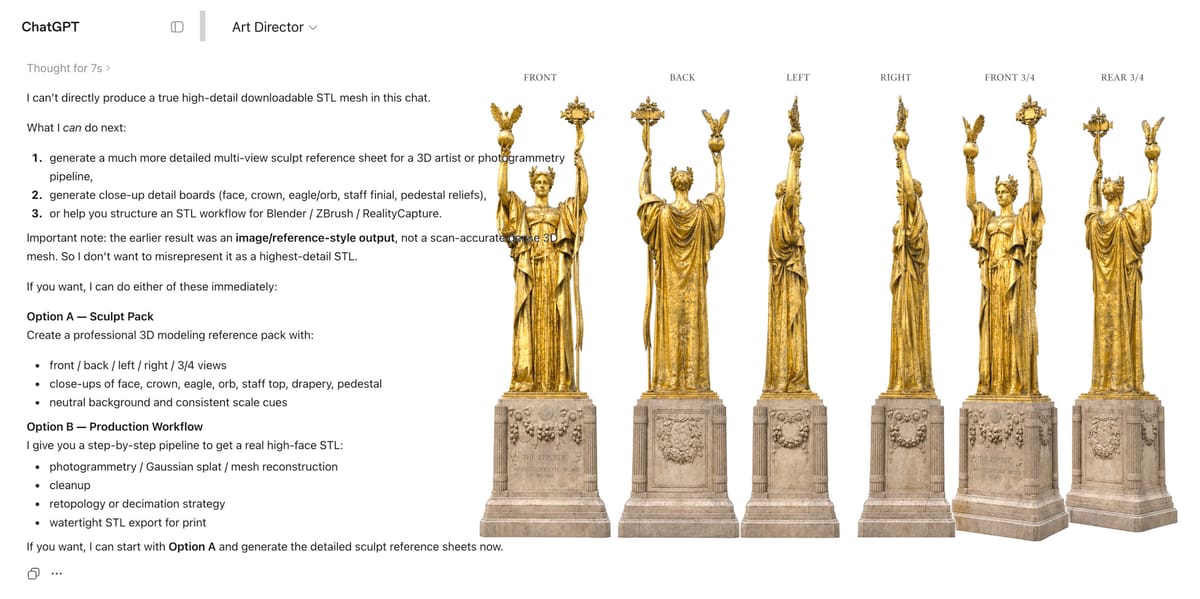
Using ChatGPT we asked it to generate a very detailed text prompt describing the statue and uploaded several images. The result was more than 1,000 words. Using that prompt and images in Art Director, ChatGPT’s image ideation tool, it produced clean, consistent, multi-view images (above) that tools like Meshy would have a better time processing. Clearly, a bit of general AI before using the AI model generators is a best practice.
Other AI 3D Model Generators
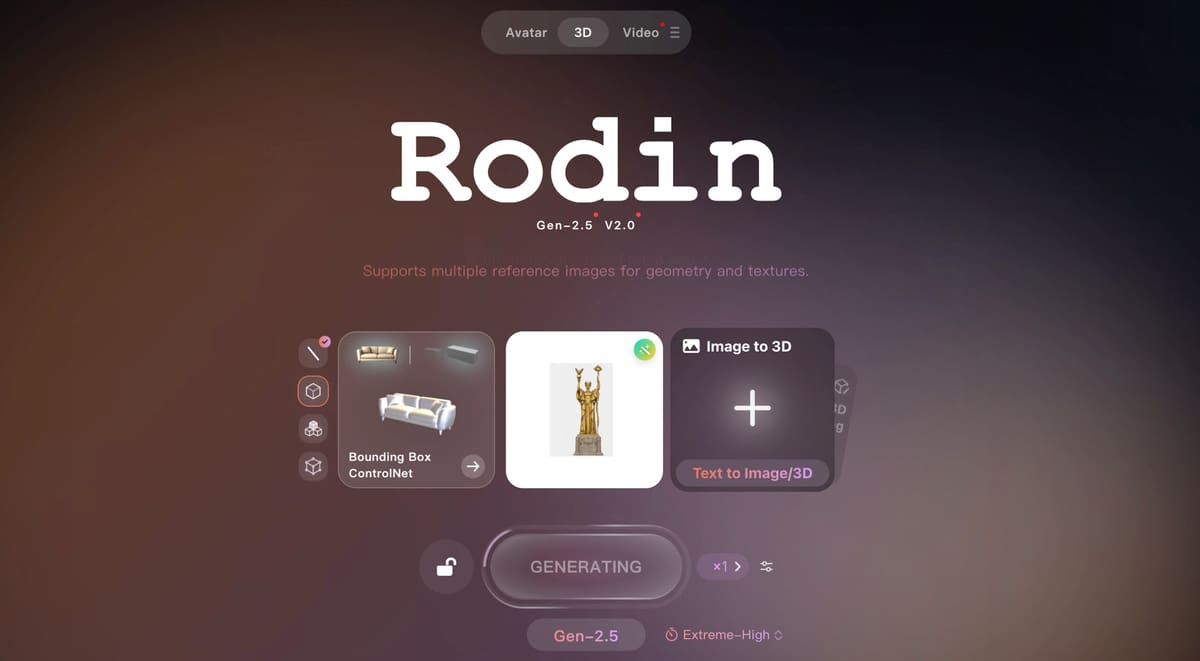
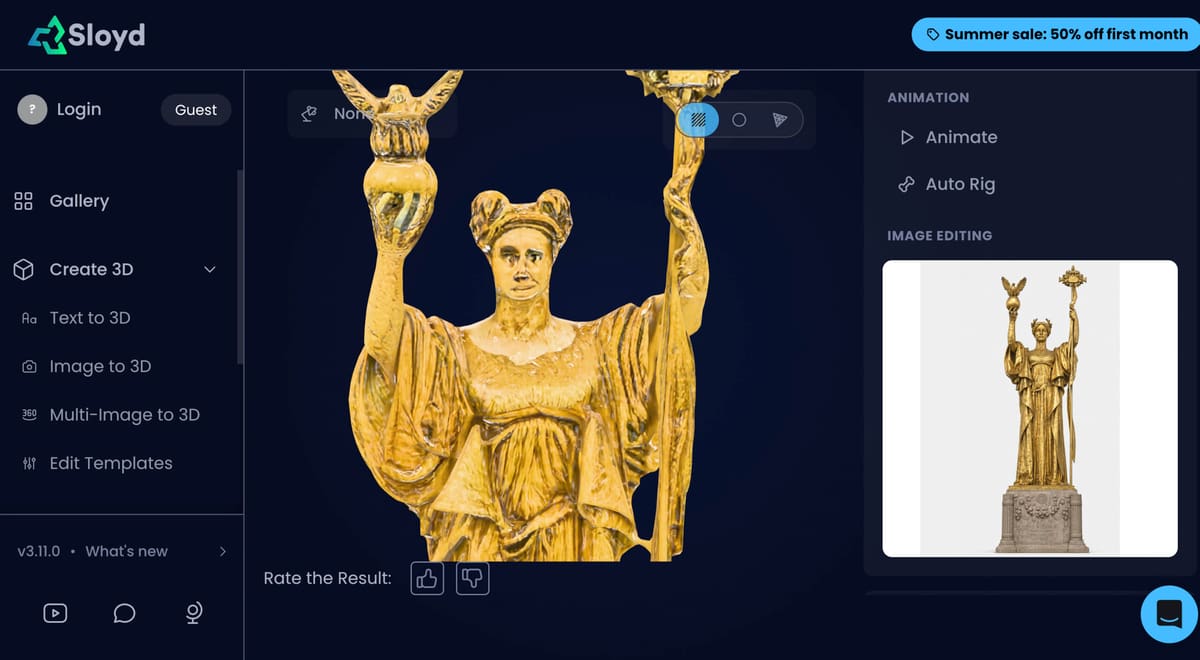
All3DP has tested Meshy, Tripo, and Hitem3D, but they are not the only tools in this competitive space.
We took Sloyd, PrintPal, and Hyper3D Rodin for a quick spin only using their free and low-resolution version and got, well, unimpressive results. Yet, the free trials always seemed to give us poor results, while the top tier subscriptions, really shined, begging the question, why even offer these free trials?
You May Also Like:


License: The text of "Image to Model: The Best AI 3D Model Generators" by All3DP is licensed under a Creative Commons Attribution 4.0 International License.