AI Image to Print-Ready 3MF: We Found Tripo Beats Meshy & Hitem3D for Accuracy

Tripo’s upgrades, Nano Banana 2 integration, and in-platform editing tools, let you tweak, fix, and export 3MF files without ever leaving the app.
AI 3D model generators — tools like Tripo, Meshy, and Hitem3D — are moving quickly from novelty tech demos into real creative workflows and introducing new features faster that anyone can keep up. So it was time to take a fresh look at Tripo after giving it a spin last year when we focused on its text-to-3D model generation ability.
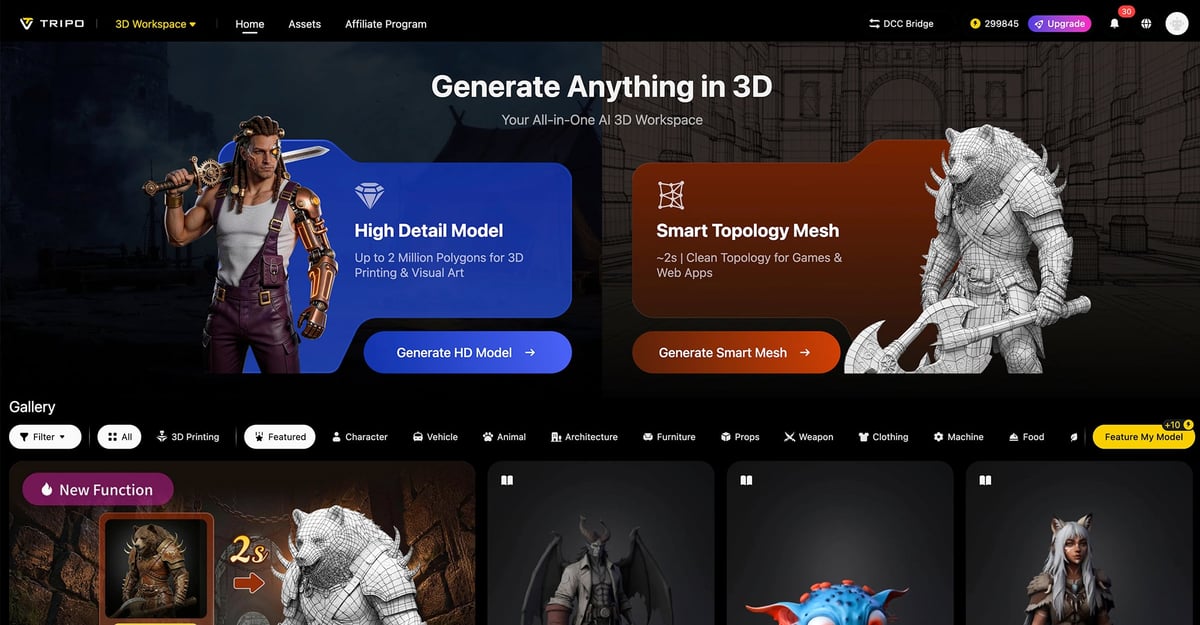
Over the last 12 months, Tripo’s upgrade journey leans toward a fuller production pipeline: better generation models, cleaner topology, direct bridges to software like Blender, Maya, Unreal Engine, and more 3D printing-friendly export paths like to Bambu Studio and (coming soon) to basically all the major slicing software.
It was really impressive to see how far AI 3D model generation has advanced in less than a year.
Tripo says it has improved image-to-3D generation with its latest version, Tripo 3.1. They say there’s a better handling of complex forms, higher-resolution geometry, and support for sketch-to-3D. For makers and 3D printing professionals, this means cleaner starting meshes from photos, drawings, or AI-generated images. We found it to be far more accurate than some of the results we’ve had with other AI model generators. The improvement in model generation may come from the major branded AI backbone.
Users can chose from three AI image generators in Tripo:
- Nano Banana, part of the Google Gemini AI platform
- ChatGPT
- MidJourney
However, in the image-to-3D workflow, Nano Banana 2 appears to be the primary integrated image-preparation option. The conversion from 3D image to 3D model is handled by Tripo’s own image-to-3D pipeline rather than by ChatGPT or MidJourney.
How Did it Work? We’re Impressed
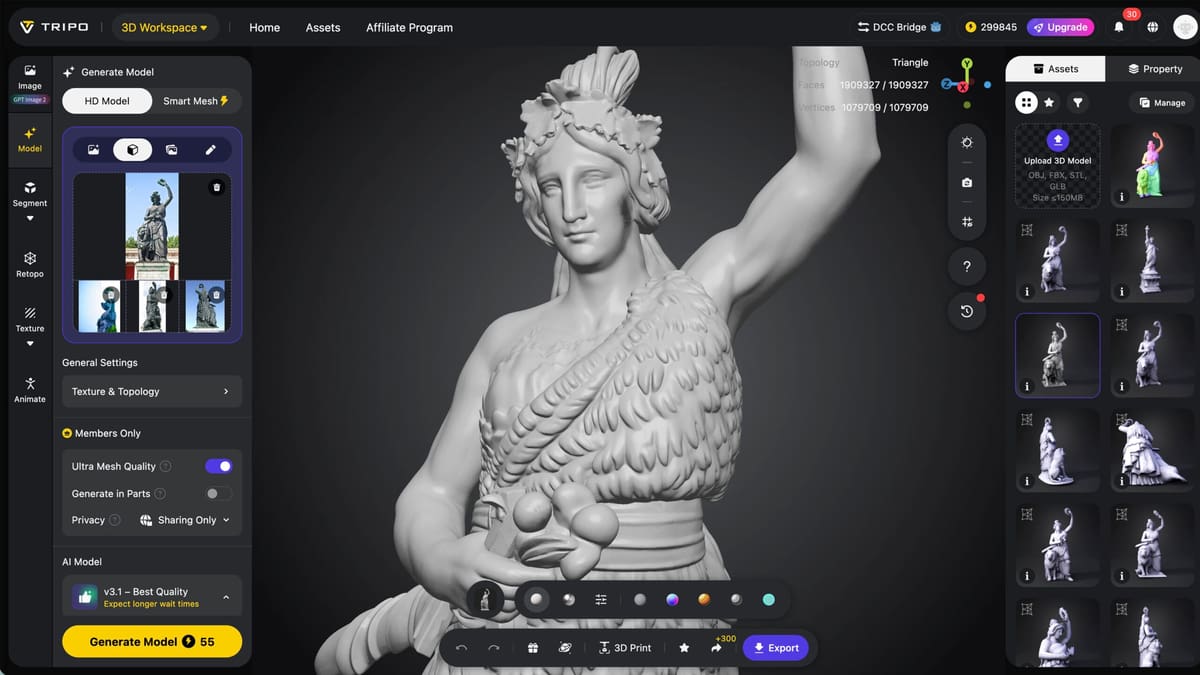
Tripo AI’s most interesting feature for 3D printing is its image- or sketch-to-3D model. You just upload a JPG, PNG, or WebP image, and Tripo attempts to turn the visible subject into a complete textured mesh that you can 3D print. So we gave that a try.
First, as a baseline, we uploaded the same images of the famous Bavaria statue we’ve been using lately to evaluate image-to-3D AI tools — four photos we found online (front, back, left, and right). We selected these options:
- “AI Complete”, which permits the tool to improve the model
- “4K texture”, which says it provides realistic detail
- “Ultra Mesh Quality”
- “Maximum Polycount”, which is 2M (probably overkill)
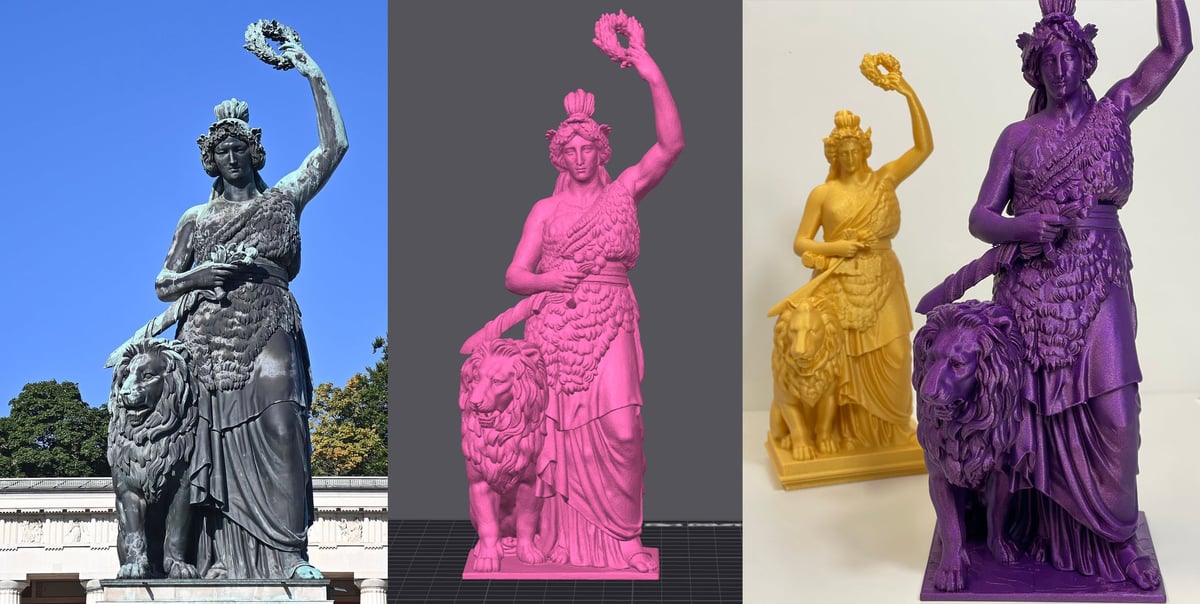
All this above cost about 60 credits and took about four minutes to generate. Of all the tools tested (Meshy, Hitem3D, & Tripo) using this same source data, this model was the best yet. There were no strange AI hallucinations, like the lion’s double tail from Meshy, or the statue’s lion feet from Hitem3D. The model was scaled slightly off, but considering the source material, it was an acceptable result for artistic purposes.
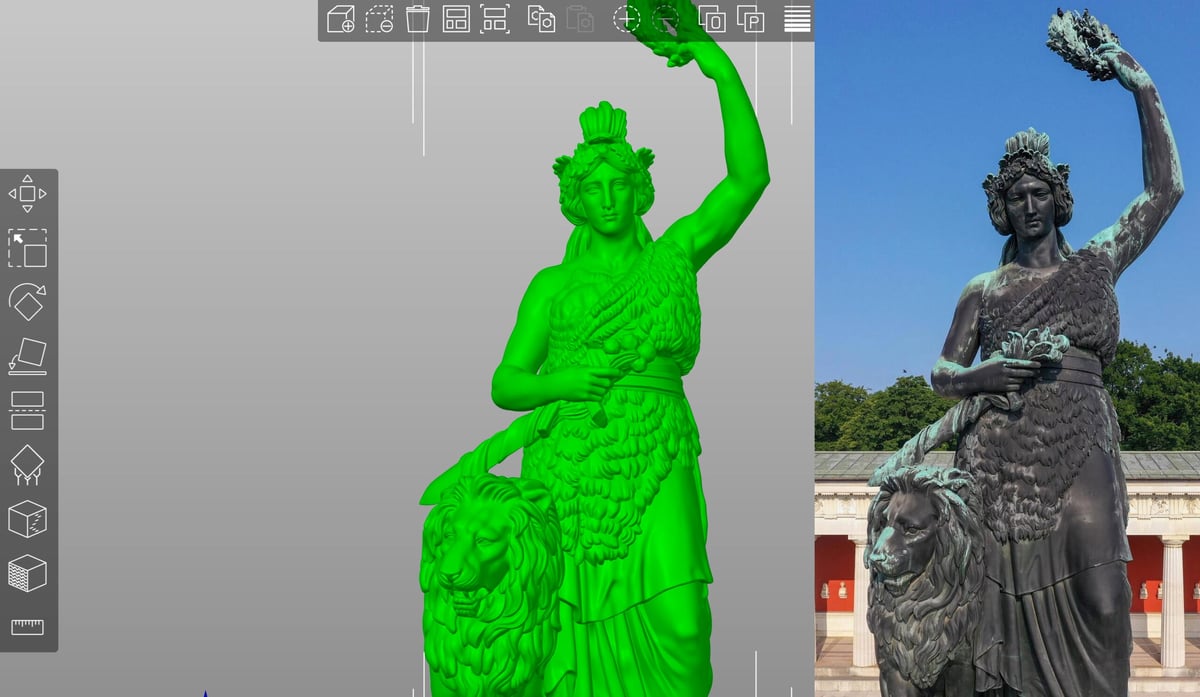
To print it right away, we used the direct-to-Bambu Studio button to export the model as an STL. In the slicer it showed 28 non-manifold edges, which is less than I expected from a model of this detail (a 50MB file with a million faces and more than a million vertices). Although the mesh was an easy single-click fix, the scale as imported was tiny, requiring resizing after import. Re-exporting as a 3MF worked better, with a sensible default size. This is definitely something to keep in mind: printing via the direct to slicer button is STL only, forcing manual resizing after the fact. The smoother workflow is to use the Export button and choose 3MF file type.
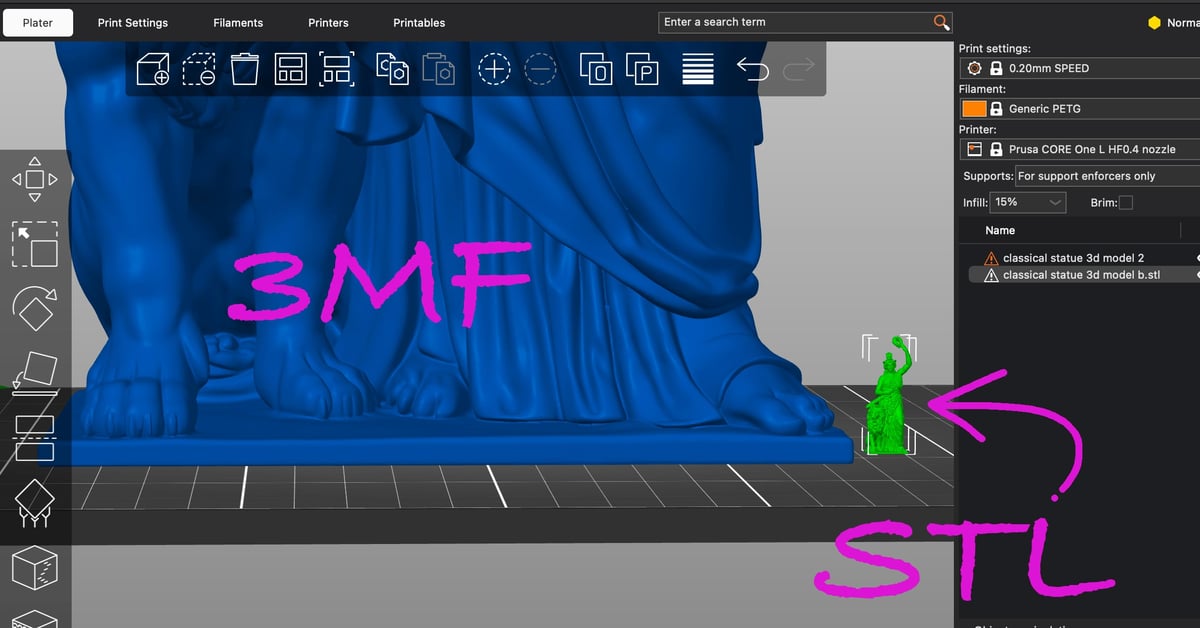
The same model exported as an STL and as a 3FM resulted is dramatically different sizes (Source: All3DP / Tripo)
Editing 3D Models Directly in Tripo
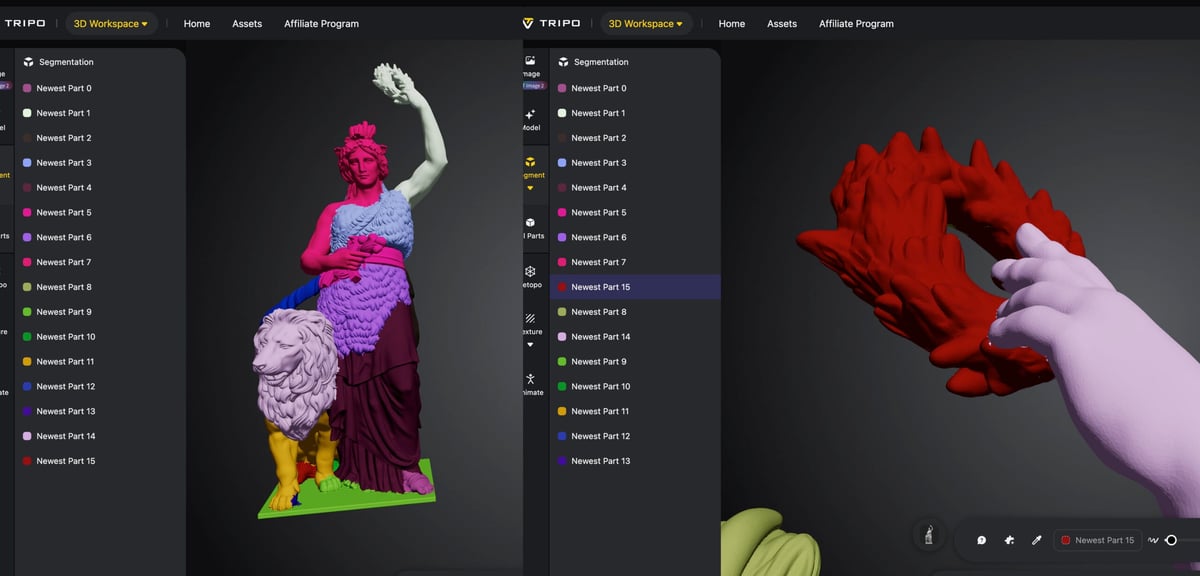
Another feature Tripo has that we didn’t find in Meshy or Hitem3D, is the ability to edit the 3D model directly in the Tripo platform.
The experience is rudimentary compared to conventional CAD or modeling software, of course, but it’s definitely an exciting step in the right direction for those circumventing traditional design in favor of direct model generation like this.
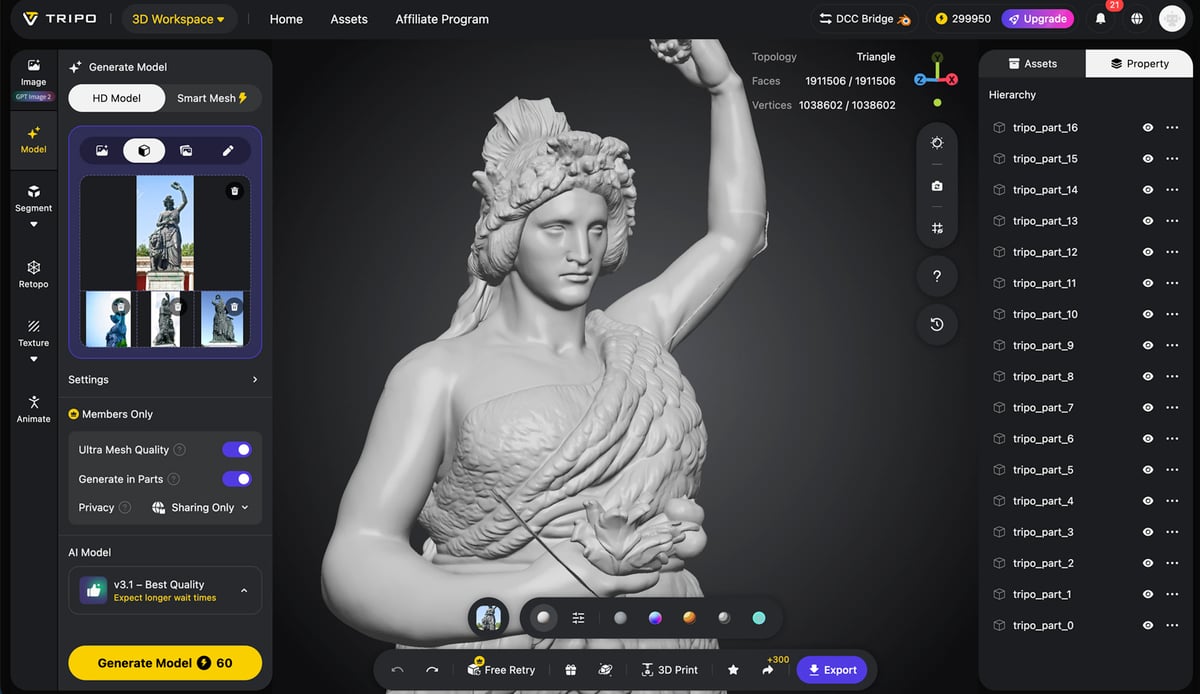
As with anything AI powered, there’s a token cost attached. For the two editing options we used, one is the “segment” tool that, for 40 credits, divides your model into parts that you can then move around, merge, or resize. This has some practical applications if you want to fix “errors” from the AI model generation process or adjust the dimension of your model. There’s a paint brush tool to highlight areas you want to add to other segments, then move, rotate, or scale them.
What I really wanted to achieve in Tripo was to fix a flaw in one of my AI generated Bavaria models. The wreath was floating and not connected to her hand. This turned out to be rather cumbersome in the segment tool, and not as intuitive as the interface suggests, but it was possible. Ultimately, for me at least, the tool was a lot easier than exporting the model into a dedicated model editing options like Blender or OnShape.
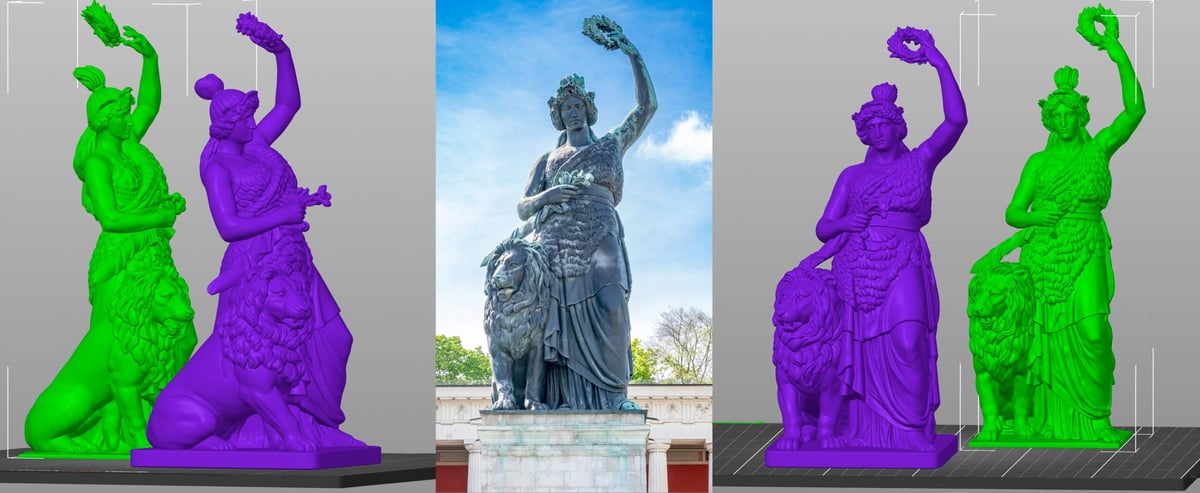
But if you don’t want to do this labor-intensive tweaking, you can just pay Tripo a $10 one time fee to do it for you. With Tripo’s Pro “Refinement” service you can provide text instructions describing what you’d like different about the model. Tripo says this request goes to an “actual human” for refinement, and in a few days (ours took less than 24 hours) you get a “fixed” model back. Our instructions were simply to “make the model look more like the source image”. The edited model had subtle but positive improvements, including a more accurate hairdo, and fuller looking lion, and three fixes that improved 3D printability: a thicker pedestal, a sword that connected to the lion more completely, and, hooray, no floating wreath flaw.
If you want to 3D print this model you can find the 3MF at All3DP’s Printables page.
Sketch to 3D Model
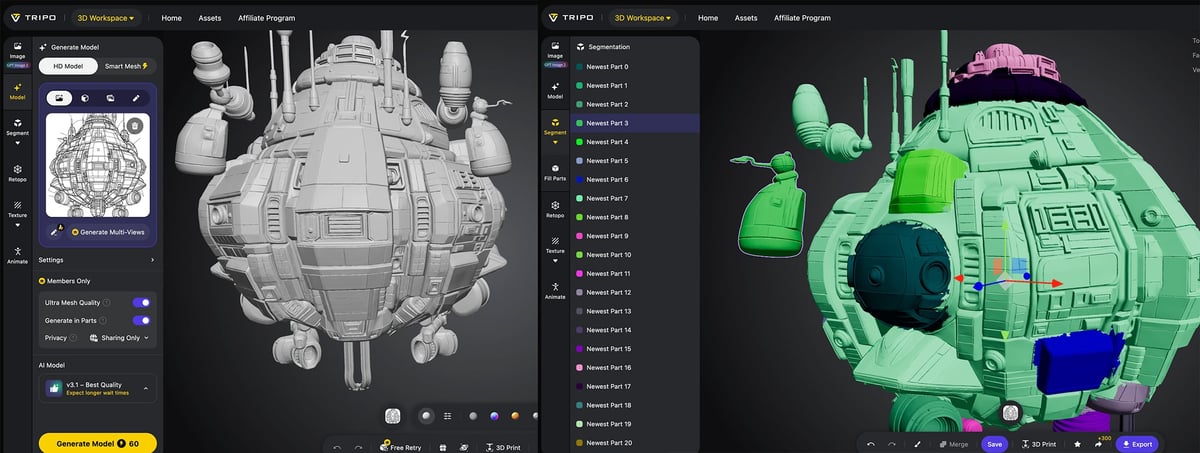
Tripo is particularly useful for people who are better at drawing than modeling. A sketch, concept illustration, or AI-generated image can become a 3D base mesh, which can then be refined manually.
We uploaded a sketch of a concept space ship (Source: Prompt Vvvv at Stablecog) and the result was a full 3D spaceship with the back simply created in a similar style. This is where the AI shines, creating something from nothing when you don’t have exact specification, just a concept.
Because the 3D model had several floating parts not attached to the main spaceship, the segment feature came in handy to move and merge these pieces together.
From Concept Work to Engineering Work?
While I have no doubt that tools like Tripo will eventually have the capabilities to generate models that can be accurately sized and minutely manipulated, we’re not there yet. For reverse engineering replacement parts, creating mechanical components, or developing dimensionally accurate objects, Tripo is not your tool, and, to be fair, it’s not what Tripo offers today. It’s main customer are individuals and enterprises that want to generate digital model for online environments.
Yet, when we pressed Tripo about accuracy, they told us it is a goal and something they’re working toward.
Tripo is most useful for rapid ideation. Want a rough fantasy shield, bust of a creature or character, stylized mascot, decorative vase, game prop, or product prototype? Image-to-3D can get you something workable far faster than starting from scratch in Blender.
For educators and hobbyists, Tripo lowers the barrier to entry. It lets beginners explore 3D model creation without first learning modeling software. This does not replace that skill – nor should it – but it gives newcomers something tangible to edit, remix, and print.
Is Tripo Worth Trying?
Yes, especially if your goal is concept modeling, digital assets, decorative prints, tabletop prototypes, or creative experimentation. Tripo’s image-to-3D capability can turn a flat idea into a usable 3D starting point with very little effort. It is fast, approachable, and fun.
As AI 3D generation improves, tools like Tripo may become a normal part of the maker workflow: sketch an idea, generate a base mesh, clean it up, and print. Today, it is not magic, but it is already much better than it was just a few months ago.
As with most AI image and 3D generation tools, the free plans for Meshy, Tripo, and Hitem3D are best treated as test drives rather than full production options. They usually give you enough credits to try the workflow, generate a few models, and judge the results, but not enough for repeated experiments, high-detail output, or larger projects.
*per month (billed annually)
All three platforms use a credit-based system, which means almost every meaningful action can cost credits: generating a model, applying advanced texturing, or exporting certain assets. Our practical advice is simple: learn before you generate. Watch the tutorials, read the guides, and understand which settings affect credit use before experimenting heavily. This is especially important with AI 3D tools because a single good model may require several attempts.
Platforms like Tripo are proving that we are entering an era where improved accuracy, direct-to-slicer pipelines, and built-in editing are the new baseline. For 3D printing enthusiasts, the gap between a simple image and a physical object has never been shorter.
You May Also Like:



License: The text of "AI Image to Print-Ready 3MF: We Found Tripo Beats Meshy & Hitem3D for Accuracy" by All3DP is licensed under a Creative Commons Attribution 4.0 International License.