Prusa Core One+ Gen2 INDX (Assembled) Review: A Great, Unsteady Leap Forward for Toolchangers
Rating

Prusa’s big technological leap forward in multi-material 3D printing comes not from within, but through an alliance with third-party manufacturer Bondtech. And while there have been missteps for early adopters, the printer that comes out the other side is very Prusa and, when it gets out of its own way, very good.
From time to time, things seem a little chaotic at Prusa. Three successive weeks of launches back in August concerning the INDX-equippable printers got us to the point of having the Prusa Core One+ Gen2 INDX, assembled and factory-calibrated in our hands. You can order one now, too – though you’ll have to wait for it – lead times currently have today’s orders shipping from late December.
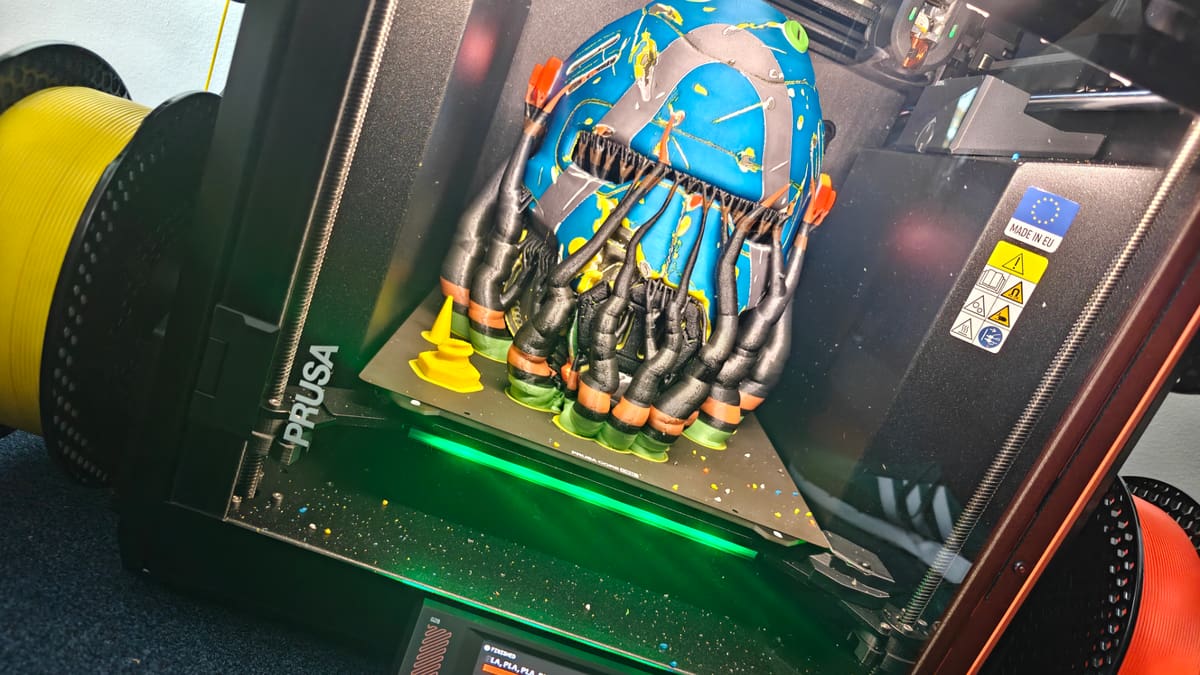
What’s the core promise of Prusa’s new, eagerly awaited toolchanger? Next to no print waste in prints that change filaments liberally. Through INDX, they’ve cut the waste not quite to zero, but close – it’s fragments of grams per material.
In practical, living-with-it-use, the Core One+G2 INDX is magnificent and messy; awesome to see in action working, but clearly still waiting for a couple of things to align: the ecosystem to better connect together, and for the kinks to be worked out of the hardware. At times it feels like a running beta rather than a finished machine. It’s typical for Prusa’s 3D printer releases to evolve over time through firmware updates and iterative generational releases, but the INDX release feels rougher than usual, with odd oversights that pull you out of the enjoyment of using the printer (unless you roll up your sleeves and fix it yourself, that is).
Not All Sunshine & First Layers
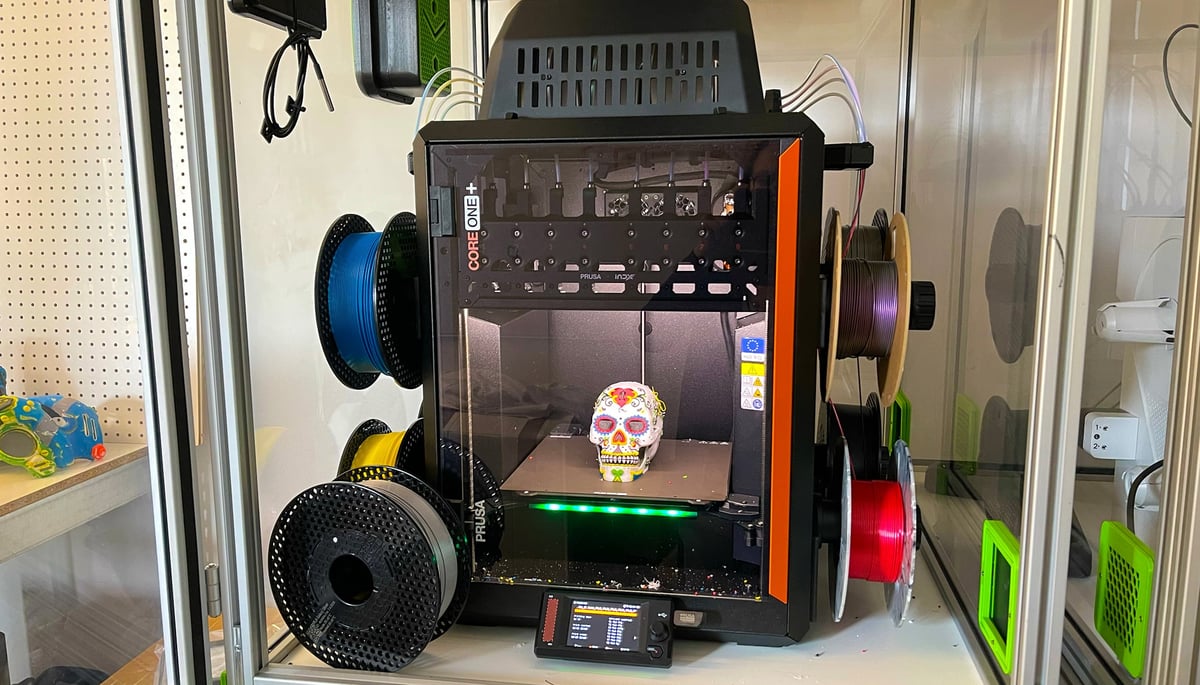
For starters, you can’t really see the first layers of a print. Like, at all. The placement of the INDX dock and the Core One+’s light bar position results in a strong shadow cast across the first inch or so of a print. Visibility on this printer sucks, and while there’s the Buddy3D print chamber camera exists, it’s an optional extra with extra hoops, minor as they are, to set it up – which stings all the more for knowing you shouldn’t really need it. There are other minor gripes we’ll get to, but even despite them, it is a fantastic little printer and I’m glad Prusa has finally managed to get it out into the wild.
To sum up our experience of printing with it over the last weeks and months: it’s a rough gem.
At $1,949 for the four-tool version, the money is well invested for the sheer number of tools available to you and the total print speed and waste saved. Those are the INDX’s superpowers, and the Core One underneath it is still a terrific printer. And this statement holds even in light of Bambu Lab’s recently released H3C. We’ve had both running in the lab at the same time, and even thought H3C feels like it brings everything and the kitchen sink to the party, the Core One+ INDX does hold its own as a compact, less wasteful experience.
The value is there and clear, and it is a wonder to be printing massively multicolor prints with scarcely any wasted filament for it. There are many oddities, oversights, and not-yet-optimal aspects that dull its shine right now, though, relegating it from a must-buy to a wait-unless-you-really-can’t.
At A Glance
- Release: 2026
- Price: From $1,999
- Build volume: 248 x 205 x 270 mm
- Temperatures: 300°C / 120°C / 55°C
- Print bed: Magnetic removable steel sheet
- Key features: 4-8 dedicated materials or colors per print, ultra-low waste multicolor/material printing, factory calibrated & ready-to-print out of the box
The Tech
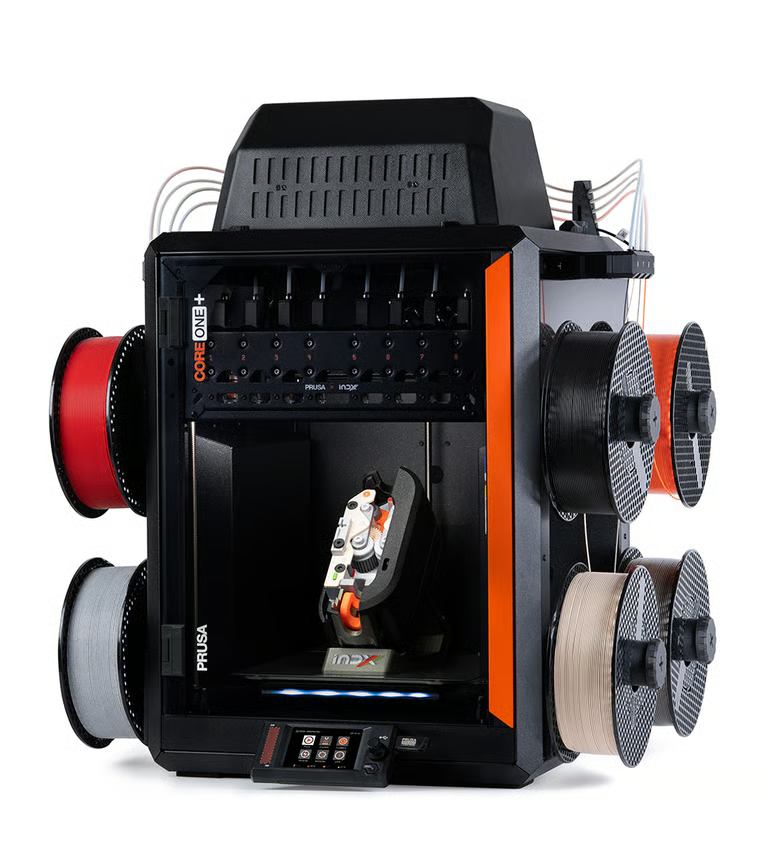
Before we dive in, let’s stop things a second and agree to a new name for the purposes of this article. It is a slog to type out Prusa Core One+ (Gen 2) INDX, and is exactly the sort of convoluted name we’d make fun of Creality for (sorry, Creality). From this point on I’ll refer to this system under review (the 8-tool INDX-upgraded Prusa Core One+ Gen2) simply as the Core One INDX.
The Prusa Core One INDX is the company’s latest generation of printer, incorporating a very recent batch of minor updates, tweaks, and adjustments over the previous Core One+ machine. These updates, which include GT1.5 belts for finer surface quality, and a nozzle-wiper (a must for any purging printer, as this is) are also available to owners of the previous generation machine, either by upgrading their printer with the INDX conversion kit (which includes the Gen 2 changes, plus the INDX system) or by a straightforward Core One+ to Core One+ Gen 2 upgrade kit.
The complete, assembled Core One INDX is available in 4-tool and 8-tool versions, at $1,949 for the 4-tool and $2,249 for the 8-tool. Besides the number of toolheads available to you, there’s no difference between the two. Arguably, the 4-tool machine would be easier to live with, since you have unobstructed access to the waste bucket and the overall footprint shrinks.
For your money, you’re getting a 248 x 205 x 270 mm build volume – 15 mm off the build depth of the INDXless Core One+ Gen 2. The hot end heats to 300 °C, the bed 120 °C, with an actively managed chamber temperature that can reach 55 °C. There’s no dedicated heater in the chamber, mind you. It soaks up and traps heat from the heated bed. It’s often the case that there’s a warm-up period needed before hot prints can commence.
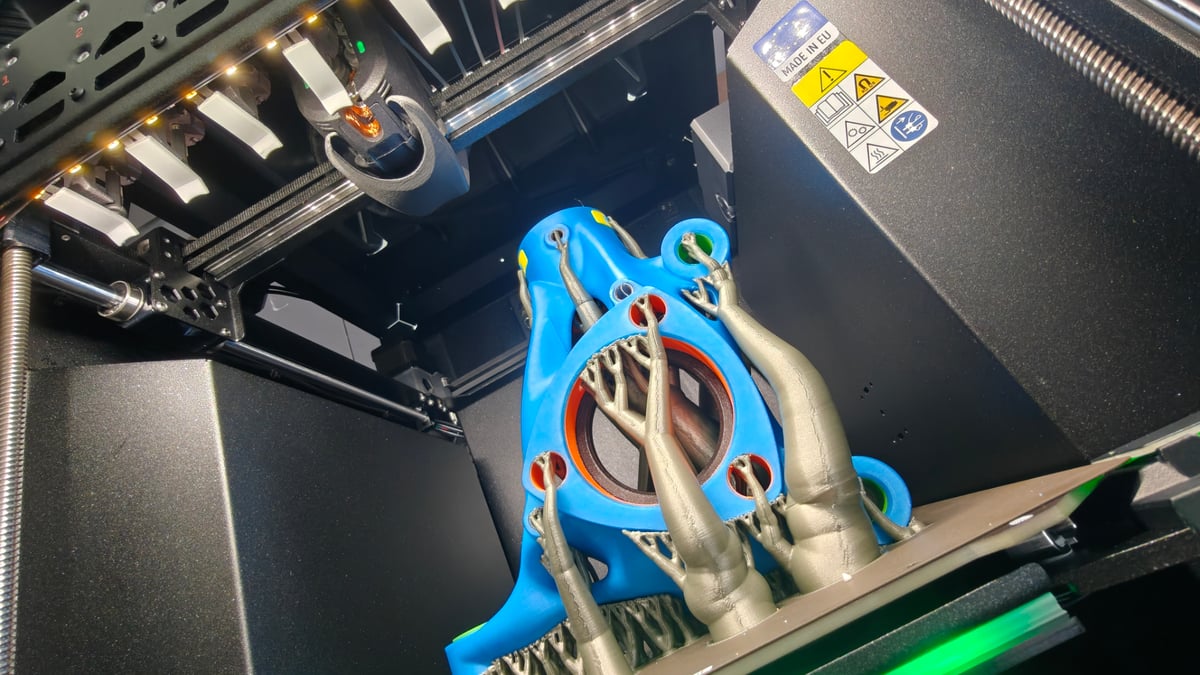
But enough about the Core One. The INDX bit is probably the only reason you’ve read this far. Despite the missteps that dominated the upgrade’s release, the INDX toolhead and the individual tools are miniature marvels. It is a clever piece of technology, having a single motor and mechanism handle all of the extrusion, locking, and unlocking of the tools, and the tools themselves go from cold to printing temperature in seconds.
The tools themselves are lightweight slips of inductively-heated metal nozzle with an integrated heatsink. The Core One INDX 4-tool and 8-tool variants ship with 0.4-mm high-flow CHT nozzles, respectively. Each tool has a short stretch of filament path left exposed, which is where the dynamic extruder pinches the material, feeding it from there.
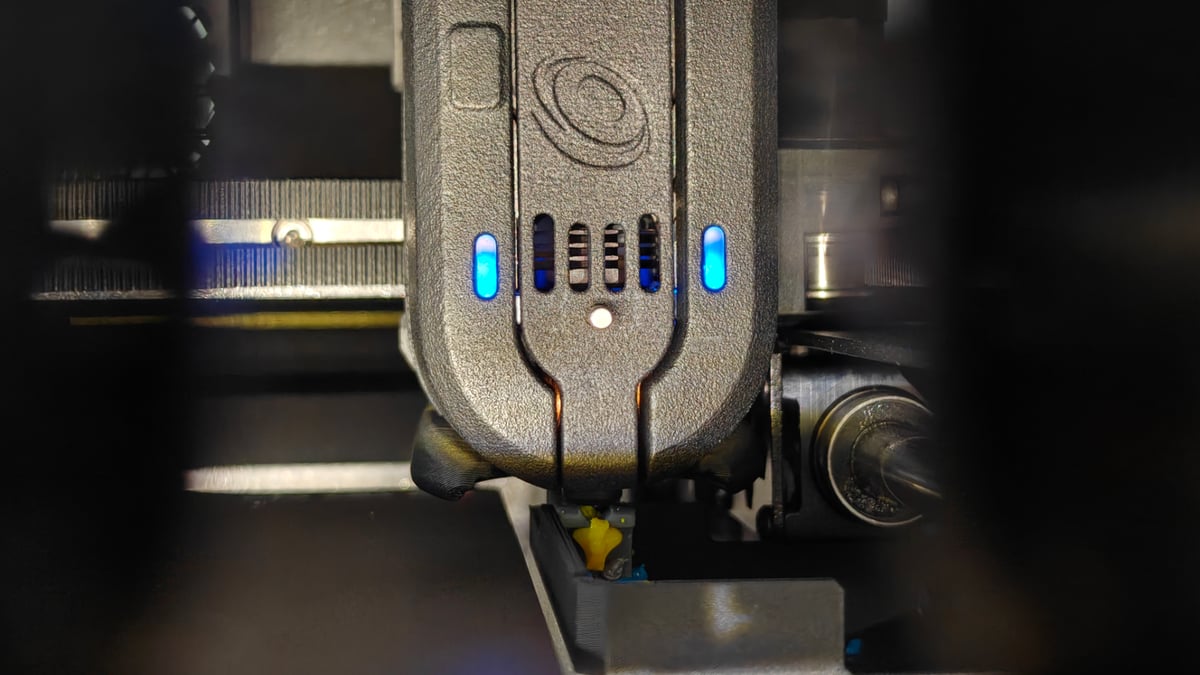
The INDX nozzles are rated for general use – only ultra abrasives like high-filler glow-in-the-dark filaments or high volumes of carbon- or glass-filled materials will wear through the nozzle’s coating and distort them. This is the crux of the whole nozzlegate saga – that the nozzles aren’t as tough as initially sold to early adopters.
Prospective buyers reading this should approach the Core One INDX clear-eyed that until Bondtech’s production of the nozzles is back on track and solutions for tougher nozzles are found (like licensed third-parties, such as E3D, who have announced they’re working on it) then there’s a hard (hyuk) ceiling on how much you can print of super-abrasive filament before you need to switch in a fresh nozzle. I would guess that for the majority of users of the INDX, that’s never likely to be a problem, or if it is, it’s a long-term one. Fortunately, direct replacement nozzles are available from the Bondtech webstore for approx. $53 per tool.
The nozzles themselves feature Bondtech’s CHT technology, which is to say the filament path inside splits, heating the plastic faster and increasing the flow.
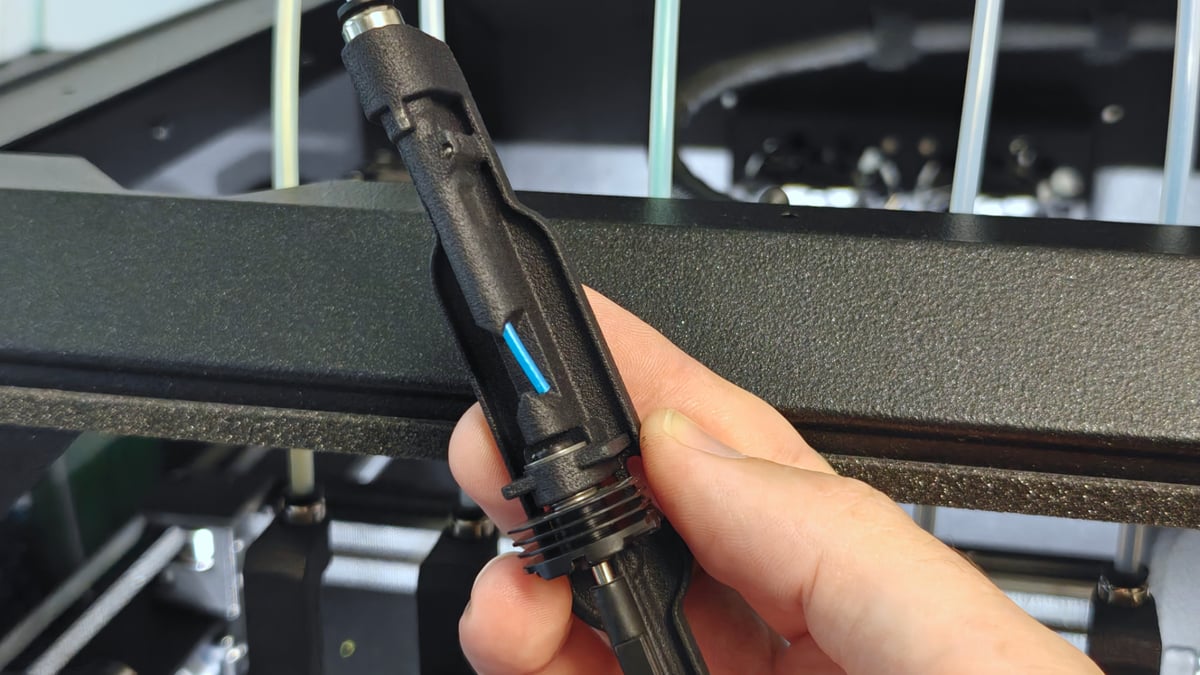
A replacement standard flow (which is to say non-CHT) tool costs approximately $45 from Bondtech directly. Nowhere else sells them currently. Not even Prusa itself.
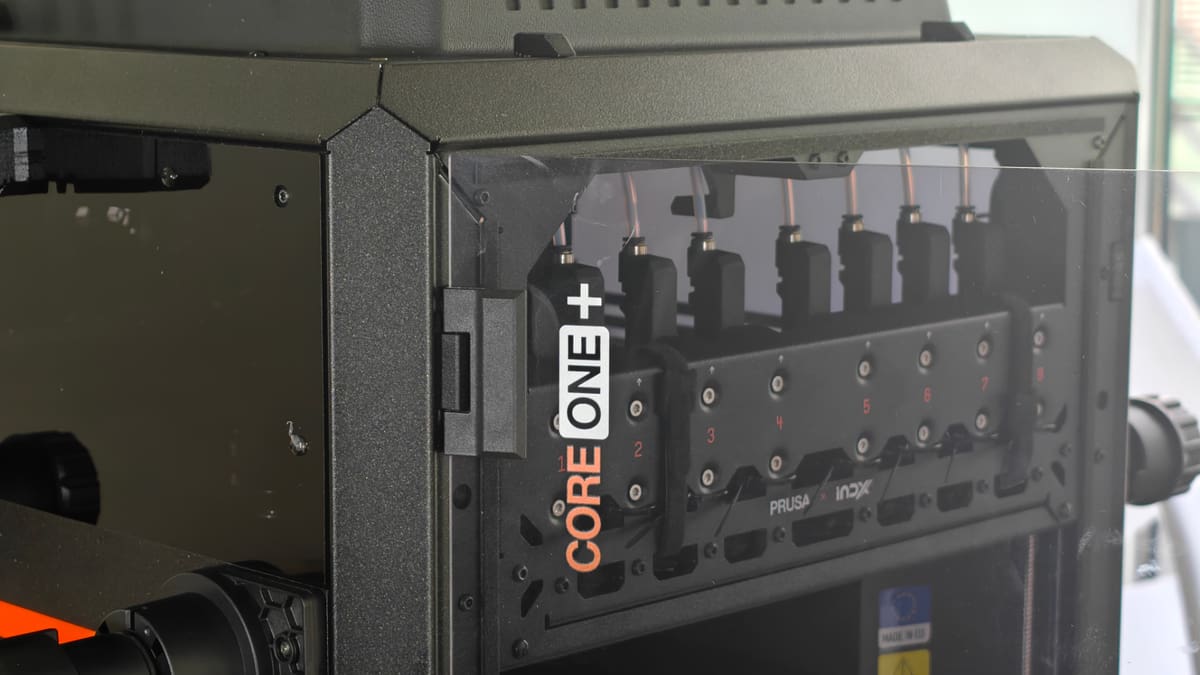
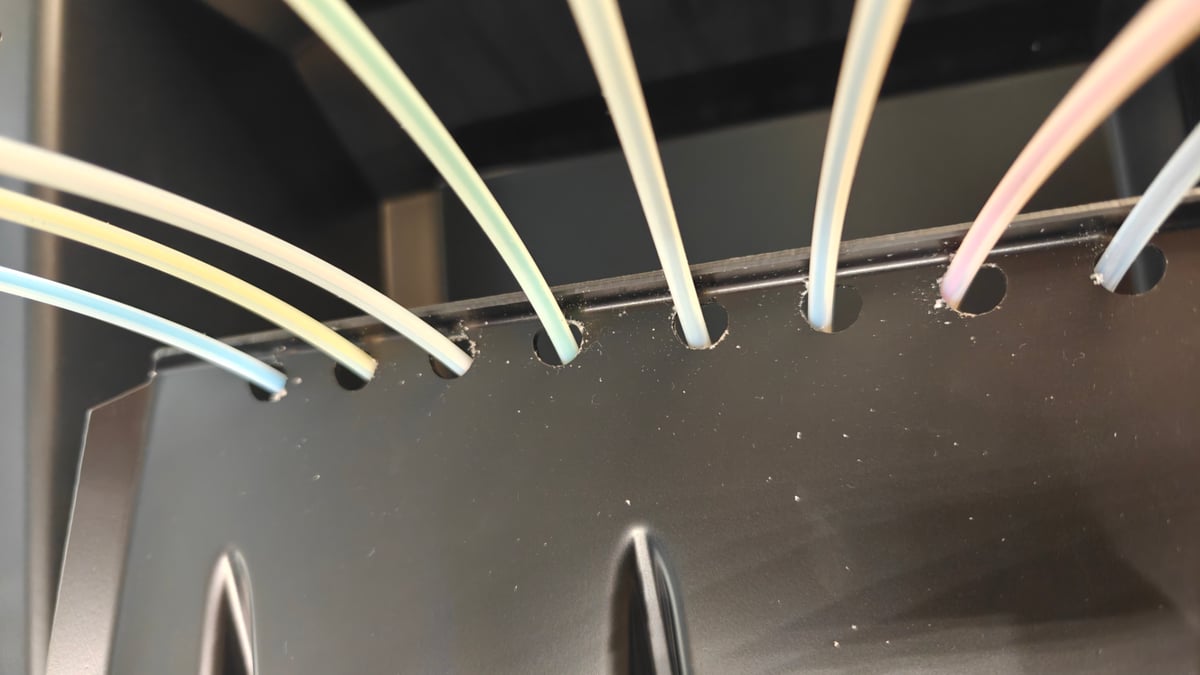
As part of the Core One’s changes to accommodate the INDX, you get a bucket lid that fixes to the printer’s frame and has small locks to keep things secure. The eight filament guide tubes of the INDX pass through holes in this lid, rubbing on the sharp edge as the printhead pulls them back and forth. After only a day or two of use we could see dust from the tubes accumulating by the holes. If Prusa isn’t already shipping grommets with newer machines, they surely soon will. It’s worth checking Printables for a self-made fix in the meantime.
The coil for the INDX’s inductive heating of nozzles is quite visibly exposed in a way that clearly makes some folks uncomfortable, judging by online commentary about it. A big blob of death would be a pain to deal with, particularly if it reached the coil – it doesn’t heat up, and a filament build up blocks the printers ability to detect the nozzle’s temperature – so any attempt to remove it requires you to blow heat at it.
You can save some money by building the printer yourself – something everyone interested in the hobby of 3D printers as hardware should experience at least once in their life – but with the added complexity of the INDX, it’s a job that requires a seriously committed weekend of work – maybe longer.
The assembled version of the printer ships calibrated and ready to print right out of the box. And they really mean right out of the box – you can skip all of the networking stuff when you first boot it up and dive immediately into one of the dozen or so ambitious test prints that come with the printer.
Unboxing is a cinch thanks to the use of a lift-away box. Prusa made particular efforts with its Core One L launch to highlight its virtually all-cardboard packaging – better for the environment, and really quite cleverly done. In the unit we were shipped, that’s all gone with packing foam holding the Core One INDX and all its pieces in place. I hope they revisit the elegance of that cardboard packaging in the future.
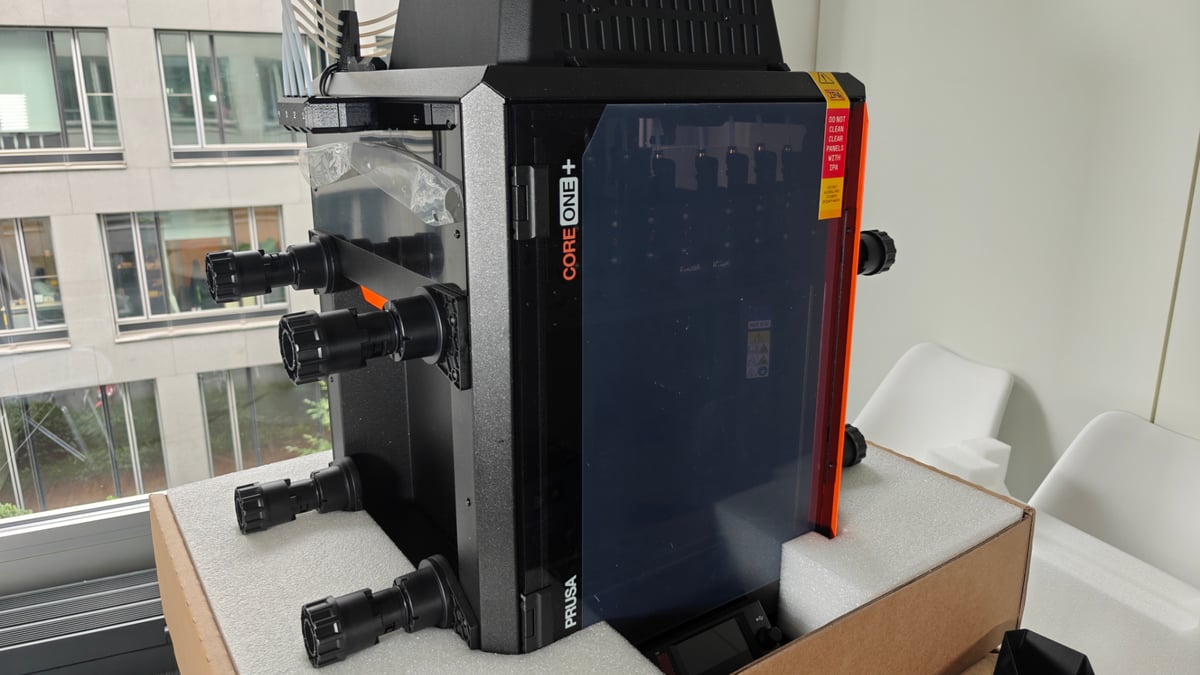
The company’s bet on a distinctive steel exoskeleton and stamped metal plating for the Core One’s body lends the printer a utility and ruggedness that’s difficult to argue against. The door and windows are plastic, so be mindful of what you clean it with – IPA will melt them.
Despite the totality of metal shrouding the Core One INDX, it’s a light printer – just 24.5 kg when equipped with the 8-tool INDX (without filament – 8 spools will add 8 kg+). The Core One has a clever design that makes it easy to pick up by the recesses in its sides. A consequence of this design is that the internal volume of the printer is barely any bigger that the actual print volume. It’s lean.
New for the Core One INDX is a dedicated purge area, where the printhead with INDX tools wipes itself off to eject its little Wonka Nerd-like priming nuggets (see photo in next section). (If Prusa doesn’t park the Haribo gummy bears for the kit version and ship boxes of Nerd candy instead, they’re missing a trick.)
The printer presents a massive improvement over single-nozzle filament changing machines, including Prusa’s own MMU, and even goes a step further than other full on toolchangers. At default values, the Core One INDX doesn’t print a prime tower, only the Nerds. I’ve found it takes between 9 and 12 seconds, from parking a tool, picking the next and priming, returning to the print.
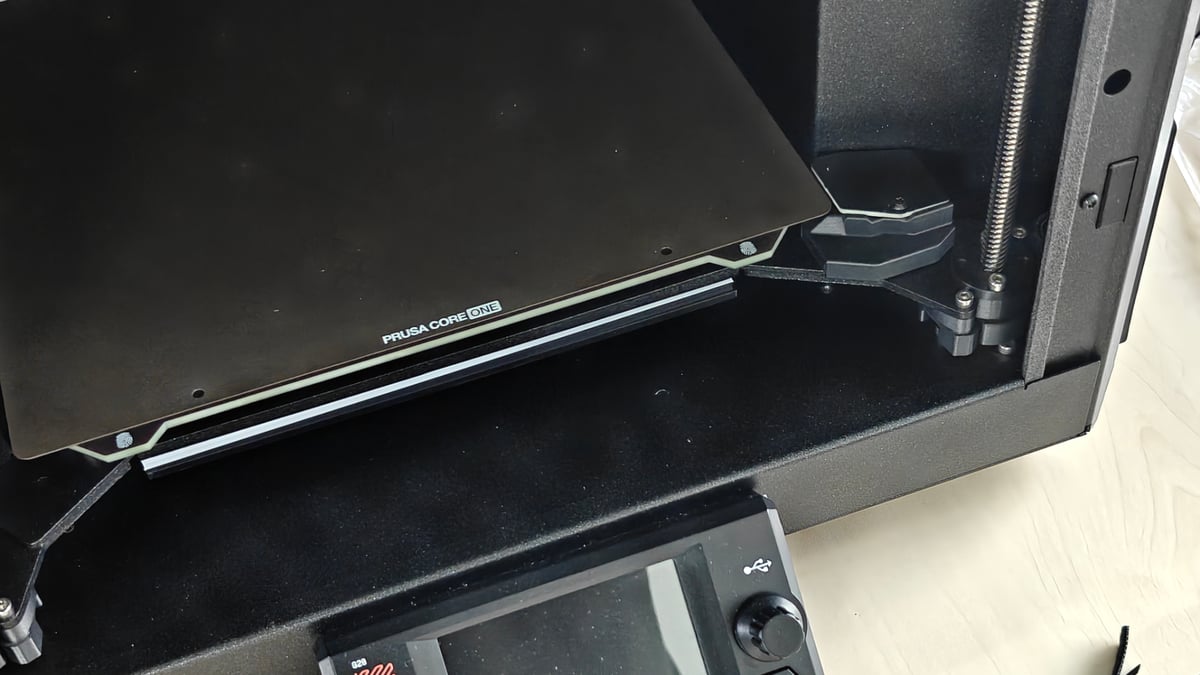
Calibration is mercifully improved over what we saw with Prusa’s first generation toolchanger, the XL – that machine used a manual screw-in pin that seemed borrowed from the world of CNC toolchanging in concept, but not considered enough for the hands-off direction 3D printing has clearly evolved toward. Included as part of the Gen 2 upgrade for the Core One, a nifty eddy current-based calibration board sits off the main print area, always there and available when the printer decides to check the X/Y positioning of the tools.
The recess on the right-hand side – where the spool would sit on an unINDXed Core One – is now taken up by a bucket that neatly slots in to collect the INDX’s priming waste as it drops through a hole in the top surface of the recess. One downside introduced with the INDX upgrade is that the other recess, which Prusa previously encouraged hacking to add extra functionality to your machines, becomes inaccessible and largely out of bounds for anything other that infrequent use storage when the printer has a full complement of eight spools loaded up.
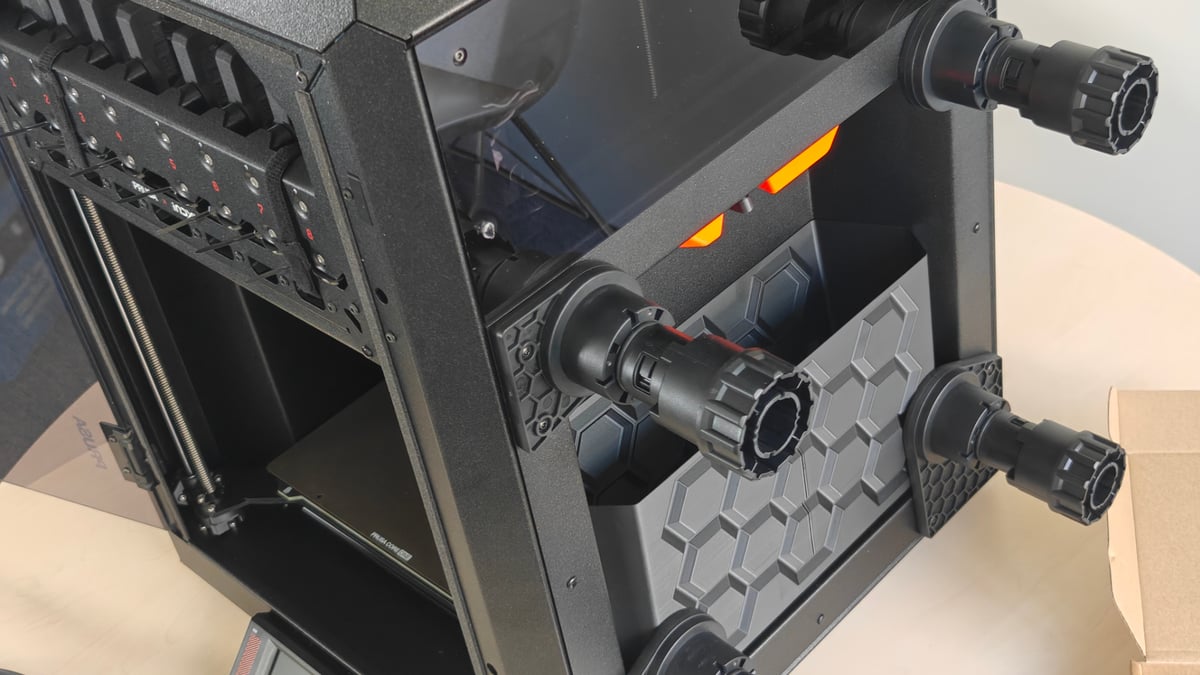
A new injection molded spool holder design does a job, and can extend to accommodate larger 2 kg spools as needed. Throughout testing I frequently found filament jumping off the spools and looping around the holders. There’s something between the weight of a full, fresh spool, and the way tension is held in the filament pathing that making this happen, and I’m finding a little more caution than is typical is needed when loading to keep it from happening.
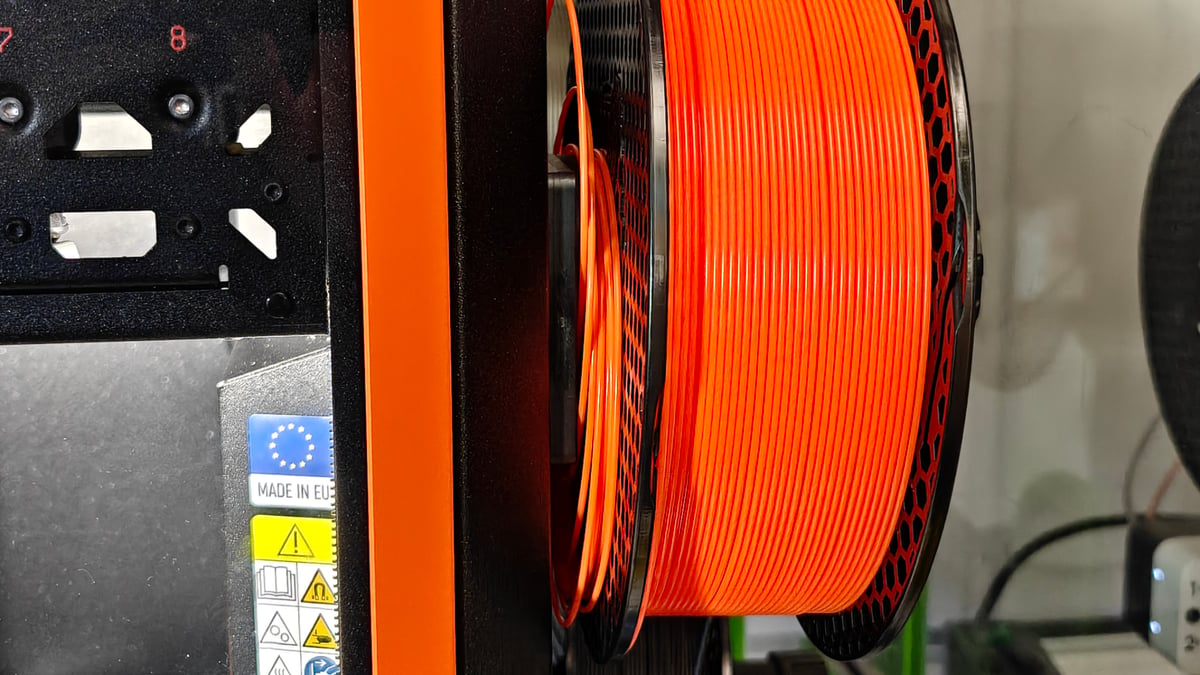
Feeding the filament is manual – a pain the occasional time you have to do it, but with 8 spools loaded up, you might not even need to all that often. There are filament sensors on the outside of the printer that are supposed to detect material as you feed it and prompt the printer into its “load” wizard, but ours didn’t. Others have reported similar issues. These things, in aggregate, point to a feeling that, in order to accommodate the INDX, balls have been dropped elsehere.
While writing this review, a firmware update went partway to addressing one of my older criticisms of the printer – that the hardware doesn’t really know much about the filament you use. You could tell it the material type only, in service of the printer preventing you from setting a print with the wrong material. On a single-material machine like an unINDXed Core One, it didn’t matter, but for the wide possibilities of color printing, knowing which color material is loaded where becomes pretty useful. Now, the Core One can be told which color is where, and that information ripples through the software to Connect and the Prusa app (but not PrusaSlicer).
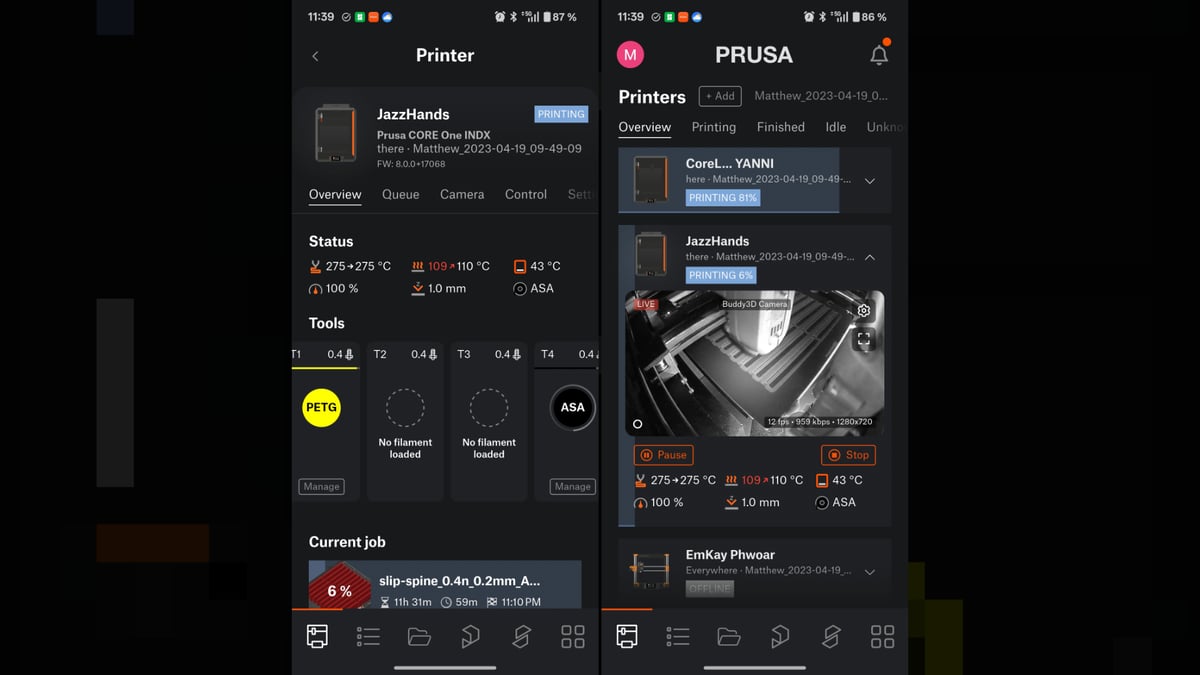
Prusa also released an OpenPrintTag upgrade for the Core One, which can read the NFC tag inside every spool of Prusament filament (or your own filament you’ve manually tagged them) automatically, passing its information and writing updates to the filament remaining.
Except that upgrade is only designed to fit the Core One’s recessed spool holder – right now it’s good only for non-INDX machines.
It’s a setup and process that’s not at all suited to situations like ours, flitting between materials and colors frequently. For everyone else sticking to a low number of preferred materials and kinds of prints, this “issue” is not really much of an issue.
All the pieces are there or nearby for the printer be the buttery smooth, psychic experience that other brands have more or less accomplished. Prusa doesn’t fit that mold.
The Printing
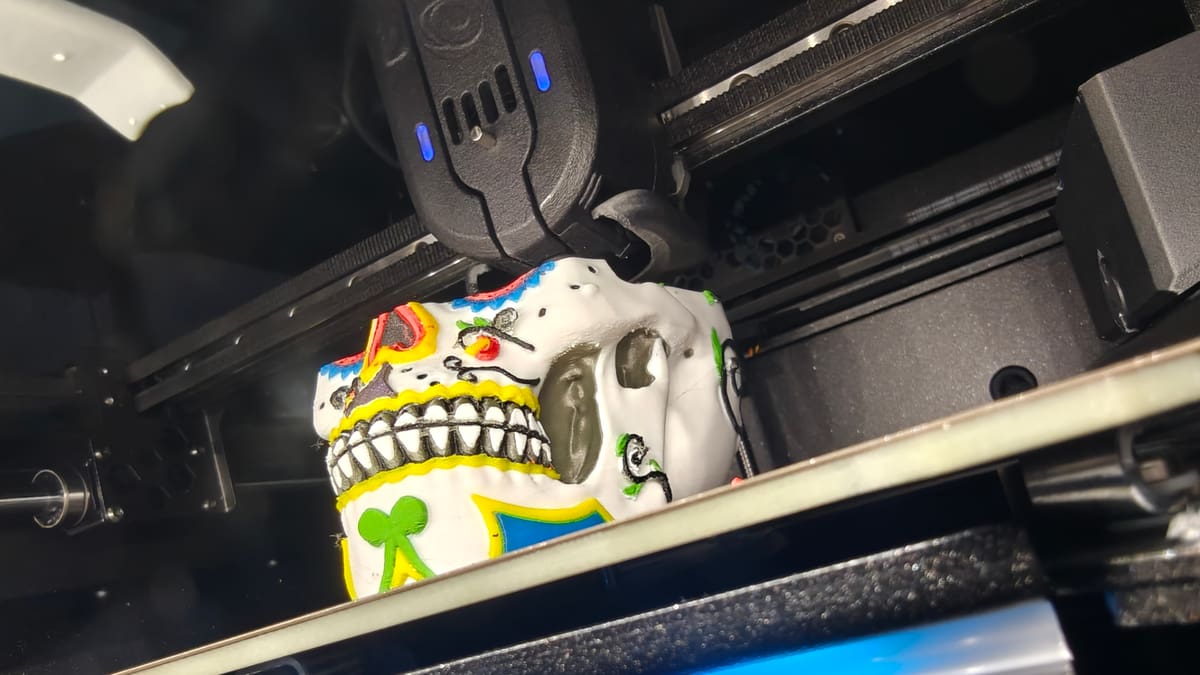
In our review of the Core One when it launched, we praised the printing experience with one word – simple. Thankfully, despite the added complexity of eight tools, it still is.
Prusa’s ecosystem has come a long ways since that 2024 launch, with EasyPrint now a robust and integrated, computerless option for printing. Opt in to Prusa’s account system and bind a printer to your account, and you can send print jobs directly to the machine from the Printables model repository, from any browser. Alternatively, through the Prusa smartphone app. When it works, its a slick, seamless experience that executes well on past Prusa promises of making printing simple enough a grandma could do it. The recent addition of a filament “library” in your Connect account, plus the app now displaying the loaded filament in a more direct and interactable way point to the pieces falling into place for INDX in Prusa’s ecosystem.
PrusaSlicer, the companys desktop slicing software, is available on Window, macOS, and Linux. It currently lags behind for the INDX, and with PrusaSlicer 3.0 nearing its release, there’s a clear milestone coming that will suit a fully INDX-kitted Core One better than the current stable release.
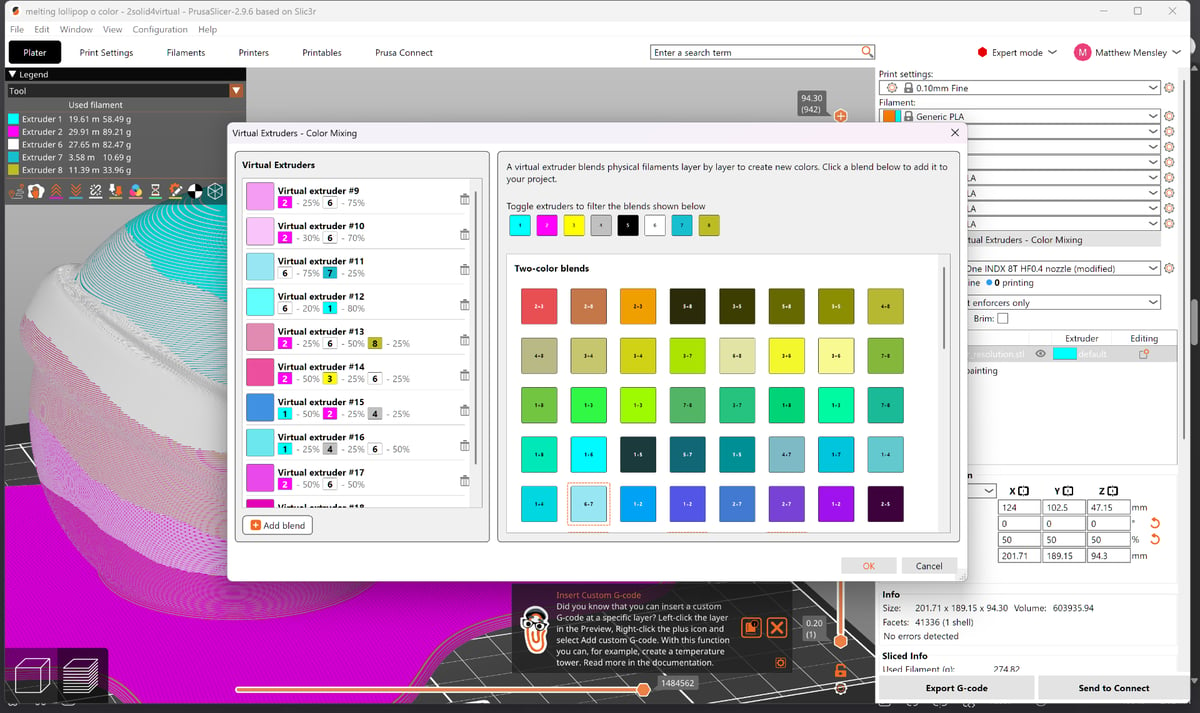
In PrusaSlicer, newer innovations like virtual colors – combining filaments in alternating layers to give the appearance of a different color altogether – are present, too. This is a crucial feature to take advantage of the four or eight tools at your disposal.
In the software, too, some roughness remains. The company has offered an Android smartphone app (also available on iOS) to manage, monitor, and find prints for your machines for some years now, but it still fires a generic “attention required – go to your printer” message for most state changes of the machine besides print complete.
More often than not, you go to the printer and it’s completely fine. Other times, the print has gone off the rails, but you wouldn’t know unless you think to check the camera feed. I’m finding there’s a reliance on an obscure combination of trust that the machine is good enough to not go wrong (it’s not), and pinging you with generic messages that aren’t necessary most of the time.
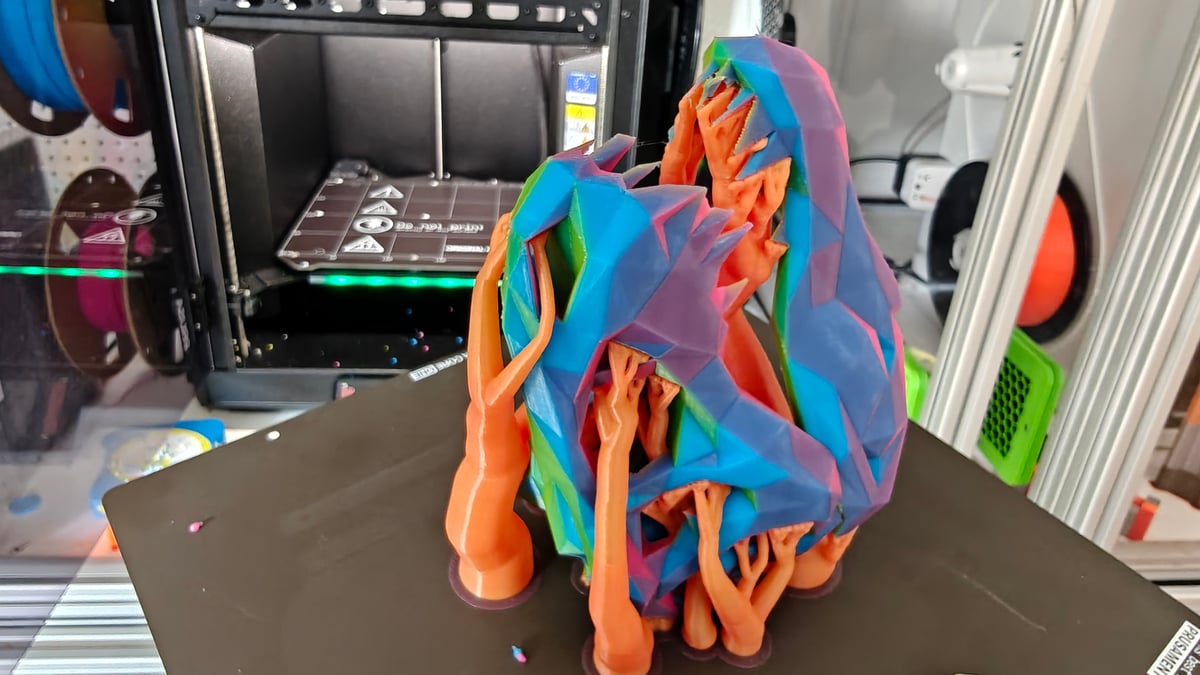
Looking on the bright side, living with the Core One INDX does a wonder for your creativity in printing – you can confidently expand your horizons with multi-material and multicolor prints, which is augmented well by the virtual color system. If you’re dipping your toes in AI-powered model creation – All3DP’s Carolyn Schwaar has some thoughts on this – eight hard colors and dozens, if not hundreds more virtual colors, are a winning feature of the INDX made even better by it wasting so little material at color change.
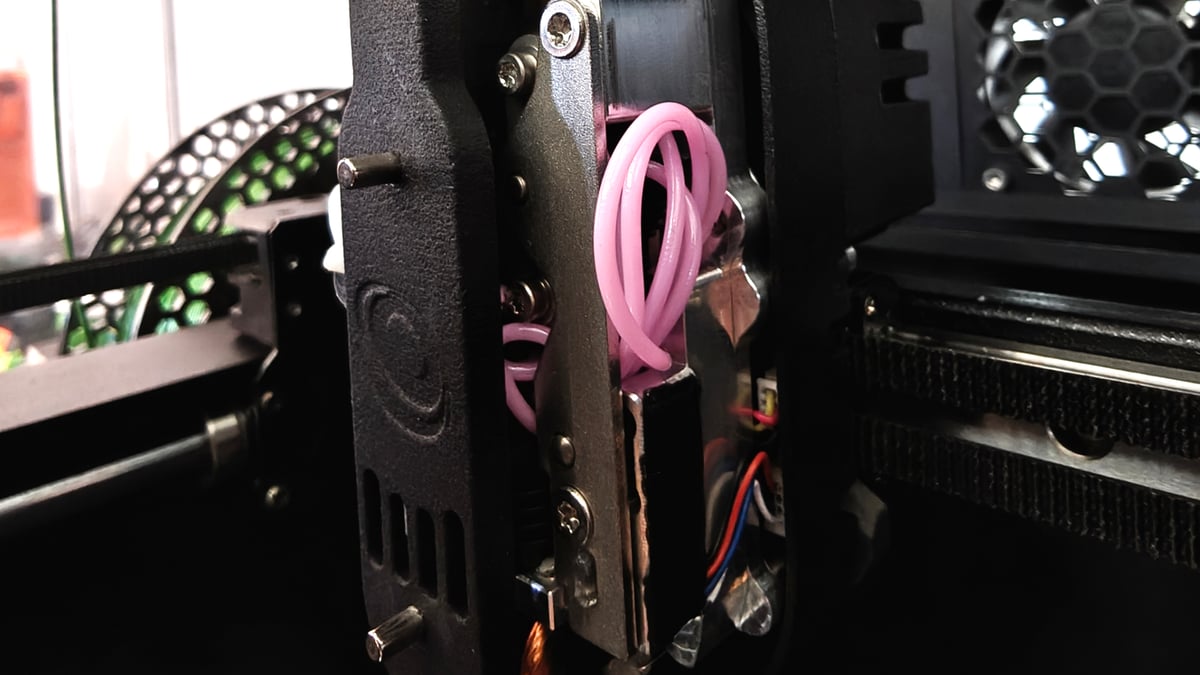
At the time of writing, Prusa had not yet released its profiles for flexibles printing on the INDX, leaving you to futz your way forward. Against our better instincts to leave things be, we tried it anyway with a spool of Generic spool of TPU95A and settings that dialed back the volumetric speed getting limited (read: no) success and repeated cases of the filament escaping into voids inside the extruder to wrap around gears and other things. Clearing such a backup of filament is not a delicate task, but can be made easier by partially dismantling the front of the toolhead. The printer’s stock CHT nozzles aren’t optimal for flexibles, so the odds were stacked against a half-hearted attempt to try it for the sake of trying it, anyway.
Despite my abject horror at finding a bunched up ball of filament where it shouldn’t be, recovering the print tool carriage was pretty straightforward. In this case, the tool couldn’t be released, causing docking to fail. Inside the printhead, undocking the tool and releasing the filament are closely connected – it’s one motor and gear system doing it all. Using an Allen key through the back of the printhead and backing the gearing up was enough to release things once I’d applied some elbow grease to pull the tangle free.
The PrusaSlicer configuration wizard only offers profiles for Bondtech 0.4 mm CHT nozzles, which makes sense – the printer ships with a full complement of them. Bondtech also offers other nozzle sizes though, and is the only place to get nozzles for the printer, but there are no presets available for them in PrusaSlicer (yet).
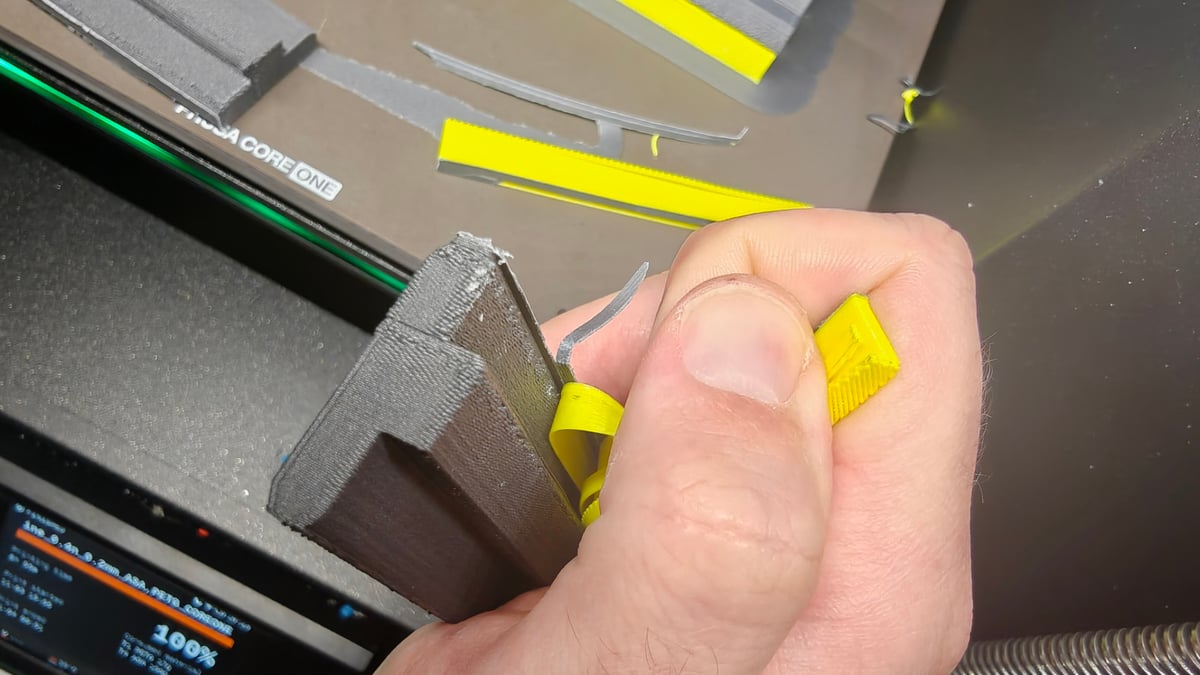
PLA with PETG supports and vice versa are nice example of the INDX working at its optimal, keeping most nozzles free for color printing and one reserved as a support interface material. Likewise, cranking temps up and printing thin slips of ASA – an ongoing filament storage solution we’re working on for our new, messy, lab – also shone with PETG as a dedicated support material.
For one of the provided multicolor prints, a fresh spool of filament had been loaded, but not loaded loaded. The printer knew the filament was there, the filament sensor could see it, yet somewhere in the process – maybe I knocked it while loading another, couldn’t tell you – it had backed out of the tool and the printer missed it. The multicolor print finished just fine – it looks great – but it’s missing one of its colors.
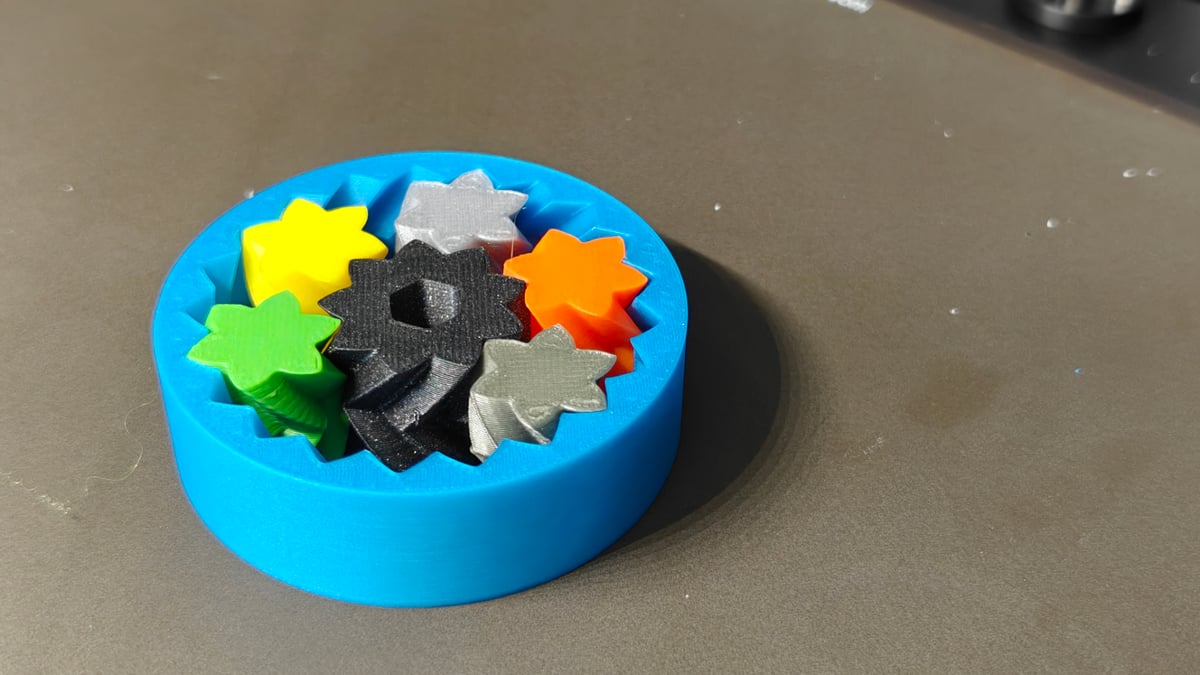
Elsewhere, the occasional layer shift cropped up, seemingly at random. A commonly reported fix for this is ditching the Prusa-supplied USB stick, which acts as the printer’s memory and buffer for remote jobs, and using another.
Throughout the course of our time with the Core One INDX, we’ve been running other brands’ toolchangers too for some other content, and it became clear quite early on that the Core One INDX lives up to its claims of speed and material efficiency. By doing away with the prime tower, Prusa reduces non-printed waste to tiny pebbles that it can spew out faster than most toolchangers can print the tower.
It really is fractions of a gram per change, which completely eclipses a single-nozzle printer at multicolor printing. The toolchanges themselves are snappy, clocking an average of around 10 seconds per change in our testing, some three-to-six seconds per change ahead of the pack, though undermined partly by Bambu Lab’s recent release of the H3C, which we’ve found to change in a range either side of the Core One INDX – sometimes faster, sometimes slower.
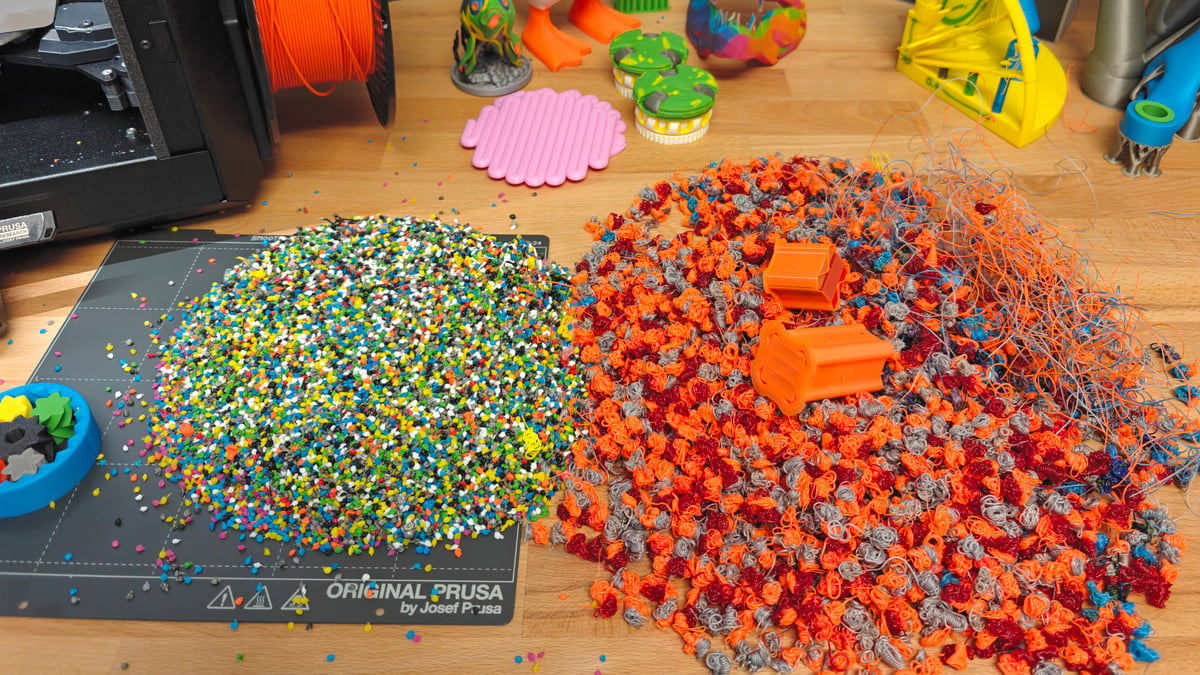
The toolchange speed adds up over a long print with lots of toolchanges. We clocked about a 30-minute saving on a print with 287 toolchanges, increasing to a ~130-minute saving on 1,086 toolchanges when compared to something like the Snapmaker U1. The filament waste difference is similarly pronounced and a clean win for the Core One INDX over any other printer that uses a prime tower – approx. 85% less material on purge waste on the same prints versus the Snapmaker U1 (both machine using stock settings).
Heavy caveat time – you can adjust the settings to influence these numbers. Anyone can invest the time to get their printer going more efficiently, priming into infill, etc. We’re only comparing stock, out of the box states, and all things being equal the Core One INDX starts ahead of the rest.
Is It Worth It?
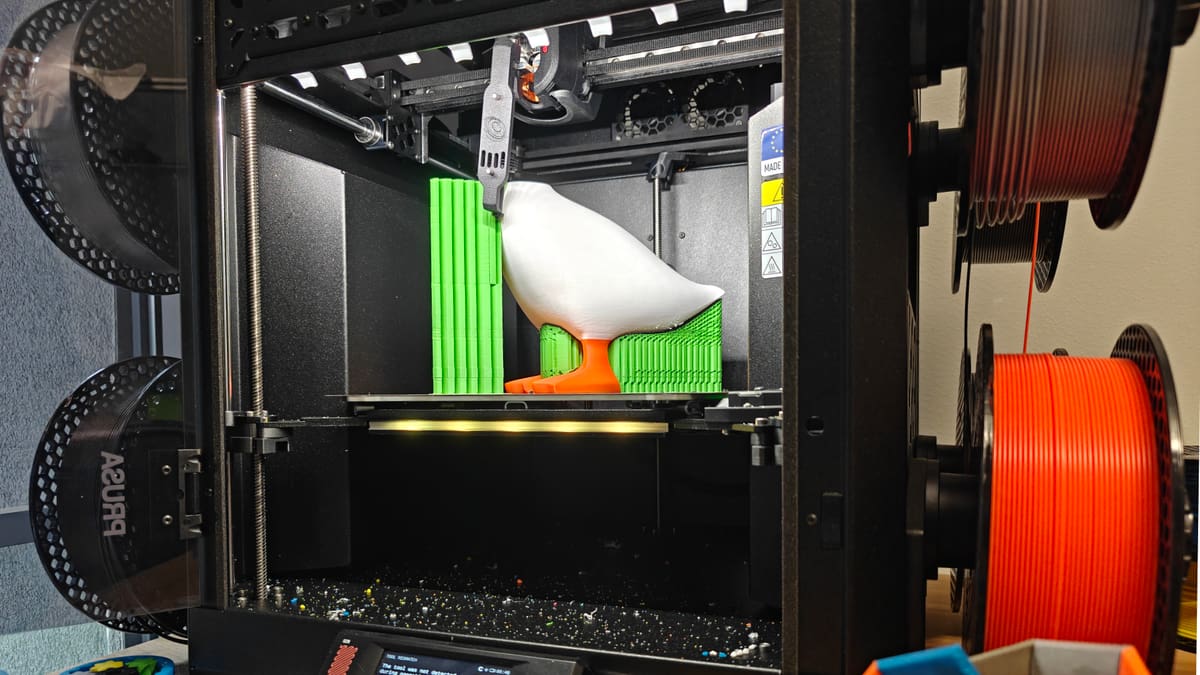
The Prusa Core One+ Gen2 INDX delivers on its core promise of being the most materially efficient toolchanger available. It’s the antithesis to wasteful single-nozzle printing and an expands your possibilities for what’s possible when color printing with a higher cap on the number of filaments you can use and, in the slicer, mix.
The execution, at least at this early stage, is far from flawless. The INDX as printing tech doing the job is well implemented on top of the Core One, but in this case, right now, the sum is not greater than the parts. It feels rushed. Build plate visibility sucks, and the various elements that in their total would make it feel complete, do not quite gel together yet, putting a downer on what’s an otherwise impressive piece of tech.
For die-hards, it’ll be great. If you can live with or tinker around the things that are annoying at the moment, and are content to use it while the ecosystem for the printer catches up, it’ll be money well invested because you’re at the cutting edge of what Prusa offers. Casual users expecting a smooth ride should probably wait until a few updates have shaped it into something more complete.
You Might Also Like:


License: The text of "Prusa Core One+ Gen2 INDX (Assembled) Review: A Great, Unsteady Leap Forward for Toolchangers" by All3DP is licensed under a Creative Commons Attribution 4.0 International License.
CERTAIN CONTENT THAT APPEARS ON THIS SITE COMES FROM AMAZON. THIS CONTENT IS PROVIDED ‘AS IS’ AND IS SUBJECT TO CHANGE OR REMOVAL AT ANY TIME.