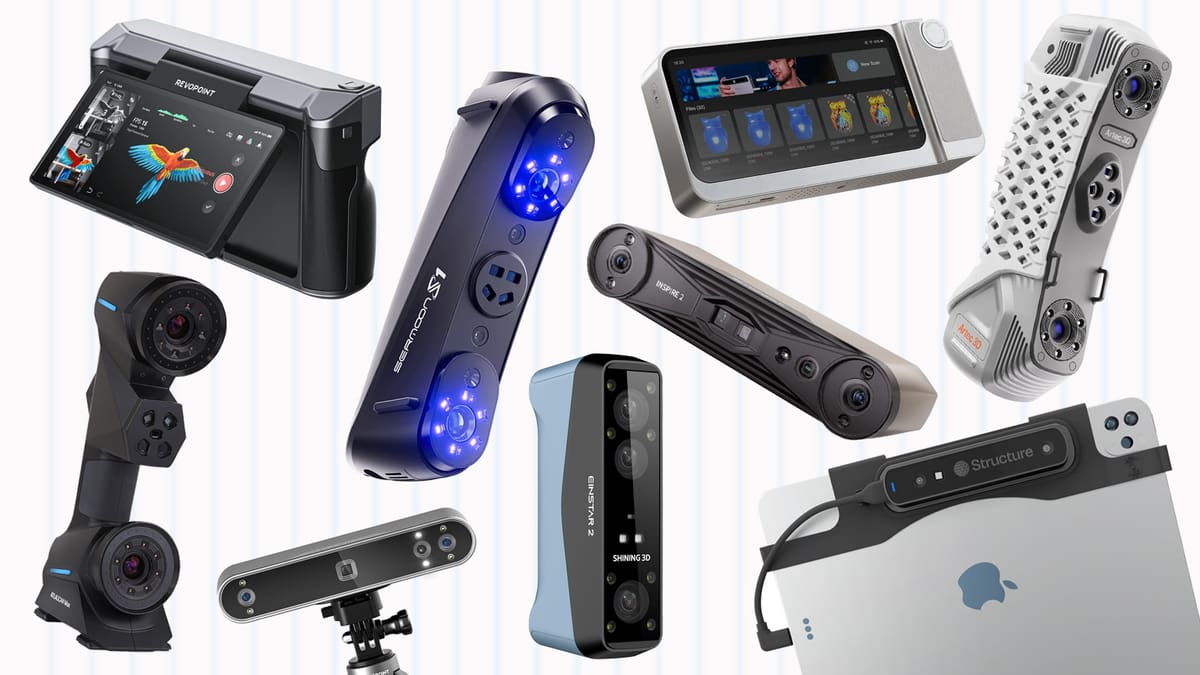
Best 3D Scanners in 2026: Our Top Picks in 6 Categories

Our updated guide to the best 3D scanners from entry-level to industrial includes picks in 6 categories – many backed by hands-on reviews.
The variety and quality of 3D scanners on the market are huge, with machines in all sizes and capabilities, and the prices keep going down for very capable machines. Such choice, while a great thing in itself, can make sorting the gems from the duds a chore.
Whether you’re looking for the perfect entry-level scanner suitable for students or hobbyists, a more powerful machine with better software and workflows for accurate scans of artifacts, or an industrial-level 3D scanner that can handle quality control and reverse engineering, you’ll find a 3D scanner in this list to fit your needs and budget. Each one earned a spot for its distinguishing features, technology, price point, or a combination of factors. Many, we’ve taken for a spin ourselves, others (released in late 2025) we have on our slate to review in 2026.
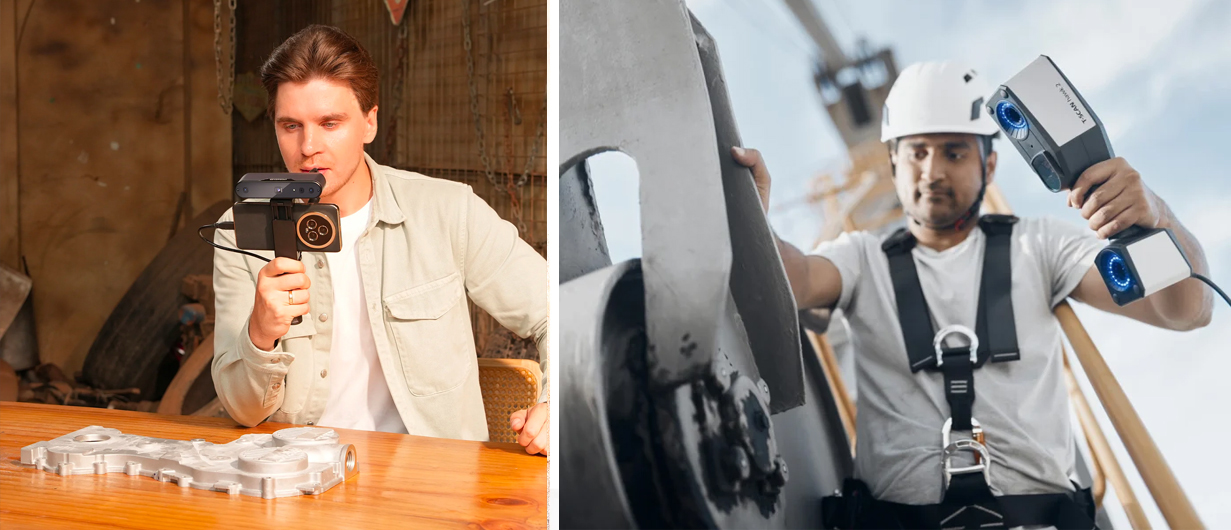
From use in creating virtual reality to industrial design, there’s so much today’s 3D scanners can do, and their applications are growing daily.
If you’re relatively new to 3D scanning or need to brush up on the various technologies and what to look for in a scanner purchase, skip down to the scanner types and scanner tech section at the end to learn more.
Scanner Prices Are Up and in Flux From Tariffs
Just in the course of updating this guide, we’ve seen the retail prices for 3D scanners fluctuate, especially from Asian brands. We’ve linked most prices to the real-time listings of top retailers. Most of our budget picks were once solidly in the under $1K range, but those days are over. Although we’ve add a few new options (that we haven’t personally tried out yet) our top picks for “budget” have crept into the “just above $1k range.”
| Product | Best Choice: | Why We Like It: | Price |
|---|---|---|---|
| Revopoint Inspire 2 | For Beginners | A cost-effective 3D scanner that's easy to pick up and scan, great all-round performance for the price. | $499 |
| Revopoint MetroX | Under $1,500 | Versatile operating modes are suited to many object types with exceptional accuracy of 0.04 mm and huge value. | $1,209 |
| Revopoint Miraco Plus | Best Handheld | Excels in scanning versatility and precision for professional applications with fully wireless (and computerless) operation | $2,200 |
| Shining 3D EinScan Libre | Best Full Color | Full-color texture mapping designed for realistic, vibrant color scanning for product design, art, cultural heritage, and AR/VR. | $29,000 |
| Zeiss T-Scan Hawk 2 | Large Projects | Not only three separate laser sources and scanning modes, the satellite mode enables scan objects up to several meters in size. | $40,000 |
| Hexagon Atlascan Max | Industrial | Ultimate in accuracy, inspection, and data processing—ideal for aerospace, automotive industries. | $70,000 - $80,000 |
Budget 3D Scanners
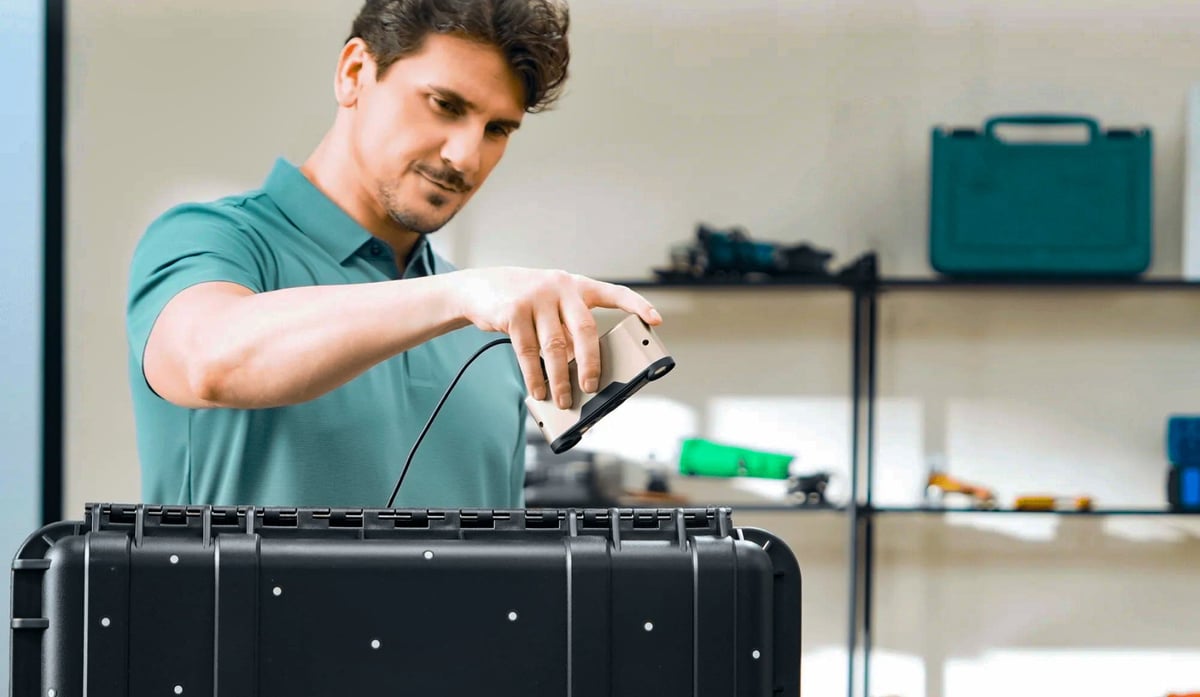
Whether you’re looking to dip your toes into the world of 3D scanning without breaking the bank or want something a bit more advanced for a school or creative endeavor, these 3D scanners should fit the bill. In this section, many of the 3D scanners cost under $1,000. Despite their low price, you can count on some impressive scanning abilities from our top picks for budget 3D scanners.

Best of the Budget Overview
What We’ve Changed Since The Last Update
The Revopoint Inspire is now the update Inspire 2, The Shining3D Einstar is the new Einstar 2, and we’ve added the new Revopoint POP 3 Plus and the 3DMakerPro Moose.
Revopoint Inspire 2
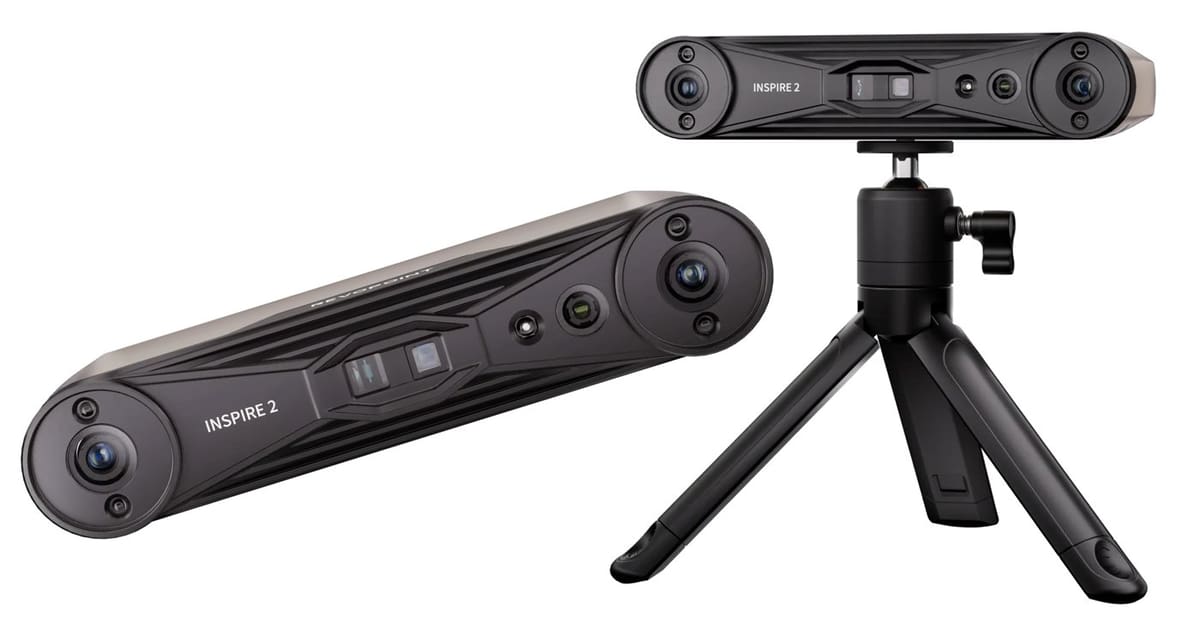
The Inspire, in our experience, is the most forgiving of all of Revopoint’s scanners so we were excited to see the Inspire 2, a clear upgrade over the original. It’s more accurate, with dual scanning modes (structured light + laser), wider object range, outdoor capability, optical zoom, and stronger detail capture, making it far more capable for hobbyists and semi-pro users alike.
Another upgrade from the original, you no long have to operate it tethered to a laptop (or smartphone) with a USB cable. The Inspire 2 supports wireless operation via built-in Wi-Fi 6. Yet you may still need a power source (e.g., power bank or USB) to power the scanner even in wireless mode.
The Revopoint Inspire 2 is a compact, handheld 3D scanner designed for users who want higher precision without stepping into bulky industrial equipment. It combines infrared structured light with a multi-line infrared laser system, allowing it to capture fine detail and handle more difficult surfaces such as darker or reflective materials. With accuracy down to roughly 0.05 mm and optical zoom modes for close-up work, it suits tasks ranging from 3D printing and modeling to digital design and reverse engineering.
The base Inspire 2 bundle includes the scanner, a small tripod, a USB-C data cable, a mini turntable, reflective markers, outdoor filters, and a calibration board. It’s essentially everything needed to start scanning, with power banks and phone mounts sold as optional upgrades in higher bundles.
Revopoint POP 3 Plus
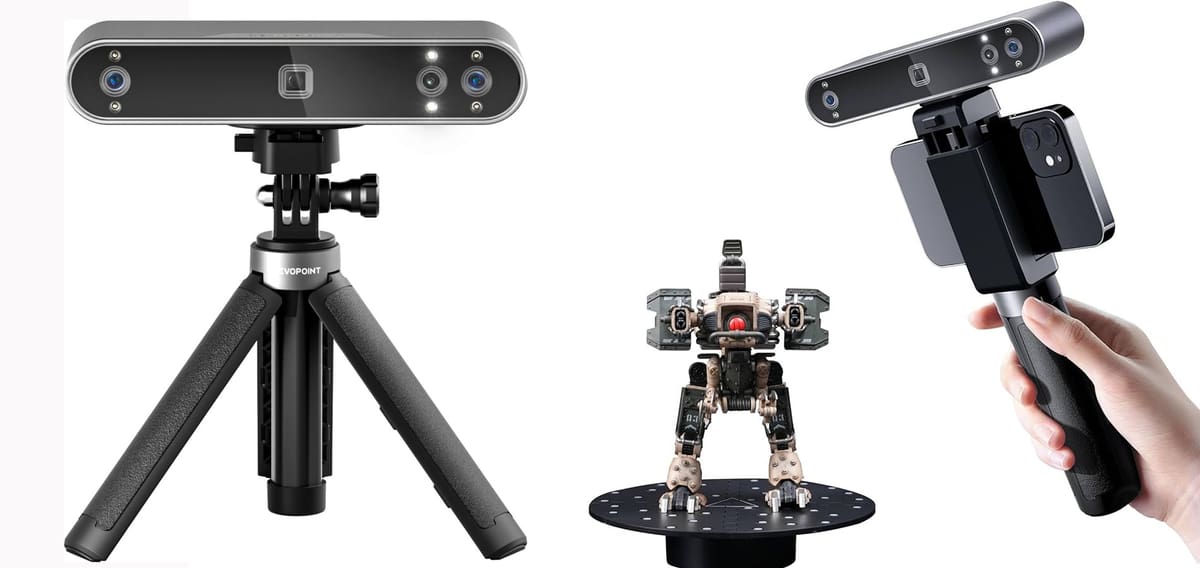
The Revopoint POP 3 Plus refines the already popular POP series with a suite of upgrades that make it a more capable all-around handheld scanner for makers, designers, and prosumers. On paper it pushes accuracy about 20 % above its predecessor with a high-precision calibration board and dual infrared structured-light cameras, delivering single-frame accuracy up to ~0.08 mm and repeatable precision tight enough for detailed surfaces, while a new optical zoom option lets you focus that structured light on finer features without sacrificing stability. Full-color capture is handled by an HD RGB sensor paired with flash LEDs and intelligent pixel mapping, so the resulting 3D models show lifelike texture alongside tangible geometry.
In practical use the POP 3 Plus feels like a versatile middle ground between entry handhelds and more expensive pro gear. Its 9-axis IMU and global marker tracking mode help keep frame alignment smooth and reduce stitching errors as you move around an object, and scanning speeds up to around 18 fps keep the experience responsive whether you’re capturing a tabletop model or larger mid-sized object. While color fidelity and fine texture still depend on lighting and setup, the addition of optical magnification makes it easier to resolve intricate details on small parts or complex geometries without switching hardware.
The included Revo Scan software works across desktop and mobile platforms and supports common export formats like STL, PLY, and OBJ, letting you drop scans into printing, CAD, or creative workflows without much hassle. Like many structured-light scanners, it benefits from sensible lighting and sometimes a light scanning spray on challenging surfaces, but for users seeking a balanced blend of precision, color, and portability, the POP 3 Plus represents a noticeable step up over the baseline POP and a strong contender in its price class.
3DMakerPro Moose
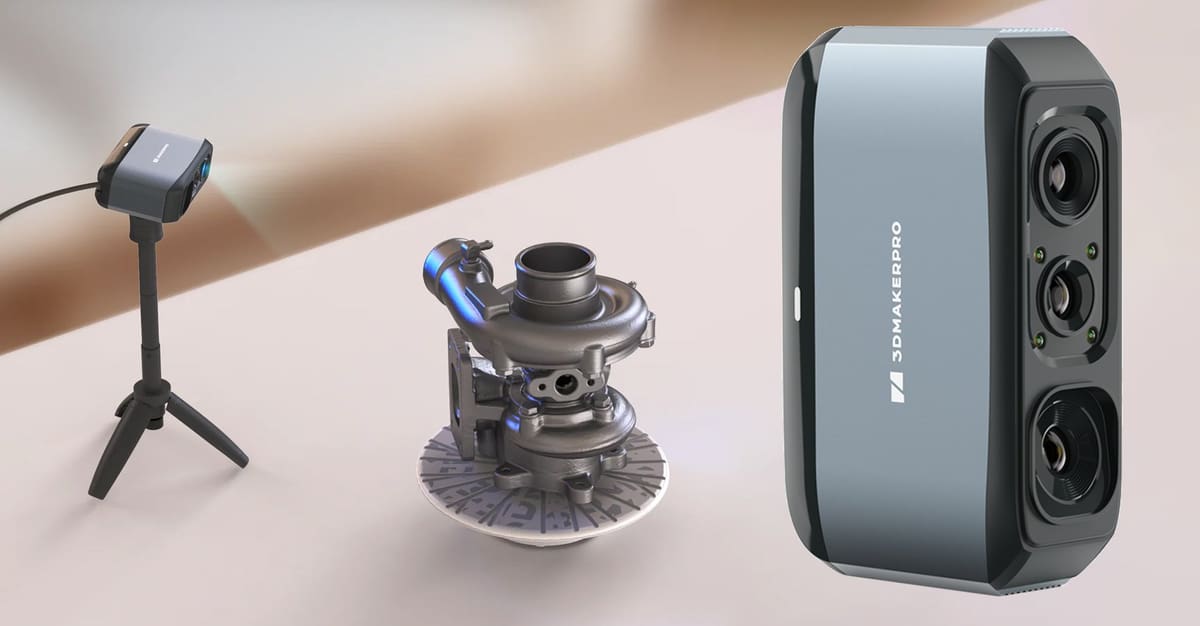
Positioned as an approachable mid-range option in 3DMakerPro’s lineup, the Moose aims to bridge the gap between hobby-grade scanners and more serious handheld tools. It relies on structured light with an AI-assisted tracking system that reduces reliance on markers, and the result is a notably smoother capture experience for newcomers stepping up from phone- or tablet-based scanning. Full-color texture capture is supported through an onboard 24-bit camera, and the Moose handles small to medium-sized objects with enough precision to make it viable for 3D printing workflows, reverse-engineering of simple parts, or digital archiving of models, props, and collectibles.
In real use, tracking stability is the Moose’s biggest strength. It tends to hold alignment even when repositioning or rotating the subject, requiring fewer rescans and less fuss to complete a pass. Surfaces with moderate complexity are handled well, though darker and highly reflective materials still benefit from a quick surface prep or improved lighting. Scanning larger items is possible, but the sweet spot remains handheld tabletop objects where its resolution and texture capture feel most well balanced. The learning curve is relatively light, and the portable form factor keeps setup demands low.
3DMakerPro’s JMStudio software remains functional rather than flashy, but it offers a coherent workflow from scanning through meshing and texture integration without overwhelming the user. Heavier meshes can still tax weaker hardware, and texture baking remains a compute-intensive stage, but in return the Moose delivers clean, detailed models that are suitable for both visualization and fabrication. For users seeking an affordable step into higher-fidelity scanning without committing to workstation-class equipment or multi-camera setups, the Moose makes a sensible and surprisingly capable entry point.
Structure Sensor 3
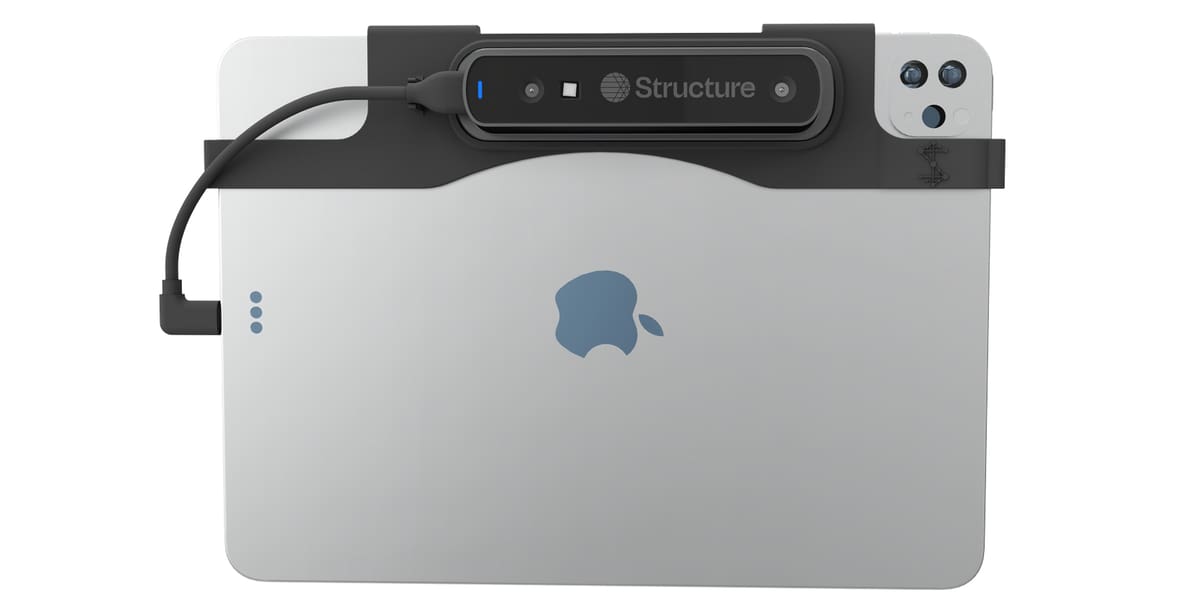
Turn your iPad into a 3D scanner with the new Structure Sensor 3 from Structure. This multi-purpose 3D scanner attachment, updated from the previous Structure Sensor Pro, has a built-in tracking camera with a 160° ultra-wide-vision monochrome lens, boasts high depth resolution, and can be used indoors and outdoors. Occipital targets this scanner at the demanding healthcare environment for, say, custom-fit orthotics or accurate human body measurements.
The Structure Sensor 3 upgrade is a big leap in terms of performance, hardware capabilities, and scanning quality. There’s a 12 megapixel camera, up from the 2 megapixel of the previous version, a wider field of view and better accuracy (up to 0.5 mm) so you can scan smaller and more detailed objects. The scan capture is also faster and the batter life has been extended to three-times the older version.

The software the manufacturer provides is called Structure SDK and offers high-level developer tools and full low-level access for game and mixed reality development and 3D mapping. The device can also be used to create high-quality 3D models of objects for various purposes, including 3D printing. There’s also a comprehensive menu of apps that support the Pro, including medical apps for scanning body parts for orthotics.
Although this 3D scanner add-on was initially designed for use with iPad, the company offers ‘hacking’ guides to get around any obstacles keeping you from using other platforms like Windows or Linux.
This handheld 3D scanner is aimed at medical professionals but is capable of indoor and outdoor mapping and scanning for mixed reality gaming.
Matter and Form Three
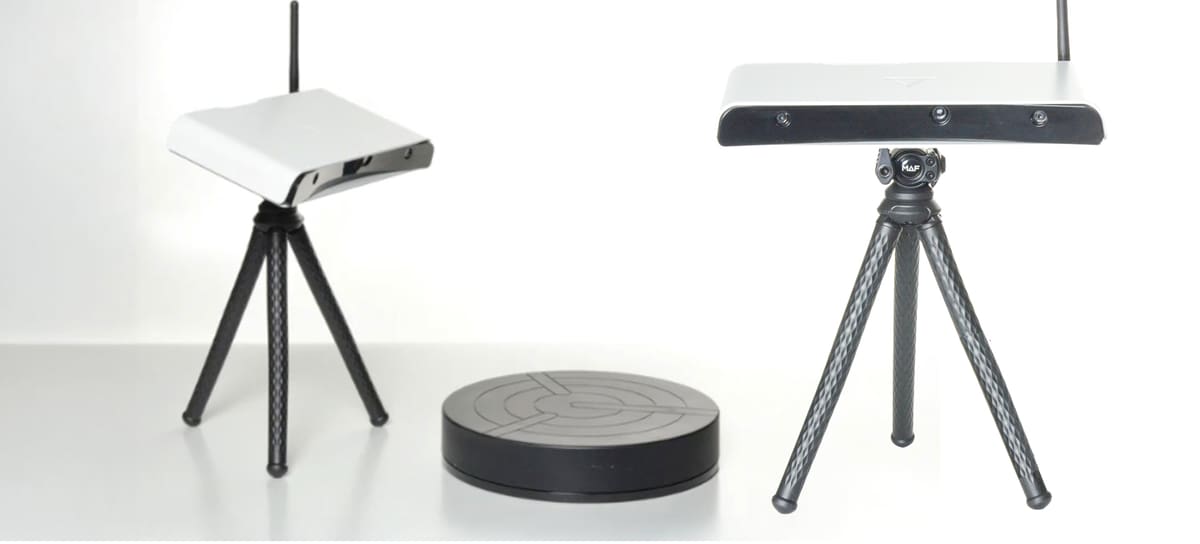
The successor to the Matter and Form V2, the new “Three” represents the company’s shift from hobby to semi-pro, dramatically boosting speed, stability, and scan quality.
The Three features autofocusing 13-megapixel Sony cameras for image clarity and the ability to scan objects of various sizes, from coins to cars. The scanner’s ChromaSpec technology uses the full spectrum of visible light to capture geometry and any color.
Its primary feature is the onboard processing, which completely negates the question of processing power in your computing device – all you need is a web browser to scan with the Three (with a tablet-size screen or larger, preferably) plus its open-source nature means technologically savvy users can bend it to their will for neat edge computing and vision applications.
Three connects to your network with WiFi or Ethernet, or provides a local hotspot of its own, with access to scan processing software through its built-in web server. It stores your scan projects in its internal storage, which can then be exported in a variety of common file types, including 3D modeling-friendly DAE and FBX.
In initial testing, we had a frustrating time with the Three’s repeated loading and connection interrupts getting in the way of an otherwise stellar scanning experience. We’ve been in contact with Matter and Form since, who have assured us such issues have been squashed with updates, suggesting that we hadn’t tested it at its most fully up-to-date version. The company was correct, but in our view, not through error on our part. As a matter of review process, we do check that the hardware is up to date. It’s a messy situation, but we’re investigating further and will update this article soon with an explanation and our updated impression of the scanner as intended.
It suffices to say that the Three is a terrific and unique scanner that, frustrations or no (we’ll see), we can see it excelling in the classroom where regular pauses in the process are easily bridged with other tasks. Matter and Form offers a curriculum to go with the Three, too.
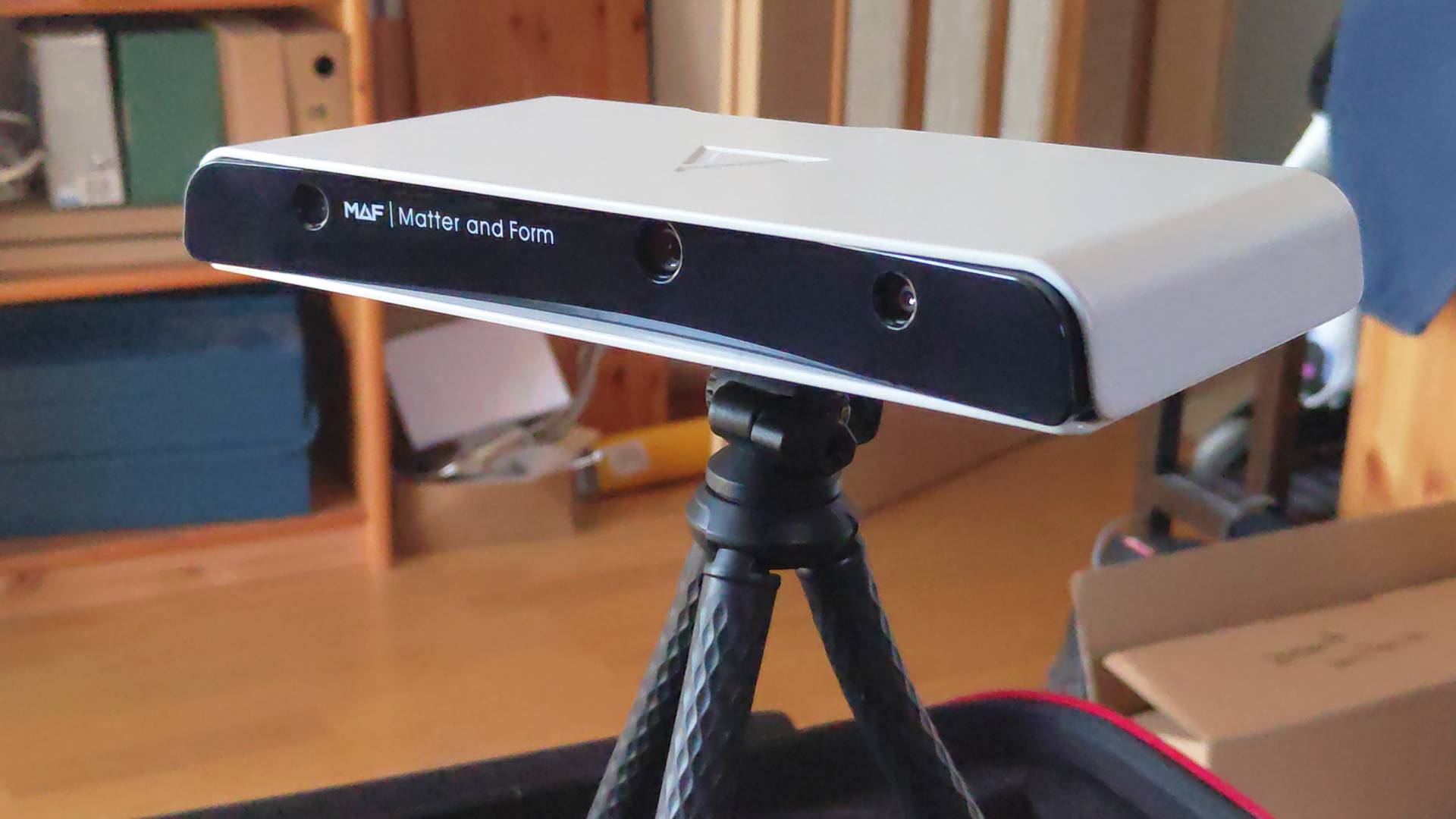
The Three is an infrared structured light scanner, whereas the V2 used laser triangulation.
Of interest to businesses, the Three’s API enables you to control it remotely from your computer, or a robot, or a robotic arm. This open-source nature means technologically savvy users can bend it to their will for neat edge computing and vision applications.
Revopoint MetroX
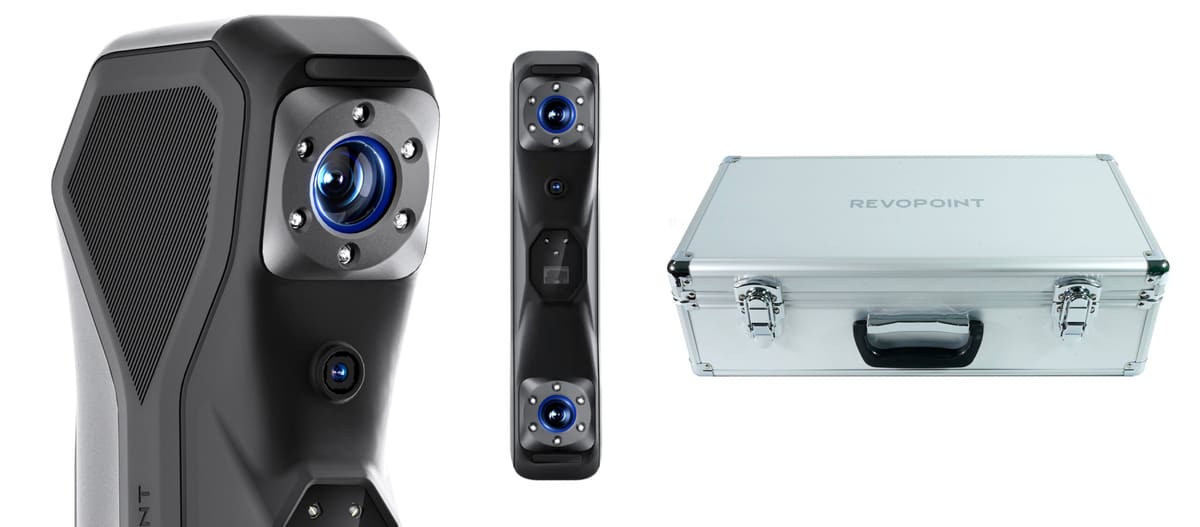
The current pinnacle of Revopoint’s scanning options (though there’s a trackerless version coming soon which we can’t wait for – placing and removing markers sucks) the MetroX is a hybrid scanner than combines blue structured light with laser-based scanning for more accurate results than its lower-end contemporaries. In fact, we struggled with whether to place the MetroX in our Professional section or our Budget section and only opted for budget because of its price.
In our experience testing, it’s no master of any one method, but rather a versatile jack-of-all-trades, letting you switch between feature-tracking structured light and one of cross-line or parallel-line laser scanning for decent marker-based scanning and capturing shinier, darker objects – something structured light alone struggles with.
The beefier data return requires brawnier computing power, with a dedicated MetroX version of Revopoint’s software, Revo Scan, needed to use the scanner. The software is optimized to run high frame capture rates with RTX 30 and 40 series graphics cards, which we’re not sure how we feel about. Inexpensive scanning hardware is a little less democratic when you have to use specific computing hardware to access it.
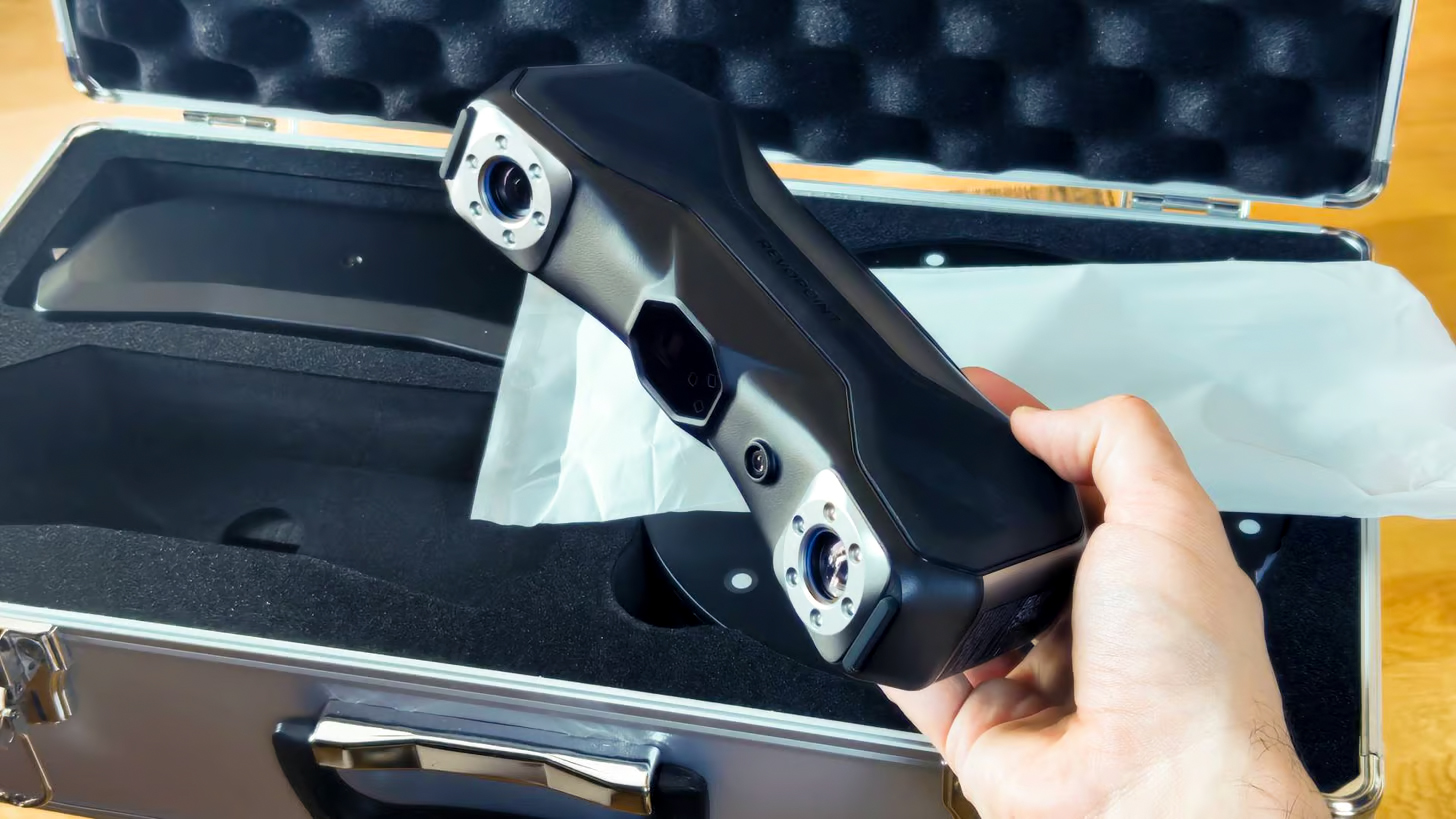
In the MetroX’s stylish metal flight case, you get Revopoint’s nifty automatic turntable, an upgrade on the basic “on-off” style turntable provided with the company’s lesser scanners, plus the litany of tracking markers, calibration board, power options, and what have you. The scanner’s software can coordinate automatically with this multi-axis unit for effortless tabletop scanning.
Scanning with the MetroX is a largely painless affair, with our only wrinkles with the experience coming from odd stability issues with the scanner switching modes or the software crashing when doing so. Otherwise, it presents a smooth path to higher fidelity, small to medium-sized scans.
The MetroX is compatible with Revopoint’s global markers feature, which lets you conduct a preliminary scan of only the tracking markers on an object before capturing the geometry, which aids the system in capturing more volumetrically accurate scans.
Mid last year, Revopoint launched the MetroY, which is more laser-focused with a streamlined feature set.
Shining 3D Einstar 2
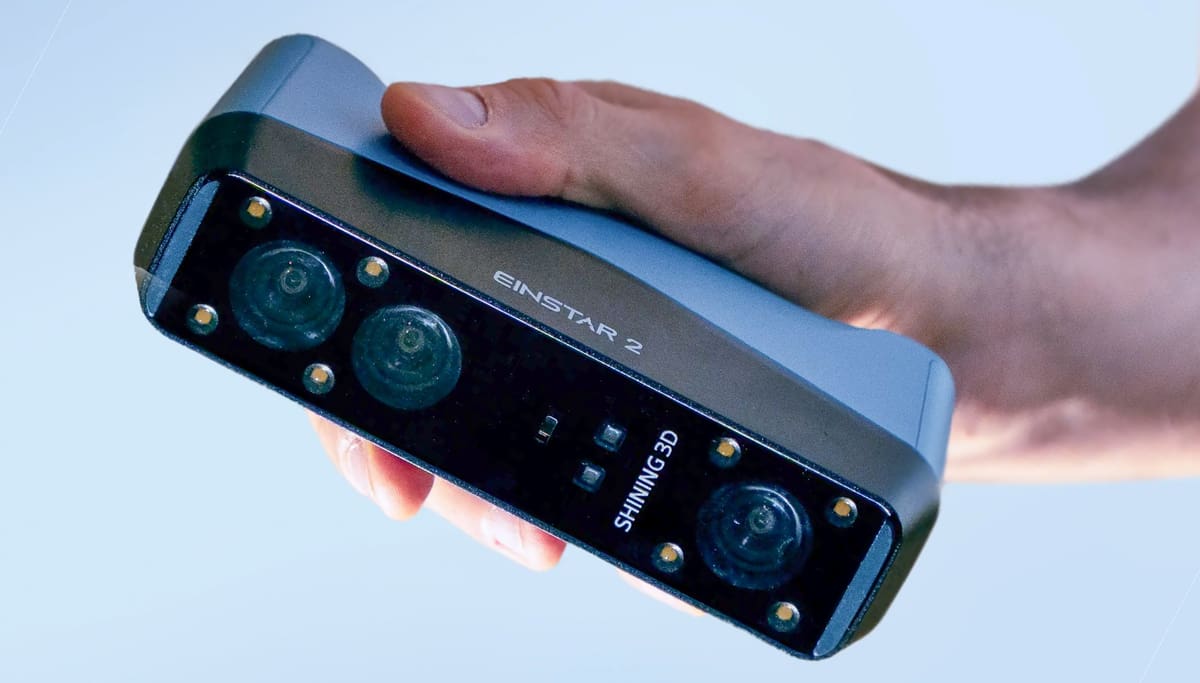
At just under $1,300, the Einstar 2 from Shining 3D is a solid upgrade over its predecessor, offering a big boost in performance while staying affordable. With its hybrid 17-line blue laser and VCSEL infrared system, the Einstar 2 now captures geometry with noticeably sharper precision, all while keeping full-color texturing. It’s still a great choice for beginners and those needing a versatile scanner for everyday tasks, whether indoors or outdoors, but now it handles tricky surfaces—like darker, shinier, or more complex textures—much better.
In the real world, scanning feels faster and smoother thanks to improved tracking, higher frame rates, and onboard processing that speeds up alignment. Plus, the built-in battery and wireless connectivity mean you can leave the laptop and cables behind, making it way more convenient for scanning people, faces, or larger objects. While you still need to mind lighting and distance for the best results, the learning curve is easier than before, and the hybrid tracking system means fewer restarts to finish your scans.
The software has also been updated, now more polished and user-friendly without overwhelming newbies. It still works in a sequential workflow, but it’s better at exposing tools and parameters when you need them. While high-res scans can still put a strain on your computer, especially during meshing and texture generation, the trade-off is a portable, wireless scanner that reliably delivers detailed, full-color models with less hassle and more flexibility than the original.
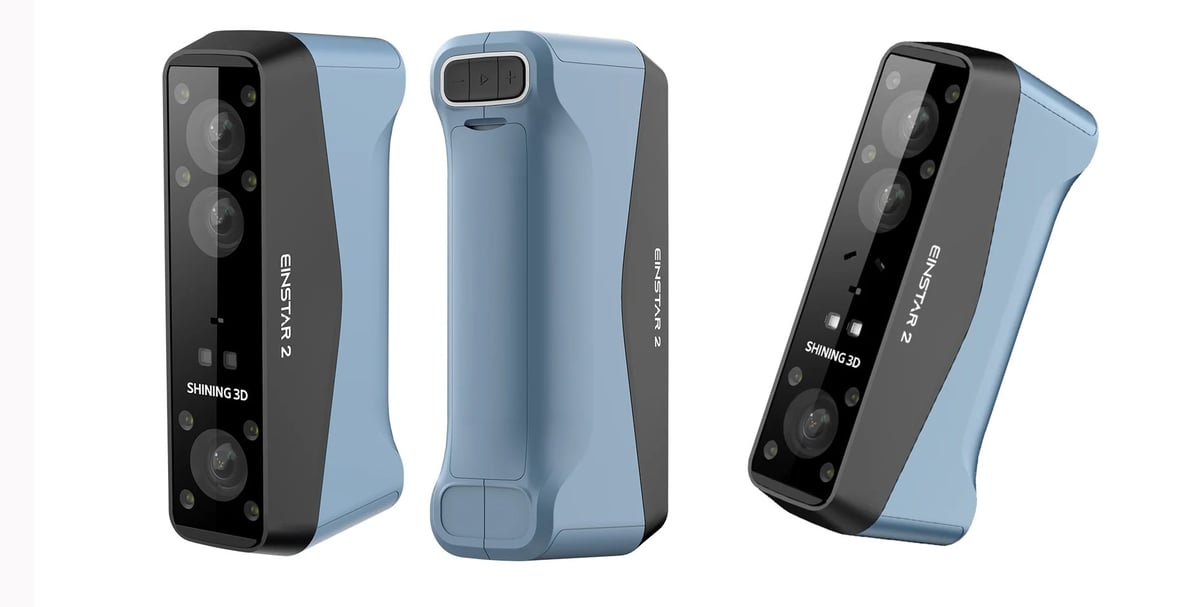
If the Einstar 2 is the budget all-rounder, then the also new Einstar Rockit is the upgrade. Packing what appears to be the scanning tech of the Rigil, Einstar’s $5K pro handheld scanner, but trimming away the display and onboard processing capabilities, the Rockit has two laser projectors: a 19+19 crossed mode for large area capture, plus the 7 parallel laser mode as found on the Einstar 2. Additionally you get the infrared scanning, too. In practical usage, the crossed laser mode offers a larger scanning area, opening the Rockit up to easier processing of larger objects.
Texture capture in full color is emphasized here, with the Rockit sporting a 5MP camera to capture the data compared to the Einstar 2’s 2.3MP snapper.
iPhone 17 Pro
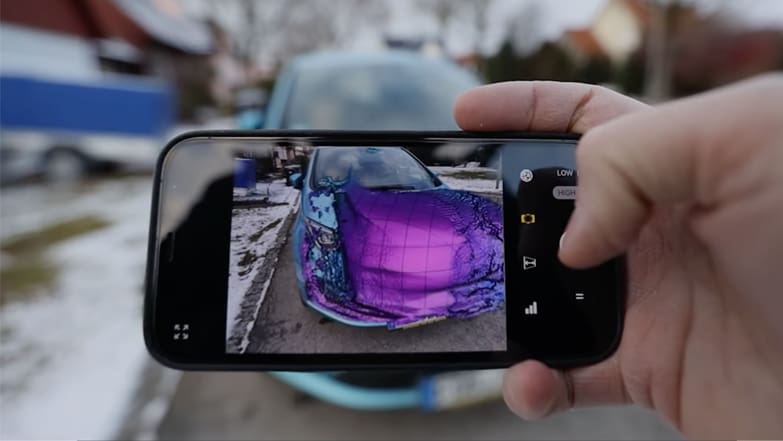
We know it’s not technically a 3D scanner, but no list of 3D scanners is complete today without taking a moment to acknowledge how popular 3D scanning has become. Just look at the 3D scanning ability designed into the iPhone.
All variety of product vendors, especially in footwear and healthcare, enable custom 3D printed products in a workflow that includes customers scanning themselves with their phone and sending in the files.
These devices’ Light Detection and Ranging (LiDAR) scanner accurately measures distances to map out three-dimensional spaces. This technology is meant to enhance the phone cameras’ low-light photo ability but is also compatible with a growing array of mobile apps developed to 3D scan rooms and objects including yourself, if you want to upload a scan of your foot to custom fit shoes, for example.

With a handful of apps to choose from, you can scan an object to create a three-dimensional image of it on your device and export it in the most popular 3D formats, including mesh data, FBX, OBJ, and glTF. But the resolution of the LiDAR sensor is meager, with only a few hundred dots in its measurement grid. If you want to scan, for example, a figurine to 3D print, it will take a significant amount of effort in your 3D software to get something printable. Even then, it will not have anywhere near the detail as the original. However, if you’re looking for a scan that will be a rough digital starting point for your project – and you already own this device – adding the scanning app might do the trick.
Even better, if you care more about the result than the process and don’t care whether you truly ‘scanned’ your desired object, photogrammetry, the method of using images rather than light, is available on selected MacOS Monterey devices based on Apple’s Object Capture API. One exciting App that lets you create high-quality digital models in a matter of minutes is PhotoCatch. Best of all, it is completely free, provided you have the necessary hardware requirements. If not, you can still use their Cloud computing service for a small fee.

Professional 3D Scanners
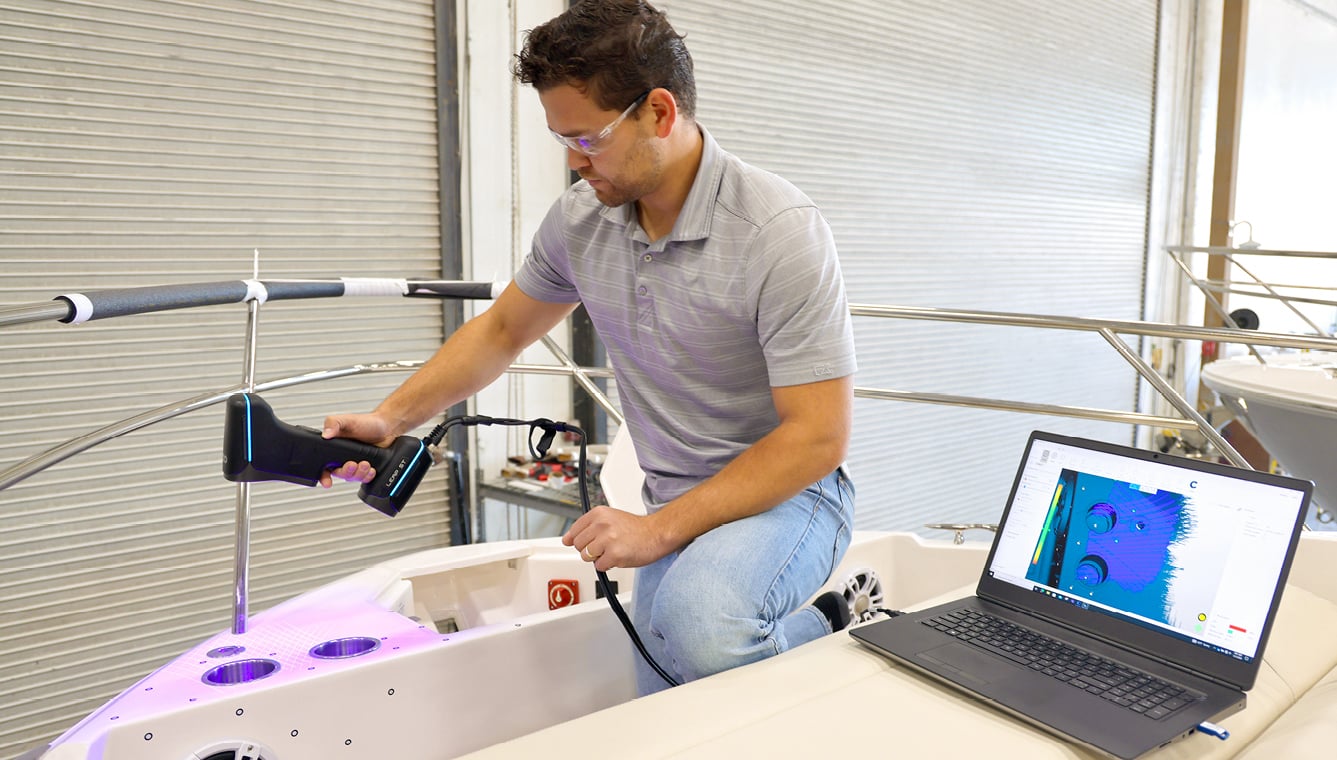
What sets a professional scanner apart from some of our favorite budget scanners above? Less and less these days, to be honest, as budget scanning tech has advanced. But still, professional 3D scanners excel over the budget crowd in a few significant areas, including speed, flexibility, automated workflows, and features that just make daily scanning at work more efficient.
Used by museums to digitize their collections, medical professionals to create customized orthotics, and law enforcement to analyze the crime scene, professional-level 3D scanners offer more power and precision than ever.
The ones on our list are designed for use in a work environment and have solid accuracy combined with automated workflows and powerful software. We’ve divided our list into professional scanners (ideal for VR, scanning people and objects) and industrial scanners (designed for quality control, reverse engineering, and inspection) starting at $2,000.

If you’re relatively new to 3D scanning, don’t miss the section below on the various technologies and what to look for in a scanner purchase.
Many of these scanners are suitable for applications like VR or scanning people and objects. Still, for more advanced applications like industrial quality control, reverse engineering, and inspection, we’d recommend taking a look at the industrial 3D scanners.
Best of the Pro Overview
What We’ve Changed Since The Last Update
We’ve added the new Sermoon S1 from Creality (although we still really like the Raptor Pro) and we take a look at the new 3DMakerpro Toucan.
3DMakerpro Toucan
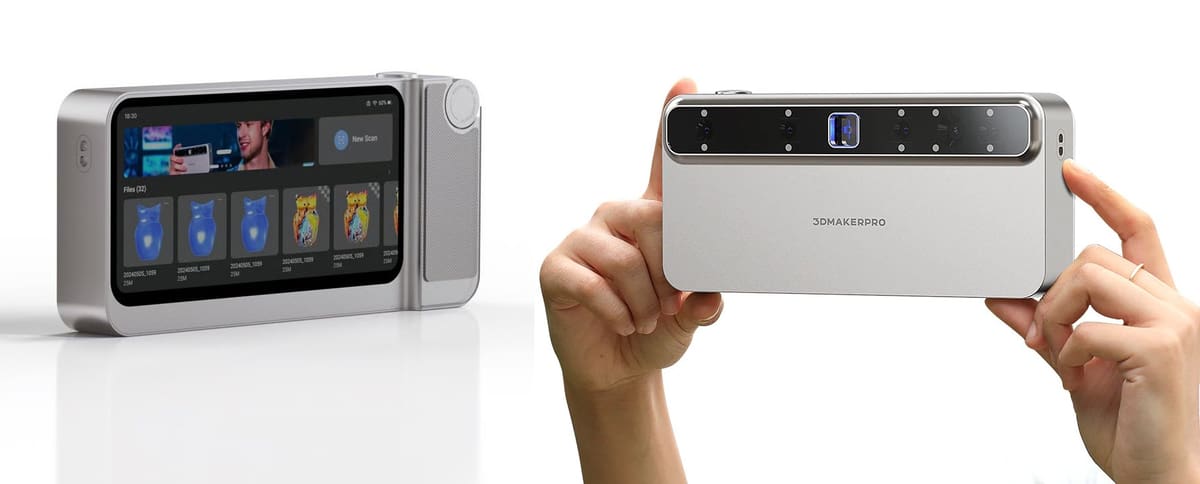
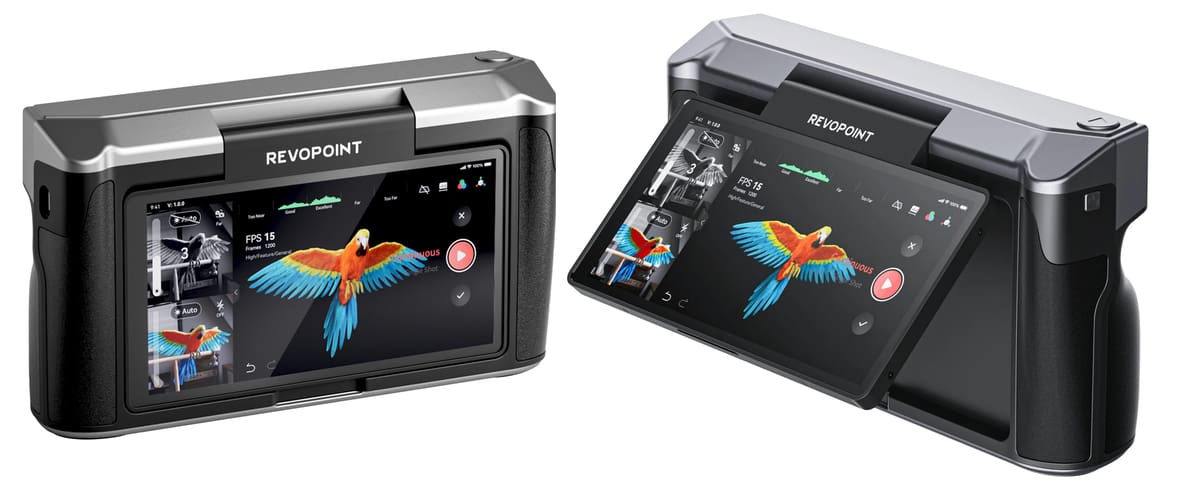
Just launched last fall, we can’t wait to get our hands on the 3DMakerpro Toucan. It represents a bold rethinking of the handheld 3D scanner by collapsing what used to be a multi-piece setup into a standalone unit. Unlike most scanners that rely on a tethered computer or phone, the Toucan integrates an 8-core CPU, 32 GB of RAM, and 256 GB of internal storage so you can scan, process, and preview models entirely on the device itself, without a PC in sight.
A 6-inch mobile-phone-like touchscreen and intuitive dial with quick-access buttons make the scanning workflow feel more like using a camera than wrestling with a piece of technical hardware, and dual bright blue structured-light modes let it adapt from fine miniatures to larger objects with credible accuracy.
In practical use the Toucan’s multi-camera array and powerful onboard optics deliver crisp geometry in both close and distant modes, capturing small details down to roughly 0.03 mm while still maintaining a productive working range that stretches out over a meter for bigger subjects. Built-in color capture via a high-resolution RGB sensor brings lifelike textures into the 3D mesh, and its intelligent scan algorithms help fill gaps and maintain alignment even across complex surfaces. Because processing happens on board, alignment feels snappy and responsive, with real-time previews and fewer pauses for external transfers.
The Toucan’s ecosystem supports a full 3D workflow: you can scan, clean up point clouds, merge meshes, and export versatile formats for 3D printing or CAD without juggling multiple tools. Its untethered design and broad capture envelope make it a compelling option for creators who want a single scanner for everything from figurines and product design to larger prototypes and sculptural pieces, though truly professional workflows may still benefit from dedicated post-processing on a workstation.
Creality Sermoon S1
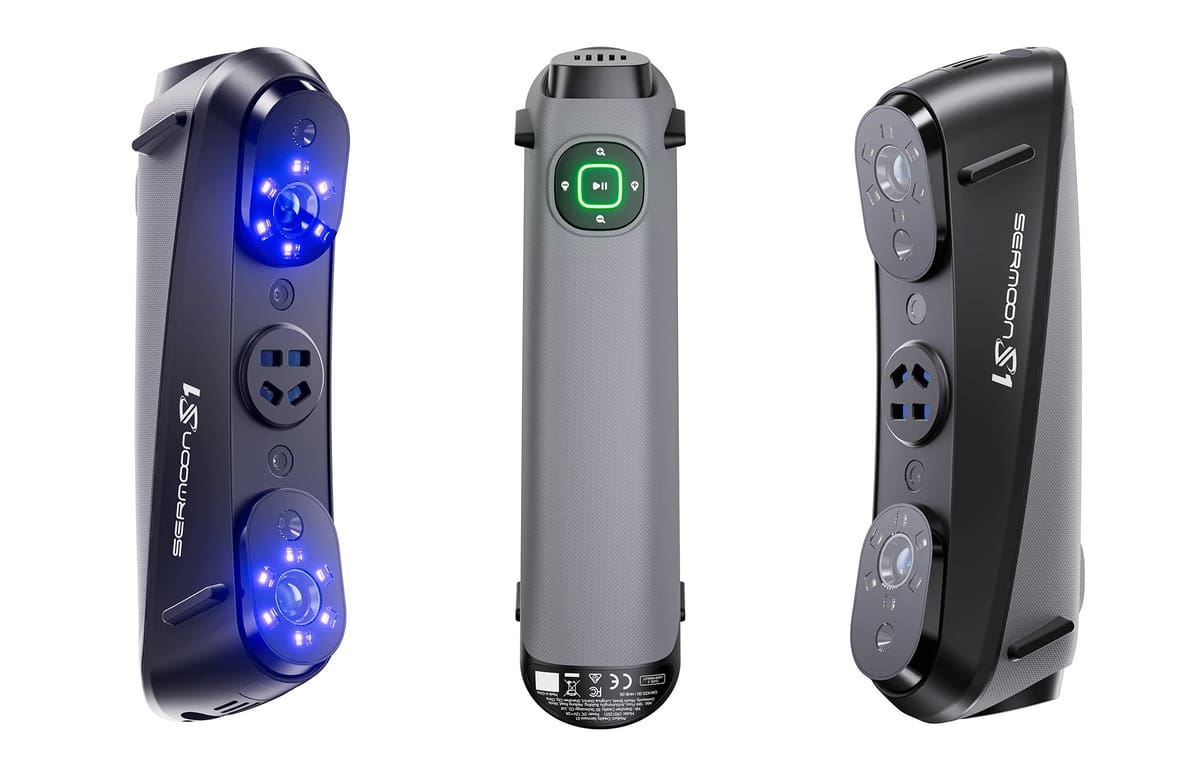
Creality may have started out as a 3D printer maker, but has expanded into 3D scanners in a major way offering both budget and pro models with some impressive features. Last, year, we recommended the Raptor Pro ($1,900) which is designed for a wide range of applications incorporating a dual-mode laser system with 22 cross laser lines for scanning medium to large objects and seven parallel blue laser lines for capturing fine details.
This year, we’re going with the newer Sermoon launched last fall. The Sermoon S1 ($2,700) steps up with a multi-light hybrid system combining a single-line blue laser (good for capturing deep holes and narrow gaps), seven parallel lasers, 34 cross lasers, and NIR structured light, all supported by AI-powered software and stereo-vision optics. It delivers similar 0.02 mm volumetric precision and high speed (about 90 fps) as the Raptor, but stands out with better handling of complex geometries and a broader capability for marker-less scanning and outdoor use. The S1’s flexible laser + NIR setup and strong software integration make it particularly suited for detailed industrial scanning, inspection, and CAD workflows.
But if you want even more, there’s also the new Sermoon X1 ($6,000) that builds on the S1’s hybrid system with more extensive laser arrays and advanced features like AI-assisted workflow, deep-hole scanning, photogrammetry-enhanced alignment, and long-range scanning, supporting a wide object range from tiny parts to large industrial components with high precision and a robust, portable design. Its industrial-oriented feature set, wireless support, wireless Scan Bridge compatibility, and optimized software make the X1 the most capable option of the three for demanding professional and large-scale scanning projects.
Revopoint Miraco Plus
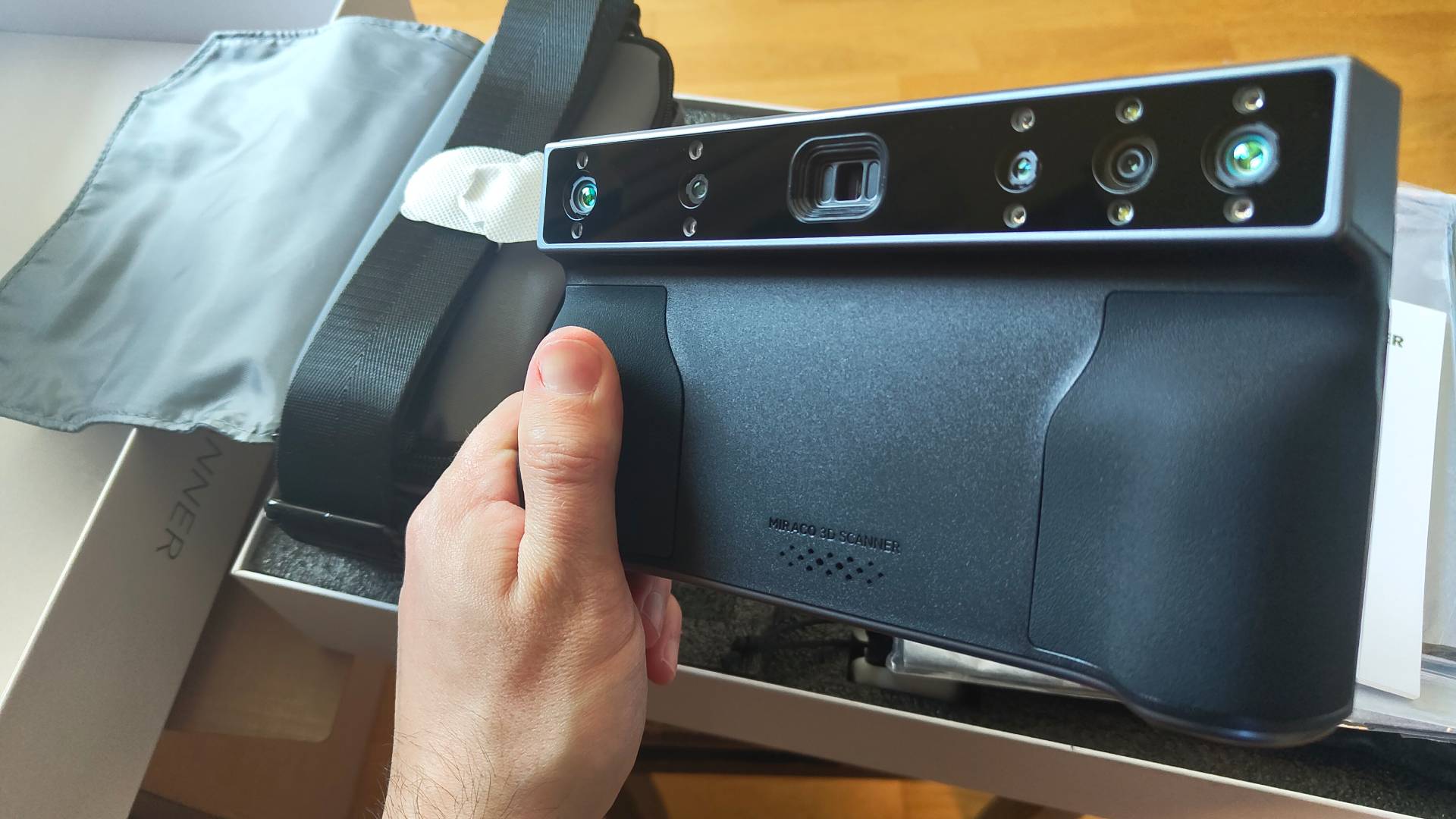
When we went hands-on with the Revopoint Miraco we were pretty impressed with the company’s newest handheld 3D scanner that tries, and in many ways succeeds, to do it all. We have to admit that the newer Miraco Plus, goes even further.
The Plus offers the same effortless on-the-go scanning experience we saw with the original Miraco, but with steep refinements that elevate its value for accurate, large-scale work.
One key feature of the Miraco Plus is its Photogrammetric Metrology mode. The scanner comes with a neat metal travel case filled with magnetic markers, tracking dots, and distance calibration markers, plus a QR calibration code that’s unique to each set. It looks daunting, but is simple in practice.
After plastering the subject with the metrology markers, tracking dots, and distance calibration markers, you then use the Miraco Plus to capture photographs that are used to create a photogrammetric array of tracking data for the scanned object. This is then used to reign in the volumetric accuracy across the expanse of the model.
This kind of large, unbounded scanning without the need for tethering to a laptop is the Miraco Plus’s natural habitat. It is ideal for roaming around large scanning subjects, and the Plus is a solid evolution on the concept with its unique metrology mode.
Up close, the results for small, detailed models don’t seem as sharp as can be achieved with the company’s cheaper, tethered devices. But at large scales, with the metrology kit to reign in the accuracy, we don’t think anyone will care too much.
Peel 3D Peel 3
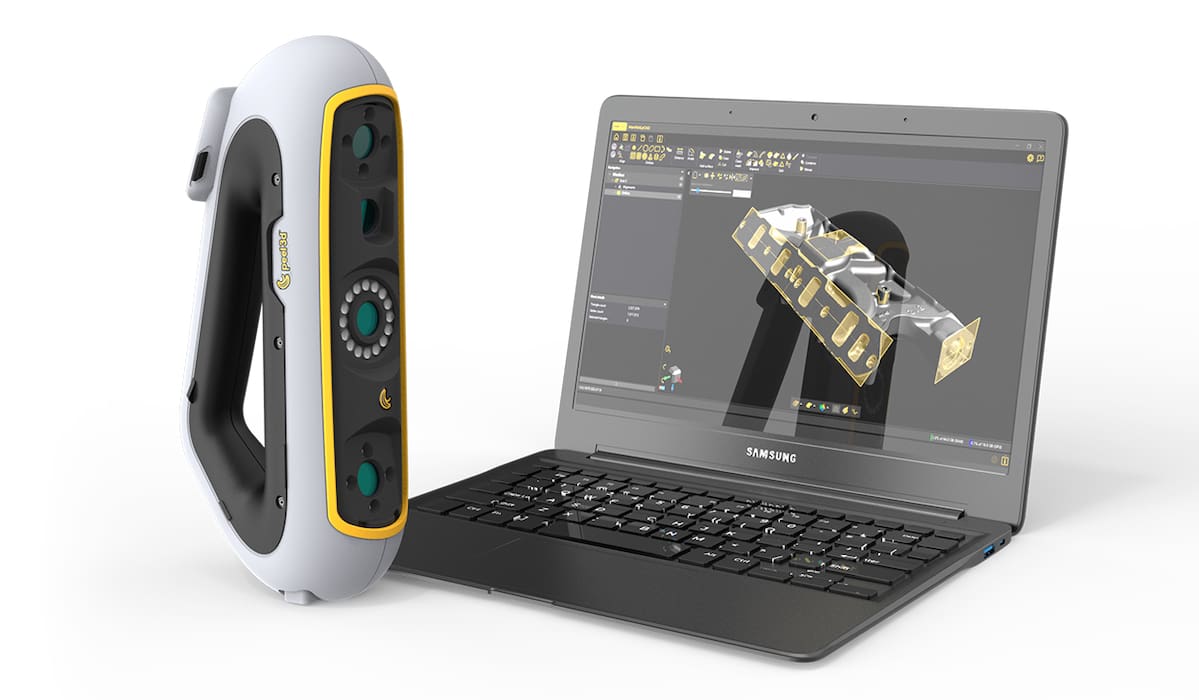
Peel 3D, the Creaform subsidiary that brought us the Peel 1, 2, and 2-S, offers the Peel 3 with better accuracy than its predecessors and focuses on improving usability through an ergonomic design, haptic feedback, and intuitive touchscreen capability. The company says the Peel 3 is flexible enough to appeal to users for AR/VR and digital content, education, heritage preservation and art, product design, healthcare, and engineering.
A feature you won’t find on every scanner is several recognizable vibration patterns to guide you as you scan narrow and hard-to-reach places without a direct line-of-sight.
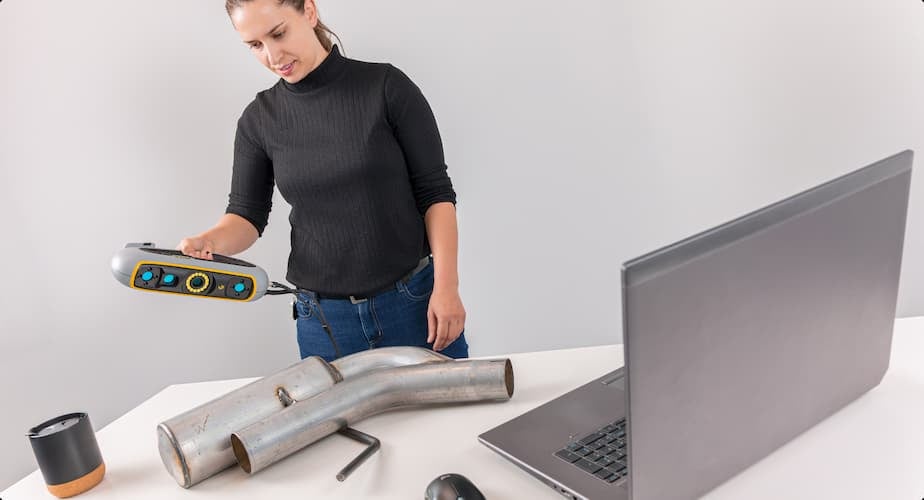
The scanner is also offered as a bundle with proprietary Peel CAD software as the Peel 3.CAD version, specifically designed as a turnkey solution for reverse engineering applications. Peel 3.CAD supports exporting into industry-standard CAD programs like Solidworks, Fusion 360, or Solid Edge.
FARO Leap ST
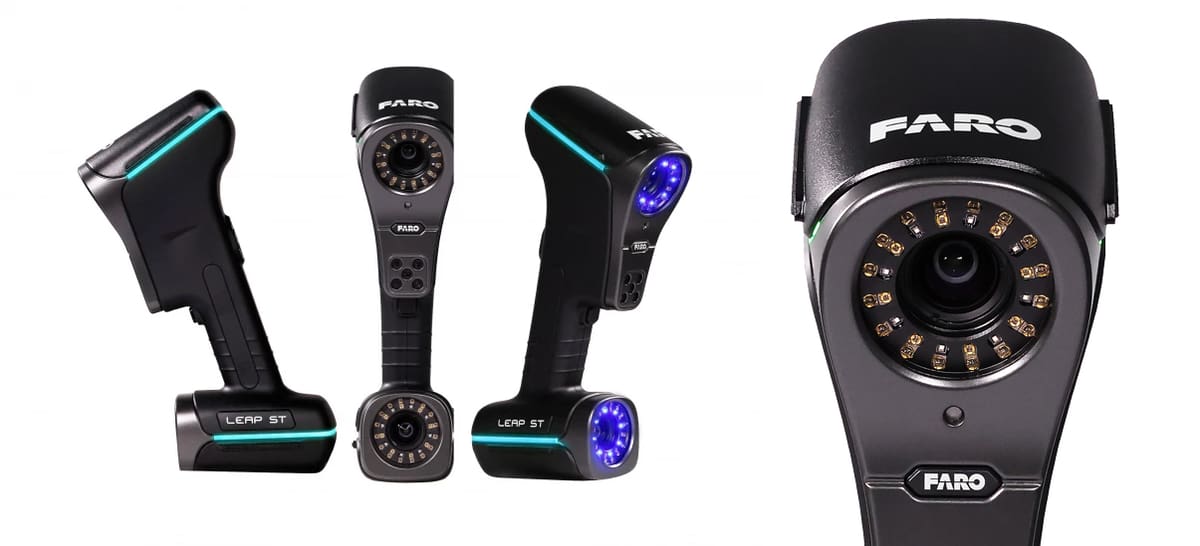
FARO Technologies has been making 3D measurement, imaging, and realization solutions since 1981 carving out a niche in industries, such as manufacturing, construction, forensics, and engineering. It was acquired by technology giant AMETEK last year, but that should only strengthen its reach.
A favorite among surveyors, architects, and investigators, the brand new FARO Leap ST is the company’s most flexible offering to date aimed at industries, such as aerospace, automotive, transportation equipment, and metal fabrication.
This device offers five distinct scanning modes to accommodate a wide range of applications. The Ultra-Fast Scanning mode uses 34 blue laser lines to capture small to medium-sized parts quickly, allowing for rapid feature identification and data acquisition. The Hyperfine Scanning mode employs seven parallel blue laser lines at a minimal standoff distance, achieving high-resolution captures of intricate details. Additionally, the Photogrammetry mode integrates scale bars and tools, simplifying the photogrammetry process without requiring additional accessories, and it is ideal for capturing large objects with precision. The Deep Hole Scanning mode utilizes a specialized laser line designed for scanning hard-to-reach areas, such as deep holes, maximizing measurement capabilities in these challenging spaces. The Large-Area Scanning mode uses 11 parallel infrared laser lines, enabling efficient capture of large features, making it well-suited for medium to large parts in both rough scans and detailed inspections.
The FARO Leap ST delivers an accuracy of up to 0.02 mm for applications like quality control and reverse engineering. It’s lightweight and portable, designed for handheld operation, which enhances flexibility and reduces setup time in various environments.
Shining 3D EinScan HX2
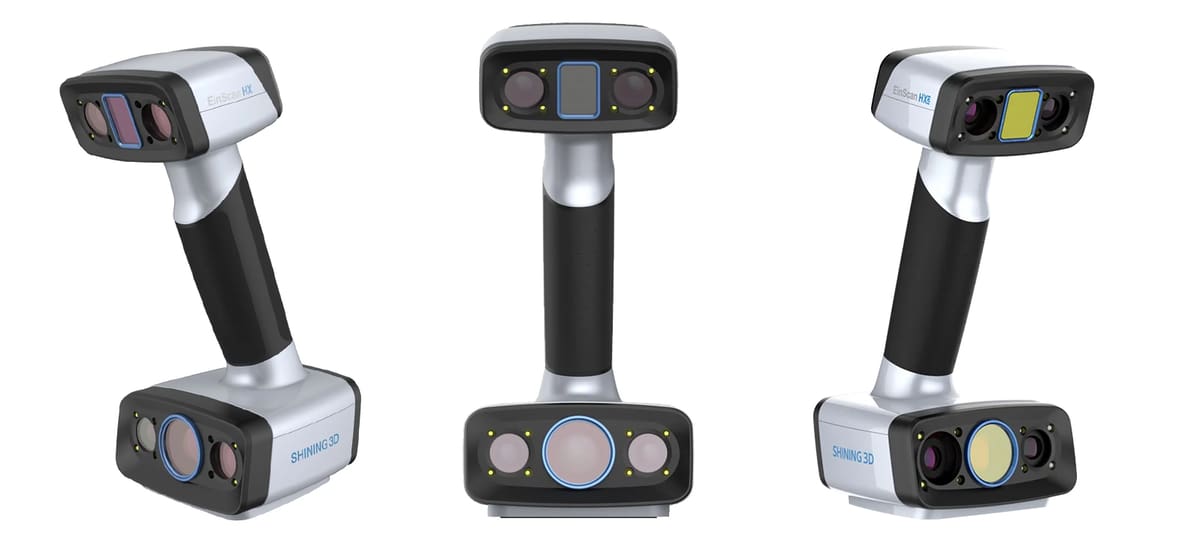
The EinScan HX2 is an updated version of the EinScan HX, featuring enhancements such as increased laser lines and a higher frame rate for faster and more detailed scanning. Its combines blue LED light and 13 crossed blue laser lines to improve its adaptability to various materials. This hybrid approach allows for scanning of black and reflective surfaces without the need for markers, expanding its application range.
In laser scan mode, the EinScan HX2 achieves a scanning speed of up to 120 frames per second, enabling rapid data acquisition for applications such as reverse engineering, CAD/CAM, and 3D printing. Most objects can be scanned within minutes, the company says.
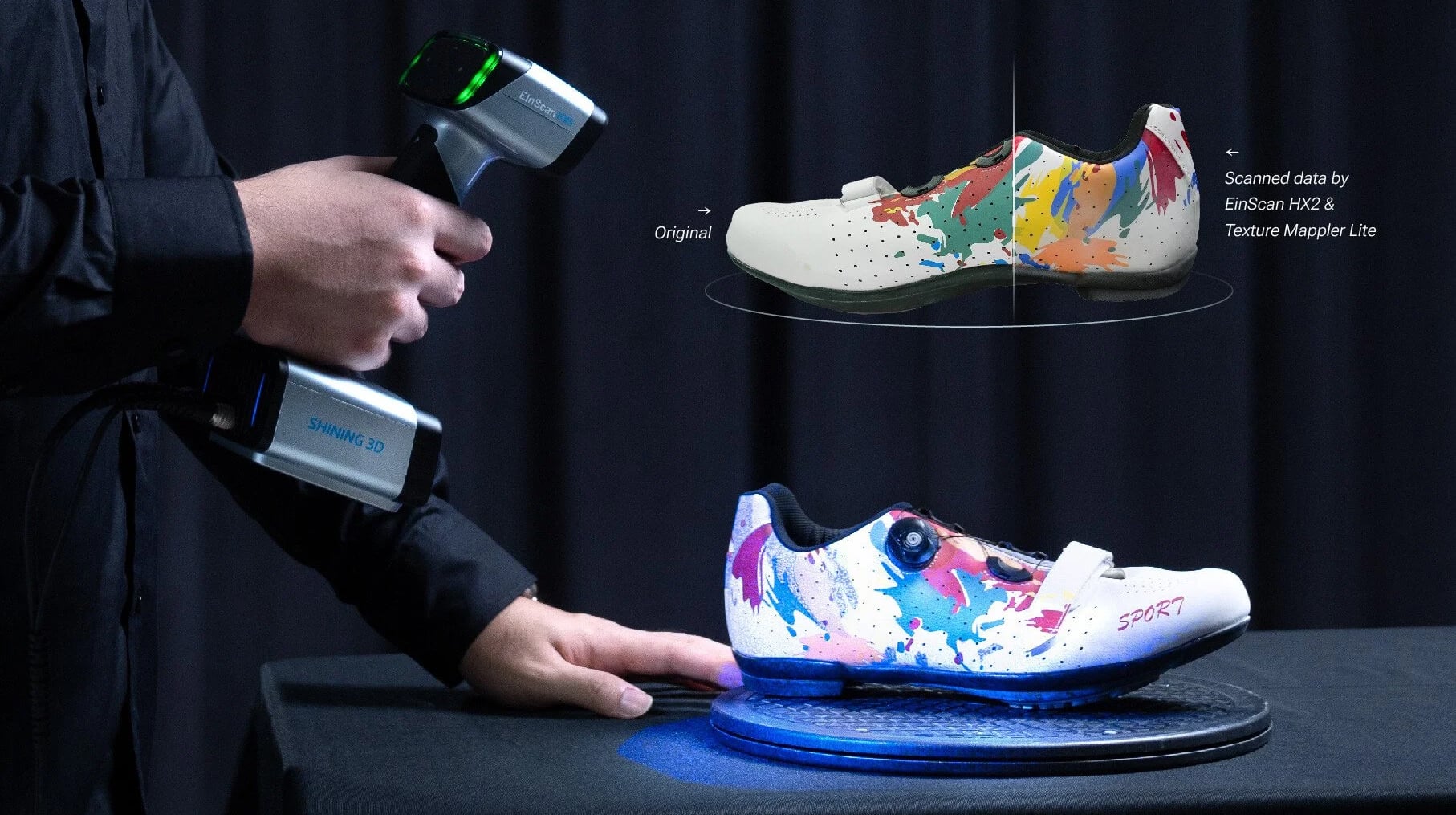
The scanner delivers high-resolution results, with an accuracy of up to 0.04 mm in laser scan mode.
Weighing just 745 grams, the EinScan HX2 is feature rich. It has a built-in color camera for full-color texture capturing and tracking in rapid scan mode. The “Texture Mapper Lite” feature further simplifies the creation of photorealistic texture mapping, enhancing the realism of 3D models.
The scanner comes with the EXScan HX software, which guides you through the 3D scanning process, from calibration to data editing. The software’s algorithms process and optimize scanning data making it easy to get great results. Regular updates ensure continuous improvement and access to the latest features.
Industrial 3D Scanners
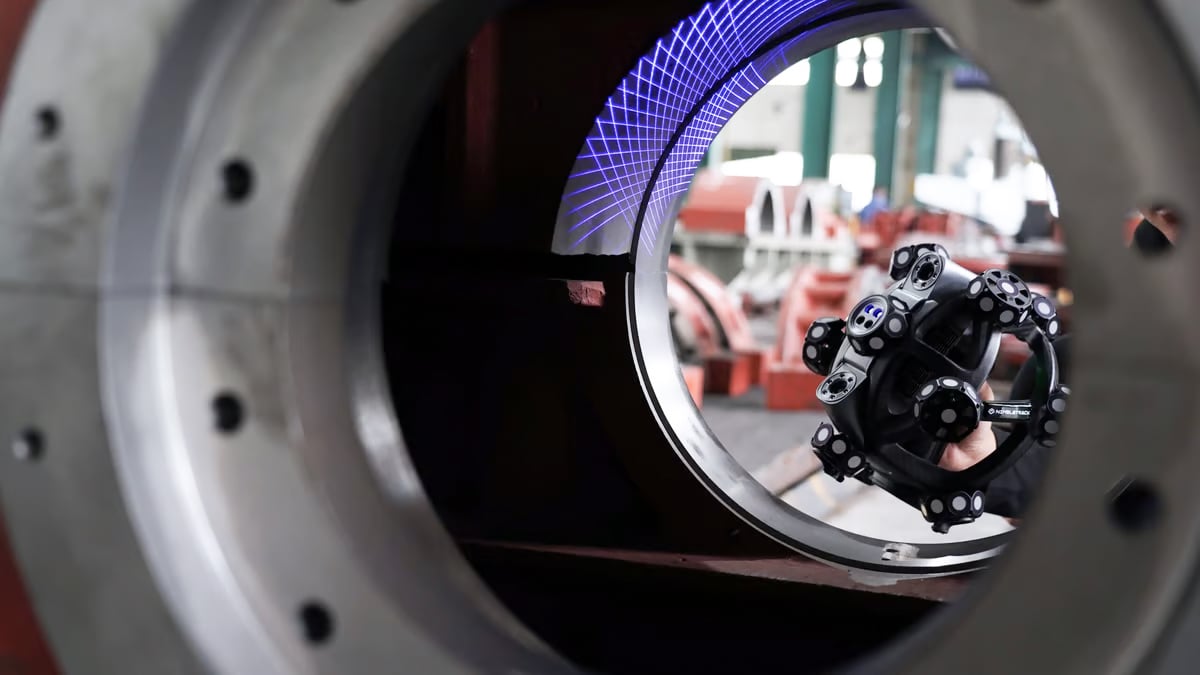
We’ll admit that the line between professional and industrial 3D scanner is a bit fuzzy. Here, we feature the scanners suitable for industrial applications from reverse engineering, prototyping, and VR to quality control, digital archiving, inspection, and maintenance. These machines below are well up to the task extraordinarily powerful software and features that compensate for reflective surfaces, shop floor vibrations, and part movements.
The following machines, especially those further down the list, are used in various industries, including defense, manufacturing, aerospace, automotive, and consumer products.

Industrial Scanner Overview
What’s News Since the Last Update?
We’ve swapped out the Creaform HandyScan Silver Series for the newer Pro Series, updated the Scantech Simscan-E to the newer Simscan Gen2, and we take a look at the Hexagon Atlascan Pro, although we still like the Atlascan Max.
Creaform HandyScan Pro Series
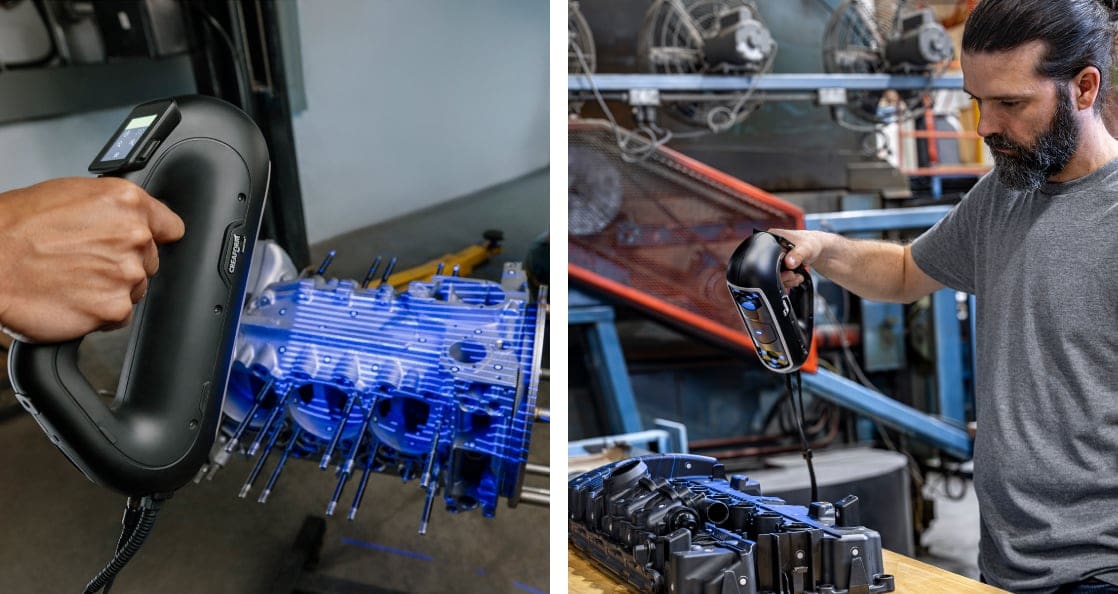
Last year, we were sold on the HandyScan Silver series, but this year, we can’t help but suggest you check out the newer HandyScan Pro Series, positioned as a professional-grade scanning solution with strong integration into Creaform’s software ecosystem. While the Silver Series represents Creaform’s entry-level metrology-grade handheld scanners the Pro Series is a step up.
The HandyScan Pro delivers high-quality metrology-level scans with accuracy around 0.030 mm and includes Scan-to-CAD Pro for faster transition from capture to parametric modeling. Its combination of precision, portability, and workflow-oriented software makes it suitable for industrial design, product development, and engineering teams that need reliable scan data for CAD-driven tasks.
The HandyScan Pro Series stands between the Silver series and Creaform’s cutting-edge EVO Series, which adds higher accuracy, on-device controls, touchscreen interaction, and AR-assisted alignment for more demanding industrial and inspection workflows.
Shining 3D EinScan Libre
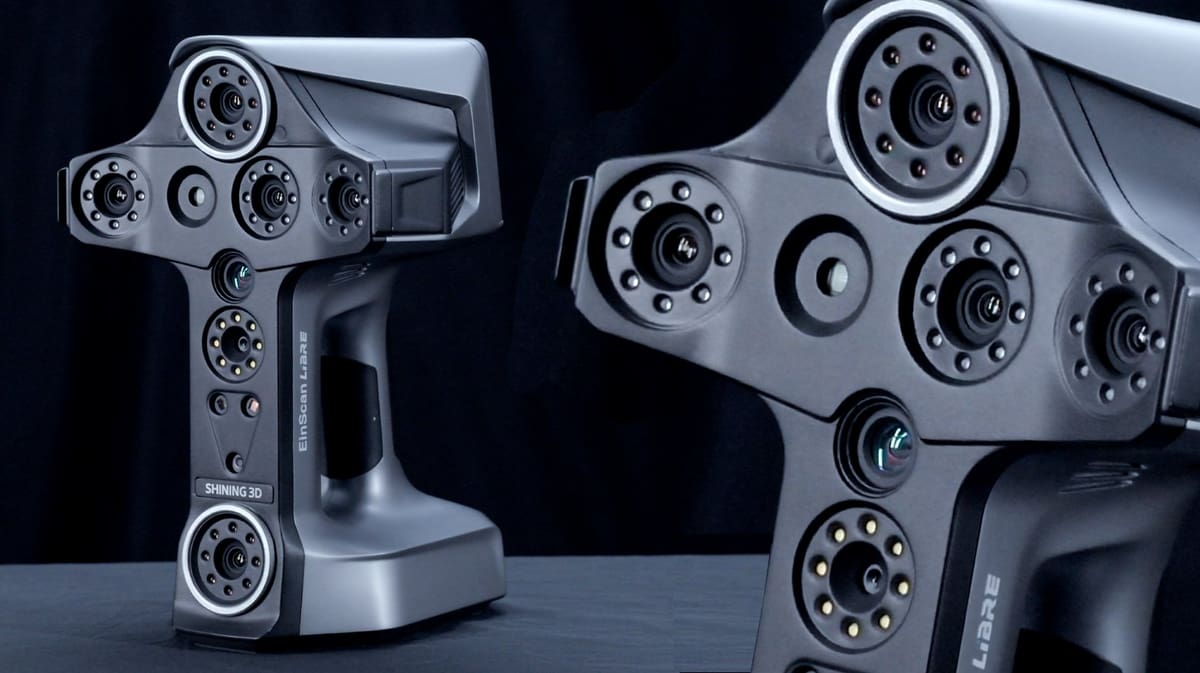
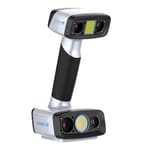
It’s a given today that handheld scanners should be wireless, but the new Libre, in the EinScan series from Shining 3D, goes a step further. You don’t simply save data to the scanner’s memory or connect the scanner to a laptop via WiFi for processing; the processing is done on the scanner itself.
The onboard Nvidia Jetson Orin NX chip with 16GB memory and an 8-core CPU turns the raw point cloud (a collection of data points in three-dimensional space that represents the external surface and color of the scanned object) into a usable 3D model or mesh. Make basic edits and download files as STLs, OBJs, or other formats right from the device.
Libre features a 14 cm onboard display. And, although you’ll still need to export files to a CAD program for complex editing or manipulation, the onboard processing gives you the assurance that the part has been thoroughly and accurately scanned. A data quality indicator highlights areas of a model that require further scanning.
There are other quality-of-life features that solve some of the headaches of scanning typically found in 3D scanners of this price range.
This compact, full-color, standalone system also has both eye-safe blue laser scanning and infrared light scanning.
The laser mode (with 101 blue laser lines) is for high detail and is aimed at areas with textures and features or a part size of about 5 cm. Shining says there’s a “texture alignment” feature that is “specifically designed to assist in scanning objects with challenging surface materials, such as metallic finishes or colorful vases.” This is too vague to be counted as a feature just yet; we’ll have to get our hands on a Libre to take that for a spin.
Although the EinScan HX2 is superior in accuracy and surface detail (especially in laser mode), the EinScan Libre is a more color-focused scanner, offering easy texture mapping expeically for use with visualizations or AR. It’s your best bet realistic, vibrant color scanning. If the Libre is out of your budget, a lower-cost good color option is the Shining 3D Einstar.
Laser scanning mode doesn’t require scan markers (those little stickers placed on the scanned object that act as reference points) but you can use them for a boost of accuracy.
The infrared light scanning is for rooms, scenes, and larger objects up to 10 meters. Shining 3D says users can easily switch between the Libre’s three scan modes to adapt to various materials and object sizes, whether scanning indoors or outdoors. Even larger scenes can be stitched together for a wider field of view.
Although you don’t need scan software with the Libre, Shining 3D offers it anyway. The company’s new EinScan Libre software enables you to manage projects, fuse resolutions, and use other data editing tools.
Scantech Simscan Gen2
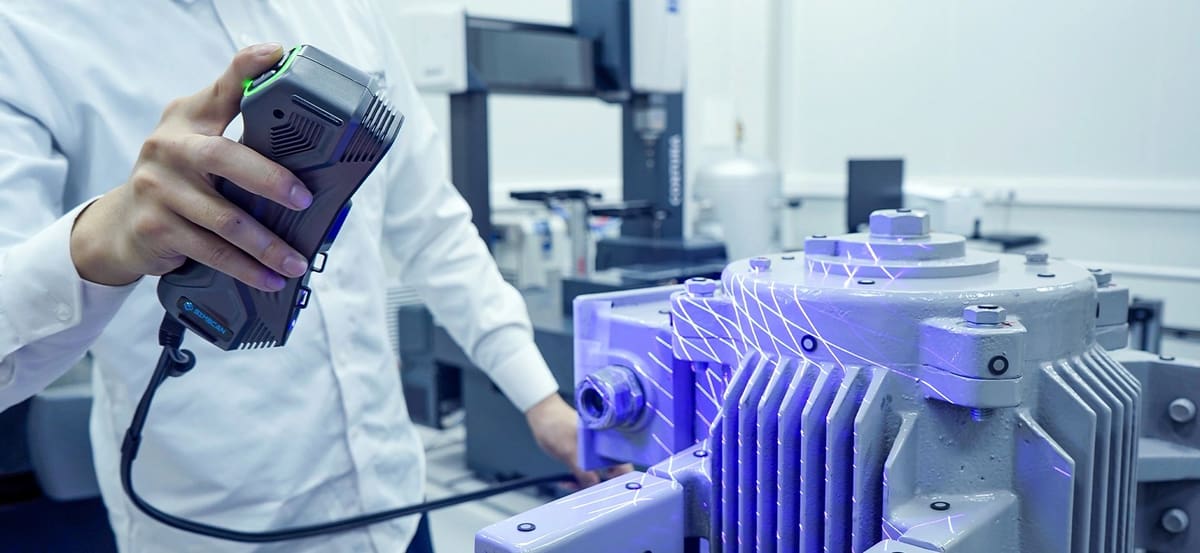
The Simscan Gen2 is the company’s 2025 refined follow-up to the Simscan-E with a continued focus on pocketable industrial scanning but tuned for higher metrology performance. It uses a dense array of 27 laser crosses and advanced algorithms to deliver very fast scanning (up to ~5.8 million measurements per second) with accuracy up to about 0.020 mm, making it especially effective for tight, hard-to-reach areas and small-to-medium parts. While still lightweight and ergonomic, the Gen2 prioritizes optimized industrial-grade precision and dedicated scanning modes (like ultra-fast, hyperfine detail, and deep-hole) aimed at professional inspection, GD&T measurement, and reverse-engineering tasks.
Simscan Gen2 supports three specialized scanning modes: ultra-fast scanning for broad coverage, hyperfine scanning for intricate detail, and deep-hole scanning for narrow features. Its lightweight and ergonomic design (about 570 g with USB 3.0 connectivity) makes handheld use comfortable over extended sessions, and it integrates with Scanology’s DefinSight software for real-time meshing, CAD comparisons, fast processing, and intuitive reporting.
While the Simscan-E emphasized wireless freedom and flexible, on-the-go scanning with very high measurement speed and multiple modes, the Simscan Gen2 refines the core scanning technology with a higher-density laser array and stronger precision tailored to tighter industrial metrology applications.
Artec Point
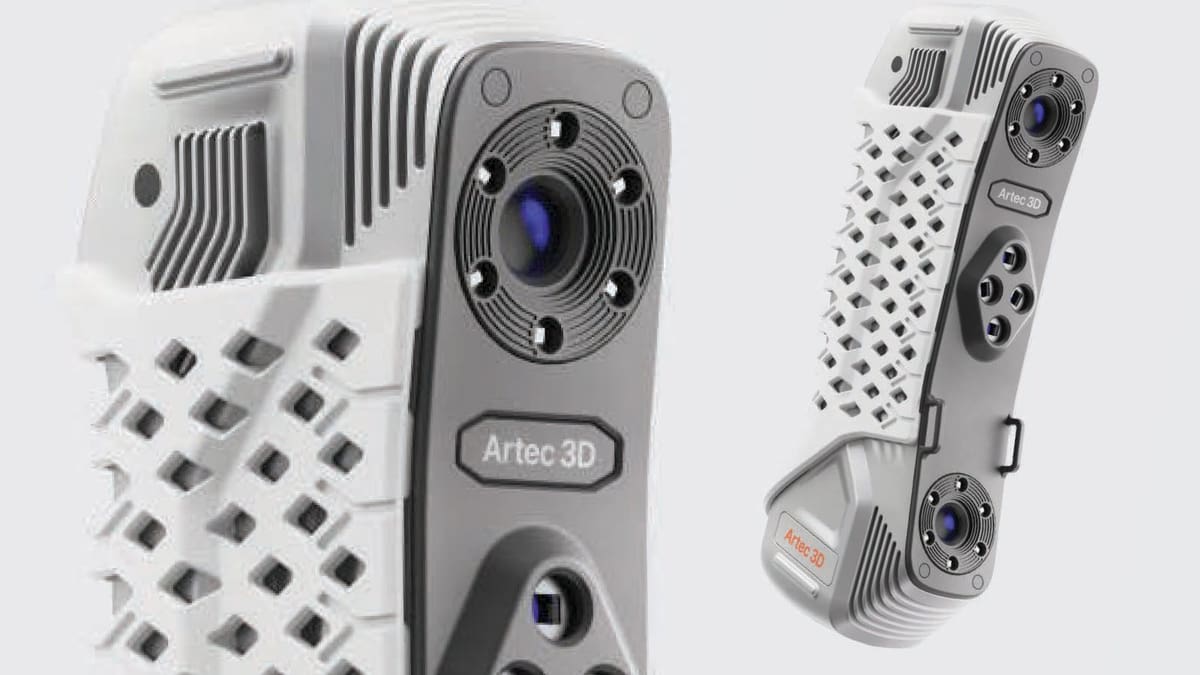
The Artec Point is a handheld, ISO-certified 3D laser scanner that boasts an impressive 0.02 mm accuracy, making it a top choice for applications in quality control and reverse engineering. Designed to handle complex surface captures—whether black, shiny, or intricate—the device is equipped with multiple scanning modes and HD cameras. Its durable metal chassis and ergonomic form factor make it well-suited for industrial environments and tight spaces. Combined with its high-speed scanning capabilities, reaching up to 120 frames per second, and seamless integration with Artec Studio software, the Point stands out as a reliable solution for fast and precise 3D data capture.
The Artec Point excels with its versatile scanning modes, each tailored to different surface types and geometries. Users can choose between Grid, Parallel Lasers, and Single Laser modes to accommodate everything from large, flat surfaces to highly detailed or unconventional geometries. Grid Mode quickly scans expansive areas; Parallel Lasers mode is ideal for capturing intricate details and complex shapes; and Single Laser mode targets hard-to-reach geometries, like deep holes.
One notable feature is the Point’s magnification capability, allowing users to zoom in up to 8x for a closer inspection. This functionality ensures that even the smallest details are captured with precision.
While the decision to replace the Artec Leo with the Point wasn’t easy—especially given the Leo’s advanced target-free scanning and color-geometry tracking—the Point’s enhanced resolution and more compact form factor ultimately won us over. That said, the Leo still holds a special place for its unique features.
Zeiss T-Scan Hawk 2
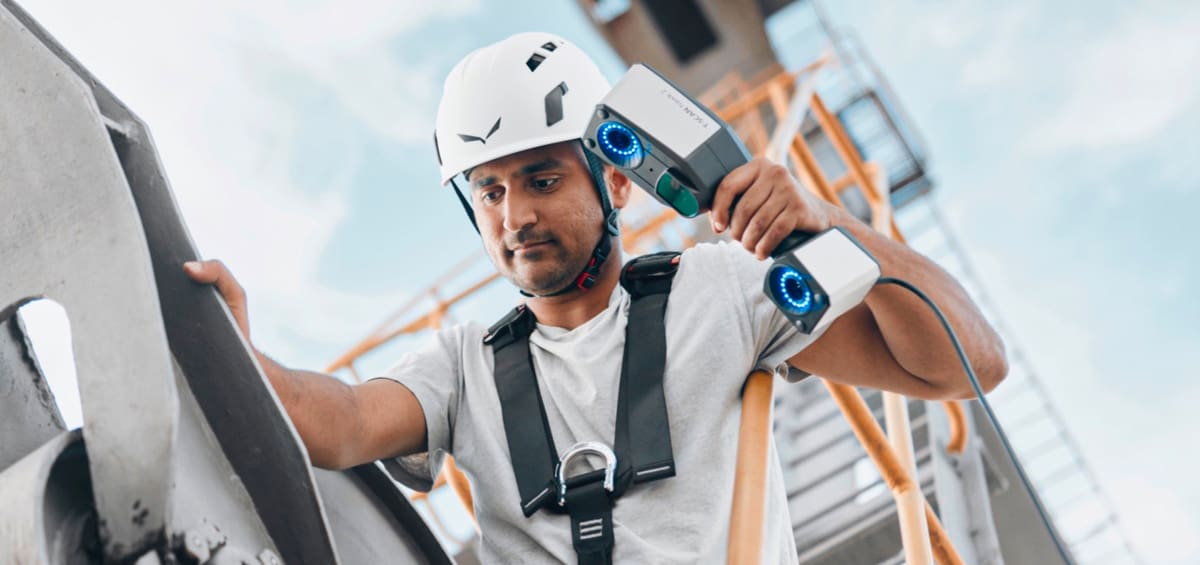
The upgraded T-Scan Hawk 2, released in 2023 from scanning and optic giant Zeiss, features three separate laser sources and scanning modes, including red and blue lasers. V.2 introduces the satellite mode, enabling users to scan objects up to several meters.
The Hawk can scan ultra-fine details and dark/reflective surfaces as well as large-sized objects.
In the new projection mode, a red laser marker helps you to adjust easily for perfect scanning results. The red scanning lasers are ideal for scanning large objects fast. One single red laser is used for scanning deep inside pockets. Blue lasers, on the other hand, are for closer objects and scanning fine detail in higher resolution.
T-Scan Hawk 2 features four buttons to start and navigate your workflow directly on the unit, so there’s no need to operate the software separately on your laptop.
This lightweight and compact scanner comes with GOM Inspect Suite software pre-installed. The all-in-one, platform-independent software solution enables you to import 3D data regardless of the measuring system. It supports your entire workflow, from 3D printing and reverse engineering to inspection, evaluation, and reporting.
Hexagon Atlascan Max
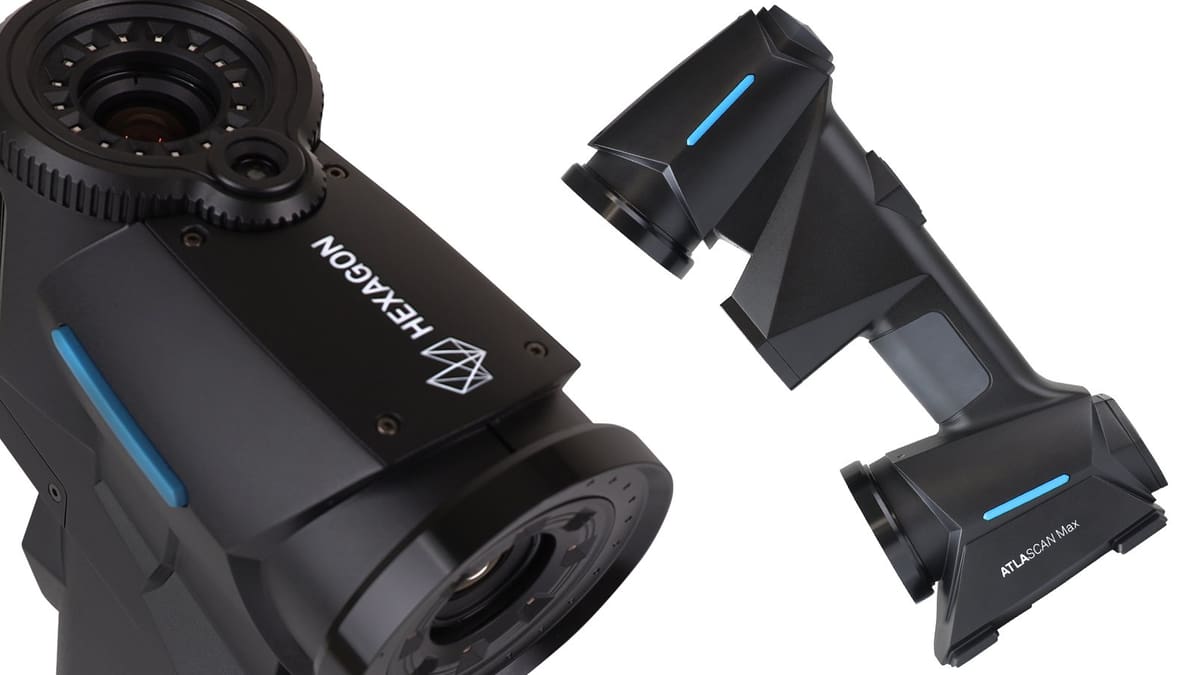
Although Hexagon is a company you may know for its software for generative design, simulation, and photogrammetry, it has a long history of scanning hardware in the form of mounted industrial inspection scanners and 3D sensors for both laser trackers and portable measuring arms.
Hexagon entered the handheld scanner market in 2024 compacting its deep hardware and software expertise into two small packages: the Atlascan Max and Marvelscan.
The Atlascan Max uses 26 blue laser lines for standard scanning, 1 blue laser line for areas hard to reach, and 14 blue laser lines for fine scanning. Accuracy reaches 0.02 mm. Marvel scan uses 22 blue laser lines for standard scanning, 1 blue laser line for areas hard to reach, and 5 blue laser lines for fine scanning, with the same accuracy. The company’s “Edge Detection” technology uses gray scale vision and triangulation.
While we’re still impresses with the Max, we recommend you also take a look at Hexagon’s newer Pro.
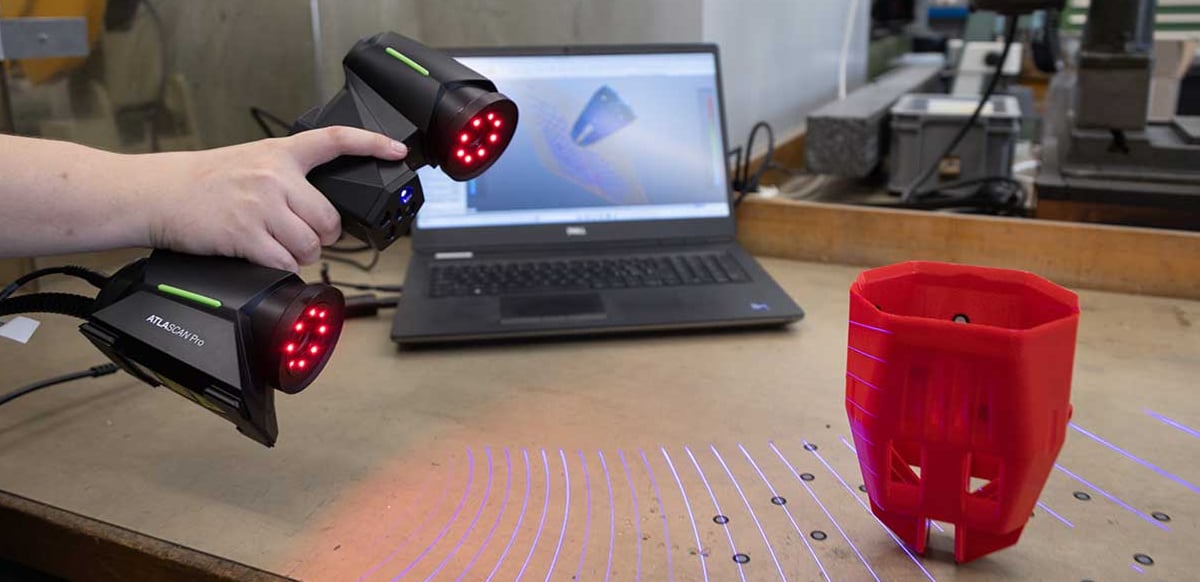
The Atlascan Pro, which is designed to make professional-grade laser scanning more accessible and easy to adopt for small-to-medium enterprises, R&D teams, educators, and general shop-floor users. While still portable and ergonomic, the Pro focuses on straightforward workflows with intuitive setup, multi-mode scanning, and integration with direct scan-to-CAD software such as Geomagic Design X Go included in its bundle. It captures large areas (up to ~720 × 640 mm) at millions of points per second and lets users switch between standard and higher-precision modes via an ergonomic thumb control, delivering reliable data for reverse engineering, prototyping, and inspection without specialist training.
The Pro achieves professional-level accuracy and usability but at a lower cost and complexity than higher-end metrology solutions like the Max.
Which Type of 3D Scanner is the Best for Me?

You may be attracted to an affordable stationary scanner or need the versatility of a handheld device. A game developer simply creating game assets will be interested in a high-resolution mesh and the object’s texture. However, a maker who wants to 3D print something he saw will be more interested in the exact measurements of the object.
It would be best to decide where to 3D scan your objects early. If they are relatively small and you can bring them to your office or home, buy a stationary 3D scanner. If not, you need a portable 3D scanner.
Another factor to keep in mind while buying the best 3D scanner is the surface of your object. Photogrammetry and structured-light 3D scanners have severe problems with reflective and transparent surfaces that cannot be processed, resulting in distorted and fragmented meshes. Even the best 3D scanner will not produce satisfying results when faced with ill-suited surfaces. If your heart is set on these technologies, applying a thin layer of opaque coating often removes this constraint.
Laser Triangulation vs. Structured Light in 3D Scanning Tech
Although you one had to choose between laser or structured light, more scanners to day are all-in-one, but you still need to know when to use each technology.
The choice between laser triangulation and structured light technology in a 3D scanner depends on your specific requirements, such as the object’s size, material properties, desired accuracy, and your budget. Both technologies have their strengths and weaknesses, making them suitable for different uses.
If you want to freshen up your 3D scanner knowledge or discover the differences between the two most commonly used techniques, here is a quick overview of laser triangulation and structured light.
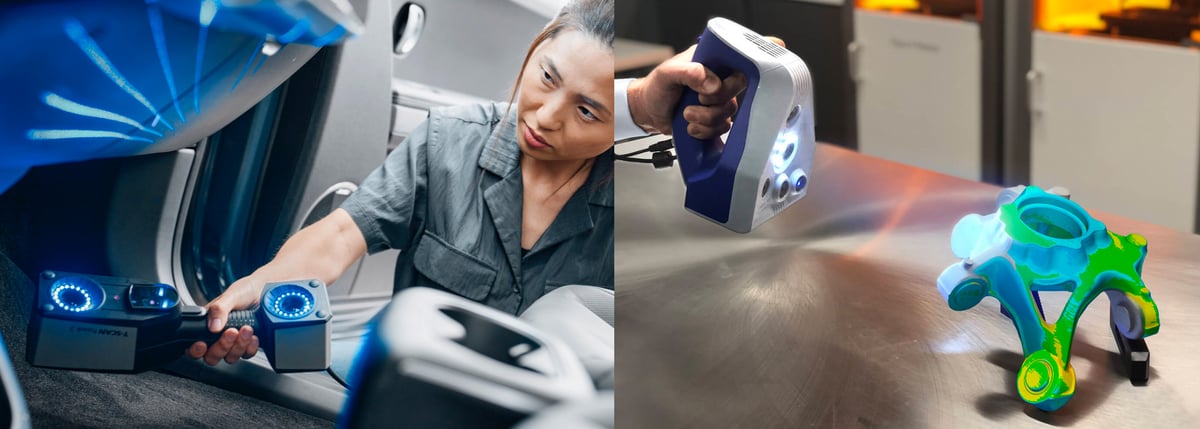
Laser Triangulation
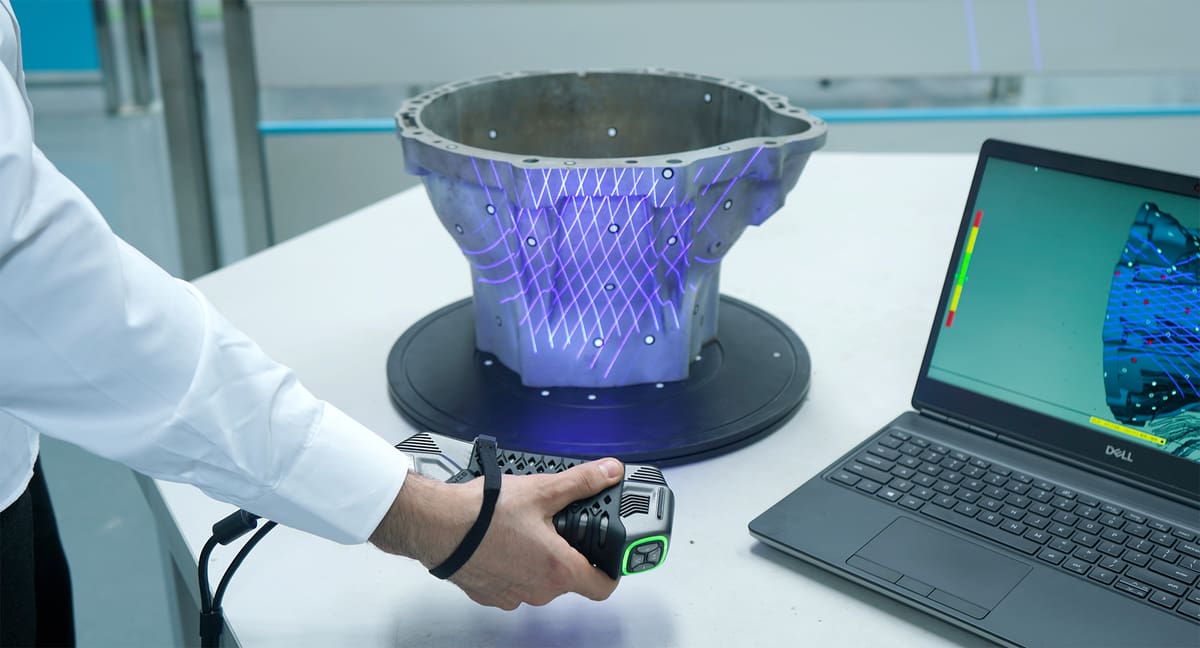
Several scanners on our list use laser-based scanning technology, specifically laser triangulation. Laser scanners project millions of points or lines on an object and then capture its reflection with sensors. Depending on the scale of the scanning target, this is accomplished in three different ways.
The preferred method for mapping large areas up to 1,000 meters away is time of flight (TOF) scanning, where the time it takes for an impulse to reflect off the scanned object is measured. TOF scanning can also be used for shorter ranges, depending on the specific scanner’s capabilities.
The second technology, phase shift, works similarly, only that instead of the impulse it measures the phase differences between the emitted and reflected signals. This method is most commonly used for large objects at a scanning range from 1 to 50 meters, but can be used for various ranges, including shorter and longer distances.
The last and only technology which is listed in this guide is laser triangulation, as it is most suited for smaller 3D scanning applications. Because the sensors are located at a known distance from the laser’s source, accurate point measurements are gathered by calculating the reflection angle of the laser light. With the knowledge of the distance of the scanner from the object, the scanning hardware can map the object’s surface and record a 3D scan. These 3D scanners are famously accurate; the resolution ranges in the tens of micrometers. On the flip side, their range is limited to only a few meters. Additionally, triangulation 3D scanners emitting a laser line are capable of scanning moving objects. This technology is usually found in portable 3D scanners.
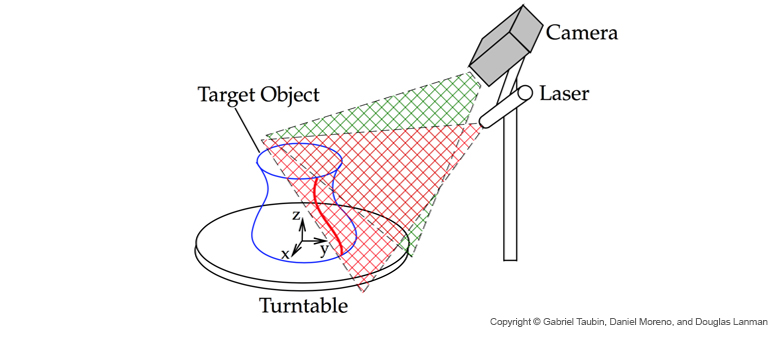
However, you should note that the properties of the surface to scan affect the scanning process. Therefore, very shiny or transparent surfaces can be quite problematic for this technology.
For 3D scanning people and animals, you wouldn’t want to use a 3D laser scanner since it might cause eye damage, especially with pets. Structured light is a better choice. This technology requires the subject to stay relatively.
Structured Light
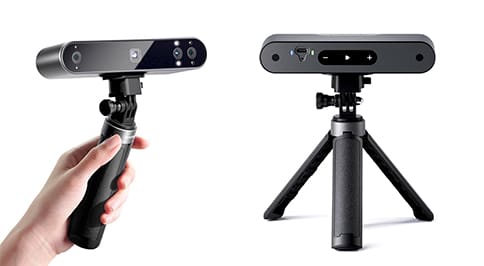
Structured light technology also uses triangulation but works by projecting a light pattern onto the object to scan, not a laser line (or dot).
Since the patterns can only be projected from one vantage point at a time, multiple 3D scans have to be combined to form a complete 360° mesh. Some manufacturers circumvent this constraint by automatically mounting the object on a motorized turntable and stitching the 3D scans together.
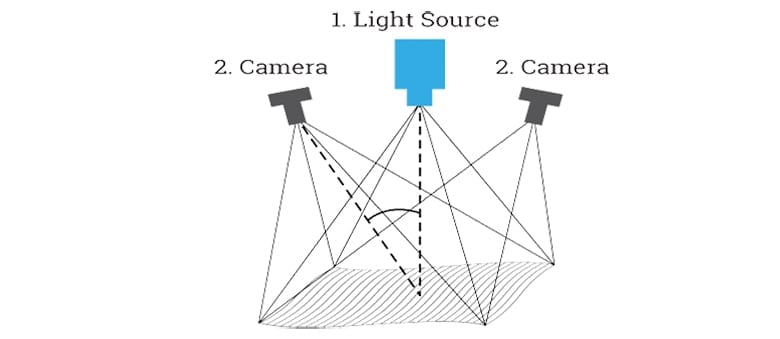
These 3D scanners are very accurate; the resolution ranges in the tens of micrometers. Unlike 3D laser scanners, this technology is safe to apply to humans and animals. The 3D scanning range is limited to a few meters. Structured light technology is found both in stationary and portable 3D scanners.
Most consumer 3D scanners (structured light) are designed for 3D scanning objects the size of your average coffee pot from a close range. But it’s true that you can often stitch multiple 3D scans together into one piece. Generally speaking, the bigger your objects are or the farther away, the more expensive a 3D laser scanner will be.
License: The text of "Best 3D Scanners in 2026: Our Top Picks in 6 Categories" by All3DP Pro is licensed under a Creative Commons Attribution 4.0 International License.
CERTAIN CONTENT THAT APPEARS ON THIS SITE COMES FROM AMAZON. THIS CONTENT IS PROVIDED ‘AS IS’ AND IS SUBJECT TO CHANGE OR REMOVAL AT ANY TIME.