
Your Phone, Your 3D Studio: Best Scanner Apps for Android & iPhone

Can an app on your phone rival a dedicated scanner? We put a few to the test in our list of best 3D phone scanner apps.
3D printing has come leaps and bounds in the past few years, and so have scanners. And we’re not talking about those dedicated contraptions that cost over $1,000, often surpassing the price of a desktop printer. We’re talking about that little device already in your pocket, capable of turning a few photos into a printable file: your iPhone of Android smartphone.
We put several of the latest options to the test to see whether a phone scan can really produce a printable file. We have pared down our recommended list considerably from years past but also include apps we didn’t test ourselves, but think are worth considering.
Scanning isn’t for the impatient among us: it takes a meticulous approach to capturing, a steady hand, and the patience not to get discouraged when a scan doesn’t come out right.
But with time and effort, a phone is a genuinely capable scanner, provided you’ve got the right software — and a good entry point, since dedicated scanners aren’t exactly priced for someone just looking to try it out.
If you’re not sure how 3D scanning on your phone actually works, skip down to the end where we explain all you need to know about LiDAR.
Android vs iOS

The playing field between Android and iOS has leveled a fair bit over the past few years. Scaniverse’s move to Android, RealityScan’s native Android support, and Kiri Engine’s cross-platform app mean Android users now have genuinely capable, free options rather than second-tier ports.
The real gap is LiDAR: Apple’s Pro-model iPhones and iPads have had integrated LiDAR since 2020, and no mainstream Android phone ships an equivalent depth sensor, so Android users rely on photogrammetry-only or ARCore-based capture (Polycam’s LiDAR room mode, for instance, is still iOS-only). For everyday object and small-scene scanning that gap barely matters; it shows up mainly in fast, accurate room-scale capture.
That held up in our own testing, too, where we scanned a common object like a shoe as a baseline to see how some of the apps fared, and give an idea of what to expect from photogrammetry scanning. Most of the Android-compatible apps on this list were tried on an Android phone specifically, with the results demonstrating that Android has not been left in the dust when it comes to scanning.
Android Compatible
There’s a vast number of Android devices on the market and in use, but they all might not have the same specs in terms of screens, cameras, and sensors. This makes for a tricky environment when it comes to the development of 3D scanner apps for Android devices.
Nevertheless, there are some great 3D scanner apps for Android devices, and we were impressed with the results.
Polycam
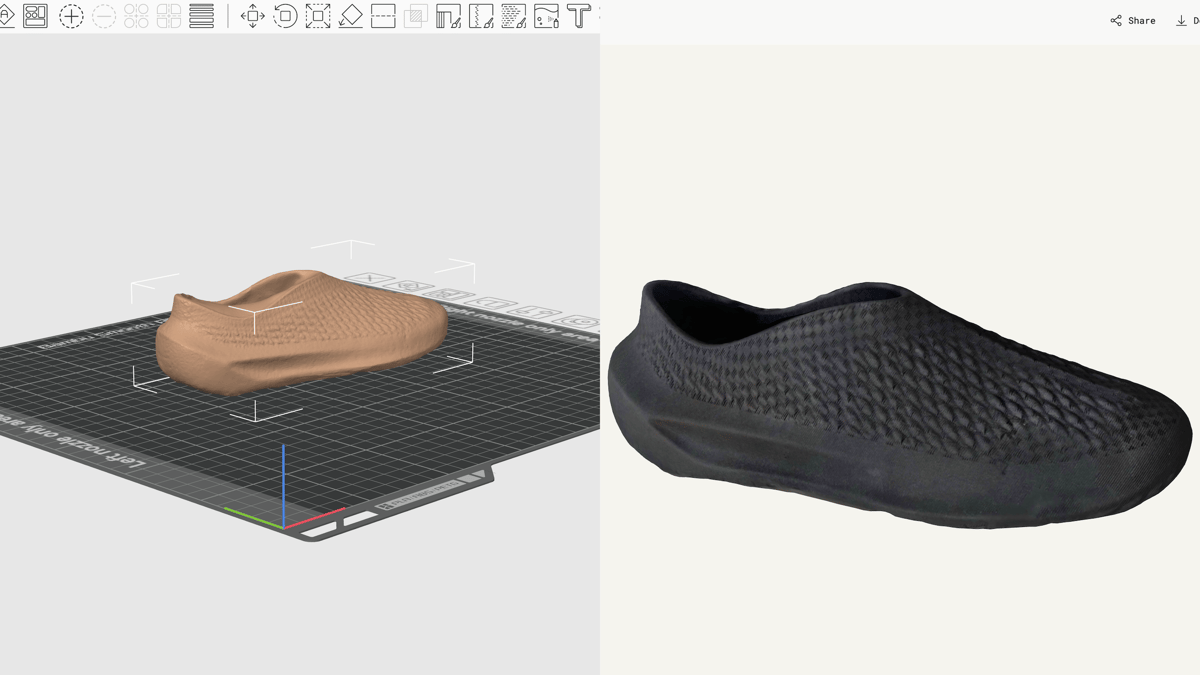
Let’s start with the all-rounder. Polycam is one of the most established 3D scanning apps, originally built around LiDAR-equipped iPhones and iPads, where it can capture whole rooms locally on the device. It also has a photogrammetry mode that trades speed for higher mesh quality, and works on any iOS or Android phone.
We tested the photogrammetry mode on our baseline object by moving the phone around it in a continuous sound wave pattern (recommended by Polycam), orbiting while drifting up and down rather than staying level, and added around 100 extra photos, with roughly 70% overlap, to flesh out the mesh. The first scan came out surprisingly clean, producing a model that matched the original closely. Using Polycam was straightforward, and it sets a good benchmark for what to expect from phone scanners: with a bit of effort, it rendered a fairly accurate model that synced to the cloud and was easy to reach from a computer, where exporting as an STL took one click.
That export was easy only because of a paid subscription, though. The free version does let you scan, but exporting as an STL file is a paid feature, which is pretty much the whole point of scanning something in the first place.
- Platforms: iOS, Android,
- Price: Free (10 captures, watermarked GLTF-only export); Basic ~$150/year or ~$12.50–$30/month (unlimited captures, 6 export formats incl. OBJ/STL/USDZ, no watermark); Business ~$400/year adds floor plans and team features
- Good for: room scans, general objects, teams needing various export formats.
Kiri Engine
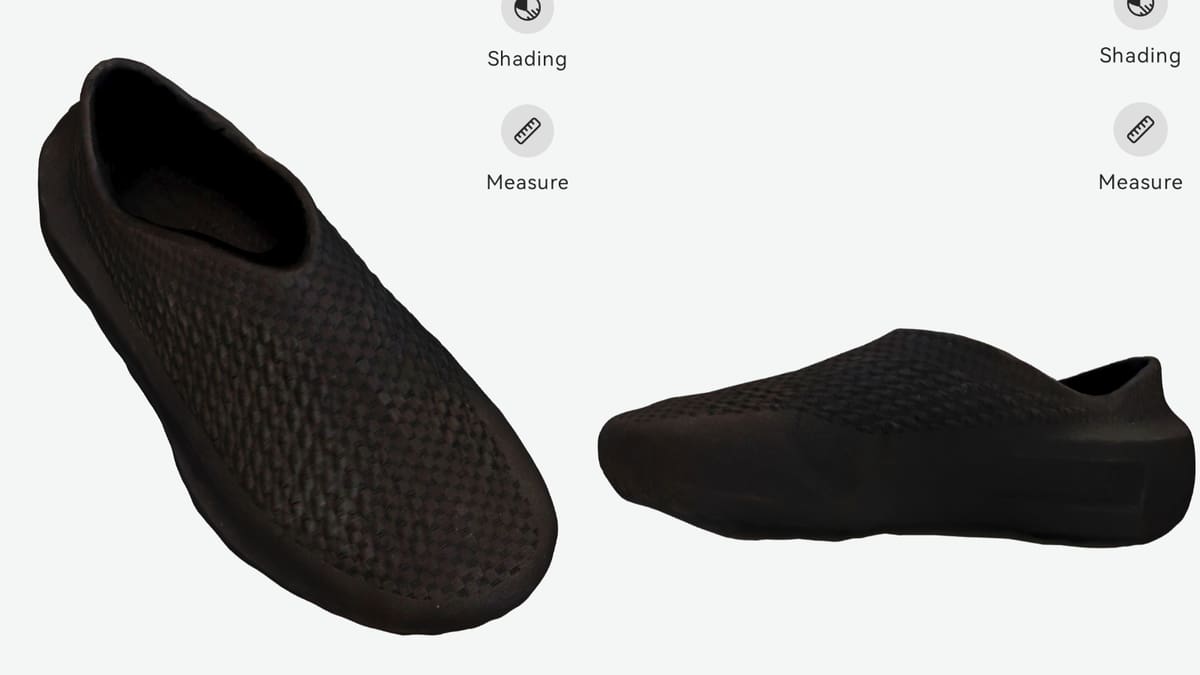
Kiri Engine is a cloud-based 3D scanning app that uses photogrammetry. The resulting scans can be used in all sorts of applications, from interior design to 3D printing and gaming. Models from the app come with 4K textures, which is useful for professional work.
Beyond standard photo-based photogrammetry, it has dedicated modes for LiDAR scanning, featureless objects (shiny, transparent, or single-color surfaces that trip up other apps), and Gaussian splatting, plus production-ready quad meshes with PBR materials, though not all of these are free. Fortunately, we didn’t need them, since we were satisfied with the scan the free version rendered.
When scanning, the automatic option takes shots as you move around the object, so you don’t have to worry about pressing the shutter at each position. The free version is capped at 150 photos per upload, which was enough to process a decent scan. Kiri also has the option of taking close-ups to capture finer details, useful for detailed objects, though we were limited to those same 150 photos.
After scanning, processing the images took several minutes, and once ready, a download link for an OBJ file was sent to our email. The Kiri result was arguably the best of the ones we tested. That could come down to practice from the apps that came before it, but given that it got the scan right on the first try, and the first time using the app, Kiri Engine is a strong recommendation.
The app is free, but exports are unlimited on the free tier; the paid subscription instead steps up texture resolution, photo limits per upload, and processing priority. If you want to view, upload, and share your scanned models on a bigger screen, you can do so through Kiri Engine Web.
- Platforms: iOS, Android, Web
- Price: Free (150 photos per upload, 4K textures, unlimited exports); Pro ~$18/month or ~$80/year (500 photos per upload, 8K textures, priority processing)
- Good for: Tricky surfaces, 3D printing prep, cross-platform work flows
MagiScan
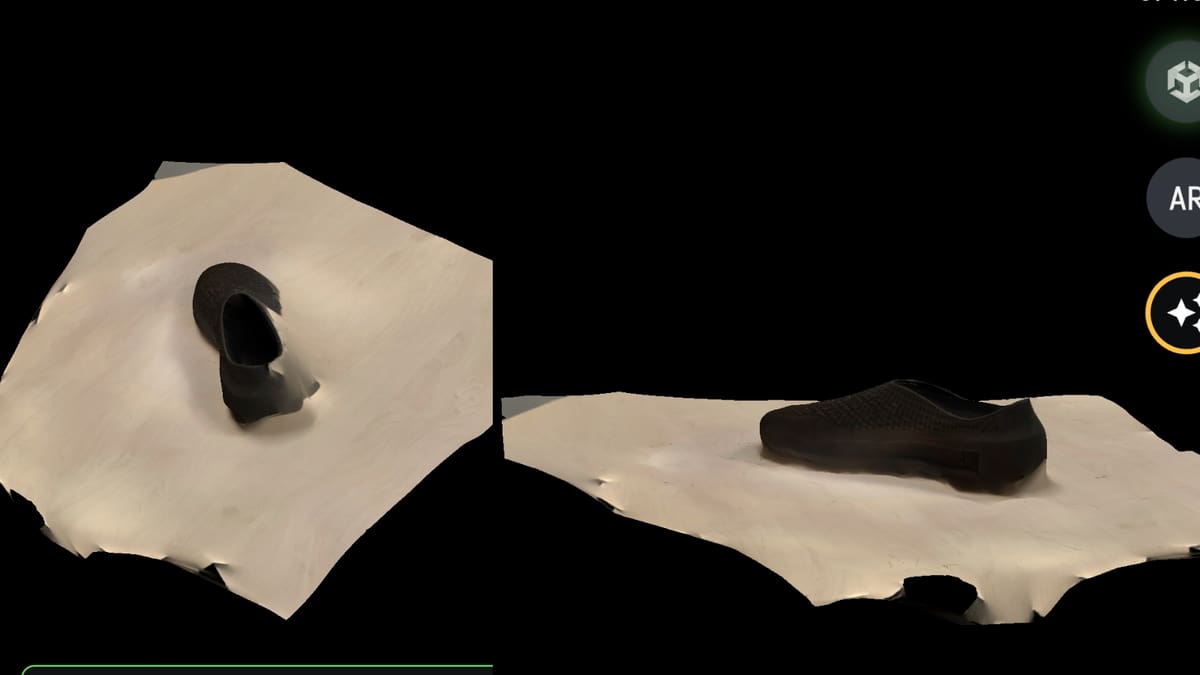
MagiScan has evolved into more than just a basic photogrammetry app. Alongside ordinary photo-based scanning, it now layers in a few AI-assisted modes, and pairs with a free desktop companion app, MagiScan Studio, that opens a finished scan directly in Bambu Studio, Cura, PrusaSlicer, or OrcaSlicer, a genuine nod to 3D printing that none of the other apps here offer. It runs on a subscription model, and the app promises new users three free scans before asking them to pay.
The interface felt simple at first glance: you take a series of photos by moving around the object, with a progress ring tracking coverage as you go. On a free account, the scan then goes into a queue, which took 5 to 10 minutes to clear.
Sounds straightforward? Unfortunately, we were unsuccessful at getting a usable scan. The first scan came out incomplete. The second and third turned out to be underwhelming too, with parts of the table appearing on the scan, even with object selection turned on. A paid plan, and possibly a more careful and attentive approach on our part, might have produced a better result. That said, several other apps on this list delivered better results on the very first try.
One drawback of the app is that an active internet connection is required for scanning. Additionally, there is no option to save your scans for processing later once you’re connected to the internet.
Along with Android and iOS compatibility, MagiScan also supports iOS devices with lidar technology (iPhone 12 Pro and above), allowing for even quicker scans. Results can be saved and exported in various file formats, including OBJ, STL, and GLB. You can also export scanned 3D models to the NVIDIA Omniverse platform, an open platform for virtual modeling and virtualization in real-time.
- Platforms: iOS, Android (LiDAR support on iPhone 12 Pro and later)
- Price: Free (3 scans to create and preview a model); Premium ~$5.49/week, ~$13.49/month, ~$79/year, or $209.99 lifetime; 10-packs of scans also available for ~$2.49
- Good for: quick AI-assisted scans, rescuing failed captures, generating a model from text alone, exporting straight to NVIDIA Omniverse
RealityScan
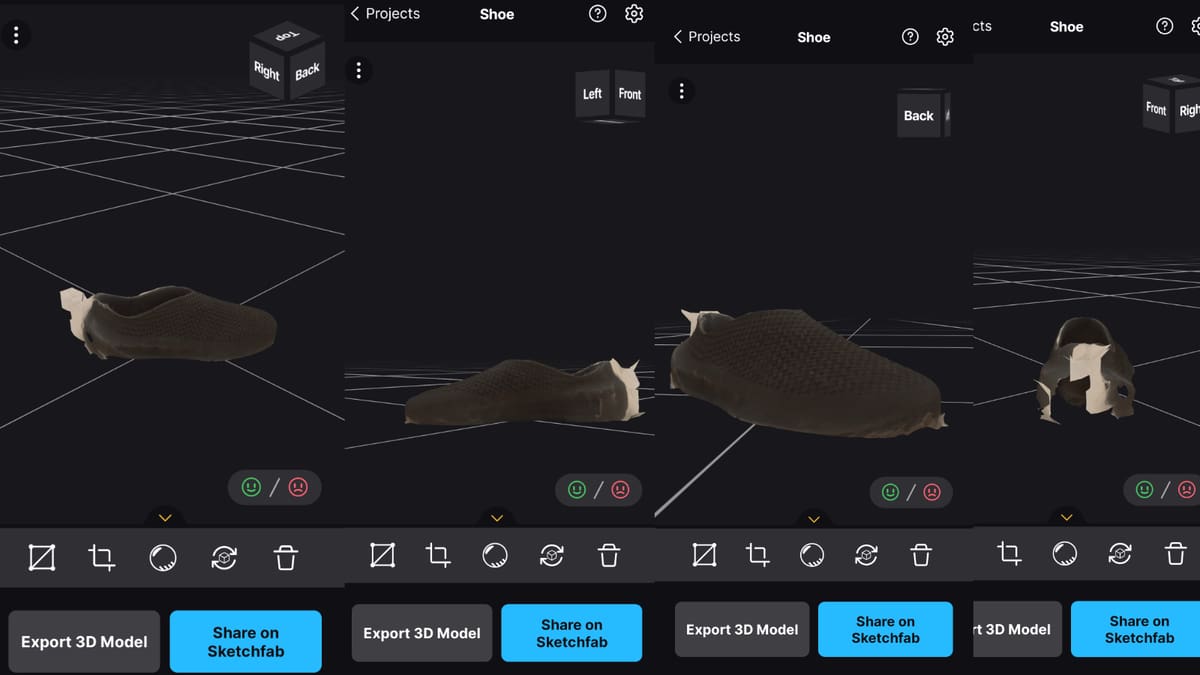
RealityScan is Epic Games’ mobile capture app, and in 2025 the company unified its branding with its desktop photogrammetry tool by renaming RealityCapture to RealityScan 2.0. The mobile app is a pure photogrammetry tool, no LiDAR needed, that turns a set of photos into a textured 3D model, with an AR overlay showing coverage gaps while you shoot. It’s free, including for commercial use, though Epic’s default terms allow using scan data for training (opt-out available in settings).
One area where the app stands out is the real-time preview: the photos you’ve captured and the resulting point cloud are shown directly over the real environment as you shoot, so it’s easy to see at a glance which areas still need more coverage. If you find you didn’t capture enough of an area, you can walk back to that spot and take more pictures without starting over.
Before the final processing step, the preview features a crop tool to cut away background geometry. The app also flags images that failed to connect properly to the rest of the capture with a color-coded quality indicator, so you know which spots to go back and recapture. Our own scan wasn’t perfect, but for a free app with built-in tools for catching and fixing weak spots, a bit of time and patience could result in clean, accurate result.
Exporting is free either way, though the file format depends on your platform: iOS downloads come through as OBJ. Android exports as GLB instead, which needs converting, in software like Blender, before uploading to most slicers.
- Platforms: Android 7.0+, iOS/iPadOS 16.0+
- Price: Free, including commercial use
- LiDAR: not required — pure photogrammetry
- Export: OBJ on iOS (slicer-ready); GLB on Android (needs converting first)
- Good for: textured objects for Sketchfab/game engines, real-time coverage feedback while shooting
Scaniverse
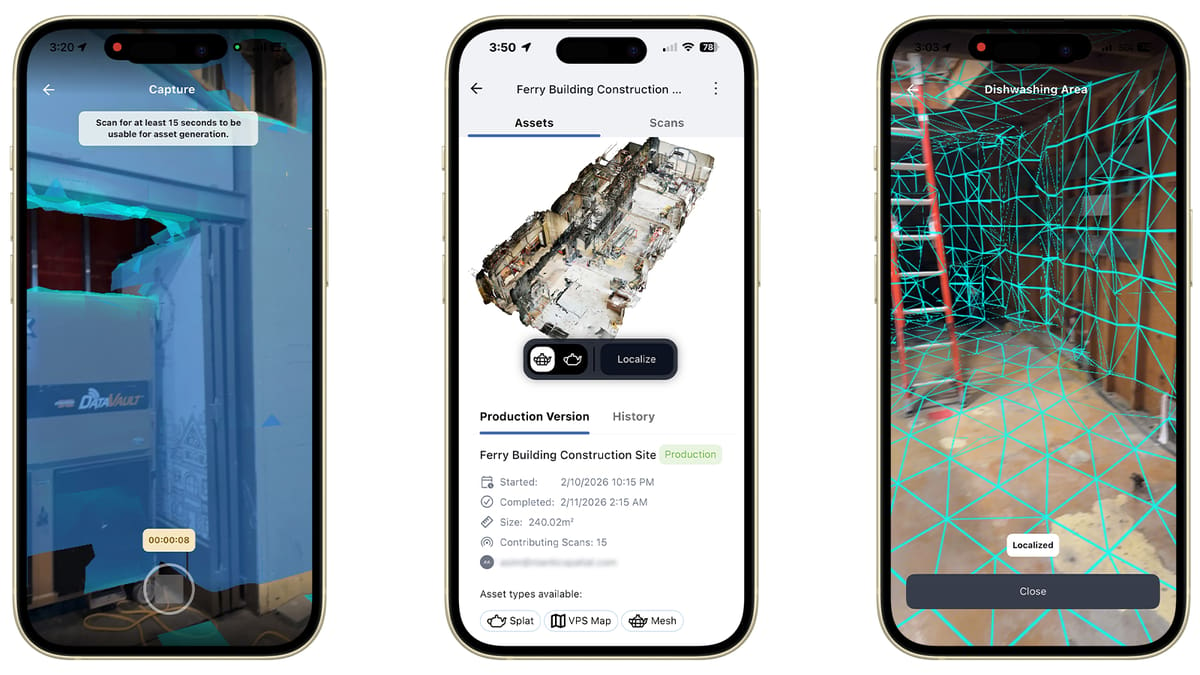
Niantic acquired Scaniverse in 2023 and has since expanded it well past its original iOS-only app: it now runs on Android and even Meta Quest, and the core app is free for personal scanning. On-device capture, meshes, and Gaussian splats have no cap. Niantic has since layered paid tiers on top for cloud processing and specific features: Plus (~$20/month) unlocks USDZ export and 360° camera support, and Pro (~$50/month) adds commercial usage rights. The free tier’s own export formats (FBX, SPZ, and PLY) are enough for a print test: PLY imports directly into Cura, PrusaSlicer, and Bambu Studio, so free is sufficient for a fair trial here. It’s built around fast, shareable captures — meshes or 3D Gaussian splats — with a community map of public scans and a discovery feed.
- Platforms: iOS, Android, Meta Quest
- Price: Free — Classic Scaniverse (unlimited on-device capture) or the main app’s cloud tier (~20,000 credits/month); Plus ~$20/mo, Pro ~$50/mo add expanded cloud processing, team features, and commercial use
- Good for: fast scene capture, Gaussian splats, apartments and outdoor environments
iOS Only
As mentioned above, thanks to Apple’s TrueDepth camera system and lidar technology, developers have had a field day creating 3D scanner apps for iOS devices. These features allow scanning apps to make a highly detailed map of any object, whether small with fine details or large and spacious. So, let’s dive in and check out some of the best scanner apps available for iOS!
3D Scanner App
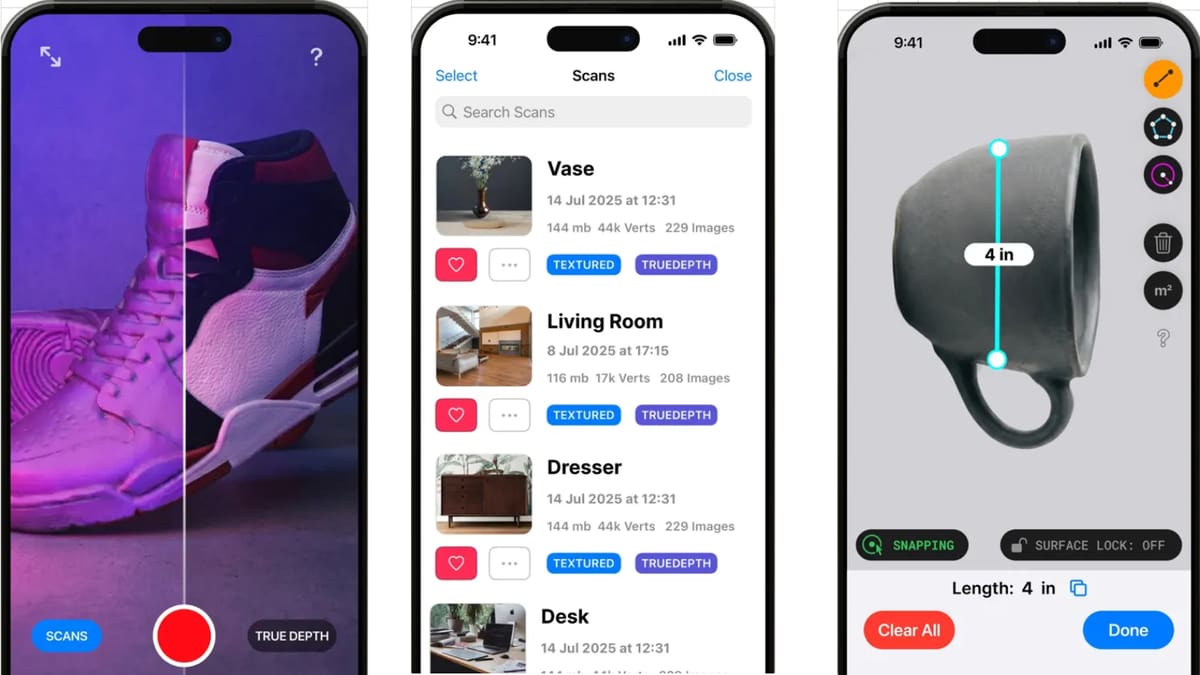
3D Scanner App (from Laan Labs) is the simplest tool in this list: point-and-shoot capture with real-time processing, built primarily around LiDAR on iPhone 12 Pro+ and iPad Pro but usable via photogrammetry on other iOS devices too. It exports common formats (OBJ, STL, PLY, USDZ) and shares directly through iOS QuickLook and iMessage.
The app also has a dedicated TrueDepth mode for objects too small or detailed for LiDAR, alongside RoomPlan for quick floor plans which is handy if your device doesn’t have Pro-model LiDAR, or you just want more precision on something palm-sized. A built-in measurement tool rounds things out: drop points on the finished scan for a virtual ruler, or use bounding boxes to read off width, length, and height, useful for checking it against a part’s real dimensions before printing.
This app is perfect if you have an Apple device equipped with lidar. It’s free. 3D Scanner App allows you to process photos and videos in real-time to create 3D models with high resolution and sharp textures.
- Platforms: iOS only
- Price: Free (Pro/Enterprise pricing on request)
- Good for: quick, no-frills object scans; e-commerce and real estate use cases
Qlone
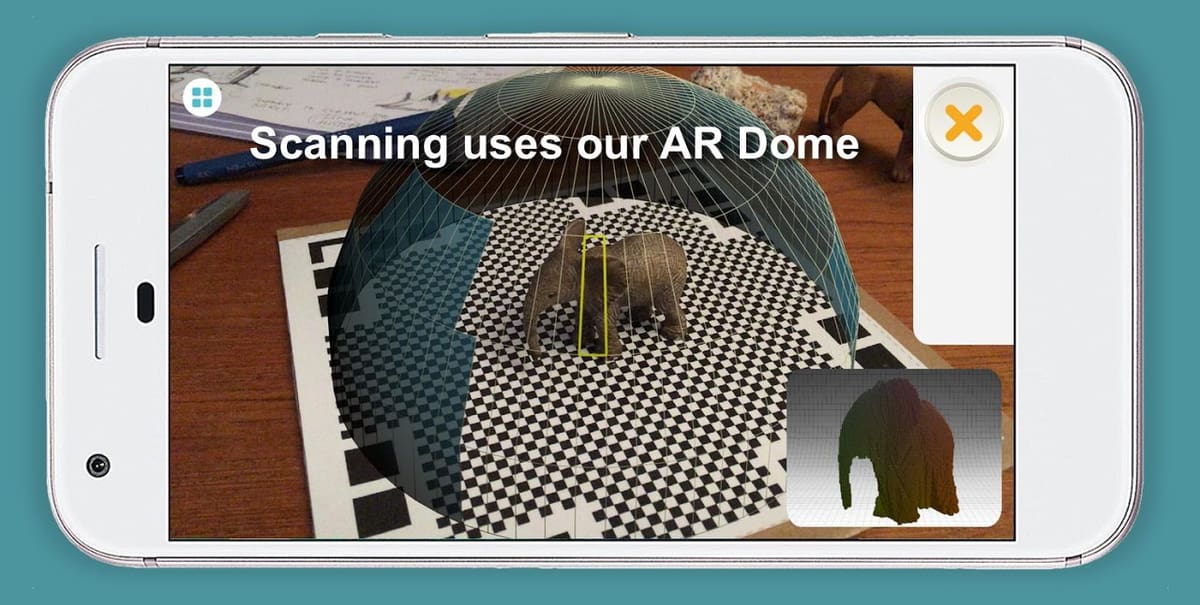
Qlone takes a different approach from everything else on this list: instead of LiDAR or heavy photogrammetry, it uses AR tracking over a printed reference mat, so it works even on older iPhones without LiDAR. It’s best for small, shallow objects, and struggles with anything tall. EyeCue, the company behind Qlone, also sells a separate app, Qlone Dental Pro, built specifically for dental scanning, so the same AR-mat approach extends into more specialized use cases too.
Exporting needs just one thing: the one-time Premium purchase (not a subscription). That’s it, no credits required, full stop. The same purchase also unlocks AR view with animations and 4K scan resolution. Credits are something else entirely: a separate currency spent only on Qlone’s optional mat-free cloud-scanning feature (skip the printed mat, scan in the cloud instead). Buying Premium happens to include 50 of these credits as a freebie for that feature. But whether you have 50 credits or zero, exporting still works exactly the same. Put plainly: the Premium fee really is pay-once for exporting and the rest of the app, but if you rely on mat-free cloud scanning often, you’ll burn through those 50 free credits and have to keep buying more packs to keep using that one feature — a genuine ongoing cost, just confined to that single mode.
- Platforms: iOS
- Price: Free to scan and view. Exporting (any format) needs only the one-time Premium purchase — no credits required, ever. Credits are a separate currency spent only on the optional mat-free cloud-scanning mode; Premium bundles 50 as a freebie for that, but exporting works the same whether you have credits or not; heavy use of that feature means buying more packs over time — the only ongoing cost in an otherwise one-time app
- Good for: Small objects
Abound (formerly Metascan)
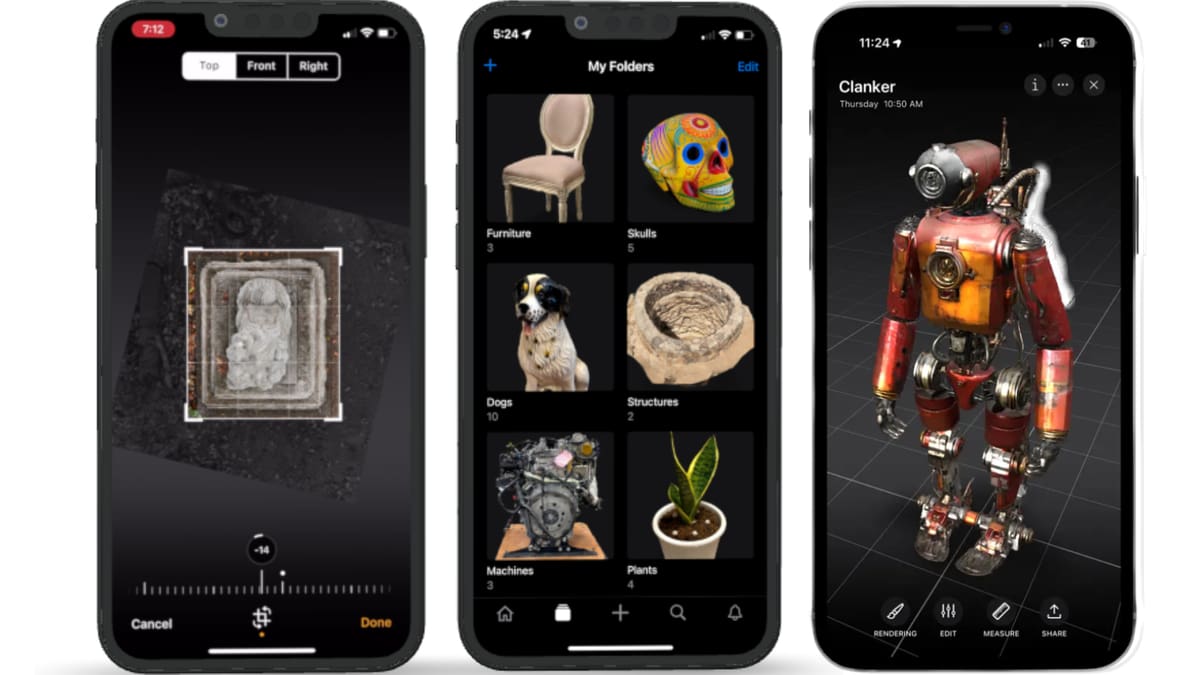
Abound (renamed from Metascan in a late-2024) is another iOS-only app. It supports both LiDAR (processed on-device) and photo-based capture (processed in the cloud), plus a newer AI mode that can generate a model from a single photo or a text prompt alone. As with Widar, Polycam and Kiri Engine tend to be stronger all-round choices, but Abound is worth a look if those don’t suit your workflow.
- Platforms: iOS
- Price: Free to scan and view. Exporting (any format) needs only the one-time Premium purchase — no credits required, ever. Credits are a separate currency spent only on the optional mat-free cloud-scanning mode; Premium bundles 50 as a freebie for that, but exporting works the same whether you have credits or not; heavy use of that feature means buying more packs over time, the only ongoing cost in an otherwise one-time app
- Good for: LiDAR + AI-assisted scanning; an alternative if Polycam or Kiri Engine don’t suit you
How Smartphone Scanners Work
It helps to first understand the two main scanning methods: photogrammetry and LiDAR. Photogrammetry works out depth by comparing dozens (or hundreds) of overlapping photos taken from different angles. The software matches points across shots to figure out where each photo was taken, then turns those points into a 3D mesh. LiDAR skips the photo-matching step entirely: the sensor fires laser pulses and times how long they take to bounce back, building a point cloud directly from thousands of distance readings. The catch is that LiDAR is iOS-only, available on Pro-model iPhones and iPads since 2020. No mainstream Android phone ships an equivalent depth sensor, so Android scanning is photogrammetry-only.
Tips When Scanning
- Aim for roughly 70% overlap between consecutive photos — enough that the software can match features from shot to shot without wasting time on near-duplicate frames.
- Shoot in even, diffuse lighting and avoid harsh direct sun or moving shadows. Inconsistent light between frames can throw off the software’s feature tracking.
- Move the camera around the object in a slow, level loop, varying your height occasionally, while keeping the object itself still — a subject that shifts between shots breaks the overlap the software is relying on.
- Turn on background or object masking if your app offers it, especially for a small object sitting on a table, so the scan doesn’t pick up the surface around it too.
- Shiny, transparent, or plain single-color objects trip up ordinary photogrammetry, which needs visible texture to track between photos.
You Might Also Like:



Lead image source: Kiri Engine - 3D Scanner App via You Tube
License: The text of "Your Phone, Your 3D Studio: Best Scanner Apps for Android & iPhone" by All3DP is licensed under a Creative Commons Attribution 4.0 International License.