Best 3D Printers 2026: Our Top Picks in 25 Categories

Our updated buyer's guide to the best 3D printers in 25 categories, incl. home, pro, budget, & beginner's picks, backed by testing & reviews.
It’s never been easier to get into 3D printing, with machines of all shapes, sizes, and price points making it such that there is something for everyone.
For less than $200, you can pick up a competent and compact machine that’ll easily bring your ideas to life. Likewise, tabletop gamers have it made with high-resolution resin printers capable of making insanely detailed miniatures in minutes. Makers pushed for space can tackle 3D printing, CNC, and laser engraving with just a single machine, and those needing a big printer for larger-than-life projects… you get the idea.
Uncountable avenues exist in 3D printing, and we’ve researched and tested a lot of machines to find you the best 3D printer for specific budgets and needs that you can buy right now.

In the lab: We currently have the Elegoo Centauri Carbon 2 Combo, Anycubic Kobra X, Phrozen Arco, and Prusa Core One L active in the lab. We'll update accordingly once we're satisfied (or not!) with these.
| Best 3D Printer | Market Price (Approx., USD) | Check Price (Commissions earned) | |
|---|---|---|---|
| Under $1,000 (Filament): Bambu Lab P2S | An upgraded, elevated workhorse | $549 | |
| Under $500 (Filament): Bambu Lab P1S | Fast, connected, and enclosed with robust support and multi-material possibilities | $399 | |
| Under $300 (Filament): Elegoo Centauri Carbon | Fast-heating and surprisingly premium compact CoreXY printer | $289 | |
| Under $200 (Filament): Creality Ender 3 V3 SE | Quiet and capable low-cost all-rounder | $199 | |
| Budget Multicolor: Bambu Lab A1 Mini Combo | A compact and connected four-color combo | $329 | |
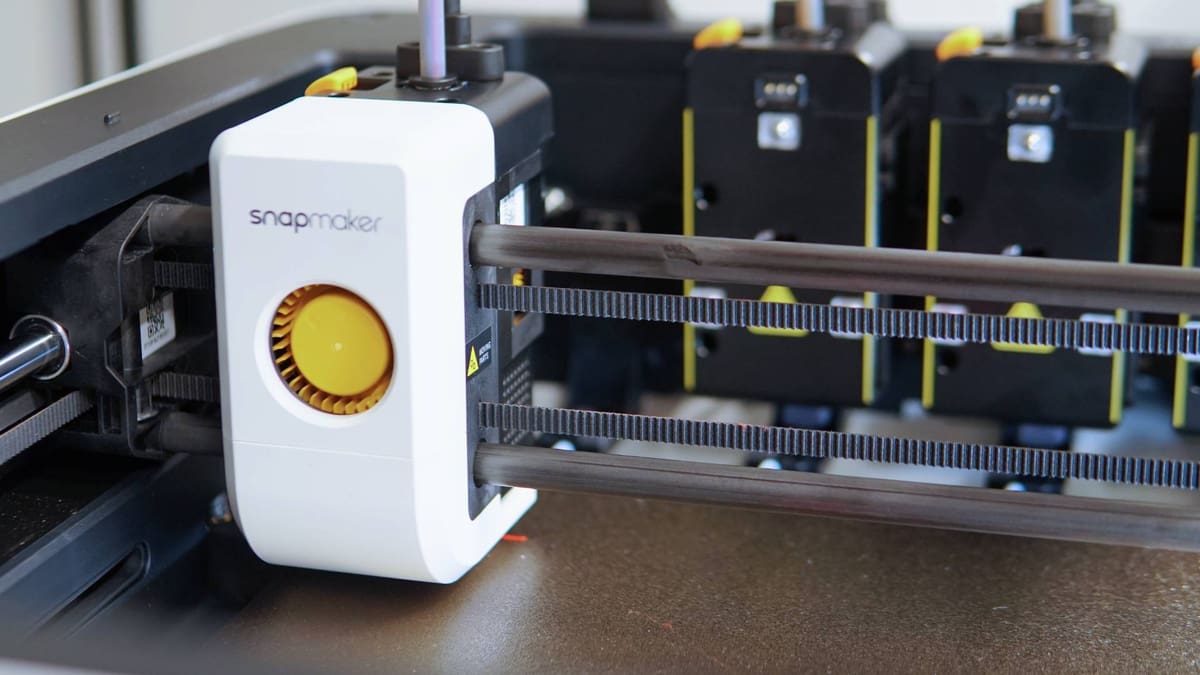
| Toolchanger (Active): Snapmaker U1 | Easy, fast, no-waste multicolor printing | from $849 | |
| Toolchanger (Passive): Bambu Lab H2C | The everything printer, but more – optimal for 3+ material prints | $2,399 | |
| Dependent Dual Extrusion: Bambu Lab H2D | The everything printer – optimal for dual-material prints | $1,749 | |
| Single Nozzle Multicolor: Creality K2 Pro Combo | High-speed & a heated chamber with the volume for big prints | $1,049 | |
| Enclosed: Prusa Core One+ | Studio-friendly 3D printer that can remain closed, no matter the material | $999 | |
| Beginners: Bambu Lab A1 Mini | Small, smart, speedy printer that's ideal for beginners | $219 | |
| Large-Format: Original Prusa XL | Large-volume multi-tool 3D printer that scales with your printing | $2,299 | |
| Mid-Size: Qidi Tech Plus 4 | Fast, enclosed, Klipper 3D printer with active chamber heating | $699 | |
| Small: Bambu Lab A1 Mini | Smart, capable, compact 3D printer with plenty of flexibility | $219 | |
| 3-in-1: Snapmaker Artisan | Stylish desktop machine built for multi-material making | $2,249 | |
| Toy: Toybox | Cute, child-proof and a vast curated library of printable toys | $309 | |
| Under $1,000 (Resin): Anycubic Photon Mono M7 Max | Large-format resin printing with print success smarts | $599 | |
| Under $500 (Resin): Elegoo Saturn 4 16K | Fast and smart resin 3D printing at the cutting edge | $499 | |
| Under $300 (Resin): Elegoo Saturn 3 Ultra | Yesterday's mid-size flagship is today's bargain | $299 | |
| Under $200 (Resin): Elegoo Mars 5 | Simple, some-frills workhorse for 2025 | $184 | |
| Ecosystem (Resin): HeyGears Ultracraft Reflex RS Combo | Professional-style simplicity with a consumer price tag | $1,807 | |
| Small (Resin): Anycubic Photo Mono 4 Ultra | Compact, ultra-convenient resin printer with smarts | $259 | |
| Mid-Size (Resin): Elegoo Saturn 4 Ultra | Speed and print success smarts on top of a generous build volume | $399 | |
| Large-Format (Resin): Anycubic Photon Mono M7 Max | Uncompromising features and performance for a large print volume printer | $599 | |
| Beginners (Resin): Elegoo Mars 5 | Simplicity and reliability with a low stakes price tag | $184 | |
What's Changed?
To help you keep track of past recommendations and structural changes to the guide, here’s a changelog of what’s happened on this page in the last 12 months:
Update – March 27, 2026: Lots of multicolor/multi-material tech this update, with new picks including toolchangers.
Update – January 16, 2026: New year – same great printers. But we have a lot of cutting-edge printers in the lab right now, so watch this space. Prices updated where appropriate, and we’ve upgraded our enclosed recommendation to reflect the Prusa Core One now being the Prusa Core One+.
Update – November 07, 2025: Almost everything has gotten a price drop thanks to Black Friday sales, making now a great to time jump on into 3D printing or upgrade your setup. Also, the Creality K2 Pro is our new under $1,000 pick, our former pick, the Bambu Lab P1S, is now our recommendation under $500, and we’ve nixed the “Premium” and “IDEX” categories.
Update – August 13, 2025: A minor update, mostly to verify all prices are correct and up-to-date. Our recommendations are unchanged.
Update – May 30, 2025: We’ve spent more time with the Bambu Lab H2D and feel sure of its worth as a dependent dual extrusion system. It replaces the UltiMaker S5.
Best 3D Printers 2026
Here are our recommendations for the best 3D printer across a variety of classes, categories, and features.
Under $1,000 (Filament):
Bambu Lab P2S
What’s Great
- Unbeatable performance for the price
- Convenient nozzle changing system
- Camera and sensors minimize failed jobs and waste
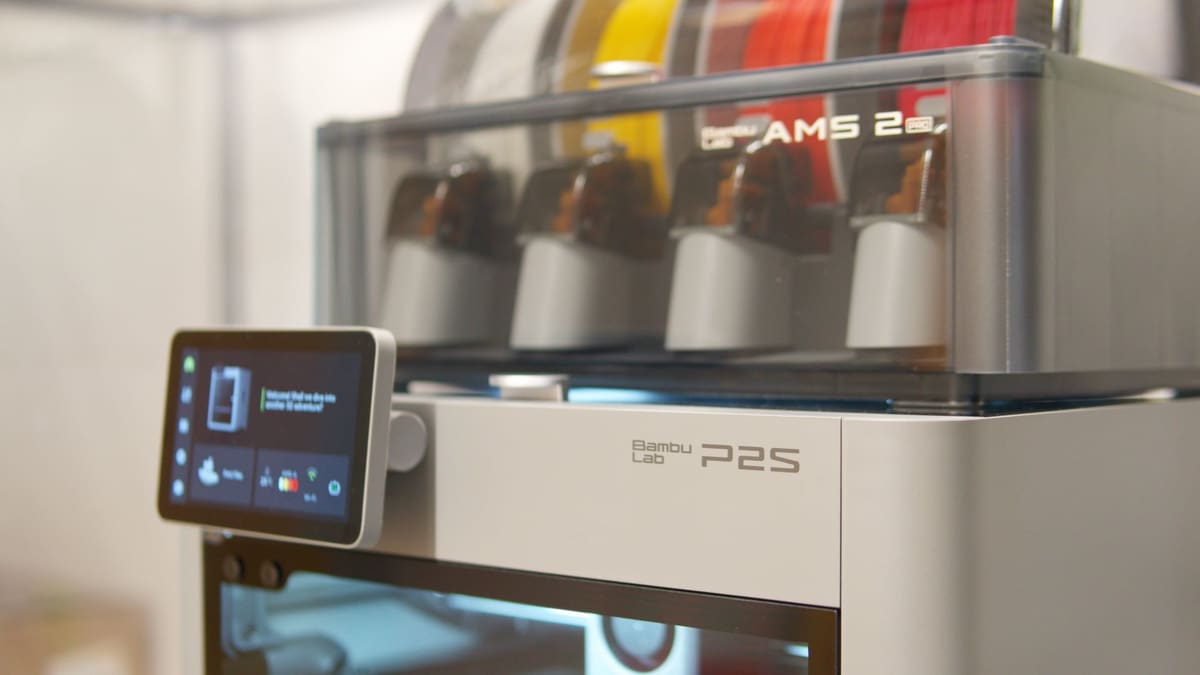
Bambu Lab’s upgraded all-around workhorse is all-around phenomenal value for money at $549, giving you Bambu Lab’s current, bleeding-edge printing experience for a fraction of the cost of the super-tech dual-nozzle H2 series machines.
The form factor established with the P1S remains – you get a 256 x 256 x 256 mm build volume within the printer’s sleek silver box design. Differentiating it from its (now reduced, and also great value) predecessor, it has a large color display with Bambu Lab’s fullscreen UI, complete with health management system (HMS) status. Additionally, the P2S benefits from a wholesale upgrade to its print chamber temperature management, with the printer passively retaining or venting heat as required – eliminating the need for you to prop open the door or consciously manage how the printer goes about its jobs.
Toolless, quick-swap nozzles interchangeable with the H2-series make a show, with a 0.4 mm stainless steel unit coming as standard. More active job monitoring in the form of AI-powered camera monitoring, as well and an increase in the sensor count means the P2S is actively adjusting things like filament flow to improve print quality.
It didn’t take long in the All3DP lab for the P2S to become the default office go-to, which speaks to the P2S’s quality as a just-get-it-done 3D printer.
Upgrading to the P2S Combo, which includes the AMS 2 Pro filament switcher, ticks the price up to $799, but gives you the option of up to four-filament prints (more if you chain multiple AMS devices together).
Under $500 (Filament):
Bambu Lab P1S

What’s Great
- Enclosed volume with temperature regulation
- Fast, high-quality printing & effective cooling
- AMS compatible
Even if the Elegoo Centauri Carbon gives it stiff competition at around $300, the Bambu Lab P1S still offers plenty of reasons to spend a little more, not least of which is the P1S’s compatibility with Bambu Lab’s range of filament-switching AMS devices.
The Bambu Lab P1S is arguably the company’s best-value printer, giving you a fully enclosed 256 x 256 x 256 mm build volume, super quick print speeds, an auxiliary cooling fan to maintain stability printing PLA at speed, plus air filtration and out-of-the-box compatibility with Bambu Lab’s excellent AMS multicolor material station, now for the lower price of $399.
It’s a streamlined experience that requires little effort or prior knowledge for beginners to achieve great results. For more experienced makers, the software is deep enough for complex, multi-part jobs, and the hot end can be easily upgraded to tackle tougher materials and diverse print types.
You can print directly on the machine from the company’s smartphone app – no computer necessary. The whole process is, in a word, convenient. It’s the closest thing to a 3D printer as a household appliance.
The P1S was recently superseded by Bambu Lab’s new P2S machine, which makes wholesale changes to improve performance and usability. That aside, the P1S is still a lot of machine for $399.
Under $300 (Filament):
Elegoo Centauri Carbon
What’s Great
- Fully enclosed
- Auxilary and chamber fans for better cooling and filtration
- Fast heating bed and hot end
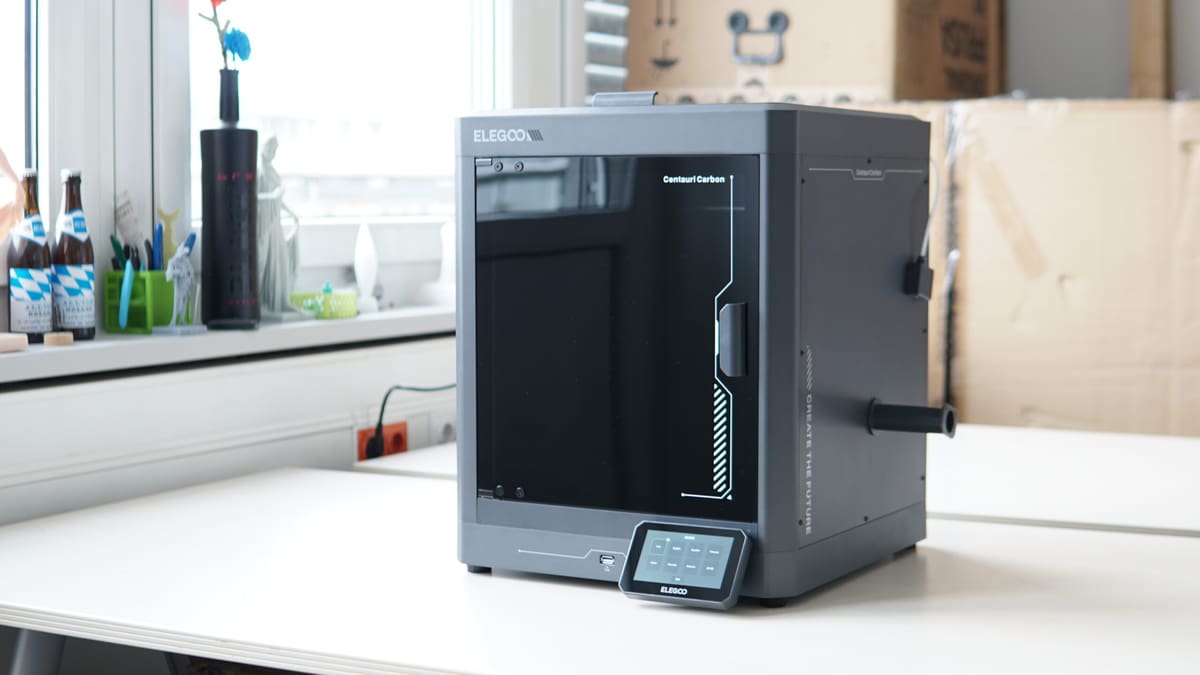
Elegoo’s first crack at CoreXY is a good one, with the Centauri Carbon offering staggering value for ~$300. You get robust build quality from its steel chassis, decent all-around performance, high headroom for working with difficult materials, and a fully enclosed build that includes a glass door and cover that feel too premium for the price tag.
The Centauri Carbon’s speed and specs put it on equal footing with the likes of the Creality K1C and the Anycubic S1, but it boasts one party trick those machines can’t match: a fast heating print bed. It dramatically shortens the time from hitting “print” to the machine starting to extrude, going from cold to printing temperature in less than a minute.
You get a readout of the chamber temperature, which helpfully indicates when things get too hot and opening the door is needed – yes, unfortunately, you can’t get away with leaving it fully closed off. The printer is smart enough to tell you so when things are too toasty in the chamber.
Automated calibration and the option to manually adjust the Z-offset are welcome, as is its clean UI that, honestly, seems pretty standard across brands on this class of machine.
It hasn’t presented us with 100% perfect prints every single time – few printers do – but our time with the Centauri Carbon has left us with the impression that it’s unusually good value.
Under $200 (Filament):
Creality Ender 3 V3 SE
What’s Great
- Reliable auto-bed leveling system
- It’s quiet
- Great bang-for-buck ratio – cheap and capable
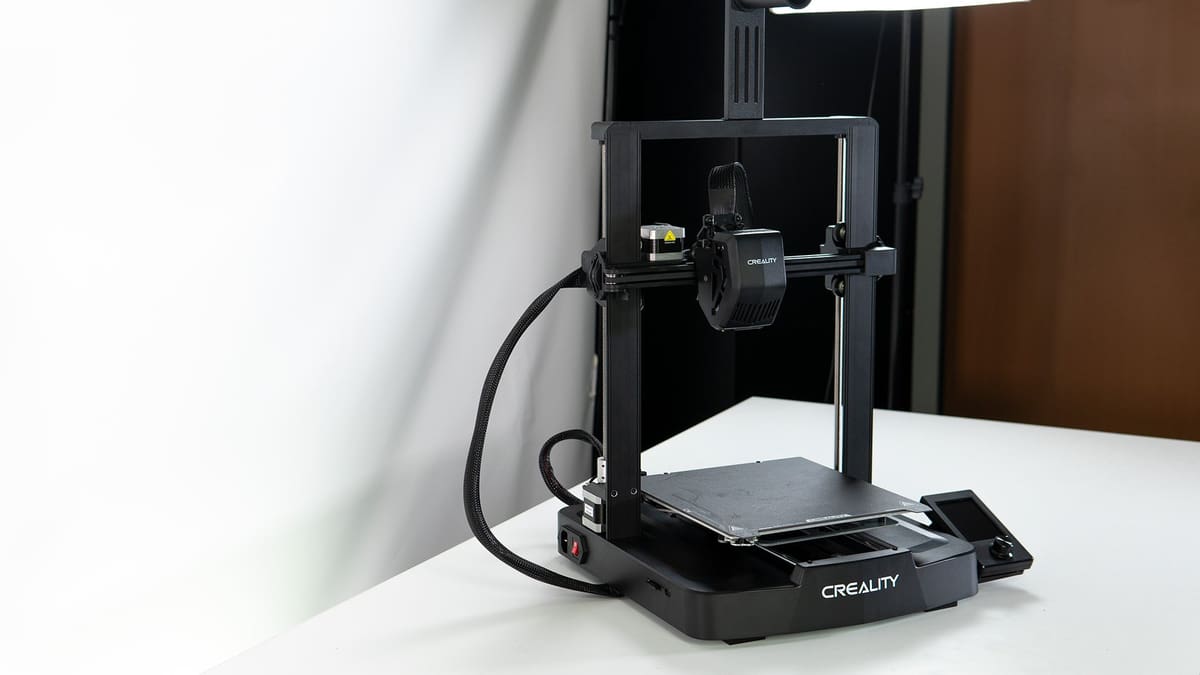
The Creality Ender 3 V3 SE set a new baseline for cheap 3D printing, blending a familiar form with the beginner-friendly fully automatic bed leveling and self-offsetting to give effortlessly perfect first layers.
Its standard features run to a 220 x 220 x 250 mm build volume, with a Sprite dual-gear direct extruder feeding filament to a hot end that tops out at 260 °C. In practical terms this means your printing will be limited to lower temp materials like PLA and PETG, which are adequate for many situations. Printing through the full height is served by dual Z-axis motors, ensuring stability throughout.
In our time printing with the Ender 3 V3 SE, we’ve found it to be a little workhorse. While it lacks many of the flashier features and firmware flexibility of today’s machines, what the SE offers enough for a simple, relatively fuss-free printing experience.
There are minor quirks, like the removable magnetic print bed being tricky to return to position after a print, and there’s no filament sensor – an odd omission even when it launched a couple of years ago.
Budget Multicolor:
Bambu Lab A1 Mini Combo

What’s Great
- Four-filament printing
- Self-calibrating smarts
- Plug-and-play
Despite its mini size and name, the Bambu Lab A1 Mini is a surprisingly complete 3D printer, giving the full, slick, connected, and productive experience offered by the rest of Bambu Lab’s more premium printers, in a compact form with a slim price tag ($219) to boot. For that reason, we’re drawing attention to it as a low-cost entry point to multicolor printing.
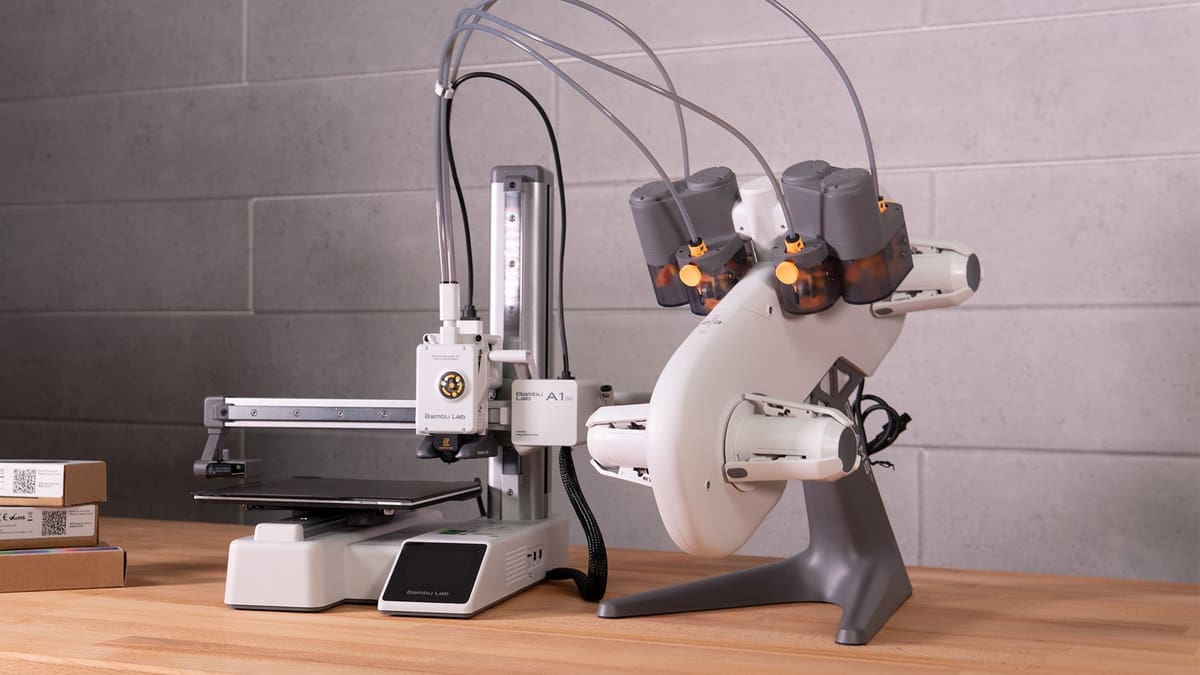
It’s a smart cookie, with self-calibration routines keeping the print quality high and the printer quiet. It uses the AMS Lite for multicolor printing, a freestanding device that sits next to the printer and feeds filament through an array of guide tubes into a buffer on the print head. Powered directly by the printer, the AMS Lite is relatively unintrusive, though it does expand the footprint. You need desk space for this.
Both printer and AMS Lite can be bought bundled together as the A1 Mini Combo for $329.
Together, the A1 Mini and AMS Lite let you combine up to four different spools of filament in a single print job, be it multiple colors of the same material, or, to a limited degree, different materials. Mind that the A1 Mini printer is only rated for lower-temp materials such as PLA, PETG, PVA, and TPU. Of those, the AMS Lite cannot feed TPU or similar soft materials.
It’s a single-nozzle system, so some material purging is required to keep color transitions clean. Historically, the printer’s default purge behavior has led to criticism of it being wasteful, which it certainly can be when printing small, colorful objects. There are measures to offset this, such as purging into an object’s infill or printing a dedicated purge object alongside your desired print.


Toolchanger (Active):
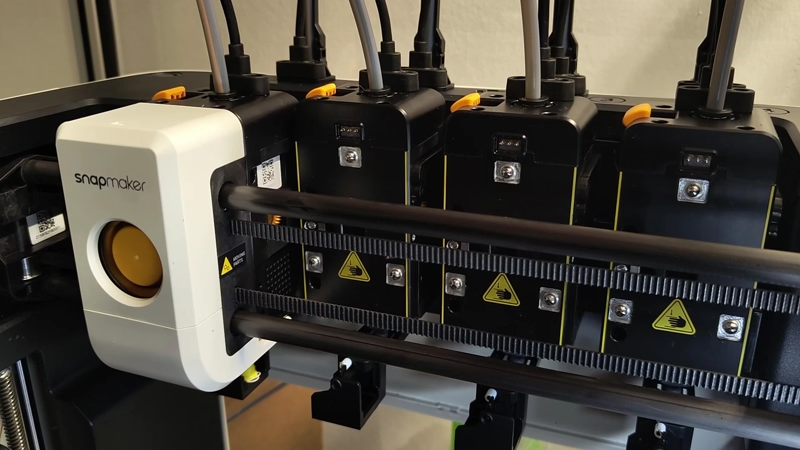
Snapmaker U1
What’s Great
- Zero-waste filament changes
- Open-firmware flexibility
- User-friendly material handling
The Snapmaker U1’s shockingly successful Kickstarter campaign should have been a sign that this printer could be something special. As it happens, it is.
At its core, the Snapmaker U1 is a “traditional” toolchanger – it uses a carriage system to deposit and pick up complete extruder and hot end assemblies as required. This means filament changes happen quickly and cleanly, with no purging of nozzles between. Snapmaker’s so-called SnapSwap system pegs the changeover at 5 seconds. It is quick.
You get a 270 x 270 x 270 mm build volume, with four 0.4 mm stainless steel nozzle-equipped toolheads each capable of heating to 300°C. The print bed hits 100°C, and while it is semi-enclosed with walls and a door, in its stock configuration there’s no chamber temperature regulation to speak of. A lid, sold separately, is available, adding air filtration and temperature management.

The Snapmaker U1’s secret sauce is just how pleasant and straightforward it is to use. Modern printers are smart enough to throw up all sorts of error codes and fail states when things go wrong, but in our time with it the U1 was a relatively happy chappy, plodding through multicolor prints without complaint.
Compounding this positivity are the things the Snapmaker does to make living with a multi-filament device easier. Things like queuing loading and unloading, and the two filament autoloaders that sit on either side of the machine to deliver the filament to the hot end for you are minor additions that make a big difference.
Toolchanger (Passive):
Bambu Lab H2C
What’s Great
- Wireless induction hotends
- Seven-material efficiency
- Versatile nozzle mixing
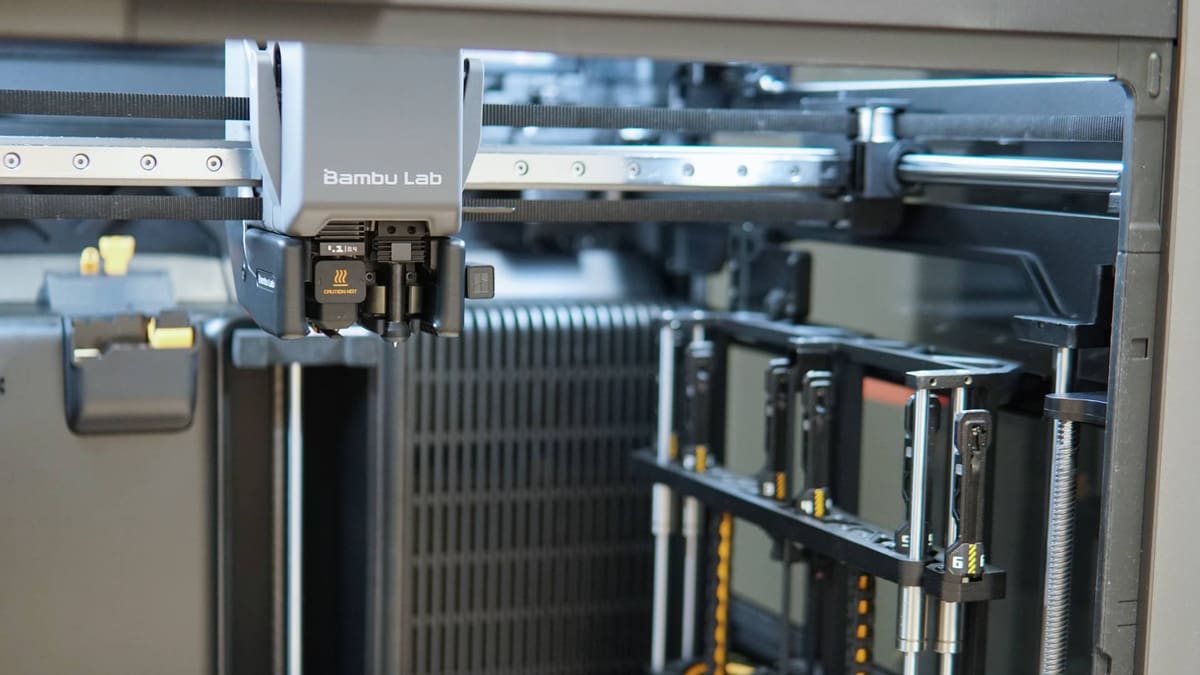
The pinnacle of Bambu Lab’s line-up is a technological powerhouse, building on the sensor-laden H2D and H2S that came before it with one crucial new addition in the Vortek nozzle-changing system, which grants purge-free seven-material printing.
Currently priced at $2,399, everything great about the H2D applies to the H2C – it’s fast, smart, tightly monitored from a quality-control standpoint. The H2C stands apart from the H2D in a couple of significant ways, though, all consequential of the new Vortek nozzle changing system.
First, a downside: to accommodate the rack of Vortek nozzles, the build volume of the H2C is slightly smaller than the H2D – 330 x 320 x 325 mm total for both nozzles compared to the H2D’s 350 x 320 x 325 mm. Anyone locked in with H2S or H2D accessories eyeing the H2C should beware that any extra print beds they bought won’t fit the H2C. The company’s vision encoder, for upping print accuracy, is compatible with the H2C though.
On the flip side of this, you get up-to-seven-material-printing with zero purge at the changes. This is a massive efficiency gain over single nozzle, or even dual-nozzle systems for anyone printing with more than two colors or materials at a time.
It works thanks to the Vortek’s new induction hot ends, which wirelessly hold data about the loaded material, communicate with the printer, and wirelessly heat up (quickly) too. There’s a long, sciencey explanation for how it works about electromagnetism and resistance, but it suffices to say that, as a piece of 3D printing kit, it’s a generational leap.
It’s a singular 3D printer, and arguably the most fun to watch. The nozzle changing mechanic is mesmerizing and the prints you get from it are as good as they come for the money.
Dependent Dual Extrusion:
Bambu Lab H2D
What’s Great
- Purge-free material switching
- Large-format build volume
- Makes print efficiency easier
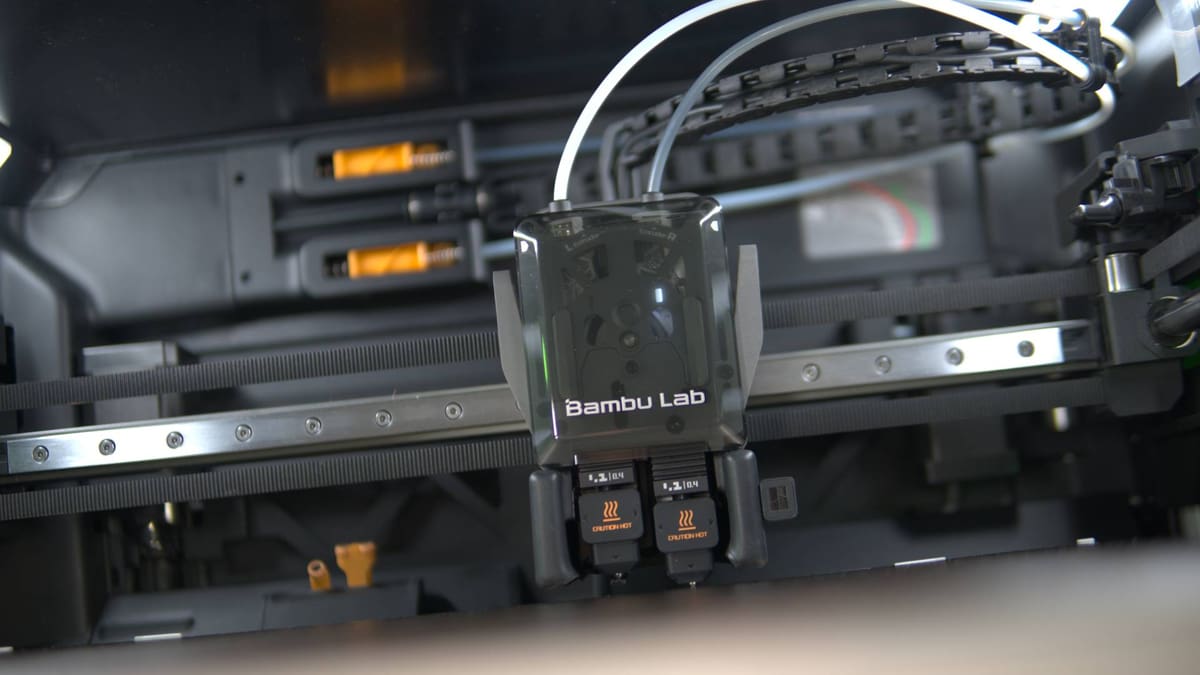
Bambu Lab’s H2D not only grows the fast, effortless Bambu Lab formula to a 350 x 320 x 325 mm build volume, but tackles the material inefficiencies generations of single-nozzle machines normalized. (3D printer “poop”, anyone?)
The H2D not only utilizes two independent nozzles for efficient printing, but offers higher layer uniformity, quality, material flexibility, plus the potential for pro users to guarantee dimensional accuracy with the optional encoder plate. Available in combo with the AMS 2 Pro for $1,999, the base H2D, which pulls filament from two external spool holders, is currently available at $1,749.
The Bambu Lab H2D uses a clever actuation system to lift the idle nozzle and simultaneously block its opening to prevent ooze. At first glance, you’d think the gigantic print head accommodating all this tech would slow it down, but a boost to acceleration and a supposed doubling of top print speed over older generation machines sees the H2D shake and shimmy at speed to achieve its prints.

There are a couple of upgrade paths open to you with the H2D, but they are not all created equal. The H2D can be outfitted with additional tools for greater creative output, like a laser cutting toolhead, drag-knife, and pen plotter – all on top of the great dual-extrusion 3D printer to turn the system into a multi-modal making powerhouse. This comes as a kit (around $700) or preinstalled as the Bambu Lab H2D Full Laser Combo (from $2,549).
Single Nozzle Multicolor:
Creality K2 Pro Combo
What’s Great
- Active chamber heating
- Expandable 16-filament printing
- Full print-chamber monitoring
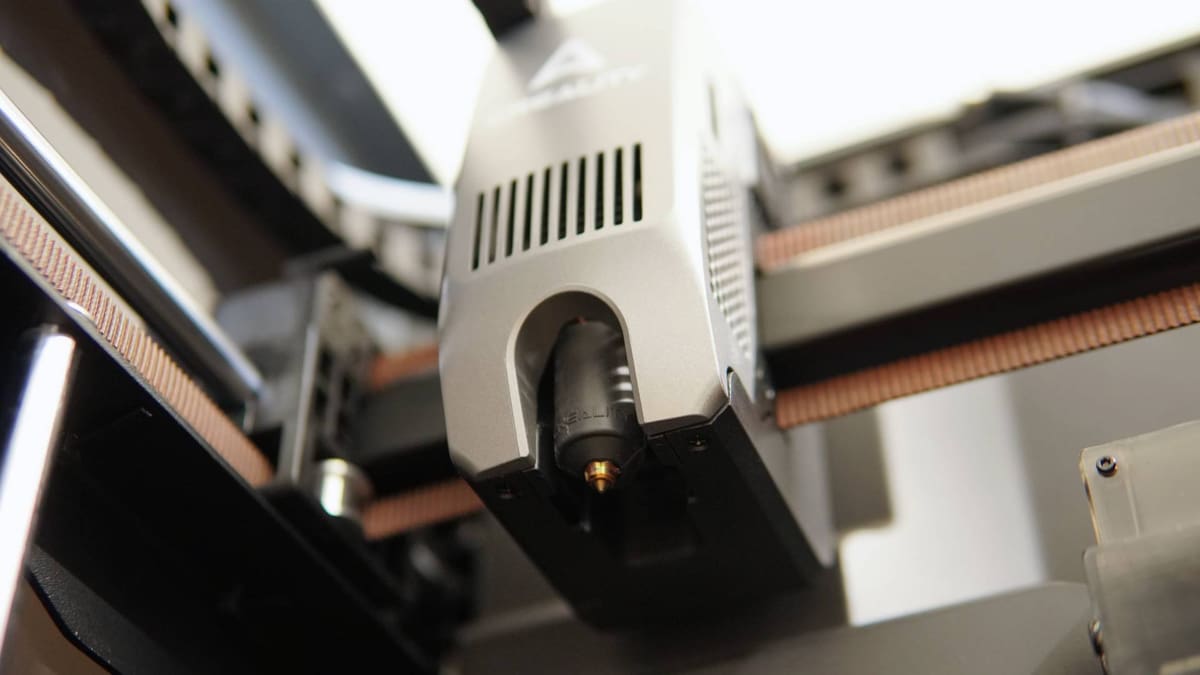
The Creality K2 Pro lives up to the flagship pedestal Creality puts it on, and is a great example of what consumers should expect in this era of modern, connected, and high-performance desktop 3D printing. Part of that package is native compatibility with the Creality Filament System (CFS), a four-filament switcher that can be chained with three others for up to 16-filament printing.
The K2 Pro offers a roomy 300 x 300 x 300 mm build volume, 300°C at the hot end and 110°C at the bed, plus in-chamber heating that can reach 60°C for more reliable printing on warp-prone materials.
Integrated air filtration is a nod toward keeping the printer a friendly fixture, as is full connectivity through print chamber monitoring and print overwatch.
The K2 Pro might just be the best 3D printer Creality has ever made, offering a sweet spot of build volume, size, and performance, all for around $1,050.
Enclosed:
Prusa Core One+
What’s Great
- Fully enclosed and can stay closed for all materials
- Compact footprint
- The most plug-and-play Prusa yet
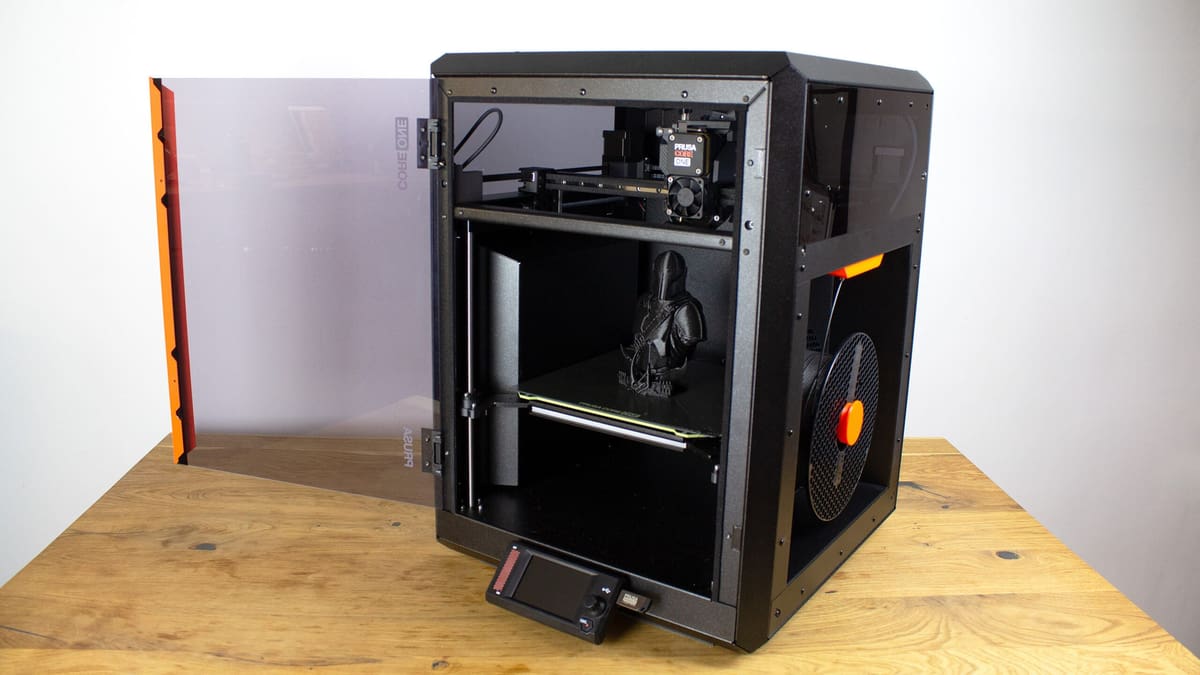
The Prusa Core One – which recently bumped up to its “plus” version, an iterative update that adds minor new features – achieves something many enclosed 3D printers can’t: printing low-temperature materials with its enclosure resolutely closed. No jarred doors or propped lids, just 24/7 sealed printing, no matter the material.
It also helps the Core One’s case that it’s Prusa Research’s most complete-feeling system to date. Available as a kit for $999 – a lot more fun and instructional than it may sound – you get superlative print quality, a hallmark of the brand, as well as active chamber filtration and regulation, which lets the printer moderate the chamber temperature and ensure printing performance. Alternatively, you can have the printer shipped ready to run for $1,299 – that means truly ready to run, factory calibrated and skipping the first-time bootup routines common across printers from other brands.
The build volume is larger than the company’s MK4 series of printers, but uses the same 250 x 220 mm build plates. The gains come from a taller 270 mm build height, all while reducing the footprint to a measly 415 x 444 x 555 mm.
It is incredibly space-efficient, with recesses in the enclosure giving space for filament and accessories. The company proved at launch that the system is moddable to the extreme, with a wry Bamboo-wrapped version hogging the spotlight at 2024’s Formnext additive manufacturing show, and the recently launched Signature Oak limited edition printer using the Core One as its basis.
The Prusa Core One+ is the complete Prusa experience with an integrated enclosure out of the box. Owners of the company’s MK4 series machines can upgrade their way to the Core One+ using the company’s upgrade kits, too, reusing many of the parts they already have in their possession. It’s a vibe, for sure – a printing experience for those willing to immerse themselves into the nuts and bolts of the machine as much as the printing itself.
Beginners:
Bambu Lab A1 Mini
What’s Great
- Fast, with self-calibrating smarts
- High-uniformity prints
- Beginner-friendly experience
The linear rail-touting Bambu Lab A1 Mini is small, with a build volume of just 180 x 180 x 180 mm. Don’t let its size fool you into thinking it’s in any way diminished – it is packed with smarts, including noise-cancelation tech, full self-calibration, over-the-air updates, and self-diagnostics, all for just $219. It’s also fast and, per our testing, consistently delivers impressive prints.
The A1 Mini offers, in a word, simplicity and builds upon this with Bambu Lab’s vast MakerWorld 3D model repository and companion app, which both offer one-click printing with the A1 Mini.
We found it’s not quite as polished as the company’s flagship X1C – an understandable concession, given the ~$1,000 that separates them and the difference in intended user. Largely, though, these compromises are few and far between and well worth bearing for the savings and variety of quality-of-life features that come with the machine. A high-quality camera for remote monitoring, a (finicky) nozzle wiper, and – perhaps most importantly – a hot end that allows for toolless swapping, making it trivial to change nozzle sizes for fast or highly detailed prints, are all present.
Its printing capabilities are a little narrower than other Bambu Lab printers (you’re more or less confined to PLA, PETG, and TPU-like filaments), but your horizons widen somewhat with the A1 Mini’s compatibility with Bambu Lab’s AMS Lite, a four-filament system for multicolor and multi-material printing.
It’s the ideal beginner 3D printer and a machine that we have recommended to friends who are getting into the hobby.

Large-Format:
Original Prusa XL
What’s Great
- Frequent updates & improvements
- Upgradability for multi-material/enclosure
- Scales with your printing
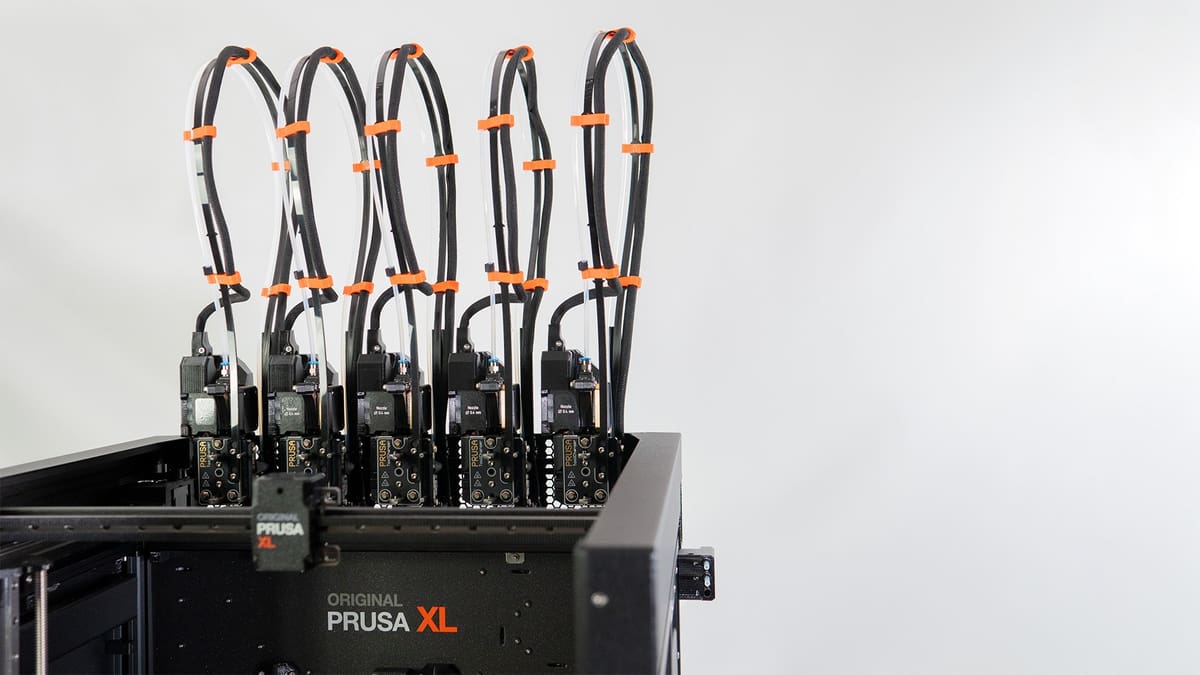
A long time coming and, for some, well worth the wait. Prusa Research’s first foray into larger-scale 3D printing comes in the form of the Original Prusa XL, a 360 x 360 x 360 mm CoreXY style 3D printer with one unique feature you won’t find on any other machine in the space: a toolchanger.
Starting at $2,299 for the base single-toolhead printer, you can configure your way up to five independent toolheads (from $3,899) each a direct drive Nextruder-toting extrusion system capable of printing virtually any desktop-grade material with minimized purging required between material swaps. You can mix and match nozzles, too, resulting in creative solutions for speeding up and adding versatility to your prints.
We’ll admit that the XL is a touch on the smaller side for what we consider “large” – it’s actually about as small as we’d go – but that 360 x 360 mm build area is more than ample for ostentatious full-size helmet prints and other oversized bits you may need to make.
Underpinning this build area is a removable high-quality satin-finish print bed. And beneath that is one of the XL’s other USPs: zonal print bed heating. The entire build area is split between 16 independent heating tiles, meaning the bed will only heat where it needs to. Note that while this sounds like a time-saving measure, it’s more about energy efficiency – having tested it, the printer will still perform a “heat soak” before each print to properly heat up and ensure first layer performance.
The XL’s versatility is its strongest suit: if you upgrade to a multi-toolhead version (Prusa sells it with 2x toolheads from $2,989 and 5x toolheads from $3,899) you gain the chance to mix flexibles, tough, abrasive, and everything in between, in your prints. In large-scale printing, being able to use cheaper filaments for support structures is a pretty radical money-saver.
Other pluses include Wi-Fi connectivity and web-based monitoring, eco-friendlier packaging than most, generous freebies in the box, and the high likelihood that the machine’s functionality and feature set will grow.
On top of all that, an optional enclosure ($709) boosts the XL’s performance with warp-happy materials and adds air filtration and lighting for more convenience and safer printing in proximity.
Mid-Size:
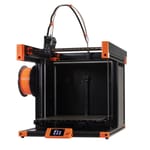
Qidi Tech Plus 4
What’s Great
- Fast, high-quality printing
- User-friendly and accessible design
- High-power heated chamber
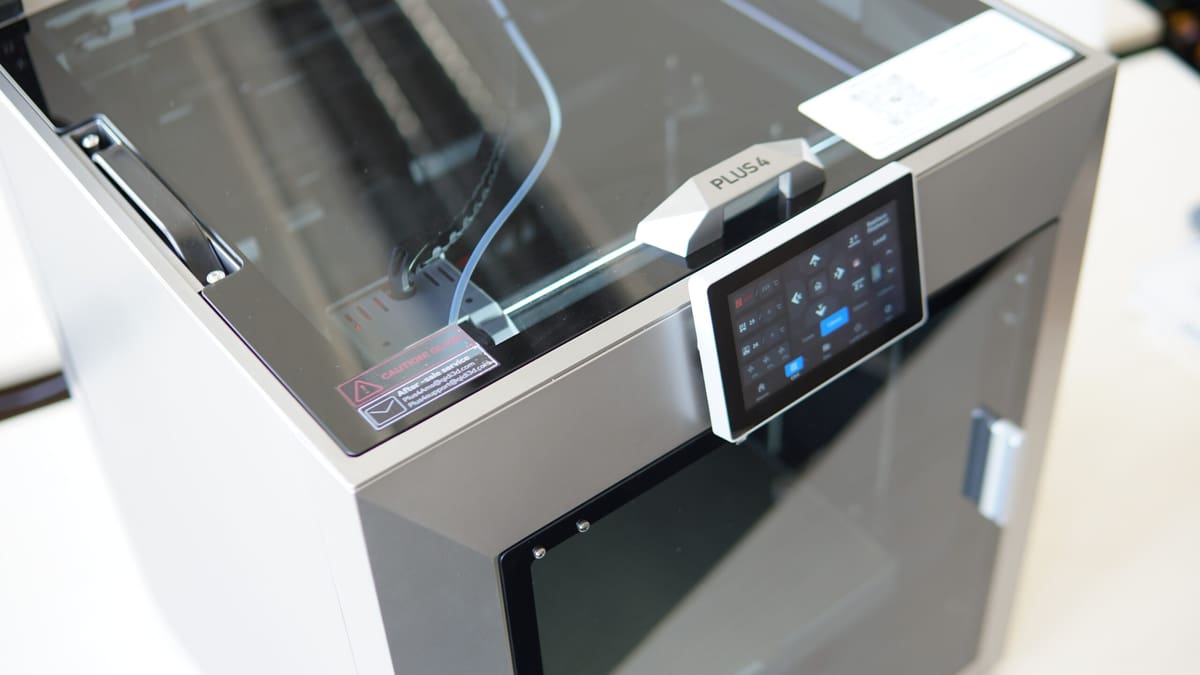
Despite an early wobble that saw Qidi Tech quickly redesign its chamber heater, the revised Plus 4 stands as an impressively complete mid-size 3D printer.
For your $699, you get a 305 x 305 x 280 mm fully enclosed build volume with active chamber heating, plus a hot end and heated bed that get hot enough to tackle high-temp engineering materials.
You’re also getting the full Klipper experience, with a custom Qidi Tech UI on the large full-color display to tap and prod at for the basic printer functions.
Left at its defaults, it’s capable of high-speed printing, with Qidi Tech’s skin of OrcaSlicer being a complete enough experience for you to achieve high-quality prints right out of the box.
Thoughtful design touches like the integrated carry handles, Ethernet port for networking, plus an easily serviceable hot end make it a fine mid-size printing companion suitable for most 3D printing situations.
Small:
Bambu Lab A1 Mini
What’s Great
- Compact, self-contained footprint
- Exceptional print quality
- Self-diagnostic smarts and print improvement algorithms
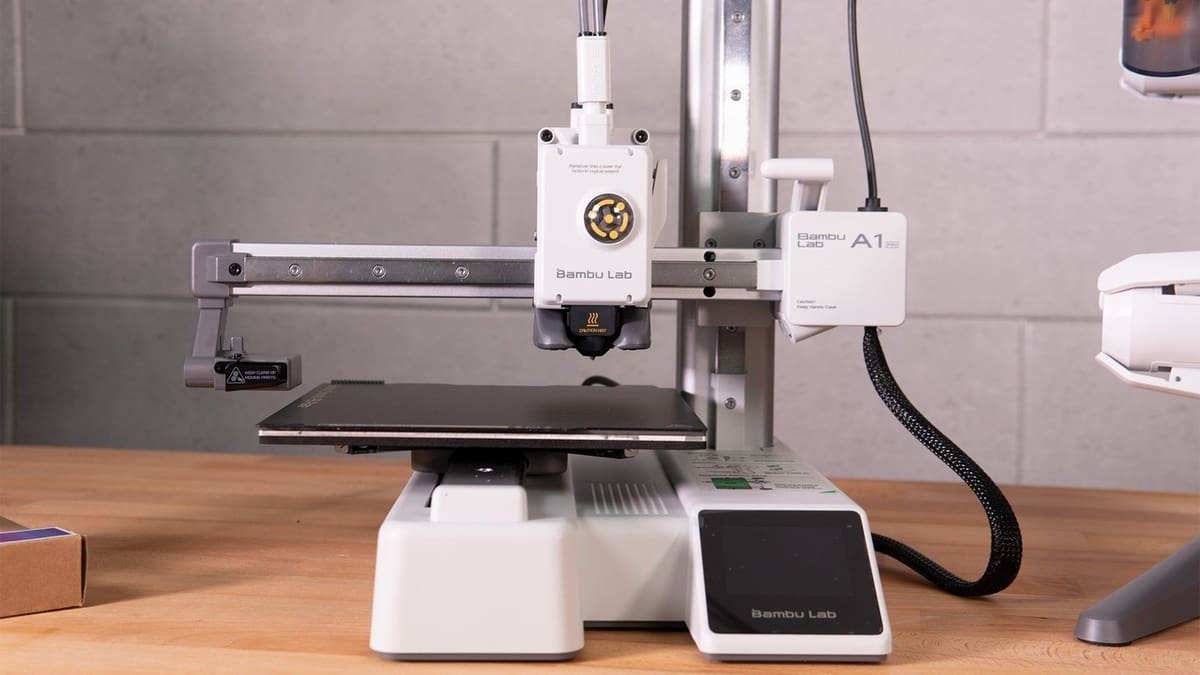
Arguably Bambu Lab’s most impactful 3D printer, the A1 Mini is an uncompromising little machine. It shows its prowess through features like motor noise cancellation calibration, where the printer measures its movements and gradually dampens the vibrations to get whisper-quiet operation. Even today, over a year after its release, this is still an unusual feature.
You get a 180 x 180 x 180 mm build volume to work with on the A1 Mini, with its lightweight cantilever design seeing a 280°C hot end whip about the build plate as quickly as the company’s bigger, more expensive machines. Your printing is limited to lower-temp materials like PLA and PETG, which is understandable given its open-frame design and pitch to beginner users.
The A1 Mini’s printing capabilities can be upgraded with Bambu Lab’s AMS Lite multi-filament feeder device. This arguably scuppers the printer’s eligibility as a “small” 3D printer, since it doubles the footprint, but it’s nice to have the option.
Further capability upgrades can be made using the hot ends Bambu Lab offers for its A-series machines, which are virtually drop-in once you’ve disengaged the cage that keeps them in place.
All in all, it’s a thoroughly capable, quick, and flexible 3D printer that demands very little desktop space.
3-in-1:
Snapmaker Artisan
What’s Great
- Three creative tech tools in the footprint of one
- Feels premium
- Decent dual extrusion printing experience
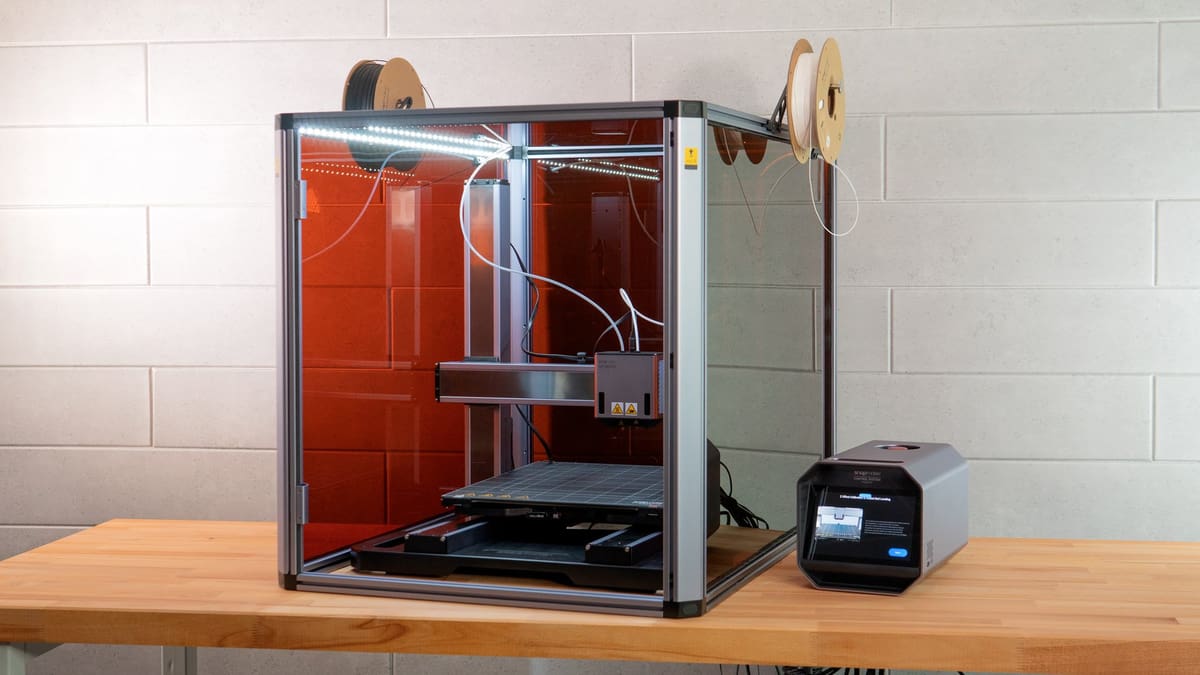
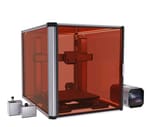
There’s an unquestionable slickness to the machines Snapmaker makes. You get a high-quality fit and finish, backed up with glossy build guides and manuals to inspire your creativity. The Snapmaker Artisan is the latest in the company’s series of multifunctional machines. Currently available from $2,249, it’s a unique machine with a (new) price tag designed to keep it relevant now that Bambu Lab’s multifunctional H2D exists.
Separating the Artisan from its 3-in-1 predecessors is the perfected quick-swap mechanism, which makes changing modes a toolless, effortless procedure. The Artisan also benefits from bumps to speed and operating volume that make it faster and quieter than the Snapmaker 2.0.
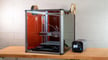
More powerful laser and CNC modules come as standard, giving a slight spec bump on the 2.0, too. And there’s a nifty dual extrusion experience in the UltiMaker-esque print core system, letting you quickly combine different nozzle types in your work.
A massive, tinted enclosure comes as standard with the Artisan to shield your eyes from the laser and contain the mess of CNC engraving and cutting. There’s a vent for ducting smoke away from the setup, too, but note the enclosure has no floor – it is not airtight.
Impressively, the Artisan’s 400 x 400 mm print bed can heat up quickly, with user-selectable zones for quicker, more energy-efficient printing of smaller models.
If you expect to need to swap between 3D printing and laser engraving often and really put your machine through its paces, the Artisan is the comfortable choice. While it’s not necessarily better than a dedicated machine for each of the functions it offers, it does a competent enough job of combining the three.

Toy:
Toybox
What’s Great
- Massive toy library to print
- Kid-friendly experience
- Snappy on-device and app-based control
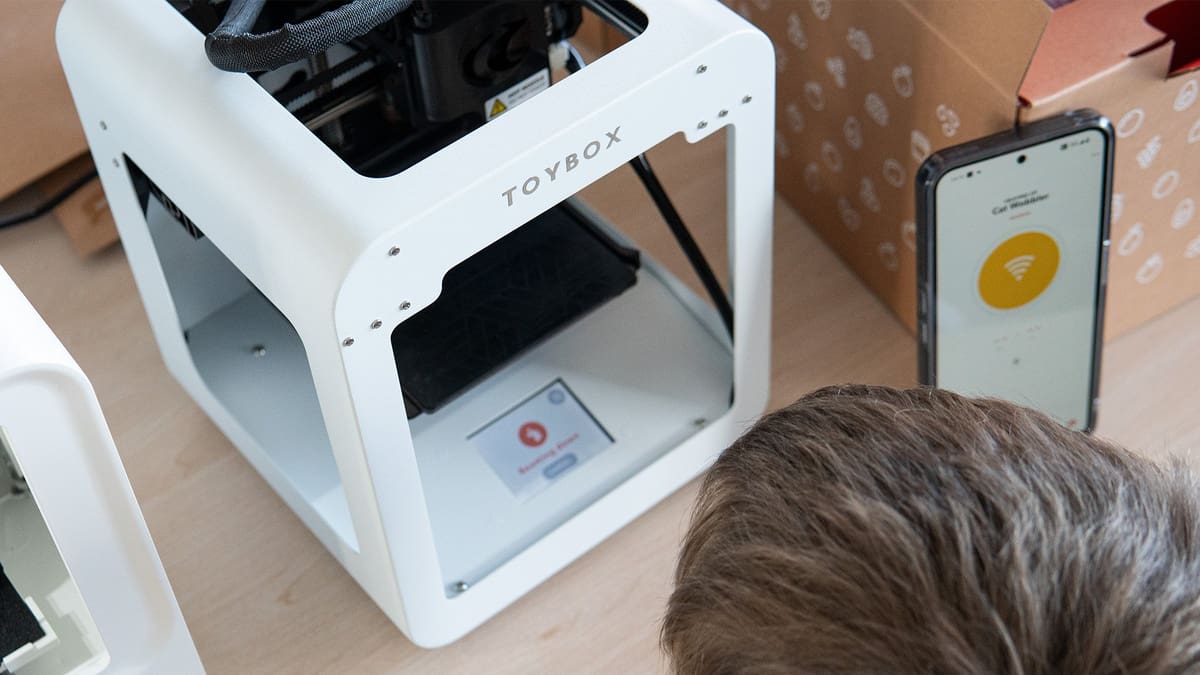
Critics will point to its premium models and “plus” subscription as a negative, but this kind of curation means Toybox can offer printable models from familiar franchises and platforms your kids will be familiar with. On the plus side, there are no ads, and the control the Toybox team has over its library means that not only is it possible to print everything you see, but it’s nearly impossible to mess up. The Toybox takes the effort of finding or making 3D printable toys, for the most part, out of your hands.

Buying the printer alone is enough to give you access to thousands of models and some basic in-app model creation out of the box. This 10,000+ library can be expanded further through purchasable extras and a monthly subscription. There is plenty here to keep inquisitive young minds going.
Toybox’s greatest success is in cutting the clutter of the process of 3D printing and making every toy a tap away from physical reality. The print quality is not good, but in testing using real, live, fidgety kids to evaluate the toys, they didn’t care. What mattered was that library was engaging and vast enough to keep finding something new, and going from app to printed part on the plate kept pace with young kids’ short attention spans. That’s where the Toybox wins.
Under $1,000 (Resin):
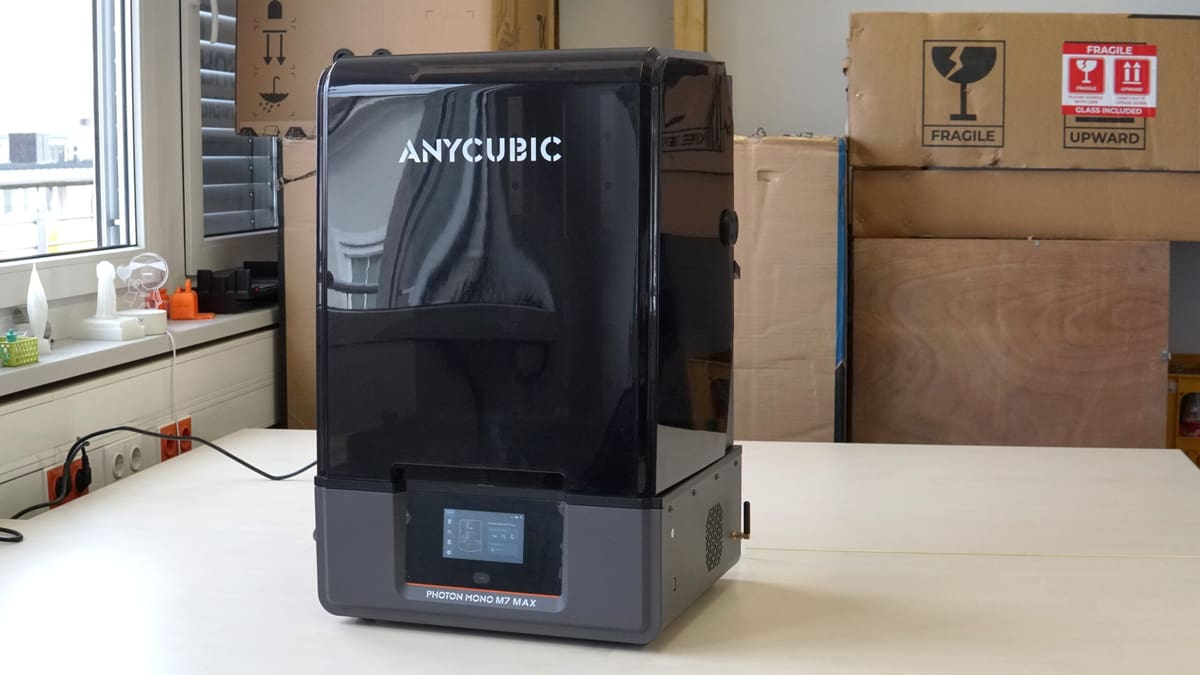
Anycubic Photon Mono M7 Max
What’s Great
- Self-diagnostic smarts
- Heated vat as standard
- Time- and resin-saving features
If your budget for a resin 3D printer stretches to $1,000, there are two directions to go: big or feature-rich. Previously, the UniFormation GKtwo was our pick for the wealth of neat little design touches that made using the printer a joy.
At $599, the Anycubic Photon Mono M7 Max does enough to pull us away. It blends a large-format print volume (298 x 164 x 300 mm) with the mod-cons of resin 3D printing in 2025, emphasizing print success with failure detection systems to help make it as simple as smaller-scale resin printing.
In testing, we found the design unobstructive (which is rare in large-format desktop resin printers). The flip-hinge lid offers unrestricted access to the print chamber, and thoughtful inclusions like the integrated hook for hanging the print plate to allow resin runoff are genuinely useful.
A heated resin vat warms the resin, increasing the chance of print success and, for longer, larger prints, an included resin pump can refill the vat mid-print for you. We’re not big fans of the resin pump since bottle changes can get messy, but it’s optional, and you can just run the printer without it.
Overall, the M7 Max is a refreshingly modern, smart, large-format resin 3D printer with a surprisingly low price tag for its size and feature set.
Under $500 (Resin):
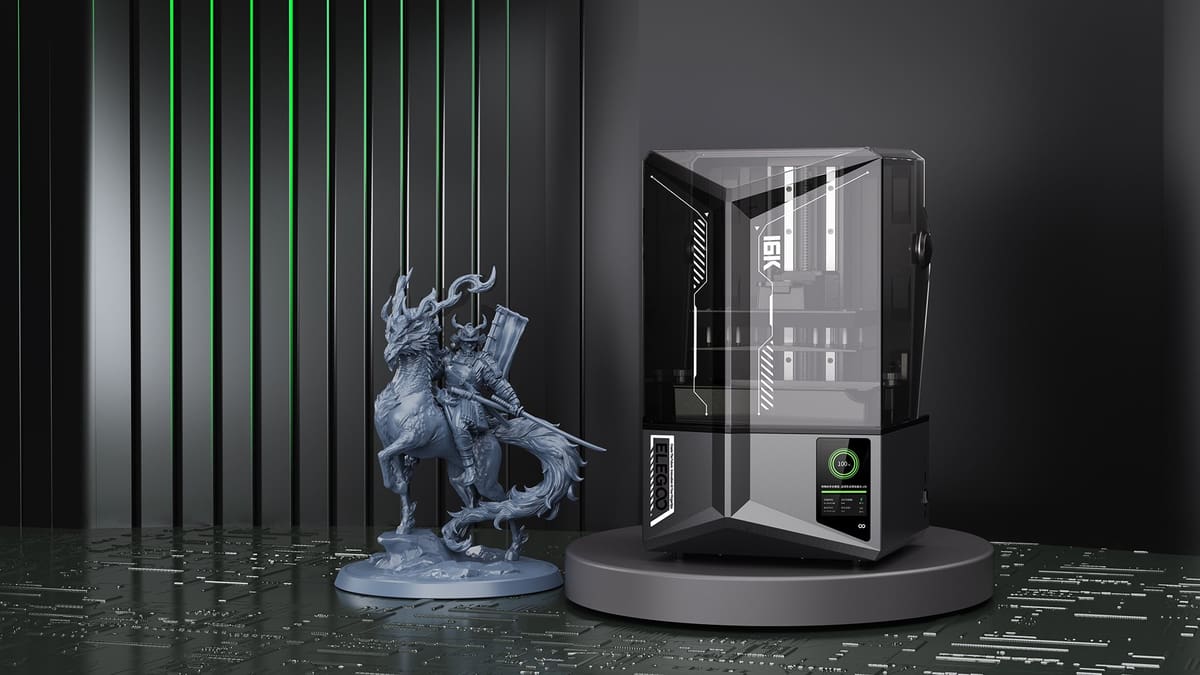
Elegoo Saturn 4 16K
What’s Great
- Capable of fast, high-res printing
- Heated, tilting vat for fast, successful prints
- Well-implemented Wi-Fi connectivity
Going by the name alone, you’d be forgiven for thinking the $499 Elegoo Saturn 4 Ultra 16K was just a resolution upgrade on the regular Saturn 4 Ultra, but there are a couple of killer distinctions that set the 16K apart.
For starters, the 16K introduces a heated resin vat that can condition your resin up to 30°C. This is essential for removing the environment from the equation of likely print success. Warm resin is happy resin.
And then there’s the better “AI” print monitoring camera that, this time, includes a light for 24/7 viewable time lapses and print monitoring. It’s a big step up in quality of life for this feature.
The build volume sits at 211 x 118 x 220 mm, shaving a couple of millimeters off the regular Saturn 4 Ultra. It’s a minor difference. Likewise, the jump up from a 12K to 16K LCD means the Saturn 4 Ultra 16K’s voxels, in the X/Y, shrink from 19×24 microns to 14×19 microns. That’s around a 20% improvement, but we’d caveat that 80% of something impossible to see remains impossible to see. They’re impressive numbers, but not the main attraction.
It’s a rip-roaring mid-size flagship that offers virtually everything you could want on a modern resin 3D printer.
Under $300 (Resin):
Elegoo Saturn 3 Ultra
What’s Great
- Bleeding-edge resolution
- Useful Wi-Fi connectivity
- Top all-round performance
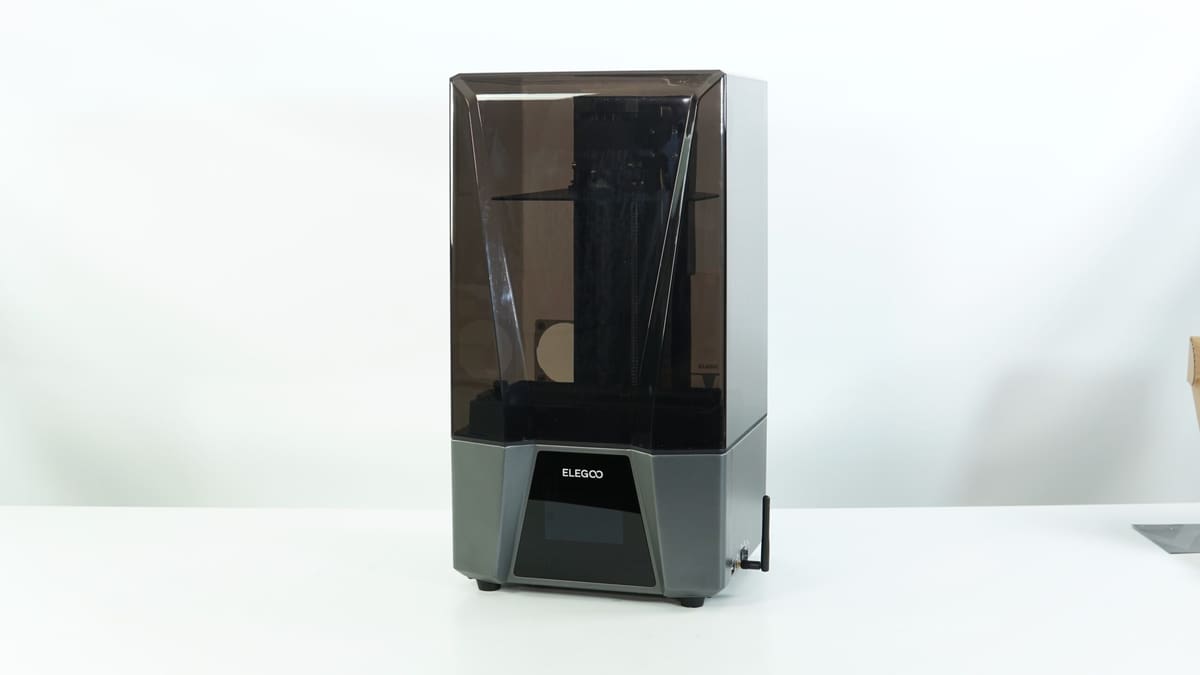
Elegoo’s pricing model is wild, with previous years’ flagship prices dropping hard to make room for this year’s printers. It’s a big win for thrifty spenders, as it means that for $299, not much more than our sub-$200 pick, you can pick up a Saturn 3 Ultra, Elegoo’s top-spec model of last year, instead.
The biggest concession you’re making is that the Saturn 3 Ultra is a mid-size printer that would benefit from having a hinged, flip-style lid. It doesn’t have one, though, so you have to live with lifting its hefty grey bucket lid whenever you’re fishing out a print or topping up the resin.
In classic Elegoo fashion, the Saturn 3 Ultra is a workhorse, capable of finely detailed prints across its build area without the need for cajoling or praying to the machine gods. At least, that has been our experience using it in the lab. You get ~219 x 123 x 260 mm of build volume to work with.
There’s a ventilation port on the back of the printer for those running a hose to a window or extractor. Likewise, you can plug in a replaceable USB-powered air filter, which will quietly run to reduce the smell coming from the resin.
The Saturn 3 Ultra can achieve up to 150 mm/s print speeds thanks to its use of ACF film in the resin vat. Some claim this film isn’t the best and can result in artifacts on your prints. In our experience, nuh-uh. But, if it does, the film is an easily swappable consumable – other films, including newer formulations of ACF, which would maintain the high print speed, are available.
Under $200 (Resin):
Elegoo Mars 5
What’s Great
- Resin level & print failure smarts
- Useful Wi-Fi connectivity
- Self-leveling
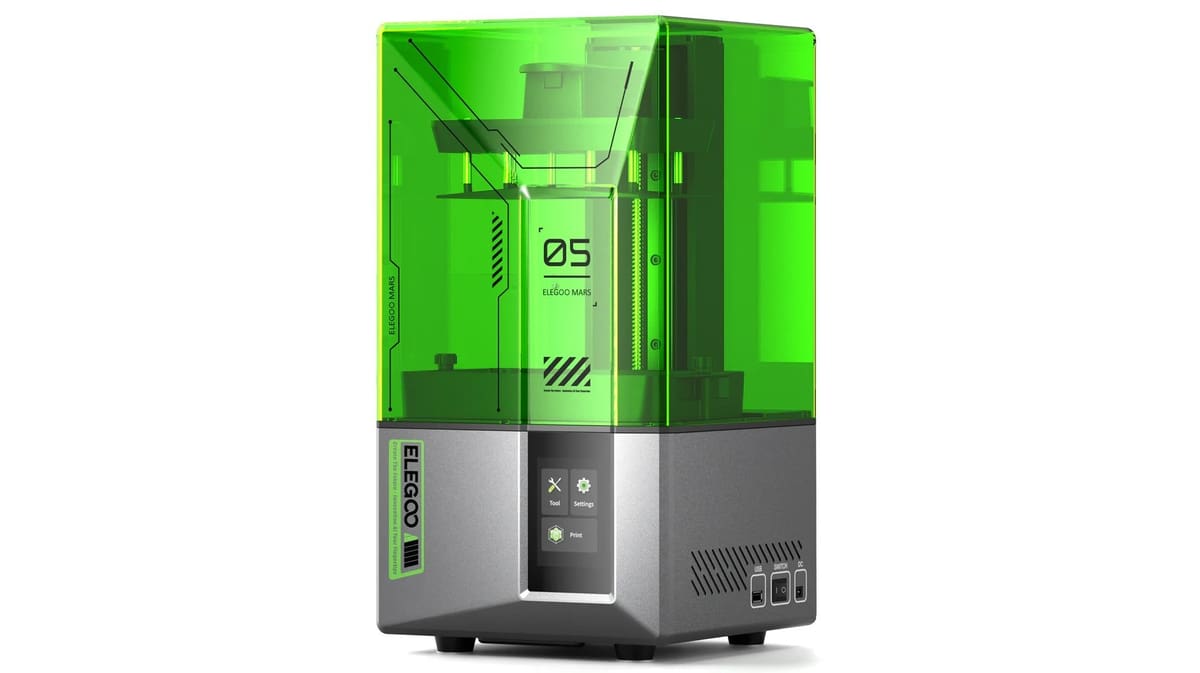
The Elegoo Mars 5 is the latest of Elegoo’s “cheap and cheerful” base Mars model of 3D printer, priced at ~$180. While it won’t print as fast as the pricier Mars 5 Ultra (primarily because it lacks a vat tilting mechanism), it does offer a suite of sensors to help you get through your prints without much hassle.
The Mars 5 features Elegoo’s new style of print plate, which sits on spring-loaded standoffs – this is, ostensibly, the plate leveling mechanism, allowing you to unbox and start printing without the need for a pre-print level, minus the resin and with the printer in a clean state. This is a key feature for beginners, reducing the frustration when preparing a print.
Unusually for a sub-$200 resin 3D printer, the Mars 5 features a full self-check, letting you know if the printer is in good operable condition.
Size-wise, you get ~143 x 89 x 150 mm of build volume to work with, which puts the Mars 5 firmly in “small” resin 3D printer territory.
Overheat protection and the option to enhance the printer further with add-ons that plug into the printer’s in-chamber USB port, such as a heater (useful for ensuring the resin is in a good state for printing) or an air filter, to help reduce the smell from the resin, all of which let you customize the setup to your situation.
Overall, the Mars 5 is a compact, smart 3D printer that offers great value for money.
Ecosystem (Resin):
HeyGears Ultracraft Reflex RS Combo
What’s Great
- One-click printing carries through wash and cure post-processing steps, too
- Pulsing release module lets you cut back on supports
- Exceptional print quality for zero effort
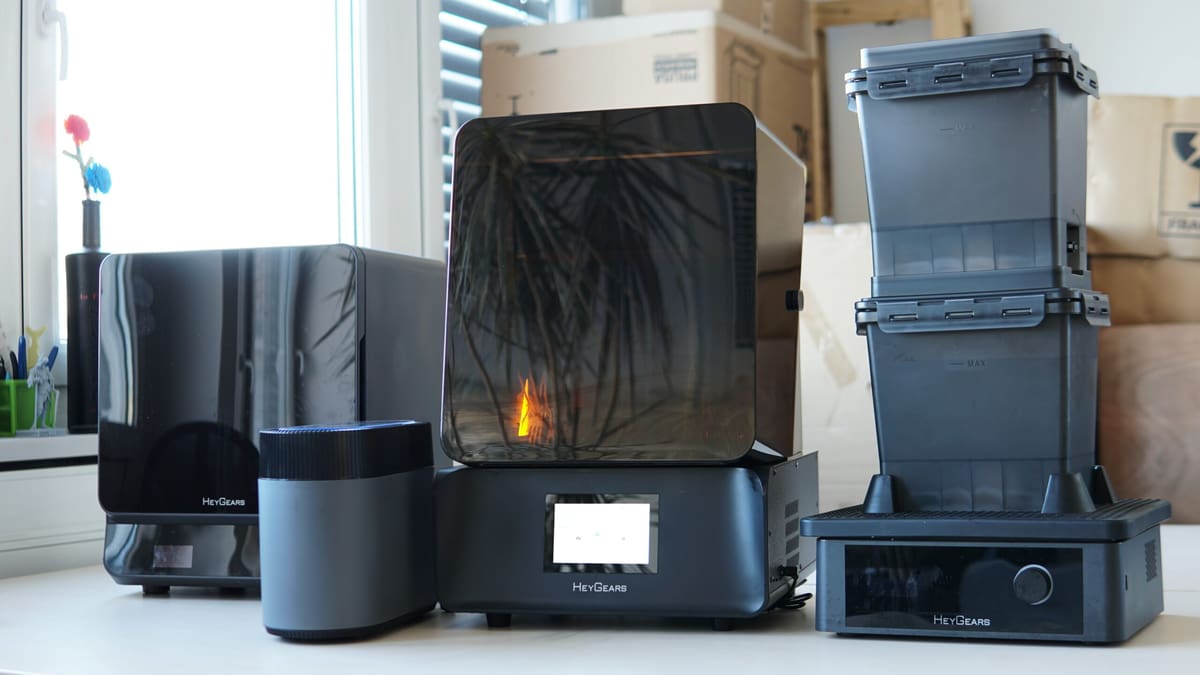
Ordinarily, a printer like the HeyGears Ultracraft Reflex RS would be prime under-$1,000 fodder in our buyer’s guide, but that wouldn’t accurately capture how pinpoint perfect the complete ecosystem is for this machine which, bought together, balloons the price up to around $1,800.
Most, if not all, resin 3D printer manufacturers offer peripherals, wash stations, cure boxes, and the like for their printers. HeyGears’ offering goes beyond such blunt tools to tread on the toes of the likes of Formlabs, for a fraction of the price.
It is a walled garden – a touchy subject in 3D printing, true – meaning material compatibility is limited to HeyGears’ short (but growing) list of resins, but within that limitation is the elimination of doubt that your print will work.
The software, Blueprint, simplifies print setup and links all of the Reflex RS 3D printer, Wash Station, and Curing Oven, letting you walk a job from printer to each step of post-processing with the stations knowing what the job is and tailoring the wash and cure cycles to the specific print.
The Reflex RS printer offers a pleasant user experience with a hinged lid and simple-to-attach print plate, and the nifty status lighting just looks cool. You get a build volume of 222 x 122 x 230 mm to work with, which puts the Reflex RS squarely in the medium-format size class.
It’s a comprehensive resin printing and post-processing solution, made even better if you throw in the Pulsing Release module and its accompanying heated resin vat. This device sits next to the printer and pumps air through channels in the heated vat to reduce the peel force in your prints. Consequently, you need fewer supports and can achieve cleaner overhangs, saving material and time. It’s a thoughtful addon that, to our knowledge, no other printer offers.
Use code ALL3DP for $50 off in the HeyGears store
Small (Resin):
Anycubic Photo Mono 4 Ultra
What’s Great
- Packed full of fail-safes to save you material and time
- Wi-Fi and app connectivity
- Capable of quick printing
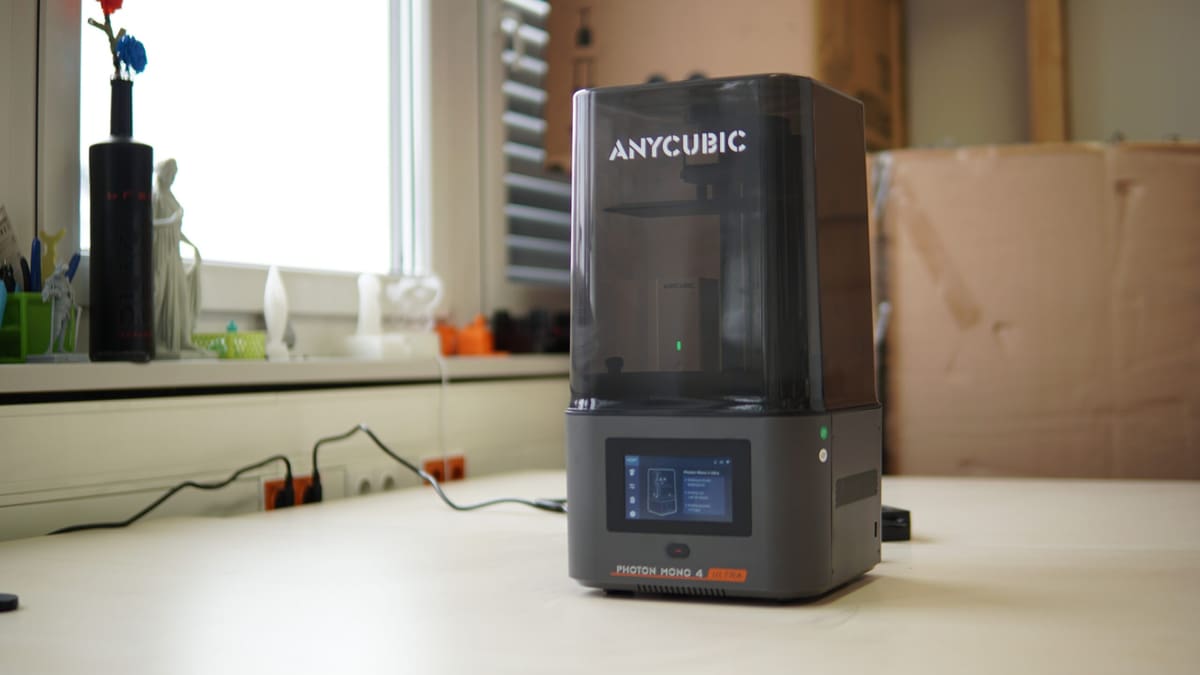
We were big fans of the Anycubic Photon Mono 2 for its low-cost, low-frills approach to resin 3D printing. The Anycubic Photon Mono 4 Ultra, $259, is the ultimate glow-up.
Anycubic reserves the odd numbers for its “main” M-series. We don’t know why. Regardless, the Mono 4 Ultra earns its name well and is remarkably feature-packed for its stature and price. It is, in many ways, a mini flagship 3D printer.
Beneath its lightweight bucket lid lies a ~153 x 87 x 165 mm build volume – sufficient for minis, terrain, jewelry, and the gamut of typical resin 3d prints. There’s space for an in-chamber air filter (sold separately), while a 10K 7-inch LCD provides the framework for 17 x 17-micron resolution in the X- and Y-axis.
The Mono 4 Ultra’s UI borrows from the M7 series – an evolution of the one introduced with the Mono M5S back in 2023 – and presents a marvelously clean and logical array of controls and options for using the 3D printer.
A guided setup wizard walks you through the first power-on of the machine, with self-checks taking over from there. That’s right, this mini Mono knows thyself and can tell you when something is wrong. “Wrong” in this case can mean insufficient resin to complete the job at hand, and prints failing to adhere, sitting stuck in the resin vat (zero force at layer change). It’s a smart cookie and a godsend for saving time and money on wasted resin when things don’t quite work out.
ACF film comes as standard in the resin vat, allowing print speeds (using Anycubic’s high-speed resin – other high-speed resins are available) in the region of 120 mm/h, although, as is always the case, your mileage will vary based on the resin you use and printing parameters for the job.
Cloud functionality is there if you want it, pulling models and slicing in the cloud per Anycubic’s MakerOnline repository, as is printer monitoring and control. You can choose not to use this and simply ferry prints via USB.
Anycubic tells us a LAN mode is coming for the Mono 4 Ultra, which is very exciting and would be a great general security improvement.
Mid-Size (Resin):
Elegoo Saturn 4 Ultra
What’s Great
- Capable of fast, high-res printing
- Resin level & print failure smarts
- Well-implemented Wi-Fi connectivity
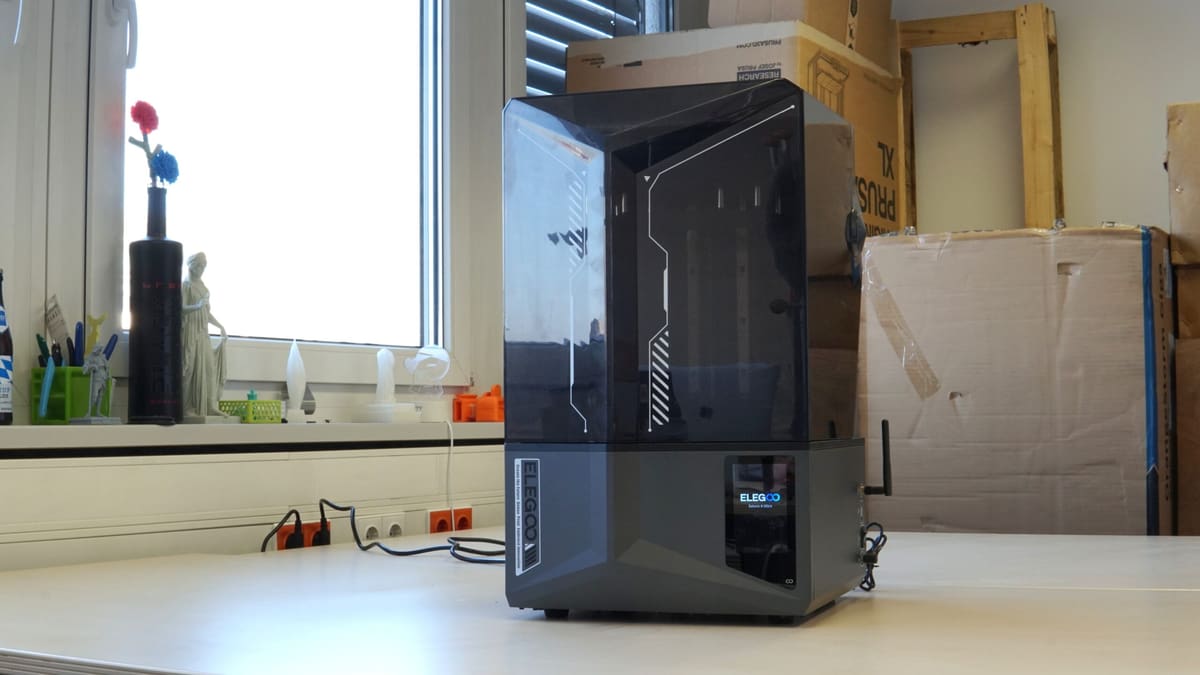
The Elegoo Saturn 4 Ultra is a mid-size resin 3D printer, which is just about where its being “mid” ends. A high-resolution LCD sits atop Elegoo’s new-for-this-generation vat tilt mechanism, which the company says reduces peel force at layer change and overall layer time.
The printer drips quality, from the reassuring tilting lid to the self-checking and print monitoring systems. It’s internet-connected and is, natively and fully operable with all popular third-party slicers, plus Elegoo’s new Satelite slicer, which promises a complete, beginner-friendly experience that features all the tools you need. We’ve not tested Satelite yet, so can’t speak to that aspect, but the workflow using most popular slicers is functionally effortless.
In testing, we found the Saturn 4 Ultra met every task we threw at it with no memorable hiccups. You get a ~218 x 122 x 220 mm build volume, and Elegoo benchmarks the printer as capable of printing up to 150 mm/h. This number will depend on the resin you use and its idiosyncrasies for curing and timing.
At $399, the Saturn 4 Ultra is a tremendous value. Elegoo has just launched a slightly higher resolution version, the Saturn 4 Ultra 16K ($499), which ekes out an impossible-to-discern bump in print quality and adds features like a heated resin vat and improved camera setup.
Large-Format (Resin):
Anycubic Photon Mono M7 Max
What’s Great
- Self-diagnostic smarts
- Heated vat as standard
- Time- and resin-saving features
Anycubic’s new M7 series of resin 3D printers are a comprehensively decent bunch, making massive strides on the mish-mash of M3 and M5 printers that came before.
Nowhere is this more exemplified than in the M7 Max, which boasts a sweeping 298 x 164 x 300 mm print volume. While it’s not the largest build area in the desktop space (our previous pick, the Phrozen Sonic Mega 8KS, topped it slightly in all directions) the M7 Max offers many features to help ensure the success of the massive prints you’ll be pulling off the print plate. That, and it’s attractively priced at $599.
In addition to the myriad force sensors to detect the presence of enough resin, foreign objects, and successful peel separation from the resin vat (all common across the M7 series), the M7 Max has a heated resin vat to ensure the appropriate printing temperature for the resin – an important catalyst in resin 3D print success.
Helping to speed your prints along is Anycubic’s “Intelligent Release 2.0” algorithm, which adjusts the layer lift height during the print, potentially saving time across the duration of what will inevitably be a several-hour job.
In the time we’ve had it running in the All3DP lab, small design touches have endeared this printer to us. For one, a hinged flip lid is, in our view, essential on larger machines like this. Especially so if, like us, you run them in an enclosure with air filtration where space may be at a premium. There’s also a hook to hang the build plate post job to let resin drip back into the vat.
As is common across Anycubic’s non-budget 3D printers, cloud operability and connectivity are present, letting you keep tabs on your printer’s status, maintenance schedule, print jobs, plus the sundry model-related functions Anycubic offers via its MakerOnline model repository.
Beginners (Resin):
Elegoo Mars 5
What’s Great
- Resin level & print failure smarts
- Well-implemented Wi-Fi connectivity
- Self-leveling
It’s usually pretty solid advice for beginner machines to go with something inexpensive and simple. That is very much the case with resin 3D printing.
Many of the arguments we made for the Mars 5 being a great 3D printer under $200 carry over here. For ~$180, you get a resin 3D printer that’s effortless to set up and smart enough to tell you when something isn’t right for the printer or print, such as insufficient resin in the vat, or subsystems falling outside of acceptable performance. The build volume runs to ~143 x 89 x 150 mm, in the same ballpark as our best small resin 3D printer pick, the Anycubic Photon Mono 4 Ultra.
Elegoo set a standard for budget resin 3D printers many years ago with the original Mars, and in 2025, it continues to do so. It’s not a revolutionary 3D printer, but it does enough to offer the better ideas of today’s flagship models in a punchy, sub-$200 package that’s uncomplicated to set up and start using.
How We Test
If there’s one thing that testing a lot of 3D printers has taught us, it’s that maintaining a broad benchmarking scheme for 3D printers is impractical for getting a sense of what a 3D printer is like to use and live with. Holding a sub-$200 self-assembled printer for hobbyists to the standard of a $6,000 production machine designed to handle engineering-grade materials won’t tell you that the former is a breeze to set up and the latter a tangled web of firmware updates, buggy systems, and unreliable performance.
We want our reviews and buyer’s guides to cut straight to the chase. What is it like to use a printer? What are the defining features like? What didn’t we like? And, more importantly, is it worth the money? We don’t want to get bogged down benchmarking numbers out of context or hung up on issues affected by more variables than we can control.
Who Are We Testing For?
Our buyer’s guides and reviews take the intended end user of a 3D printer into consideration. We imagine what they’re likely to do with it and focus the testing on challenging this. If we have a large-volume printer, for example, we’ll be printing – surprise, surprise – large prints, making use of the entire bed, and checking the performance at the limits of Z-height.
Other points of consideration for what makes the best 3D printer include ease of use, supporting software, and repair options. If something goes wrong, how easy is it to fix the machine? Does the documentation or customer service provide adequate information?
We strive to answer all these questions and more in our quest to find the best 3D printer for you.
Why Should You Trust Us?
Trust is important to All3DP, so our product testing policy is strict. When sourcing test units from a manufacturer, we do so under a zero guarantees policy. We make no guarantee of coverage in exchange for the printer, and the first time a manufacturer sees what we think is when we publish the content.
If a manufacturer doesn’t reclaim the unit after testing is complete, it is donated to a local cause or goes into deep storage for responsible disposal later. We occasionally buy machines for testing, too. In such cases, machines purchased by All3DP either remain in the office for team usage or are donated or disposed of in the manner described above.
Manufacturers or benefactors donating units for review do not influence the outcome or content of the reviews we produce. To the best of our ability, we will investigate abnormal issues with the manufacturer to glean better context or get insight into their awareness of the problem. But we make no excuses for poor design or bad QA.
How We Monetize Our Content
One method we monetize our content at no additional cost to the reader is through affiliate product links. If you click on a shopping link featured in our buyer’s guides and reviews, we may receive a small commission from the store if make a purchase. This is at no additional cost to you. For more meaty content policy details, we cover it all in the advertising and commercial activities section of our terms of use. If you like what we do and want to support us further, check out our ad-free pass – for a one-off non-recurring payment you get a full year’s browsing on All3DP with no ads.
Which 3D Printer is Best for Me?
For most readers, our top recommended 3D printers are your best bet in a given category.
But, facing the fact that there is no one-size-fits-all solution to home 3D printing, we’re here to help. Here are some pointers to orient you in this terminologically dense but wonderful world.
Beginner’s printers
Many 3D printers pitched for “beginners” or children go to such lengths to baby the user that they quickly become claustrophobic experiences. You will encounter more limitations than possibilities as your experience grows. If you aren’t satisfied with a “beginner” 3D printer’s features, we’d recommend a budget 3D printer instead. You’ll save a little money, and the opportunity to learn by doing is far greater. And if something goes wrong, there are giant tribes online for each printer that have already asked and answered every question under the sun.
Follow the crowd
While the general quality of budget 3D printers has dramatically improved in recent years, quality control is often lacking. While manufacturers with large user bases are adapting to meet the demands of their newfound fans, including better customer support, there are usually better wells of knowledge to be found in the owners themselves, who contribute to the vast forum knowledge bases for some 3D printers.
Reviews matter
We have zero obligation to manufacturers to sugar coat what we find, and the first time they read it is when you do too. That’s why you can trust our reviews. We don’t pander to anyone, and our experience with the printer is what you read on the page.
If you can’t find any information about a printer you’d like to know more about, let us know at editors@all3dp.com.
Understand the costs
A 3D printer for the home is rarely ever a one-and-done investment. Besides the continual purchase of materials, maintenance costs on perishable printer parts can stack up – think nozzles on an FDM printer or FEP film on an resin machine. Of course, parts can wear down or break, too, meaning sourcing replacement parts is a sensible consideration if you plan to print long-term. Printers with roots in the RepRap movement and open-source designs will be easiest to source parts for, with off-the-shelf components part and parcel of the design ethos behind them. Enclosed-design printers aimed at beginners may offer the gentlest introduction to printing, but your options to source spare parts will often be limited to the manufacturer. That’s if you can even get to and diagnose the problem.
Know why you want to 3D print
The thrill of a new hobby will only sustain you so far. There are only so many cool things you can spontaneously print before getting bored.
Being the desktopification of an otherwise complicated manufacturing process, expect to encounter, sooner or later, problems with a home 3D printer – even the occasional show-stopping issue. Having an end goal in mind for your printing gives you purpose and a reason to learn the solutions to the problems. Printing simply because it looks cool will result in a small mountain of useless doodads and, eventually, disinterest at the hands of cost, frustration, and the build up of useless plastic trash.
When you do know, pick a printer that will make it easier
Most home 3D printers are single extrusion fused deposition modeling machines, meaning a single printable material extruded through a single nozzle. Versatile enough for many applications through material compatibility, they’re safe machines to start with. But if you know you need to print objects with challenging geometries or semi-enclosed volumes, a dual extrusion printer would make your printing far easier. Likewise, single objects that need to have different material properties will only be achievable with dual extrusion. A resin printer will be the way to go for high-detail miniatures. Understand the technologies to find a printer that best suits your needs.
Pick a printer appropriate for your space
While the size of FDM 3D printers can vary greatly, the mess from them is easy to contain. Filament storage, tools, spare parts, and a trash can for stray scraps of material. You should aim to keep your printer in a ventilated space, or enclosed with an air filter. They do give off emissions, and while sources will dispute how harmful those emissions are, the point remains that you can protect yourself from any potential risk by printing in an appropriate space.
Resin 3D printing, however, is dramatically different and has unique demands that should make you think twice before doing it. To varying degrees, the resin is smelly and toxic to you and the environment. It requires dedicated clean up stations and personal protective equipment. You typically need 95 %+ isopropanol to clean prints and dissolve uncured resin from surfaces, and the resulting mix of resin and IPA cannot simply be poured down the drain.
All printers should be operated in well-ventilated spaces, but this applies doubly to resin 3D printers.
Kickstarter – it’s complicated
While many excellent 3D printers have gotten their big break on Kickstarter, there’s the unavoidable issue that the platform is not a store. You are not buying a printer when you commit money to a campaign on Kickstarter; you are backing a vision. It’s putting money into the pot to help a company or person trying to achieve something.
You get nothing in return if a project is grossly mishandled and the money disappears. Often what you do get is the beta version of the product. You are paying for early access and all the wrinkles across all stages of the product that come with it.
We’re seeing more big-name companies turning to Kickstarter than ever to launch their products – it’s a safe way for them to gauge demand and drum up some interest against the pressure of a ticking countdown. Despite many companies being capable of outright launching products, they go cap-in-hand to enthusiasts with the promise of shiny new tech. Don’t be that user unless you absolutely must be the first to use a product and have money you can afford to lose.
We don’t think it’s worth the risk, but in the interest of cool new tech, report on new campaigns with our news coverage. You will never see a Kickstarter 3D printer in our buyer’s guides unless it has completed its campaign and the printer is widely available at retail, with all the protections that come with buying from a store.
Tired of reading? Try listening:
License: The text of "Best 3D Printers 2026: Our Top Picks in 25 Categories" by All3DP Pro is licensed under a Creative Commons Attribution 4.0 International License.
CERTAIN CONTENT THAT APPEARS ON THIS SITE COMES FROM AMAZON. THIS CONTENT IS PROVIDED ‘AS IS’ AND IS SUBJECT TO CHANGE OR REMOVAL AT ANY TIME.