Money, No Money, or Method: Beginners Should Buy One Of These 3D Printers

Returning after a two year absence, Jonny finds himself reflecting on the 3D printers a beginner could feel at home with.
You’re reading the words of a record holder, a man who’s cemented his place in history by achieving something nobody else has. That’s right, you’re reading the words of All3DP’s company record holder for “Longest Time Absent Due to Sickness”. What a guy.
This remarkable achievement was made possible thanks to a quite incredible 541 consecutive days of being, medically speaking, sad. I’d like to take this opportunity to big up my incredible colleagues, the German healthcare system, and my doctors, as well as my cat Montgomery for his furry patience – what little he has of it, anyway.
Coming back into the All3DP offices after so long was an experience. It only feels like a few weeks since I embarked on my record-breaking sabbatical of sickness, but in many ways, it’s like starting all over again… and that got me thinking.
What if you’re starting too? Or returning to the game? Well, your luck’s in. There’s never been a better time to be a 3D printing rookie. Fresh approaches to technology and more reflective, user-centric perspectives have delivered a fabulous selection of printers to pick from.
My opinion is that you can split 3D printing newcomers into one of three categories – bear with me.
- You’re somebody who just wants to print and doesn’t want any hassle (my favorite).
- You’re 3D printing curious, but need to stay on budget (my financial advisor’s favorite).
- You’re a complete nerd, and often drool about obsessive amounts of detail (Reddit’s favorite).
Whichever category you fall into, there’s good news, because there’s something genuinely excellent waiting for you to pick up. Time for us to examine that in a bit more detail.

Jonny, I just want to 3D print things.
Ah, a reader after my own heart. You admire technology and love seeing its magic bring things to life. You’re not really all that stimulated by the inner workings of things though. You just want to make things happen.
Before clinical misery suplexed me two years into the future, the last machine I reviewed was the Bambu Lab X1C. At the time, it felt like a giant leap for print-kind. Two years down the road, it’s undoubtedly the most significant 3D printer of the decade. Basically, I was right and it gives me a great deal of pleasure to write this sentence reminding you of that.
Self-satisfaction aside, all you need to know is that if you’re new to printing, the X1C will get you from zero to holding a test print quick. You unbox it, plug it in, install the software, and you’re off. No building, no fiddling, no calibrating – the latter it does for itself. You want to print? The X1C prints and delivers excellent results to boot.

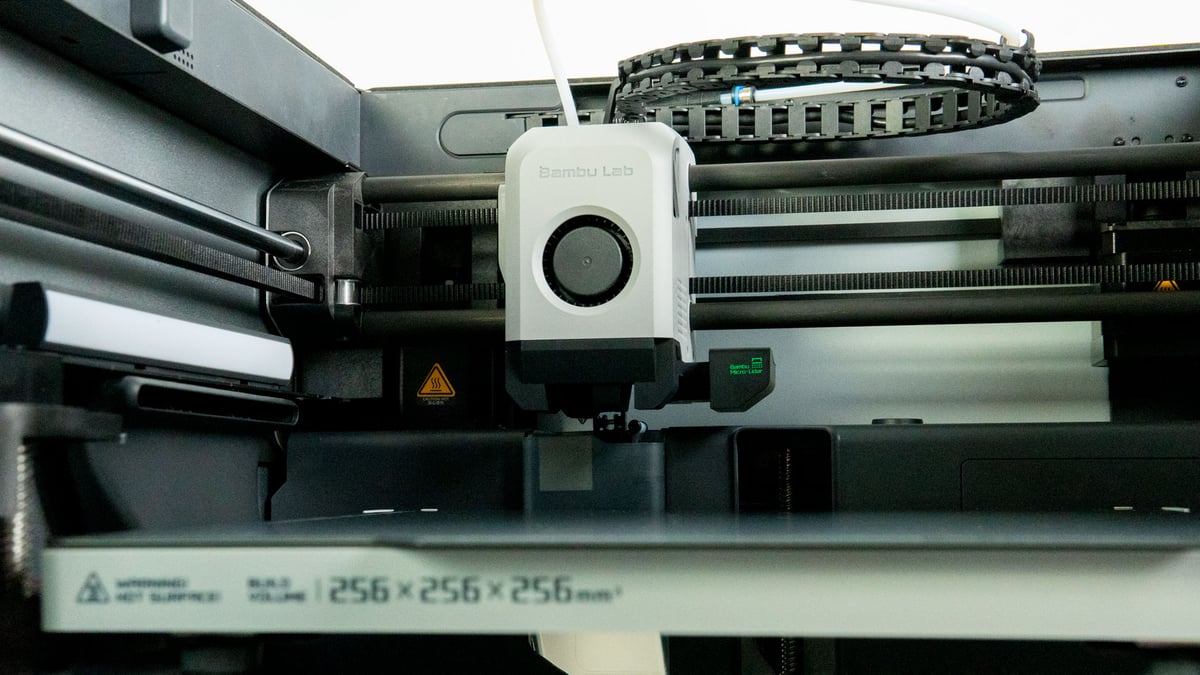
Strong results come thanks to the new tech and fresh thinking Bambu Lab introduced. Advanced self-calibration routines make sure the printer is always optimized to run. Cameras and AI detect early errors and inform you of them. You can print almost any consumer-grade material and multiples of them at the same time thanks to the AMS, a system that (if you get four of them) allows for up to 16 filaments to be on hand at any time. Sixteen.

But it was the way Bambu Lab integrated its features and packaged them that made it special. The X1C delivered users an advanced printing experience wrapped in a simple, easy to understand approach. It worked, and you can argue the brand is now the most popular printer maker on the market.
A couple of years have gone by, but the Bambu’s quality engineering and sophisticated intertwining of software and hardware keeps it heading the field, though others are certainly closing the gap – and there might be one that does it even better now. My heart’s staying with the X1C though.
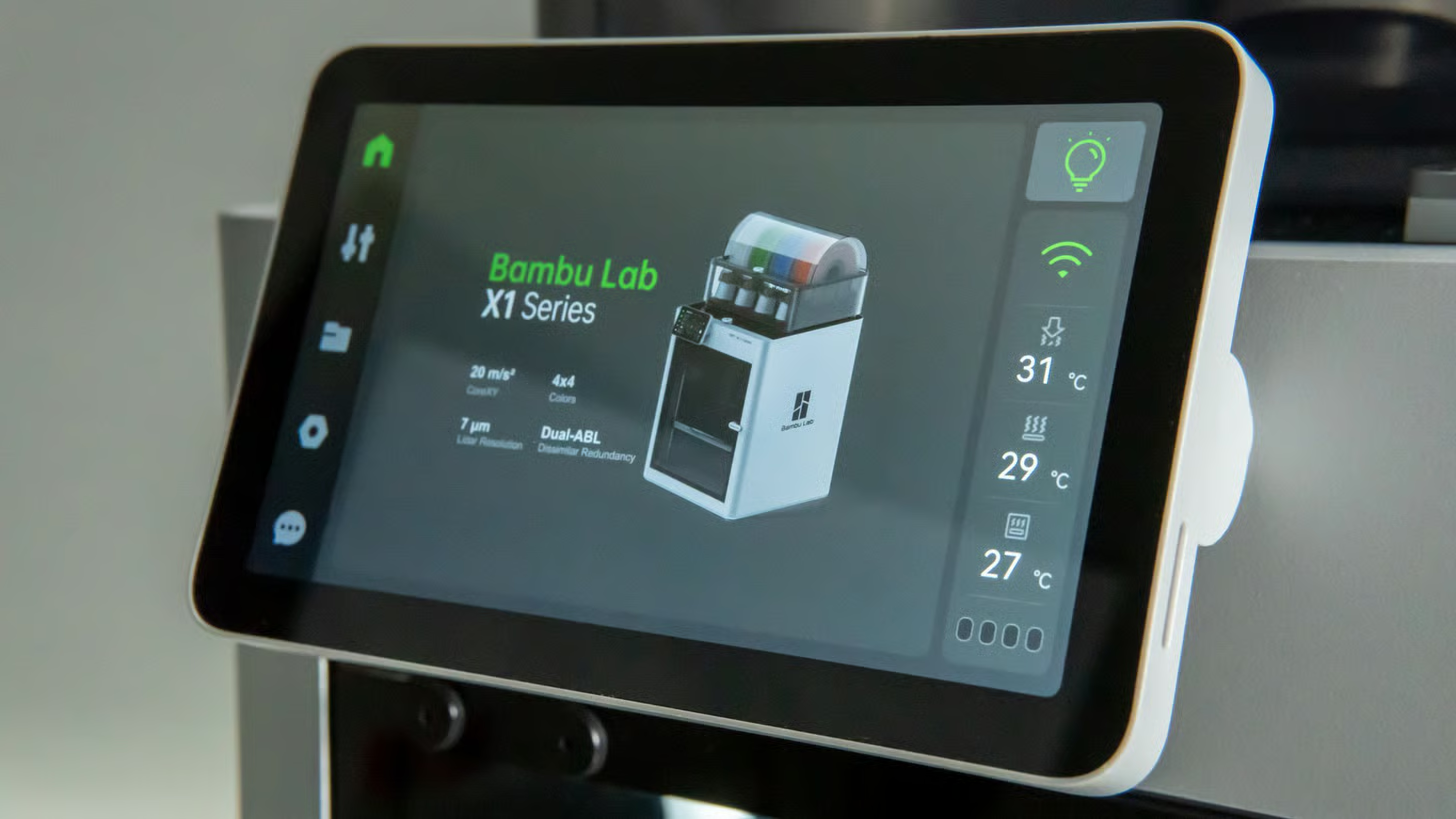
Drawbacks time and for a start, it ain’t cheap. You’ll need $1,500 to get one with an AMS, add a hundred to that for one with a second-generation AMS. Should you want to unlock the full 16 filament capability, you’ll need four of them. An extra three AMS’ will cost you just over a grand extra. Then there’s the waste…
Multicolor or multi-filament prints require the nozzle to purge itself of the previous filament every time it switches from one to the other. If you’re printing regularly that way, you’ll find yourself collecting “poop” from the rear of the unit on a regular basis. It’s like having a pet rabbit, except it always goes in one place. It’s not tidy or efficient, and you may be surprised by just how many plastic ploppers emerge from its rear.
Ok, that’s too expensive for me. I’m on a budget.
I feel you. I’m a writer. You’ll find about as many coins in my wallet as you will people with good manners in Philly.
It can be tricky to purchase something that’s a bargain on paper – especially in an age of fake reviews and the printing industry’s habit of copycatting whatever the current best designs are on the cheap. They say “buy cheap, buy twice” don’t they? Well, we’ve got something cheap you can buy once, and with full confidence too.
It’s called the Elegoo Centauri Carbon. It’s bang on or around $300 depending on where the current tariff pendulum is swinging when you’re reading this, and obviously it’s “inspired” by the Bambu Lab X1C (it looks like one, has similar features, and even an identical build volume). But it’s just so cheap! So incredibly cheap, even a poor old 3D printing journalist could buy one. If he saved up for a couple of years. Ok, four years.
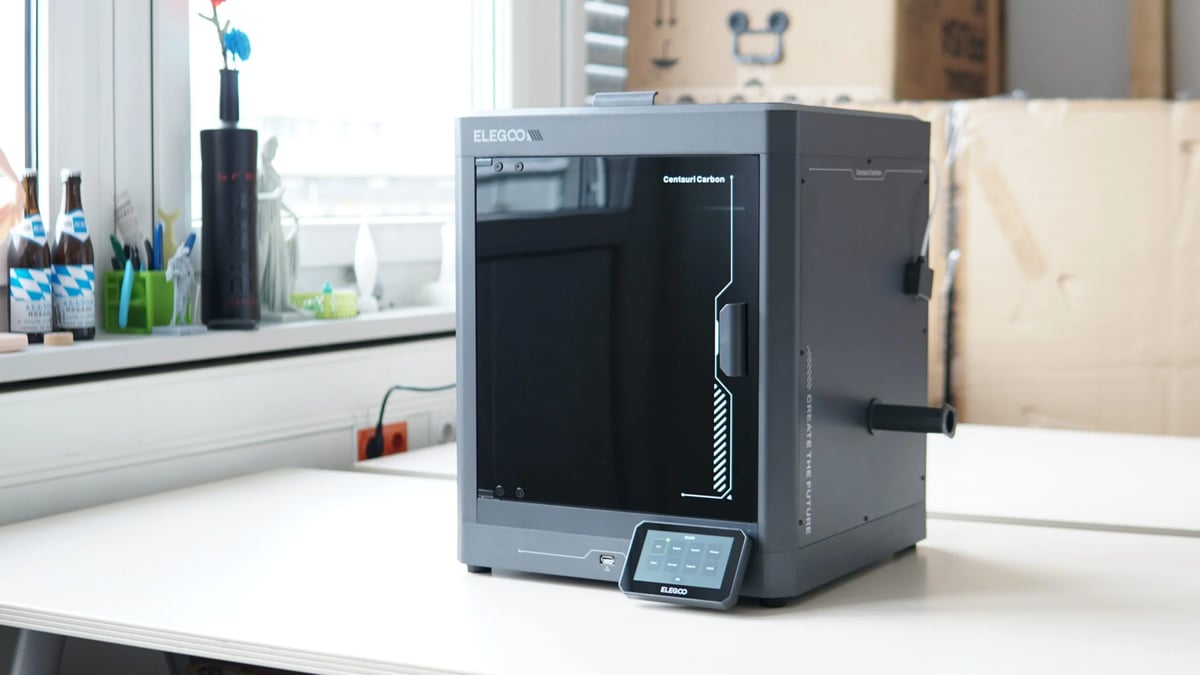
For $300 you get a 3D printer that can land a fair blow on a Bambu Lab X1C, likely going into the championship rounds with it, but suffering a late knockout thanks to all the nifty self-calibration stuff the Bambu has. Still, a 320 °C hot end, enclosed print zone, a rapid-heating nozzle and bed, and a generous – if not substantial – build volume punches well above similar machines in that price range.
We’ve been continuing to use our CC in the All3DP office since our initial time reviewing it, and haven’t had any major issues with it. A beginner will likely need to tweak and experiment more than what they would with an X1C or an A1 Mini, but at the price it is offered at, this might be as good as a starter printer can be. You can print all kinds of filaments including the really exotic stuff, witness the speed of CoreXY motion, and Elegoo even says that multi-color printing will be arriving for it later in 2025.
What is it they say about exceptions to rules? Despite my objection to the whole “copy/paste” culture rampant in 3D printing manufacturing, Elegoo’s done well here. Instead of offering great, it offers really good. When you’re paying such a low price, really good is, well, great actually.

Slamming On the Brakes
Sorry for the abrupt stop, but I need to circle back around to Bambu Lab here for a moment. You should give serious consideration to picking up a Bambu Lab A1 Mini. You can pick one up for around the same price as the aforementioned Elegoo, and while it is smaller and perhaps not quite as contemporary design-wise as the CC, it does give you Bambu’s often flawless 3D printing usability in a compact format.
The A1 Mini is actually what we, as a team, came to the consensus on being the best beginner 3D printer full stop. Cheap and brilliant as it is, however, I personally still think you should aim for an X1C if you’re happy to spend – it’s the complete package.
Print? Why would I want to just print, Jonny? I need to go deeper… much deeper.
Ooohkaay.
It sounds a lot like you don’t want a 3D printer, but, paradoxically you do?! I get the impression this is about more than having a 3D printer. That you feel a certain dark urge to amass a collection of components that could birth a 3D printer. You love bits, don’t you? You’ve dealt with bits before. You’ve turned bits into things. Many things. With your exquisitely arranged toolkit. You’ve been lurking on Reddit, watching people argue about the best bed textures and the benefits of jewel-tipped nozzles, and thinking “They’re wrong! They’re all wrong!” I worry about you, you know?
Despite my concerns, people like you are vital – even if you don’t know it yet. After all, when somebody like me one day ends up knee deep into the swamp-like misery of an undiagnosable hardware issue, you’ll be the one explaining to me (in slow, simple terms even a child could understand) how to fix it. Thank you in advance for your service.
If you’re into building, researching, reading instructions and learning the guts of a machine from the inside out, then you’ll probably want to build your 3D printer from scratch. It’s a dive into the deep end of 3D printing, a study of the method, and perhaps not the smoothest way to begin your 3D printing journey. You might have noticed already – I think you’re a bit mad. Nevertheless, should that be your calling, I will point you down the pathway of Prusa. Prusa kits, to be precise, and to be even more precise, a kit for the MK4S.
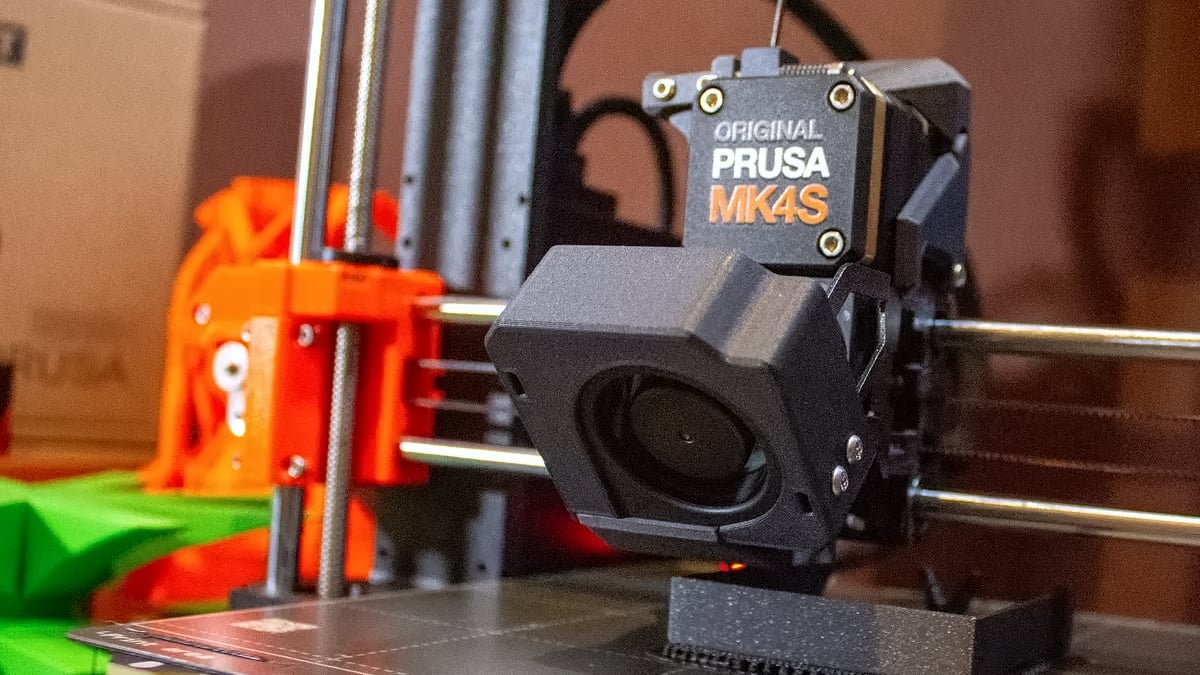
Prusa – referred to as Prusa Research around these parts – is a household name in 3D printing. The Prague-based company has been building top-tier machines for whatever’s Czech for “a long old time” now, and its 3D printers are consistently ranked very highly in tests from all kinds of sources – especially here at All3DP. Prusa is famously supportive and conscious of the experiences of its users, supply the sort of customer service and support for its machines that often make other manufacturers look like amateurs. That gives you a kind of reassuring presence in the background. 3D printers do go wrong at some point, and knowing Prusa takes its customer relationships professionally and seriously is definitely a selling point.
The MK4S itself is the result of multiple generations of Prusa printers, and perhaps the final model of its kind. 3D printing has moved on a little in terms of design philosophy and direction, spurred on by the success of Bambu Lab’s game-changing offerings. Nevertheless, the MK4S is a mighty machine, and constructing one from kit form shouldn’t pose an insurmountable challenge. Prusa provides rich, detailed instructions and support. As you build it, you’ll also learn how it functions, and if you’re mechanically minded this’ll bring a smile to your face.
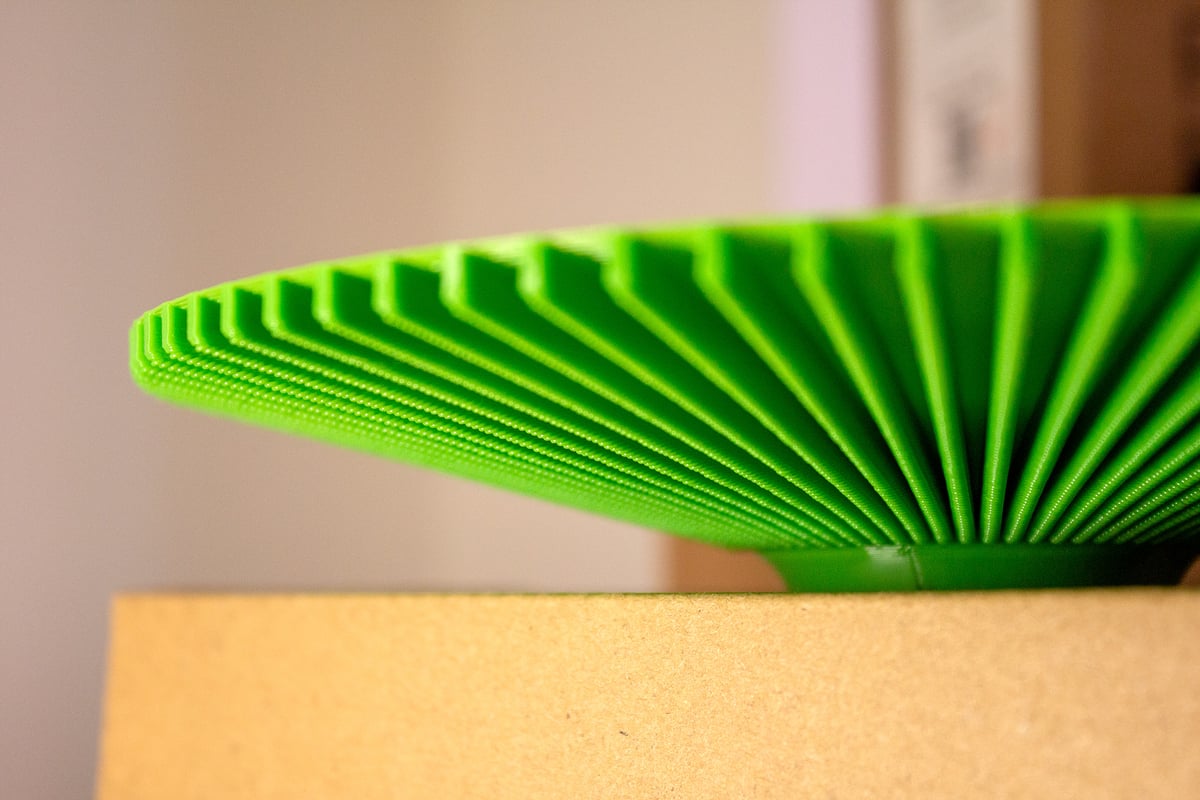
Once the printing begins, you’re unlikely to be disappointed. Previous generations of the Prusa MK-series (descended from the i3) were already some of the best printers on the market, often setting the benchmark for consistency and quality. The MK4S brought with it all the latest updates, including Prusa’s Nextruder and a cooling fan so powerful it could end global warming. Maybe. One thing that really impressed us during our time with it was its ability to print 75° overhangs – something that in all probability wouldn’t have been doable just a couple of years ago. At least not from a stock, off-the-shelf 3D printer.
If you’re brave (nutty) enough to want to go in at the deep end of 3D printing and immerse yourself in the making and method of it, then MK4S kit is the perfect pool to take the plunge in. Not only will you end up with a top-tier 3D printer, you’ll also be experiencing the result of over a decade of design and refinement from some of the industry’s best. It will connect you directly to the early days of the hobby, hundreds of thousands of hours of research and effort on the parts of many thousands of people. This thing has lineage. Not many 3D printers can say that.
Wrap it up, Jonny, this is getting a bit long.
Fair. So, here you go. Three great printers (four, really) that will give you the foundation for a new passion. A crucible of creation that heralds the next industrial revolution, in baby house-friendly form.
If you got this far, congratulations first off. Thank you for reading All3DP and continuing to support us in the way that you do. It’s because of people like you that we do what we do, and do it proudly.
Feedback, as ever, is always appreciated – unless you’re mean. If you’re mean, I’ll curse your 3D printer. Believe it or not, I do have the power to do that. You’ve been warned…
On a personal note, I’m very thankful to be able to enjoy this hobby in a professional setting. Coming back to it after a long illness was a joy. If you’re struggling, I urge you to speak up. There’s always somebody willing to help out, even if it might not seem that way at first.
See you next time, readers.
J.
Read more like this:
License: The text of "Money, No Money, or Method: Beginners Should Buy One Of These 3D Printers" by All3DP is licensed under a Creative Commons Attribution 4.0 International License.
CERTAIN CONTENT THAT APPEARS ON THIS SITE COMES FROM AMAZON. THIS CONTENT IS PROVIDED ‘AS IS’ AND IS SUBJECT TO CHANGE OR REMOVAL AT ANY TIME.