Best Budget 3D Printers 2025: Our Top Picks in 4 Categories

Looking for a good and cheap filament 3D printer? Check out our picks for the best budget 3D printers under $200, $300, $500, and $1,000.
Earlier this century, the average 3D printer was an industrial fixture costing thousands. Today, however, there’s a very high chance that the device you’re using to read this very text is worth much more than the printer you’re reading about. Cheap 3D printers are now excellent, refined machines even for those on the smallest of budgets. $200 will comfortably cover an excellent starter machine.
This list covers printers at various price points up to $1,000. These machines are top value for the money, whipping up creations from PLA, PETG, ABS, and other standard thermoplastic filaments. As you’ll soon see, some are even capable of dealing with exotic filaments too.

The Best Budget 3D Printers
Under $200, $300, $500 & $1,000
How to Pick a Budget 3D Printer
3D printing on a budget typically means cutting creature comforts for a lower price. In relative terms of print quality, you won’t see an improvement in print quality that correlates with the difference in spending. A $1,000 3D printer won’t tangibly print five times better than a $200 3D printer.
Instead, the money goes into the quality of components (and therefore longevity, ease of replacement), support, development, and sophistication in the hardware you’re using. A sub-$200 3D printer will be, by most measures, basic compared to the self-diagnostic wizardry from many machines that push $500 and beyond. Knowing this going into this article, it’s easy to see how the technology scales with the price point.
In this list, we’re focusing on four price brackets, showing you what we feel are the best 3D printers for cheaper than $200, $300, $500, and $1,000. There’s no shortage of similar machines, too, so while the printers presented here are the sharp edge of our recommendations, watch out for mention of other 3D printers we’ve considered and think are also worth your attention.
Best Budget 3D Printers
Under $200: Creality Ender 3 V3 SE
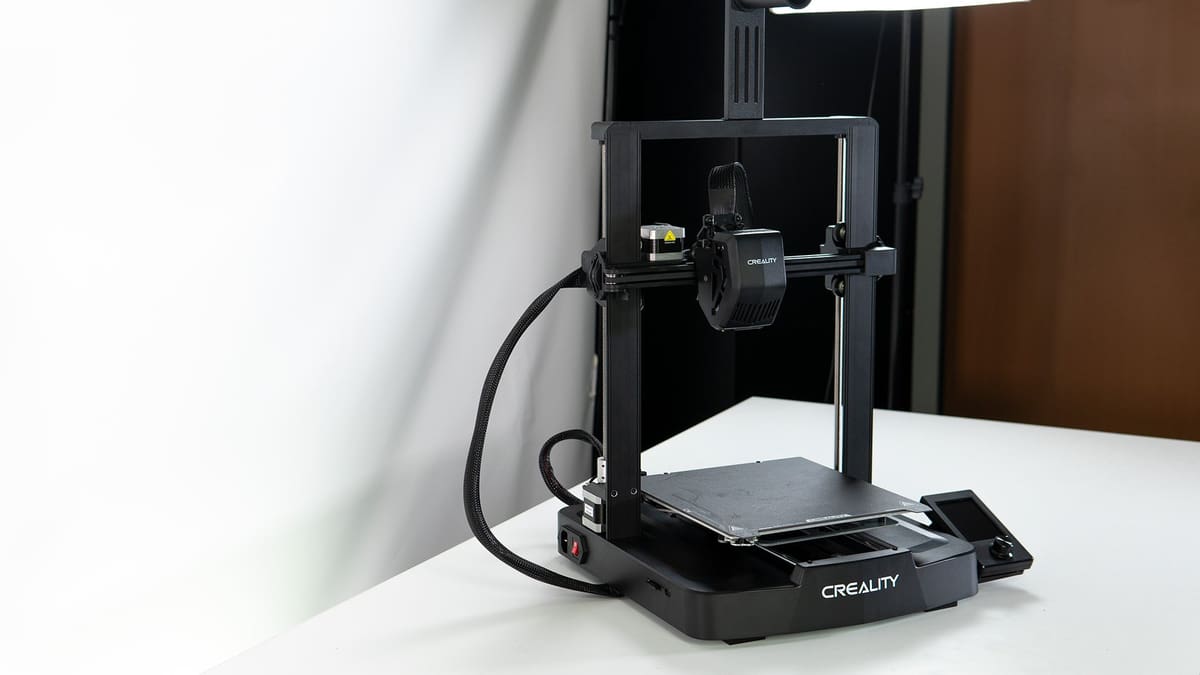
The Creality Ender 3 V3 SE sets a new baseline for cheap 3D printing, blending a familiar form with the beginner-friendly fully automatic bed leveling and self-offsetting giving effortlessly perfect first layers.
Its standard features run to a 220 x 220 x 250 mm build volume, with a Sprite dual-gear direct extruder feeding filament to a hot end that tops out at 260°C. Printing through the full height is served by a dual Z-axis motors, ensuring stability throughout.
In our time printing with the Ender 3 V3 SE, we’ve found it to be a little workhorse. While it lacks the flashier features and firmware of today’s pricier machines (it runs Marlin firmware out of the box), it offers a fuss-free printing experience that’s a clear evolution on similar machines from previous years. Refined could be a word to describe it, but despite our warm feelings toward it, there are some odd ommissions – including a filament sensor, which in this day and age seems so standard a feature that it’s conspicuous by its absence, even in a sub-$200 machine.
Print job preparation is simplest using the provided Creality Print software, which includes a profile for the V3 SE. You can, of course, slice using other open software such as Cura and PrusaSlicer.
Print removal is a cinch thanks to a magnetic PC-coated print sheet, however lining it up when replacing it after a print can be fussy and result in misalignment with the two screws that serve as guides. But this is small beer against the great prints and ease with which you’ll be printing.

Under $300: Elegoo Centauri Carbon
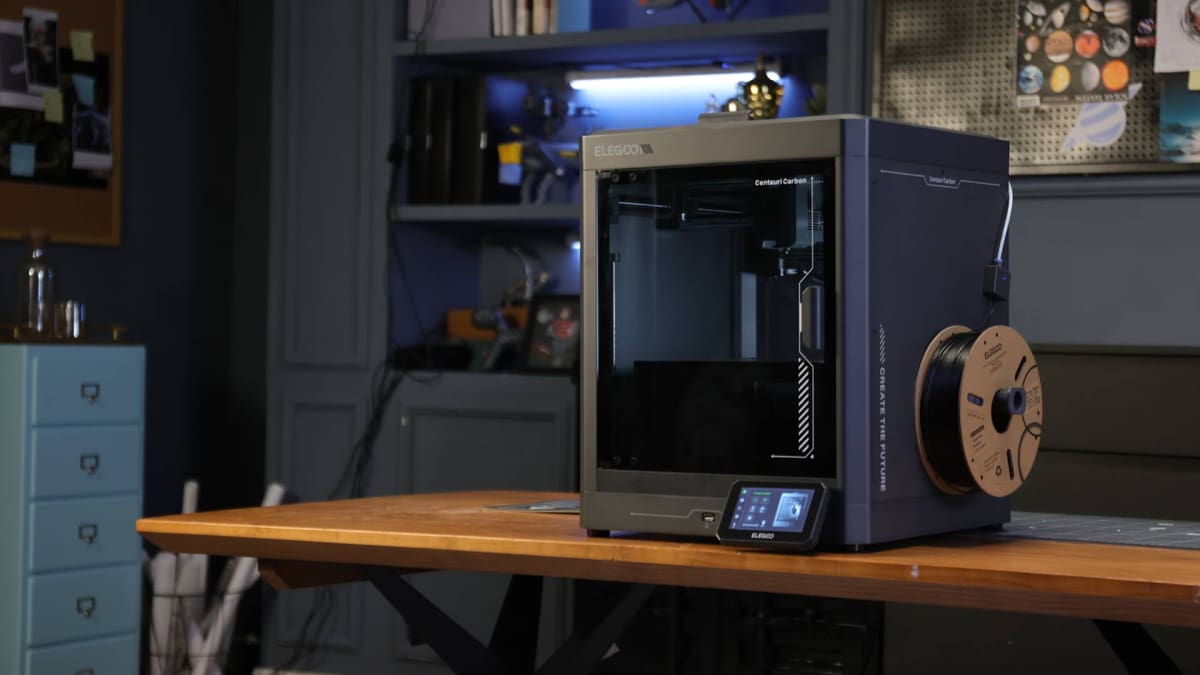
After going hands-on with the Elegoo Centauri Carbon, we were very upfront about the fact it isn’t perfect. But, among the 3D printers priced at under $300, it is easily the class of its field.
Elegoo itself is pretty proud of what the Centauri Carbon offers, confidently encouraging us to compare it to the incredibly accomplished Bambu Lab X1C. It isn’t that good, of course. It misses multi-material capability (for now) and doesn’t have the dialled-in, software cleverness of the Bambu offering, but we have to remember that this is a $299 3D printer. If you’d have shown us this machine 3-4 years ago, we’d consider it almost space age in its level of quality.
PLA, PETG, and even higher-temp engineering filaments such as polycarbonate and carbon fiber-filled plastics work really well with this machine, and we’ve a soft spot for the rapid-heating bed which lets you get printing in Noah Lyles-like time.
If there’s a better way to spend $299 on a 3D printer, we’re yet to find it. Tip of the cap to Elegoo.

Under $500: Bambu Lab A1
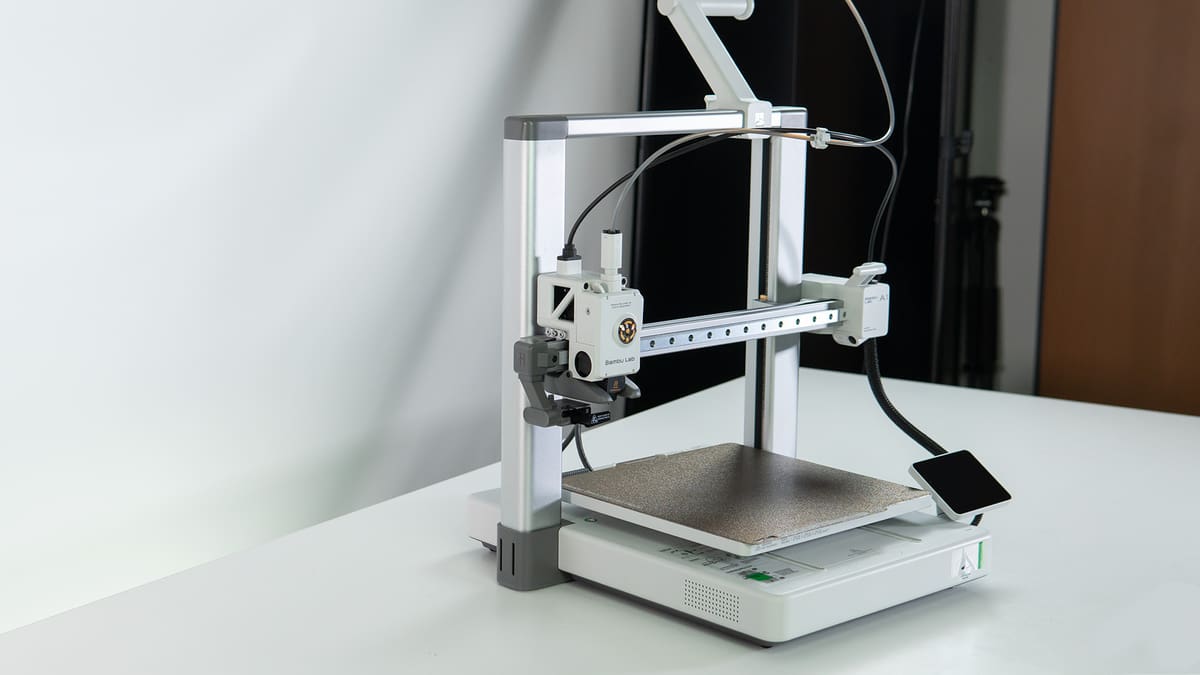
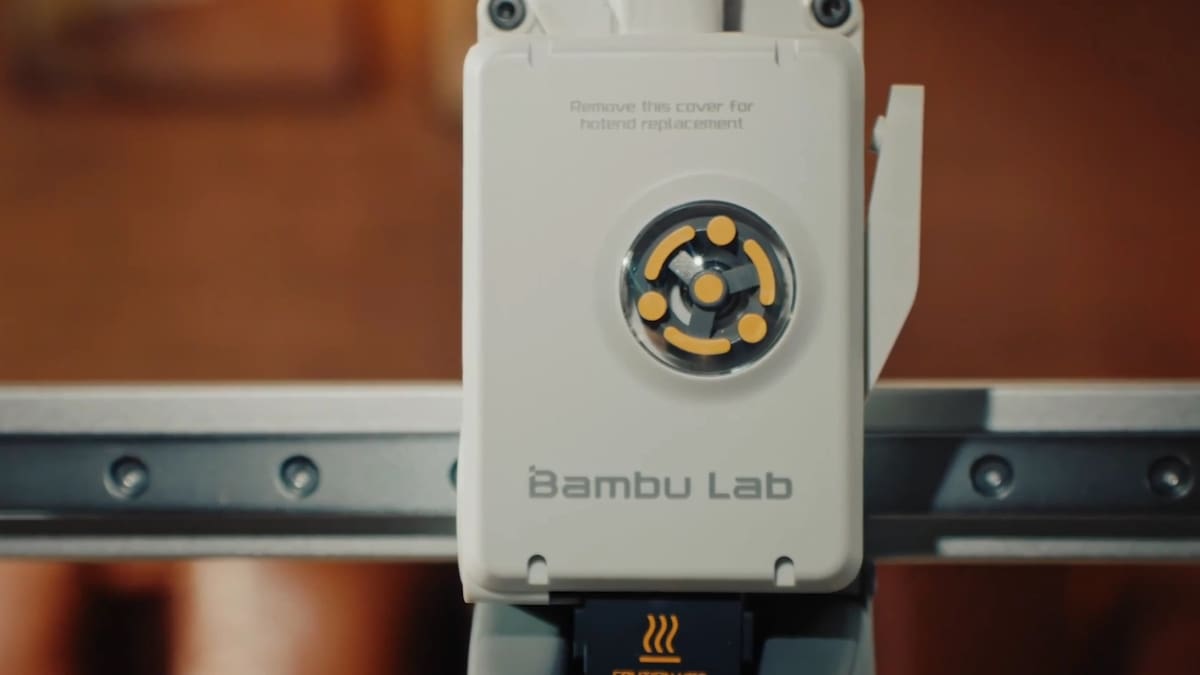
There are highly capable CoreXY-style printers also available for the A1’s less than $500 price tag, all giving decent prints at a high-speed clip and, in many cases, offering desirable firmware experiences with Klipper. However, it’s the ease of use and ecosystem that tip things in the $349 A1’s favor here.
The Bambu Lab A1 is a tightly tuned “standard” sized printer capable of dampening its movements to eliminate the motor noise of itself printing. Don’t be fooled into thinking it’s completely silent, though – all printers are hissing boxes of fan noise to varying degrees. This one’s just a little quieter.
Fortunately, the list of tricks up its sleeve goes on, including a nicely designed removable PEI print bed that facilitates easy print removal and snaps back into position with ease. There’s a large full-color touchscreen UI to tap away at and follow through the guided setup, and, generally, you’re never left guessing as to what’s happening and where you are.
By default, the A1 can print quickly, too: 500 mm/s is the advertised speed, though this is going to vary depending on the material you’re using and the objects you are printing.
The A1’s main advantage over similarly-priced systems is its toollessly swappable hot ends. Held in place by a metal cage you can open with one hand, you can drop in a variety of nozzle sizes and toughnesses (all official Bambu Lab products, priced reasonably fairly). Select your new nozzle type in the software, and the slicing parameters will adjust automatically. This makes it effortless to scale your printing up or down, from the strength given by chunky layers to high-detail miniatures only possible with a 0.2 mm nozzle.
Lastly, there’s the possibility to add Bambu Lab’s AMS Lite four-filament system, letting you use different colors and materials in the same print. It’s an additional ~$249 purchase (or part of a discounted $559 bundle for both printer and AMS Lite) that seriously augments the printer’s abilities and your options for printing.

Under $1,000: Creality K2 Pro
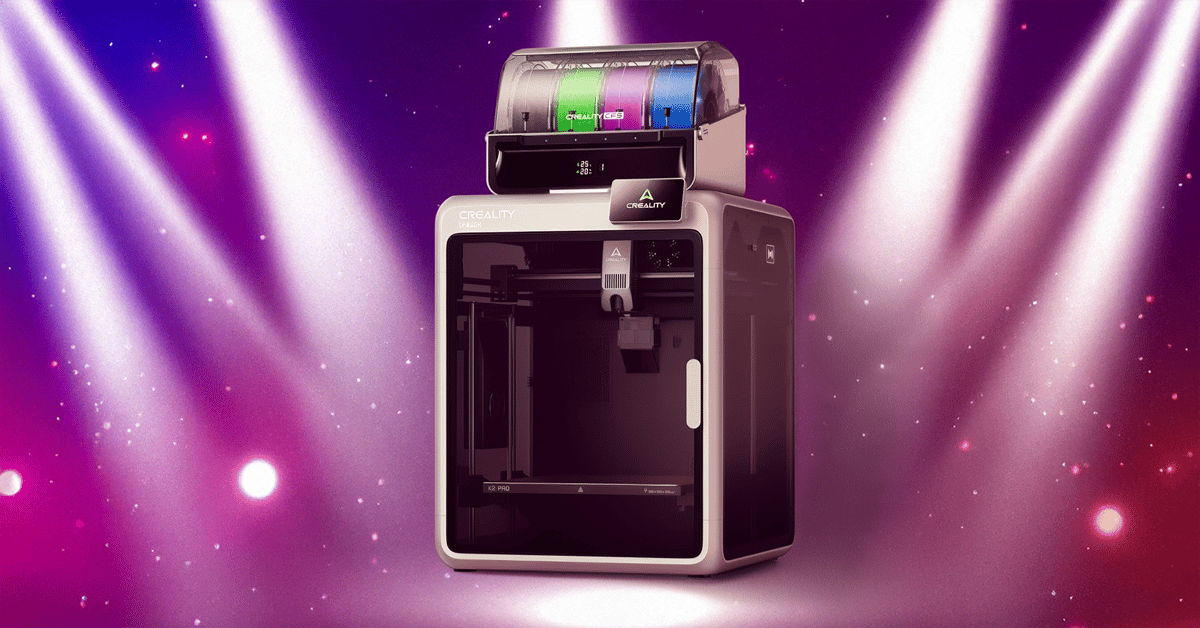
Recent history has seen Creality need to gain back some competitiveness after machines from the likes of Bambu Lab, Prusa Research (later on), and even the Elegoo Centauri Carbon began to outshine its best efforts.
But Creality was obviously working hard on getting back to form, because the new K2 Pro is one of the best printers it has ever built, and the best 3D printer you can currently purchase under $1,000, starting at $849.
In short, the Creality K2 Pro is every bit the flagship machine it was intended to be, and is great example of what consumers should expect in this era of modern, connected, and high-performance desktop 3D printing.
Near enough every box is ticked for us — effortless setup and streamlined use, comprehensive self-calibration and flow optimization routines, and full connectivity through print chamber monitoring and print overwatch. Its fully enclosed, actively heated chamber provides excellent, reliable performance, even when printing with exotics such as PC.
Furthermore, small but meaningful design enhancements, such as the easily serviceable printhead and various quality-of-life tweaks, make the K2 Pro more than pleasant to live with. It’s a high-quality, polished product.

Other Machines
There are a lot of 3D printers to consider for $200, $300, $500, and $1,000 budgets. Too many. This is part of why we’ve transformed our buyer’s guides to give even more focused advice on which 3D printers are worth consideration in a given category.
If you come to this list with an idea for what should be the best 3D printer under $200, $300, $500, and $1,000 and don’t see it listed, have a little patience. As always, we aim to test all the important and trending 3D printers to give you a clear idea of how they stack up against one another.
What's Changed?
We update our articles regularly. Here’s what we’ve changed over the last 12 months.
Update — September 25, 2025: Losing their spots in this update are our previous sub-$300 pick, the Flashforge Adventurer 5M, and the sub-$1,000 dollar pick, the Bambu Lab P1S. Their respective successors, the Elegoo Centauri Carbon and Creality K2 Pro are both better picks at these price points.
Update – September 5, 2024: We’ve nixed resin 3D printers from this list and intend to launch a dedicated budget resin guide in the future. For FDM machines, the Sovol SV06 is looking a little tired these days. We’ve replaced it with the Flashforge Adventurer 5M, thanks, in part, to updates to the system that have made it more appealing.
How We Test
If there’s one thing that testing a lot of 3D printers has taught us, it’s that a broad benchmarking scheme for 3D printers isn’t effective at giving you a sense of what a 3D printer is like to use and live with. Holding a sub-$200 self-assembled printer for hobbyists to the standard of a $6,000 production machine designed to handle engineering-grade materials won’t tell you that the former is a breeze to set up and the latter a tangled web of firmware updates, buggy systems, and unreliable performance.
We want our reviews and buyer’s guides to cut straight to the chase. What is it like to use a printer? What are the defining features like? What didn’t we like? And, more importantly, is it worth the money? We don’t want to get bogged down benchmarking numbers out of context or hung up on issues affected by more variables than we can control.
Who Are We Testing For?
Our buyer’s guides and reviews take the intended end user of a 3D printer into consideration. We imagine what they’re likely to do with it and focus the testing on challenging this. If we have a large-volume printer, for example, we’ll be printing – surprise, surprise – large prints, making use of the entire bed, and checking the performance at the limits of Z-height.
Other points of consideration for what makes the best 3D printer include ease of use, supporting software, and repair options. If something goes wrong, how easy is it to fix the machine? Does the documentation or customer service provide adequate information?
We strive to answer all these questions and more in our quest to find the best 3D printer for you.
Why Should You Trust Us?
Trust is important to All3DP, so our product testing policy is strict. When sourcing test units from a manufacturer, we do so under a zero guarantees policy. We make no guarantee of coverage in exchange for the printer, and the first time a manufacturer sees what we think is when we publish the content.
If a manufacturer doesn’t reclaim the unit after testing is complete, it is donated to a local cause or goes into deep storage for responsible disposal later. We occasionally buy machines for testing, too. In such cases, machines purchased by All3DP either remain in the office for team usage or are donated or disposed of in the manner described above.
Manufacturers or benefactors donating units for review do not influence the outcome or content of the reviews we produce. To the best of our ability, we will investigate abnormal issues with the manufacturer to glean better context or get insight into their awareness of the problem. But we make no excuses for poor design or bad QA.
How We Monetize Our Content
One method we monetize our content at no additional cost to the reader is through affiliate product links. If you click on a shopping link featured in our buyer’s guides and reviews, we may receive a small commission from the store if make a purchase. This is at no additional cost to you. For more meaty content policy details, we cover it all in the advertising and commercial activities section of our terms of use.
Which 3D Printer is Best for Me?
For most readers, our top recommended 3D printers are your best bet in a given category.
But, facing the fact that there is no one-size-fits-all solution to home 3D printing, we’re here to help. Here are some pointers to orient you in this terminologically dense but wonderful world. (A word on terminology, we have a handy glossary of terms to know at to bottom of this article.)
Beginner’s printers
Many 3D printers pitched for “beginners” or children go to such lengths to baby the user that they quickly become claustrophobic experiences. You will encounter more limitations than possibilities as your experience grows. If you aren’t satisfied with a “beginner” 3D printer’s features, we’d recommend a budget pick instead. You’ll save a little money, and the opportunity to learn by doing is far greater. And if something goes wrong, there are giant tribes online for each printer that have already asked and answered every question under the sun.
Follow the crowd
While the general quality of budget 3D printers has dramatically improved in recent years, quality control is often lacking. While manufacturers with large user bases are adapting to meet the demands of their newfound fans, including better customer support, there are usually better wells of knowledge to be found in the owners themselves, who contribute to the vast forum knowledge bases for some 3D printers.
Reviews matter
We have zero obligation to manufacturers to sugarcoat what we find, and the first time they read it is when you do too. That’s why you can trust our reviews. We don’t pander to anyone, and our experience with the printer is what you read on the page.
If you can’t find any information about a printer you’d like to know more about, let us know at editors@all3dp.com.
Understand the costs
A 3D printer for the home is rarely ever a one-and-done investment. Besides the continual purchase of materials, maintenance costs on perishable printer parts can stack up – think nozzles on an FDM printer or FEP film on an MSLA machine. Of course, parts can wear down or break, too, meaning sourcing replacement parts is a sensible consideration if you plan to print long-term. Printers with roots in the RepRap movement and open-source designs will be easiest to source parts for, with off-the-shelf components part and parcel of the design ethos behind them. Enclosed-design printers aimed at beginners may offer the gentlest introduction to printing, but your options to source spare parts will often be limited to the manufacturer. That’s if you can even get to and diagnose the problem.
Know why you want to 3D print
The thrill of a new hobby will only sustain you so far. Being the desktopification of an otherwise complicated manufacturing process, expect to encounter, sooner or later, problems with a home 3D printer – even the occasional show-stopping issue. Having an end goal in mind for your printing gives you purpose and a reason to learn the solutions to the problems. Printing simply because it looks cool will result in a small mountain of useless doodads and, eventually, disinterest at the hands of cost, frustration, and the buildup of useless plastic trash.
When you do know, pick a printer that will make it easier
Most home 3D printers are single extrusion fused deposition modeling machines, meaning a single printable material extruded through a single nozzle. Versatile enough for many applications through material compatibility, they’re safe machines to start with. But if you know you need to print objects with challenging geometries or semi-enclosed volumes, a dual extrusion printer would make your printing far easier. Likewise, single objects that need to have different material properties will only be achievable with dual extrusion. A resin printer will be the way to go for high-detail miniatures. Understand the technologies to find a printer that best suits your needs.
Pick a printer appropriate for your space
While the size of FDM 3D printers can vary greatly, the spillover is small. You’ll get some emissions from the filament melting, cloying the air, making it inadvisable to spend prolonged periods nearby. Generally speaking, the cleanup is minor and relatively easy to contain, depending on the models you print.
Resin 3D printing, however, is dramatically different and has unique demands that should make you think twice before investing. To varying degrees, the resin is smelly and toxic to you and the environment. It requires dedicated cleanup stations and personal protective equipment. You typically need 95 %+ isopropanol to clean prints and dissolve uncured resin from surfaces.
All printers should be operated in well-ventilated spaces, but this applies doubly to resin 3D printers.
Kickstarter – It’s complicated
While many excellent 3D printers have gotten their big break on Kickstarter, there’s the unavoidable issue that the platform is not a store. You are not buying a printer when you commit money to a campaign on Kickstarter; you are backing a vision. It’s putting money into the pot to help a company or person trying to achieve something.
You get nothing in return if a project is grossly mishandled and the money disappears. Often what you do get is the beta version of the product. You are paying for early access and all the wrinkles across all stages of the product that come with it.
We’re seeing more big-name companies turning to Kickstarter than ever to launch their products – it’s a safe way for them to gauge demand and drum up some interest against the pressure of a ticking countdown. Despite many companies being capable of outright launching products, they go cap-in-hand to enthusiasts with the promise of shiny new tech. Don’t be that user unless you absolutely must be the first to use a product and have money you can afford to lose.
We don’t think it’s worth the risk, but in the interest of cool new tech, report on new campaigns with our news coverage. You will never see a Kickstarter 3D printer in our buyer’s guides unless it has completed its campaign and the printer is widely available at retail, with all the protections that come with buying from a store.
Best Professional 3D Printers
But where’s the UltiMaker? Or Formlabs? What about Raise3D? Desktop Metal?
In the past, we’d list the best professional 3D printers alongside what we consider consumer or hobby-oriented machines (the printers we mainly focus on). An apples and oranges comparison, we know.
With this in mind, we created All3DP Pro, a wing of our content exclusively covering the professional applications of 3D printing and additive manufacturing solutions. Here’s a selection of articles covering the best 3D printers for professional use to get you started.
- The 6 Best Pro 3D Printers Under $10K for High-Uptime Workshops
- The Best 3D Printers for Small Businesses in 2025
- Best Metal 3D Printers in 2026: Systems to Know by Budget, Technology & Use Case
- Best Desktop-Size Carbon Fiber 3D Printers: Our 10 Picks
- Is It Finally Time to Upgrade to an SLS 3D Printer? Here's What You Need to Know
- The Best Independent Dual Extruder (IDEX) 3D Printers
- The Best Ceramic / Pottery 3D Printers
- The Best Dental 3D Printers 2025
Glossary of Terms
Choosing the best 3D printer is tricky, not least because the terminology surrounding 3D printing is dense. Here are some need-to-know terms, their explanations, and useful links to help you on your way to 3D printing mastery.
FDM: Fused deposition modeling, otherwise known as FDM, is a 3D printing process that extrudes heated thermoplastic material through a moving nozzle to build an object layer by layer. FDM is a trademarked term, which led to the RepRap open-source movement to coin the alternative phrase “fused filament fabrication” (FFF), but the two are interchangeable.
Filament: Filament is the base material used to 3D print objects via FDM. The filament is typically a solid thermoplastic fed to a print head, heated to its melting point, and extruded through a small nozzle. Filament is commonly available in spools of either 1.75 mm, 2.85 mm, or 3 mm diameter widths – dimensions that dictate the printers that can use them.
G-Code: G-code is the machine language used to instruct computerized tools such as 3D printers. Giving coordinates and instructions for tool heads and other non-movement functions, it is almost exclusively generated by slicing software. It comprises a library of commands to control specific actions like motion, speed, rotation, depth, and other related switches and sensors used in a machine’s operation. You can get to grips with G-code in no time with our guide to G-code commands.
Heated bed: This is a build plate that is heated so that the few layers of extruded plastic are prevented from cooling too quickly and then warping. A heated bed is essential for working with ABS or PETG materials but not so much with PLA.
Hot end: This is the cluster of components that heat and melt the plastic for deposition through the nozzle.
Extruder: Used by some to describe the entire system of parts that pushes and melts filament, extruder can also refer specifically to the motor and accompanying gears that grip the filament, feeding it to the hot end. How the extruder is arranged can affect the printer and its capabilities. There are two common arrangements: Bowden and direct. It’s a messy subject with overlapping terms and technical explanations; our guide to 3D printer extruders gives you all the knowledge to make sense of it.
Bowden: A style of extruder that sees the extruder motor positioned away from the hot end – typically the structural frame of the printer or on one end of the X-axis gantry. So-called for the Bowden cable and its action of allowing a wire to move freely within tightly constraining tubing, the Bowden extruder feeds filament through a PTFE tube directly into the hot end.
Direct Extruder: The other commonly seen extruder type, a direct extruder sees the extruder motor and associated feeding mechanism mounted directly to the hot end, with barely any distance between the feed and the melt zone of the hot end.
Dual Extrusion: Some 3D printers carry two extruders/hot ends, allowing them to incorporate multiple colors or materials into the same print job. While the obvious appeal comes from the possibility for decorative two-tone prints, the real benefit of dual extrusion systems is combining different materials, such as dissolvable support material, to enable the printing of otherwise impossible geometries. It’s a deep topic worth exploring more in our guide to all you need to know about dual extrusion.
PLA: Polylactic Acid, otherwise known as PLA, is a thermoplastic commonly used as a material for printing with FDM 3D printers. It’s easy to work with and is available in many colors and finishes. PLA is somewhat brittle – don’t expect to print strong items with it – but it remains popular for decorative printing thanks to its low cost. You can learn more about PLA in our guide dedicated to the topic.
SLA: Stereolithography is a 3D printing technology that falls under the broader process of vat photopolymerization. The term is often (incorrectly) used to describe all methods of vat polymerization – really, it’s a particular technology that uses a directed laser beam to trace layers into a vat of liquid photopolymer resin. Alongside SLA, other technologies are considered vat polymerization.
Resin: The material used in desktop SLA, DLP, and LCD (MSLA) 3D printers. A blend of chemicals that includes a photoinitiator, resin solidifies under ultraviolet light. Highly toxic and difficult to clean up after a spill, care, attention, and personal protective equipment are musts when working with resin. It is an unpleasant material, and wastage must be disposed of in accordance with local laws. Despite all the warnings, it’s the only way to go for intricate detail.
LCD 3D Printer: A common term for resin 3D printers that use an LCD as a layer mask over UV light. The de facto standard in inexpensive resin 3D printers, the technology is cheap and widely used. The LCD panels are consumable, though, with monochrome LCDs typically having lifespans in the low 1,000s of hours.
MSLA: Mask stereolithography (MSLA) is a term coined by Structo but popularized by Prusa Research. It refers to, basically, the LCD 3D printer as described above.
Micron: One-thousandth of a millimeter. This unit of measurement is commonly used in 3D printing as a value to indicate accuracy, resolution, or surface finish.
Slicer: 3D printing works by building an object layer by layer. A slicer is a program that divides a 3D model into flat layers and generates the machine code for the printer to trace out said layers. The output of a slicer for FDM 3D printers is typically G-code, which gives instructions and coordinates for the printer to execute. Our deep dive explaining what exactly a slicer is gives good foundational knowledge. Many popular slicers are free and open source. Others are proprietary and machine-specific. It’s an essential tool for successful 3D printing.
STL: STL is the most popular file format for 3D printing. Developed by 3D Systems in the ’80s, the STL file type only contains the surface geometry of a 3D object. Despite industry efforts to move onto more efficient and data-rich formats such as 3mf, STL endures and is the most commonly found 3D model file type on popular 3D model file repositories. We explain in more detail in our guide to what exactly STL is.
Open Source: The term given to a product, typically software, but also applicable to hardware that is freely open for others to modify and redistribute according to their needs. In 3D printing, this is often in the spirit that individuals are free to modify, improve, and share changes to the source material for others to test, iterate, and reciprocate. Open source licenses govern the fair and correct usage of open source works, giving terms and conditions that ensure the freedom of access to the creation and any derivatives.
RepRap: A project started in 2005 by Dr. Adrian Bowyer, a mechanical engineering lecturer at the University of Bath. Created to develop a replicating rapid prototype, a low-cost machine capable of printing replacement parts for itself or other new machines. The vast majority of desktop 3D printers stem from the work laid down by the RepRap project. We have a fascinating alternative RepRap Wiki page on the topic if you want to dig deeper.
License: The text of "Best Budget 3D Printers 2025: Our Top Picks in 4 Categories" by All3DP is licensed under a Creative Commons Attribution 4.0 International License.
CERTAIN CONTENT THAT APPEARS ON THIS SITE COMES FROM AMAZON. THIS CONTENT IS PROVIDED ‘AS IS’ AND IS SUBJECT TO CHANGE OR REMOVAL AT ANY TIME.