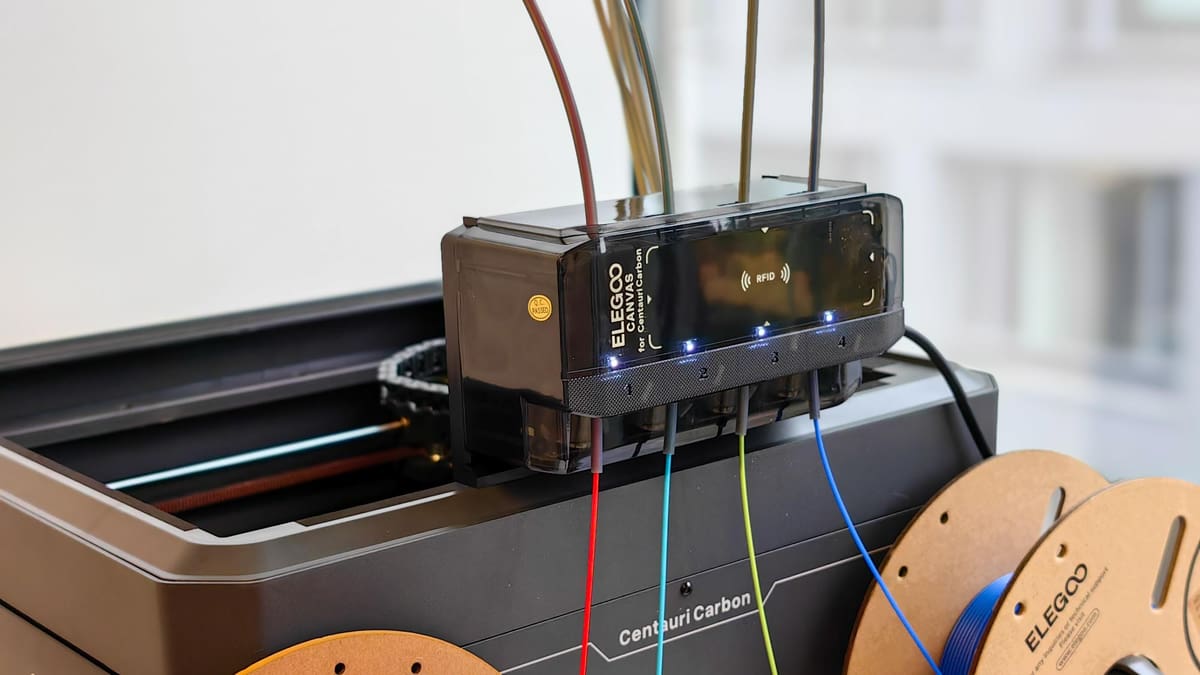
Put to the Test: Elegoo’s $55 Canvas Kit Turns the Centauri Carbon Into a Four-Color Printer

It's been a while, but it's finally here: The Elegoo Canvas multicolor add-on is up for preorder at $55, with shipping expected in September.
When Elegoo rolled out the Centauri Carbon, it dragged its feet on multicolor support, sending mixed signals about its commitment. First, it told us in 2024 it wasn’t a priority or something it would rush; then 2025 it presented it as a coming-soon feature before going quiet as the Centauri Carbon 2 approached its launch in early 2026.
With the Centauri Carbon 2 on the market now, it was fair to wonder whether Elegoo would still bother supporting its older $300 printer. But it kept its promise, debuting the Canvas for Centauri Carbon at Rapid + TCT in May. It’s available to pre-order now the shipping expected to start later this month.
We got our hands on Canvas, and went through the tedious process of installing it, and seeing how it lived up to the Centauri Carbon 2.
What’s in the Box?
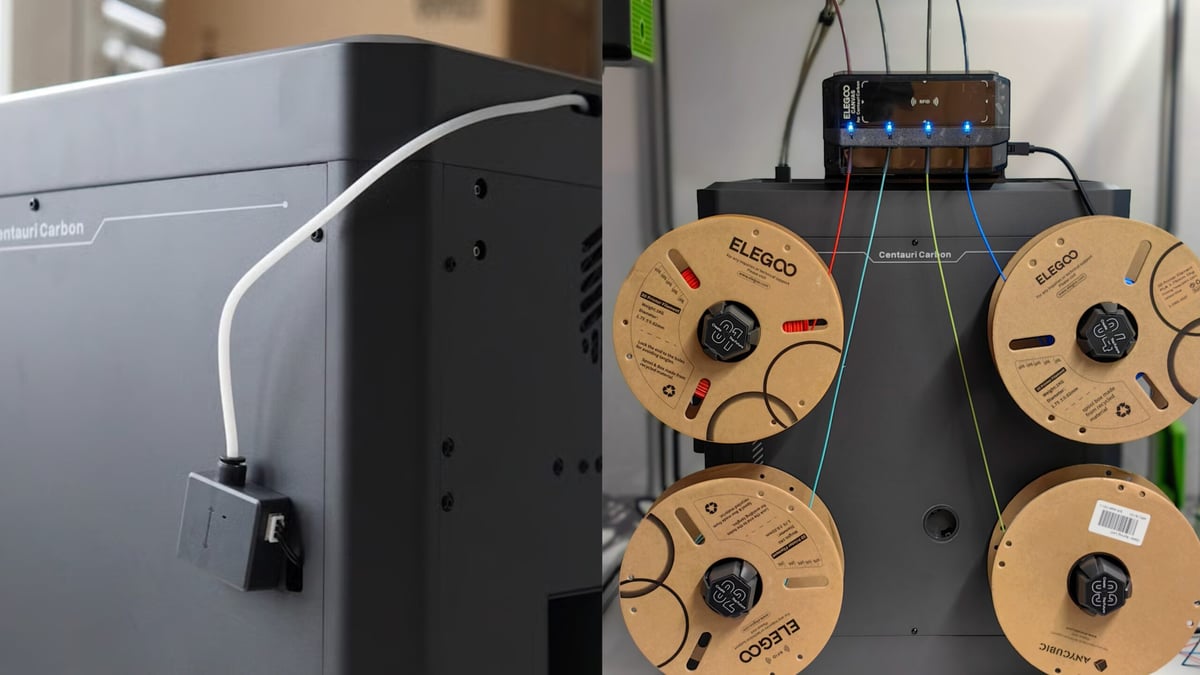
The Elegoo Canvas for Centauri Carbon is available for preorder at an attractive $55, adding a four-input material system to the original printer. At a glance, its basic features are:
- Four filament inputs
- Multicolor or multi-material switching
- Tangle detection/prevention
- Smart filament refill
- Low price entry point
- RFID Smart Detection
Elegoo markets its Canvas as a multicolor printing add-on with independent control, with the system capable of managing up to four spools simultaneously. Each input has its own feeder motor, with all four filaments converging on the printer’s single extruder.
The Canvas also features an auto filament refill mechanism, enabling the printer to continue automatically when a spool runs out by using another spool of the same material, which is useful in long duration prints.
There is not much to say about this new addition, it’s just that Elegoo has kept stringing us along since they first teased that color printing will arrive in Q3 2025. Just for some context, we are currently in the third quarter of 2026 and the Canvas is almost available.
Not Exactly Plug & Play
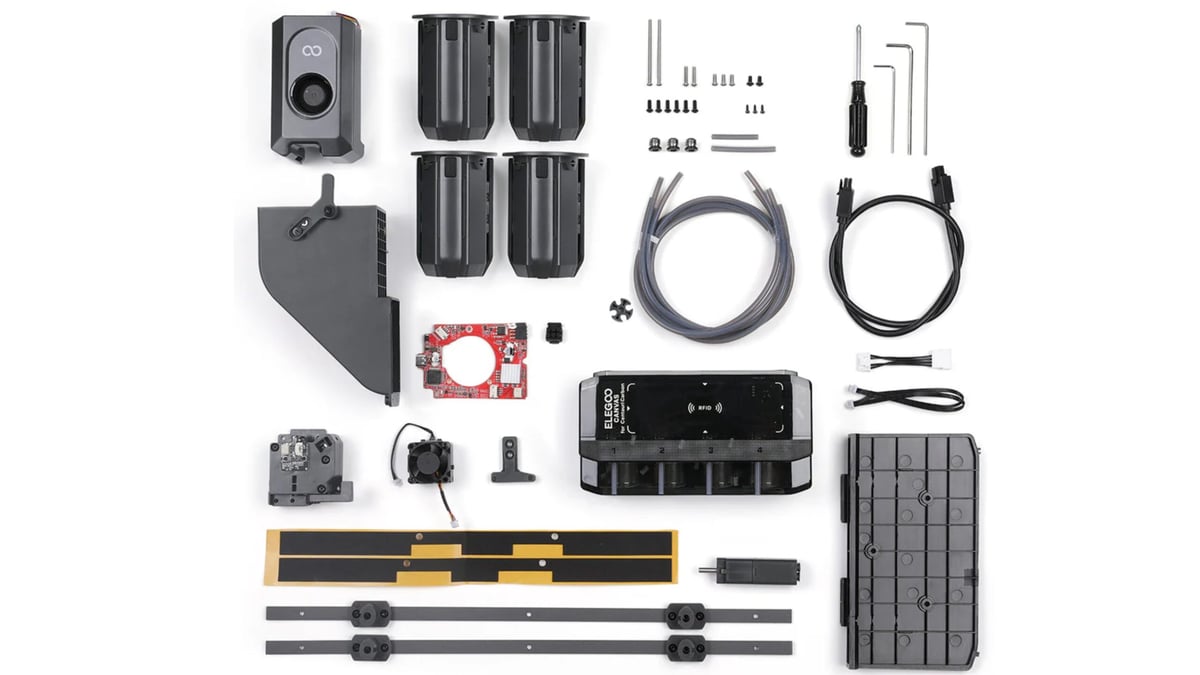
Modern 3D printers have spoiled us. The Centauri Carbon itself is a good example: unboxing amounted to little more than removing a few screws and some foam before running a calibration routine. Installing the Canvas, by contrast, felt more like a reminder of where consumer 3D printing came from than where it’s heading.
The manual doesn’t make things much easier. It’s fairly rudimentary, although Elegoo’s step-by-step video instructions fill in many of the gaps.
Installation starts by removing the glass lid, toolhead faceplate, and mid-frame before replacing the controller board and extruder assembly. You then have to remove the printer’s base plate to route an extension cable, fit the mounting brackets and spool holders, and connect four PTFE tubes to the hub that feeds the toolhead. Finish with a firmware update and, finally, you’re ready to print.
None of this is especially difficult, but there are enough screws, cables, tubes, and panels involved that it feels surprisingly old-school. The setup is more reminiscent of the DIY days of 3D printing than the appliance-like experience we’ve become accustomed to.
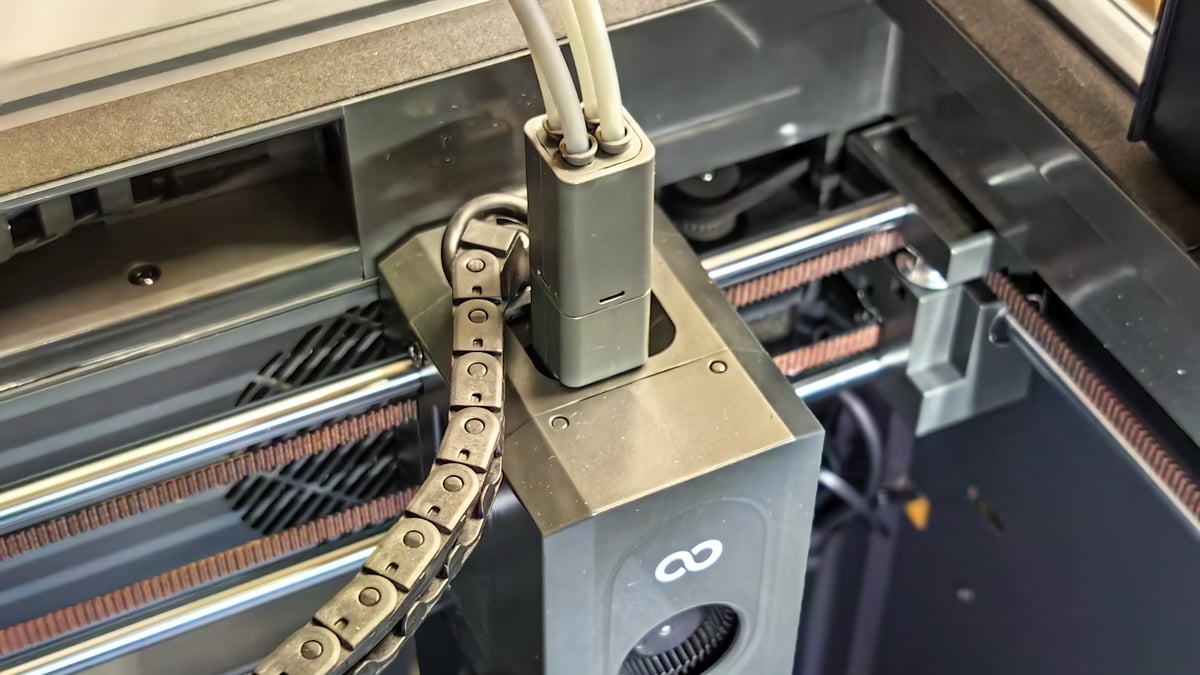
It feels at odds with a printer that otherwise feels so polished, but some context is warranted: Canvas costs just $55. At that price, a more involved installation is easier to forgive, particularly when Elegoo could just as easily have abandoned the add-on once the Centauri Carbon 2 arrived.
Color Me Curious
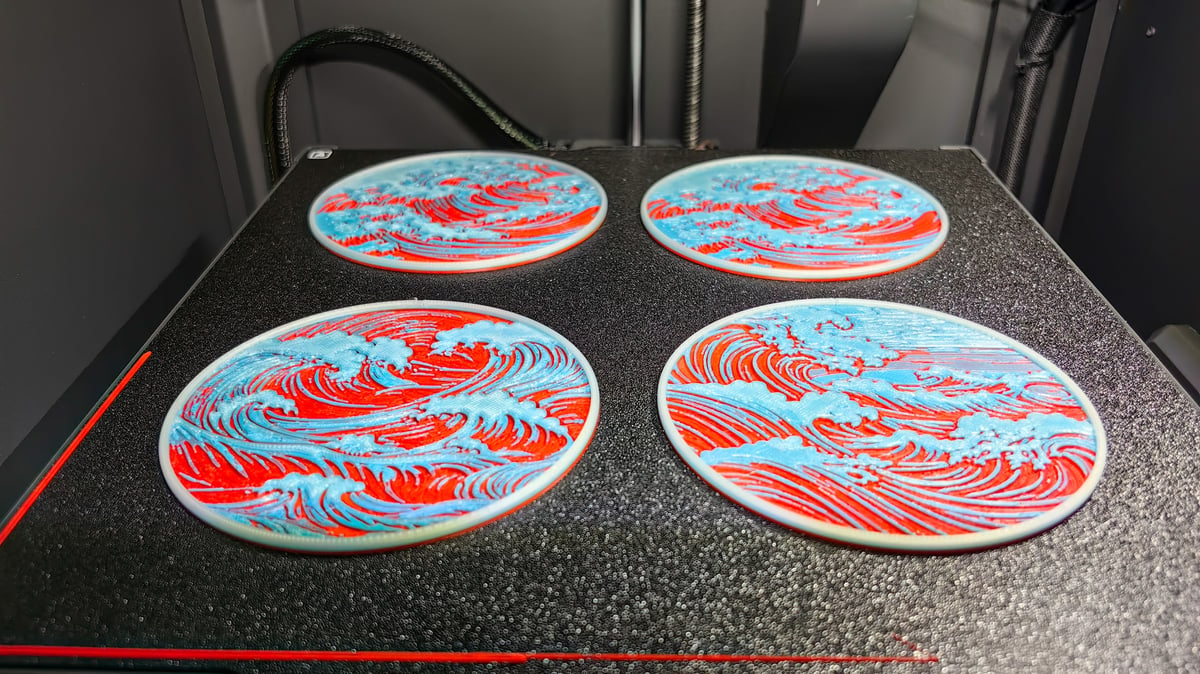
This isn’t a groundbreaking technology, but there was always something endearing about the Centauri Carbon. A step up compared to similarly priced machines, and its build feels pretty solid too. When it was released, Elegoo implied that it should be considered against the Bambu Lab X1C. And in many ways, it did deliver, but lacked on the color printing front. Bambu Lab discontinued the X1C in April 2026, and maybe that’s telling of how late Elegoo is to the party.
Perhaps its best comparison right now is its successor, the Centauri Carbon 2. It already comes fitted with Canvas, alongside a handful of improvements, and notably doesn’t require the meticulous installation of the add-on.
But back to printing; with the four spools set up, the OS recognized the Canvas. Setting it up involves selecting the material and a choice between Elegoo or third party/ generic filaments, though there are more specific options you can set up in the slicer.
Nothing has changed from the original Centauri Carbon, just that the printer is now fed by the Canvas, and multi-color prints are an option. We’ve covered before how impressed we were with the Centauri Carbon’s quality of prints, and when it comes to color prints, it had the same level of detail that’s to be expected.
To give the Canvas a proper workout, we sliced a particularly demanding four-color model, a great bass, with 1,199 filament changes. The result looked good, but the numbers behind it were eye-opening.
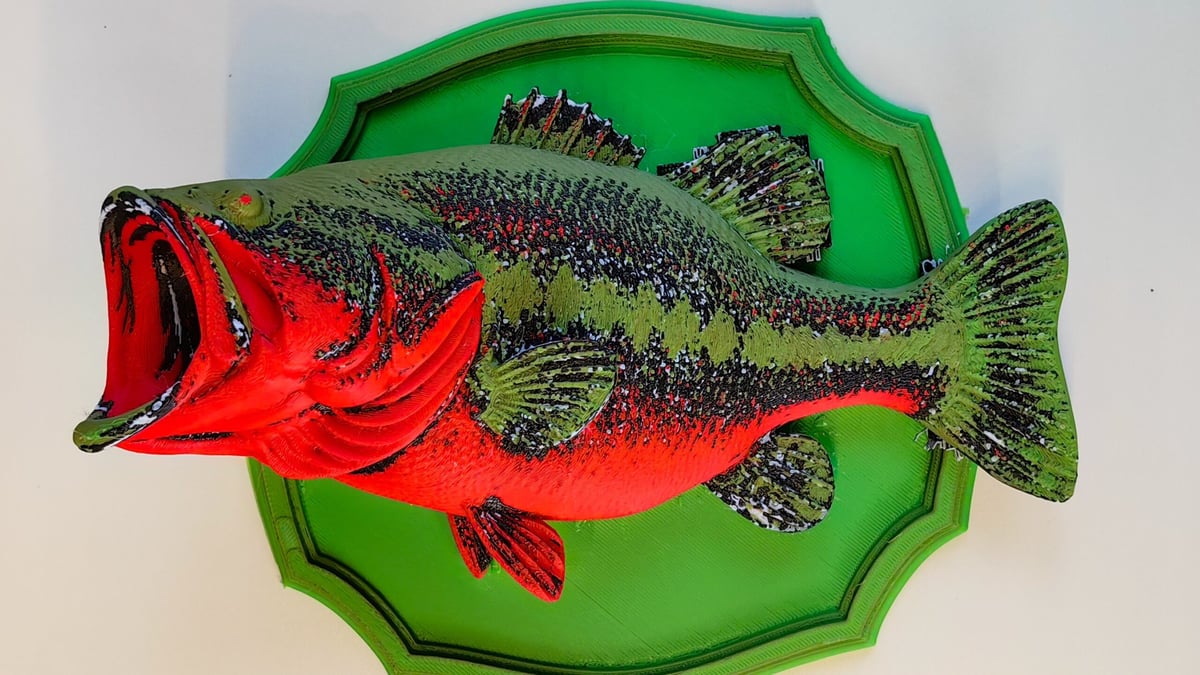
The model itself required 265 g of filament, while the slicer estimated almost 665 g would be flushed during color changes. Add 70.5 g for the purge tower and 28.4 g of support material, and the total estimated filament consumption rises to just over a kilogram for a 265 g model. Estimated print time was nearly 43 hours.
The Waste Problem
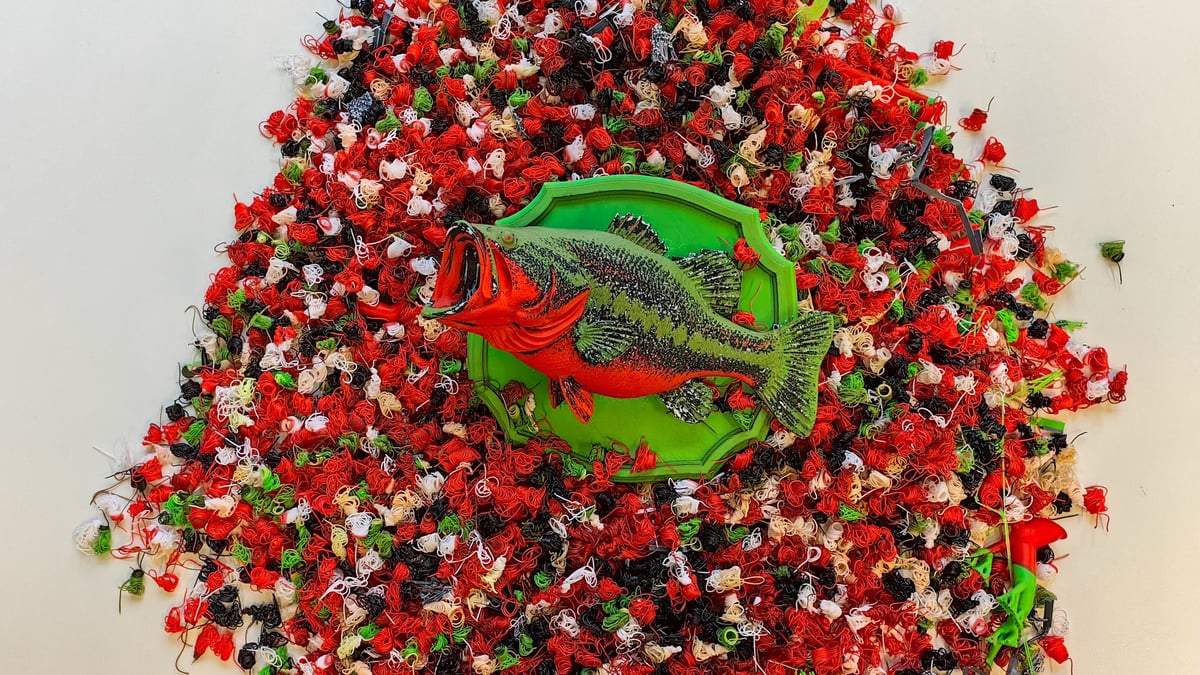
And therein lies the Canvas’s biggest weakness: all those color changes come at a cost.
The bass is an extreme example, but it illustrates the downside of the Canvas’s single-nozzle approach. Every color change requires one filament to be unloaded, another loaded, and enough material purged through the nozzle to clear the previous color. With hundreds, or in this case, more than a thousand swaps, that waste quickly adds up.
Watching the pile of printer poop grow alongside the print makes the trade-off particularly obvious. Canvas may be an exceptionally cheap way into four-color printing, but complex models can burn through filament at a rate that makes the $55 entry price rather less impressive.
Dual-extruder and tool changer systems are also becoming more accessible. Bambu Lab’s X2D (which can be seen as the spiritual successor to the X1C) uses two nozzles to reduce the amount of purging required between colors. It’s still pricier than the Centauri Carbon, sure, but worth noting the X2D Combo’s $899 actually undercuts what the X1C Combo cost at launch ($1,199). So dual extrusion is getting cheaper, even as Elegoo’s single-nozzle approach stays the budget pick.

That’s not even considering the Centauri Carbon’s own successor, the Centauri Carbon 2 Combo, which already comes pre-fitted with Canvas for $449. So for a little bit more, you save yourself the work and get a printer with improved performance.
Is it Worth it?
The Canvas price is what softens a lot of its criticism, and the same can the same can be said for the Centauri Carbon which is still listed as our best FDM printer under $300, feeling all “too premium” for the price tag and “unusually good value”.
The biggest compromise, beyond the installation itself, is losing the Centauri Carbon’s fully enclosed build chamber. That makes temperature-sensitive materials less convenient to print, and while community-made covers for Canvas-equipped machines already exist (with designs already existing on Printables and Makerworld), they add yet more cost and effort.
For existing Centauri Carbon owners who want inexpensive multicolor printing, the Canvas is remarkably compelling at $55. Installation is more involved than we’d like, complex prints generate substantial purge waste, and sacrificing the enclosed chamber won’t suit everyone. But if those compromises don’t bother you, it’s difficult to argue with how much capability Elegoo has added for the money.
You May Also Like:


License: The text of "Put to the Test: Elegoo’s $55 Canvas Kit Turns the Centauri Carbon Into a Four-Color Printer" by All3DP is licensed under a Creative Commons Attribution 4.0 International License.