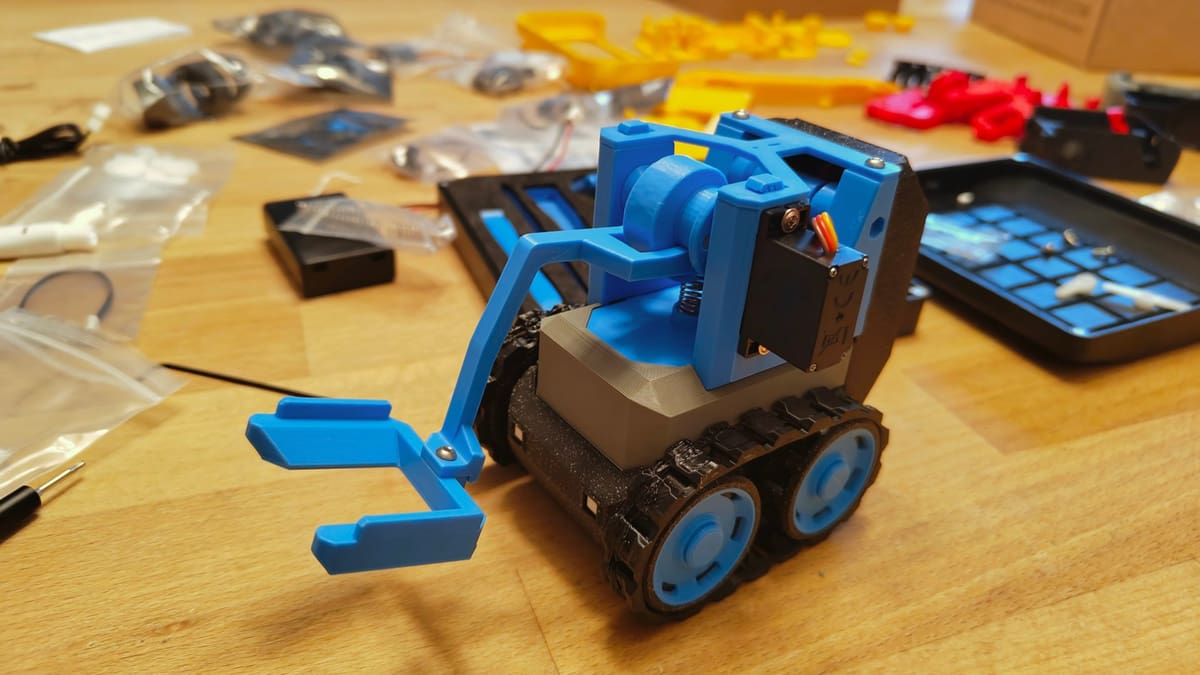
Bambu Lab’s CyberBrick Is the STEM Toy to Beat this Christmas

Kickstarted into existence and slipping seamlessly into the fabric of Bambu Lab’s ecosystem, it’s easy to overlook CyberBrick and what it is. Don’t. It’s terrific.
Bambu Lab’s whole shtick with 3D printing is that its printers are not a tool to tinker with. They arm you with an array of creative tools, model-makers, components to enhance and expand the projects, and a model repository stacked with well-funded creators. You simply hit “print”. More or less.
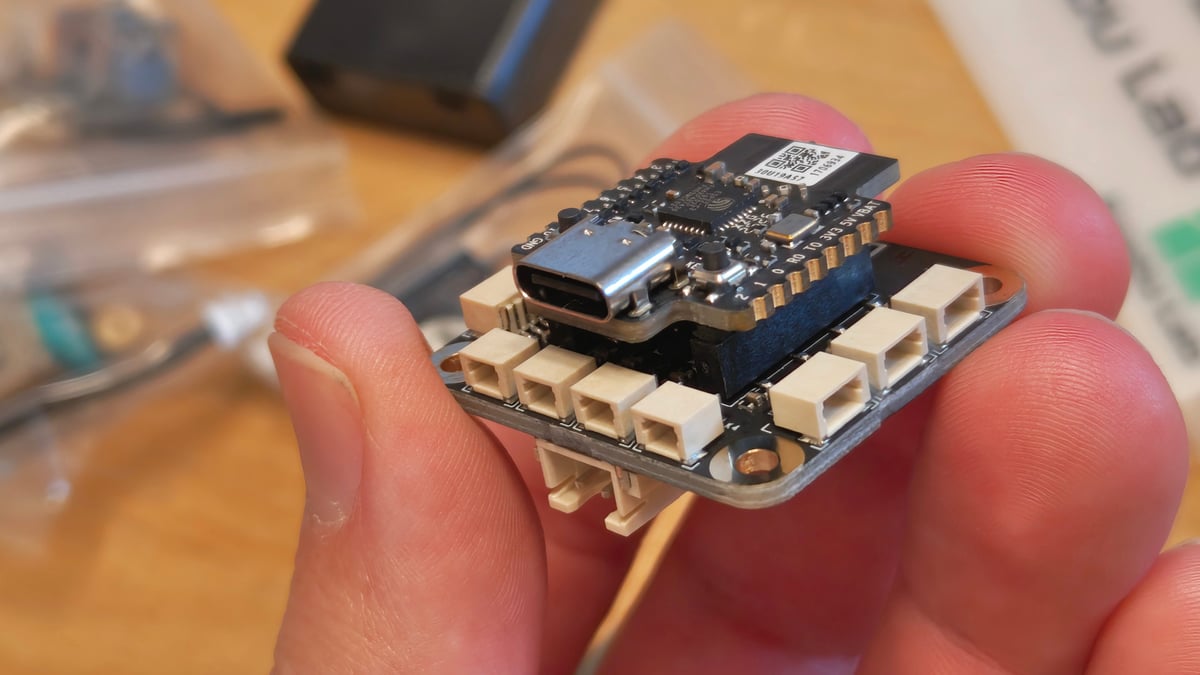
CyberBrick is the logical extension of this philosophy into the realm of electronics. It’s an ecosystem within the ecosystem, comprising motors, gearboxes, LEDs, transmitters and receivers, joysticks, switches, and everything in-between; all handily programmable via a smartphone app or browser, endlessly reusable and reprogrammable.
Interactive toys are the end point of CyberBrick, and while Bambu Lab provides a small selection of its own designs for you to build, the MakerWorld community has already picked up the baton, with the plans for dozens, if not hundreds of models available for you to follow, all making use of the CyberBrick system. Provided you have the CAD skills, you can even design your own, too, publishing the complete projects on MakerWorld for others to enjoy.
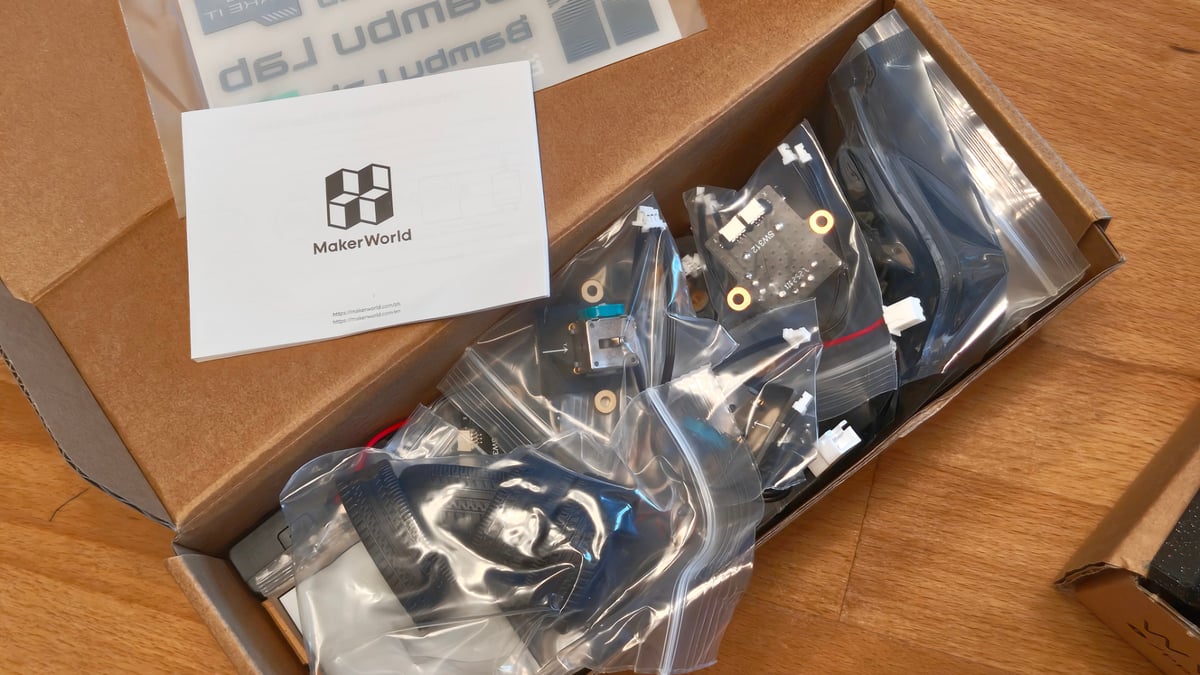
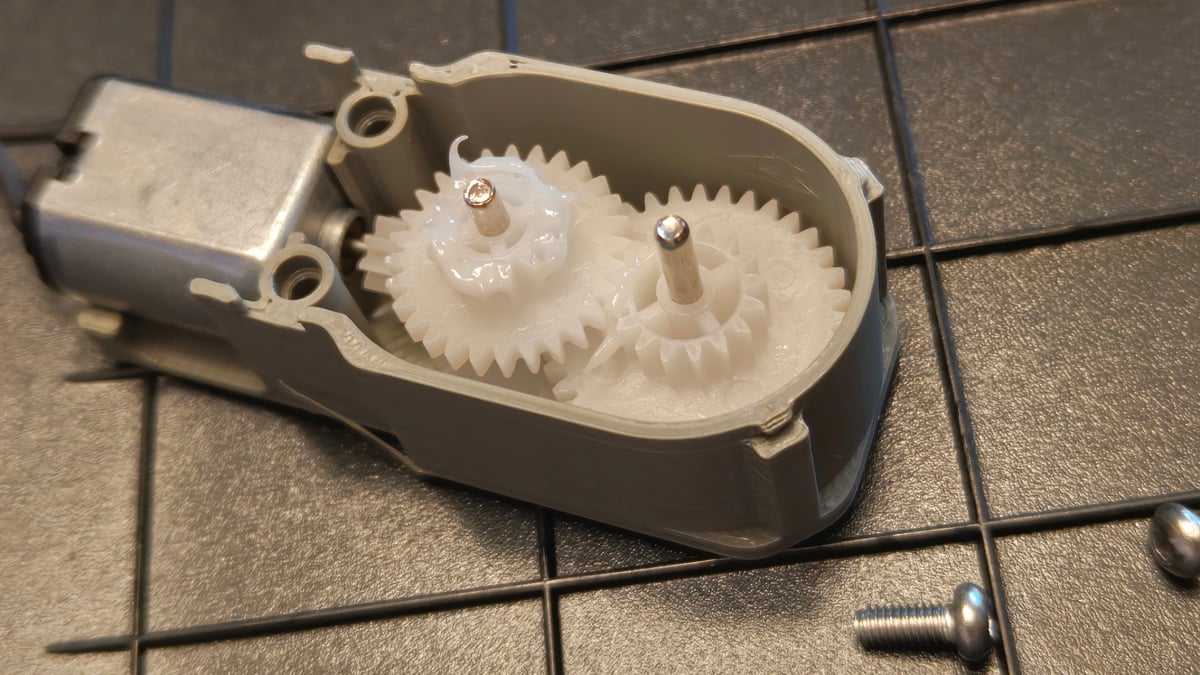
While the components are available individually, a terrific starting point is the Ultimate Hardware Kit, which includes enough CyberBrick components to assemble two remote controls, plus two vehicles. That is to say, it includes a pair of transmitters, receivers, joysticks, switches, buttons, LEDs, servo motors, mini step motors with reduction gearing, plus Li-ion batteries and battery bays for AAA batteries (not included).
It is, in a word, complete, and while the kit includes everything you need to complete a remote controlled forklift and dump truck, it also handily covers the CyberBrick SoccerBot cars. Bambu Lab sent All3DP an Ultimate Hardware Kit to check it out, and having sunk the hours printing and more hours into assembling it with two impatient kids in tow, I can vouch for how intuitive and frictionless the system is when following one of Bambu Lab’s well documented example projects.
Note that the individual CyberBrick components are available individually, too. They’re reasonably priced and ship locally, making them a pretty good deal considering in the past you’d typically turn to the wild west of AliExpress or similar for these sorts of things, where import fees now apply.
Building the CyberBrick SoccerBot
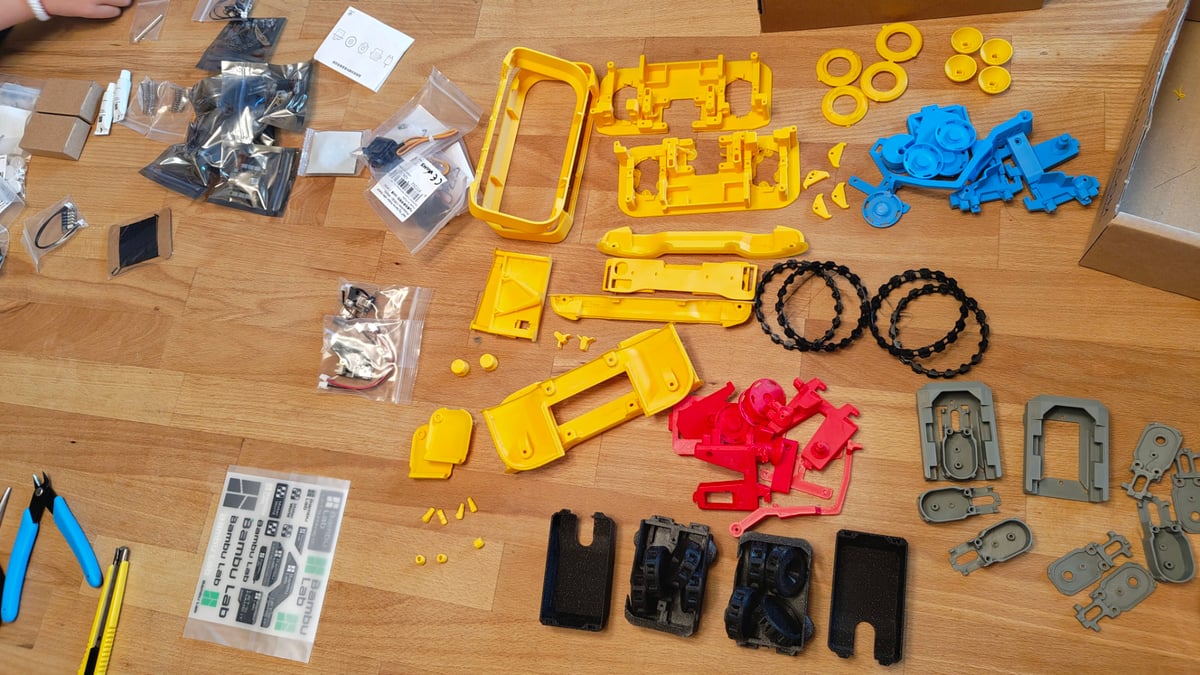
The CyberBrick SoccerBot required almost 20 hours of printing in total, resulting in the part needed to complete two SoccerBot cars, as well as two standard CyberBrick controllers. The controllers are universal and can be used as a general purpose controller for any other remote-controlled CyberBrick toys you build.
Given the need for different colors and materials (some parts are TPU) the plates are generally split by color and material, resulting in 9 preconfigured plates that I ran on the Bambu Lab A1 Mini. You could configure it to be done with fewer plates in less time if you have a larger printer and an AMS, but the dinky little A1 Mini seemed an appropriate, elf-like printer to task with whipping up some toys in time for Christmas.
Just as an aside, this really does take the concept of beginner-friendliness to its ultimate conclusion – I didn’t even slice the files. Finding the standard controller and SoccerBot files on the Bambu Handy app and sending them directly to the printer using the provided files meant that, actually, I did virtually nothing in the prep of the printable parts. Just cleaning them up, removing supports and brims. This alone is a solid vindication of the slicer-less revolution that’s quietly happening in desktop 3D printing.
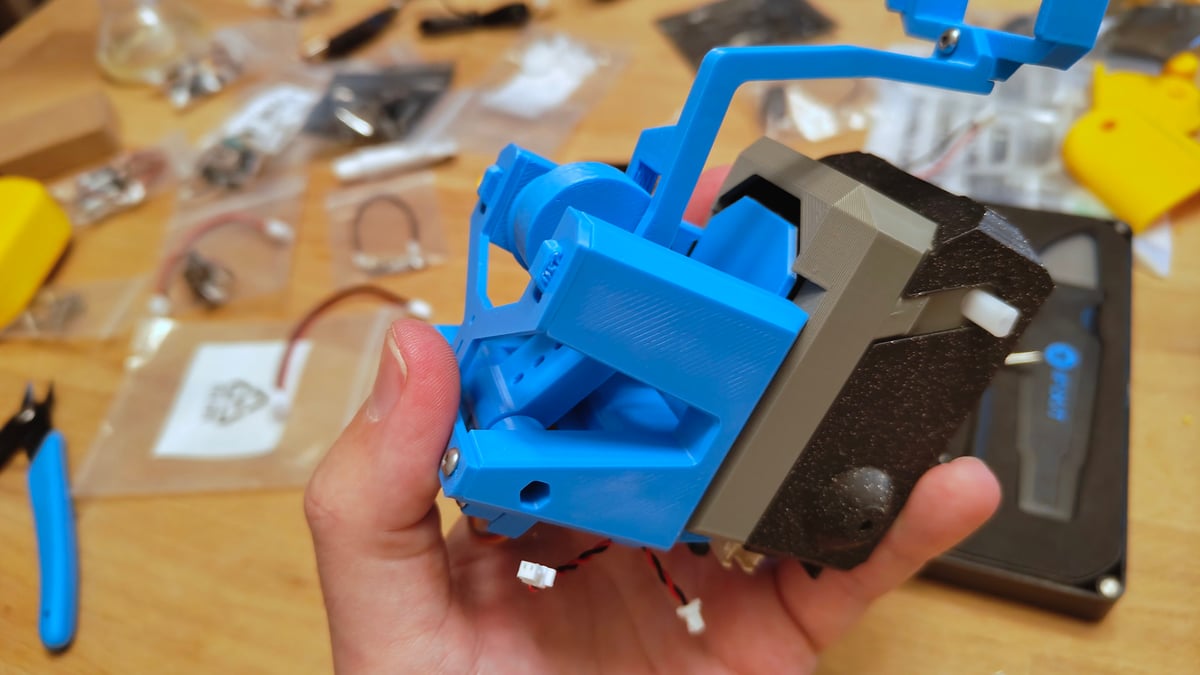
With the components printed and prepped, it’s time to assemble. Illustrated build instructions are provided on project’s pages on MakerWorld. They’re basic, but clear enough that taking your time and with care for the orientation of parts as you go, things just slot into place without much trouble. My impression is that the official projects have been designed such to accommodate not-quite pinpoint-perfect prints. Mind that some of the electronics, particularly the teeny tiny LEDs that are used in this project as headlights, are fragile and easily broken. It’s not quite Lego, but the ease with which this particular project came together didn’t feel too far from it!
Peewee Project Management
CyberBrick toys are intended for kids aged 16 and older, which seems a touch exclusionary to me considering the colorful builds and relative twee-ness of many of the projects. Speaking from personal experience, youngers kids are interested in how things work and building projects, particularly if the end result is a toy they can play with. The CyberBrick is a decent set for slightly younger kids, too, but only when tackled together as a team or family project.
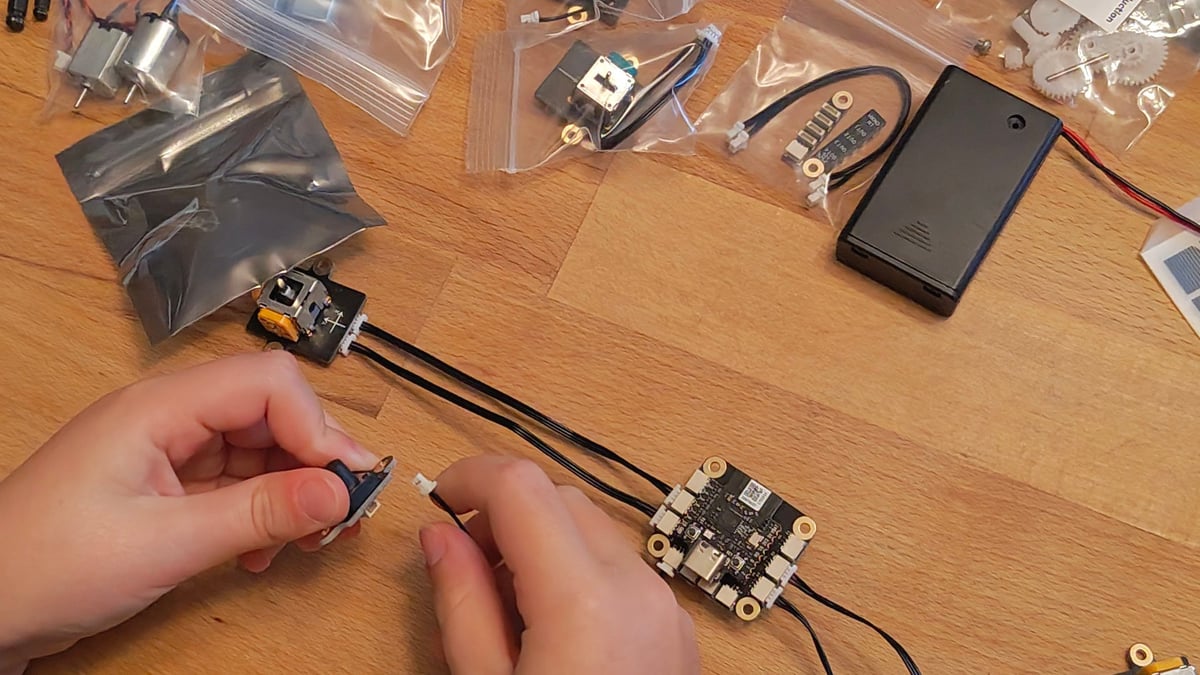
Chunking this build into shorter stints is my recommendation, rather than a few multiple-hour-long marathon sessions. My two sub-10-year-old kids and I managed to put two controllers and two SoccerBot cars together in a weekend, though this was with the neat 20-hours of printing completed prior.
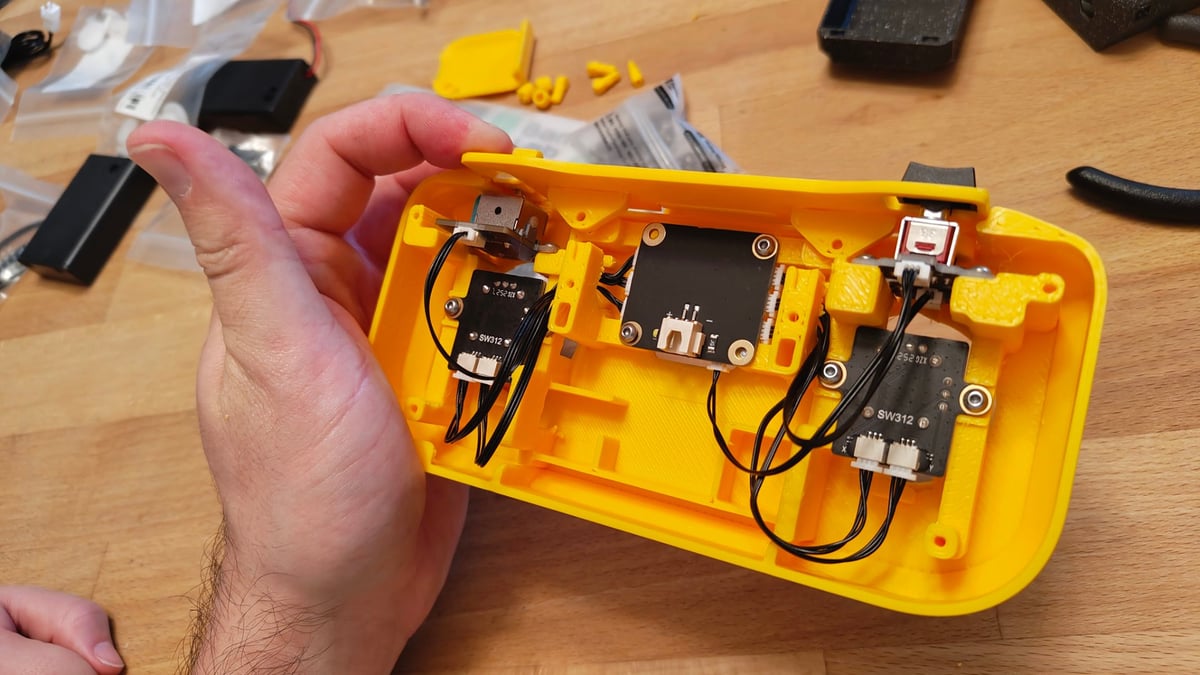
Remaining organized, motivated with sugary drinks, and having the appropriate tools to hand is key. The provided screws bite into the 3D printed parts confidently – the malleability of PLA works well here – driven in by an Allen key (not provided).
A swivel top screwdriver comes in especially handy – the kind you get in an iFixit tool set (get one – they’re so useful to have around) works well – letting you quickly drive the screws in without much effort or the juggling usually required with an Allen key. Likewise, I also found it valuable keeping a parts tray close to hand, which lets you keep all the necessary bits and pieces for a given step collected together separate from the large mess of components and prints that will inevitably take over your workspace while working on something like this.
All Vibes, No Code
Just as the 3D printing can be initiated at the press of a button, so too can the coding and control scheme mapping. The project pages for the standard controller and SoccerBot cars both feature simple step-by-step stages for building, which end at the coding. Since the projects are predefined, all this entails is powering on and connecting to the various modules – in this case, two controllers and two receivers, the cars – and flashing the configurations to each.
You have to pair a given controller to a given car. Naming each device at this stage helps, letting you confidently pair “controller 1” with “car 1”, for example. Each device can be PIN locked, too, preventing any unauthorized tampering with your creations.
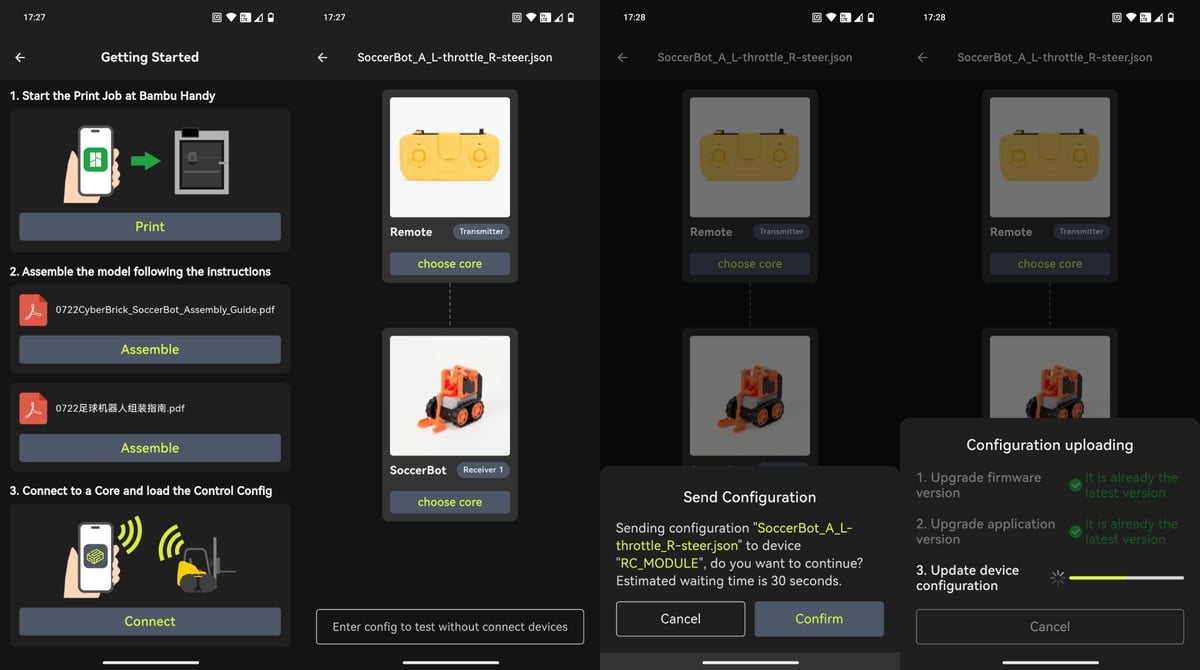
This no-code environment gives beginners and those looking for a quick time of the set up, everything they need to quickly build, configure, and play. The software side of setting up the controllers and cars took all of twenty minutes, tops, including firmware updates and then the flashing of each components schemes. The CyberBrick app informs you of what’s going on, and in every instance of my testing, it simply worked.
Advanced makers looking to create their own devices and vehicles can program the various components and controllers using the CyberBrick desktop apps (available for MacOS and Windows), telling the system which components are where and, according to the various means of interaction or motion a component offers, what they do. Under the hood CyberBrick uses the MicroPython programming language, and is open for you to paste in your own code snippets into the visual-based desktop app.
On the 3D modeling side of things, reference documents give the dimensions of each, plus CAD files are available for you to import them into your own work.
But Is It Any Fun?
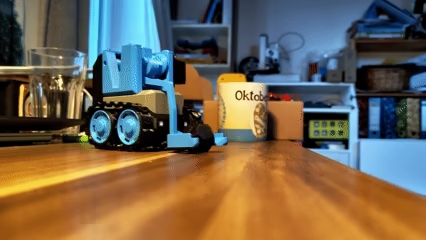
When is a remote controlled car not fun? Never, that’s when. The resulting SoccerBot vehicles control like a dream and easily form a two-player game of object flicking fun. For the $60 the Ultimate Hardware Kit costs, you get hours of easy on-rails construction, entertaining vehicles to play with, plus the possibility to strip it all down and build something else once the novelty has worn off.
Considering the depth of toys already present under the CyberBrick tab on MakerWorld, ranging from battlebots to Strandbeest-like walking tables, all the way up to a gigantic fully functioning crane, there’s something for everyone.
CyberBrick as a toy got the nod in Time Magazine’s Best Inventions for 2025 list recently, and we can understand why. If you’re looking for a gift for someone who has a 3D printer and would get a kick out of building their own infinitely customizable toys, the CyberBrick is it.
Read more recent news:
- Best 3D Printers 2026: Our Top Picks in 25 Categories
- PrusaSlicer Update Boosts Cornering Speed & Fixes Annoying Surface Flaws
- Wake Up and Smell the Filament: Kexcelled Brews Up New Coffee & Tea PLA
Tired of Reading? Try Listening
License: The text of "Bambu Lab’s CyberBrick Is the STEM Toy to Beat this Christmas" by All3DP is licensed under a Creative Commons Attribution 4.0 International License.
CERTAIN CONTENT THAT APPEARS ON THIS SITE COMES FROM AMAZON. THIS CONTENT IS PROVIDED ‘AS IS’ AND IS SUBJECT TO CHANGE OR REMOVAL AT ANY TIME.