What Is AutoCAD? – Simply Explained

You've heard about it, but what is AutoCAD? Learn all about the popular CAD giant that brought design software to the masses.
If you’ve spent any time around designers, engineers, or architects, you’ve probably heard the name AutoCAD. It’s one of the most widely used drafting and design programs in the world, and for many people it represents the “serious” step up from beginner-friendly CAD tools. But what exactly does AutoCAD do, and who is it really for?
At its core, AutoCAD is a digital drafting workspace that lets you create precise 2D drawings and detailed 3D models. Instead of sketching ideas on paper, AutoCAD helps you build technical designs that can be measured, modified, and shared with total accuracy. It’s used in industries ranging from building design to mechanical engineering, and even in fields you might not expect, like theater set design or jewelry making.

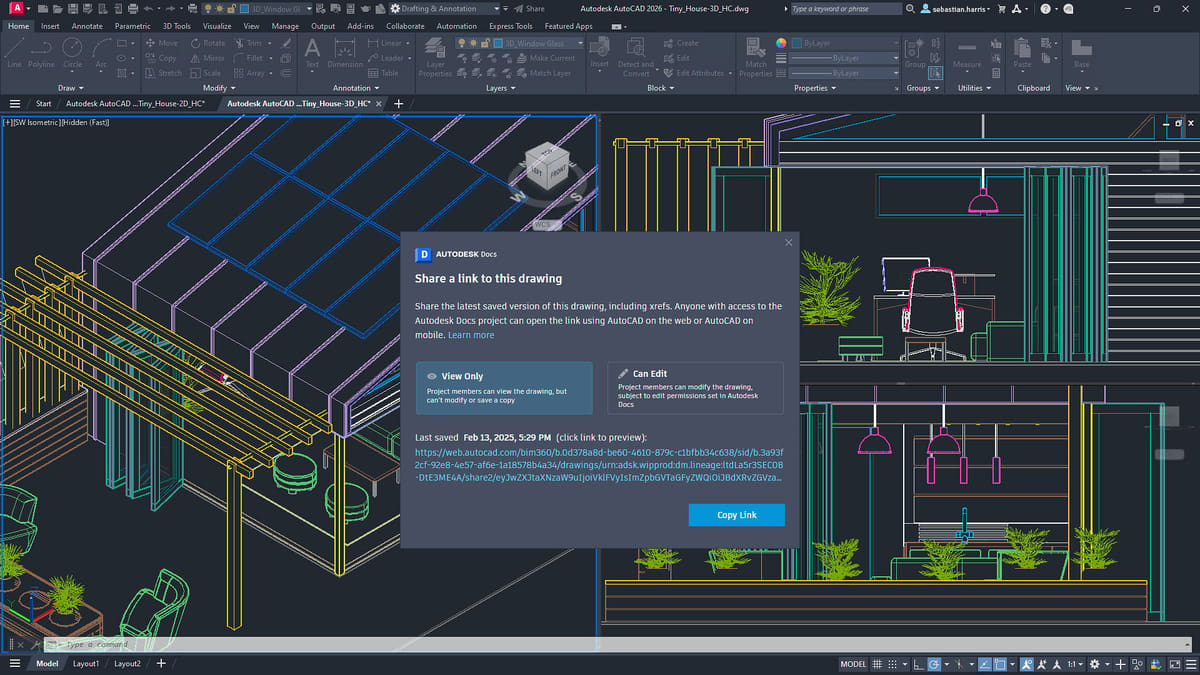
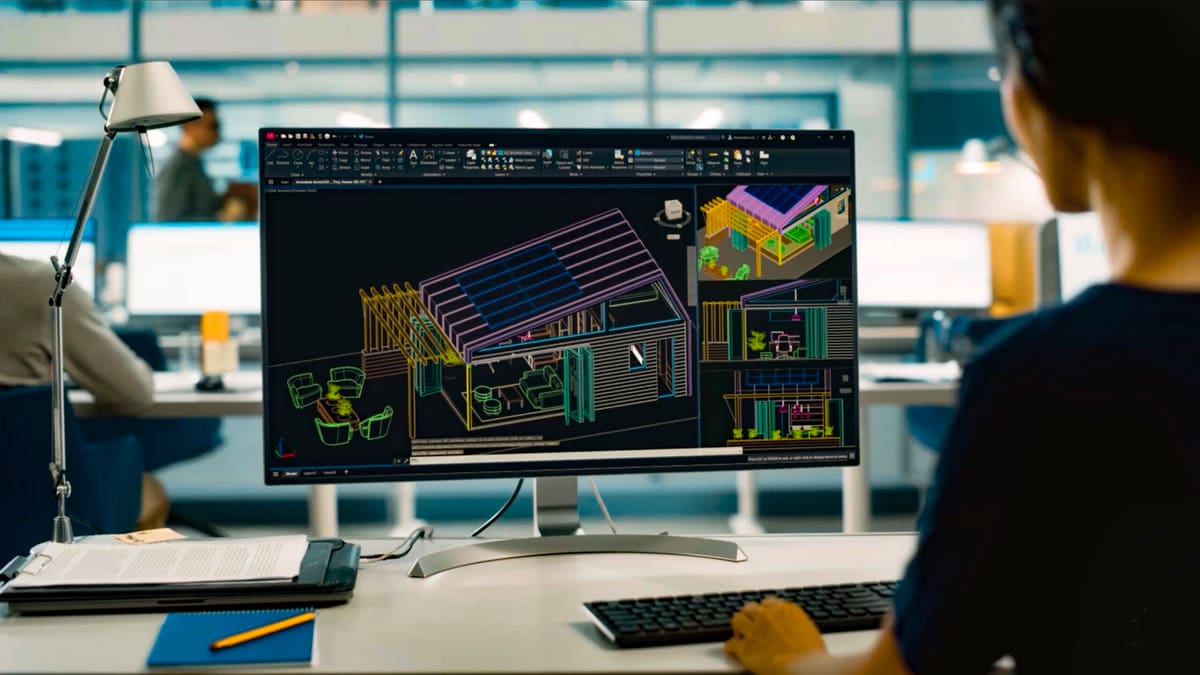
Today’s AutoCAD is also much more accessible than it once was. While it still has a reputation for power and complexity, modern versions offer cleaner interfaces, customizable toolsets, cloud-backed collaboration, and industry-specific features that help professionals work faster. For beginners, it still comes with a learning curve — but it’s also the kind of tool that rewards patience, especially if you’re looking to do more than simple shapes or hobby projects.
Whether you’re just getting curious about technical design or you’re ready to graduate from an easier CAD program, AutoCAD is worth knowing about. It’s not the only option out there, but its influence on the CAD world is huge, and understanding it can open the door to more advanced and professional design work.
Prices & Licensing

Although you can get a free trial, a free one-year educational license, and save a lot of money with a limited-version subscriptions, most commercial users opt for the annual subscription.
- Monthly: $260 (or $175 per month when billed annually)
- One year: $2,095
- Three year: $6,285
- Free trial: 15-day free trial
- Educational: Students and educators worldwide are eligible for the educational version. It offers full and unrestricted access to the software but is limited to educational purposes. A paid subscription plan is needed for for-profit use.
- Flex: This option is a new pay-as-you-go license for occasional product use. You estimate your use and buy tokens according to your needs.
- AutoCAD LT. $65 monthly. Autodesk’s lightweight version of AutoCAD for 2D drawings.
System Requirements

AutoCAD is available for both Windows and MacOS. Below are the recommended specifications:
- OS: 64-bit Microsoft Windows 11 or Windows 10; MacOS Tahoe v26 (requires Update 2026.1), Sequoia v15, Sonoma v14, or Ventura v13
- CPU: 64-bit CPU, 2.5–2.9 GHz processor or more
- RAM: Minimum 8 GB
- Graphics card: At least 2 GB GPU
- Disk space: 10 GB of disk space
UI & Layout
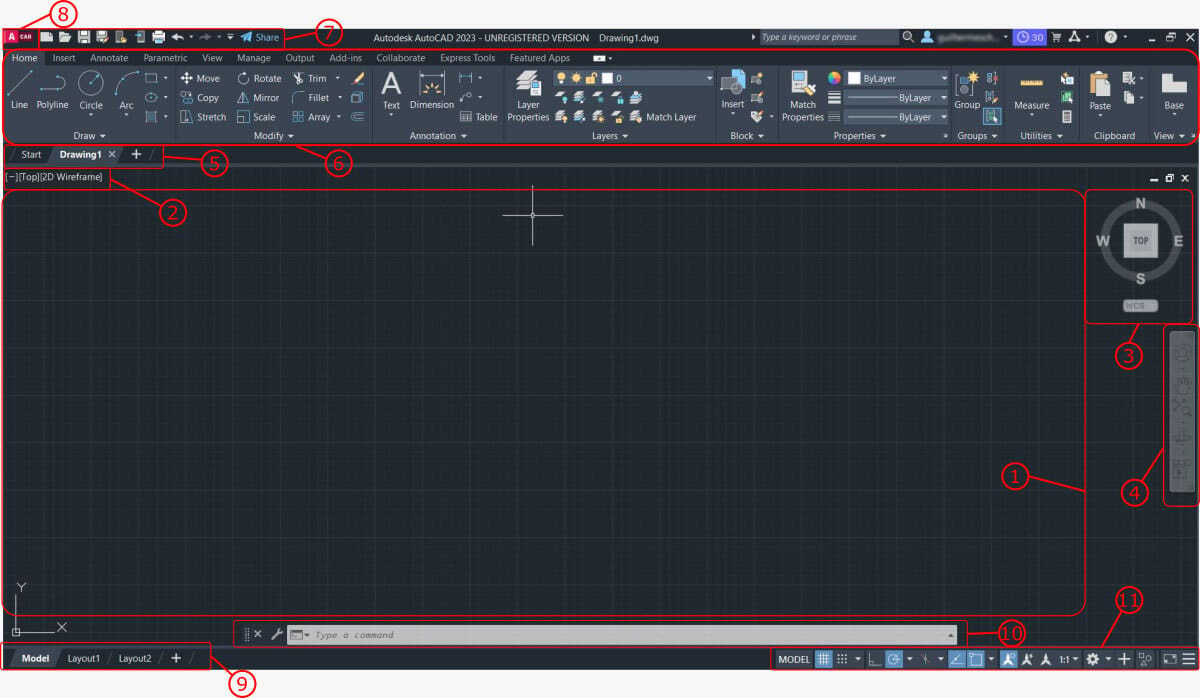
The main reason users say that AutoCAD is hard to learn is that the user interface is complex and seemingly not arranged in an intuitive way for those who haven’t used it before. Unfortunately, AutoCAD’s cluttered appearance only gets worse if you’re using a smaller screen!
Of course, that’s just an initial perception people may have. Once you learn the different areas of the UI and what kind of tools and functions they contain, things become much clearer. Here’s a quick overview of the different areas of the main workspace:
- Drawing area is where you create and modify your designs.
- Viewport controls include a variety of view options. You can choose a named or preset view, select a visual style, or control viewing tools.
- View cube allows you to change how you view your design.
- Navigation bar provides access to navigation tools, including the steering wheel, hand, zoom and orbit tools, and show motion.
- File tab shows the open files. You can see preview images of the models and layouts if you hover the mouse over the tabs. Additional options are available if you right-click the tab.
- Ribbon is where commands and tools are organized into tabs and panels.
- Quick Access Toolbar displays frequently used tools. You can customize it to include the tools you use the most.
- Application button is used to create, open, or publish drawings. Here, you can also search for commands.
- Tab controls are used to switch between the model space where you do most of your drawing and paper space where drawings are prepared for printing.
- Command line shows everything that’s happening during the process of drawing. You can use it to start a command or to provide input for the current command. As you enter a command, auto-complete will suggest a list of matching commands.
- Application status bar displays common drafting aids, annotation scaling tools, and workspace customization tools. You can use the workspace control to change to a 3D modeling workspace.
Features & Functions
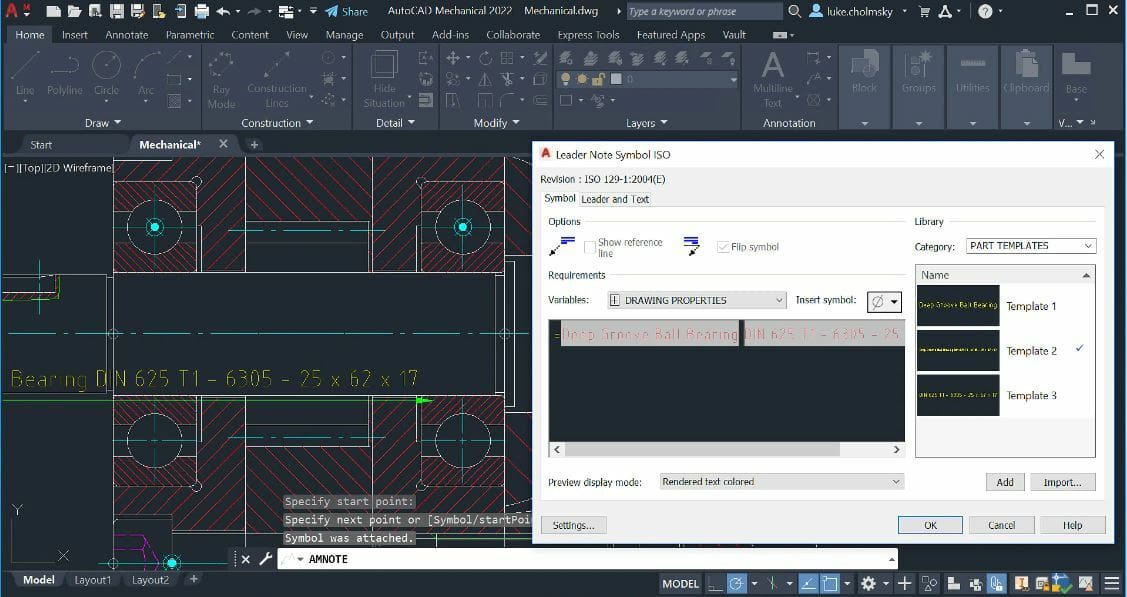
AutoCAD’s core competency is 2D design. Its workspace is basically a drafting desk on your computer, and this hasn’t changed since its introduction. At the same time, AutoCAD has kept up with the times. When computer-aided 3D design became popular, AutoCAD integrated corresponding capabilities into the rest of its feature toolbox.
In support of both 2D and 3D design, AutoCAD features a range of commands that help with precision, such as centering lines and marks automatically calculated from your design size and placement, drawing dimensions that can be set to fixed proportions, and geometric arrays that help you more quickly replicate patterns.
For working in 3D, AutoCAD offers a variety of ways to view your design so you can work on it from every angle. Whatever dimension you’re in, the software automatically saves useful design data for sharing and future reference. We’ll talk about specific features that are especially interesting in more detail later.
AutoCAD is meant for a wide range of design-based purposes, so even its base program has a lot of features and functions. It’s also worth noting here that the 2026 version of AutoCAD is the fastest yet. On average, you will see 4x faster startup times and up to 11x faster file opening speeds for both 2D and 3D DWG files compared to the 2025 version.
The following are our favorite AutoCAD features, divided into usage categories so you can understand their role in the software’s process.
2D Functions

- Text settings: Creates the text on your designs as a single or multi-line object so you can adjust the formatting all at once.
- Data extraction: Exports object metadata for use outside AutoCAD without needing a user to manually copy from the file. This ensures fast and accurate information transfers.
- Live data links: Creates a live link between data in an Excel spreadsheet and your AutoCAD file. Excellent for real-time calculations as projects change.
- Create your own parametric constraints: Maintains your design’s specific geometric parameters so you don’t have to worry about manually adhering to them as you’re working. It’s also good for keeping the proportions you want within your design.
- Centerlines and marks: Stays with each object as it moves so you’re always aware of its center no matter where it ends up on the design as a whole.
- Revision clouds: Lets you freehand (or use a shape outline) to highlight areas that you’d like to revise without becoming part of the design. This eliminates the need for you to remember to remove it or go back and forth between old and new versions to make sure you caught the change.
- Arrays: Multiplies a selected object to create a repetitive pattern in a specified geometric pattern – which is great for designs featuring evenly-spaced recurrences.
3D Functions
- Solid, surface, and mesh modeling: Offers a variety of control over your 3D modeling so you can choose the process that best fits your needs.
- Light and shading controls: Adjusts to show how your 3D object looks with types of light, illuminated at different angles, and with different strengths of shadows.
- Cloud rendering: Uses network capabilities to render your design without tying up your computer for the process.
- Model documentation: Like with 2D designs, offers thorough information about your 3D model to share, export, and update in real-time.
- Section planes: Creates planes that dissect your 3D object to show you its cross views at whatever angle you need.
- Point clouds: Lets you import data from 3D scanners to create your design from real-life objects (a bit like connect-the-dots).
Collaboration
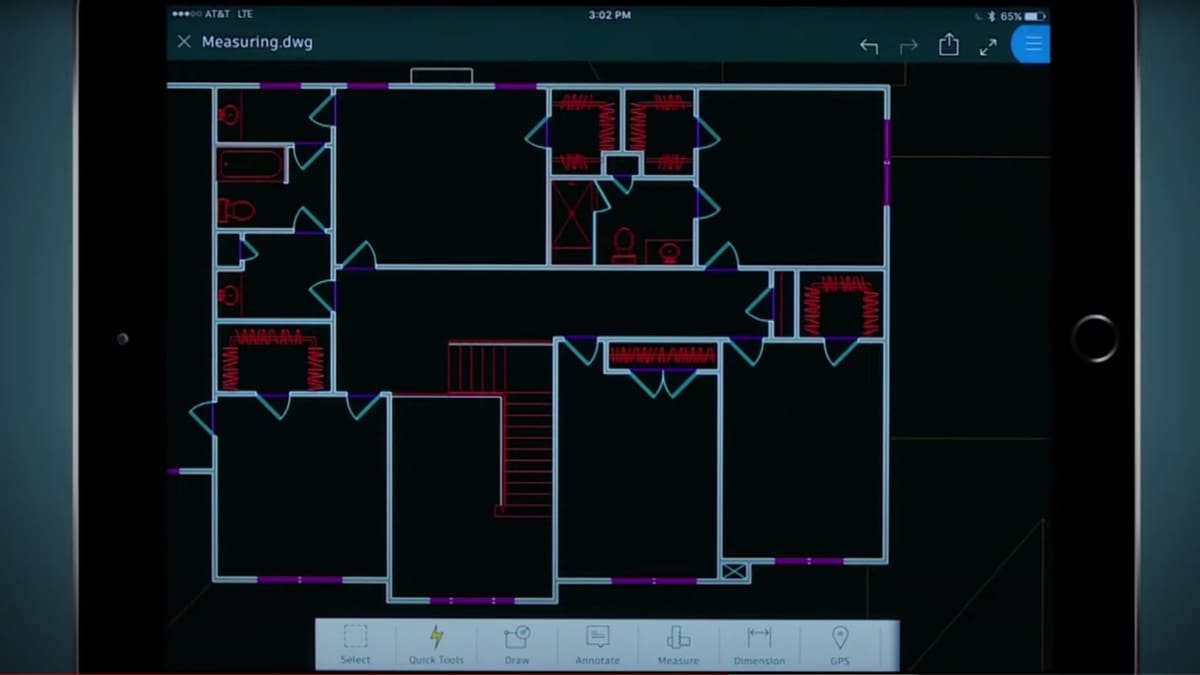
- AutoCAD Web: Formerly known as the AutoCAD Web and Mobile apps, this unified subscription allows you to use familiar drafting tools in a simplified interface to access, edit, and update DWG files from any web browser or mobile device. It features AutoLISP support and real-time Multi-User Markups.
- Multiple compatibility of file extensions: Allows users to view several file types, including PDF and its own native DWG, which means you don’t have to worry about cross-program compatibility (at least not on your end!).
- Model references and import: Pulls in reference models to lay under your design-in-progress so you can trace or gather inspiration from the original while working on your own.
- Online map and geography info: Inserts location information at designated points in your design, complete with a link to the mapping of the area.
- Connected support files: CAD managers can now link a specific set of support files (fonts, plot styles, etc.) to an Autodesk Docs project. This ensures every team member sees the drawing exactly as intended without manually configuring their individual AutoCAD settings.
- Integrated markup assist: You can now import PDF, JPG, or PNG markups directly from Autodesk Docs. These markups sync to a “Trace” layer in AutoCAD, allowing you to incorporate feedback instantly without switching between apps.
- Activity Insights (Enhanced): The new “What’s Changed” feature provides a detailed log of over 35 activity types. It tracks version history and file comparisons across local, network, and cloud storage, so you always know exactly what happened between saves.
Toolsets
There are specialized toolsets included in AutoCAD to improve productivity across seven different studies:
- Architecture: Contains a library of components and automatic generation of floor plans, elevations, and sections for architectural design. The toolset also enhances placing walls, doors, and windows.
- Mechanical: Includes a library of standard-based parts and tools, and automates tasks such as the creation of bills of materials (BOMs).
- Map 3D: Permits you to directly edit geospatial data from a model-based geographic information system (GIS) mapping software.
- MEP: Offers an intelligent library of objects and domain-specific ribbons for mechanical, electrical, and plumbing (MEP) systems design.
- Electrical: Provides electrical design features to create and document electrical control systems. This toolset helps to automate the numbering of wires and the generation of component tags.
- Plant 3D: Lets you automate piping and instrumentation diagram (P&ID ) drafting and modeling, as well as automatically create piping isometric drawings from 3D models.
- Raster Design: Allows you to edit scanned drawings and convert raster images to vector objects
AI
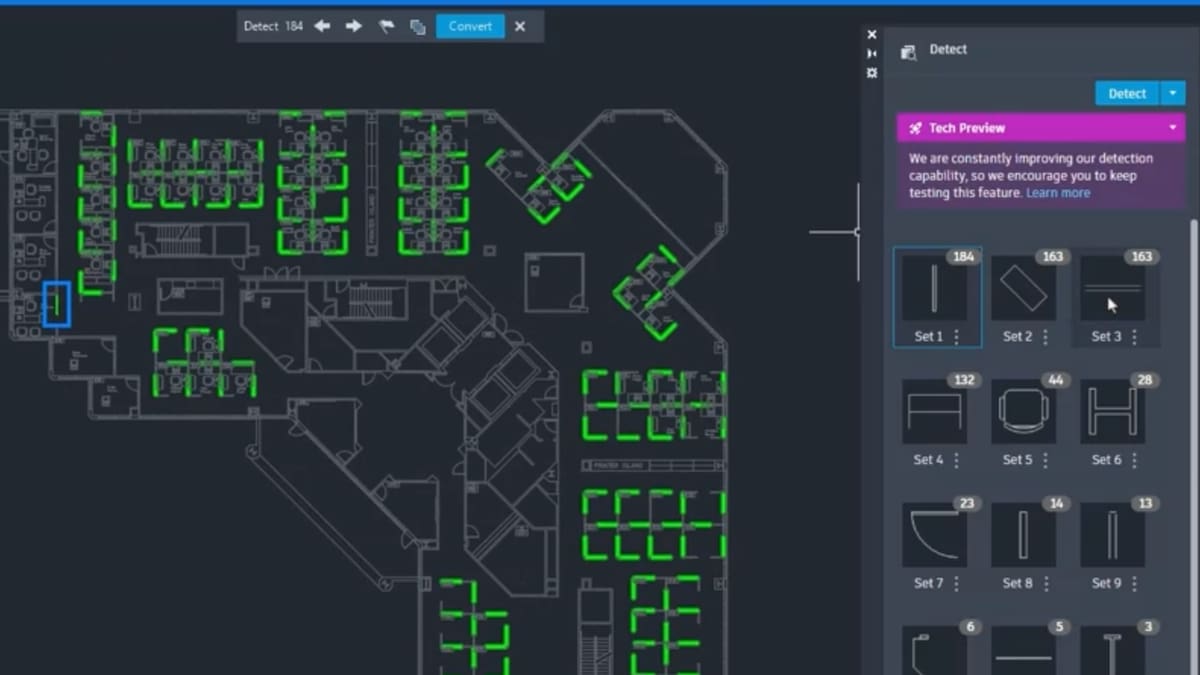
AutoCAD now uses machine learning to speed up manual tasks, which is one of the biggest recent changes to the software. Features here include:
- Smart Blocks (Detect and Convert): Using Autodesk AI, AutoCAD can now scan your drawing to automatically recognize repetitive geometry and suggest converting it into blocks. This is a huge time-saver for cleaning up messy or imported drawings.
- Smart Blocks (Placement & Replacement): AutoCAD now automatically predicts where you want to place a block based on where you’ve put them before. It can also suggest replacements for existing blocks using AI.
- Smart Blocks (Search & Convert): Lets you search for geometry and associated text to convert them into blocks instantly.
- My Insights: A personalized dashboard that uses AI to suggest macros and new commands based on how you specifically use the software.
- Autodesk Assistant: A built-in AI chatbot that provides support and helps you find features without leaving the workspace.
User Experience
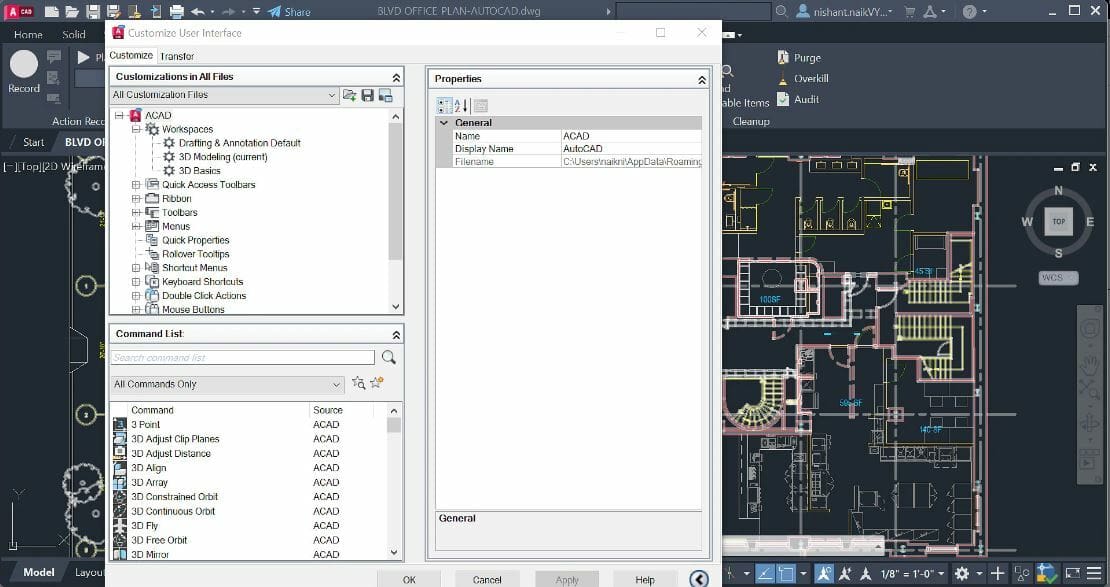
AutoCAD is known for its high learning curve among computer-aided drafting forums. New users often feel overwhelmed by the number of buttons, tools, and features presented to them all at once. However, many users have found that the best way to get past this hurdle is through a step-by-step tutorial, whether from an official Autodesk video or an experienced user.
In order to make the interface more manageable, it’s important to organize the tools and features that you use most often. One way to do this is to customize the ribbons and palettes so that your most-used commands are easily accessible, while the ones you use less are hidden away. Additionally, adding tools to the Quick Access Toolbar provides quick access to frequently used tools – the layering tool, for example, allows you to switch between different layers of your drawing.
It’s worth noting that to customize the UI to your advantage, you must be familiar with AutoCAD’s tools and how they fit into your workflow. Fortunately, there are plenty of tutorials, both official and from other sources, that can give you a comprehensive overview of the software.
AutoCAD’s versatility and ability to be customized to individual needs is likely a contributing factor to its longevity and popularity in the industry. It’s remarkable to see how everyone adapts and customizes the software in their own way, which probably adds points to the longevity of the software.
Use Cases & Applications

AutoCAD advertises itself as key software for the entire design market, which gives it a huge audience. In particular, many industries that heavily rely on design precision use AutoCAD for its mathematical reliability. For example, architecture and aeronautics are two fields that rely on exact measurements, components that fit together, and working on a large scale to build stable structures.
Other types of engineering, such as mechanical and electrical, also require a program that allows them to design as big or as small as they need without compromising precision. In addition to its more industrial usages, AutoCAD is also heavily used on the creative side for graphic, interior, and even stage design, allowing designers to visualize everything from a design’s big picture to its smallest details.
Studio GLDN, a California-based company founded in 2018, uses AutoCAD for remodeling and interior design. The founder, Danielle Golden Irby, says AutoCAD is her choice for project development because of how customizable it is and how automated the work process becomes.
Another example is Winch Design, a company that designs yachts, buildings, and private airplane interiors. AutoCAD is used throughout the entire design process, from sketching the gist of a project down to refining millimeter-level details.
Company & Community Support
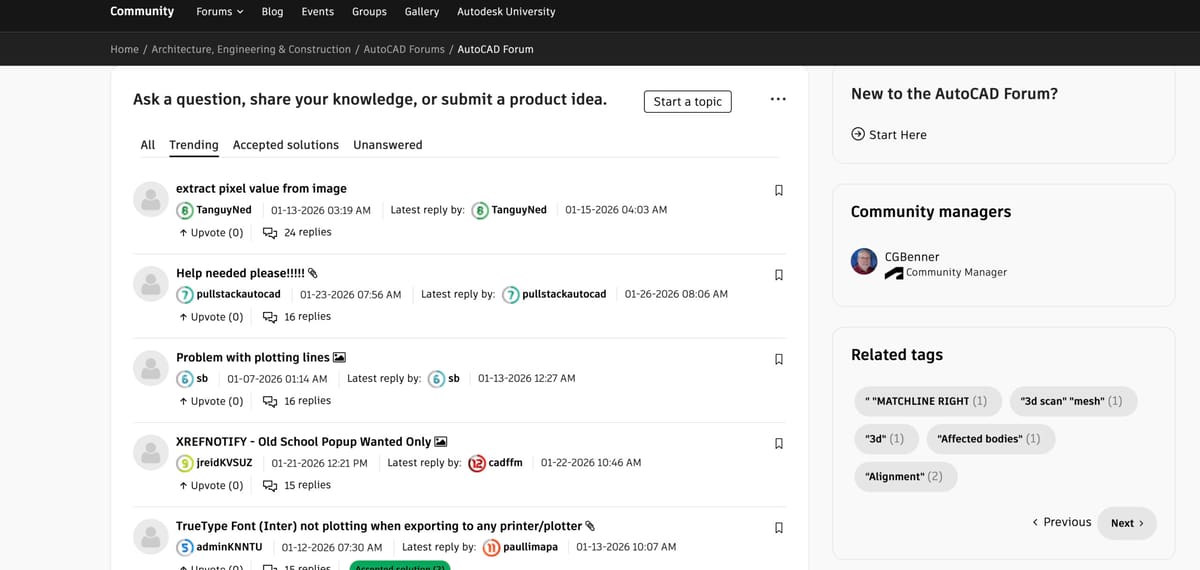
AutoCAD has a good formal support system for users of all skill levels. In addition to the personalized troubleshooting tech support available with whatever subscription level you choose, you can always check out Autodesk’s website for the AutoCAD user community. It has both user forums and official training materials that cover the gamut of AutoCAD issues.
However, since AutoCAD is so ubiquitous and has been for decades at this point, there are a ton of unofficial user forums to search if Autodesk’s website doesn’t answer your question – for example, Reddit’s thread on AutoCAD. There are also a lot of YouTubers who post videos of tricks, tips, and walk-throughs of specific AutoCAD tasks.
Chances are if you’ve had a problem, so has someone else.
Alternatives
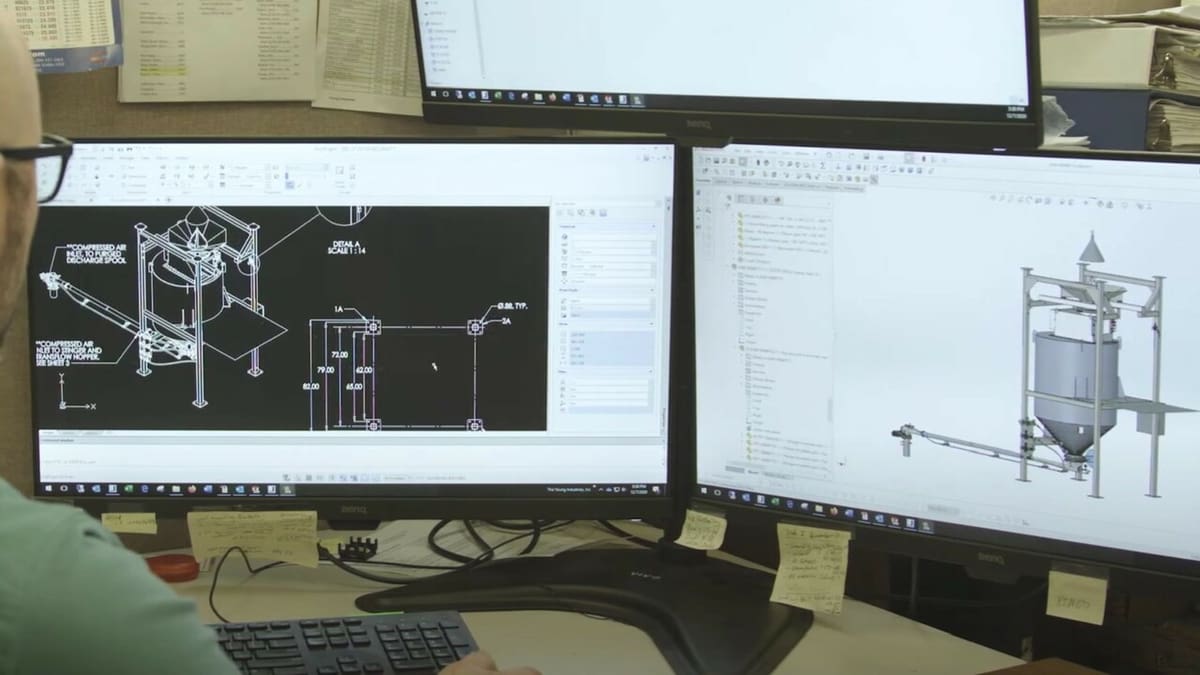
It’s easy to get the impression that AutoCAD is the only computer-aided drafting software option out there, but don’t fret if you want to use something else that’s either easier to learn or cheaper to buy. Try these:
- Fusion (also by Autodesk): If you’re looking to go beyond traditional drafting, Fusion 360 blends 2D sketching with powerful 3D modeling, simulation, and even manufacturing tools — all in a single, cloud-connected platform. Its workflow is more intuitive for modern design and engineering, with real-time collaboration features that make it easy to work with teams from anywhere. It’s a strong choice if you want something more than a pure drafting app but still don’t love AutoCAD’s price and complexity.
- FreeCAD: This open-source CAD program is ideal if you want a free alternative that handles both 2D drafting and 3D parametric modeling. Its modular architecture and scripting support give you flexibility to tailor the tool to your project — from mechanical parts to architectural concepts. It’s not as polished out-of-the-box as some paid tools, but for budget-conscious users willing to invest a little time, it’s incredibly capable.
- Onshape: A web-based CAD platform that’s built for collaboration and accessibility. Because it runs in a browser, there’s no heavy installation, and multiple people can work on the same file simultaneously. Onshape’s parametric modeling tools are robust enough for professional product design, and its version control means you’ll never worry about overwriting someone else’s work. It’s a great pick if you like cloud workflows and team-based design.

License: The text of "What Is AutoCAD? – Simply Explained" by All3DP is licensed under a Creative Commons Attribution 4.0 International License.
CERTAIN CONTENT THAT APPEARS ON THIS SITE COMES FROM AMAZON. THIS CONTENT IS PROVIDED ‘AS IS’ AND IS SUBJECT TO CHANGE OR REMOVAL AT ANY TIME.