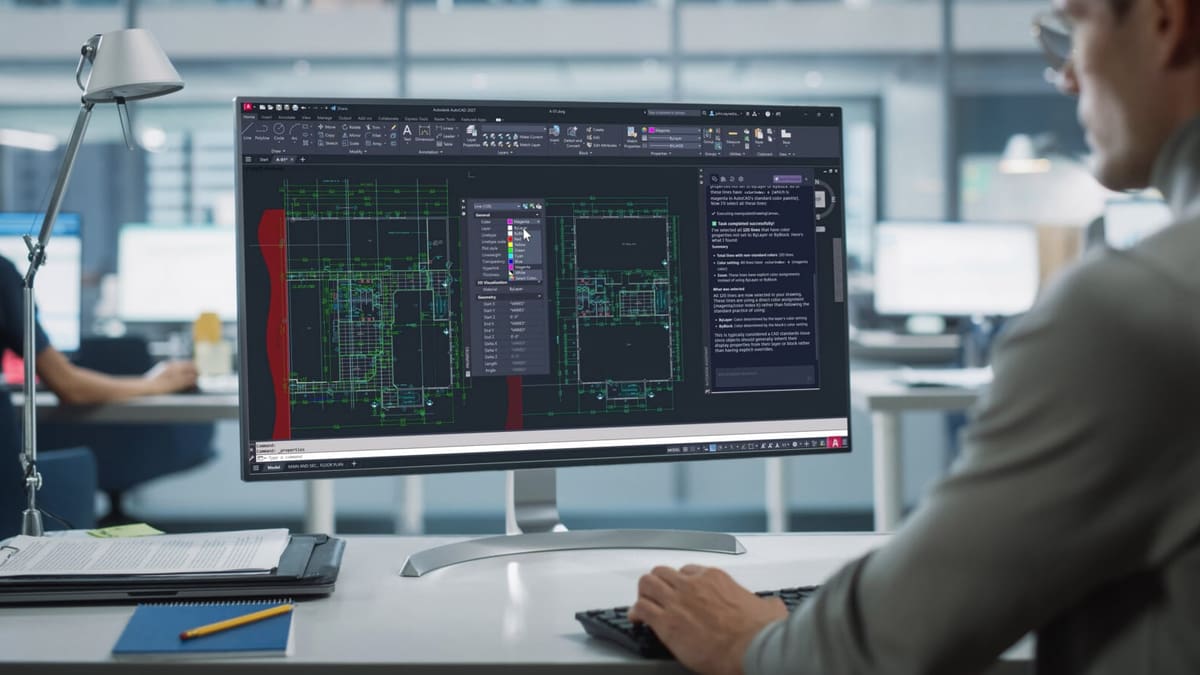
AutoCAD 2027: Free Download of the Full Version & What’s New

Looking for a full version of AutoCAD 2027 to download for free? Check out our guide to see what your options are.
Let’s cut straight to the chase: it’s not possible to get AutoCAD 2027 for keeps without paying some cash. However, you can get a free trial, a free one-year educational license, or save a lot of money with a limited version subscription. Let’s look at your options.
AutoCAD is a commercial 2D and 3D computer-aided design (CAD) software developed by Autodesk. Many consider it to be the godfather of CAD software, especially for architecture, and it is still often considered one of the best CAD programs available.
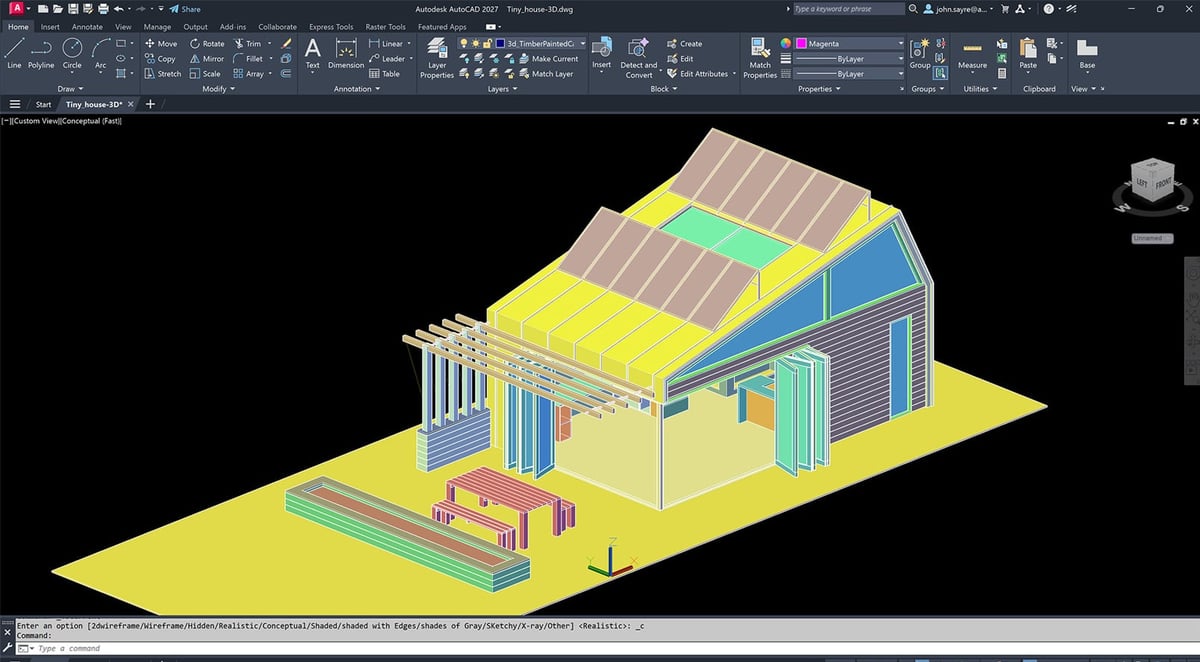
The software’s abundant features make it a highly versatile tool. Users can draft 2D and 3D models with solids, surfaces, and mesh objects, while a grand selection of add-on apps and APIs make it completely customizable. AutoCAD is used across a wide range of industries, including architecture, engineering, manufacturing, interior design, and construction. It offers some of the best tools to streamline and automate design workflows, even leveraging machine learning to help users improve how they work with the software.
Although the trial version will let you test the full software and the educational license will provide free access for some, odds are that once your trial is over, you’ll have to shell out some cash for either the full version of AutoCAD or the lighter (and therefore more affordable) 2D-limited AutoCAD LT. However, if that also won’t fit your budget, some excellent free alternatives to AutoCAD might suit you just fine – we mention these at the end of this article.
Full Version - Free 15-Day Trial
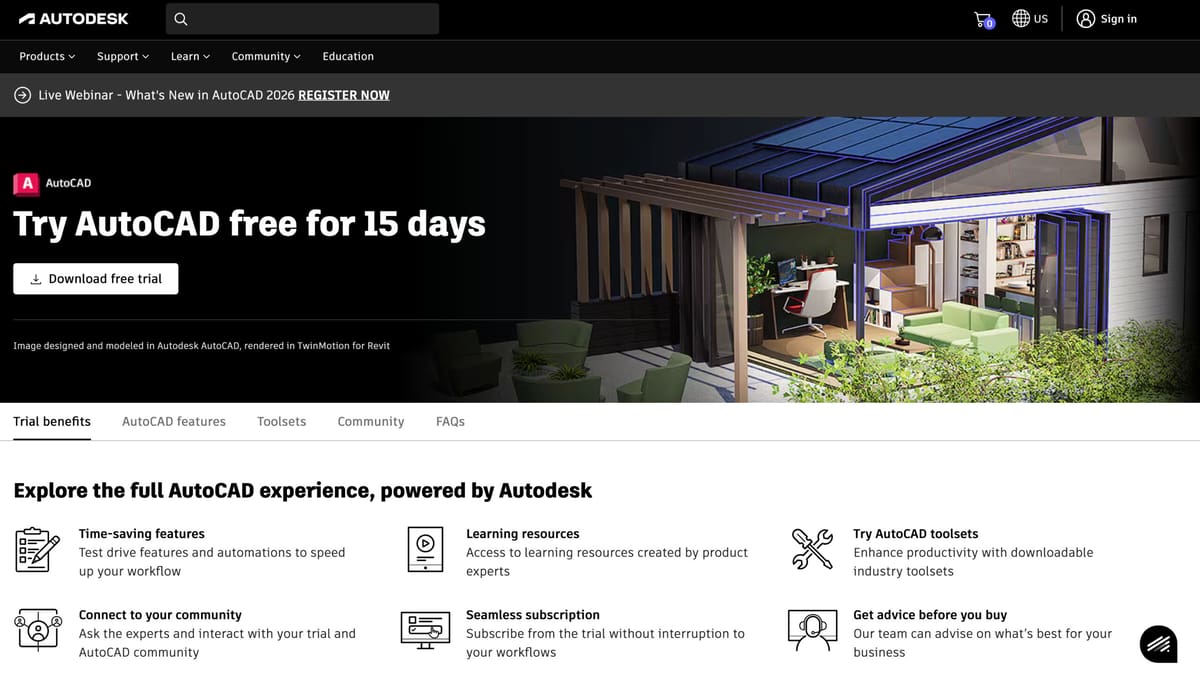
Autodesk offers a free trial of AutoCAD 2027’s full version with no functional restrictions. In 2024 the free trial was reduced from a comfortable 30 days to just 15, which should still be long enough to get a sense of whether or not you want to dive in if you are already familiar with CAD software and workflows.
Note that the free trial is for non-commercial evaluation purposes only, according to Autodesk’s terms of use. In other words, if you want to create something for a client and you think you can get it done in 15 days, that’s technically against the offer’s rules.
Here’s a step-by-step guide to access the full version of AutoCAD 2027 free for 15 days:
- Visit the AutoCAD 2027 free trial page.
- Click “Download free trial”.
- Select your preferred version. Then, click “Next”.
- Sign in to your existing Autodesk account or create a new one.
- Fill out the “About You” fields and click “Next”.
- Fill out the “Company Info” fields and click “Next”.
- Select either “Download” or “Install”.
- Your trial has begun. Install, and start using AutoCAD.
The free trial version of AutoCAD is a great way to assess the software and decide if it’s right for you. However, it’s not great as a place to start learning CAD. Being a high-end software, and one that’s rather expensive, a 15-day window isn’t enough to effectively learn AutoCAD and make the full software worthwhile. And it’s not really supposed to be.
If you’re new to CAD software and are looking for a place to start, check out the free AutoCAD alternatives at the bottom of this article. Or, if you’re more interested in 3D modeling, check out our article on Autodesk’s Fusion – which offers a free license with no time limit for hobbyists and small businesses.
Educational Version

The one and only way to access a full and unrestricted version of AutoCAD for free is to be a student, educator, or academic institution. Those eligible can apply for AutoCAD’s educational license and get one free year of Autodesk software, including AutoCAD.
The AutoCAD educational license is available to help students and educators access the learning tools they need without the prohibitive costs typically associated with the software. For Autodesk, the offering has the added advantage of ensuring new grads are familiar with its software – thereby encouraging companies to use it.
Though educational licenses are available for a period of just one year, users can reapply annually to confirm their continued association with a qualifying institution.
To access AutoCAD’s free educational license, simply follow these steps:
- Visit the Autodesk Education Community.
- Choose AutoCAD from the list of software.
- Sign in to your existing Autodesk account or create a new one.
- Fill out your education profile.
- Note: If you can’t find your institution listed, click “Can’t find your school?” and wait for validation, which may take up to seven days.
- If prompted, submit further documentation and proof of eligibility, such as a student ID or transcript, and wait for validation.
- Once you receive a confirmation email, click “GET PRODUCTS”.
- You’ll now have access to Autodesk’s education programs.
- Click “GET AUTODESK SOFTWARE” to download AutoCAD 2027.
It’s worth noting that institutions can apply for “class/lab” licenses to apply to specific machines or an institution’s network. The process is very similar to the one listed above and can be started from the same Autodesk Education Community webpage.
AutoCAD LT 2027
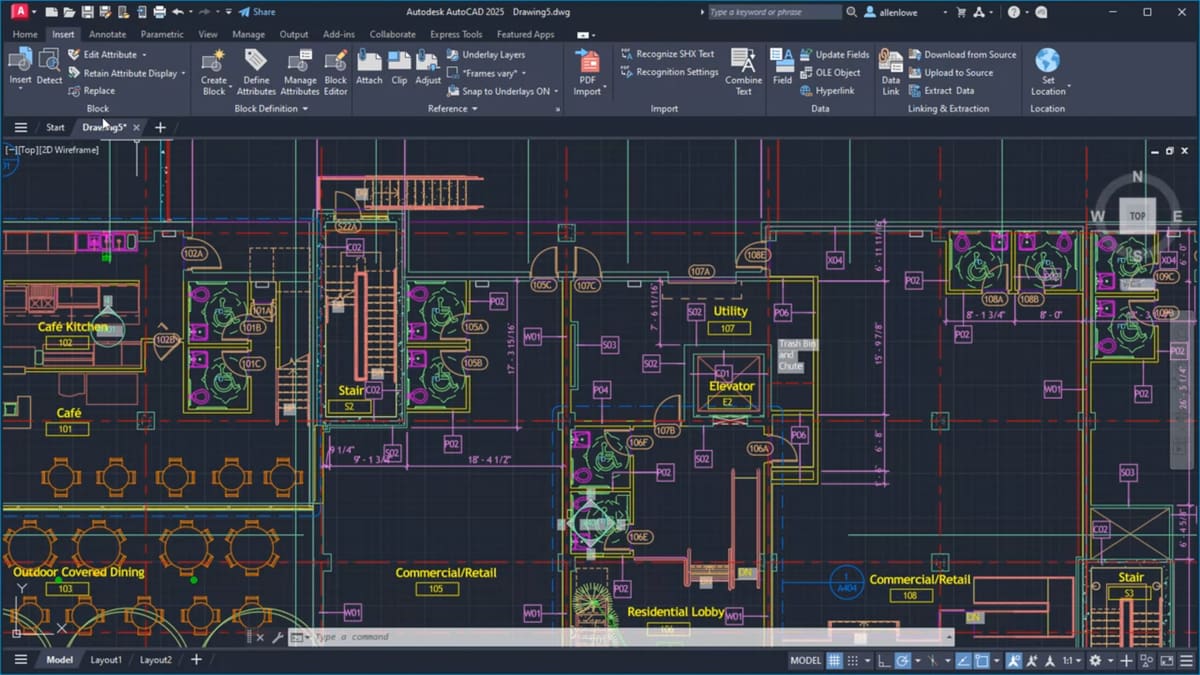
If your free trial has expired and you’re ineligible for an Autodesk educational license, your options for a deal on AutoCAD 2027 are limited. However, there is one remaining way to save some cash: AutoCAD LT 2027.
AutoCAD LT is Autodesk’s lightweight version of AutoCAD for 2D drawings that’s limited in some very impactful ways but costs:
- $45/month when paid annually
- $70/month when paid monthly
- $540/year
- $1,620 for three years
The biggest difference between AutoCAD and AutoCAD LT is that the light version doesn’t support 3D modeling and visualization or parametric constraints. If that’s what you’re after, we’d suggest checking out some of the free AutoCAD alternatives at the bottom of this list, or our article on Autodesk’s Fusion – which is available for free to hobbyists and small businesses. Otherwise, AutoCAD LT mostly omits collaboration and history features and the full version of AutoCAD.
Honestly, we think there are few circumstances in which AutoCAD LT is worth the cost. For all its limitations, with what remains a pretty hefty price tag, AutoCAD LT doesn’t seem to offer a lot of compelling features over free alternatives. Still, if AutoCAD is your preferred program for 2D drafting, drawing, and documentation, it’s your only option for a reduced-cost Autodesk offering.
You can learn more about the differences between AutoCAD and AutoCAD LT by reading this in-depth comparison.
AutoCAD Web
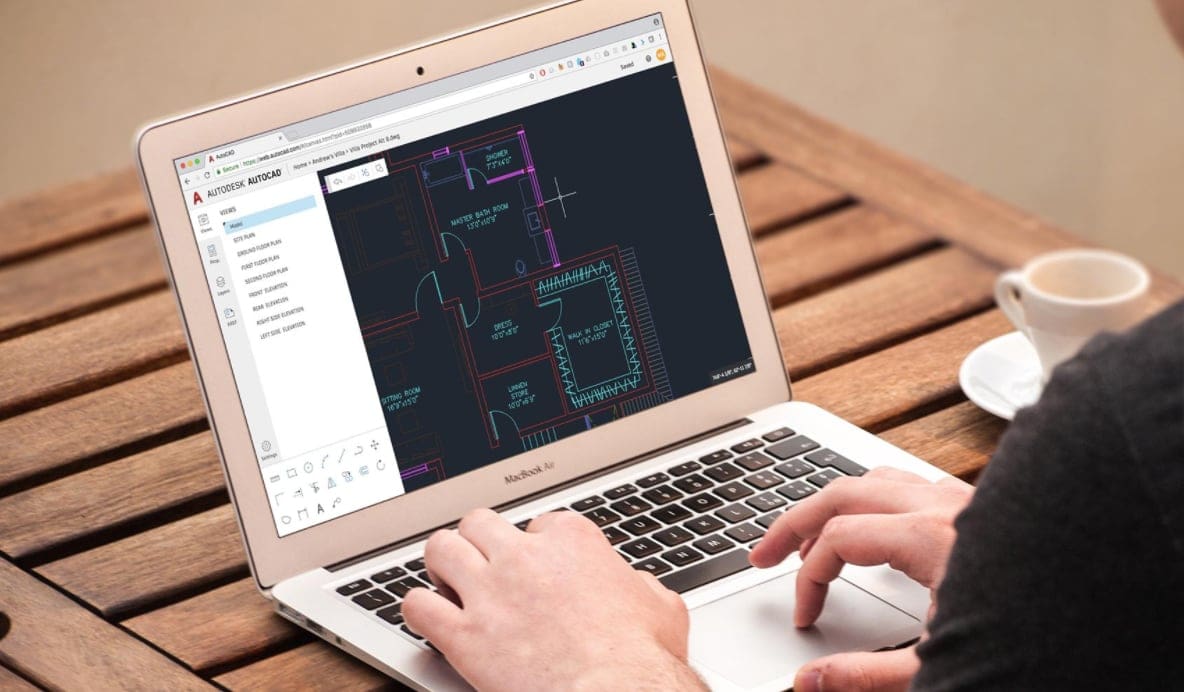
Probably not surprising to existing users, the formerly free AutoCAD Web App can now only be accessed via paid subscription or as part of an existing AutoCAD or AutoCAD LT license. Old users will remember the banner that would pop up when opening the program, disclaiming that it will be “free for everyone for an extended period.” As of 2023, this extended period has ended, and a standalone subscription to AutoCAD Web will set you back $10 per month or $100 per year.
AutoCAD Web is the new name for both AutoCAD Web App and AutoCAD Mobile, which used to only be accessible through a separate paid subscription, so Mobile App users will at least be saving a few bucks here.
AutoCAD Web is, as the name would suggest, a cloud-based and limited version of AutoCAD. It is an extremely lightweight version of the software which lets you do light editing and draft fundamental 2D designs. DWG files can be accessed and updated from anywhere for quick changes and simplified collaboration between teams.
Users should ensure they log into their Autodesk account and navigate AutoCAD Web.
Not willing to make the commitment just yet? There is also a 30-trial that lets you do a test run on the new offer.
Getting Started
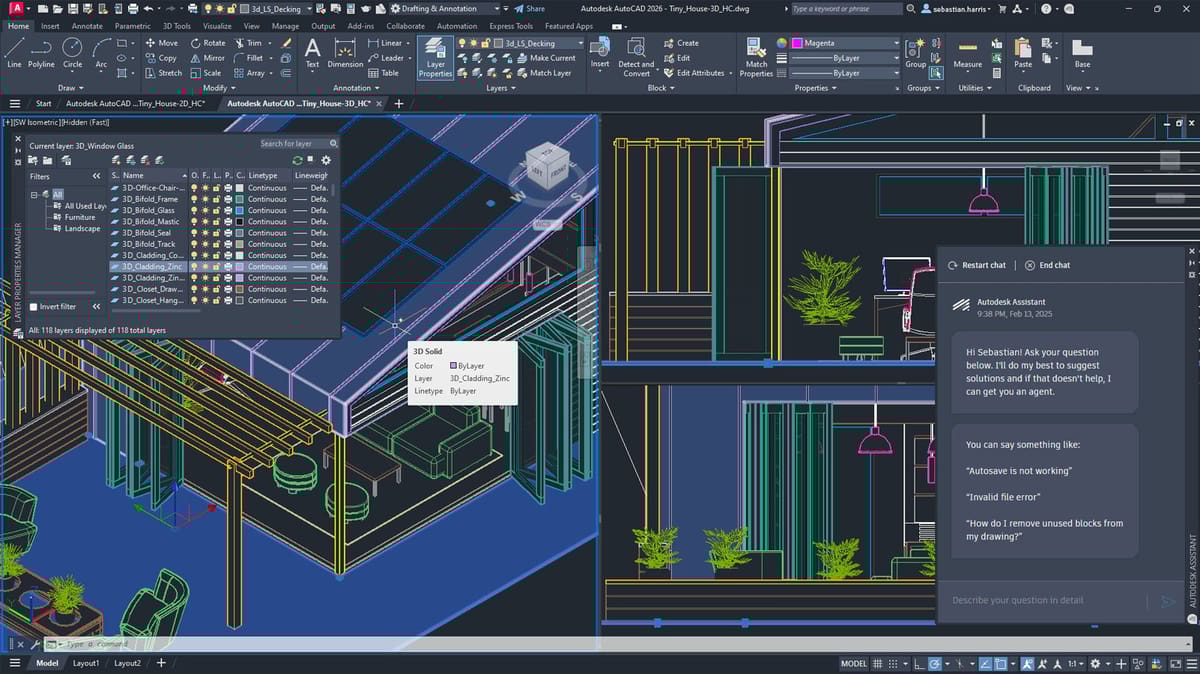
If you’re new to CAD or are migrating from different software, there may be a steep learning curve before finding your groove with AutoCAD. Fortunately, Autodesk has a very robust Knowledge Network for all its software, and AutoCAD 2027 is no exception.
Users can find a buffet of tutorials and guides for AutoCAD specifically, including the extremely helpful “Hitchhiker’s Guide to AutoCAD Basics“. The course will introduce you to 2D drawing with AutoCAD, so it’s a great place to start, regardless of whether you’re using AutoCAD LT or the full version. You’ll learn to navigate the workspace, the most basic commands, all about layers, precision, annotations, and more. If you’re more interested in 3D modeling, check out “About Modeling 3D Objects” for detailed instructions on the basics.
Remember that anyone can make use of Autodesk’s free courses offered at Autodesk University. Just make sure you’re browsing lessons for the right software.
What's New in AutoCAD 2027 & Top Features
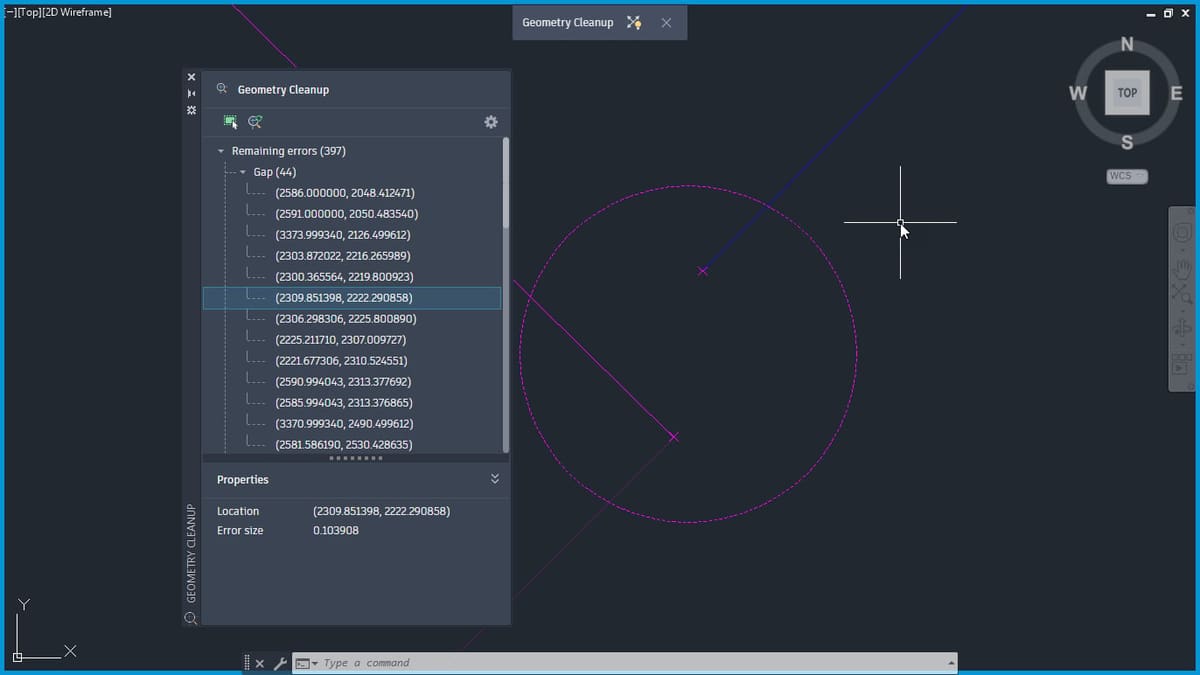
AutoCAD is perhaps the most mature and increasingly stable CAD software on the market. It has been long considered the industry standard in many professional fields.
AutoCAD 2027 adds new tools for cleaning up geometry, expands Autodesk Assistant with AI-enhanced chat and prompt-driven workflows, and introduces deeper cloud-connected collaboration through Forma Data Management. This release also improves connected references, adds new shared support-file options, and includes performance and 3D graphics updates.
AutoCAD 2027 Update at a Glance:
- Geometry Cleanup scans drawings to find and fix common geometry issues such as gaps, overshoots, undershoots, and misaligned angles.
- Autodesk Assistant now includes AI-enhanced chat and prompt-driven workflows.
- Forma Data Management Essentials adds project collaboration support.
- Connected References improves updating paths of missing xrefs.
- Checkout lets one user propose edits to specific objects while another user has the drawing open for editing.
Geometry Cleanup
One of the biggest additions in AutoCAD 2027 is Geometry Cleanup, a brand-new tool for detecting and fixing gaps, overshoots, undershoots, and misaligned angles, with visual markers, fix previews, and a “Keep as designed” option. That is real new drafting functionality, not just a UI tweak.
Users can review available fixes, preview them in real time, and apply the option that best fits the design intent, or choose Keep as designed when the geometry should remain unchanged. Geometry Cleanup can be opened from the ribbon under Manage > Cleanup > Geometry Cleanup or by entering “geometrycleanupopen” at the command prompt.
Autodesk Assistant
Autodesk is leaning into AI more directly with the updated Autodesk Assistant, which now supports AI-enhanced chat, natural-language selection, standards checking, and drawing queries. Autodesk does note these newest Assistant enhancements are still in Tech Preview and may not always be accurate, so count this as promising but not yet fully mature.
Autodesk Assistant in AutoCAD 2027 now can help check the current drawing against a standards file, make selections based on natural-language prompts, and answer questions about drawing content such as layer lists and block usage. It also adds a prompt library and chat history.
Connected Collaboration and Support Files
AutoCAD 2027 puts more emphasis on connected project workflows. Forma Data Management Essentials is introduced as a way to collaborate with others on projects, while Connected References improves the process of repairing missing xref paths. Autodesk also expanded Connected Support Files so teams can share tool palettes and partial CUIx customizations through Forma Data Management, helping standardize resources across a project. Autodesk’s AutoCAD 2027 overview also says Connected References can detect moved or renamed referenced files and suggest automatic repairs directly from the Xref palette.
Additional Enhancements and Changes
AutoCAD 2027 also includes performance and graphics improvements. Autodesk says layout tab switching is faster, while the 3D graphics system (GSF), controlled by the “fastshadedmode” system variable, now provides a more stable and efficient experience with better support for large coordinates, occluded edges, materials, lights, textures, shadows, sky, and backgrounds. The Realistic (Fast) visual style is now the default. Connected Support Files are also available in Forma Data Management and ACC Library.
Removed Features and Format Changes
Autodesk also removed several features in this release. Open From Web & Mobile and Save To Web & Mobile are no longer supported, and Autodesk recommends using Forma Data Management to store and access drawing files instead. Shared Views has also been removed. In addition, image files in the MrSID format can no longer be attached to drawings, and support for creating PostScript files has been removed: the PSOUT command is gone, and the EXPORT command no longer supports PostScript output.
System Requirements

Below are the recommended specifications to run AutoCAD or AutoCAD LT 2027:
- OS: 64-bit Microsoft Windows 11 only! Windows 10 support has been dropped for 2027 / MacOS Sonoma or above. Monterey and Ventura are no longer in the supported for 2027.
- Processor: 3+ GHz or higher, or Apple M series chips with Intel and Apple Silicon architectures
- RAM: Basic is 8 GB. Recommended is 16 GB or higher.
- GPU: 8 GB GPU, 106 GB/s bandwidth, DirectX 12 compliant or Mac-native graphics card
- GPU for AutoCAD LT: Basic: 1 GB GPU, 29 GB/s bandwidth, DirectX 11 compliant. Recommended: 4 GB GPU, 106 GB/s bandwidth, DirectX 12 compliant.
AutoCAD Pricing in 2027
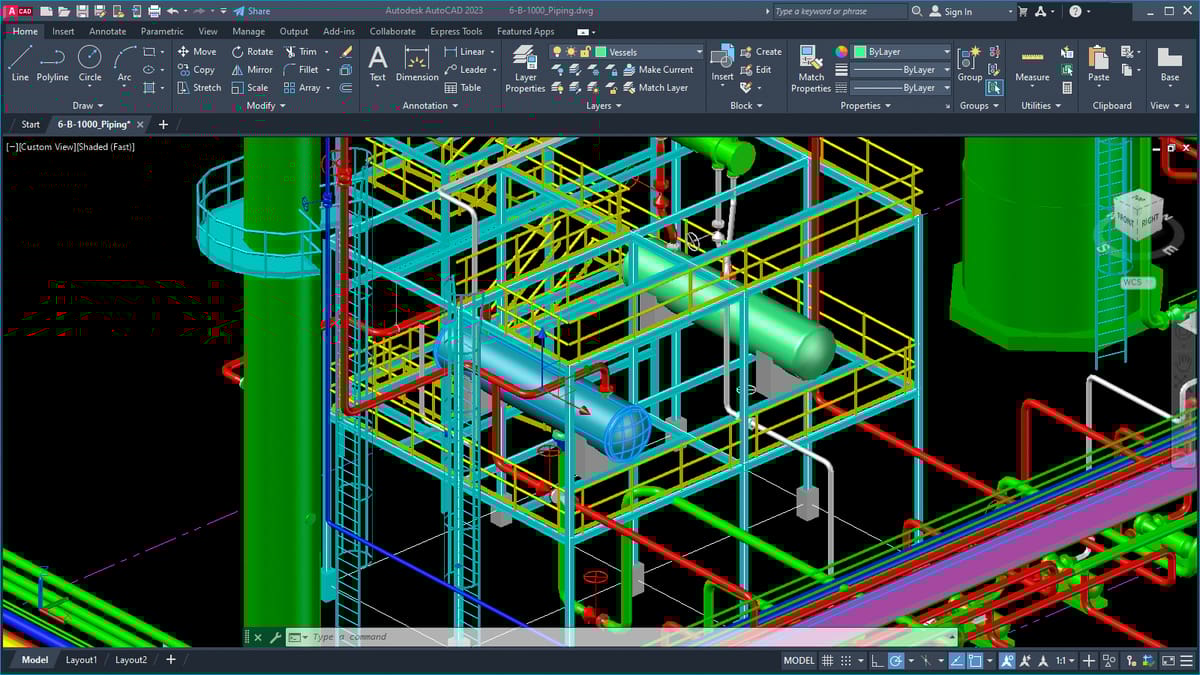
AutoCAD pricing is relatively stable. The company’s pay-as-you-need token-based pricing system called Autodesk Flex is getting even more popular for those who need sporadic use.
- AutoCAD 2027: $175/month when paid annually, $260/month when paid monthly, $2,096/year, or $6,285/3 years
- AutoCAD LT 2027: $45/month when paid annually, $70/month when paid monthly, $540/year, or $1,620/3 years
- AutoCAD Web: $9/month when paid annually, $10/month when paid monthly, or $100/year
Autodesk AutoCAD 2027 Crack
Crack, hack, jailbreak, there’s no shortage of online schemes claiming to deliver a free backdoor to a full version of AutoCAD. So before you spend hours sliding down the internet rabbit hole of paid links and clickbait, we’ll tell you the truth: it doesn’t exist.
Autodesk didn’t get to be one of the largest, most trusted, and most respected software companies in the world by having flaws in its code. Plus, the company’s battalion of lawyers is typically all over these internet fraudsters with cease-and-desist orders faster than you can slice a benchy.
Attempting to crack software for free use is not only illegal (a violation of licensing, copyright, and intellectual property laws) and ethically wrong, but it typically doesn’t even work. Cracked software opens you up to malware, which is its intention, and without proper licensing is prone to unexpected errors and frequent crashes.
If you can’t afford AutoCAD just yet at this point in your design career, there are free and lower-cost alternatives we detail belwo.
Free & Low Cost Add-Ons for Your AutoCAD
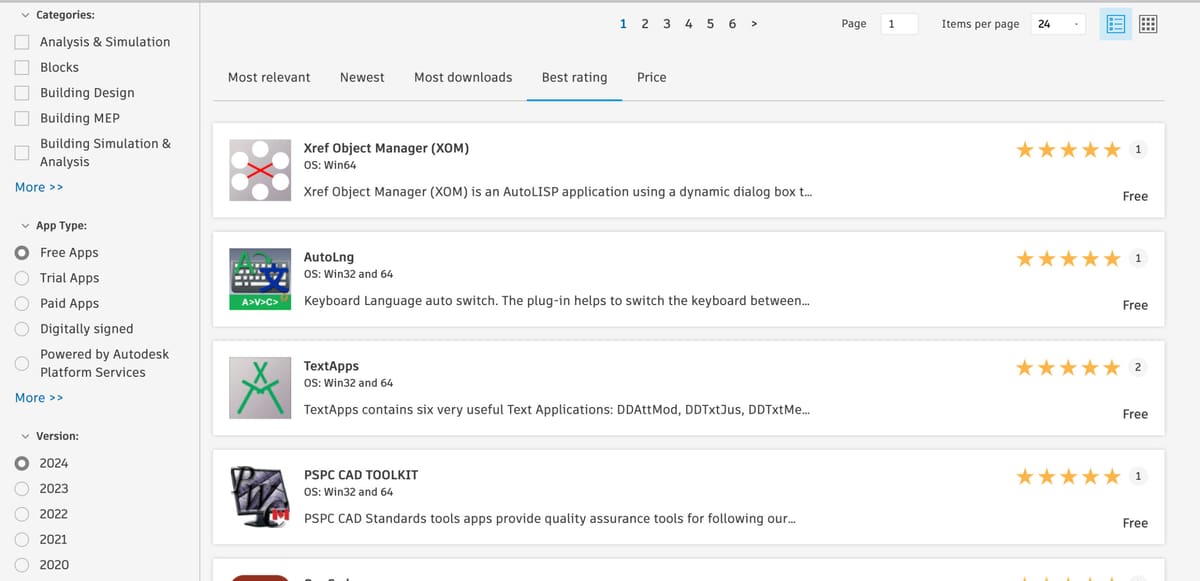
Autodesk provides an App Store for AutoCAD where users can find and download various add-ons and apps developed by third-party developers. These apps cover a wide range of functionalities, from drawing tools to productivity enhancements, and many are free.
DWG Compare for AutoCAD
This add-on allows users to compare two versions of a drawing and view the differences. It’s a useful tool for tracking changes in design. Free trial, $49 for keeps.
TotalLength
TotalLength is an Auto Lisp script calculating the total length of multiple objects of user-selected type(s) – lines, arcs, polylines, circles or combinations of them. Free.
Drawing Purge
This plug-in helps to remove the unused DGN LineTypes, TextStyles, RegApps, and Annotation Scales, and other Purgeable items from the current drawing or multiple drawings in batch processing. Free.
When exploring these add-ons and APIs, it’s important to consider your specific needs and the nature of your projects. The choice of API or add-on depends on the type of customization or functionality you want to achieve within AutoCAD.
Free AutoCAD Alternatives

If you want even more information about free CAD software, check out our article, Unlock Your Design Power: Our 5 Favorite Free CAD Software Options.
Or, if you’d prefer something a little more wireless, check out The Best Online CAD Software (Most Are Free).
If you want something just lower cost than AutoCAD, check out The Best CAD Software.
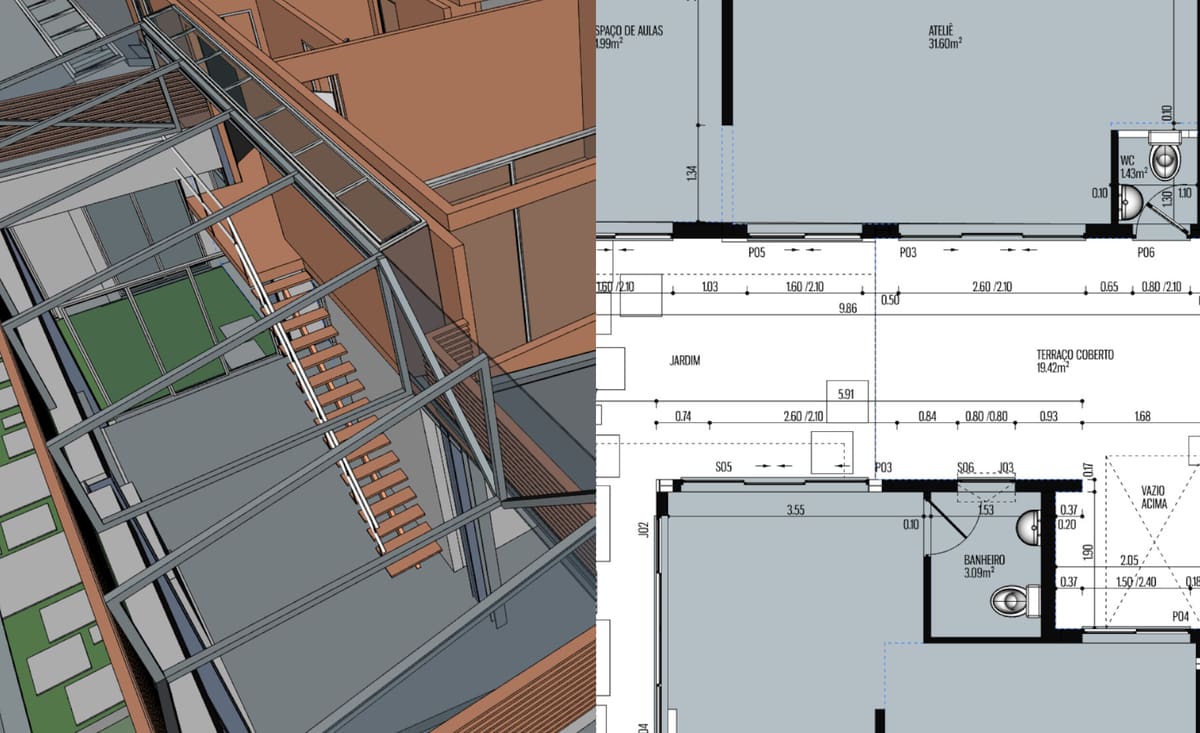
One of the best free alternatives to AutoCAD is FreeCAD: an open-source and highly extensible 3D CAD software available at no cost. FreeCAD has a solid range of features that can even be compared with commercial software like Autodesk’s AutoCAD, including full support for parametric modeling.
FreeCAD was created for designing 3D models first and foremost, with parametric modeling capabilities that allow users to easily modify 3D designs by going back into their model history and changing its parameters. However, it also supports 2D modeling like AutoCAD and AutoCAD LT. Migrating users can even import DWG files with a few extra steps.
Being an open-source program, its feature set is oriented towards the community. So be wary that FreeCAD can be a bit overwhelming at first. But, if you make an effort to overcome the learning curve associated with this free CAD software, you’ll be rewarded with a powerful set of features with no monetary strings attached.
FreeCAD offers a modular architecture that allows plugins to be mounted to the core application so users can expand the software to suit their needs or keep it simple. Aside from the aforementioned, FreeCAD offers robot simulation to study robot movements, a Path module dedicated to mechanical machining like milling (CAM), and can output, display, and adjust G code.
Get it From: FreeCAD
LibreCAD
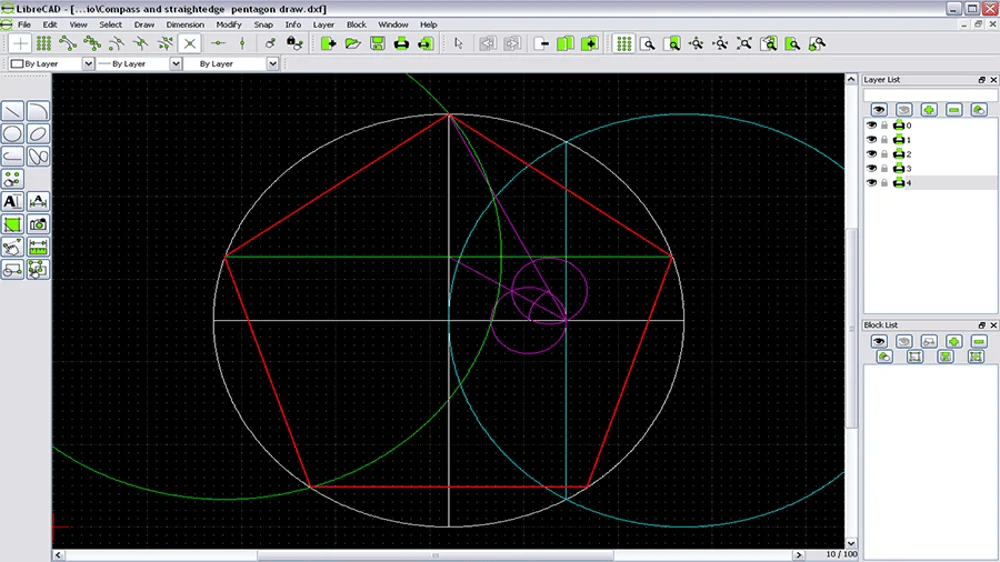
LibreCAD is a free, lightweight 2D drafting software derived from QCAD. It is relatively simple compared to the likes of AutoCAD, but offers some good tools for 2D design work.
LibreCAD is particularly popular among Linux users who need a program to read DWG files, but it can be used on Windows and Mac as well. It is a relatively lightweight program and will run well on your average computer hardware, which is a plus for those without beefy computers that can meet the processing needs to more advanced software. The interface is very similar to AutoCAD, but far less cluttered, making navigating around the program easy for beginners and experienced users alike.
Using DXF files by default, LibreCAD is fairly interchangeable with most other CAD programs. It supports over 30 languages, and the cross-platform compatibility makes it a winner for many users.
Get if From: LibreCAD
nanoCAD Free
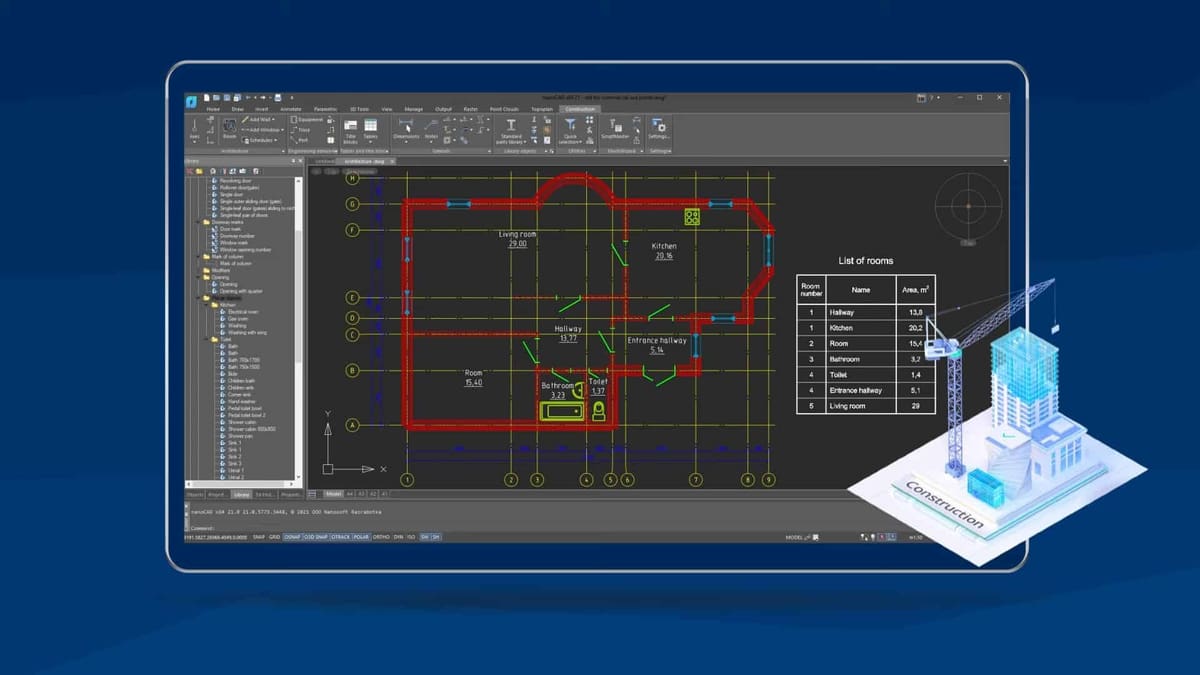
In its basic version nanoCAD is another impressive free CAD software. Since the user interface takes its cues from Autodesk’s AutoCAD, switching from one to the other shouldn’t be much of a problem.
Unfortunately, the current version of nanoCAD is no longer free, except for the free 30-day trial. The software branched after version 5, keeping this past iteration free, nanoCAD Free, but not future updates, like the current nanoCAD 2026.
NanoCAD 26, costs $289 a year for its basic version or $459 annually for “Pro”. It offers many features comparable to AutoCAD such as parametric modeling, DWG editing, and task automation for far less money than Autodesk’s offering, but we’re here to focus on what’s free.
The free version of nanoCAD is still available for download and is an excellent program for 2D CAD modeling. Even though it’s an older version, it comes with no expiration date, support for native DWG format, and design tools for most 2D engineering drawings. However, it’s missing crucial features like 3D modeling, parametric modeling, and much more. Check the nanoCAD Free page for a full breakdown of features.
Get it From: Nanosoft
Blender

Blender is increasingly used by architects but not for the precise construction plans for buildings, but rather for concepts and interiors.

Besides high-resolution modeling, Blender provides robust texturing, animation, and rendering, as well as other 3D development tools What makes Blender enticing are its powerful modeling and sculpting tools for 3D object creation. You can proceed with model creation in various ways, but the most popular are NURBS and mesh-based modeling. NURBS modeling uses lines to define the selected objects, whereas the mesh-based method defines shapes by a mesh of polygon-shaped tiles. Once the object is generated, you can easily sculpt it using various tools by pushing and pulling to give it the desired look. Once you’ve got used to the process, Blender proves to be a blessing when it comes to quick modeling.
You can even import AutoCAD or SketchUp files in Blender, though the process is somewhat complex. Blender supports the DXF file format; you can just enable the DXF import add-on after free registration. In case you have a file in the DWG format, you’d need to convert it to DXF. It’s also possible to create building information modeling (BIM) files from models created in Blender, but file conversion is also necessary.
Get it from: Blender
You May Also Like:

Lead image source: Autodesk
License: The text of "AutoCAD 2027: Free Download of the Full Version & What’s New" by All3DP Pro is licensed under a Creative Commons Attribution 4.0 International License.