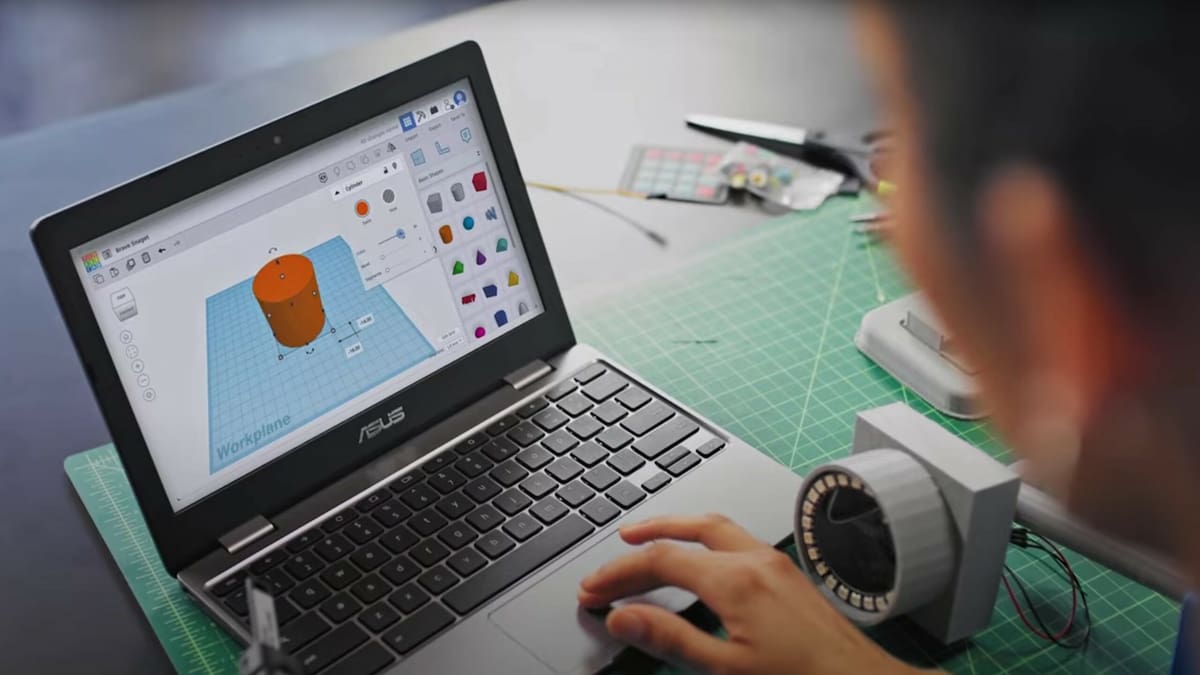
The Best Free CAD Software for 3D Printing

Whether you are a beginner or an expert, these are our top picks for the best CAD software for 3D printing.
For anyone who wants to bring a design to life, computer-aided design (CAD) is an essential building block in the 3D printing workflow. Selecting CAD software can seem like a daunting prospect, especially with many options costing large sums of money. Fortunately, there are plenty of free options all aimed at generating 3D models.
Critical to its usefulness is how easy CAD software makes it to interact with the 3D printing process, particularly the ability to generate 3D models that can be saved in the STL or OBJ format. These formats are easily converted into instructions for 3D printers via slicer software.
The internet offers plenty of free software, so we’ve organized the best options by skill level to help you find the right fit.

Beginner
Tinkercad
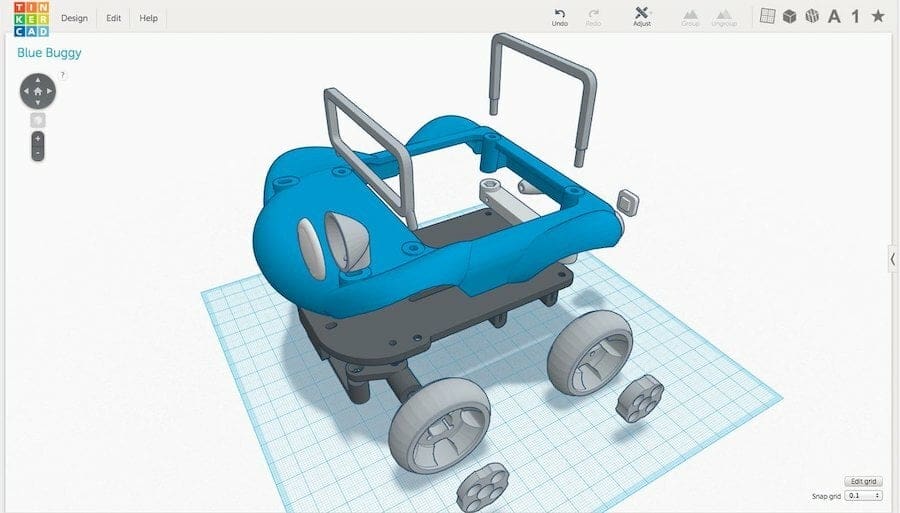
Tinkercad is one of the most popular educational 3D modeling tools. Its interface and featured tools are friendly and easy to use, making the 3D design process fun for kids, hobbyists, educators, and above all, beginners.
Regarding 3D printing, users can export designed objects in STL or OBJ formats. Another great feature of Tinkercad is that it’s completely browser-based, so there are no compatibility issues and minimal system requirements.
The platform offers plenty of learning resources and projects, and it’s especially useful for those learning or even teaching 3D modeling. Tinkercad also hosts a user gallery where 3D models from other users can be viewed and even copied for further customization.
- OS: N/A (browser-based)
- License type: Free to use
3D Slash
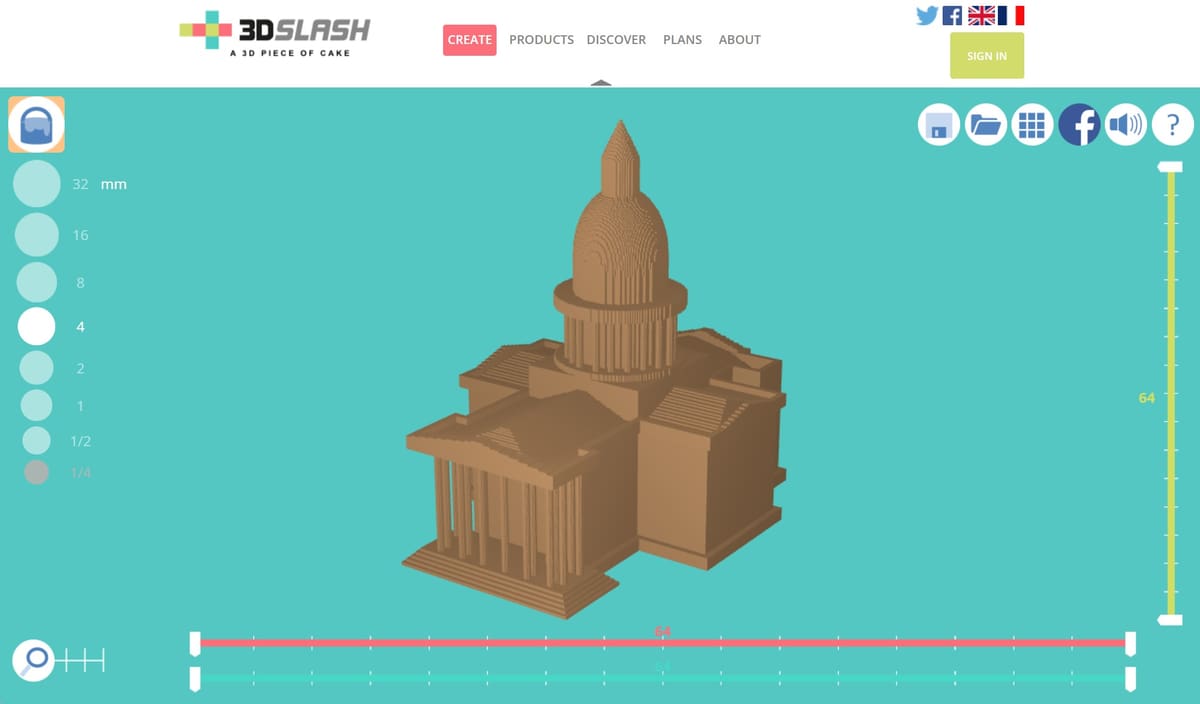
3D Slash is an incredibly easy-to-use 3D modeling tool built with non-designers and children in mind. 3D printing inspired the creation of this software back in 2014, with its creator, Sylvain Huet, wanting to provide simple 3D modeling software the average Joe would have no issues getting to grips with. It’s a basic program with a basic set of tools, but users can model shapes quickly and easily, no matter their starting skill level.
Multi-part models can be modeled with different colors and then exported by color. The modeling program itself is so light it can run on a Raspberry Pi, but it still manages to offer a platform with enough features to be useful for producing simple models for printing.
3D Slash is offered in both free and paid versions. The free version is limited to the web application, a reduced color palette, and queued exports. All of the subscription plans offer modeling in a higher resolution, a full-color palette, immediate exports, and functional use of the 3D Slash app.
- OS: Windows, macOS, Linux, Raspberry Pi OS (or browser-based tool)
- License type: Free limited use
SelfCAD
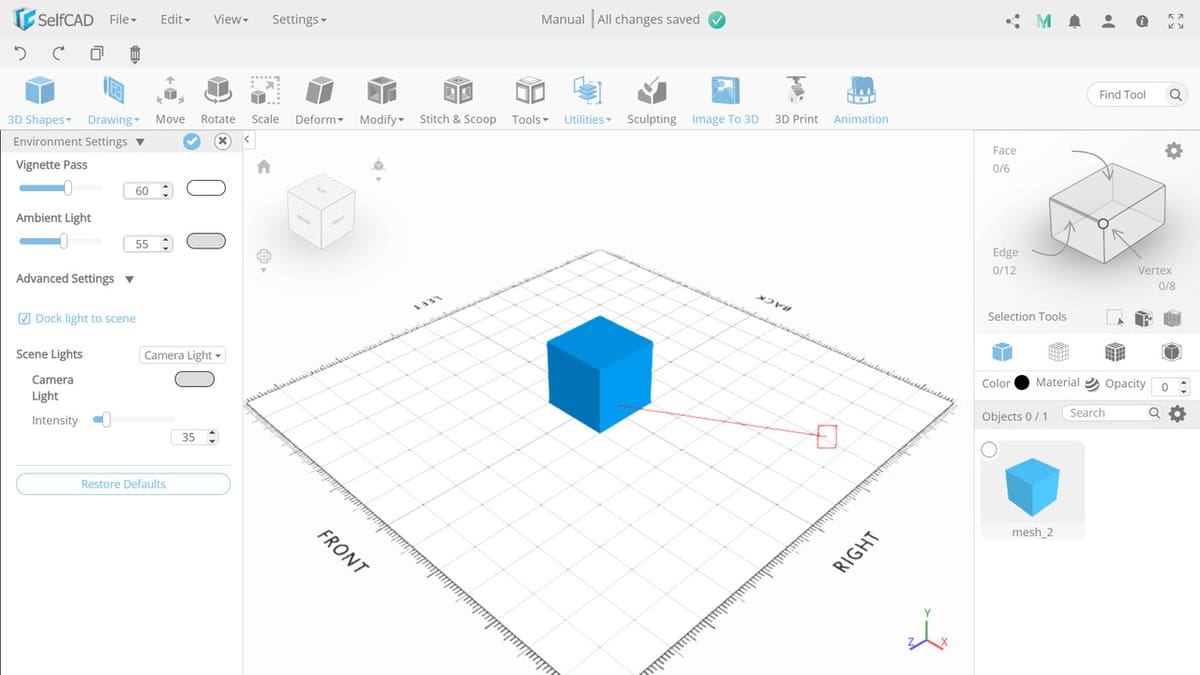
SelfCAD is a distinctive, fully-fledged environment that supports CAD model design, free-form sculpting, rendering, animation, and even 3D slicing. The entire package can be accessed either online via a web interface or offline by installing it locally.
Newcomers and occasional designers will appreciate the straightforward approach to modeling, and the included interactive tutorials are a great way to get started. As far as approachability goes, SelfCAD is one of the better options out there.
The interface is slim but functional and is unlikely to confuse the user by offering too many tools to choose from. From a pure 3D printing perspective, the integrated slicing engine supports a decent range of printers, with the option to customize the profiles too. Keeping processes all under the same roof allows for a tidier workflow, and that’s always an appealing option.
It offers a basic free plan with access to basic features such as 3D modeling tools, shape generators, modifiers, and built-in slicer.
- OS: Windows, macOS (or browser-based tool)
- License type: Free limited use
Intermediate
FreeCAD
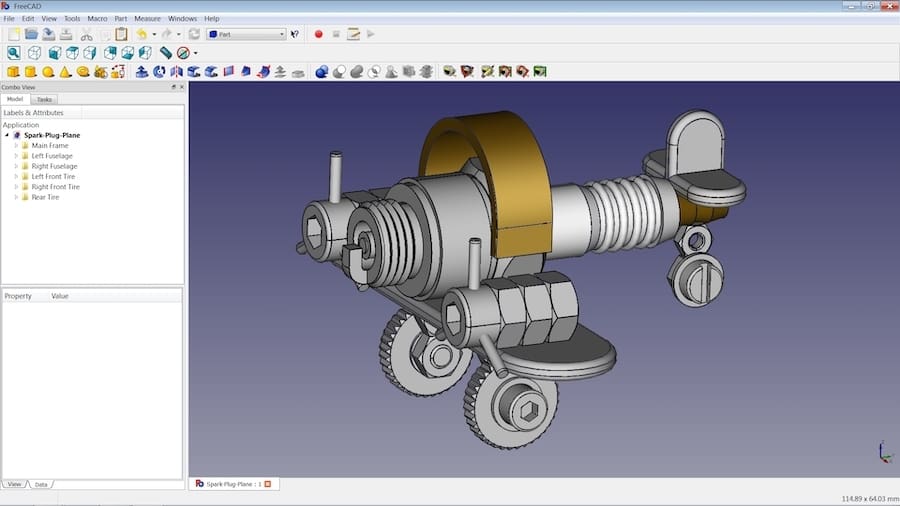
FreeCAD is, as it’s name suggests, a free open-source parametric CAD modeler and a good entry point for designers and mechanical engineers new to the 3D modeling world. We’ve listed it under intermediate here, but experts can still find this software well suited to advanced projects.
Parametric modeling allows a design to be updated by changing its dimensions and constraints, making FreeCAD particularly useful for precise, functional parts.
FreeCAD provides a wide range of specialized workbenches, including tools relevant to preparing models for 3D printing. It can import and export formats such as STL and OBJ, as well as engineering formats including STEP, IGES and DWG.
The interface can feel cluttered and takes time to learn, but the software is completely free and open source, with no restrictions on how you use the models you create.
- OS: Windows, MacOS, Linux
- License type: Free
Vectary
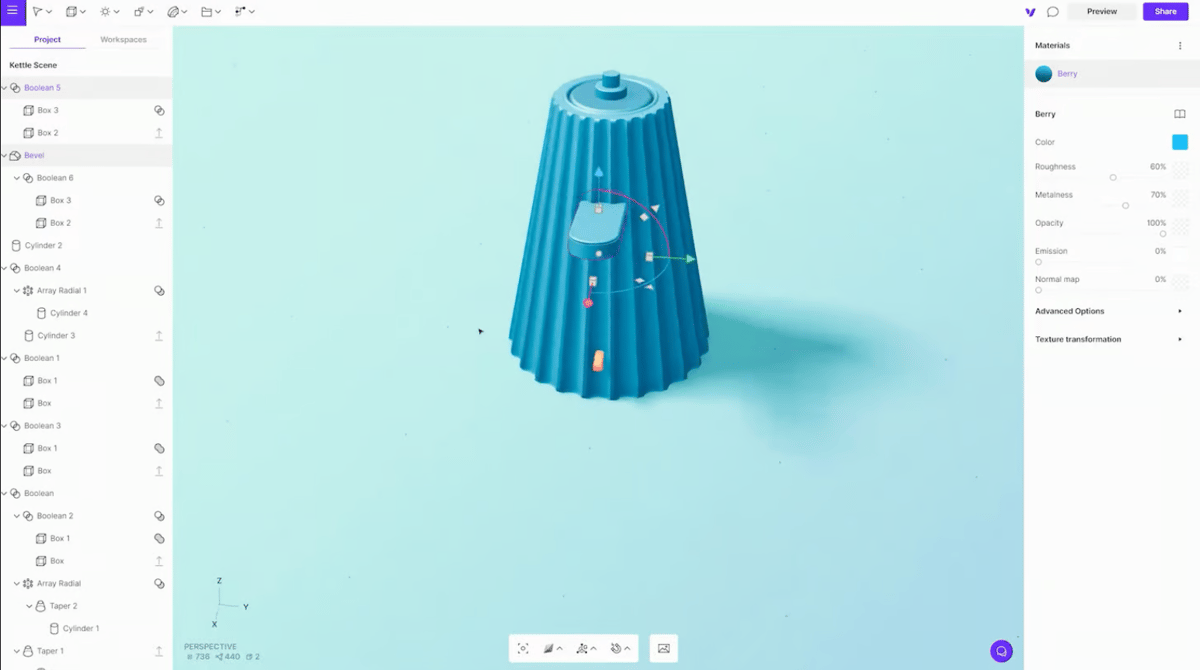
Some advanced CAD users might turn their noses up at Vectary’s inclusion on this list, as it’s more of an artist’s tool than a serious piece of CAD software. Despite that, Vectary is a powerful browser-based program that can help you accomplish a lot of design tasks.
Vectary is a bit of an odd hybrid. The program touts itself as a “combination of mesh modeling, subdivision modeling, and parametric design.” So, it’s a parametric modeler (as in it creates shapes by the numeric parameters and dimension value you feed into it), but it’s mostly focused on digital art. That gives it a unique middle-ground positioning. Not even Blender has native parametric modeling.
It lacks the manual control needed for mechanical parts but features intuitive free-form modeling and shaping tools. It includes a library of materials, lights, HDRI, and models or shapes, eliminating the need to look for assets every time. In the free tier, you can store ten projects online and export them as an OBJ or STL, making this a solid choice for working with a 3D printer, if not a bit of an unusual one.
Vectary offers a browser-based freemium model with basic 3D design, and standard modeling tools but it limits the amount of private project and file exports.
- OS: N/A (browser-based)
- License type: Free limited use
DesignSpark Mechanical
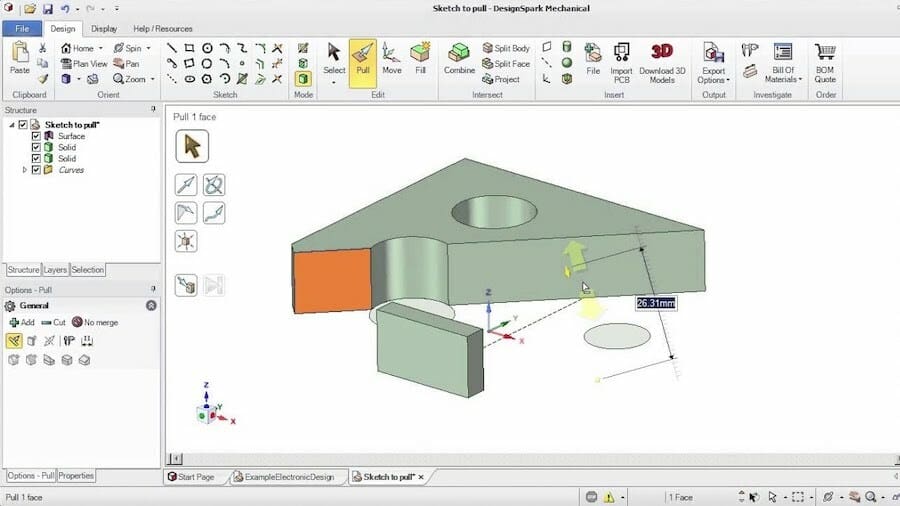
DesignSpark Mechanical is one of the more advanced pieces of software on this list, and is perhaps best described as a hybrid direct modeler, which is basically a modeler that also allows for pushing/pulling to make adjustments.
It offers a toolset equivalent to other popular CAD solutions on the market, and resembles AutoCAD in some ways, presenting itself as a suitable and free alternative that may feel familiar to some. In “Explorer” trim it is completely free, and though two paid tiers exist above this, the free version is really all we need for 3D printing.
DesignSpark itself is a substantial network of engineers, with over 1 million members in its community, and the organization has a manifesto outlining how it wants to facilitate engineer a brighter future for the world. It’s part of RS, a massive supplier of industrial products and electronics too, so there are some big backers to this software.
Working with STEP and IGES formats requires the paid tiers, but core functionalities include exporting models in STL format, so the free version is perfectly adequate for 3D printing applications. It also comes with an expansive 3D model library featuring a ton of manufacturer-approved models, no doubt thanks to the connections the people behind this software are able to keep.
- OS: Windows
- License type: Free limited use
Fusion
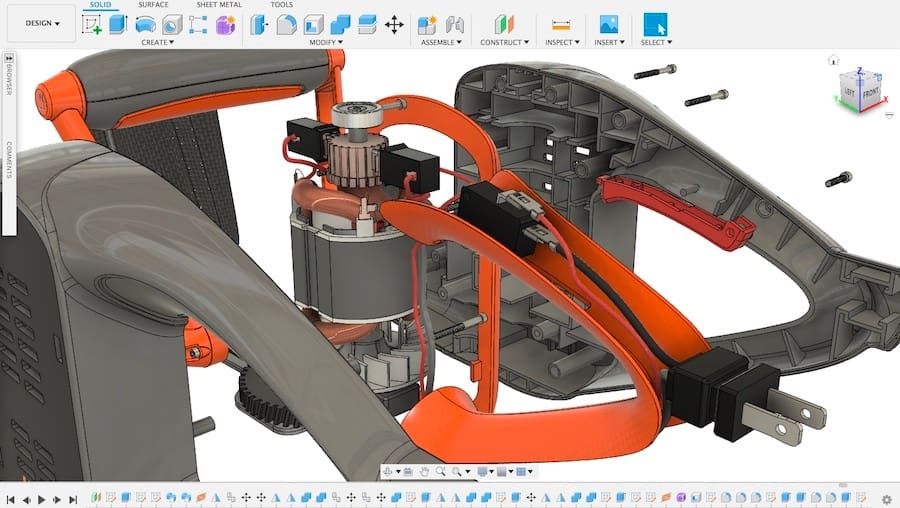
If you’re looking for some Advanced CAD software that remains relatively accessible, Fusion is the right choice for you. It allows for parametric, free-form, surface, and mesh modeling and can export STLs for 3D printing.
Fusion is one of the most popular CAD options for hobbyists, bringing tools and features comparable to high-end solutions like SolidWorks.
While the software is available through a paid subscription for professional users, Autodesk does offer a free personal-use version for three years of the software for non-commercial use only. This personal-use license is good for three years, and though it doesn’t offer the full suite of features, it does include the same design and modeling tools as paid versions, which are more than enough for designing printable 3D models.
- OS: Windows, macOS
- License type: Free for non-commercial use
Meshmixer
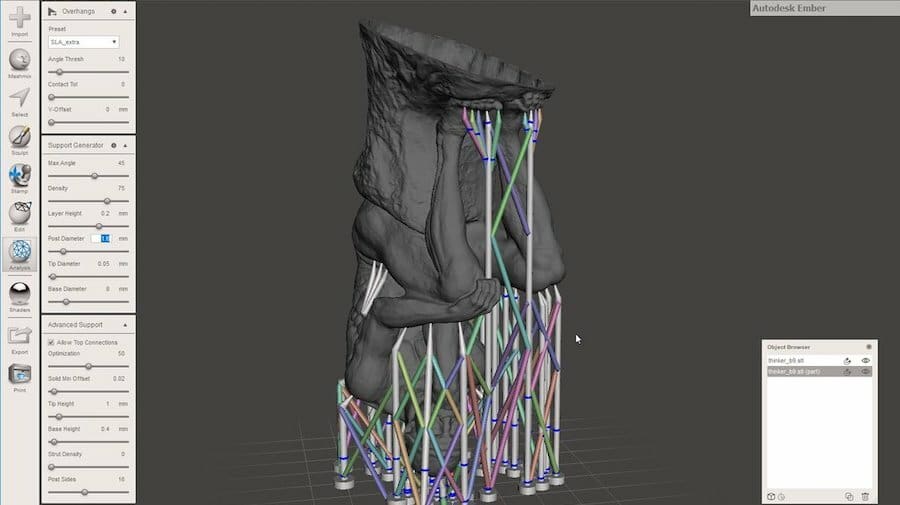
Meshmixer is not CAD software in the strictest definition, but you can use it to manipulate existing models and prep them for 3D printing. No longer developed or supported, Meshmixer still has a lot to offer for 3D printing. For starters, it works exclusively with polygon mesh 3D files in formats like STL and OBJ.
It’s also a popular tool for analyzing, editing, and repairing files from online model repositories like Thingiverse and MakerWorld. In addition, it is useful for repairing, cutting, hollowing, and modifying existing STL meshes and can generate support structures for 3D printing both manually and automatically.
Making models from scratch is also possible with Meshmixer, which uses a 3D modeling technique known as 3D sculpting. This method is most suitable for creating organic shapes like characters and faces, as opposed to many of the more CAD-oriented solutions on this list.
Despite no longer being in development, Autodesk has no plans to retire the software, so it should continue to prove a valuable tool for some time to come, even if other software in this list may have surpassed its capabilities by now. Be aware that, as it ages, Meshmixer’s compatibility with hardware and operating systems is not guaranteed.
- OS: Windows, macOS
- License type: Free to use
Onshape
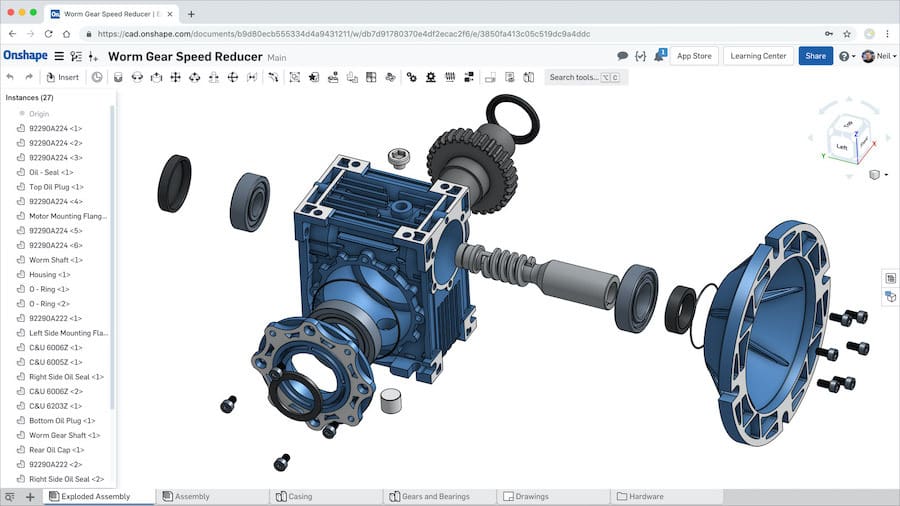
Onshape is a deep and versatile CAD program that goes beyond designing 3D models. The self-proclaimed “all-in-one product development platform” allows for parametric modeling, team collaboration, and data management, but its forte is technical and spare parts design.
This is one of the few professional platforms that’s entirely web-based. Onshape offers an interesting deal for hobbyists and makers: If you want to use the tool for free, your documents are made available as part of a shared, common library for free to other users. If you want to keep your designs private, you’ll need the full paid version.
- OS: N/A (browser-based)
- License type: Free to use
Dune 3D
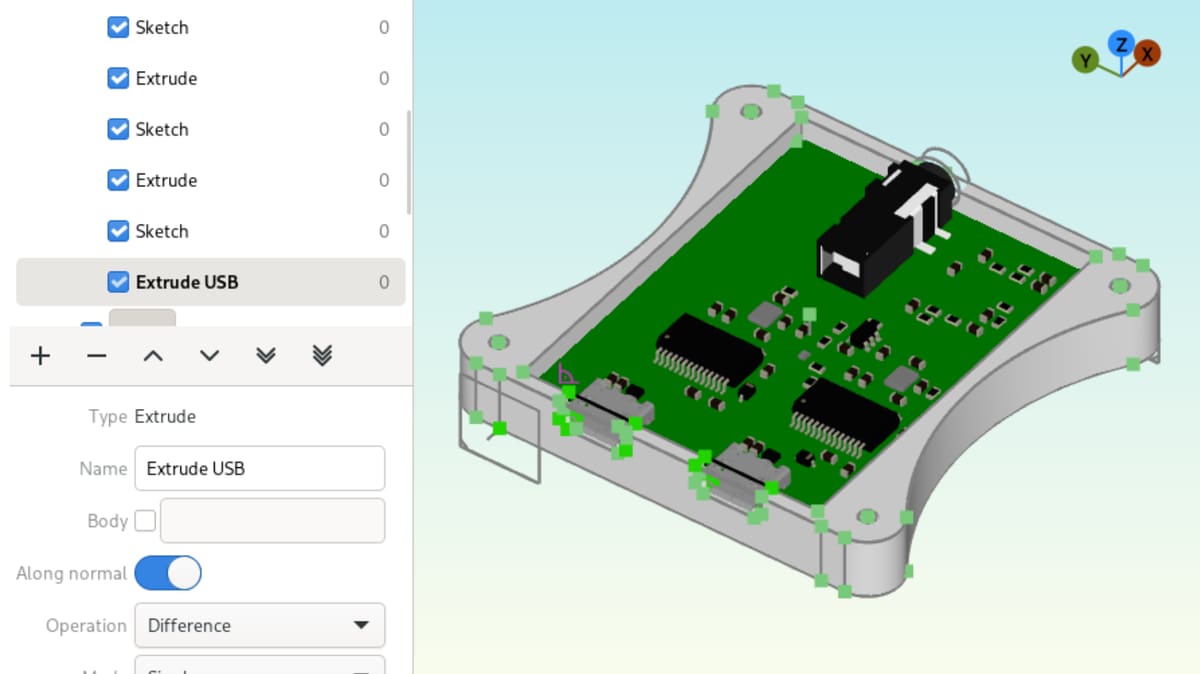
Dune 3D is a relatively new, free, open-source parametric CAD modeler aimed at users who want to design precise mechanical parts without the complexity of a larger package such as FreeCAD. Its modern, uncluttered interface makes it reasonably approachable if you have previous CAD experience.
The software supports constrained 2D and 3D sketches, extrusions, fillets, chamfers and reusable patterns. Existing STEP models (a universal 3D CAD format used to exchange product data across different software) can be imported as references, while finished designs can be exported as high-quality STEP or STL files, making Dune 3D particularly suitable for functional 3D-printed parts.
Recent releases have expanded the program with features including DXF import and export, improved arrays, smoother curve constraints and high-quality text. As a developing software, Dune 3D does not yet offer a wide collection of specialized tools like those found in more established CAD packages. It remains a strong recommendation for intermediate users with its comparatively straightforward interface.
- OS: Windows, Linux
- License type: Free to use
OpenSCAD
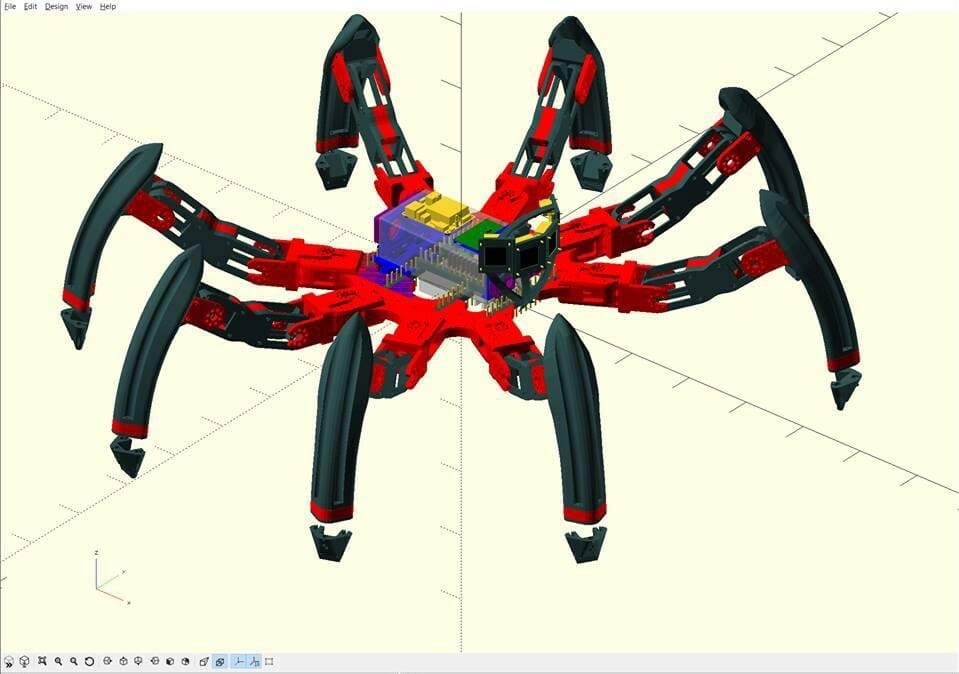
OpenSCAD is a popular open-source CAD application, taking a different approach to most of the programs on the list. Instead of building blocks by clicking and dragging shapes, it uses its own scripting language to define shapes.
It may sound intimidating, but it enables precise control over measurements and designs are then easy to modify using configurable patterns. This is useful for functional 3D-printed objects such as brackets, adapters, enclosures and repeated geometric parts. Change a value in the script, and OpenSCAD can generate a new version of the model without requiring you to remodel it manually.
Although OpenSCAD’s last stable release was in 2021, it is actively maintained by its community of developers through regular nightly builds that add new features and improvements. It’s a useful, free option, for anyone interested in precise and customizable designs and a large community library also provides ready-made components and functions.
- OS: Windows, macOS, Linux
- Licence type: Free to use
Advanced
Blender
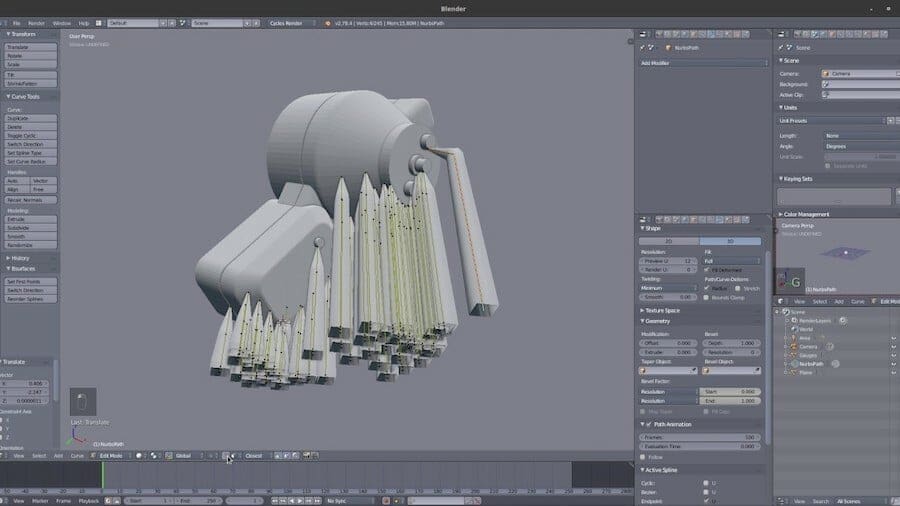
For many, Blender is the pinnacle of 3D computer graphics software, considered one of the most powerful 3D modeling programs out there. It is considered one of the best not because of its open source approach, but because of its versatility and professional use cases.
It is considered difficult to master, with its many features making it it both intimidating and confusing for those new to CAD. Its parametric modeling utilizes a node-based workflow composed of nodes, which are essentially building blocks that contain structured data that guides the software step by step.
These nodes then build a visual network of operations to scatter, bend, or deform polygon meshes. The sheer number of tools and controls can make Blender intimidating for beginners, and can be less convenient than parametric CAD software for parts that require exact dimensions (such as for mechanical parts) or frequent design changes. However, for artistic models and users willing to invest time in learning it, Blender is an exceptionally capable option that is completely free and open source.
- OS: Windows, macOS, Linux
- License type: Free to use
Salome
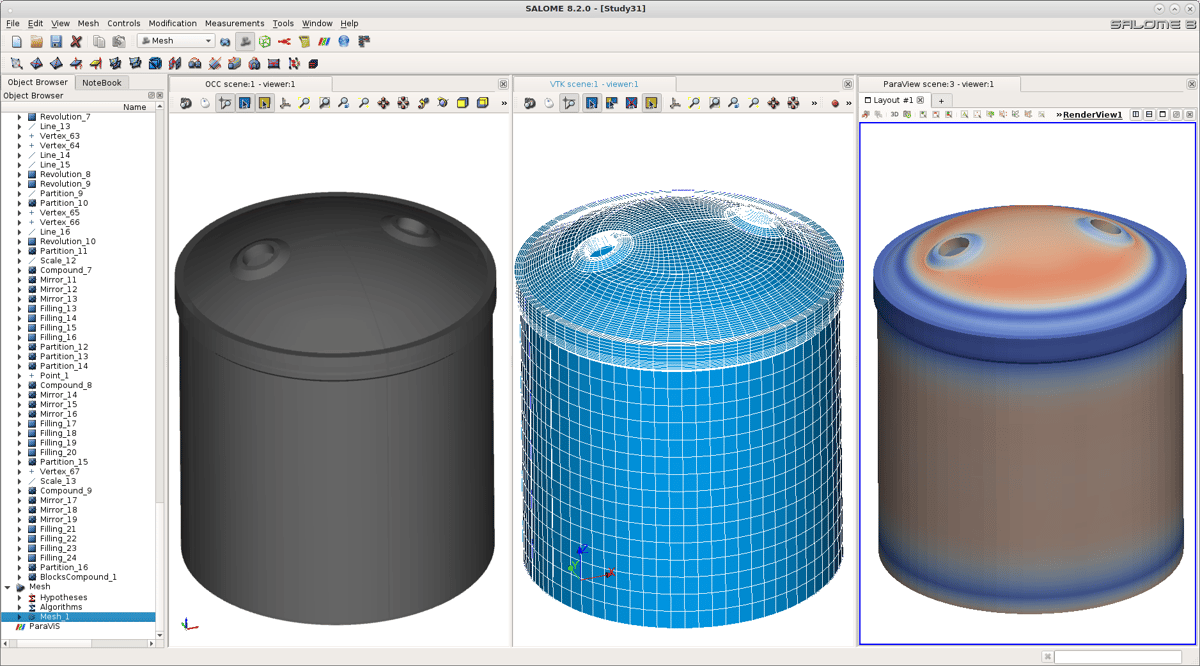
Salome is an open-source parametric CAD modeler and multi-algorithm mesh generator that has been around for over 20 years now. Despite its age, it’s far from abandoned with its latest public release in September 2025.
Using its Geometry and SHAPER modules, you can construct anything from basic shapes to complex, dimension-controlled models. Designs can be exported in the slicer-friendly STL format, as well as engineering formats such as STEP and IGES, ready to be taken into your preferred slicing software.
Its advanced feature set includes tools to for data analysis and simulation, making it a program worth considering for advanced users interested in engineering and simulation as well as 3D printing.
- OS: Windows, Linux
- License type: Free to use
Solid Edge Community Edition
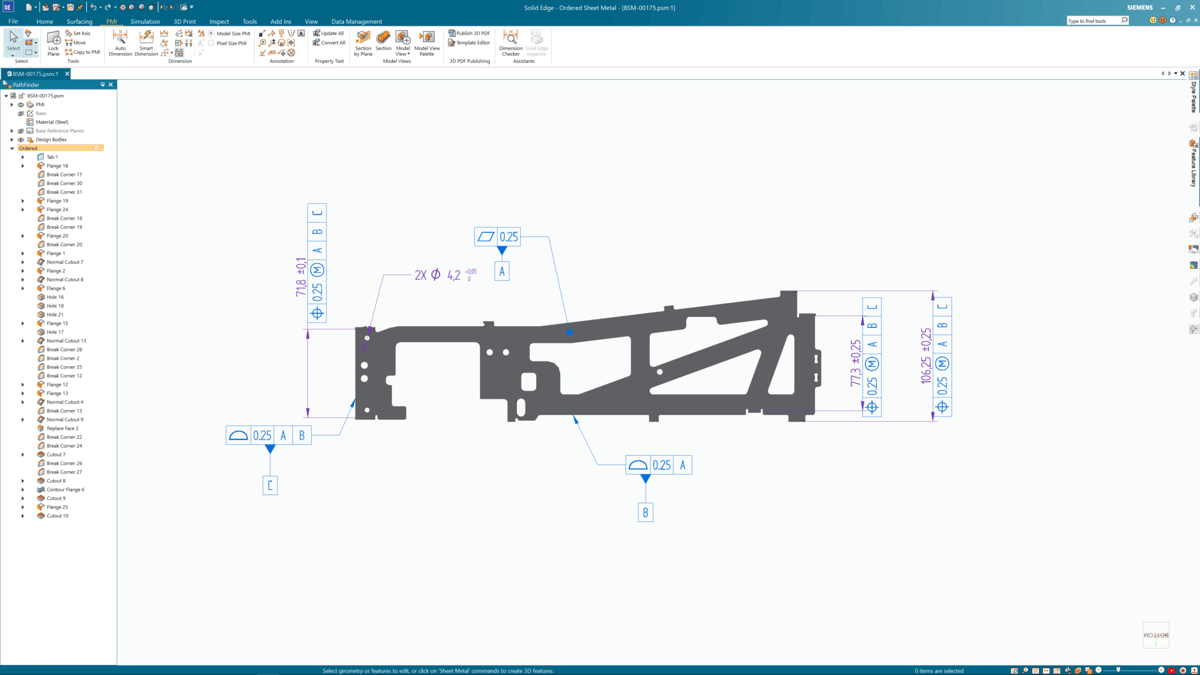
Siemens has real prestige when it comes to high-end professional CAD software. Its NX software gets a lot of praise from professionals in product design and lifecycle departments in businesses around the globe, but that’s out of reach for most people. Solid Edge, however, isn’t. The closely related CAD software costs hundreds of dollars a month, but thankfully there’s a version that Siemens provides free of charge.
That version is Solid Edge Community Edition, an edition of Solid Edge exclusively for makers and hobbyists, and is purely for personal use, meaning this is not CAD software you can use for commercial purposes.
Siemens says that this version is perfect for personal use with regard to 3D printing, though, as the firm is very much about making integrating additive-manufacturing easier to use within its CAD software, so expect to be able to design parts and assemblies and print with minimal fuss. Given Siemens’ track record in delivering excellent and highly advanced software. This makes it one of the strongest options for free CAD software for 3D printing – as long as you don’t require a commercial license.
- OS: Windows, Linux, macOS
- License type: Free for personal use
License: The text of "The Best Free CAD Software for 3D Printing" by All3DP is licensed under a Creative Commons Attribution 4.0 International License.