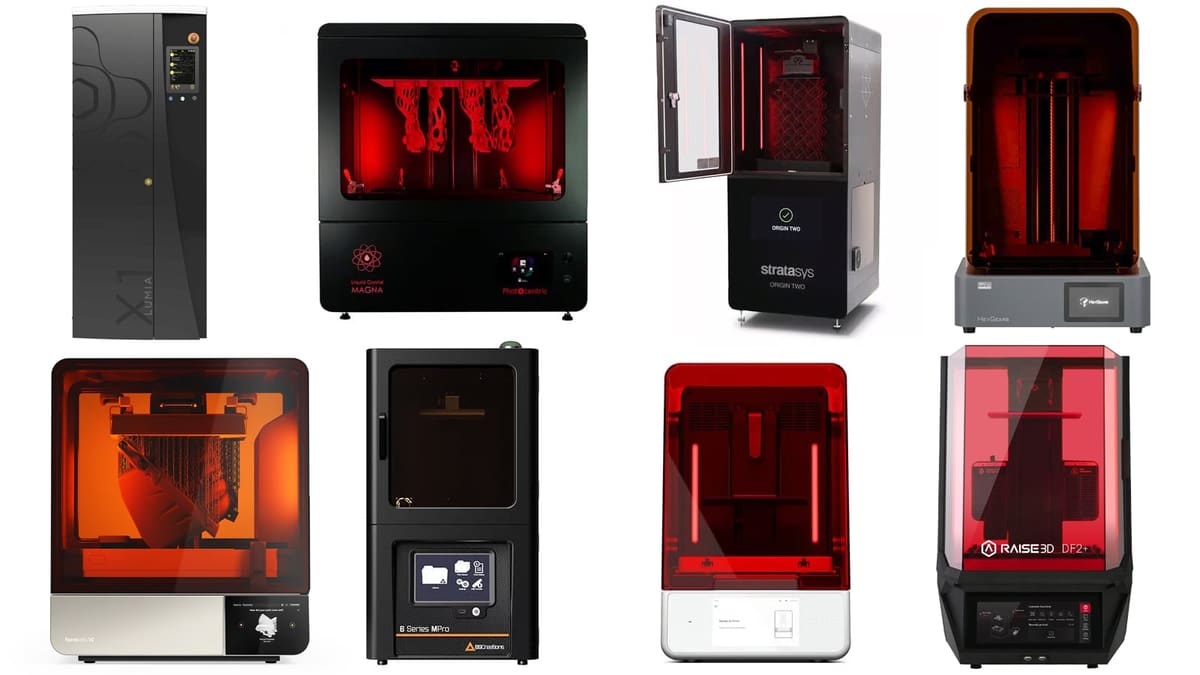
Ready to Leave Consumer Resin 3D Printers Behind? Here Are the Top Pro Printers for Business & Light Manufacturing

Expand your capabilities with systems designed for certified engineering-grade resins and specialized manufacturing applications.
Taking your 3D printing operation from a side project to a light manufacturing business or professional-grade prototypes means demanding more from your hardware. While consumer machines are highly capable, professional resin systems offer the support, high-throughput production, easier operation, and advanced material compatibility necessary to scale and mature your output.
Here are the top compact professional resin 3D printers to consider for your workshop and a look at the systems just bordering on industrial.
Professional-level resin 3D printing is used for everything from tools, molds, and prototypes to end-use components and production parts. These machines typically offer larger build volumes than their consumer-level cousins, more advanced and durable material options, greater reliability, and the ability to achieve consistent part quality over repeated builds and larger production volumes.
If you’re looking at professional resin 3D printers, chances are you already know what a consumer machine can do — and where it starts to fall short. Maybe you need to print much larger parts or more parts at once. Perhaps you need engineering resins with specific mechanical, thermal, flame-retardant, or elastomeric properties. Or your priority may be repeatability, traceability, automated material handling, faster post-processing, or simply a printer you can depend on for daily production.
That’s where moving up to a professional resin 3D printer becomes less about getting “better resolution” and more about finding the machine that solves your particular limitation.

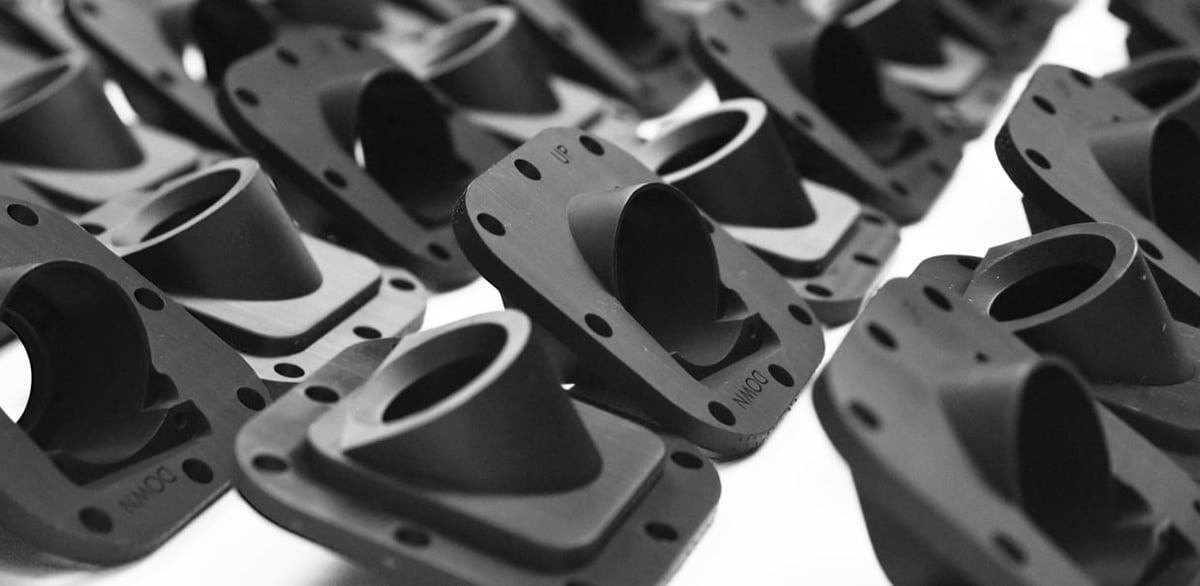
Resin printing is prized by companies in virtually every industry that need:
- parts comparable to injection molding
- intricate details, complex geometries, and fine features
- very smooth surfaces or soft textures
- a range of functional and engineering materials
- biocompatible materials
- transparent parts
- repeatable batches or low-volume production
There’s no single next step up from a consumer resin printer. For one engineering team, it may be a compact professional system with a validated ecosystem of functional materials. For another, it may be a much larger build volume for tooling and prototypes. A service bureau may place more value on throughput and uptime, while an R&D department may need an open-material platform that enables it to develop and tune its own resins.
In this guide, we focus on professional resin 3D printers that represent those different paths upward. We’ll help you compare machines for larger parts and batch production, advanced engineering materials, precision, reliability, workflow automation, and production use. We’ll also walk through the essentials of resin printing technology — including the differences between LCD, DLP, and SLA — what separates a professional system from a consumer printer, what you need to know about advanced resin materials, and when it makes more sense to use a resin 3D printing service instead.
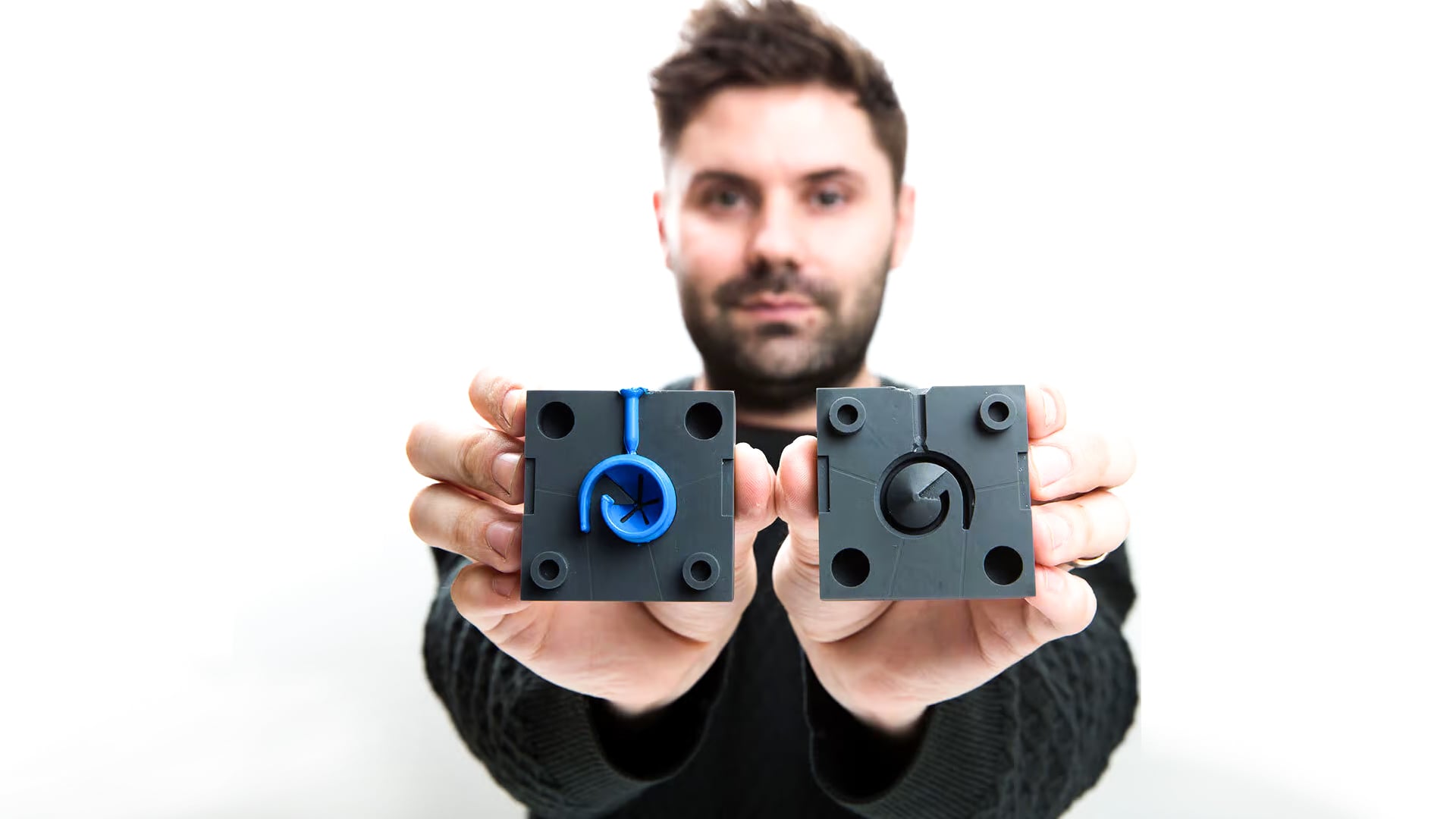
What Makes a Resin 3D Printer Professional?
The line between consumer and professional resin 3D printers can be blurry, but here we focus on machines from about $4,000 up to $100,000, a price range that includes the required curing and washing post-processing machines. Of course, there are industrial resin 3D printers and we mention those at the end. If your budget is smaller ($200 – $3,000) or you’re new to the technology, you could find a printer to fit your needs in our guide to smaller and hobby-focused resin 3D printers.
No Dental or Wax Printers Here
In recent years, there’s been a massive shift in the resin 3D printer market. Since dental applications account for a huge percentage of professional resin 3D use, many 3D printer manufacturers now focus exclusively on the billion-dollar dental 3D printing market.
Resin and wax 3D printing for the jewelry industry is also a rapidly growing market with some specialized printers. We take a closer look at 3D printers for jewelry molds in this guide linked below:
Micro 3D printing is also heavily reliant on resins, but we feature those printers in our Micro 3D Printing Guide.
Remove dental, jewelry, and micro resin 3D printers and you’re left with those that focus on manufacturing in highly durable and flexible materials. Not that some of these can’t be used for dental and jewelry, but the main goal is to deliver rigid and extremely accurate durable parts.
| company | Ecosystem | Price | Min. Resolution | Resin Tech | Build Volume |
|---|---|---|---|---|---|
| HeyGears Reflex 2 Pro & Ecosystem | Printer, Washer, Curer | $4,500 | XY: 40 μm, Z: 20 μm | LCD | 230 × 144 × 350 mm |
| Formlabs Form 4 & Ecosystem | Printer, Washer, Curer | $5,749 | XY: 50 μm, Z: 25 μm | LCD | 200 x 125 x 210 mm |
| Raise3D DF2+ & Ecosystem | Printer, Washer, Curer | ~$8,000 | XY: ~78 µm, Z: 50 µm | DLP | 200 × 112 × 300 mm |
| Formlabs Form 4L & Ecosystem | Printer, Washer, Curer | $19,769 | XY: 46 µm Z: 25 µm | LCD | 353 × 196 × 350 mm |
| Photocentric LC Magna & Ecosystem | Printer, Washer, Curer | $31,000 | XY: 137 µm, Z: 25 µm | LCD | 510 x 280 x 350 mm |
| B9 6 Series MPro & Ecosystem | Printer, Washer, Curer | ~$42,000 | XY: 50 µm | DLP | 192 × 108 × 320 mm |
| Asiga Ultra 50 & Ecosystem | Printer, Washer, Curer | ~$21,000 | XY: 50 μm, Z: - | DLP | 189 x 106 x 130 mm |
| Stratasys Origin Two P3 & Curer | Printer, Curer | n.a. | XY: 38.5 μm, Z: 25 μm | DLP | 192 x 108 x 370 mm |
| 3D Systems Figure 4 135 & Curing Unit | Printer, Curer | n.a. | XY: 50 µm Z: 20 µm | DLP | 135 × 76 × 165 mm |
| Axtra3D Lumia X1 & Ecosystem | Printer, Washer, Curer | n.a. | XY: 45 µm Z: 25 µm | SLA & DLP | 249 × 140 × 495 mm |
Top Entry-Level Professional Resin Printers
The jump from a consumer resin printer to a professional system doesn’t have to be dramatic. This entry-level tier is where you start to gain the things that matter in a working environment: more dependable workflows, better material options, higher repeatability, stronger support, and features designed around regular professional use rather than occasional printing.
The Formlabs Form 4, Raise3D DF2+, and HeyGears Reflex 2 Pro each approach that transition differently. Formlabs offers the most mature and polished ecosystem, Raise3D emphasizes an integrated and traceable print-to-post-processing workflow, while HeyGears combines automation and a generous build volume with an aggressive price. For engineering teams, design studios, labs, and small production environments, these are three of the clearest steps up from consumer resin printing without moving into full industrial-system territory.
HeyGears Reflex 2 Pro & Ecosystem
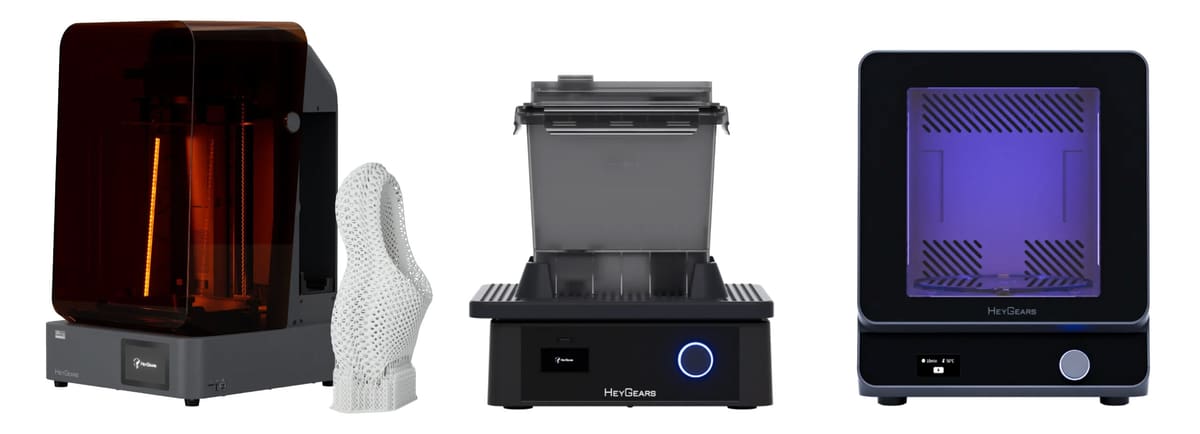
At $4,500, the HeyGears Reflex 2 Pro (plus washing and curing units) is a capable bridge between premium consumer resin printers and more expensive professional systems. Its 230 × 144 × 350 mm build volume is generous for the price, but the bigger draw is the amount of automation and process control built around it.
The printer combines LCD technology with what HeyGears calls a 1,032-zone OptiZone light engine, automatic resin refill, active resin temperature control and mixing, debris detection, and automatic compensation for small build-platform leveling errors. These features are aimed at making longer jobs and repeated batch printing more reliable, rather than simply chasing finer resolution.
It also supports a growing range of engineering-focused materials, including high-temperature, tough, rigid, transparent, and elastomeric resins.
Compared with the much cheaper Reflex RS Turbo, the Reflex 2 Pro is less about improving surface detail and more about adding capacity, material capability, and production-oriented hardware. For engineering teams and small production environments that want more automation and build volume without moving into five-figure territory, HeyGears offers a strong value proposition.
The Reflex 2 Pro is paired with a washing station and a curing unit.
Formlabs Form 4 & Ecosystem
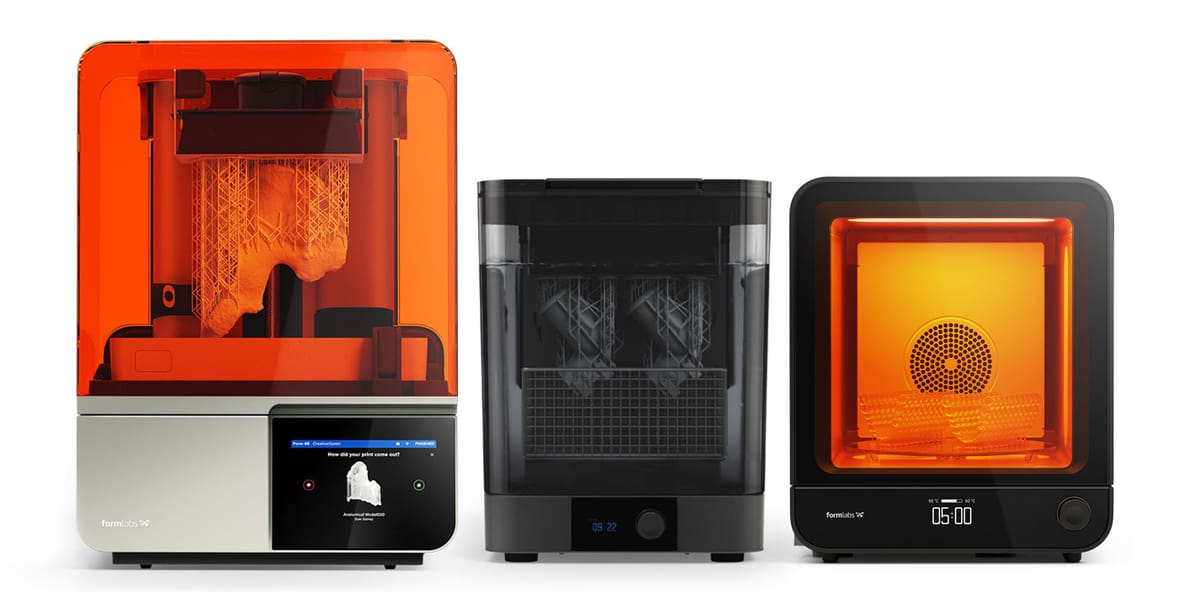
The Form 4 is an LCD printer (also called masked SLA) built around what Formlabs calls its Low Force Display print engine — a backlight unit of 60 high-power LEDs and collimating lenses that cures a full layer at once, so print time stays the same whether the platform holds one part or a full build. Maximum speed is 100 mm per hour, and Formlabs says most jobs finish in under two hours, a claim it bases on an 80th-percentile print height of 53 mm at a 100-micron layer. Accuracy is quoted as ±0.15% XY dimensional tolerance for 1 – 30 mm features, with a 50-micron pixel and pre-tuned anti-aliasing for sub-pixel detail. Formlabs cites an independently tested 98.7% print success rate. A 5-megapixel onboard camera handles remote monitoring, print history, and timelapses, and can be disabled, covered, or removed outright — worth knowing if you print under NDA.
Materials run to 23 Formlabs resins spanning rigid, tough, general purpose, flame retardant, silicone, elastic, ceramic, and castable grades, plus an optional Open Material Mode ($875 per printer) for any third-party 405 nm photopolymer. Biocompatible resins are not available on the standard Form 4; that requires the Form 4B. Print preparation runs through PreForm, which is free.
Post-processing uses Form Wash and Form Cure, and the complete package bundles both along with a solvent pump and a three-year service plan. Form Wash agitates parts in solvent — Formlabs recommends IPA, with TPM and its own Resin Washing Solution also compatible — then lifts them out automatically to air dry, with adjustable platform mounts and a variable solvent fill so small jobs don’t need a full bath. Form Cure combines a 48-LED array with convective heating, reaching 60 °C in a minute and topping out at 100 °C, at 14.5 mW/cm² irradiance. Its 235 mm glass turntable takes a full-size Form 4 build. General-purpose resins cure in 60 seconds, engineering resins in under 15 minutes, which is how Formlabs gets to its claim of print to finished part in as little as 11 minutes.
There’s also a Form 4L version with build volume 4.6-times larger than the Form 4 that we cover below.
Raise3D DF2+ & Ecosystem
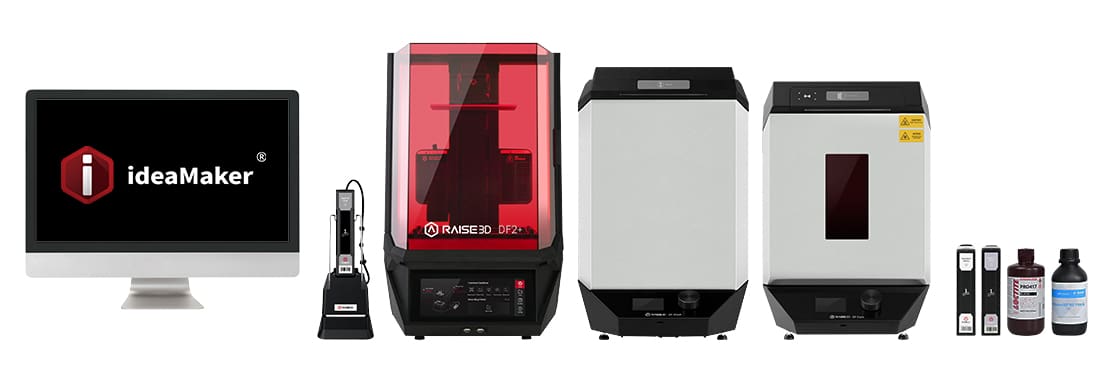
Raise3D positions the DF2+ as a “true DLP” machine — its shorthand for projector-based DLP built with industrial optical components rather than an LCD masking screen. The optical path uses Texas Instruments industrial-grade DMD chips and Schott optical glass, which the company says reduces loss and dispersion for sharper layers. Quoted speed is up to 100 mm per hour, though that figure comes with conditions: Draft resin at 200 microns, 24 – 26 °C, under 50% humidity. Averaged across Raise3D’s resins at 100 microns, it’s 50 – 60 mm per hour. Two details matter for larger parts: Air-Peel technology cuts the per-layer peel force from 50 kilograms to 10 kilograms, the company says, and the Z-axis is rated to a 200-kilogram load.
The printer is sold with DF Wash and DF Cure units tied together by RFID. The tag on each resin container confirms the material before printing and pushes the matching print, wash, and cure settings to all three machines, so an operator who didn’t prepare the job can still post-process it correctly. Ultrasonic sensors feed an auto-refill system for continuous printing. The DF Wash holds 14 liters of IPA or TPM with automatic drainage; the DF Cure takes parts to ø230 × 300 mm using mixed 365/385/405 nm LEDs.
Materials are the strongest argument. The Open Material Platform is free, with no license to unlock, and alongside Raise3D’s own eight resins the qualified list runs to eight Henkel Loctite and five Forward AM Ultracur3D resins, including a flame-retardant grade — so a shop needing ESD-safe, or fire-retardant parts can print them in-house instead of outsourcing. Raise3D aims the machine at functional prototypes, jigs and fixtures, and low-volume end-use parts.
Large-Format Professional Resin 3D Printers
Sometimes the limitation of a desktop resin printer is simply that there isn’t enough room. A larger build volume lets you produce bigger prototypes, tooling, molds, and end-use parts without splitting them into sections, or use that extra platform area to increase throughput by printing more parts in every batch.
The Formlabs Form 4L and Photocentric LC Magna represent two very different steps up in scale. The Form 4L brings a substantially larger build volume to the familiar, streamlined Formlabs ecosystem, making it an approachable choice for engineering and product-development teams. The LC Magna goes much bigger, trading some of that desktop convenience for a 50-liter build volume geared toward large parts and higher-volume batch production.
There are more large resin printers, of course, like the UnionTech Lite 600/600 2.0 with an enormous 600 × 600 × 400 mm envelope, but that’s clearly in the industrial category. Likewise, Photocentric’s LC Titan is spectacularly large at 695 × 385 × 1,200 mm, but now you’re entering the six-figure resin printer category.
Formlabs Form 4L & Ecosystem
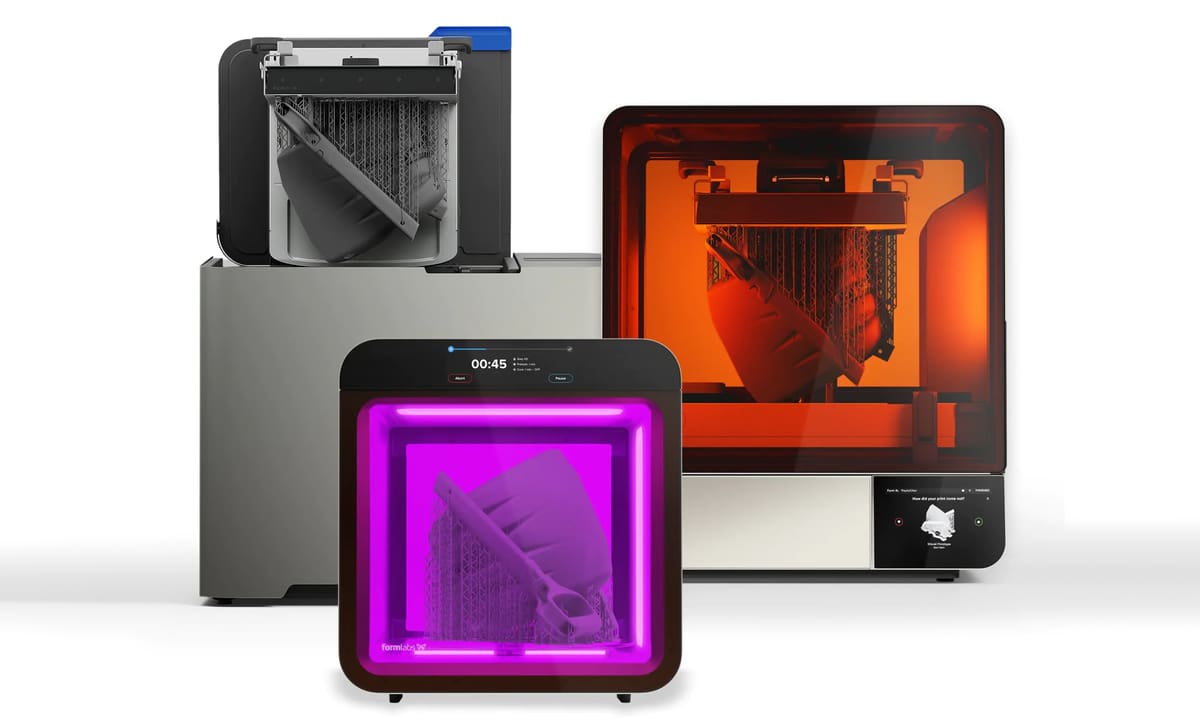
The Form 4L takes much of what makes the Form 4 an easy professional recommendation and scales it up substantially. Its 353 × 196 × 350 mm build volume provides 24.2 liters of capacity – more than four times that of the Form 4 – giving engineering teams room for larger prototypes, tooling, and end-use parts, or substantially larger batches of smaller components.
It uses Formlabs’ Low Force Display masked-SLA technology, with print speeds reaching up to 80 mm/h depending on material and layer height. More importantly, that speed is largely independent of how much of the build platform is filled, making the large build area useful for batch production as well as physically large parts.
The other advantage is the Formlabs ecosystem. Users get PreForm software, remote printer management through Dashboard, automated Form Wash L and Form Cure L post-processing options, and a broad catalog of engineering resins covering tough, rigid, flexible, high-temperature, flame-retardant, and other applications. Open Material Mode also enables third-party 405-nm resins, although it is an optional paid upgrade.
Starting at $7,125 for the basic printer package in the U.S., the Form 4L is not the largest resin printer in this guide, but that’s part of its appeal. It offers a significant increase in capacity without requiring users to move into a much larger, more specialized industrial system. For companies that already like the Formlabs workflow but simply need more room, it is one of the most straightforward steps up in professional resin printing.
Formlabs also offers matching large-format post-processing hardware. The Form Wash L V2 automatically washes a complete Form 4L build platform and costs $4,500, while the Form Cure L V2, also $4,500, uses heat and 405-nm UV light to post-cure large parts and full production batches. Together with the $7,125 Form 4L, that puts the printer, washer, and curing station at $16,125 before resin and other accessories.
Photocentric LC Magna & Ecosystem
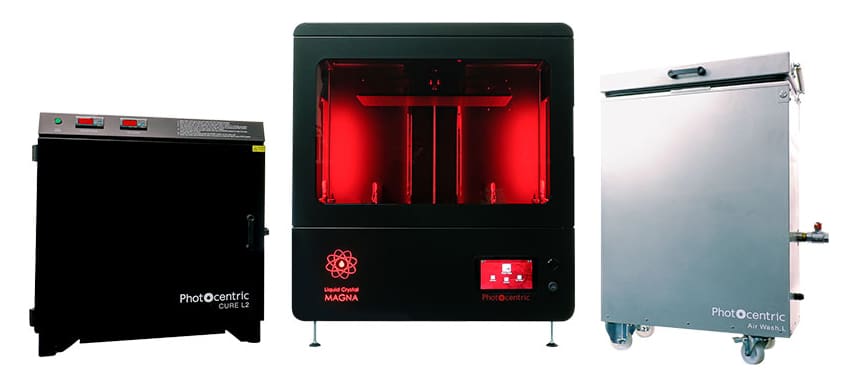
The LC Magna is a large-format LCD machine and, at 50 liters of build volume, one of the biggest resin printers you can buy without moving into six figures. Photocentric quotes speeds up to 86 mm per hour at a 350-micron layer, delivered by a patented Blow-Peel mechanism that separates each layer, and a pixel pitch of 137 microns — coarse next to a 50-micron desktop machine, but the trade for a platform that takes a half-meter part or a dense tray of small ones. Two ownership details set it apart from the DLP field: the screen doesn’t suffer UV degradation, which removes the recurring consumable cost that dogs UV-based LCD printers, and the system is fully open, so third-party resins carry no license fee.
Photocentric puts its own resins at $40 to $114 per kilogram and builds an unusually direct cost argument around the machine, publishing a total-cost-of-ownership comparison against Carbon, Stratasys, and Formlabs and claiming its parts consume 11% of the energy per printed kilogram of equivalent FDM parts. The printer is designed and assembled in the UK with 97% UK-sourced components.
Post-processing is handled by two dedicated units, both sized to take an entire Magna platform at full build height so parts can be washed and cured without coming off the plate — which matters for dimensional accuracy on large prints. The Air Wash L is a 90-liter cleaning station that uses combined air and bubble agitation at 40 liters per minute, runs under 40 dB and below 0.5 kW average draw, and is built for 24/7 operation for continuous throughput. It’s designed around Photocentric’s own Resin Cleaner 30. The Cure L2 finishes parts with 405 nm light plus heat up to 60 °C, under thermostat and digital timer control, in a 550 × 350 × 500 mm chamber; the lid cuts power when lifted. Both units carry a 12-month warranty as standard, and Photocentric sells service plans alongside them.
Top Professional Resin 3D Printers for Engineering Materials
For engineering and R&D applications, the right resin printer can be as much about the materials it lets you use as the parts it can produce. Tough, high-temperature, elastomeric, flame-retardant, ceramic-filled, and other specialized photopolymers can turn resin printing from a prototyping tool into a platform for functional parts, tooling, and materials development.
Formlabs already offers one of the broadest and easiest-to-use first-party material ecosystems in this class, along with an Open Material Mode for third-party 405-nm resins. The B9Creations 6 Series MPro and Asiga Ultra 50 stand out here because material freedom is more fundamental to their design. B9 supports third-party materials and provides tools aimed at material development, while Asiga’s Open Material Architecture gives users access to hundreds of qualified resins as well as the ability to develop their own profiles. For organizations whose requirements extend beyond a manufacturer’s standard material catalog, that flexibility can be more important than almost any printer specification.
B9 6 Series MPro & Ecosystem
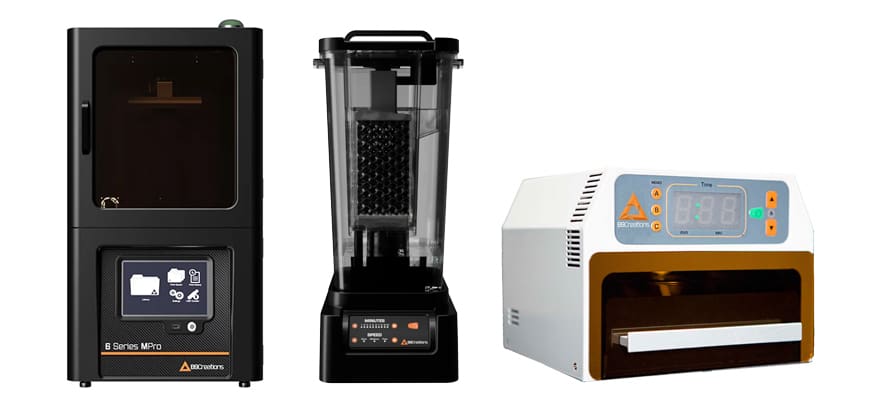
The B9 6 Series MPro stands out less for any single headline specification than for how much freedom it gives engineers over materials. In addition to B9Creations’ own portfolio of engineering, elastomeric, and specialty resins, the 385-nm system is open to third-party materials and can be configured with custom material settings.
B9’s own material range already covers some unusually functional applications, including Rugged Nylon 6 for impact-resistant parts, silicone-like elastomers, ESD-safe resin, ABS-like materials, and high-detail prototyping resins. The MPro is also compatible with selected third-party materials such as Loctite 3D 3843.
Where it becomes particularly interesting for R&D is B9Captivate, the company’s material-development environment. Users can develop and optimize print parameters around custom chemistries, while B9Creations also offers material-development support for applications ranging from engineering resins and ceramics to silicones and other specialized functional materials.
B9Creations also offers its own automated post-processing equipment. The B9Clean handles IPA washing, while the B9 Model Cure and larger B9 Model Cure XL provide programmable UV post-curing, giving users the option of a more complete print-to-finished-part workflow.
With a 192 × 108 × 320 mm build volume, the MPro also has enough capacity for larger functional parts and batch production. For companies that need to work beyond a printer manufacturer’s standard resin catalog, though, its real advantage is the ability to treat the printer and material as a configurable system rather than a fixed ecosystem.
Asiga Ultra 50 & Ecosystem
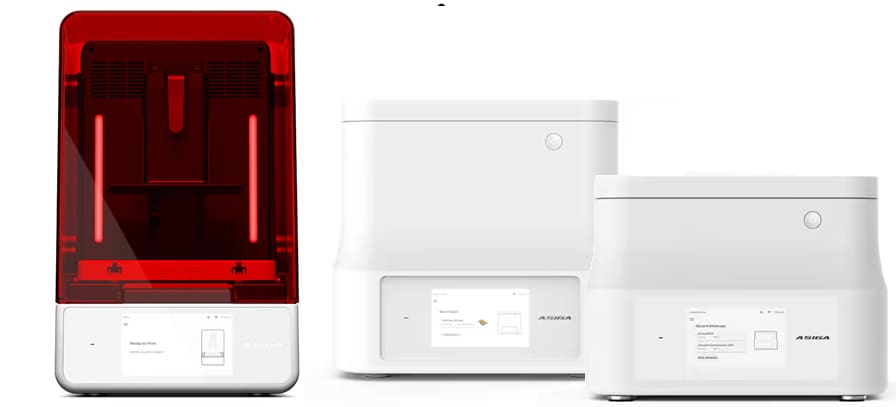
Asiga is best known for dental 3D printing, but its open-material approach also makes its printers interesting for engineering, R&D, and manufacturing applications. The Ultra 50 is the larger of two Ultra models and, for this guide, its biggest attraction is access to Asiga’s unusually broad materials ecosystem.
The Ultra is an open-material DLP platform compatible with more than 650 qualified resins from third-party manufacturers, while also allowing users to create their own material profiles. That opens the door to specialized engineering formulations without tying users to a single resin supplier – an important advantage for companies developing applications around specific mechanical, thermal, elastomeric, casting, or other material properties.
The Ultra 50 has a 189 × 106 × 130 mm build volume and 50-micron pixel size, while the smaller Ultra 32 trades build area for a finer 32-micron pixel size and a 119 × 67 × 130 mm volume. Both use DLP projection with an auto-calibrating 385-nm UV LED light source; 365- and 405-nm versions are available on request. Other professional touches include infrared material heating, touchless hood opening, rapid material changeover, and a magnetic build-platform latch.
Asiga Composer software handles preparation and material parameters, with lifetime software updates included. For post-processing, the Ultra bundle includes Asiga’s compact Flash curing chamber, while the more advanced Asiga Cure adds dose-controlled UV curing, vacuum curing, infrared heating, and customizable profiles for third-party materials. Asiga has a dedicated washing station in the works, but not available yet, instead specifying manual or ultrasonic washing according to the resin manufacturer’s instructions.
The Ultra 50 isn’t a large printer compared with many machines in this guide, but for users who prioritize precision and the freedom to choose from a huge range of third-party materials – or develop their own – its open ecosystem is the reason it stands out.
Professional Resin 3D Printers for Small-Part Production
When resin printing moves from prototyping to production, the priorities change. Fine detail still matters, but so do throughput, repeatability, process control, material performance, and the ability to produce the same part reliably across multiple builds – or multiple printers. For small plastic components, these capabilities can make resin printing a practical alternative to injection molding for short runs, bridge production, customized parts, and on-demand manufacturing.
The 3D Systems Figure 4 135, Axtra3D Lumia X1, and Stratasys Origin Two approach production from different directions. The Figure 4 135 is purpose-built for high-throughput production of small, precise parts, with automated resin feeding, traceability, fleet management, and provisions for further automation. The Lumia X1 combines a relatively large build volume with Axtra3D’s hybrid DLP-and-laser technology, making it well suited to producing batches of detailed engineering parts while retaining an open 405-nm material platform. And at the higher end, the Origin Two emphasizes extremely tight tolerances, repeatability, smooth surfaces, and high-performance materials for demanding short-run manufacturing.
These aren’t simply faster desktop resin printers. They’re designed for companies where resin printing is becoming part of the manufacturing process and where predictable output, production materials, and reduced operator intervention start to matter as much as resolution.
Stratasys Origin Two P3 & Curer
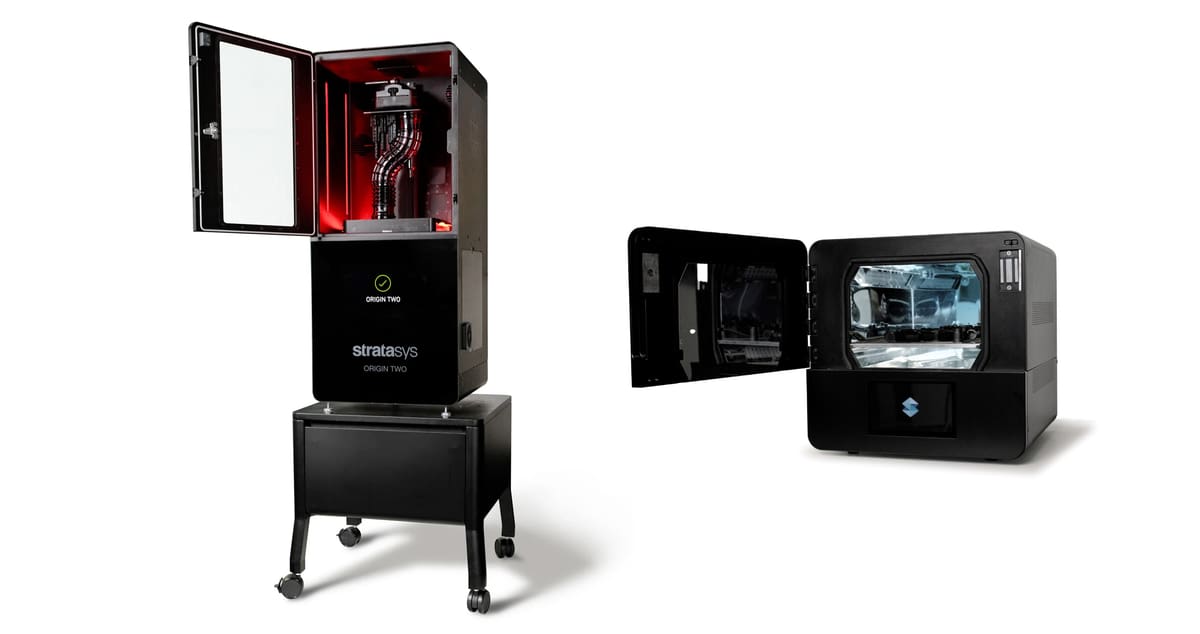
Launched in 2024, the Stratasys Origin Two is an industrial DLP printer aimed at short-run and on-demand production. Stratasys positions it around high accuracy, repeatability, and surface finish approaching injection molding, making it a strong fit for end-use parts rather than just prototypes.
The printer uses Stratasys’ Programmable PhotoPolymerization (P3) technology and a 4K DLP projector with a 38.5-micron pixel size across a 192 × 108 × 370 mm build volume. A heated chamber supports high-performance and high-viscosity resins, while strong green parts help keep post-processing relatively short.
Origin Two supports a range of Stratasys-validated engineering materials, including tough, elastomeric, high-temperature, and medical-grade resins. An optional OpenAM Material License also allows users to run third-party or custom materials and adjust print parameters.
For post-processing, Stratasys offers the dedicated Origin Cure, which uses multi-wavelength LEDs and programmable curing profiles. There is no matching Origin-branded washer; cleaning requirements depend on the specific resin and validated workflow.
The system runs through GrabCAD Print for preparation, support generation, slicing, and material management. Stratasys does not publish pricing for the Origin Two or Origin Cure, with both sold by quotation.
3D Systems Figure 4 135 & Curing Unit
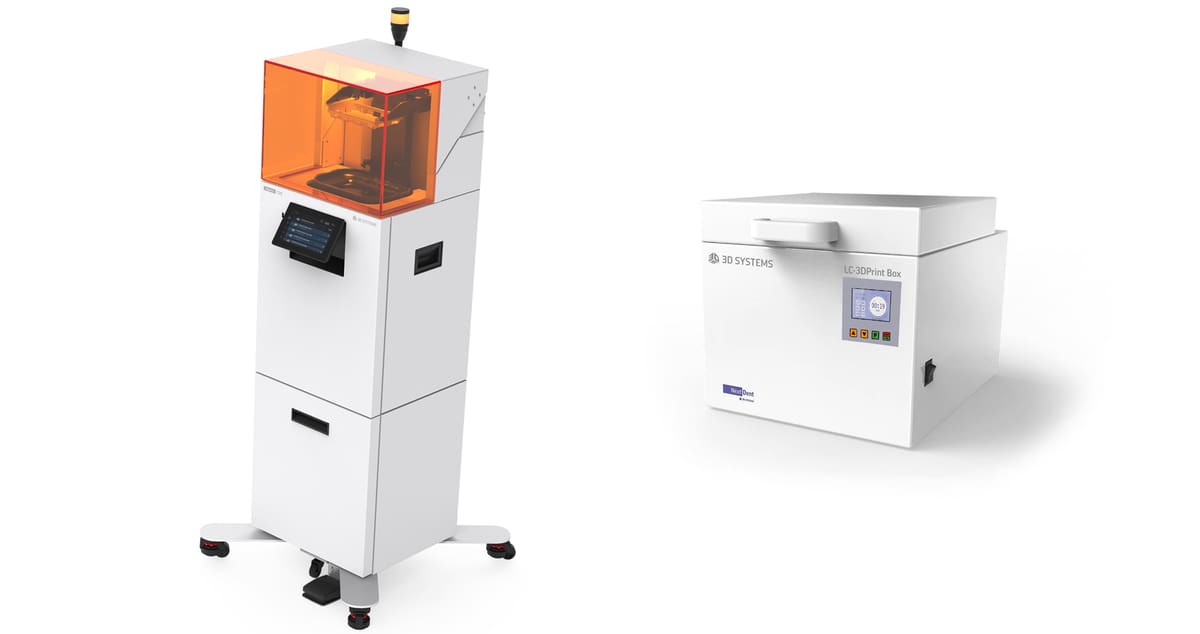
Introduced in 2025, the 3D Systems Figure 4 135 is designed specifically for high-mix, low-to-mid-volume production of small plastic parts. Its 135 × 76 × 165 mm build area is modest compared with many printers in this guide, but that’s intentional: the emphasis is on throughput, repeatability, and producing precise batches of components such as connectors, housings, sensors, clips, and other end-use parts.
The projector-based system has a 50-micron pixel size and can print a single component or a full platform at similar layer speeds. Production-oriented features include automatic resin feeding from 9-kg cartridges, build and material traceability, fleet management, an automated door that can be operated by foot pedal or software, and provisions for future robotic integration. 3D Systems also offers a broad Figure 4 material portfolio covering tough, rigid, elastomeric, high-temperature, flame-retardant, and other engineering applications.
Post-processing is less integrated than with systems such as Formlabs or Raise3D. 3D Systems does not currently pair the Figure 4 135 with a dedicated automated washing station; its material workflows typically specify manual or ultrasonic cleaning in IPA, with wash times depending on the resin.
For curing, 3D Systems supports the Figure 4 UV Cure Unit 350 as well as the smaller LC-3DPrint Box for compatible parts and materials. Both provide controlled UV post-curing, although the Cure Unit 350 has a taller 346-mm load capacity and is better suited to the broader Figure 4 workflow.
The Figure 4 135 makes the most sense where resin printing is moving beyond prototyping and becoming part of a repeatable manufacturing process. Its small build area won’t suit every application, but for batches of precise production parts, its automation, traceability, and fleet-management features distinguish it from more general-purpose professional resin printers.
Axtra3D Lumia X1 & Ecosystem
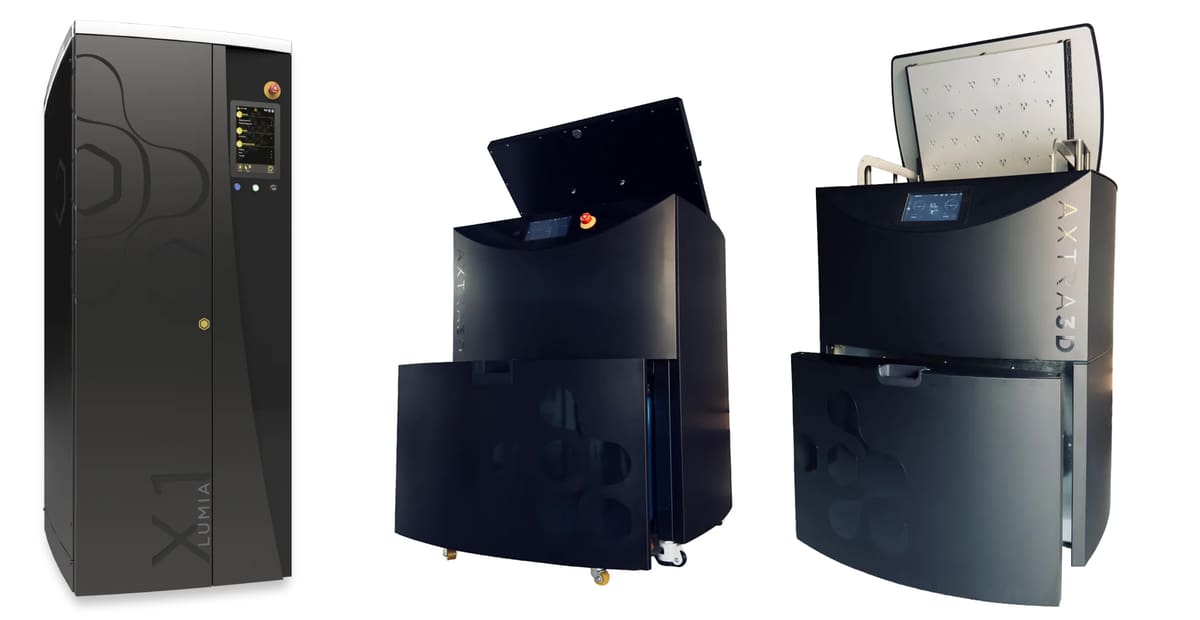
The Axtra3D Lumia X1 is a production-focused resin printer built around the company’s Hybrid PhotoSynthesis (HPS) technology, which combines DLP projection with a laser in the same optical system. The idea is to use DLP for speed across larger areas while the laser handles fine features and edges, helping the machine maintain detail and surface quality without sacrificing throughput.
The current Lumia X1 has a 249 × 140 × 495 mm build volume, 45-micron resolution, and layer heights from 25 to 200 microns. Axtra3D positions it for production applications ranging from end-use parts and tooling to molds and medical components, with features including dual Z axes, automated resin handling, and its TruLayer separation system for printing large cross-sections and highly viscous materials reliably.
Materials are another strength. The Lumia X1 is available as an open system compatible with 405-nm resins and has a growing portfolio of validated engineering materials from suppliers including Henkel and other major resin manufacturers. This makes it particularly interesting for manufacturers that want both production repeatability and access to specialized third-party formulations.
Axtra3D now also offers a complete post-processing workflow. Axtra.Wash automates washing and drying of parts, build platforms, and vats and can use up to three cleaning agents, while Axtra.Cure combines multi-wavelength UV curing at 355, 385, and 405 nm with thermal post-processing. Both connect to Axtra.Insight for process monitoring and traceability across printing, washing, and curing.
For small-part production, the Lumia X1’s appeal is its combination of throughput, fine feature reproduction, open materials, and production workflow rather than any one headline specification. It also has enough build height and platform area to handle larger parts or substantial batches when needed.
What If You Need Industrial Resin Production?
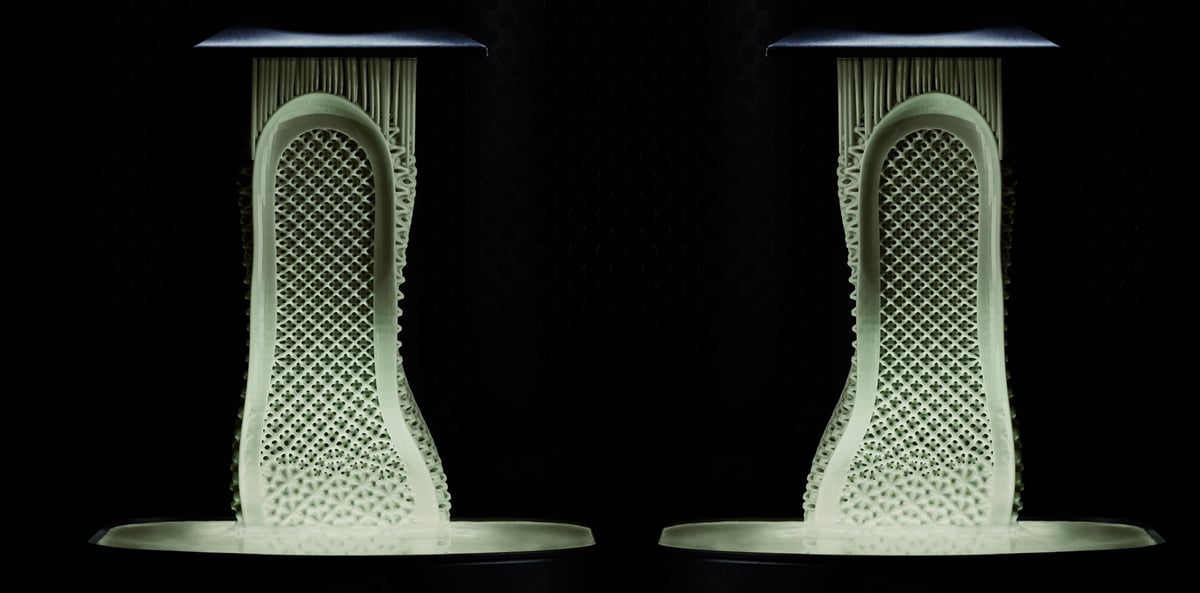
The professional resin printers in this guide cover a broad range of engineering, prototyping, and production needs, but they stop short of the largest and most heavily automated systems designed for factory-scale additive manufacturing.
At this level, the buying decision changes considerably. Industrial resin printers can cost well into six figures and are typically purchased around specific production requirements rather than as general-purpose machines. The emphasis shifts toward 24/7 operation, high throughput, automated material handling and part removal, fleet and factory integration, process traceability, large resin vats, and the ability to produce hundreds or thousands of end-use parts repeatedly.
All3DP has covered these industrial systems individually. Examples include the ETEC Xtreme 8K, a top-down DLP system with a 450 × 371 × 399 mm build volume designed for high-volume end-use part production, and the Carbon M3 Max, Carbon’s larger DLS production platform. The 3D Systems PSLA 270 takes a different approach, combining dual projection with a roll-in vat, automated resin feeding, and production-grade Figure 4 materials for batch manufacturing.
There are also industrial systems built around conventional large-frame SLA. Stratasys’ Neo800+, for example, offers an 800 × 800 × 600 mm build volume and is engineered for continuous 24/7 operation, while the newer 3D Systems SLA 825 Dual provides an 830 × 830 × 550 mm build area with dual lasers for high-throughput production.
European manufacturer Rapid Shape takes yet another route with the I100+, a 338 × 190 × 400 mm projection system designed specifically for 24/7 series production, with automatic resin refill and automatic part separation.
China is also an increasingly significant source of large industrial resin systems. Shanghai-based UnionTech, for example, offers an extensive SLA portfolio ranging up to very large production machines. Its recently introduced RSPro800 X combines an 800 × 800 × 550 mm build volume with four synchronized lasers, and UnionTech claims up to a 60% speed increase over its previous system. All3DP covered the machine’s launch at Formnext 2025.
These machines demonstrate just how far the resin 3D printing market extends beyond the systems covered in this guide. We aren’t ranking them here because once you reach this class of equipment, choosing a printer is less about finding the “best” machine and more about matching a production cell, material, throughput target, service infrastructure, and cost-per-part requirement to a specific manufacturing application.
What are DLP, SLA & LCD Technologies?
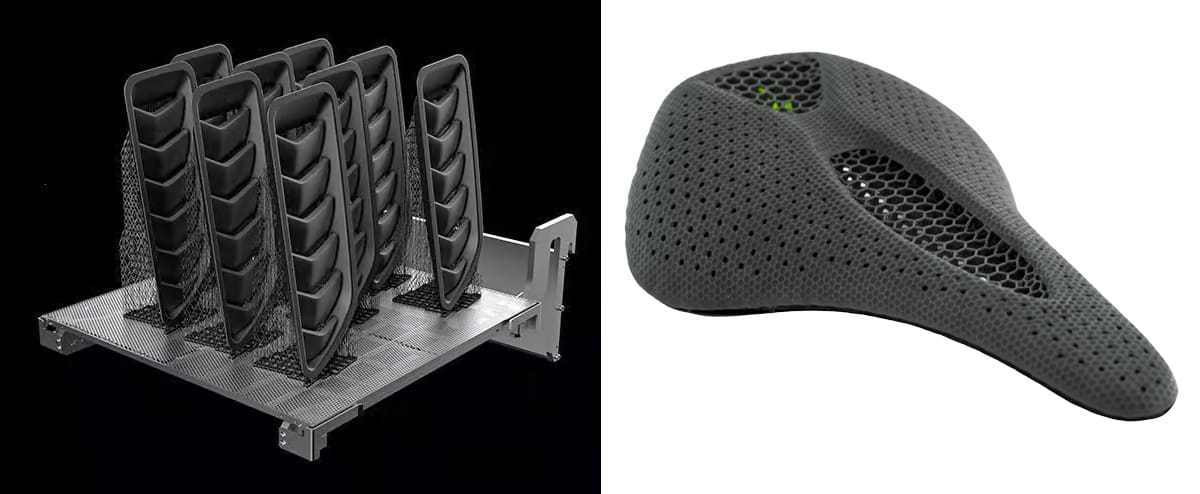
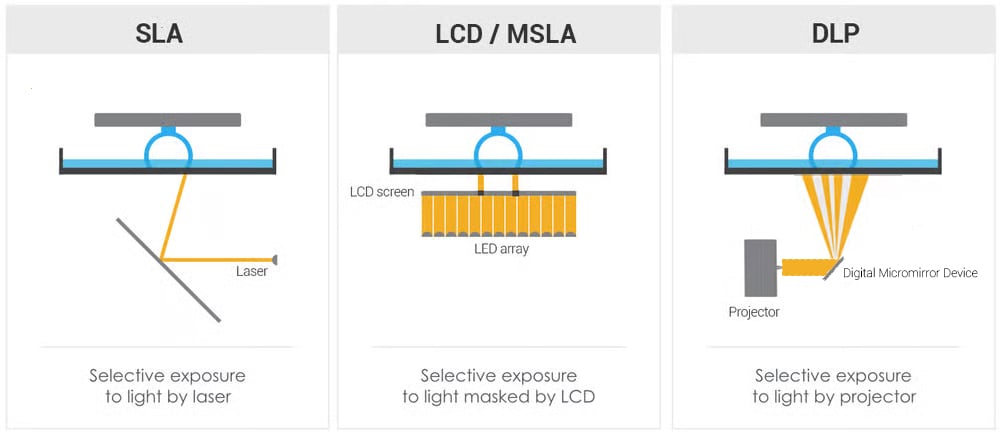
Within resin 3D printing, more technically known as vat polymerization, you’ll find slightly different printer technologies, including stereolithography (SLA), liquid crystal display (LCD), digital light processing (DLP), and others that create somewhat different results making trade-offs between speed and fine detail. All of these technologies cure resin using UV light, but how the resin polymer is cured is slightly different.
The 3 Major Resin Types in Brief
Stereolithography (SLA) today generally always refers to laser stereolithography, although you might still hear it used as a catch-all term for all types of resin 3D printing. Chuck Hull, who invented the process and coined the term stereolithography, describes it in his 1986 patent as a concentrated “beam” of ultraviolet light focused onto the surface of a vat filled with liquid photopolymer. Today, SLA refers to a machine that uses one or more lasers as the light source.
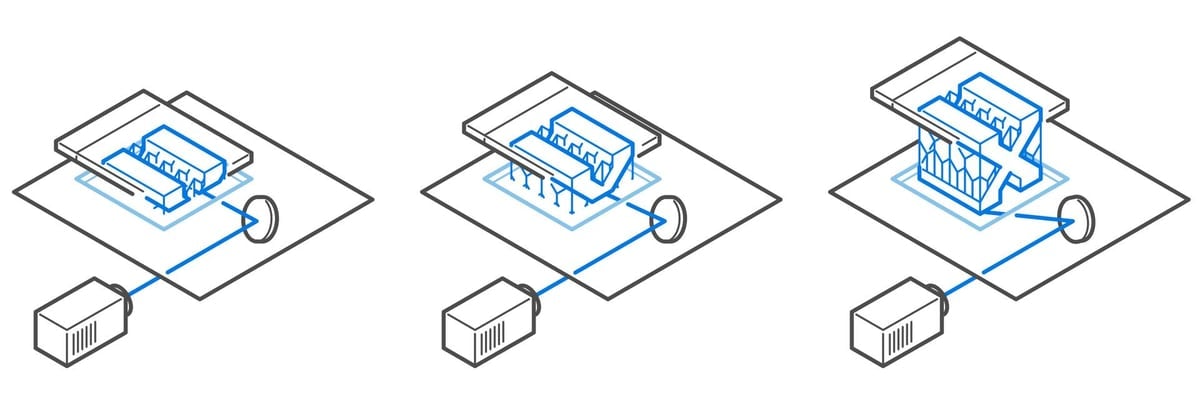
Digital light processing (DLP) uses a digital light projector as its light “engine”. It flashes light onto a digital micromirror device (DMD) consisting of hundreds of thousands of tiny mirrors. Some mirrors direct the light to the resin in the pattern of a cross-section of the part to be printed while other mirrors deflect the light off to the side. Layers generated using DLP printers consist of so-called voxels, the 3D equivalent of pixels. That’s because the projector screen itself consists of pixels. Flashing an entire layer at a time, as you can guess, is faster than tracing the layer with a laser.
Liquid crystal display (LCD) is the third type of vat polymerization also known as masked stereolithography (MSLA). 3D printer manufacturers use these terms interchangeably. This 3D printing technology is nearly the same as DLP in that it flashes a complete layer at the resin tank, but the source of the light is different. Instead of a projector shining on a digital micromirror, the UV light comes from an LED array shining through an LCD screen. The screen acts as a mask, revealing only the pixels necessary for the current layer. Due to the low cost of LCD units compared to projectors and micromirrors, LCD has become a common technology for the budget desktop resin printer segment, but don’t be put off; some printer makers are taking the technology to the next level for professionals.
We’ve already established that DLP and LCD are generally faster than SLA, but which one yields more finely detailed prints? The fact is that all technologies can produce super-fine details, and you may be surprised by the resolution you can get from very affordable machines.
If you want a deep dive into the specifics of resin technology resolution, check out our guide, The Complete Guide to High-Resolution 3D Printers.
Patented Resin Technologies
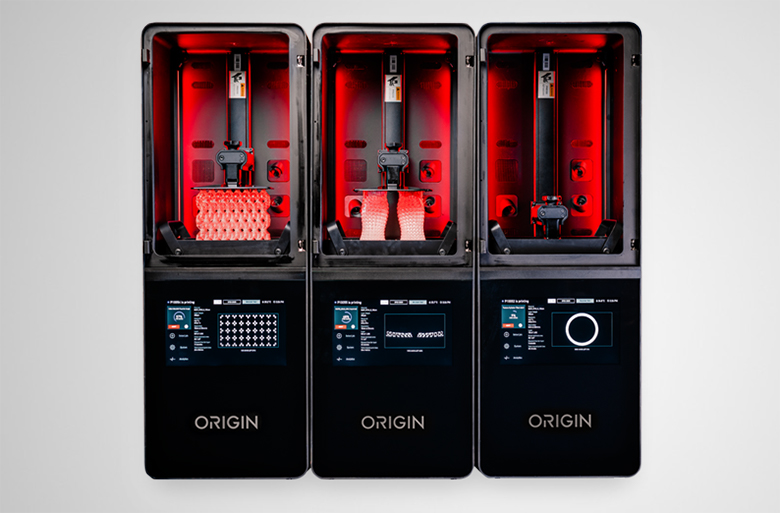
Although some patented resin 3D printing technologies are more marketing than science, some manufacturers have variations on the common technologies (SLA, LCD, and DLP) that actually represent significant advances and set their machines apart from the rest.
3D printer manufacturer Carbon, for example, calls its resin printing technology Digital Light Synthesis (DLS), which is a take on DLP. In DLS, the resin pool is exposed to both UV light and oxygen. Unlike traditional layer-by-layer approaches, DLS uses a continuous process where the object is pulled from the resin bath. The bottom of the resin pool has an oxygen-permeable window. Oxygen inhibits the curing process, and by controlling the oxygen levels through the window, the printer can precisely control the solidification of the resin. DLS requires special resins and the entire process is extremely fast.
Printer maker Stratasys offers another take on DLP in its Origin printer called Programmable Photopolymerization (P³). The outstanding feature of P³ is its ability to dynamically adjust the light patterns during the exposure process to create more sophisticated curing profiles, leading to, the company says, improved accuracy and the ability to optimize material properties.
Formlabs offers what it calles Low Force Stereolithography (LFS), while one new technology from Axtra3D combines resin methods, so the core of a part is printed quickly with DLP while the outer shell is printed with finer detail using SLA. The company calls it Hybrid PhotoSynthesis (HPS) technology.
The Details Behind Fine-Detail
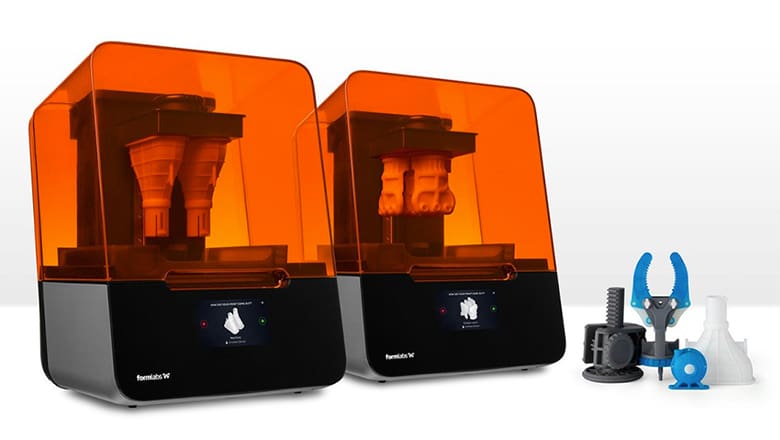
If looking at a printer’s technical specification sheet makes your head spin, know that you won’t find huge differences within comparable price ranges using the same technology. For example, the finest XY resolution for resin printers (apart from the industrial micro 3D printers) is generally around 25 – 50 microns (μm). (For reference, 50 μm is the width of a human hair.)
Some manufacturers only talk about resolution, while others mention resolution and accuracy. Resolution refers to the possible layer thickness, for example, 50 μm or 100 μm. The accuracy refers to the window of error for consistency print after print. For example, an accuracy of +/- 20 μm means your print resolution could be 20 μm over or under what you programmed.
In many industries, accuracy is critical. For most dental applications, professionals typically look for an accuracy of within 50 μm. For fine jewelry, some professionals require an accuracy of 25 μm, and for some medical applications and electronics, companies require an XY printing resolution of 5 μm with an even smaller accuracy, which you can find in a handful of ultra-high micro-precision printers.
The general rule is that the higher the resolution, the longer your parts will take to print. But this is where professionals and industrial machines differ from consumer resin printers, printing high-resolution parts quickly.
For a deep dive into resin printer resolution, such as what 4K and 8K resolution refers to and terms like pixel-shift really mean, check out our guide to resolution linked below.

Accessories You'll Need: Print, Wash, Cure
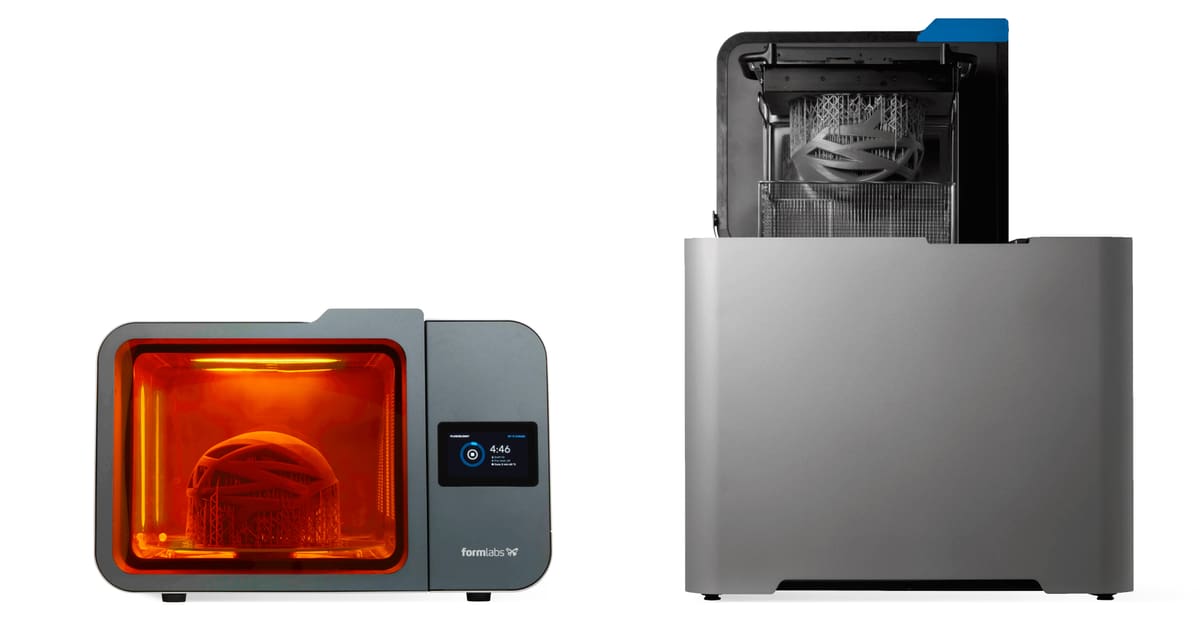
Parts don’t emerge from resin 3D printers ready to use, in fact, they’re completely useless. Parts may be only partially polymerized (not fully cured) when they leave the printer, creating opportunities for warping in the cleaning and curing steps. This is one of the drawbacks to resin printing; the often-messy and somewhat labor-intensive post-processing.
Although industrial printers and many professional ones have a fully automated print-wash-cure process, others require more equipment, namely a washing unit and a curing unit.
Indeed, the sophistication of your printer and the quality of your resins are inversely proportional to the amount of post-processing labor involved. So if you’re spending too much time and effort post-processing to get the desired quality, consider upgrading your resin, your printer, or both.
Most resin parts need support structures during printing that require removal after printing. Removing supports and the marks they leave on the surface may involve sanding or polishing.
Most resin printer manufacturers make their own accessory machines (if they are not fully incorporated into one unit) and many produce their own post-processing chemicals, but you’re not limited to selecting only from your printer manufacturer’s offerings. Shop around for the accessories that best fit your needs and budget.
In addition to the extra hardware, you also need to budget for software licenses, materials, and other consumables.
Materials: Understand Your Options
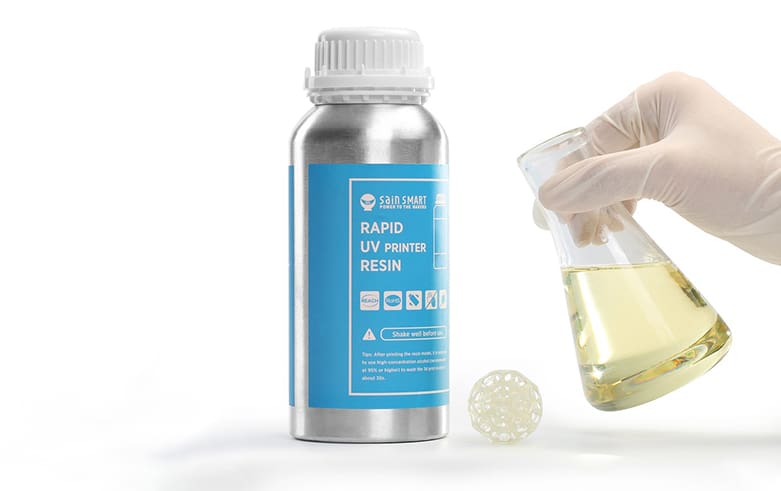
Resin manufacturers will argue that it’s the materials that make the print, and that may often be true. There are thousands of materials available for resin printing from a wide range of manufacturers and at prices ranging from $15 a liter to more than $300. In fact, you can resin-print in everything from a highly flexible silicone-like material to a metal-infused polymer.
Your resin 3D printer, however, is either restricted to proprietary resins or it’s an “open material” machine, meaning it can print with a wide range of third-party materials offering great flexibility but also a bit of trial and error to dial in the print settings just right. To cut down on the tinkering, printer makers often work directly with the resin material developers to establish optimal setting. You may hear of certain materials being “certified” for certain printers. This is something to look for, since it’s designed to save you time and money.
Resin Variety
Resins come in a full rainbow of colors, transparencies, properties, and textures. At the dawn of resin 3D printing, most printed parts were stiff and brittle. Those days are long gone. There are flexible resins, durable resins, filled resins, hybrid resins, exotic resins, biocompatible resins, and degradable plant-based resins among many more categories. Yet, because most professional resins are trademarked, proprietary formulas, it can be difficult to understand the differences. For example, most resin makers offer a “tough” resin, but how one tough resin compares to another is often difficult to track down.

Note that resins are typically formulated to be responsive to specific wavelengths of UV light, such as 355 nm, 385 nm, or 405 nm. If your 3D printer emits 355 nm light, don’t use a 405 nm resin. Fortunately, most resins today will cure in all three wavelengths, but always follow the manufacturer’s recommendations for resin compatibility and curing conditions to achieve the best results in 3D printing.
Likewise, a resin formulated for a DLP 3D printer may not work in an SLA printer, so read labels carefully.
Manufacturer vs. Third-Party Materials
A resin printer’s claims of accuracy, speed, and quality are based on using specific resins. Although you can use third-party resins in many resin printers, your results may not match what the manufacturer claims its printer can produce. For example, the resin part may not fully cure or may not print as fast with a third-party material.
Despite the risks of uncertified third-party materials, a resin printer with an open-mode or experimental mode for materials is an important feature. Material manufacturers are introducing new resins so quickly that it’s often not possible for printer manufacturers to keep up on certifying or adapting innovative materials for use in their machines. Open-mode enables you to take advantage of the latest developments in materials.
Several printer manufacturers have alliances with major chemical companies to research and develop proprietary materials.
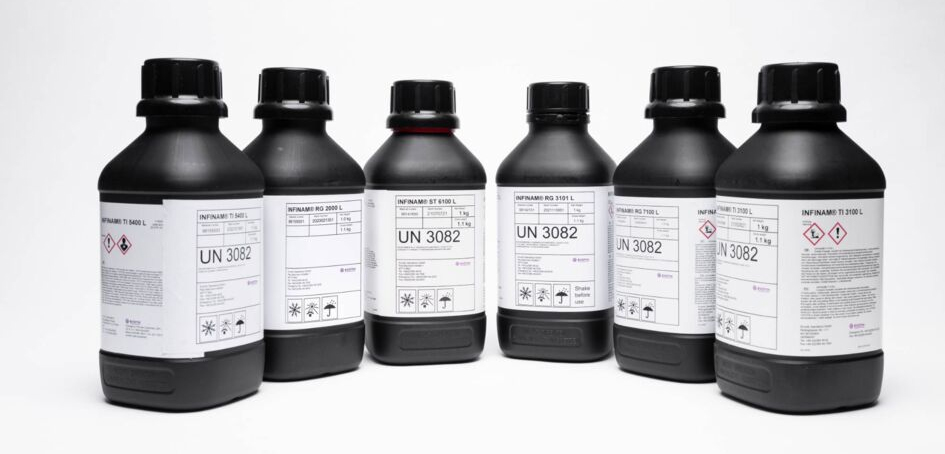
Of course, there are plenty of high-quality resins by third-party manufacturers that will work as good or even better in whichever machine you choose. The only drawback, as we mentioned above, is taking the extra time to experiment and fine-tune your print settings and post-processing to get the print you require.
Many resin manufacturers, including Liqcreate, offer custom material development to fit your company’s specific needs for colors, properties, and the specific printer you’re using. In fact the company has produced nearly two dozen custom resins in the past few years.
By working with engineers at consumer product companies, such as Adidas, Invisalign, and Riddell, resin manufacturers have researched and created application-specific resins and helped 3D printing to rival injection molding and further the mass production of end-use products.
If you have specific requirements for your final part’s stiffness, strength, stretch, durability, heat resistance, or other attributes, check out the materials’ technical data sheet, which should provide details including tensile strength, percent of elongation at break, and water absorption.
Ultimately, where you buy your resins may be tied to your location. Although companies in Europe and North America may have the widest selection of vendors to choose from, companies elsewhere may want to first try sourcing resins locally before paying shipping and import duties for the printer manufacturer brands.
Get Your Parts From a Service
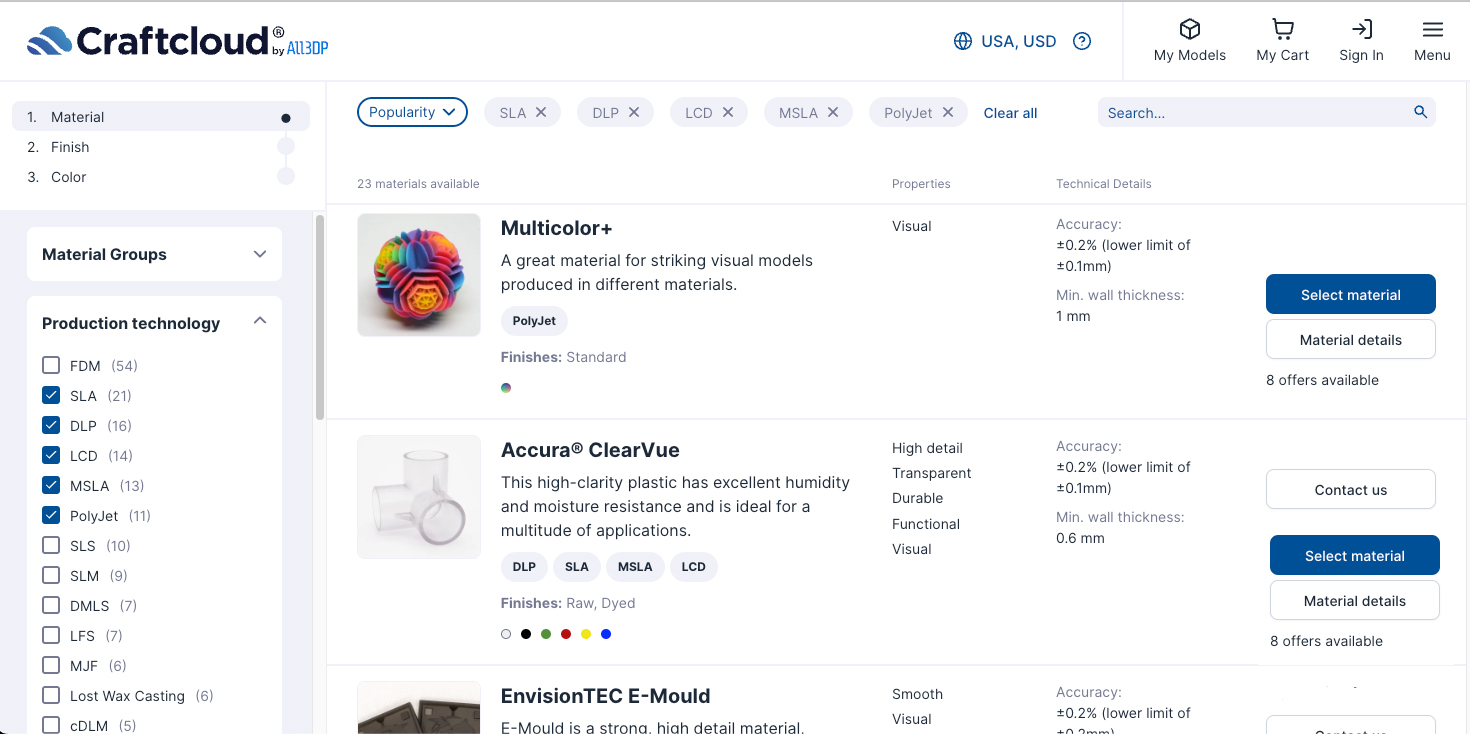
Today’s wide range of 3D printing services can guide you through the options and materials available for resin 3D printing, but some may leave you on your own to figure out the best option. Whether your project involves one unique gift for a friend, several jewelry molds, or hundreds, even thousands, of parts for your business, we’ve collected and reviewed the top resin 3D printing services providing a range of material and technology options to help you choose the best one in the guide linked below.
In fact, we put them to the test with a few resin-based part projects.

Lead image source: All3DP
License: The text of "Ready to Leave Consumer Resin 3D Printers Behind? Here Are the Top Pro Printers for Business & Light Manufacturing" by All3DP Pro is licensed under a Creative Commons Attribution 4.0 International License.