Featured image of Autodesk Inventor 2027: Free Download of the Full Version & New Features Source: Autodesk
This article is free for you and free from outside influence. To keep things this way, we finance it through advertising, ad-free subscriptions, and shopping links. If you purchase using a shopping link, we may earn a commission. Learn more
And Alternatives

Autodesk Inventor 2027: Free Download of the Full Version & New Features

Picture ofCarolyn Schwaar
by Carolyn Schwaar
Updated Apr 27, 2026

Looking for a full version of Autodesk Inventor to download for free? Check out our article to see what your options are.

Advertisement

We’ll cut straight to the chase: It’s not possible to get the new Autodesk Inventor 2027 for keeps without paying some cash. However, there are ways to get a free trial, a free limited education version, and save money off of the retail price with pay-as-you-need flexible tokens. Plus, we recommend some alternatives to Inventor below that are completely free.

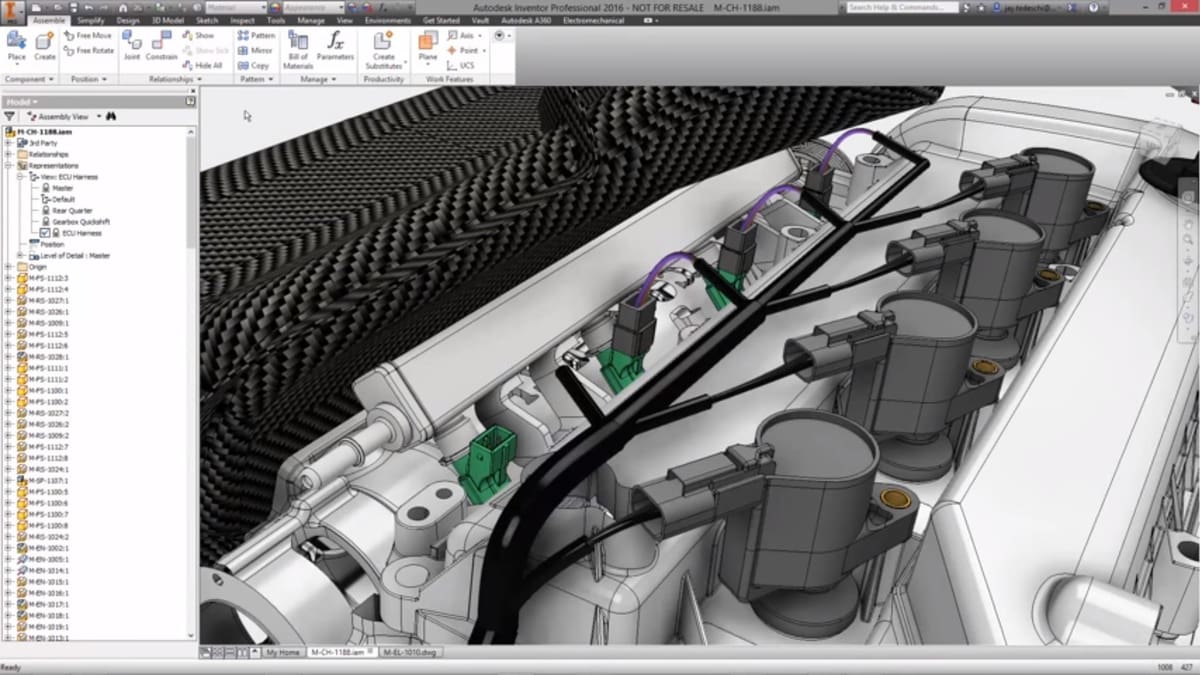
Inventor is Autodesk’s computer-aided design application specifically for 3D mechanical design, simulation, visualization, and documentation. It’s most often the engineer’s go-to tool for creating complex assemblies of parts and sheet metal, typically for machinery manufacturing. It easily integrates with other Autodesk products, including AutoCAD and Fusion (formerly Fusion 360).

Trial versions let you give the software a test run, and there is an educational license for students and teachers. But if your trial is over and you aren’t a member of an educational institution, you’ll have to invest ($216 per month or $2,585 per year).

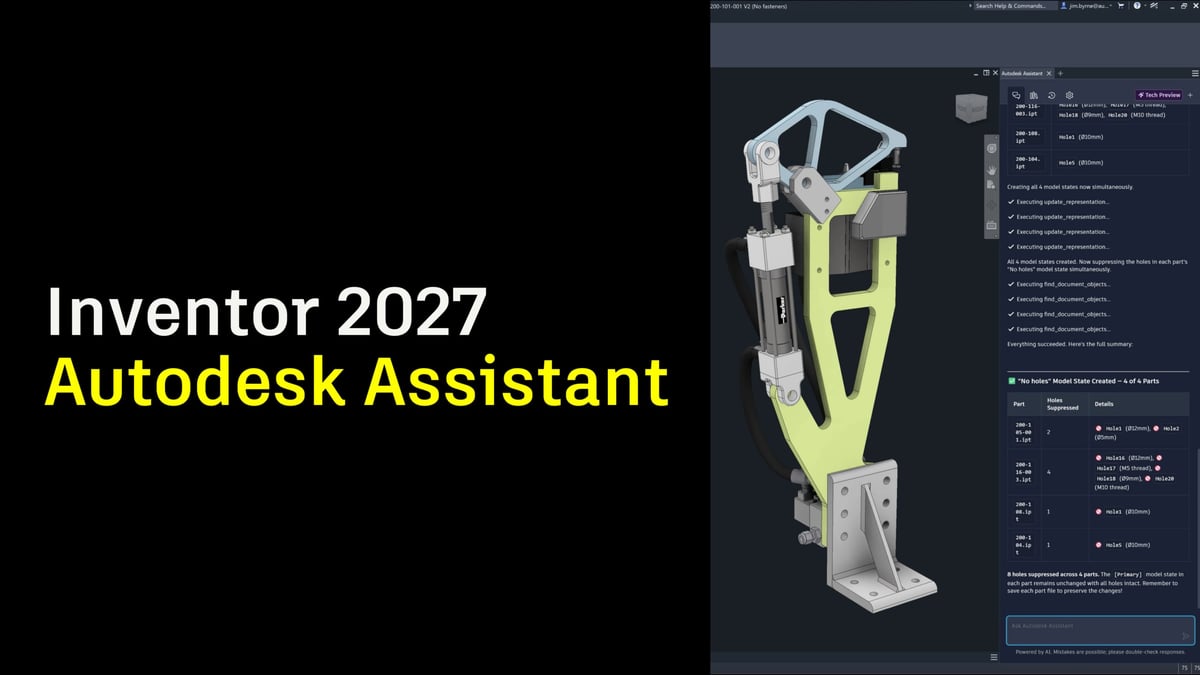
Autodesk Inventor 2027 introduces the Autodesk Assistant, an AI-powered experience enabling you to simply ask questions, give instructions, and receive meaningful results (Source: Autodesk)

But if you just need Inventor, say a few times a year or for occasional projects, there’s the Autodesk Flex pay-as-you-go option that lets you pre-purchase tokens to access any product for a daily rate. Inventor Professional costs eight tokens, or $24/day (minimum token order is $300 for 100 tokens).

Alternatively, you can check out completely free CAD software from FreeCAD or the really reasonable subscriptions to Fusion 360, SketchUp, Vectary, or Onshape outlined in our “The Best Free CAD Software” guide.

Autodesk Inventor Free Download

Autodesk Inventor 2027 Enhancements

Image of Autodesk Inventor Free Download : Autodesk Inventor 2027 Enhancements
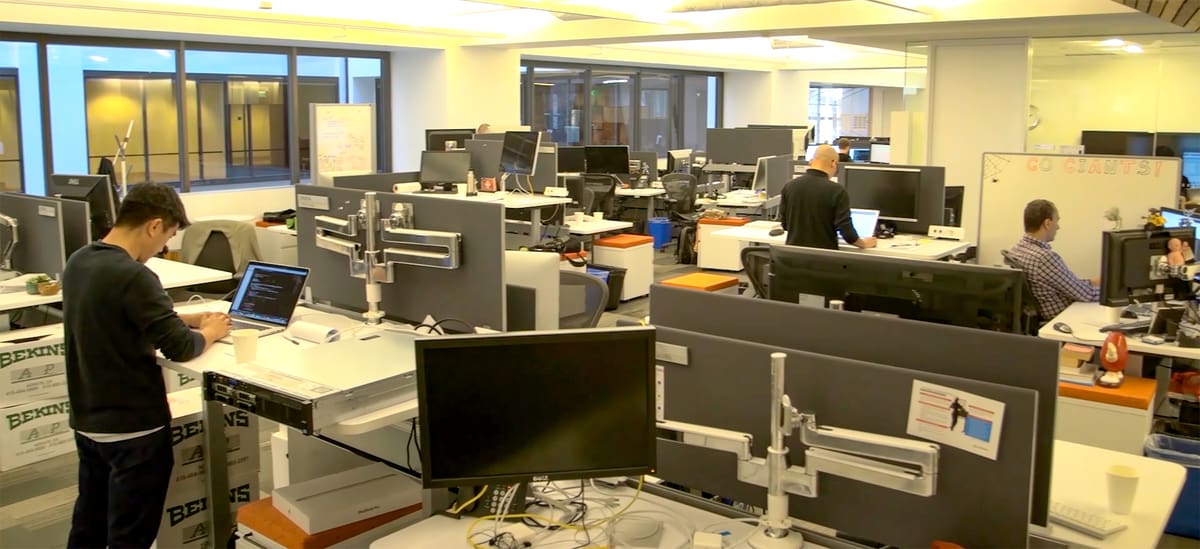
Autodesk says its software engineers made major enhancements to Inventor 2027 while implementing needed bug fixes (Source: Autodesk)

If you’re not already somewhat familiar with Inventor, the 2027 enhancements might not be really relevant to you, but if you’re a seasoned Inventor user there’s no doubt at least a handful of the new features and bug fixes are changes you’ve been hoping they’d make.

In fact, ​Autodesk Inventor 2027  focuses on workflow speed, automation, AI assistance, part modeling, assembly workflows, and reuse. The release introduces Autodesk Assistant, an AI-powered natural-language tool inside Inventor; iLogic Codeblocks, a visual programming interface for automation; a new Slot feature for standard, countersunk, and counterbore slots; expanded assembly mirror controls; and Content Center support for publishing and reusing complete assemblies.

Although Autodesk Inventor 2027 continues to support additive manufacturing workflows through its dedicated 3D Print Environment, there are no major new features specific to 3D printing in this release.

Autodesk AI Assistant

Inventor 2027 introduces Autodesk Assistant, an AI-powered, natural-language assistant built into the software. Instead of relying only on menus, scripts, or manual inspection, users can ask questions about their model, request changes, summarize design data, export images, or automate repetitive tasks from inside Inventor. Autodesk presents it as a way to make design automation more accessible, particularly for workflows that would otherwise require multiple steps or scripting knowledge.

iLogic Codeblocks

Another major addition is iLogic Codeblocks, a visual way to build automation rules in Inventor. Instead of writing iLogic scripts from scratch, users can assemble logic with drag-and-drop blocks for parameters, conditions, and actions. The underlying iLogic code is shown in real time, which makes the feature useful both for beginners learning automation and for more advanced users who want to refine their rules.

New Slot feature

Inventor 2027 adds a dedicated Slot feature, giving users a faster way to create one of the most common mechanical design details. The tool supports standard, countersunk, and counterbore slots, and allows slot size to be driven by dimensions, centerline definitions, or fastener-based clearance. Reusable presets are also supported, which should make repeated slot configurations easier to apply consistently.

Assembly mirror enhancement

Assembly mirroring has also been improved in Inventor 2027. Users now get more control over whether mirrored components stay associated with the original, become independent, are saved as a new file, or retain the component feature tree. Autodesk also added the ability to exclude specific components and use Associative Placement, which allows mirrored components to be repositioned while maintaining a relationship to the source design.

Content Center enhancement

Inventor 2027 also improves Content Center by allowing complete assemblies to be published and reused, rather than only individual parts. This is intended for commonly used purchased or standardized assemblies, such as cylinders or motors. Autodesk says the workflow supports metadata, previews, flexible placement, and configurable assemblies with model states, helping teams build richer reusable libraries.

Back to Contents

Advertisement
Advertisement

Autodesk Inventor Free Trial Versions

Inventor (Source: Autodesk)

Autodesk’s solution for mechanical simulation, Inventor sees regular updates introducing user-requested features and stability improvements.

Autodesk Inventor Free Download

Full Version

Image of Autodesk Inventor Free Download : Full Version
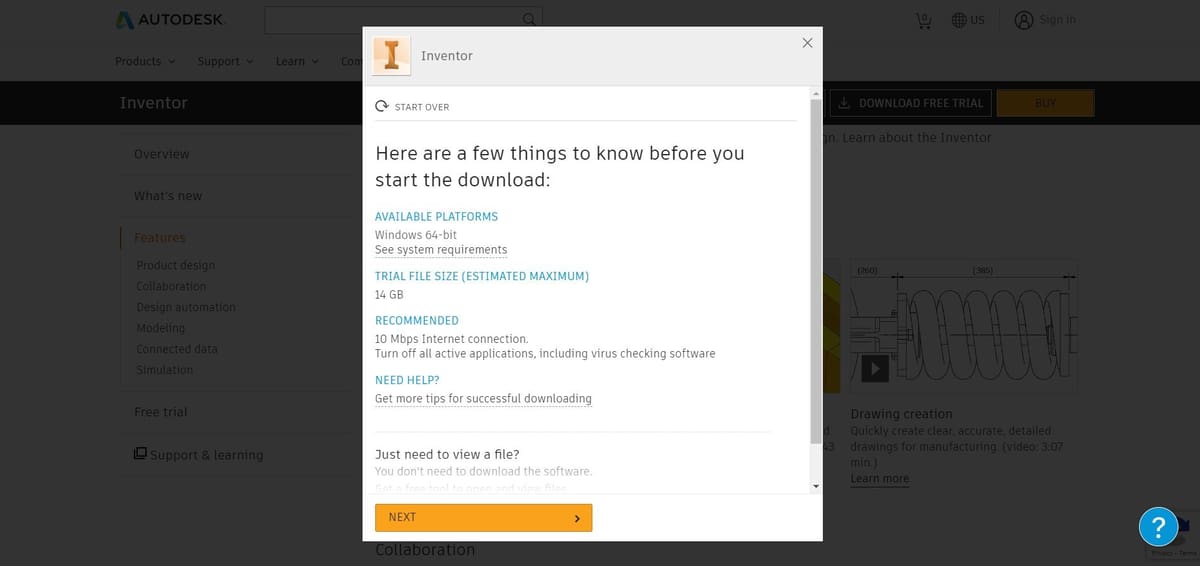
Signing up for a 30-day trial of Inventor (Source: Autodesk)

Autodesk offers a 30-day free trial of Inventor. All you need to do to get started is make an Autodesk account. The trial version is no different than the full version of Inventor, except that after 30 days the license will expire and you won’t have access to the software anymore.

Here’s a step-by-step guide to access the full version of Inventor 2027 free for 30 days:

  1. Click DOWNLOAD FREE TRIAL.
  2. Confirm that your system can handle the software by clicking NEXT.
  3. Select your intended usage of Inventor – students and educators will be redirected to Autodesk’s education pages.
  4. Choose your language. And click NEXT.
  5. Enter your personal information to create an Autodesk account. Alternatively, sign in to your existing Autodesk account.
  6. Enter your business information. And click NEXT.
  7. Read the Trial Notice and click BEGIN DOWNLOAD.
  8. Install, and start using the free trial.

If, after your 30-day trial, you’re still in love with Invent and you’re not an educator or student, you have to subscribe to continue the relationship.

  • $2,585 /year
  • $310 /paid monthly or $216 / month paid annually
  • $7,755 /paid every three years

Back to Contents

Advertisement
Advertisement
Autodesk Inventor Free Download

Educational Version

Image of Autodesk Inventor Free Download : Educational Version
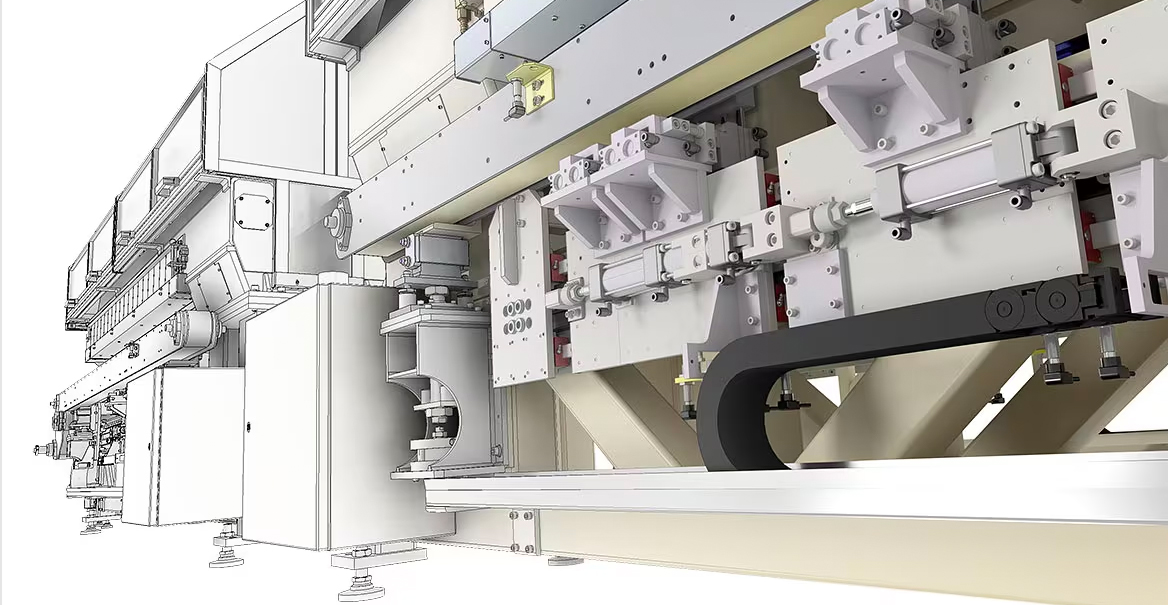
A complex system generated using Autodesk Inventor (Source: Autodesk)

Fortunately, if you’re a student or an educator and would like to use Inventor for educational purposes, in accordance with Autodesk’s terms of service, you may download and install a free copy of Inventor on up to two devices. The educational license, thanks to Autodesk’s Education Community, gives you free access to the all of the software’s features for 3 years.

  1. Go to the Autodesk Education Community.
  2. Choose Autodesk Inventor Professional.
  3. Create an Autodesk account. Alternatively, sign in to your existing Autodesk account.
  4. Then, click DOWNLOAD NOW.
  5. Select the desired version, your operating system, and your preferred language.
  6. The displayed serial number and product key are sent to your email address. And click BROWSER DOWNLOAD.
  7. Next, install the free version.
  8. When installing the CAD software, enter the serial number, and product key to unlock it.
  9. When you start the program the first time, activate the license.

Back to Contents

Advertisement
Advertisement
Autodesk Inventor Free Download

Main Features of Inventor
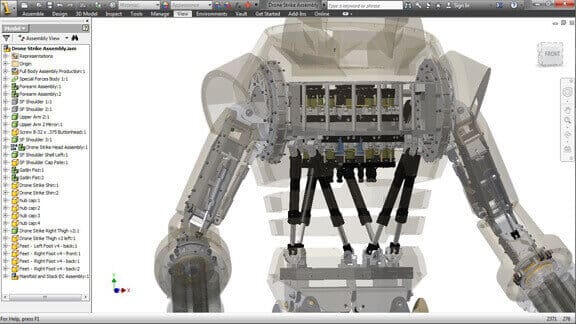
Image of Autodesk Inventor Free Download : Main Features of Inventor
(Source: Autodesk)

With Autodesk Inventor, you get a highly professional product development suite that offers a large array of tools for 3D mechanical design, simulation, 2D documentation, and manufacturing preparation. At its core, this CAD platform provides powerful parametric modeling tools, meaning that you define constraints and parameters for your design with values that can be modified later. When these values are changed, the software intelligently reshapes your entire model to adapt, preserving design intent and streamlining revisions.

Inventor’s capabilities go well beyond what most free or entry-level 3D modeling tools can offer. One standout feature is iLogic, a built-in programming language that enables users to automate design behavior by embedding logical rules into parts, assemblies, and drawings. With iLogic, complex assemblies can be automatically configured, reducing repetitive tasks and making designs more intelligent and customizable.

Another major strength is AnyCAD technology, which supports a highly collaborative workflow across different CAD platforms. Instead of requiring file conversions, AnyCAD establishes live associativity with non-Inventor parts, allowing changes made in the original files — even from software like Solidworks or CATIA — to update automatically inside Inventor projects. This greatly simplifies working in mixed CAD environments and keeps projects synchronized without losing fidelity.
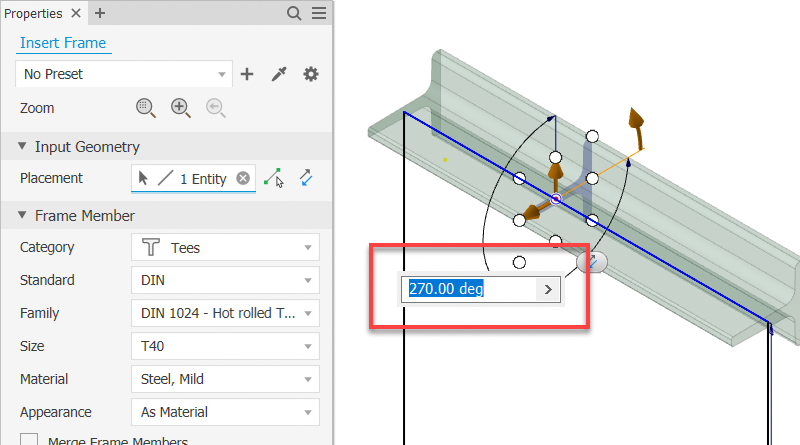
You can now define the frame rotation angle using any value from -360 to 360 degrees, either in the dialog or by using the scene manipulator (Source: Autodesk)

Inventor is especially geared toward engineering teams collaborating on large, complex projects, such as the development of entire vehicles, industrial machinery, and consumer products. For example, the integrated Shape Generator tool introduces a new way of designing parts: users can define the design space and the areas where forces will be applied, and Inventor automatically generates a lightweight, structurally optimized shape based on those parameters — bringing a form of generative design into traditional workflows.

Beyond core modeling, Inventor includes specialized environments for sheet metal design, welded frames, and tube and pipe routing, which are essential in industries like manufacturing, aerospace, and construction. Its simulation tools allow for virtual testing of parts and assemblies under real-world conditions, including stress analysis, motion simulation, and frame analysis. This helps engineers verify performance early in the design process, minimizing costly physical prototyping.

Inventor also offers a 3D Print Environment that prepares models for additive manufacturing, with features for adjusting model orientation, breaking down parts to fit build volumes, and adding assembly features like guide pins. For more advanced additive manufacturing needs, Inventor integrates with Autodesk Netfabb for support structure generation, lattice design, and print simulations.

Finally, Inventor ties into cloud-based collaboration through Autodesk Fusion Team, allowing teams to review, share, and manage designs across distributed locations in real-time.

Like its competitors, Solidworks and CATIA, Inventor is a highly advanced piece of 3D modeling software. It demands both extensive training and a strong foundation in mechanical design principles to unlock its full potential, but in return, it delivers a comprehensive, scalable platform capable of tackling the most sophisticated design challenges.

Back to Contents

Advertisement
Advertisement
Autodesk Inventor Free Download

Autodesk Inventor System Requirements

Autodesk’s system requirements for Inventor 2027 are broadly similar to the 2026 version, but there are a few notable changes. The CPU recommendation now explicitly calls for support for AVX2 and AVX512 instruction sets. Graphics requirements also appear to be higher, with Autodesk listing an 8 GB/16 GB GPU with 240 GB/s bandwidth and DirectX 12 compliance as the recommended level, while the minimum recommended graphics level rises to a 4 GB GPU with 96 GB/s bandwidth. Autodesk also updates the software dependency from .NET 8.0 or later to .NET 10.0 or later.

Component Autodesk Inventor System Requirements
Requirements: Autodesk Inventor 2027 (Windows Only)
Operating System 64-bit Microsoft Windows 11 and Windows 10.
See Autodesk’s Product Support Lifecycle for support information.
CPU Recommended: 3.0 GHz or greater, 4 or more cores, with support for AVX2 and AVX512 instruction sets.

Minimum: 2.5 GHz or greater.

Memory Recommended: 32 GB RAM or more
Minimum: 16 GB RAM for less than 500-part assemblies
Disk Space Installer plus full installation: 40 GB
Graphics Recommended: 8 GB GPU with 106 GB/s bandwidth and DirectX 12 compliant
Minimum: 4 GB GPU with 96 GB/s bandwidth and DirectX 11 compliant
Display Resolution Recommended: 3840 × 2160, preferred scaling: 100%, 125%, 150%, or 200%
Minimum: 1280 × 1024
Pointing Device MS-Mouse compliant
Productivity: 3Dconnexion SpaceMouse, driver version 10.7.0 or later
Network Internet connection for web install with Autodesk Access, Autodesk collaboration functionality, web downloads, and licensing.
See Autodesk Network License Manager for Windows.
Spreadsheet Full local install of Microsoft Excel 2016 or later or Office 365 for workflows that create and edit spreadsheets. Inventor workflows that read or export spreadsheet data do not require spreadsheet software.
Office 365 subscribers must ensure they have a local installation of Microsoft Excel.
Windows Excel Starter, OpenOffice, and browser-based Office 365 applications are not supported.
Browser Google Chrome or equivalent
.NET .NET version 10.0 or later. Windows Updates enabled for installation.
For Complex Models, Complex Mold Assemblies, and Large Assemblies, typically more than 1,000 parts
CPU Type Recommended: 3.30 GHz or greater, 4 or more cores
Memory Recommended: 64 GB RAM or greater
Graphics Recommended: 8 GB GPU with 106 GB/s bandwidth and DirectX 12 compliant
See the Certified Hardware.

Back to Contents

Advertisement
Advertisement
Autodesk Inventor Free Download

Autodesk Inventor 2027 Crack

Image of Autodesk Inventor Free Download : Autodesk Inventor 2027 Crack
The Youtube screen you'll get when you click on a video link claiming to show you how to crack open free access to Autodesk products (Source: Youtube)

Crack, hack, jailbreak, there’s no shortage of online schemes claiming to deliver a free backdoor to a full version of Inventor. So before you spend hours sliding down the internet rabbit hole of paid links and clickbait, we’ll tell you the truth: it doesn’t exist.

Autodesk didn’t get to be one of the largest, most trusted, and most respected software companies in the world by having flaws in its code. Plus, the company’s battalion of lawyers is typically all over these internet fraudsters with cease-and-desist orders faster than you can slice a benchy.

Attempting to crack software for free use is not only illegal (a violation of licensing, copyright, and intellectual property laws) and ethically wrong, but it typically doesn’t even work. Cracked software opens you up to malware, which is its intention, and without proper licensing is prone to unexpected errors and frequent crashes.

If you can’t afford Inventor just yet at this point in your career, there are free and lower-cost alternatives below.

Back to Contents

Advertisement
Advertisement

Free Autodesk Inventor Alternatives

If Inventor’s price tag puts you off, there are a number of free solutions that offer comparable features. Most notable among them are FreeCAD, Onshape, and nanoCAD.

To learn more about free CAD software, check out our article, Unlock Your Design Power: Our 5 Favorite Free CAD Software Options

Autodesk Inventor Free Download

FreeCAD

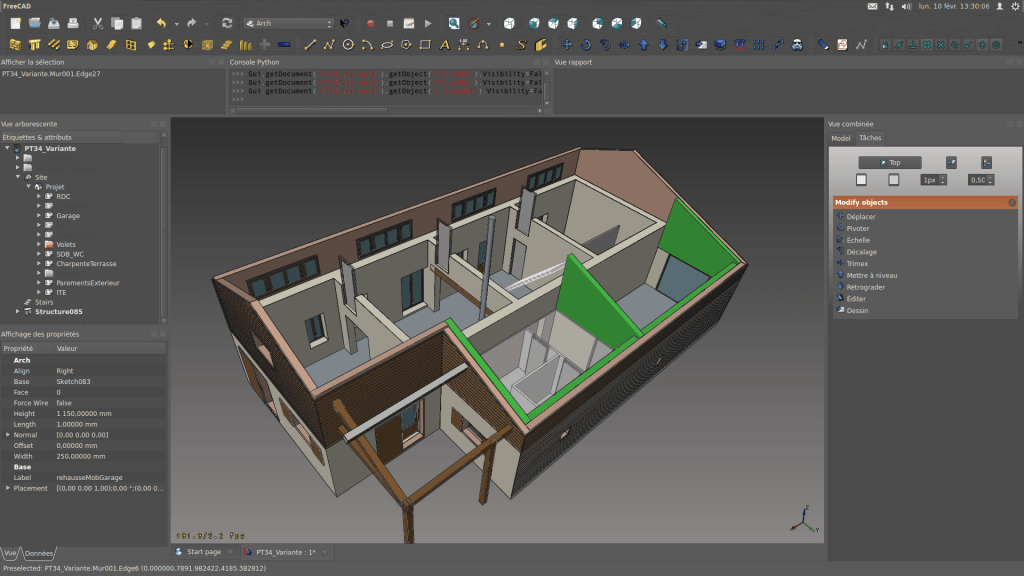
Without a doubt one of the best free alternatives to Autodesk Inventor, FreeCAD is an open-source and highly extensible free 3D CAD software. It offers full parametric modeling and has a range of features that can easily stand in comparison with commercial software from the likes of Autodesk.

Due to the modular architecture, FreeCAD is invaluable in many engineering and architecture workflows. For example, it lets you perform sophisticated simulations such as self-weight analysis.

It may not have the same polished user experience as Autodesk Inventor, but looking beyond this there’s enough here to accomplish sophisticated projects.

Back to Contents

Advertisement
Advertisement
Autodesk Inventor Free Download

Onshape

Image of Autodesk Inventor Free Download : Onshape
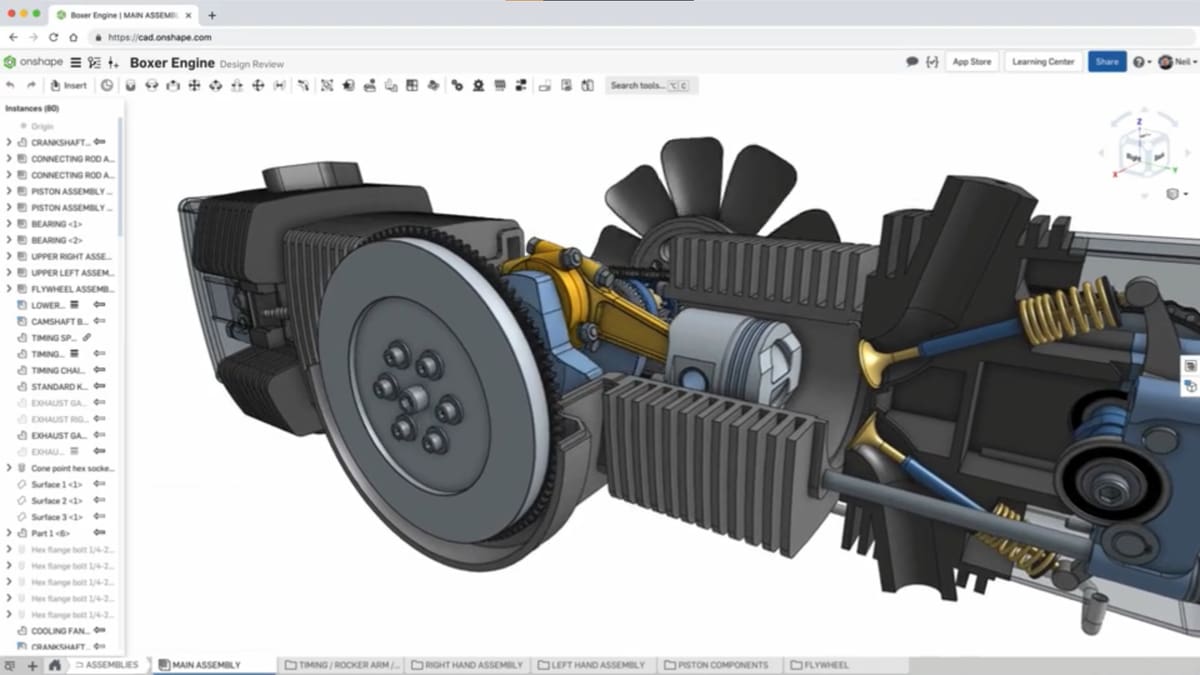
Onshape (Source: Onshape)

Onshape is an engineering-grade CAD software made by former Solidworks developers and available as a cloud service. It has much in common with Inventor and boasts robust collaboration tools that make it an attractive option for teams and organizations.

The program seeks to integrate the entire engineering workflow into one tool. Moreover, its comprehensive feature set lends you the full might of parametric modeling and the option to simulate assemblies of complex many part designs.

Using the free license lets you work on up to ten projects simultaneously. Note though that Onshape is, inherently, a paid-for service. Students, Educators, and hobbyists have access to a free license of the program, subject to some limitations and conditions.

Back to Contents

Advertisement
Advertisement
Autodesk Inventor Free Download

nanoCAD

Image of Autodesk Inventor Free Download : nanoCAD
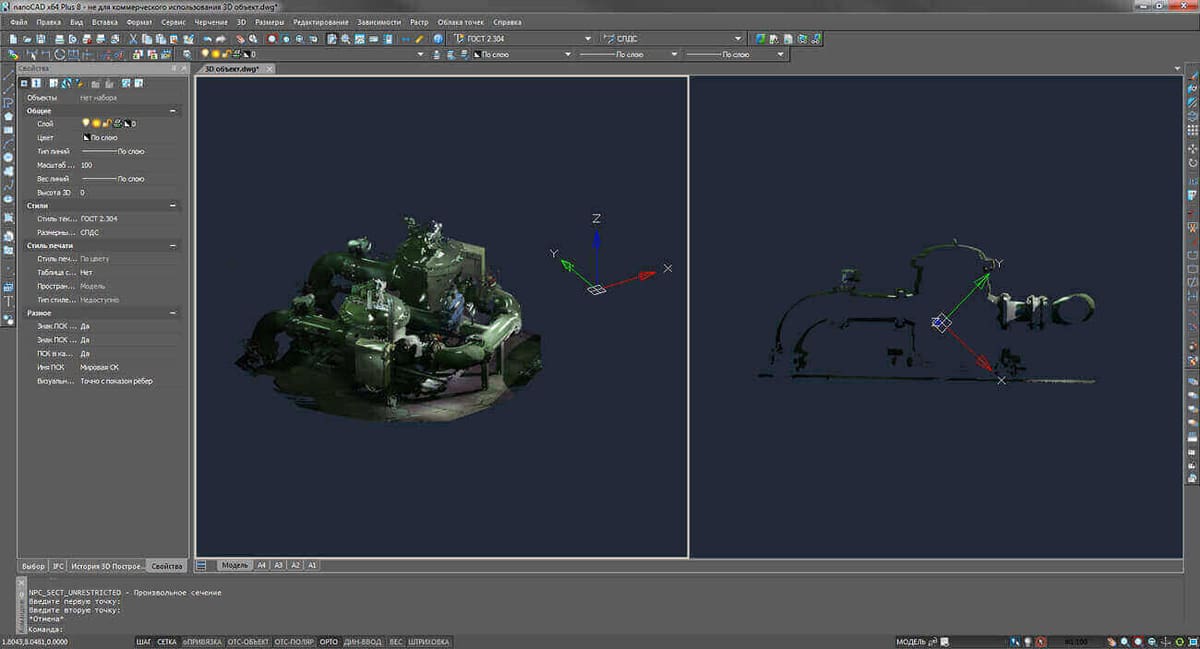
(Source: NanoCAD)

Even in its basic version, nanoCAD is an impressive piece of free CAD software. It’s yet another example of how one company did something right and inspired others to follow in its tracks: The user interface takes its cues from Autodesk’s AutoCAD, sousers familiar with Autodesk’s ecosystem of software should feel at home here.

True to its claim of professionalism, nanoCAD supports parametric modeling, which is handy as you can revisit older designs, and adapt them to new tasks in a breeze. Moreover, it can automate a great many routine tasks.

The program’s interface is uncluttered, making it accessible for hobbyists. Still, users have a rich feature set at their disposal. The free CAD software’s functionality can be extended by various plugins. In case your projects are more demanding, you should take a look at nanoCAD’s paid versions.

Back to Contents

Advertisement
About the Author:
Carolyn is All3DP’s senior editor and a journalist with 25+ years covering business and technology. Passionate about making tech accessible, her work also appears on Forbes.com.
Advertisement
Advertisement
Advertisement