Want Faster, Error-Free 3D Prints from Your Scans? Experts Show You How in 5 Steps

Today, one of the main barriers to adopting scanning isn’t cost, it’s confidence. HP’s Michel Georges Encrenaz and Creaform’s Gabrielle Williams share expert advice for turning real-world objects into ready-to-print files.
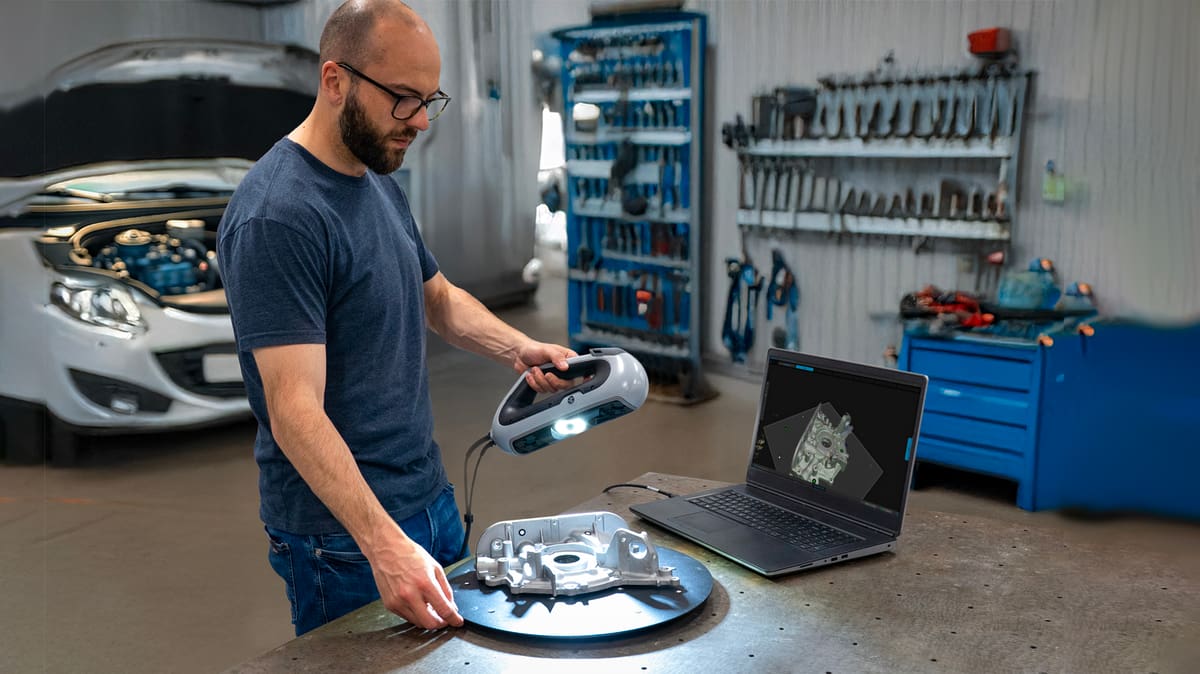
The days of complex, expensive, and heavy 3D scanners are long gone. Affordable, high-precision 3D scanners are now reaching engineers, makers, and small manufacturers, which in turns helps the technology continue to evolve. Yet, while access has improved, the know-how hasn’t always kept up – meaning many users still aren’t sure how, exactly, to go from scan to print efficiently.
To help fill that gap, Michel Georges Encrenaz, 3D master technologist at HP, and Gabrielle Williams, sales application engineer at scanner-maker Creaform, share five practical tips on how to digitize real objects and turn them into ready-to-print 3D models.
Even though these tips feature a specific scanner and software combo, they apply equally to which ever scanner and software you’re using.

1. Choosing the Right 3D Scanner for Your Application
Not every scanner fits every project.
“There are a number of 3D scanners in the marketplace and it can be confusing for a customer to select which one to pick,” Encrenaz said. “It actually depends a lot on the application.”
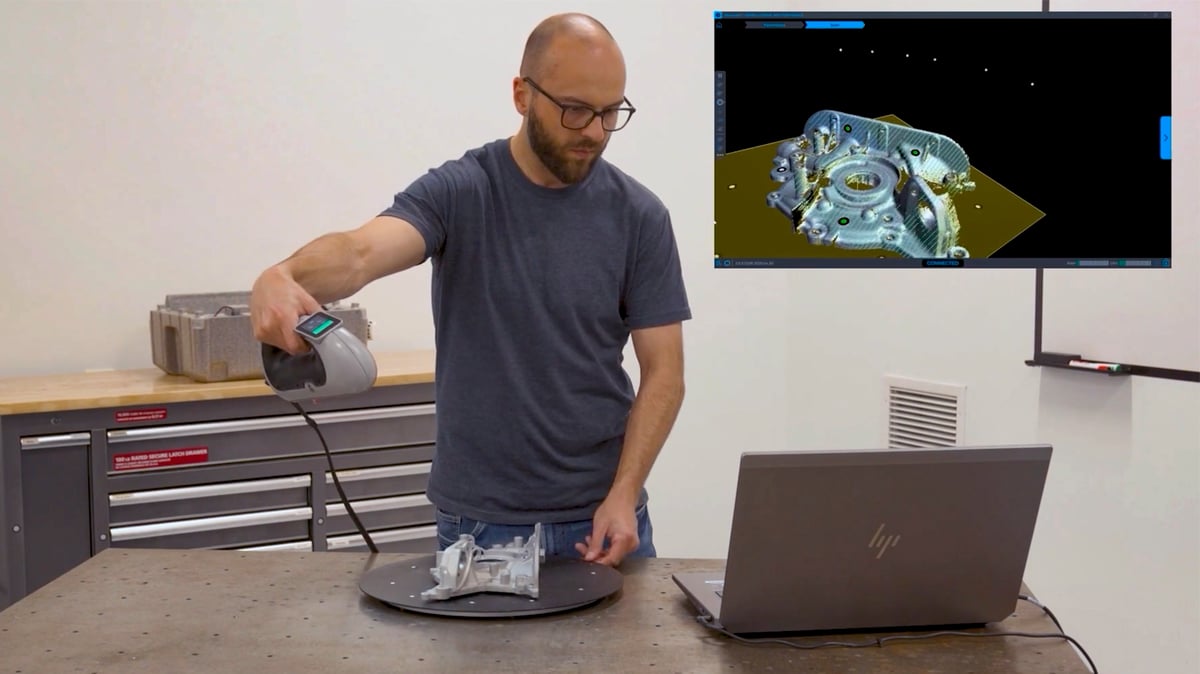
With the DesignScan, HP’s goal was to design a scanner that matched the resolution and volume of its printers.
“We wanted to be able to scan parts of size up to the printable volume,” he said. “And the level of detail provided in the scan allows you to get the best out of the printer.”
In other words, make sure your scanner’s precision aligns with your 3D printer’s capabilities. The DesignScan, for example, has an accuracy of up to 50 microns, 0.25 millimeter mesh resolution, and a measurement rate of 1.25 million measurements per second. To get the most out of your scanner, you’ll also need a 3D printer that can keep pace.
2. Use Guided Scanning Software for Accuracy
Learning to scan doesn’t have to take days of training. Encrenaz said one of the biggest advantages of modern scanners is usability.
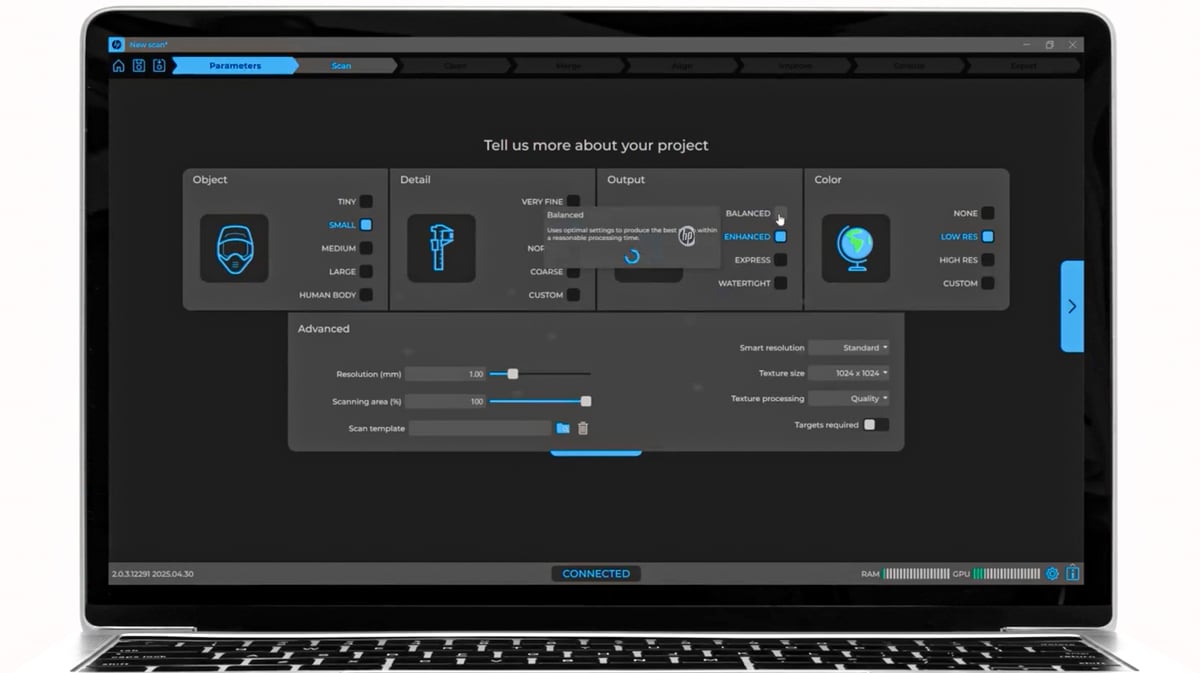
“You just follow the guided process,” he explained. “Literally in minutes, you get your scan.”
Systems like the HP DesignScan – as well as Creaform’s software, which the device leverages – use visual cues and real-time feedback to help maintain the correct distance and angle. If you’re too close, the display turns red; too far, it turns blue. The green zone means the scan is perfect.
Other brands – such as Artec, Shining 3D, and Polyga – offer similar assisted modes. For most users, this guided approach drastically shortens the learning curve.
3. Automate Mesh Repair and Model Cleanup
Once a scan is complete, don’t spend hours fixing geometry. The software can usually take care of it. Functions for mesh repair and hole filling, for example, are often built into your software’s workflow, said Williams.
“With Creaform, you click ‘Clean Mesh’ and it takes care of a lot of different cleaning tools for you all at once,” she said.
A good cleanup routine produces watertight, print-ready 3D models in standard formats like STL, OBJ, or 3MF, with no manual patching.

4. Align Your Scan Data with Your Build Process
When it comes time to print, Encrenaz stressed keeping the scanner and printer settings in sync. The more the scan reflects the printer’s build area and design guidelines, the smoother the print.
“If your design meets these recommendations, you’re very likely to get it right on the first print,” he said.
The principle applies both to HP’s DesignScan and other additive systems: scan with the end print in mind.
5. Build Confidence Through Repetitive Practice

According to Encrenaz, one of the main barriers to adopting scanning isn’t cost, it’s confidence.
“Other scanners sometimes require training, sometimes various hours, sometimes days,” he said. “But with the guided workflow, you can start using the device and get results within a few minutes.”
He recommends starting with small, simple objects and repeating the process until it feels natural. Each scan-to-print cycle reinforces best practices, from surface preparation to file export.
The Bigger Picture: A Clear Path to Professional Digitization
With companies like HP and Creaform pushing integrated, easy-to-use solutions, it is clear that 3D scanning has moved past its niche roots. The same ideas apply across the field. Whatever the model or brand of 3D scanner you end up using, the key is to match your scan precision to your print process and rely on guided software to streamline the steps.
All told, 3D scanning is as much about workflow as technology. And as Encrenaz put it, it’s now possible for professionals to digitize, repair, and print an object “literally in minutes”.
For designers and engineers still hesitating to try scanning, that may be the best reason yet to start – from laser to print, the path is finally clear.
You May Also Like:
Never Miss Any Additive Manufacturing News, New Printers, or Guides:

Tired of Reading? Try Listening
License: The text of "Want Faster, Error-Free 3D Prints from Your Scans? Experts Show You How in 5 Steps" by All3DP Pro is licensed under a Creative Commons Attribution 4.0 International License.