Tinkercad’s New Physics-Based Feature Is a Time-Killer’s Dream

From roller coasters to Galton boards, the Tinkercad Sim Lab is a sandbox full of possibility – educational and otherwise.
Tinkercad has released a new physics simulation feature that allows users to add gravity and materials to their 3D designs – and which is sure to pique the interest of anyone with a few minutes (or hours) to spare.
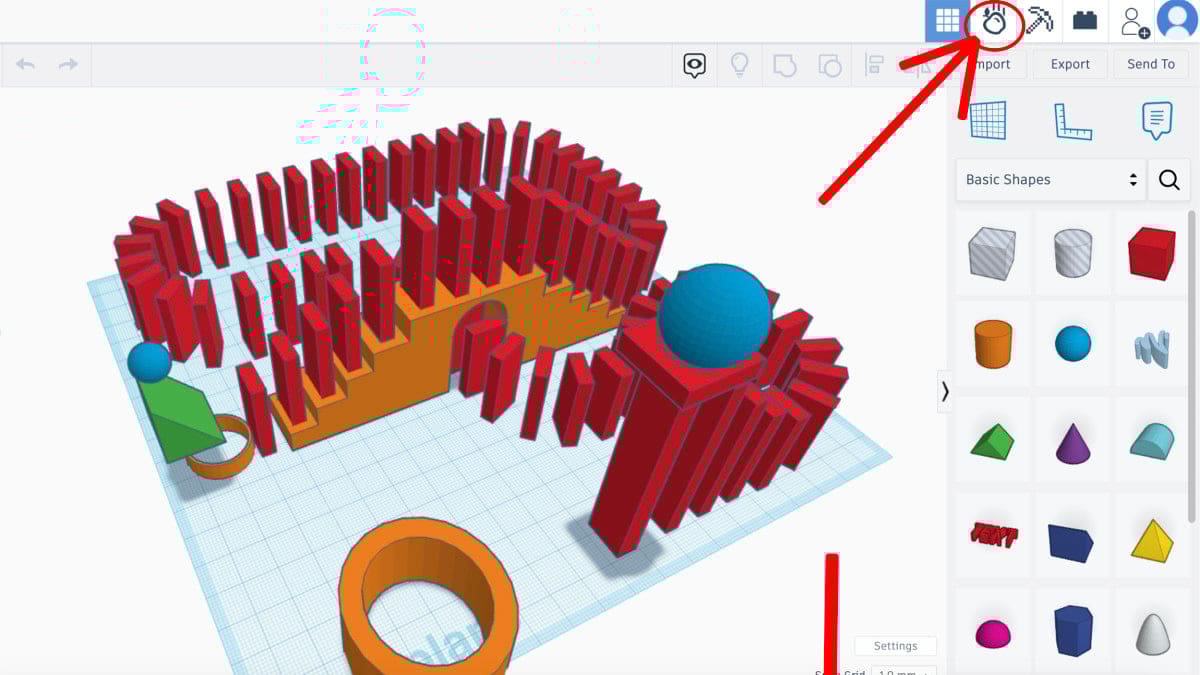
The Tinkercad Sim Lab is accessible by clicking the falling apple icon in Tinkercad’s navigation bar. Once enabled, all shapes and designs become moveable by default (and can be toggled to static, should you want them to remain in place). Selecting specific shapes opens an “inspector” box, in which users can experiment with different materials such as rubber, ice, steel, or hardwood.
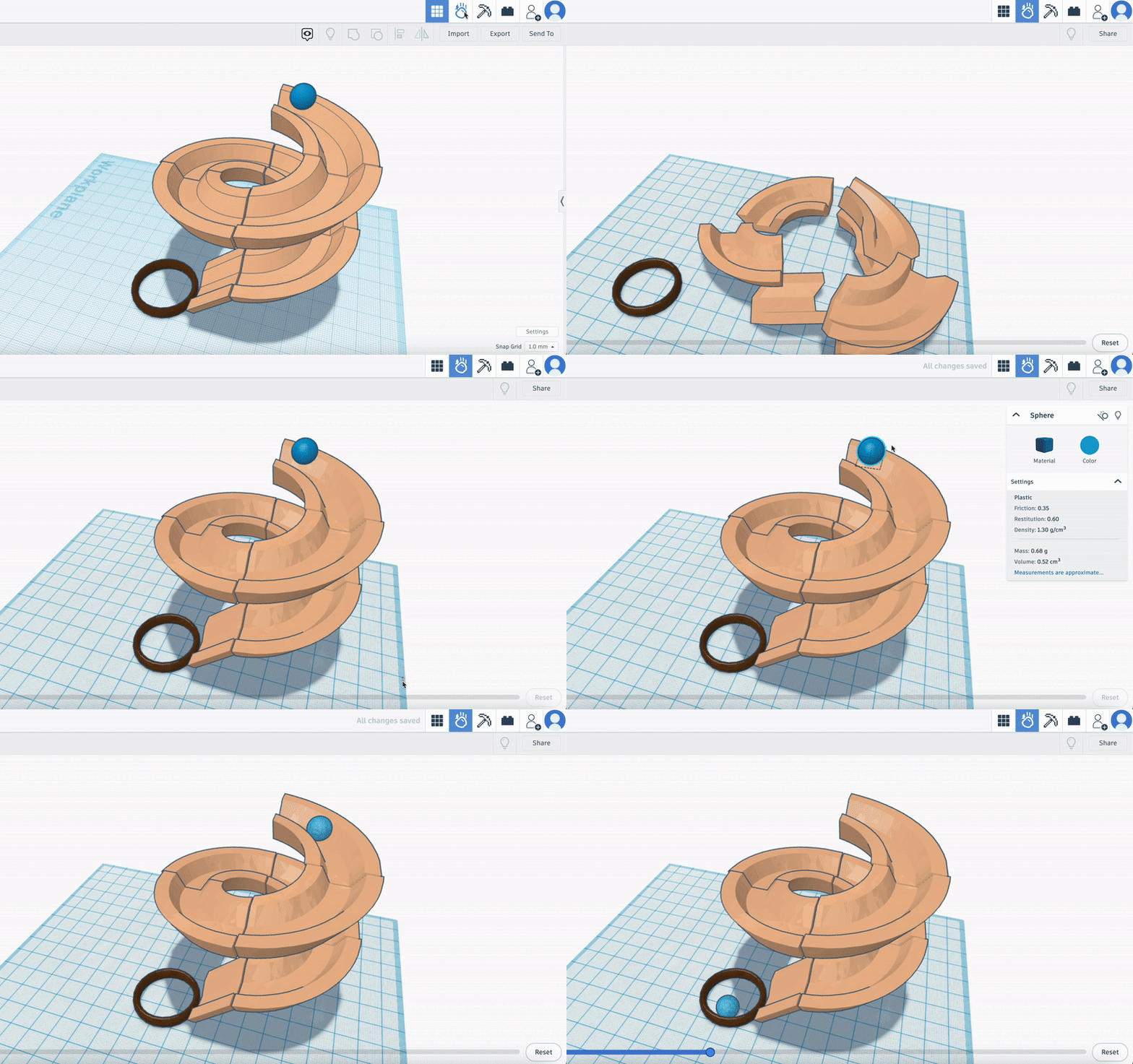
From there, the Sim Lab becomes a physics-based sandbox, with the “Play” button starting a simulation in which every object that isn’t dynamic will begin to move based on specific materials’ characteristics and how gravity affects them. Users can set up lines of dominoes, then knock them over; create marble mazes or roller coasters; cause chaos with thrown objects; send balls made of different materials down a Pachinko playfield; design and simulate Galton boards; and more.
While not directly related to 3D printing, the Tinkercad Sim Lab is nevertheless an interesting addition to the popular 3D modeling software. It’s full of both educational and time-killing possibility, with users able to record, replay, and share simulations that are especially noteworthy – or just plain cool.
For the full deep-dive on the new feature, check out the Autodesk blog post that offers advice on getting started, as well as shows the Sim Lab in action.
You’ve read that; now read these:
License: The text of "Tinkercad’s New Physics-Based Feature Is a Time-Killer’s Dream" by All3DP is licensed under a Creative Commons Attribution 4.0 International License.