Tinkercad’s Dashboard Gets a Facelift

The much-loved web app has been updated with features that should lower the bar to access for anyone new to 3D printing
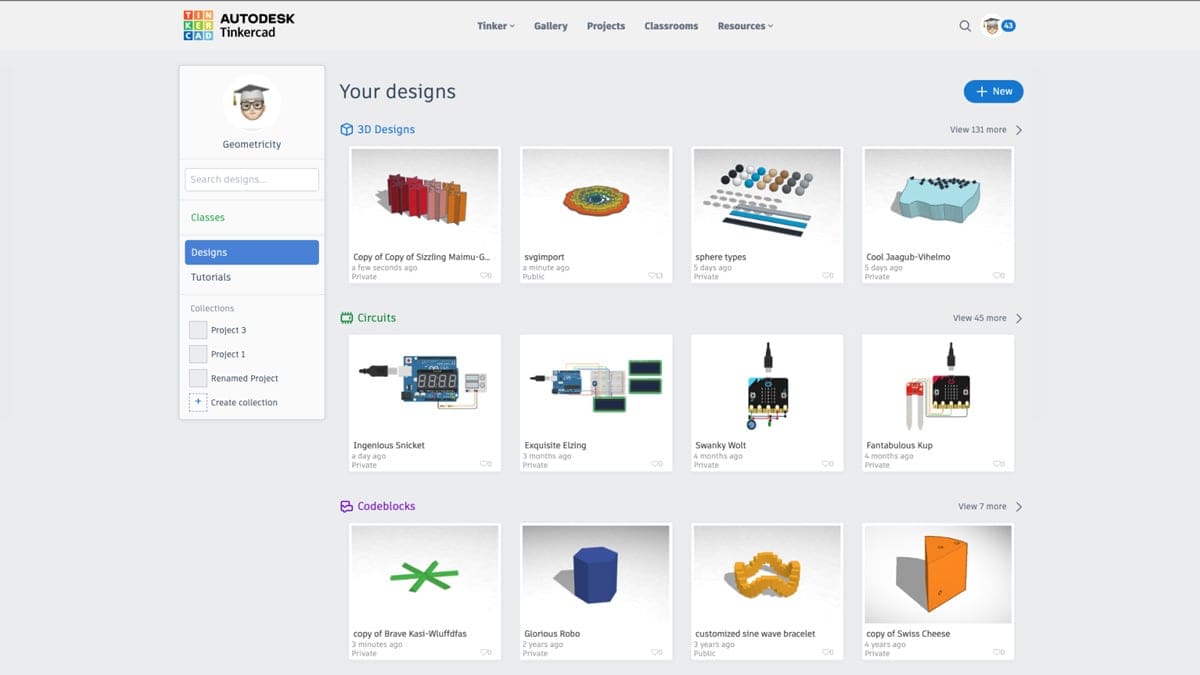
Tinkercad has refreshed its dashboard with a functional design.
The default mode will showcase your 3D Designs, Circuits, and Codeblocks. Giving prime space to the range of designs available in Tinkercad will make the entire set-up more accessible.
The functional dashboard is particularly useful for newbies with a new set of tutorials and a dedicated classroom for teachers to access their classes.
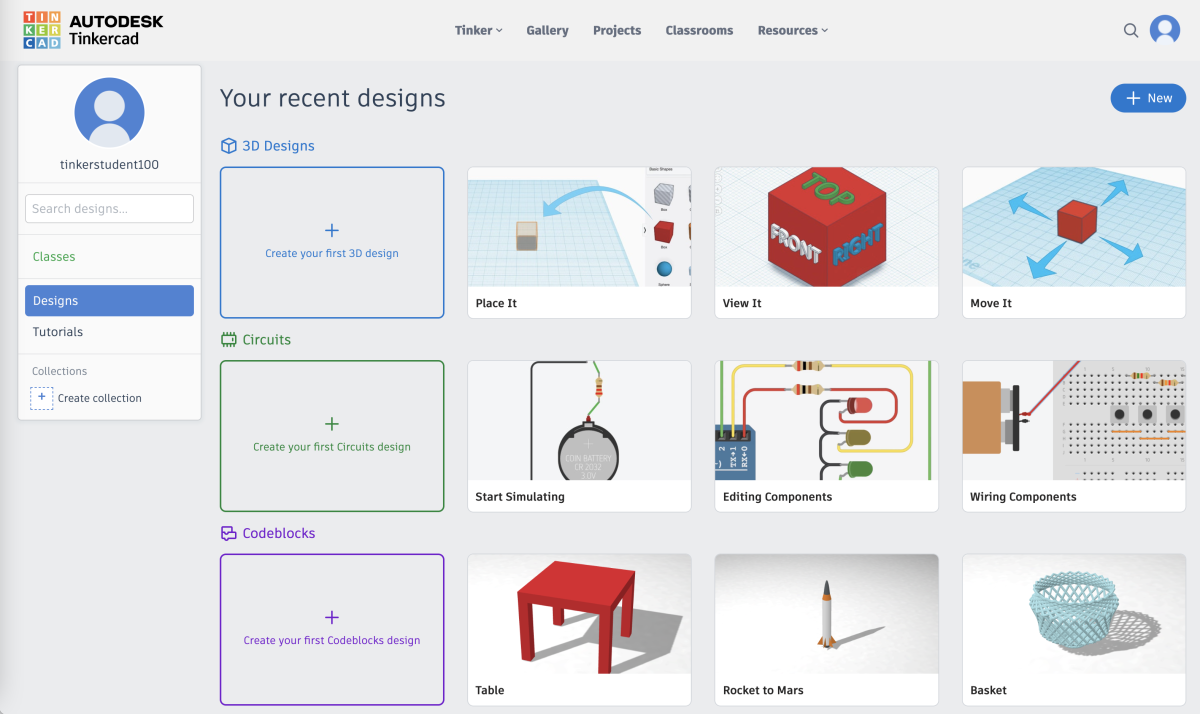
The new design makes 3D printing even more accessible for people hoping to start printing with limited 3D modeling knowledge.
License: The text of "Tinkercad’s Dashboard Gets a Facelift" by All3DP is licensed under a Creative Commons Attribution 4.0 International License.