Snapmaker Adds White to the Mix for Far More Color Options From Four Spools

With reformulated cyan, magenta, and yellow PLA alongside it, the new white spool promises pastels, pure-white details, and more vivid mixes from four spools.
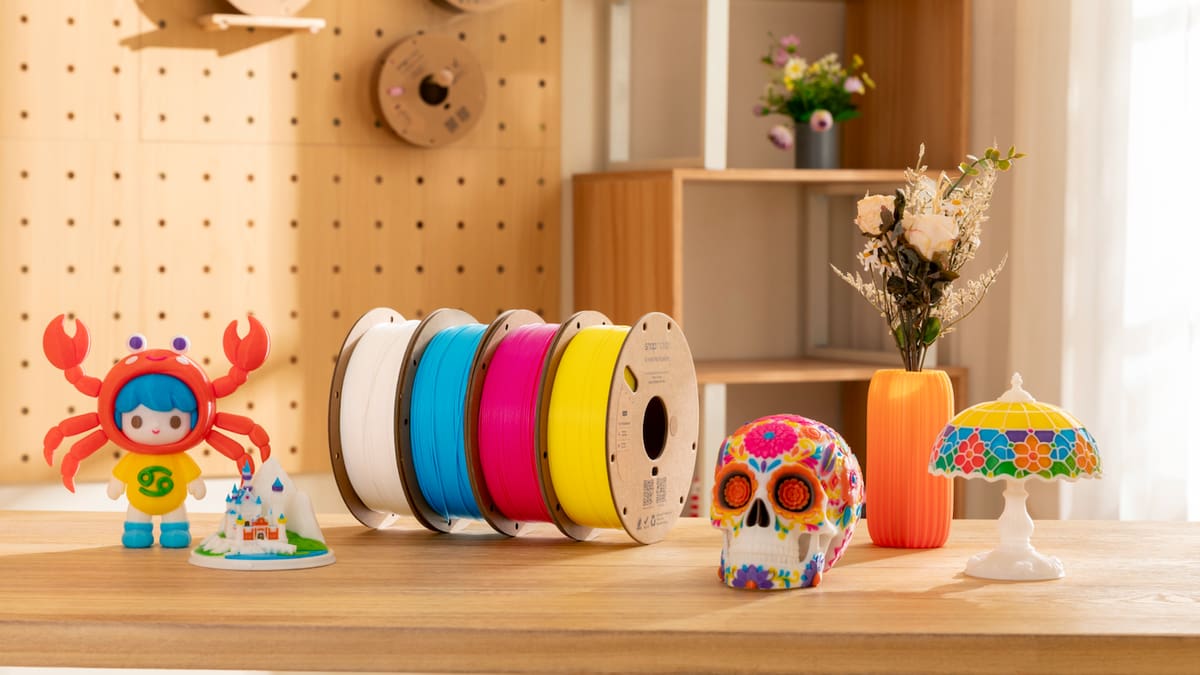
Snapmaker’s PLA Full Spectrum Filament Bundle (White Edition), aims to make layered color mixing on Snapmaker’s U1 toolchanger brighter and more vibrant. Listed on Snapmaker’s US store for $69.99 (marked down from $89), the White Edition comes with four 1 kg spools in cyan, magenta, yellow, and white. It swaps in a white spool for the gray in Snapmaker’s Gray Edition, giving lighter shades and pure-white details that cyan, magenta, and yellow can’t produce alone.
What White Changes
Cyan, magenta, and yellow can’t make white, so this new bundle enables users to print pure-white areas directly. It also lightens mixes and lowers their saturation, giving softer pastel tones. The reformulated cyan, magenta, and yellow is said to create more vivid blends. Snapmaker also says it has tuned their color and Transmission Distance (TD), a measure of how far light travels through a material, so colors blend more naturally and show fewer horizontal stripes.
How the Color Mixing Works
Full Spectrum alternates thin layers of different filaments along the Z-axis. Looking at the print, the eye blends them. Alternate a cyan layer and a yellow layer, for example, and the surface reads as green. Full Spectrum began life as a fork of Orca Slicer, where the slicer treats each blend as a “virtual filament. In that version, the slicer treats each blend as a “virtual filament” with its own ratio and layer order. Snapmaker Orca, the company’s official slicer, now supports the feature.
The trick depends on the filaments being semi-translucent. An opaque filament shows just its own color, however thinly you print it. A semi-translucent one lets some light pass through the top layer, pick up color from the layers beneath, and bounce back, so the layers combine in the eye.
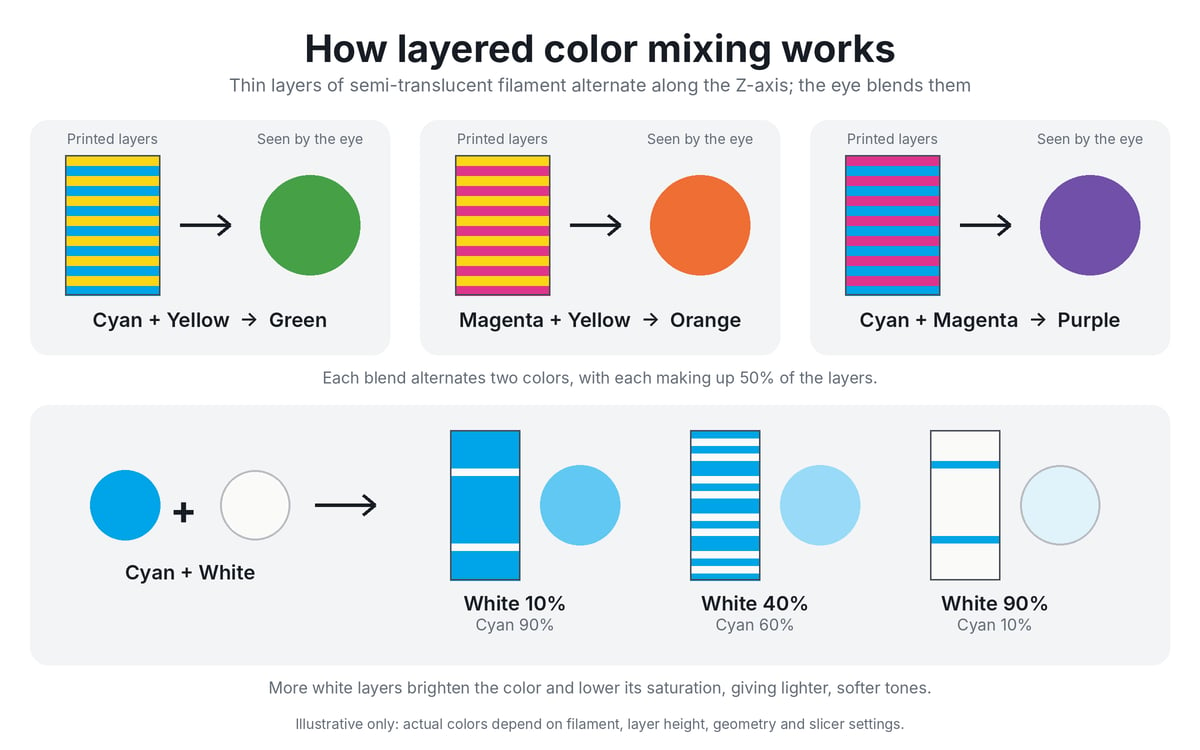
That’s how four spools can produce far more than four colors: every pairing, ratio, and layer sequence gives a different result. Snapmaker’s examples are cyan plus yellow for green, magenta plus yellow for orange, cyan plus magenta for purple, and any color plus white for a lighter, softer tone. Snapmaker Orca offers Ratio, Cycle, Match, and Gradient modes, plus a Color Mixing Match function that generates blends close to a model’s original colors. Snapmaker also points users to a Full Spectrum Color Reference on its wiki, which lists filament combinations and mixing ratios.
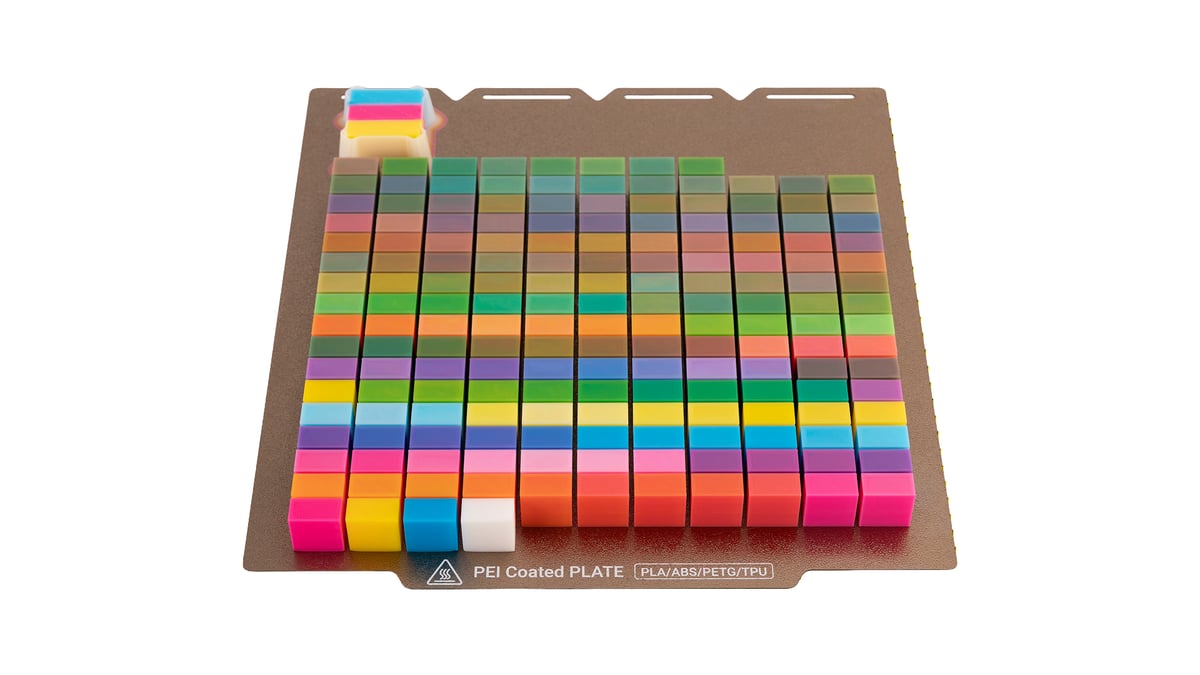
Snapmaker’s sample plate shows the range. With well over 100 printed swatches in vivid greens, oranges, purples, blues, and pinks, with lighter pastel versions in the lower rows. The upper rows have muted gray and brown tones, which fits Snapmaker’s own warning that mixing many colors at once can look darker or grayer.
What it can’t do is print pure black, so black areas need a separate spool. The bundle is not recommended for flat, small, lithophane, or highly detailed models, and Snapmaker says Full Spectrum is for exploring color, not matching it precisely. For best results Snapmaker recommends a nozzle of 0.4 mm or smaller, a layer height of 0.1 mm or lower, and mixing two colors at 33–67% each.
Specs
You Might Also Like:



License: The text of "Snapmaker Adds White to the Mix for Far More Color Options From Four Spools" by All3DP is licensed under a Creative Commons Attribution 4.0 International License.