Prusa Is the First Major 3D Printer Maker to Embrace AI Chatbot-Controlled Printing. I’m Sold.

After putting Prusa's new MCP integration through its paces with ChatGPT and Claude, I've discovered that the real appeal of AI-powered 3D printing is having someone else do the legwork.
Whenever possible, this is how I’m going to print on Prusas from now on, despite its glitches. And, having spent considerable time with both ChatGPT and Claude operating the All3DP Lab’s Prusa printers, it’ll probably be ChatGPT. I find Claude a little rude. But that’s a different product review.
Prusa Research appears to be the first major desktop 3D printer manufacturer to offer its own official Model Context Protocol (MCP) integration, essentially giving popular AI assistants (ChatGPT, Claude, and others) access to its full 3D printing ecosystem.
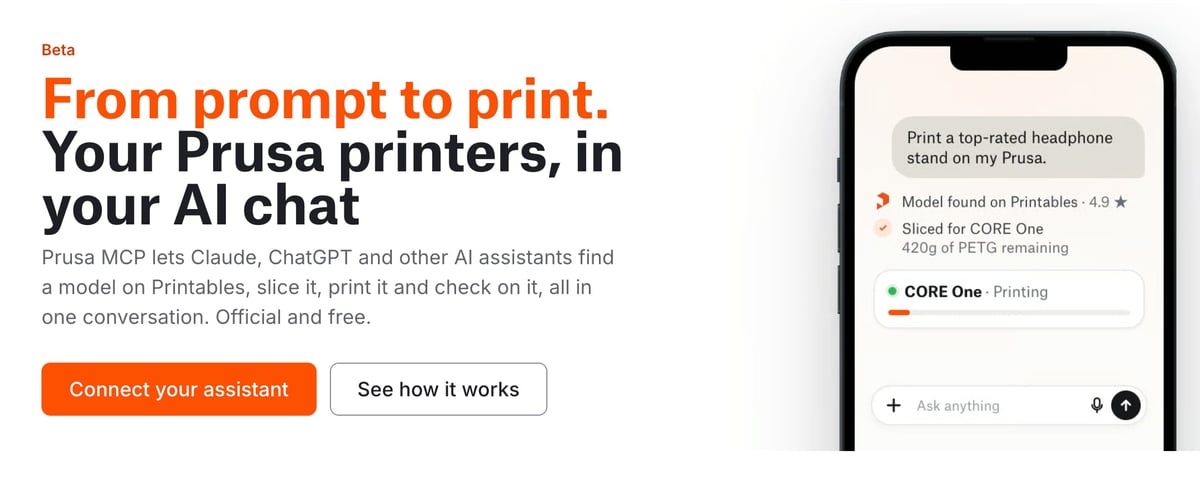
Third-party developers have already built MCP integrations for printers from Bambu Lab and other manufacturers, but an independent developer tapping into a manufacturer’s available APIs a world away from a manufacturer itself opening up its full software infrastructure to AI assistants.
Prusa has the advantage of being able to integrate its MCP with everything from its cloud slicing engine and material database to its technical documentation and printer management platform. It can also maintain the integration alongside future hardware and firmware releases. In other words, the opportunity here isn’t simply to give an AI assistant control of a 3D printer, but to give it access to much of the manufacturer’s collective 3D printing expertise.
And that expertise is gold. You no longer really need to know how to slice a model or run your printer. AI does it for you. Not that it’s fullproof, of course. But if you’ve ever had to search for settings or watch a tutorial, no more.
What You Can and Cannot Do With AI Using Prusa’s MCP
Available free and currently in beta (so expect hiccups and unexpected behavior), Prusa MCP connects AI assistants to Printables, its online model repository; EasyPrint, its cloud-based slicer; and Prusa Connect, its printer management platform. Your chatbot can find models, compare them, slice them for your particular printer (plus resize, color, duplicate to fill the print bed, etc.), check which filament you have loaded, start prints, and report back on their progress.
What Prusa MCP Can Do
- Search Printables and recommend models.
- Slice models, optimize settings, and flag potential print issues.
- Estimate printing time and filament consumption.
- Start, pause, resume, cancel, and monitor prints.
- Manage print queues and filament inventories.
- Assign filaments for multicolor printing.
- Recommend materials, compatible spare parts, and upgrades.
Troubleshoot problems using Prusa’s official documentation.
What Prusa MCP Can’t Do
- Generate models from scratch or edit the 3D models it finds.
- Search competing model repositories.
- Access every advanced slicer setting.
- Slice models you make in you AI (although you can manually upload them to EasyPrint as STLs)
- Slice for the INDX
- Physically prepare printers or resolve mechanical issues.
None of this initially sounded like something I particularly needed. After all, finding a model, slicing it, and hitting print isn’t exactly arduous. But having an assistant make informed decisions along the way about which model is best, which settings are fastest, which orientation is ideal, and paint the parts of an 6-color model just by chat, turns out to be considerably more useful than I expected.
Prusa details the various ways to wire your chatbot of choice to the MCP on its website. Claude, ChatGPT, Claude Code and Antigravity are named integrations, but Prusa says any client that can tap remote MCP servers via streamable HTTP is supported.
Finally, Someone Reads the Instructions
I have a confession to make. I rarely read the printing recommendations that designers painstakingly include alongside their models on Printables. My usual approach is to download, slice, print, and, if things go horribly wrong, return to the model page to discover that the designer specifically advised against whatever I just did.
Both ChatGPT and Claude, it turns out, are considerably more diligent.
In my first experiment, I asked Claude to find and print a cable organizer. Specifically, I said:
"My desk is a mess of charging cables. I need a practical 3D printed solution that can organize at least five cables of different thicknesses without requiring screws or glue. Find a suitable model on Printables, check my available printers and filament, and prepare the model for printing in under two hours. Explain your decisions, provide a link to the original model, and show me the slicing results. Do not start printing until I explicitly approve the job."
It identified the six Prusa printers in our Prusa Connect account, checked their availability and loaded materials, and read the descriptions of 18 models before settling on one.
Unfortunately, Prusa MCP’s slicing service didn’t support our new eight-tool Core One INDX. It’s not clear why, considering this printer exists and can be used in EasyPrint. ChapGPT couldn’t either. Both could communicate with the printer but couldn’t slice anything for it. Perhaps this will be fixed when the tool graduates from Beta.

Switching to our Core One L, all went to plan. The exercise took around 20 minutes, but that’s just because of the initial time spent approving Claude’s requests for permission to perform individual tasks. This something you generally only have to do once.
No searching Printables, no downloading STLs, no opening the slicer or configuring anything else. Nice.
That’s Not What I Ordered

With ChatGPT and the Prusa MCP, I decided to print something I actually needed: an elevated stand for my iPhone 17 Pro. Here, my AI went a bit rogue spotlighting a glitch that may not be a flaw of the Prusa MCP.
The AI accessed Printables and offered three option to choose from. I settled on a nice-looking honeycomb-style stand by Printables user Talton. But the image of the phone stand wasn’t the image that’s on Printables. ChatGPT said it “used an automatic image search to illustrate the model, rather than displaying the original photo supplied by Printables through Prusa MCP.” Asked why, the AI said “Prusa’s MCP should return the actual preview image alongside the model information, rather than relying solely on an external image URL.” I agree. Being able to see exactly what you’re about to print is hardly an optional feature.
However, Claude, which also could not display images, said it wasn’t strictly Prusa’s fault. “Prusa MCP returns only a link to a Printables model’s main image, not the image itself (its camera tool, by contrast, does return images). The chat environment Claude runs in could not load that link because of its security and network restrictions. Claude could view the full model page and photos through the Claude in Chrome extension, but those screenshots were visible only to Claude, so the user still had to open the Printables link to see the images.”
Tip: Tell your AI to never substitute images from external searches or generate model previews.
Still, the actual phone stand looked exactly like the image on Printables, even though what I wanted was the image that ChatGPT made up.
When it came to slicing, ChatGPT followed the designer’s recommended printing orientation it encountered several stability warnings. It experimented with alternative orientations — all on its own — before deciding that adding organic supports and slicing the model again, eliminating all five warnings.
Whether those supports were actually necessary is debatable, particularly since the designer recommended printing without them. But it potentially saved me a failed print and the results were great.
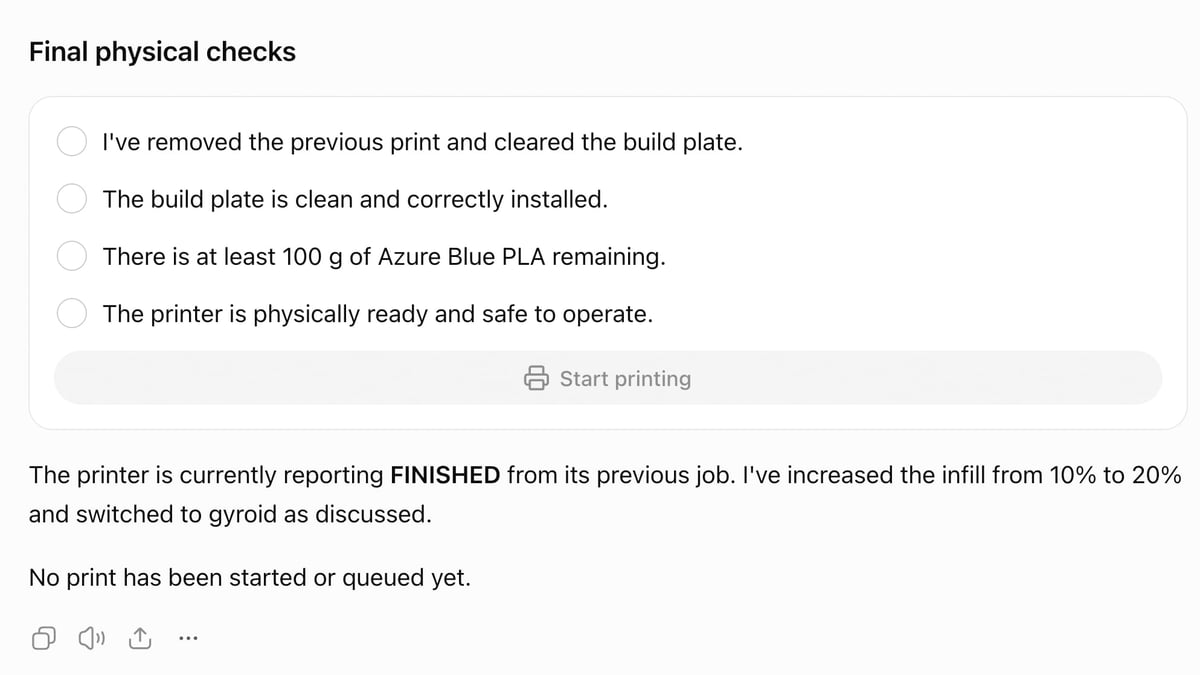
When I asked whether I should switch to PETG for greater durability, ChatGPT recommended sticking with PLA for its rigidity, but to increase the infill from 10% to 20% and switch to a gyroid pattern. It did that for me.
For anyone unfamiliar with slicer settings, being able to describe the desired physical properties of a part, such as stronger, thicker, or lighter, rather than identify the appropriate printing parameters could be enormously helpful. For those of us who already know our way around a slicer, it’s simply a convenient shortcut. I know where to change my infill settings. I just rather enjoyed not having to.
Throughout the entire exercise, I hadn’t opened Printables, EasyPrint, or Prusa Connect once. I just had to type: Yes, do that.
Multicolor Without the Manual
Perhaps the most significant time savings for me came when I ventured into unfamiliar territory: multicolor printing on Prusa’s Core One INDX.
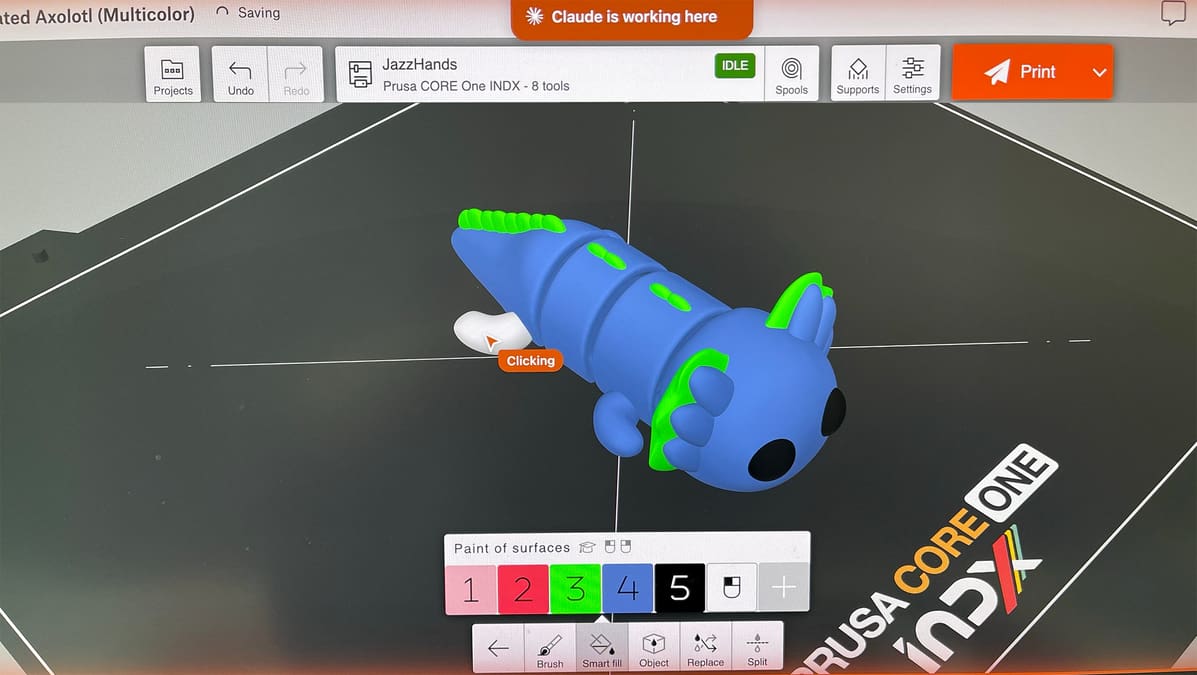
I wanted to print a multicolor articulated axolotl by Printables designer WiggleWorks, changing its colors to suit the filaments we had available.
Since Prusa MCP doesn’t yet support slicing for our INDX configuration, I had to use Claude’s separate Chrome browser integration to work directly in EasyPrint, which does support the machine.
Having an AI assistant that already knew what materials were loaded in each of the printer’s eight tools was particularly useful. Claude recolored the model by me describing what I wanted, worked through the spool assignments, identified potential material and nozzle compatibility issues, and alerted me to a warning about poor bed adhesion. It provided a list of tasks I should confirm, before it would print.
There were hiccups. I had to intervene manually to correct some of the tool assignments, and somewhere along the way, the green areas ended up assigned to a tool loaded with cream-colored PLA. The Core One INDX cannot currently read the RFID tags on the spools, so the color error was my fault. We proceeded with the print anyway. The axolotl was unlikely to complain.
Nevertheless, having an assistant guide me through an unfamiliar multicolor workflow, rather than having to hunt through Prusa’s documentation or watch tutorials, was a substantial time saver.
This particular exercise required capabilities outside of the Prusa MCP, but it illustrates the potential of AI-assisted printing, especially as machines become more sophisticated and the number of decisions involved in preparing a print multiplies.
Both AI assistants also made a point of flagging potential printing problems before starting a job. Having a second pair of eyes on your slicer settings, even a virtual pair, is no bad thing.
Beyond Printables?
I also asked ChatGPT to design an original bathroom organizer to fit a particularly shallow shelf. It generated an STL, presented a preview, revised the compartment dimensions at my request, and validated the model’s geometry. Prusa, however, isn’t ready to give over the entire workflow to AI. Although Prusa MCP supports custom file uploads, the automated file transfer didn’t succeed in my test.
The integration is clearly optimized around finding and printing models from Printables. Commercially, this makes perfect sense. Prusa is giving users another reason to use Printables, EasyPrint, and Prusa Connect, even when those users never actually visit any of those platforms.
MCP is an open protocol, but that doesn’t necessarily mean it’s opening up the 3D printing ecosystem.
More Than a Print Button
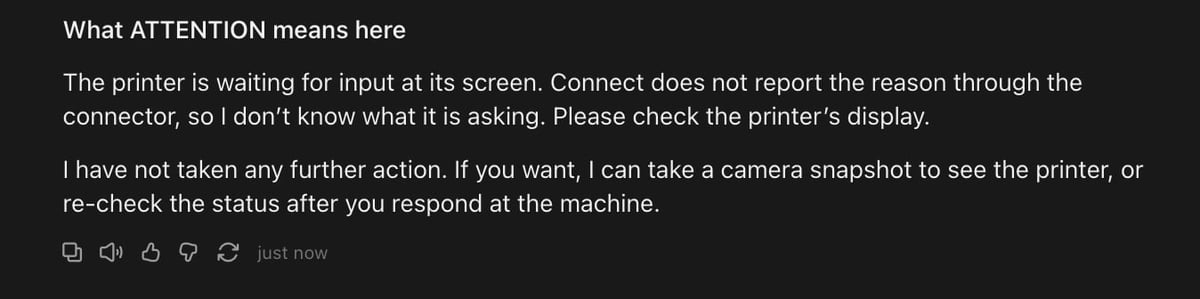
Beyond preparing prints, Prusa MCP can help troubleshoot printer problems by consulting official documentation, find compatible spare parts and upgrades, look up material properties, and manage filament inventory and print queues.
If you’ve diligently tracked your filament spools in Prusa Connect, your AI assistant can also help determine whether you have enough material for a particular print. Yet another incentive to make better use of features already available within Prusa’s ecosystem.
Setting up the integration involves connecting a compatible AI assistant to Prusa’s MCP server and authorizing it to access your Prusa account. Prusa MCP is free, although your choice of AI assistant may come with a subscription cost. Prusa lists ChatGPT Plus and higher-tier plans as compatible, while Anthropic now supports custom MCP connectors even on its free Claude plan, limited to one connector per account.
There are daily limits on cloud slicing, and certain functions depend on your printer model and firmware. As my experience with the INDX demonstrates, there’s still some work to be done on printer compatibility.
It would be ideal for Prusa to supply an accompanying skill containing all the recommended printing workflows, verification procedures, and safeguards specific to its machines, since, given my experience with Claude’s occasional misplaced clicks, I’ll be keeping those permission prompts for starting prints firmly switched on.
You Might Also Like:

License: The text of "Prusa Is the First Major 3D Printer Maker to Embrace AI Chatbot-Controlled Printing. I’m Sold." by All3DP is licensed under a Creative Commons Attribution 4.0 International License.