New App Turns G-code Into Studio Product Photos, but We’d Still Like to See the Real Thing

We tested this new app that renders photorealistic images of 3D prints without actually printing them. Handy for sellers, perhaps less so for those of us who want to see what we're really downloading.
We’ve all seen them: gorgeous renders of 3D models on MakerWorld or Printables, looking absolutely flawless. Then comes the million-dollar question: has anyone actually printed this? Will it actually print? Many platforms have tried to crack down on AI images and renders, but it’s a losing battle.
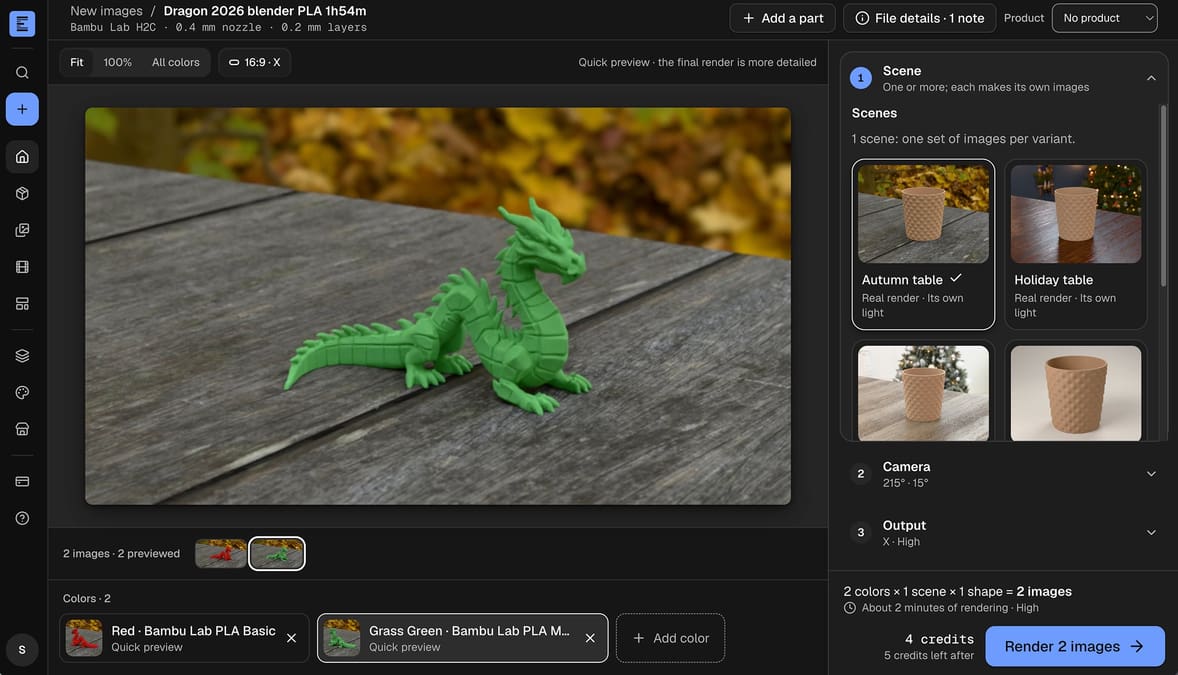
Extrudio, a new browser-based service that turns sliced G-code into photorealistic product images and videos, is aiming to bridge the gap between a pure digital image and a photo of a printed part.
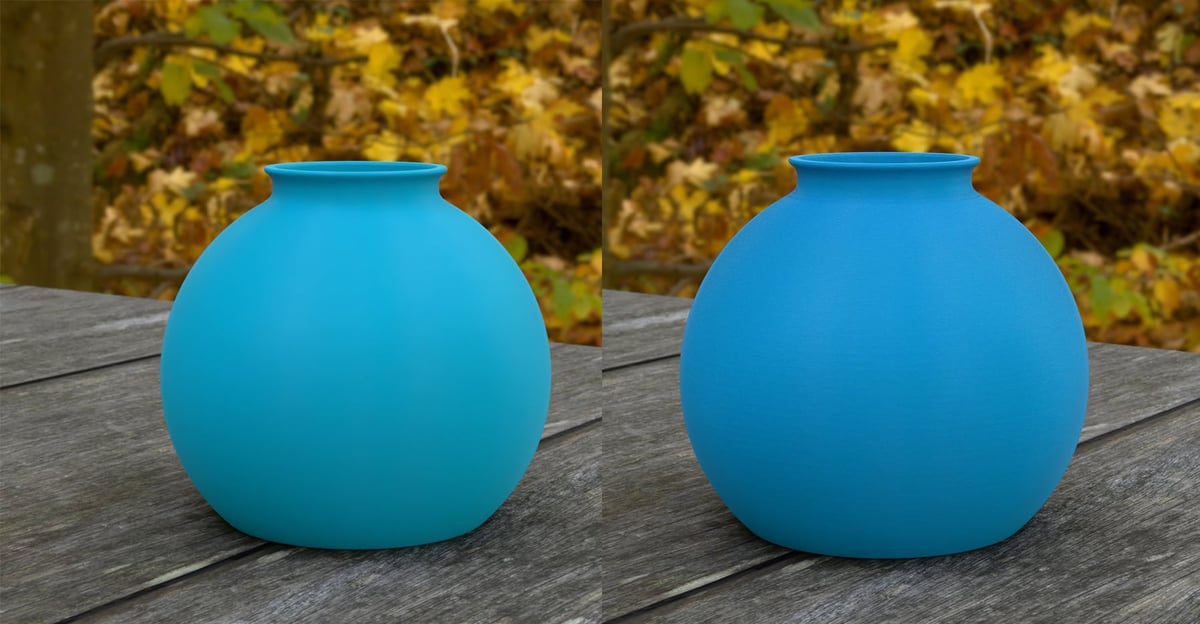
Unlike conventional rendering software, which typically works from the smooth geometry of an STL file, Extrudio reconstructs the paths of deposited filament from G-code. The resulting images can therefore show layer lines and other surface details that ordinary 3D renders leave out. The images are created using Blender’s Cycles rendering engine, not generative AI.
It’s aimed primarily at makers, print farms, and businesses selling 3D printed products, enabling them to showcase different designs and filament colors without having to print and photograph every variation. But is also appeal to anyone who has ever posted a file to a repository, like MakerWorld or Printables.
We gave Extrudio a quick test to see whether it might have another useful application: previewing how changes to slicer settings affect a finished print.
The results were mixed. At a 0.28 mm layer height, some layer lines were visible, while a model sliced at 0.12 mm appeared perfectly smooth (above), so a bit misleading. The software also managed to reproduce moderate fuzzy skin texture but not highly detailed fuzzy skin. Beyond that, though, we didn’t find much to suggest it could replace a slicer’s preview or reliably show how different settings will affect the finished object.
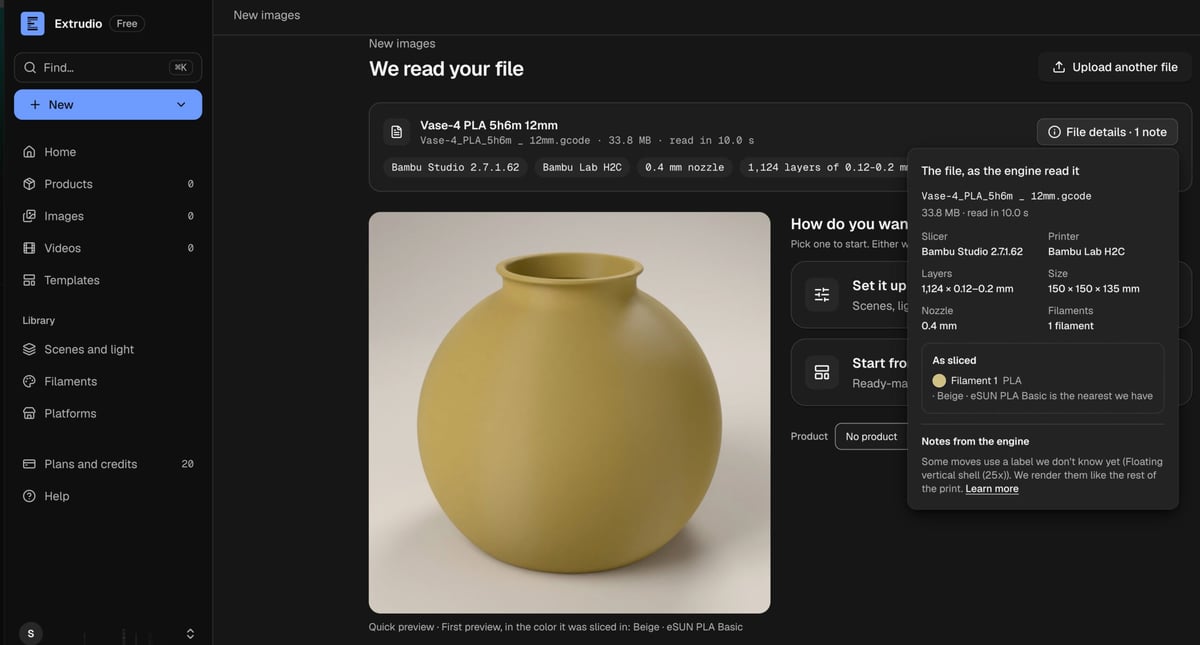
If your model is highly detailed or is made from a million faces, Extrudio just won’t render it and returns an error, we found.
Pretty Pictures, Without the Photography
Extrudio’s real strength is its intended purpose: making product photography considerably less of a chore.
Slice your model in Bambu Studio, OrcaSlicer, or PrusaSlicer, using the settings you’d print in and upload the G-code, then adjust your preferred filament colors, camera angles, and backgrounds.
The service offers 1,843 filaments from 87 brands, seven studio scenes, and 55 staged environments to date. It can also create short videos featuring rotating product views or animations of an object being printed layer by layer. Images can be formatted for 15 platforms, including Shopify, Amazon, Etsy, MakerWorld, Printables, and Instagram.
For someone selling a vase in 20 colors, that’s undeniably convenient. Rather than printing 20 vases and arranging a photoshoot, they can generate an entire collection of consistent product images from one sliced file.
But we’d be a little less enthusiastic about seeing these renders replace photographs on model repositories. A polished render might show what a design is supposed to look like, but it doesn’t tell you whether someone has successfully printed it, whether the overhangs behaved, or whether the finished object looks remotely as good in real life.
Fortunately, there are some rules around this. Extrudio itself acknowledges that Etsy asks for original photographs of actual products, MakerWorld requires a real photo for each print profile (at least “in addition” to renders or AI), and TikTok Shop doesn’t permit renderings.
And that’s probably a good thing. We appreciate attractive presentation as much as anyone, but when browsing downloadable models, we’ll take an imperfect photo of a successful print over a suspiciously flawless render any day.
Extrudio accepts sliced G-code files up to 100 MB. New accounts receive 20 free credits, previews are free, and paid plans start at $12 per month up to $79.
License: The text of "New App Turns G-code Into Studio Product Photos, but We’d Still Like to See the Real Thing" by All3DP is licensed under a Creative Commons Attribution 4.0 International License.