Major Lychee Slicer Update Brings Host of New Features to FDM and Resin 3D Printers

Mango 3D’s slicing software now boasts better anti-aliasing, fine-tuned support settings, a batch tool, and more.
Mango 3D has released a major update to Lychee Slicer, with platform-specific features, improvements, and bug fixes for both FDM and resin 3D printers.
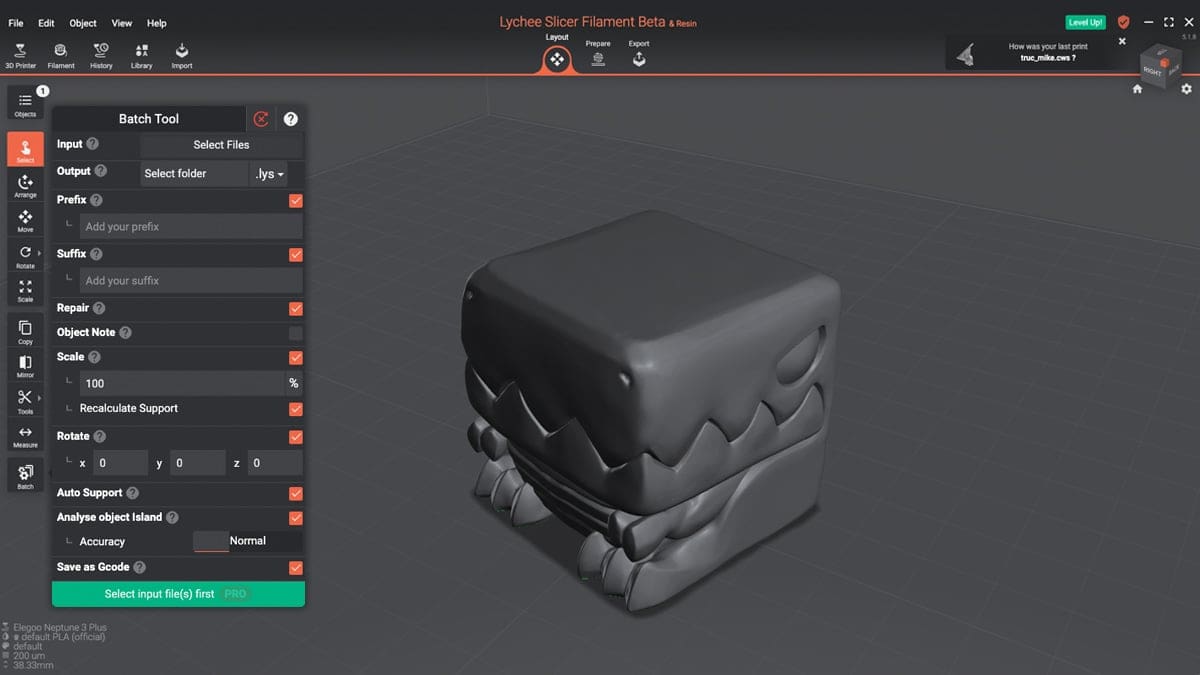
For FDM 3D printers, Lychee Slicer version 5.1.8 introduces a batch tool for Pro and Premium subscribers, which enables users to automate repetitive actions and tasks such as scaling or rotating. Custom printer profiles are also new to the release, with users able to add a purchased or DIY printer’s make and model (when applicable) and specs such as speed and bed size.
On the resin printer front, anti-aliasing has been enhanced. Two new modes – “HD” and “normal” – provide better results on prints’ XY planes, as well as offer an improved “blur” option. These improvements are backend only, meaning nothing about Lychee Slicer’s UI has changed here.
There are also several new additions for both FDM and resin 3D printer users – although, like the aforementioned batch tool feature, only for Lychee Slicer’s Pro and Premium editions. Chief among them is a collection of support-related features. Users can now create inline supports, create and save support presets, and define max angles for support painting, helping avoid drawing on the sides or borders of models.
A suction cup detector, true to its name, alerts users to models with suction cups that could lead to print failure, then reanalyzes after a fix has been implemented. A new planar cut tool, meanwhile, helps pare down larger prints, with split and merge tools allowing for single-click splitting and merging of multiple items.
Rounding out the update are additional 3D printer profiles (joining Lychee Slicer’s already-large list), along with other quality-of-life improvements – a more effective auto-arrange tool, for example – and bug fixes. For the full release notes, check out Mango 3D’s blog post on the subject.
You’ve read that; now read these:
License: The text of "Major Lychee Slicer Update Brings Host of New Features to FDM and Resin 3D Printers" by All3DP is licensed under a Creative Commons Attribution 4.0 International License.