Four Years Later: Simplify3D 6.0 Is Here and It’s Now a Subscription

Simplify3D just dropped Version 6.0, four years after V5 arrived in 2022, in what it's dubbing the most significant change it has made in 13-plus years of developing 3D printing software.
Simplify3D was once a popular paid slicer for desktop 3D printers. With Version 6.0, it’s asking for a subscription instead of a one-time purchase, at $12.99 a month or $129 a year, and pointing to a support system it says it has rebuilt from the ground up. The company calls the overhaul the most significant change it has made in 13-plus years of developing 3D printing software.
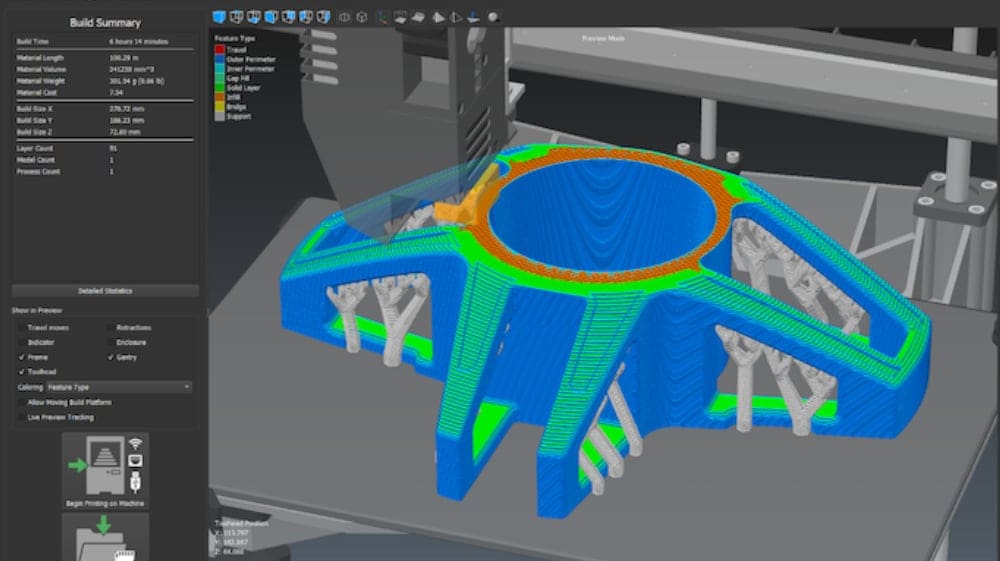
Version 6.0 leans hard on supports, where you can now mix tree, fan and gusset styles on a single model and edit them by hand. There’s more beyond supports, including a full 3D simulation of your printer and local-network connections to Bambu Lab, Creality and Snapmaker machines.
In a nutshell, these are the new features with Simplify3D 6.0:
- Mix tree, fan and gusset supports on one model, chosen region by region
- Edit generated supports directly: contact points, branches, size and shape
- Low-spot analysis with one-click supports, plus overhang-angle heatmaps
- Full 3D machine simulation, with every printer component modeled and moving
- LAN-only Wi-Fi and Ethernet connections for Bambu Lab, Creality and Snapmaker printers
- Up to 16 independent tools, covering tool changers and multi-filament systems
- Auto-repair that cuts failures on error-prone models by up to 3x, and previews for builds up to 4x larger
- 100+ new printer profiles
Not everything on that list is breaking new ground. The mixed supports, the support editing and the machine simulation look like genuinely fresh ideas. The rest, from the printer connections to the multi-tool support and new profiles, is mostly Simplify3D catching up with what the free slicers already do.
Whats Changing
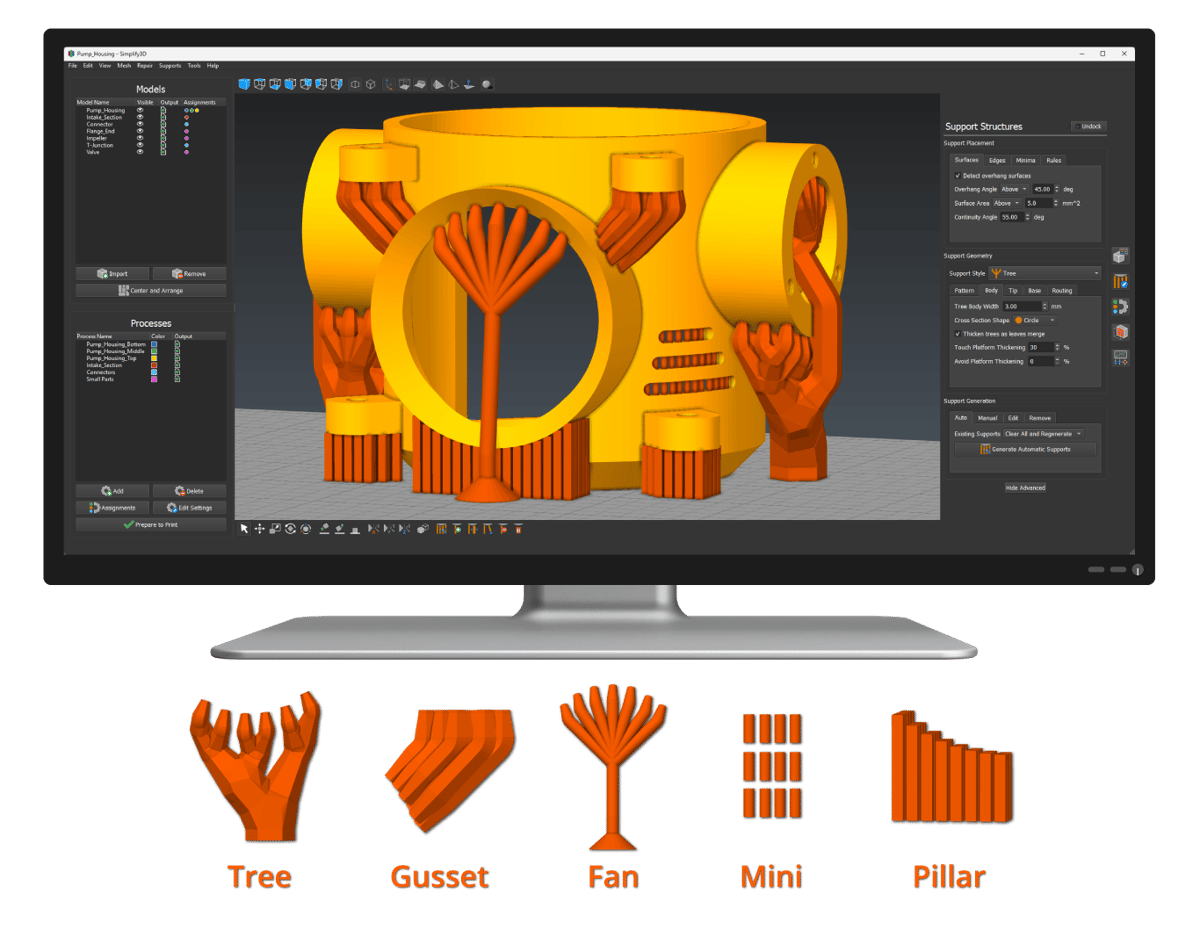
Simplify3D says Version 6.0 “moves beyond one-size-fits-all support generation,” with the practical change being that you can combine support types in a single job: take tree supports for delicate features, fan supports for steep edges and gusset supports to save material on the same part, to give one example. A new region-based selection system lets you pick the style for each area, and supports are generated directly in the model view, so you see the result as you go.
Once they’re generated, you can edit them by hand: place contact points, graft on new branches, or resize and reshape supports with instant visual updates. Simplify3D’s own benchmarks claim these tools can cut support print time and material use by 2x or more. A new analysis routine scans the model for low spots and offers one-click support placement for problem areas, and customizable overhang-angle heatmaps show the surface against your material and cooling setup.
Supports are also an area where the free slicers’ recent release notes have little to say. OrcaSlicer 2.5 is busy with color mixing, belt printers and plug-ins, Bambu Studio 2.9.1 added mixed nozzle sizes for the new H3C, with other printers to follow, and PrusaSlicer 3.0 is rebuilding its interface and adding plug-ins.
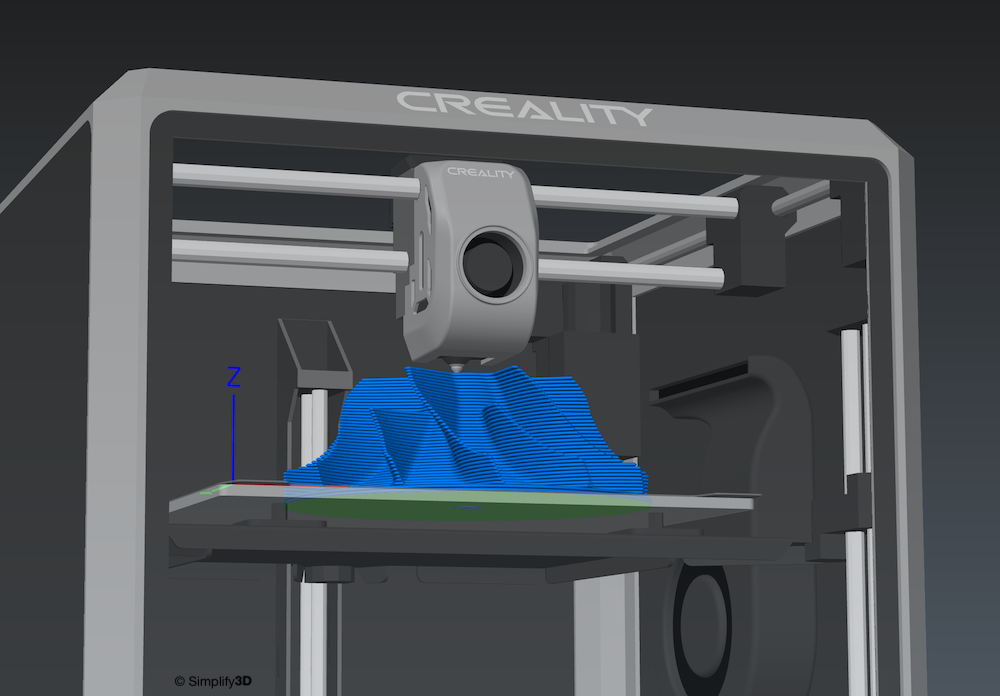
The other big addition for Simplify3D is full 3D machine simulation. Each printer component is modeled individually and moves like the real machine, with dual-extrusion offsets, IDEX parking, duplication and mirror modes, and tool-changer docking all covered. Simplify3D says it helps with spotting things like which way to turn a steep overhang toward a cooling fan, and with catching mechanical problems such as gantry collisions during sequential prints.
On the hardware side, much of V6 is about keeping up with the printers people are buying now. Wi-Fi and Ethernet printer control isn’t new to Simplify3D, as V5 already offered it, but V6 adds native integrations for Bambu Lab, Creality and Snapmaker, so you can start prints and monitor progress from inside the slicer. Bambu owners get the most: native .gcode.3mf export, direct control of multiple AMS units, and import of Bambu Studio and OrcaSlicer project files so parts set up there can be brought straight in. Simplify3D says Bambu printers connect in LAN-only mode, and that all communication stays on your local network and never passes through third-party servers.
The slicer also now supports up to 16 independent tools, covering multi-head tool changers and multi-filament systems such as Bambu Lab’s AMS, Creality’s CFS, and Anycubic’s ACE.
“We wanted to completely reimagine what the software could do, giving customers new capabilities and fine-grained control that simply wasn’t possible before,” said Simplify3D CEO Clayton Webster. Simplify3D lists over 50 additional features in total, and has the full rundown on its page.
Where & When Can I Get It?
Simplify3D 6.0 is available now for Windows, macOS and Linux at $12.99 a month or $129 a year (about $10.75 a month), instead of the up-front perpetual licensing of earlier versions. Simplify3D’s migration guide has existing owners buying a V6 subscription like any other customer and doesn’t mention an upgrade discount. V5 licenses are unaffected and can run alongside V6, and V5 settings can be imported. A cancelled V6 subscription stays active until the end of the billing period, and there’s a two-week money-back guarantee.
Simplify3D’s paid-slicer model sticks in the throat a little – perhaps more so now as an ongoing subscription, what with the likes of OrcaSlicer, Bambu Studio and PrusaSlicer forging ahead regularly with new features and always being free. What do you think? Have you seen enough to pay monthly to slice? Let us know in the comments.
You Might Also Like:



License: The text of "Four Years Later: Simplify3D 6.0 Is Here and It’s Now a Subscription" by All3DP is licensed under a Creative Commons Attribution 4.0 International License.