Editor’s Choice: 30+ Cool Tinkercad Projects to Learn From & Get Inspired By

Tinkercad designs have a range of uses, and we've got some ideas! Get inspired by these incredible Tinkercad projects.
Tinkercad makes it easy to start designing – but figuring out what to make is often the real challenge. When you’re staring at a blank workplane and a handful of basic shapes, inspiration doesn’t always strike right away. The fastest way to learn isn’t by randomly dragging shapes around, though – it’s by building real things that solve real problems, from simple keychains to clever mechanical designs.
Fortunately, thousands of creative designers have already paved the way. By exploring and recreating their projects, you can pick up essential Tinkercad skills like alignment, grouping, scaling, and using holes to shape objects. Each design is more than just something cool to print – it’s a hands-on lesson in how 3D models actually come together.
In this guide, we’ve organized some of the best Tinkercad projects by skill level, so you can progress naturally from quick beginner builds to more advanced creations. Along the way, you’ll discover what makes each project interesting and what techniques you can learn from it.
Whether you’re brand new to 3D design, teaching yourself CAD, or looking for fresh ideas for your next print, these projects will help you sharpen your skills, spark your creativity, and maybe even inspire your first original design.
Beginner Projects
If you’re new to Tinkercad, these beginner projects are the perfect place to start. They focus on the fundamentals, helping you learn how to place shapes, align objects, use the hole tool, and combine parts into complete designs. Most can be completed in under an hour and produce practical, printable results.
By recreating these simple objects, you’ll quickly build confidence and develop the essential skills needed for more advanced designs. Even experienced makers often return to projects like these to test ideas or refine techniques.
Dice
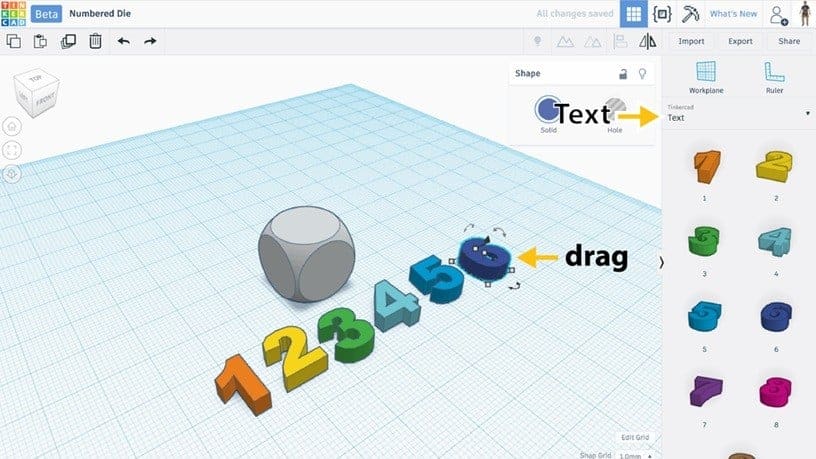
Dice are a perfect beginner project because they rely on simple shapes while introducing precision and symmetry. Educational guides recommend creating a cube and adding indented dots using Tinkercad’s shape tools and hole features. For those looking for a more detailed option, adding numbers can be just as easy and educational.
This project helps beginners understand alignment and duplication, which are essential for creating evenly spaced features. Despite its simplicity, designing a balanced and recognizable die teaches important modeling concepts that apply to more complex projects.
What You Learn
- Aligning objects evenly
- Duplicating shapes efficiently
- Working with symmetry
Project Info
- Project: Instructables
- Designer: JON-A-TRON
Personalized Name keychain
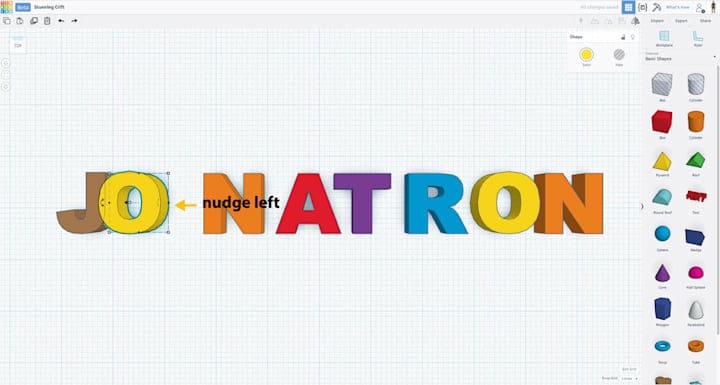
Personalized keychains are among the most accessible and rewarding beginner projects in Tinkercad. Autodesk’s official tutorial walks users through creating a custom name keychain by placing shapes on the workplane and modifying text elements to produce a printable design.
This project demonstrates how quickly beginners can move from basic shapes to functional, personalized objects. By adjusting text size, grouping shapes, and exporting the model for printing, users learn the core workflow of creating and preparing a design. The result is both practical and customizable, making it an ideal introduction to Tinkercad.
What You Learn
- Using the Text tool
- Grouping shapes into a single object
- Creating holes for attachments
- Exporting designs for 3D printing
Project Info
- Project: Tinkercad
- Designer: Jon-A-Tron
Phone Stand Keychain

This simple cellphone stand combines basic modeling techniques with real-world usefulness. The UVic Libraries tutorial guides users through creating a rectangular base, cutting a notch to hold a phone, and adding a hole for a keychain attachment.
The design introduces fundamental Tinkercad skills such as resizing shapes, measuring objects for proper fit, and using grouping to combine and subtract geometry. Users can also personalize the stand by adding embossed text, demonstrating how customization can enhance functional designs.
What You Learn
- Measuring and sizing objects for real-world fit
- Using hole shapes to subtract material
- Aligning objects precisely
- Designing functional parts
Project Info
- Project: 3D Design & Print with Tinkercad
- Designer: UVic Libraries Digital Scholarship Commons
Flower Pot / Planter
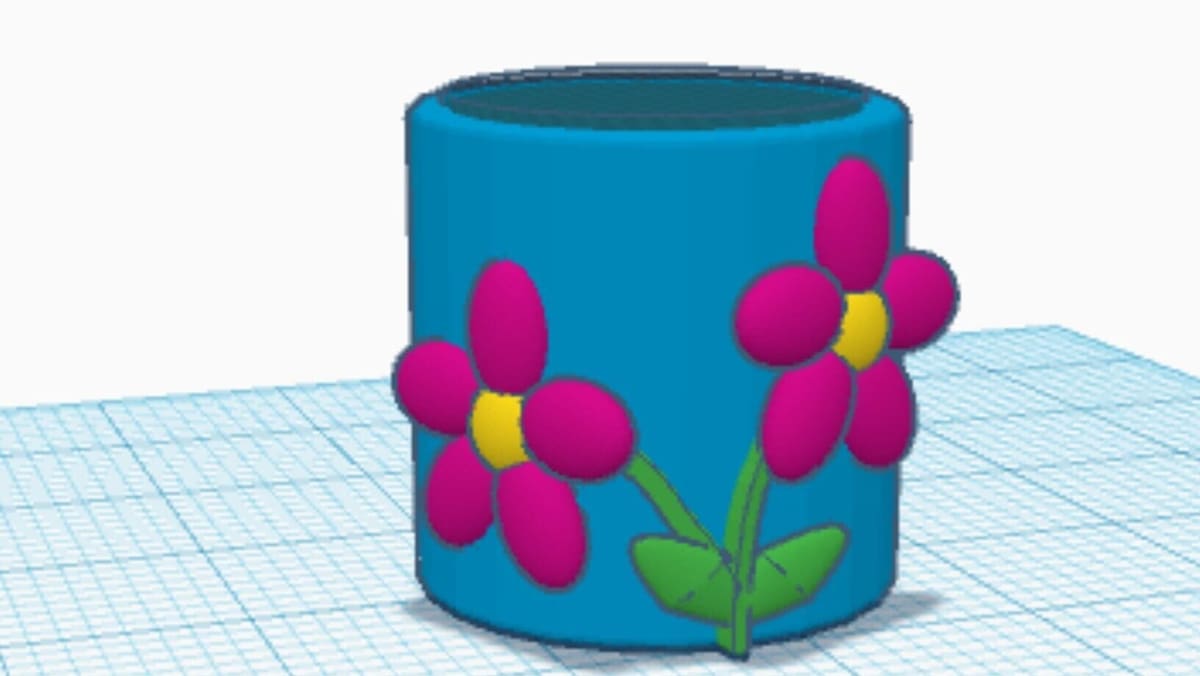
Designing a flower pot introduces beginners to functional design while reinforcing core modeling skills. By combining and modifying simple shapes, users can create containers tailored to specific plants or decorative styles.
Projects like this help learners understand how 3D modeling applies to everyday objects. They also encourage creativity, allowing users to experiment with shapes, proportions, and decorative elements.
What You Learn
- Creating hollow containers
- Combining cylindrical shapes
- Designing for real-world use
- Modifying shapes creatively
Project Info
- Project: Instructables
- Designer: Aidan M Miller
Bookmark
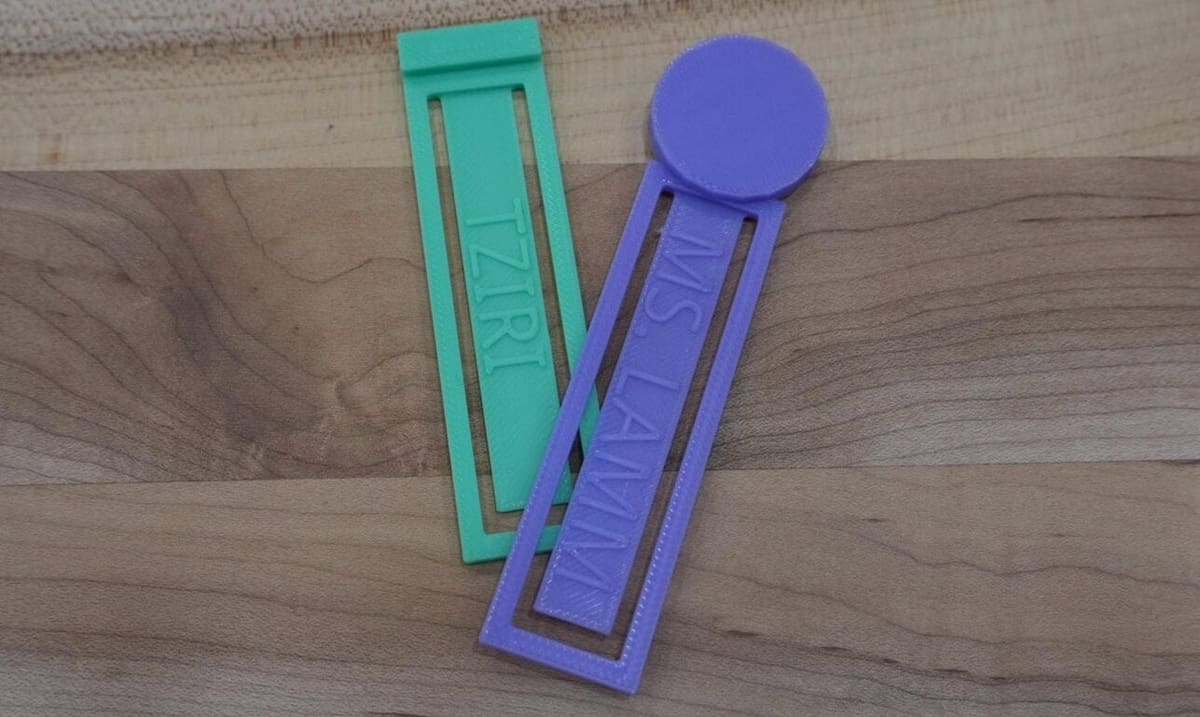
Personalized bookmarks allow beginners to combine creativity with practical design. These projects involve manipulating shapes and adding custom text to create unique and identifiable objects.
Because they are simple and highly customizable, these designs help beginners gain confidence while learning essential tools like text insertion, scaling, and grouping.
What You Learn
- Adding and customizing text
- Creating flat designs
- Combining shapes
- Personalizing models
Project Info
- Project: Instructables
- Designer: mslamm
Intermediate Projects
Once you’re comfortable with the basics, these intermediate projects introduce more complex modeling techniques and functional design concepts. You’ll work with multiple components, tighter alignment, and designs that require careful planning to ensure everything fits and works properly.
These projects help bridge the gap between simple objects and more sophisticated creations. Along the way, you’ll gain a deeper understanding of how real-world objects are designed and assembled in Tinkercad.
Snowflake Generator
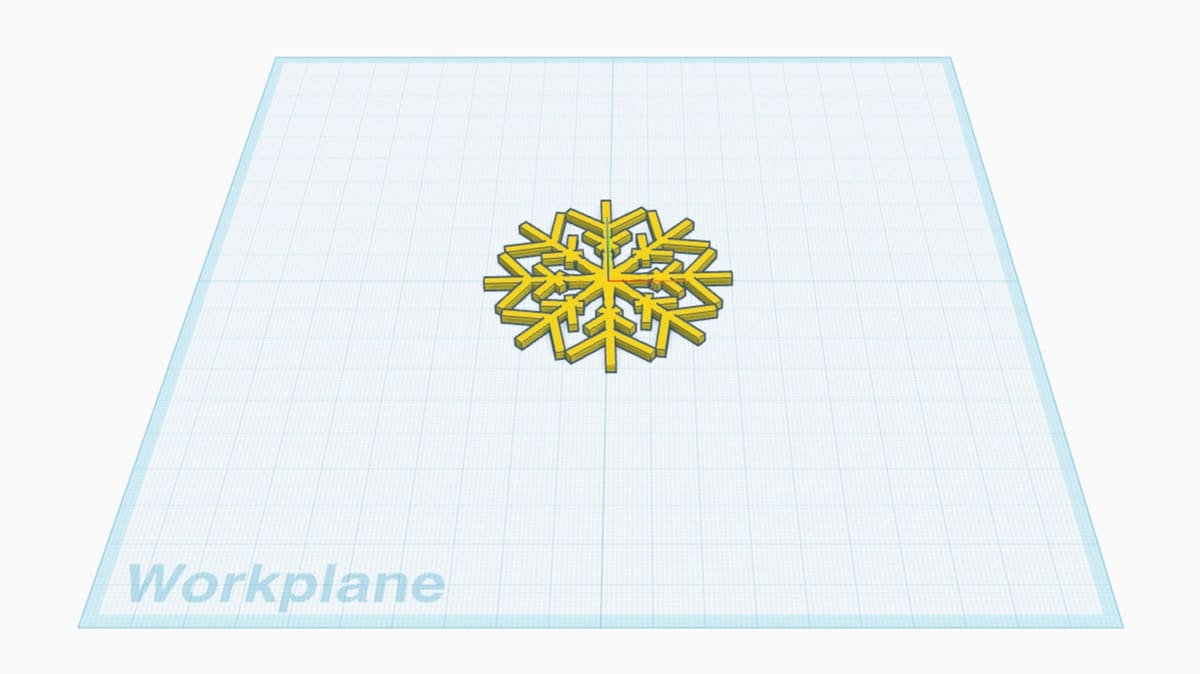
This project uses Tinkercad’s Codeblocks environment, which introduces computational design through a block-based coding interface. Instead of manually dragging and resizing shapes, users arrange code blocks that instruct Tinkercad to build the model step by step.
The Snowflake Generator is an ideal STEM project. It blends mathematical concepts like radial symmetry, angles, and loops with creative design. By changing just a few numbers in the code – such as the number of branches or the complexity of the pattern – you can instantly generate a completely unique snowflake. It perfectly illustrates the power of procedural generation, showing how simple rules can create complex, organic-looking structures.
What You Learn
- Codeblocks
- Parametric design and variables
- Coordinating geometries in a 3D space
Project Info
- Project: Snowflake Generator
- Designer: Tom Ansuini
Fidget Spinner Generator
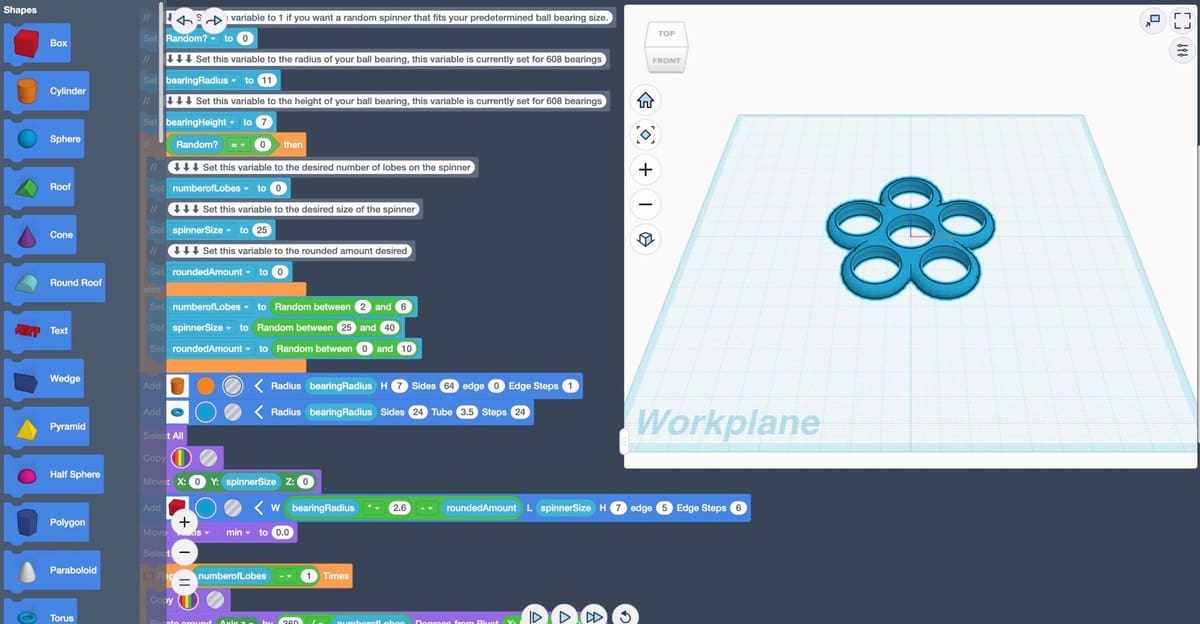
A toy classic with a modern twist: this is a parametric design tool built with Codeblocks. While fidget spinners are fun, designing one with code offers a deeper learning experience in parametric modeling.
Users can customize every aspect of the spinner – such as the number of arms, radius, thickness, and decorative cutouts – by simply changing variables in the code stack. This project teaches the fundamentals of parametric design, where a single change in the parameters updates the entire model automatically.
It’s a practical example of how designers use code to create families of parts rather than just individual objects. Once the code is tweaked to your liking, you can export the STL file and print your custom spinner (just add standard skateboard bearings!).
What You Learn
Project Info
- Project: Fidget Spinner Generator
- Designer: Eagle in Flight
Spinning Top
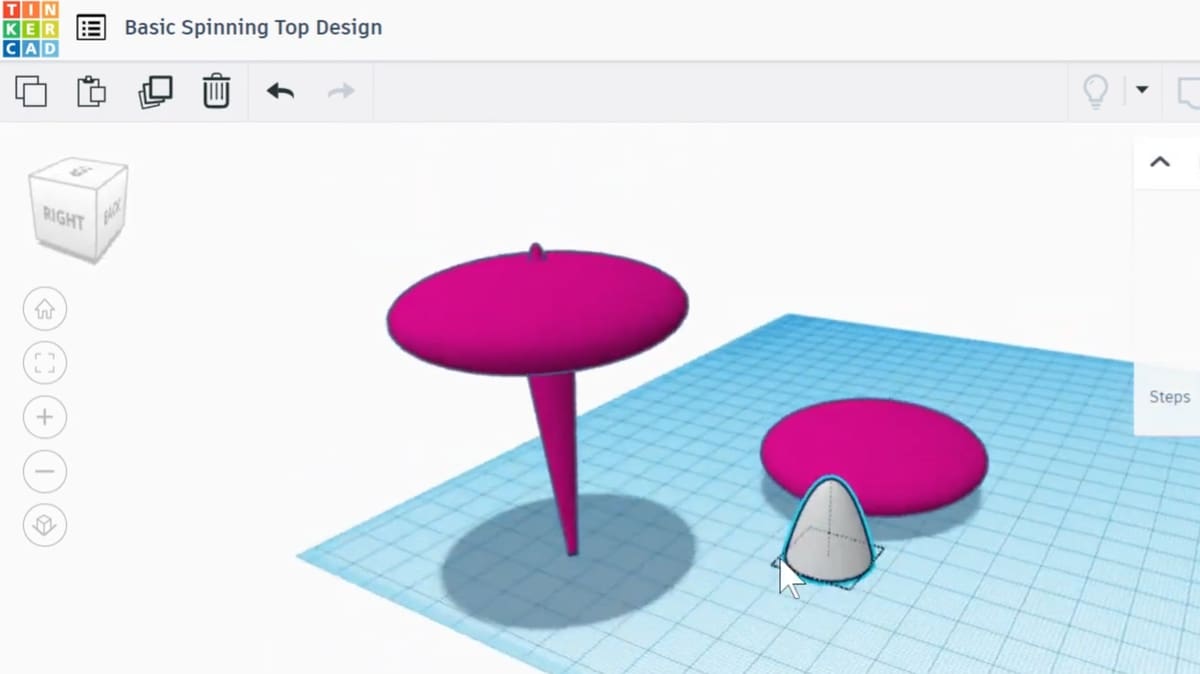
Spinning tops provide an engaging introduction to symmetry and balance in 3D design. Educational STEM projects encourage students to design tops using simple shapes while exploring how size, shape, and weight influence performance.
This project connects design with physics concepts such as motion and stability. By iterating on their designs, beginners gain insight into how geometry affects functionality.
What You Learn
- Creating symmetrical designs
- Scaling shapes precisely
- Understanding balance and stability
- Iterating and improving designs
Project Info
Sea Serpent Reading Light
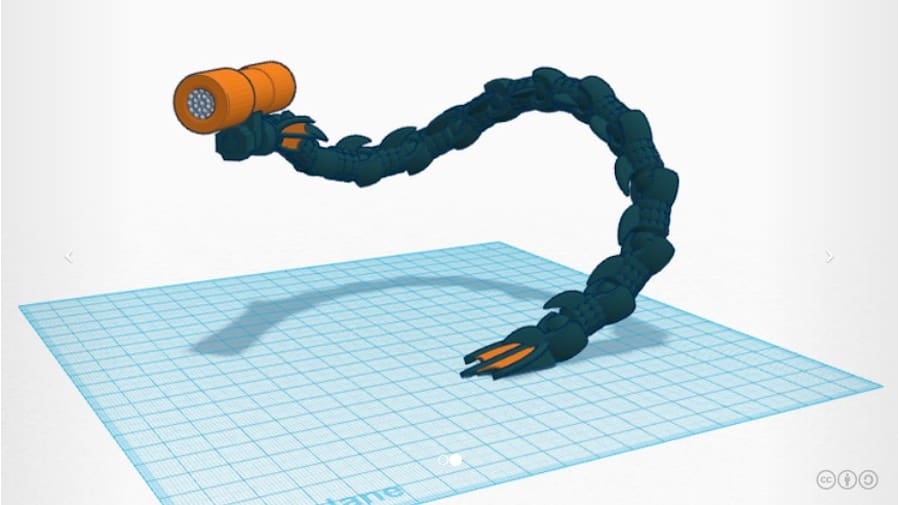
Our next useful gadget is this moldable reading light that can be arranged in an assortment of configurations. The sea serpent has been a part of mythology for hundreds of years, with sightings still being claimed today. Over time, the legend has since been adapted into material objects, from medieval shields to this cool-looking lamp.
This design also makes use of ball joint connections for the movable parts. And as you might have guessed, the structure is 3D printable.
What You Learn
- Integrating hardware with 3D prints
- Articulated chain links
Project Info
- Project: Tinkercad
- Designer: From A to Z

Articulated Figure

This is an articulated action figure available on Tinkercad, with ball joints allowing a free range of motion for posing your figures. The modular design means you can customize each part of the figure to create a personalized articulated figure.
While the figure uses very simple shapes, creating a working ball-joint design is no easy task, requiring precise measurements to ensure everything fits together after printing.
What You Learn
- Understanding mechanical joints
- Designing for tolerances and clearance
- Assembly and modular design
Project Info
- Project: Tinkercad
- Designer: CMF Design
Articulated Spider
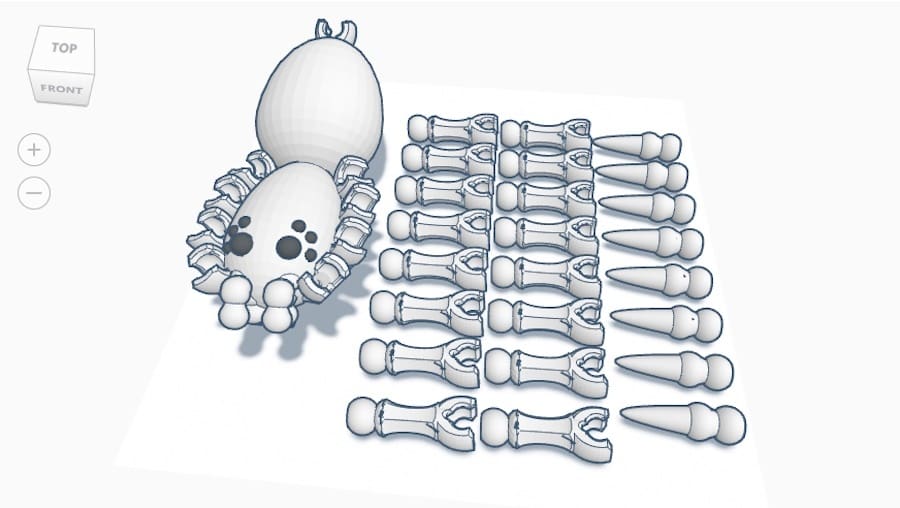
Not so much a character as an arachnid, this Tinkercad model by foxngreen2 is fascinating, as it features 32 movable ball joints. The spider is fully 3D printable and becomes an articulated figure once assembled.
With 25 different pieces, this spider can be configured in various combinations, from friendly to predatory. This eight-legged creature was designed as part of a ball joint challenge on Tinkercad.
What You Learn
- Radial symmetry and circular arrays
- Designing for clearances
- Managing high part counts
Project Info
- Project: Tinkercad
- Designer: foxngreen2
Catapult Card
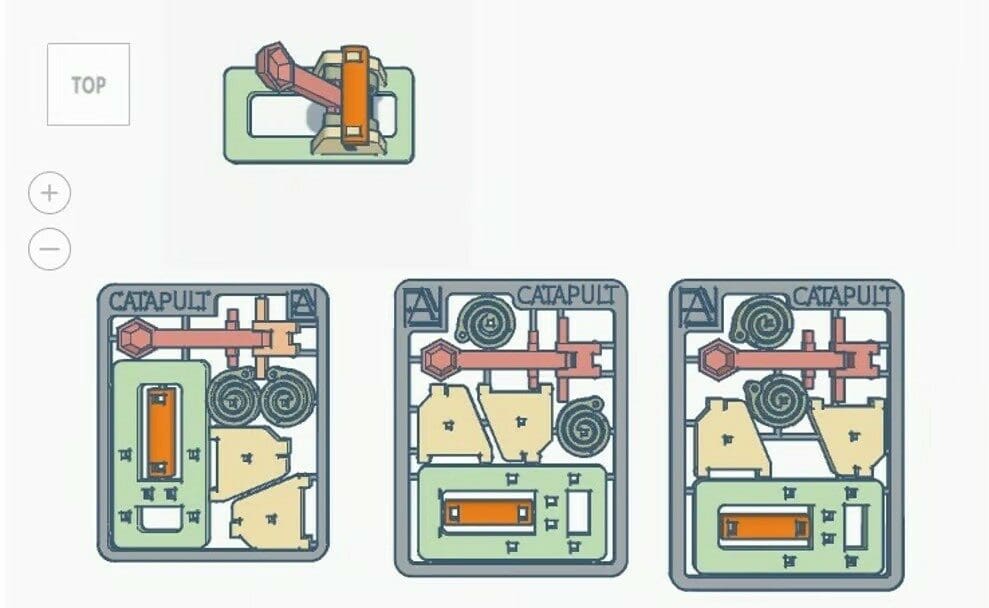
Catapults are a staple of the engineering design process. They have been around since Ancient Greece, and were widely used in the European Middle Ages during wars. Nowadays, they’re mainly used for fun toys, project designs, and physics tests.
This project design is interesting because it doesn’t consist of a mere catapult. It’s also a structure that can be condensed into planar figures. The modeling abilities required to replicate this project aren’t as complex, perhaps, but the design abilities required to conceive it are.
What You Learn
- Designing for a “print-in-place” model
- Compliant mechanisms
- Understanding functional assembly
Project Info
Pirate Ship
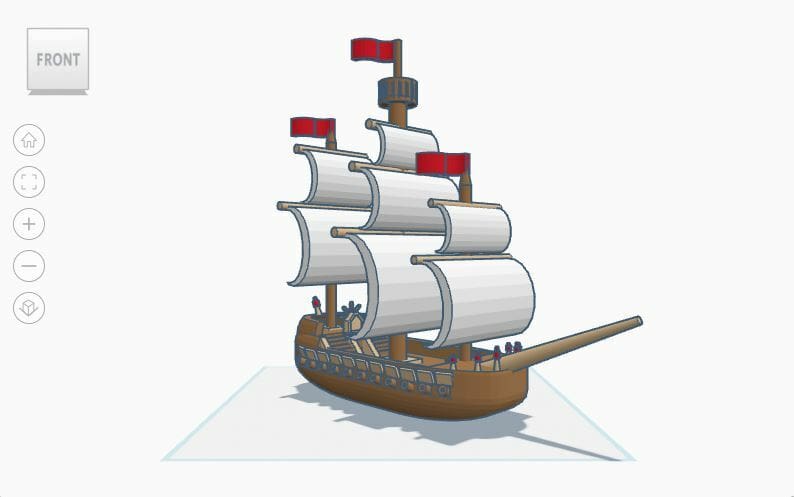
Here’s a detailed pirate ship that’s the perfect base for any nautical-themed project. This is a larger ship that needs a full crew to sail the seven seas.
The design is fairly intricate, including stairs, cannons, and a railing for added realism. If you’re interested in a more beginner-friendly pirate ship design, you can check out BerndardoDesign’s pirate ship.
What You Learn
- Advanced Boolean operations (subtractive modeling)
- Mastering the Align tool
- Managing complex grouping
Project Info
- Project: Tinkercad
- Designer: Misty Dojo
Marble Run
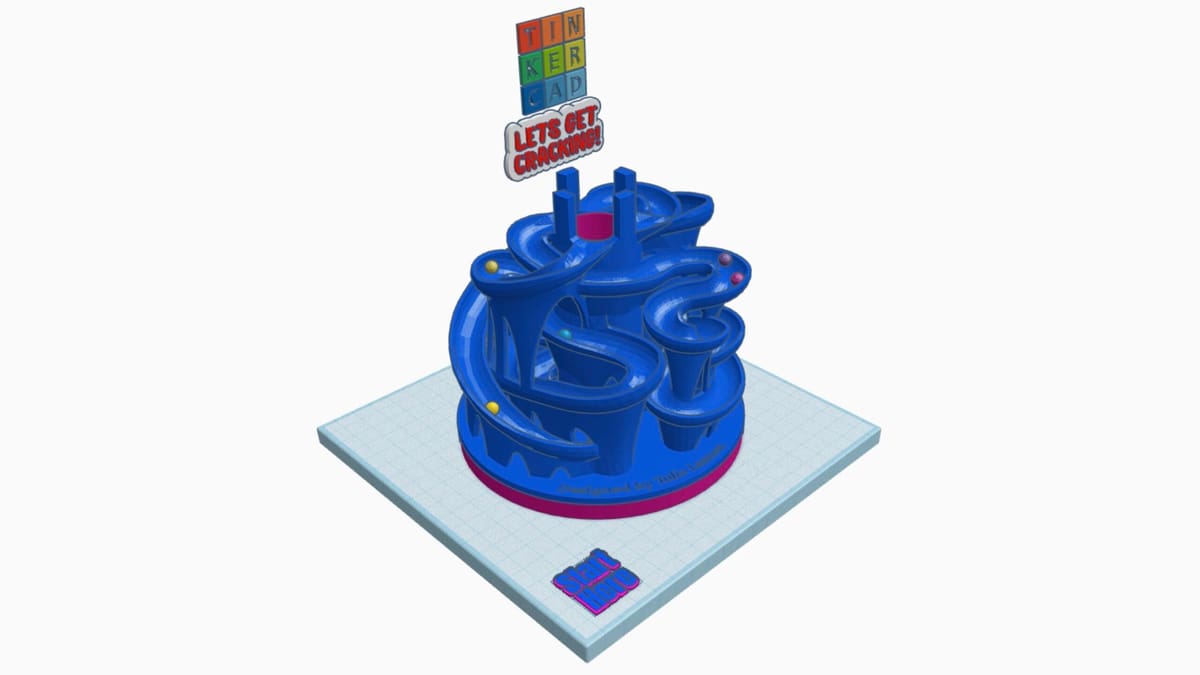
Tinkercad isn’t just about static models anymore. This project is the perfect showcase for the platform’s Sim Lab feature, which allows you to apply physics to your designs. Instead of just modeling a track, you can hit the “Simulate” button (the falling apple icon) to activate time and gravity (Newton would be proud).
This particular interactive design lets you watch marbles race down spirals, navigate ramps, and bounce off obstacles right in your browser. It’s a fantastic way to learn about potential energy, momentum, and friction without using a single gram of filament. You can remix this design to add your own traps or extend the track, testing the physics instantly as you build.
What You Learn
- Sim Lab environment
- Physics and material properties
- Interactive logic and triggering
Project Info
Gingerbread House

Next up, we have a fun yet classic design. This gingerbread house scene uses a variety of candy shapes to create the perfect dwelling for any gingerbread man or woman. You’ll even find a little surprise hidden inside the house!
The design itself is not as complicated as it might look at first glance, with many of the same shapes being reused in different sizes. It’s the thoughtful placement of these shapes that makes this design one worth checking out!
What You Learn
- Pattern repetition and spacing
- Scaling and proportion
- Nesting
Project Info
- Project: Tinkercad
- Designer: AlfyreHawk
Demolition Challenge
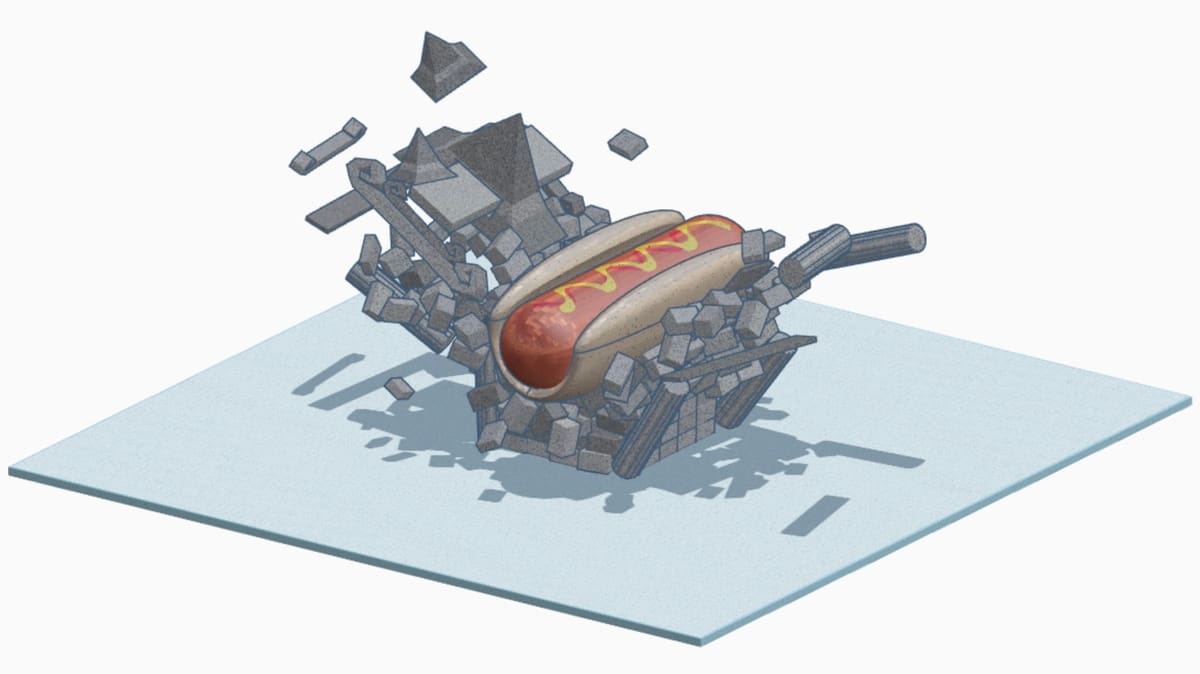
Another highlight for the physics simulation feature, this design demonstrates how to build mechanical triggers and interactive elements. While the Marble Run focuses on gravity, the Launcher introduces user interaction within the simulation.
In Sim Lab mode, you can interact with the model by clicking on specific parts to “launch” objects or trigger domino chain reactions. The project includes a lever-based mechanism that, when activated, propels a ball forward or drops a 1-ton hot dog on your latest creation.
It is an excellent tool for demonstrating cause-and-effect, leverage, and energy transfer in a virtual environment. Users can take this mechanism and adapt it to build their own Rube Goldberg machines or virtual pinball tables.
What You Learn
- Structural stability
- Momentum, mass, and Force transfer
- Iterative design through simulation
Project Info
- Project: Tinkercad
- Designer: Charlie CP
Advanced Projects
These advanced projects showcase what’s possible when you push Tinkercad to its limits. Featuring intricate details, mechanical components, and complex assemblies, they demonstrate how the platform can be used to create highly ambitious designs.
Whether you recreate these projects yourself or study how they were built, they offer valuable insight into advanced modeling techniques and creative problem-solving. They also serve as inspiration for what you can achieve as your skills continue to grow.
The Mandalorian
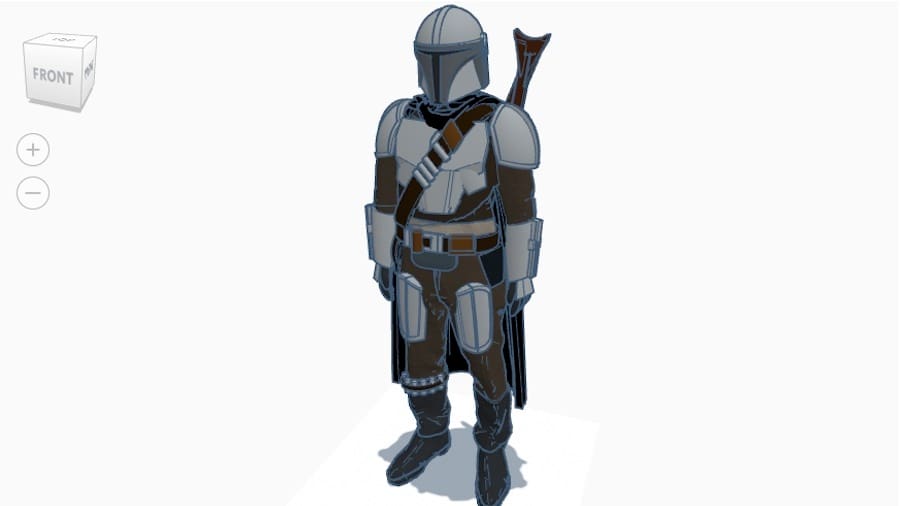
Moving on to fictional characters, Din Djarin, known to many as just Mando, is a lone gunfighter and bounty hunter. He was taken in as a foundling by the Mandalorians, a clan of skilled warriors, and spends most of his time collecting bounties across the galaxy while simultaneously carrying the whole Star Wars franchise on his shoulders.
This awesome Mandalorian model is a great inspiration for character 3D modeling in Tinkercad, especially since it’s covered in armor plates that are somewhat easier to create.
What You Learn
- Advanced sculpting
- Layered assembly
- Importing and scaling
Project Info

Deadpool
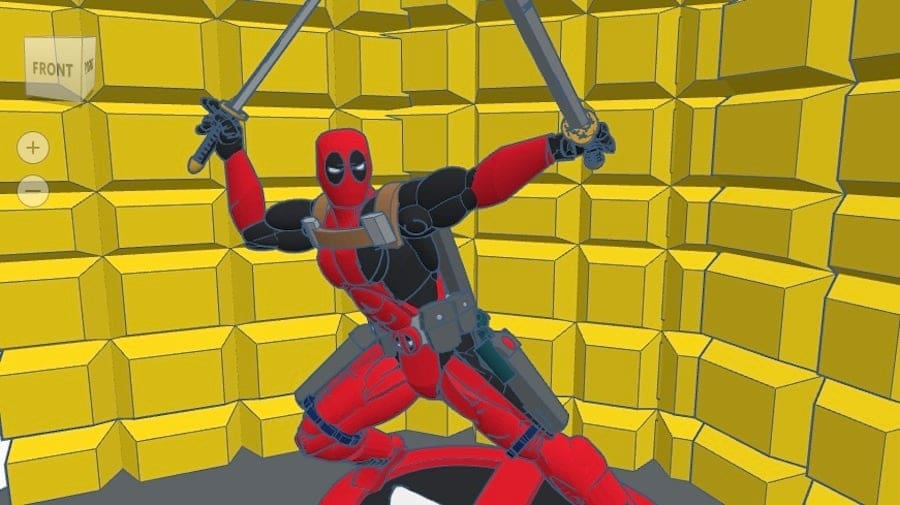
This next model comes straight from the comics: Deadpool, the jocular superhuman healer from Marvel. He was first introduced in 1991 as a supervillain to the X-Men, before becoming the chatty, unconventional hero portrayed by Ryan Reynolds in the movies.
The KrasherOx model is a second version and features a bright background and custom flooring. Deadpool is in a classic superhero position, and his muscle tone really shows what can be achieved in terms of anatomy with Tinkercad. With some many parts, you are bound to put to great use everything you’ve learned in the previous projects – plus patience.
What You Learn
- High-detail sculpting
- Advanced use of the Scribble and Extrusion tools
- Visual hierarchy
Project Info
Futuristic City
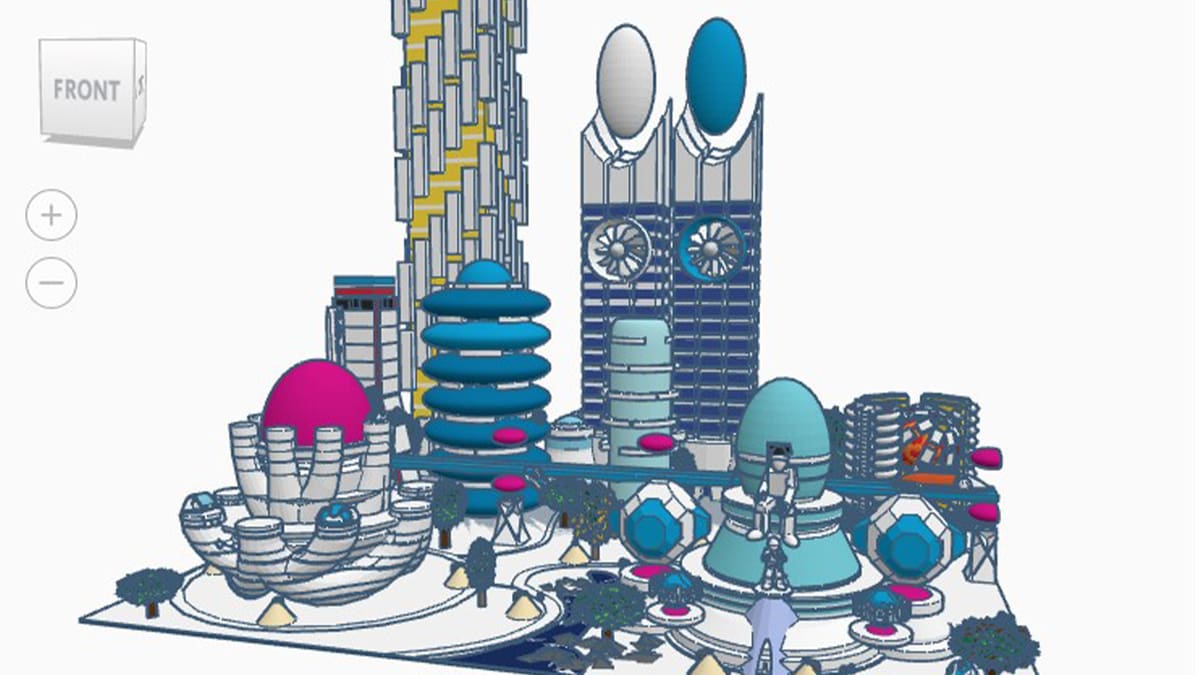
While this project isn’t really a building or a recreation of a real-life place, we simply couldn’t leave this amazing creation by Sevron32, made entirely with Tinkercad, off the list.
The “Futuristic City” is a monumental project depicting a fictional city that exists in the future. The number of details is astonishing, and includes its inhabitants, vehicles, and even a hidden Waldo! This shows how ambitious Tinkercad projects can be. The best part? You can take it as inspiration to create your own Futuristic City and get as detailed as you want.
What You Learn
- Advanced kinematics
- Designing for interlocking clearances
- Compound grouping
Project Info
Dragon
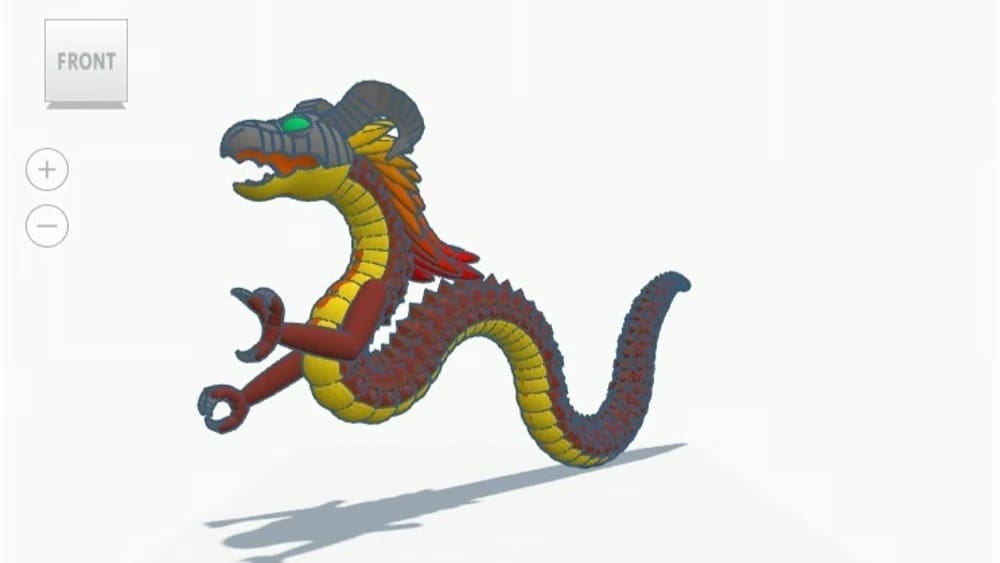
Who doesn’t love a fierce, fire-breathing dragon? You can never go wrong with a cool dragon when learning to model. This one is fascinating and can pose a good challenge if you’re looking for one. It has many interesting details, such as scales running the length of its body, an irregular mane, horns, and even hands.
Do not fear, though! Except for the hands, this model is symmetric, and many details are just patterns and repetition. Even though it will require some effort, it’s a good approximation to start dabbling in organic modeling.
What You Learn
- Segmented body modeling
- Texture and detail layering
- Character proportions
Project Info
- Project: Tinkercad
- Designer: Dragon Girl
Eiffel Tower
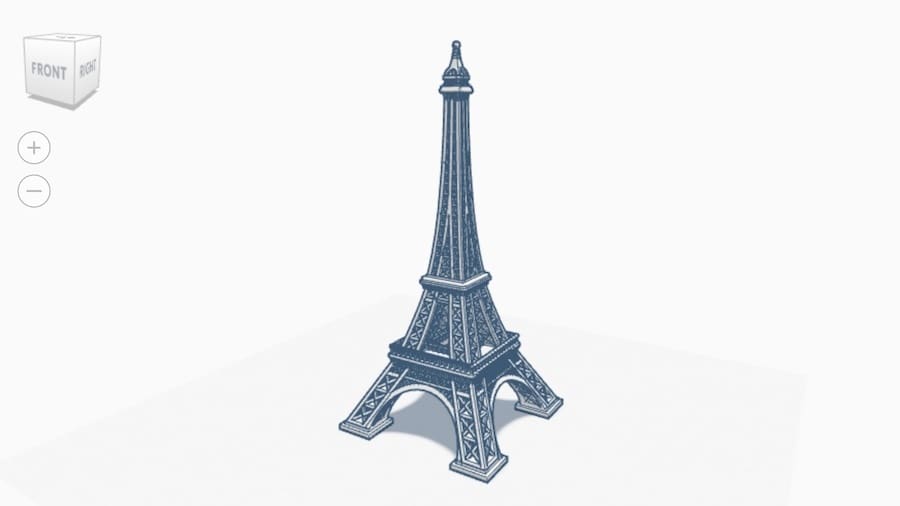
The Eiffel Tower is probably one of the most well-known buildings in the world and is a true feat of engineering. The “Iron Lady” was designed and constructed between 1887 and 1889 for the 1889 World’s Fair by Gustave Eiffel and his company.
The lattice structure, built with over 7,300 tons of wrought iron, was the tallest man-made structure in the world for over 40 years. This Tinkercad design, by Mike_S, is a careful reproduction of the real thing in all its glory. While at first sight it might appear more straightforward than, for example, the Futuristic City, with so many small parts that need to be exactly connected at mirroring heights and depths, this project will certainly challenge you.
What You Learn
- Lattice structures
- Structural sparsity
- Compound scaling
- Mastering the Mirror and Array tools
Project Info
Statue of Liberty
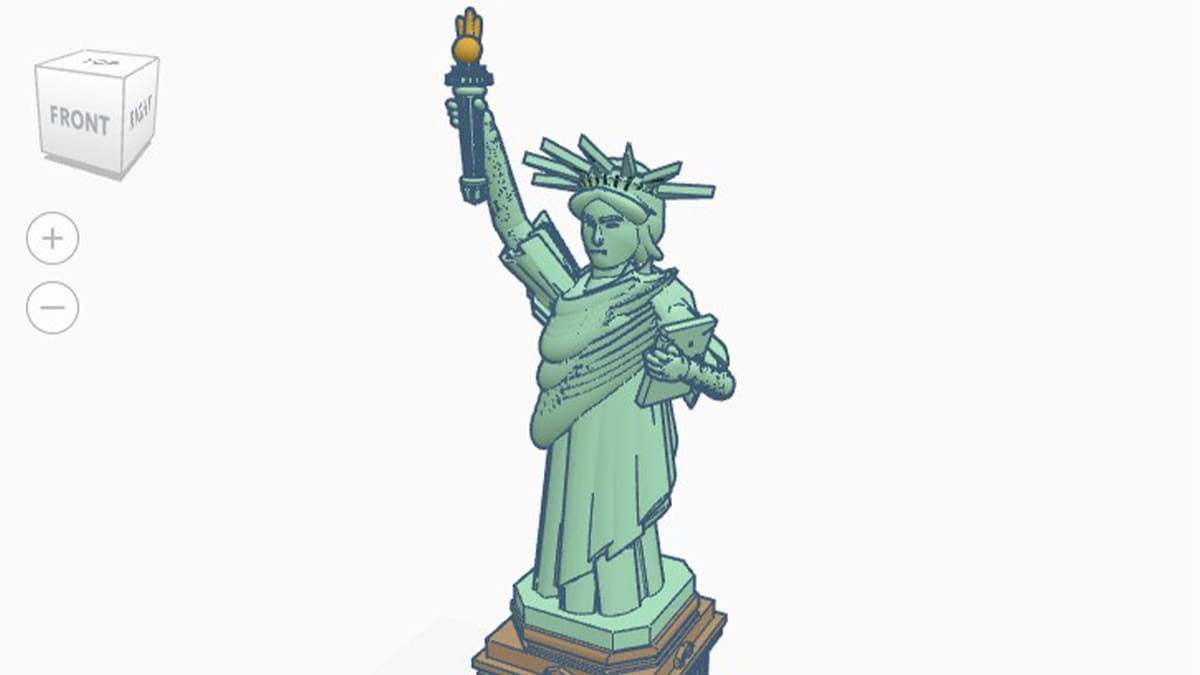
Yet another very well-known building, the Statue of Liberty (a.k.a. Liberty Enlightening the World) is a massive neoclassical monument designed by the French sculptor Frédéric Bartholdi.
The statue was gifted to the people of the United States in 1886 by France to celebrate the alliance between the two countries. All of the metal workings were built by Gustave Eiffel, and now Tinkercad user CMF Design has taken its turn to reproduce it using digital tools.
What You Learn
- Organic sculpting
- Managing geometric complexity
- Classical architectural layering
Project Info
- Project: Tinkercad
- Designer: CMF Design
Japanese Fortress
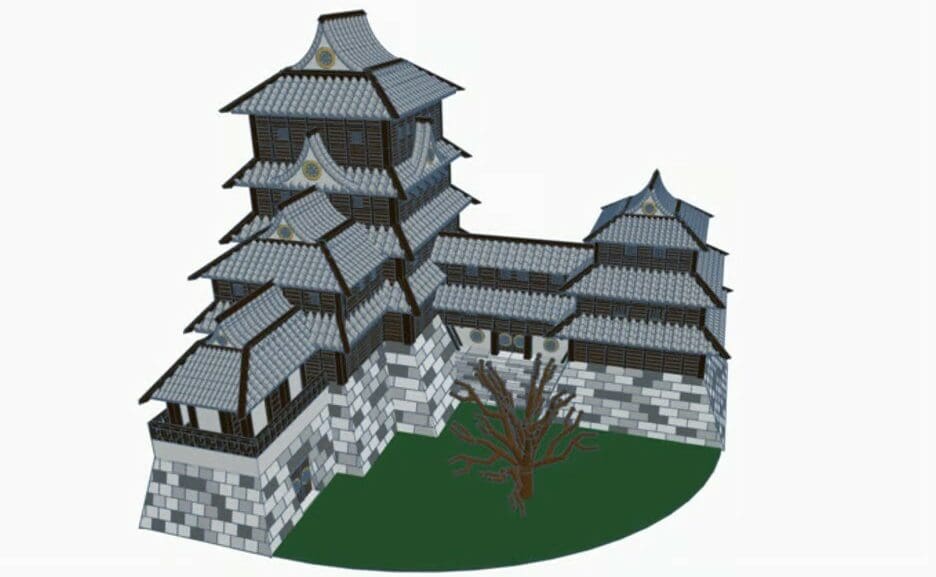
Castles are one of the most iconic sights of Japan. During the feudal period, these beautiful fortresses were built on high stone walls, primarily of wood. Castles were used for protecting the feudal lord and the families that resided inside its walls.
This model shows a Japanese castle with its distinctive, beautiful architecture. It’s a rather difficult model to replicate due to the high level of detail in the roofs and walls – even modeling the tree branches may pose quite a challenge. But it’s definitely worth it!
What You Learn
- Advanced spherical carving
- Working with circular arrays
Project Info
- Project: Tinkercad
- Designer: Josiah Miller
Castle
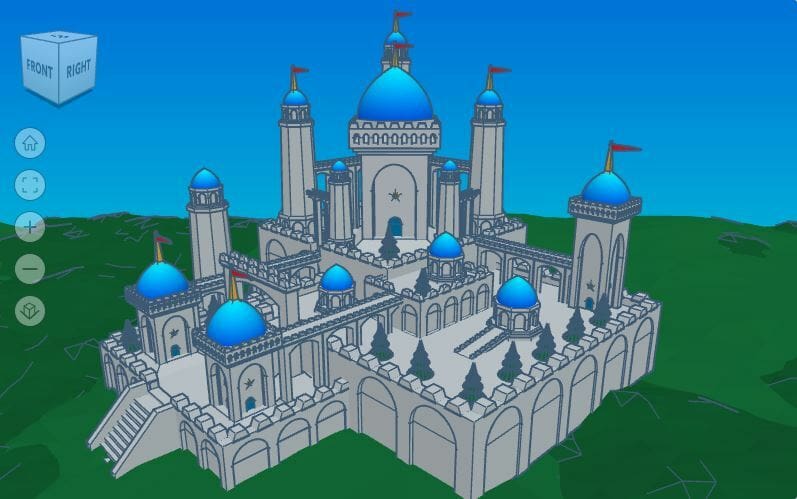
This gorgeous castle scene takes some unique approaches to medieval architectural design. You can tell from a glance that a lot of love went into crafting this scene, from the placement of the trees in the castle to the small flags on the main towers. The backdrop of green hills and blue sky is a nice touch as well!
This castle will provide plenty of inspiration for castle modeling in Tinkercad. The only thing missing is a moat, which might make it more vulnerable to invaders.
What You Learn
- Modular architectural design
- Mastering the Crenellation or Battlement pattern (subtractive patterning)
- Managing complex scene composition
Project Info
- Project: Tinkercad
- Designer: Josiah Miller
Hagia Sophia
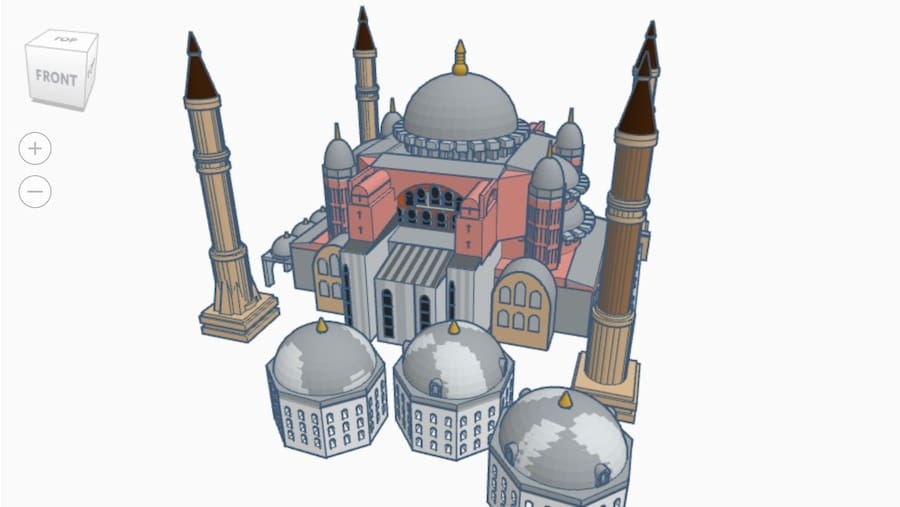
Located on the hills of Istanbul, the Hagia Sophia is a former Greek Orthodox Christian cathedral, later an Ottoman imperial mosque, and now a museum. The building was constructed between 532 and 537 on the orders of the Byzantine emperor Justinian I. It’s famous for its massive dome, and even from the model, you can see why!
It’s considered the epitome of Byzantine architecture and is said to have “changed the history of architecture”. The world’s once-largest building was 3D modeled by WhySoSerious? with incredible detail and could even be 3D printed.
What You Learn
- Mastering dome construction
- Implementing radial and bilateral symmetry
- Managing architectural scale and proportions
Project Info
- Project: Tinkercad
- Designer: WhySoSerious?
WWI Biplane
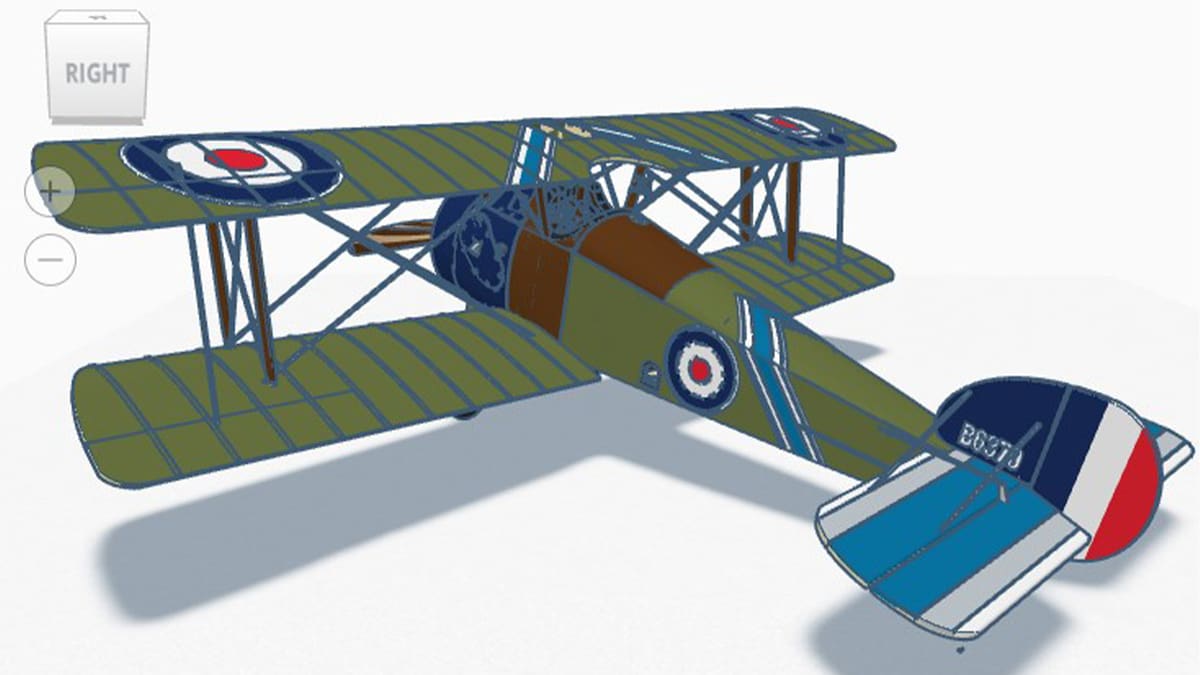
This is perhaps the most detailed vehicle project in all Tinkercad. The so-called “WW I Biplane” is actually a faithful recreation of a British Sopwith Camel F.1 single-seat fighter aircraft.
The model includes almost all of its internal parts (around 99%, according to its creator) and has detailed pilot panels, guns, and mechanisms. The model was designed by SgtMac7, with many contributions from the community (all duly credited on the project page).
What You Learn
- Skeleton modeling
- Managing performance with high part counts
- Technical accuracy
Project Info
X-wing Starfighter
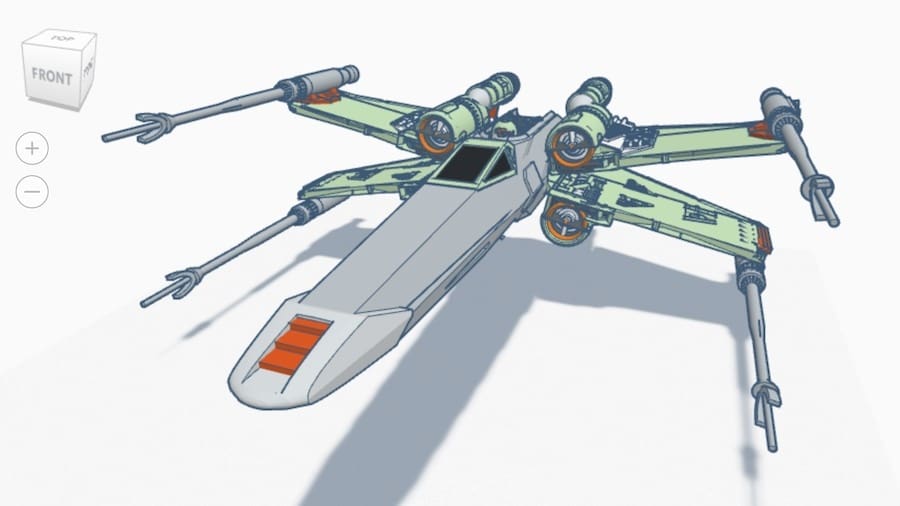
This list would simply be incomplete without a Star Wars spacecraft. The X-wing, a fighter jet designed for dogfighting and long-term missions, made its first appearance as Luke Skywalker’s starfighter when he blew up the Death Star – the first time.
The X-wing is one of the most recognizable fighters from the Star Wars franchise, and Tinkercad user ufmoo72 has done an excellent job 3D modeling it.
What You Learn
- Mastering symmetrical mirroring and rotation
- Adding texture with primitives
- Advanced tapering
Project Info

Hardy-Daytona
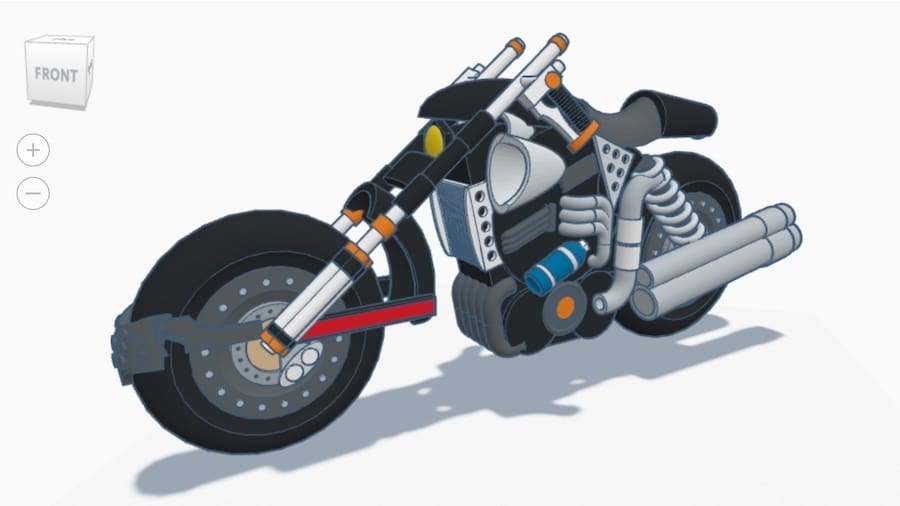
The Hardy-Daytona motorcycle is featured in a classic Final Fantasy VII mini-game. In this mini-game, Cloud Strife must ride this motorcycle to tail a pickup truck full of party members in their escape from the Shinra Headquarters.
Whether you’re a video game fan or simply dig cool bikes, this model can serve as inspiration for recreating other motorcycles or even designing one from scratch.
What You Learn
- Complex mechanical layering
- Advanced wheel geometry
- Organic-mechanical integration
Project Info
Robotic Bee
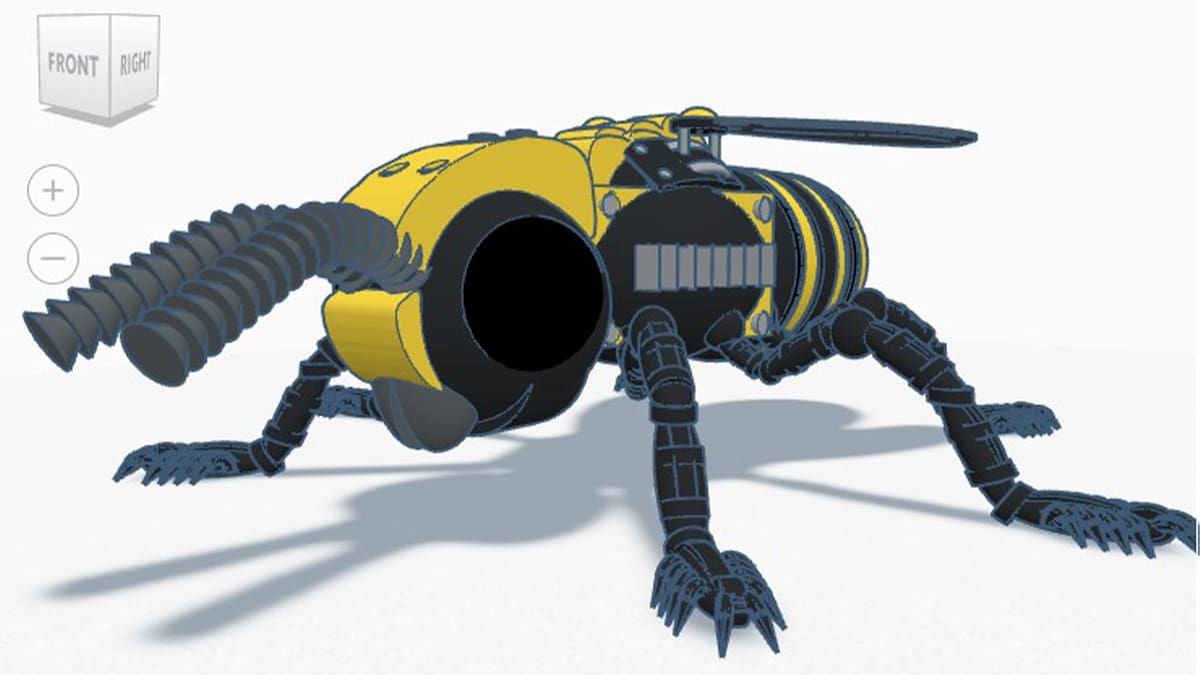
Here’s another creature that was impressively designed in Tinkercad. The Robotic Bee by The Fungus! portrays a mechanical bee that could very well be found in a science fiction movie.
Its creator claims the project includes over 200 different shapes, and the amount of small design touches and details is incredible. If you were looking for projects in Tinkercad to get inspired, you might have just found it!
What You Learn
- Bio-mechanical design
- Managing high shape density
- Transparent modeling
Project Info
- Project: Tinkercad
- Designer: The Fungus!
Color-Sensing Skittle Sorter
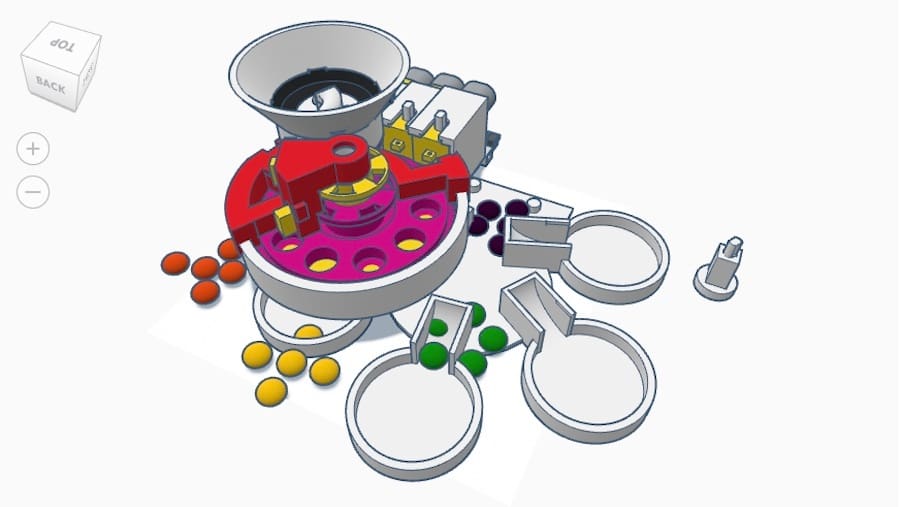
Arguably the coolest device on Tinkercad, this functional Skittle sorter will definitely satisfy your sweet tooth. It’s a color-sensing machine that will do all the hard work of sorting your Skittles before eating them. Quite useful!
If you want to make it reality, this device obviously requires some electronics, such as an Arduino Uno, a color sensor, and motors. The complete design of this project, along with instructions for reproducing this contraption, is available on Hackaday.
What You Learn
- Electromechanical integration
- Mechanical tolerances
- Rotating parts
Project Info
- Project: Tinkercad, Hackaday
- Designer: MrPrezident
R2-D2 with Electronics
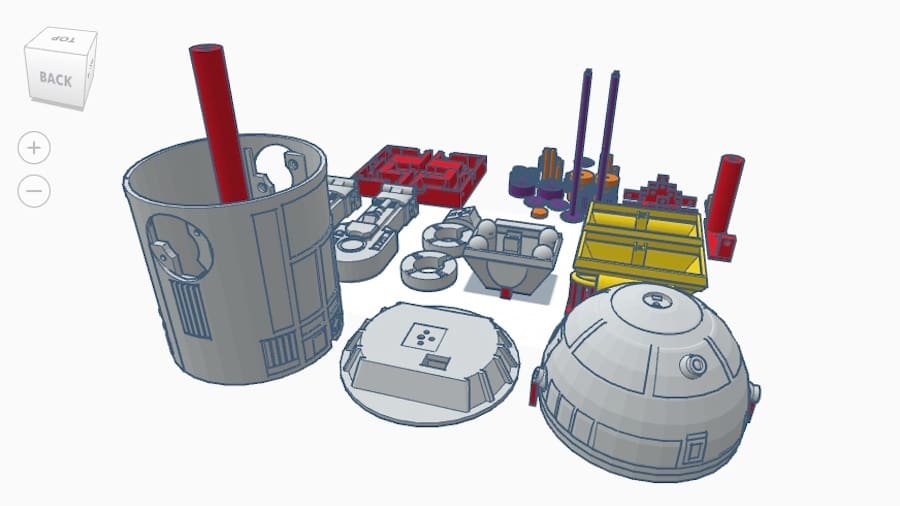
Okay, we promise this is the last Star Wars model on this list. But we just couldn’t leave out everyone’s favorite droid, R2-D2, powered by Arduino. This galactic droid build can move its little head and blip an internal LED just like R2 in the movies, which is why we’ve classed it as a gadget rather than a character.
All the details about this project, including the breadboard layout and the Arduino code, can be found in a YouTube video.
What You Learn
- Designing for internal volume
- Mechanical movement
- Cable management
Project Info
- Project: Tinkercad, Thingiverse
- Designer: ChaosCoreTech

License: The text of "Editor’s Choice: 30+ Cool Tinkercad Projects to Learn From & Get Inspired By" by All3DP is licensed under a Creative Commons Attribution 4.0 International License.