SolidWorks 2026: Free Download of the Full Version

Looking for a full version of SolidWorks 2026 to download for free? Check out your options along with what's new in SolidWorks 2026.
Let’s cut straight to the chase: It’s not possible to get SolidWorks for keeps without paying some cash, but there are free trial versions and discount editions you may not have heard of before. There’s a reduced-cost version of the desktop edition offered for students and educators, an even lower-cost version for military personnel in the U.S. and Canada, and special editions for entrepreneurs and makers.

The SolidWorks 2026 release focuses on accelerating design innovation through AI-powered features, enhanced collaboration, and performance improvements across its entire suite of tools. Scroll down for a review of what’s new in SolidWorks 2026.
Why Do You Want SolidWorks?
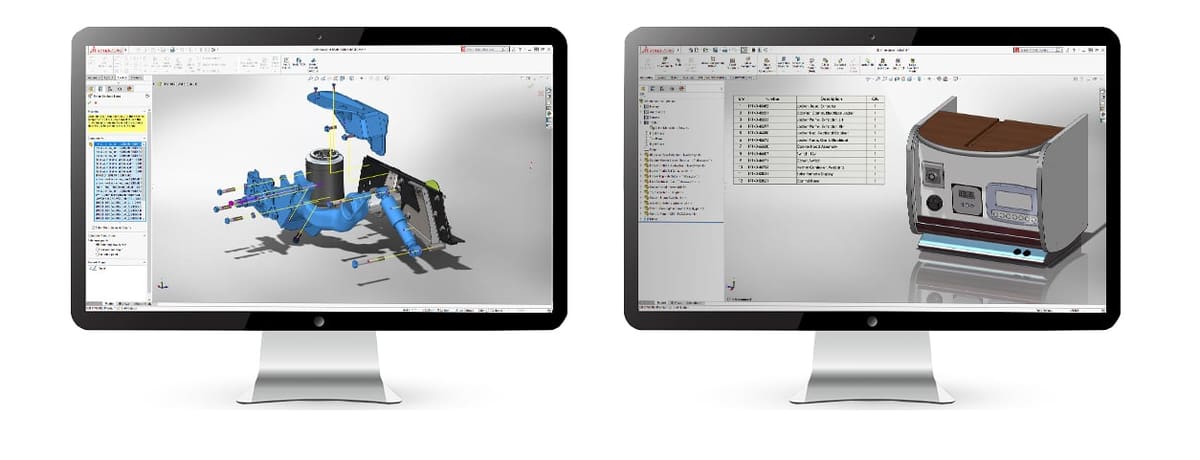
SolidWorks is an industrial-grade 3D CAD software for engineers. Its feature set encompasses both solid modeling computer-aided design (CAD) and computer-aided engineering (CAE). Being a direct competitor to AutoDesk’s CAD software, such as AutoCAD and Inventor, SolidWorks is absolutely packed with features and tools. So, it should come as no surprise, of course, that SolidWorks’ full version is not free.
If you want to see how SolidWorks stacks up against Blender, Fusion, Inventor, CATIA, Creo, or Solid Edge, we have six individual articles comparing these programs head to head at the link below.

Free trials of SolidWorks are fully functional, so you can test the software out before you buy it, and possibly save some cash with the generous variety of reduced-cost versions depending on your situation. And, just in case the price tag is out of your budget, check out some of the best free SolidWorks alternatives at the end of this article.
How to Get the Full Version - Free Trial
SolidWorks trials are not straightforward. You can’t just register and download. Oh, no. The software’s publisher, French tech giant Dassault Systèmes, keeps a close eye on whoever wants to test drive their software.
Typically, Dassault Systèmes provides an online trial (running SolidWorks in a browser) for a short period (often around 7 days) or a downloadable evaluation for a limited time (often around 30 days for a full install). Students, at certain times of year, can access an extended trials (e.g. 60 days).
If you want the longer-trial install, you have to request it via a form on the company’s website and wait for a sales representative to reach out for the next steps, or contact a reseller. After the free trail ends, this sales rep will no doubt in back in touch to discuss how you’d like to proceed. This is the only way to run your trial locally and get an idea of how well your hardware handles SolidWorks. Just be sure you’re contacting the correct sales team, as there are different forms for commercial users, academics, and researchers.
Test Drive SolidWorks Online Anywhere, Anytime
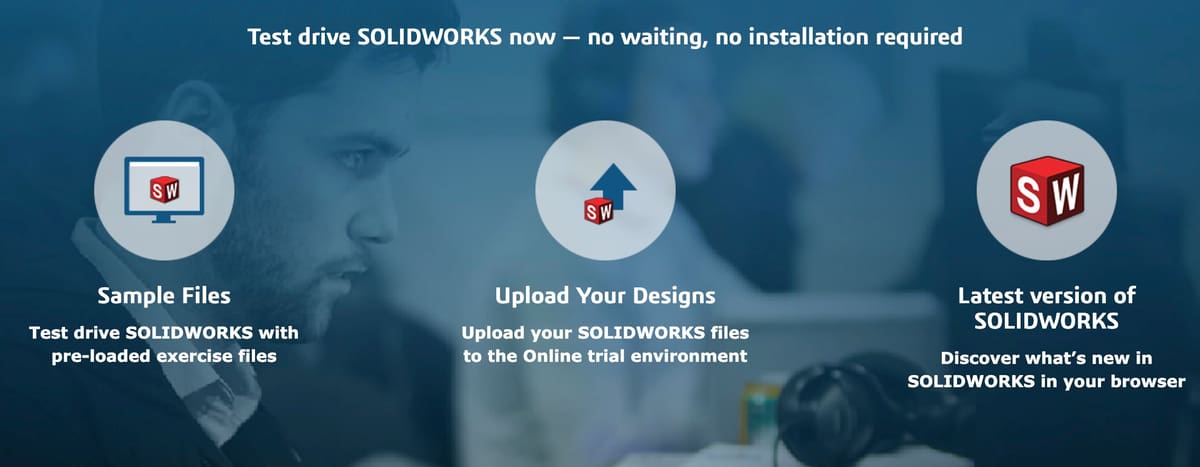
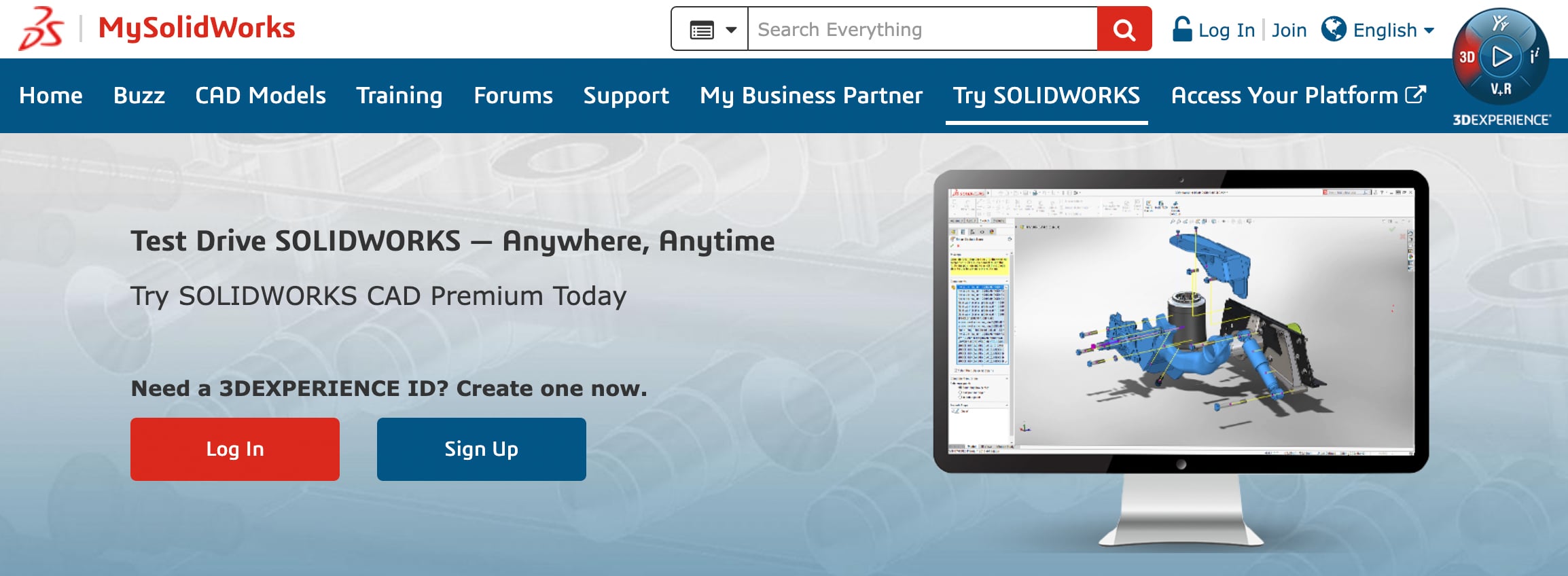
If you don’t want to deal with a sales rep., Dassault offers one instant trial delivered via virtual machine and accessed through a web browser via My.SolidWorks. This offer is by far the most straightforward, enabling users without a CAD-capable machine to test SolidWorks’ many functions with the help of sample content or by designing and even downloading personal creations. Bear in mind though that, given the nature of a virtual machine, “locally” saved files will be erased if the session ends. For example, after being idle for 30 minutes or if the internet connection is interrupted for too long.
To test SolidWorks via MySolidWorks’ virtual machine system, follow these steps:
- Visit the Try SolidWorks page on MySolidWorks.
- If you do not already have an account, click “Sign Up” and register to receive a SolidWorks ID.
- Agree to the terms and conditions and select your preferred language to launch your SolidWorks online product trial.
- Accept the License Agreement.
- Enjoy the functionalities of SolidWorks Premium as well as a handful of other software like SolidWorks Visualize, eDrawings, and Treehouse.
Makers Edition, $48
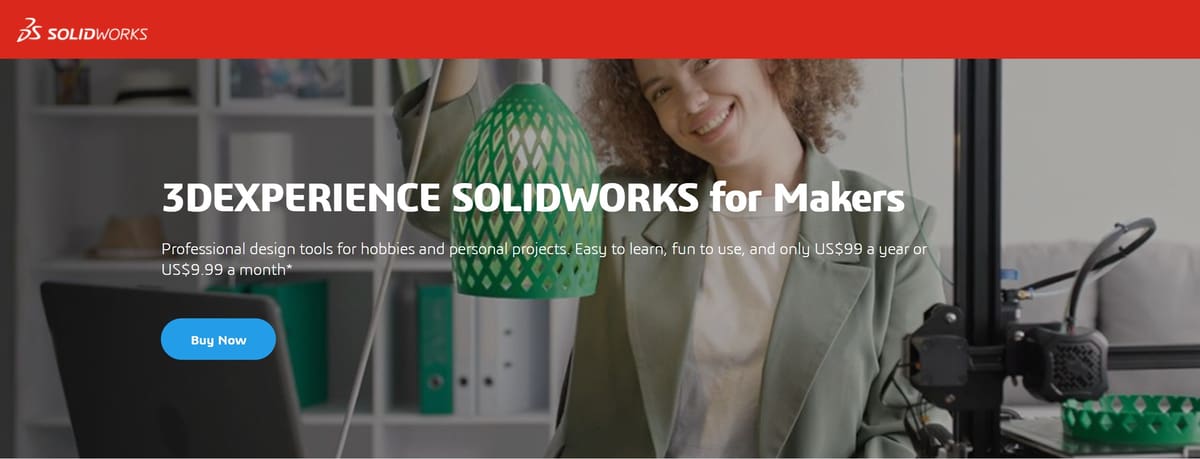
There’s exciting news for hobbyists and makers that want to use this powerful 3D design program but don’t have the budget of an entire engineering company. Any maker that brings in less than $2,000 in profits per year is entitled to the 3DExperience SolidWorks for Makers Offer at $48 per year or $15 per month. An on-premise version of SolidWorks is not available for Makers.
If you decide to make the purchase, you will get pretty much the same deal that students get – a local installation of cloud-connected 3DExperience SolidWorks Professional, browser-based 3D Creator and 3D Sculptor, NC Shop Floor Programmer, Visualize Connected as well as access to the 3DExperience Marketplace and a repository of shared models in the SolidWorks community. Also, unlike in the Student version, you are allowed to make and sell products for profit up to and not exceeding $2,000 per year. All in all, this sounds like a pretty good deal to us.
Student Edition, $60

Dassault Systèmes offers a version of SolidWorks specific to students and educators called SolidWorks for Students. It’s the same full desktop version of SolidWorks as everyone else’s, but available at a significantly reduced price ($60). Better yet, both students and educators can test the software instantly with a longer 60-day free trial by requesting a SolidWorks Education Trial. If their school has a campus license, students often can get a free 1-year license via the Student Access Program.
Follow these steps to instantly access SolidWorks with the 60-day free education trial:
- Visit the Educational Evaluation Request Page
- Enter your e-mail address and click “Next”.
- Indicate your level of interest and click “Submit”. You’ll be directed to a new page with further instructions.
- Go to www.solidworks.com/SDK_Form.
- Fill out the contact information form one more time and tick “No” under “I already have a Serial Number that starts with 9020”. A new field will appear into which you can enter the provided SDK-ID “TEMPDL”.
- Choose the current SolidWorks version and click “Request Download”.
- Accept the SolidWorks Community Access Initiative and press “Download”. The corresponding serial numbers for the products will appear on the following page.
- Unzip the installation files and execute the installer.
- Enter the required serial numbers which are also sent via e-mail.
- Wait for the installation to finish and restart your computer to start running SolidWorks.
SolidWorks’ free educational evaluation for students and educators is an excellent way to preview and learn the software and all of its tools in full before you commit to its student price tag, which is just $60 a year.
This trial not only includes the classic SolidWorks CAD Premium software but also provides licenses for SolidWorks Electrical Professional, Composer, Visualize Professional, and CAM Pro, each for two full months. Bear in mind that neither the student and educator nor the university researcher license can be used for commercial use and all files created in these versions will be watermarked as such.
SolidWorks Student Edition for Veterans

Dassault Systèmes is the only CAD software publisher we know that offers a special program for military personnel. Reserve, active duty, and retired or discharged U.S. or Canadian military personnel can purchase the on-premise SolidWorks Student Edition at a reduced price of only $20 USD or $40 CAD. The 12-month license includes SolidWorks Premium as well as supplementary software including FEA, CFD, and other analysis, design, and rendering tools.
For US military, a copy of the DD214, DD256, or DD257 form is needed. Canadians need to provide a copy of their NDI 75, CAF 75, or CFOne Card. Additionally, those on active duty must provide a verified Statement of Service including the date of entry and exit.
Unfortunately, this offer does not provide a free trial, so if you fulfill the requirements but want to test the waters first, just follow the provided steps for the free trial of the full version in this guide above.
3DExperience SolidWorks
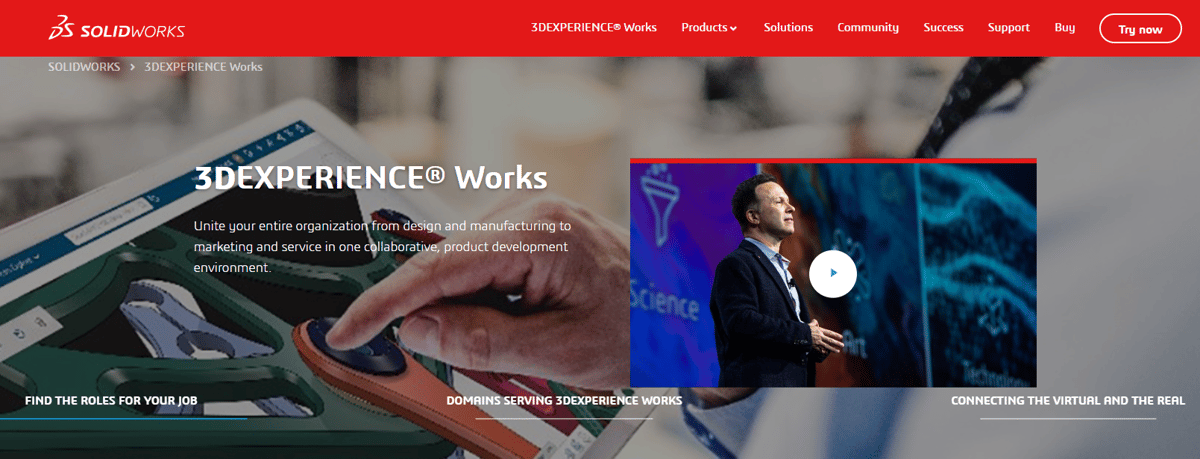
There’s an entirely different edition of SolidWorks that comes with trials and discounts that may also interest you.
3DExperience SolidWorks is the version that’s part of Dassault Systèmes cloud-based multi-product platform called 3DExperience. Here, the publisher created an online environment where users of the various Dassault Systèmes software can collaborate and securely share data.
3DExperience SolidWorks has the same 3D CAD functions, capabilities, and user interface as SolidWorks 3D CAD. The main difference between the two is how they are purchased and deployed: 3DExperience SolidWorks uses a named user license and is deployed from the cloud, allowing it to be installed on any PC. SolidWorks 3D CAD uses a term license or perpetual license with subscription services and can be installed on one PC.
3DExperience SolidWorks might be right fit for you if you’re looking to streamline product development processes in a large team with cloud-enabled collaboration tools and have a stable internet connection, 3DExperience SolidWorks might be what you’re looking for.
In the case of SolidWorks, 3DExperience offers its own version in place of the classic desktop installation. It’s called 3DExperience SolidWorks, or SolidWorks Connected, which is also installed locally but accessed through the 3DExperience platform and, as the name suggests, connects to an array of other cloud-enabled collaboration, storage, and design tools.
There are differences between the standalone SolidWorks and the 3DExperience SolidWorks.
3DExperience SolidWorks comes with an array of tools including 3D Creator, 3D Sculptor, Simulation Designer, Collaborative Business Innovator, and Collaborative Industry Innovator. But, which tools you get will depend on your subscription tier and role within your team.
On the other hand, the move to a cloud environment means that some programs from the desktop version are currently not supported, including CAM, Motion Studies, and several different simulation types. This includes SimXpress, FloXpress, Toolbox, API functions as well as add-ins like Inspection, Electrical, Composer, and third-party products.
The good news is that actual 3D Design functionality and user interface are the same in both two versions, except for some minor technical adaptations like the saving and opening of files through the new cloud server.
Just like the standalone version, 3DExperience SolidWorks is offered in three tiers: Standard, Professional, and Premium. If you are interested in any of the 3DExperience solutions (and not eligible for any of the special subscription offers listed below), you can request a demo on their website.
3DExperience Student Edition Aps

As a student, you can choose between the cloud-connected 3DExperience Solidworks for Students which comes in at $48 per year, and the desktop-only SolidWorks Student Edition for $60 per year.
Which option you want to choose depends on your own preferences and is dependent on your work environment (i.e. a fast and stable internet connection). As a word of caution, there have been complaints about the user-unfriendliness of 3DExperience and its linked programs in the past, however, the offer is relatively new and subject to constant change and improvements. Educators and researchers can also make requests for discounted versions of SolidWorks. To obtain access to educational licenses and further pricing information, you will need to contact Dassault Systèmes.
Students new to CAD have plenty of time to get familiar with the software before deciding whether to buy a more affordable Student Edition license.
3DExperience Entrepreneur and Startup Editions

Dassault Systèmes also offers special licenses for entrepreneurs and startups, including both free and reduced-price versions of SolidWorks and supporting software.
Under the 3DExperience for Startups Program, eligible entrepreneurs, companies, and maker spaces, can receive a full year of SolidWorks for CAD, simulation, visualization, and more for free, followed by a second year for 70% off, and then a third year at 50% off before having to pay full price for a license. If you’re looking to start a business, or you already have and are just getting off the ground, this system is an excellent way to get yourself up and running with powerful CAD software without further pinching an already tight budget. To find out whether you qualify, you will need to submit an application as a startup to Dassault Systèmes.
Makerspaces, Fab Labs, and Incubators can also find solutions for free and reduced-cost SolidWorks licenses, as well as training for those interested. These are great ways to promote CAD skills in hobbyist communities and give local access to high-end CAD software to those who may not be able to access it at home. You can either purchase the 3DExperience SolidWorks for Makers Offer or apply as an incubator to find out what kind of license you qualify for.
SolidWorks offers a named-user subscription via the 3DExperience platform (cloud-connected licensing). In this model, a user can log in from any device (rather than tie the license to one machine). It’s essentially another form of term license (3 or 12 months) but linked to a user account.
Getting Started With SolidWorks
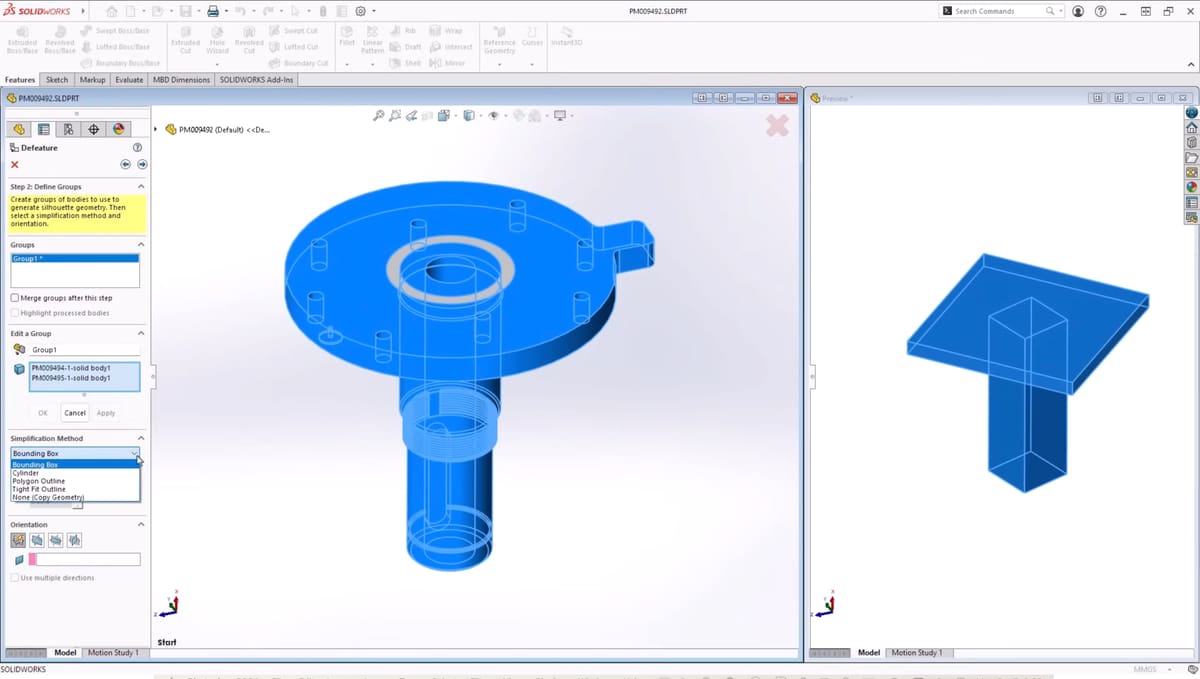
If you are new to CAD and the SolidWorks ecosystem, MySolidWorks offers lessons, learning paths, eCourses, and technical sessions for all levels in addition to model repositories and forums. Access to these depends on your subscription status, but for many product tutorial videos it’s enough to create a free account. This also includes tutorials for 3DExperience tools like 3D Sculptor and 3D Creator.
Check out the Getting Started With SolidWorks CAD learning path to create your first sketch, part, assembly, and drawing in no time. Once you are ready to move on, or if you are already comfortable with the program, make sure to browse the training catalog for a range of tutorials on many SolidWorks products.
Top Features of SolidWorks

As can be expected from a cutting-edge CAD program, the software brings mature parametric modeling to the table. Simply put, this enables users to make substantial revisions to their designs by changing numerical values. Thanks to its simulation capabilities, SolidWorks frees you from time-consuming and costly prototyping. To give an example, in SolidWorks, you can assemble a multitude of parts virtually. This allows you to study possible interferences between the parts before even leaving your chair.
The rich feature set of SolidWorks is geared towards experts in diverse fields like aerospace, automotive, shipbuilding, industrial equipment, architecture, and the medical and energy sectors. In their latest release, the focus is once again heavily marketed toward connectivity and collaboration enhancements to improve productivity. Below we compiled some of its unique features that can be found exclusively in their newly developed cloud-based 3DExperience Works Portfolio and might help you make up your mind about which CAD software is best for you.
3D Sculptor
This cloud-based subdivision modeling tool enables fast and easy production of organic 3D shapes. Designers, design engineers, and digital artists alike can intuitively create highly stylized, organic, and ergonomic shapes for quick product development. Results can then be shared and processed in all SolidWorks Desktop and 3DExperience applications.
3D Creator
This browser-based application aims to take product design behind the walls of an office. With 3D Creator, powerful parametric modeling can now be done on any connected device like a tablet or laptop and is touch-optimized for design on the go.
Designs can even be refined with real-time validation tools like clearance detection, draft analysis, and dynamic motion. Revision and lifecycle management as well as collaboration tools are built-in, making sharing and collaborating between team members easier than ever.
NC Shop Floor Programmer
Enables the CN-machinist to create a CN toolpath for 2.5 and 3-axis CNC as well as Wire-EDM machines. The tool helps to keep manufacturing close to the design and construction process and validates CNC operations via accessibility and collision simulation capabilities.
What's New in SolidWorks 2026
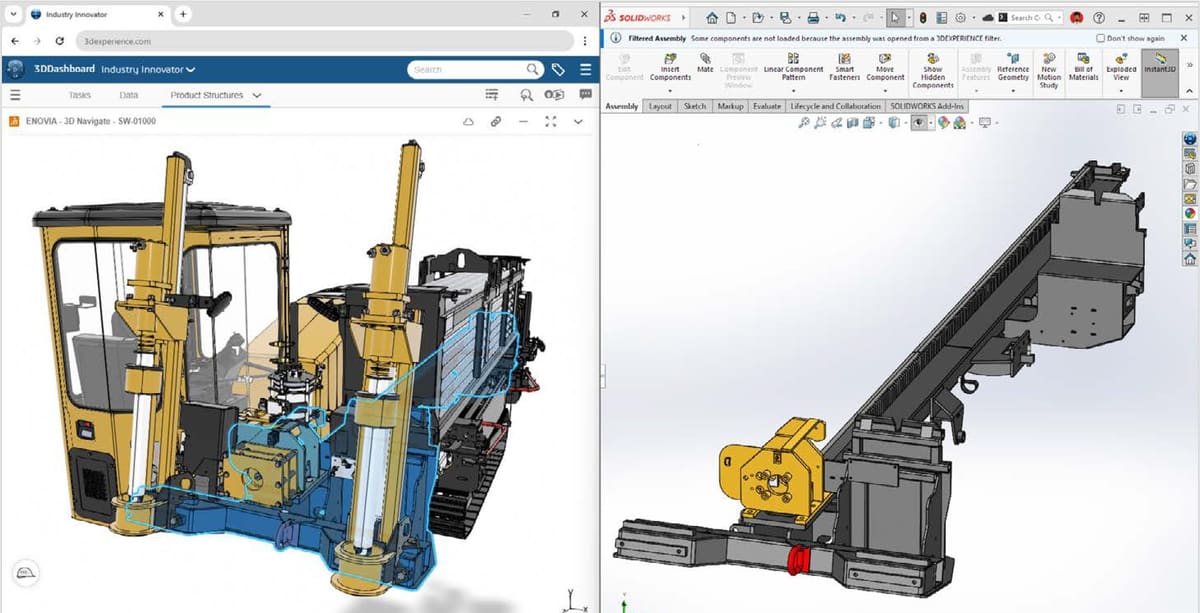
There’s a lot new in the 2026 version of SolidWorks with updates that focus on design, documentation, and assembly speed, driven by new AI capabilities.
What’s New: Design and Modeling
Drawings:
- AI Drawing Automation (beta): A new Auto-Generate Drawing command uses AI to create 2D drawings, intelligently arranging views, selecting sheets, and applying hole callouts, even on imported geometry.
- Family Tables: Insert tables to automatically display configuration details and properties.
- Clarity & Annotation: Dimension lines now auto-break when intersecting text. Magnetic lines align balloons, Notes, and Weld Symbols.
- BOM: A new “Flattened” BOM type lists total component quantities from all sub-assemblies. BOMs can now be filtered by display state.
- GD&T: Add custom text and symbols directly within geometric tolerance values.
Assemblies:
- AI Fastener Recognition: AI automatically recognizes and mates fasteners like nuts, bolts, and washers, including non-Toolbox components.
- Selective Loading: Selectively open specific design sections from the 3DExperience platform, aiding concurrent work on large assemblies.
- Warnings: Get automatic warnings for large, unusual component displacements.
Parts:
- Sheet Metal: Use sketch points to define edge flange ends and a new “From” option to set a custom Base Flange start point.
- Physical Products: Create a “Physical Product” on the platform to add key attributes like project numbers from the start.
3D Dimensioning and Tolerancing (MBD): - DimXpert: Save and reuse MBD dimensions from DimXpert in library feature parts.
- Sharing: Share models with MBD data directly as STEP AP242.
Electrical and Pipe Routing: - Combine BOMs from multiple route subassemblies into one.
Supports both part-based and assembly-based clips.
ECAD-MCAD Collaboration:
- IDX 3.0 supports parent-child relationships for components and board items.
Review and undo recent IDX-based MCAD changes in CircuitWorks.
Rendering:
- The Visualize add-in allows photorealistic rendering directly inside the SolidWorks interface.
- Denoiser is now supported in CPU render mode.
Import-Export:
- Export packages with all referenced files directly from the Share dialog.
Advanced selection tools (e.g., Select Identical Bodies) help manage complex imported parts.
User Experience & Performance:
- Offline Mode: Automatically transitions to a temporary offline mode during connectivity loss.
- Simplified Interface: An optional interface displays only common commands.
- Enhanced Search: Command search recognizes more keywords, including terms from other CAD software.
- Performance: Faster rebuilds (skips cosmetic changes) and faster opening of large assemblies (can disable lightweight auto-resolve).
What’s New: Collaboration and Data Management
Enhancements improve teamwork through 3DExperience integration.
- AURA (AI Virtual Companion): An AI assistant on the platform summarizes community content (posts, wikis) to speed decision-making.
- Integrated Collaboration: Access the SolidWorks User Forum and share files via 3DDrive/3DSwym directly from within SolidWorks.
- Drawing Traceability: Drawings can be stamped with maturity status, user name, and email.
Cut List Support: Cut lists are now supported on the 3DExperience platform.
System Requirements
Being a rather heavy CAD program, you should make sure that your computer is properly equipped to run SolidWorks. Below are the recommended minimum system requirements for the latest version.
- OS: Windows 10 (64 bit) or later, macOS Ventura (13.0) or later
- Processor: x86_64 (Intel 64 or AMD64)
- RAM: 16 Gb or more
- Hard Drive: Minimum storage space not specified, an SSD is recommended for optimal performance
The full hardware requirements can be viewed on the SolidWorks website.
Paid Subscriptions: Standard, Professional, and Premium: Which Is Right For You?
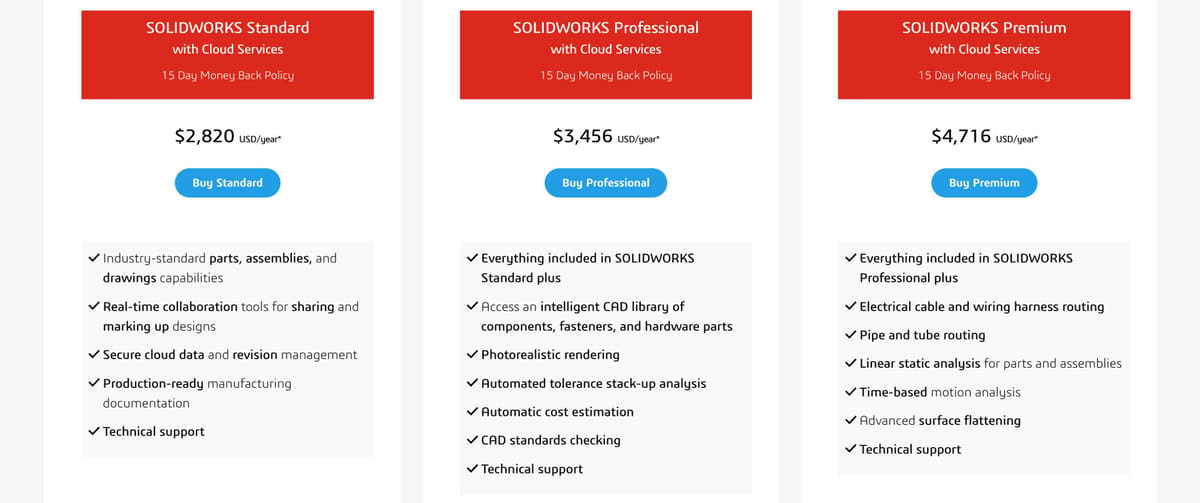
Unless you fall into a group that’s eligible for one of SolidWorks’ many special offers, you might be quite confused at this point about which version is right for you. Don’t worry, we were too. Therefore, we have listed what’s included in the Standard, Professional, and Premium packages.
Fortunately, Dassault now offers an online store for certain license types (annual term licenses with cloud services). Standard, Pro, and Premium can be purchased online (term license) in a number of countries, but if you want to purchase a perpetual license, you need to contact a local reseller.
SolidWorks has long graduated from a standalone CAD program to fit many of the cogs in the machine that is product development. For modeling and design, all three versions function exactly the same, so the difference lies in additional functionalities to service the product design pipeline. Be aware that this is not an exhaustive account of differences between SolidWorks software and only focuses on the major differences to help you get an idea of which version is right for you. Let’s look at the offers for local, on-premise versions first:
SolidWorks Local Version Differences
The cheapest of the three licenses, SolidWorks Standard, comes with limited FEA capability for static and stress analysis on single parts but not assemblies. It also includes animation tools.
SolidWorks Professional further streamlines the design process. It also includes photo-realistic rendering and eDrawings Professional, which makes file viewing and analysis possible for customers that do not have their own SolidWorks license. A Standard parts library (nuts, bolts, connectors, etc.) and SolidWorks Costing for speedy cost calculation are also included.
SolidWorks Premium is the most complete offer and best suited for customers looking to perform extensive simulations. It unlocks static, stress, and motion analysis on entire assemblies and extends CAM tools to include a routing feature for tooling and harnessing. Electrical and PC board design is also made easier with an eCAD interface, and Circuit Works lets you easily create circuit board enclosures.
3DExperience SolidWorks Differences
The cloud-enabled versions of SolidWorks, 3DExperience, are structured the same way as their desktop counterpart in Standard, Professional, and Premium licenses with mirroring functionalities. But, higher versions unlock more secondary tools. The Standard offer includes the basics for CAD design and cloud collaboration, Professional steps things up by unlocking the 3D Sculptor for organic design, and Premium provides advanced simulation tools via the Simulation Designer.
The offers are quite convoluted, and explaining every single product would go beyond the scope of this article. If you want to learn more about the specific differences between the versions, check out the comparison guides on what’s included in the on-premise and cloud-enabled licenses. You can then click here if you want even more detail on specific product capabilities or, alternatively, contact your local reseller. For us, at least, it makes sense now why SolidWorks wants you to be guided through their product portfolio by a professional before making a purchase.
OnShape

OnShape is an engineering-grade cloud-based CAD suite developed by former SolidWorks staff members. Just like SolidWorks, it seeks to integrate the entire engineering workflow into one program. Its comprehensive feature set lends you the full might of parametric modeling and the option to simulate assemblies of complex multi-part designs.
Another strength lies in OnShape’s collaborative capabilities. This CAD software is available purely as a cloud service and allows multiple team members to access and edit a design simultaneously. It differentiates itself from SolidWorks by allowing you to use it on any device since everything is cloud-based and also frees you from the traditional file-based method of using CAD software.
While the Standard, Business, and Enterprise versions aren’t free, they do offer a slightly limited version for hobbyists and non-commercial use, through what they call their Public plan. With this version, you can access and edit designs on any device, as well as share and collaborate with other community members. You can sign up for this free version on their website.
OnShape also has a free version for students and educators, with pretty much all of the features of the full version. You can apply for access to this version of OnShape through the Education page of their website.
FreeCAD
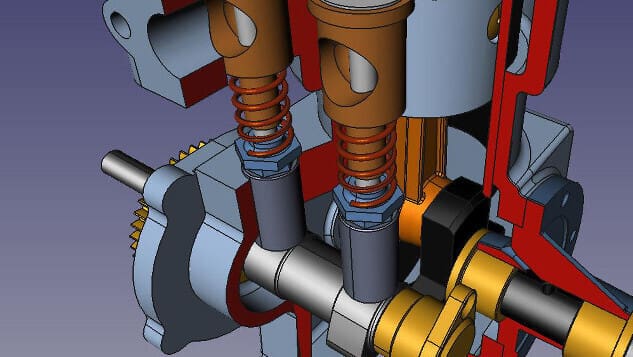
FreeCAD is an open-source and highly extensible 3D CAD software that is available for free download. Its range of features can even stand comparison with commercial software like SolidWorks since it offers full parametric modeling. It may not look as slick as the commercial alternatives, but it gets the job done easily.
The modular architecture makes FreeCAD invaluable in many engineering and architecture workflows. To give an example, it lets you perform sophisticated simulations such as self-weight analysis.
You can download the software from their website, and if you do, you may also be interested in our tutorial:
SolveSpace
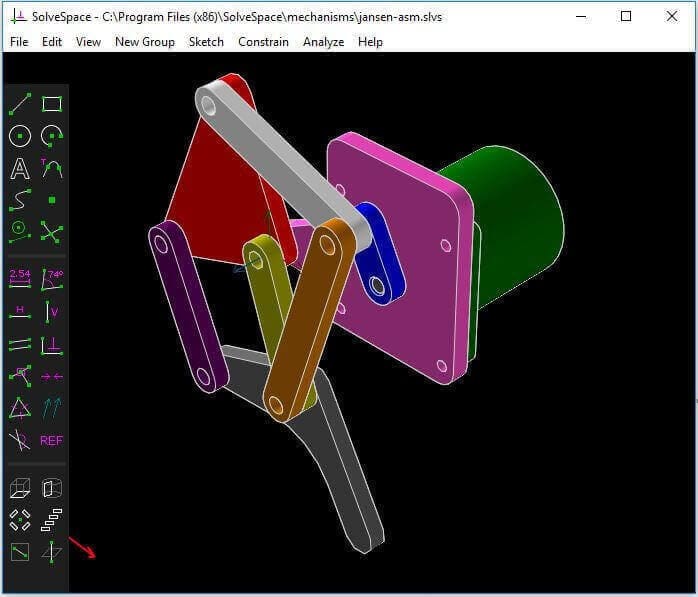
SolveSpace is another free 2D/3D CAD software. The common denominator with SolidWorks is its parametric modeling feature allowing you to easily modify your design.
For a free program its simulation capabilities are quite impressive as it brings simulation of possible blockages, and inconsistencies in your designs early in the design process. This will save you time and reduce your level of frustration.
You can access the free version on their website.

You May Also Like:


Lead image source: SolidWorks
License: The text of "SolidWorks 2026: Free Download of the Full Version" by All3DP Pro is licensed under a Creative Commons Attribution 4.0 International License.