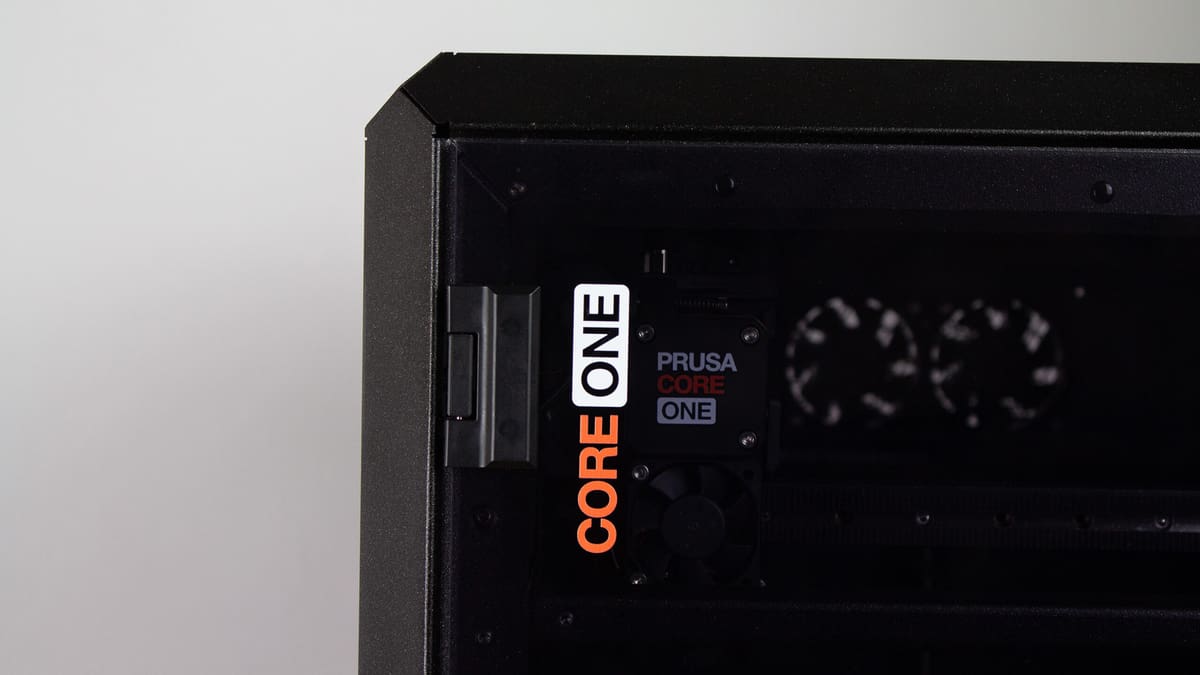
It’s Hard to Choose Between Prusa’s Core One and Bambu Lab’s X1C – But We Did

Prusa's Core One directly competes with Bambu Lab's X1C. There's plenty of comparsions to make between the two, so which is right for you?
When Bambu Lab launched the X1C in 2022, consumer 3D printing sprang forward in a fantastic way. Suddenly, publications, including us, were referring to 3D printers as “appliance-like”, and the industry had another sweetheart manufacturer, often compared to the stalwart machines produced by Prusa Research.
Except there wasn’t really a direct comparison to make, until just this year when Prusa launched its own enclosed, CoreXY machine: the Core One.
I can’t help but feel slightly in danger to be, finally, comparing these two manufacturers directly; both have sometimes deeply tribalistic fans surrounding them. And, honestly? I can’t blame them. We’ve found both to consistently produce stellar 3D printers, provide detailed documentation, offer excellent support, and generally push 3D printing forward in a positive way.
Other ways these manufacturers compose themselves and their supply chains may come into play for some. Bambu Lab has faced some controversies, such as a recent firmware update that removed some functionalities in its three-year-old system, while Prusa has been criticized for product rollouts that needed a lot of time before features promised at launch were available. (There, now everyone is mad.) If those factors are important to you, I’d encourage you to dig into each company more. Our news reporting covers both regularly, but here, we’re going to look strictly at the comparable CoreXY hardware that both lauded manufacturers produce.
Though we think Bambu Lab and Prusa are your best bet for good support and thoughtful documentation, if these two 3D printers, which both retail above $1,000, are out of your price range, there are plenty of other enclosed CoreXY systems on the market now. Elegoo’s budget Centauri Carbon impressed us greatly, and Anycubic’s S1 Combo offers a more affordable multi-color solution. Check out our picks for the best enclosed 3D printers.
Feature Face-Off
Design & Technology
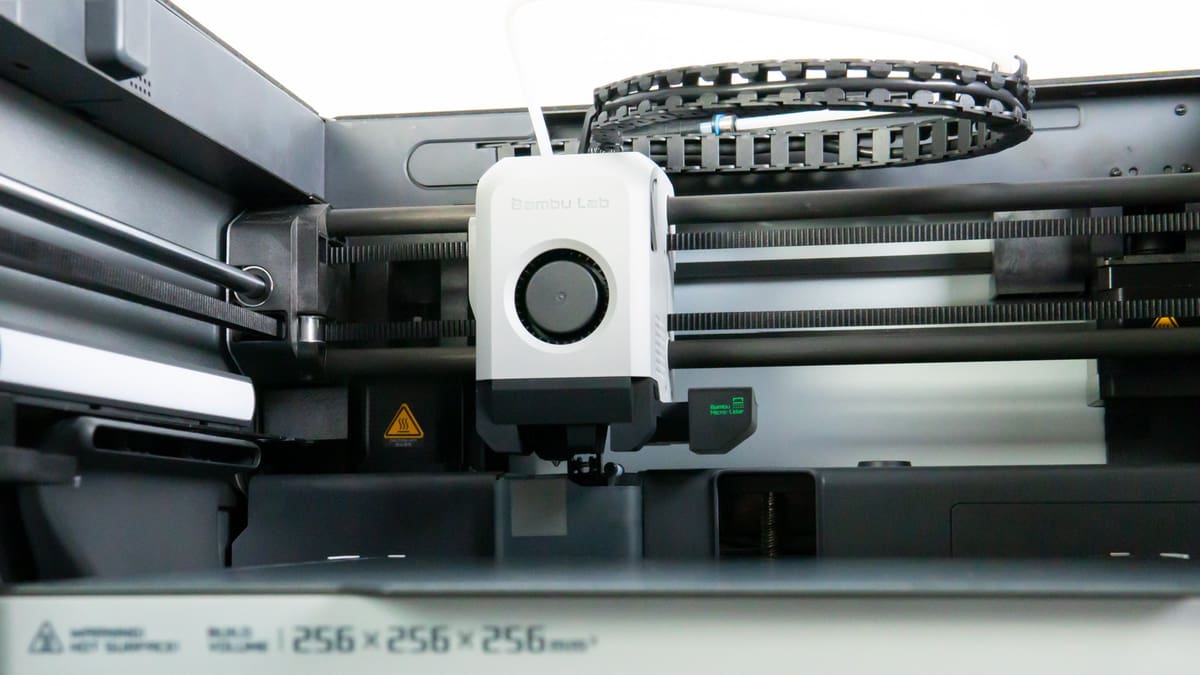
Though both the Core One and X1C use CoreXY kinematics, the two machines differ in many ways, from small nuances to fundamental differences in how the printing process is carried out.
Here, we’re going to breeze over a lot of those technical differences somewhat and focus on the result for end users who just want to get printing. But, if you’re more of a hardware enthusiast, there’s a lot to glean from our reviews of each printer, so be sure to read those!
Gantry & Speed
Stability, or how well a machine’s design can limit or compensate for vibrations, is a crucial component of quality 3D printing. That’s most important in the print head, where stability often comes down to a contest between gantry weight and rigidity. The X1C launched with ultra-light carbon fiber linear rods to minimize weight and reduce vibration, it’s a lightweight take on a system implemented in Prusa’s bed slingers. The Core One opted for linear rails instead, which are a little heavier but generally considered top-notch for stability. It’s worth noting that Bambu Lab’s latest 3D printer, the H2D, also opted for linear rails – but there’s some unusual stuff about that multi-functional machine’s toolheads that likely demands even greater rigidity.
So, how fast can each of these printers go? How fast you can realistically push a printer is a can of worms, so let’s look at the respective default print profiles of both:
Both printers have a maximum default print speed of 300 mm/s on their basic 0.20 mm profiles (“Standard” for Bambu Lab, and “Speed” for Prusa). The X1C has travel speeds set to 500 mm/s with acceleration of up to 10,000 mm/s, while the Core One has its max travel set to 350 mm/s and acceleration capped at 7,000 mm/s. Those are the maximums we can assume each company is confident in, but many more settings affect the resulting overall print speed, which will be clear below.
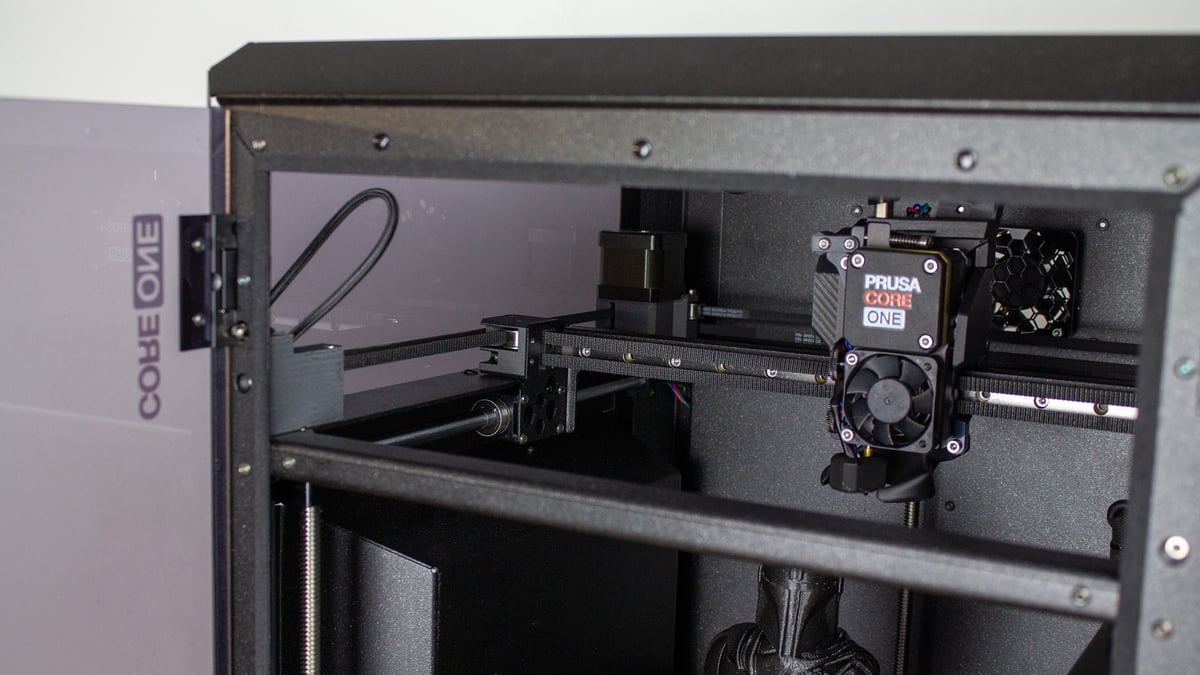
In real terms, Prusa’s slicer, PrusaSlicer, predicts the Core One, set to its default profile using the company’s own Prusament PLA, will print a Benchy in 37 minutes and “Moon City” by Kijai in 5 hours and 41 minutes. Bambu Studio predicts the X1C, also set to its default settings with Bambu Lab’s PLA Basic, will print a Benchy in 38 minutes and Moon City in 6 hours and 15 minutes. The actual results of both are close to the estimates, with up to 10 minutes of variance in our spot check. That result can be affected by ambient conditions, whether pre-check is smooth with a clean nozzle, and a few other factors – they’re good estimates.
Generic material profiles widen the gap a little, with the Core One maintaining both its estimates. The X1C slows down notably, printing a Benchy in 56 minutes, and Moon City in 6 hours and 37 minutes.
There’s a lot to say about default print profiles, painstakingly dialed in by the manufacturers, given that’s what the majority of users will default to these days. That said, you can dial in your own profiles to beat the manufacturer’s times, or improve speed and quality with third-party materials. But here, we’ll stick to what the defaults can do for you.
Extruders & Print Quality
Prusa made a big to-do about the planetary gearbox direct “Nextruder” and its “always perfect first layers” when it launched on the Original Prusa XL, and we covered the tech in depth. It’s advanced and has a lot going for it.
The X1C print head has its own tricks up its sleeve, including the integrated filament cutter that other manufacturers have now emulated, and a unique lidar scanner mounted on its right side. The extruder itself is a more typical dual-gear direct extruder, compared to the planetary gearbox, but is plenty effective. The effect is a reliable extruder that consistently produces quality first layers.

The X1C comes with an integrated accelerometer that it uses for print pre-checks. It will measure vibrations before every print if you leave the option checked in Bambu Studio. In some ways, this seems like “future proofing”, where any degradation or poor maintenance to the machine might be (somewhat) compensated for by pre-checks, but that’s largely speculation.
Cooling performance is important here, too. This topic extends beyond the print heads with the X1C requiring an open door while printing with low-temperature materials like PLA or PETG, and uses an auxiliary fan mounted to the system’s left side to aid cooling, while a chamber regulator fan at the machine’s back tries to manage the temperature. Prusa touted the Core One’s powerful dual server fans that regulate the chamber’s temperature with just an open top vent open. It’s worth mentioning here that while both printers will manage their chamber temperatures, they are passively heated by the printer’s hot components and lack active heaters. Ultimately, we’ve found the Core One better at maintaining low chamber temperatures, but even it can struggle to keep temperatures below 30 ºC.
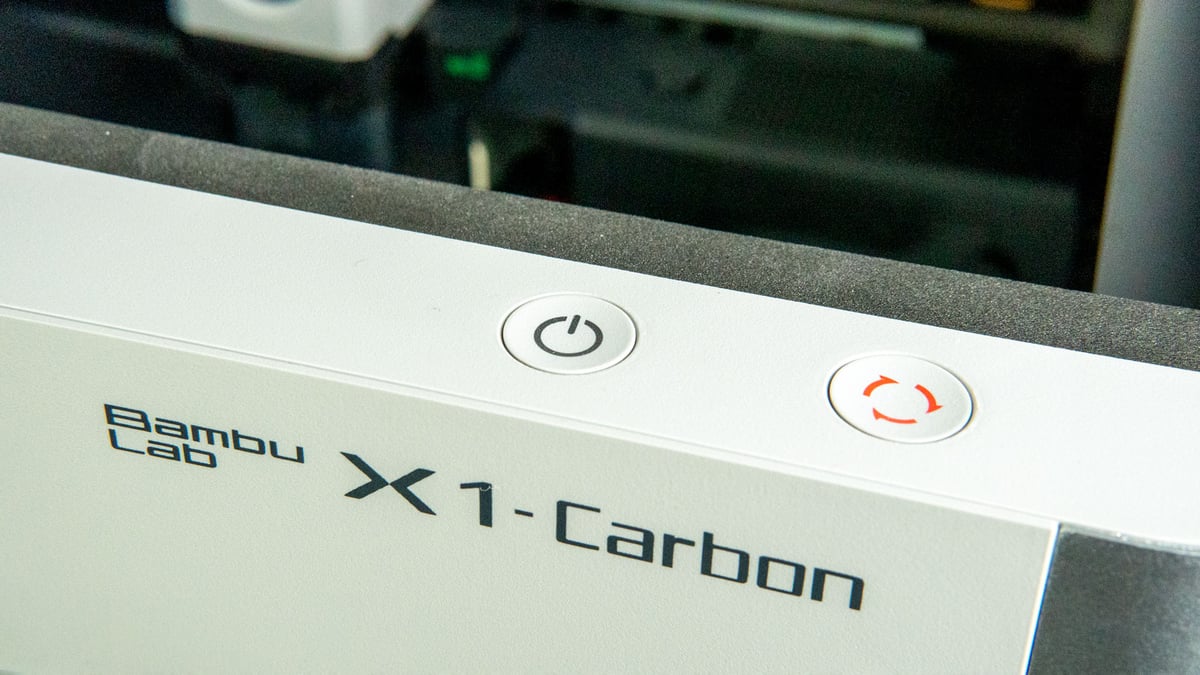
So, cooling on both systems goes beyond what the print heads provide, but part cooling fans are still an important component for overall print quality. A good way to measure the quality of these parts, or cooling capabilities in general, is by printing overhangs.
We’ve compared these two brands very directly in the past. Our overhang shootout between the Original Prusa MK4S and X1C is the most comprehensive, with some detailed coverage of the Core One’s overhangs following its release that bridged the gap from that earlier coverage. Both are capable of producing exceptional overhangs – and so have ample cooling at their disposal – but the profile tuning was the deciding factor for us. We found Prusa’s generic profiles carry through more consistent overhang quality than the X1C. You can see the results for yourself in the aforementioned articles.
Creature Comforts
In terms of peripherals, both offer touchscreen interfaces, cameras, lighting, and networking options. But there are nuances to how each system has decided to implement them, and the potential expandability of each.
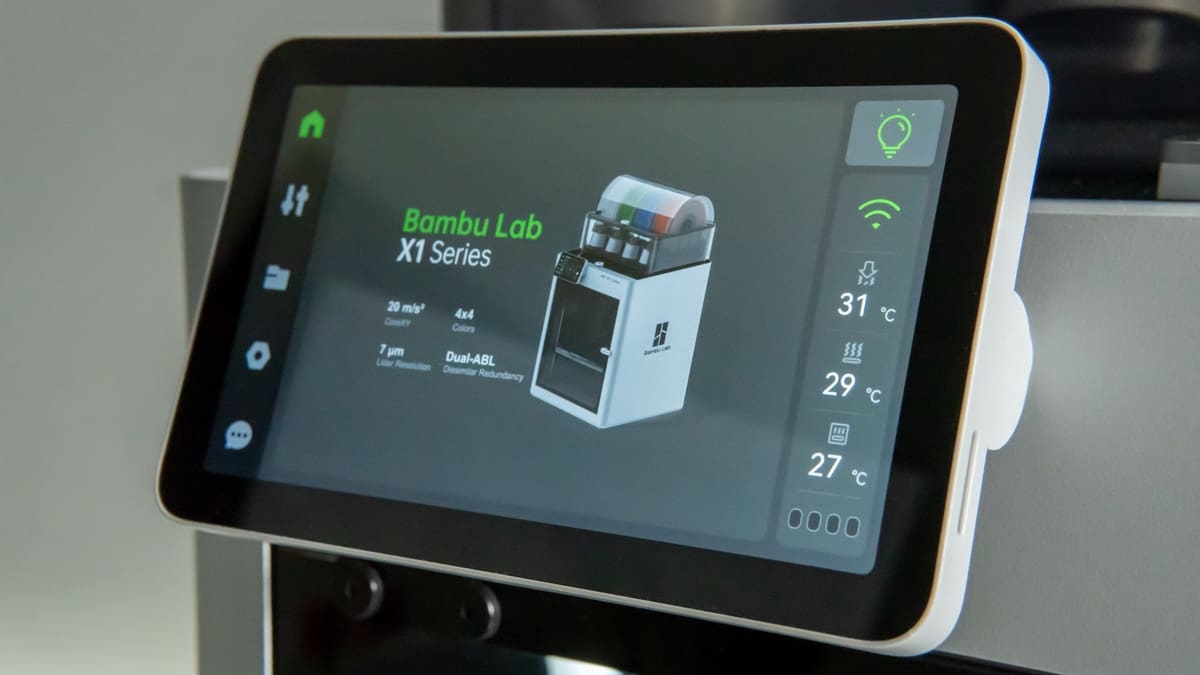
The X1C uses a 5″ touchscreen while the Core One has a 3.5″. The latter, however, has kept a now vintage feeling rotary knob which, personally, is my preferred input method. Regardless, both interfaces are well organized, with snappy reactions when tapping away.
If you’d prefer not to interface with the machines directly, both have handy smartphone companion apps to control the printers and monitor prints. These apps also make printer setup simple by either binding your Bambu Lab account to the X1C, or in the Core One’s case, using your phone’s NFC to beam over your network details.
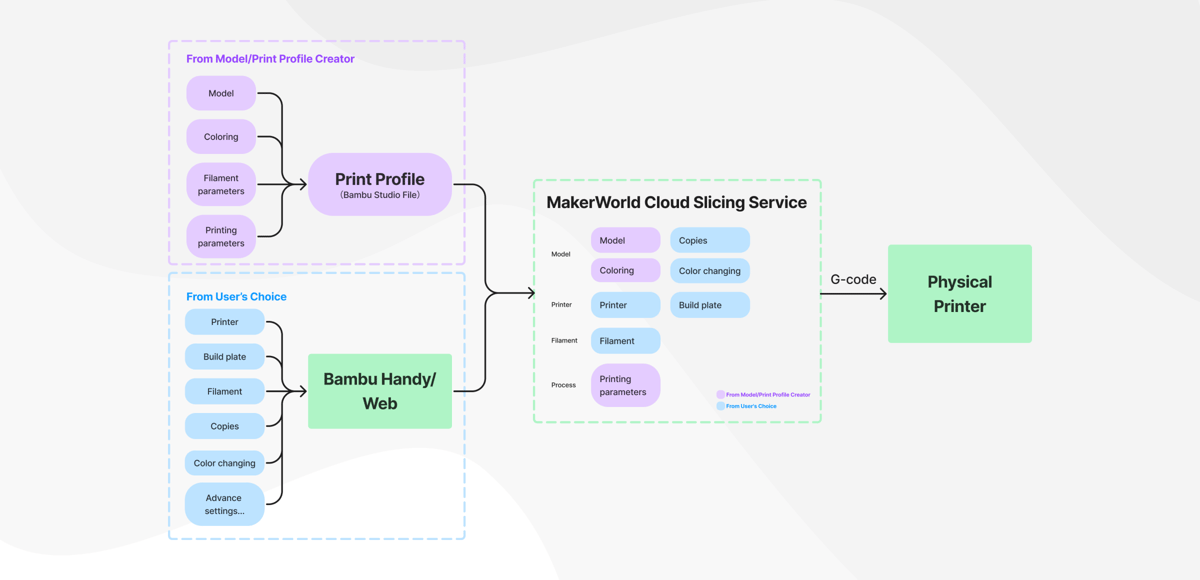
From both apps, you can browse the manufacturer’s respective 3D model repositories: MakerWorld (Bambu Lab) and Printables (Prusa). You could avoid messing with slicers entirely using these model sources, since both have implemented a form of quick printing that leverages cloud slicing to skip the PC apps altogether. For MakerWorld, users provide pre-determined settings, sometimes going as far as manual “painted” support structures to minimize the impact on print quality. The repository zips your selected settings off to the cloud, slices them, and the X1C (or other Bambu 3D printer) will download them and get to printing. It’s a simple system, but it relies on other users to create quality print profiles.
You can also use each brand’s respective apps to remotely monitor print progress or create a timelapse. The X1C’s integrated 1080p camera is pretty middling quality, and the printer’s internal light leaves something to be desired. It does have AI spaghetti (print failure) detection, though. But some commentary suggests it’s not as reliable as it could be. Still, having the camera to check on a long print while you’re outside the print room can be helpful to stop a failed print remotely and save some material.
If you’re asking why bother having a camera at all, the Prusa Core One doesn’t come with one in its stock configuration. Instead, the camera is a $40 add-on. Routing the cabling for it involves removing some paneling from the 3D printer, but is otherwise a simple process. We ran into issues getting the camera on our network during its release, though, as, instead of just using the printer’s network, the Buddy3D camera needs to be connected itself by scanning a QR code Prusa’s app generates. However, Prusa lacks any sort of automated print failure detection by default – the camera is just a remote monitoring tool here.
Multi-Material Market
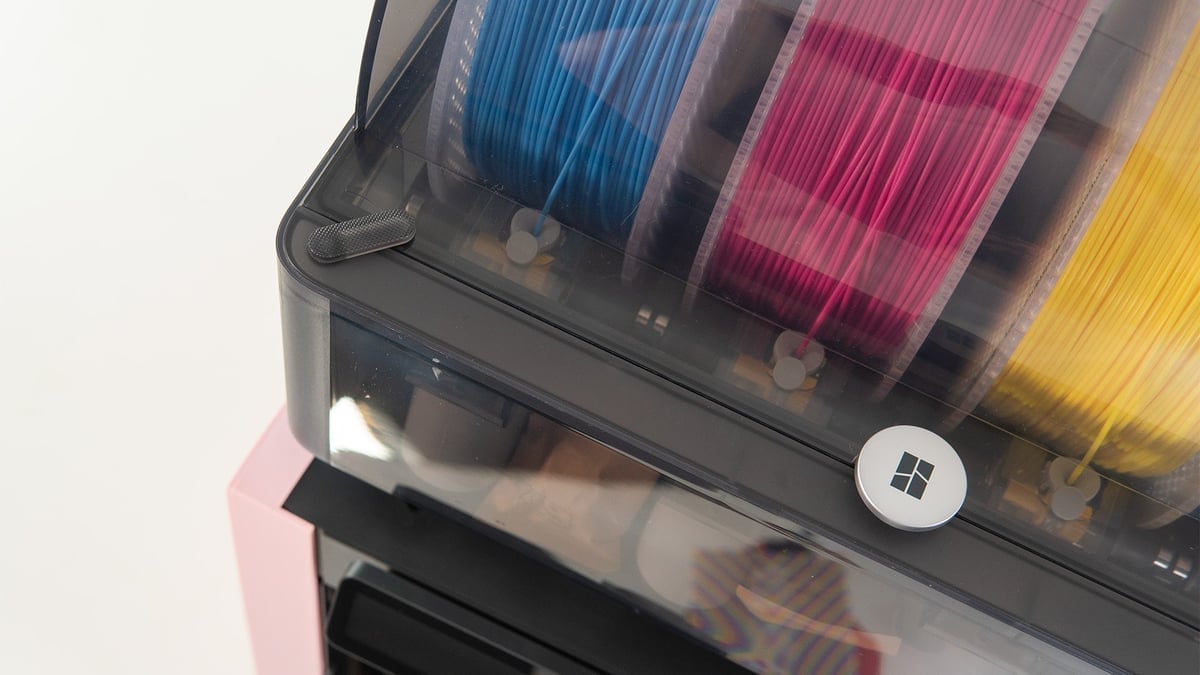
The X1C was notable for launching with Bambu Lab’s enclosed AMS, a multi-material system that can hold four filament spools and chain up to four units for a total of 16 possible filaments used in a single print. The filament cutter does its work here, making a clean cut to the filament before a change and purging the rest.
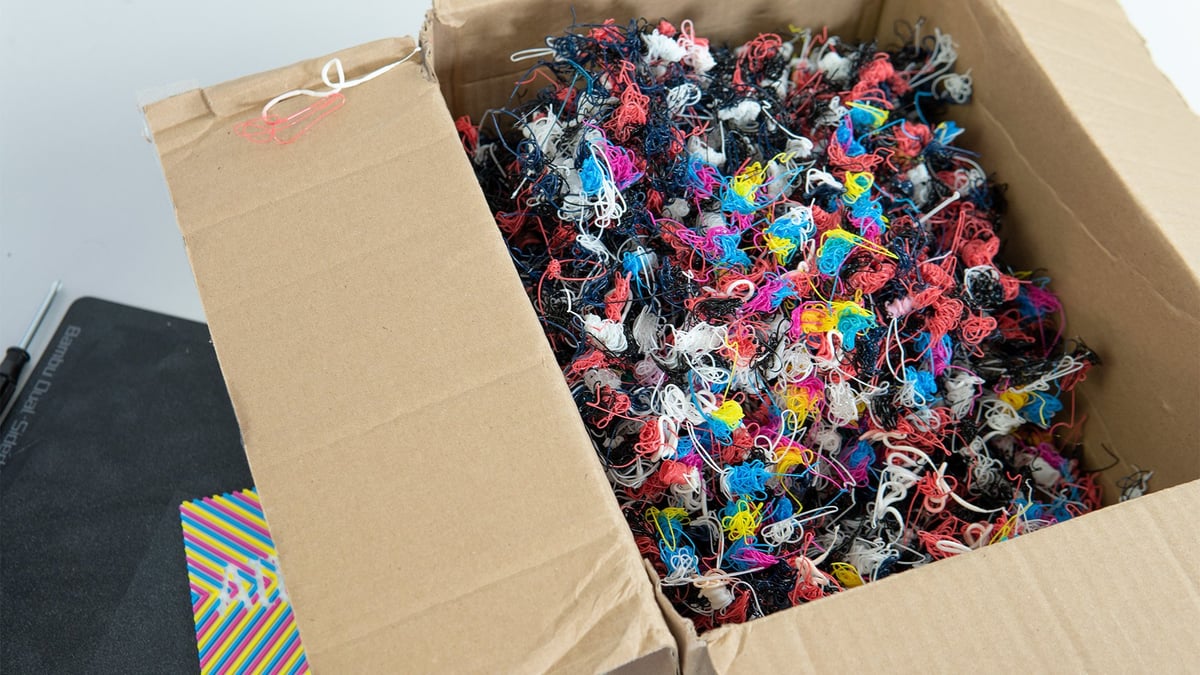
That’s one of the major criticisms of Bambu Lab’s AMS – filament poop. It purges like crazy, “wasting” a potentially significant amount of filament (depending on how many changes are made in a print) to ensure material isn’t unintentionally blended.
The AMS can seal and detect humidity, and leverage Bambu Lab filament’s RFID tags to automatically detect the filament you have loaded. Bambu Lab has taken a step further recently by expanding the AMS offering to include the AMS 2 Pro and AMS HT: systems with integrated filament drying. Both are compatible with the X1C and other Bambu Lab 3D printers.
Prusa’s situation is a little more complicated. The company was an early implementor of material changers with its MMU system, and its most recent iteration, the MMU3, is really impressive. But it hasn’t been released for the Core One just yet.
It will be, very soon, Prusa promises. The expected April 2025 launch passed without a word from the company, but in early May, it declared the “imminent” release of an MMU3 for Core One “lite version” with two variants to follow. We expect our experience with the MMU3 on Prusa’s MK4S bedslinger to carry over.
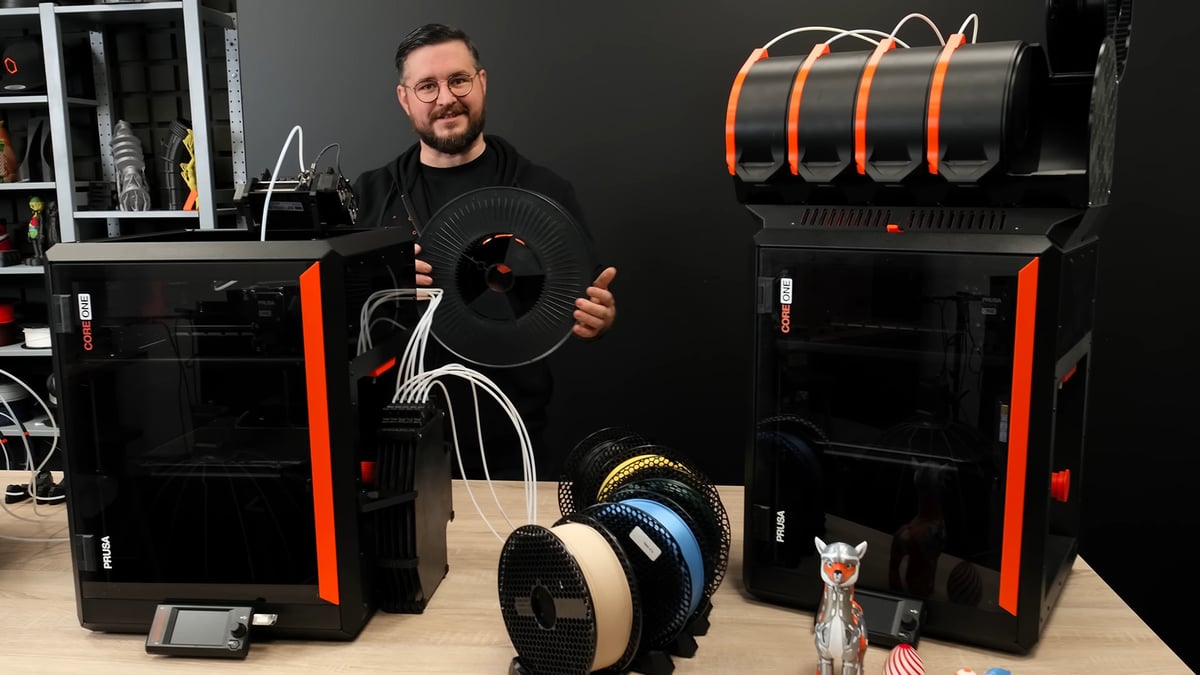
Ultimately, both systems are of exceptional quality and equally easy to use. Your preference needs to guide your decision here.
Repair & Expandability
We’ve found both manufacturers to provide customers with top-notch support, and should you need to conduct a repair, each has an expansive selection of spare parts with accompanying guides to install them.
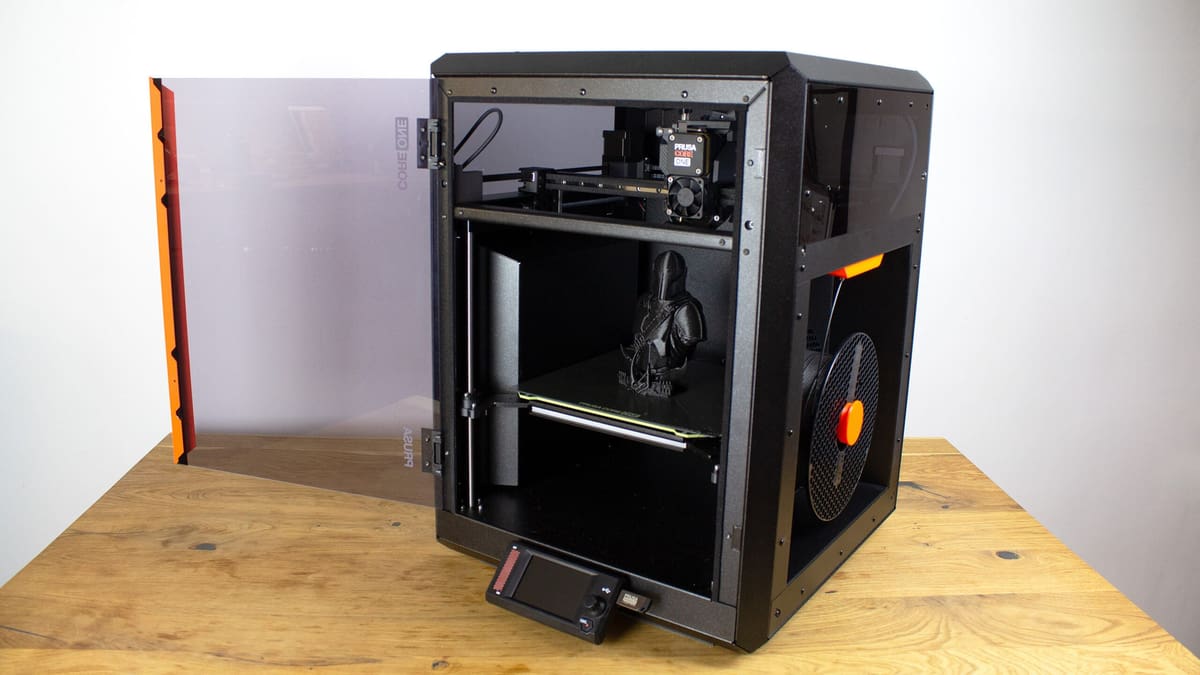
In terms of expansion, Prusa offers a variety of ways to extend your printer’s hardware capabilities, like the Buddy3D camera. The , for another, adds additional options to control your printer and technology around it – like LED lights to help notify you of the machine’s status. It’s a system designed to be open, and there’s a lot you can do with it if that’s your thing.
The printer’s side recesses, too, in place for the practical purpose of chamber heating efficiency, are made to be modular. Prusa released the STEP files for the parts before the Core One’s release, and a plethora of designs are available on Printables to use the space for additional storage.
Aside from the notable AMS systems, Bambu Lab doesn’t offer any add-ons, but the market has filled that niche. Biqu has an expansive “Panda Series” of modifications, from additional lighting to programmable print head screens, that can help personalize your X1S. Just make sure they’re compatible with your version of the printer’s firmware.
Price
Things are complicated when it comes to cost right now, given the recent tariffs in the US and the fluctuating prices that have followed a similarly fluctuating policy. That affects Chinese-based Bambu Lab more than it does Czech-based Prusa Research, which also assembles printers stateside. But, just keep in mind that the prices below are more likely than usual to change. They did between my first draft of this article and publication. Dramatically.

The direct comparison here is the plug-and-play “assembled” 3D printer option. Get yourself shipped a hot little box with little asked of you before you get to press a big “print” button. The Core One comes in a smidge cheaper at ~$1,200, but a camera will eat the difference.
The real number to mind, though, is the Prusa Core One available as a kit. $949 is a great price for the machine, plain and simple. But you’ll need a bit of time on your hands. For those savings, Prusa passes the machine’s assembly on to the customer. It’s something of a traditional offering where Prusa pays homage to its RepRap roots, back in the days when most printers required end-user assembly.
The assembly itself is a very involved process that will likely take multiple days of poring over detailed instructions. Fortunately, Prusa sends a bag of Haribos along with the printer to keep you company (but the assembled buyers get one, too). If you have the time, we highly recommend the assembly process. Not only do you save a handy $250, but assembling your machine is the single best way to get familiar with the technology. If you’re new to 3D printing, the things you learn will make a lot more sense when you’ve been hands-on with the nuts and bolts – and that level of familiarity will make any maintenance or repair a breeze.
But if you just can’t wait for multi-material 3D printing, the X1C is the printer that’s actually available with such a system right now. We’ll update this article once the Core One MMU3 is available to reflect the change.
Which Should You Buy?
Both of these 3D printers are top-notch – some of our favorites to work with – and are each appliance-like solutions out of the box with plenty of quality-of-life and networking features, as well as mobile companion apps to keep control of your printer ever at hand. I can’t tell you one of these printers is objectively better than the other; it’s going to come down to a matter of personal preference.
But, each machine does target a distinct audience, and I think our respective review titles make that clear. The X1C was, in its time, impressive for requiring minimal effort on the user’s part: “Fresh Thinking, No Tinkerin’“, we said. And that holds true. It’s the most appliance-like, feature-rich 3D printer around. Beyond necessary maintenance, it won’t ever ask anything of the end user.
The Prusa Core One, for its part, built on that. You can absolutely use the machine as-is, out-of-the-box, and never need to do more than expected maintenance. Getting the add-on camera unit up and running requires minimal effort, made easy by just showing it a QR code (when that works), and any extra bits are generally easy to implement. But if you want to go beyond that, Prusa leaves the door open through open-source firmware, a “hackerboard” GPIO addon, and customizable recesses. It is, as I called it in our review, the “Tinkerer’s Choice“.
You can get around the X1C’s closed-off firmware by installing the third-party X1Plus firmware, and there may be reasons you prefer to do that over grabbing a Core One, but we feel the Core One has now filled the niche of users who wanted an X1C-like system with open-source firmware. If anything, customizability will likely make your decision.
So, the Prusa Core One is easy to interact with, can be easily customized and hacked, and has maintained a stellar price to boot. It had three years to dethrone the X1C, but what can we say? There’s a reason it’s our top pick for the best enclosed 3D printer.
License: The text of "It’s Hard to Choose Between Prusa’s Core One and Bambu Lab’s X1C – But We Did" by All3DP is licensed under a Creative Commons Attribution 4.0 International License.
CERTAIN CONTENT THAT APPEARS ON THIS SITE COMES FROM AMAZON. THIS CONTENT IS PROVIDED ‘AS IS’ AND IS SUBJECT TO CHANGE OR REMOVAL AT ANY TIME.