I Used AI to Turn Washington, D.C. Into a 3D Printed Map for America’s 250th

PrintPal promises a city miniature from just a name. For America’s 250th, I chose the nation’s capital to see if it lives up to its claim.
With all the hubbub of the United States marking the 250th anniversary of Independence Day, I got nostalgic for my old stomping grounds. Knowing I won’t be able to fly home to Washington, D.C. to watch the fireworks from the National Mall, I did the next best thing; I tested out an app from PrintPal to help me 3D print a commemorative map of the city for my desk.
The browser-based tool promises to turn a location name or an uploaded map image into a stylized, downloadable 3D model without requiring CAD or GIS (geographic information system) experience. Using PrintPal’s 3D Map Maker in miniature style mode, I set about testing how fast and easy (or how hard) it would be to create a geographically themed decorative D.C.
While PrintPal did not give me the precise scale model the architect in me would have wanted, that was never its purpose. What it did produce was an attractive, printable interpretation in just a few minutes, with a fraction of the work normally required.
Using the App
PrintPal’s 3D Map Maker – AI City & Terrain Map Generator creates a 3D printable map and an accompanying downloadable STL file ready to be printed within minutes, making it fundamentally different from conventional mapping methods such as TouchTerrain which is based on GIS data.
The app is free to use for basic use. This allows for 10 AI generations a month, using set defaults, standard processing, and export formats in both STL and OBJ but no commercial rights to your model. For more advanced users, the company offers subscription plans starting at $10 per month. Paid plans allow for more generations per month, high-resolution models, priority processing, export to GLB and PLY formats, and text-to-CAD mode.
The interface is super easy to use. You simply enter the name of the city or area you want to model, or alternatively, upload an image of a 3D map for a more specific location. For a more stylized print, you have the option of naming up to 4 landmarks to highlight or exaggerate in the final model.
For example, say you want a model of downtown Paris, but you want the Eiffel Tower and the Arc de Triomphe to stand out from the surrounding buildings.
PrintPal offers two visual presets: Sleek Map and Miniature Style and also City or Landscape modes.
Sleek Map will produce a cleaner, streamlined model. Buildings are simplified into more geometric blocks, boundaries are more clearly defined, mimicking a professional scale model, although the company will admit that the tool is not meant to be 1:1 accurate as it’s geared towards stylistic maps.
Miniature Style generates a toy-like model, simplifying monuments and buildings and placing them on a rounded raised platform, ideal for collectibles and display pieces. The city or landscape modes are there to distinguish between locations that are more urban vs. terrain areas.
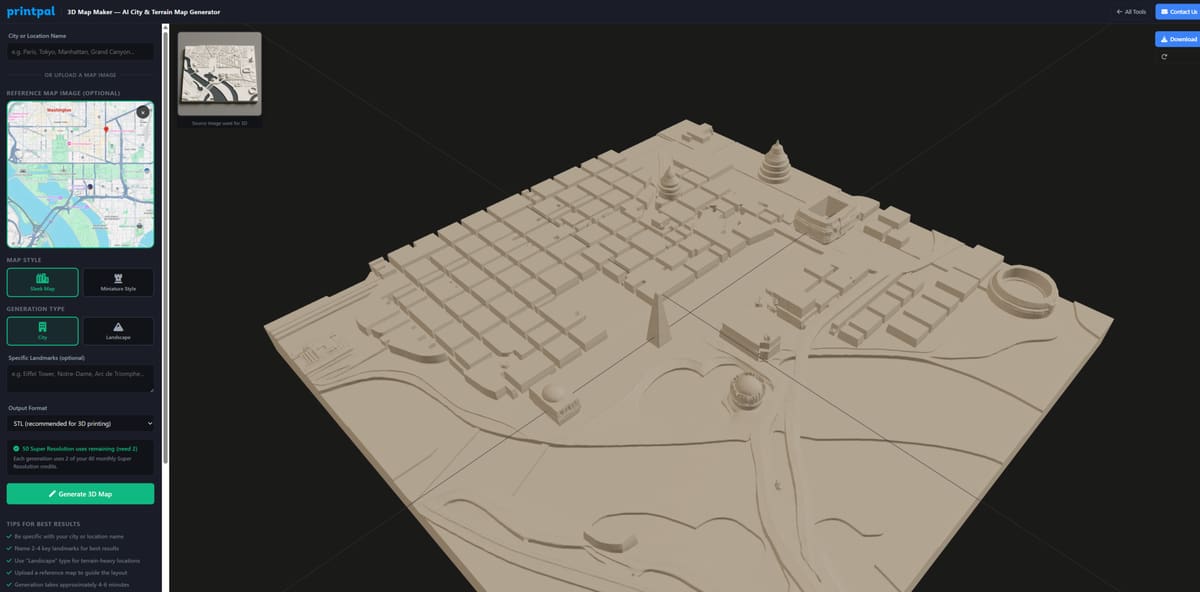
For the image above, I used a reference map of the portion of the city I wanted in the model, and I chose to use Sleek Map and City mode. Each 3D generated map used only 2 credits per attempt, using super resolution, and a model was created in less than 5 minutes.
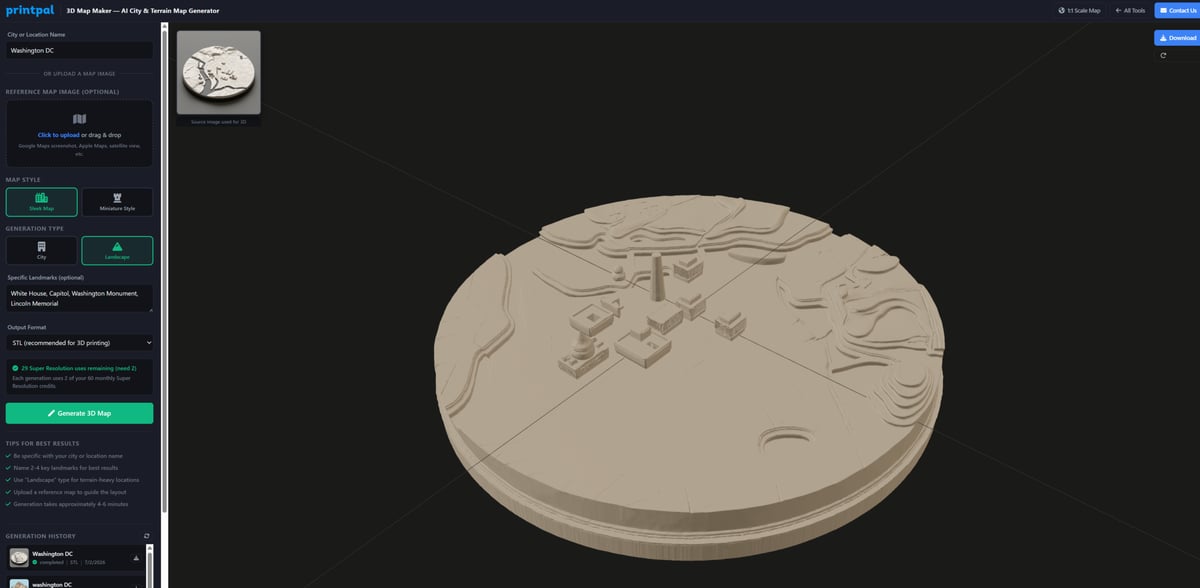
In contrast, I tried inputting just the city name, highlighting certain monuments — the White House, the Capitol, the Washington Monument, and the Lincoln Memorial— and using Landscape mode. The difference is clear. The terrain here is more augmented, and the majority of buildings in the city are not represented.
Creating a Stylized 3D Map
Because I wanted a fun display for my desk to remind me of home, and because I am a novice at this sort of thing, I decided to take the easy way out.
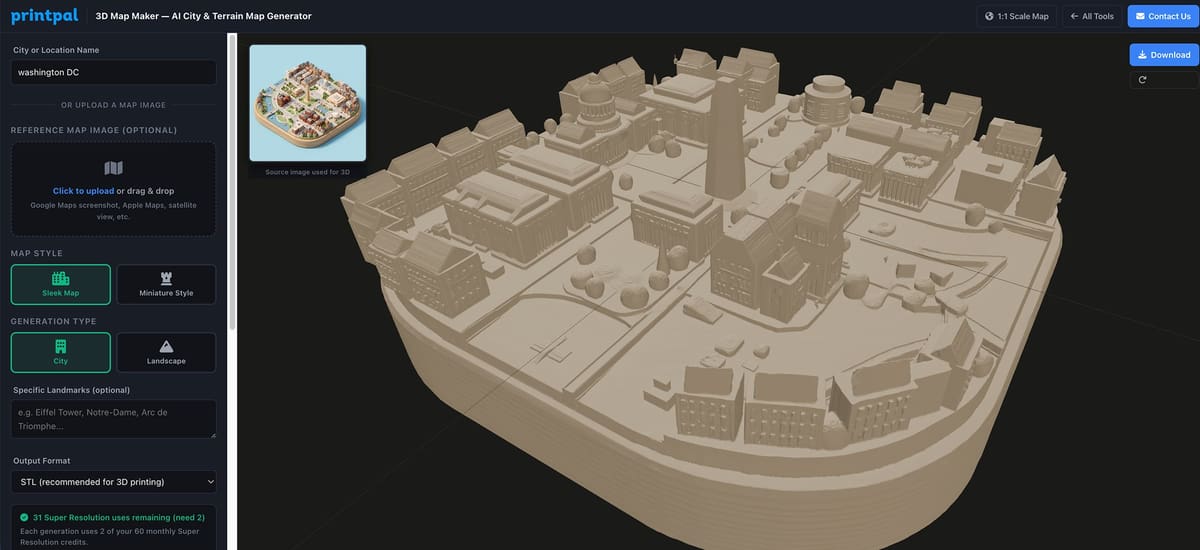
I used “Washington D.C.” as my input and chose “Miniature Style” as a map style and “City” as a generation type. I didn’t bother to pick out specific landmarks, and I left all the other presets as they were (which basically meant my output would be an STL file.) Then I hit “Generate 3D Map” and that was it.
Within a few minutes, I had a 3D map of downtown D.C. showing the Washington Monument, the Capitol Building, the Jefferson Memorial, and the Lincoln Memorial, and some rather anonymous surrounding buildings all put together neatly on a rounded base ready to be downloaded.
The difference in the two styles is clear. In Sleek Map, the model comes out looking like a paper map that’s given a bit of depth. With Miniature Style, a collectable ready to be displayed has been created. From there, I hit download to generate the STL file I could then open in our Bambu Studio slicer to ready it for printing.
Slicing and Dicing
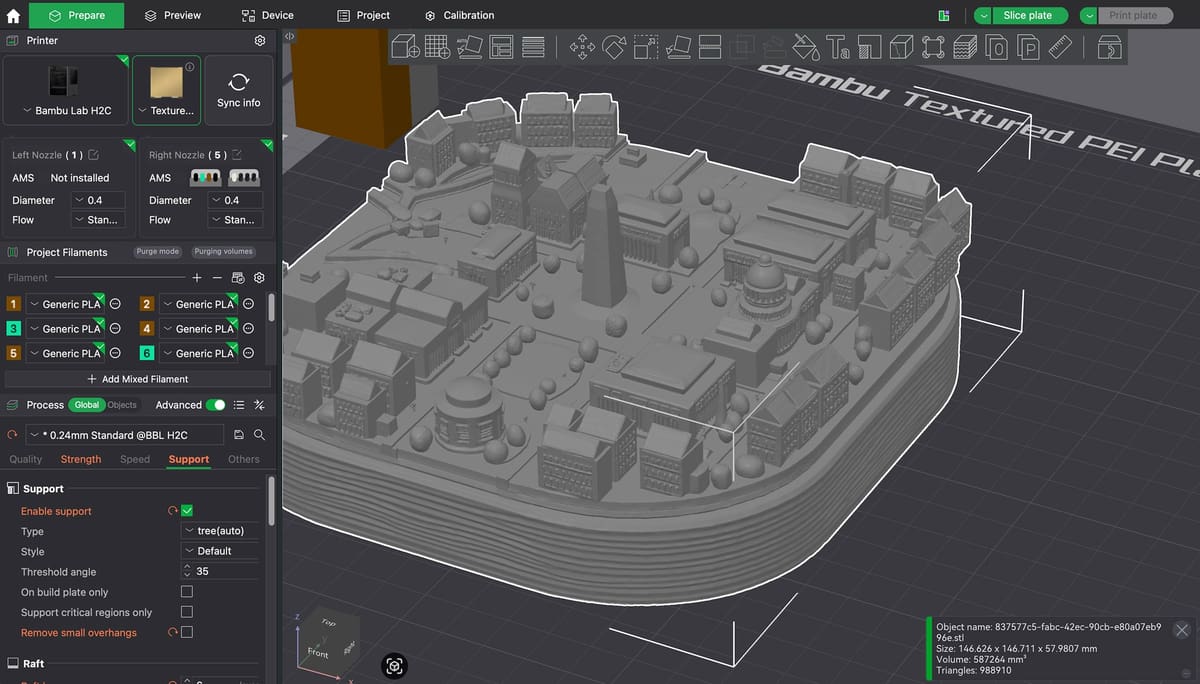
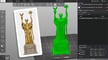
The model generated by PrintPal came out very small – which I’m told by my colleagues here at All3DP is to be expected. That was easily fixed by increasing its size by 350%. Fine detail remained intact.
The only real problem we encountered was what appeared as squiggly lines on the base of the model that created an unresolvable print error. This, however was easily solved by cutting off about half of the base off with the cut tool. This ended up making the model more aesthetically pleasing as it wasn’t sitting on a chunky base any more.
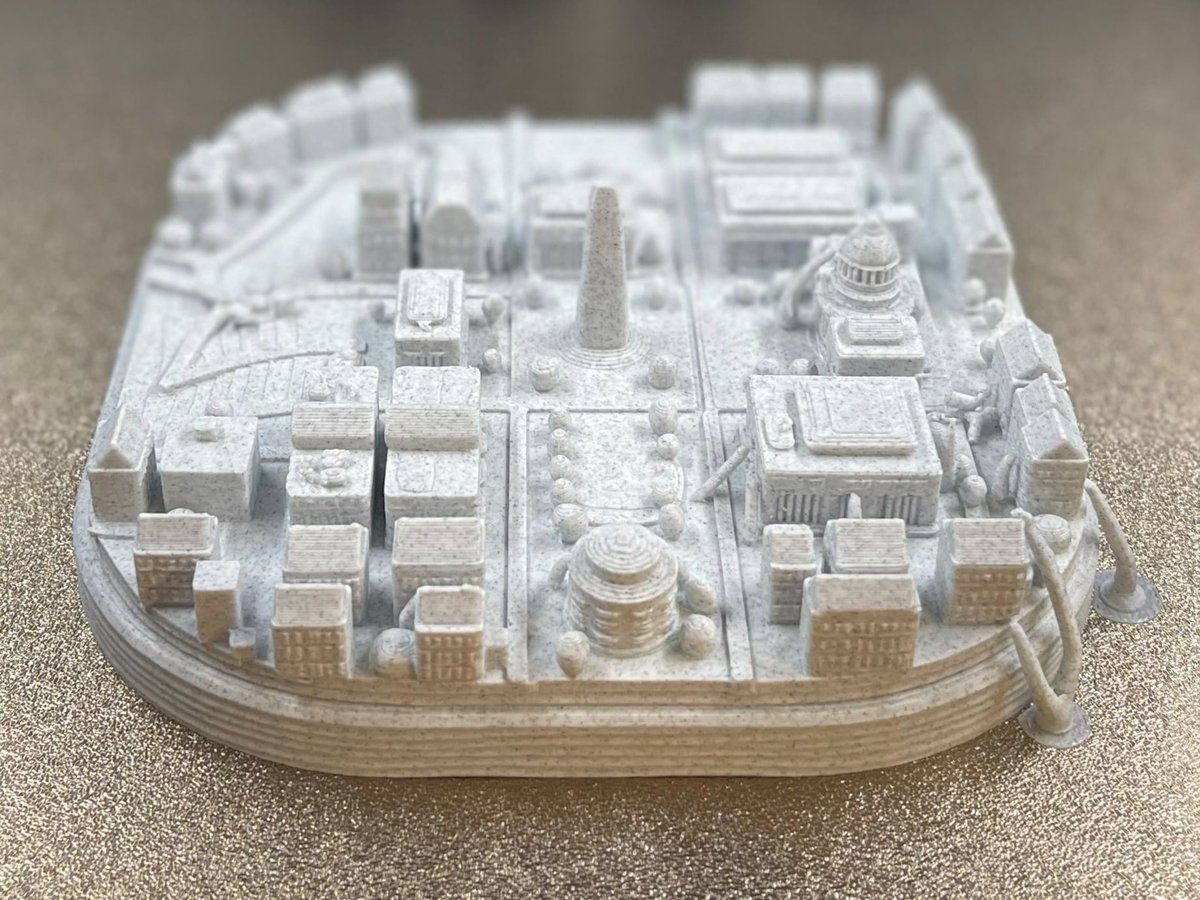
We also needed to add a few supports to the model to help the print come out better. These can be seen above in what looks to be little appendages holding the dome of the Capitol in place and the two sitting on the print bed in the lower right corner.
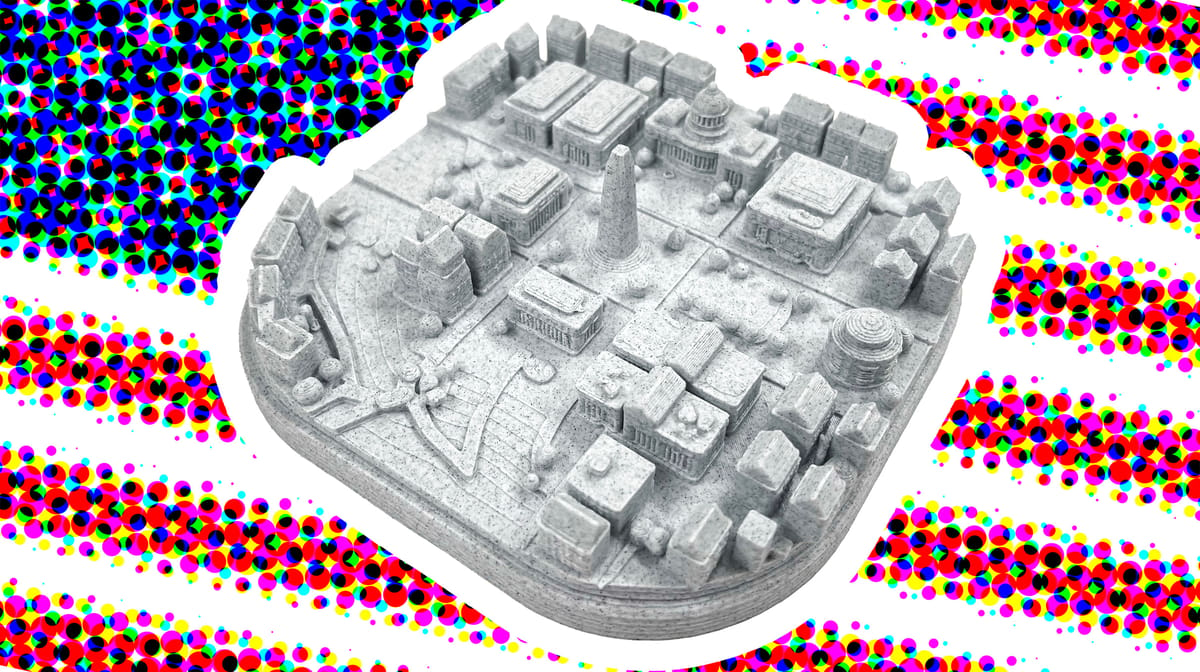
The final print was made on a BambuLab H2C printer using Prusament PLA Marble Grey Filament (to make it look like the map was carved from stone!) and took about four hours to print.
It shows the major monuments, with details like the columns of the front porticos distinctive of the cities architecture, and throws in some surrounding buildings reminiscent of the residences of Georgetown. For the amount of work I put in, which amounted to a few inputs on PrintPal, a couple of fixes on the slicer, and a few hours of printing, I’ve ended up with a cute reminder of home in time for the national holiday.
You May Also Like:
License: The text of "I Used AI to Turn Washington, D.C. Into a 3D Printed Map for America’s 250th" by All3DP is licensed under a Creative Commons Attribution 4.0 International License.