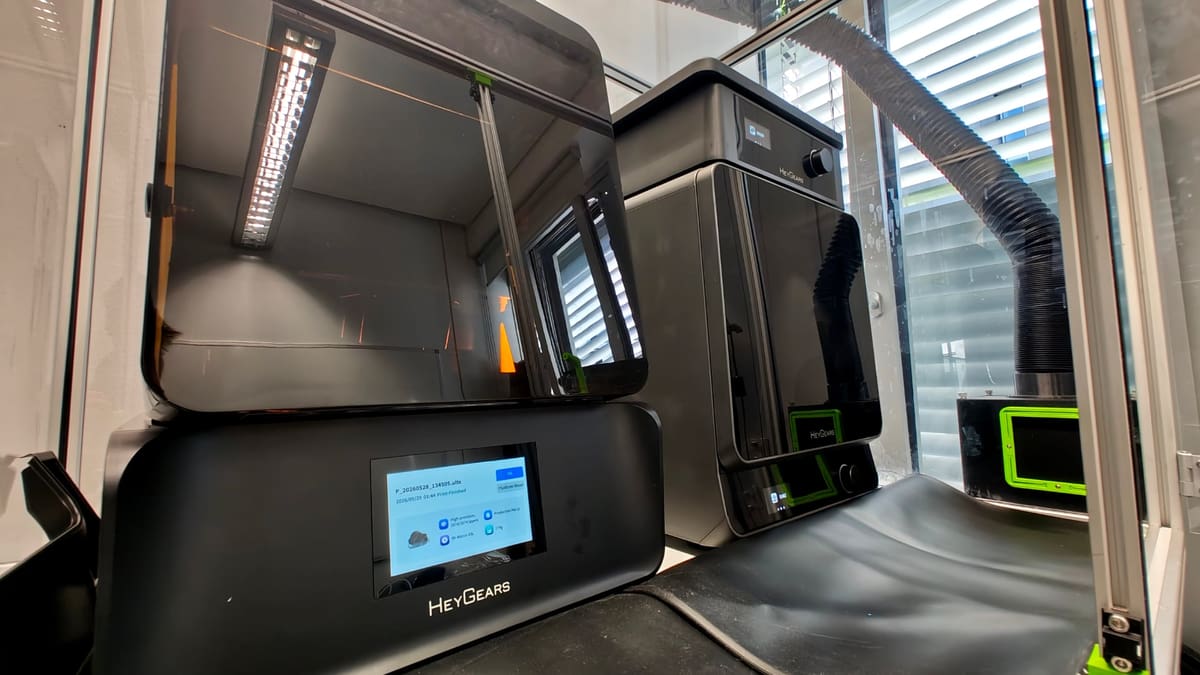
HeyGears UltraCraft Reflex RS Turbo Review: Resin 3D Printing Made Simpler
Rating

HeyGears has forced itself into the conversation with a closed ecosystem of resin printers that challenge the ease-of-use and reliability that rival what Formlabs offers. Its machines are a couple of generations mature now, and the benefits of time, revision, and development are clear now. You have material choice – 10 resins covering a variety of material properties like high temperature resistance, tough, and wear-resistance, to name a few – ready to run from HeyGears’ cartridge style resin containers – and in combination with the automatic washing and curing stations, all intelligently linked up via your account, there’s very little left for you to mess up – just few minor things to tolerate.
After a month spent printing with it, it’s clear to me the Reflex RS Turbo is for folks who want an elevated, professional-like experience over the basic, budget printing that typically dominates the resin 3D printing space, without spending pro-lab money. It partially succeeds at this job, stripping back the printing experience to intention-based single-button slicing, which is a winning approach to print simplification. The results don’t always work out, mind, and the system could do more to help you understand why, when it doesn’t. It’s clear HeyGears is aiming for a Formlabs-like experience and much less the cost, and it gets very close with its default of stripping away the minutiae of machine control and printing parameters.
Getting the most out of it requires going all-in, though, with a (free) HeyGears account necessary to operate the machine using cloud-based slicing and sending, and there are optional extra purchases like the Pulsing Release Module which, in our experience with an earlier Reflex model, substantially reduces print defects.
At its core, the printer alone is stylish and robustly built, and outputs stunningly detailed, clean prints. But it is still fallible to print-ruining artifacts and failures common across the space – the expense is not a magic wand.
All that said, there’s convenience aplenty in having the slicer determine the optimal cleaning and curing parameters for specific prints, and being able to push them to the printer and post-processing stations is a neat touch.
At a Glance:
- Size: 380 × 360 × 584 mm
- Build Volume: 222 × 122 × 228 mm
- Weight: 20 kg (~44 lbs)
- XY Native Pixel Size: 29.7 μm
- Key Features: High contrast 8K “Amber” LCD with an industrial Z-axis, smart automation, automatic resin refills, and force-sensitive residue detection to protect the LCD
To HeyGears’ credit, we found a responsive and helpful support ticket system built into the software, keeping troubleshooting within the environment instead of scattered across other accounts is useful.
Ultimately, there are levels to the HeyGears experience, and how deep you immerse yourself really will determine whether you get value out of it or not.
We tested the Reflex RS Turbo 3D printer alongside the Cure and Wash stations (together purchasable as the Reflex RS Turbo Combo). A separately purchasable Pulsing Release Module – which sharply reduced defects on the earlier model we tested it with, is a strong upgrade we’d prioritise.

The Tech
I’ve been 3D printing for the better part of a decade with machines of all shapes and sizes. And while I can appreciate the unmatched detail resin 3D printing can offer, I generally find myself cursing it in the same breath. The process, material, clean-up, and general overhead to achieve anything with it is unpleasant and dangerous, and punishes anything other than highest attention to organization and cleanliness.
Filament 3D printing is the superior tech and process for ordinary folks (fight me) and while I’ll never change my mind on this, the Reflex RS Turbo does, at least, help matters with a smart ecosystem of post processing tools that all pitch toward simply getting a great print with as little bother as possible.
The basic RS Turbo printer alone costs $799, putting it on the upper end for a consumer-grade desktop resin printer of its size. Similarly specced machines from Elegoo and Anycubic are around half the price – but are more basic in the spread of intelligence at play in the printer.
That premium extends to what you feed it. HeyGears’ cartridge resins are the default the whole experience is built around, and they carry a cost to match – roughly $24 for a litre of HeyGears’ bog-standard modeling resin against ~$19 for comparable third-party bottled resin. HeyGears’ specialist materials tick closer to $100 for a litre.
You’re not locked in, though – open material mode lets you run cheaper third-party resin – but doing so means stepping outside the tuned, one-click workflow that is the entire reason to buy this printer over a cheaper machine. The convenience and the cartridge premium are effectively the same purchase.
Contextually among HeyGears’ printers, the Turbo is a mid-life refresh of the regular Reflex RS that came before it, making improvements to the LCD assembly in a way that HeyGears says offers a vast improvement in contrast and light blocking, ultimately giving sharper, cleaner prints with less light bleed in areas that shouldn’t be receiving any light. A consequence of the UV light being directed better is the RS Turbo being capable of slightly faster layer cure times than the standard Reflex RS printer – HeyGears’ printers use a dynamic algorithm for determining the layer times, though, so this gain isn’t a flat thing across all situations and materials.
HeyGears cites layer cure times as short as 4.5 seconds per layer using one of the company’s “fast” water washable resins. It’s not the fastest resin printer we’ve ever used – but – as said, it’s dynamic and the printer is geared toward optimizing the slice and parameters to suit the job. If blistering speed is your goal, there the heater/air pump resin tank are an essential add-on buy for this.
Overall the changes are pretty subtle – certainly subtle enough to make you wonder if the name “Turbo” is entirely justified.
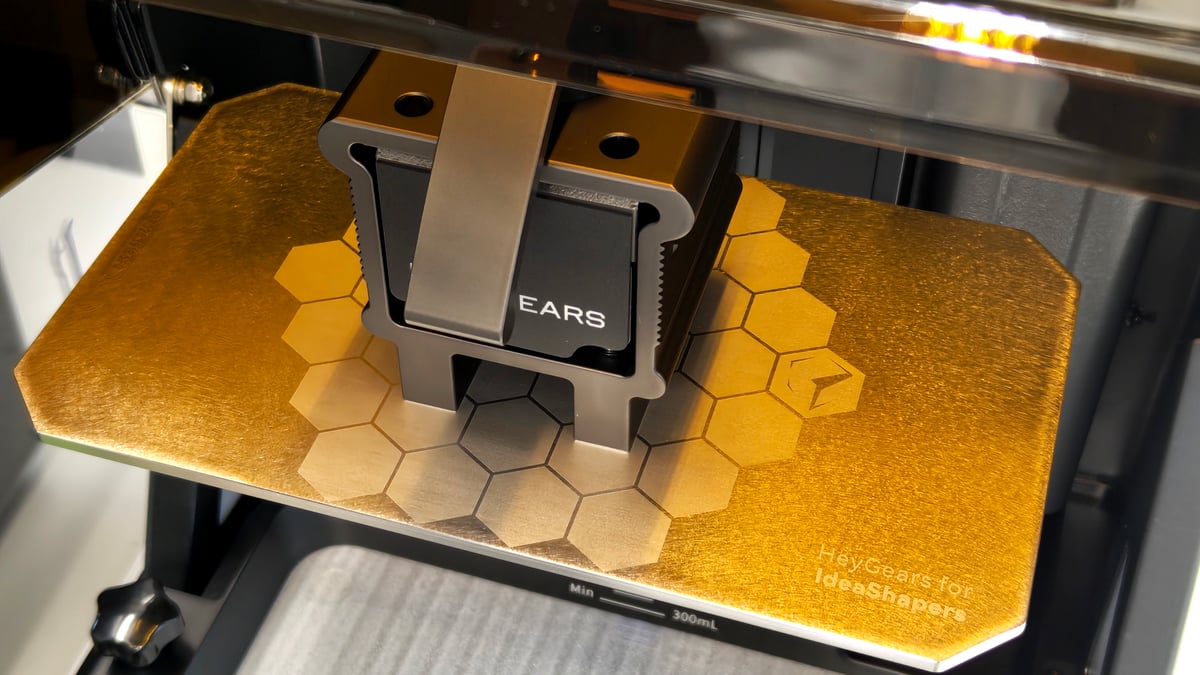
The RS Turbo’s build volume is 222 x 122 x 228 mm. The LCD at its core is a 8K 10-inch so-called “Amber” screen – named for the color given by its new polarizing layer – offering 29.7 micron pixel pitch.
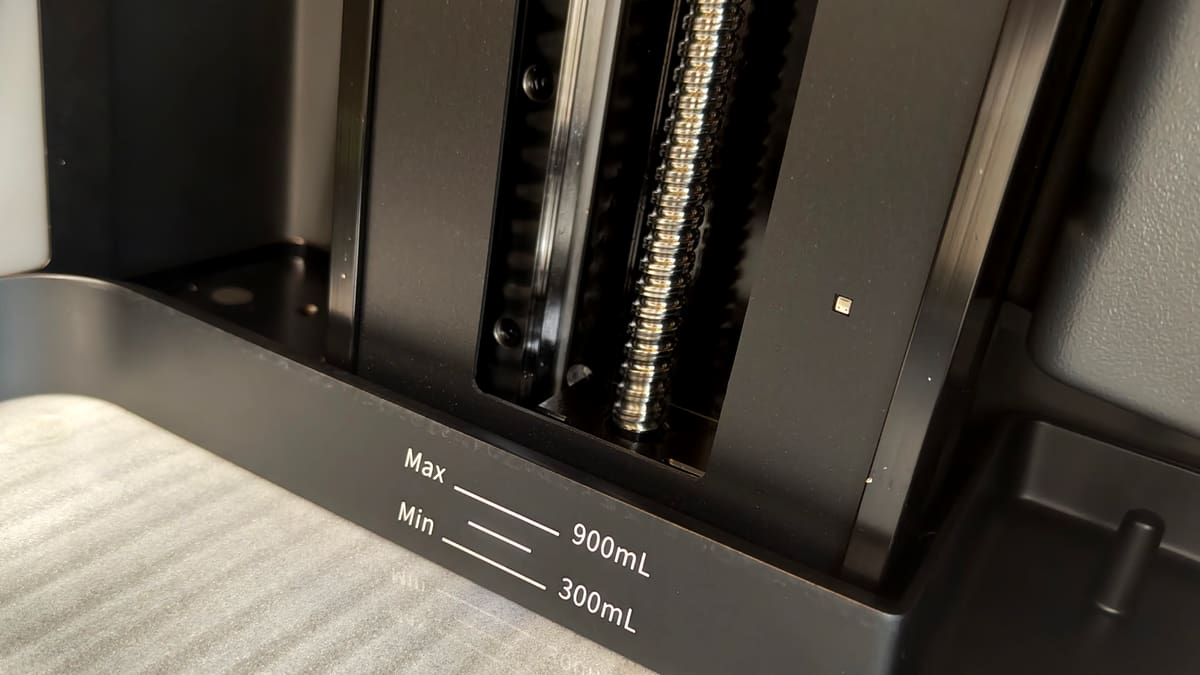
The spine of the printer is a C5-grade ballscrew, a component typically used in higher-priced precision printers that demand incredible precision through the Z-axis. That, of course, gives insight into the gist of the RS Turbo – it’s a precision machine pitched down at consumers.
Design-wise, it’s a very pleasant printer to live with. The hinged lid sweeps out of the way without expanding the footprint much, meaning you can operate the Turbo in a relatively enclosed space comfortably without bumping into anything. And the large, full color LCD touchscreen display on the front is a vast, responsive slab that, of the few options and menus you have to poke around in, is a comfortable user experience. One unsung feature of the screen that I have appreciated while using it is its responsiveness through gloves. It’s an inevitability that drips and streaks of resin end up on the printer, and being able to continue using it without removing gloves is welcome.
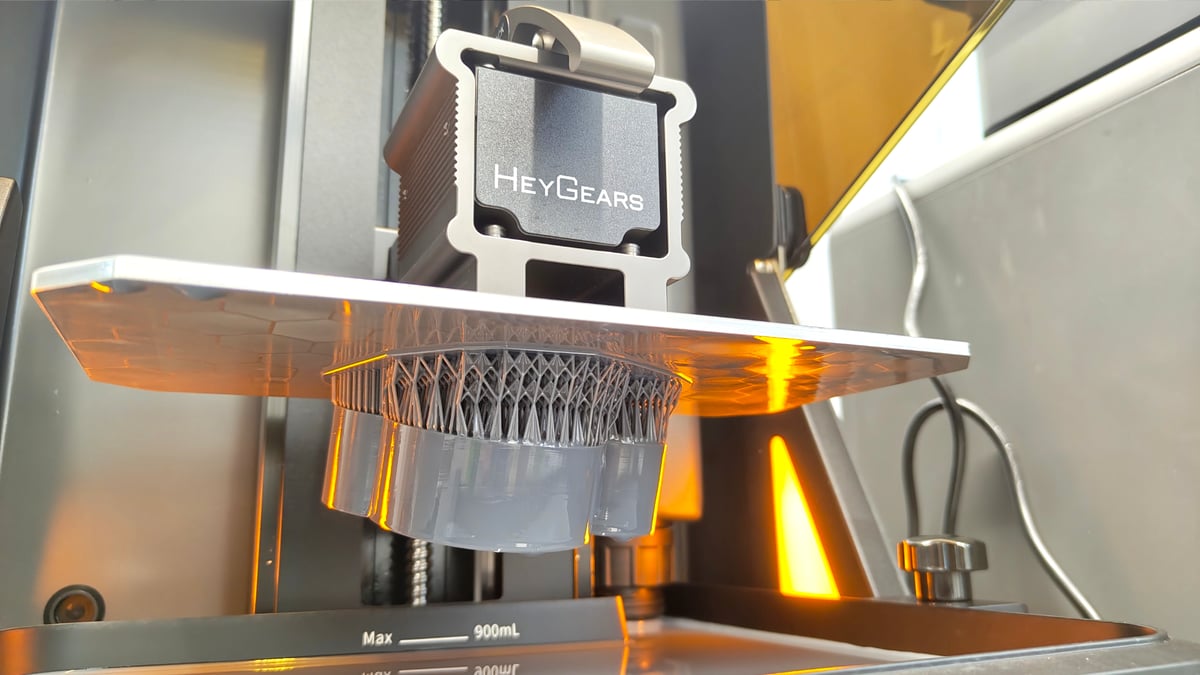
Running a print comes to life here too, with sensors inside the printer registering the build plate’s force at any given moment. As the print progresses, you see a heartbeat of the print scroll across the display – it’s an opportunity to diagnose abnormal force events, but in the scheme of using it, I’ve seen no practical value as the end user for having this kind of information at my fingertips. It’s a flex on HeyGears’ part to make it such a prominent aspect of printing, but beyond maybe being a part of a job’s log and setting a baseline over time, it’s just a pretty graph.
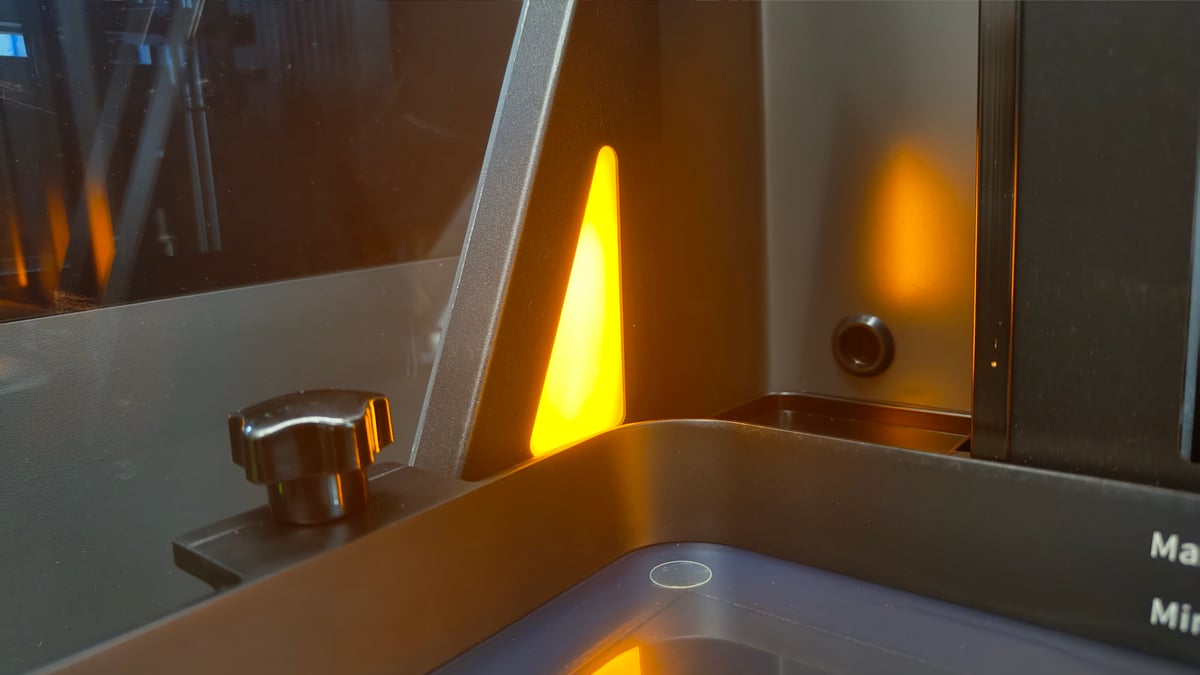
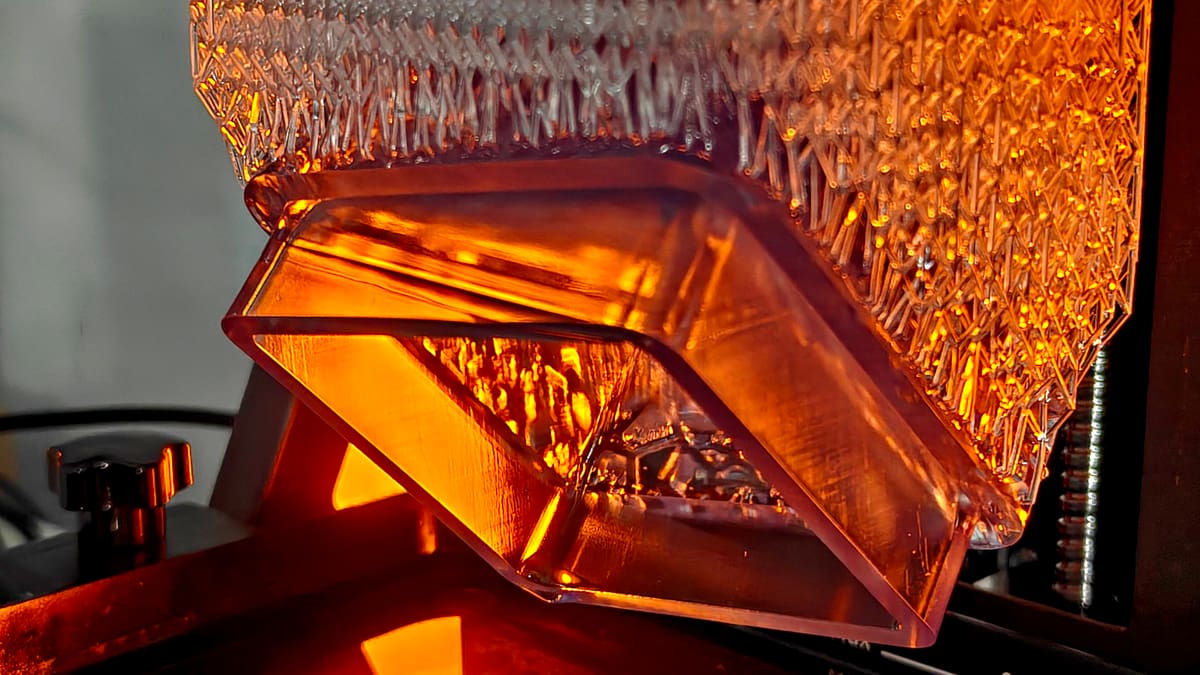
Internal chamber lighting gives the Turbo a cool vibe that no other resin printer we’re aware of or have used matches. It’s a sophisticated orange glow that feels premium, if you care for it.
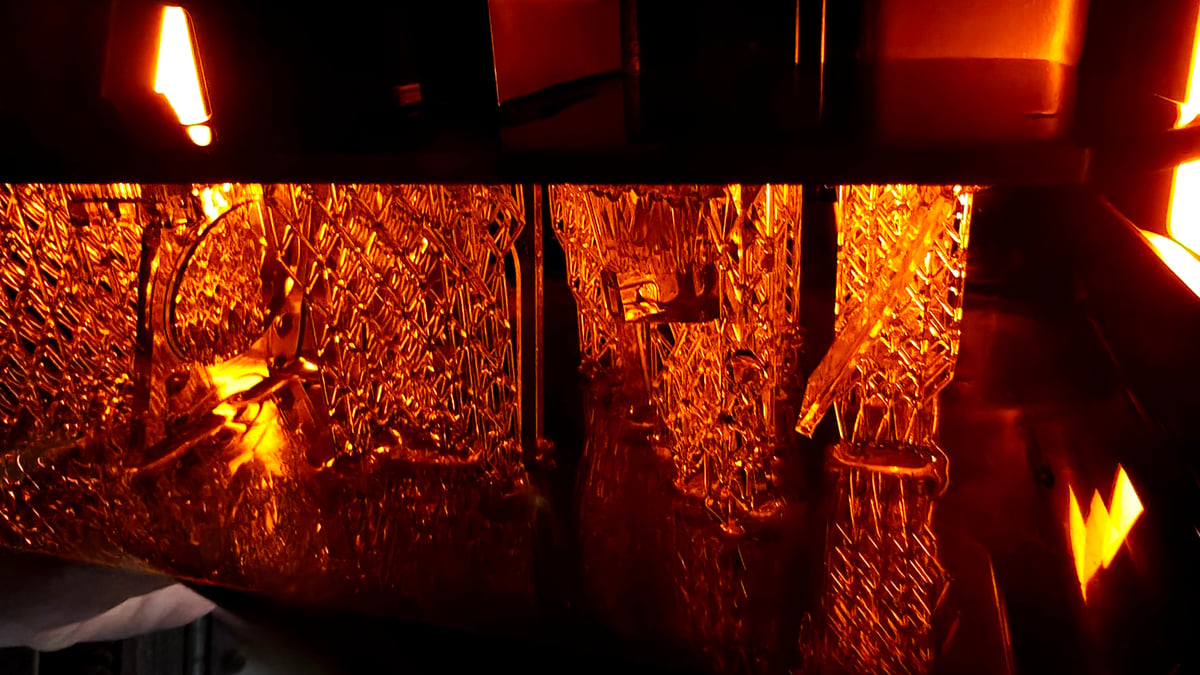
Left at that, it’s a competent standalone system. The general standard of resin 3D printing today is a sensor-laden affair with the printers smart enough to know when the print has messed up. The Turbo is right there with them, knowing when there’s insufficient resin left in the tank for a job and, astoundingly, detecting even the minutest fragment of debris swimming loose – frequent print plate zeroing failures due to “too high pressure” was the result of small fragments of previous prints swimming undetected in the vat.
The RS Turbo’s LCD is “floating”, meaning out of the box, the printer doesn’t need any manual adjustment of the plate to start printing. While there are access screws for you to manually adjust the plate if it goes severely out of plane with the LCD, we never had to do it in our time with the printer.
There’s a duo of USB port and microSD on the right-hand side of the machine for you to ferry prints to the device manually, or leave connected as expanded storage beyond the system’s internal, shared storage.
One distinction worth knowing between the regular Reflex and the Reflex RS series (Turbo included) is the power of the UV light source and wavelength of UV light at play. The RS Turbo uses 405 nm wavelength light to cure the resin – on par with most every other consumer resin 3D printer in the space. In practicality, this means you can use the vast spread of third-party resins available on the market. When you set up a job, you choose HeyGears’ open material mode and adjust the timings and printer’s behavior – and get the expected results.
This is in contrast to the Reflex (Reflex Turbo, and Reflex 2) which has a 385 nm light source – a far more aggressive and powerful band better suited to specialist engineering resins.
In short – the Reflex RS Turbo is more your typical consumer resin 3D printer experience – it’s not the uber-powerful version and should behave as expected with regular resins.
The Printing
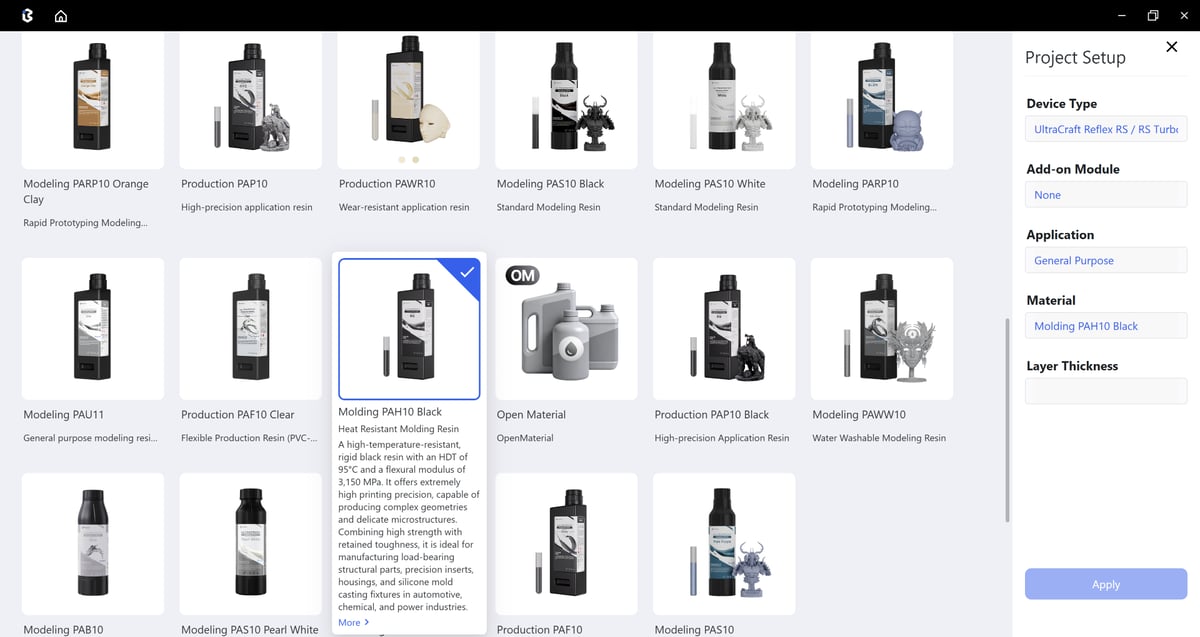
The word “ecosystem” is mud to many in the desktop 3D printing space, but it makes a lot of sense in resin 3D printing. Any print failure is a labor-intensive mess to clean up – not to mention expensive – and so rather than having print and material parameters left to you to figure out, or at a generic default that may not be optimal for your print, each print set up in the company’s BluePrint software, available on Windows and Mac, first follows a short setup wizard to determine the specific printer model, optional accessories, the material you are using, and, where available, the desired layer height (usually 0.03 or 0.05 mm).
It is an on-the-rails experience, using the device as HeyGears wants you to rather than simply putting the tool in your hands and letting you figure it out. I’d argue this is the better way for resin printing, but can see how some may feel like it takes the choice and agency out of the hobby of 3D printing. If the satisfaction lies in dialling in settings and understanding your hardware on a deeper level than most, HeyGears’ printers are not for you.
The goal – and one I can get behind here – is to not have to futz with the settings or dial anything in. The end point is the print and the system needs to get out of your way in this.
The Blueprint Studio print preparation software plays a large role in this. It’s main feature is a one-click slice button that can collapse the various stages of preparation (orientation, positioning, support generation et al) into a single dialog; a frictionless click. Ironically, this simplified dialog still gives you a various essential parameter options for each of the stages within the process, so a one-click slice can still end up being many clicks, but the intention of it being a shortcut path with fewer decisions on your part is clear.
For the most part it does the job well, defaulting to a “multi-objective optimal orientation” that aims to strike a balance minimizing the cross section of the model, the print time, and volume of supports required. You can override this and optimize to one at the expense of others, which gives a sensible level of control if you know what you want without drawing you into the weeds with deeper settings changes.
But if that is your thing, Blueprint does also offer you full manual control of the slice. There’s no freemium model with Blueprint – what you see is what you get, with full process controls and a rich selection of model editing tools including model simplification, lattice (internal and surface), text embossing or debossing, hollowing and hole-punching, at your disposal.
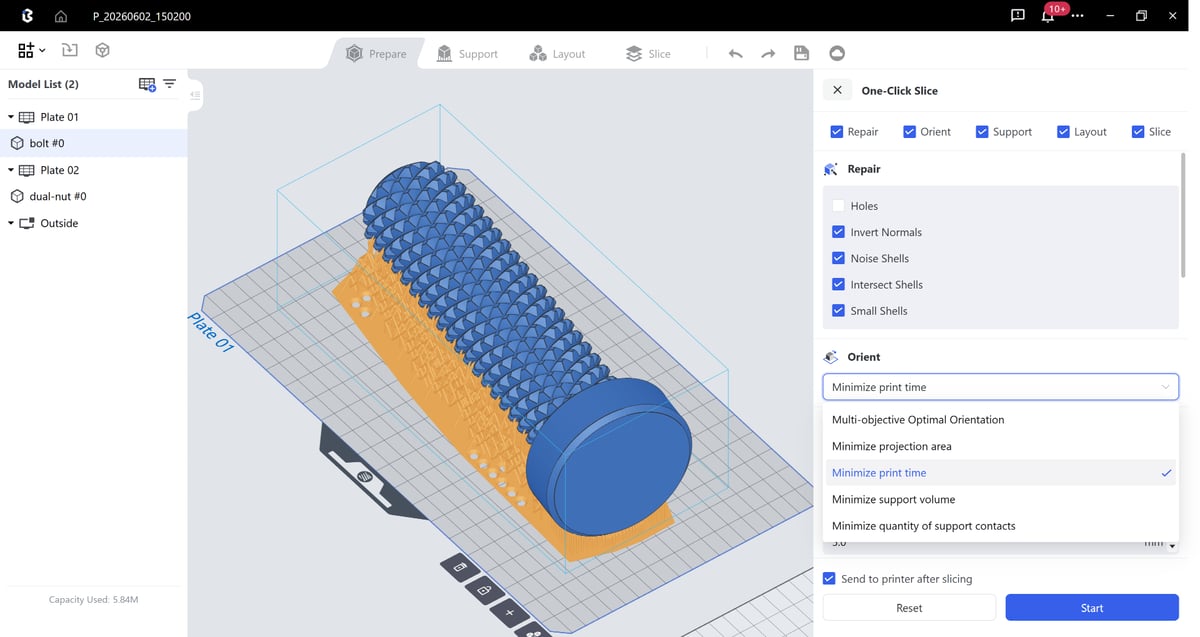
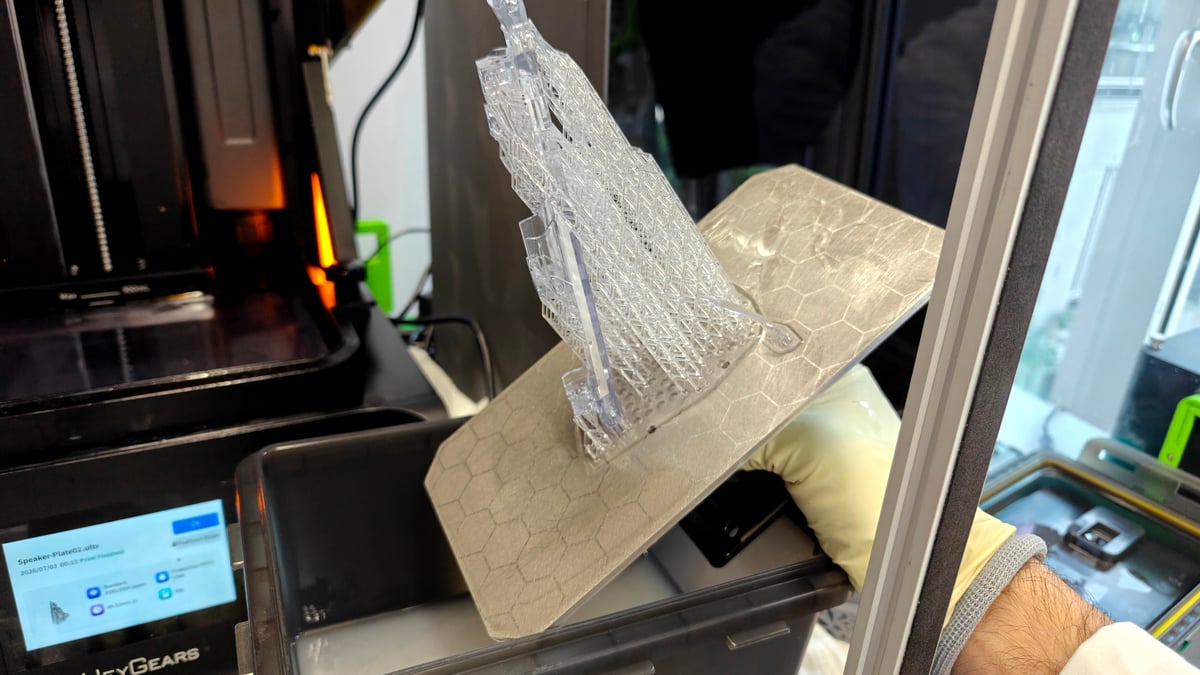
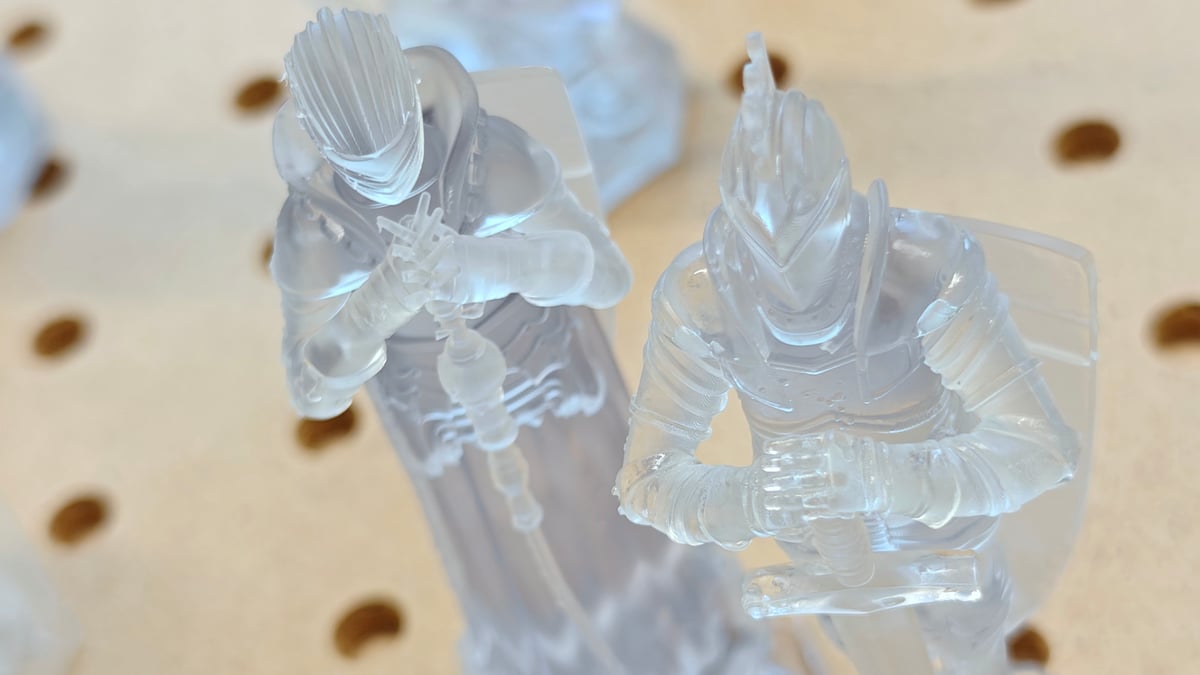
The slicing workflow specifically, is solid. The default model support settings are the best we’ve encountered across the space, with all but the densest of supported models pulling away in a single, clean rip that leaves a model-shaped negative in the support structures left on the plate. It’s satisfying.
Outside of the print preparation environment itself, Blueprint gets a little unintuitively clunky. Preparing a model to slice and slicing is a distinct process and area from having the sliced file and sending it to the printer. In this regard, Blueprint acts more as a project management tool, except, besides sending the sliced file (or specific washing or curing instructions), there aren’t any broader job management features. It feels a little half-baked, and as such more of a hindrance. You slice the file, then have to go find that file in the sliced files area of the software before you can send it to the printer.
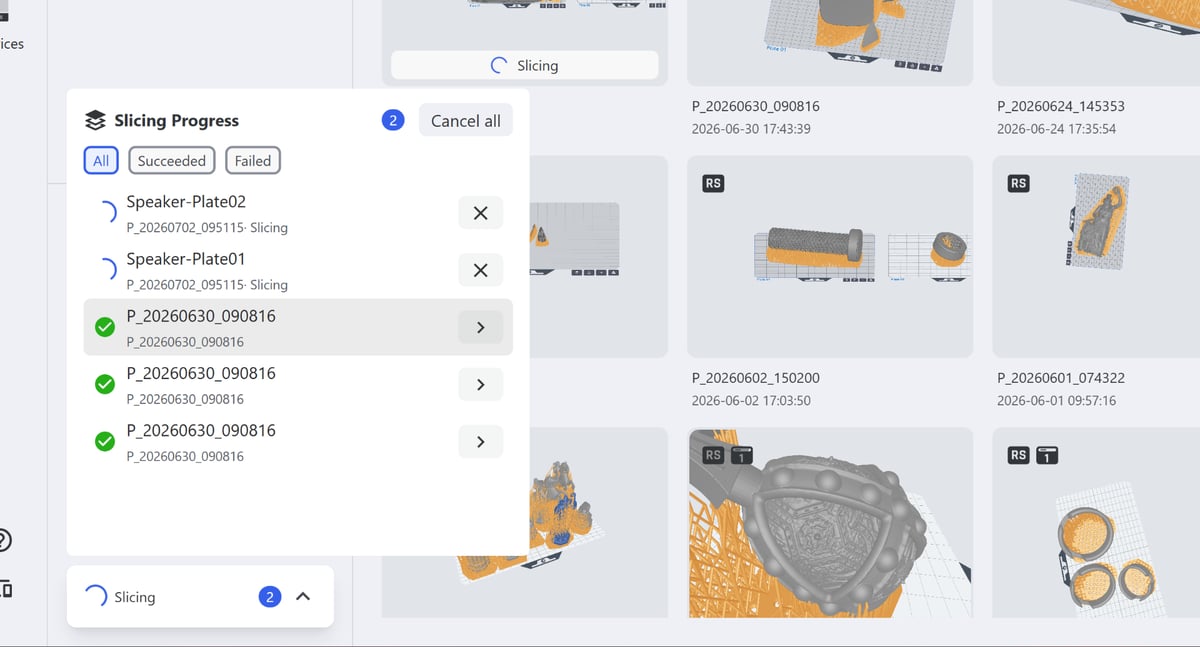
If you mis-click to slice, there’s no way to back out, and the process runs in the background. In this, and other situations, Blueprint is a bit of a black box. You don’t see what specifically happens or why – things just reappear when they’re done.
This would matter less if you didn’t have to wait an indeterminate amount of time for the sliced file to be ready, too. And if you’re not using the printer on local area network-only (itself a flaky experience in our testing) your sliced file has to be synced to HeyGears’ cloud before it can be sent to the machine. For all the ways they’ve made slicing simple, HeyGears inadvertently puts bumps in the path of just getting prints onto the printer.
There’s a small amount of internal storage on the RS Turbo, shared with the OS, which quickly fills up, so be ready to throw a high-capacity USB drive or microSD card at it if you’d prefer to forget about such things.
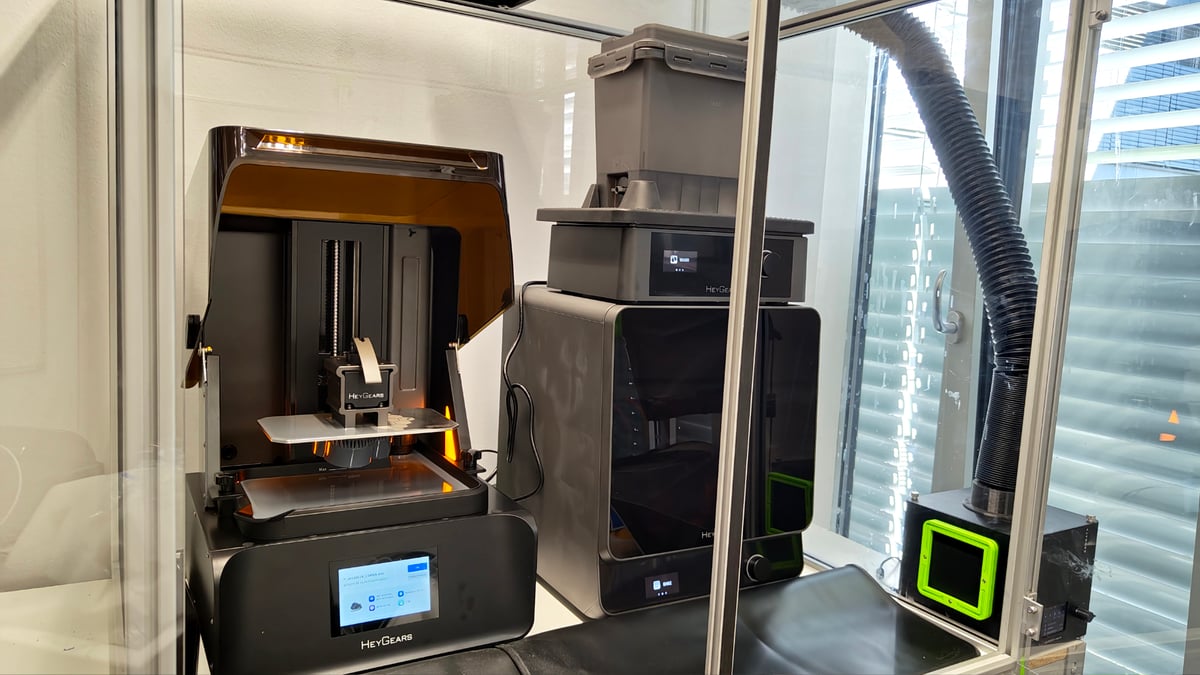
With a print complete and the plate in-hand for post-processing, the UltraCraft Wash and UltraCraft Cure stations, which can be purchased in a bundle with the printer, shine. Separately available (or as the RS Turbo Combo bundle), the Wash and Cure stations feel like premium, solidly built pieces of hardware. They’re Wi-Fi enabled, through which you can bind them to your account and remotely send jobs their way.
It’s possible to manually input the wash or cure durations, with control over the speed of a wash cycle, or, say, the length and temperature of a cure (you can bake the models, too). There’s not too much to say about them, besides the convenience they add when, from a sliced file in Blueprint, you can also then send it to each post processing station, with a custom routine specific, we assume (it’s not stated anywhere) to the material and volume of the print.
A particular standout is the wash stations dual bucket system, which includes valves for purging IPA from one bucket to another, meaning you don’t have to go fishing to find cleaned models. Two buckets are provided, though if you were to follow HeyGear’s recommended washing procedure of a rough and then a clean IPA bath to clean models in some resins, four buckets might be a better option.
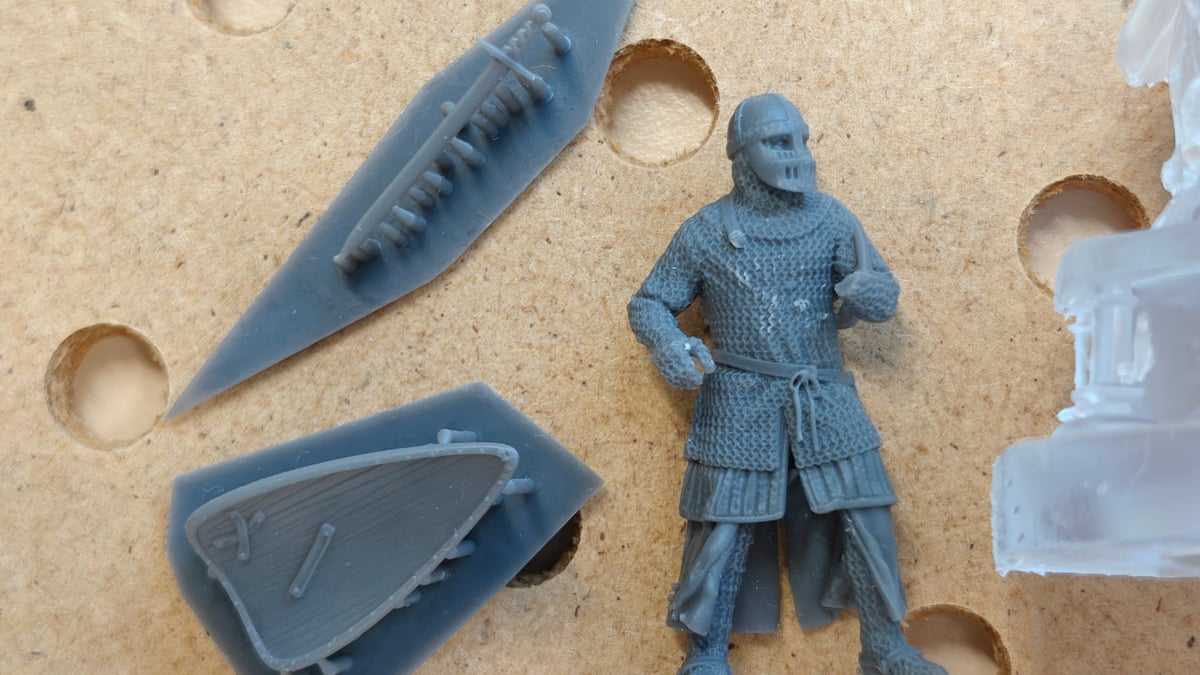
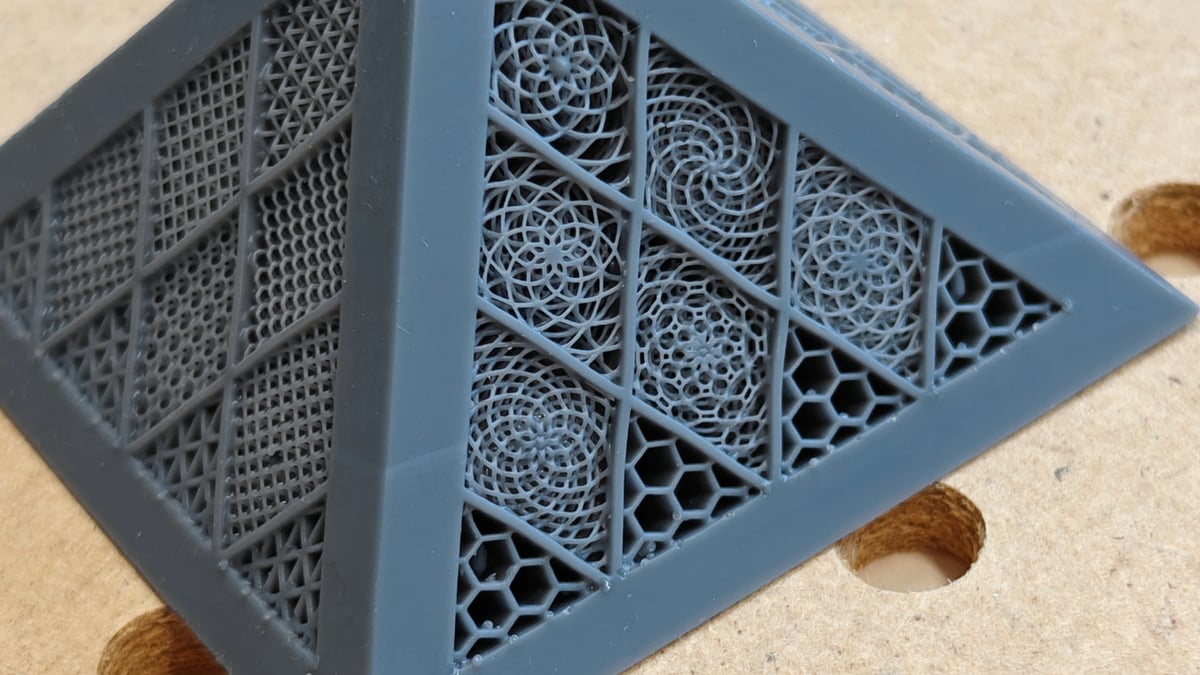
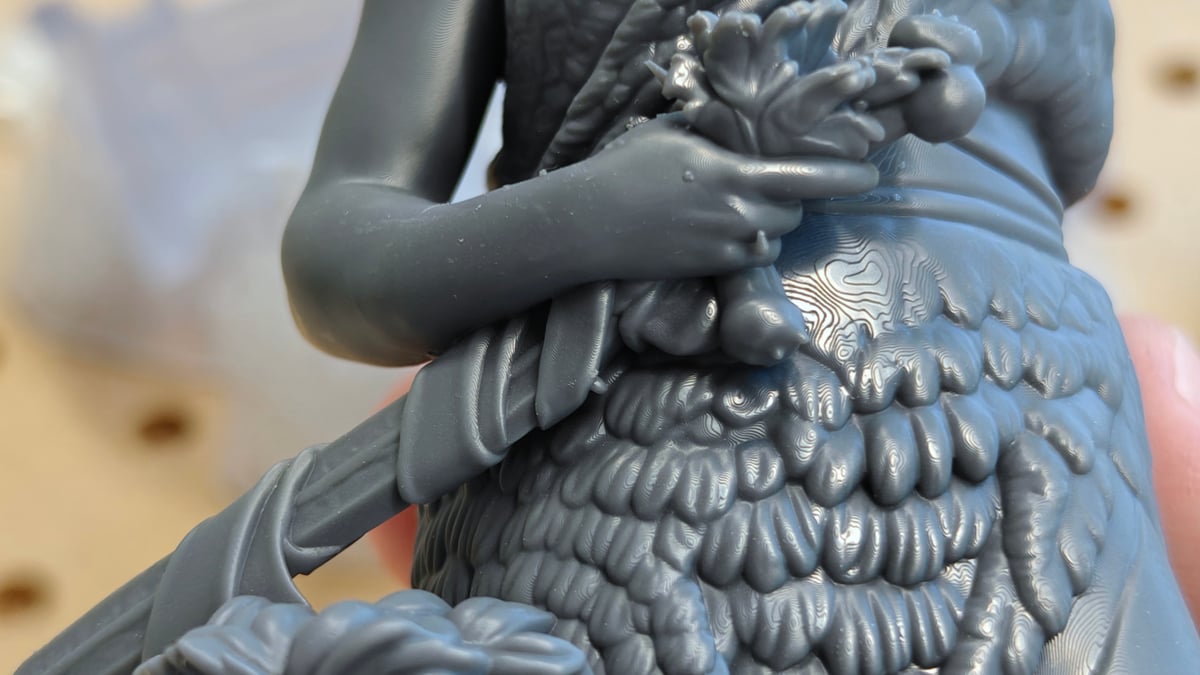
Across the spread of models we printed, details remained uniformly sharp and planes and surfaces crisply smooth. HeyGears’ claims of a high contract ratio giving cleaner prints is, I think, well founded. However, it’s apparent that this, along with Blueprint’s one-click slicing magic, are not 100% fail-safe against print errors like lines in the layer from the model shifting around during printing (in other words, not being well supported enough for the default peel forces.) For small models, the problem doesn’t show, but on larger prints with large, uniform surfaces, we found it necessary to manually toggle more supports to fix the model in place firmly as it prints.
All of this is to say, if this is your first resin 3D printer, treat the one-click slice as a general purpose tool for simple prints – don’t expect it to be perfect, and brush up on your resin 3D printing theory in order to identify what you need to change for when things don’t work so well.
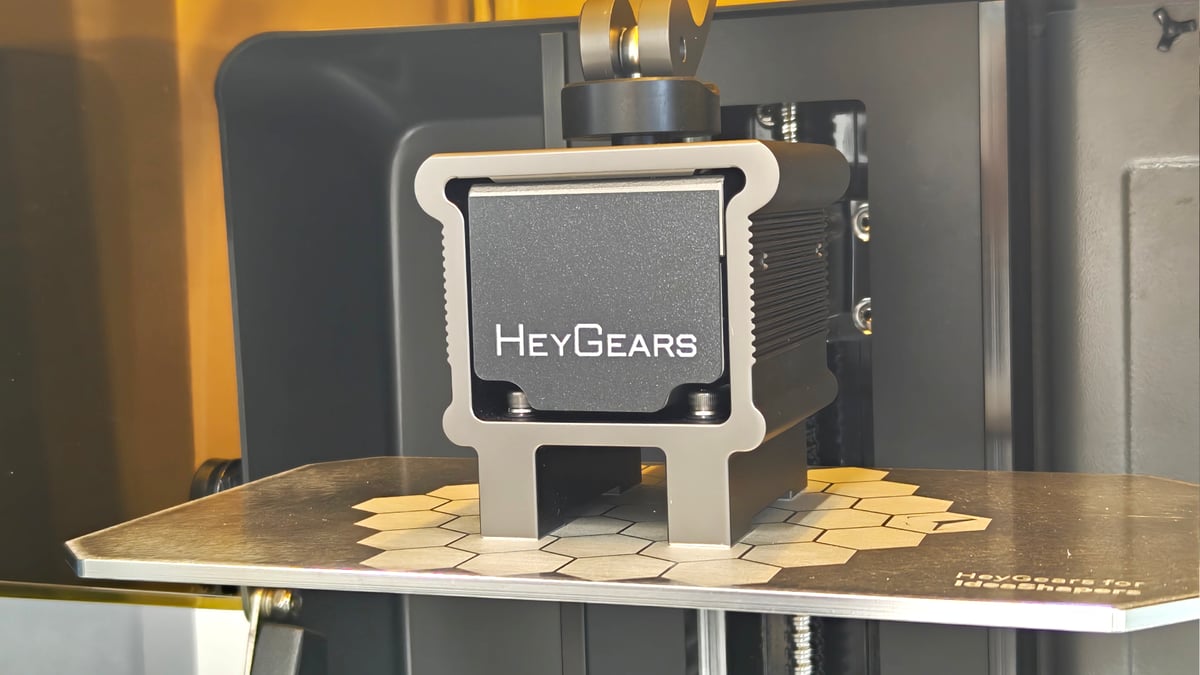
One thing not included in our test package that we’d expect to close much of that gap, based on how it performed on an earlier Reflex, is the pulsing release module. It’s an optional (~$700) extra that swaps out the printer’s standard resin vat for a heated one that has air channels embedded in the release film. An electric pump forces air beneath the film at layer change, gently separating the part. Besides heating the resin (which almost always helps with print success and is a pretty egregious omission in the base printer as it is) it quickens the layer change in a gentler way, letting the printer work faster and an improvement in quality. We tested one with a previous model of Reflex 3D printer from HeyGears and the gap we see between that and the RS Turbo without the pulsing module is noticeable.
Is It Worth It?
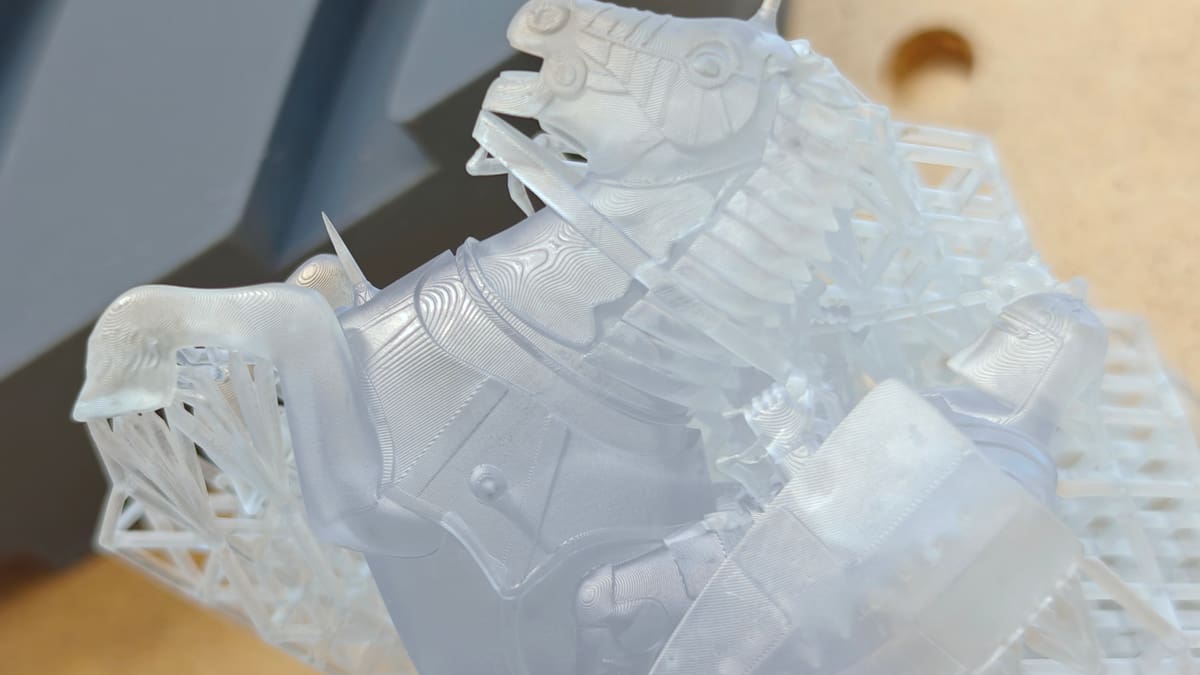
A word on resin 3D printing: Don’t do it unless you know you need to – it involves hazardous liquid chemicals that cannot be disposed of in regular waste streams. If you don’t respect the post-processing process and cleanup, it can be dangerous for you and others.
HeyGears’ machines cost a premium compared the usual suspects of desktop resin 3D printing, but set against the likes of Formlabs, who HeyGears clearly takes a lot of inspiration from, the value proposition is crystal clear. You’re buying into the on-rails almost-closed ecosystem – you can print with third-party resins still – with house materials and no-fuss material presets, plus tightknit connectivity and direct-line support from the company when something goes wrong. Not everyone likes the idea of sacrificing control when they buy physical products – and that will be a hard line in the sand for some folks.
The results we’ve seen have been good – particularly miniatures, an end-use HeyGears clearly positions the printer for – though the printer alone stock state, using Blueprint’s simplified one-click mode is challenged by larger prints that are supposed to show smooth, uniform walls. Tabletop gamers and users printing small, intricately detailed models will, I’m sure, be delighted with the results and how easily they come.
As a package, the effortless support removal and the tools to make transferral between post-processing stations nudge things toward being a cleaner (and therefore safer) experience, which is worthwhile as a one-and-done package together.
I wager you’d have to spend almost the price of the printer again on pulsing release module and its heated vat to get the very best, consistent and virtually failproof results. But even standalone, the convenience through simplification with the Reflex RS Turbo is a compelling reason to get one. If the printer is a means to achieve the print, it’s ideal. If you’re committed to the hobby of printing, then you could save some money and get similar results from other, cheaper machines.
License: The text of "HeyGears UltraCraft Reflex RS Turbo Review: Resin 3D Printing Made Simpler" by All3DP is licensed under a Creative Commons Attribution 4.0 International License.
CERTAIN CONTENT THAT APPEARS ON THIS SITE COMES FROM AMAZON. THIS CONTENT IS PROVIDED ‘AS IS’ AND IS SUBJECT TO CHANGE OR REMOVAL AT ANY TIME.