
Autodesk 3ds Max 2027: Free Download of the Full Version

Looking for a version of the pro 3D modeling, animation, and rendering software Autodesk 3ds Max 2027 to download for free? Check out your options here.
First things first: it’s not possible to get 3ds Max 2027 for keeps without paying some cash. However, you can use the full version of the software during a free trial period, take advantage of free education licenses, or save money with a special discount license for start-ups, freelancers, and small businesses. Let’s explore your options!
Autodesk 3ds Max is a premium software used for 3D modeling and 3D animation, and it is noted for its long history in the industry, ubiquitous usage, extensive plug-in options, and relatively user-friendly workflow.
3ds Max dates back to the early ’90s when it was known as Studio 3D. It was acquired by Autodesk and has gone from strength to strength as many a visual effects and motion designer’s software choice for building their creations.
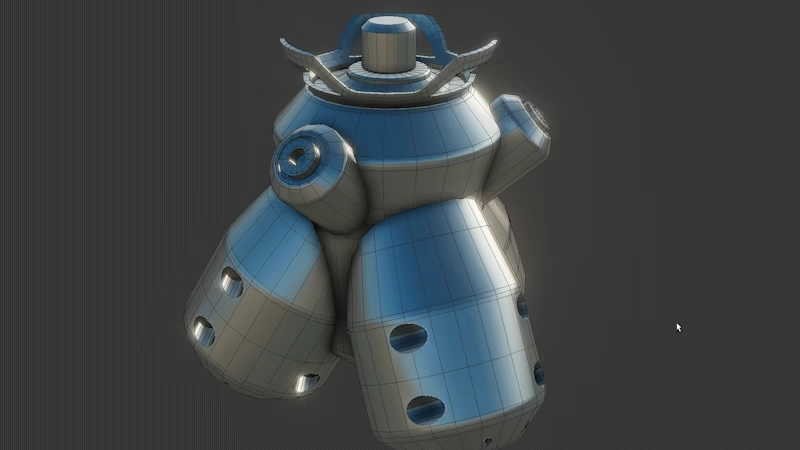
Its long time on the market means there’s a lot of knowledge to be tapped online for it, not to mention a large number of plugins and libraries that give greater functionality beyond its already pretty sophisticated feature set.
Note that, in terms of usage, 3ds Max is pitched for visualization, game design, and animation, not making models that are destined to be 3D printed — for that look to computer-aided design software.
3ds Max has strong procedural modeling tools and is favored as a solid space within which to actually create the models versus the animation and rigging aspect (which many prefer to do in Maya, another Autodesk product).
Unfortunately, it’s not really free, at least, not in perpetuity. You have options to try it out without paying, which is always useful, and there are discounts for eligible indie users to take advantage of before stumping up the full ~$2,000 for a year’s access. Not only that, there are plenty of serious alternatives that might be worth considering if your needs don’t hinge solely on 3ds Max.
So, to help you see what your options are, we’ve compiled a list of all the legitimate options you have to try Autodesk 3ds Max for free, and beyond.
Free (Trial) of the Full Version
Autodesk offers a 30-day free trial of 3ds Max 2027’s full version with no functional restrictions. However, do keep in mind that the free trial is for non-commercial evaluation purposes only, according to Autodesk’s terms of use.
Here’s a step-by-step guide to access the full version of 3ds Max 2027 free for 30 days:
- Visit the 3ds Max 2027 free trial page.
- Click “Download free trial”.
- Select your preferred version. Then, click “Next”.
- Sign in to your existing Autodesk account or create a new one.
- Fill out the “About You” fields and click “Next”.
- Fill out the “Company Info” fields and click “Next”.
- Select either “Download” or “Install”.
- Your trial has begun. Install to start using 3ds Max.
The free trial version of 3ds Max is a great way to assess the software and decide if it’s right for you. However, it’s not a great place to start learning 3D modeling. Being a high-end software, and one that’s rather expensive, a 30-day window just isn’t enough to effectively learn 3ds Max and make the full software worthwhile. And it’s not really supposed to be.
If you’re new to 3D modeling software and are looking for a place to start, check out the free 3ds Max alternatives at the bottom of this article or our full feature on the top 10 3D modeling software programs on the market today.
If you impulsively jumped into a full subscription to 3ds and then realized that it’s just not for you, Autodesk will refund your subscription within 30 days if you buy directly from the company. If you buy from a third-party reseller, the terms may be different.
Free Educational Version
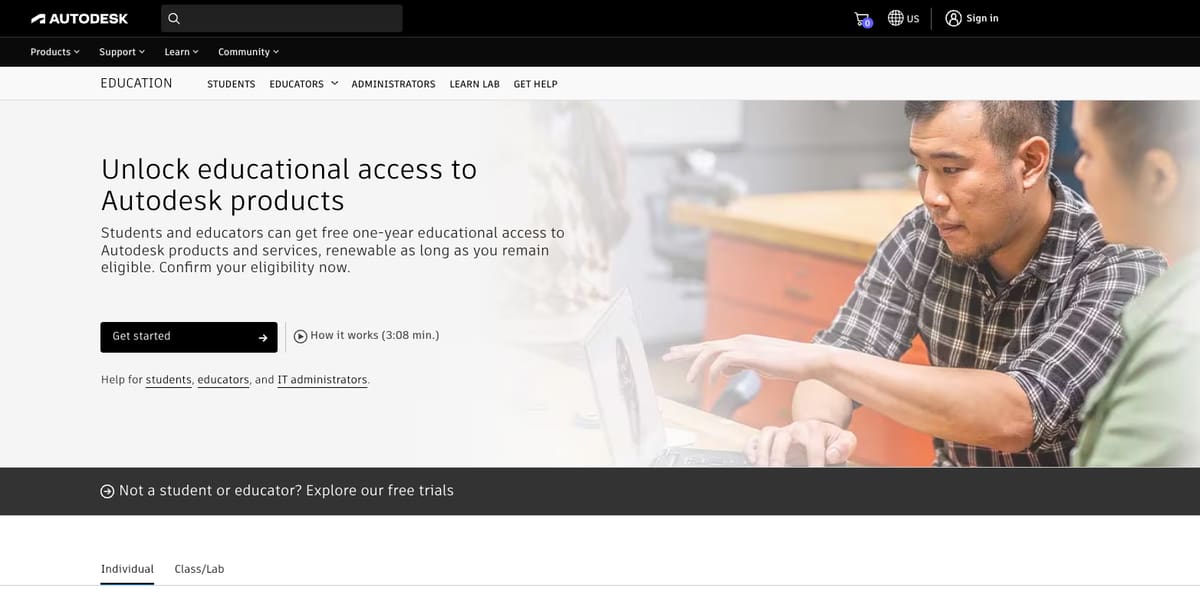
The one and only way to access a full and unrestricted version of 3ds Max for free is to be a student, educator, or academic institution. Those eligible can apply for Autodesk’s educational license and get a free year of Autodesk software, including 3ds Max. You can reapply after one year.
The Autodesk educational license is available to help students and educators access the learning tools they need without the prohibitive costs typically associated with the software. For Autodesk, the offering has the added advantage of ensuring new grads are familiar with its software – thereby encouraging companies to use it.
To access 3ds Max 2027’s free educational license, simply follow these steps:
- Visit the Autodesk Education Community.
- Choose 3ds Max from the list of software.
- Sign in to your existing Autodesk account or create a new one.
- Fill out your education profile.
- Note: If you can’t find your institution listed, click “Can’t find your school?” and wait for validation, which may take up to seven days.
- If prompted, submit further documentation and proof of eligibility, such as a student ID or transcript, and wait for validation.
- Once you receive a confirmation email, click “GET PRODUCTS”.
- You’ll now have access to Autodesk’s education programs.
- Click “GET AUTODESK SOFTWARE” to download 3ds Max 2027.
It’s worth noting that institutions can apply for “class/lab” licenses to apply to specific machines or an institution’s network. The process is very similar to the one listed above and can be started from the same Autodesk Education Community webpage.
Affordable 3ds Max Indie for Start-Ups
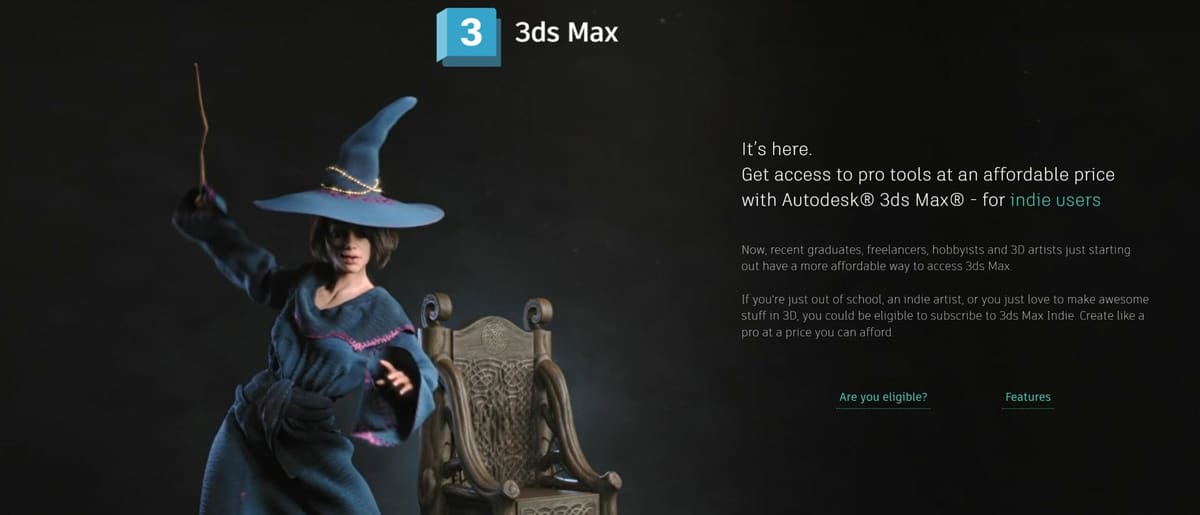
Like many other Autodesk programs, small businesses and hobbyists can access a generously discounted license to make the software and its full suite of features more affordable for those just starting out. Recent graduates, new businesses, freelancers, and hobbyists can get 3ds Max Indie for just $330 annually. 3ds Max Indie has all of the same features and capabilities as the full version, including the integrated Arnold renderer.
It’s a great way to start your business without too much financial burden due to the software you need, but it is limited to organizations and individuals generating less than $100,000 of gross revenue from creative work annually. It’s also limited to certain countries. If you meet the requirements for Autodesk’s 3ds Max Indie license, you’re allowed to use the discounted software for commercial purposes and grow your business.
The indie license’s lower rate makes 3ds Max much more accessible than many advanced 3D modeling programs despite the regular license’s exceptionally high price tag, making it a great program for professionals just starting out. If you think it might be for you, try it out with the free trial first.
Getting Started With 3ds Max

If you’re new to 3D modeling or are migrating from different software, there may be a steep learning curve before finding your groove with 3ds Max. Fortunately, Autodesk has a very robust Knowledge Network with documentation and tutorials for all its software, and 3ds Max 2027 is no exception.
If you’re just finding the interface a bit daunting, you can start with the “3ds Max Interface Overview” for a quick rundown. Or, get a fully-fledged course from “Intro to 3ds Max” that includes a collection of tutorial assets so you can easily follow along. You’ll learn everything from navigating the interface, to modeling basics, how to retopologize, animate, light scenes, and more.
Remember that anyone can make use of Autodesk’s free courses offered at Autodesk University. Just make sure you’re browsing lessons for the right software.
Also, bookmark Autodesk’s YouTube channel: Autodesk 3ds Max Learning Channel
Essential Features & What's New in 2027
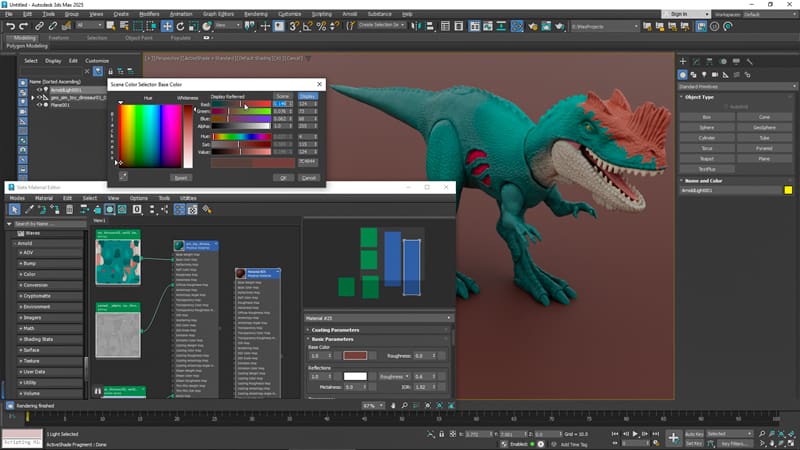
As we’ve already mentioned, 3ds Max is a 3D modeling software bedrock by Autodesk. It offers high-end modeling and animation tools alongside vfx features like particle and light simulation, and a cloth-simulation engine to the table – something invaluable to game developers and visual effects artists for their content. It’s capable of creating parametric and organic objects using polygons, subdivision surfaces, and spline-based modeling.
Designers will be interested in the NURBS-based modeling tools in this 3D modeling software that allows for both organic and mathematically precise meshes. Among the other techniques is the ability to create models from point cloud data (i.e. 3D scans).
3ds Max is also beloved by architects and engineers since it is designed to interface with CAD tools like AutoCAD. This makes it the go-to solution for high-quality architectural visualizations.
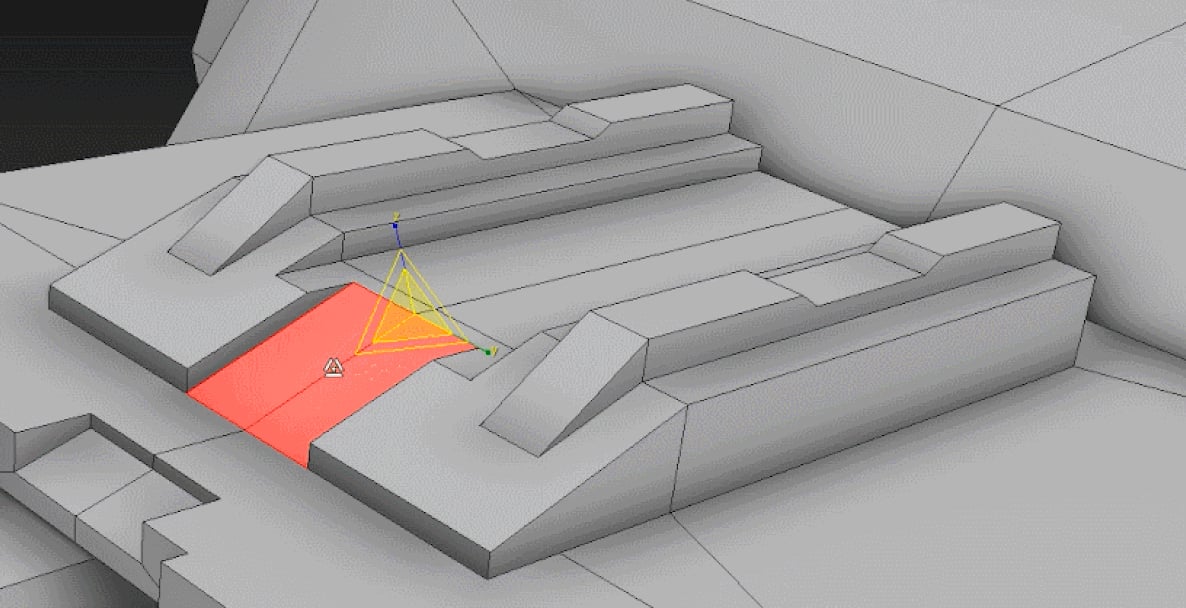
Smart Extrude
Working with and making new faces in 3ds Max is shockingly intuitive with the smart extrusion system. It allows users to extrude faces in incredibly flexible ways while keeping the mesh in good form and stitching intersecting faces automatically. Cutting and stretching along the axes is as easy as you would expect, but dividing and extruding along odd angles — and even free-cutting polygons — is just as straightforward. Smart extrude is like Blender’s extrude manifold feature, but seems to work far more seamlessly and makes starting a design from the simplest primitive shapes far less daunting.
Physical Camera
If you’re creating photorealistic renders, it’s helpful to have camera controls that reflect a real camera. 3ds Max has exactly that — a camera view that allows you to control exposure, depth of field, motion blur, Bokeh and other aperture controls, and more. It’s a great feature for those more comfortable with a real camera than they are with 3D modeling that allows their pre-existing skills to aid their digital designs in a unique way.
Retopology Tools
Meshes can get a little messy in a variety of ways. CAD file translations tend to be very hard-edged, and stretched or reformed base meshes can get complicated. With 3ds Max’s retopology tools, users will find a quick fix for these design headaches. With just a few simple settings, and maybe some subdivision to help clean things up, a complicated mesh will be translated to a clean, quad-based geometry that is significantly easier to work with.
Safe Scene Script Execution
As an Autodesk application, 3ds Max has some of the best security 3D modeling programs have to offer. One notable aspect is its safe scene script execution, which blocks scripts if they try to execute commands outside the scene — like by accessing outside directories on your PC. If you’re running scripts from third-party sources, it’s an important feature to have; especially for larger teams. Fortunately, it’s also togglable, so you can easily disable the extension to run an unusual script that you know isn’t malicious.
New Features in 3ds Max 2027
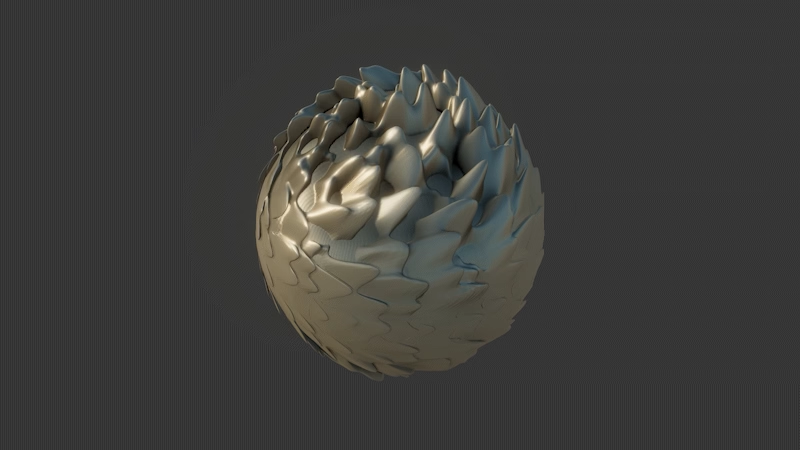
Autodesk 3ds Max 2027 introduces a variety of modeling, animation, rendering, and workflow improvements aimed at making everyday production tasks cleaner, faster, and easier to manage.
Modeling & Retopology
- Smart Bevel: 3ds Max 2027 introduces Smart Bevel for post-Boolean intersections, helping users create cleaner and more intricate bevels with less manual cleanup.
- Extrude Modifier Custom Direction: Splines can now be extruded with custom orientation and direction instead of being limited to local Z, making spline-based modeling workflows more flexible.
- Spline Chamfer Modifier Updates: The Spline Chamfer modifier now supports fixed radius settings, making it easier to create consistent circular corners.
- Boolean Modifier Updates: Improved recursive welding in the Boolean modifier produces cleaner geometry by reducing internal faces and removing redundant edges and vertices. This applies to newly created Booleans in 2027 and should result in better mesh quality with less manual cleanup.

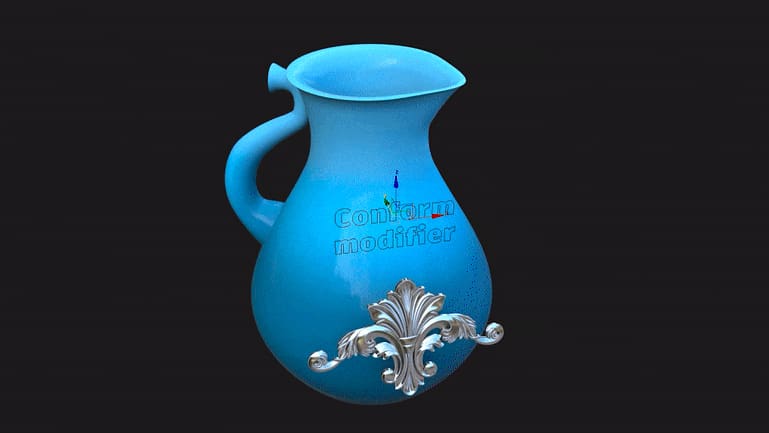
- Array Modifier Updates: New distribution options for the Array modifier include surface distribution with Z growth, allowing objects to follow surface contours while growing in height. Pack Element distribution on splines also provides better spacing control when distributing objects along paths.
- Flow Retopology Relocation: Flow Retopology has moved to Tools > Flow Retopology, making it easier to find and access as part of the core modeling workflow.
- Retopology Performance Update: Faster ReForm processing means quicker results and improved support for meeting quad target goals, with more reliable and consistent outputs.
Animation & Performance
- Noise Plus Modifier: The new Noise Plus modifier adds more advanced fractal types, animation controls, and tiling options, giving artists more control when generating procedural noise effects.
- Noise Legacy Modifier Updates: The legacy Noise modifier now uses a modern Qt interface and supports Paramblock2 for user-defined defaults. Its animated Phase parameter now uses linear interpolation instead of ease in/out, providing more predictable animation behavior.
- Attribute Transfer Modifier Improvements: Attribute Transfer operations now run significantly faster, improving workflows that rely on attribute transfer for texture painting, vertex color work, and data migration between meshes.
- Volume Select Soft Selection Improvements: Volume Select’s soft selection performance has been improved for poly-based objects, delivering smoother and more responsive performance on high-poly models.
- Shape Map Performance Update: Shape Map processing is now much faster, reducing wait times when working with shape keys and morph targets. This should make shape-based workflows more responsive, especially with complex character rigs or detailed morphing operations.
- Map to Bitmap Generation: Converting procedural maps to bitmaps for viewport display or rendering is now faster. This improvement also applies when resizing bitmap images in 3ds Max.
Materials & Shading
- Shell Material Performance Update: Shell Material now evaluates sub-materials more efficiently. When the active viewport material has not changed, the material system skips unnecessary re-evaluation, improving viewport performance during material editing and scene navigation.
- Color Management Updates: 3ds Max 2027 allows users to sample underlying colors from scene space in supported windows, including the viewports and Rendered Frame Window. In the Color Selector dialog, the eyedropper fly-out now lets users choose between Sample Display Color and Sample Scene Color.
- OCIO v2.5.1: 3ds Max now uses OpenColorIO library version OCIO v2.5.1, updating its color-management foundation.
- Substance 3.0.6: 3ds Max 2027 includes Substance 3.0.6, which uses engine version 9.0.0 and includes stability improvements and other fixes.
Rendering & USD Integration
- Arnold for 3ds Max 5.9.0: Updates to MaxtoA since 3ds Max 2026.3 include lightweight USD instancing, a new hair scattering mode, more flexible light sampling, and other enhancements and bug fixes.
- USD for 3ds Max 0.14.0: USD for 3ds Max v0.14.0 focuses on stability, production readiness, and improved integration with the 2027 plug-in ecosystem.
Workflow Enhancements
- Autodesk Assistant Tech Preview: 3ds Max 2027 introduces Autodesk Assistant, an AI-powered tool that helps users quickly find information about features and workflows directly within the product.
- New Field Helper: The new Field Helper provides more precise component selections for manipulating items, including workflows such as driving selections.
- Viewport Grid and Display Improvements: Autodesk refreshed the viewport grid and background display to create a cleaner, more focused working environment. The update also addresses previous usability issues with grids.
- Foundation Updates: 3ds Max 2027 includes updates to core technologies, including .NET Core 10, Qt 6.8, C++ 20, RealDWG, and ATF. These updates are intended to improve stability, performance, and compatibility with modern systems and file formats.
- New Environment Variables: New environment variables let users customize 3ds Max startup and data locations. These include options for custom splash image locations, the maxstart folder path, Populate data locations, and controls for skipping plugin loading from default folders.
- DirectX 9 Removal: Support for DirectX 9 has been removed, aligning 3ds Max with modern graphics standards and current graphics hardware and drivers.
See all of the new 2027 feature at Autodesk.
2027 System Requirements
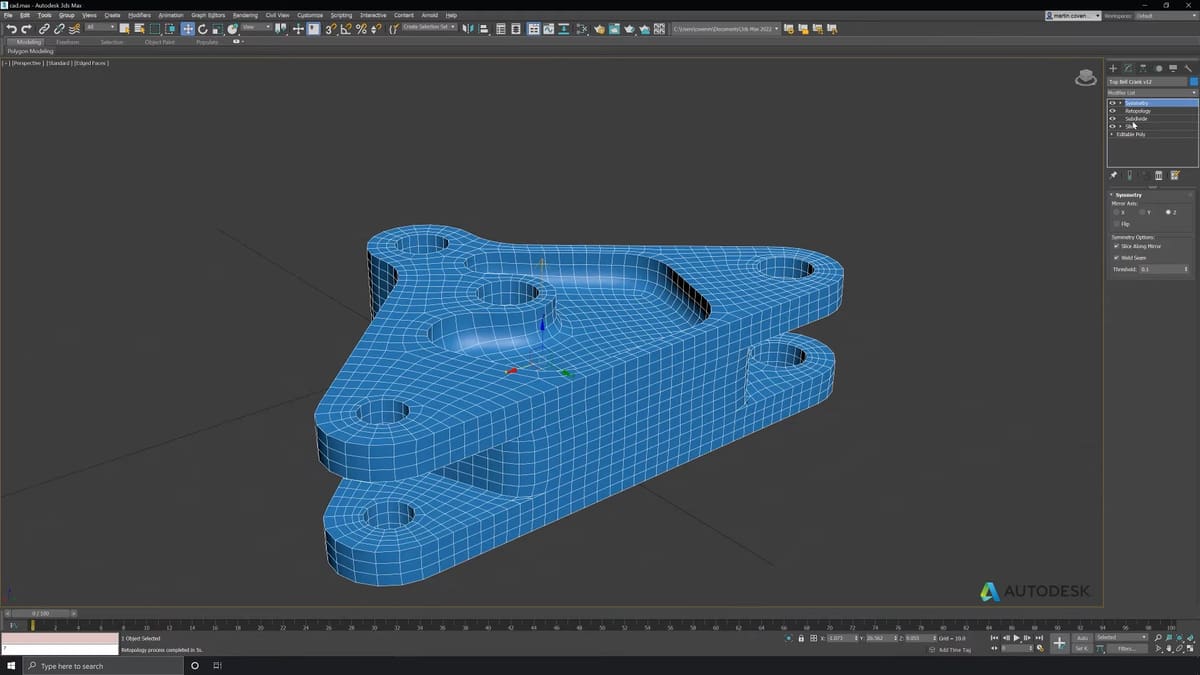
Below are the recommended specifications to run 3ds Max 2027.
- OS: Windows 11
- CPU: 64-bit Intel or AMD multi-core processor with SSE4.2 instruction set
- RAM: 4 GB RAM minimum, 8 GB or more recommended
- Graphics Card: Refer to 3ds Max Certified Hardware
- Disk Space: 9GB of free disk space
- Pointing device: Three-button mouse
- Browser: Latest versions of Edge, Chrome, Internet Explorer, or Firefox recommended for online supplemental content
The full hardware requirements can be viewed on the Autodesk website.
Pricing Went Down a Touch in 2027
Subscriptions to 3ds Max depend on your subscription period.
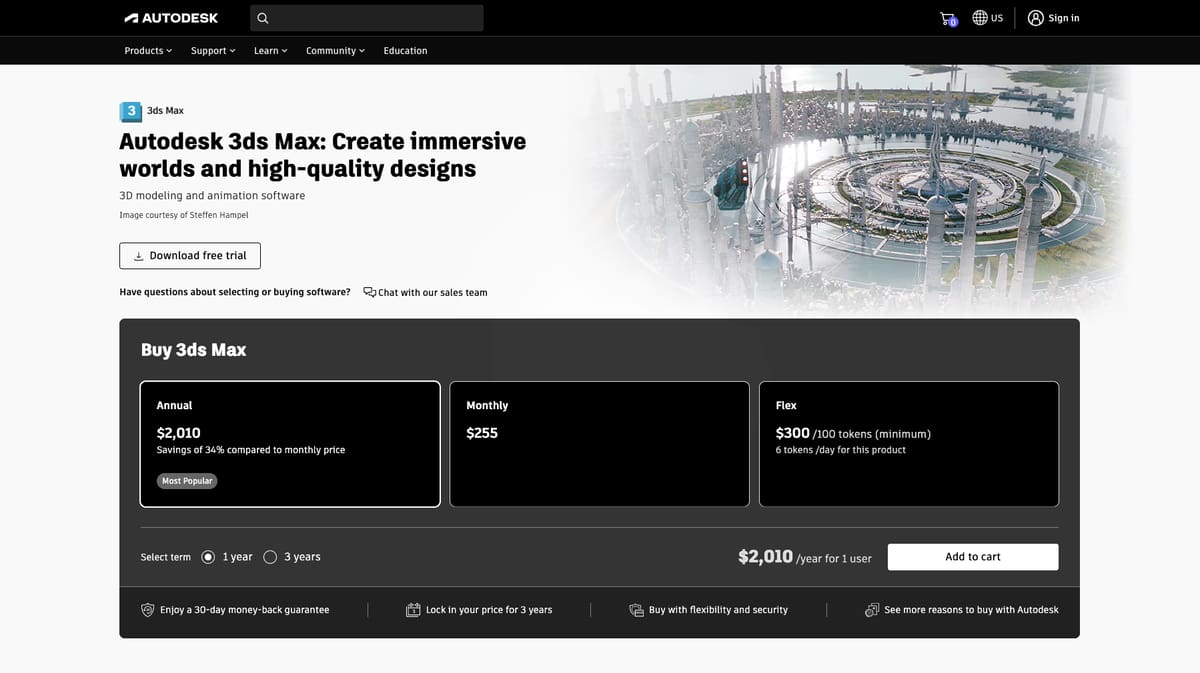
- Monthly: $255, paid monthly
- Annual: $2,010/year for 1 user, paid annually
- 3-year term: $2,010/year for 1 user, paid annually
Autodesk also offers a Flex plan for occasional 3ds Max users where a bulk of “tokens” are purchased at once and used to access the software per day. The value is far from as good as even a monthly subscription for regular use but can be handy in the right situation. One benefit of the program is that the tokens can be used for a variety of Autodesk software, so are practical if you need to use a variety of Autodesk software but just occasionally for a day or two at a time.
Autodesk’s going rate is $300 per 100 tokens, and 3ds Max costs 6 tokens per day for access.
AutoDesk 3ds Max 2027 Crack
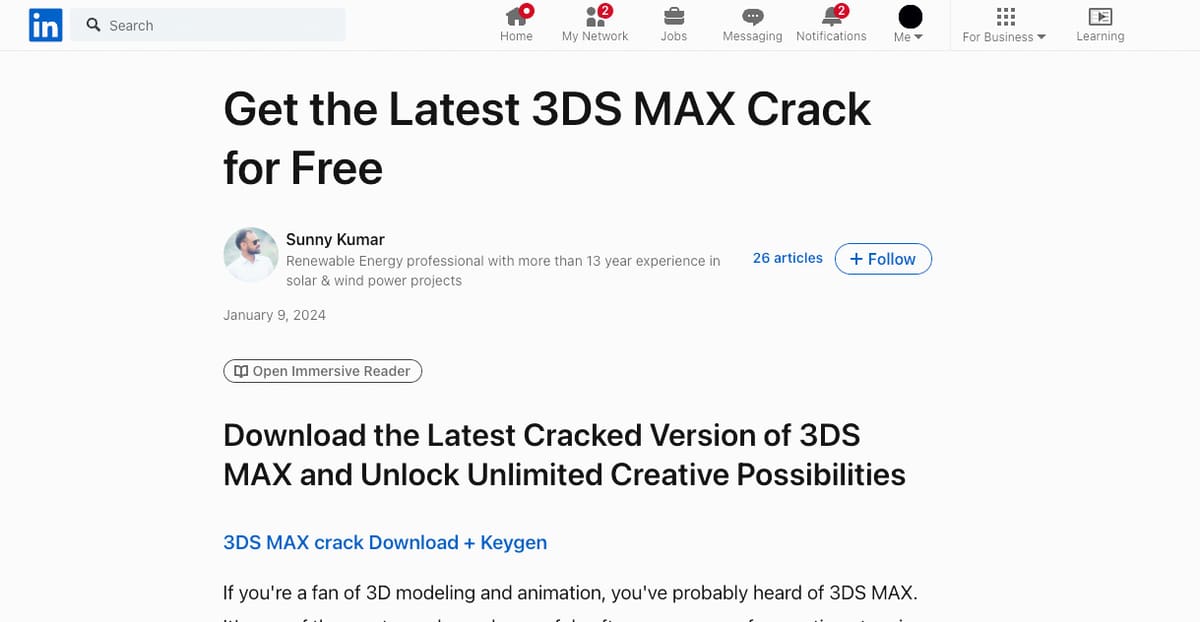
Crack, hack, jailbreak, there’s no shortage of online schemes claiming to deliver a free backdoor to a full version of 3ds Max. So before you spend hours sliding down the internet rabbit hole of paid links and clickbait, we’ll tell you the truth: it doesn’t exist.
Autodesk didn’t become one of the largest, most trusted, and most respected software companies in the world by having flaws in its code. Plus, the company’s battalion of lawyers is typically all over these internet fraudsters with cease-and-desist orders faster than you can slice a benchy.
Attempting to crack software for free use is not only illegal (a violation of licensing, copyright, and intellectual property laws) and ethically wrong, but it typically doesn’t even work. Cracked software opens you up to malware — typically from the person or company offering the crack — which is its intention, and without proper licensing is prone to unexpected errors and frequent crashes, if it works at all.
If you can’t afford 3ds Max at this point in your design career, we outline below free and lower-cost alternatives.
Free 3ds Max Alternatives
If the $2,010 (yearly) price tag is out of your range, several free solutions offer comparable features. The most notable, and least surprising among them is Blender. We’ve compiled a handy little list of free 3D modeling software for you to check out too if the following don’t scratch your 3ds Max itch.
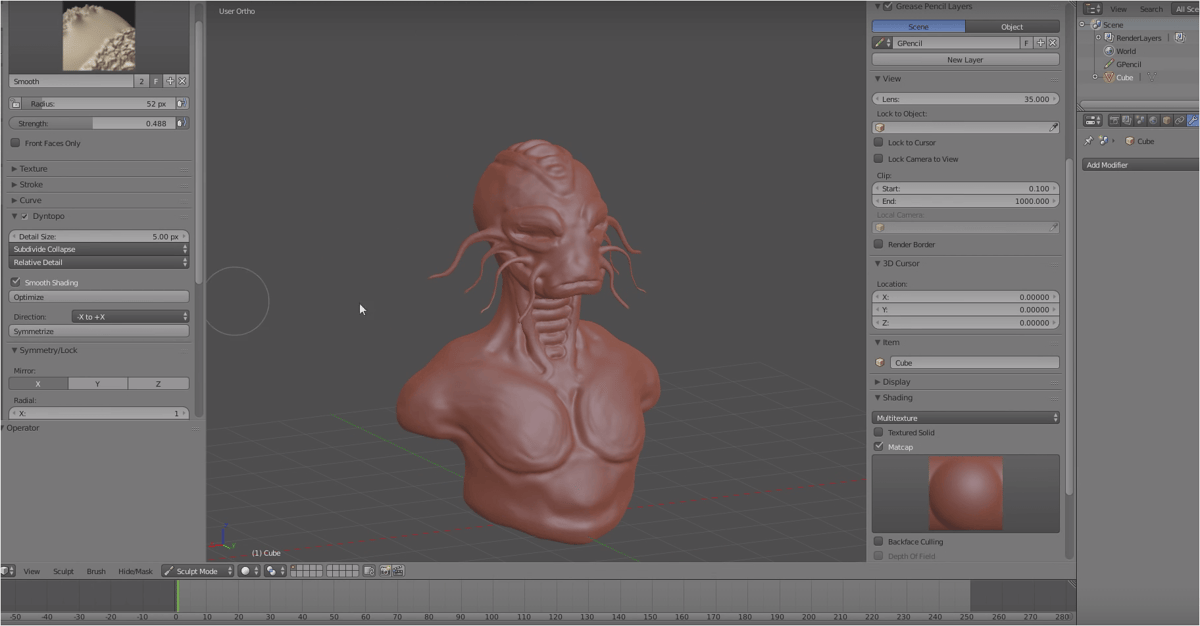
There is no doubt that Blender is the most sophisticated 3D modeling software available for free. It is used by advanced amateurs, students, and professionals for diverse applications such as animated films, visual effects, graphic design, video games – and 3D printed models.
Among Blender’s mind-boggling array of features, there are advanced 3D modeling techniques like procedural modeling. This technique can be harnessed to model complex structures that would be very time-consuming to create manually. Landscapes or cityscapes are often modeled using procedural modeling. This makes Blender one of the best free 3ds Max alternatives to use.
Our Blender topic page has everything you need to get started and learn the basics with Blender.
Get it From: Blender Foundation
Vectary
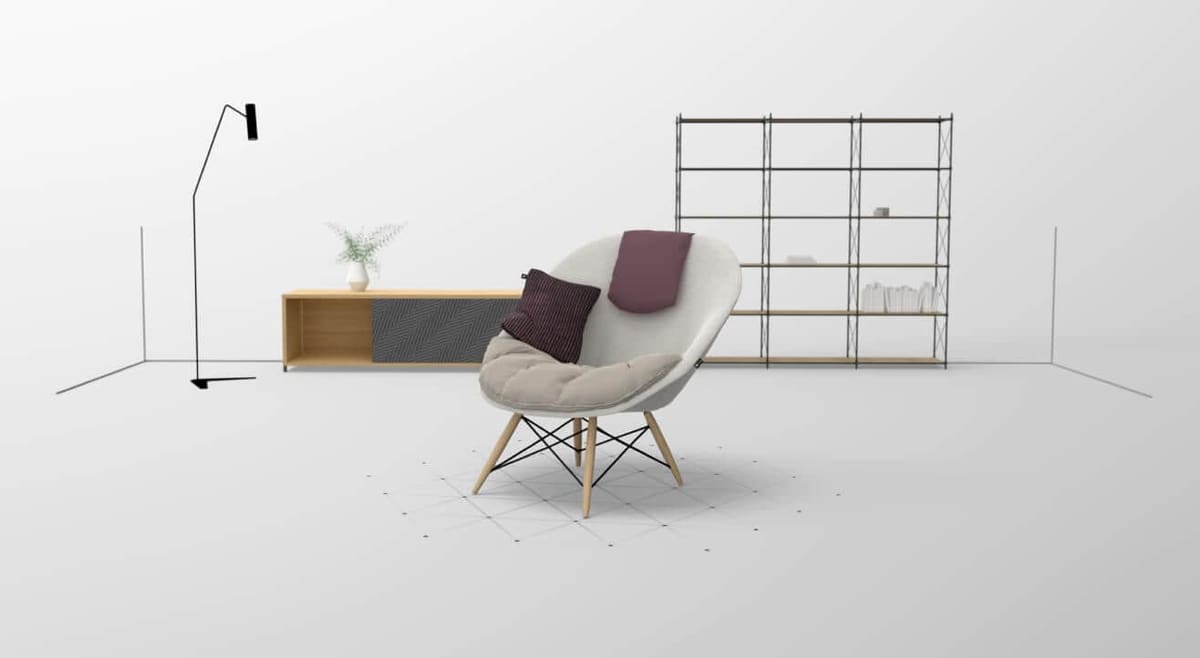
Vectary is a browser-based 3D modeling tool that’s deceptively simple among similar tools.
Though it offers powerful mesh and parametric tools for its design process, the Vectary interface is simplified in a manner that feels more akin to photoshop than most complicated 3D modeling program such as 3ds Max. Despite its simple feel, Vectary is a powerful rendering program used for graphic design and AR.
Vectary is also an excellent program for those new to 3D modeling. Though it relies on the same kind of mesh and parametric modeling world-class 3D modeling software does, it has an excellent focus on teaching, with a prompt for new users to follow a detailed tutorial and get familiar with the Vectary interface and its workflows.
Get it From: Vectary
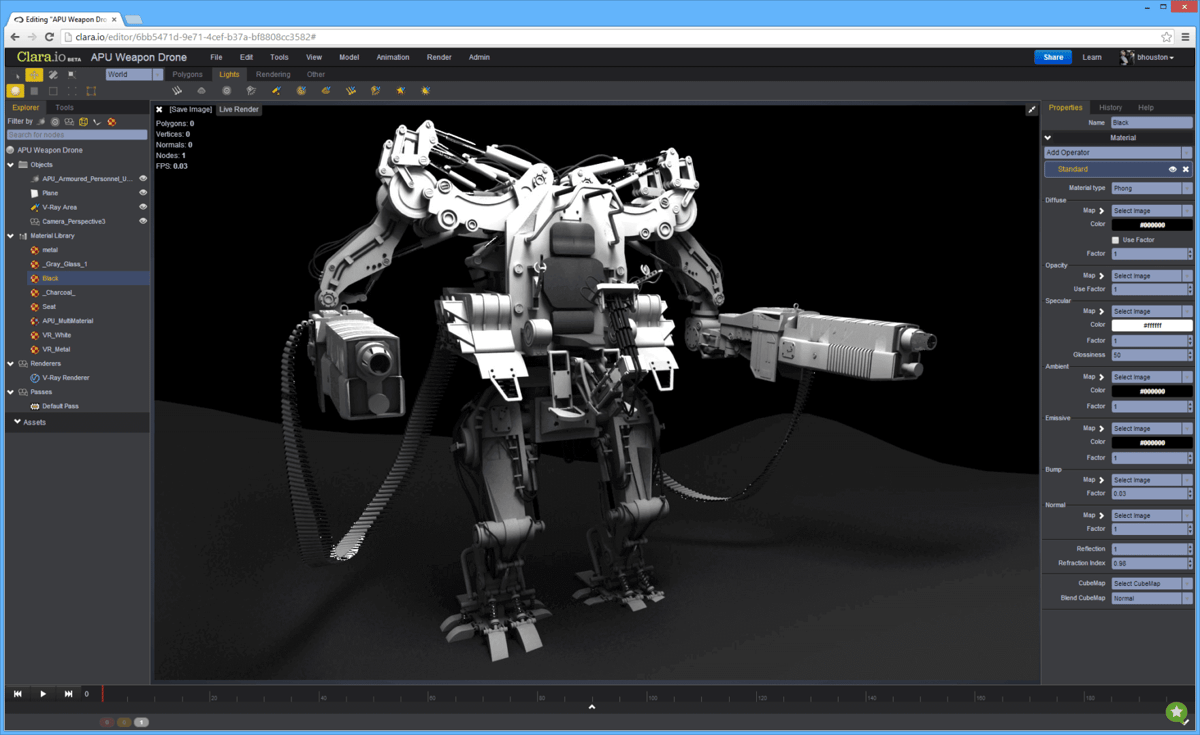
Clara.io is one of very few professional 3D modeling software that you can run in your web browser. Notwithstanding this accessibility, Clara.io is a fully-fledged 3D modeling software that covers most everyday needs. The company boasts the use of its software for the previsualization of major feature films. In terms of modeling, you get extrusion, beveling, slicing, cutting, and looping.
Featuring basic keyframe animation, it is even the right choice for creating animated movies. Impressively, with this free 3ds max alternative, you can also render your animations in the cloud using the sophisticated V-Ray engine. A subscription is necessary for unlimited private scenes and rendering time.
Get it From: Clara.io
License: The text of "Autodesk 3ds Max 2027: Free Download of the Full Version" by All3DP Pro is licensed under a Creative Commons Attribution 4.0 International License.