New AI Image-to-Model Generator Promises Perfect STL Files, We Put It to the Test

The future of AI-generated models may ultimately be judged not by how impressive they look on screen, but by how consistently they succeed on the build plate.
A new AI-powered 2D-to-3D model generation platform called Hitem3D is positioning itself around a metric that many in 3D printing consider more important than raw generation speed: reliability in downstream fabrication workflows. In other words, how easily can you 3D print what it generates without having to repair the file in a STL fixer.
Although the folks at Hitem3D didn’t specify why they were focusing on the 3D printability of their AI-generated models, perhaps, like competitor MeshyAI, the 3D printing community has grown to become its largest user group, surpassing game developers.
Hitem3D focuses on generating structurally sound 3D models directly from images, emphasizing 3D print-ready geometry and compatibility with established slicers. You can hit send and your 3D model flows directly from Hitem3D to Bambu Studio, Orca Slicer, Creality, or Elegoo.
Printability Over Appearance
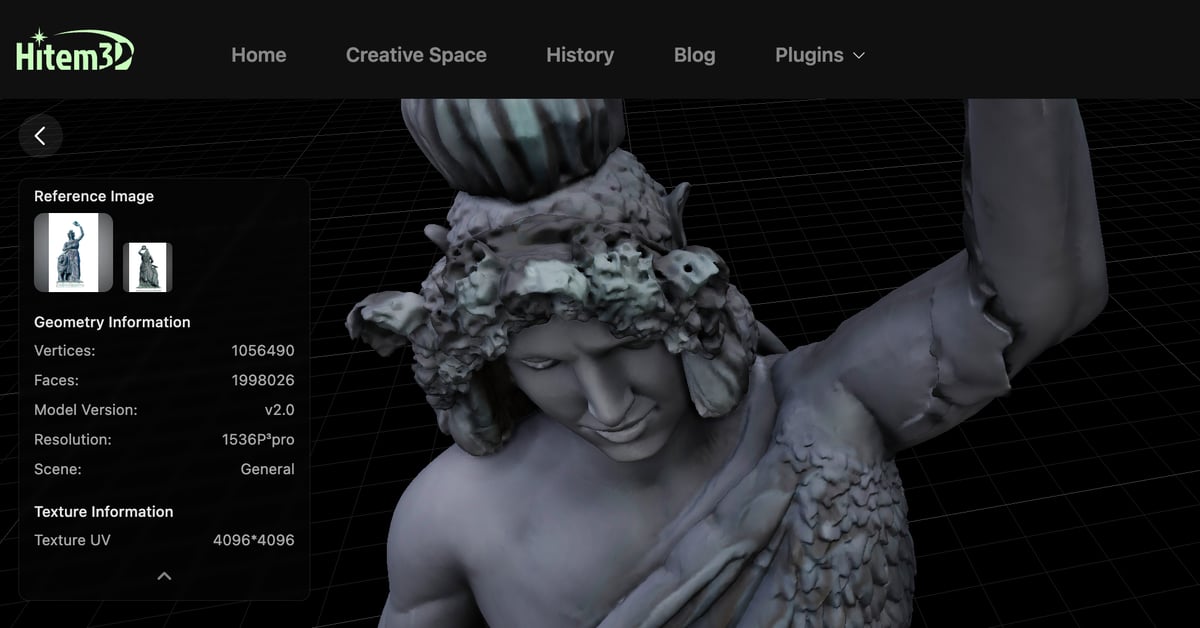
Image-to-3D AI has rapidly advanced in recent months, but structural integrity remains a critical hurdle for real-world 3D printing. Although earlier tools could produce visually convincing models, those outputs often required manual repair before slicing or fabrication due to gaps, non-manifold edges, or other mesh defects.
Hitem3D claims its internal tests show a majority of generated models pass common slicing validation checks with minimal manual correction. This reduces preparation time and increases confidence that models will survive downstream editing, export, and manufacturing processes.
In particular, watertightness, a key requirement ensuring meshes have no holes that would disrupt slicing, has emerged as a central quality benchmark in AI-generated geometry. Users increasingly evaluate AI tools based on whether generated models behave predictably once integrated into production workflows, rather than simply how fast they can produce previews, Hitem3D says.
Sure, It Prints, but …
Hitem3D says, instead of treating AI output as a rough starting point requiring significant cleanup, production environments increasingly demand models that integrate seamlessly into existing pipelines. The platform is designed to convert single or multi-view images into usable 3D assets suitable for industrial design, game development, and 3D printing.
Although what the AI generates may be instantly printable, it doesn’t mean that what the AI generates is accurate — or at least not in our brief experiment. It’s still an AI-generated model of a 2D image, or a batch of 2D images, which can be rather hit or miss.
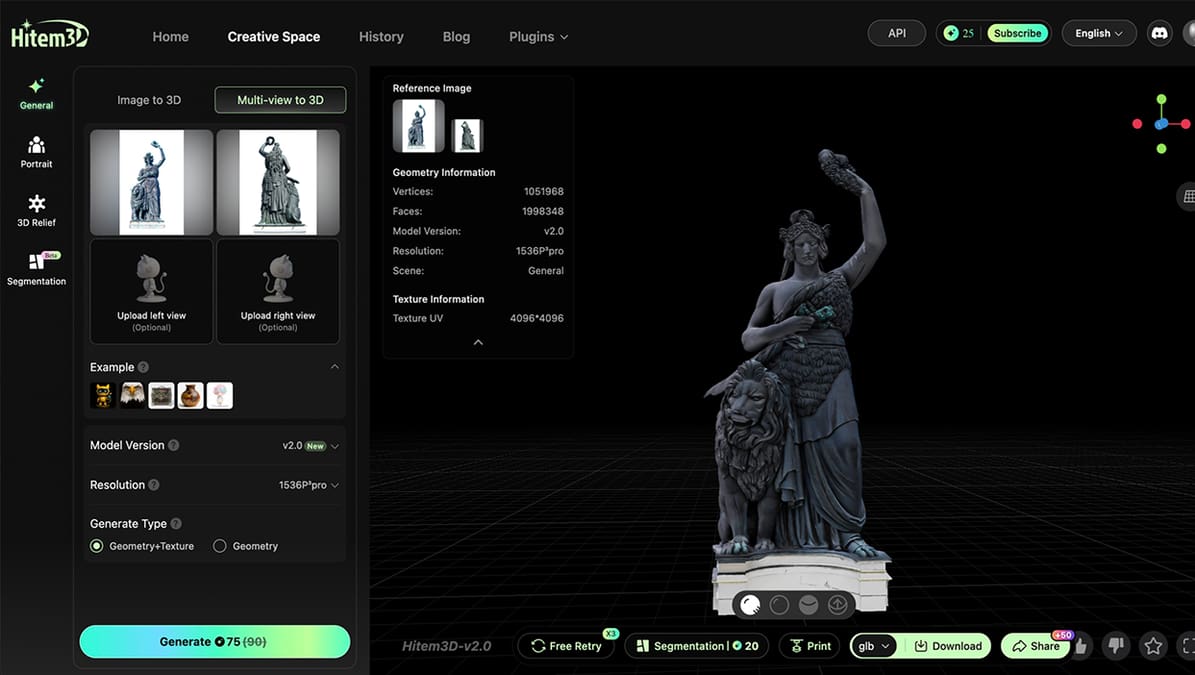
We uploaded two photos, the front and the back, of a well-known statue here in Munich, the Bavaria. We could have uploaded two more (each side) but we didn’t have them on hand.
The interface is very user-friendly and intuitive. There’s also a handy plugin for Blender.
Once we hit “generate”, the system took about 25 minutes to generate our 3D model. Rather than a smoothed-over, stripped-down rendering, we got more than 1 million triangles — a huge and detailed file at 99MB. This was more than we were expecting. (The same “Bavaria” model in MeshyAI resulted in half as many triangles.) We could export the file as STL, OBJ, or other formats to open it in any type of CAD software. Plus, there’s the option to send it directly to our slicer.
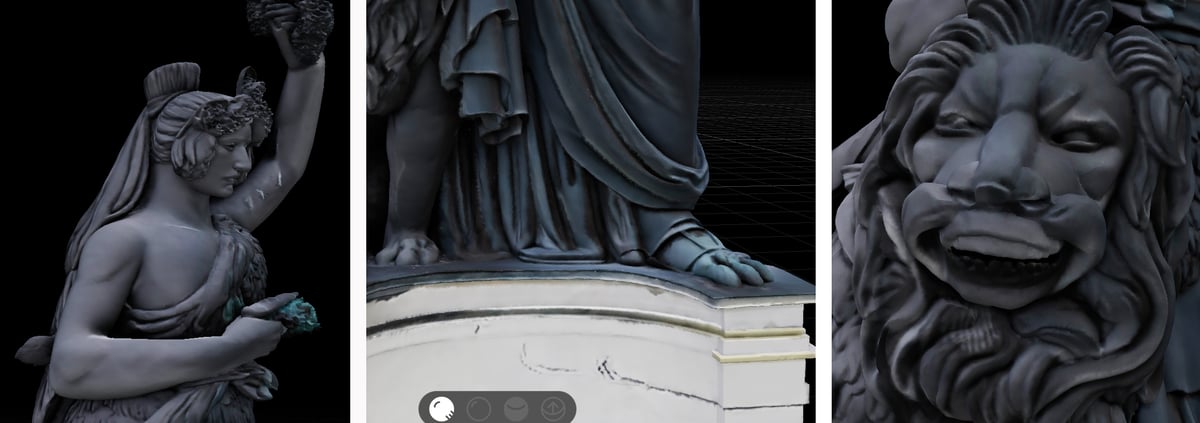
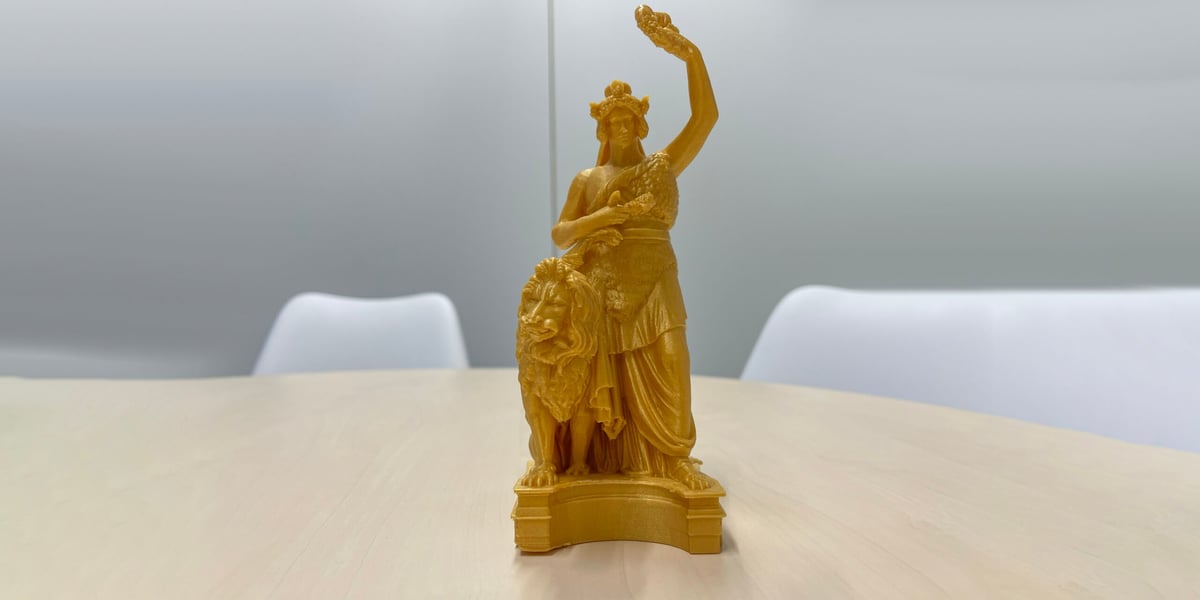
Did the Bavaria look like the Bavaria? Mostly. It was generally recognizable as the Bavaria, sure, but her face was definitely too masculine (almost looking like Michelangelo’s David), the lion came out with a cheeky grin, oddly, and Bavaria had lion feet. But overall, we were pretty impressed.
Unfortunately, there’s no way to directly edit what’s rendered. You’ll need to download the file and open it in a piece of CAD software, like OnShape, Fusion, or Solid Edge, to fix any errors, if you have the design skills to do so.
You could try uploading more images and trying again, but that will cost you more credits. Yet, there is a nice “free retry” option. You get three free do-overs if what’s generated just doesn’t hit the nail on the head. You can’t tell the platform specifically what to change; it’s just another roll of the dice. (Our free retry was less accurate, not more.) Some AI 2D-to-3D platforms, like MeshyAI, provide multiple options to pick from instead of one.
We opted to print our lion-footed Bavaria as she was.
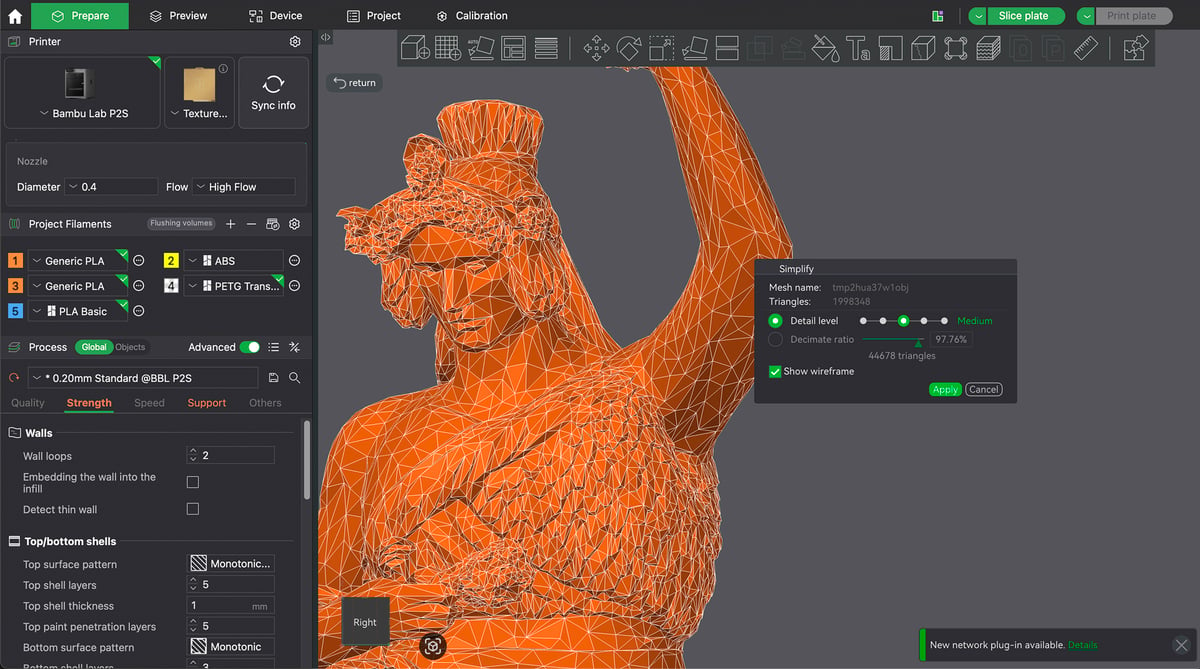
Opening the file directly into Bambu Studio resulted in zero printability errors, as Hitem3D promised. Not one non-manifold edge. With a million triangle faces, however, Bambu Studio recommended simplifying, opening the Simplify dialog box. We opted to reduce the number of triangles to medium-low or about 60K triangles. From there, we set our infill, selected tree supports, and hit print. We upsized to 150% for a statuette that took just over six hours to print.
Hitem3D currently offers free trial credits to new users and a subscription tier starting at $9.90 per month, targeting professional creators who require higher generation capacity and prioritized processing. The free trial was easy to sign up for, and we got a very high-resolution image.
One Problem Down, Now on to Accuracy
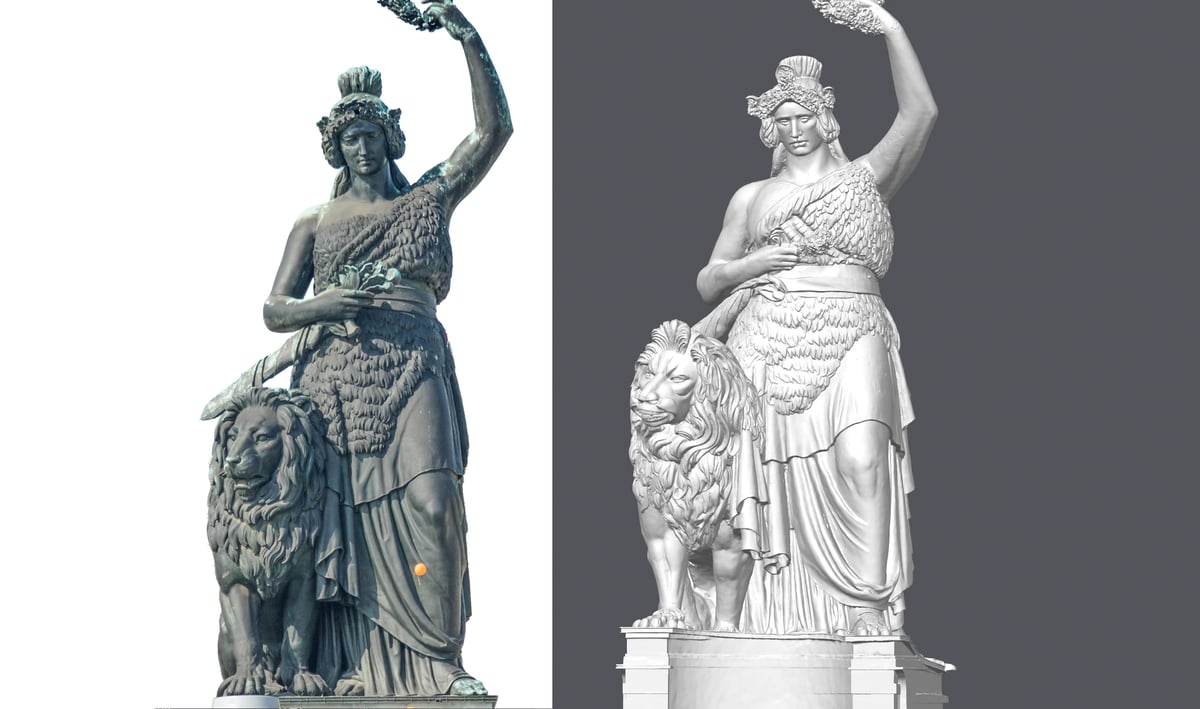
This focus on downstream usability suggests a maturation of image-to-3D workflows, yet accuracy is still the sticking point, though we’re making progress.
If Hitem3D’s reliability claims hold up in the long run, the platform could signal a broader shift in AI-assisted design, where, along with MeshyAI and others, geometric integrity, watertight meshes, and fabrication readiness become primary performance benchmarks rather than secondary considerations.
You May Also Like:

Listen to All3DP’s News Podcast:
License: The text of "New AI Image-to-Model Generator Promises Perfect STL Files, We Put It to the Test" by All3DP is licensed under a Creative Commons Attribution 4.0 International License.