
LightBurn Developers Release ‘MillMage’ CNC Routing Software

In a significant move for computer-controlled manufacturing enthusiasts, the team behind the popular laser-cutting software LightBurn introduces MillMage.
MillMage, a specialized all-in-one software platform designed specifically for CNC routing that marks a departure from the laser-focused tools LightBurn is known for, extending its reach into the broader world of subtractive fabrication.
MillMage is now publicly available in a “release candidate” phase, which, while considered nearly final, invites user feedback before its official launch. The software is aimed at experienced CNC users and integrates CAD (design), CAM (toolpath generation), and Control (machine operation) in a single application — a rare and highly sought-after combination in the CNC software market.
A Shift from Lasers to Routers

Though MillMage shares the DNA of LightBurn — particularly in its intuitive interface and 2D design tools — it diverges meaningfully in function and philosophy. Unlike laser cutters, CNC routers physically carve away material, a process that requires greater consideration of workholding, tool pressures, and Z-axis depth control. MillMage has been designed with these challenges in mind, including precise project setup tools, Z-probing functionality, and robust operation assignment workflows.
Where LightBurn users work with static workspaces tied to their machine’s physical limits, MillMage dynamically defines its workspace based on the material stock size specified during each project setup. This approach reflects the variable nature of CNC work, where the size and type of material can differ significantly from job to job.
New Tools for a New Workflow
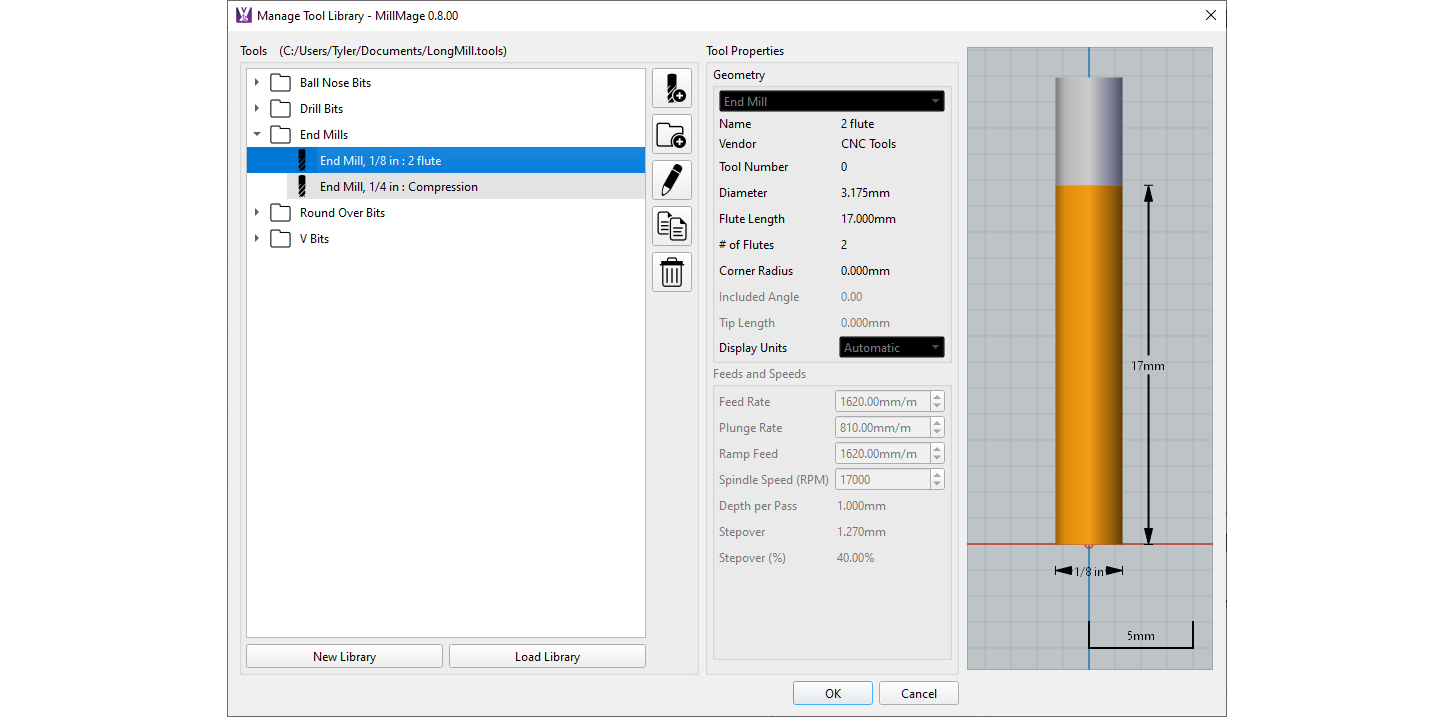
MillMage introduces a Project Setup Wizard that captures critical parameters such as material dimensions, origin points, and zero positions — all necessary for accurate and safe CNC operation. Failure to input this information correctly could lead to machine damage or ruined materials, a risk the software actively helps users mitigate.
Another key distinction lies in how operations are assigned. While LightBurn uses color-coded layers to define cutting operations, MillMage separates design layers from operational logic. Instead, users define operations in a dedicated panel and then explicitly assign them to shapes, making the workflow more deliberate and precise. For those who prefer the LightBurn-style workflow, an optional “Auto-Use Layer” feature can emulate that behavior.
MillMage also supports direct machine control, but only for firmware types it officially supports. Users of other machines can still generate G-code and export it for use with external control software. This makes it compatible with a wide range of hardware, though it doesn’t attempt to be universal in its control features — a practical limitation that underscores its focus on reliability and safety.
Not for the Uninitiated
The development team is clear in setting expectations: MillMage is not designed for beginners. A sound understanding of CNC principles is required to operate it safely. Unlike laser cutters, CNC routers can pose real physical risks if mishandled, including material kickback or damage to the machine itself. As such, users are encouraged to consult their machine manufacturers and MillMage’s in-development documentation before diving in.
Even in this near-final form, MillMage is positioned as a collaborative endeavor. The company is actively soliciting user feedback through its forums and support channels, inviting CNC veterans to help shape the final product. Documentation and guided tutorials are still being refined, and additional features — including project walkthroughs and improved setup guides — are already in the pipeline.
While LightBurn revolutionized the laser cutting workflow for hobbyists and professionals alike, MillMage aims to do the same for CNC routing, but with a steeper learning curve and a different set of challenges. It does not pretend that the complexities of CNC work can be easily abstracted away; instead, it provides experienced users with a powerful set of integrated tools to plan, control, and execute precise material removal tasks.
With its trial version now available for public testing, MillMage is poised to become a staple for those looking to move beyond lasers and into the rugged, nuanced world of CNC machining. Whether it earns the same loyal following as LightBurn will depend on how well it balances power, flexibility, and user support in the months ahead.
For more information, visit the MillMage documentation and download the release candidate.
License: The text of "LightBurn Developers Release ‘MillMage’ CNC Routing Software" by All3DP is licensed under a Creative Commons Attribution 4.0 International License.