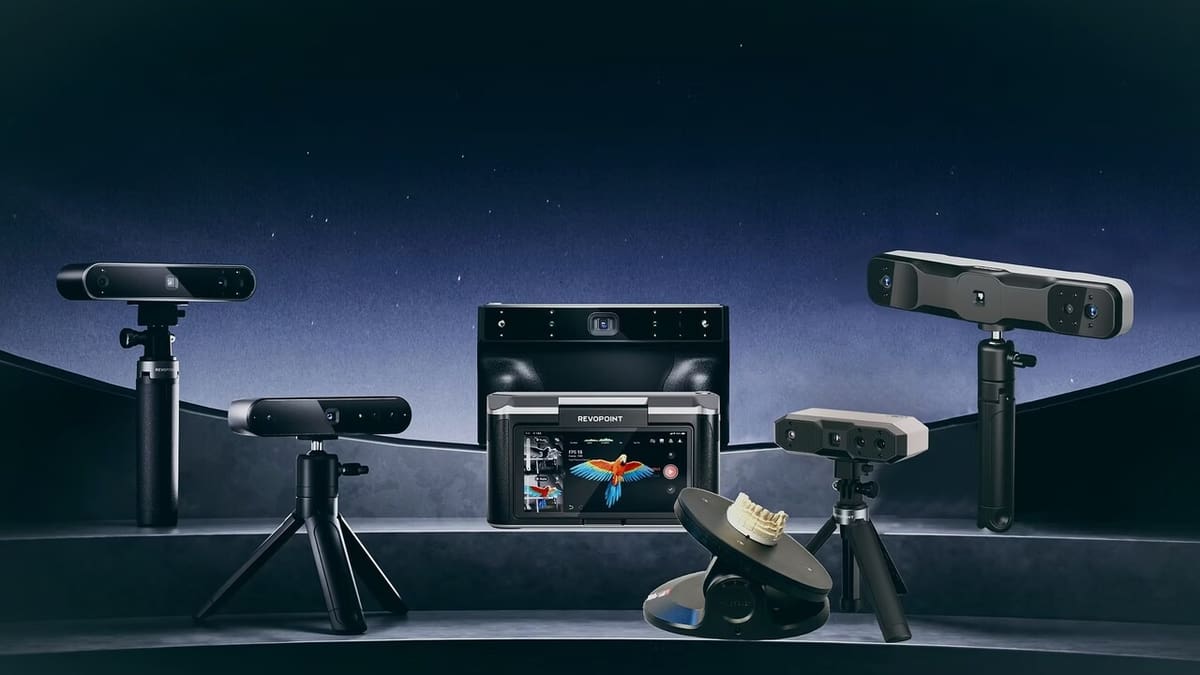
Revopoint Makes Great Scanners, But Which One Is Right for You?

Revopoint creates compact and affordable 3D scanners. But do they deliver true accuracy? Find out now in our complete comparison!
Revopoint has established itself as a well-recognized brand in the 3D scanner market, offering a range of devices for a wide variety of users, from hobbyists to professionals. In this guide, we’ll present the models available at time of writing, all designed to deliver fast and easy scanning and including full integration with Revopoint’s proprietary software.
If this is your first scanning rodeo and you aren’t sure which device will suit your needs best, don’t fret. There are a few things you’ll want to keep in mind so you can determine which one can yield the best results given your setup and goals. At the end of this article, we go over a few tips on how to choose the best scanner, as well as general scanning recommendations.
In general terms, each scanner is designed to perform best in specific scenarios. That said, all Revopoint devices include high-quality sensors that allow for color texture capture, and they’re all supplied with Revo Scan software, which is available for Windows, MacOS, Android, and iOS. Let’s take a look at what each one has to offer.

At a Glance
Inspire
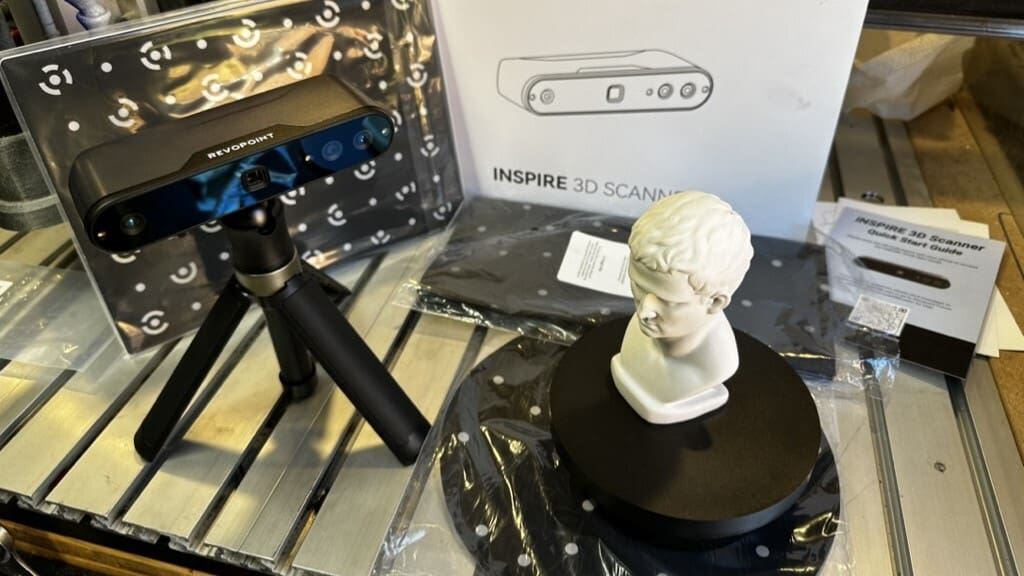
The Revopoint Inspire is the most affordable portable 3D scanner from the brand at ~$400, and might be the best choice for beginners and enthusiasts who want to scan medium-sized objects like busts, sculptures, and simple mechanical parts.
Using dual-camera infrared structured light technology, the Inspire offers a scanning speed of 14 to 18 fps, with precision up to 0.1 mm and accuracy up to 0.2 mm. Its compact and lightweight design (140 g) makes it easy to carry and use in different environments.
The smoothness and stability of the scanning process are thanks to the integration of a 9-axis inertial measurement unit (IMU), which consists of a gyroscope, accelerometer, and magnetometer, all of which work together to stabilize data in real time. This can be especially useful during handheld scanning of larger objects.
It’s important to note that the Inspire may have difficulty scanning objects with dark or highly reflective surfaces, and the use of scanning sprays is recommended to improve capture in these cases. Despite this, there are several positive reports from users who are satisfied with the results, especially when used in conjunction with accessories, such as the automated turntable (included in the standard kit) and positioning markers.
Its USB-C cable connection for data and power and its lightness for portable projects are practical points that make it attractive for educational use, mobile workshops, or quick scans. Wi-Fi connectivity is also possible, but it can be unstable in certain situations, as reported by users with smartphones.
All in all, Revopoint’s Inspire is an affordable and effective solution for those new to 3D scanning, offering a balance between performance and portability. That said, for applications that require greater precision or detail, it may be necessary to consider more advanced devices.
Range 2
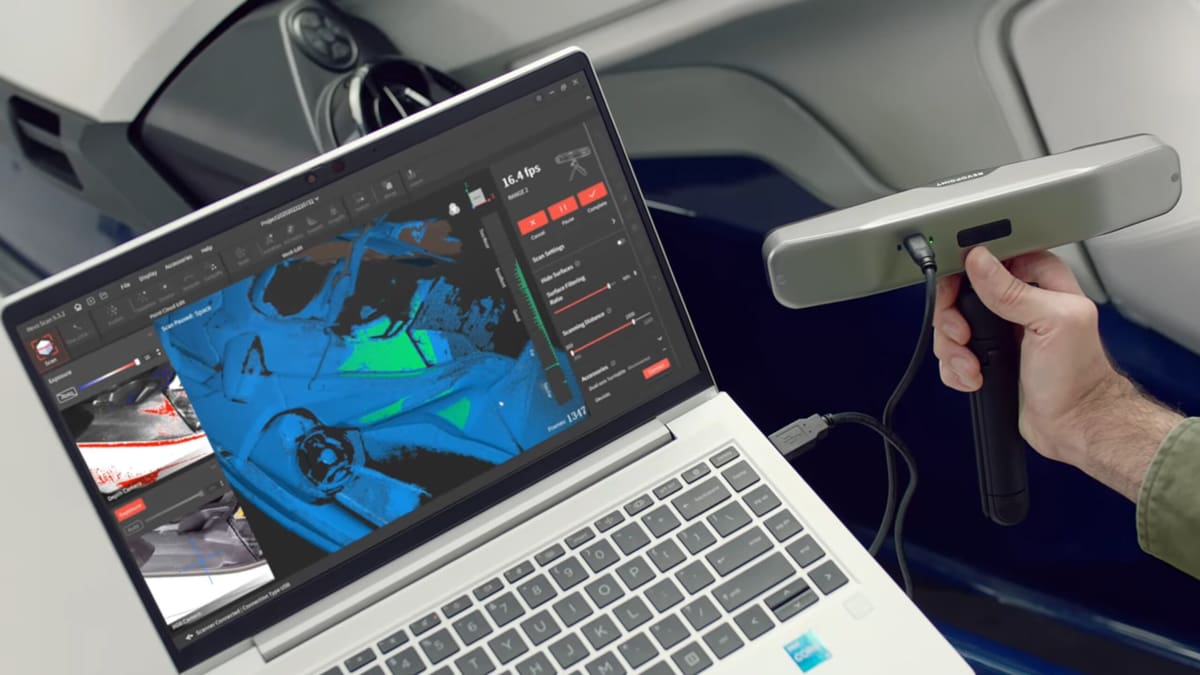
The Revopoint Range 2 is a portable 3D scanner designed to capture large objects with good accuracy and ease of use, reflected in its price of around $730. Using structured infrared light technology, it offers up to 0.1-mm accuracy and a significantly larger capture area per frame than the Pop 3 or Mini 2. Plus, it has an extended working distance from 400 to 1,300 mm and a field of view of up to 860 × 1,380 mm, which can be ideal for scanning people, furniture, sculptures, and bulky objects.
The Range 2’s scanning speed is similar to other devices in the lineup, reaching up to 16 frames per second, and it also benefits from the integration of a 9-axis IMU. This, in addition to four flash LEDs, help achieve better color scans, especially when carrying out handheld processes.
The device features dual cameras (depth and high-resolution RGB), which enable the capture of detailed textures and broaden its applications to fields like full-body modeling for VR/AR, cosplay, and prosthetics.
Staying true to Revopoint’s plug-and-play philosophy, the Range 2 operates via USB-C or Wi-Fi 6. It comes with a carrying case and useful accessories like a tripod, smartphone holder, and scanning mat.
Community reviews have been mostly favorable. On several forums, users have reported that the Range 2 was able to scan large objects with ease, praising its wide capture range and ability to maintain tracking on complex surfaces. However, it doesn’t offer the best precision for small objects, especially those with fine details. It may also require the use of mattifying spray on glossy or black surfaces, as is common with structured-light-based scanners.
In short, the Range 2 is the best option in the Revopoint lineup for those who want to scan large objects with a good level of accuracy without sacrificing portability. Its speed, field of view, and stability make it a solid choice for work involving sculptures, fashion, orthopedics, and virtual reality environments, so long as extreme sub-millimeter accuracy isn’t the primary requirement.
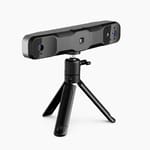
Mini 2
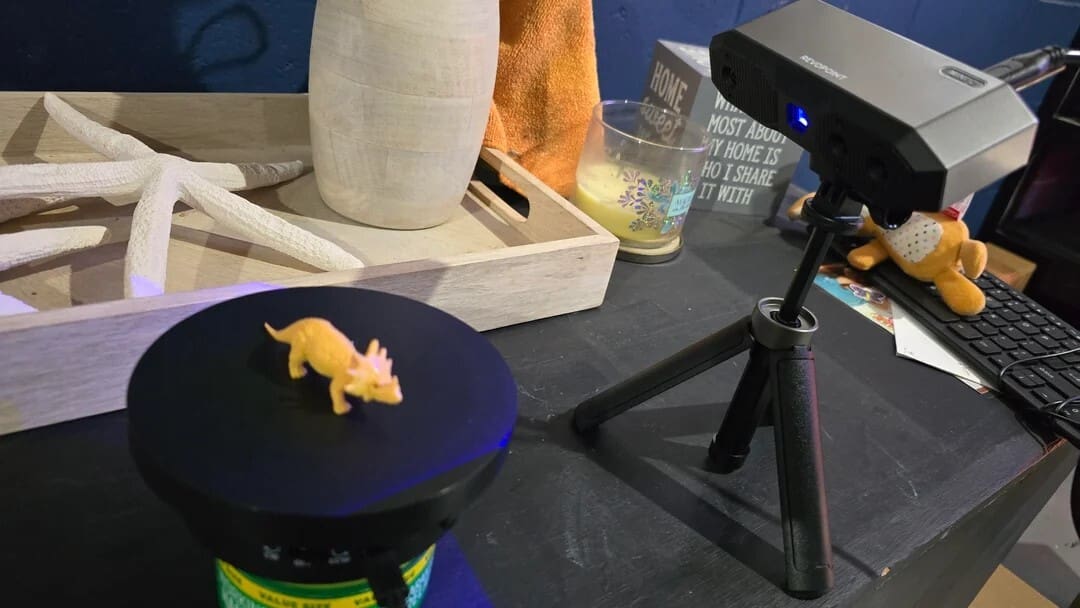
The Revopoint Mini 2, with a price tag of ~$830, is a high-precision 3D scanner designed for capturing small, detailed objects, and is ideal for dentistry, jewelry, precision engineering, and archaeology projects. With precision of up to 0.02 mm, it stands out as one of the most accurate scanners in the Revopoint line to date, surpassing the original Mini. This accuracy is made possible by its dual-camera blue structured light technology, which offers greater stability and less interference in environments with varying ambient lighting.
The Mini 2 uses a depth camera and an RGB camera (both 2 MP), resulting in scans with consistent texture and geometry. The scanning area is adjusted for objects between 10 mm and 500 mm in size, with a recommended working distance of between 120 and 250 mm – which reinforces its specialization in small-sized models. The frame rate reaches up to 16 fps, enough for fast scans on fixed or rotating objects, but it’s not recommended for applications that require moving or full-body scanning.
In terms of ergonomics and usability, the Mini 2 can be used with a tripod and dual-axis turntable (both included in the Advanced Edition kit), but it also supports manual scanning in specific cases. As with other recent devices, it has a USB-C connection and Wi-Fi 6, and comes with Revo Scan 5 software for post-processing and mesh export.
Among the most frequent praises is the ability to capture micro details, such as action figures. However, some buyers point out limitations in scanning transparent or highly reflective objects without the use of mattifying spray – something common for optical scanners in this category.
Overall, the Mini 2 represents a solid solution for professionals who need high-precision scans of small objects, with a user-friendly workflow and software suite that is compatible with major CAD and 3D printing tools. Its focus on precision makes it less versatile for high-volume scanning, but unbeatable for niche applications.
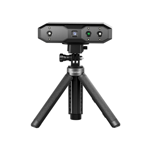
Pop 3 Plus
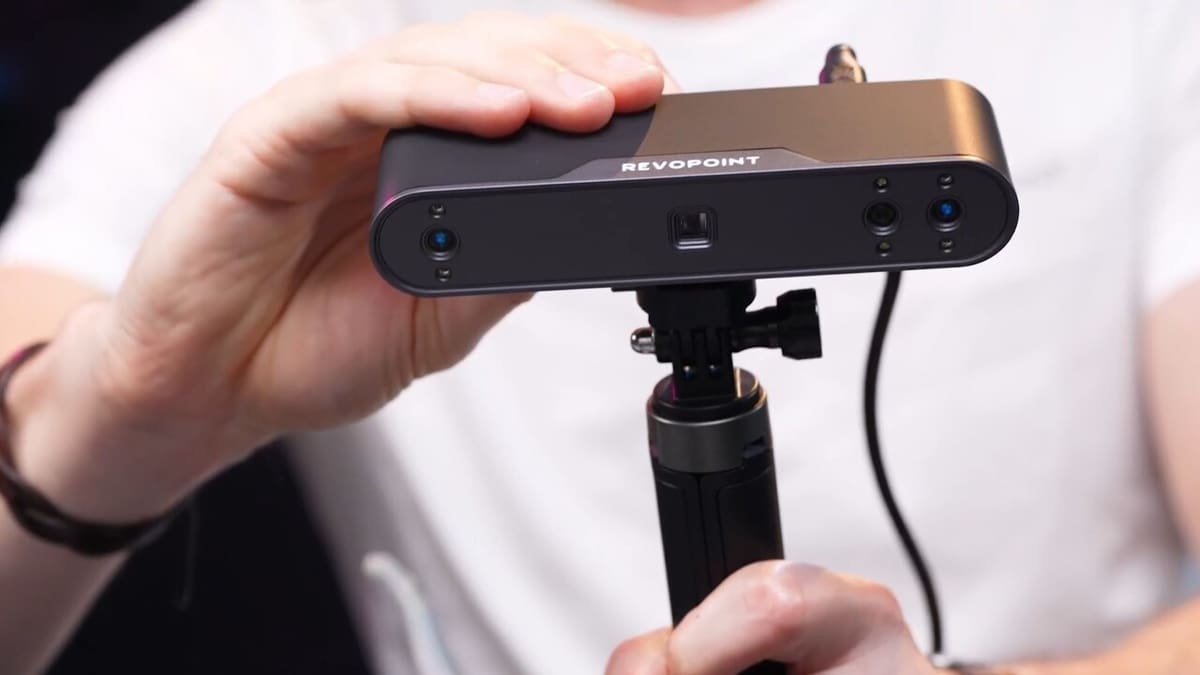
The Revopoint Pop 3 Plus continues the legacy of the Pop series as a portable, versatile, and affordable solution (~$620) for those seeking intermediate-level 3D scanning. It uses infrared structured light technology for scanning and includes an integrated RGB camera for color capture. The device can be used handheld or with a stand or rotary table, and it connects via USB-C cable or Wi-Fi.
The Pop 3 Plus offers a large scanning volume, making it easier to capture bigger objects with less movement and greater speed. It maintains an accuracy of around 0.05 mm and a capture rate of up to 18 fps – a significant improvement over previous devices like the Pop 2. It supports marker tracking and benefits from good stability, especially when used with Revopoint’s automated turntable.
Users praise the Pop 3 Plus for its optical zoom and versatility for scanning both larger and smaller objects, like action figures. Additionally, it handles larger volumes such as helmets, sculptures, or furniture with more convenience due to its expanded field of view and reliable tracking.
The Pop 3 Plus is available in either a standard or advanced kit. While the former includes a tripod, rotary table, and markers, plus a few more accessories, the latter includes a dual-axis turntable and a power bank.
Overall, the Pop 3 Plus represents a solid option bridging basic scanners and professional solutions. It’s recommended for enthusiasts and small studios looking for good quality, affordability, and portability without needing industrial-grade precision. Its larger scan volume and speed make it particularly suited for users who frequently work with medium-to-large objects.
MetroX
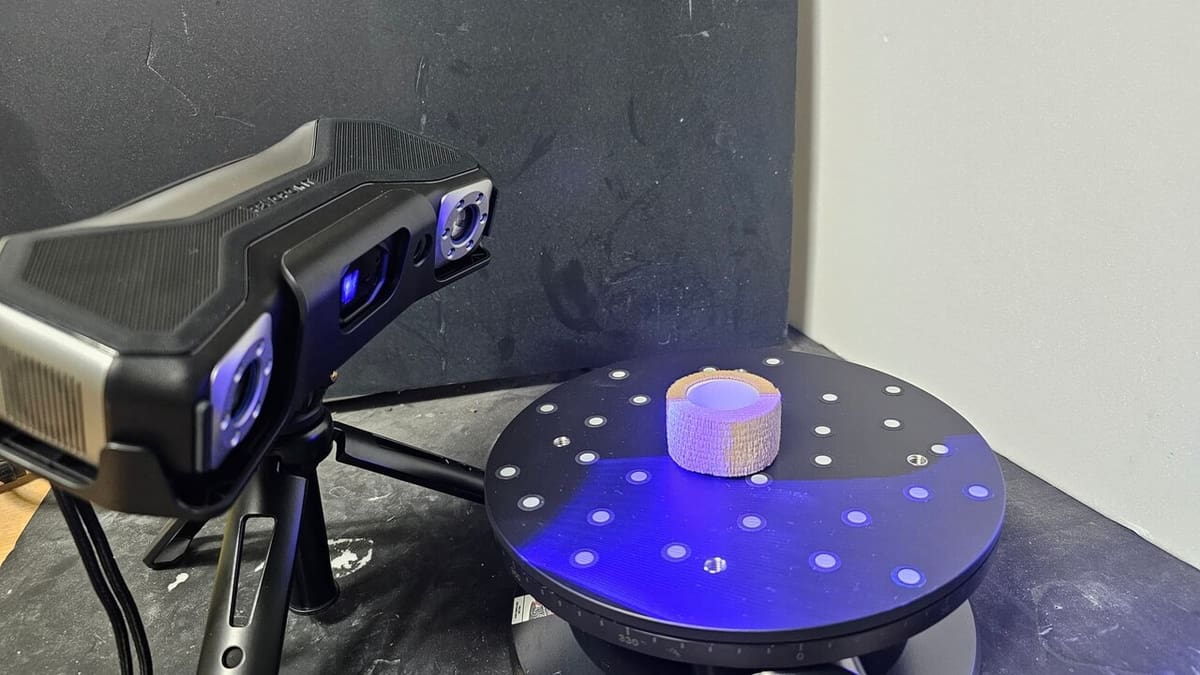
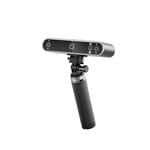
The Revopoint MetroX is a professional 3D scanner aimed at technical and industrial use, something that’s reflected in its price of ~$1,000. It represents a leap forward in the Revopoint line by incorporating structured blue laser scanning technology, with a focus on high precision and dimensional reliability, which is especially useful in reverse engineering, quality control, and metrology. The official accuracy is up to 0.03 mm and the working distance is between 200 and 400 mm, allowing scanning from small components to medium-sized objects with a high degree of detail.
MetroX is aimed at applications where minimum tolerances are essential. It offers three tracking modes, depending on whether the object has many details that have to be scanned, there are none of these, or if there’s a significant volumetric accuracy needed. The scanning speed reaches up to 60 fps, enough to maintain fluidity in tracking without compromising the fidelity of the meshes. The blue laser-based optical system significantly reduces interference caused by ambient light or soft reflections – one of the main obstacles in devices with infrared light.
In terms of workflow, the MetroX works best with a tripod and rotary table, and although it can be used manually, its focus is on high-precision fixed scanning; its connectivity is via USB-C.
The reception from the technical community is still limited, since the model was recently launched. However, in discussions on Reddit, professionals highlight the good results obtained in inspections of metal parts and machined components. They praised points such as the fine edge detection system and the low need for post-processing in simple meshes. Among the negative observations, the higher price and the lack of compatibility with mobile devices were pointed out as limiting factors.
MetroX is therefore a specialized tool: It’s not Revopoint’s most versatile scanner, but it’s the most suitable for those who need high dimensional accuracy and optical stability. It’s designed to serve engineers, technicians, and industries that require more than just visual aesthetics – they need real fidelity in the scanned proportions.
Miraco / Pro / Plus
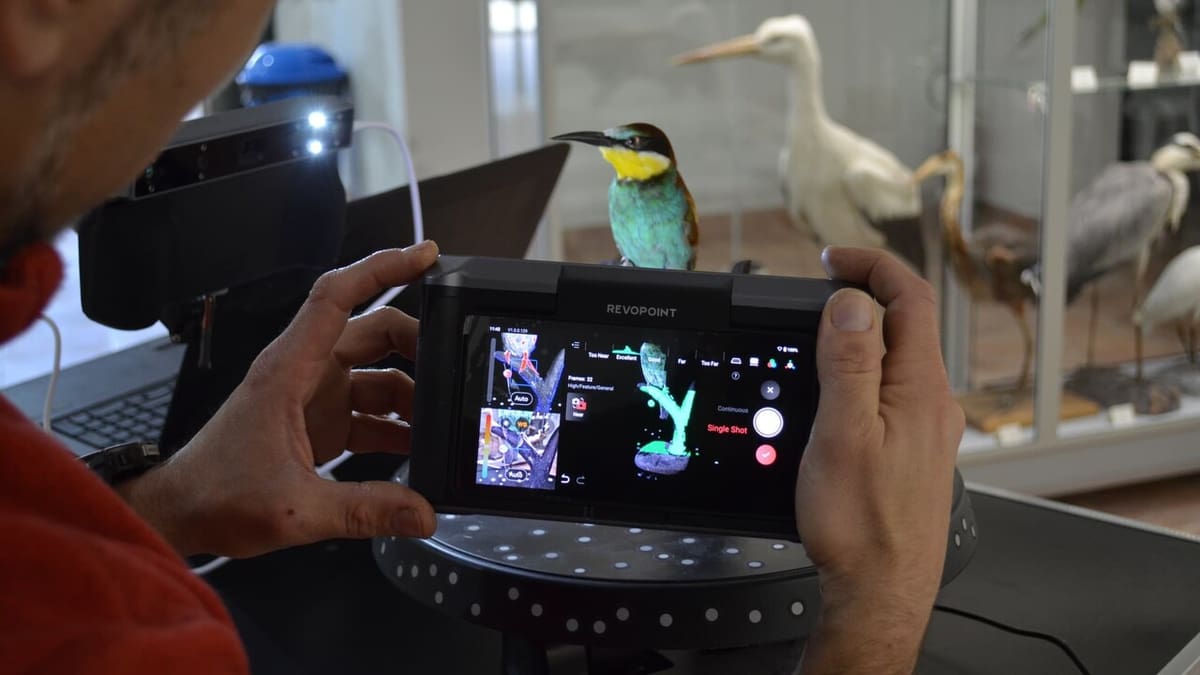
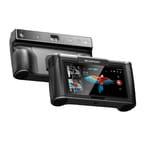
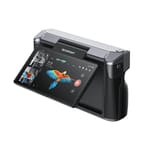
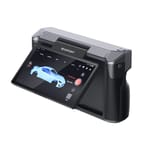
Revopoint’s Miraco line represents the brand’s commitment to standalone scanners with a focus on portability and professional performance. All three devices – Miraco, Miraco Pro, and Miraco Plus – share the same compact body, fully independent operation (no PC or smartphone required), 6″ touchscreen with 2K AMOLED resolution, and integrated battery, which offers approximately 2.5 hours of continuous scanning. The proposal is clear: To enable scanning anywhere, with a workflow directly on the device.
All three devices use a structured light-based scanning system with two adjustable modes: Near-mode, ideal for small, detailed parts, and Far-mode, aimed at larger objects. Maximum accuracy reaches 0.04 mm for the Miraco Plus and 0,05 mm for the Miraco and Miraco Pro. The frame rate can reach 20 fps on the Plus and 15 on the standard and Pro. The 48 MP RGB camera system is common to all three, ensuring texture quality even in handheld use.
The main differences lie in hardware performance. The standard Miraco comes with 16 GB of RAM and 256 GB of SSD storage, more than enough for moderate workflows. The Miraco Pro doubles that capacity to 32 GB of RAM and 512 GB of SSD, which reduces bottlenecks in larger scenes and improves the fusion of heavier meshes. Finally, the Miraco Plus maintains the same 32 GB of RAM and 512 GB of SSD, but brings additional internal software and cooling system optimizations, delivering better stability and fluidity – especially in long sessions.
Reviews reflect positively on both the different devices and the overall workflow. The Miraco’s ease of use and beginner-friendliness are highlighted, as are the results achieved with the Pro for medium-to-large objects. The Plus’ overall workflow is also commended for its user-friendliness, although its battery life is noted to be an issue when the lights are on.
In short, the Miraco line is the right choice for those who want complete mobility without sacrificing performance. The basic model is well suited to beginners and mobile professionals, while the Pro and Plus offer expanded capabilities for intensive and complex workflows.
Accessories
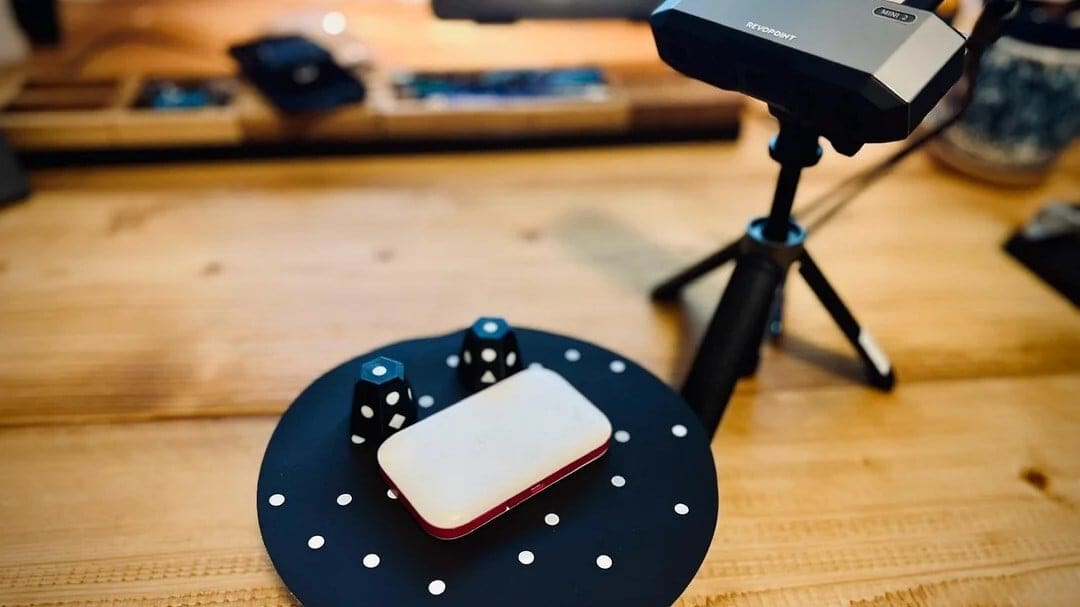
To get the most out of your Revopoint scanners, it’s essential to invest in the right accessories. They not only help you achieve more accurate results, but they also make scanning easier in different environments and for varying applications. Some devices already come with basic items included, but there are options that significantly expand their functionality. In this section, we cover the three most important groups: turntables, portable accessories, and auxiliary materials, such as alignment markers and opacifying sprays.
Turntables
Turntables automate the rotation of the object during scanning, providing better coverage and less manual effort. The Portable Turntable, present in the basic kits for the Pop 3 and Inspire, for example, works well for miniatures and craft pieces, but loses stability with heavier objects.
For more demanding applications, the Dual-Axis Turntable might be a better fit. It adds a second axis with programmable tilt, which makes it easier to scan complex angles without having to manually reposition the object. A final option is the Large Turntable. It’s sturdy and can put up with up to 200 kg loads – perfect if you’re scanning people.
Portability
Portability is one of Revopoint’s greatest promises, especially in devices such as the Pop 3 or the Miraco scanners. However, for this mobility to work well, it’s essential to invest in support accessories. Tripods are a must: A good tripod allows you to keep the scanner stable at different heights and angles, reducing noise and capture errors. The model included in the kits is basic, and the brand has a few more options as well, including the Tripod and Scanner Cradle, a Tripod with Universal Ball, and even a Laptop Mount.
Another useful accessory is a phone holder, like the one for the Pop, especially when the user relies on the Revopoint app to control the scan. They eliminate the need to hold the phone and the scanner at the same time, freeing up one hand to rotate the object or adjust the lighting.
Matte Markers & Sprays
When working with reflective, translucent, or very smooth surfaces, data capture can be problematic even with good scanners. That’s where alignment markers come in – small stickers with geometric patterns that help software track the position and orientation of the object. They’re especially common with the MetroX and Mini 2, as these devices focus on millimeter precision. Revopoint’s official markers come in rolls of 500 to 1,000, and users say they’re easy to apply and don’t leave residue or marks.
There are also magnetic markers with embedded patterns that perform a similar function, especially useful on metal parts. These reusable markers are popular with engineers and technicians who scan items in industrial settings. The Revopoint forum has reports of users affixing magnetic markers to curved surfaces to make scanning turbines and shafts easier, a common task with the MetroX.
Scanning spray is essential for dark, shiny, or translucent objects. Revopoint’s offers include both a temporary product, which vanishes at 6-24 hours, or a semi-permanent option that will remain on the object until it’s wiped or washed off.
Scanner Selection Tips
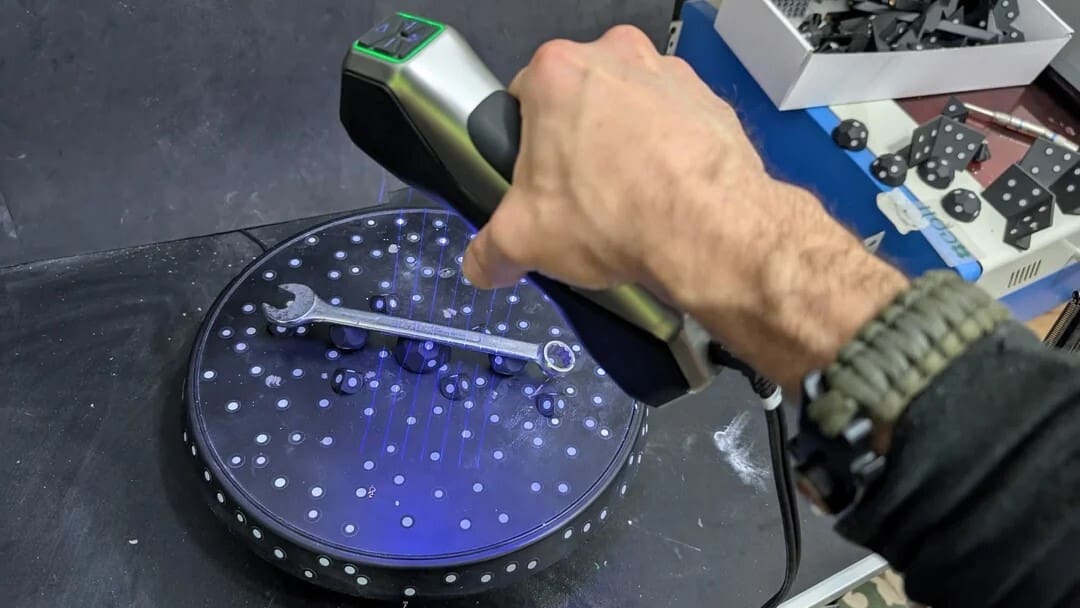
Even if you have the best scanner and all the right accessories, you can still face challenges when carrying out a project. Here are a few things to keep in mind when looking for a scanner to make sure it’s the right one for your needs.
- Precision and accuracy: The lower the values, the more detailed the scan. Precision refers to the repeatability of the data – that is, the consistency between different captures – while accuracy indicates how close the digital model is to the actual size and shape of the object. Both are essential in technical or fitting projects.
- Capture area and working distance: These two factors determine the size and type of object the scanner can easily capture. Devices with a larger capture area and working distance allow you to scan people, sculptures, or large objects, while scanners with a smaller area are better suited for small, detailed items.
- Light source: The technology used directly influences the quality and safety of the scan. Blue light provides greater fidelity in small parts with many details. Infrared (NIR), in addition to being safer for scanning people, is less sensitive to ambient light and works better in different conditions.
- Mobility: Some devices, such as the Miraco, are fully autonomous scanners with an integrated display, battery, and internal storage, ideal for use in the field. Others, such as the Pop 3, require connection to a computer or cell phone, which limits mobility but offers more control and software features.
- Texture and color: Scanners with texture capture are ideal for those who need colorful and realistic models. They are widely used in applications such as 3D modeling for games, AR/VR, product design, museology and digital preservation.
- Minimum hardware requirements: Even portable scanners require a computer or mobile device with minimum specifications to function properly. Devices with low RAM, weak processors or slow connections can cause crashes and affect the final quality of the scan and experience.
- Environment and materials: The material and scanning location affect the result. Dark, transparent, or highly reflective surfaces make capture difficult and may require the use of mattifying sprays. Outdoor environments with direct sunlight also interfere, so it’s preferable to scan in well-controlled indoor locations.
Scanning Tips
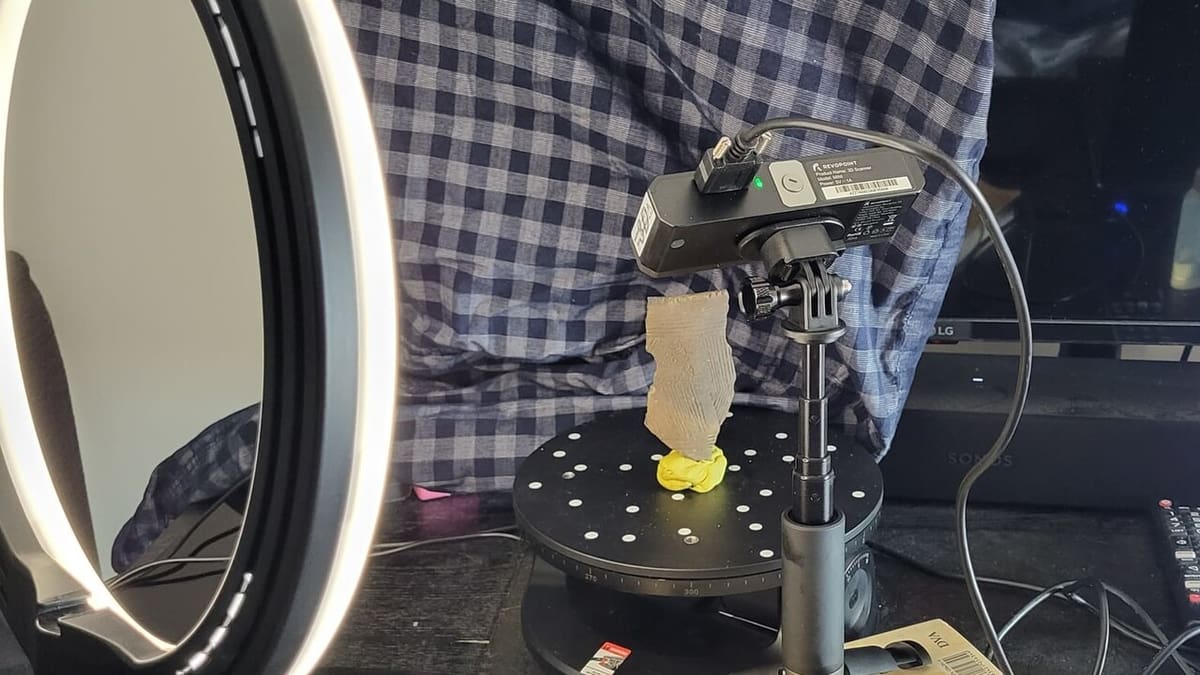
Even after you’ve chosen an excellent scanner that meets your exact needs, there will be a few things you’ll want to keep in mind to ensure that the results live up to your expectations.
- Maintain a controlled environment: Avoid direct sunlight and eliminate harsh shadows. Opt for soft, consistent lighting to reduce interference during capture. Make sure that the object is stable and the background is neutral, static, and non-reflective. While the sensor can handle many environments, aiming for ideal conditions ensures the best results.
- Use the correct mode: Revopoint’s Revo Scan software includes optimized profiles (such as “Face”, “Body”, “Dark Object”, etc.). Choosing the right mode can make a significant difference by adjusting sensor sensitivity, light projection brightness, and the type of mesh generated. For small technical items, use high resolutions and reduced scan speed. For larger objects, prioritize stability and faster scanning.
- Use reference markers: Reference markers are essential for scanning smooth, symmetrical, or low-texture objects, as they help the scanner maintain tracking and alignment between captures. Apply them evenly and at regular intervals, ensuring that at least three markers remain visible throughout the entire scan. They’re especially useful when scanning 360° with a turntable. Revopoint devices like the Pop 3 and Range 2 support dedicated marker tracking modes in Revo Scan. Avoid reflective surfaces and, if needed, place markers on the base for added stability.
License: The text of "Revopoint Makes Great Scanners, But Which One Is Right for You?" by All3DP is licensed under a Creative Commons Attribution 4.0 International License.
CERTAIN CONTENT THAT APPEARS ON THIS SITE COMES FROM AMAZON. THIS CONTENT IS PROVIDED ‘AS IS’ AND IS SUBJECT TO CHANGE OR REMOVAL AT ANY TIME.