From Digital Model to Casting: The Best Jewelry CAD Software for Any Design Style

From entry-level to professional, discover how the right jewelry design software perfects casts and prototypes.
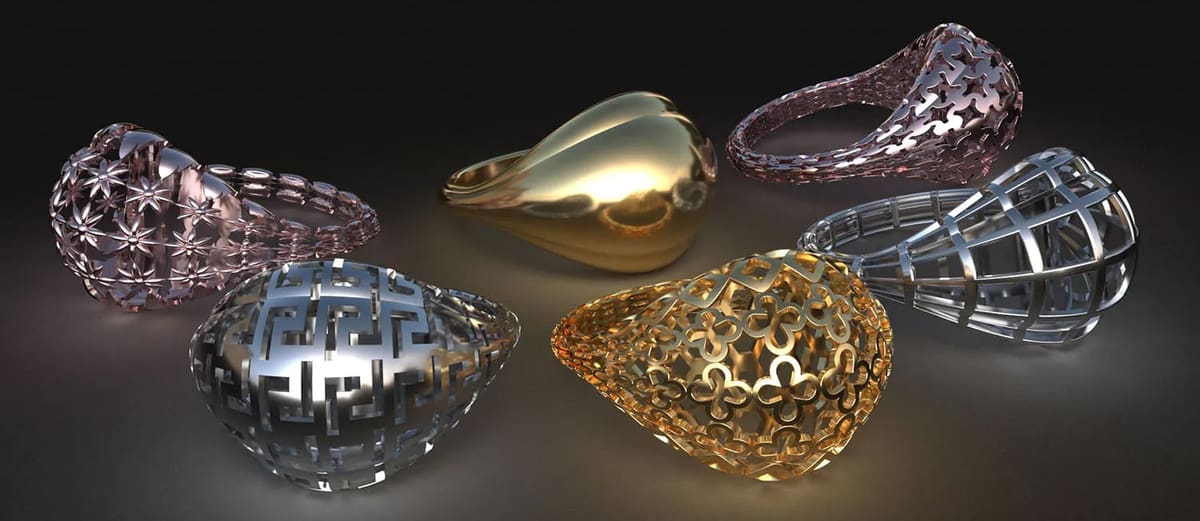
The traditional, fully equipped workshop is no longer a prerequisite for bringing jewelry concepts to life. Thanks to the rise of CAD and 3D printing, the barrier to entry has dropped dramatically. Designers can now conceptualize a piece on screen and instantly bridge the gap to reality, whether that means printing a prototype at home in resin or castable wax, or sending the digital file directly to a service bureau to be produced in plastic, metal, or a material ready for casting.
This digital flexibility is a game-changer in an industry where fractions of a millimeter can make or break a design. Before committing to any actual physical material, a designer can easily adjust ring sizes, stone fits, wall thicknesses, clearances, and intricate repeated details. This workflow also streamlines the creation of design variations, allowing you to quickly spin out matching earrings or scale a single ring concept into an entire size run.
Finding the right software comes down to the specific aesthetic you want to achieve. For pieces relying on exact dimensions and repeatable geometric patterns, parametric CAD is the ideal choice. If your work leans toward organic forms, intricate textures, reliefs, and expressive storytelling, digital sculpting software is a much better fit. Even simple 2D CAD can suffice for flat pieces like charms, nameplates, and basic pendants before the lines are extruded into a three-dimensional, printable model.
The chosen manufacturing method also dictates how a digital model must be constructed. A file optimized for direct metal printing requires a different approach than a resin prototype or a wax model intended for investment casting. Furthermore, commercial printing services enforce their own strict parameters regarding wall thickness, tolerances, supported formats, and minimum feature sizes. A quality jewelry CAD program will help navigate these constraints and export a clean, watertight model that avoids the need for tedious manual repairs.
For serious independent designers looking for the best overall balance, Rhino 8 stands out because of its precision, versatility, massive learning ecosystem, and perpetual licensing model. For high-volume commercial production, MatrixGold 4 offers a more tailored professional environment, while 3Design V13 provides a highly guided, specialized workflow.
Among the cost-free alternatives, Blender offers unmatched creative liberty for organic shapes, especially when paired with the JewelCraft add-on, whereas FreeCAD is better suited for precise, dimension-driven designs.
Beginners can find a practical starting point in Tinkercad for simple projects, while Shapr3D caters beautifully to designers who prefer the mobile freedom of working on an iPad. AI model generators like Tripo AI can take you text prompt or image and create a digital model that you can then refine in CAD.
Ultimately, no single program rules supreme because the ideal tool depends entirely on the nature of the project. A sculptural pendant, a classic wedding-ring collection, and a complex pavé engagement ring all demand completely different technical strengths. Because of this, many seasoned professionals choose to combine multiple programs, weaving seamlessly between modeling, sculpting, rendering, and print preparation tools to achieve the perfect finish.
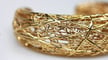
Features to Consider When Comparing Jewelry CAD Software
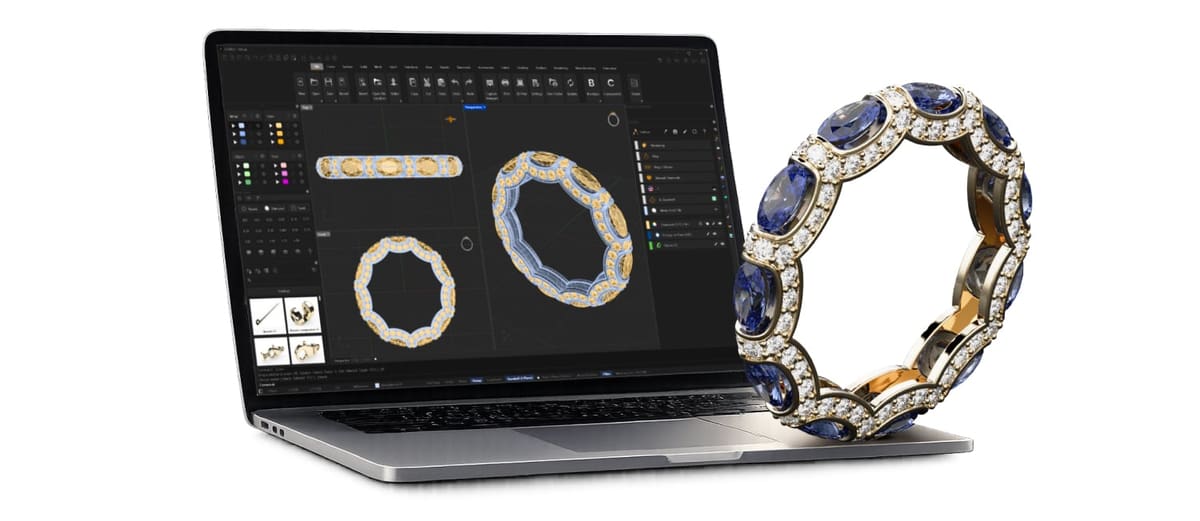
- Jewelry-specific tools and templates: Libraries of standard components, such as ring shanks, settings, clasps, and earring backs, can reduce repetitive work and help designs conform to common jewelry-making practices.
- Precise modeling tools: Jewelry often involves fractions of a millimeter, so the software should provide reliable dimensioning, measurement, snapping, and tolerance controls.
- High-detail modeling: Fine engravings, textures, prongs, and decorative elements need enough geometric resolution to appear correctly in the printed or cast result.
- Printability and model checking: Tools for identifying non-manifold geometry, holes, intersecting surfaces, thin walls, and other mesh problems can prevent failed prints or rejected service orders.
- Photorealistic rendering: Realistic materials, gemstones, reflections, and lighting make it easier to evaluate a design before committing to a print. They’re also useful for showing clients, creating product images, or testing different metal and stone combinations.
- Accessible workflow: A clear interface and manageable learning curve are particularly valuable for hobbyists who want to design a few personal pieces rather than train as professional CAD jewelers.
- Suitable export formats: At a minimum, the program should export common 3D printing formats such as STL or 3MF. Support for formats such as STEP, OBJ, or 3DM can also be useful when transferring models between programs or working with manufacturers.
With these considerations in mind, we’ve compiled our favorite CAD programs for designing jewelry for 3D printing, casting, and professional manufacturing. We’ll cover their standout features, pricing, ease of use, and the types of jewelry-making workflows they suit best.
MatrixGold
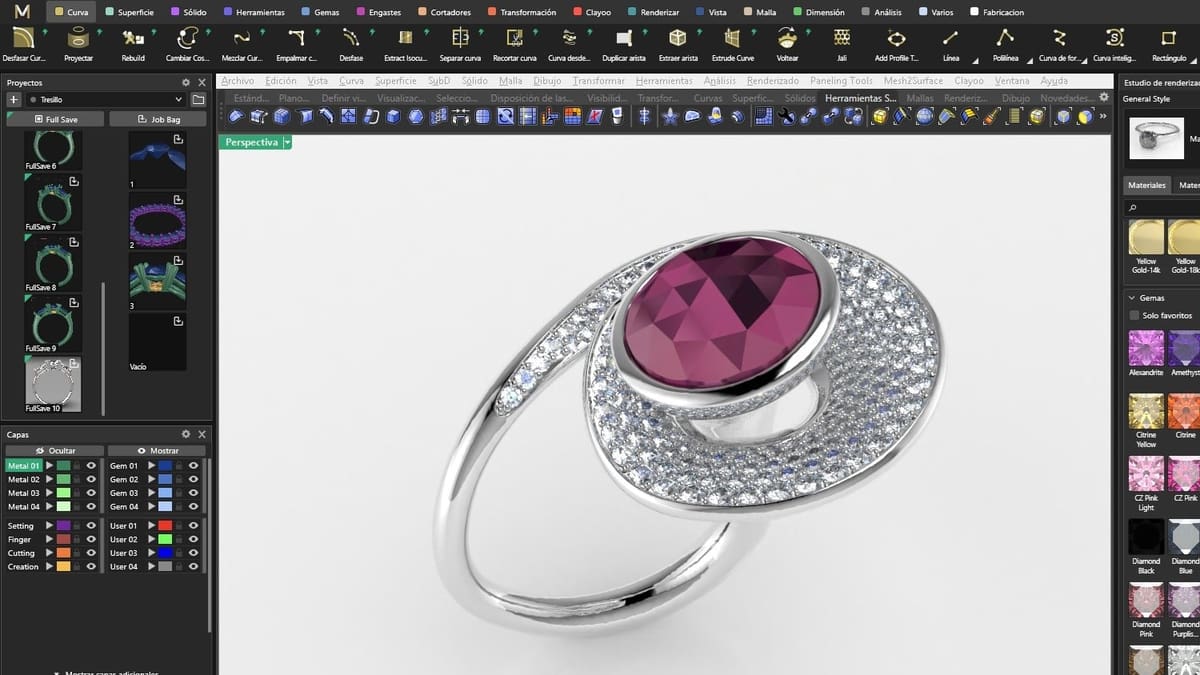
MatrixGold is one of the most specialized options in this comparison. Rather than asking designers to build every shank, head, prong, and stone arrangement manually, it provides tools developed specifically for jewelry production.
MatrixGold 4 was released in 2026 with a more workflow-oriented interface and additional validation and production tools. Its additions include thickness checking, an updated technical report, Scoop, Multi-Prong Edit, and limited offline operation.
Its main advantage is speed. A professional designer can create and revise common commercial pieces without rebuilding the model after every client-requested change. Parametric tools are particularly valuable when a customer changes the center stone, ring size, halo spacing, or shank dimensions late in the design process.
MatrixGold also includes dedicated tools for pavé, bezels, heads, prongs, channels, split shanks, signet rings, matching bands, gems on surfaces, and other recurring jewelry operations.
The drawback is cost and specialization. MatrixGold is aimed primarily at working jewelers and commercial CAD designers, not occasional makers. It also requires a capable Windows computer and should be treated as a business investment rather than an inexpensive entry point.
Best for: Professional jewelry studios, custom jewelers, production designers, and businesses making frequent client revisions.
Skip it if: You are still learning basic 3D modeling or only plan to make occasional jewelry.
Pros
- Extensive jewelry-specific modeling tools
- Parametric editing
- Strong stone-setting workflow
- Production checks and technical reports
- Designed around commercial jewelry work
Cons
- Expensive
- Windows-focused
- Too specialized for many hobbyists
- Training is strongly recommended
3Design
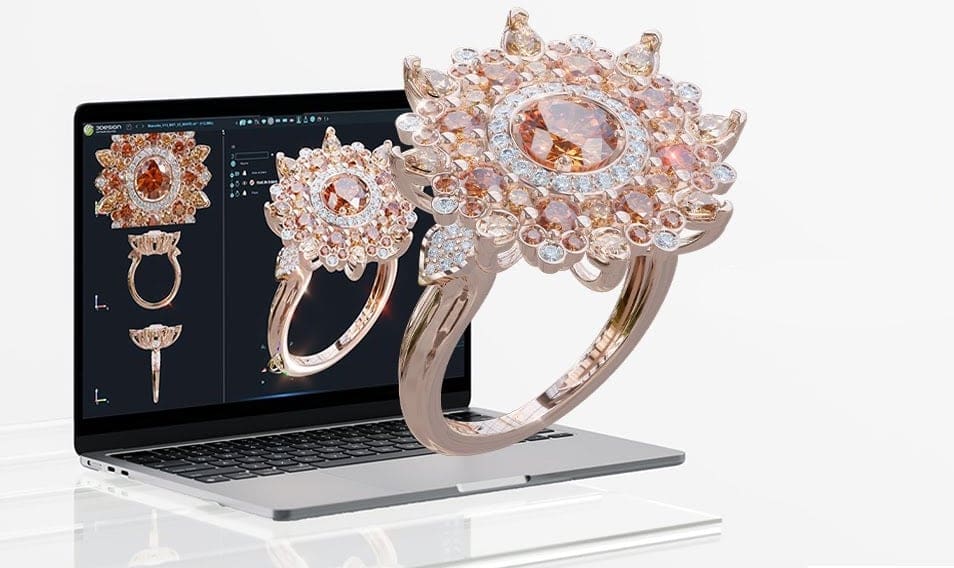
3Design is another dedicated jewelry package, but its approach is somewhat different. It is designed to present jewelry construction in a visual, step-by-step environment rather than looking like a generic engineering package.
The V13 release introduced more than 50 new features and hundreds of fixes covering stone setting, curve creation, interface behavior, and performance.
Its parametric history is one of its strongest features. Designers can return to previous operations and modify dimensions without necessarily reconstructing the entire piece. It also provides libraries and builders for common jewelry components such as ring profiles, settings, stones, shanks, and channels.
Unlike some Windows-only specialist tools, 3Design’s core engine is available for both Windows and macOS, and files can be exchanged between the two platforms.
3Design is especially appealing to traditional jewelers who want software organized around familiar jewelry components. However, it remains a substantial professional package with quote-based pricing, a learning curve, and hardware requirements that exceed those of beginner applications.
Best for: Professional jewelers who want parametric tools and a visually guided workflow.
Pros
- Built specifically for jewelry
- Parametric design history
- Extensive component and model libraries
- Windows and macOS support
- Strong presentation and rendering options
Cons
- Quote-based professional pricing
- Requires training
- Less useful outside jewelry design
- Demanding hardware requirements
Rhino + RhinoArtisan 6.8
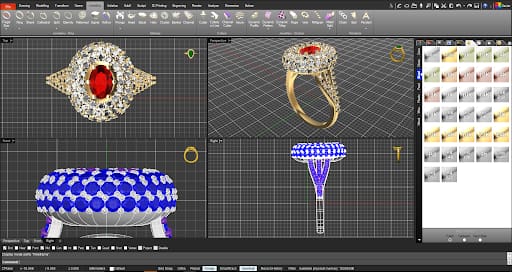
RhinoArtisan combines Rhino’s flexible modeling environment with a dedicated set of tools for jewelry design, presentation, pricing, and manufacturing. It is a stronger fit for this list than Rhino 8 alone because it adds the specialized functions that working jewelers would otherwise need to build manually or obtain through separate plugins.
The software runs on Rhino 7 or Rhino 8 and includes tools for recurring jewelry tasks such as gemstone placement, ring construction, settings, pavé, profiles, ornaments, and model preparation. It also adds production-oriented features including tolerance checks, STL repair, technical reports, material information, weight calculations, and pricing tools. The developer states that RhinoArtisan includes more than 120 features covering design, manufacturing, and retail workflows.
Because RhinoArtisan operates inside Rhino, users retain access to Rhino’s NURBS, SubD, mesh, solid-modeling, rendering, scripting, and Grasshopper capabilities. This makes it more flexible than a closed jewelry-only package. Designers can use the dedicated commands for routine work, then switch to Rhino’s general-purpose tools when a piece requires unusual surfaces, custom construction, or generative geometry.
The current RhinoArtisan 6.8 Full Edition includes a commercial Rhino 8 license. A lower-priced edition is available for users who already own Rhino 7 or Rhino 8. Licenses are perpetual, although only the first six months of RhinoArtisan updates and premium support are included with the initial purchase. Pricing varies by region and should be checked immediately before publication.
RhinoArtisan is less expensive than some top-end professional jewelry systems, but it is still a substantial purchase for a beginner. It also runs only on Windows 10 and Windows 11; the current version does not support macOS, Linux, ARM processors, or virtualized Windows installations.
Best for: Independent jewelry designers, custom jewelers, small studios, and Rhino users who want dedicated jewelry tools without giving up a flexible general-purpose modeling platform.
Skip it if: You need native macOS support, want a free entry-level application, or only intend to create occasional simple jewelry models.
Pros
- Dedicated jewelry-design and stone-setting tools
- Built on Rhino’s flexible NURBS, SubD, mesh, and solid-modeling platform
- Manufacturing checks, STL repair, and technical reports
- Material, weight, costing, and pricing functions
- Perpetual license rather than a mandatory subscription
- Full Edition includes Rhino 8
- Useful for design, manufacturing, rendering, and customer presentations
Cons
- Significant upfront cost
- Windows only
- Requires Rhino 7 or Rhino 8
- Only six months of updates are included with the initial purchase
- Still requires CAD knowledge for unusual or highly complex designs
Blender + JewelCraft
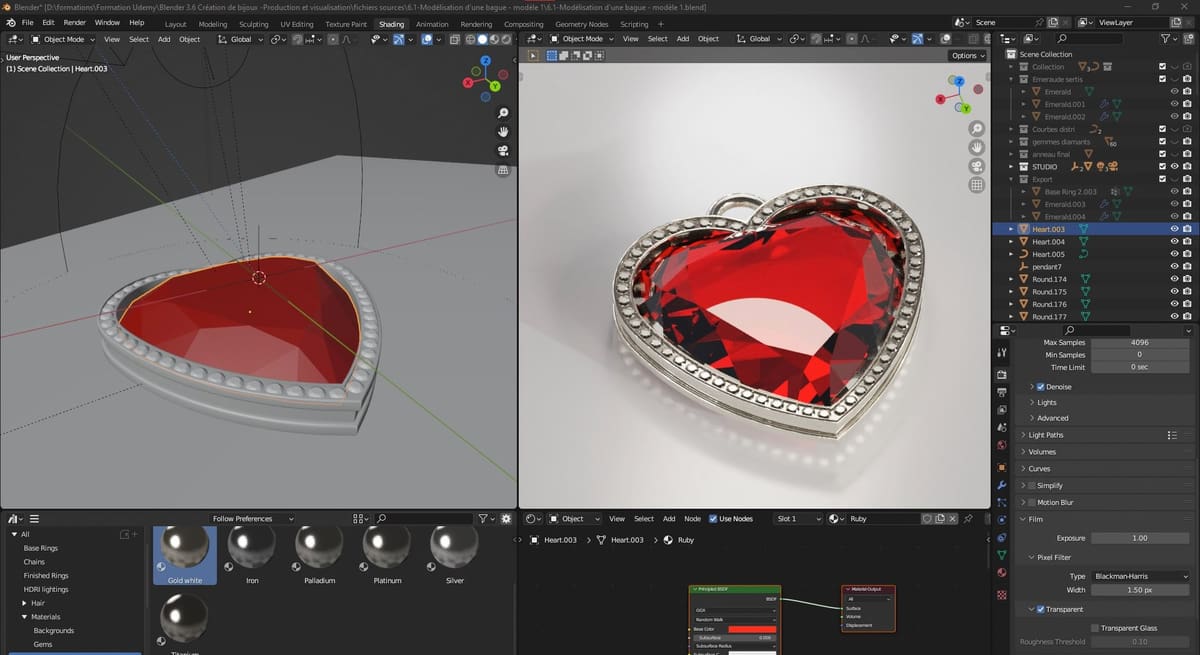
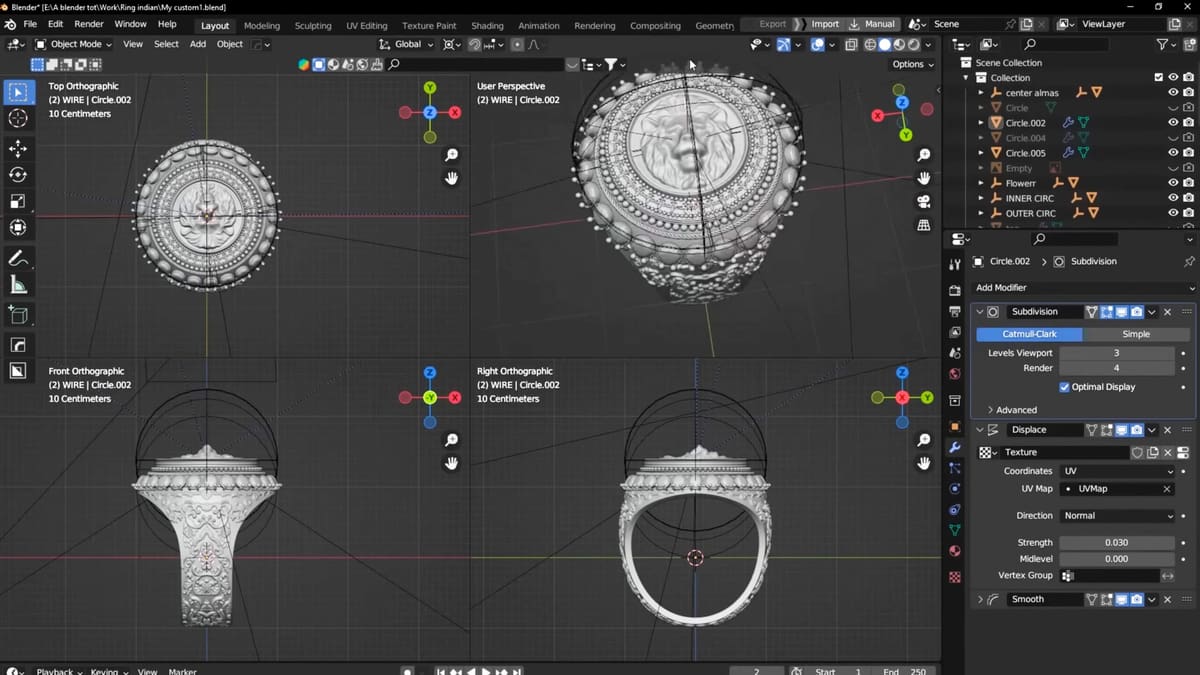
Blender, paired with the JewelCraft add-on, is one of the strongest completely free options for designers interested in sculptural, decorative, or experimental jewelry.
Blender combines polygon modeling, sculpting, modifiers, procedural Geometry Nodes, rendering, and animation in a single open-source package. It’s available for Windows, macOS, and Linux. On its own, however, Blender lacks many of the specialized tools commonly found in jewelry CAD software. JewelCraft helps address that by adding tools for creating gemstones, prongs, cutters, repeated stone arrangements, component libraries, measurements, and material-weight estimates.
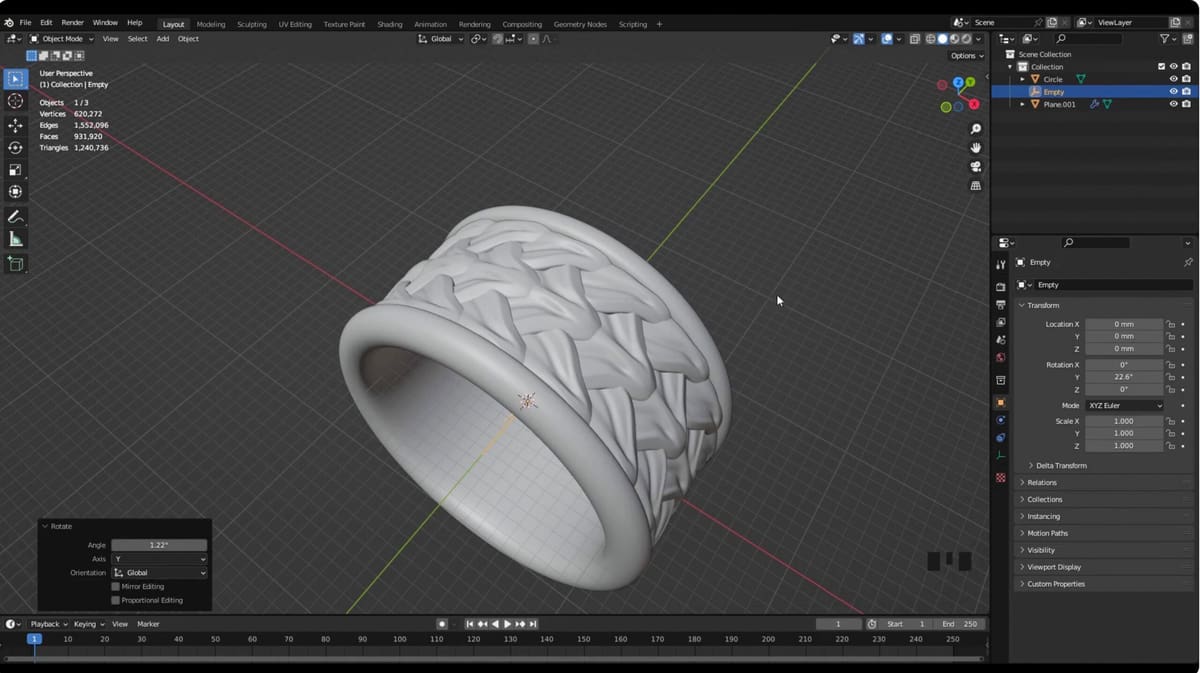
This combination works particularly well for organic pendants, reliefs, textured rings, statement pieces, and other forms that would be awkward to construct in traditional engineering CAD. Blender’s modifiers can generate symmetry, repeated patterns, lattices, and surface details without requiring every operation to be permanently applied, while Geometry Nodes can be used for procedural chains, decorative patterns, and repeated settings.
JewelCraft makes common jewelry tasks faster, especially when working with gemstones and settings. Stones can be generated and distributed along curves or surfaces, while associated cutters and prongs can be created more efficiently than they could be using Blender’s standard tools alone. These features make Blender considerably more useful for models intended for resin printing, castable patterns, rendering, or submission to a 3D printing service.
Its main weakness is still dimensional control. Blender can work at real-world scale, but its mesh-based workflow does not provide the same level of parametric precision or manufacturing guidance as dedicated jewelry CAD software. Exact ring sizing, stone clearances, minimum wall thicknesses, casting tolerances, and Boolean cleanup still require careful checking.
Blender also includes tools that can help prepare models for production. The built-in 3D Print Toolbox can identify issues such as non-manifold geometry, intersecting faces, and thin areas, although it does not replace a thorough manufacturability review. Depending on the workflow, designers may still use another program to inspect, repair, resize, or finalize the model before printing or casting.
Blender with JewelCraft is therefore best viewed as a flexible jewelry-modeling environment rather than a complete professional production system. It offers an unusually capable free workflow, particularly for artistic designs and makers willing to spend time learning mesh modeling and checking their models manually.
Best for: Artistic jewelry, organic designs, gemstone settings, textured surfaces, and makers who want a free jewelry-modeling workflow.
Pros
- Completely free and open source
- JewelCraft adds gemstones, prongs, cutters, measurements, and jewelry-specific tools
- Strong sculpting and mesh modeling
- Excellent rendering
- Procedural modeling through Geometry Nodes
- Large tutorial and add-on community
- Runs on all major desktop platforms
Cons
- Less precise and parametric than dedicated jewelry CAD
- Ring sizing and manufacturing tolerances require manual attention
- Mesh and Boolean cleanup can be time-consuming
- JewelCraft does not provide a complete production workflow
- Easy to create visually appealing but unmanufacturable models
AI Model Generator + FreeCAD
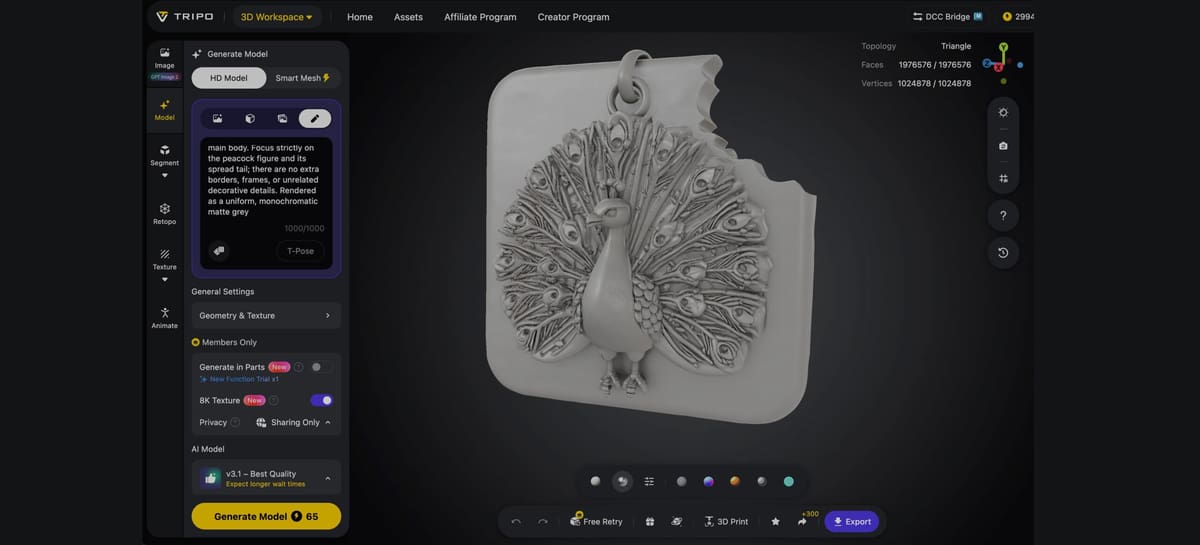
If you don’t have a lot of CAD skills yet, you can still create unique jewelry with a little help from AI.
Say you want a unique pendent design but you’re not sure where to start. AI model generators, like Tripo, Hi3D, and Meshy AI can create a 3D printable model from a text prompt, sketch, or photo.
We tried Tripo 3D for the Peacock pendent above. With a 1,000 word limit, the text to 3D model generator came close to what we wanted, but we can’t explain the odd bite out of the pendent backing. AI just doesn’ have the accuracy you can rely on but it’s a good place to start. We output our peacock pendent as an STL and fixed the flaws in FreeCAD.
AI-powered 3D model generators can be useful during the early stages of jewelry design. Instead of building every shape from scratch, designers can enter a written prompt or upload a reference image and generate a rough 3D model in minutes.
These tools are especially effective for creating organic and decorative forms. They can help produce concepts for pendants, charms, reliefs, animal motifs, floral patterns, fantasy-inspired pieces, and other sculptural designs. Image-to-3D generation can be particularly useful when working from a sketch, logo, or front-facing illustration, as it gives the AI a clearer visual reference than a text prompt alone.
AI generation can also speed up ideation. You can quickly produce several variations of the same concept, compare silhouettes, and explore forms before committing time to detailed CAD work. For independent jewelers and beginners, this can make the concept-development stage more accessible.
However, an AI-generated model should usually be treated as a starting point rather than a production-ready file. The model may also have inaccurate dimensions, an unsuitable back surface, or delicate features that could break during printing, casting, finishing, or everyday wear.
Before manufacturing, the model should be imported into software such as Blender, ZBrush, Rhino, Fusion, or dedicated jewelry CAD software. You can then scale the piece accurately, repair the mesh, remove unwanted geometry, smooth or rebuild rough surfaces, and make the object watertight. Wall thickness, minimum feature size, weight, balance, and overall durability also need to be checked.
AI modeling tools can be valuable for visualization, experimentation, and organic form generation, but they do not yet replace jewelry CAD expertise.
You May Also Like:
License: The text of "From Digital Model to Casting: The Best Jewelry CAD Software for Any Design Style" by All3DP is licensed under a Creative Commons Attribution 4.0 International License.