From Steel Benches to Rolling Carts: 13 3D Printer Stands/Tables Built for Stability & Storage

Need a production space for your Bambu Lab H2D or better organization for your Prusa MK4? Check out these heavy-duty steel benches, mobile tool carts, and workspace options.
Setting up a desktop 3D printer is a thrill, but many makers overlook a critical foundation of their workspace: what the machine actually sits on. Sure, you can start with whatever you have on hand. To be honest, a solid concrete floor may even be a good option to keep the vibrations to a minimum if you don’t mind bending. But once you get more into the hobby, you’ll want a work table that can handle the weight of the 3D printer and can keep your workspace, tools, and materials organized.
Thankfully, the options are nearly endless. To help you sift through all that’s out there, let’s first consider what’s most important before we get to our suggestions.
What to Look For
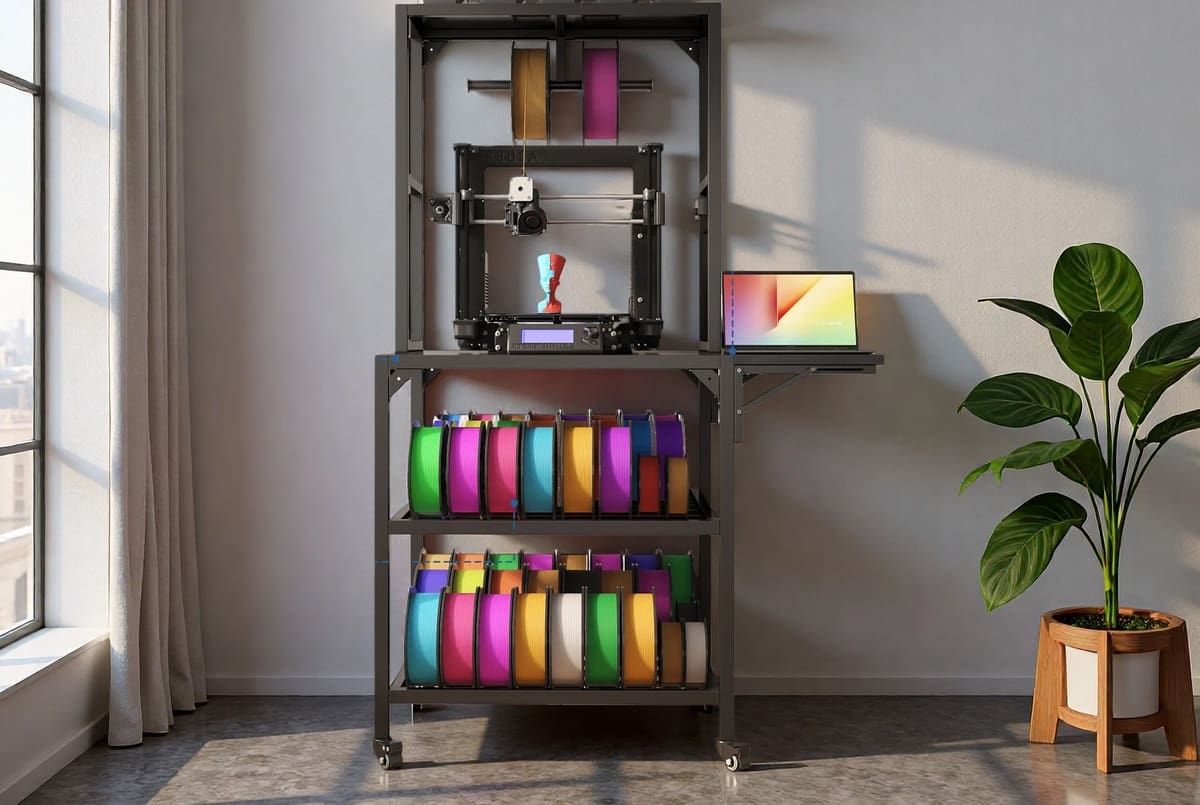
Before picking a table or stand for your 3D printer, there are a few practical things worth checking.
Strength and stability: First and foremost, the table needs to support your printer without wobbling. Fast-moving printers can generate a surprising amount of vibration, especially during rapid infill or travel moves. A Bambu Lab H2D, for example, weighs 68 pounds and can practically shake the pencils off your desk once it gets going. Check the table’s maximum load, but also pay attention to frame rigidity, leg design, and the thickness of the work surface. A high weight rating doesn’t help much if the whole thing flexes from side to side.
Enough room all around: Don’t judge the fit using the printer’s footprint alone. The print bed may move beyond the frame, doors and lids need space to open, and external spool holders, filament buffers, or multi-material systems can add to the overall setup. Leave enough clearance at the back for cables and ventilation, as well as room above and around the printer for maintenance, filament changes, and the occasional failed-print rescue mission.
The right surface: A flat, durable, and easy-to-clean top is ideal. For resin printing, a non-porous surface such as stainless steel or sealed laminate makes spills much easier to deal with. For FDM printers, a dense, solid surface can help reduce vibration and noise. A concrete paver or vibration-damping mat can also help, provided the table can handle the extra weight.
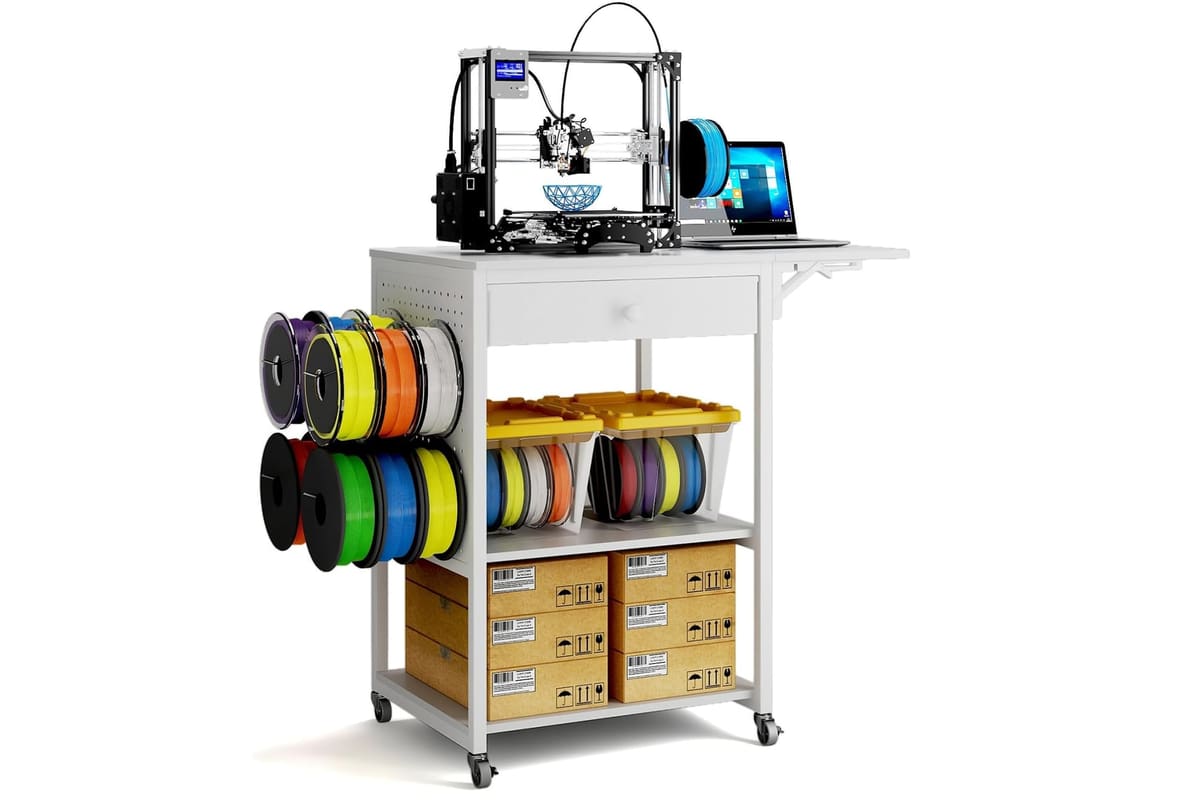
Fit for your setup: A compact rolling cart, a simple side table, and a full-size garage workbench all serve very different purposes. Think about where the printer will live and how you use it. Do you need storage for filament, resin, tools, and spare parts? Will you regularly move the printer? Do you want space for post-processing equipment or a second machine later? Choosing for your actual workflow is better than simply buying the biggest bench that fits.
Mobility and leveling: Wheels can be useful, particularly in a workshop or shared space, but they should lock securely. Adjustable feet are another handy feature, especially on uneven floors. Whatever you choose, the stand shouldn’t rock, roll, or slowly wander across the room during a long print.
Storage and cable management: Shelves and drawers can keep tools and materials close at hand, while cable openings or built-in power strips help prevent a tangle behind the printer. Just avoid packing storage areas so tightly that they block airflow or make the printer difficult to service.
Material and environment: Consider where the table will be used. A wooden desk may be perfectly suitable in an office, while a metal or sealed workbench will generally hold up better in a garage or resin-printing area. Resin setups also need appropriate ventilation, and any printer should be kept away from flammable clutter, direct sunlight, moisture, and unstable surfaces.
With those points covered, let’s get to our selections! Most of the options below arrive assembled or require only basic setup, though we’ve also included a few DIY choices for makers looking for an extra project.
Basic Tables
To start with, these are straightforward and functional models, ideal for those looking for a stable surface to support the printer or perform maintenance tasks. These tables prioritize solid construction and good cost-benefit, without specific features for organizing filament or accessories. They’re great for compact setups or for those who are just starting out in 3D printing.
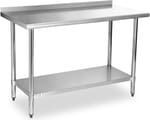
StableInk Stainless Steel Table
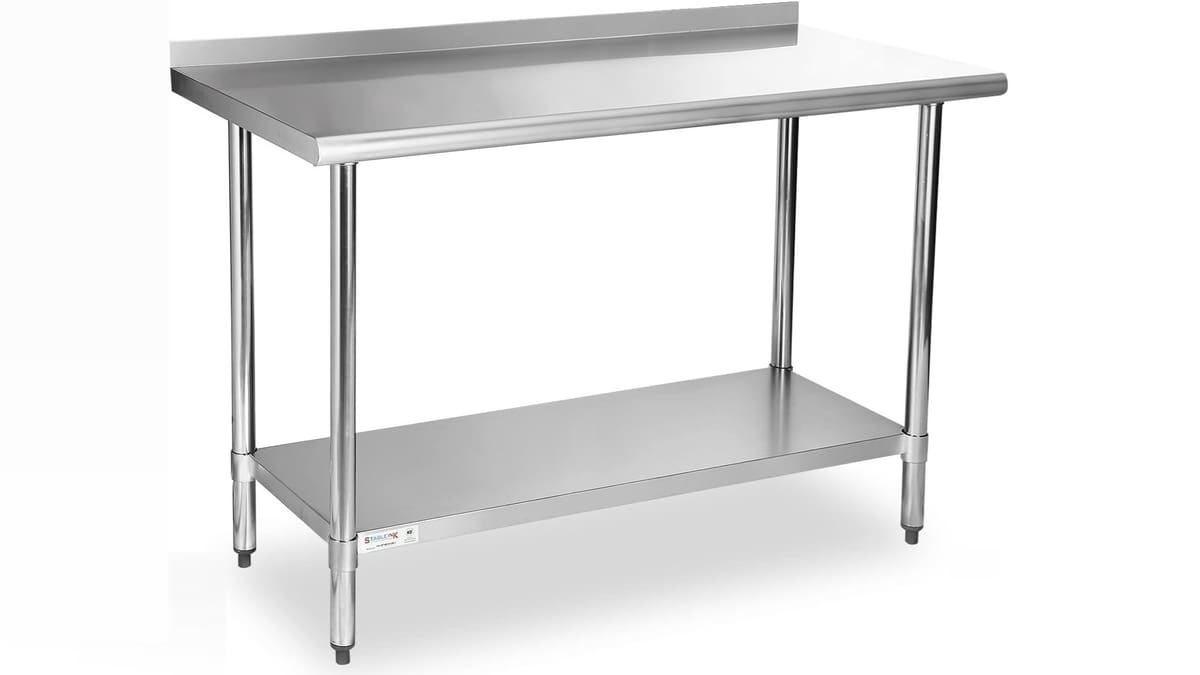
Adjustable and easy to assemble, this stainless steel table is a solid home for your 3D printers. Users report being able to store heavy 3D printers on it without any issues, and it has a particularly high bearing capacity, as the top shelf can hold 500 pounds. The feet and undershelf are adjustable, which makes it convenient to create additional storage space beneath the undershelf.
The stainless steel surface is highly resistant to rust, easy to clean, and stays dust-free. This table is available in a variety of different sizes, so you can opt for a more compact option or go larger if you need more space.
- Size: ranges from 24 x 12 x 34.7 in (minimum) to 72 x 30 x 34.7 in (W, D, H, maximum)
- Features: Adjustable undershelf, easy-to-clean stainless steel, high load capacity
- Price: ~$85 – $320 depending on size
Seville Classics UltraGraphite
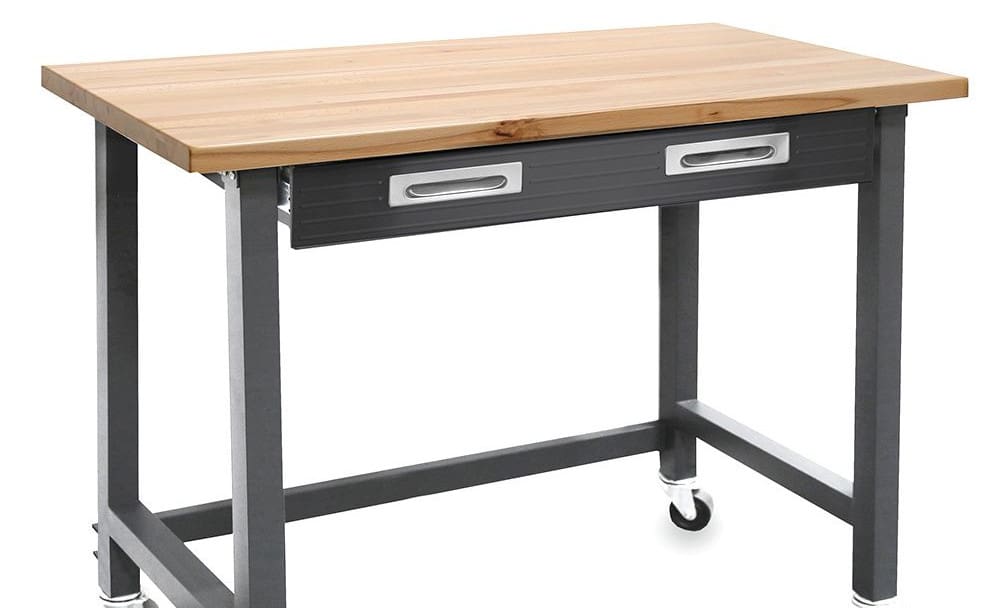
Looking for something with a low profile and modern look? The UltraGraphite Mobile Workbench will fit into a more compact space without sacrificing style. Another portable option, it has a steel drawer and a minimal surface area.
A solid wood top and locking casters pair up to be good enough to run a printer on, but keep in mind only two of them lock. Workspace here is decent, enough for a printer and a laptop. Add to that the steel organizer drawer with adjustable dividers, and you have a bit more extra storage to keep things tidy.
- Size: 48 x 24 x 37 in (W x D x H)
- Features: Wood top, small footprint, portable
- Price: ~$260
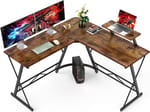
Mr. Ironstone L-Shaped Desk
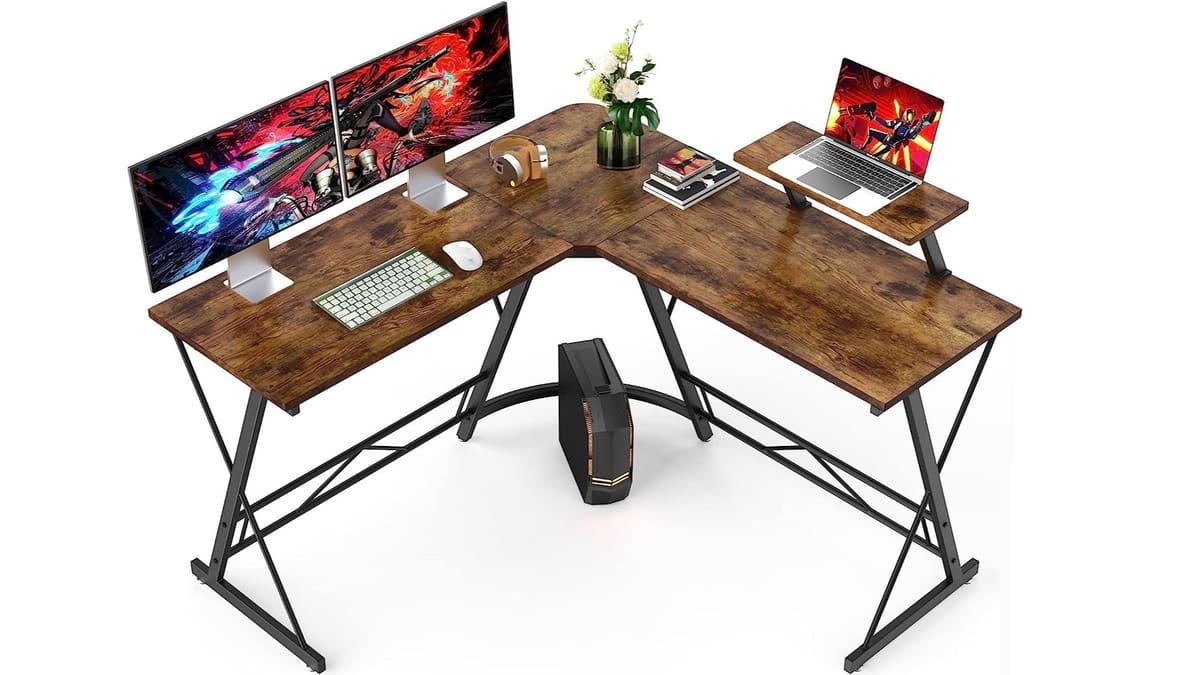
This next desk is an excellent choice if you’re looking for a larger desk to put into the corner of a room or workspace. With an ample amount of surface space, this could certainly fit multiple 3D printers and still have room for accessories, filament, and other necessary items.
Its metal frame and large MDF table surface is capable of bearing weights up to 350 pounds. Note that there are no shelves underneath. The legs are fitted with adjustable pads so the table is stable even on uneven surfaces.
- Size: 50.8 x 50.8 x 29.5 in (W x D x H, maximum)
- Features: L-shape, anti-scratch surface, adjustable legs
- Price: ~$90
WorkPro Wide Adjustable Workbench
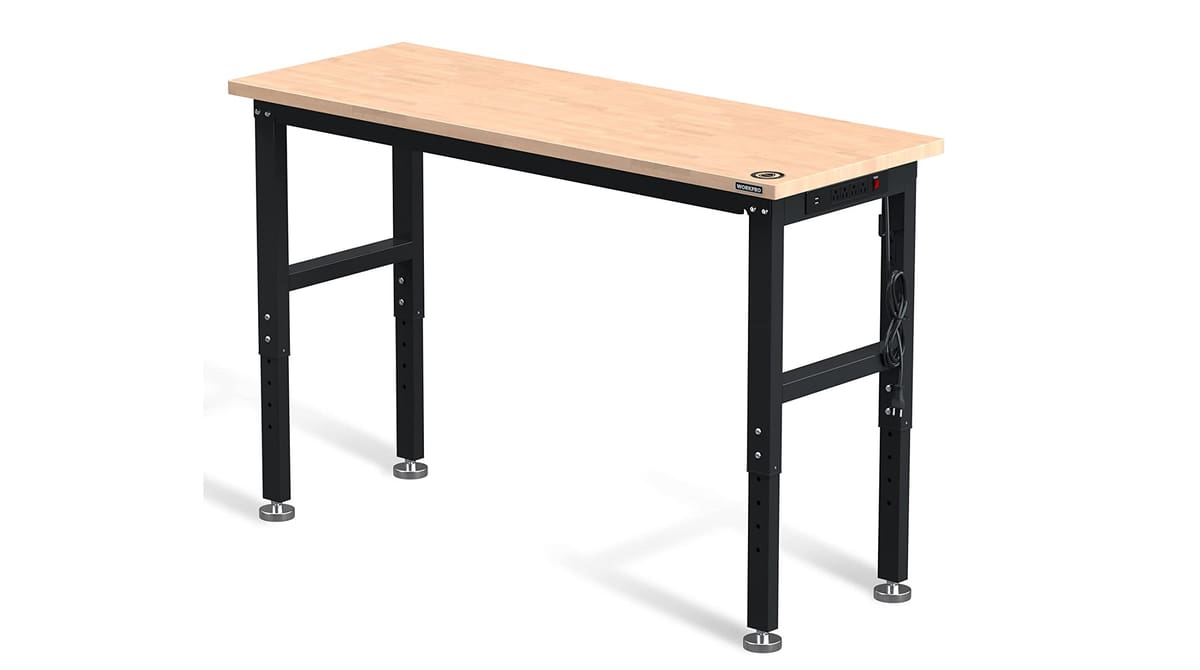
In case you need to maximize your work area and forget all the other nonsense, here’s the table for you. The WorkPro Adjustable Workbench is simply a wide desk. That’s it! This minimalist but spacious option is also very strong, holding up to 3,000 pounds (~1360 kg), and has an adjustable height range of between 31.5 – 39.5 in.
This sturdy table is available in 3 widths, 5ft, 6ft, and 8ft. That said, with any of it’s configurations, it can still fit the average desktop 3D printer and certainly a resin printer. In this case, aside for its ETL certified power strip with 4 outlets, and 2 USB ports, all of the storage space is simply traded for workspace.
Perfect for a multiple printer setup or an addition to an expanding maker space, this workbench will surely fit the bill for some makers.
- Size: 96 x 20 x 39.5 in (W x D x H, maximum)
- Features: Extra wide workspace, minimalist
- Price: ~$230 – $340, depending on size
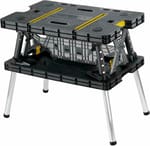
Keter Folding Table
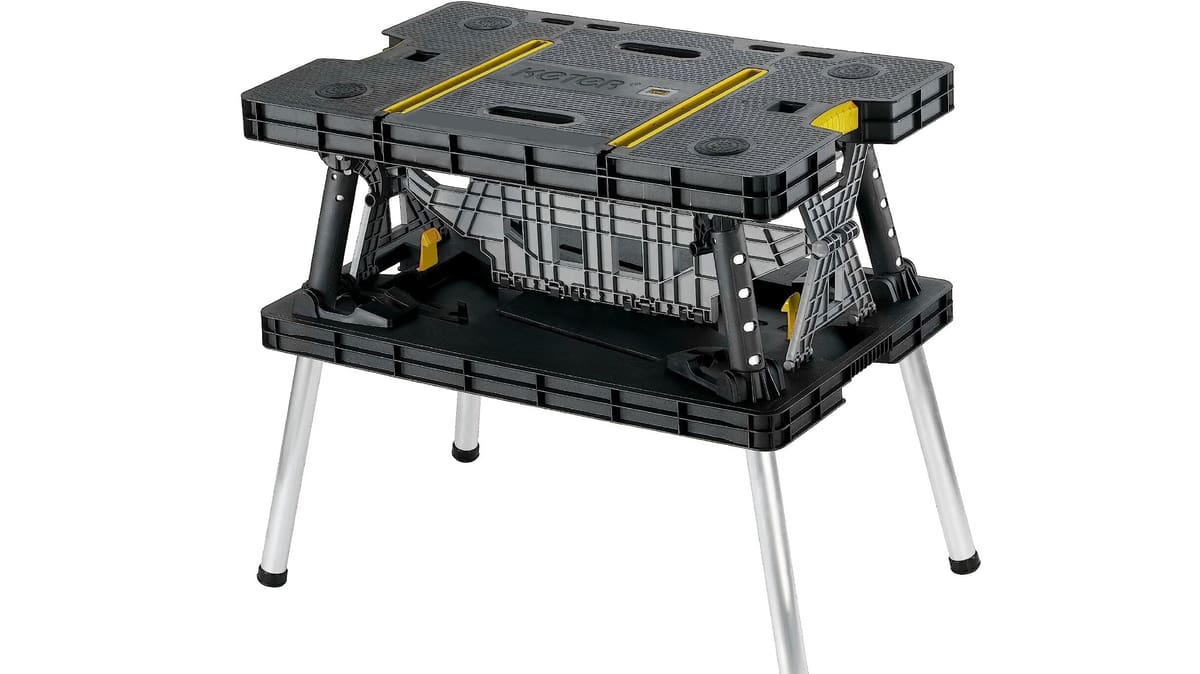
The Keter Master Pro Series Folding Work Table is a handy option when your 3D printer needs to travel with you. It folds into a compact, suitcase-like shape and weighs around 5.9 kg, making it much easier to load into a car and carry into a craft fair, classroom, workshop, or customer site than a conventional workbench. Once you arrive, it can be unfolded and ready to use in roughly 30 seconds.
Despite its portability, the table has a claimed load capacity of up to 453 kg, so supporting a typical desktop 3D printer shouldn’t be an issue. Its work surface measures approximately 85 × 55 cm, which is enough for many compact and mid-sized machines, though it’s worth checking the printer’s full operating footprint—including any moving bed, spool holder, cables, or open doors—before heading out.
For mobile printing, the quick setup is the big attraction: unfold the table, place it on a level floor, and you have an instant printing station without hauling bulky furniture around. Just remember that load capacity and vibration resistance aren’t the same thing. A vibration-damping mat can help keep a fast printer steady, and the printer should always be removed and packed separately before folding or transporting the table.
- Size: 33.5 x 21.7 x 30 in (W x D x H)
- Features: Weather-resistant, portable
- Price: ~$110
Olympia Tools Hardwood Workbench
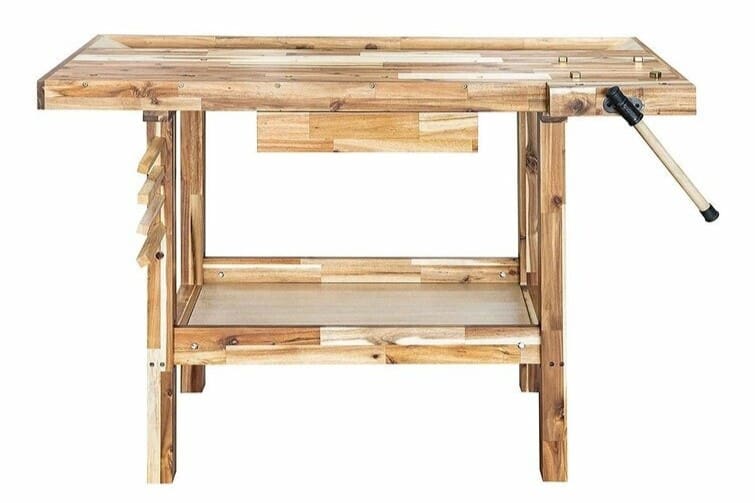
Looking for a wooden workbench for your 3D printing space? This design from Olympia Tools has got you covered. For a solid acacia hardwood workbench, the price is hard to beat, and it’s designed to fit nicely into small spaces.
In addition, the bottom shelf and utility drawer make it easy to keep your supplies organized, and the bench can hold up to an impressive 330 pounds. Overall, this would also potentially be a good option for combining woodworking and 3D printing into one space. For larger spaces, this workbench also comes in a slightly more expensive 60 in version with four drawers and a weight capacity of 450 lbs, as well as a 60 in width table, and two shelves able to withstand 200 and 250 lbs but with no drawers.
- Size: 50 x 19.7 x 33.9 in (W x D x H)
- Features: Compact size, work trough, drawers
- Price: $195-$295
3D Printing Optimized (with Storage & Support)
Designed with the practical needs of 3D printing in mind, these tables offer dedicated shelves, space for multiple printers, and compartments for storing filament, tools, and prints. They include features like industrial-strength casters, organization systems, and frames that reduce vibration or facilitate organization and storage, making them ideal for workshops, makerspaces, and for advanced users.
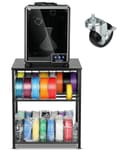
Ahowpd 3D Printer Stand with Filament Storage
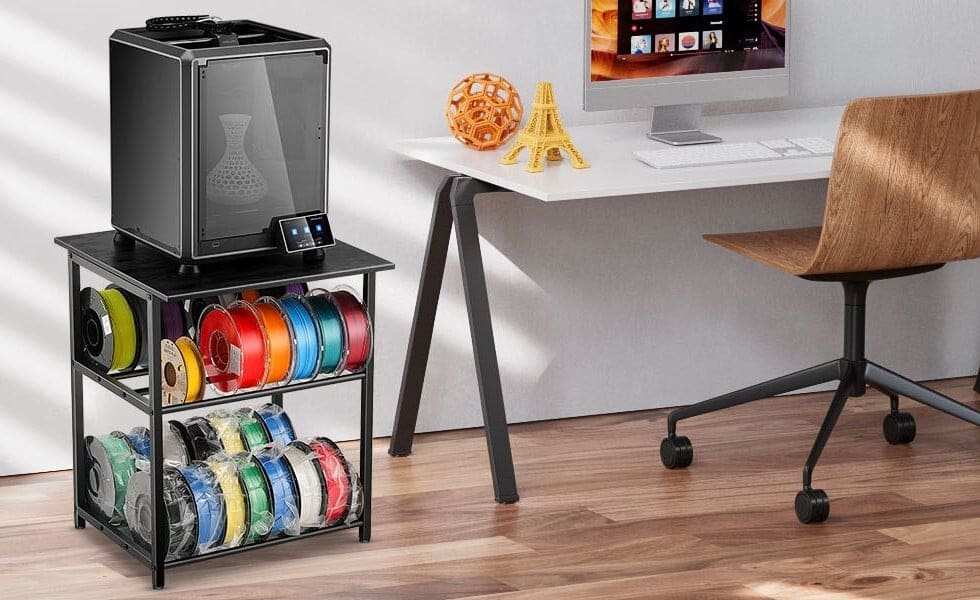
Amazon-focused private-label brand Ahowpd’s 3D Printer Stand is a robust and functional solution for 3D printing enthusiasts and professionals looking for organization and efficiency. Designed specifically for 3D printing setups, this stand offers dedicated compartments to organize and store multiple filament spools, keeping them easily accessible. The sturdy metal frame minimizes vibrations and provides stable support for 3D printers, with each of its three levels able to support over 100 lbs each.
With a compact design, the stand maximizes vertical storage without compromising workspace. Additionally, it includes designated areas for tools and accessories, keeping the work environment organized and efficient. Ideal for workshops, studios, and production environments, this stand combines functionality and practicality.
While some users found it sturdy, other slightly less so, yet there’s an agreement on ease of setup and overall quality from reviews.
- Size: 23.7 x 23.7 x 26.4 in (W x D x H)
- Features: Three-tier rack for up to 28 spools of filament, supports printers up to 100 lb, extra accessory storage area for extra tools and accessories
- Price: ~$60
Puncia 3D Printer Stand with Filament Storage
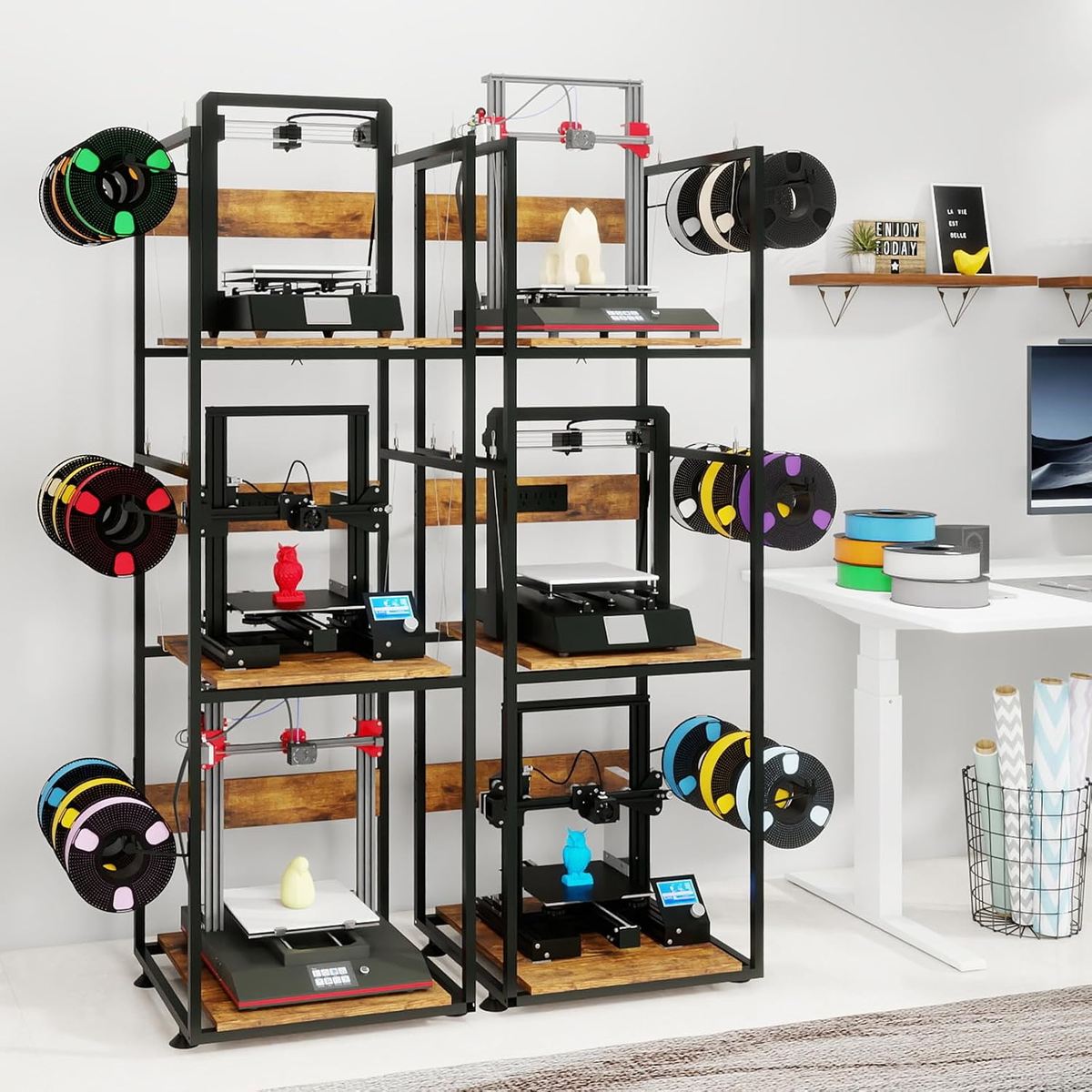
The Puncia Stand is a multifunctional stand designed for setups with multiple 3D printers and high volumes of material. What sets it apart the most from other setups is its robust shelves and integrated filament organizers making it a great choice for labs, technical schools, and makerspaces. The model is ideal for those who regularly print with different materials and need easy access to the spools; up to 9 can be organized on the racks of each side, optimizing the workflow.
The steel and wood frame provides superior strength and stability during extended printing, even with larger machines. However, shelf space limits printer size to a width of 17.7 in. and a depth of 18.9 in., and with a height limitation on the lower shelves of about 22 in.
- Size: 21.7 x 19.7 x 65.9 in (W x D x H)
- Features: Holds up to three 3D printers and nine filament colors, anti-shake construction with damping support, suspended layers, and adjustable feet for stability
- Price: ~$115
Mashelly 3D Printer Table with Storage and Wheels
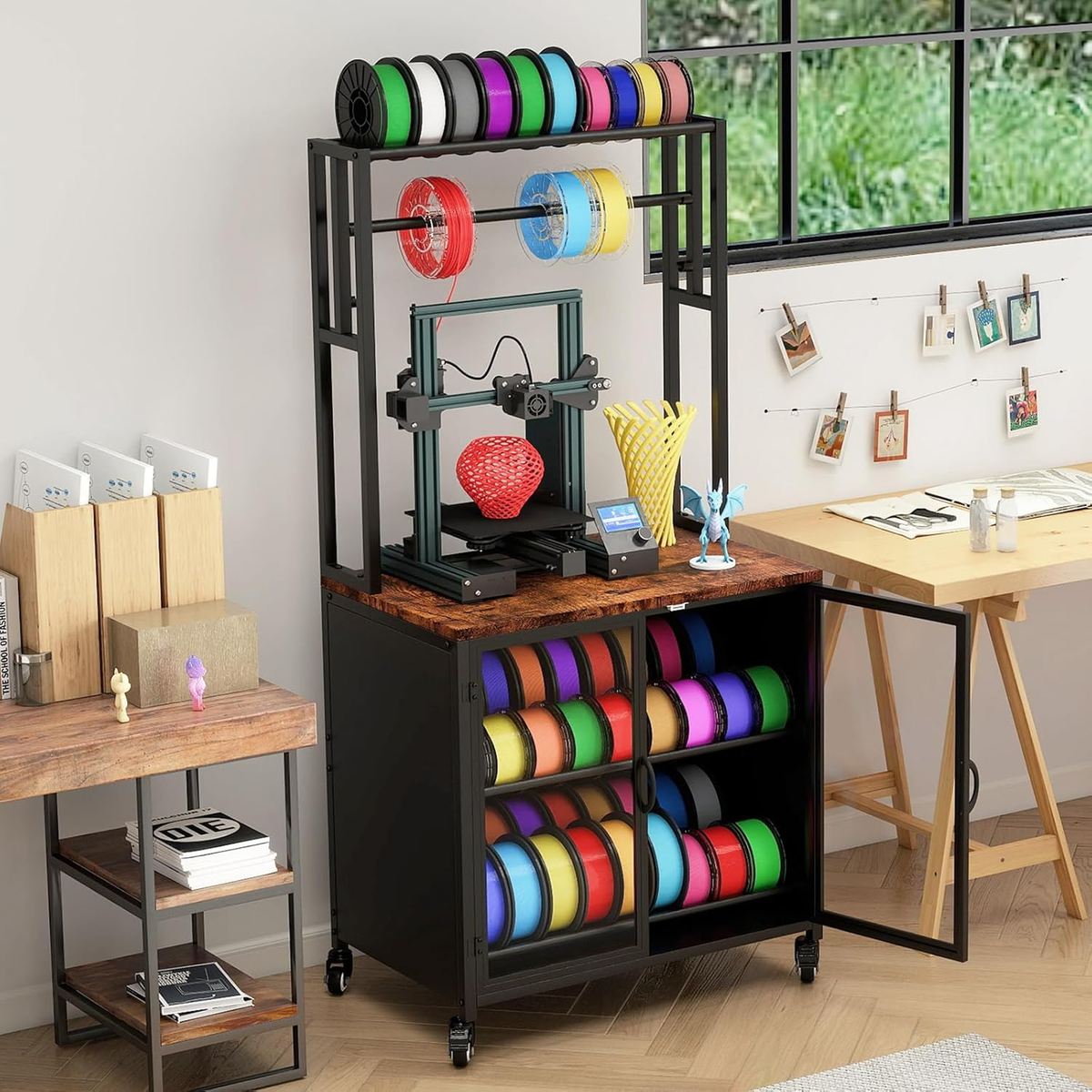
The Mashelly table is a spacious and well-designed option for users who need a lot of storage space as well as mobility. The table has four lockable casters, making it easy to move around and still able to lock in place once it’s where you need it. It comfortably accommodates your 3D printer, peripherals, and materials. With a closable cabinet and a rack above that holds multiple filament rolls, this workstation is perfect addition to any workshop.
Its elegant industrial look fits well into either home environments or organized workshops. It’s a durable, functional table capable of supporting up to 440 lbs, with a good balance between price, robustness, and aesthetics.
- Size: 29.5 x 18.9 x 59.4 in (W x D x H)
- Features: Spacious tabletop, closed cabinet for large amount of storage capacity plus room above to hold spools, lockable wheels
- Price: ~$160
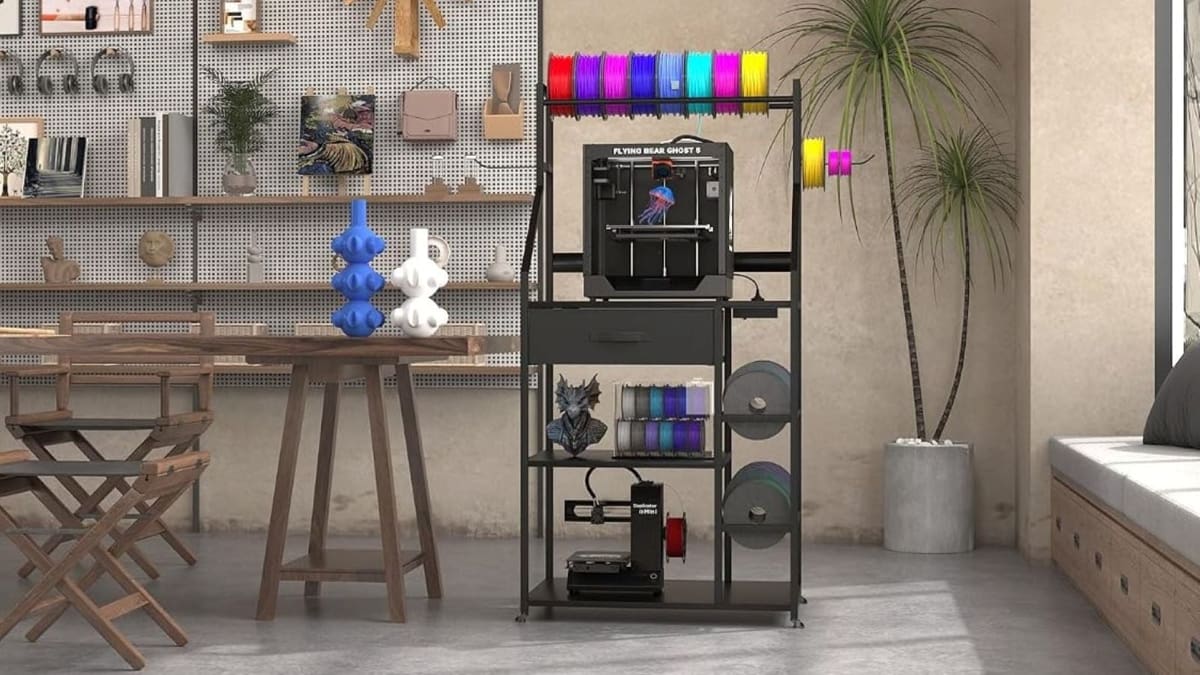
Kikihouse 3D Printer Stand with Storage and Filament Rack
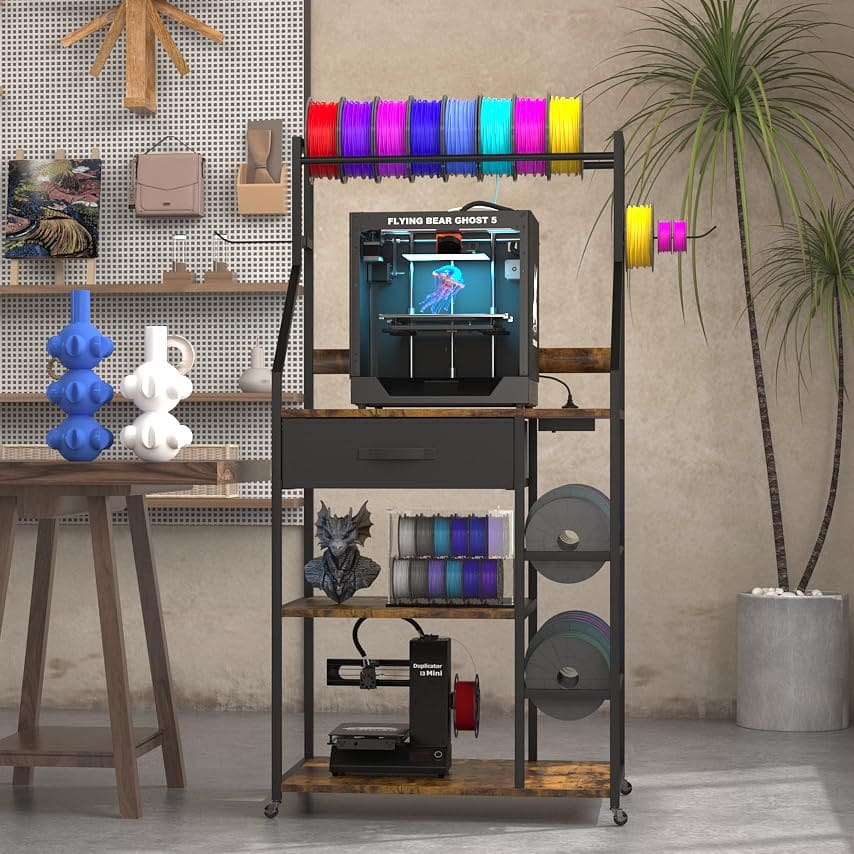
The Kikihouse printer stand offers a lot for it’s low price. The sizable table supports up to a 350 lb printer, has a handy pull out drawer for spare parts and tools, and multiple places to store filament both above and below the machine. The stand gives you the option of lockable wheels if you need your station to be mobile, and adjustable feet if you intend to keep it in one spot.
The stand comes in both black and brown and is visually appealing enough for both home or workshop. The table top features built-in power outlets and USB ports for powering your printer as well as charging other devices. There is plenty of space for storing filament spools or even a second, smaller printer on the bottom shelf.
- Size: 29 x 19.6 x 60 in (W x D x H)
- Features: Storage above and below, pullout drawer, built-in power outlets, has optional locking wheels or adjustable feet
- Price: ~$90
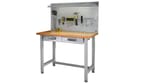
Seville Classics Lighted Workbench
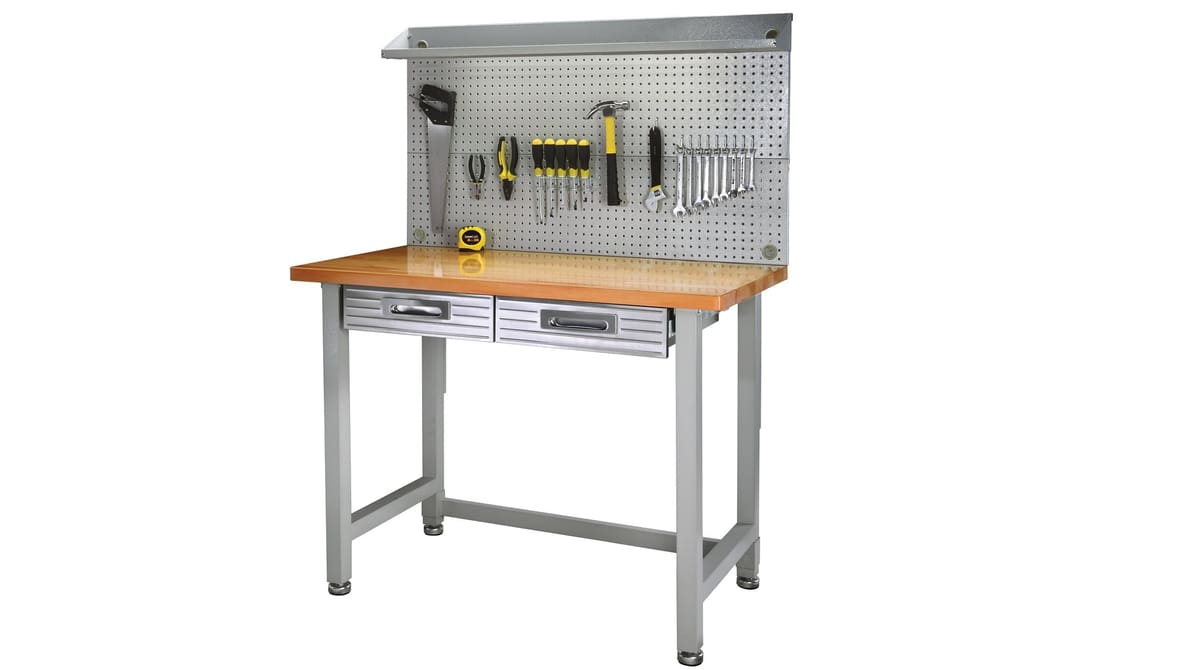
Though the Seville Classics UltraHD Lighted Workbench looks like it belongs in a garage, it’s also perfect as a 3D printer table. Since it holds up to 514 pounds (~233 kg), you can hang all your filament spools on the pegboard and store everything else in the slim drawer and shelf space below. This table is ideal if you value organization.
With the maximum weight as an indicator of this workbench’s strength, we aren’t worried about stability. The pegboard and drawers should also give you options for storage. Overall, this table is more than just a printing station, it’s for busy hands.
- Size: 48 x 24 x 65.5 in (W x D x H)
- Features: Lighted, dual drawers, pegboard
- Price: ~$260 – $480 depending on model
Advanced DIY Projects
Next, these are customizable workbenches for those who like to build their own workstation. The options allow you to adapt the height, size, and layout as needed, making them ideal for those who work on different types of projects in addition to 3D printing, such as electronics, carpentry, and equipment assembly. They require more elaborate assembly but offer maximum flexibility.
Fleximounts Steel Workbench Kit
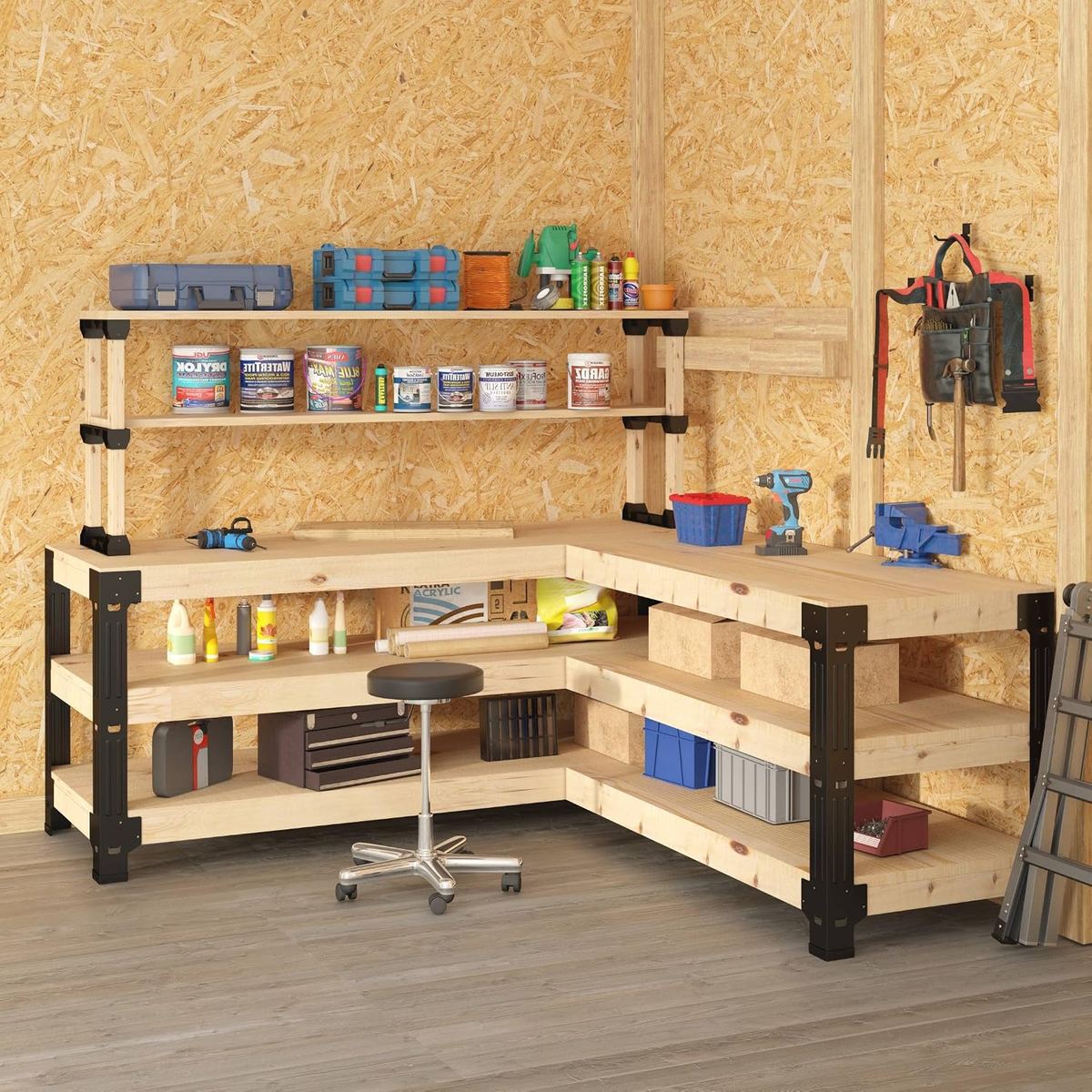
Whether you have a unique storage idea for spools or want to run your 3D printer somewhere besides the usual tabletop, Fleximounts Steel Workbench Kit will make it easier to build. Providing you with all the necessary hardware, pre-drilled workbench legs, fixing covers and plates, screws, and an instruction guide, you can customize your printing table to be as simple or as complex as you desire, depending on wood you provide.
The product itself is a set of powder coated steel legs and shelf stands that support up to 1000 lbs once constructed. As the name implies, this makes it as simple as cutting and screwing a few pieces of lumber together. The ease of assembly makes this table accessible to most amateur makers or anyone on a tighter budget.
- Size: Customizable up to a 96 in W and 36″ H
- Features: Simple construction, customizable, 1000 lb weight capacity
- Price: ~$110
Makerspace Workbench
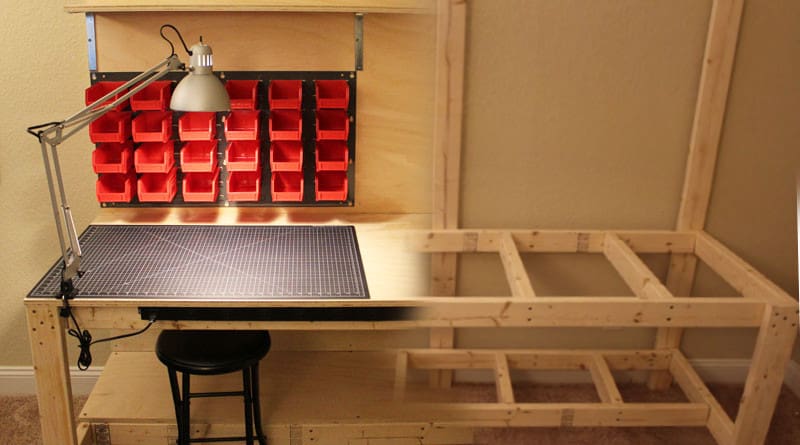
Want to get your hands really dirty? Then this Makerspace workbench is for you. With a detailed guide on its site, you can build your dream printing station. It has ample workspace with a backboard and a shelf above and below where your printer could go.
It goes without saying that the Makerspace workbench is completely customizable, so its sturdiness, spaciousness, and use case are completely up to you. It’s a great project for makers with some building skills or those who want to save a little money.
- Size: 72 x 30 x 31.5 in (W x D x H, default)
- Features: Completely customizable
- Price: <$100
Bonus: Ikea Lack
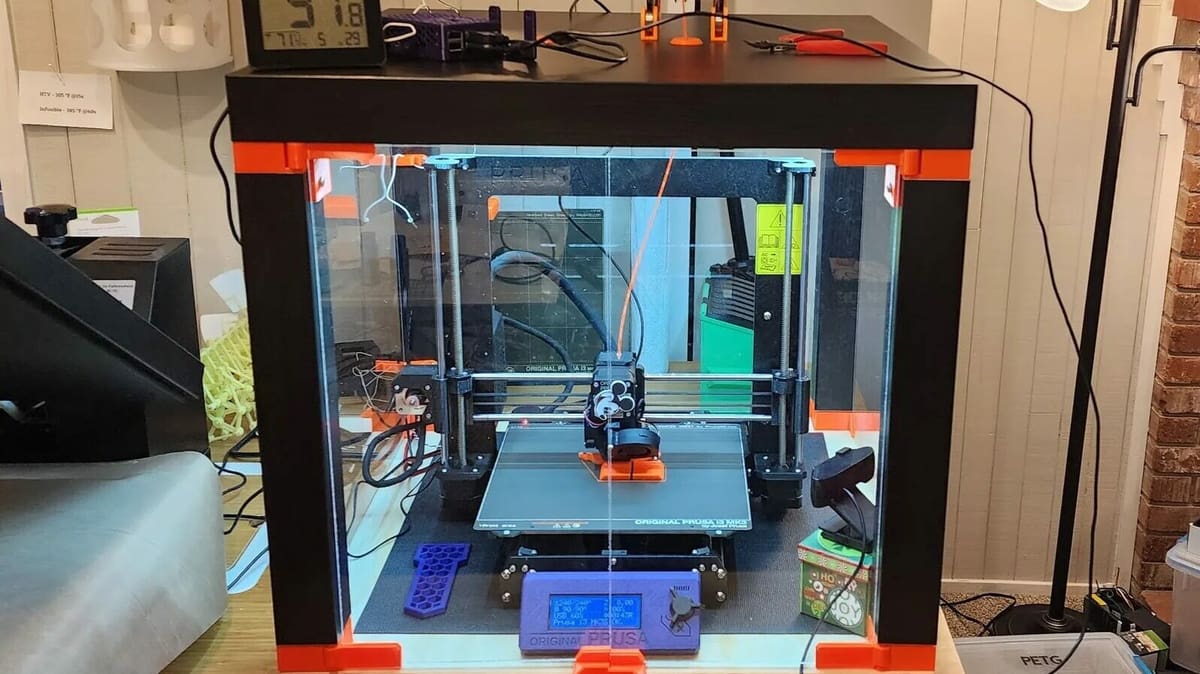
Ikea is perhaps one of the most well-known furniture manufacturers, and the Ikea Lack table is popular among 3D printing enthusiasts for use as a DIY enclosure. The table has one shelf (the top one) and can fit most small and medium-sized 3D printers (e.g. Ender 3 V2, Prusa i3 MK3S+). Since they’re so affordable, many makers buy two tables and stack them for even more storage space.
Although this table lacks any super useful features, besides offering a low-key way to hold your printer, it only costs around $15, so it’s a great bang for your buck. Also, as the table is wood, you can easily attach features to the Lack table, such as a spool holder, drawers, or acrylic panels for an enclosure.
- Size: 22.6 x 22.6 x 17.8 in (W x D x H, default)
- Features: Fits many 3D printers, an enclosure can fit on it, you can add features like drawers
- Price: $10-$15
Lead image source: Kikihouse via Amazon
License: The text of "From Steel Benches to Rolling Carts: 13 3D Printer Stands/Tables Built for Stability & Storage" by All3DP is licensed under a Creative Commons Attribution 4.0 International License.
CERTAIN CONTENT THAT APPEARS ON THIS SITE COMES FROM AMAZON. THIS CONTENT IS PROVIDED ‘AS IS’ AND IS SUBJECT TO CHANGE OR REMOVAL AT ANY TIME.