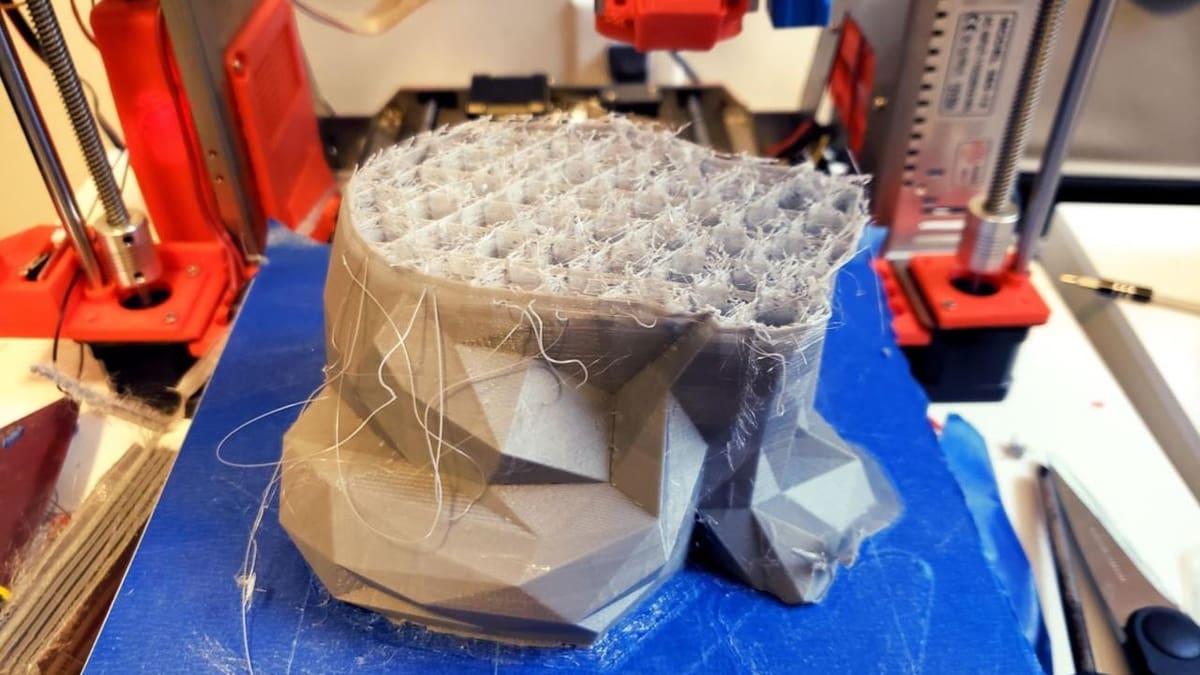
3D Printer Heat Creep: How It Happens & How to Fix It

Heat creep can still clog even the best 3D printers, and the causes have changed. Here's how to tell it apart from other jams, why it actually happens, and how to fix it
Heat creep hasn’t gone away in 2026. It still shows up on everything from budget direct-drive printers to flagship enclosed machines like the Bambu Lab H2D. What’s changed is why it happens. A few years ago, it was mostly a hot end-quality problem: bad fans, cheap heat breaks, and all-metal setups with no PTFE liner.
Today, better hot end designs have made those issues less common, but heated enclosures, multi-material printing, and specialty filaments have opened up new ways to trigger heat creep. And it’s an important problem to understand: catching it early can mean the difference between a quick adjustment and repeated failed prints, stubborn jams, damaged components, or an avoidable repair bill.
This guide covers how to tell when heat creep is actually the problem, what’s causing it on modern setups, and how to fix it so you can keep print quality high and your printer running reliably.
What Is Heat Creep & How a Hot End Works
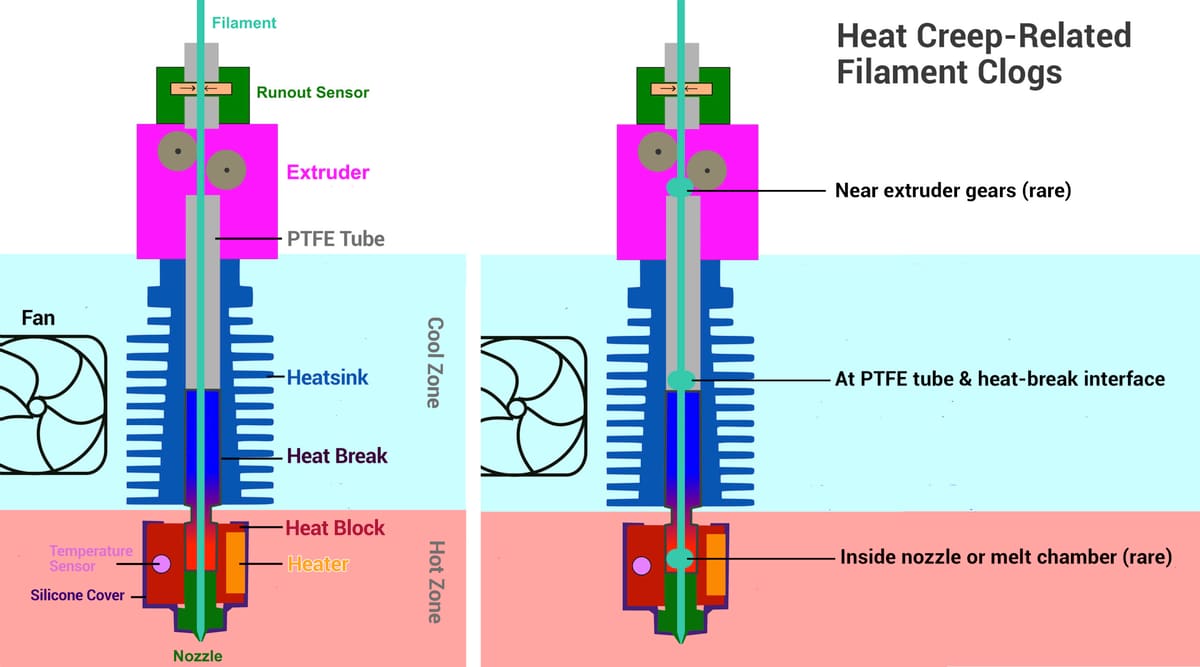
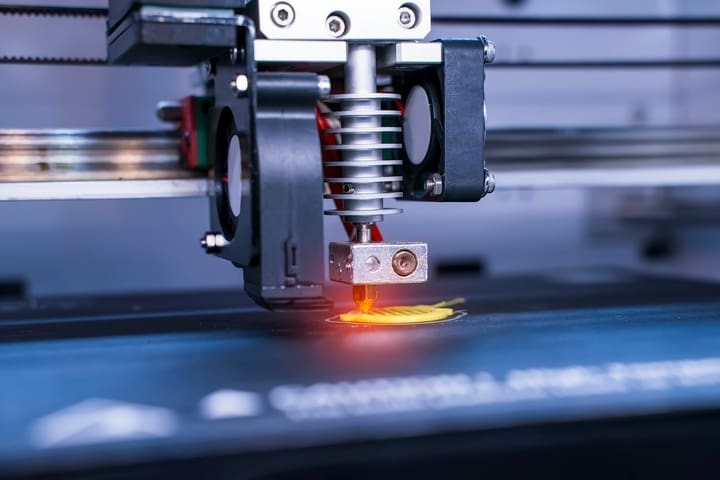
A hot end is built around one idea: filament should only melt in one specific spot, called the melt zone, right where it meets the nozzle. Everything above that point exists to keep the filament solid for as long as possible.
Working down from the top, filament enters the hot end through a PTFE-lined path before it reaches the heat break. PTFE is the heat-resistant, low-friction plastic used both for that feed tube and, on some hot ends, as a liner that continues into the heat break itself. The heat break is a narrow metal tube that acts as a thermal chokepoint between the hot part of the assembly and the cool part. It threads into the heatsink above it and the heater block below it.
The heatsink’s job is purely physical: it’s a finned metal structure that passively pulls heat away from the top of the heat break, the same way a heatsink cools a CPU. The more surface area and the better the fin geometry, the more effectively it dissipates heat, which is part of why a well-engineered heatsink outperforms a generic stamped one, even at the same size.
Below the heat break sits the heater block, warmed by a heater or heater cartridge and monitored by a thermistor, and finally the nozzle, where filament actually melts and gets pushed out.
Normally, filament should remain solid through the cool zone of the extruder and soften only in a short transition zone, and then melt inside the heater block/nozzle. With heat creep, that transition zone moves upward heating the heat break and heat sink.
When heat doesn’t say in the hot zone and creeps upward, it softens filament before it reaches the melt zone. If it softens and then cools back down while it’s stuck above the melt zone, it can jam solid causing a blockage or it can clog leading to partial extrusion.
That’s distinct from a standard nozzle clog, which happens down in the melt zone itself and is fixed differently.
Is It Actually Heat Creep?
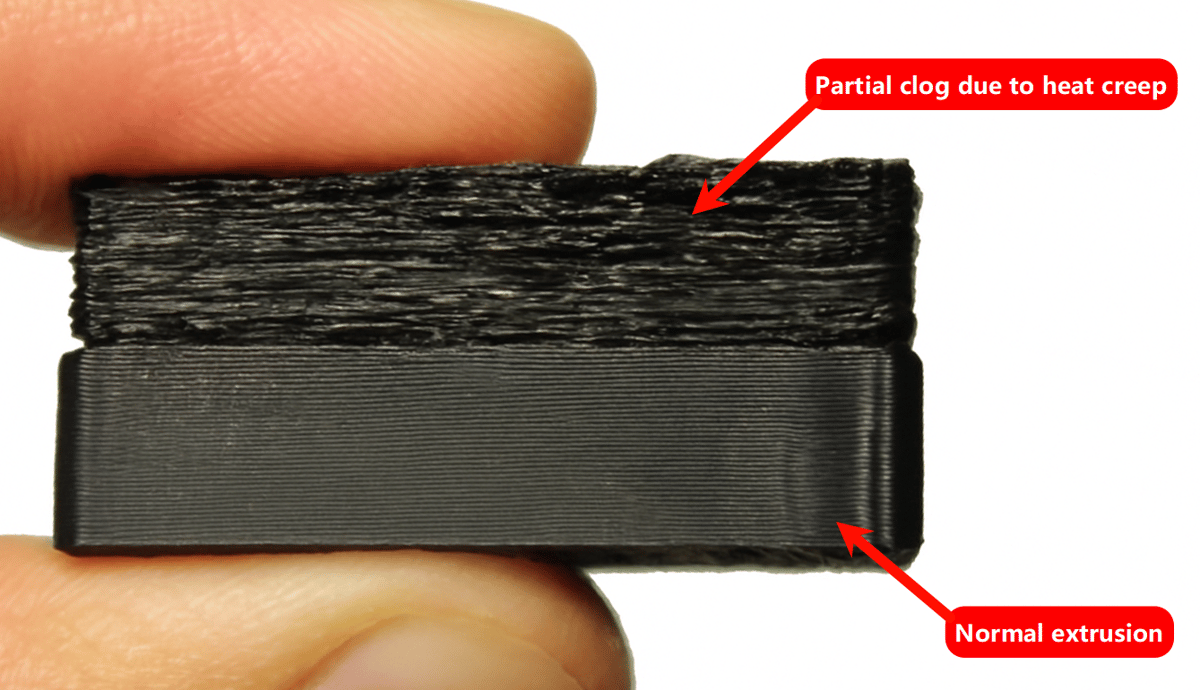
Before you start tuning fans or swapping parts, it’s worth confirming you’re actually dealing with heat creep and not something that just looks like it.
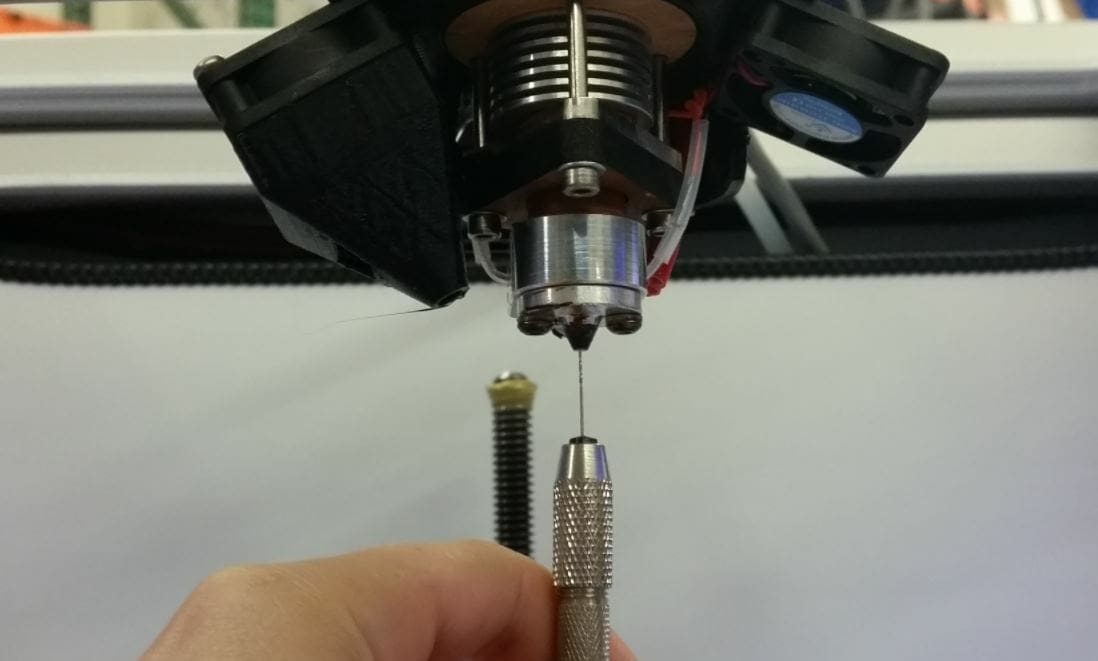
The clearest sign is the filament itself. Pull the stuck filament out (or try to) and look at it: heat creep typically leaves it deformed or bulged right around where it jammed, sometimes with a visible air-bubble-like void (see the image above). A print that stops mid-layer with a fuzzy, under-extruded top surface is another classic tell.
Where it gets trickier is separating heat creep from a couple of look-alikes. One is a plain nozzle clog from debris or a worn nozzle, swapping the nozzle rules that out. The other, easy to miss, is heat from the extruder motor itself. On direct-drive printers especially, a stepper motor running hot (often from stepper current set too high) can conduct heat into the extruder body and soften filament right in the gears, a different mechanism from classic heat creep, but with nearly identical symptoms.
One tell: if the problem comes and goes intermittently, and the printer tests fine every time you check it, only to fail again later, that pattern points more toward a motor or electrical issue than a heat break that’s consistently failing to do its job. It’s also worth ruling out thermal runaway, a firmware safety shutdown triggered by a faulty thermistor or heater, which is a different failure mode with its own fix.
Why Heat Creep Happens
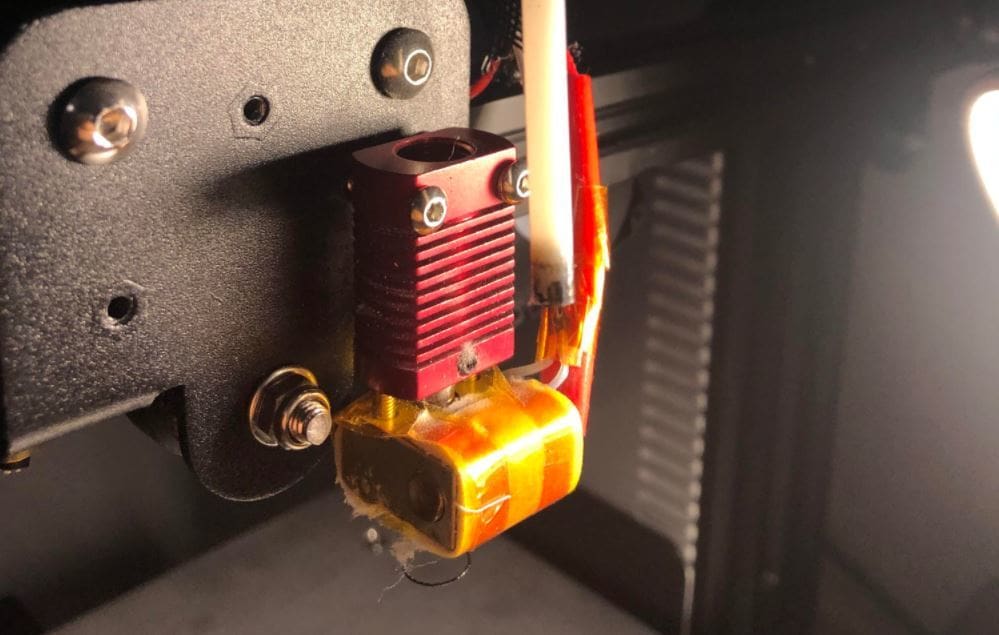
Heat creep almost always comes down to more heat arriving at the heat break and heatsink than the cooling around them can remove. Developments in 3D printing over the past few years, heated enclosures, multi-material setups, new filament formulations, have meant a wider range of things can tip that balance than before.
Heat creep can be triggered by:
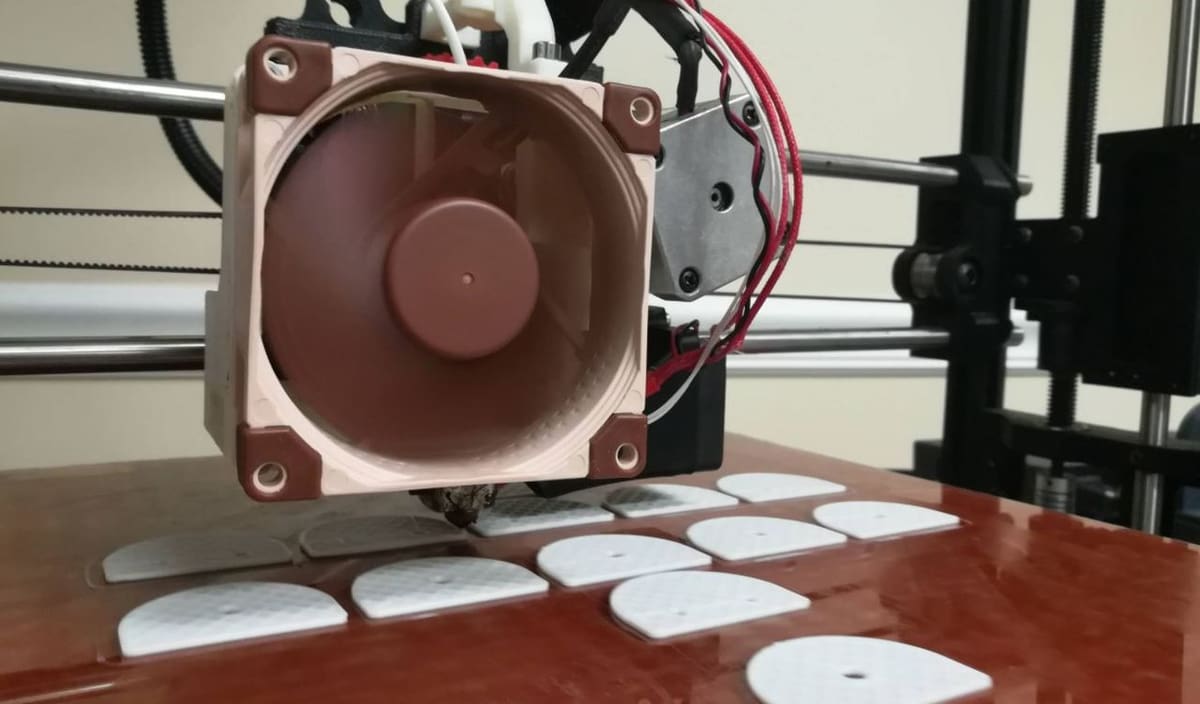
Cooling that isn’t keeping up: The classic cause, and still the first thing to check: a hot end fan that’s off, dying, or clogged with dust and filament debris can’t pull heat away from the heatsink fast enough, so heat climbs back up into filament that’s supposed to stay solid.
A hot end running hotter than it needs to: The hotter the heater block runs, the more excess heat needs somewhere else to go. This can be as simple as printing at too high a temperature for the material, but it can also point to a hidden problem, like a miscalibrated thermistor, degraded thermal paste, or components that have shifted out of alignment.
Hot end design and quality: All-metal hot ends exist because PTFE degrades and releases toxic fumes at high sustained temperatures, letting these hot ends run hotter than PTFE-lined ones. But PTFE also acts as an insulator, buffering filament from the metal heat break’s temperature, and without that buffer, any heat that does creep upward reaches the filament far more directly, making all-metal designs inherently more exposed to heat creep if the cooling around them isn’t up to the job.
A genuine tradeoff, not a straightforward upgrade. Lower-quality hot ends in general, with looser tolerances or thinner heatsink fins, simply let heat travel more easily than well-made ones. This is also where mismatched parts cause trouble: a heatsink swapped in from a different hot end kit that doesn’t quite fit its heat break can leave a poor thermal connection, and a printer’s stock heatsink is sometimes just undersized for the heat it needs to dissipate.
Chamber and ambient heat: This is a bigger factor now than it was a few years ago, mostly because heated, enclosed printers have gone mainstream. Bambu Lab’s own documentation treats chamber heat as a primary cause of heat creep on its printers, not an edge case. It recommends that enclosure temperatures stay at least 10°C below the glass transition temperature of whatever’s loaded, and that the door or top cover come off entirely when printing PLA or TPU. Users running several enclosed printers in the same room have reported chamber temperatures climbing to 50 to 55°C purely from ambient heat stacking up, enough to overwhelm the cooling on materials that would otherwise print without issue.
Multi-material printing: Printing a high-temperature structural filament alongside a low-temperature support material, now common with AMS, CFS, and MMU-style systems, creates a mismatch: a chamber temperature dialed in for the hotter material can be too warm for the cooler one’s heat break to stay under control, especially if the printer doesn’t fully reset chamber conditions between materials in the same print.
Specialty filament formulations: Take PLA as an example. Not all PLA behaves like PLA; Glow-in-the-dark and metal-filled filaments hold heat longer than standard PLA and shrink very little as they cool, so they can stay soft and workable well above where plain PLA would have already solidified, making them noticeably more heat-creep-prone despite sharing a base material.
A related problem worth separating out: heat from the extruder motor itself. On direct-drive printers, a stepper motor running hot, often because its current is set higher than it needs to be, can conduct heat into the extruder body and soften filament right in the drive gears. It produces symptoms that look just like heat creep, but the fix is entirely different (cooling or re-tuning the motor, not the hot end), so it’s worth ruling out early rather than assuming the heat break is at fault.
Fixing It
There may not be just one fix to your heat creep problem, especially if more than one of the causes above is at play. The fixes below are grouped by what they target, cooling, temperature and speed, your environment, and hardware, so you can start with whatever seems most likely to be your actual cause and work through the rest if it doesn’t fully resolve things.
Improve the cooling: Start by setting your hot end fan to 100% and confirming that stops the creep. Once it does, back the speed down in 10% increments if you run into warping, cracking, or other cooling-related print issues. If you don’t have a hot end fan at all, that’s the fix,;add a small 4020 fan aimed at the heatsink. Some printers can benefit from a second fan or swapping in a 120 mm rear exhaust fan for noticeably better airflow around the hot end, worth looking into if the stock cooling isn’t cutting it.
Tune temperature and speed: Lower the hot end temperature within your filament’s recommended range, and adjust print speed to match since a cooler nozzle needs more time to melt filament properly. Alternatively, increase print speed by 10 to 15 mm/s at your current temperature, moving filament through the hot end faster gives it less time to heat up before it should. Adjust in smaller increments, 2 to 5 mm/s, until you find the balance between preventing creep and avoiding under-extrusion. If neither helps, it’s worth confirming your hot end is actually reaching the temperature you’ve set, a misbehaving thermistor can mean it’s running hotter than the display suggests.
Manage your environment: Drop your bed temperature 5 to 10°C to reduce heat radiating up toward the extruder. If you’re printing in an enclosure, don’t assume closed is always better, follow the same logic Bambu Lab recommends for its own printers: keep chamber temperature at least 10°C below the glass transition temperature of whatever you’re printing, and remove the door or top cover entirely for PLA or TPU. If you’re running multiple enclosed printers in the same room, keep an eye on ambient room temperature too, several machines heating the same space can push chamber temperatures well past what any of them would hit on their own. And if you’re printing multiple materials in one job, don’t assume the chamber has reset between them, a temperature dialed in for a high-temp structural filament can be too warm for a low-temp support material’s heat break.
Consider a hardware upgrade: If you’ve recently swapped in a heatsink or heat break from a different kit, double check they’re actually compatible, a poor fit between mismatched parts is a surprisingly common, easy-to-overlook cause. It may be worthwhile upgrading your nozzle or hotend. If your current hot end is all-metal and heat creep keeps coming back, a PTFE-lined hot end trades some maximum temperature for the insulation you’re missing. If you want to stay all-metal, a bimetal heat break (copper or titanium) is currently the most common heat-creep-specific upgrade, designed to resist heat transfer better than a standard steel one.
One last thing: if you worked through the diagnostic section earlier and landed on extruder motor heat rather than true heat creep, none of the above will fix it. That’s a cooling or stepper-current problem specific to the extruder, not the hot end.
Prevention Checklist
Before printing: if you have a Bowden setup, use a high-quality PTFE tube, Capricorn is the usual benchmark, since a better tube means better insulation for the filament on its way to the hot end. Filament quality matters too, look for a diameter tolerance under ±0.05mm, since inconsistent filament diameter can contribute to jams independent of heat creep.
While printing: change one setting at a time, whether that’s a slicer setting or a hardware tweak, so you can actually tell what fixed the problem. If you suspect retraction is playing a role, pulling hot filament up past the melt zone and dragging heat with it, lower your retraction distance in increments of 0.5mm.
After printing: remove filament from the hot end once a print finishes rather than leaving it in place. If filament stays in the hot end after a print ends, it stops moving through the assembly and the fan may cut before the hot end has fully cooled, so residual heat keeps spreading upward with nothing to stop it. The filament can soften and deform well above where the melt zone reached during printing, then re-harden in that shape once everything cools. That deformed plug won’t cause problems with the print you just finished, but it can jam the hot end the next time you try to retract or feed filament through.
Related to that: don’t cut the fan the moment the print ends either, let the hot end cool below the glass transition temperature of whatever you printed before powering down. Many current printers now handle this automatically with a built-in cooldown cycle before shutdown, so it’s worth checking whether yours already does this before adding it to your own routine.
Ongoing maintenance: clean your hot end assembly and fan every few prints, dust and filament debris on the heatsink or fan blades measurably reduce cooling performance, and a dirty fan can also just spin slower than it should.
FAQ
Q. Does heat creep still happen on modern 3D printers?
Yes. It shows up on everything from budget direct-drive machines to flagship enclosed printers like the Bambu Lab H2D, which has its own dedicated troubleshooting documentation for it. What’s changed is the cause, chamber heat, multi-material printing, and specialty filaments now trigger it as often as a weak hot end does.
A. Is heat creep the same as thermal runaway?
No. Thermal runaway is a firmware safety shutdown triggered by a faulty thermistor or heater reporting an abnormal temperature. Heat creep is heat physically migrating up the hot end and softening filament where it shouldn’t. They can look similar from the outside, an interrupted print, but the causes and fixes are entirely different.
Q. Which filaments are most prone to heat creep?
Low glass-transition materials like PLA and TPU are the classic risk, since they soften at relatively low temperatures. But chamber and ambient heat can push even higher-temperature filaments like ASA into heat creep territory, and glow-in-the-dark or metal-filled PLA variants are noticeably more prone than standard PLA because they hold heat longer and shrink less as they cool.
Q. Does heat creep happen on direct-drive printers, or only Bowden?
Both. Heat creep happens in the heat break and heatsink, which exist regardless of how filament gets fed into the hot end. Direct-drive printers do have one extra look-alike problem to watch for, though: heat from an overheating stepper motor conducting into the extruder, which produces similar symptoms but needs a different fix.
Q. Can heat creep damage my printer permanently?
Usually not. It causes a clog that needs clearing, sometimes requiring you to disassemble the hot end, but the parts themselves aren’t damaged unless you force a grind that strips the extruder gears or ream out a heat break trying to clear it forcefully. Treat it as a maintenance problem, not a hardware failure.
You May Also Like:


License: The text of "3D Printer Heat Creep: How It Happens & How to Fix It" by All3DP is licensed under a Creative Commons Attribution 4.0 International License.