I Don’t Run a Crafts Business, but the xTool F2 Ultra Kind of Makes Me Want To
Rating

The xTool F2 Ultra is a sensitive but powerful beginner-friendly laser engraver, capable of eating through blocks of metal and crafting delicate jewelry work alike. In just a few short weeks I've been able to fashion some pieces that make me question my salaryman existence.
If you’ve been living under a rock, you could be forgiven for missing xTool looming large over near-every creative tech space minus 3D printing. (Question them about that last bit though, and the conversation turns evasive.)
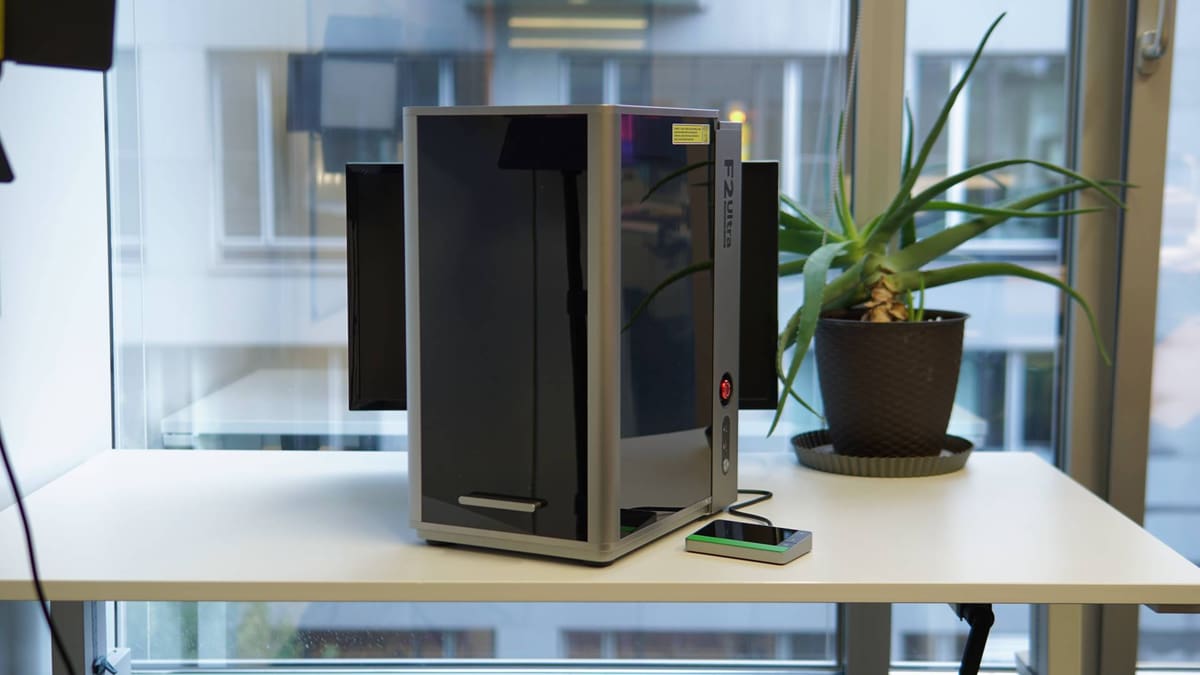
In the laser space, things have evolved leaps and bounds over the OSHA-nightmare-inducing open frame lasers of yesteryear. Today, we see fully shielded, enclosed, FDA-safety-certified installations. Such is the nature of the xTool F2 Ultra, a second generation fiber laser engraver that takes up to 2 mm of metal cutting, as well as deep engraving and embossing and, something that boggles my mind still, color-laser engraving, in its stride. It’s available in single MOPA or dual MOPA & blue diode variants, costing $4,999 and $6,499, respectively.
To my 3D-printing-inflected mind (just let me melt plastic) it’s nothing short of witchcraft. For xTool, however, the F2 Ultra is all about ROI. In Europe and the U.S. there are rules about class 4 lasers such as the F2 Ultra that restrict how they’re presented, meaning you wouldn’t really see xTool bigging this device up for home users. But there’s nothing to stop just anyone from picking one up, provided you have the ~$5,000 to drop on one.
I’m not a business owner; I don’t produce anything (other than pithy articles) and would probably be a pretty bad one if I were, but even I can’t help but feel like I’d have a shot at success on Etsy with the F2 Ultra in my arsenal. Nevertheless, while I can’t put raw numbers to the F2 Ultra’s peak output or challenge xTool’s claims about that, I can fire the F2 Ultra, light up some wood, metal and other objects, and give my honest impressions of what it’s like to use.
The Tech
Laser engraving, as it so happens, is big business. And it doesn’t necessarily require devices like large gantry-type systems that need a large studio space to operate. Many are compact, like the xTool F2 Ultra, which is a slim 294 mm x 429 mm x 521 mm tower. Its vertically sliding safety door brings the total possible height to 770 mm, but the footprint remains the same.
Material and processing versatility are areas where the dual-laser F2 Ultra shines, though on measure having used it for a few weeks, the diode does tend to play second fiddle if all you want to do is process metal.
Capabilities-wise, you use the blue (diode) laser for organic stuff, like wood, leather, paper and fabrics, and the infrared laser (MOPA) for metal. That is the basic rule of thumb you should keep in mind when using the F2 Ultra and deciding how to go about tasks with it.
What is a MOPA?
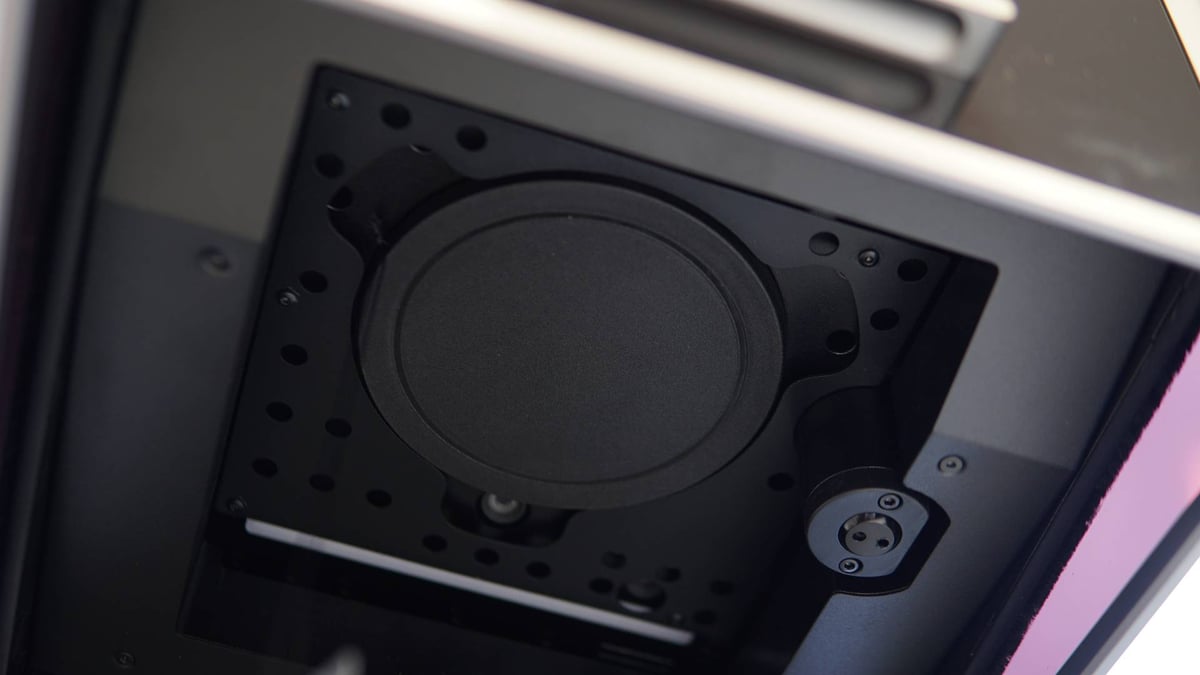
The MOPA laser is actually pretty exciting and rather unusual on a desktop “prosumer” grade machine. You could lump the F2 Ultra under the category of “fiber” lasers, but it’s different from the many Q-switching lasers on the market.
A Q-switching fiber laser, which combines beam generation and amplification in one stage and gates it, the F2 Ultra’s MOPA laser separates the generation and amplification stages of the laser. It creates a clean low-power “seed” laser with the desired characteristics that then runs separately through an amplifier, boosting the strength without changing it.
Why does this matter? Control, precision and immediate peak power. Compared to a diode, the wavelength of such a laser is also much wider and much more readily absorbed by metals, which makes it ideal for scoring, etching, cutting and outright removing matter. In a practical sense, xTool gives you a great deal of control over the energy hitting the material, giving you a lot of flexibility over how you mark the materials.
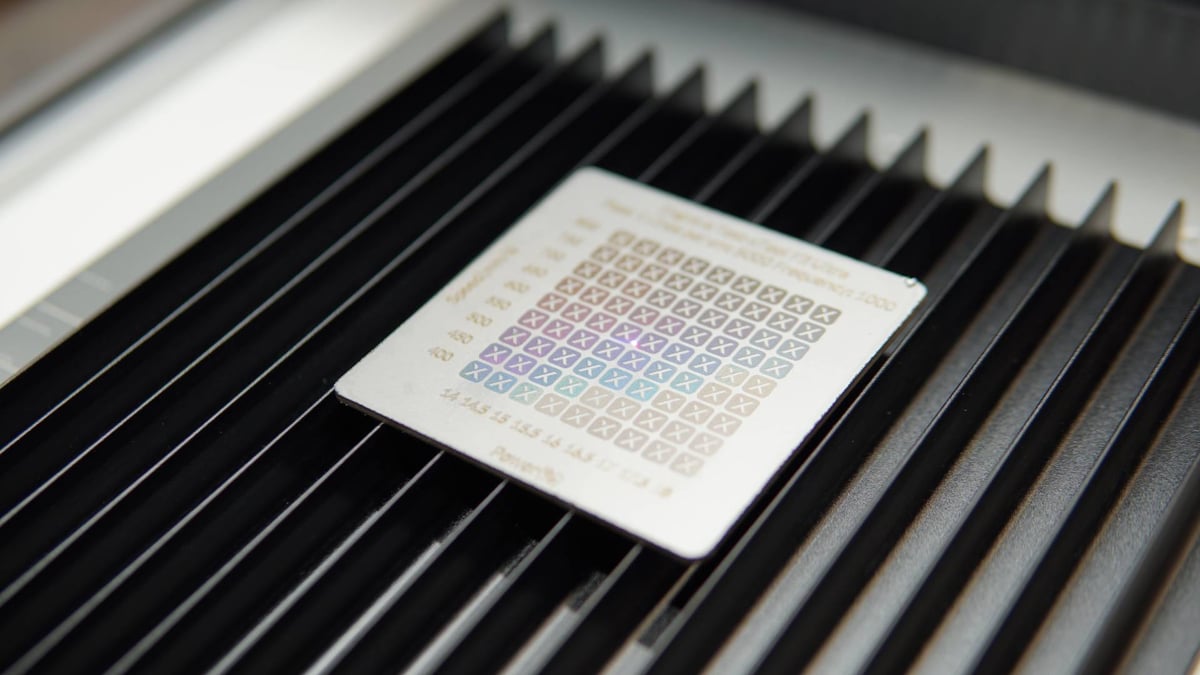
You could go deep into the numbers, and in many cases it’s encouraged for you to find optimal settings using xTool’s auto-generated range-finding patterns, but for the most part when getting started using xTool’s library of materials and presets is the fast and productive path forward.
Conversely, the diode laser and its narrower wavelength beam, while still powerful enough to mark metal, is ideal for “organic” materials. It’s not exclusively the case – the MOPA IR laser can also mark plastics – but thinking of it this way provides a useful mental shorthand for sorting the two lasers’ usages from one another.
Processing Space and Speed
The F2 Ultra can direct these beams at up to 15,000 mm/s, a 50% boost over its predecessor, the F1 Ultra, and a necessary one, given that tasks like deep embossing require many passes at tight line density. Some jobs, using the xTool default settings, can run to hours.
Your working area inside the F2 Ultra’s protective shield stretches to 220 x 220 mm, and the lasers’ auto-adjusting focus means that you have some depth to play with, be it via curved objects like a tumbler loaded into the F2 Ultra’s optional rotary module, or simply by placing a 3D object in the work area. The device has two high-res cameras for precise design placement and work volume previewing, and is smart enough to figure out curved surfaces, allowing you to engrave in a non-planar fashion. The surface mapping routine for this is limited to a minimum of 100 x 100 mm.
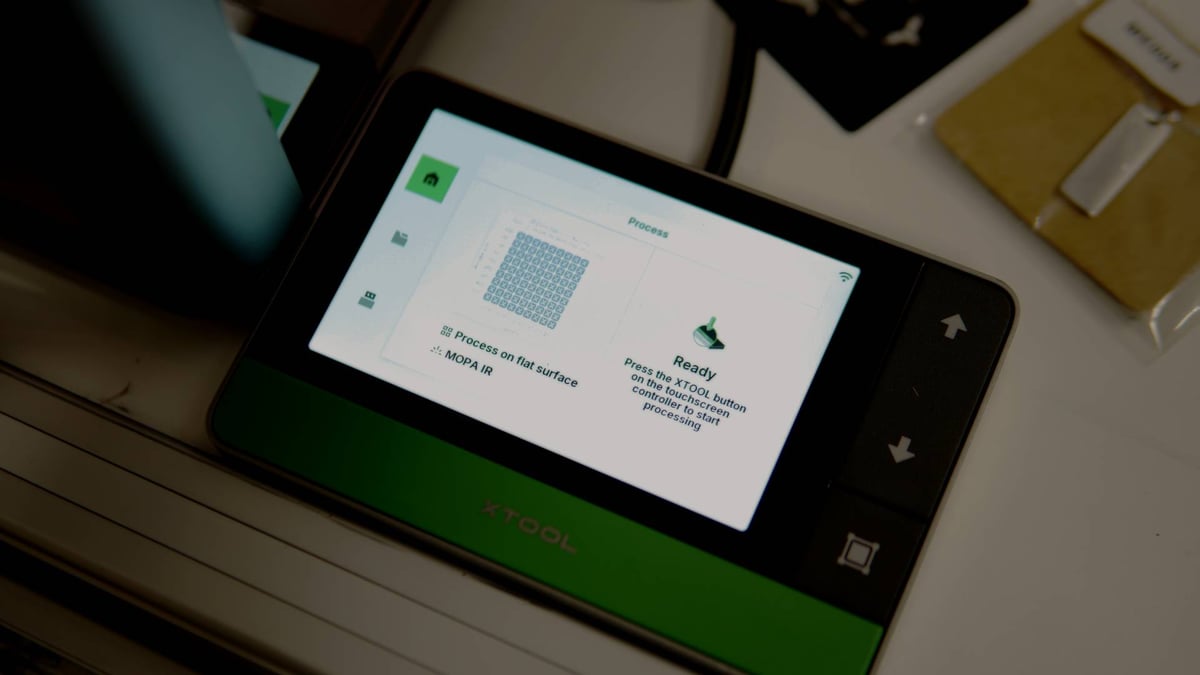
I found the process of unboxing and setting up the F2 Ultra a tidy and professionally presented experience. The package comes with everything you need to get started, provided you can place the laser close enough to a window and can channel the provided pipe to it. The xTool smoke ventilation unit (starting at $299) is a recommended extra that is worth it for the added flexibility of placement.
The Setup
One gripe I have with our particular F2 Ultra unit is that the sliding door does not always rest snugly in the “closed” position. I understand this was a common issue with the F1 Ultra, and it’s disappointing to see something like this persist with a second generation machine.
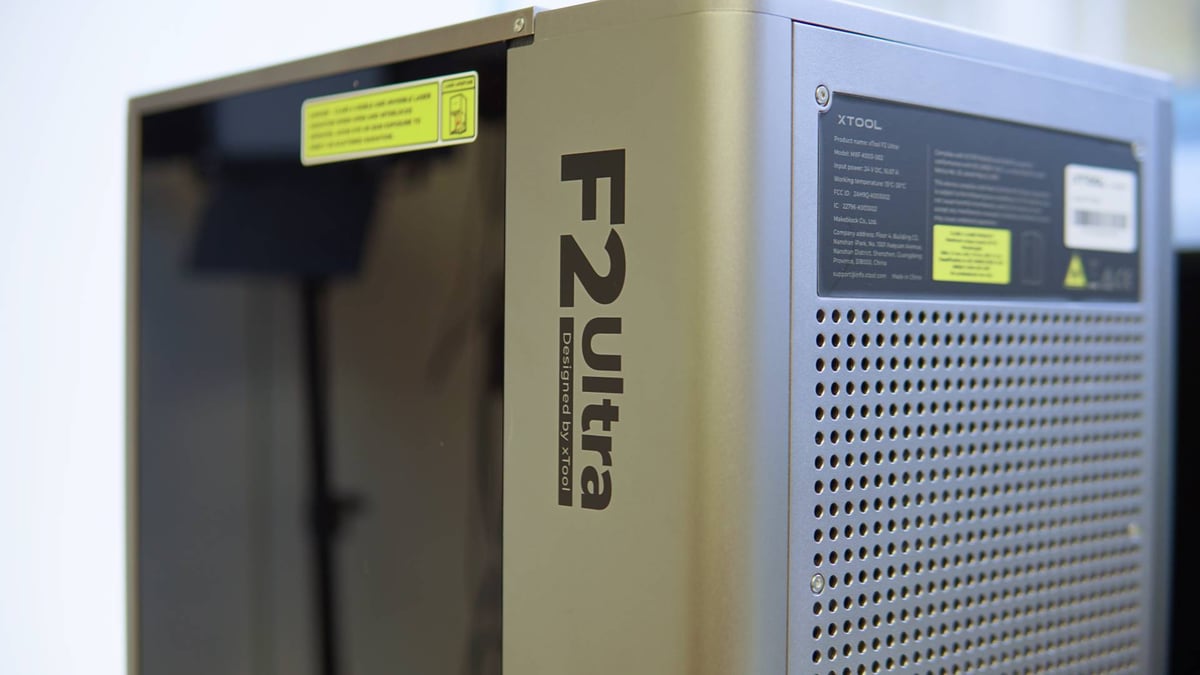
Fortunately xTool has the required safety systems in place for it to knows the door is slightly open. The laser won’t fire when it is. Having recently seen other F2 Ultra devices in action at xTool’s booth at the IFA electronics show in Berlin I know that they’re not all like this, but still.
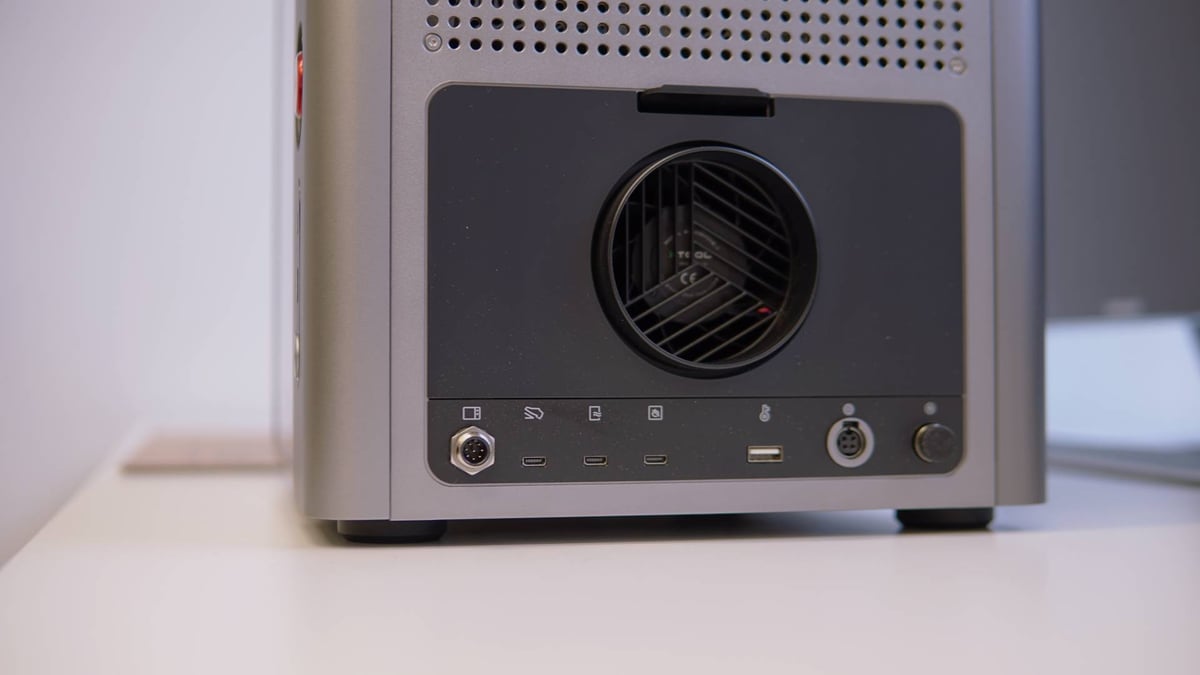
The F2 Ultra’s standard equipment includes a small maintenance kit, to help keep the laser equipment in clean operating condition. There’s a fan inside the chamber at the back, which pushes the particulate filled air from lasering out of the back and through the ventilation pipe. This fan can quickly gunk up with sticky residue and dust from the lasering process, so condition yourself to clean it regularly as a part of your routine using the F2 Ultra. The entire fan assembly can be removed out of the rear of the laser, making maintenance relatively easy.
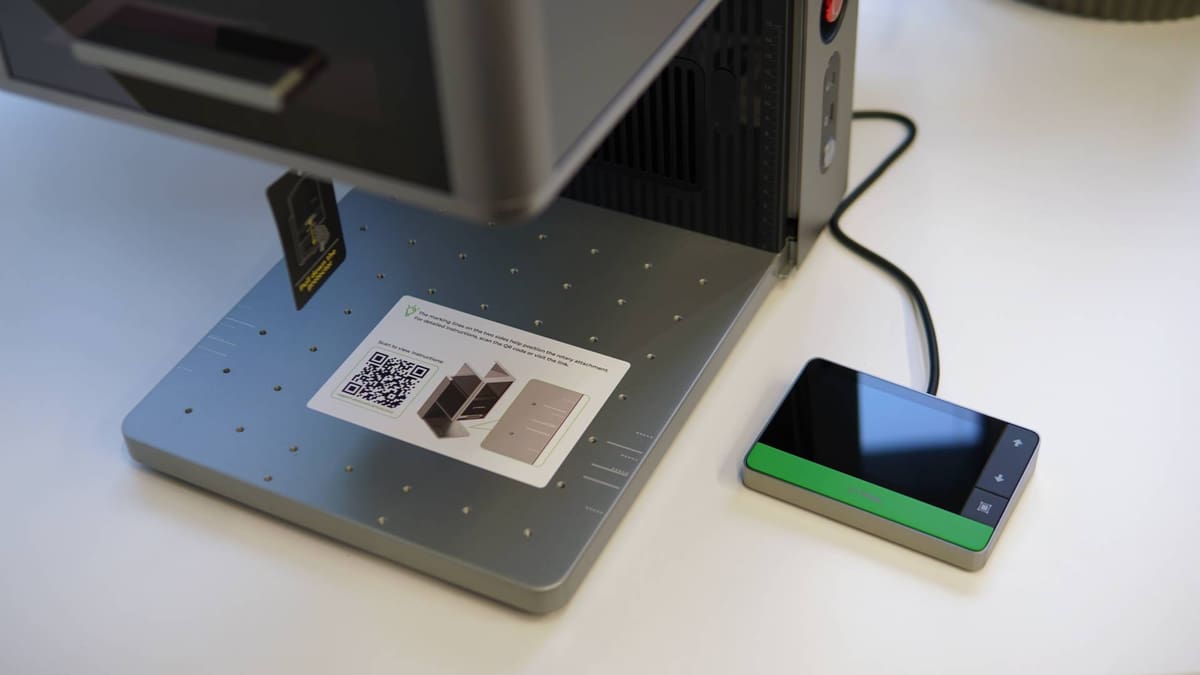
Besides the laser box itself, you get a small wired touchscreen control pad which has a satisfying green “space bar” of sorts that you are required to press to commence a laser job. It’s a physical reverse dead-man’s-switch of sort, proving you are physically present and in close proximity to the laser when it’s operational. Setting up a job in xTool’s software (or app) and reaching the point of sending the it to the machine also prompts warnings that you have to be present and observing the machine when it’s running.
This control pad features a framing button, too, letting you summon the bounding box of a job for precise placement while you’re at the machine.
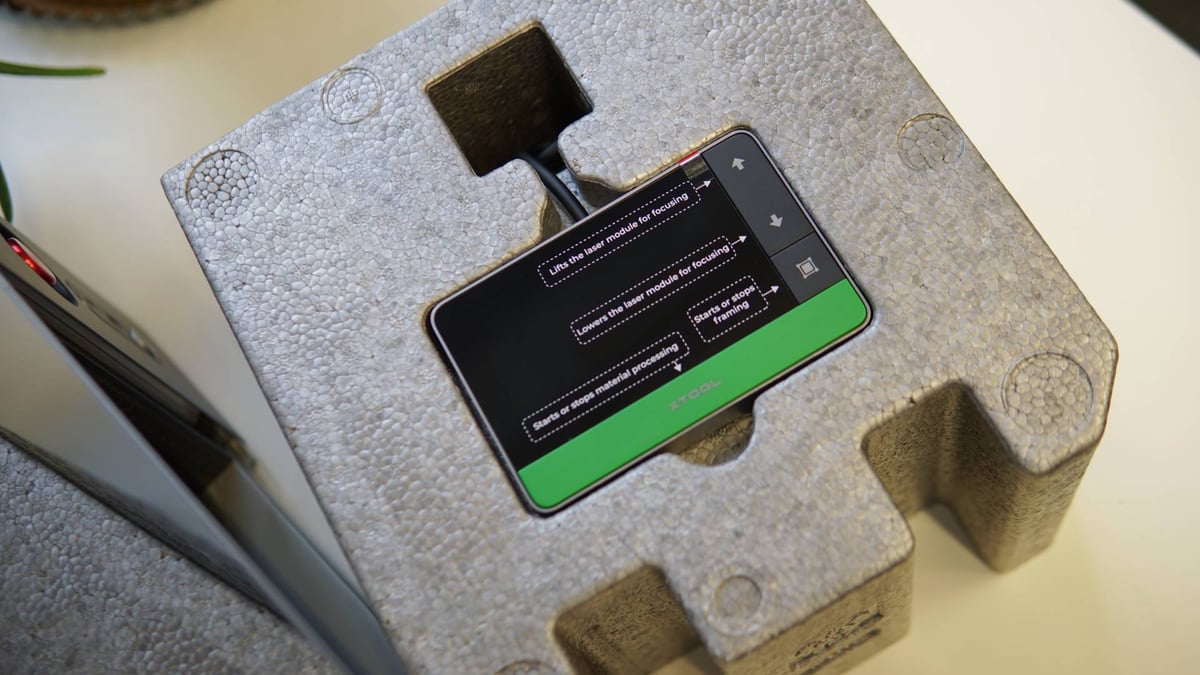
There are additional connections on the rear of the F2 Ultra for a fire safety set ($189, not included) which can flood the work chamber with fire suppressant, which might not be a bad investment if you plan to cut and engrave a lot of wood with the F2 Ultra – there’s no air assist and you can’t add one, either.
Safety is, of course, a big subject in the world of laser devices, with tight regulations in the U.S. and EU mandating that devices like the F2 Ultra be stacked with automated safety systems to prevent accidental injury.
As such, the F2 Ultra includes door detection, shutting off if it senses the door is not fully seated. Likewise tilt detection also shuts the laser off if it senses the device tipping. Fire detection is on by default, checking the for the UV wavelength of a flame and shutting the device off with a (loud) alarm alerting you to the danger. On the F2 Ultra’s side is a big slappable emergency stop, which might be better placed on the control pad, considering you have to reach for it versus the pad, which can be placed somewhere more convenient.
In my experience I found the flame alarm a little too sensitive, tripping when embossing metal and, at least from my observation from outside the enclosure, no flame was present. You can manually disable the flame alarm which, as I understand it, takes the sensitivity down a notch, but does not completely disarm it.
The Lasering
Let’s get down to the nitty gritty of what you can actually do with the xTool F2 Ultra. Unlike a 3D printer, where your primary limitation is what kind of plastic do you want to reform into a 3D object, with a hybrid laser such as the F2 Ultra, the question is more, what do you want to be marking, and how much?
So Metal
Tasks range from quick, simple and utilitarian etching that would be suited to manufacturers tagging parts and inventory, assigning parts numbers and scannable codes onto metal and plastic (even 3D printed) parts for quick reference, to full blown artistic bits embossing deep designs into metals, woods, or even stone. The device’s superpower really is that there’s very little limitation on what you can engrave, up to the likes of titanium. xTool paints the F2 Ultra as the kind of device a small business can use to quickly whip up custom jewelry and other custom metalworks in a fraction of the time other devices could handle.
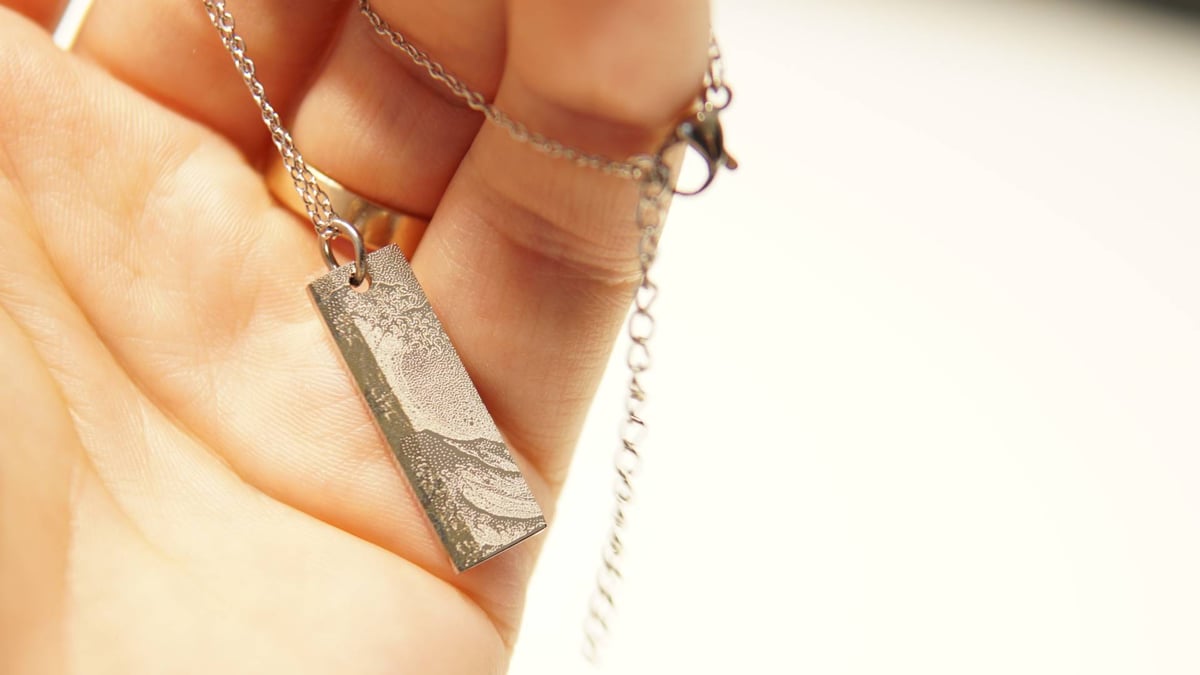
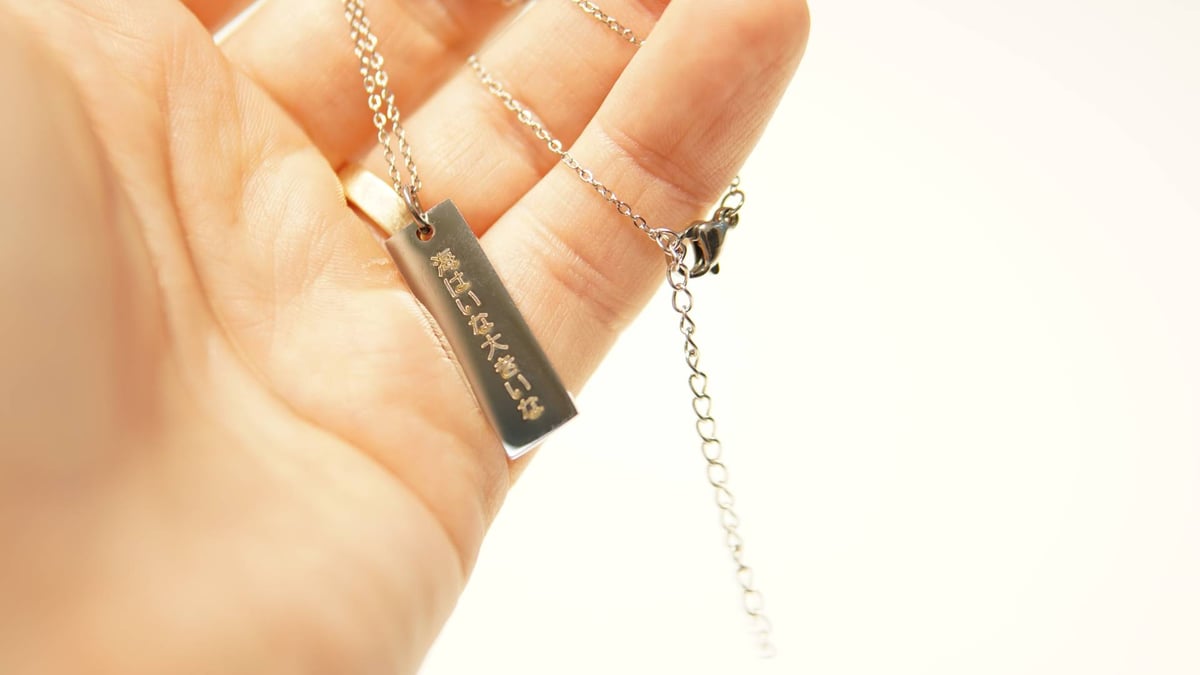
The sample pack provided with our review unit included jewelry examples, and in relatively short order, a design can be whipped up and etched in literally seconds. One side of the pendant pictured below is engraved from a bitmap image of Hokusai’s The Great Wave Off Kanagama, and the reverse a vector outline of Kanji that a Google search tells me is a line from a popular children’s song about the sea (Kanji readers, please don’t hate if it’s awful).
The key to doing such work lies in the software, which xTool recently overhauled. Now called xTool Studio, the program shares many similarities with the xTool Creative Space it replaces, but nudges the workspace a little closer to the multi-tab kind of experience you might have with other contemporary creation software. Less helpfully, there’s isn’t quite parity between XCS and Studio insofar as full machine control, with the “Isolator Overheat” failsafe currently only accessible through the older software. I’ll get to that and its importance in a moment.
Creative Tools
Besides Atomm, xTool’s project repository which lets you pull project files directly into xTool Studio, you are given a pretty diverse set of creation tools inside Studio. Many designs will start with an image, in a bitmap file type like JPG or PNG. These are “lossy” formats, which lose detail when scaled up, however xTool Studio includes a large set of image processing tools that can extract decently usable spins on an image, if you so wish. You could engrave a JPG as is, with the laser scanning tightly packed dots, line by line, to render the image. Alternatively, it can figure out vector outlines which are treated differently, and can be scaled (theoretically) infinitely without losing detail.
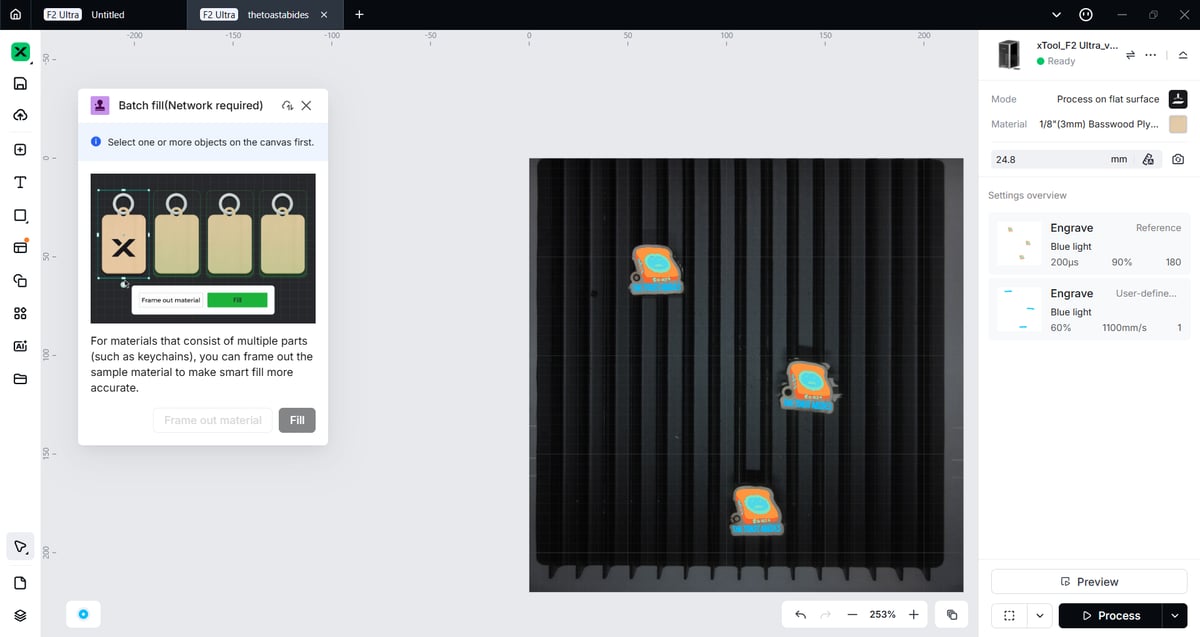
Alongside some of these creation tools are functional utilities that are essential for productive batch work including nesting and batch fill, which automatically places repeated designs onto materials the system can “see” using its cameras in the work volume.
As ever in the world of 2025, AI plays a role. xTool Studio includes text to image and image processing filters that can transform an input image into something else. Useful for making not-Studio-Ghibli-by-name-but-obviously-Ghibli-like caricatures from photographs, as well as more minimalist touches like line art and others in-between.
Crucially for the F2 Ultra’s superpower of chewing through metal, is the AI-powered embossing filter, which takes your input image and prompt, and spits out an embossable greyscale analog. The system reads black, white, and shades in-between as depth detail, translating it into depth passes for the laser.
AI processing comes at a cost of several tokens a pop. While you get 200 tokens for free when you create an xTool account, and every AI-based process, including embossing, costs six or more tokens to execute. These tokens can also be used to purchase premium designs on Atomm, and you can top them up either by purchasing them, or performing various in-ecosystem activities and contributing the community, like commenting on designs.
Color Engraving Metal
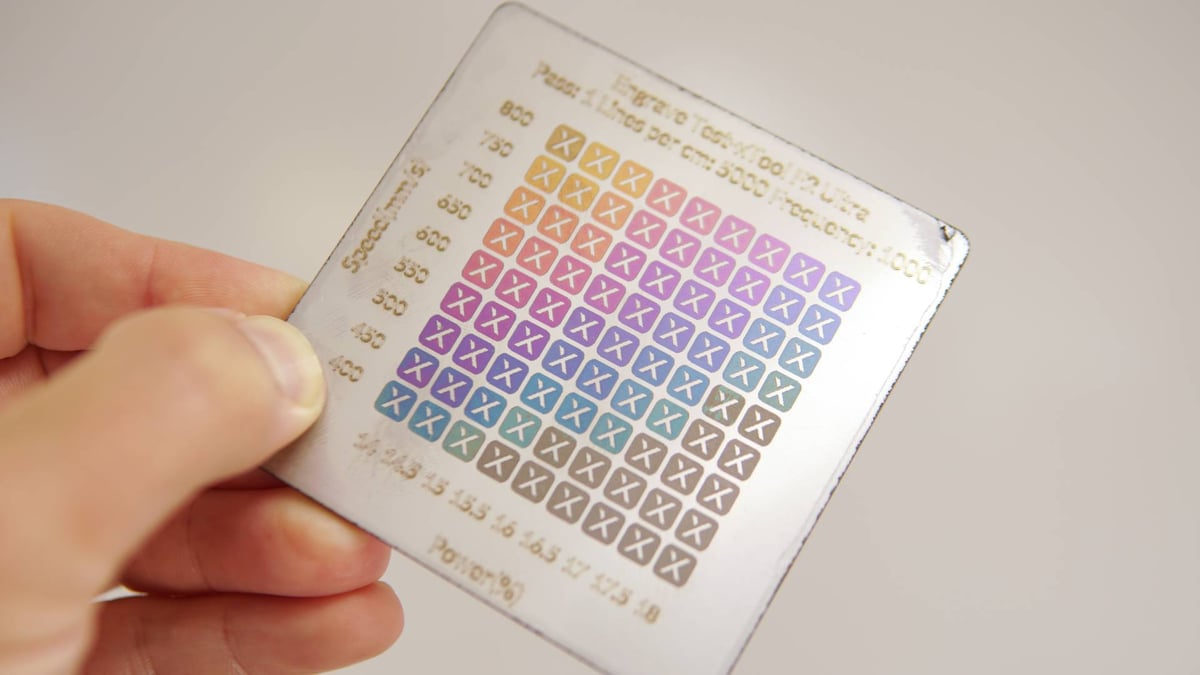
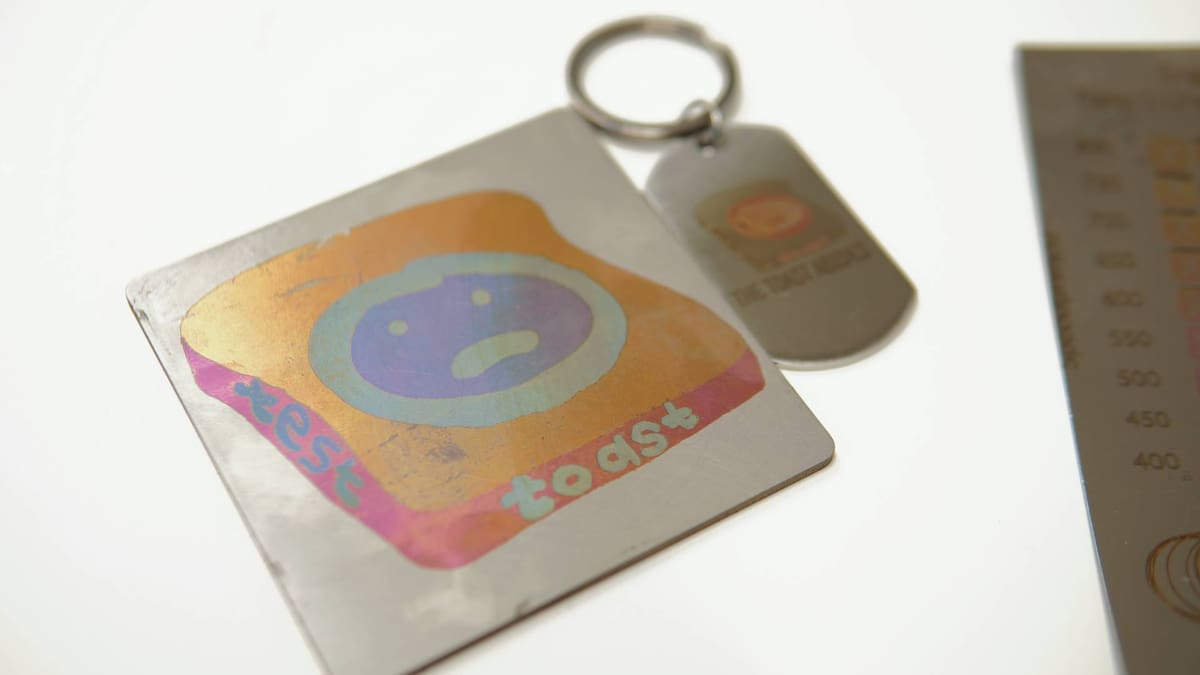
By nature of being able to adjust the laser to different wavelengths and pulse widths, timings and what have you, you can also kind of control the oxidation of the metals you engrave resulting in different colors. It tickles the same part of my brain that could endlessly watch color anodization videos, except with a laser you can precisely control it. This opens the door to engraving color images on the metal, provided the metallic pastel-like colors suit your designs.
If there’s no setting reference available in xTool Studio, you have to create your own using a material test array. The frequency is fixed for a given matrix, with the grid stepping through small incremental adjustments to the power and speed. Like with 3D printing, there are a lot of variables than can affect the outcome, so performing the test to find “your” settings for a given material is essential to avoid wasted stock on failed engravings. Saving the results as a preset lets you pick “known” colors for your prepared block-color-separated file. It’s a bit tedious, and flies a little in the face of how easy virtually every other aspect of using this laser is.
This is, ultimately, my biggest conceptual gripe with the F2 Ultra, insofar as workflow and productivity. The process to do color engraving (and to a lesser extent embossing) are more drawn out and involved than anything else you’ll do with the laser, and require more mental load just to wrap your head around do it well. xTool Studio helpfully links out to guides on the xTool website about how to do these things, but would be infinitely more helpful with an in-software guided wizard to walk first-time users through the process.
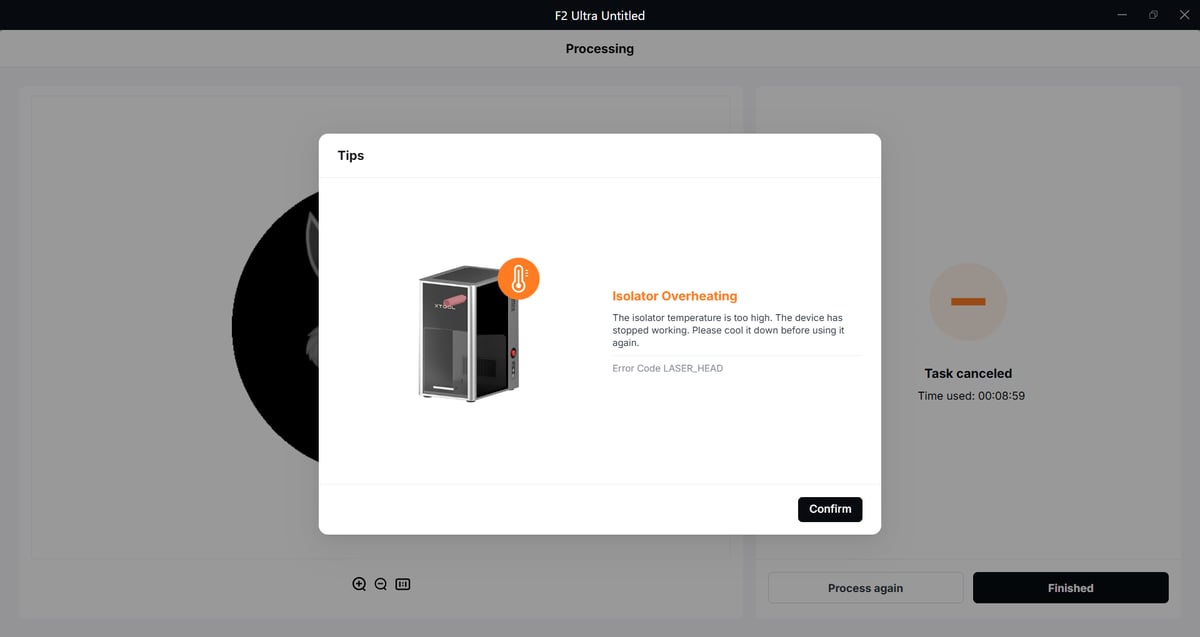
Operationally, the MOPA laser presents some interesting challenges you should take into account. It’s sensitive both to temperature, and itself, meaning reflections, which can be an issue if your workspace is warm, and the metals you’re working on are highly reflective (think jewelry). There is an isolator in place to filter these reflections out and safeguard the MOPA from damage, but this can overheat, forcing job cancellation.
Throughout testing we ran into frequent isolator overheating warnings and job cancellations. xTool has informed us that, provided you’re working outside a 3 x 3 cm area in the center of the work area, then the angle of reflection shouldn’t affect the MOPA and you can disable the isolator overheat warning. Considering this particular caveat occurred to me early on in testing and almost none of the tasks I’ve attempted have been at the center of the area, this advice doesn’t fill me with confidence. While I didn’t spend ~$5,000 of my own money on this device, I’m not particularly comfortable switching off self-protective measures like this.
Working against this is the F2 Ultra’s focusing system, which you use to find the height of your material for optimal lasering. This works by aligning a red laser pointer with the blue diode laser, but only in the middle of the work area, meaning you focus to the material height in the center, and then almost always have to reposition it to actually do the work. It doesn’t feel wholly intuitive, and you have to trust that jobs on the outskirts of the work area are being compensated against.
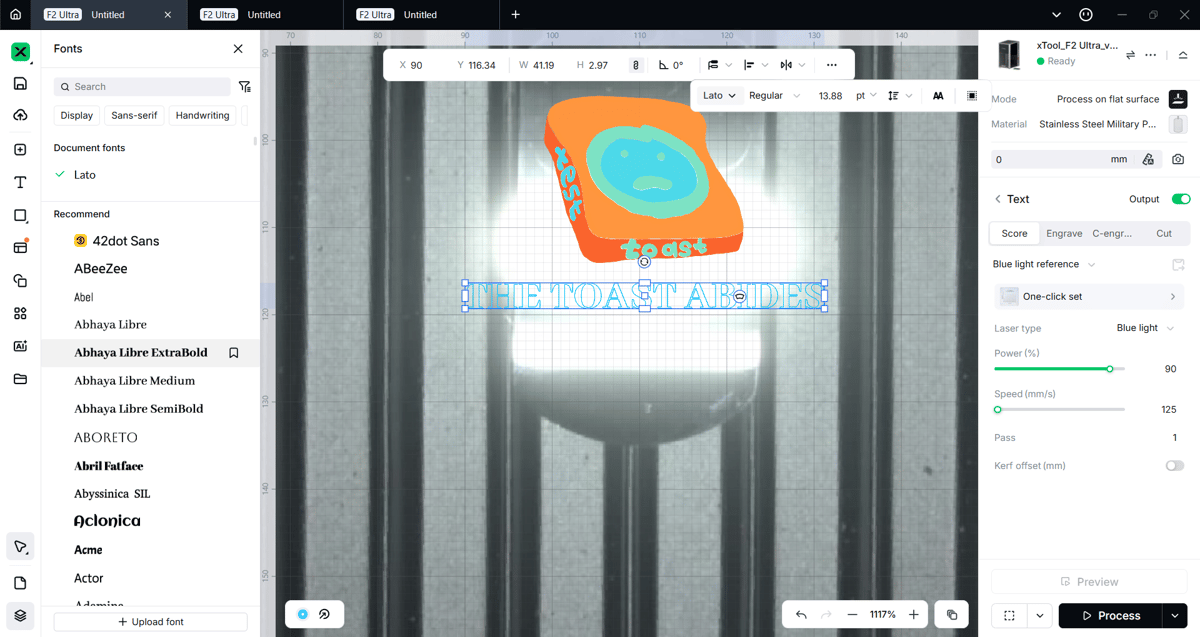
Aligning designs on materials can be made harder by the chamber fill light reflecting strongly into the preview cameras, washing out clear definition of the material you want to work on. You can reduce the intensity in the machine’s settings, but it’s an extra step that feels like it could’ve easily been avoided in the machine’s design.
It’s less of an issue with sheets of material you intend to later cut, or cut as part of the process, but it takes some work (and wasted material, when you get the alignment wrong). Using the framing feature helps this situation, and it’s worth the extra time doing so to not waste time on bad jobs.
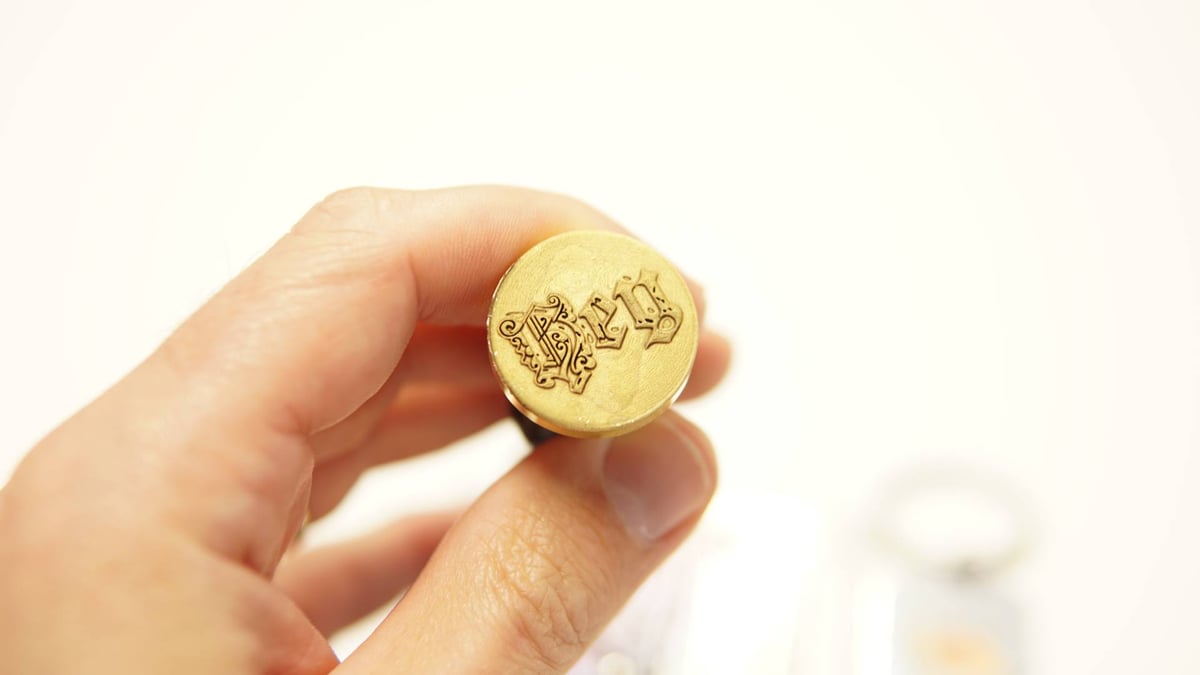
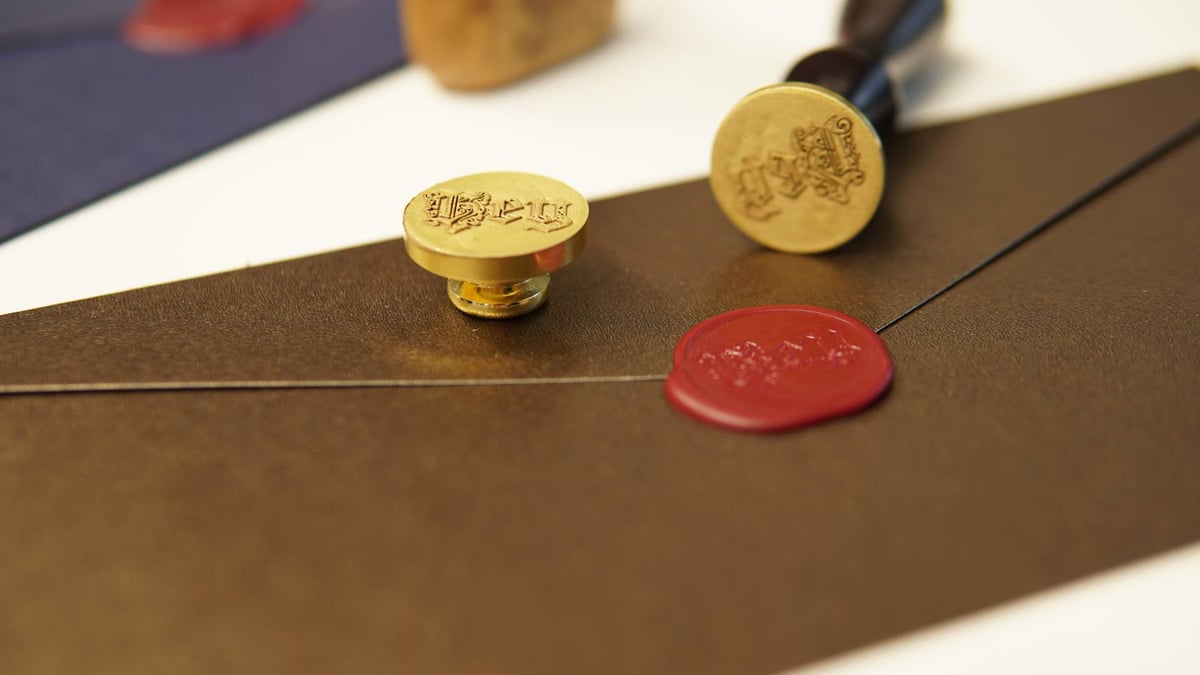
Across the variety of jobs we’ve tried in our time with the F2 Ultra, it clear that the machine’s strength is marking, etching and embossing metal. Cutting can be a finickity to accomplish cleanly, and a limitation of the F2 Ultra’s design is that, by using a galvanometer (the origin of the laser is central to the work area), cuts on thicker materials at the outer edges of work area will be oblique.
Is It Worth It?

The xTool F2 Ultra is a wickedly powerful desktop laser engraver, and despite the wrinkles and issues I ran into using it over the last few weeks, I’m undeterred. The creative possibilities are too great, and the laser’s ability to whip up and mark shiny jewelry and token-like objects is really quite something.
Through the course of my testing xTool updated the firmware once, exposing a slight discord between the two different, but functionally-identical softwares xTool offers for its machines, but I’m told this will be straightened out in October.
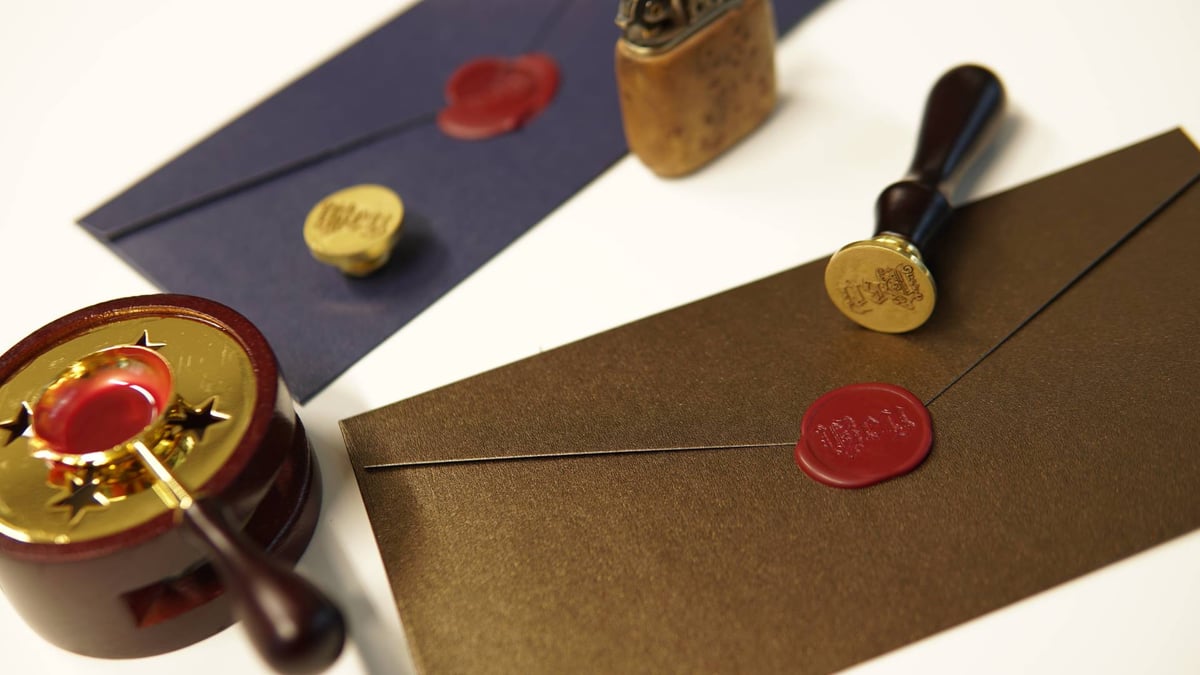
A fiber laser as powerful as this may be overkill for many folks’ needs, particularly as diode lasers are becoming more powerful and, through the lens of a 3D printing publication, pretty accessible in devices like Bambu Lab’s H-series, you have to really know you need the power the F2 Ultra offers.
Check that particular box though, and you’ll be obliterating hefty chunks of brass or other metals into deep, embossed tokens that few others can match in no time. It’s as plug and play as they come, and with the creative versatility xTool Studio offers, even a complete beginner could get productive with the F2 Ultra in no time at all.
License: The text of "I Don’t Run a Crafts Business, but the xTool F2 Ultra Kind of Makes Me Want To" by All3DP is licensed under a Creative Commons Attribution 4.0 International License.
CERTAIN CONTENT THAT APPEARS ON THIS SITE COMES FROM AMAZON. THIS CONTENT IS PROVIDED ‘AS IS’ AND IS SUBJECT TO CHANGE OR REMOVAL AT ANY TIME.