This High-Tech Polymer Replaces Metal in Spacecraft, Implants & Defense: Your Ultimate PEEK 3D Printing Guide

Looking to 3D print with stronger-than-metal PEEK polymer? Our updated guide covers the material and the best 3D printers for the job.
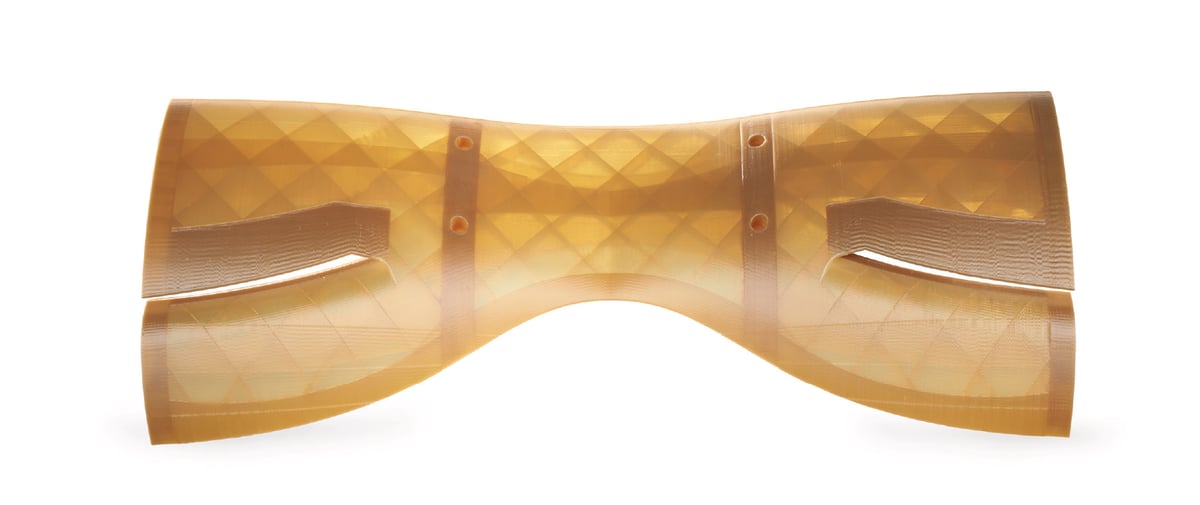
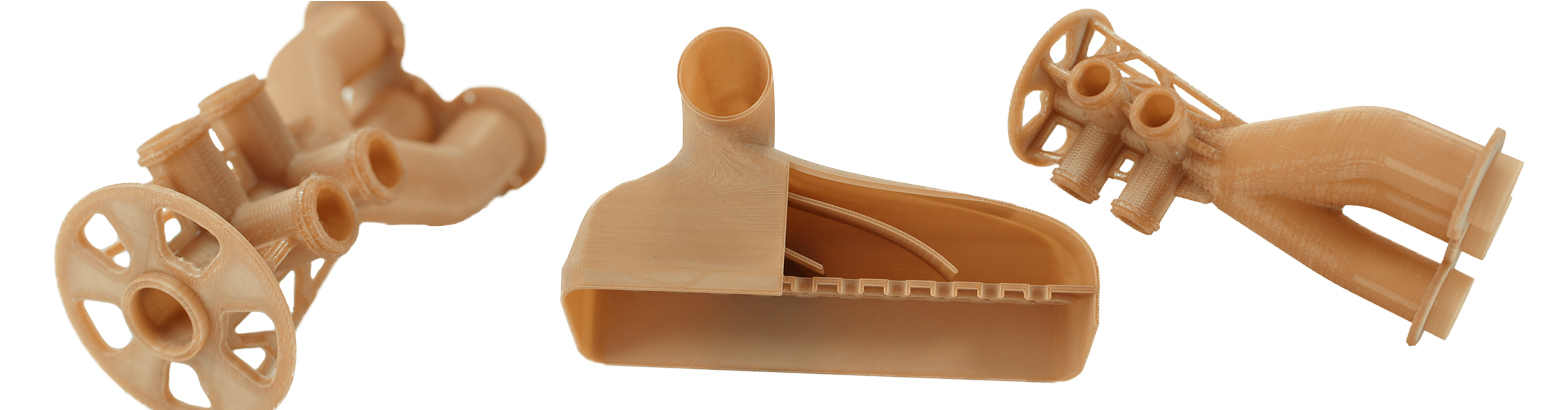
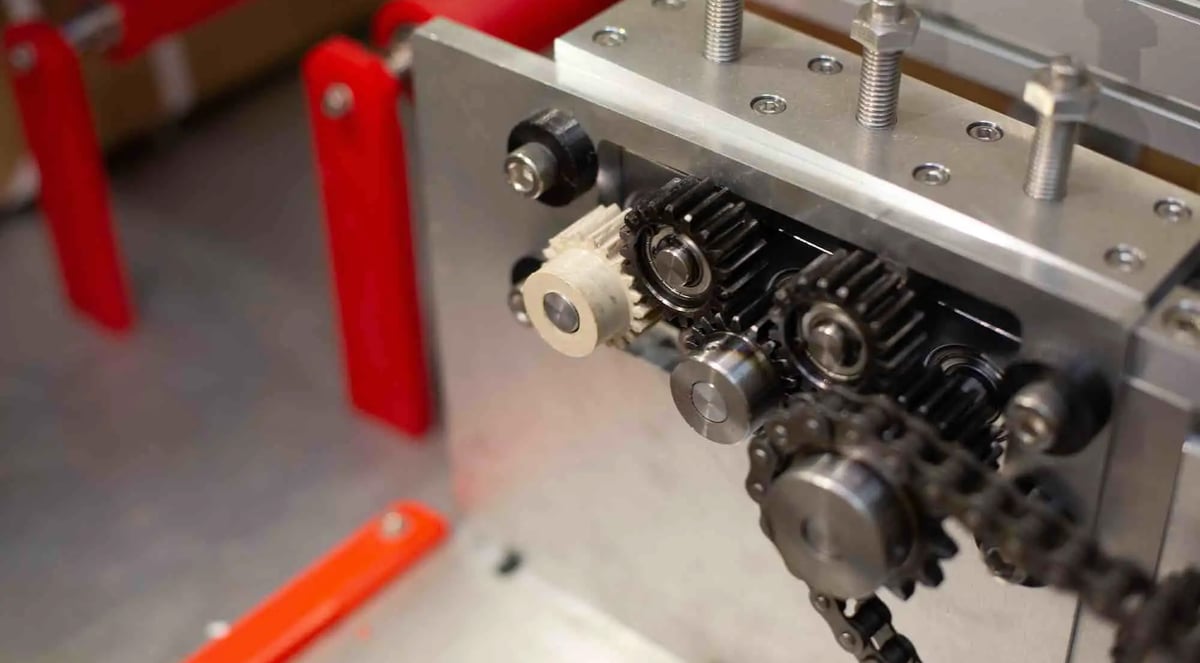
Prized as a polymer that can replace metal in many applications from aerospace to implants, PEEK (poly-ether-ether-ketone) is one of the most popular thermoplastics in manufacturing and for good reason. It can produce parts stronger and lighter than stainless steel and aluminum with extremely high thermal, chemical, and wear resistance, plus it’s biocompatible. PEEK is also ideal for parts in electrical engineering due to its electrical insulation properties, and it’s widely used in applications requiring long-term resistance to pressure and wear, such as in the oil and gas industry.
Parts made from this engineering-grade material can be found in virtually every industry, but that doesn’t mean every industry 3D prints with PEEK.

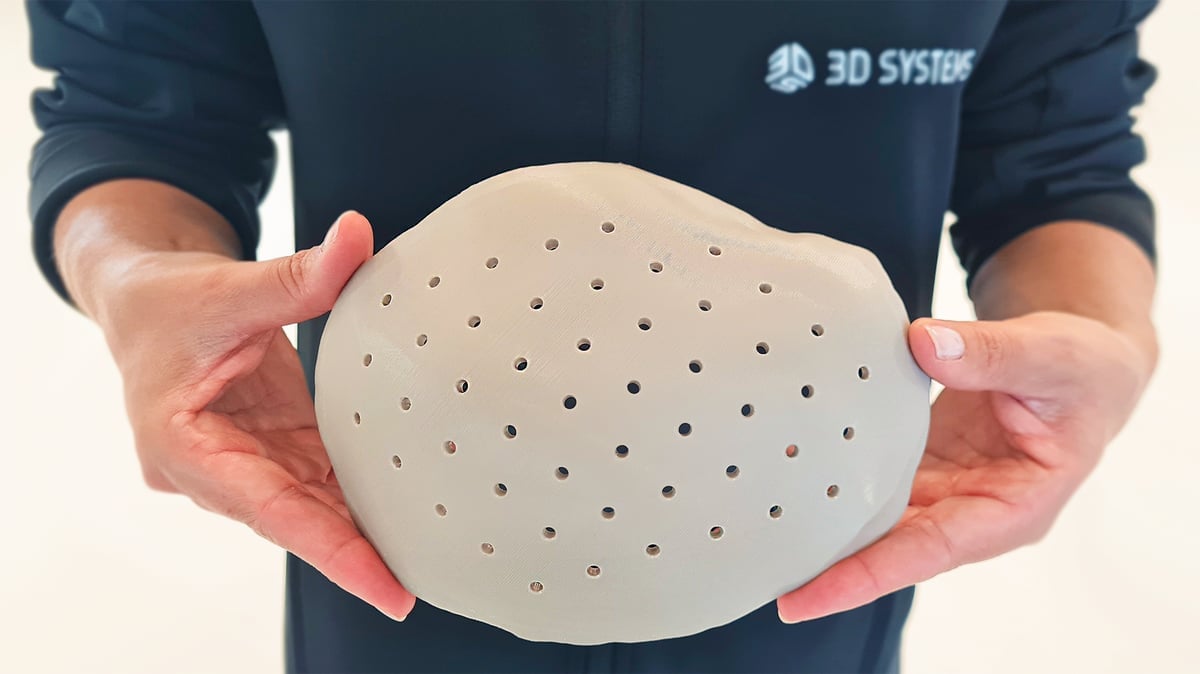
It’s no wonder we’re seeing more 3D printed PEEK parts replacing metal in spacecraft, orthopedic implants, and even engine parts in high-performance auto racing.
Popular PEEK Applications
3D Printers Tuned For PEEK
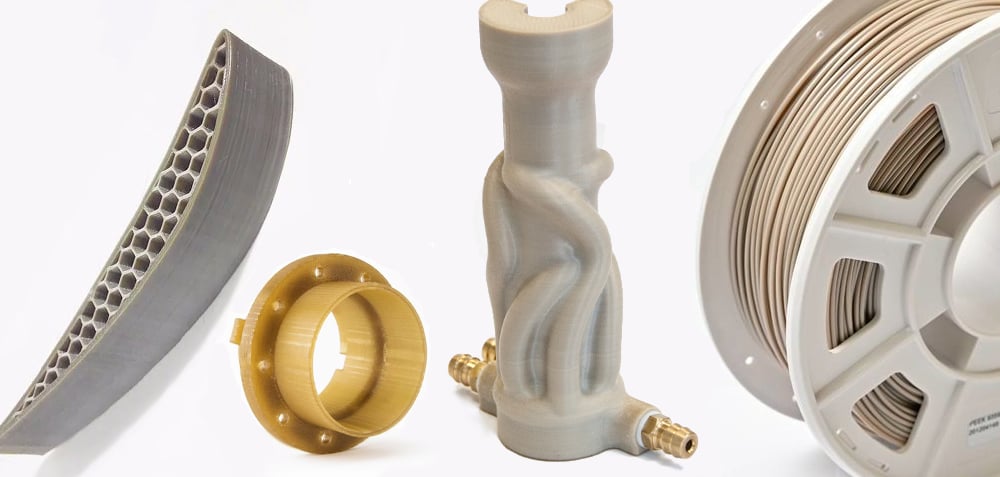
At the same time, demand for 3D printers that can work with this material is growing, which has prompted manufacturers to produce increasingly affordable, larger, and easier-to-use PEEK printers for businesses looking to bring production and prototyping in-house.
Although PEEK is still among the costliest additive manufacturing polymers (yet cheaper than most metals), and it’s not the easiest to work with, it is far more accessible today than ever before. If you’re new to PEEK (and other polymers in the PEAK family), skip to the end to learn more about this sought-after and functional material.
Now, let’s look at how to pick the best PEEK 3D printer for you and our picks for the top machines in various sizes and price points, from office-friendly desktop versions to large-volume production machines.
| PEEK 3D Printer | Build Volume (mm) | Technology | Approx. Price | Max. Extruder Temp. | Max. Bed Temp. | Max. Chamber Temp. | Min. Layer Height |
|---|---|---|---|---|---|---|---|
| Intamsys Funmat HT & Funmat Pro 310 Apollo | 260 x 260 x 260 | FDM | $7,500 | 450 °C | 160 °C | 90 °C | 50 microns |
| CreatBot PEEK-250 & PEEK-300 | 300 x 300 x 400 | FDM (dual extruders) | $18,000 | 500 °C | 200 °C | 120 °C | 40 microns |
| Orion AM A150 Series | Ø180 x 50mm | FDM | $60,000 | 500 °C | 300 °C | 315 °C | 20 microns |
| MiniFactory Ultra 2 | 330 x 180 x 180 | FDM (dual extruders) | $75,000 | 480 °C | 250 °C | 250 °C | 100 microns |
| HP IF 600HT & IF 1000 XL | 380 × 380 × 420 | FDM | $100,000 (IF 600HT) | 500 °C | 190 °C | 195 °C | 50 μm |
| AON3D Hylo | 650 x 450 x 450 | FDM (IDEX) | $120,000 | 500 °C | 250 °C | 250 °C | 50 microns |
| 3ntr Spectral 30 | 296 x 296 x 296 | FDM (quad extruders) | $135,000 | 500 °C | 300 °C | 250 °C | 100 microns |
| Stratasys Fortus 450mc & F900 | 406 x 355 x 406 | FDM | $160,000 | 450 °C | 250 °C | 250 °C | 130 microns |
| Roboze Argo 500 & Argo 1000 | 500 x 500 x 500 | FDM | $250,000 | 450 °C | 150 °C | 180 °C | 10 microns |
| 3D Systems EXT 220 Med | Ø180 × 150 | FDM (3-Axis Delta) | - | 500 °C | 300 °C | 250 °C | 200 microns |
| Orion AM M150 | 150 x 150 x 150 | FDM (3-Axis Delta) | - | 500 ºC | 300 ºC | 300 ºC | 20 microns |
Not All Printers Can Print PEEK

A spool of PEEK filament may look like any other 3D printing plastic, but put it in a consumer machine and you’ll quickly realize that this material needs something more; specifically, more heat.
You not only need to extrude PEEK with a super-heated nozzle (380 °C, – 420 °C), but you also need to keep it hot with a heated bed and chamber. A couple of specialized 3D printers, like the Orion 3D, go beyond a heated bed and chamber, with technology that heats the PEEK part itself. Localized heating of the part, as well as a heated chamber to control the crystallization, can improve the interlayer adhesion. The heat needs to be consistent and controllable since how quickly you let the final part cool down also makes a difference.
Print speed and layer height are important factors in a successful PEEK print. Fortunately, the better PEEK printers will automate many of these settings for a more worry-free experience.
The material data sheet that comes with you PEEK filament usually provides an ideal print speed, which is typically a slow 15-45 mm/s depending on the brand. Many of the printers we feature in this guide make high-speed claims of 400-500 mm/s, but know that PEEK simply can’t be printed at that speed, while other engineering-grade materials can.
Although most PEEK is 3D printed using FDM printing with rolls of filament, more recently, PEEK is making headway in more economical pellet form and as a powder for selective laser sintering (SLS) 3D printers although SLS is not commonly used for PEEK.
PEEK Printers Can Print More Than PEEK
No 3D printer on our list is a one-trick pony; if they can print PEEK, then they can handle other high-performance polymers with similar print perimeters and a need for high heat, such as PEAK, PEKK, PEI/Ultem, PPSU, and others. Of course, they can handle regular ABS and even PLA if you can turn the heat down low enough.
What To Look For in a PEEK Printer
Not all PEEK printers are the same, of course, and you’ll need to balance your budget with the features you need in a printer and the ones you might be able to live without. If you only need PEEK parts occasionally or aren’t sure you even need PEEK at all, try ordering your PEEK parts from a 3D printing on-demand service bureau, such as Craftcloud.
Below are some of the top features of the PEEK printers on our list.
- HEPA filter to trap harmful fumes and particles
- Insulated chamber so the heat doesn’t warm up your workshop or leak heat from the machine
- Rapid heating chamber so you’re not waiting an hour or more to start printing
- Dual extruders so you can print support material in something other than PEEK, such as a soluble material, for cost savings and easier removal
- Integrated filament dryer so your PEEK material is always ready to go
- Controlled cool down to prevent warping
- Camera embedded for continuous print monitoring
- Power outage protection that resumes the print from where you left off
- Sensors to detect whether you have enough filament to complete the job
- Sensors to detect a filament jam
Desktop / Benchtop 3D Printers
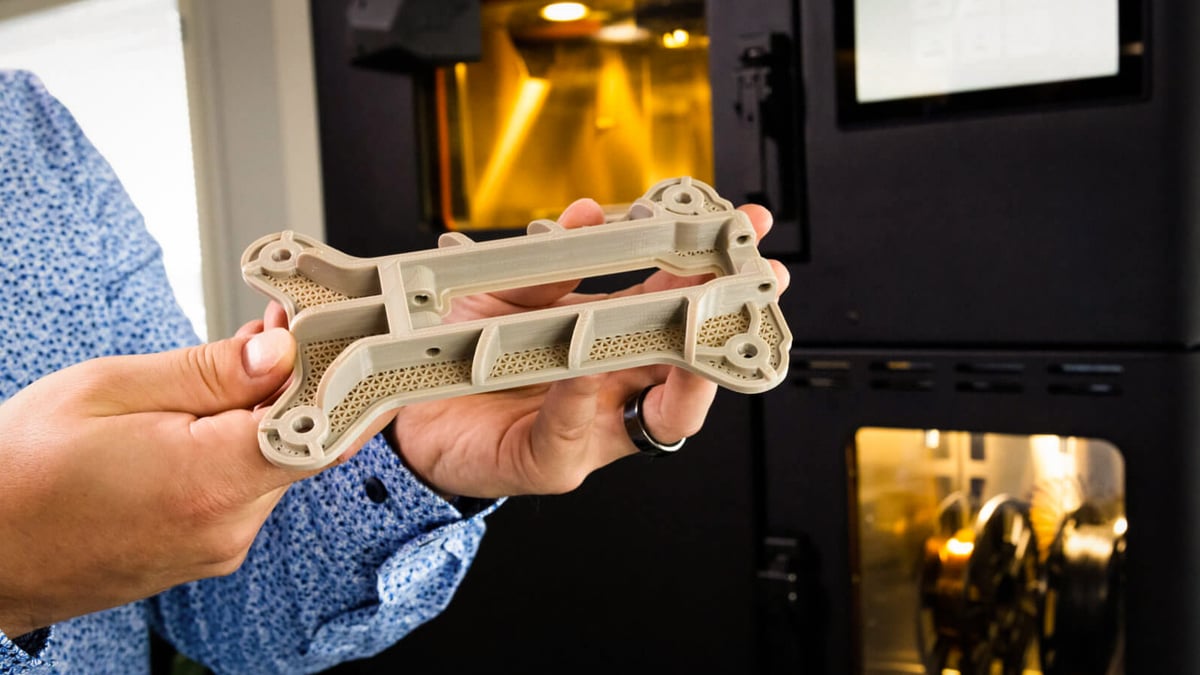
The following printers are small enough to fit on a desktop and can print small parts, batches of small parts, and prototypes. These versions may lack some of the bells and whistles of their larger cousins but can still produce metal-like parts with all of the characteristics you print with PEEK for. These machines could be considered more office-friendly in the sense that they’re small, but you’ll still want to follow proper safety and ventilation procedures.
Intamsys Funmat HT & Funmat Pro 310 Apollo
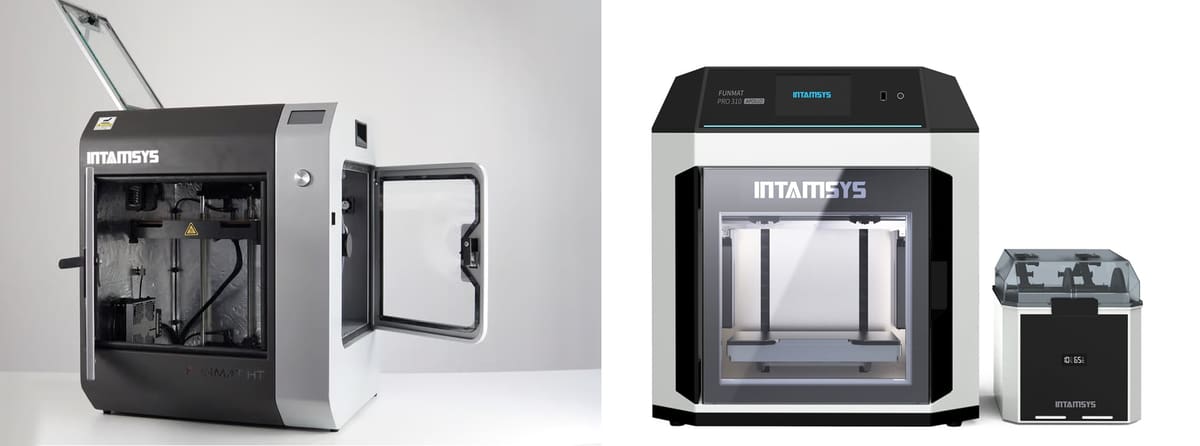
The Funmat HT is Intamsys’ starter machine (compared to the rest of its lineup) and offers a variety of features that are typically limited to more advanced, industrial-grade machines, which makes it a great intro to PEEK printing. It has an insulated chamber for constant temperatures up to 90 °C and a built-in camera, so users can monitor their print remotely. In addition to PEEK, it can print in PEI, nylon, PPSU, Ultem, and ABS.
For manufacturers moving beyond PEEK prototyping, Intamsys’ Funmat Pro 410, Funmat Pro 610HT, and new Funmat Pro 310 Apollo offer three industrial routes into high-temperature PEEK FDM production.
The Funmat Pro 610HT is the flagship option, pairing dual 500 °C extruders with a 300 °C heated chamber and large 610 × 508 × 508 mm build volume. It is best suited to large, demanding PEEK, PEKK, PEI, and PPSU parts where thermal stability and mechanical performance are critical.
The Funmat Pro 410 is the more compact workhorse, with 500 °C dual nozzles, a 160 °C bed, and a 90 °C chamber. It fits smaller production runs of functional PEEK parts, tooling, and fixtures.
The Funmat Pro 310 Apollo adds a production-focused IDEX architecture and supports PEEK, PEEK-CF, PEEK-GF, and PEKK, making it suitable for faster small-batch and duplicate-part workflows.
Together, the three cover large-format high-temperature production, general industrial PEEK printing, and higher-throughput manufacturing of smaller PEEK-family parts.
All Intamsys printers are open-material machines so you can choose your filament brand and type.
CreatBot PEEK-250 & PEEK-300
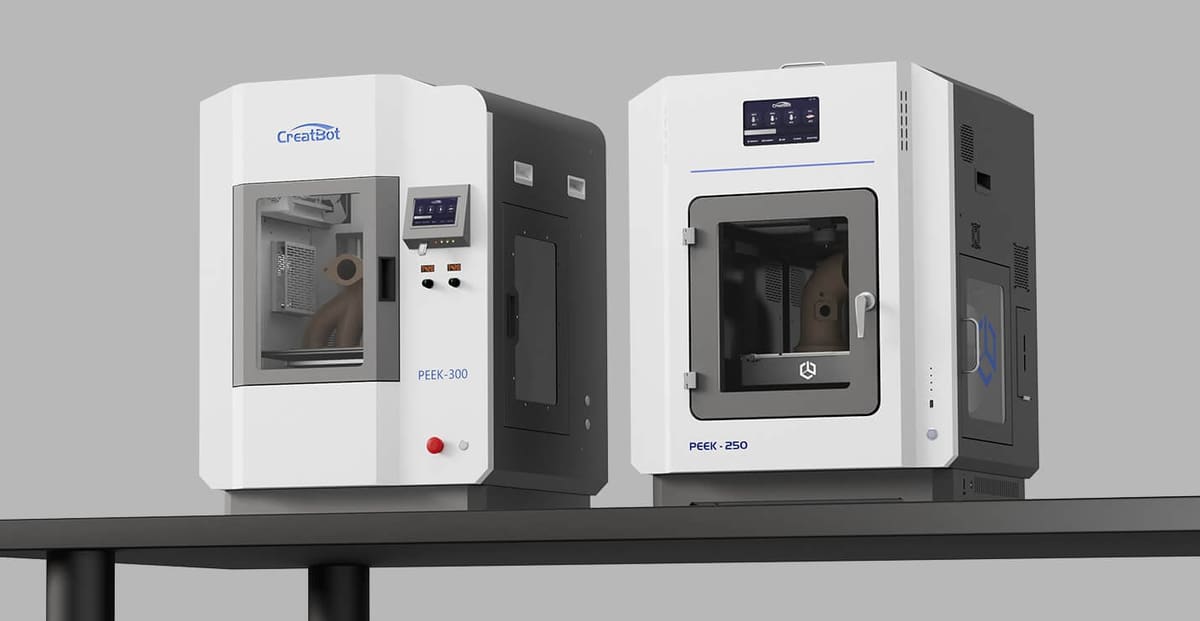
CreatBot’s PEEK-focused lineup includes the larger PEEK-300 and the newer, smaller PEEK-250, both built for ultra-high-temperature FDM printing of engineering polymers including PEEK, PEI/Ultem, PEKK, and reinforced composites.
Launched around 2019, the PEEK-300 was developed to meet demand for printers with the thermal hardware required for PEEK: a high-temperature dual-extruder system, heated bed, and heated chamber. CreatBot lists the machine with dual nozzles up to 480 °C and a 200 °C hotbed, while earlier technical material and testing references cite a heated chamber around 120 °C. Its dual extruders are useful for support-material workflows, and the machine also features a carbon-fiber build surface, HEPA filtration, and CreatBot’s Direct Annealing System, which performs post-print heat treatment inside the printer rather than requiring a separate oven.
CreatBot has since expanded the range with the PEEK-250, a more compact high-temperature machine with a 250 × 250 × 300 mm build volume, 480 °C nozzle, 200 °C bed, and 200 °C heated chamber. CreatBot markets it as a desktop high-temperature PEEK printer, making it the more compact option for users who want the high chamber temperatures needed for PEEK-family materials without the larger footprint of the PEEK-300.
The company’s smaller F430 NX can also process some high-performance materials thanks to its 420 °C hotends, but its 70 °C chamber and 140 °C bed put it in a different class from the dedicated PEEK machines.
Orion AM A150 Series

Orion AM’s A150 Series is built around the company’s patent-pending Thermal Radiation Heating technology, which heats the printed material from all directions rather than simply warming the chamber air. Orion says this approach can heat the print up to 300 °C, improving interlayer bonding, reducing warping and delamination, and helping high-performance polymers such as PEEK achieve more uniform strength and density.
The technology is especially relevant for semicrystalline materials such as PEEK, where thermal control affects crystallization, shrinkage, and final mechanical properties. According to Orion AM, its TRH process allows layers to fuse more completely, producing dense, nearly isotropic parts suitable for end-use applications rather than only prototypes.
Orion cites testing with material suppliers including Solvay and Evonik to support its injection-molding-strength claims. In company-published Evonik VESTAKEEP PEEK test data, Orion reports tensile strength values above the listed injection-molded reference, including in the ZX orientation. These claims should still be treated as Orion-reported results, but they are central to the company’s pitch: TRH is intended to overcome the weak Z-axis bonding usually associated with FFF printing.
The A150 is aimed at industrial users printing high-performance polymers including PEEK, PAEK, PEKK, PEI, Ultem 1010, Ultem 9085, PPSU, PC, PA6, and PA12. Current specifications list a 180-mm-diameter by 150-mm-high build volume, 500 °C maximum extruder temperature, 300 °C bed temperature, and TRH values of up to 315 °C chamber temperature and 370 °C layer-heater temperature. Other listed features include delta-style 3-axis kinematics, 20-micron minimum layer height, WiFi, Ethernet, USB connectivity, and a 7-inch capacitive touchscreen.
Shop Floor 3D Printers
For PEEK printing in a more industrial capacity, these printers should do the trick. They require a little more expertise to get running (and sometimes a lot of space), but they’re designed to be efficient and come with a lot more features and build volume.
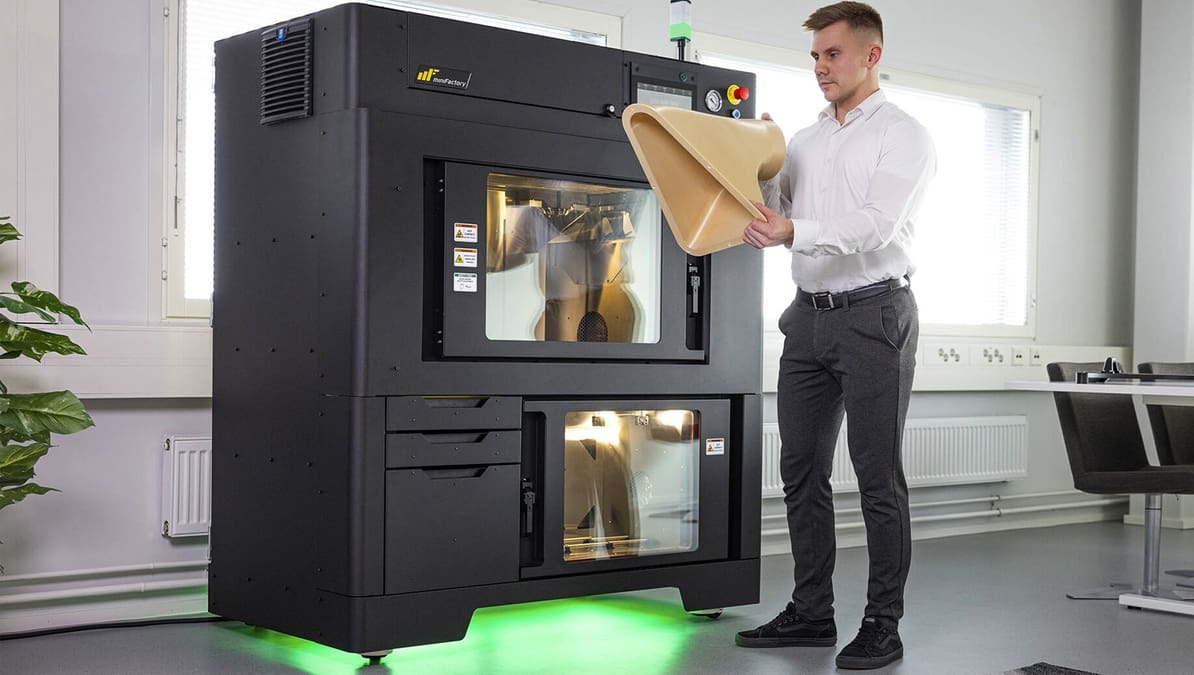
MiniFactory Ultra 2
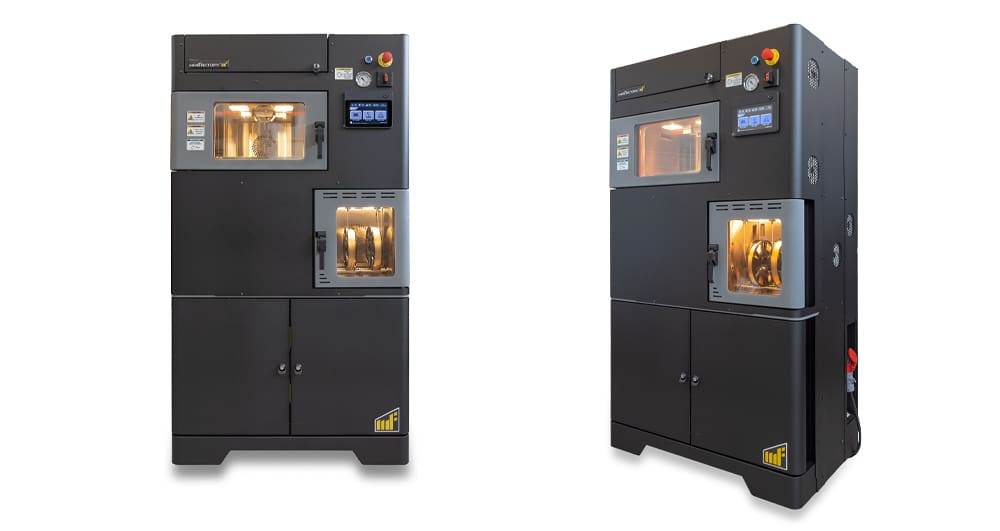
The miniFactory Ultra2 is a compact industrial FDM printer from Finnish manufacturer miniFactory, not to be confused with the 3D model platform MyMiniFactory. It is designed for demanding polymers including PEEK, PEKK, PAEK-family materials, ULTEM1010, ULTEM9085, PPSU, PSU, PPS, TPI, and reinforced composites.
For PEEK printing, the Ultra2’s key features are its high-temperature build environment and process-control tools. The 2024 miniFactory datasheet lists a 250 °C smart heated chamber, 250 °C platform, and 480 °C extruder, along with a 330 × 180 × 180 mm build volume. It also includes integrated material drying and annealing, which are especially relevant for moisture-sensitive, semicrystalline materials such as PEEK and PEKK.
The Ultra2 uses two separable extruders for model and support materials and offers 200 mm/s maximum print speed, 0.3–1.0 mm nozzle sizes, 1.75 mm filament, AC-servo motors, ball screws, liquid and air cooling, and fully automatic calibration. Its quality-control features include miniFactory Aarni QA, remote control, an onboard camera, jam and runout sensors, full system statistics, and the ability to document production through a digital “master sample” workflow.
miniFactory positions the Ultra2 for research, R&D, education, medical device work, oil and gas, material manufacturers, fine-detail parts, and demanding applications in PEEK, PEKK, PPSU, and ULTEM1010. The company also says its systems are built for daily industrial use and can be covered by a warranty of up to five years.
HP IF 600HT & IF 1000 XL
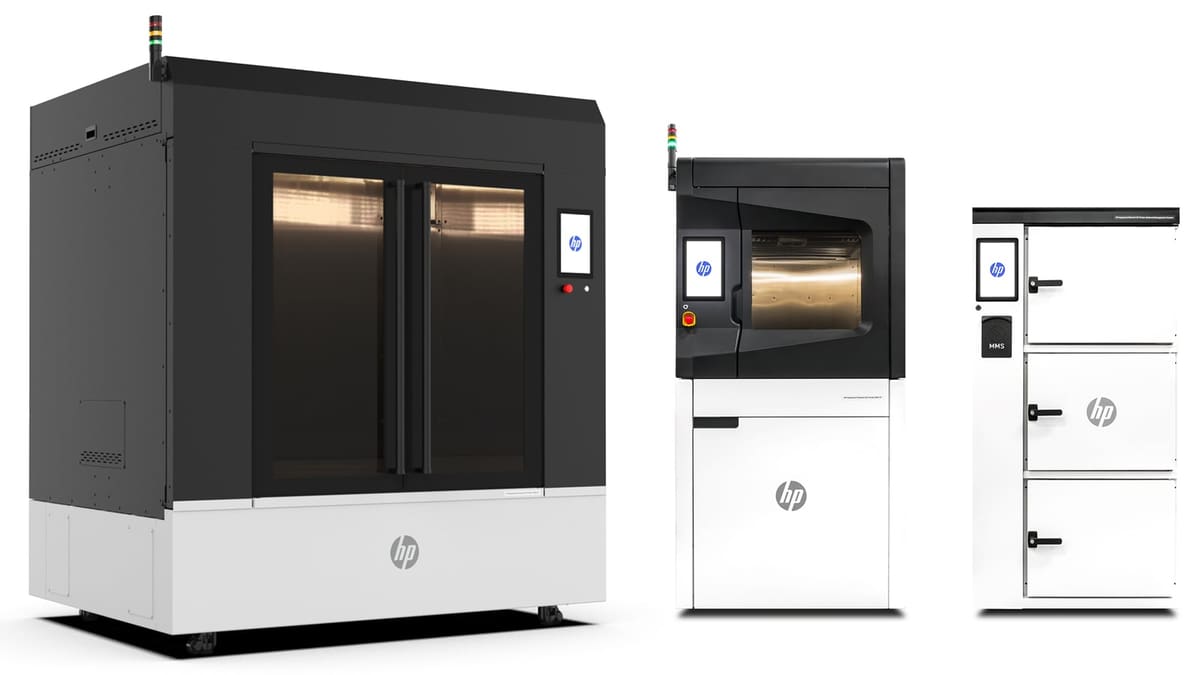
HP just entered the high-temperature FDM market late last year with the IF 600HT and IF 1000 XL (the later due out later in 2026). Both are industrial filament 3D printers aimed at high-temperature polymer applications, including parts made from PEEK and related engineering materials. The IF 600HT is the smaller and more clearly specified of the two, with HP listing compatibility with PEEK, PAEK, PEKK, PPSU, and carbon-fiber-filled filaments. It features an actively heated build chamber of up to 195 °C, interchangeable print modules with nozzle temperatures up to 500 °C, and dual extrusion.
The IF 1000 XL is positioned as the large-format option in the same family. Public specifications are more limited, but HP describes it as a system for producing larger industrial parts, with availability expected after the IF 600HT. For users considering PEEK printing, the IF 600HT is currently the more concrete option based on published specifications, while the IF 1000 XL may be relevant where build volume is the main constraint.
Taken together, the two machines suggest HP is targeting industrial users that need filament-based systems for high-performance polymers rather than general-purpose prototyping. As with any PEEK-capable printer, buyers should check the final material profile support, chamber temperature, and nozzle configuration for the specific filament they intend to use.
AON3D Hylo
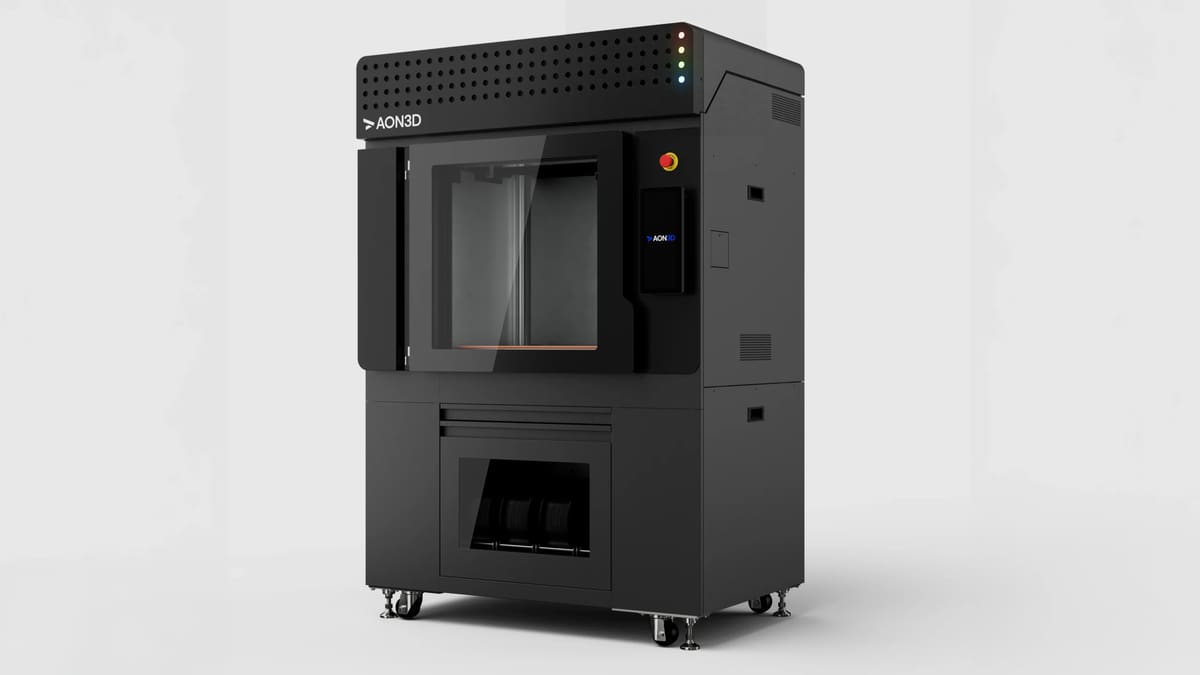
The AON3D Hylo is the Canadian company’s flagship high-temperature FDM printer, aimed at production parts in polymers such as PEEK, PEKK, ULTEM, PPSU, and fiber-reinforced composites. It combines a large 650 × 450 × 450 mm build volume with dual independent extruders, a 250 °C heated chamber, a 250 °C bed, and print speeds listed up to 500 mm/s.
Hylo is as much a software-led system as a hardware platform. It is paired with Basis, AON3D’s software environment for slicing, simulation, process optimization, printer management, and part-data review. AON3D says Basis uses machine learning and thermal simulation to generate part- and material-specific print parameters, replacing some of the trial-and-error usually associated with high-temperature polymers.
The printer also includes more than 25 integrated sensors for automated calibration, process monitoring, and data capture during the build. After printing, users can review sensor-derived data in Basis to help identify issues such as warping, cracking, over- or under-extrusion, and other hidden defects. The company frames this as a digital-twin approach to part qualification, although buyers should still evaluate it against their own inspection and certification requirements.
Hylo remains an open-material and open-parameter machine. AON3D promotes compatibility with open-market polymers from suppliers such as Solvay, SABIC, DSM, and Infinite Material Solutions, while also giving users access to temperature, motion, and process settings. For PEEK users, the appeal is the combination of a high-temperature build environment, independent dual extrusion, validated material workflows, and software tools intended to make large, warp-prone engineering-polymer parts more repeatable.
3ntr Spectral 30

The 3ntr Spectral 30 is a high-temperature industrial FDM printer built for demanding polymers including PEEK, Ultem, PPS, and other engineering materials. Its standout feature is a four-extruder setup, which lets users keep multiple model and support materials loaded and ready rather than constantly swapping filaments between jobs.
That matters for PEEK printing, where material handling and thermal stability are as important as nozzle temperature. Current official specifications list a 296 × 296 × 296 mm build volume, four diamond-nozzle extruders reaching 500 °C, a heated chamber up to 250 °C, integrated Vento filament drying units, and in-chamber annealing capability. Older launch specifications also cited a carbon-coated build plate heated up to 300 °C.
The Spectral 30 is designed for users who need repeatable processing of high-performance polymers, not just occasional high-temperature prints. Its integrated drying, material-profile support, automatic cycle management, and real-time diagnostics are intended to simplify workflows with moisture-sensitive and warp-prone materials such as PEEK.
For larger PEEK parts, 3ntr also offers the Sequoia, a machine with a 1,200 × 1,100 × 900 mm build volume. The company’s Veltra is another current system with a 600 × 400 × 600 mm print area, but with 450 °C nozzles and a 120 °C chamber, it is better positioned as a fast industrial engineering-polymer printer than as a direct Spectral 30 alternative for PEEK.
Stratasys Fortus 450mc & F900

Stratasys’ Fortus 450mc and F900 are not open-material PEEK printers, and they do not print standard PEEK in the way many high-temperature FDM systems do. Instead, they support selected high-performance PAEK-family materials, including Antero 800NA, a PEKK-based thermoplastic, and Victrem 200, a PEEK-based polymer developed for extrusion printing.
That makes them relevant to a PEEK-printer guide, but with an important caveat: Victrem AM 200 is PEKK-based, not pure PEEK. It is designed to offer some of the mechanical, thermal, and chemical-resistance advantages associated with PEEK while being more suitable for filament extrusion.
The closed-material ecosystem is a trade-off. Users do not get the freedom to experiment with third-party PEEK filaments, but they do get predefined material profiles and process parameters for approved materials. For production users, that may reduce process development time; for research, materials development, or cost-sensitive applications, it may be a limitation.
The Fortus 450mc is the smaller of the two platforms and is widely used for industrial polymer parts, tooling, and fixtures. The F900 offers a larger build volume, a broader Stratasys material portfolio, and an optional acceleration kit for higher print speeds.
For buyers specifically looking to print open-market PEEK filament, these machines are probably not the first choice. For companies already invested in Stratasys FDM workflows and looking at qualified PAEK-family materials, they remain relevant alternatives to dedicated open-material PEEK printers.
Editor’s note: In 2025, Stratasys acquired certain high-temperature FDM assets from Nexa3D related to its acquisition of FDM maker Essentium. Stratasys has not announced a new high-temperature FDM system based on those assets, but the deal suggests the company may expand its industrial extrusion portfolio beyond its existing Fortus and F900 platforms.
Roboze Argo 500 & Argo 1000
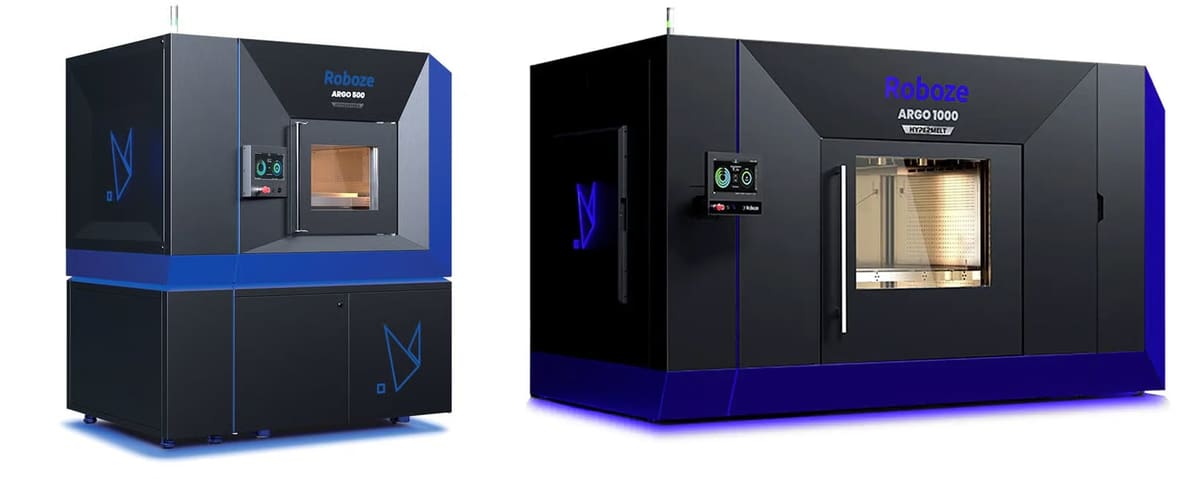
Roboze is a 3D printer manufacturer that specializes in high-temperature machines with two PEEK-compatible options: the industrial Argo 500 and enormous, pellet-fed Argo 1000 with a build volume of 1,000 x 1,000 x 1,000 mm.
All Roboze machines feature what the company calls its Beltless System. By eliminating the rubber belts typically used in 3D printers and introducing a patented movement with gears, Roboze says its printers can deliver better accuracy (mechanical precision of 10 microns) and repeatability.
Argo 500 has been designed to produce high-performing PEEK, the company says, due to its monitoring the management of the material, from hygroscopic control to drying and preheating, up to the gradual cooling phase of the produced part.
The machine also has remote control to allow printing and status monitoring functions.
The Roboze ARGO 1000 Hypermelt brings the company’s PEEK-capable extrusion technology to large-format pellet printing. With a 1,000 × 1,000 × 1,000 mm build volume, dual extrusion, and a heated chamber up to 180 °C, it is designed for large industrial parts in super polymers and composites, including Carbon PEEK.
That scale is both the selling point and the challenge. Large PEEK-family parts are notoriously prone to shrinkage, warping, and internal stress, especially when thermal control is uneven. Roboze’s answer is its Hypermelt pellet-extrusion process and heated build environment, which are intended to keep large parts thermally stable while increasing throughput compared with filament-based systems. For buyers, the ARGO 1000 is less a general PEEK printer than a large-format production platform for qualified high-performance polymer and composite applications.
Speciality Medical PEEK 3D Printers
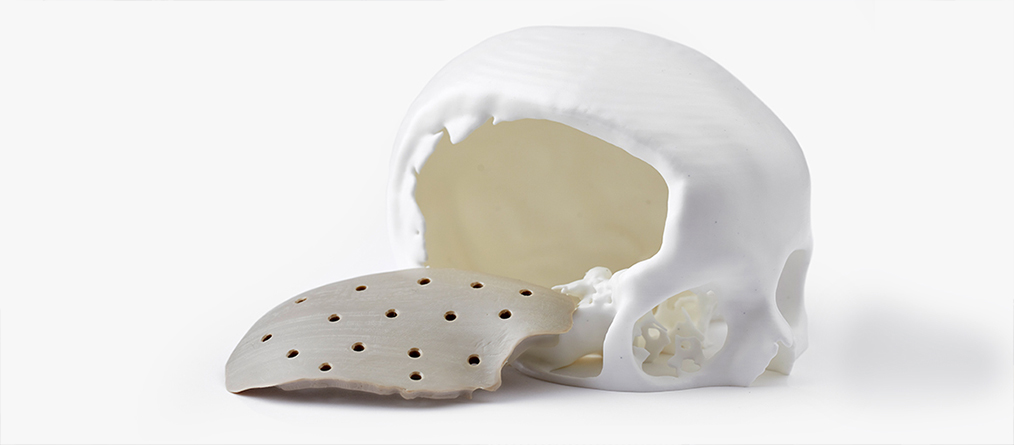
PEEK is a useful material for medical applications because it’s biocompatible, sterilizable, and lightweight relative to its strength. It can be used for prostheses, implants, and other products. Tens of thousands of people are walking around with PEEK implants. Although most of those haven’t been manufactured with 3D printing, it’s gaining ground among methods because it wastes less material and can be done in hospitals or at the point of care.
According to new market research by Consumer Patterns, the medical PEEK implant market size, which was valued at $1.5 billion in 2022, is projected to double to reach $3 billion by 2030.
A PEEK implant is very similar to the human bone in mechanical stiffness and elasticity and promotes osseointegration with bone. Since it’s also radiolucent, it is suitable for radiological diagnostics and therapeutic radiation technology. It has insulating properties and is less susceptible to temperature effects and doesn’t heat up like metal implants.
Medical-grade implantable and 3D printable PEEK is only available from specific polymer makers, including Evonik and Invibio.
Although most of the other printers in this guide can also be used to print PEEK items for medical or healthcare purposes, the following machines are specifically designed with this application in mind and carry the necessary medical certifications.
“Through AI-driven simulations and 3D modeling, engineers and healthcare providers can create precise, patient-specific implants that are more likely to fit perfectly, improving both patient comfort and surgical outcomes,” according to market research by Consumer Patterns.
3D Systems EXT 220 Med

3D Systems’ medical PEEK 3D printer 220 Med (formerly known as the Kumovis R1) is designed for medical applications, such as implants. It has an adaptive local temperature management, so it can heat the current layer as well as maintain a consistent chamber temperature.
The 220 Med features a printing speed of 100 to 3,000 mm/s, auto bed-leveling, and an open-materials system. The printer uses Hyperganic’s Voxel-based slicing software and has Ethernet and USB connectivity.
It also has a patented temperature management system to homogeneously heat the build chamber and improve layer adhesion. You can turn the chamber into a clean room and get an optional HEPA filter upgrade to further ensure a clean environment. This will help prevent defects from particles that shouldn’t be in the chamber.
What’s more, the 3D printer is “clean room ready” for production in existing cleanroom environments and can be cleaned to medical standards. The printer is available through direct sales or as a subscription model. Build chamber fulfills ISO class 7 cleanroom requirements according to DIN EN ISO 14644.
Orion AM M150

Orion AM’s M150 system is designed with medical applications in mind. All internal components are made from medical grade, clean-room compliant materials to ensure that it meets medical industry standards and sterilization needs. The M150 works with medical-grade materials such as PEEK, PAEK, PEKK, PPSU, PC, and LCP.
Features like thermal radiation heating allow the print to heat evenly up to 300 °C. The heating chamber provides continuous thermal radiation throughout the printing process, improving fusing and bonding between layers, as well as the mechanical strength of parts.
Before introducing their 3D printing technology into the medical field, Orion’s team prepared for 18 months for the MedTech qualification.
PEEK Explained
What is PEEK?

The U.K.-based company Imperial Chemical Industries (today known as Victrex) introduced polyetheretherketone (PEEK) back in the 1980s. In its basic form, this material is a semi-crystalline, high-purity polymer comprising repeating monomers of two ether groups and a ketone group.
PEEK belongs to the polyaryletherketone (PAEK) family of polymers that also includes PEKK (Polyetherketoneketone) but outshines the others because it can operate at higher temperatures and retain its excellent mechanical properties at continuous-use temperatures up to 240 °C (464 °F), allowing it to replace metal in severe end-use environments.
PEEK is one of the few plastics compatible with ultra-high vacuum applications, which makes it suitable for aerospace, automotive, and chemical industries.
Not all commercial PEEK products deliver the same level of performance. You’ll find PEEK filament from a wide range of manufacturers, but be sure to check the technical specifications and data sheets to ensure you’re getting all of the PEEK qualities you require. Talk to your supplier about density and strength.
Specialty polymer makers, such as Solvay and Evonik, make PEEK especially for additive manufacturing and can advise you on the best ways to print their specific materials.
PEEK Powder for SLS 3D Printing
Selective laser sintering (SLS) is another 3D printing technology that can be used for PEEK. It promises a better surface finish, although adoption has been limited because there are very few vendors of PEEK powders and it’s difficult to print using SLS technology. SLS 3D printer maker EOS introduced a PEEK powder in 2010 but has since shifted focus to other polymers.
Top PEEK Filaments

When shopping for a PEEK filament, first consult your printer maker. Certain 3D printers have been tuned to perform with a specific brand. In other words, there’s a “print profile” for a specific brand of PEEK. Although some brands may promote one feature above others, nearly all PEEK products are biocompatible, flame retardant, and food safe to a degree, but some have certifications and others may not.
Some brands publish an ideal extruder temperature, while others say it depends on your machine. In any case, look for a material with a full data spec sheet and printing recommendations. Prices for 1kg of PEEK range from $350 to $675.
In 2023, Evonik launched the world’s first carbon-fiber reinforced PEEK, Vestakeep iC4620 and 612, for medical implants, and Invibio Biomaterial Solutions, a part of Victrex, launched PEEK-Optima AM Filament for medical implants.
Update: In 2026, high-performance 3D printing materials company Tectonic 3D has bought the 3D printing materials portfolio of Solvay.
Do You Even Need PEEK?

PEEK has many compelling features, especially when it comes to producing functional prototypes and parts for regulated industries, but it is expensive and difficult to work with, so you may ask yourself: Do I really need to print with PEEK?
Let’s look at the pros and cons:
PROS
- Highly resistant to extreme temperatures up to 260 °C (480 °F), as well as corrosive fluids, gases, and high pressure
- Insoluble in common solvents, preventing it from hydrolysis and allowing it to be used without any degradation from high-pressure water or steam
- Lightweight: PEEK has an inherently low specific gravity of 1.3 g/cm3, less than half that of aluminum and one-sixth that of steel
- High self-lubrication ability and low friction
- Outstanding creep resistance
- Very little attrition
- Good dimensional stability
- Low flammability and little smoke emission when combusting
- Exceptional insulation properties
- Excellent sterilization resistance at high temperature
- Fully bio-compatible
- Food-safe and resistant to oils and animal fats
CONS
- Has to be processed at very high and consistent temperatures
- More expensive than most other filaments
- Low resistance to chlorine/bromide, concentrated sulfur, and nitric acids as well as Keteons and Nitrobenzene. PEEK also gets attacked by halogen and sodium, limiting its use in certain industry fields
- Low resistance to UV light
- PEEK filament is highly hygroscopic and must be stored carefully and dried before use
- PEEK is prone to warping and dimensional shift during printing if heat is not precisely controlled
Some of the warping, shrinkage, and difficulty printing with PEEK can be alleviated by combining PEEK with composite materials, such as glass fiber, graphite, or carbon fiber reinforcements. Post-print annealing can also boost your part qualities. PEEK’s low UV resistance can be worked around by adding a layer of pigment that consists of special soot particles. Carbon-filled grades provide improved UV stability and can be used in certain applications that require greater UV resistance.
Alternatives
If your part doesn’t require all the qualities of PEEK, consider these alternatives that are easier to print with and lower cost.
PEKK is also part of the same polyaryletherketone family of semicrystalline polymers as PEEK but requires a lower processing temperature and has a wider processing window, which makes it easier to print. PEKK is a bit more elastic than PEEK with good shock absorbance.
Ultem offers similar properties to PEEK but at a much lower cost and is also easier to process at lower temperatures. Ultem has weaker friction and wear properties than PEEK. Ultem is the trade name for polyetherimide (PEI).
Carbon-fiber reinforced Nylon doesn’t offer nearly the strength or chemical resistance of PEEK, but it is still an exceptionally strong material commonly used for jigs, fixtures, tools, and a host of other industrial applications.
Tullomer is brand new polymer developed by Z-Polymers in 2024. It’s marketed it as a replacement for aluminum, steel, and advanced polymers, such as PEEK, PEKK, PAEK, and Ultem (no annealing is required).
Referred to as a “super-polymer” or a “3D-printable Kevlar,” what exactly Tullomer is made of is shrouded in a bit of secrecy and intellectual property protection. That said, Tullomer has extremely high stiffness and strength but the mechanical properties can vary with changes in extrusion temperature, extrusion speed, and layer height. This mean parts can be designed to have variable properties in different areas all using the same material (as long as your 3D printer can vary these properties while printing.)
Tullomer is reported to have better chemical resistance than PEEK, it’s half the weight of aluminum, and it’s inert, non-flammable, and radio-transparent. It’s also $500 for 1 kilo. Evonik Infinam PEEK 9359 is just over $500 per 1 kilo, while KetaSpire PEEK from Syensqo retails for over $800 per 1 kilo.
What is PEEK Annealing & Why You May Need It

Annealing is a heat-treatment and common post-processing method for PEEK that can improve a part’s material density. However, material scientists disagree about whether it’s essential for every part and whether it contributes at all to a part’s mechanical properties. It’s not a process unique to additive manufacturing as it’s used in injection-molded PEEK, too.
PEEK, as we mentioned, needs high heat to process, but it also needs the heat to change its very mechanical nature. How much heat and for how long your specific part needs isn’t also easy to calculate. Look to your printer manufacturer for print profiles and guidance, but certainly, you’re looking at a bit of experimentation in any case. Some printer makers say their machines achieve high enough temperatures during printing so as to change the chemical nature of the PEEK, so annealing as a post-processing step simply isn’t necessary.
Annealing also has its downside, according to Alexander at Solvay. “If you anneal you are shrinking the part as it crystallises so you are either going to get warpage or voids, which can lead to delamination. All polymers shrink during crystallisation but the difference between AM and injection moulding is that you apply a back pressure in injection moulding which removes the voids and you can design for the shrinkage.” Alexander notes that there are some tricks and tips to get around the warpage and voids in additive manufacturing as well, but he doesn’t recommend annealing.
Truly understanding PEEK requires knowing about material science concepts of crystallinity and folded polymer chains and more nuances than we’re going to dive into here. Just know that your printer may include an annealing setting or a list of annealing options you can follow, such as letting the component cool down at exactly 10 °C per hour up to 140 °C or leaving the component at 200 °C for one hour for every millimeter of wall thickness.
If you want to learn more about annealing, the folks at Aon3D have a great blog post: PEEK – Best 3D Printing Temperatures to Maximize Crystallinity.
3D Printing Tips for PEEK

Now that you have a thorough overview of PEEK, maybe you want to start printing with it yourself. Here are a couple of basic tips and tricks to keep in mind when 3D printing with PEEK:
Consistent temperature
PEEK does not react well under fluctuating or unstable temperatures. Therefore, a printer with a heated chamber is strongly recommended, if not essential. To get the best results while 3D printing PEEK, keep the 3D printer in an environment that undergoes minimal temperature changes, away from solar radiation and heavily trafficked areas.
Watch out for specks
Sometimes, you may notice black specks when printing with PEEK. Although this may have a number of different causes, the most common explanation is the impurity of the printing material used or that the 3D printer is having trouble processing the required temperatures.
Keep the nozzle clean
You should always clean the nozzle after the printing process is completed. All leftover material should be removed from the nozzle, or it may become blocked and eventually lead to specking (mentioned above).
Watch out for failed crystallization
Sometimes, when printing with PEEK materials, improper crystallization may occur. If parts of the print vary in color, such as a brownish discoloration as opposed to a default beige color, this could indicate improper crystallization. It can be caused by a fluctuating temperature during the print process.
Store filament in a dry place
When you’re not 3D printing with PEEK, you should keep the material stored in a cool, dry, and dark place until you use it again. By doing this, you will preserve the quality of the material and ensure that you will achieve optimal results.
PEEK Parts On-Demand

Not ready to take the plunge into buying your own 3D printer for PEEK parts? On-demand additive manufacturing is available for your PEEK and PEKK needs. If you’re new to this material or to additive manufacturing, experimenting with a few parts printed at a contract manufacturer may be the best way to prove your concept.
Many of the larger on-demand printing services offer PEEK printing and you may also find it’s an option alongside injection molding from manufacturers who specialize in high-temperature polymers.
Craftcloud, by All3DP, is the 3D printing marketplace that provides instant quotes on your PEEK part from a range of manufacturers.
License: The text of "This High-Tech Polymer Replaces Metal in Spacecraft, Implants & Defense: Your Ultimate PEEK 3D Printing Guide" by All3DP Pro is licensed under a Creative Commons Attribution 4.0 International License.