Formlabs Form Studio 1 Review: The Benchtop Benchmark
Rating

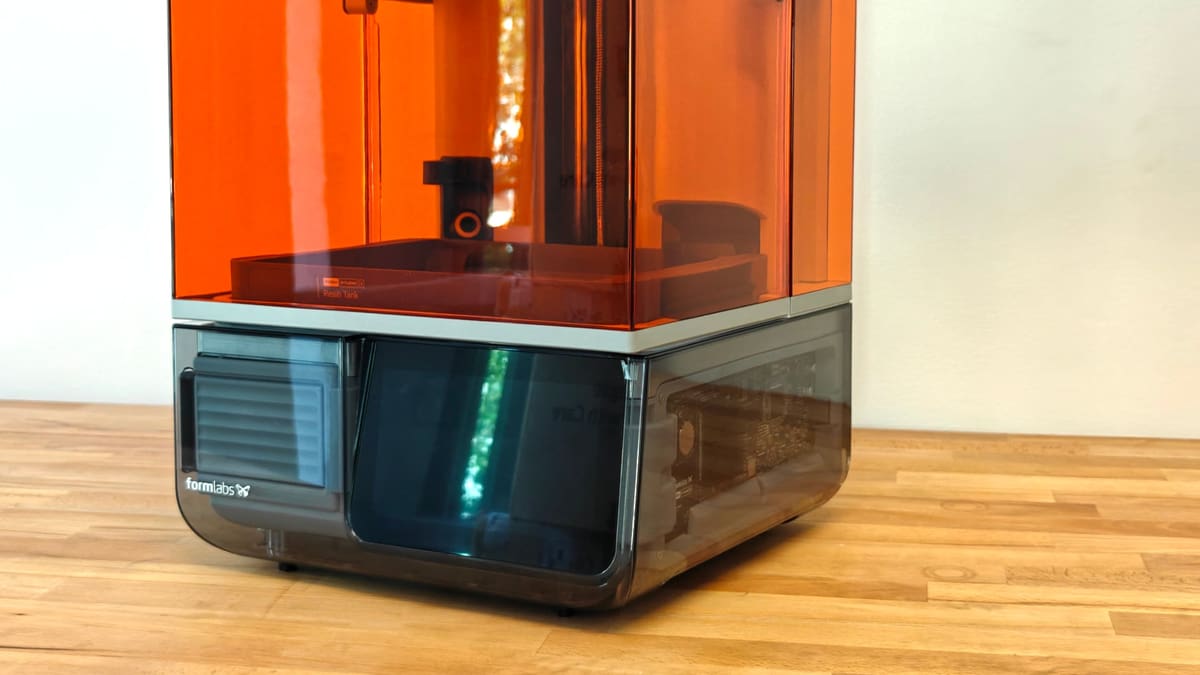
Where the heck did this come from? Formlabs' most affordable desktop resin printer is long overdue and an excellent addition to a space that has been chasing pixels with little to show for it over the last couple of years.
I dislike resin 3D printing. It’s messy, and smelly, and seeps into its surroundings in ways FDM printing does not. For that reason, the best resin 3D printers are the ones that help you spend less time using the machine. A paradox, I know.
It was a welcome surprise then to see Formlabs, maker of the first desktop resin 3D printer and a company that has long been committed to a specific experience of resin printing for its pricey, professionally-pitched machines, suddenly focus on a lower end that’s largely dominated by the likes of Elegoo and Anycubic. Launched this month, the Formlabs Form Studio 1 is a new class of machine from the company, pitched as an affordable, professional quality resin printer for everyone.
Formlabs’ numbered Form series are multi-thousand dollar systems for serious printing work, but in the Form Studio 1, they take the exact same workflows and systems honed on a discerning user base and bring them down to a much lower price point.
The base Formlabs Form Studio 1 3D printer costs $699, looks the business (with limited edition clear-craze colors to boot) and in our several weeks of printing with one, delivered the faultless one-click printing experience we expect of a Formlabs printer. It proves more, smaller pixels don’t matter and that there was room to improve budget resin printing.
At a glance:
- Size: 431 × 405 × 616 mm
- Build Volume: 200 x 125 x 235 mm
- Weight: 14.3 kg (~31 lbs)
- XY Native Pixel Size: 35 μm
- Key Features: Formlabs’ Light Processing Unit technology with Release Texture V2, smart automation, automatic resin refills, automatic resin heating, camera & remote monitoring via app
The Tech
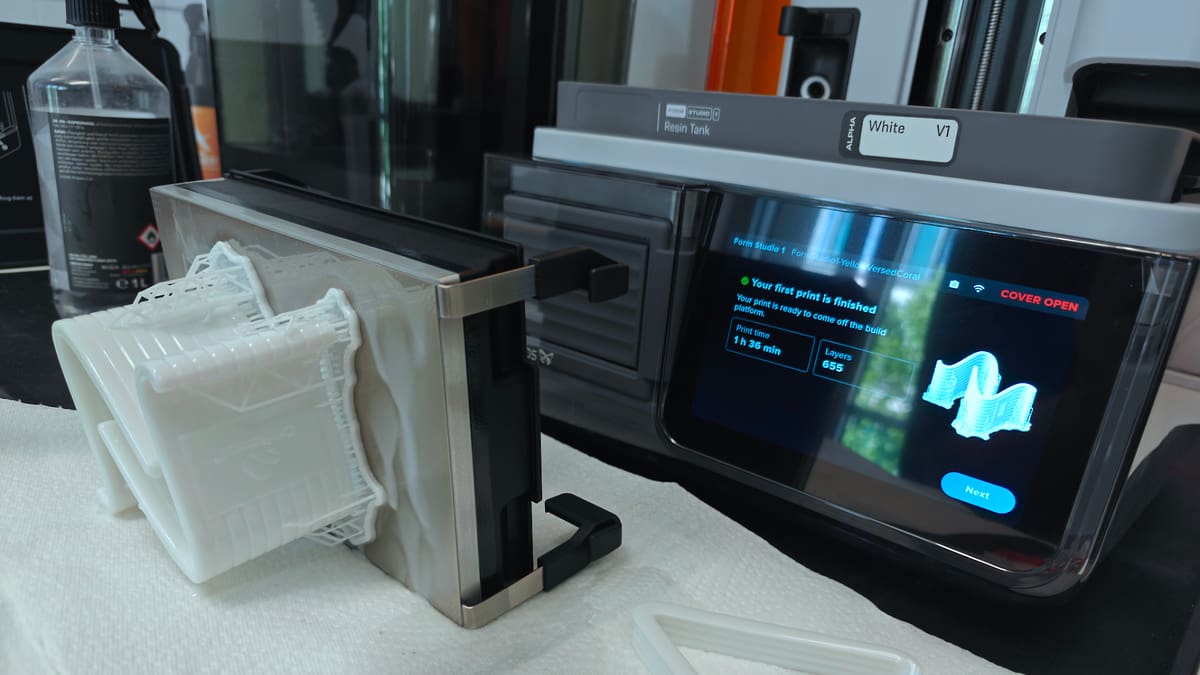
Okay, let’s start with the Studio 1’s look: it’s a stunning 3D printer, with a transparent shell showing enough internal tech to be interesting but without overplaying the gimmick. A miniature toolbox tidily stows in the front of the machine, while a gigantic touchscreen display gives you unambiguous and clear buttons to hit through your inevitably gloved hands. It is a smartly designed machine.
Launching at $699, the basic printer gets you 200 x 125 x 235 mm of build volume, with a standard build plate with single-hand lever release. A flexible print plate is available and included as part of the Founders Edition bundle (for $50 more –a saving over its MSRP of $135). This is what we used during our review, and it’s a worthwhile upgrade, letting you ditch the spatula in most cases as you pop prints free from the flexible metal plate with a quick flex of the bed.
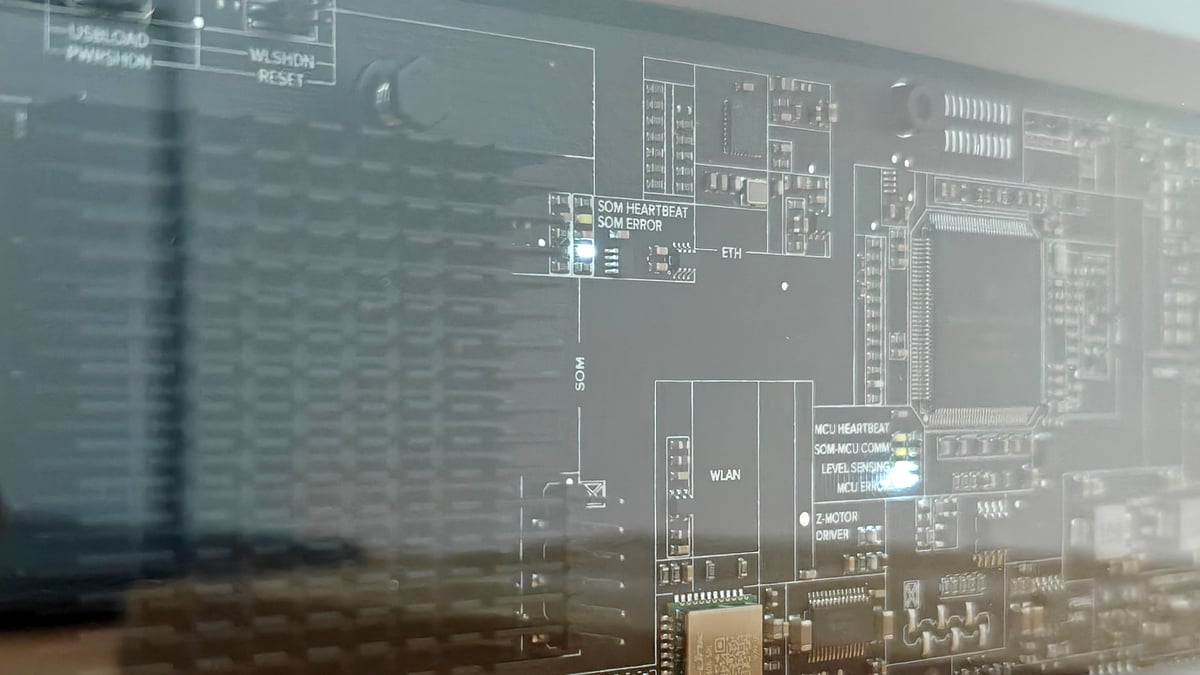
The Form Studio 1 costs roughly a quarter of the Form 4’s $2,625, and so the natural assumption to make is that a lot has been ditched to get the price down. Surprisingly, it doesn’t really seem like that is the case. At least not in the hardware or the core experience of using it.
Both machines run on Formlabs’ Low Force Display technology, which is to say Formlabs’ spin on inexpensive LCD masking tech that’s common across the budget resin printing space. Rather than inventing a cheaper way to print resin – we see elsewhere that it can be cheap – Formlabs has worked out which parts of a Form printer you actually touch, kept nearly all of them, and pared back much of what sits behind the panels.
The Studio 1 takes the same V2 resin cartridge as the Form 4, dispenses and heats resin automatically up to 45 °C, prints from a removable tank that’s rated for more than 75,000 layers, and runs through the PreForm slicer and Dashboard software. In our time with the machine, using it has felt much like using the numbered Form printers. Handling the machine is automated enough to eliminate issues from forgetfulness, and the material management tips the printing into a high-uptime flow that’s pretty addictive. You just want to print with this thing constantly.
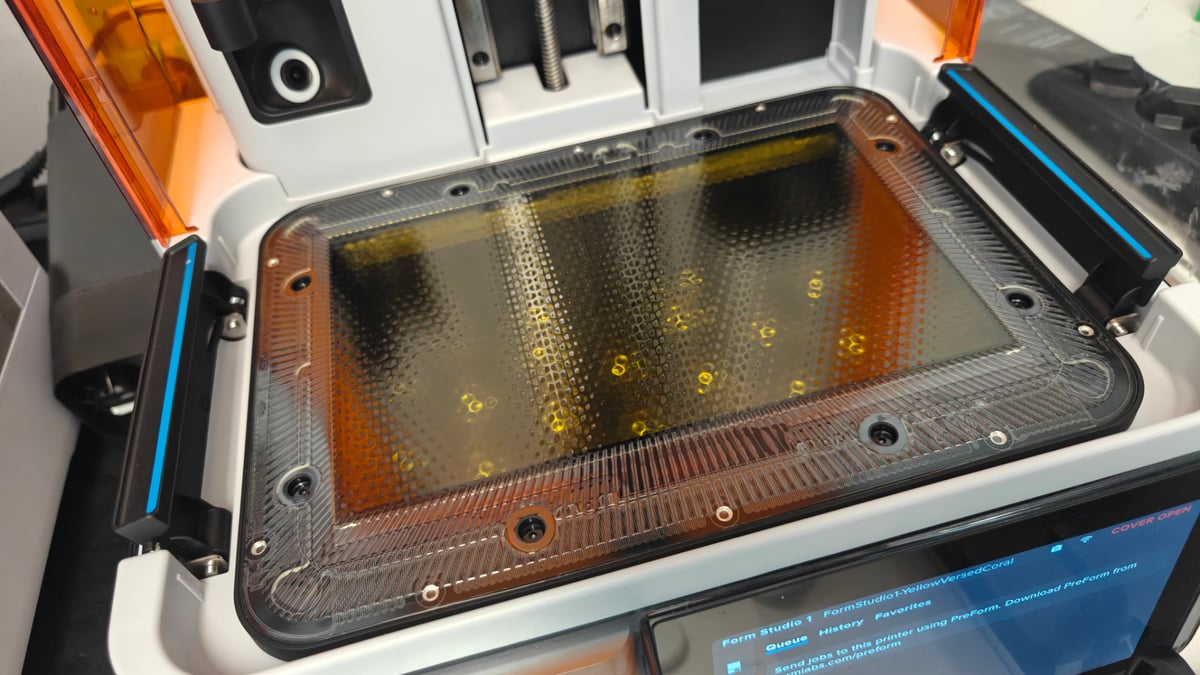
What goes is mostly redundancy. The UV backlight drops from 60 LEDs to 28, resulting in the light at the cure plane also dropping to 6 mW/cm² from the Form 4’s 16. Also lost in the transition from pro to consumer is the Form 4’s resin cartridge load cell, which weighed the material – a reasonable sacrifice when fresh cartridges are a known volume and PreForm can estimates the resin usage per print.
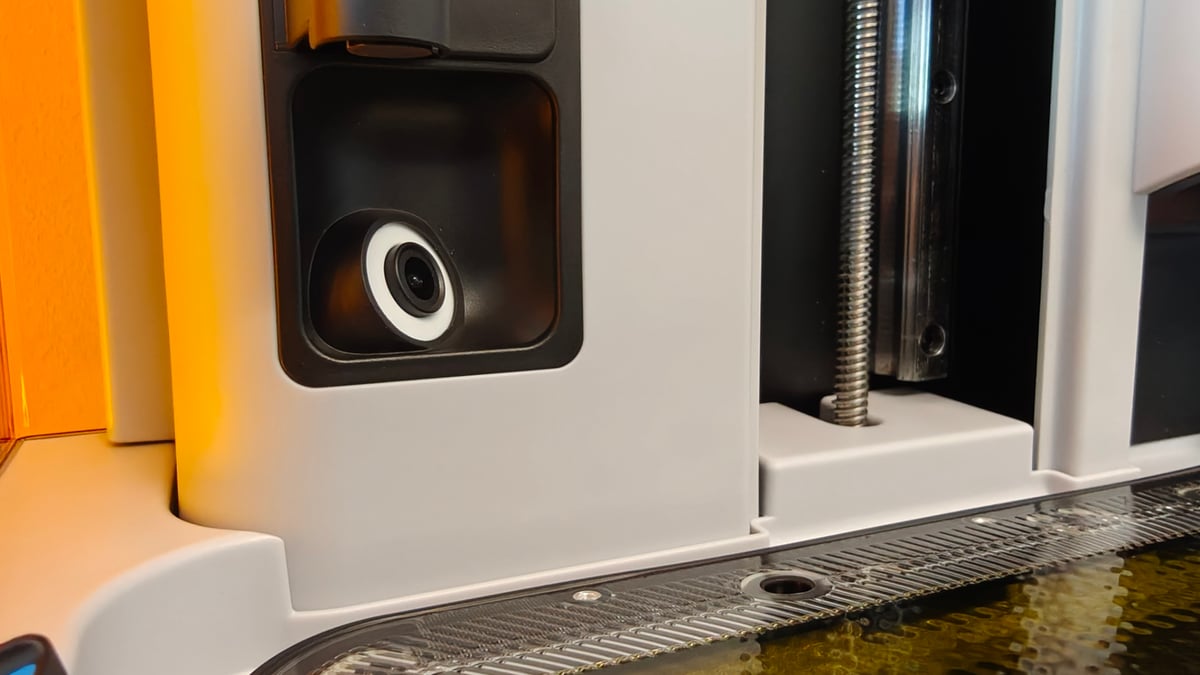
Infrared temperature sensing gives way to a contact sensor, and the resin-level sensor is no longer listed as ultrasonic. There’s no resin mixer for filled materials and no debris detection, with the Studio 1 instead prompting you to give the resin a mix if the printer has sat idle between prints. The camera falls from 5 to 2 megapixels, the touchscreen loses resolution, and Ethernet tops out at 100 Mbit instead of gigabit.
Ultimately, Formlabs pitches the Studio 1 as its machine for a broader, less specific audience than the dentists and engineers its other machines are pitched at. On that basis alone the printer stands up rather successfully. Between the hardware and experience using it, regular users aren’t missing anything.
The Studio 1 smartly papers over the weaker light engine with a second-generation release texture – a patterned lens array that lets air between the light unit and the tank film to cut suction, plus a new, oxygen-permeable film that in combination cut peel forces way down. The interface between mask and resin vat does not look like a crisp, clearly defined layer should be able to shine through, but through some clever optical engineering, it does.
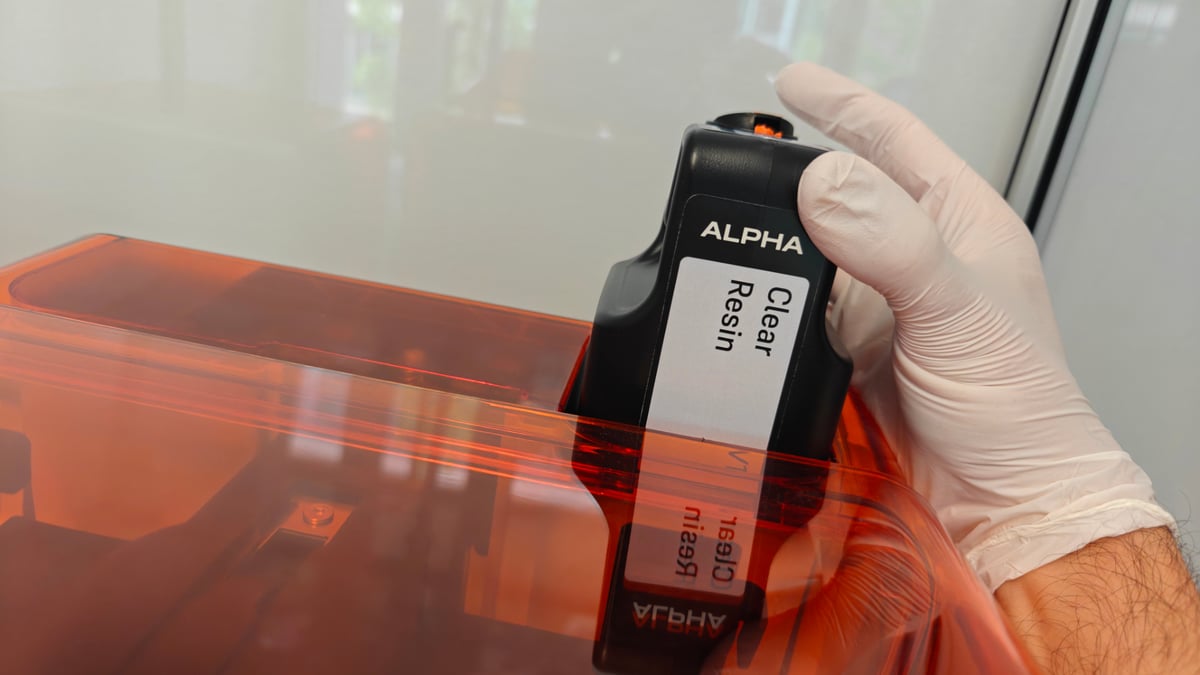
Formlabs released a new line of resin specifically for the Studio 1. Arguably the biggest caveat for the machine is that the spread of the brand’s preconfigured resins drops sharply from some twenty-plus resins for the Form 4 to just nine for the Studio 1. These include a black, white, clear and grey, in fast and model variants, plus draft for grey, as well as Formlabs’ 80A flexible resin. It’s a narrower field of materials to work with, but broadly covers the high-detail model-making space, leaving out the tougher, more engineering-focused materials that require higher intensity light.
The standard resin vat for the Studio 1 is for exclusive use with these new Alpha resins, with Formlabs cautioning that third-party resins and indeed its own non-Alpha resins, apart from the 80A flex, will damage the vat and risk flooding your printer. For everything else, the more durable resin vat pro (sold separately, $79) is required.
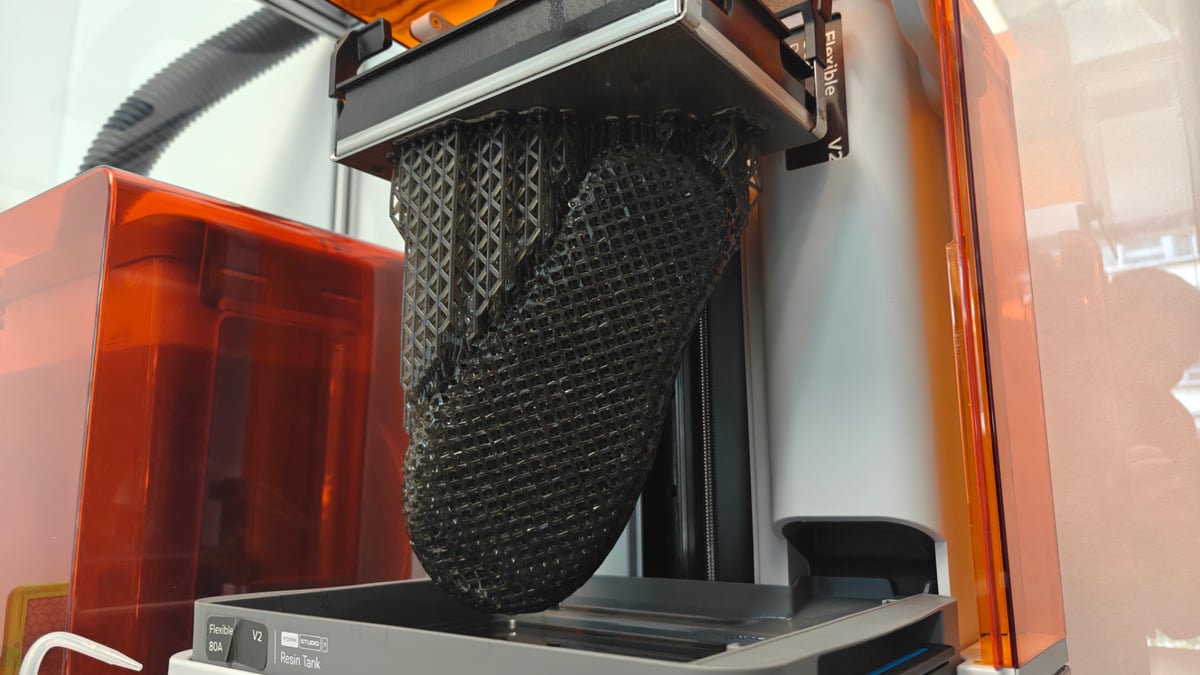
The Alpha Fast resins are generally suited to fast printing, though Formlabs’ boast of up to 130mm/h print speeds uses a 250 micron layer height – the draftiest of draft resolutions. In practice, you see most prints complete in a matter of hours.
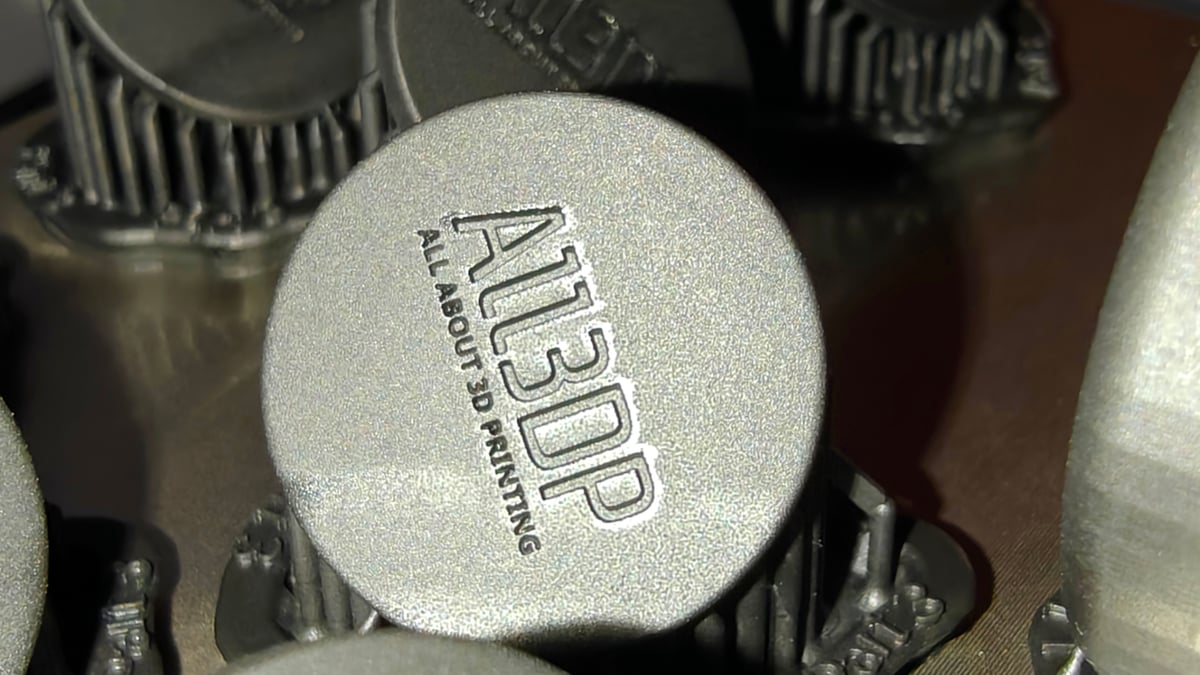
Despite shrinking the price, the XY resolution gets a bump – the Form Studio 1’s LCD and size translate to a 35 µm pixel pitch to the Form 4’s 50 µm. That sounds like a lot, but prints from those two resolutions side by side will be largely indistinguishable. Despite anti-aliasing preconfigured into print profiles, you can quite clearly see the top surface stepping on glossy materials printed on the Studio 1, as you would with any resin printer of this type. There’s no magic leap in print quality – it’s good, but standard for the space.
Redundancy and validation are where the gap between the Studio 1 and Form 4 get a little wider. The Studio 1 has fewer than half the verified Formlabs resin profiles available to on the Form 4, with looser tolerances on fine features (±0.15% versus ±0.5% for features up to 30 mm). Going the other way, the Studio 1 picks up UL Greenguard Gold certification when paired with Alpha resins and the VOC Extractor, and includes Open Material Mode at no charge.
Ah, yes – naysayers of Formlabs’ other machines lose their go-to complaint that you have to pay to use third-party resins. Not so with the Form Studio 1, which is open out of the box. Using Formlabs’ materials is the optimal experience, but in a space where material choices are often driven by budget deals, this was a smart move.
It’s not quite the clean break from aggressive indifference to using third-party resins, though: you need the $79 Resin Tank Pro if you want to print them, and in open mode automatic dispensing feature switches off, making it a no-go to reuse empty Formlabs cartridges.
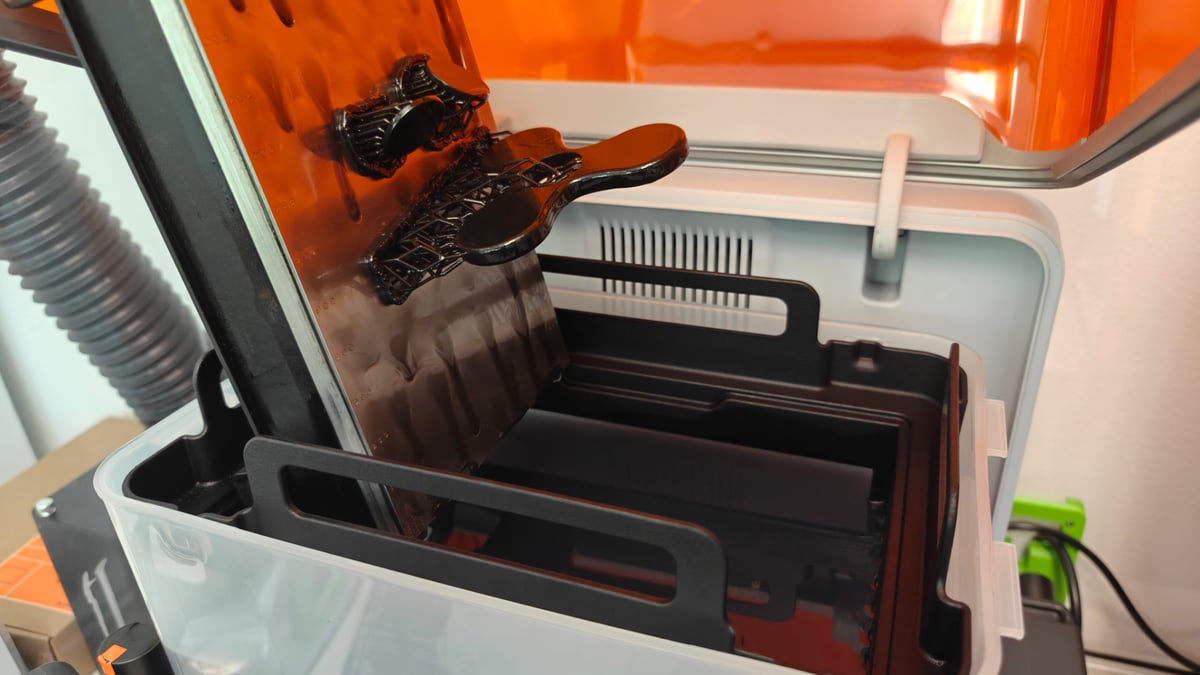
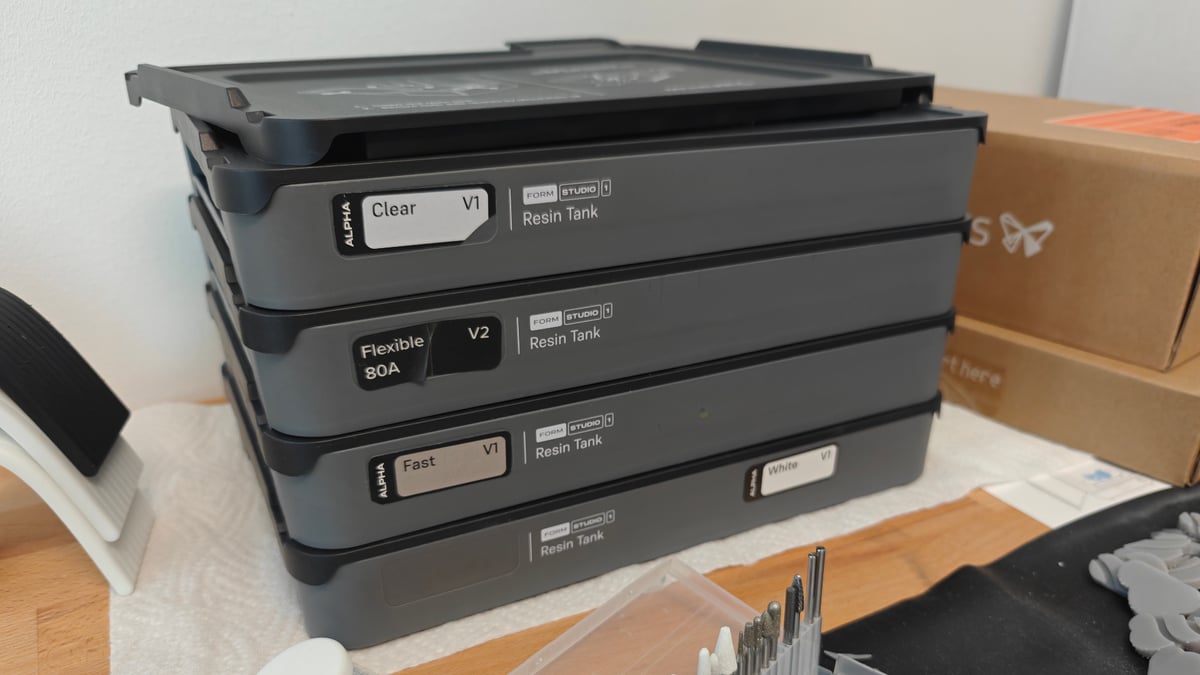
Formlabs’ resin vat system is neat. Each of the vats comes with a lid – the idea is that you use a dedicated vat per material, stowing them tidily to the side when not in use. I’m a big fan of this system, as it almost entirely eliminates two messy jobs in resin printing – pouring resin back into bottles, and cleaning a vat at material change.
The basic vats do feel a little flimsy, but only in the sense that they’re primarily made from plastic that flexes a little. It’s a divergence from the heavy metal vats common across the space in other machines, but it’s also illustrative of Formlabs’ approach to resin 3D printing. You’re left with a lightweight and easy-to-manage system for your resins that minimizes your contact with the chemicals.
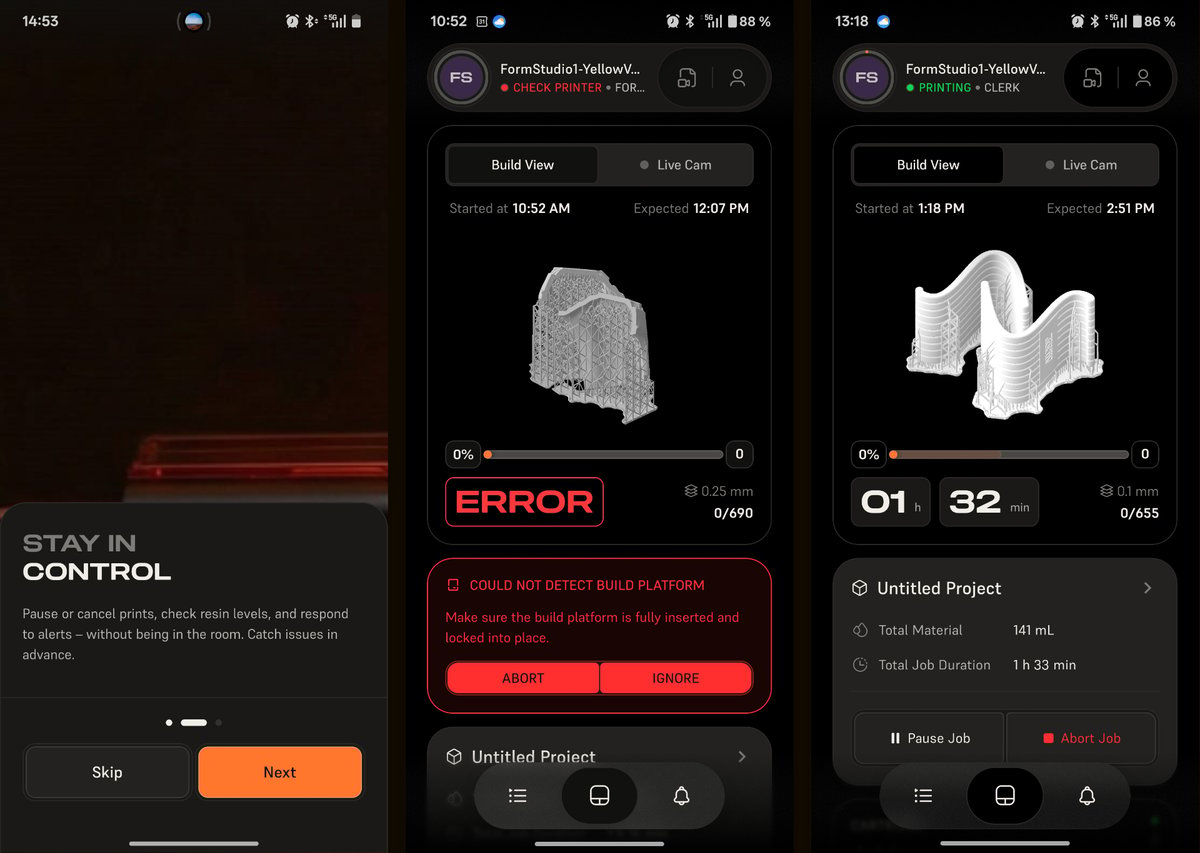
The Studio 1 is smart enough to know whether the removable components are present or not. It’ll alert you if they’re not, preventing you from printing until they are. This preflight system is smarter than it lets on – when you reinsert the plate, it’ll check with you on whether it’s clear and clean. Likewise, if it’s been a minute since a print, the Studio 1 will prompt you to give the vat a stir.
This is the kind of simple difference that sets Formlabs’ machines apart from the crowd, and why them now offering a sub-$1000 machine is a pretty big deal.
Across all our printing through multiple cartridges of resin for this review, only one print failed – just one. And that was down to operator error, attempting to print directly onto the flexible plate instead of supported with rafts.
The Printing
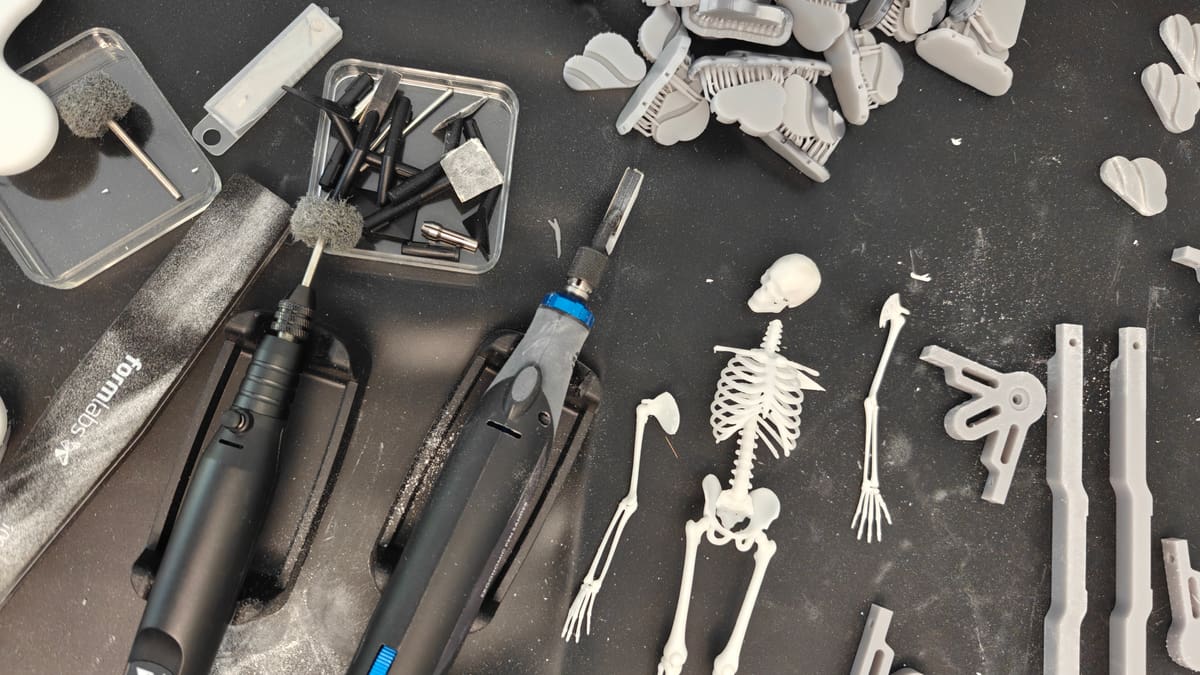
Formlabs software experience for the Studio 1 is a two-part package. There’s PreForm, the desktop slicer and printer management software, and Form Mobile, a remote monitoring and device management app for your smartphone. Separately, there’s a dashboard accessible from any web browser.
PreForm is available on Windows and macOS. It presents you with two primary workspaces – including the browser-accessible dashboard for print job monitoring and management, and the PreForm slicer itself. Given that Formlabs’ machines default to the Formlabs-set collection of print parameters, you are first guided through a brief job setup wizard where you select the material you are using.
Formlabs print profiles, much like in slicers for filament printers, are fixed according to layer heights verified by Formlabs. You choose the material, and choose the layer height.
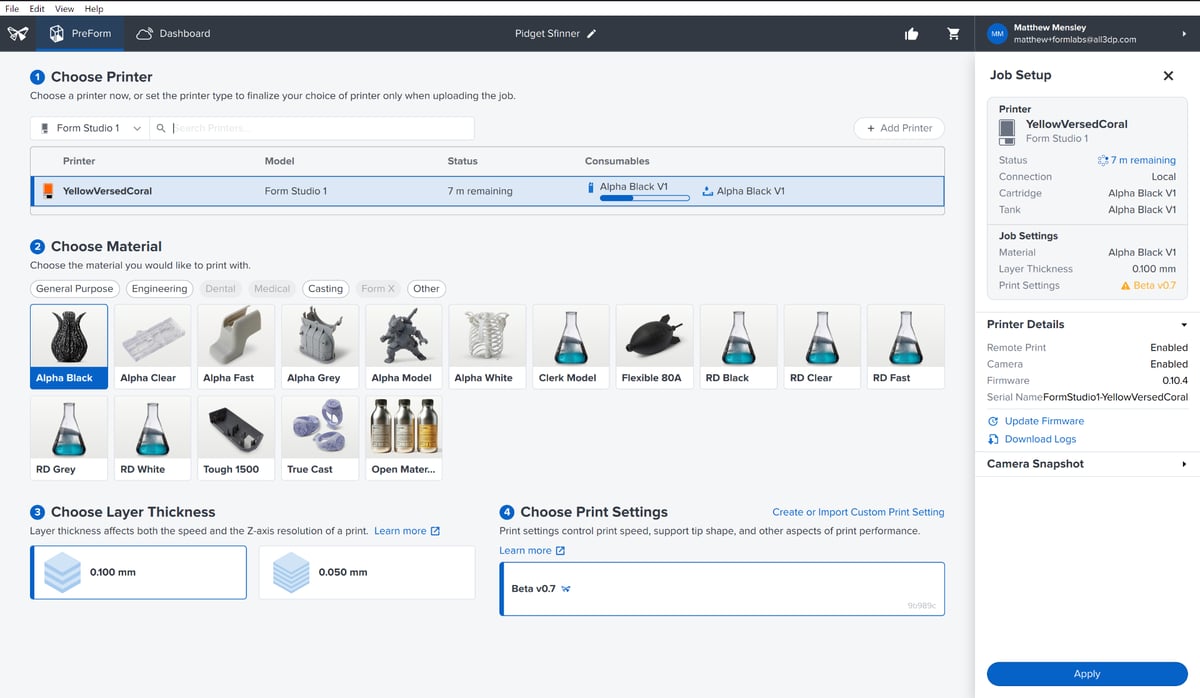
The path of least resistance is to simply use the layer heights and material profiles produced by the company. They make the resins and printers, and meticulously craft these settings for print success, even going so far as to release updates for them. It feels like an ongoing service, rather than a one-and-done purchase.
That statement probably throws up alarm bells for some, but with the Studio 1, particularly with open material mode accessible, you’re not beholden to it. Don’t connect it to the internet and shuttle prints via USB drive or physical network if you prefer (or need) to keep the machine offline.
For the majority of situations where the optics of a print direct off the plate are not critical, there’s a 1-click printing button. This one click arranges, orients, and supports the print in sequence, landing at a printable plate after a few moments of processing. Unlike similar systems like HeyGears, where you can skew the one-click toward specific outcomes like minimizing supports, or printing faster, Preform lands in the middle. The trade off there is that you may have to reorient to avoid awkward support placement on areas of detail you want to preserve. In most cases, we found 1-click sufficient.
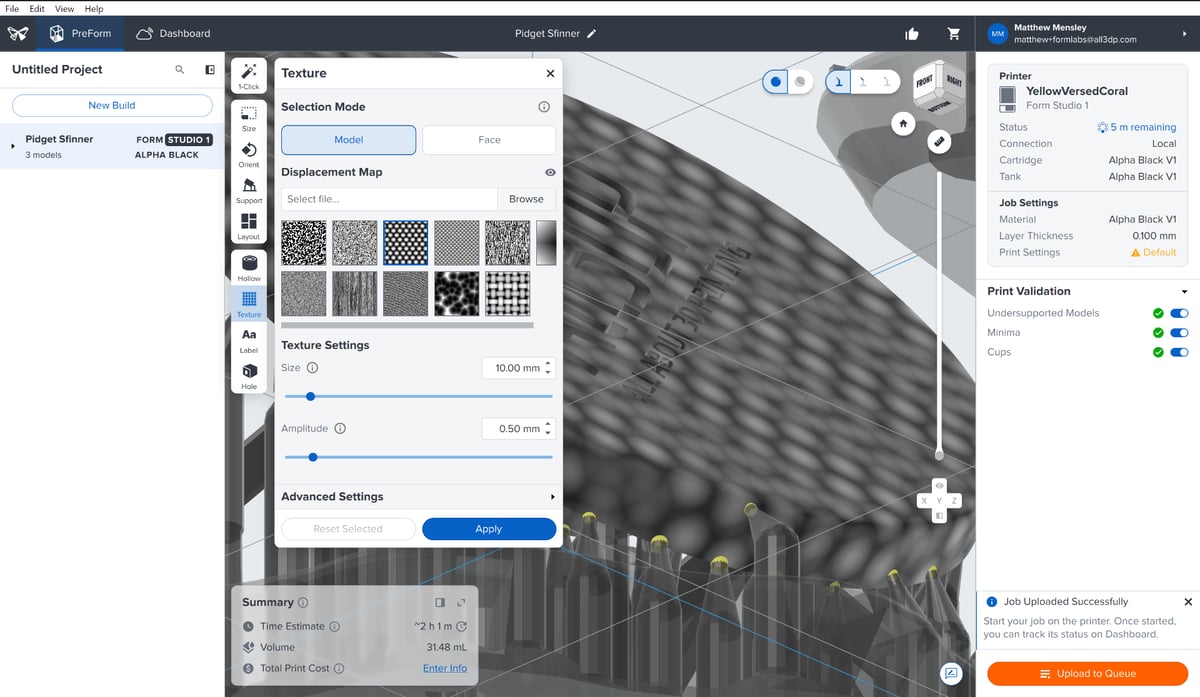
1-click mode aside, you have a full suite of tools available to you to prep your work. Anyone familiar with the workflows of ChiTu, Lychee and the like will find transferrable knowledge useful here, though PreForm is arguably the superior layout for it all. It’s snappy and responsive, and doesn’t drown you in indistinguishable options. The few essential tools, like hollowing and hole punching, are immediately available. Automatic printability checks tell you if there are cups to deal with, or unsupported minima that need supports.
In all, PreForm and the Studio 1 together give you what you want from a resin 3D printer – no effort, and quick, immediate tools to tinker when it’s necessary. And better still, you’re getting warnings about where the objects you’re trying to print will likely fail without intervention.
The Form Mobile app presents a slick, on-the-go monitoring solution for the printer, tapping into the camera feed for a direct look at the print as it’s printing. In a nod to the video-first world in which we now live – you can share time lapses of your prints directly in vertical mobile video format suited to video social media like Instagram or TikTok.
Formlabs formulated (ha) new resins specifically for the Studio 1, which formed (haha) the majority of our testing. Called Alpha, this series of resins starts at $36 – less than half the starting cost of Formlabs mainline resins – and, crucially, have been made to be less aggressive if you get any on your skin. Up to 30 days’ contact without risk of damage, the company claims. Formlabs even attained Greenguard certification for the Studio 1 and Alpha resins when paired with a separate ventilation system Formlabs offers ($179). At the risk of lulling anyone into a false sense of security, under no circumstances can the resin be disposed of in regular waste streams or washed away in your water system. Full personal protective equipment is still needed, particularly in light of the fact that post processing still requires large quantities of isopropyl alcohol, which is volatile and smells worse that the resin.
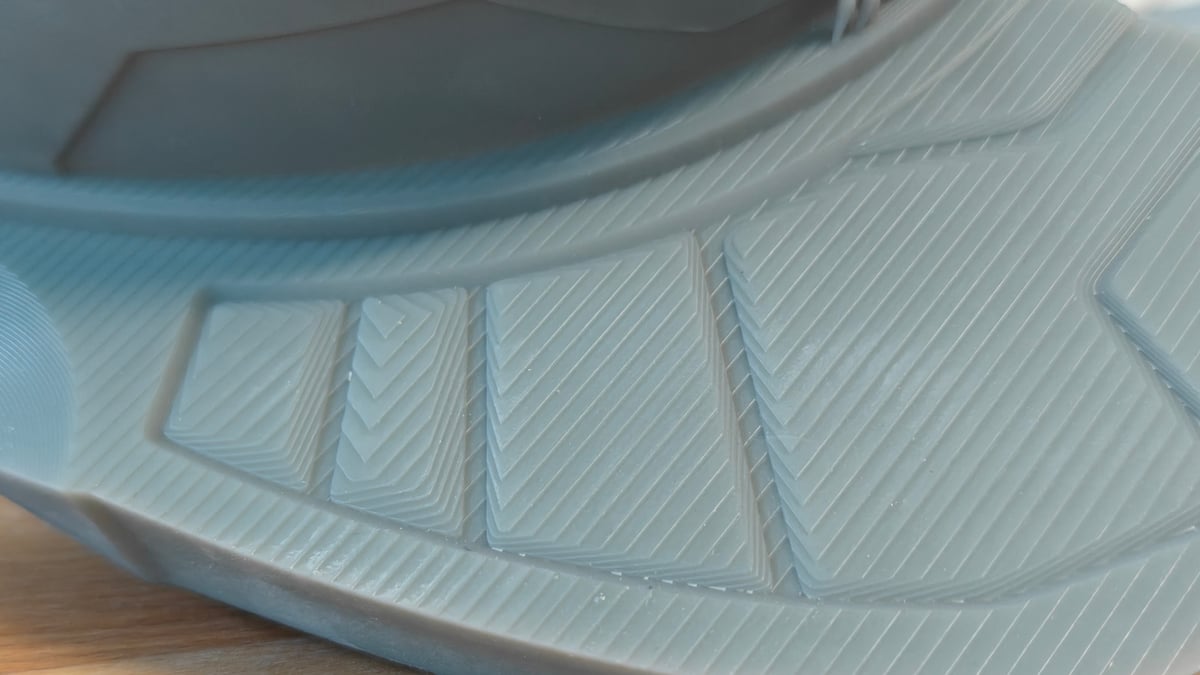
After weeks of using the Form Studio 1, I eventually came to the realization that it might just have been the tidiest experience I’ve ever had with a desktop resin 3D printer. There’s something about how the moving parts of printing with it from the vat to the plates, to the post processing stations, just clicks. I’ve had less cleanup to deal with than I’m used to and, going into this review, expected, and I think that is really the strongest argument for the Form Studio 1 over other machines right now. The big caveat to that this “ideal” experience balloons the price up over the $1,000 mark once you factor in extras like the flexible plate and new Wash + Cure system ($199). They close the loop on the mess, but you have to pay for it.
Is It Worth It?
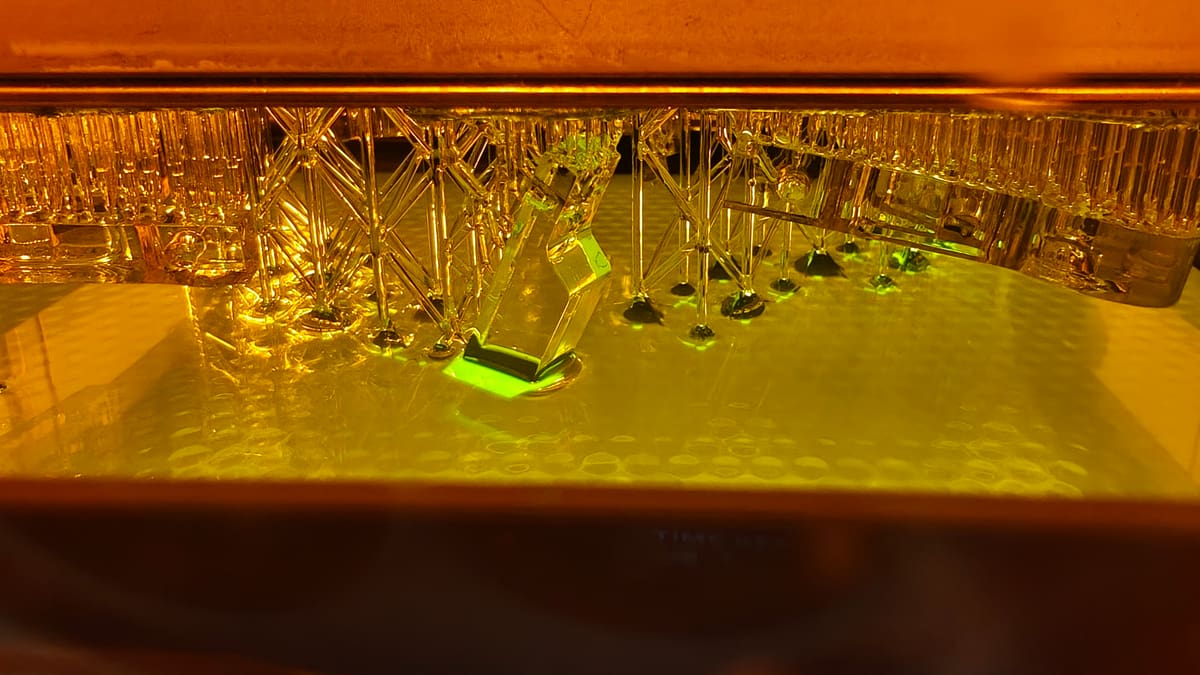
For a long time, desktop resin 3D printing has mostly been about cramming more pixels into tighter spaces – ever-inflated numbers with diminishing returns in the prints on the plate. The Form Studio 1 upends this, looks the business with its transparent shell, and is automated out of the gills in a way that ensures it runs smoothly and continuously.
My main – I suppose only – criticism is that there’s a lot of upsell to accessorize the machine up to what arguably should be its default state. The base printer with one flex plate, the Wash + Cure, and VOC extractor run to $1,127 currently. It’s arguably worth it, leaving you fully accessorized to quickly print parts, clean and cure them. Formlabs has been doing desktop resin printing longer than anyone. It was about time they set a standard in the consumer space, and they’ve set the bar high.
License: The text of "Formlabs Form Studio 1 Review: The Benchtop Benchmark" by All3DP is licensed under a Creative Commons Attribution 4.0 International License.
CERTAIN CONTENT THAT APPEARS ON THIS SITE COMES FROM AMAZON. THIS CONTENT IS PROVIDED ‘AS IS’ AND IS SUBJECT TO CHANGE OR REMOVAL AT ANY TIME.