Do Free Text-to-3D Model Generators Really Work? We Tested 3 of Them

AI holds promise for creating accurate 3D printable models from a complex text prompt, but they're not going to replace design software anytime soon.
There’s no doubt that designing objects with computer aided design (CAD) software like Fusion, Blender, or ZBrush takes skill and is very time-consuming, which is the driving force behind text-to-model AI generators.
These tools are great for prototype generation and making models for use in virtual environments. They’re rapidly improving their ability to generate creative and artistic 3D models, yet, as we found, 3D printing physical objects from these AI-generated models is not yet their strength.
When it comes to 3D printing, you’ll find AI in CAD programs, as stand-alone model-generating software, and even as free, easy, and quick web-based platforms. They all aim to make it easier and faster to generate digital models. How well they work depends on your expectations.
Future articles in this AI series will explore AI in CAD and image-to-model AI platforms, but here we focus on the text-to-model AI generators – where you type a detailed description of the part model you want – for 3D printable models. We explored three free ones: Meshy, Tripo, and ChatGPT + MakerLab.
Testing Text-to-Model
To test these three AI model generators against each other, we thought it only fair to ask AI for two test prompts: one for mechanical accuracy and another for creativity.
The first, generating a standard nut, is designed to show how well the AI can follow prompts that specify a particular shape and measurement. This prompt can test for functional, real-world usability and highlights design thinking, the integration of practical features, and whether AI can keep dimensional tolerances and avoid thin walls or floating geometry.
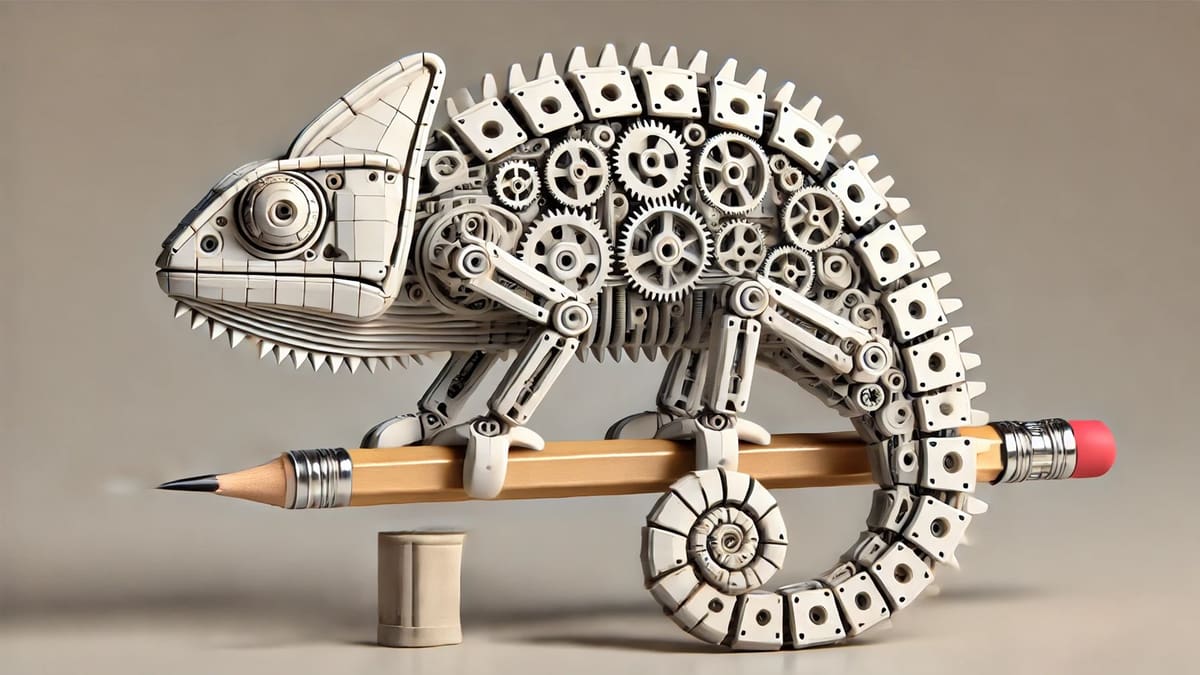
The second test was more complex and designed to show how imaginative the AI can be while maintaining specific-to-3D-printing features. It tested organic surface modeling with smooth curves and natural shapes. The goal was to evaluate how well details (eyes, limbs, posture) are preserved and check for non-manifold edges or stray geometry that are common in organic AI outputs.
Prompt 1:
“Create a simple hexagonal nut measuring 5 centimeters in diameter and 2 centimeters high with a central threaded hole.”
Any mechanical engineer could whip this model up quickly, while probably asking for the diameter of the hole and the type of thread. Our AI contestants had some difficulty.
Prompt 2:
“Generate a 3D printable model of a ‘Mechanical Chameleon’. This chameleon should feature an articulated tail composed of at least five segments, designed to be printed-in-place. Its body should incorporate visible gears and linkages, suggesting internal mechanisms. The model must be optimized for FDM printing without requiring support structures for the main body and tail articulation. Its front-left foot should be designed to securely hold a standard-sized pencil (approximately 8mm diameter).”
Quite the challenge for any industrial designer and the internal gears are not likely to be printable with FDM, but we gave it a go to see what these AIs would deliver.
Meshy AI
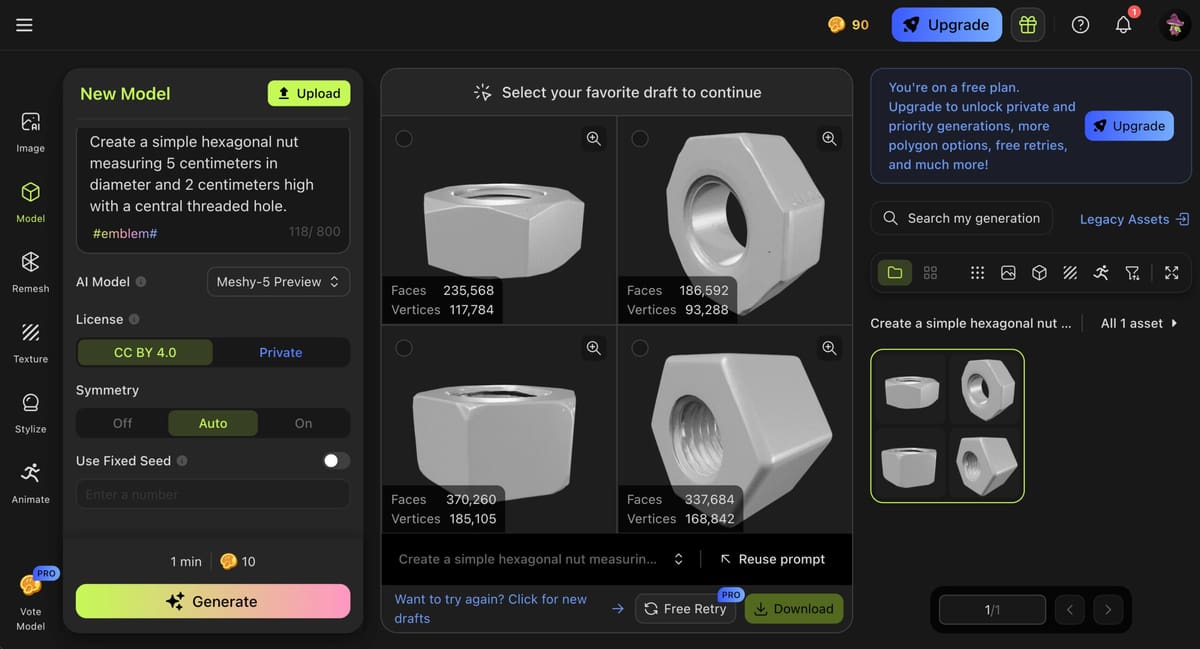
Meshy AI is a free online text or image to 3D model generator that also has a paid subscription tier. We used the free version, inputting our prompt and selecting from the menu of options: a 10K polycount, a triangle topology, and 5K vertices. Upgrade to a paid account and you’ll unlock more polygon options, free retries, and a lot more model perimeters to define.
We were provided with four options and one to download. For a free model generator, it wasn’t bad, although we did assume the word “hexagon” wasn’t up for interpretation – it’s always six sides.
It was easy to download the pick-of-the-litter to an STL and bring it into a slicer. There were no unprintable model errors – completely watertight mesh – although you could forget about sizing. Resizing is a Pro feature. The model did print, although to be usable as a nut it would require editing in a CAD program to apply a specific thread size and accurately size the overall model.
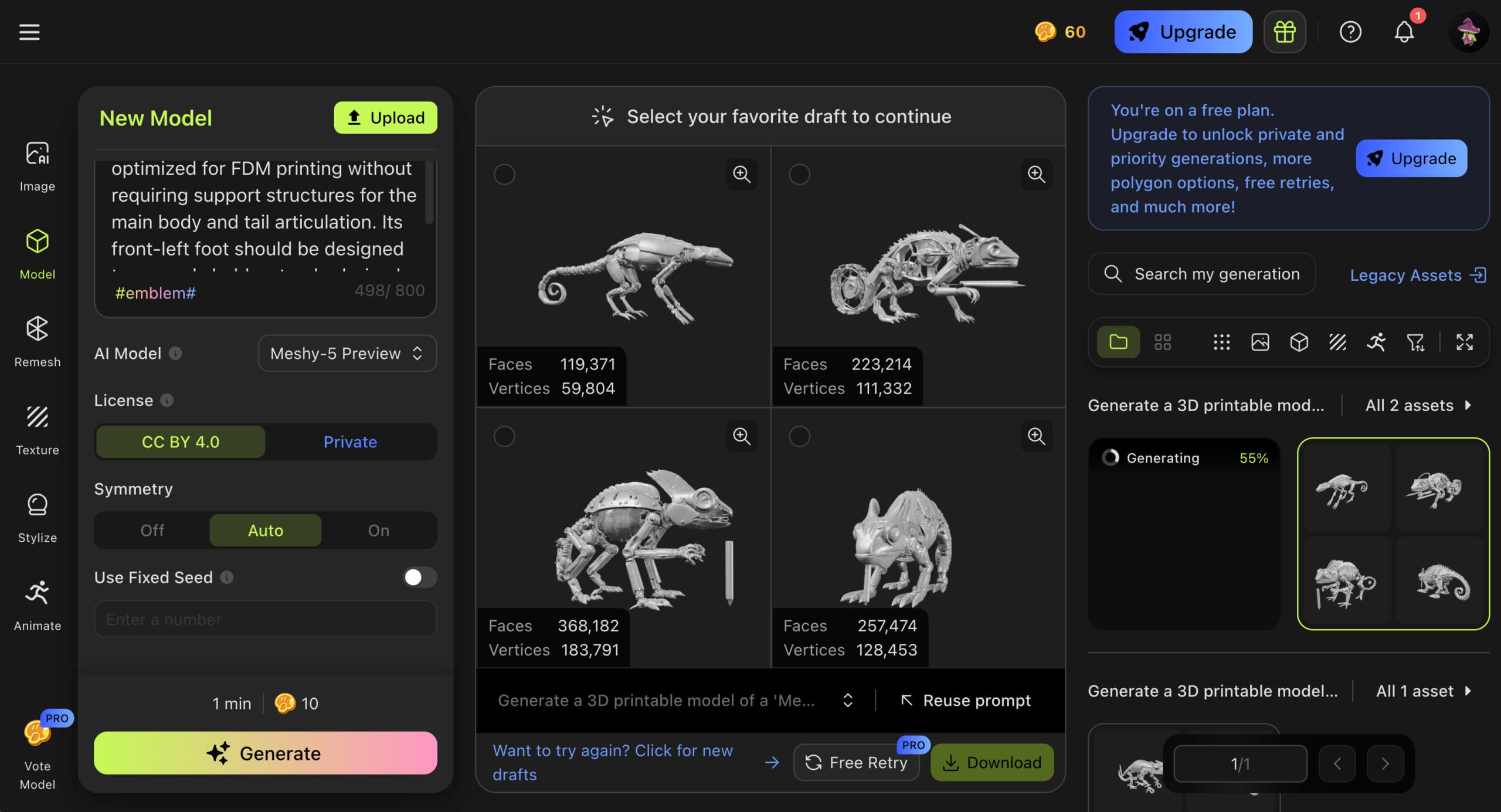
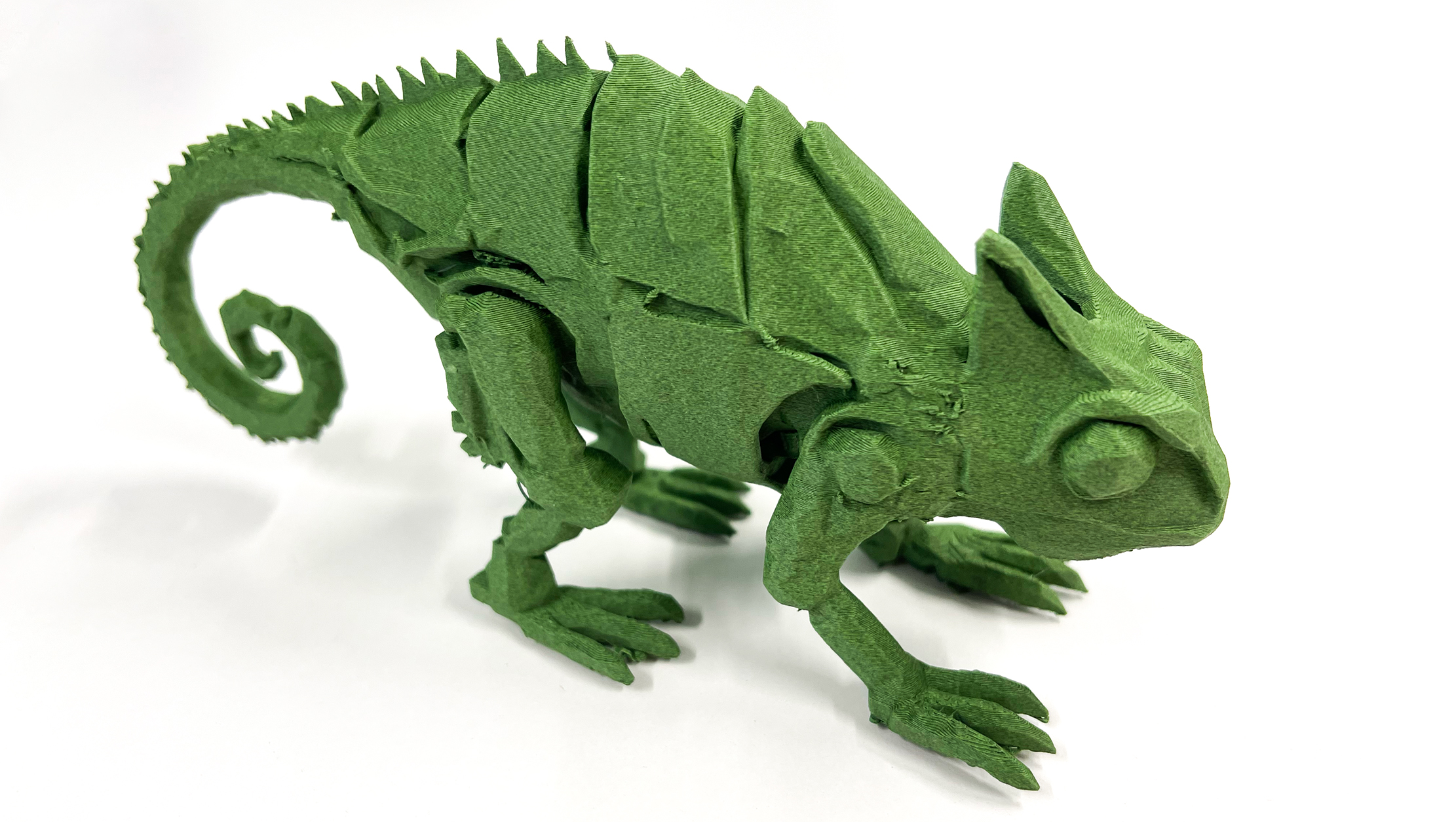
For the second prompt, we were pleasantly surprised that Meshy AI knew what a chameleon was, which is more than we could say about its hexagon. Artistically, the four options were winners; mechanically, none of them filled the prompt criteria for being printable without supports (a bit of a longshot, we’ll admit) or having a tail with five segments.
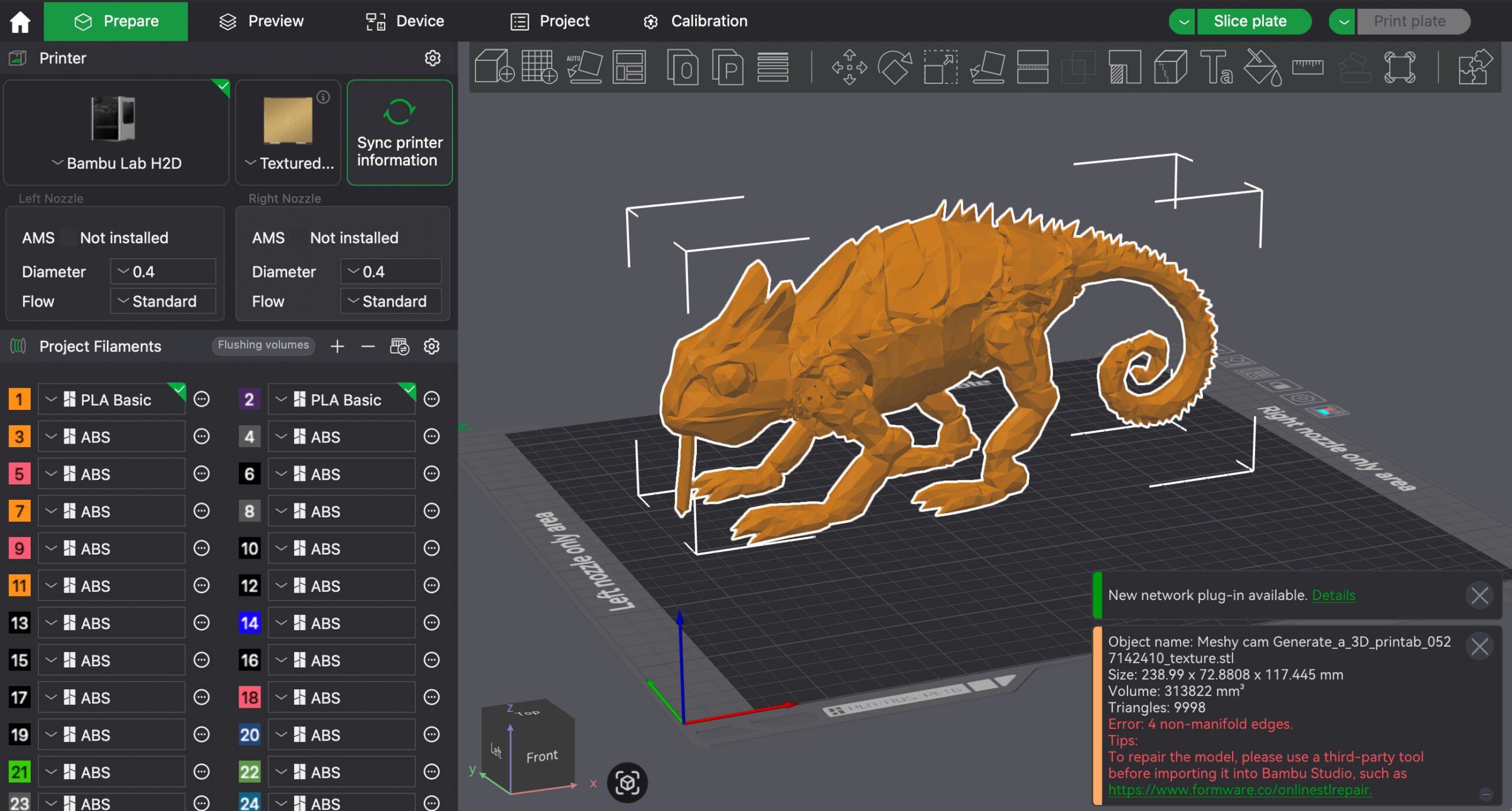
The Meshy AI chameleon STL file was not printable. It had four non-manifold edges, meaning geometry errors in the file that makes a 3D model invalid for slicing and printing. Most slicers can fix small digital model problems, but large ones or many problems require an STL repair tool or refinement in a CAD tool.
Meshy AI
- Pros: Free, provides four options, direct STL download, relatively fast, user-friendly interface
- Cons: lacks accuracy, generated models require tweaking in CAD to be 3D printable, most features are behind the paywall
Tripo Studio 3D
Tripo Studio 3D is an AI platform for generating 3D models from text prompts, images, multi-view photos, or even simple doodles. Designed for both professionals and hobbyists, Tripo AI aims to simplify the 3D modeling process, making it accessible without requiring prior experience in 3D design. Tripo AI’s tagline: “Generate 3D models powered by AI in one click within seconds”, was not at all our experience.
The interface is sparse and frustratingly slow to load, and generating models took between 2 and 20 minutes.
Enter your prompt, and then you’re sent to create an account, which forces you to start all over again with the prompt. Platform bugs aside, for a free tool, it’s a good place to start – and practice your prompting – for anyone completely new to text-to-model AI.
There aren’t as many setting at Tripo AI compared to Meshy AI. We entered the first prompt and set the dial for PBR (physically based rendering). There’s a section for “negative” prompt, which can further refine the desired model.
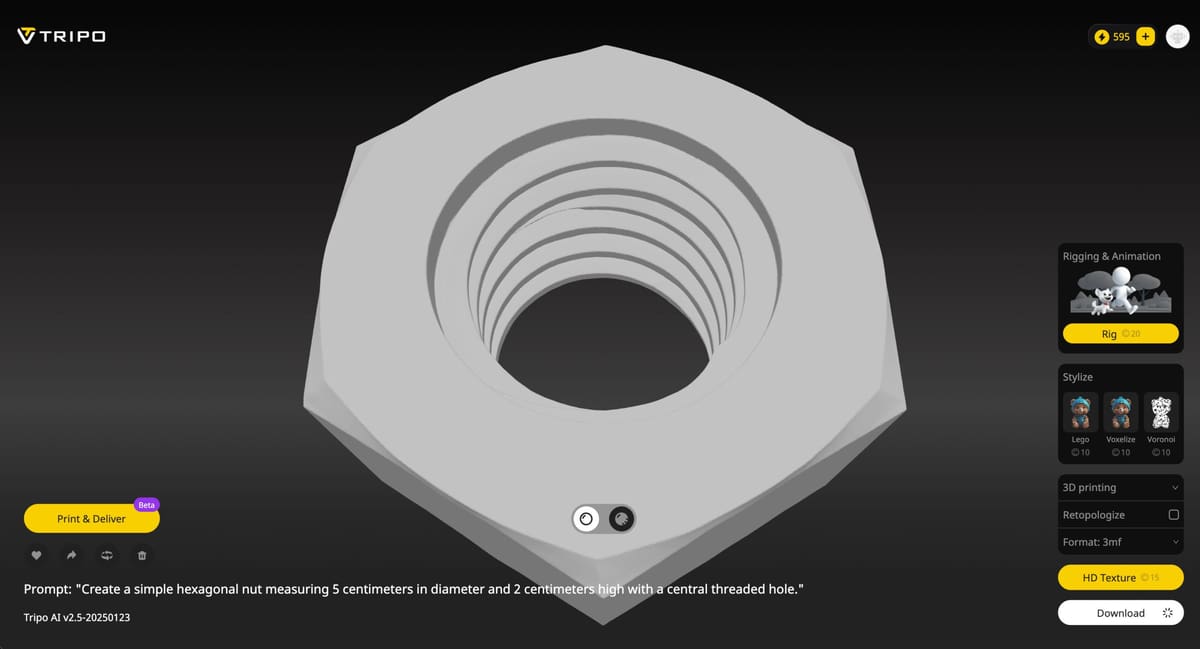
Tripo’s interpretation of a nut at least was a tool nut and not a hexagonal peanut or walnut. However, it did think “threads” were fabric threads and not tool threads for one of the versions provided. Forget the requested dimensions, Tripo just wasn’t having it.
The nut wasn’t bad overall and it was downloadable in 3MF (in case we wanted to add color or texture) and STL. Like the version from Meshy AI, the threads weren’t useable (i.e. uniform) as generated and the part would need to be refined in CAD.
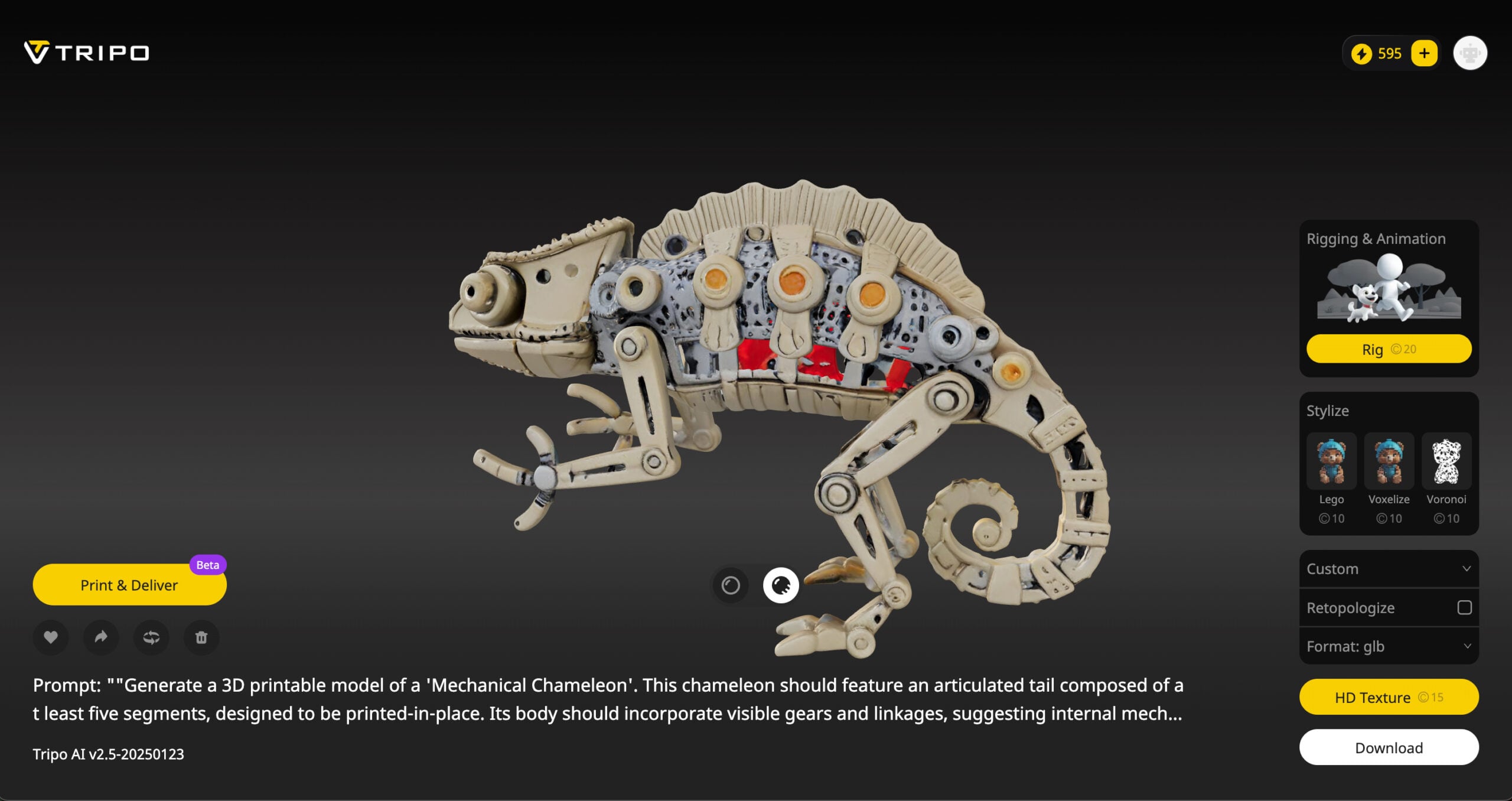
Like Meshy AI, Tripo gets high marks for creativity with the chameleon while almost completely ignoring the mechanical requirements. The resulting STL from Tripo has 24 non-manifold edges and was not printable. It also was tiny, only a few centimeters tall.
Tripo
- Pros: accessible for novices and professionals, realistic PBR rendering (although not printable)
- Cons: lacks accuracy, generated models require tweaking in CAD to be 3D printable, limited customization options
ChatGPT + MakerLab
Admittedly, while Meshy and Tripo are true text-to-3D model generators, ChatGPT + MakerLab is a text-to-image-to-3D workaround using tools not originally intended for direct 3D modeling. But it’s become so popular that we had to give it a try.
Text-to-image generation is only possible with a paid subscription to ChatGPT, but you could use any number of other apps that generate an image from text, such as Deep AI, Canva, Adobe Firefly, etc. There’s no shortage of text-to-image AI generators, which are different from the two we tested above in that they don’t claim to create 3D printable (downloadable at STL or OBJ) digital files.
AI image-to-3D digital file generators are much further along than the text-to-3D digital file options, so for now, this two-step process has some advantages, particularly if you’re looking for a free solution.
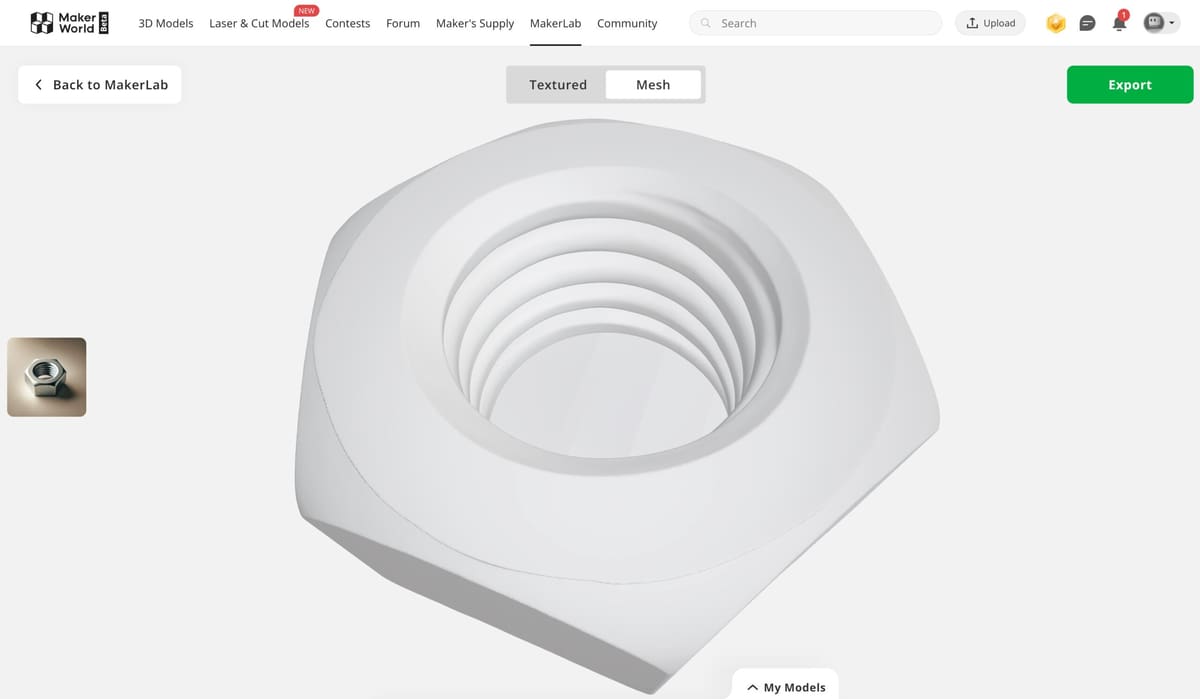
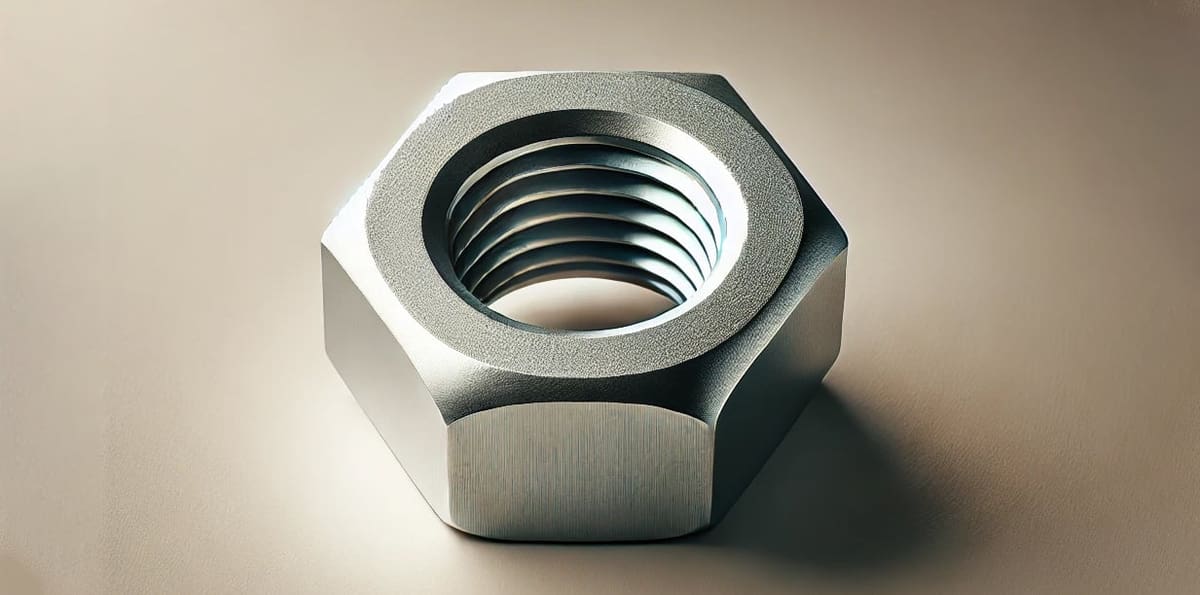
We fed the first prompt into ChatGPT’s image generator Dall-E. It provided two visually appealing nuts that appeared to follow the size and shape constraints. Next, we uploaded the .webp image generated by Dall-E to the Image-to-3D tool inside MakerLab, which took about 3 minutes to process.
Note that MakerLab is not entirely free, since you use some of the free credits you get with your account. The resulting file is not to be used for commercial purposes, the site says, and you need to credit the source wherever you use the image.
The MakerLab file was comparable to the two other contestants above. It wouldn’t be usable as a mechanical object without some editing in a CAD program; the center hole in the nut didn’t go all the way through.
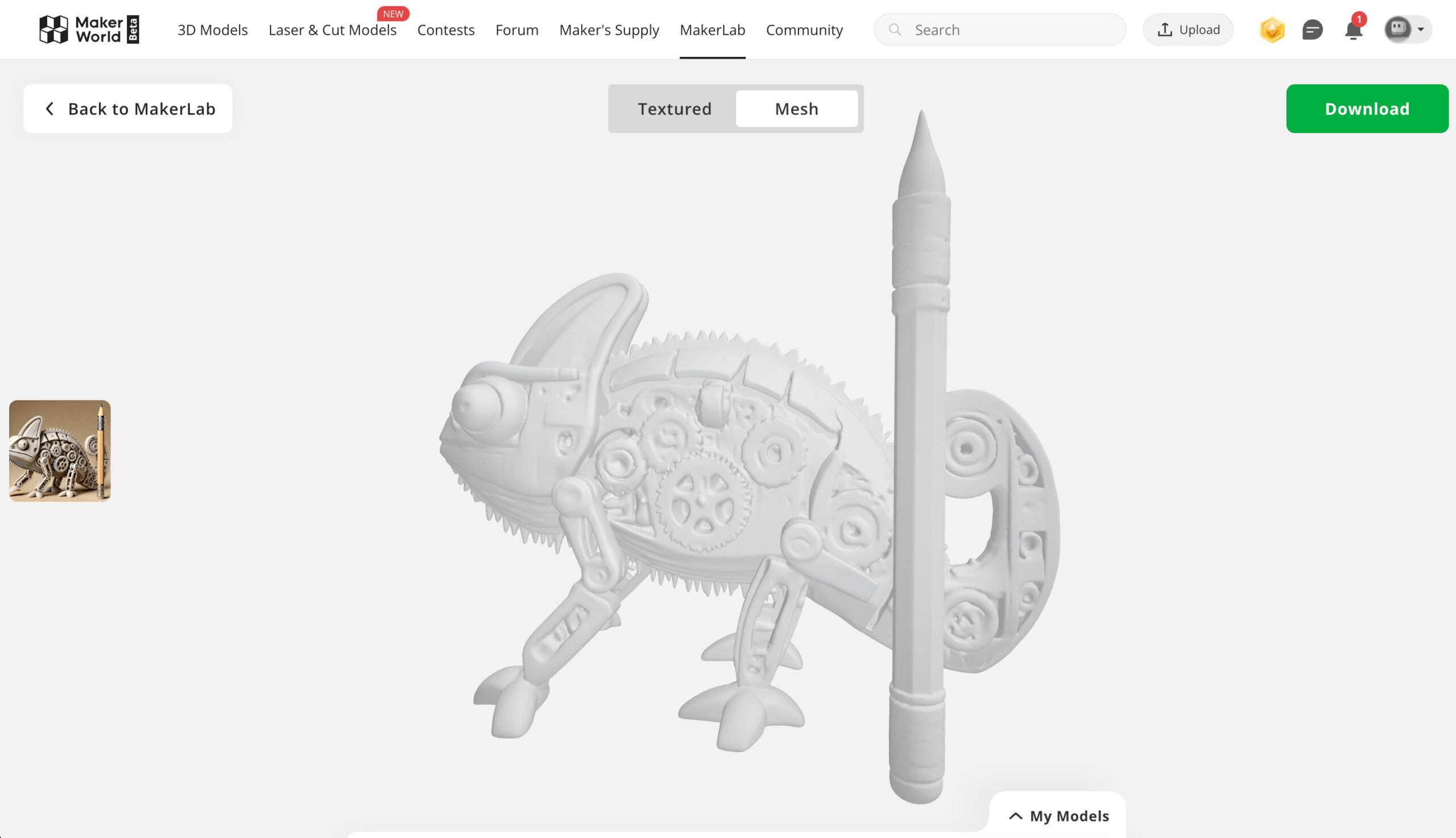
While ChapGPT was willing to generate a digital file of a nut, it was reluctant to take on the chameleon challenge. It said it would prefer to “generate a ready-to-use STL design plan description that can be used for CAD modeling or passed to a 3D designer.” AI telling us to use a human designer was a refreshing surprise, but we pressed it to generate a model, even though it would only do a “simplified one.”
The resulting digital image wasn’t as accurate as we’d like, but it was visually appealing, and when uploaded to MakerLab, it became our favorite STL of the group. However, it wasn’t printable. Bambu Studio slicer said the object had 86 non-manifold edges and needed to be repaired.
ChatGPT + MakerLab
- Pros: accessible for novices and professionals, realistic PBR rendering (although not printable)
- Cons: lacks accuracy, generated models require tweaking in CAD to be 3D printable, limited customization options
Overall, We're Optimistic
Two facts became clear through this exercise: First, if you’re looking for a free model generator for a part that you want to 3D print without using design software to tweak it, it doesn’t exist. We suspect you can get further along in the process and achieve more accurate results with some of the paid offerings, but it still doesn’t solve all the technological hurdles with text-to-3D file generation, most notably dimensional inaccuracy and shapes that aren’t optimized for 3D printing.
Additionally, the process lacks precision and control over the final 3D output, which can limit its usefulness for engineering, product design, or anything requiring tight tolerances.
However, what’s great about these tools is that they are a fast and accessible way to go from concept to “visual” 3D model without requiring traditional modeling skills. They are especially useful for rapid prototyping, creative experimentation, and generating simple models for visual or artistic purposes.
At best, models generated by these free tools could serve as creative input into CAD software, saving time in initial modeling.
This space is developing fast. Within months from now, we expect new AI tools to hit the market, so stay tuned here.
Do you Have a Favorite Text-to-3D Model Workflow?
Let us know in the comments.
License: The text of "Do Free Text-to-3D Model Generators Really Work? We Tested 3 of Them" by All3DP Pro is licensed under a Creative Commons Attribution 4.0 International License.