CAD by Conversation: How AI Is Opening Up Script-Based 3D Design to Everyone

By translating everyday language into precise parametric code, conversational AI tools are breaking down programming barriers of to make advanced 3D design more accessible.
Anyone with a 3D printer eventually runs into the same problem: the thing you need does not exist on Printables, Thingiverse, or anywhere else. Maybe it is a spacer for a wobbly shelf, a replacement cap for an old gadget, a custom bracket for a project, or a little organizer that fits one very specific corner of your desk.
At that point, you have two options. You can keep searching and hope someone else had the same oddly specific problem, or you can make the part yourself.
That is where CAD usually enters the story. CAD is the tool that turns “I wish I had a thing shaped like this” into an actual 3D model. But for beginners, it can also feel like a wall of unfamiliar buttons, sketches, constraints, dimensions, extrusions, cuts, and export settings. Even simple parts can feel difficult when you are still learning what everything does.
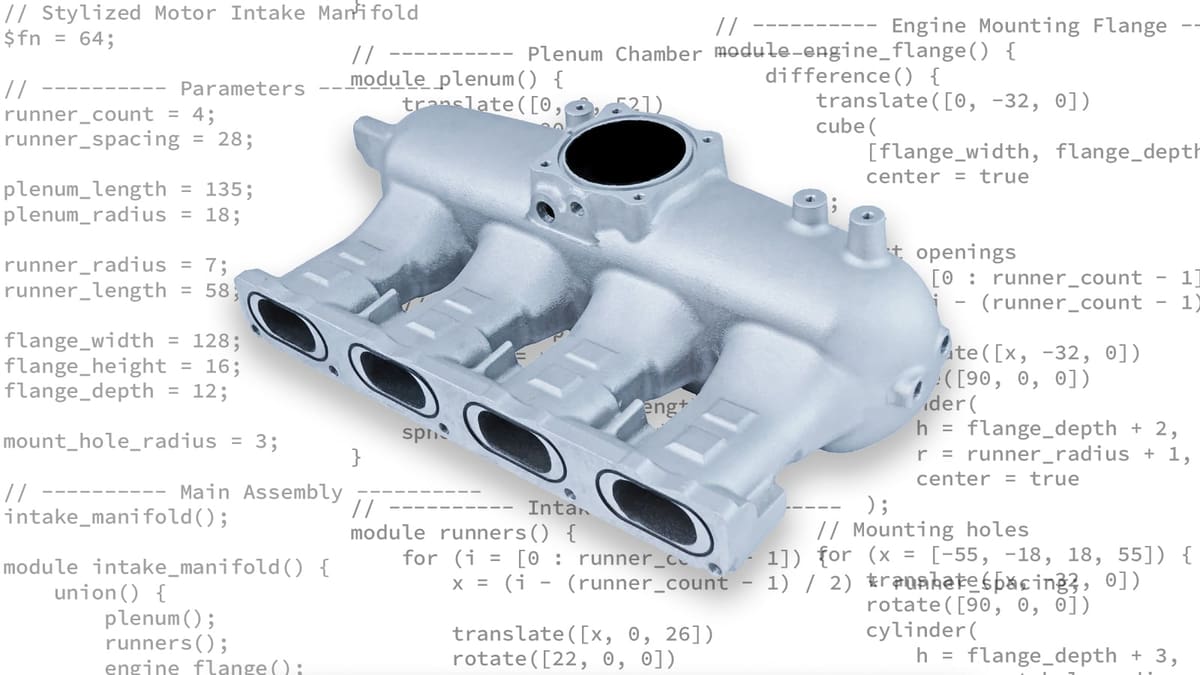
AI offers a different starting point. Instead of opening a blank CAD file and wondering which tool to click first, you can begin by describing the part you want in plain language: “Make a small spacer with a 5-mm hole,” “Create a rounded box with a lid,” or “Design a plate with screw holes in the corners.” From there, an AI tool can generate a script that builds the model.
AI-assisted script CAD is not as a replacement for Fusion, Tinkercad, FreeCAD, Blender, or OpenSCAD knowledge, but as a faster way to create editable first drafts for functional 3D prints.
In script-based CAD, the model is created from editable instructions. The dimensions, shapes, holes, patterns, and other features are written down as code, almost like a recipe. Change the recipe, and the model changes with it.
For people who do not already know CAD, that can make 3D design feel a lot less intimidating. The AI can help create a first version, explain what the script is doing, and make changes through conversation. You still need to check the result, think about printability, and understand that AI will not always get things right. But it can lower the barrier between having an idea and getting something printable on the screen.
In this article, we will look at what script-based CAD is, why it is useful for 3D printing, and how AI is making it more “approachable” for hobbyists, yet still not a push-button solution. We will also look at different kinds of AI-assisted CAD tools, including mesh-based and solid-modeling approaches, and where the limits still are when you are turning a prompt into a real printed part.
The problem with CAD scripting, and why most people don’t use it
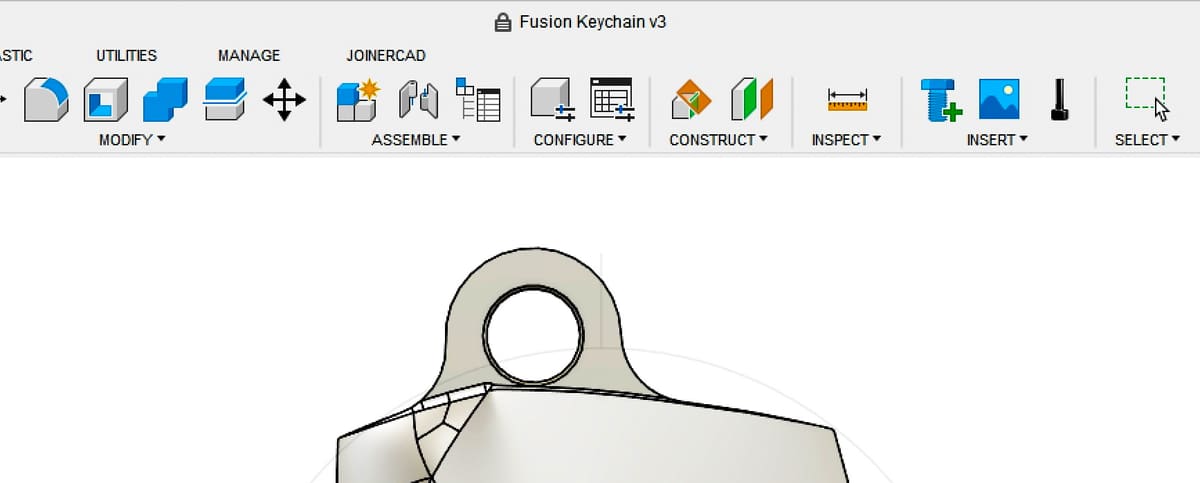
Most people in 3D printing are familiar with tool-based or more accurately “GUI-based” CAD software like Autodesk Fusion. You create a 2D sketch by clicking points on a grid, draw lines and arcs, apply constraints, and gradually turn that sketch into a 3D model through extrusions, lofts, and cuts. It is a very visual and interactive way of working, and for many types of designs it is intuitive and effective.
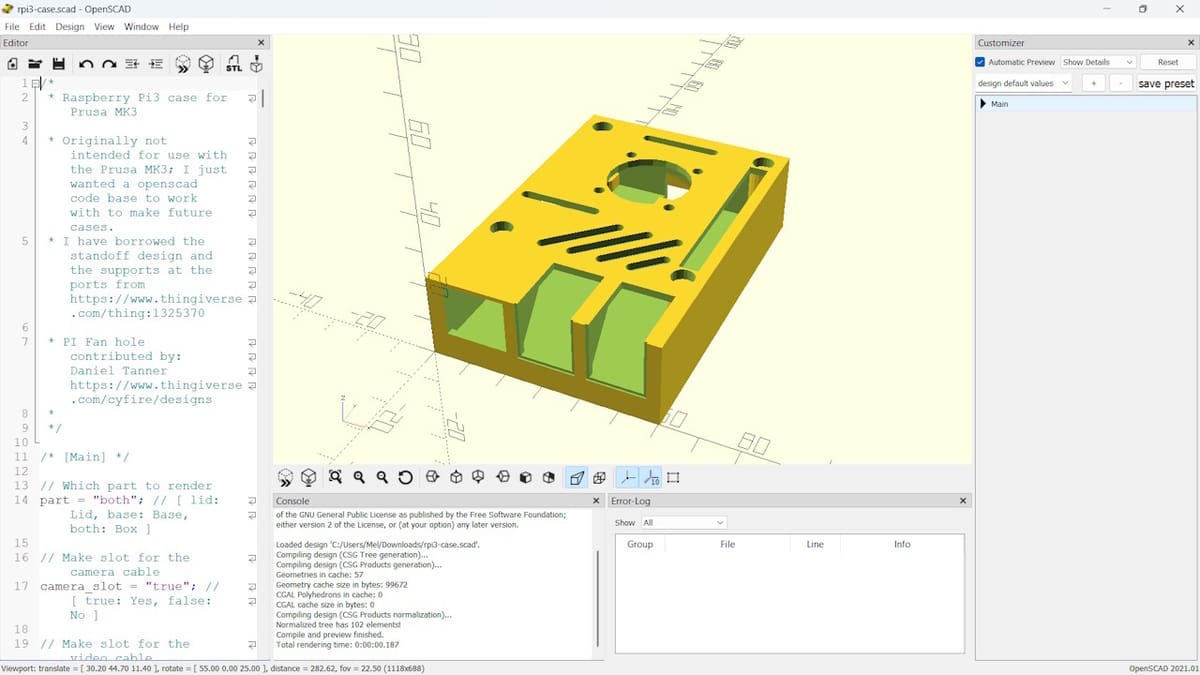
There is another, less common approach of creating 3D models: script-based CAD. Instead of clicking through a user interface using buttons and menus of tools, you define geometry using code. A cylinder is created by a function call, a hole is positioned using coordinates, and a full part is described as a set of operations written in a script. This approach has existed for a long time in tools like OpenSCAD and CadQuery.
In practice, however, relatively few hobbyists and non-professional designers use this workflow. In the 3D printing community overall, OpenSCAD has a meaningful following, especially for customizable parts, fixtures, enclosures, Gridfinity-style organizers, and parametric generators.
What this means for 3D printing: AI-assisted CAD is most useful for parametric, functional, and repetitive parts: brackets, spacers, adapters, jigs, hooks, boxes, ducts, labels, test coupons, and enclosures. It is less ideal for sculptural models, organic characters, miniatures, and anything that requires tight mechanical fit without human review.
The main reason is not that it is less capable, but that it introduces a different kind of complexity. Instead of interacting directly with geometry, users need to think in terms of syntax, functions, and parameters. Small mistakes can lead to confusing errors.
As a result, script-based CAD has mostly been adopted by a smaller group of users who are comfortable working in both design and code environments.
That barrier to adopting script-based CAD is starting to shift, thanks to AI.
Why script-based CAD is worth caring about
Script-based CAD has been around for a long time, and for many users it offers a different way of thinking about 3D design. Instead of building a model step by step with clicks and sketches, you describe it using simple rules that generate the geometry.
One way to think about it is as a design recipe. The script shows exactly how a model is built, step by step. You can read it, modify parts of it, or reuse pieces in another design. For example, the script used to generate the twisted vase shown in the figure below defines a lobed cross-section. That same cross-section can easily be reused in a completely different model.
Another advantage is that it makes more complex designs surprisingly easy. Shapes that would be tedious to create manually can often be generated directly in code. For example, a 3D surface defined by a mathematical function—such as a wave pattern—can be created in just a few lines of code.
It is also very easy to create many variations of the same design. Once a model is defined as a script, you can easily change parameters such as size, thickness, or hole spacing and instantly generate a new version.
In short, script-based CAD turns a model into something that is easy to reuse, easy to adapt, and easy to extend once you understand the underlying structure.
How AI lowers the barrier
The biggest obstacle to adopting script-based CAD has never been the idea itself. It has been the need to write and understand code.
This is where AI is starting to make a difference. Rather than replacing script-based CAD, AI acts as an assistant that helps users work with it. Instead of starting with a blank editor, users can start with a design idea described in plain language or at least a first editable model or script that may be close enough to refine.
For example, a user could ask:
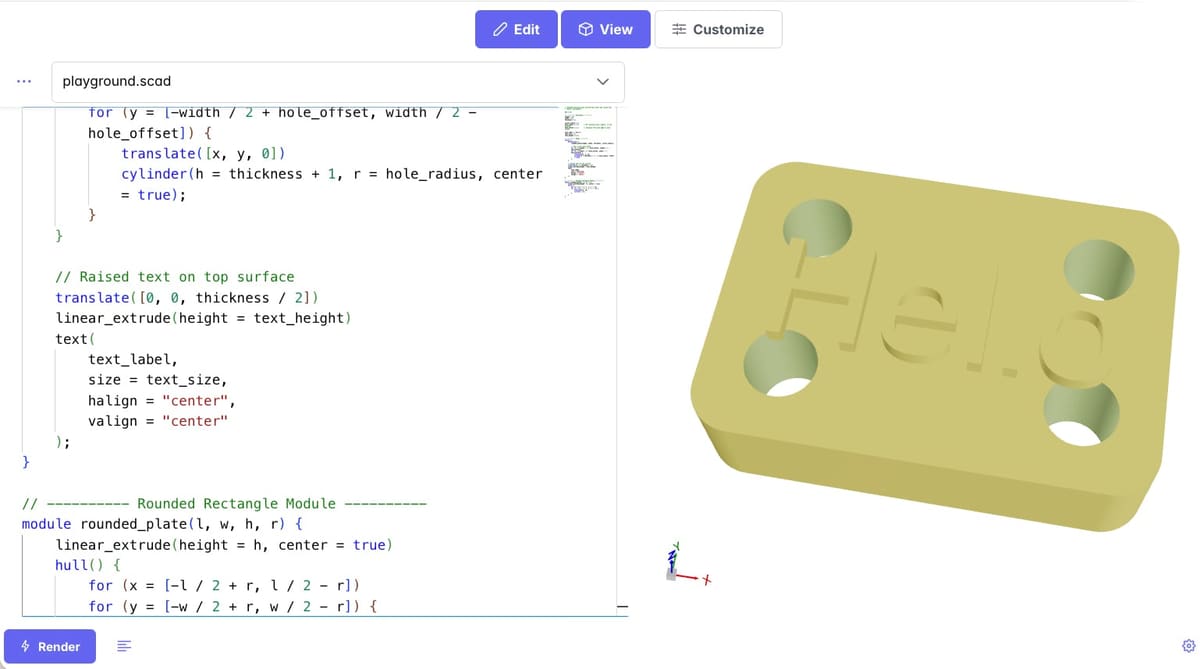
“Create a plate with rounded corners and M3 bolt holes at all corners. Length: 20 mm, width: 14 mm, thickness: 5 mm.”
The AI can then generate a first version of the script. From there, the conversation continues. The user might ask:
“Add the text ‘Hello’ on top.”
Then “export the model as an STL file.”
The AI updates the code accordingly while keeping the model fully editable. If the user later wants to change the plate thickness or the bolt hole diameter, this can easily be done by modifying a parameter in the script.
This approach goes beyond simply generating an initial script. AI can also explain what different parts of the code do, suggest improvements, and help identify errors when something does not work as expected. For beginners, this can make script-based CAD feel much more approachable. For experienced users, it can significantly speed up workflows and reduce the amount of boilerplate code they need to write.
The important shift is that users no longer have to start by learning the exact syntax of a scripting language. Instead, they can begin with an idea and gradually understand how that idea is translated into code. As users become more familiar with the available functions, they may start writing simple code themselves, as this can sometimes be faster than carefully crafting prompts.
In that sense, AI is not replacing script-based CAD. It is changing the entry point. Designing becomes less about programming from scratch and more about collaborating with an assistant to build and refine a reusable design recipe.
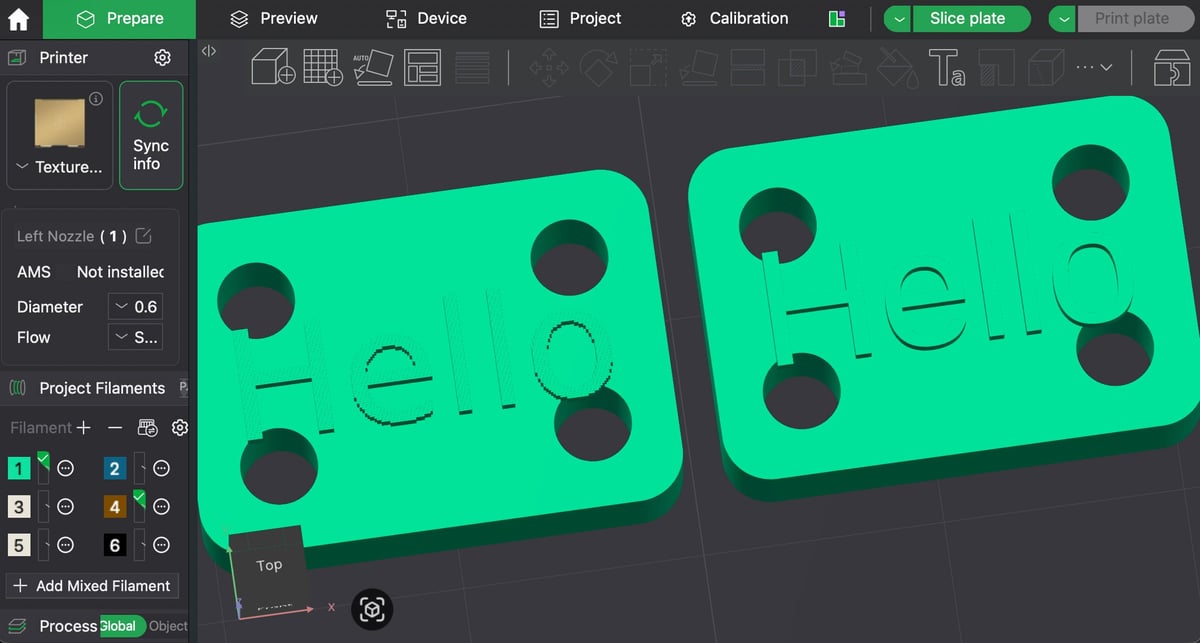
Here’s a sample workflow:
- Using your AI of choice (here we used ChatGPT) describe your part: “Create a plate with rounded corners and M3 bolt holes at all corners. Length: 20 mm, width: 14 mm, thickness: 5 mm. “Add the text ‘Hello’ on top.”
- Ask your AI to provide the code for this part.
- Paste the code into a code reader like OpenScad Playground and export it as an STL.
- Open the STL in your slicer.
AI-assisted script-based CAD in practice (tool landscape)
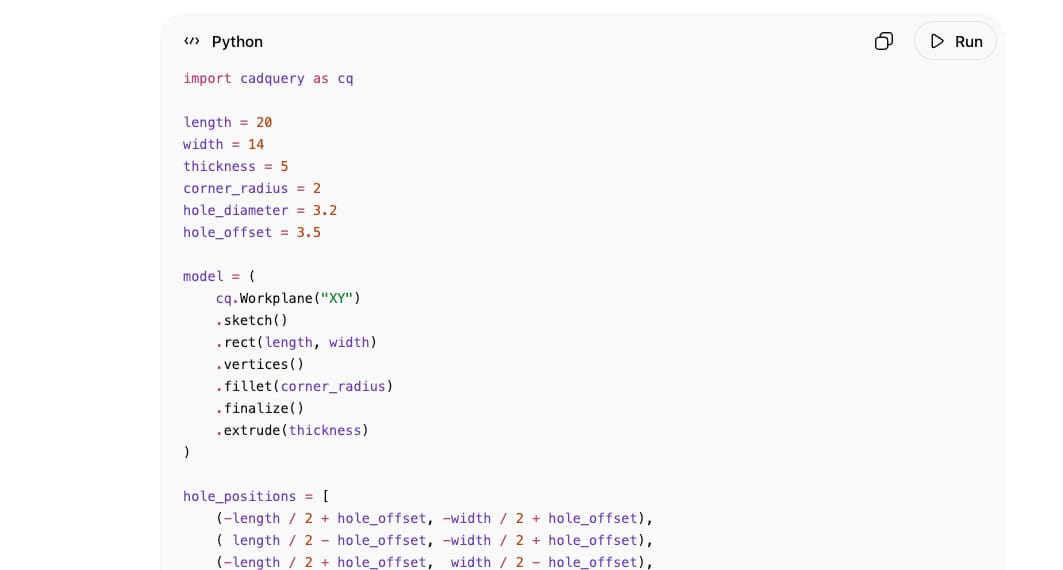
There are two main approaches to AI-assisted script-based CAD, depending on how geometry is represented and what kind of workflows the system is designed for.
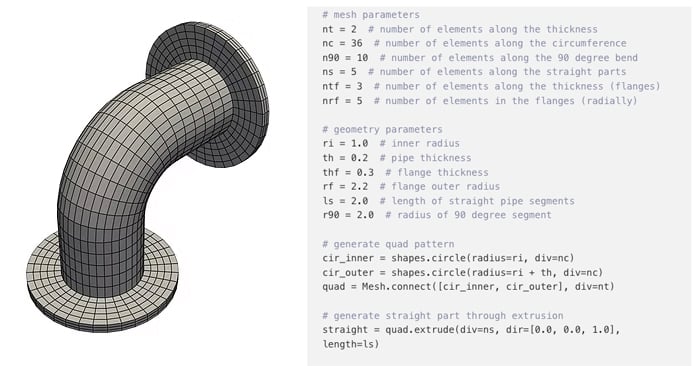
On one side are mesh-based scripting platforms such as HelloTriangle. In the case of HelloTriangle, Python is used as the scripting language to define geometry and workflows. In mesh-based tools, a 3D model is defined by a large number of triangles, and they typically support export to STL format, which is the dominant file format for 3D printing.
This approach allows users to generate models from scratch using operations such as booleans, but also to work directly from existing STL files, for example anatomical models or scanned parts. On these existing models, common operations include remeshing, repairing geometry issues, hollowing, offsetting, and other mesh-based modifications.
It is also well suited for more complex structures such as lattice geometries or gyroid patterns, which are often difficult to represent in traditional B-rep CAD systems (see below).
Mesh vs B-rep, briefly

A mesh model describes a surface as many small triangles. This is close to how STL files work, and it is useful for scans, organic shapes, repaired print files, lattices, and models that will go directly to slicing.

A B-rep model describes solids using mathematically defined faces, edges, and topology. This is closer to traditional mechanical CAD and is better suited to precise parts, dimensioned features, STEP exchange, and downstream manufacturing workflows.

Neither representation is universally better. Mesh workflows are often more flexible for complex or existing STL geometry, while B-rep workflows are usually stronger for precise mechanical design.

STL is usually fine for slicing, but STEP is better when you want to preserve editable CAD geometry or send the part to another CAD/CAM workflow.
On the other side are B-rep–based CAD scripting systems, such as Zoo. In Zoo’s case, users define geometry using KCL, their own scripting language. These systems are built around boundary representation (B-rep) modeling, where solids are defined using exact mathematical surfaces. They typically support STEP as well as STL export and are more aligned with mechanical engineering workflows.
While both approaches use code as an interface to geometry, they differ in how the geometry itself is represented and manipulated. Mesh-based systems can support complex freeform modeling and allow users to start from existing STL models, while B-rep systems align more closely with classical mechanical CAD and manufacturing pipelines.
Importantly, these systems are not direct competitors. They represent different geometry philosophies, and each has its own strengths. The choice depends on the use case.
Limitations and practical considerations
AI can produce invalid code, valid code that creates the wrong shape, or a printable-looking mesh with hidden issues such as non-manifold edges, self-intersections, flipped normals, weak wall thicknesses, or tolerance problems.
While AI-assisted script-based CAD opens up new possibilities, it is important to recognize its limitations. The AI-generated scripts may contain errors or geometry that does not fully match the user’s intent. As with any generative system, the output should be treated as a starting point rather than a fully verified design, especially when precision or manufacturability matters.
Another practical constraint is that good results often come from incremental design rather than attempting to describe a complete system in a single prompt. In many cases, it is more reliable to build up complexity step by step—starting with a simple 2D sketch or base shape, then progressively adding features such as extrusions. This mirrors how experienced CAD users naturally structure designs, and remains important even in a conversational workflow.
Finally, natural language itself is a limiting factor. Many geometric concepts are difficult to describe precisely in words alone, especially when dealing with complex parts. In such cases, a combination of conversational input, parameter adjustments, and direct scripting remains necessary to achieve reliable results.
Where script-based CAD goes next
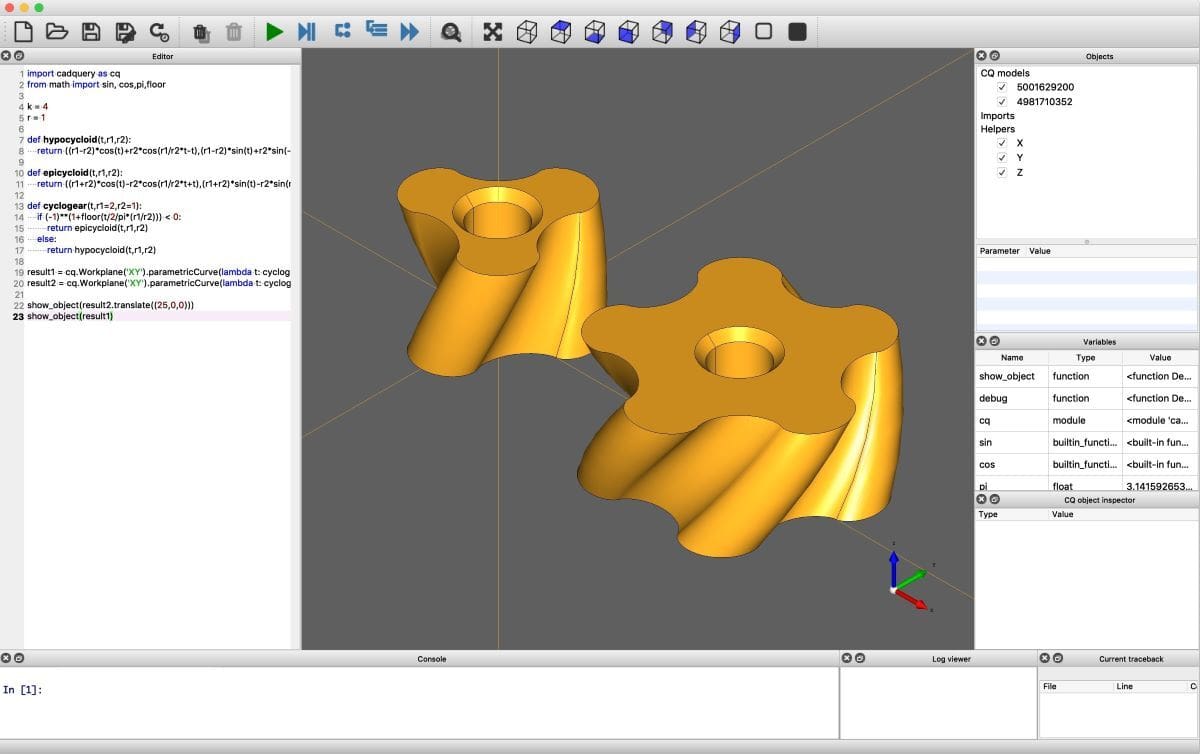
The combination of script-based CAD and AI represents an interesting shift. For decades, script-based approaches offered powerful advantages: designs could be parameterized, reused, and generated from rules rather than built manually step by step. Yet these benefits remained largely limited to users who were comfortable writing code.
AI has the potential to change that dynamic. By allowing users to describe ideas in natural language and receive editable scripts in return, it lowers the barrier to entry without removing the advantages that made script-based workflows valuable in the first place. The result is not a replacement for traditional CAD, but the emergence of another way to design.
Graphical CAD interfaces will continue to play an important role, particularly for highly visual modeling tasks. At the same time, conversational and script-driven workflows may enable a broader group of makers, engineers, and designers to benefit from parameterization and automation that were previously accessible only to experienced programmers.
Over time, this could reshape script-based CAD from a specialist workflow into a mainstream approach to 3D design.
You May Also Like:
Author Bio:
Peter Mortier is a co-founder and CEO of HelloTriangle. He holds a PhD in biomedical engineering with a focus on 3D modeling and simulation of cardiovascular systems. Before founding HelloTriangle, he co-founded FEops, a medtech company specializing in simulation-based pre-operative planning for cardiac interventions, which was acquired by Materialise in 2024. At Materialise, he led the cardiac business line.
Through his work in both research and industry, he has extensive experience with script-based 3D modelling workflows, and has seen first-hand both their power and the practical barriers to adoption.
License: The text of "CAD by Conversation: How AI Is Opening Up Script-Based 3D Design to Everyone" by All3DP Pro is licensed under a Creative Commons Attribution 4.0 International License.