Fix & 3D Print Your Messy AI Models with These Free Blender Add-Ons

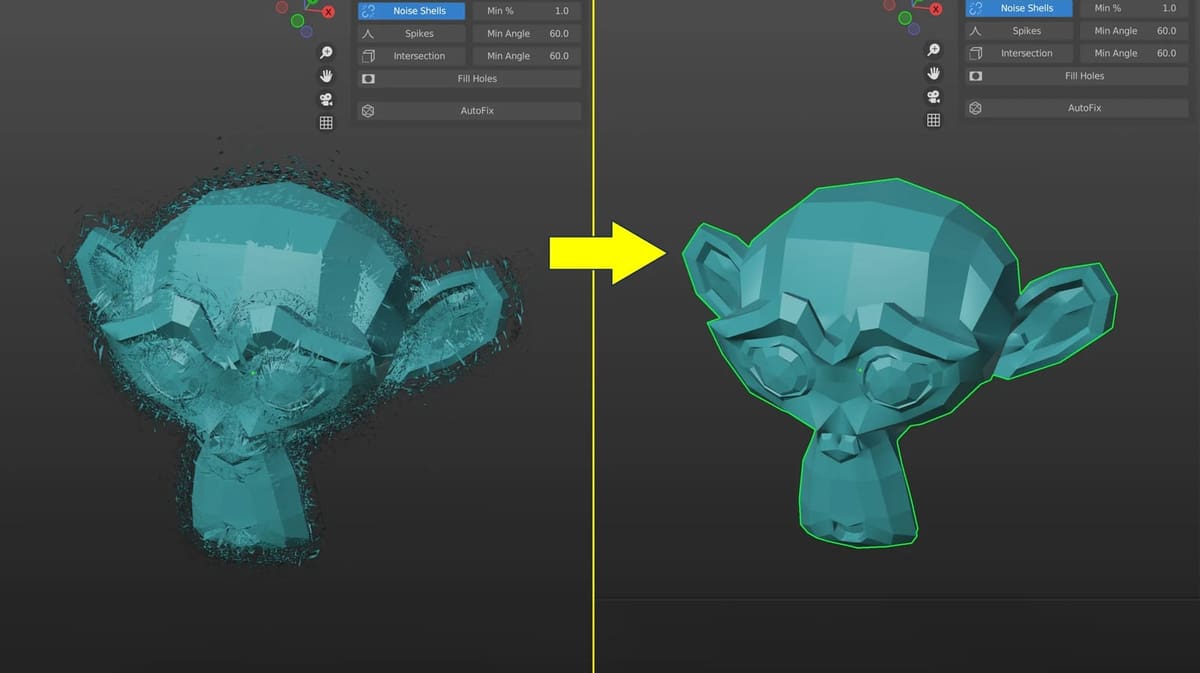
These free add-ons help bridge one of the biggest gaps in AI models: getting from a good-looking AI model to clean, watertight geometry your slicer can 3D print.
Imagine you used an AI tool to model a fantastic miniature. It looks completely solid in AI, but once you open it in your slicer, a printability check says it isn’t manifold or there are floating objects or there are just way too many faces and triangles. It’s not printable like this, so what do you do?
Fortunately Blender, the free modeling software, is becoming a rescue tool of sorts for all types of AI generated models.
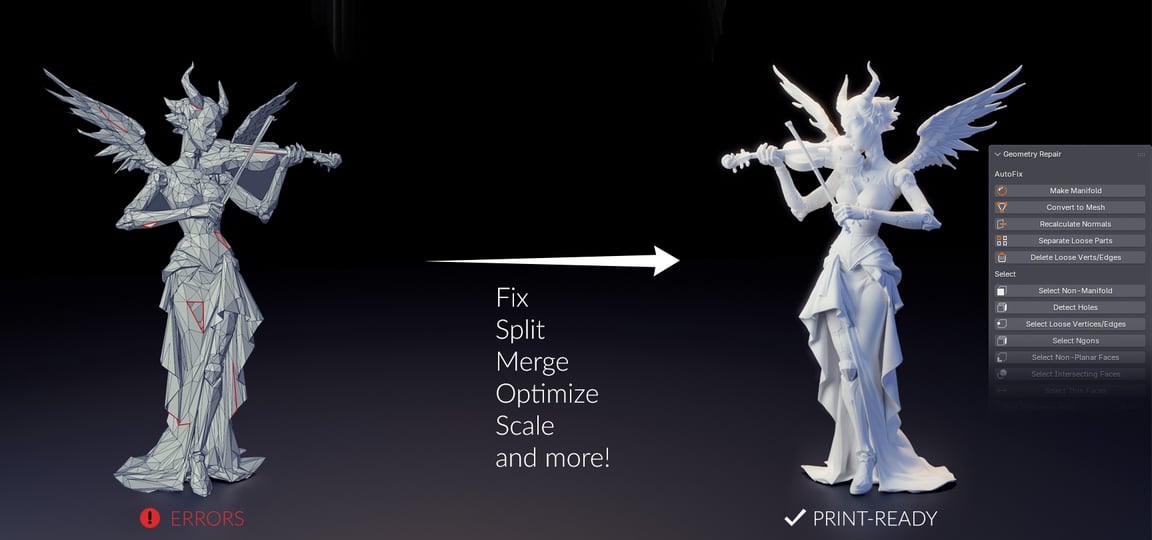
Blender isn’t CAD software in the traditional sense. It grew up around polygon modeling, sculpting, animation, rendering, and visual effects rather than dimensioned mechanical parts destined for a 3D printer.
That’s increasingly beside the point. it’s completely free, enormously powerful, and surrounded by an equally large ecosystem of extensions.
There’s another reason it’s becoming more relevant to 3D printing. AI model generators have made it possible to create surprisingly complex 3D meshes without modeling them manually, and Blender is a natural place to edit those results before printing.
Meshy illustrates the workflow particularly well. Meshy’s plugin acts as a bridge from Meshy into Blender, but it also adds a suite of 3D-print preparation tools inside Blender, including watertightness checks, manifold repair, hole filling, normal correction, hollowing, and export. The plugin is free to download, but Meshy’s one-click DCC Bridge requires a Meshy Pro account or above, so it isn’t one of our free recommendations here.
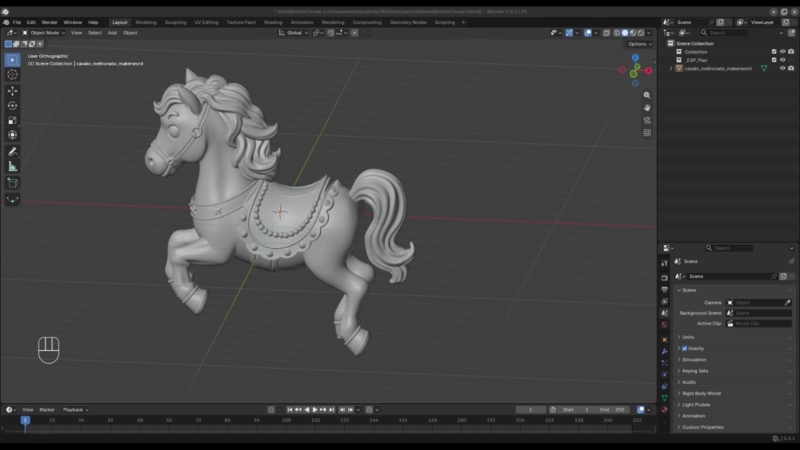
Whether your mesh came from AI, a download site, photogrammetry, sculpting, or your own Blender work, the fundamental problem is the same: A model that looks solid isn’t necessarily a solid.
A slicer generally wants a closed, manifold volume. Holes, internal faces, overlapping shells, flipped normals, self-intersections, and other topology problems can make it ambiguous where material is supposed to exist.
“Watertight” is the friendlier shorthand. And even watertight isn’t synonymous with printable. Walls can still be too thin, details too fragile, clearances too tight, or an object too large for your build plate.
The following add-ons attack different parts of that journey. Better yet, all can be downloaded and used for free.
Top 5 & Other Options
3D Print Toolbox
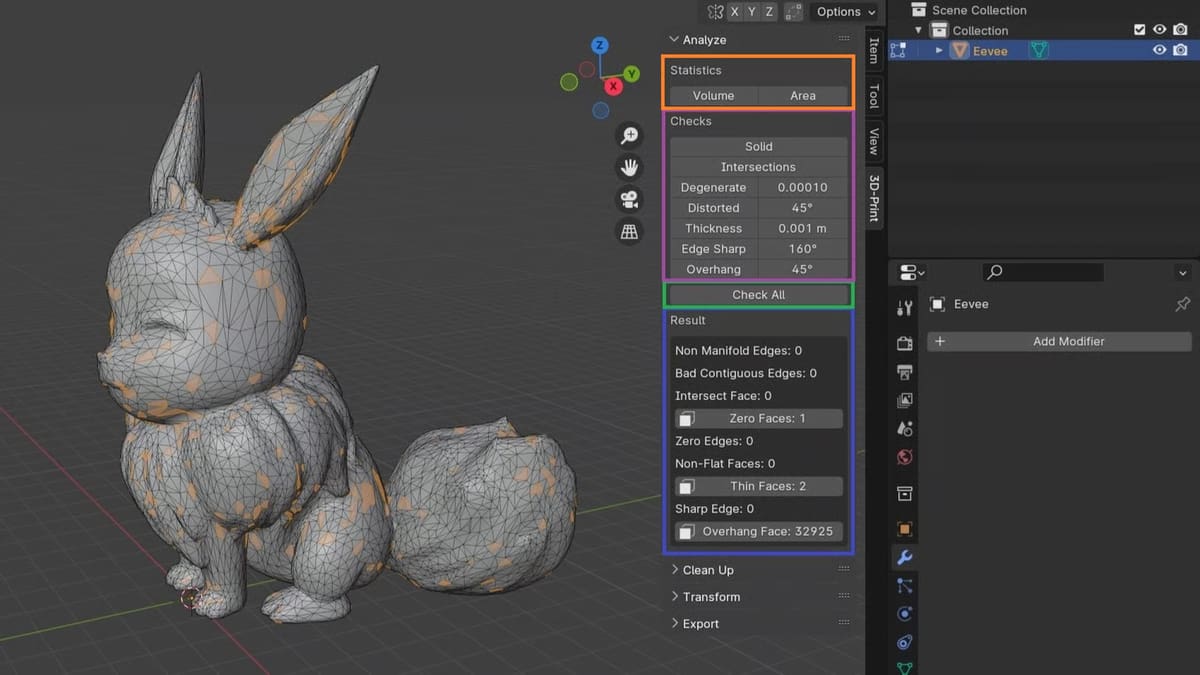
For most Blender users interested in 3D printing, this should be the first extension installed.
3D Print Toolbox is effectively Blender’s general-purpose 3D printing utility belt. It can calculate model volume and surface area, inspect geometry for print-related problems, attempt to make meshes manifold, create consistent thickness, orient a face to the print bed, scale objects, and export them directly to STL, PLY, or OBJ.
It is also by far the most established tool on this list. The official Blender Extensions listing has accumulated more than 640,000 downloads, while version 1.4.1 arrived in August 2026, so this isn’t abandoned legacy software hanging around from an earlier Blender era.
The most useful feature for a beginner is probably Make Manifold.

If Blender discovers edges or geometry that don’t form a valid closed surface, Make Manifold can attempt to fix them automatically. For downloaded STLs, sculpts, or AI-generated models, that can turn a slicer-confusing object into a usable solid surprisingly quickly.
But “attempt” matters. Automatic manifold repair has to infer what broken geometry was supposed to look like. Although fixing a simple hole may be easy, interpreting what several intersecting shells and hundreds of thousands of AI-generated triangles is supposed to be is less predictable.
Run the check again after repairing and inspect the model visually.
- Get it if: You install only one Blender extension for 3D printing.
- Last updated: Aug. 2026
Mesh Analysis Overlay
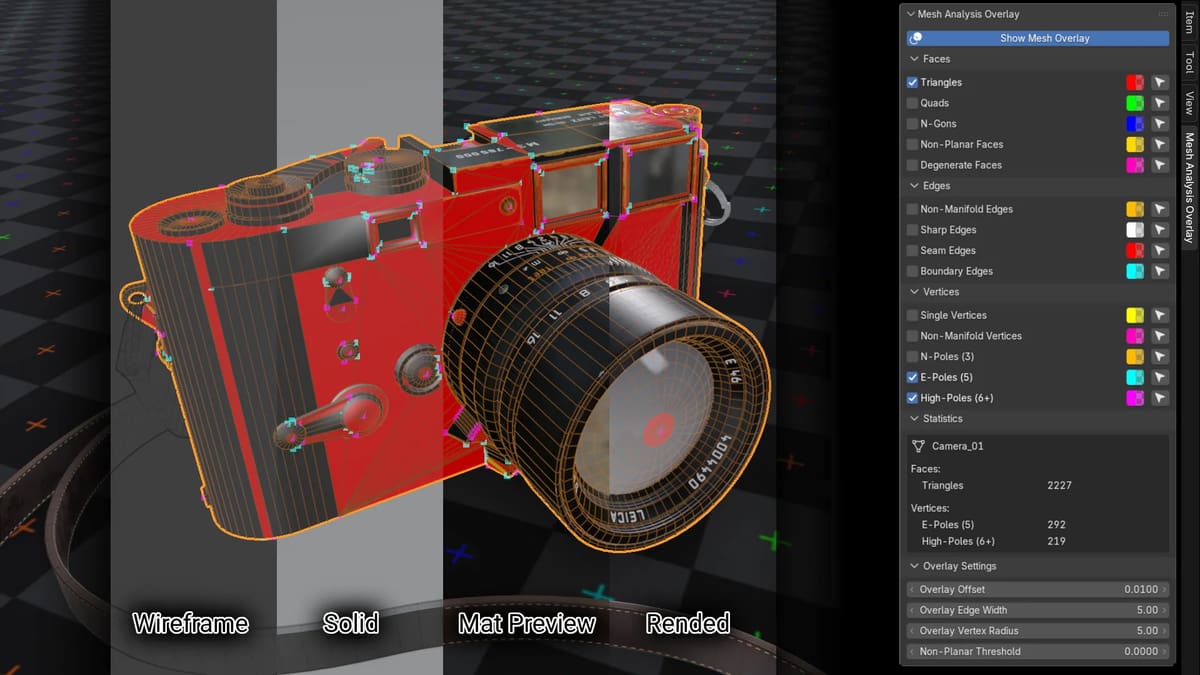
Automatic repair is useful. Understanding the problem is better.
Mesh Analysis Overlay highlights suspicious topology directly on the object, including non-manifold edges, boundary edges, non-manifold vertices, degenerate faces, non-planar faces, triangles, N-gons, and other mesh characteristics.
For 3D printing, non-manifold and boundary edges are particularly useful.
Imagine dropping a detailed AI-generated miniature into Blender. It looks completely solid, but a printability check says it isn’t manifold.
Finding one open edge among several hundred thousand triangles manually isn’t feasible. Fortunately, Mesh Analysis Overlay can display precisely where those edges are and provides selection tools for jumping directly to the affected geometry. It doesn’t fix it for you, like 3D Print Toolbox that can inadvertently change the model’s overall geometry.
It’s therefore complementary to repair tools rather than a replacement for them. Find the issue with Mesh Analysis Overlay; repair it manually; check the finished result with 3D Print Toolbox.
The add-on was first published in 2024 and version 4.1 arrived in January 2026, adding support for showing analysis on evaluated modifier meshes. It is GPL-licensed and available free through Blender Extensions.
- Get it if: You want to know why Blender says your mesh is broken before letting an automatic tool rebuild it.
- Last updated: Jan. 2026
Fill Mesh
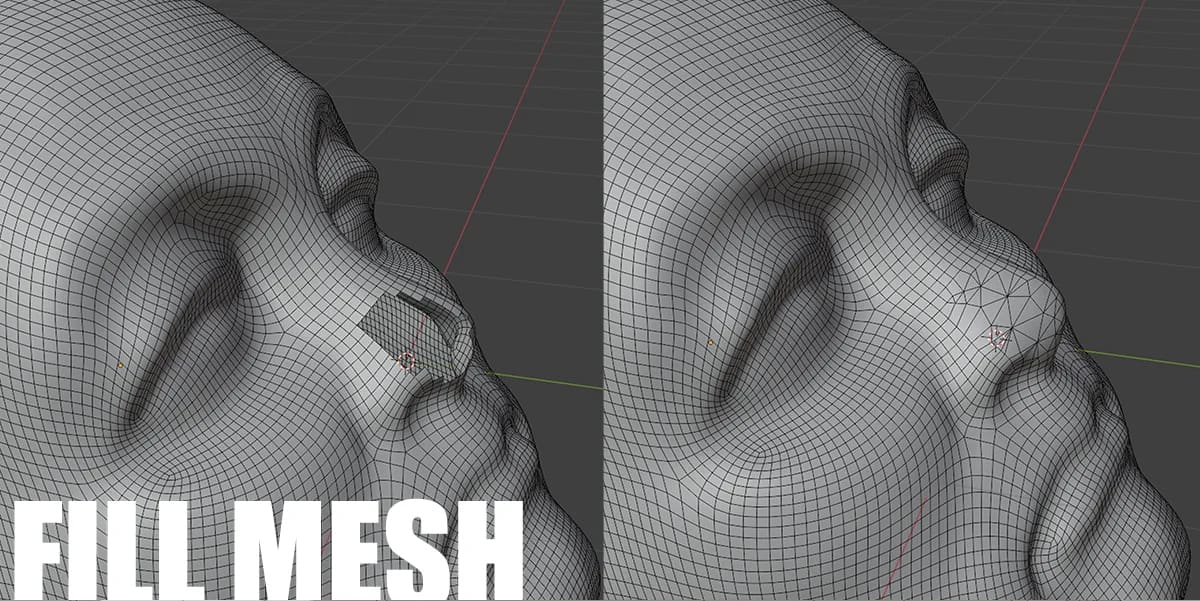
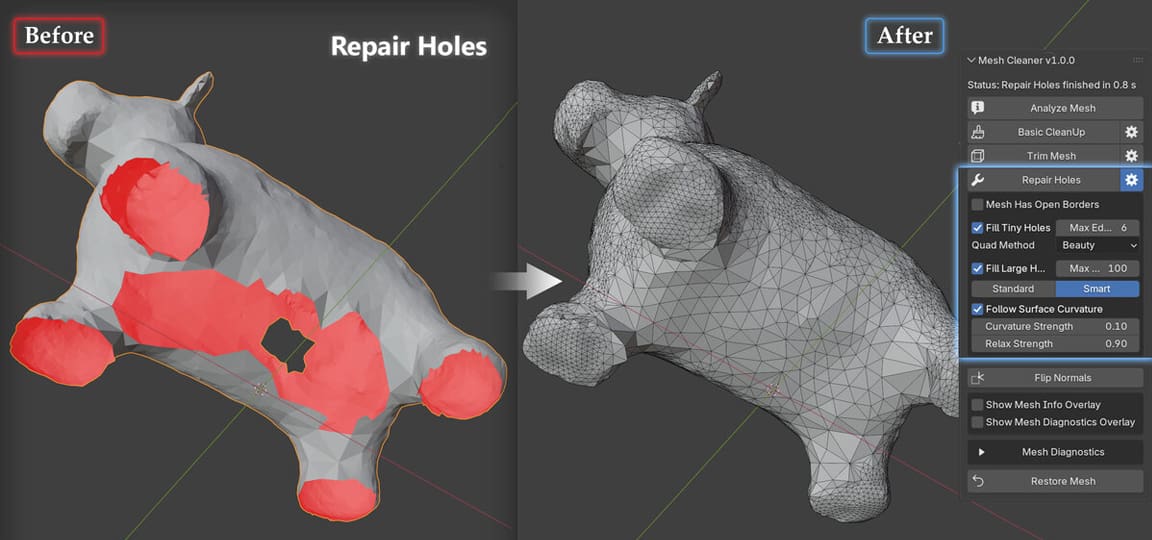
Sometimes the problem in your model really is just a hole. Fill Mesh is a relatively new extension dedicated to finding and closing gaps in geometry either automatically or it lets you repair selected areas manually. It includes tools for merging nearby vertices and handling difficult boundaries using several filling approaches.
Fill Mesh gives you more control over how holes are repaired. Where 3D Print Toolbox offers a general Make Manifold command, Fill Mesh provides several dedicated filling methods for different kinds of openings, including quad-based fills and curvature-aware reconstruction for organic surfaces.
That makes it particularly relevant to 3D scans, remeshed objects, sculpted models, and imported AI geometry where the surface is mostly usable but incomplete.
The developer explicitly describes preparing models for watertight geometry as one of its intended uses.
It was just released in June 2026 but has already built a more meaningful installed base than many experimental Blender extensions: roughly 12,000 downloads on Blender Extensions.
Most importantly for this list, it’s genuinely free. The developer says it will remain available free through Blender Extensions, while the marketplace version exists as an optional way to financially support development.
That distinction is worth watching with Blender add-ons generally: an extension may appear on a commercial marketplace while still having an official free version.
- Get it if: The model is almost usable but holes or broken borders are stopping it from becoming watertight.
- Last updated: June 2026
Topology Doctor
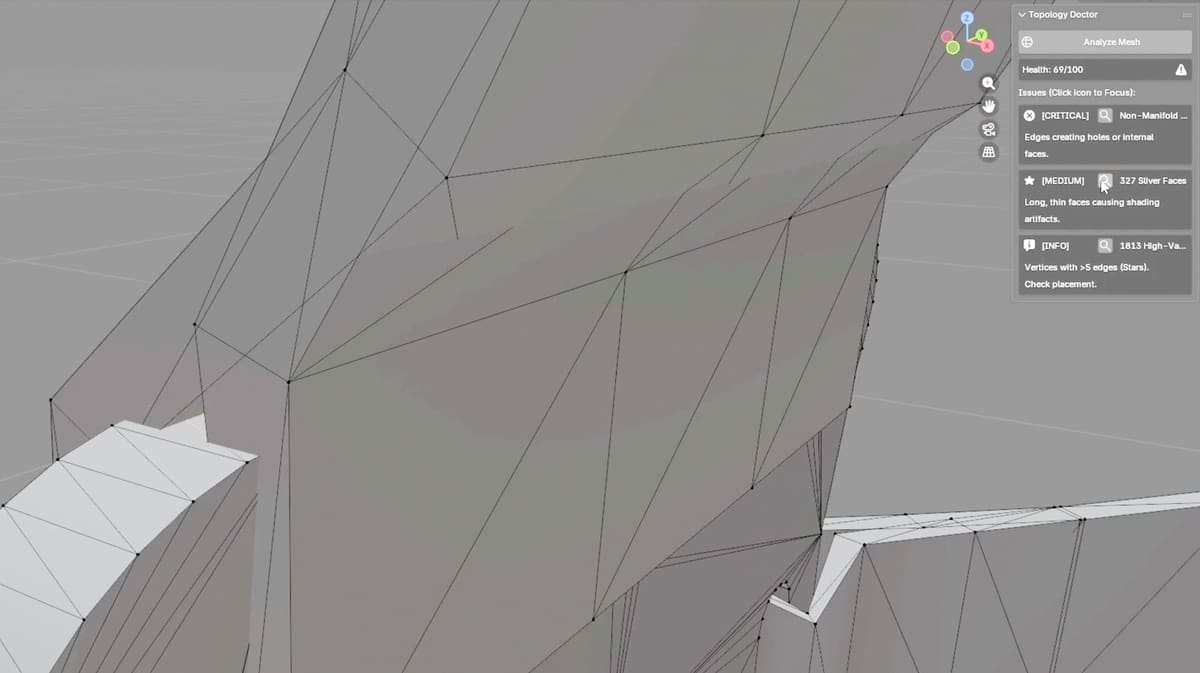
Topology Doctor is less about automatically rebuilding a troublesome model and more about showing you exactly where its topology has gone wrong.
The free add-on analyzes the selected mesh, produces a report of detected problems, then selects and zooms in on the offending geometry so you can inspect and fix it yourself. That makes it particularly useful for imported STLs, AI-generated models, scans, and other meshes where Blender may tell you something is wrong but not make the problem immediately obvious.
For 3D printing, that kind of guided diagnosis can be preferable to immediately reaching for a one-click repair command. Automated manifold fixes sometimes have to guess what the original geometry was supposed to look like; Topology Doctor instead helps you locate the fault and decide how it should be repaired.
It is also one of the newer tools in this list. Version 1.0.0 was released in January 2026, supports Blender 4.2 LTS and newer, and has accumulated roughly 9,000 downloads. It is free and GPL-licensed.
The downside is maturity: there has only been one release so far, so it doesn’t have the track record of something like 3D Print Toolbox. And despite describing itself as a topology “repair assistant,” its real strength is finding and isolating problems for you to fix, rather than automatically turning a broken mesh into a watertight one.
- Get it if: You want Blender to point you directly at troublesome topology before you start repairing the mesh.
- Last updated: Jan. 2026
MeshCheck HUD
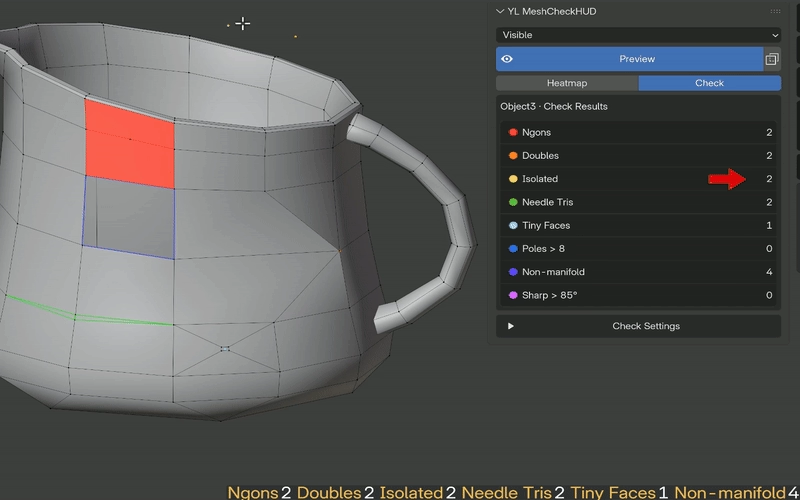
MeshCheck HUD turns mesh inspection into a live process rather than something you run once after editing and it’s a great tool for learning to manually repair mesh.
Its Check Mode highlights common topology problems directly on the model, including non-manifold edges, overlapping and loose vertices, N-gons, needle triangles, tiny faces, poles, and sharp edges. A sidebar shows how many of each problem it finds, while selection buttons let you jump directly to the affected vertices, edges, or faces. Most importantly, those results update as you work, so you can immediately see whether a repair actually fixed the problem.
The add-on also includes a real-time HUD showing dimensions, triangle counts, and unapplied-scale warnings, plus a heatmap for visualizing mesh complexity. Recent releases have concentrated on improving performance with dense meshes; version 1.2.1, for example, increased its real-time Edit Mode threshold and improved high-poly topology refresh performance.
MeshCheck HUD is another news tool, having first appeared in June 2026, but it has already received multiple updates, with version 1.2.2 released in September. It is free and GPL-licensed.
Its advantage over a one-click analyzer is immediacy: you can repair the model while watching the error count fall, rather than repeatedly running a separate check.
- Get it if: You want continuous feedback while manually cleaning up a troublesome mesh.
- Last updated: Sept. 2026
Also Consider These Blender Add-Ons
The five add-ons above are our picks for directly checking, diagnosing, or repairing meshes on the way to a watertight 3D-printable model. But there are several other Blender extensions worth knowing about, particularly if your workflow extends beyond mesh repair.
3MF Import/Export
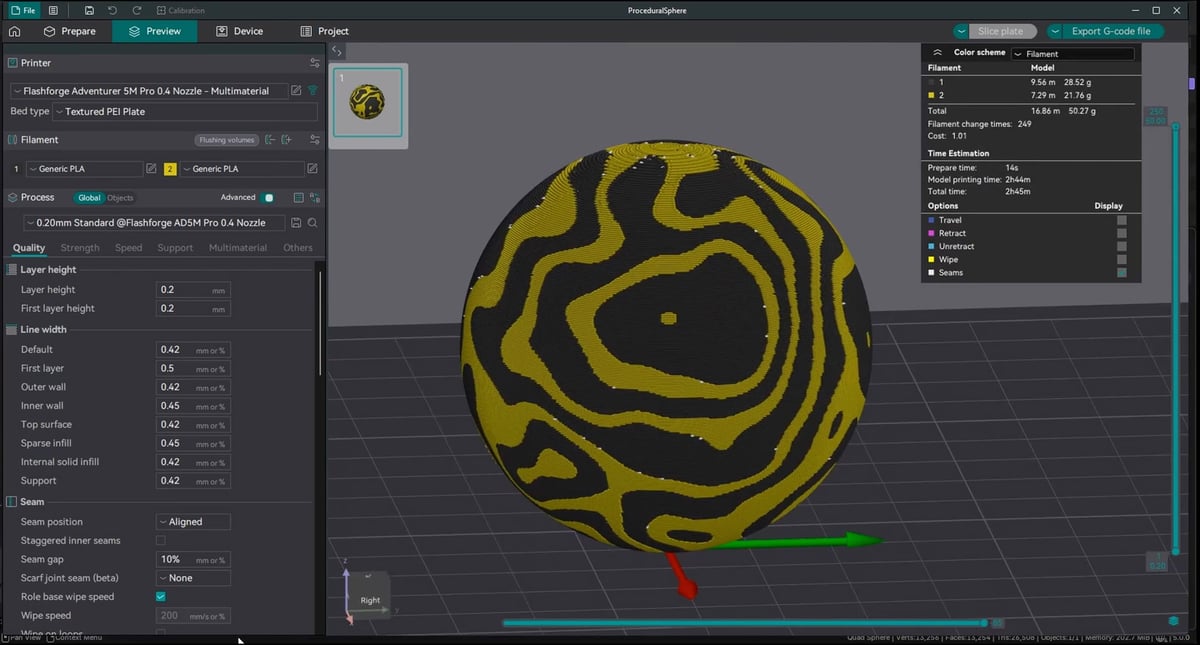
Once the model is clean, you still need to get it into your slicer.
The free 3MF Import/Export extension provides a considerably more modern alternative to relying exclusively on STL. It supports geometry, materials, colors, metadata, slicer profiles, modifier parts, and workflows involving OrcaSlicer and Bambu Studio, among others. It is also actively developed, with version 2.7.7 released in September 2026 and close to 100,000 downloads on Blender Extensions.
For this guide, however, it’s best thought of as the last step in the Blender workflow rather than a tool for making a mesh watertight, so it doesn’t take one of our top-five slots.
EasySlice Print
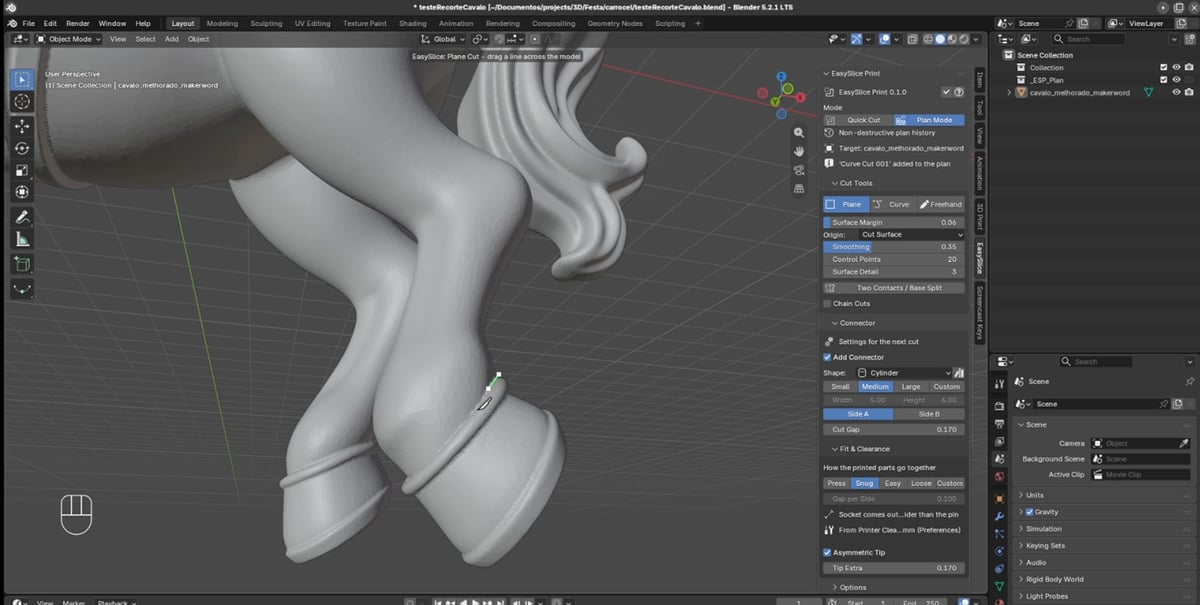
EasySlice Print is worth watching if you regularly need to divide large models into pieces that will actually fit on your printer.
The free extension offers plane, curve, and freehand cuts along with automatic pins and sockets, connector-clearance settings, kerf compensation, and part export. It was only released in September 2026 and remains explicitly labeled alpha software.
That’s why we’re not putting it alongside more established essentials yet. But for figures, statues, cosplay parts, and other large models, it solves an important problem that begins after you’ve made the original mesh watertight.
Easy-Print
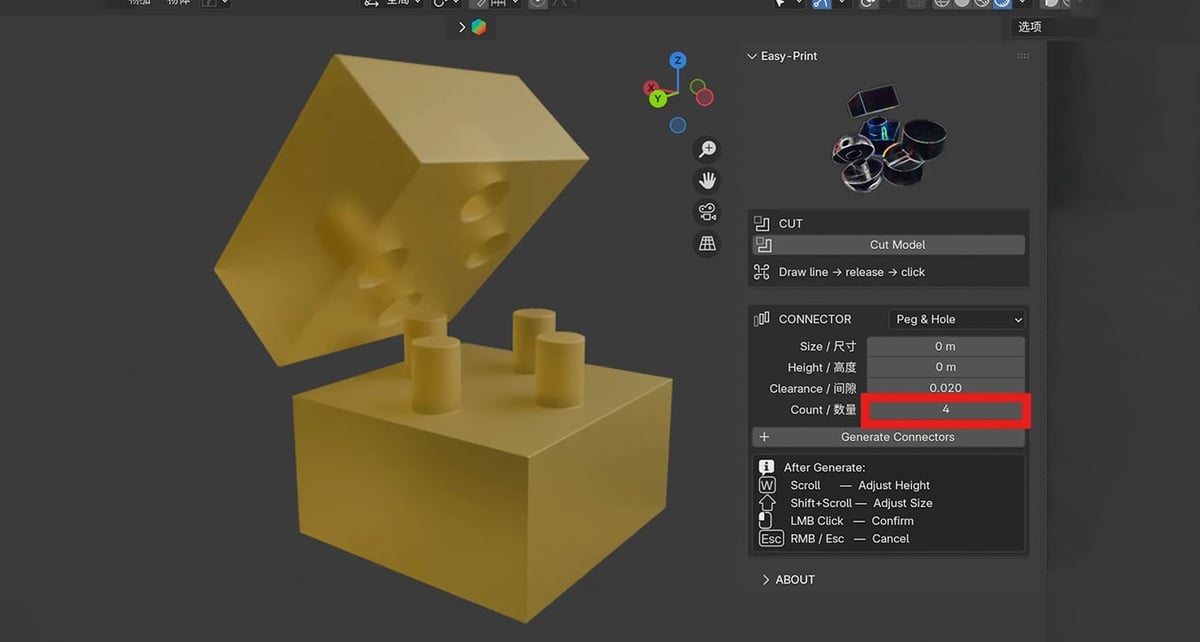
Easy-Print tackles much the same final-stage problem from a slightly different direction.
It can split models and create tab-and-slot, peg-and-hole, or dovetail connections so separately printed parts can be assembled afterward. Version 0.1.2 was released in August 2026 and the extension has already accumulated more than 5,000 downloads.
It’s free, compact, and appealing for models that exceed the build volume, but it isn’t intended to diagnose or repair a broken mesh. Make the model watertight first, then start cutting it apart.
MasterMoldSizer
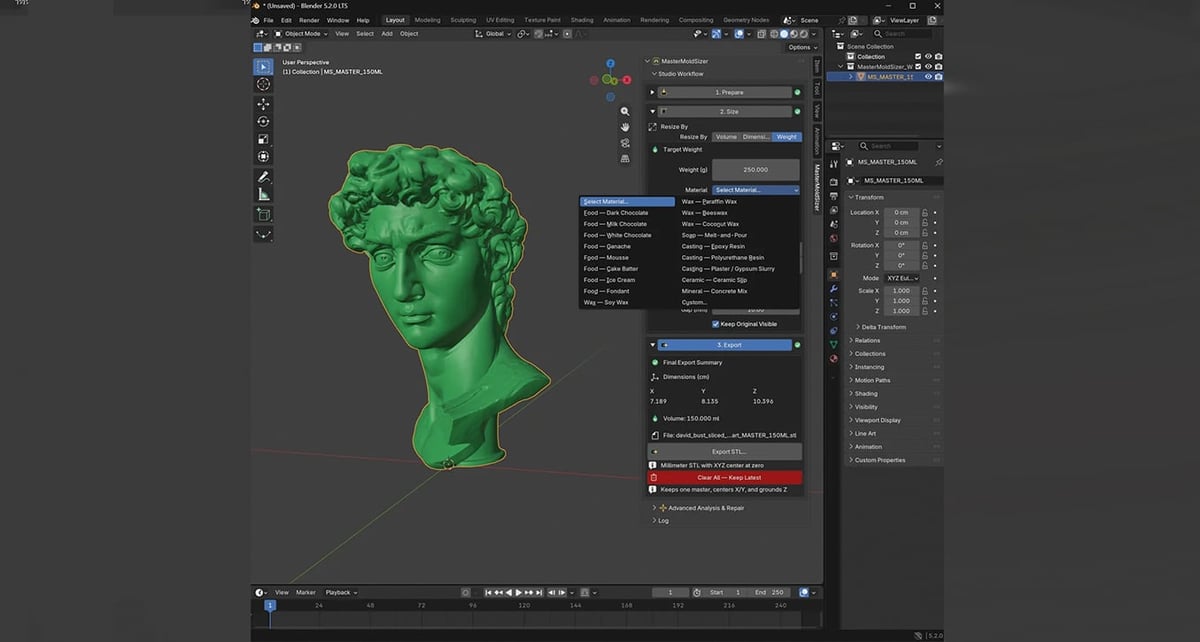
MasterMoldSizer is one of the more intriguing newcomers, particularly for the AI-to-Blender-to-print workflow.
Its August 2026 update specifically targets dense meshes from AI generators, ZBrush, and scanning workflows. Its Smart Repair system can identify and remove tiny stray islands, remove unsupported loose geometry, recalculate normals, close simple small boundary holes, and perform limited boundary welding. Repairs are carried out on a duplicate, and the add-on only substitutes the repaired version after it passes its checks.
It also handles orientation, precise resizing, volume and weight calculations, and verified STL export.
That feature set sounds unusually relevant to this guide, but MasterMoldSizer is very new and little-tested in the wider Blender community. Its first public release appeared in August 2026 and the current release still has fewer than 1,000 downloads.
It’s one we’d keep an eye on rather than rank among established recommendations just yet.
Mesh Repair Tools
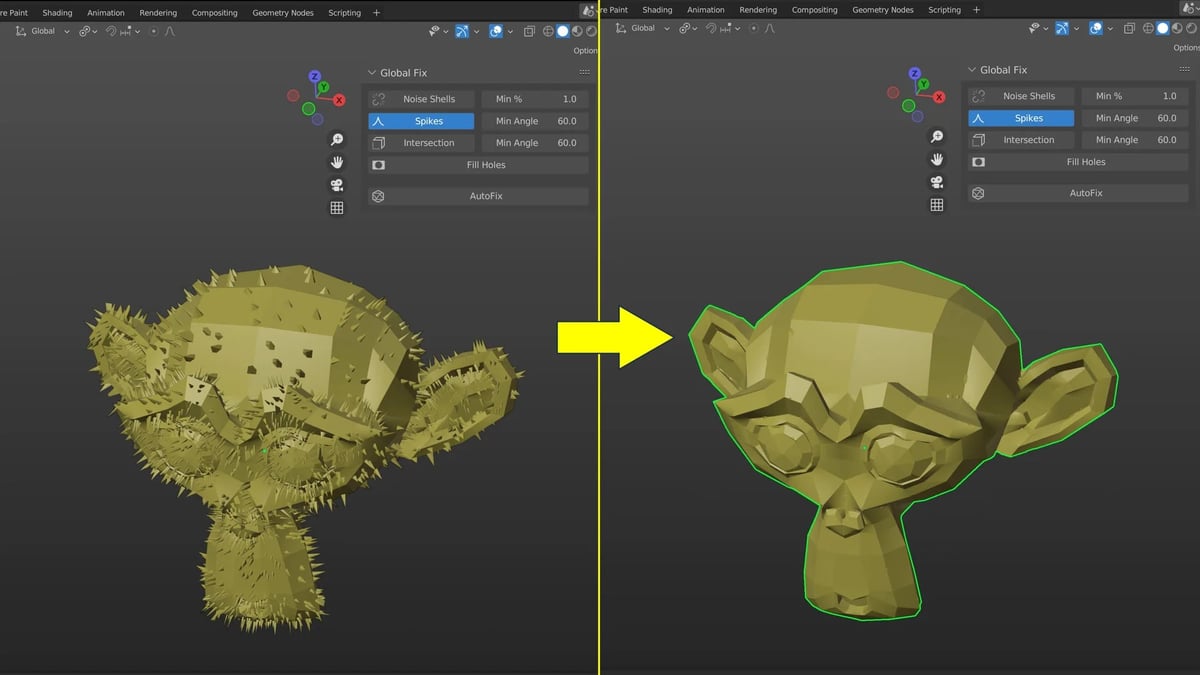
Mesh Repair Tools deserves a mention because it was designed specifically around 3D-printing mesh cleanup and has accumulated roughly 85,000 downloads. It combines several mesh-fixing operations in a streamlined interface and remains available free through Blender Extensions.
The reason it isn’t in our top five is maintenance.
Its latest release, version 4.0.2, dates from September 18, 2024, with no subsequent releases listed on Blender Extensions.
That doesn’t mean it has suddenly stopped working — recent user reviews suggest people are still using it — but for a new installation in 2026, we’d favor tools that are being actively maintained alongside current Blender releases.
You May Also Like:
License: The text of "Fix & 3D Print Your Messy AI Models with These Free Blender Add-Ons" by All3DP is licensed under a Creative Commons Attribution 4.0 International License.